
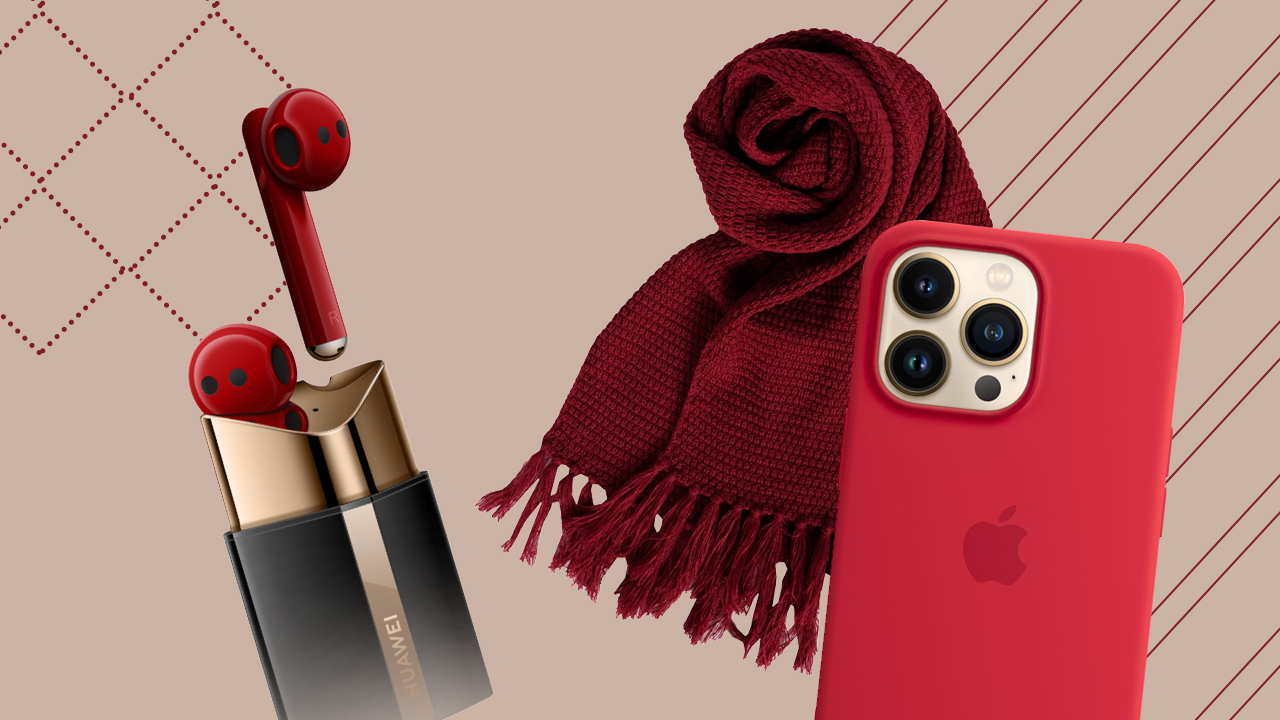

It’s Red season, folks!
Whether it’s the red cups on Starbucks or “Red (Taylor’s Version)” streaming everywhere, Red is an iconic color that everyone should celebrate, own, and wear periodically.
But wearing Red isn’t limited to the month where Autumn leaves are falling like pieces into place. It’s a color that you can wear throughout the year, as long as you use it sporadically and pair it with the right colors.
Red smartphone
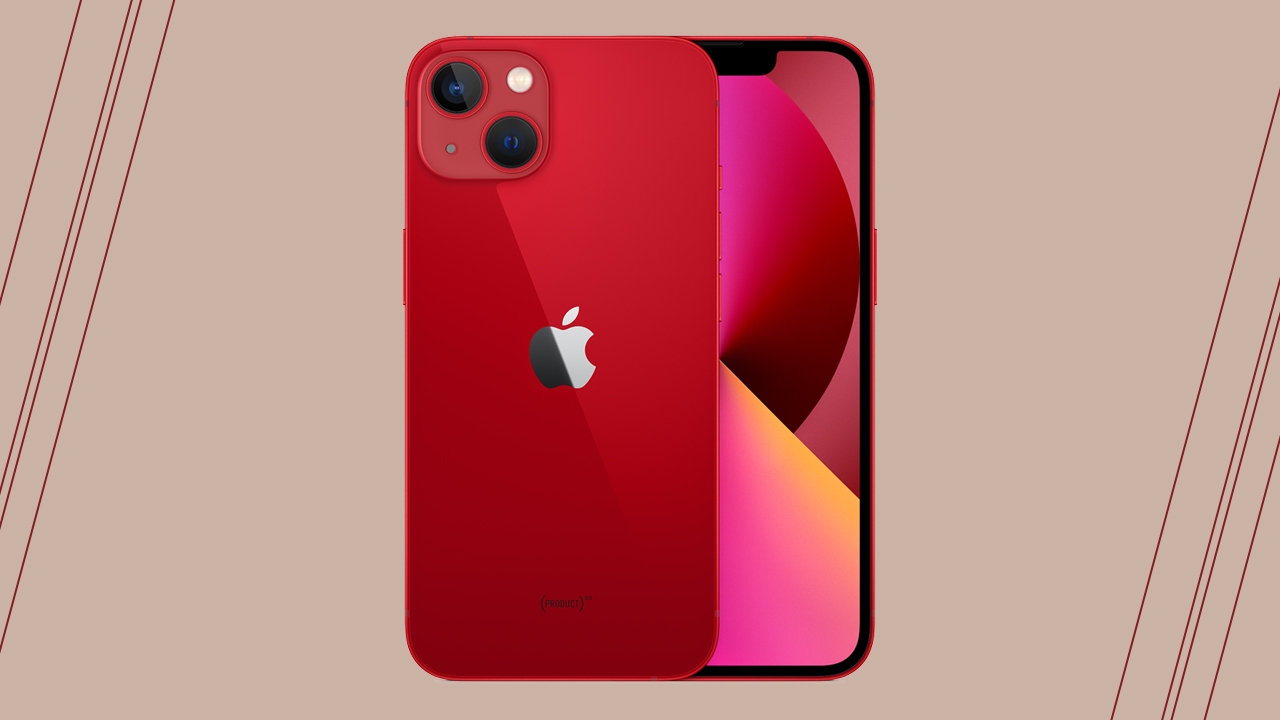
If you’re burning Red, you can always shop a smartphone in that blazing color. Throughout the years, it was Apple that consistently painted their phones Red. Specifically called Product (RED) — a colorway that, when purchased, helps Apple fund AIDS and COVID-19 research.
In case you didn’t know, Red is a company that partners with iconic brands to raise awareness and funds, fighting HIV/AIDS in several countries in Africa.
Red smartphone case
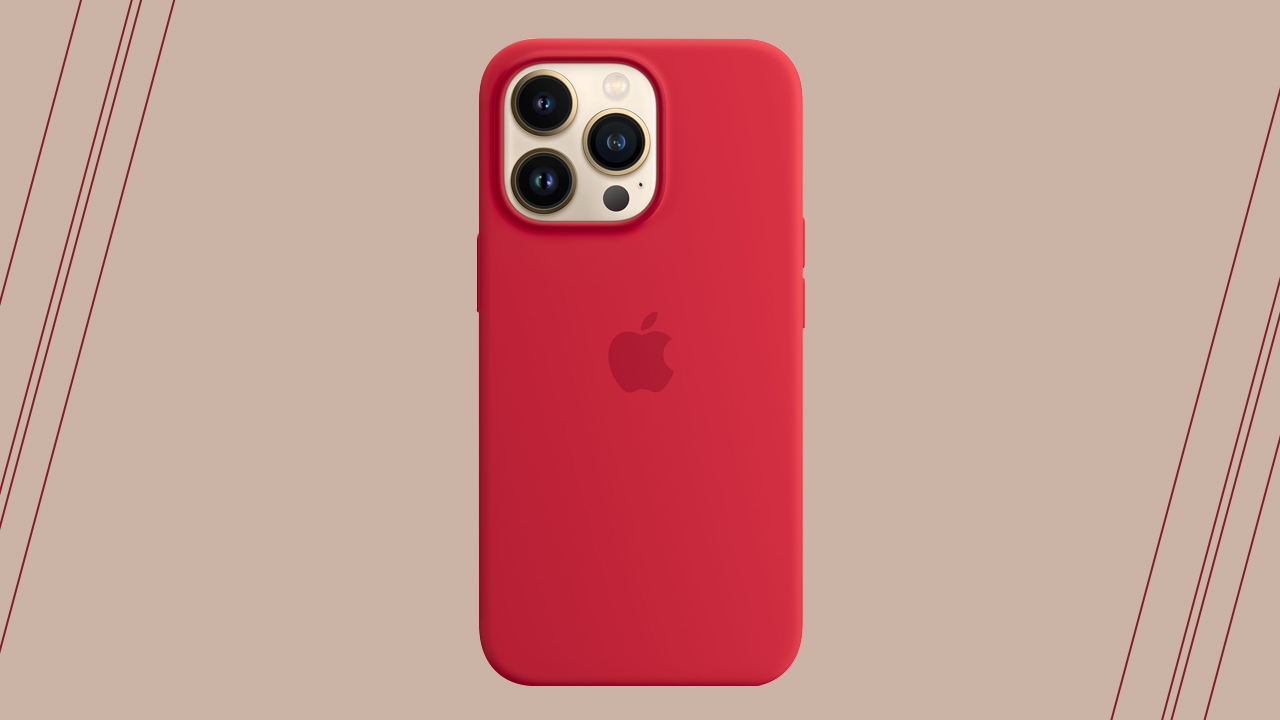
Red can sometimes be overbearing, especially if it’s your phone’s colorway. If you want Red to be worn occasionally, then you can opt for a smartphone case so you can always switch it up to pair with your mood.
The safest bet would be the Product (RED) silicone case with MagSafe from Apple — it’s not as striking as the usual Red, but enough to warrant attention without looking pompous.
Red scarf
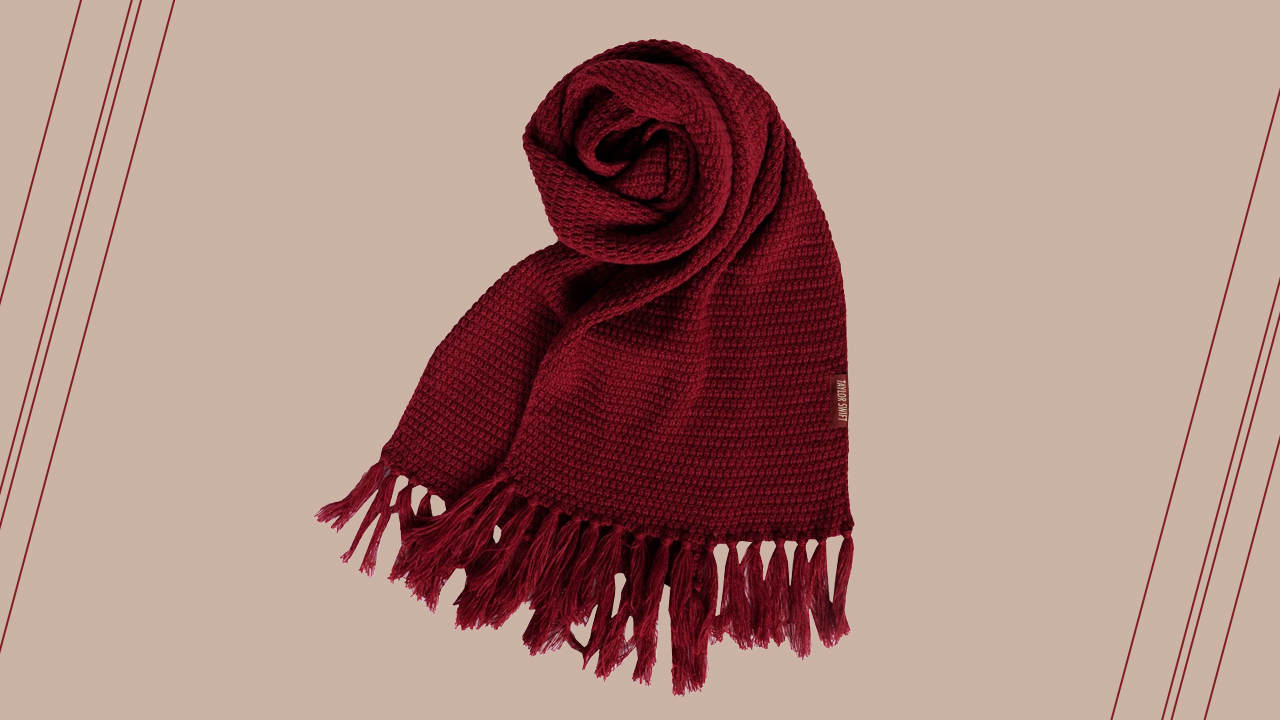
Ah, the iconic red scarf that Jake Gyllenhaal kept because it reminded him of Taylor Swift’s innocence. It’d be really hard to forget someone wearing a red scarf; so luscious and prominent, it will bring back memories that anyone will remember all too well.
If you’re out for a fashion statement this holiday, draping a red scarf around your neck can help you stand out especially when you’re wearing neutrals or an all-black ensemble. Let the All Too Well Knit scarf be your statement piece.
Red wireless earbuds

There’s also a statement piece that doesn’t scream attention but captivates someone subtly. For instance, the Huawei FreeBuds Lipstick edition — painted in a sexy Red, housed in a lipstick case that will make women want one to pair with their actual red lipstick.
Red smartwatch band
Some people can’t stand attention. One reason why most people shy away from loud and head-turning colors for their outfits.
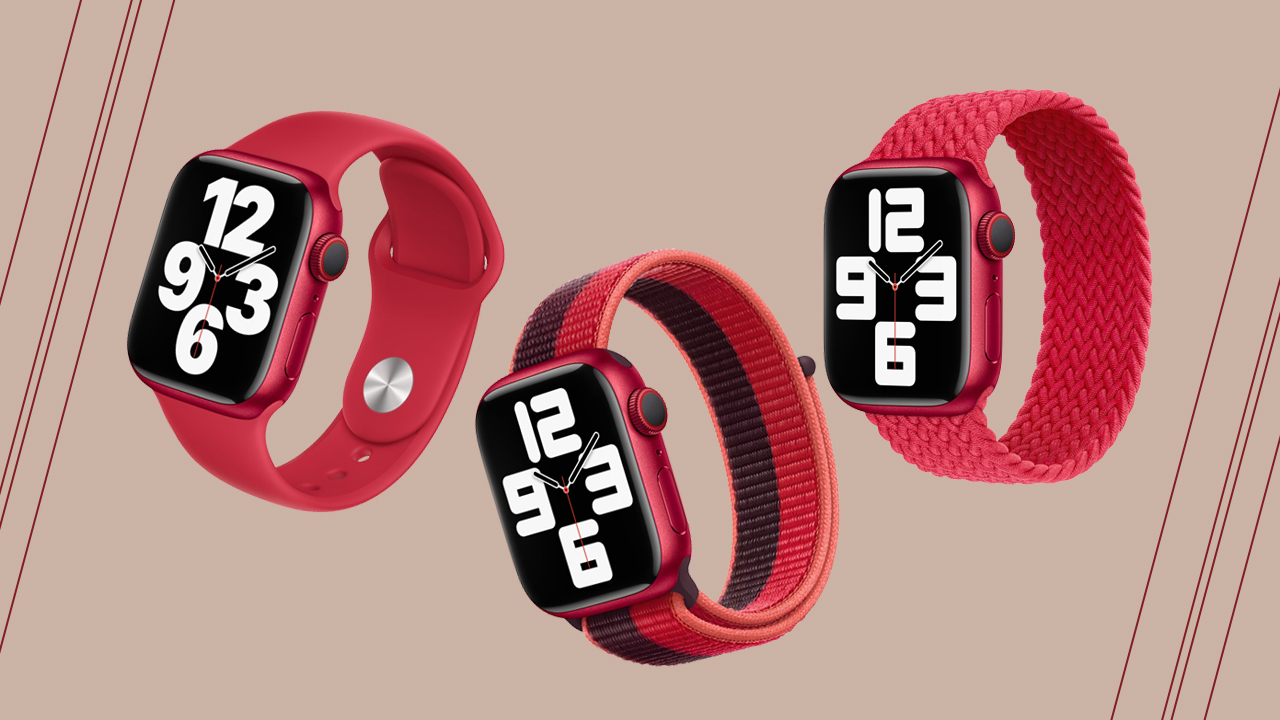
However, you can make Red an accent through a smartwatch band. For example, the Apple Watch Series 7 is compatible with Product (RED) smartwatch bands: Sport Band, Sport Loop, and Braided Solo Loop.







Accessories
Hollyland announces LARK M3 for multi-camera, multi-person setups
Scalable wireless audio system configurable up to 4 transmitters, 4 receivers

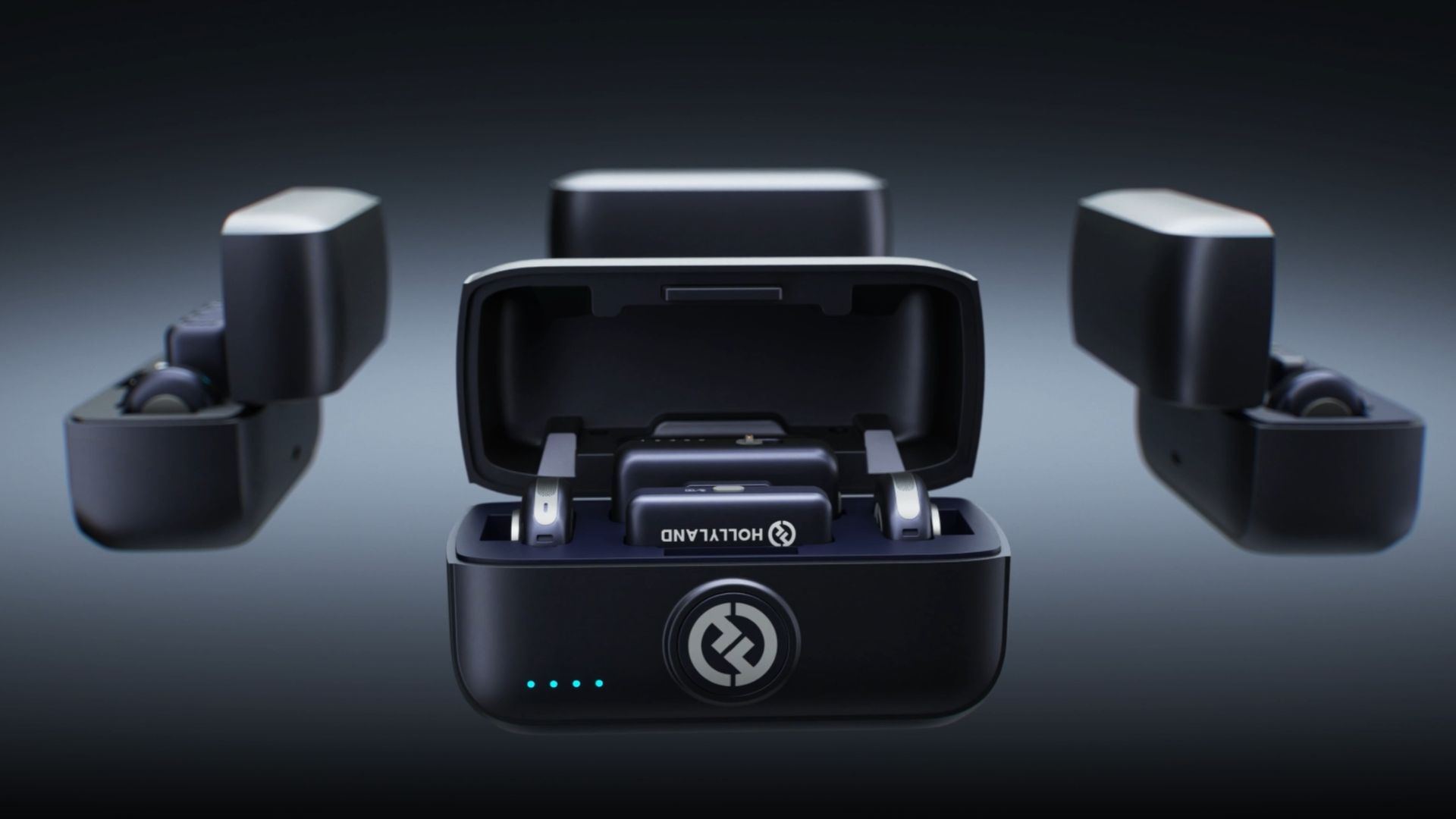
Hollyland has announced the LARK M3, a flexible and scalable wireless audio system designed for multi-camera, multi-person productions.
Rather than functioning as a single wireless microphone, the LARK M3 can be a one-to-many or many-to-one audio system.
This way, it can capture group interviews, podcasts, multi-person content, and multi-camera shoots with a setup that easily adapts to the number of people and devices involved.
At the core of LARK M3 is its multi-transmitter and multi-receiver architecture. Up to four transmitters can connect to a single receiver. Each person can wear their own mic and be recorded independently.
Conversely, one transmitter can connect to up to four receivers simultaneously. A single speaker’s voice can be captured by multiple cameras or smartphones at once.
That flexibility extends into post-production through four-track independent recording. When paired with the hot shoe adapter, or by connecting a USB-C or Camera receiver to a computer, LARK M3 delivers four isolated audio tracks. This gives editors full control to adjust each speaker’s volume and sound separately.
Ultra-portable professional-grade audio
The LARK M3 pairs studio-level specs with an easy-to-use design. It can record at 48kHz/32-bit with a 70dB signal-to-noise ratio and 125dB max SPL.
The system uses Hollyland’s Hollyland’s proprietary HDT wireless technology to move audio data 50% faster for richer, clearer sound over distances of up to 300m.
AI noise cancellation can suppress wind, traffic, running water, and other background noise across three adjustable levels.
Custom voice tuning provides one-tap vocal enhancement for all transmitters, along with eight vocal presets. Each preset can be customized in the app as well.
Auto-Limit Clip Protection keeps volume levels stable across dynamic ranges, while a Primary/Secondary receiver setup is designed to prevent recording interruptions, meaning if the Primary RX drops out, a Secondary RX instantly takes over.
Accessories
Lisa x PlayStation: DualSense Lisa Limited Edition arrives this October
Available in limited quantities this October; pre-orders start soon

Sony has unveiled its latest collaboration with global pop superstar Lisa, in the form of the new DualSense wireless controller – Lisa Limited Edition.
The controller was designed by the singer herself. And fans won’t have to look far to find Lisa in the details. Parties worked closely together to incorporate elements that held personal meaning for her.
Her iconic bangs and eyes take center stage on the DualSense wireless controller touch pad. These are joined by her signature stars and bold “LL” lettering, all set against a Chroma Pearl colorway – Lisa’s personal favorite.
The Southeast Asian market can look forward to the release of the DualSense wireless controller – Lisa Limited Edition starting October 30th at participating resellers.
Of course, the controller will come in very limited quantities, for the following retail prices:
- SG$ 115
- MYR 419
- IDR 1,549,000
- THB 2,890
- PhP 5,411
- VND 2,399,000
Pre-orders begin on October 2, while supplies last. The release coincides with Lisa’s upcoming new EP, Press Play, which comes out on October 23.
Accessories
70mai launches the A900 series with 4K front, rear recording
Two new 4K dual-channel dash cams, both with 4G
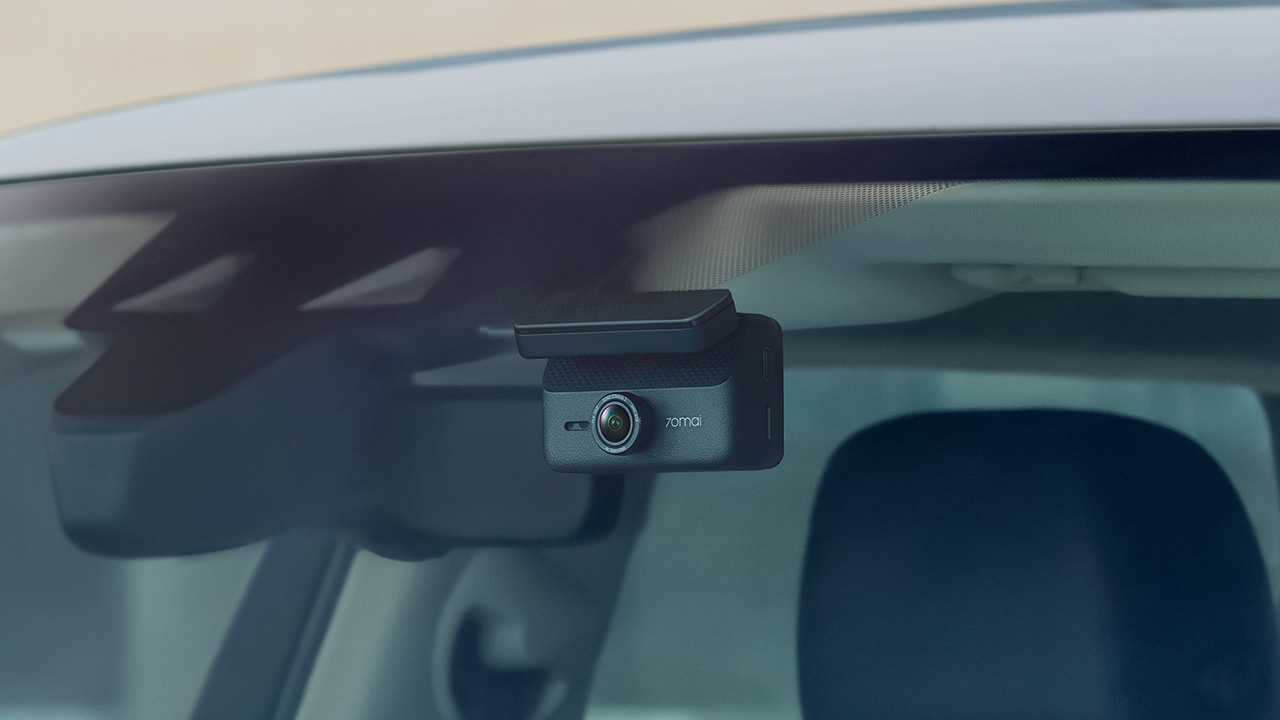
70mai has launched the A900 Series, led by the flagship 70mai Dash Cam 4K A900 Ultra, with the 70mai Dash Cam 4K A900 joining it in the lineup.
Both models record in 4K from the front and rear cameras, and both support 4G, so your footage stays reachable from your phone even when you’re away from the car.
4K recording from both cameras
The A900 Ultra uses dual Sony STARVIS 2 IMX678 sensors to capture clear 4K footage from both directions. As a result, details like license plates and road signs remain sharp.
Smart HDR balances bright and dark areas under shifting light. Users can also adjust color tones and contrast. To keep feeds synced, the rear camera uses LVDS digital transmission. This tech sends a lossless 4K feed with just 20ms of latency.
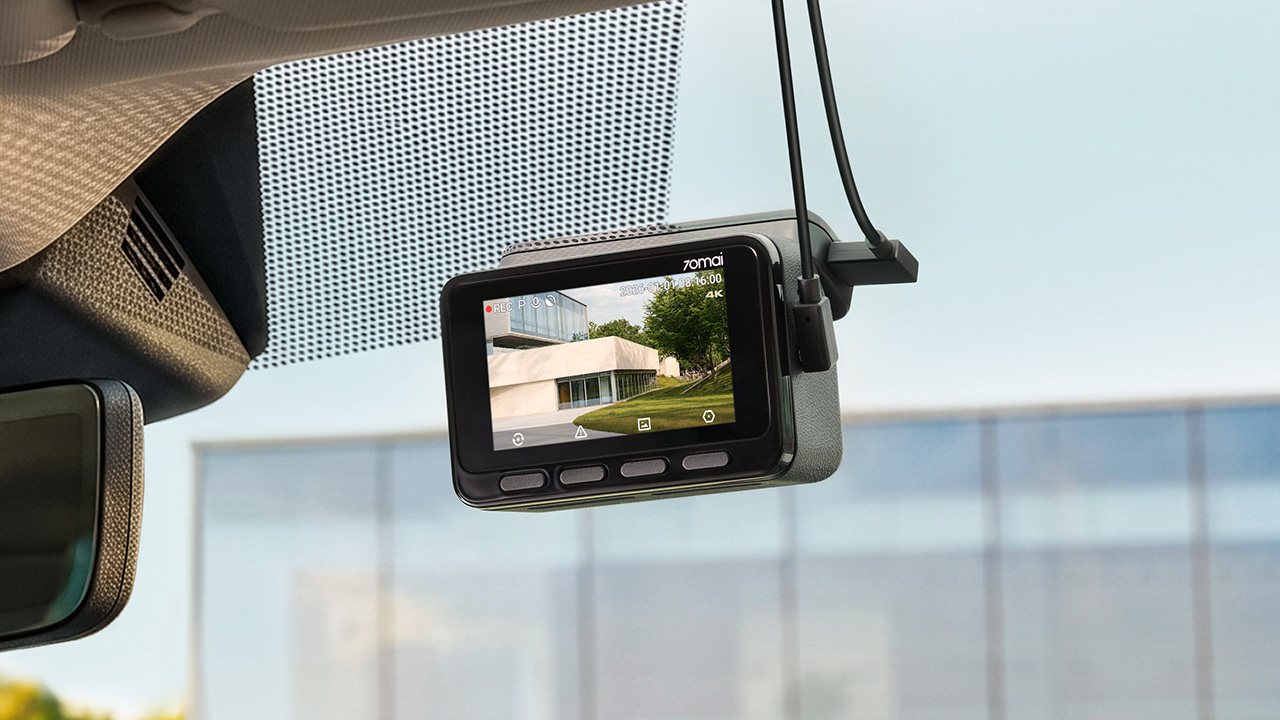
Handling changing light
Driving into a tunnel or under the shadow of a tall building changes the lighting quickly, and 70mai built three imaging technologies into the A900 Ultra to deal with it.
MaiColor Vivid+ Solution 2.0 is meant to give more natural colors and finer detail, along with smarter scene adaptation. Night Owl Vision 2.0 reduces noise and glare to help with nighttime clarity.
Lumi Vision is made for parking surveillance in near-total darkness, where it automatically adjusts exposure and gain and applies noise reduction. 70mai says this produces clear, full-color footage in extremely low light.
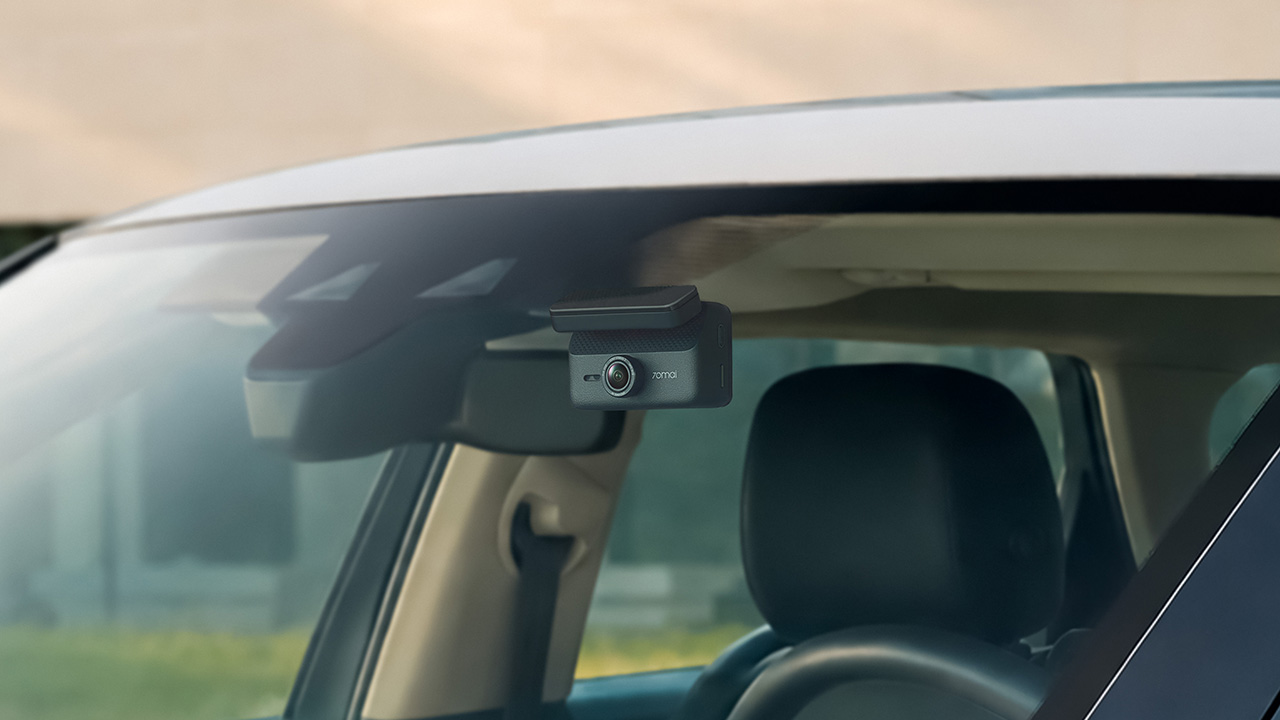
Parking mode and remote access
Smart Parking Guardian Mode 2.0 protects your vehicle while parked. It combines AI motion detection, dual-channel collision detection with pre-recording, and time-lapse options.
The system draws just 5mA on standby to prevent battery drain. For extended coverage, the optional 70mai Battery Pack Mini powers surveillance for up to 30 days.
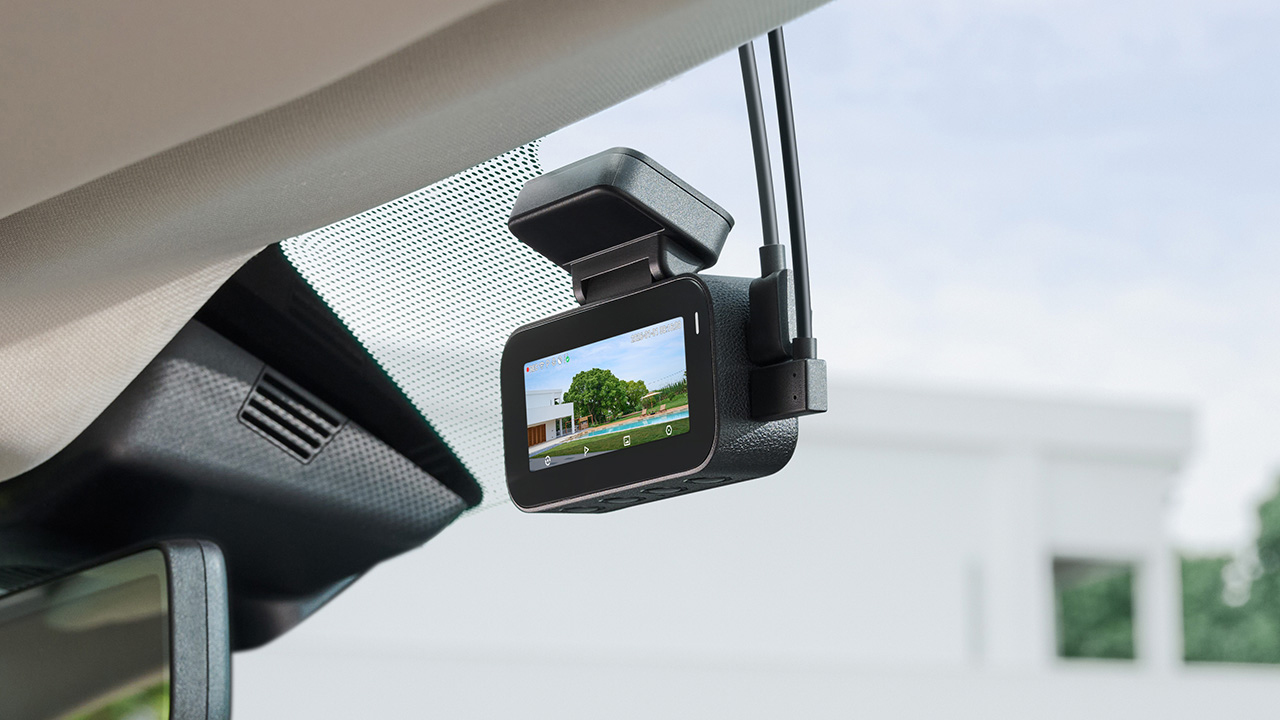
In photo: A900
Pairing the camera with the 4G Hardwire Kit unlocks 70mai 4G Cloud+ 2.0 features on the app. Enhanced Buffered Emergency Recording saves up to 190 seconds before an incident and 30 seconds after.
It automatically uploads this footage to the cloud for immediate remote viewing.
The 70mai Dash Cam 4K A900
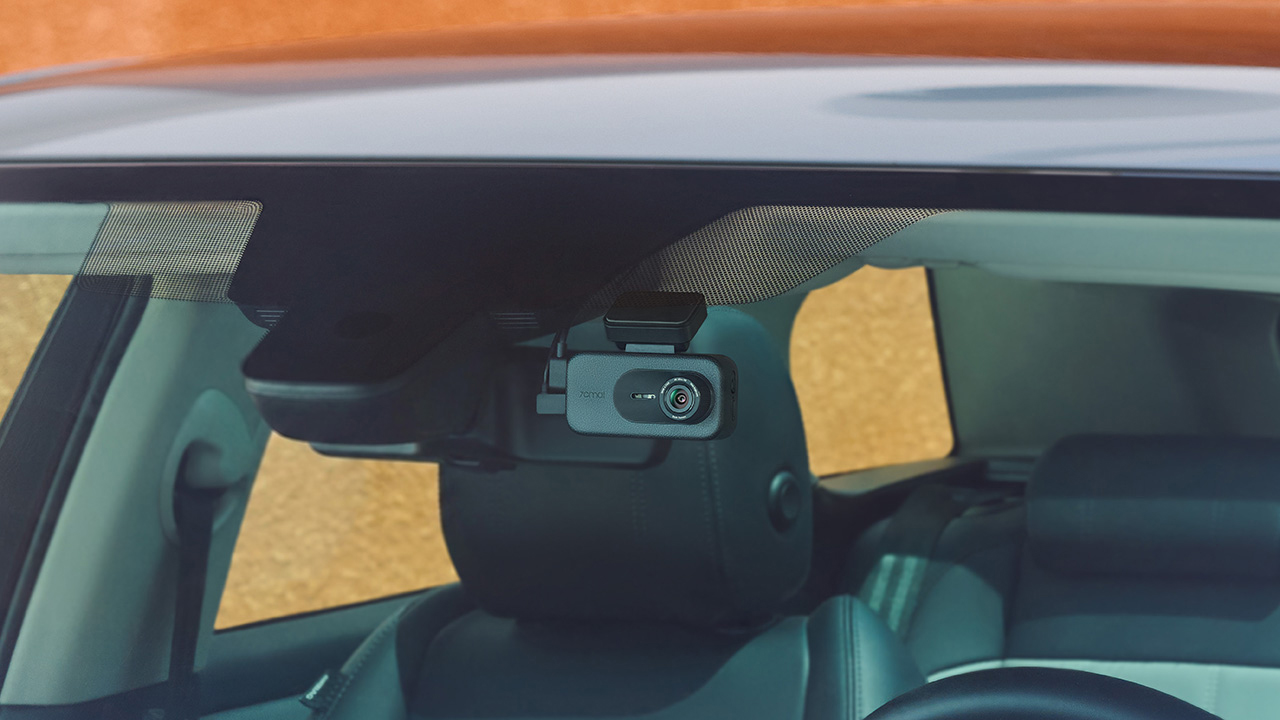
In photo: A900
The A900 sits alongside the Ultra as the more accessible option. It records True 4K HDR at 30FPS from both the front and rear cameras, and Smart HDR can be scheduled to turn on at set times.
Its f/1.55 aperture is meant to help in low light, and 4G Cloud+ 2.0 keeps the dash cam connected to the 70mai App. It’s the model for drivers who want dual-channel recording and 4G connectivity at a lower price.
The 70mai Dash Cam 4K A900 Ultra retails for US$ 300, available for pre-order at US$ 240. Meanwhile, the A900 is priced at US$ 200, currently 20% off at US$ 170.


Now Playing: ACE Combat 8: Wings of Theve
A refreshing change of pace
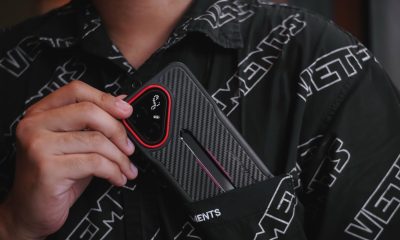

TECNO POVA 8 Pro Tonino Lamborghini review
Truly a rare gem in 2026


DJI Lito X1 review: Is this the best lightweight drone for creators?
Making a strong case as a travel companion and a capable B-cam!

BYD says that way better EV batteries are coming next year

Globe records fastest average download speed of 2026 in August
Now Playing: ACE Combat 8: Wings of Theve

Now Playing: Total War: Warhammer III – Lords of the End Times

Microsoft gives up on the Copilot+ PC

realme 16T 5G with 8000mAh battery, IP69 Pro rating launches in PH

HUAWEI Pura X View is 2026’s first WIDE slab-type smartphone

The CAMON Slim 5G is TECNO’s latest ultra-slim smartphone

iPhone 18 Pro series: Price, availability in the Philippines

DJI Osmo 360 II review: Going all-in on the ecosystem


-

 News7 days ago
vivo X500 Series launches with major imaging upgrades
-

 News6 days ago
OPPO Find X10 Pro Max is the first phone with a triple 200MP camera system
-

 Reviews2 weeks ago
REDMI Note 17 Pro Max review: A new breed born from AI greed
-

 Singapore1 week ago
Epson Lifestudio Grand Plus EH-LS970B with 4K projection, more launches
-

 News7 days ago
vivo introduces OriginOS 7 with smarter multitasking and AI features
-
Drones2 weeks ago
DJI Lito X1 review: Is this the best lightweight drone for creators?
-

 Gaming2 weeks ago
Valve unveils price of the Steam Frame
-
 Philippines2 weeks ago
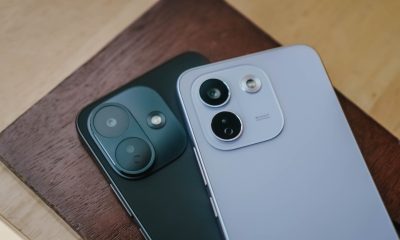
REDMI NOTE 17 Series: Price, availability in the Philippines