


Computers
Razer Basilisk v3 Pro review: HyperSpeed, hyper responsive
Another great piece of colorful hardware

When it comes to high quality gaming peripherals, Razer is surely one of the brands a lot of people have on their minds — and rightfully so. Specifically, the black and green brand’s lineup of gaming mice continuously brings that same level of quality and responsiveness across their newer iterations.
One such newer iteration is the Razer Basilisk v3 Pro, the wireless version of their latest Basilisk line of gaming mice. It’s part of their midweight gaming mice lineup. The Basilisk v3 Pro comes with the level of ergonomic comfort and customization suited for any gamer’s preference. All while this mouse provides the highest quality in performance and experience, ideally.
The question is: does the Razer Basilisk v3 Pro stand out as a gaming mouse for every type of gamer?
A bit on the hefty side yet easy to handle
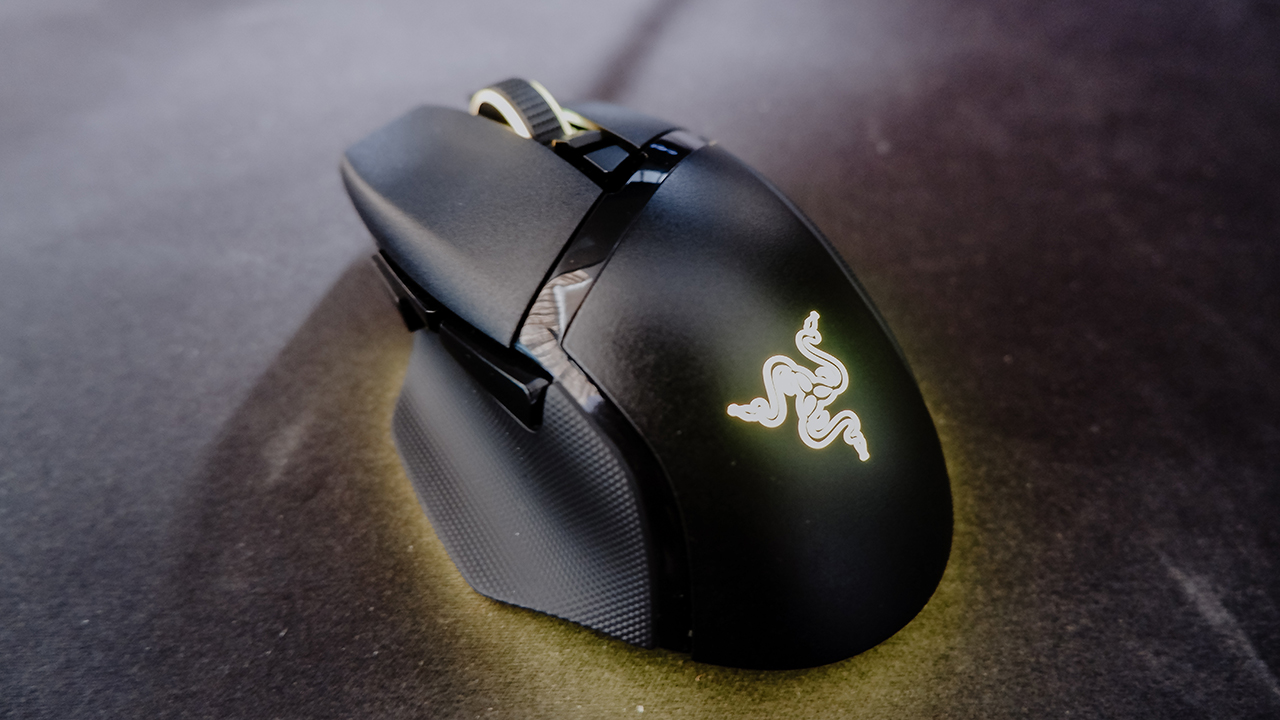
The Razer Basilisk v3 Pro clocks in at around 112g, which feels a bit heavy initially. It’s something you will notice if you’ve been using lighter mice on your day-to-day gaming/work grind. Also, visually, it looks just a bit wider and longer than most of Razer’s gaming mice out there.
Even with some heft, this mouse still feels quite fluid to move on most surfaces. From most table tops to smooth mouse pads, the Basilisk v3 Pro’s surface tracking is pretty great. Although, there were times that the mouse was a bit too slippery on some surfaces, or the cursor wouldn’t move even while swinging the mouse.
Quite responsive, and makes your cursor go zoom
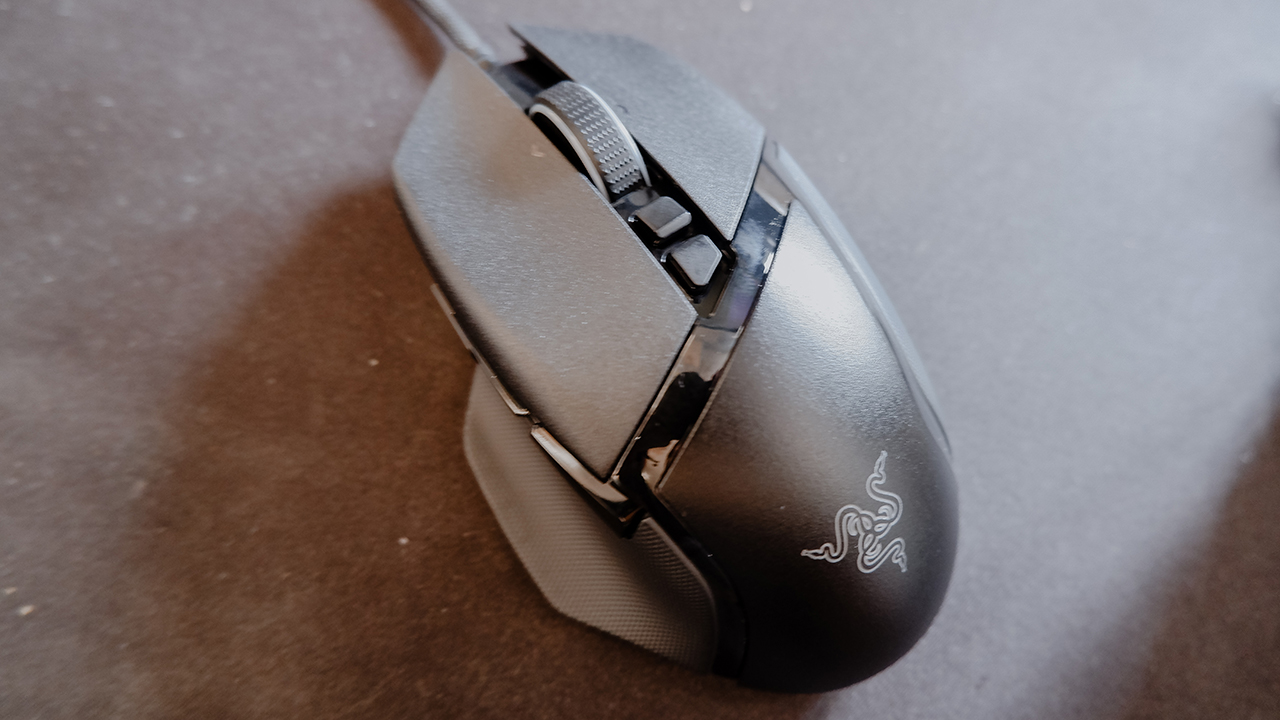
While on the topic of responsiveness, on all other aspects, the Basilisk v3 Pro is quite responsive. First up are the Razer Optical Mouse Switches attached to the left and right-click modules. Overall, the mouse picked up on almost all the clicks. And the Optical Mouse Switches feel sturdy to handle a ton of them.
Also, this mouse comes with a polling rate of up to 8,000Hz, set to 1,000Hz as the default upon set-up. Higher polling rates allow the mouse to be as responsive as possible, which is quite crucial when playing competitive titles. To match the polling rate, you can also scale this mouse to up to 30,000 DPI — which is complete overkill to your system if you set it that high.
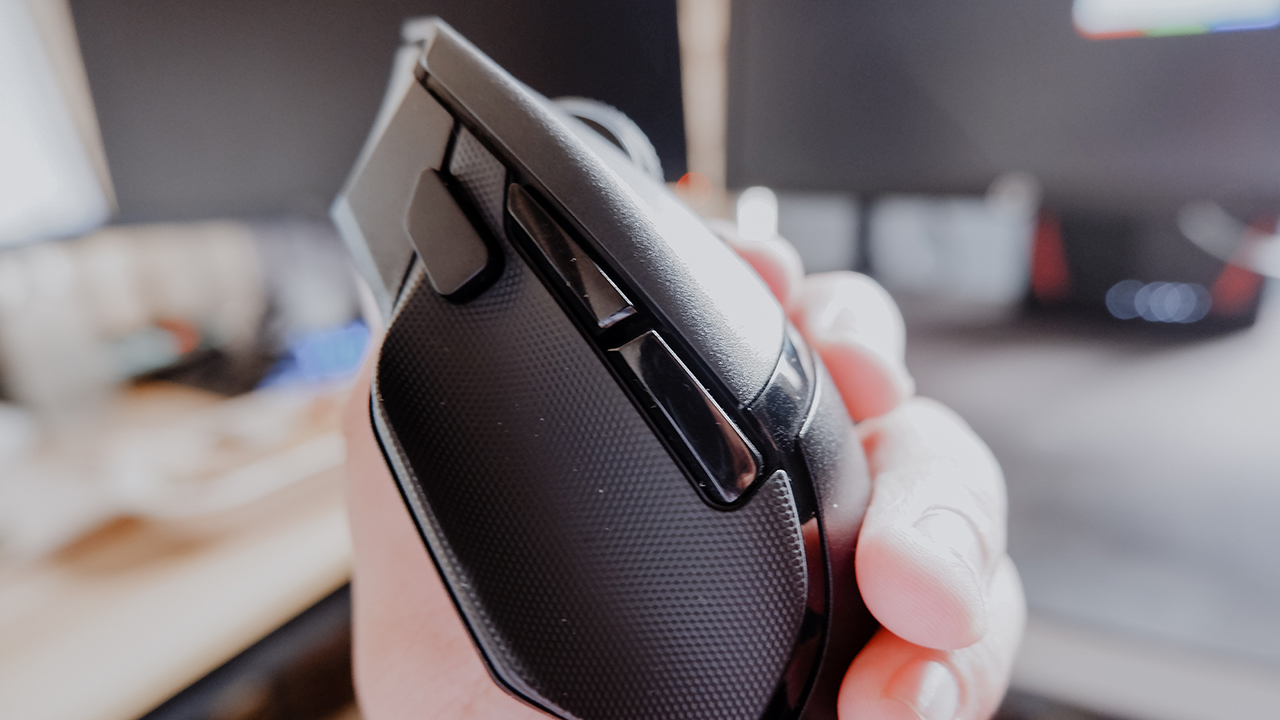
Finally, there’s the Razer HyperScroll Tilt Wheel which you can configure to be in Tactical or Free Spin mode. Depending on your usage for it, this is pretty standard across all their gaming mice, with just a slight adjustment to how fast you can scroll. When in Free Spin Mode, it literally feels like you’re zooming past walls of texts or rows of tweets with one motion. Do note that for all of these features, it’s better to download Razer Synapse to properly set up the Basilisk v3 Pro for optimal use.
Setting it up took some time
Speaking of setting things up, the set-up process for the Razer Basilisk v3 Pro took a while for a couple of reasons. See, the Basilisk v3 Pro comes with a HyperSpeed USB Dongle. It typically works the moment it’s plugged into any PC. However, we did experience slight hiccups trying to get this to work at the start.
Normally, when plugging the dongle in, the mouse would start working. It is recommended to download Razer Synapse after plugging it in. No matter what we did, after installing Razer Synapse, the PC didn’t pick up the mouse. We even tried connecting it via Bluetooth, which got the mouse working but it wasn’t picked up by Synapse.
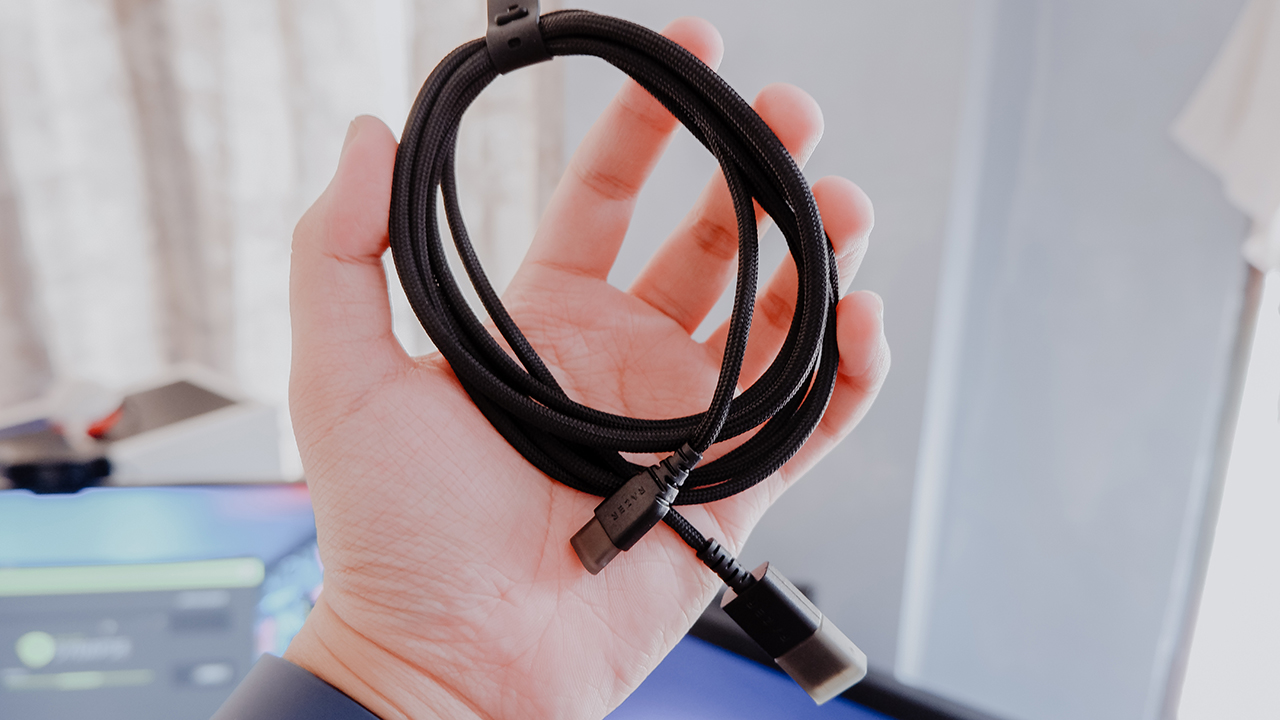
The only other way we had was just to do a wired connection with the USB-C to USB-A braided cord that came with the mouse. Normally, you would use this when you need to charge the mouse back to full capacity. Of course, the other added benefit to this was that it allows you to access the 8,000Hz polling rate, but you will be dealing with a pesky wire during gameplay.
Best paired with something wireless
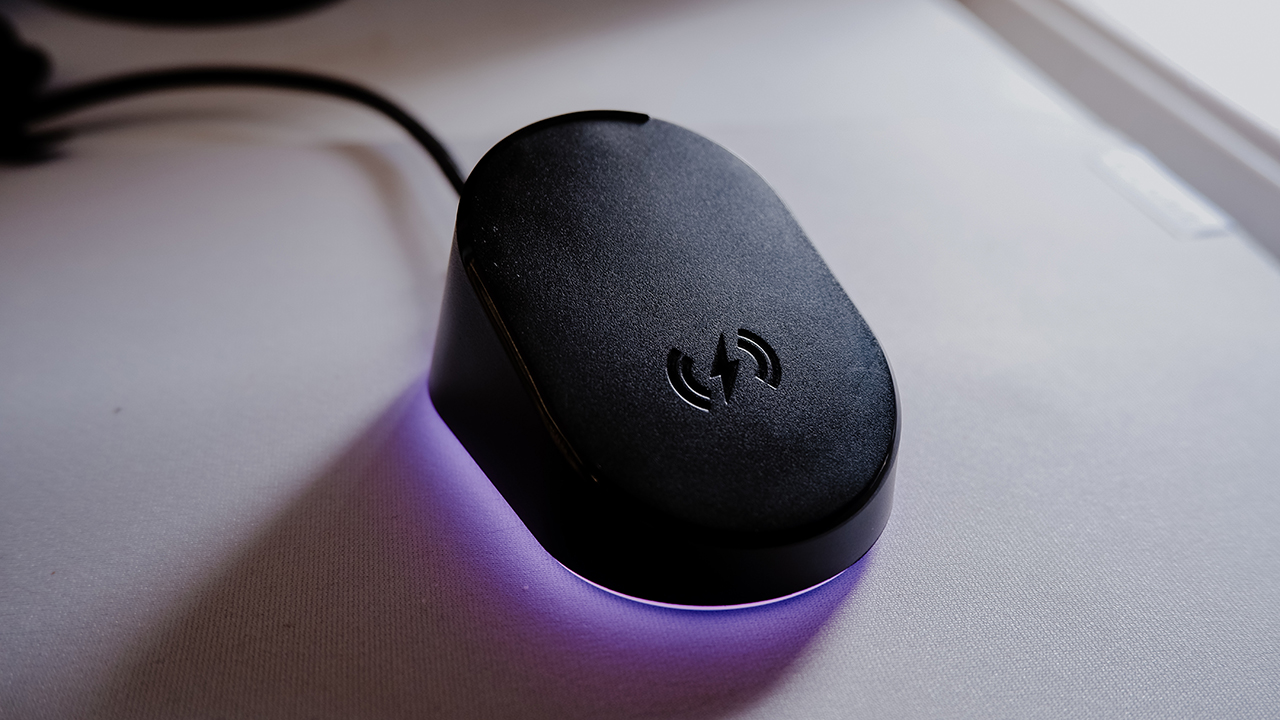
Although, there was another piece of hardware Razer has that also solves this little set-up hiccup: the Razer Mouse Dock Pro. In essence, the Mouse Dock Pro is an additional accessory that wirelessly connects to compatible Razer mice. Like the Basilisk v3 Pro, this is also compatible with Razer Synapse for optimal performance.
The Razer Mouse Dock Pro also comes with a Wireless Charging Puck, which magnetically connects compatible mice to the dock with ease. Not only that, as the name suggests, you can wirelessly charge your mice with this installed. If you’re not a total fan of wired charging, this is a must-have.

Also, both the Basilisk v3 Pro and Mouse Dock Pro come with Razer Chroma support. So, you can easily sync the lighting effects. Some of the lighting effects even give you an indication of the battery percentage of your mice while charging. It even comes in a form factor with an anti-slip base, so it doesn’t easily get knocked over when you decide to rage at it.
Is this your GadgetMatch?

At PhP 8,995, the Razer Basilisk v3 Pro is a solid gaming mouse fit for the competitive and casual gamer alike. It’s responsive and customizable enough to bring you the best experience possible when playing some of your favorite titles. Plus, it comes with all sets of hardware that make productive work feel like a breeze, literally.
Even with the initial set-up hiccups, this mouse still delivers as advertised. It is a bit on the heavy side of things. But you might not even feel it when you’re too engrossed in the game. Of course, for PhP 3,995, you can also get the Razer Mouse Dock Pro and truly have a full wireless experience with it.
Overall, the Razer Basilisk v3 Pro is one wireless mouse that meets the standard of intuitive and responsive gaming. Whether it’s for working hard or playing harder, it’s a great option to consider. That rings true if you’re looking for an upgrade or just a new gaming mouse to use.



Computers
AORUS MASTER 16 Gen 2 2026 AI gaming laptop launches
For AI-powered performance, immersive gameplay

GIGABYTE has announced the availability of the AORUS MASTER 16 Gen 2 2026 flagship AI gaming laptop.
This machine combines desktop-class performance, advanced cooling, and an exclusive AI agent in an ultra-thin 19mm portable design.
It is configurable up to an AMD Ryzen 9 9955HX3D processor and up to an NVIDIA GeForce RTX 5090 laptop GPU. Together, these work to provide close to desktop-level power.
The model also supports MUX Switch to simplify integrated GPU or discrete GPU selection with fast mode.
Beyond gaming, with an advanced GPU AI capability of up to 1824 AI TOPS, the AORUS MASTER 16 Gen 2 2026 is built for next-gen AI-assisted creation and accelerated workflow.
The entire system also leverages the flagship WINDFORCE INFINITY EX thermal solution, featuring a vapor chamber design and the integrated Frost Fan 2.0.
In front is a 16-inch 16:10 2.5K 240Hz OLED display with creator-grade color accuracy. It has up to a 0.2ms response time, 100% DCI-P3, and a 1,000,000:1 contrast ratio.
Furthermore, it is Pantone Validated, TÜV Rheinland Certified, and VESA DisplayHDR 1000. Complementing this is Dolby Atmos and four dual-force speakers with Smart Amplifier.
At the center of the experience is the GiMATE exclusive AI agent. It is designed for more flexible and intelligent system control, streamlining performance management and introducing tools for modern workflow.
For instance, GiMATE Creator integrates generative image models into a manageable local workflow.
Meanwhile, GiMATE Coder supports natural-language code generation, correction, and optimization with Visual Studio Code auto-completion.
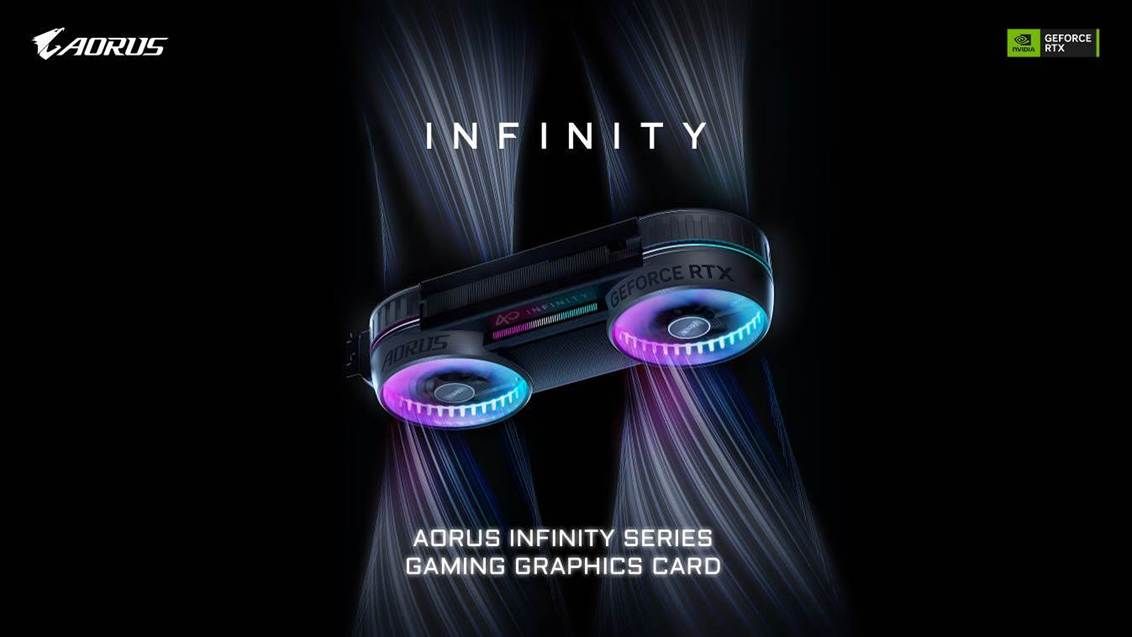
GIGABYTE has launched two new AORUS INFINITY graphics cards in celebration of its 40th anniversary, giving PC builders more options for their custom builds.
These are the AORUS GeForce RTX 5080 INFINITY 16G and the unique, nature-inspired AORUS GeForce RTX 5080 INFINITY WOOD 16G.
These high-end components are genuine design objects meant to elevate the look of one’s entire setup, while also providing topnotch GPU performance.
The new models build on the design language of the AORUS GeForce RTX 5090 INFINITY and further evolve the signature aerospace turbine-inspired aesthetic with integrated RGB lighting elements.
Particularly, the WOOD edition integrates wood-grain elements as its core design language, blending the warmth of natural textures with high-performance hardware.
As such, it is a crown jewel for lifestyle-focused users and interior design lovers, bringing a sense of warmth and emotional resonance.
At the same time, both are absolute powerhouses inside. GIGABYTE packed the new AORUS INFINITY models with the WINDFORCE Hyperburst cooling system.
The patented Hawk fan design minimizes airflow turbulence and noise while achieving higher air pressure and greater air volume.
In the thermal design is a large vapor chamber making direct contact with the GPU. This is paired with composite copper heat pipes to effectively accelerate heat transfer efficiently.
Both new AORUS INFINITY graphics cards support the Project Stealth series for a streamlined building experience.
The concealed power connector design neatly hides cables within the graphics card structure for a cleaner, less cluttery look.

At WWDC 2026, Apple unveiled Siri AI, a smarter version of Siri powered by Apple Intelligence, with personal context, onscreen awareness, deeper app integration, and a brand-new experience across iPhone, iPad, Mac, Apple Watch, and Vision Pro.
Apple also announced new Apple Intelligence features, Google Gemini-powered foundation models, smarter photo editing tools, improved parental controls, faster performance across iPhone and iPad, and the next version of macOS: Golden Gate.
In this WWDC 2026 Rewind, Michael Josh breaks down the biggest announcements, what actually matters. And, whether Apple finally delivered on the promises it made last year.


realme C100: Enduring and durable in spite of entry-level realities
Enough power but needs more agility


The ASUS ExpertBook Ultra wins you over
The laptop sneaks up on you


Nexal Watch Sport review: A rugged watch for small budgets
I couldn't believe that watches this good could come for this cheap.

Inside London’s biggest Samsung experience space

Qualcomm is raising its prices this year

Apple is reportedly delaying its smart glasses due to privacy concerns

God of War Laufey finally confirms its highly anticipated launch date

Marvel Studios announces Ghost Rider, Black Panther 3 at SDCC


-

 News2 weeks ago
Samsung releases teaser with Spider-Man: Brand New Day Easter eggs
-

 Wearables6 days ago
Garmin launches its first screenless fitness band
-

 Gaming2 weeks ago
Most of the world’s PlayStations will be officially useless by 2028
-

 Apps2 weeks ago
Plot twist: Starbucks PH is letting you actually pick your reward now
-

 Features2 weeks ago
Spotlight: HUAWEI WATCH GT Runner 2 Racing Legend Edition
-

 Automotive2 weeks ago
Mercedes-Benz celebrates 140th anniversary at the Presidential Car Museum
-

 Apps2 weeks ago
iOS 27 public beta gives us our first taste of Siri AI
-

 Hands-On4 days ago
Hands-on: Samsung Galaxy Z Fold8, Flip8, Ultra