


When I was a kid, my PlayStation Portable was my whole life. I didn’t have the most advanced PC or the latest console, so the small (but gigantic in my early teen hands) device was a godsend. Time eventually ravaged my PSP, which was already clinging to a mile of duct tape to keep everything together. You can imagine my delight when a new generation of handheld consoles suddenly and emphatically broke into the scene.
You’ve already heard of the Nintendo Switch and the Steam Deck. Now, a new breed of handheld consoles aims to blend the convenience of the aforementioned two and the nostalgia of having everything in the palm of your hand. Enter: the Lenovo Legion Go.

A powerhouse just by looking at it
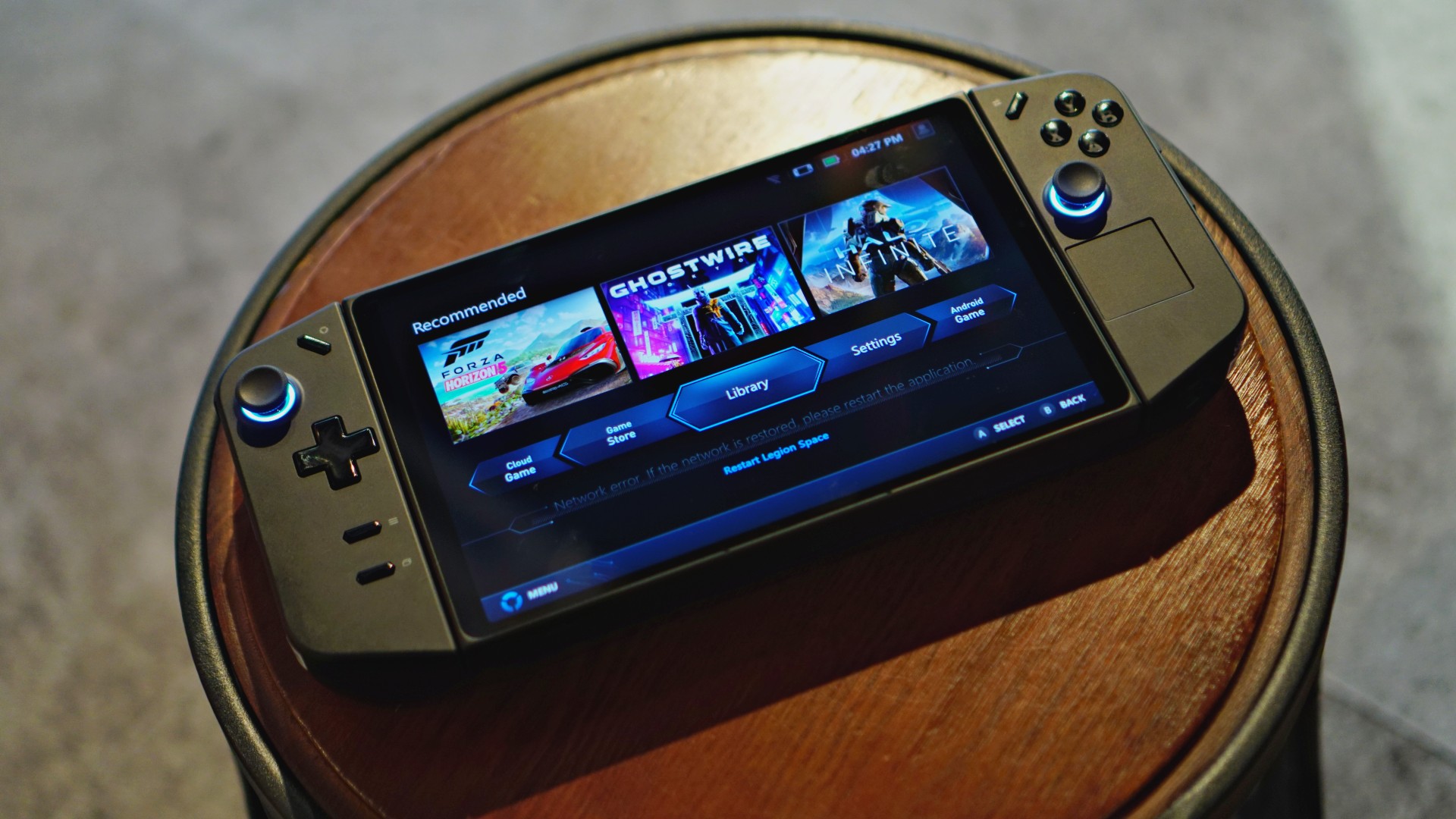
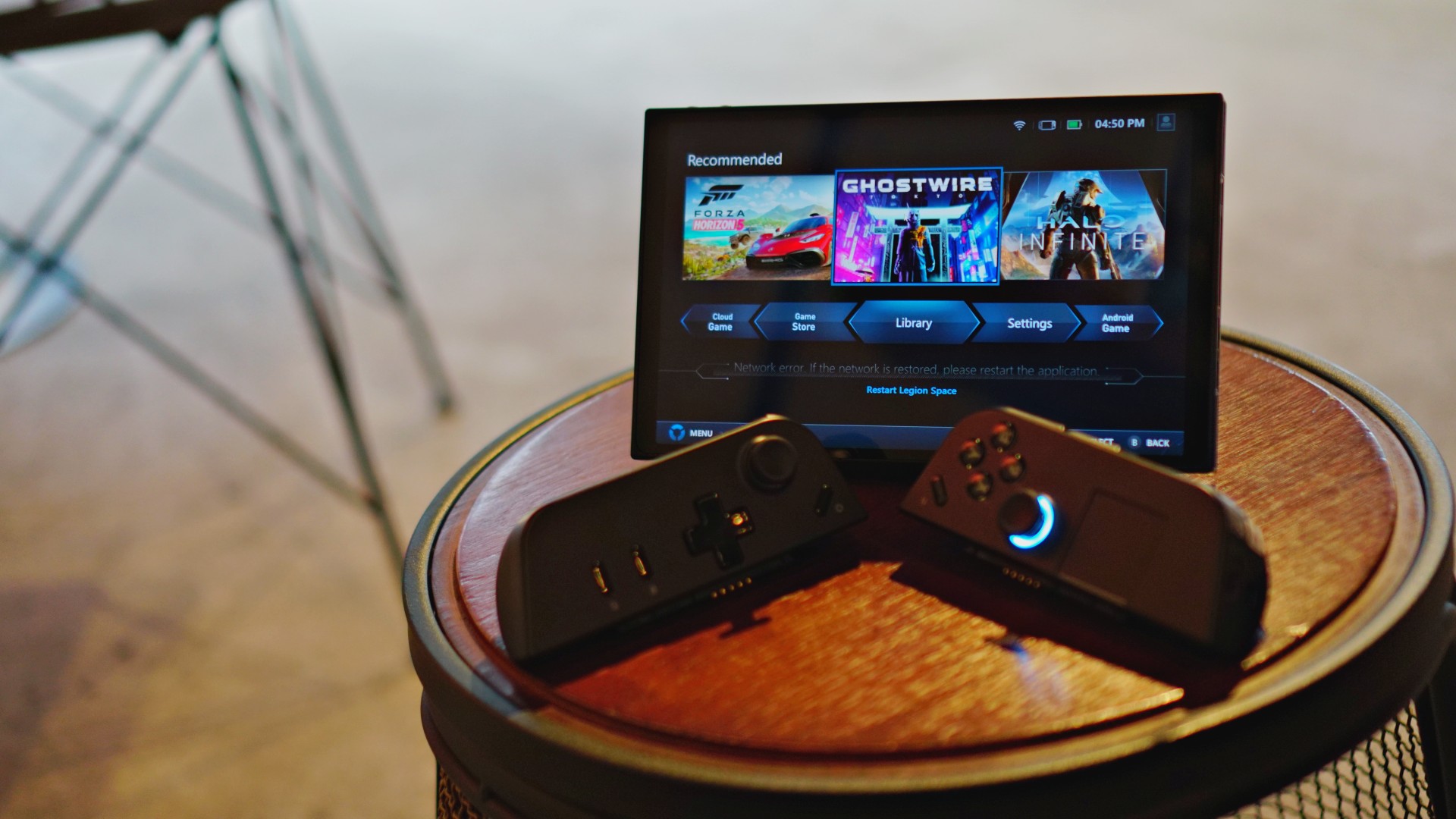
The Legion Go takes a few design elements from its contemporaries and predecessors. At first glance, the console shares the most similarities to the Steam Deck: a minimalist black design complemented by a handy trackpad. However, it also takes some inspiration from the Nintendo Switch: removable controllers and diagonally opposed joysticks.
Overall, the Legion Go relies mostly on the Steam Deck’s simplicity to convey a more premium feel. It’s an absolute looker guaranteed to turn heads.
Layout laid out
Now, let’s look at the console’s layout. If you’ve held a portable console recently, the Legion Go should feel familiar to you. You’ll find the standard fare of diagonally opposed sticks, a D-pad, the XYAB buttons, bumpers, and triggers. With the familiar out of the way, let’s go through what’s different.
Much like the Deck and the ROG Ally, the Go has additional buttons at the back: Y1, Y2, and Y3 buttons to add some convenient hotkeys for more elaborate games. It also has M1, M2, and M3 buttons for its FPS mode (but more on that later).
At the top of the left controller, the Go has the Legion Space button which opens the dedicated hub for gaming. The right controller has a Quick Settings button which opens a convenient panel for settings to optimize your setup. Unfortunately, these two buttons pushed the traditional Start/Select buttons to the bottom of the left controller. It took some time to get used to the new layout.
At the back, the console also has a sizable built-in kickstand. It eliminates the need for an external dock which other consoles require. Plus, it works better than the Switch’s tiny kickstand. I felt secure using the console on tabletop mode.
As for the console’s feel, the Go is remarkably tactile with grooves right where my hand should be. The controllers are also textured to provide better grip. My only gripe is the feel of the D-pad. Unlike the more pronounced pads of other controllers, the Go has a flatter pad. If, like me, you use the D-pad for navigation (which is the best way for 2D side-scrollers), your thumb might get a little sore after some use.

A brilliant display
The Legion Go has a brilliant 8.8-inch screen — touting QHD (2560 x 1600) resolution, 500 nits of brightness, and 144Hz refresh rate. On paper, Lenovo’s console is already ahead of the competition, eclipsed only by the new Steam Deck OLED.
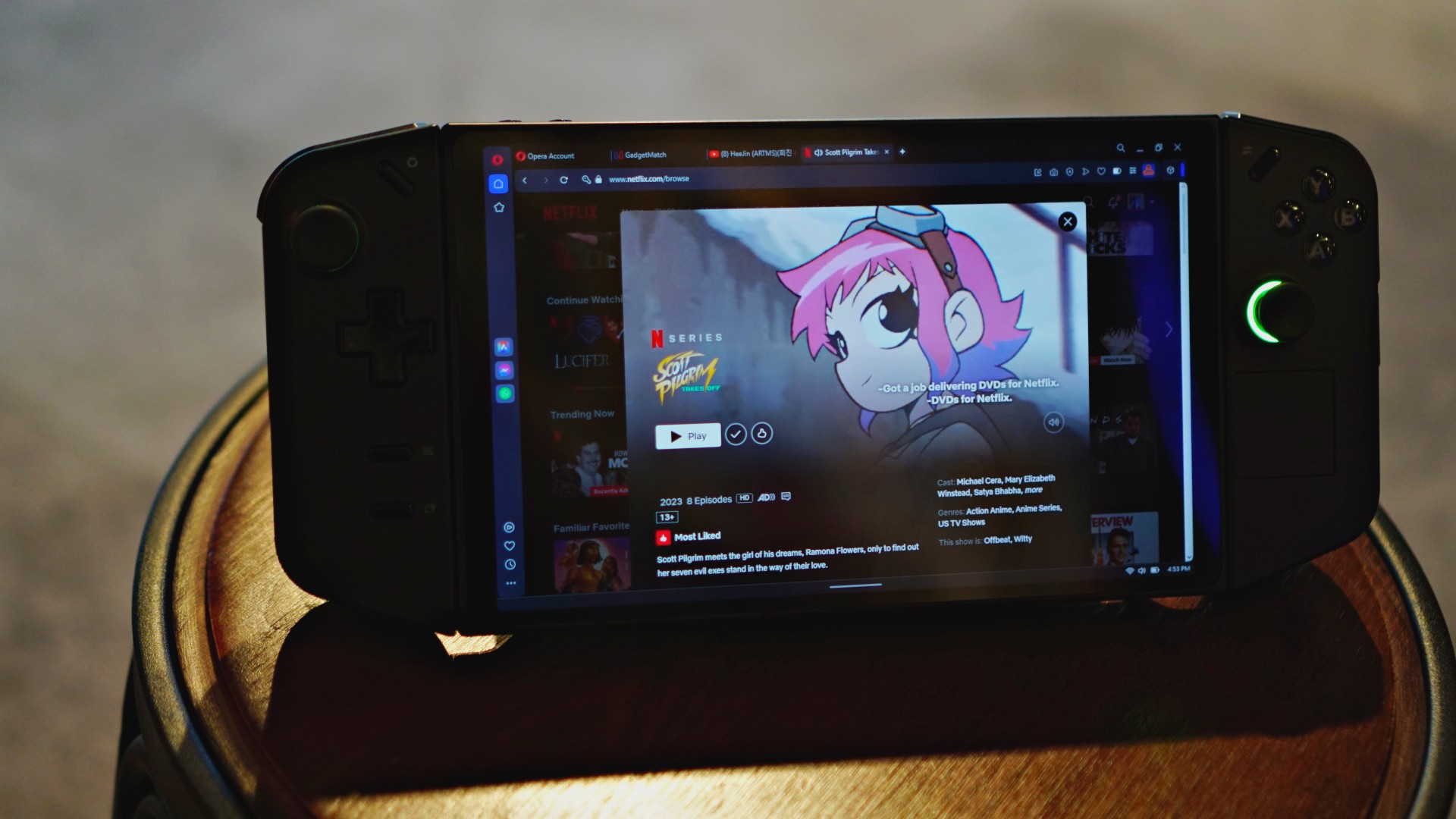
In practice, the Go offers an impressive display, capable of handling gaming and other entertainment. Movies, via Netflix and my own files, were crystal clear on the Go. It’s so good that I’m also using the console as a secondary screen to watch videos while I work.
To test color reproduction, I booted up Shovel Knight, a retro-style platformer that consistently puts out static colors. The game was exceptionally bright, proving how much the Go can reproduce. No color was washed out. Even the blacks were deep and accurately reproduced.
Now, as most budget gamers can attest to, the largest resolution isn’t always the best solution to maximize framerate. Thankfully, the Go can perform even if you play on the lowest available setting (1280 x 800). The difference is palpable at first, but it’s incredibly decent for a lower resolution. The screen compensates well for the pixelation. Graphics still look smooth at the lower setting.
Power from retro to AAA
Time for the actual meat of the matter. How well does the Legion Go and its AMD Z1 Extreme chipset perform for your games? Surprisingly well, actually.
As mentioned above, Shovel Knight performs well on the console at maximum resolution. If indie games are your thing, the Go is more than capable. That said, a retro-style indie game isn’t the best indicator of performance. Let’s put the Legion Go through one of the most demanding games today: Cyberpunk 2077.
And… it works! As expected, you still need to experiment with the graphics settings to find a decent framerate. It took a while but playing Cyberpunk 2077 on low/medium settings and at 1280 x 800 resolution will net a viable framerate (around 40 to 50fps) to get through Night City smoothly.
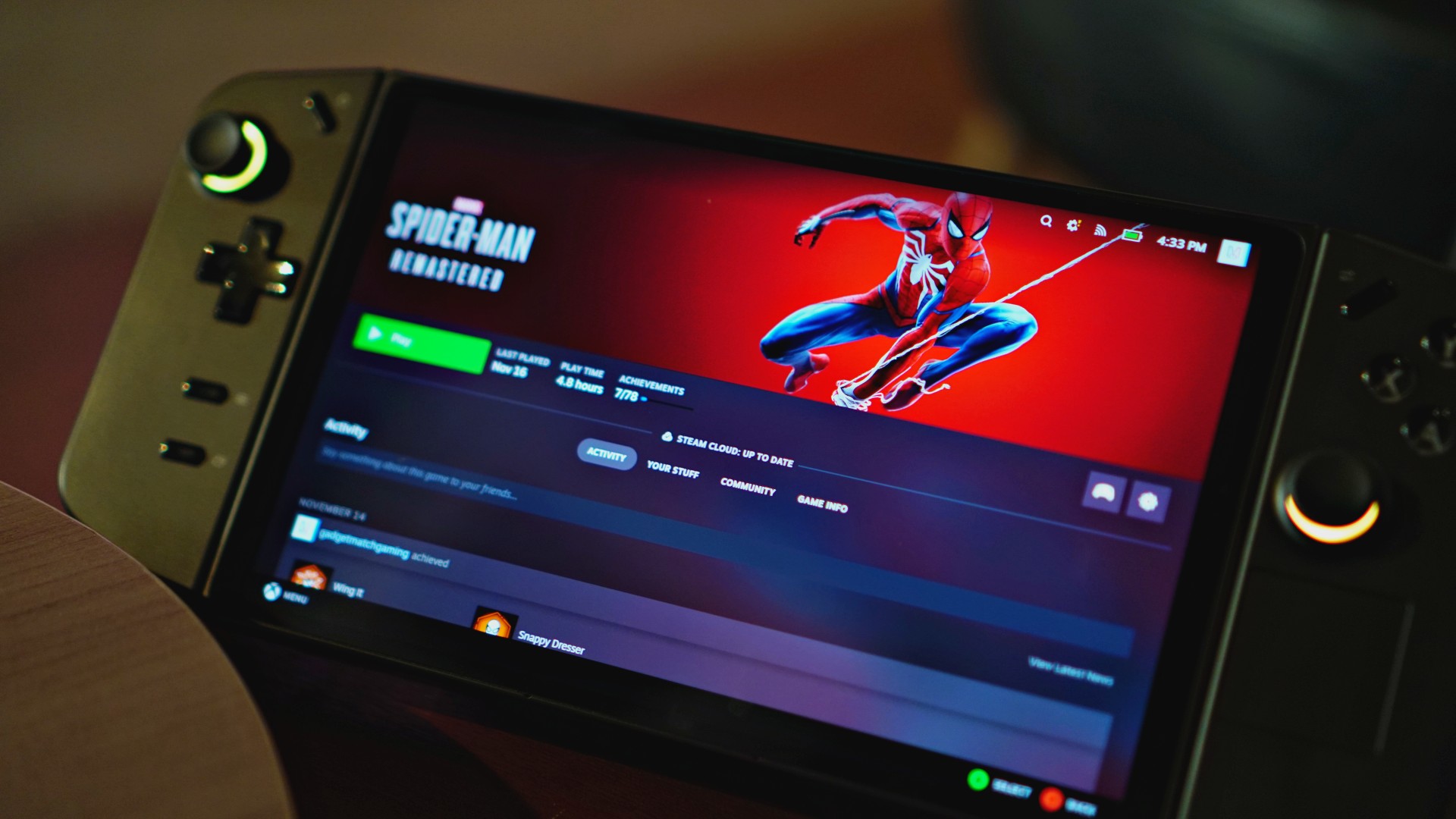
The same experimenting goes for other modern games including Baldur’s Gate 3, Doom Eternal, and Forza Horizon 5. Now, I found that some modern games are already automatically optimized for the console. For example, I didn’t need to fiddle around with Doom Eternal’s settings to get a smooth framerate.
If you’re looking for graphical fidelity, a dedicated PC rig is still for you. However, the Legion Go is capable of going through the ringer of demanding video games. If you’re traveling or stuck in bed, it performs more than adequately.
The software underneath
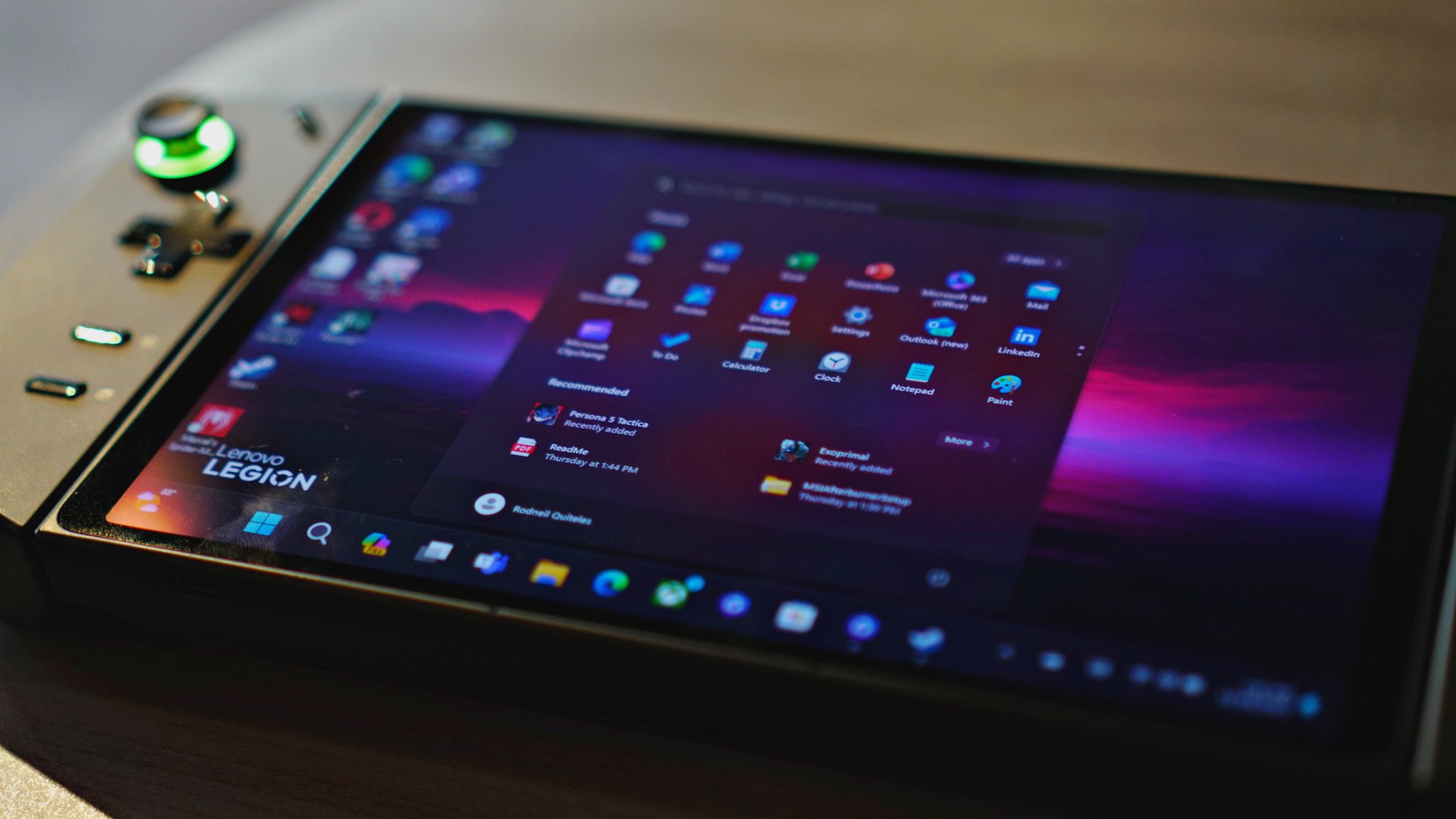
Power isn’t the only remarkable aspect of the Legion Go. It’s also a PC. Right from opening the device, you’ll notice the familiar trills of the Windows setup screen. Unlike the Switch and the Deck, the Go comes with Windows 11 right out of the box, allowing for a lot of flexibility. You also get up to 1TB of internal storage and expandability via a microSD card.
Theoretically, you can use the Go to work. And I’ve tried. With a multiport adapter for a keyboard and mouse, the Go can act just like a laptop. If you’re in a pinch, the Go is an amazing backup device.
That said, the Go by itself can lack a bit of versatility for control without an external keyboard and mouse. The display is touchscreen, yes, but if you need to right-click on anything, you have to touch-and-hold on the screen. Scrubbing through a video (and other times you need to hold your finger on the screen) can be a nightmare as the console gets confused on whether you’re dragging or attempting to right-click. Additionally, the on-screen keyboard is also finicky on when it comes out. There are times when the keyboard doesn’t automatically come out when prompted with a text box.

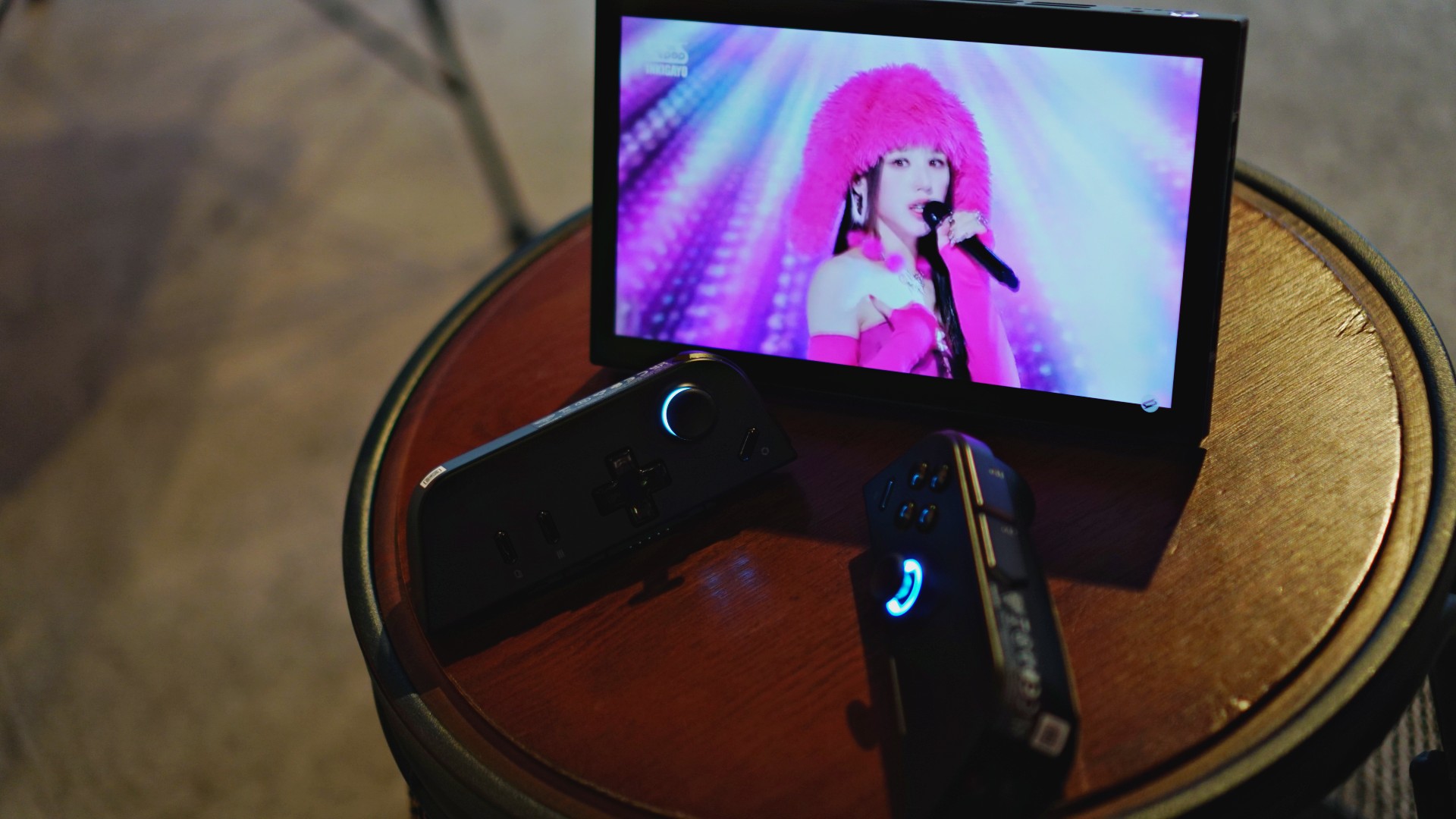
Thankfully, the Go has a unique solution to the lack of a mouse, at least. The built-in FPS mode turns the right controller into a de-facto mouse. Just detach the controller, toggle the FPS switch on, and connect it to the magnetic disk (which comes with the package). The controller uses a sensor at the bottom to control the mouse. It’s a unique solution to the mouse problem. In practice, it works but will take some getting used to, especially because of the prongs digging into your thumb.
Outside of functioning as a PC, the Go also comes with Legion Space, a hub for gaming. It collates all the software you have from different platforms. It’s not much to write about, but if you want to launch games immediately, Legion Space is a helpful tool.
A decent battery
The Go packs a 49.2WHr battery under the hood. Naturally, your mileage may vary depending on how you use the device.
Smaller games, such as Shovel Knight and Blasphemous, eked out approximately two hours of gameplay on maximum settings and resolution. More demanding games (with reduced settings and the lowest resolution), such as Doom Eternal, got to only 90 minutes before I needed to charge. Unfortunately, the most intensive games — Cyberpunk 2077, especially — struggled on battery power. If you really want to play the biggest games on the Go, you’re better off plugging it in.
Now, for more PC-oriented usage, the Go lasts a lot longer. A video test — playing a video through VLC until the battery runs out — nets approximately three hours and 30 minutes. After two hours, the battery was at 45 percent. At two hours and 45 minutes, it automatically switched battery saving mode on after reaching 20 percent.
Regardless of usage, heat wasn’t a big issue. Since the controllers are detachable, most of the heat centers around the main chassis, rather than on where your hands are. Likewise, the fan wasn’t too noisy even without silent mode turned on.
From empty, it took approximately 90 to 100 minutes for the battery to recharge on normal settings. It reached 45 percent in an hour. If you need more speed, it also comes with Super Rapid Charging support, which greatly reduces the charging time. Unfortunately, the console doesn’t have an indicator on when the battery is full, so you’ll have to check manually.
Is the Legion Go your GadgetMatch?
At US$ 699.99/ PhP 49,995, the Legion Go is at par with the ROG Ally. It’s also more expensive than the most premium trim of the Steam Deck OLED. However, the Go has detachable controllers, a larger screen, a built-in kickstand, and a unique FPS mode. Despite how pricey the segment is, the Legion Go offers more than its competitors.
Is this your GadgetMatch? If you’re new to the handheld console market, absolutely. For its price point, you’re getting more than your money’s worth. While Sony is currently struggling with its return to handheld gaming, the Lenovo Legion Go offers an all-around, powerful solution for mobile entertainment.






The trifecta is complete. Almost a year after announcing their new hardware, Valve has finally unveiled the price tag of the Steam Frame, complementing the Steam Machine and Steam Controller revealed a few months ago.
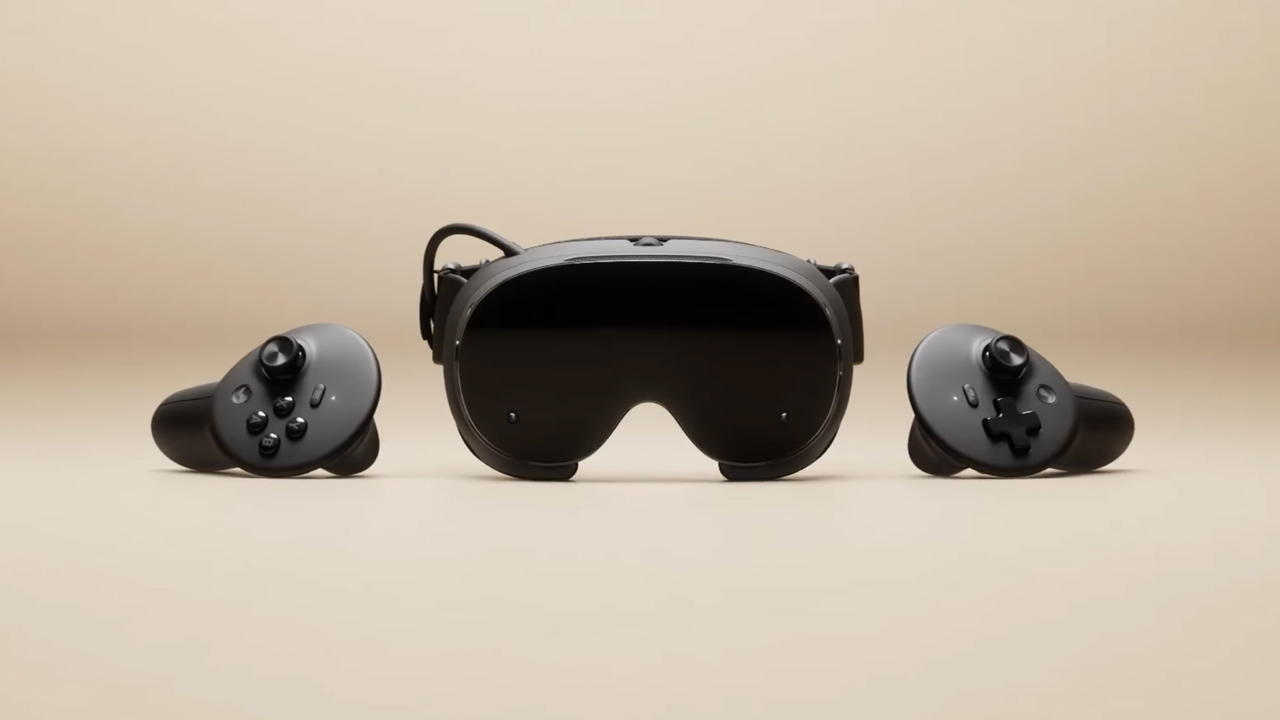
Whereas the Steam Machine is a console of its own, the Steam Frame is a traditional VR headset with a pair of controllers for both hands. Unfortunately, despite being in a different segment, the headset is not immune to the rising prices of technology. The Steam Frame will start at US$ 1,059 for a 256GB model and can go up to US$ 1,299 for the 1TB model. On the plus side, each box will come Half-Life: Alyx packaged along with the headset.
Here’s a more detailed rundown of what you’re getting. The Steam Frame will ship with the Snapdragon 8 Gen 3 chipset, paired with 16GB of RAM. Each eye comes with a 2160 x 2160 LCD screen, putting out images at up t0 a 144Hz experimental refresh rate. As mentioned above, the headset will start with 256GB of storage but can go up to 2TB. It will come packaged with SteamOS 3 and a rechargeable 21.6Wh battery.
This might be a hard buy for some. The industry currently has more affordable options, for one. Also, virtual reality isn’t the most thriving segment of gaming today.
If you’re still decided on buying one, however, Valve is using its lottery system. Interested customers can sign up from now until September 17. The company will then randomize the purchasing order. Those who draw the first ones in the lottery can get a purchase email as soon as September 18. Meanwhile, anyone who registers after September 17 will automatically be put at the back of the queue.
SEE ALSO: Valve announces its own console called the Steam Machine
Gaming
BlizzCon 2026 announces World of Warcraft: Forever and Diablo V
StarCraft, Overwatch, Hearthstone, and more also get news


Blizzard Entertainment kicked off BlizzCon 2026 with a packed Opening Ceremony featuring new games, major expansions, updates, and other announcements across its biggest franchises.
Blizzard Entertainment President Johanna Faries opened the event at the Anaheim Convention Center, celebrating the community behind the company’s games and the teams that bring its worlds to life.
World of Warcraft: Forever and Diablo V
The biggest announcement was World of Warcraft: Forever, a new World of Warcraft experience launching November 5 AEDT, with its beta beginning September 18 AEST. The new experience will feature three zones, more than 1,000 quests, nine dungeons, two raids, and a new Skyborne race.
Blizzard also officially announced Diablo V, marking the next era of the franchise. The game is set to launch in North America in Spring 2029, with Sanctuary having fallen and Diablo having won.
StarCraft is also returning with a new story-driven, open-world shooter. The game is currently planned for a Spring 2030 release in North America.
Beyond games, Blizzard revealed that an animated series set in the Diablo universe is in development with Netflix. The company says this is only the beginning of its plans to expand its universes beyond gaming.
For Warcraft III Reforged, the new Forsaken Kingdom campaign is available today. It marks the Warcraft RTS series’ first new storyline in more than 23 years and explores the fall of Lordaeron and the origins of the Undercity. The accompanying 3.0 update also brings graphical improvements and a revamped World Editor.
Heroes of the Storm is adding Xal’atath as its newest Hero. She arrives in the Nexus on September 29 AEST, with her PTR release scheduled for September 15 AEST.
Existing games updates
Meanwhile, Diablo IV is preparing for its next major content drop. Season of Hell’s Legacy begins September 16 AEST and celebrates the franchise’s 30-year history with the return of the Prime Evils and Deckard Cain, alongside themed rewards and gear.
The legendary Amazon class will also arrive in the first half of 2027 as part of Diablo IV’s first class pack. The Diablo IV: Age of Hatred Collection is additionally coming to Nintendo Switch 2 on September 16 AEST with cross-platform play and cross-progression.
For World of Warcraft, Blizzard teased the next major update for Midnight. Eclipse (12.2) will see Xal’atath move closer to her goal of claiming Azeroth’s Worldsoul. Blizzard also offered another look at The Last Titan, the next expansion in the Worldsoul Saga and a major culmination of more than two decades of Warcraft storytelling. More information is coming early next year.
Overwatch is getting a major update with Season 5. The season introduces new Support Hero Doctrine, reworks for Sombra and Roadhog, and the new Watchpoint: Grimsvötn map. It will also conclude The Reign of Talon, Overwatch’s first year-long narrative arc.
LE SSERAFIM & YOASABI
BlizzCon also featured performances from YOASOBI and LE SSERAFIM. YOASOBI will perform during the first-ever esports halftime show at BlizzCon, while LE SSERAFIM will return to the Main Stage to close the weekend. A new LE SSERAFIM in-game collaboration is available now, with another Overwatch Spotlight scheduled for February 2027.
Finally, Hearthstone is getting its first new class in more than six years. The Monk arrives in 2027, while the upcoming Reign of the Black Empire expansion takes players back to the earliest age of Azeroth. It introduces the Assemble keyword, which combines two cards into a new one. Battlegrounds is also adding Aberrations as a new minion type.
BlizzCon 2026 is now underway, with Blizzard promising more announcements and details throughout the weekend.
Gaming
Xbox saves Kojima’s PHYSINT after PlayStation drops support
PlayStation says the separation was mutual, but Kojima hints otherwise.

Things aren’t going well in the PlayStation camp. After two months of frankly questionable decisions, the company adds another to the pile by dropping support for Hideo Kojima’s PHYSINT.
For a while now, Kojima and PlayStation were in a very productive relationship with the Death Stranding duology, a critically acclaimed collection of titles for the platform. When things looked like they were going well, Kojima announced PHYSINT, an espionage-themed game which reminded fans way too much of Metal Gear Solid.
If you were investing in a PlayStation 5 to play Kojima’s latest thriller, you might want to move your chips elsewhere now. PlayStation has just dropped support for the espionage game, meaning PHYSINT will no longer be a first-party title for the platform.
Though PlayStation claims that the decision came after “careful consideration,” Kojima himself has said that the move was “unexpected,” going against PlayStation’s assurance of a mutual separation.
Very quickly, Xbox has announced that their platform will support PHYSINT instead. It’s a big get for the competing brand because Xbox Game Studios is already supporting OD, Kojima’s other upcoming horror project starring Sophia Lillis.
Unfortunately, it’s difficult to say more. As is tradition, Kojima will not explain much more about his upcoming titles. In fact, OD’s trailer barely says anything. One thing’s for sure, though: we’re all in for quite a ride.


REDMI Note 17 Pro Max review: A new breed born from AI greed
Welcome to the new normal


Marvel’s Wolverine review: When the claws come out
A brutal, cinematic superhero adventure

Setting your bedsheets ablaze with the Lovense Solace Pro
The closest proxy I could find where I'm guilty as sin

Now Playing: Resident Evil

HONOR, Fidesmo partner for contactless payments across Europe, Middle East

Ford revs up Truck Month with extended 5-star care offers
REDMI Note 17 Pro Max review: A new breed born from AI greed

REDMI NOTE 17 Series: Price, availability in the Philippines

TECNO MEGAPAD 2 review: Eyes on the size

realme 16T 5G with 8000mAh battery, IP69 Pro rating launches in PH

HUAWEI Pura X View is 2026’s first WIDE slab-type smartphone

REDMI reveals the refreshed Note 17 and Note 17 Pro series

REDMI Note 17 Series: Price, availability in Singapore


-
 News1 week ago
HUAWEI Pura X View is 2026’s first WIDE slab-type smartphone
-

 News1 week ago
The CAMON Slim 5G is TECNO’s latest ultra-slim smartphone
-

 Cameras2 weeks ago
DJI Osmo 360 II review: Going all-in on the ecosystem
-
 IFA 20262 weeks ago
TECNO MEGABOOK T15 360 unveiled at IFA 2026
-

 Gaming2 weeks ago
NBA 2K27 review: A two-way All-Star
-

 News7 days ago
iPhone 18 Pro series: Price, availability in the Philippines
-

 IFA 20262 weeks ago
TECNO’s POVA 8 Pro gets a stealthy makeover
-

 Automotive2 weeks ago
Ford’s new Everest lineup brings V6 engine to the top, tech down the line