


I’m not exactly what people would call a keyboard enthusiast. That’s a rabbit hole I consciously tried to avoid. I did, however, purchase a Keychron K3 keyboard a little over two years ago just to try it and have been using it ever since. Although, more sparingly recently.
A new keyboard wasn’t in my “to acquire” list but to my surprise, Keychron reached out and asked if we were willing to check out their latest – that’s the Keychron K2 HE. I jumped at the opportunity.
The Keychron K2 HE is still a kickstarter project as of writing. Click here to check out the kickstarter page and back it. Every feature you want to know about the product should be there. That’s why in this article, I’m primarily going to focus on my brief experience with it.
Like typing on clouds

Naturally, the first thing you’ll check with keyboards is what it feels like to type on them. My only real point of reference are the many laptop keyboards I’ve reviewed and the Keychron K3 I own. None of them come close to the extremely satisfying feeling I get when typing on the Keychron K2 HE.
Initially, I thought the keys were a little small for my chubby fingers. But I gave it an hour or two and I quickly adjusted to the size of the keys. Of course, it helps that the “bounce” on each keypress feels incredible. I’m not sure how else to describe it, but it does almost feel like you are typing on clouds.

I’m more familiar with sneaker-cushion lingo. Using that as reference, the bounce and energy return on each keypress of the Keychron K2 HE feels absolutely elite. This will sound like hyperbole, but it’s literally unlike anything else I’ve typed on before.
Keychron said they used double-rail magnetic switches by Gateron on these and perhaps that’s why the bounce and feel on this thing is absolutely insane.
DualSense-like Keys
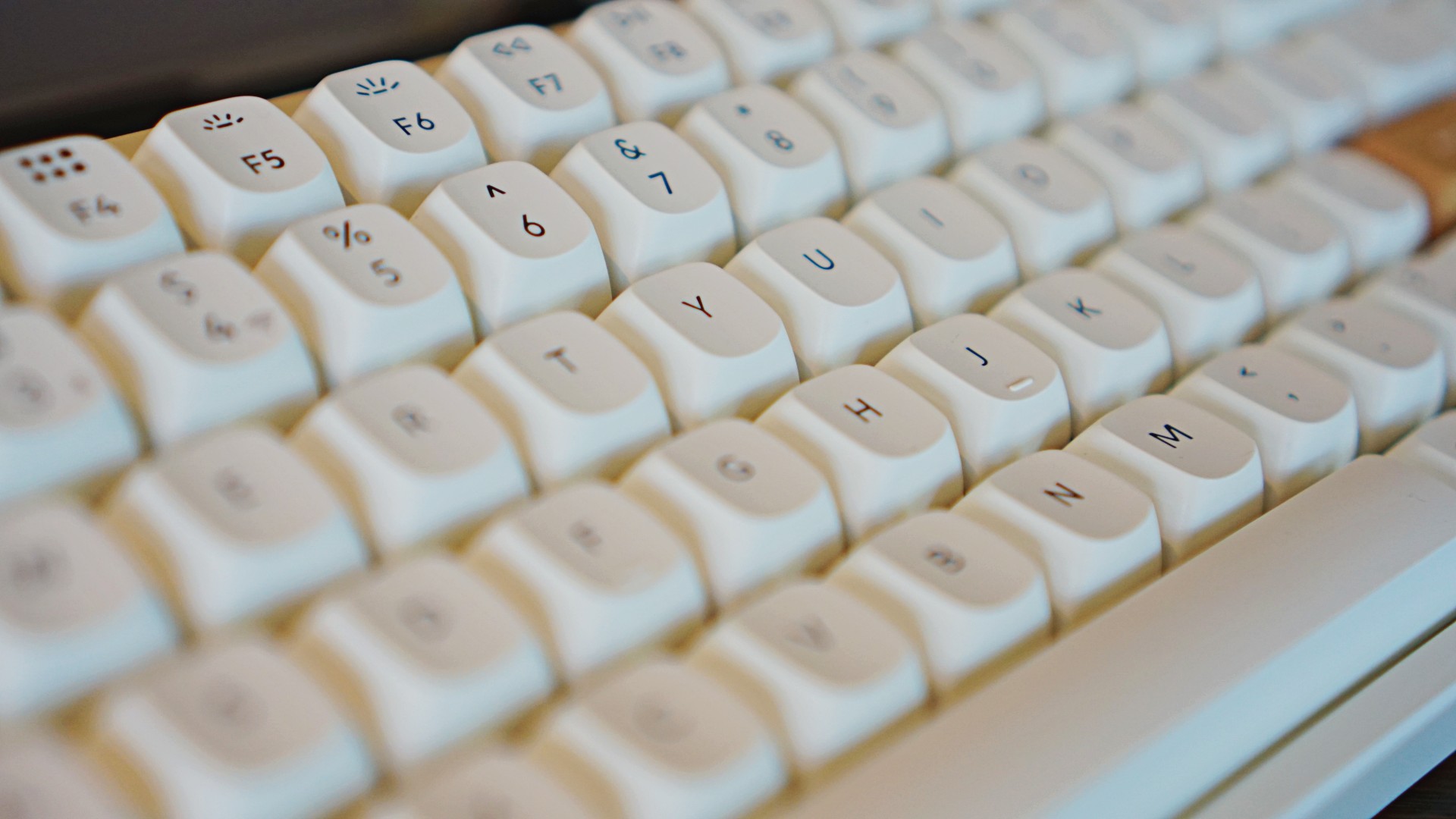
These magnetic switches do more than just provide an incredible feeling when typing. They also allow for what Keychron calls ‘Adjustable Actuation Points’ as well as ‘Dynamic Rapid Triggering’.
With ‘Adjustable Actuation Points’, you’re able to assign how much pressing effort is required to trigger a particular action. That means for certain apps or games, you can make sure you avoid accidental presses or touches.
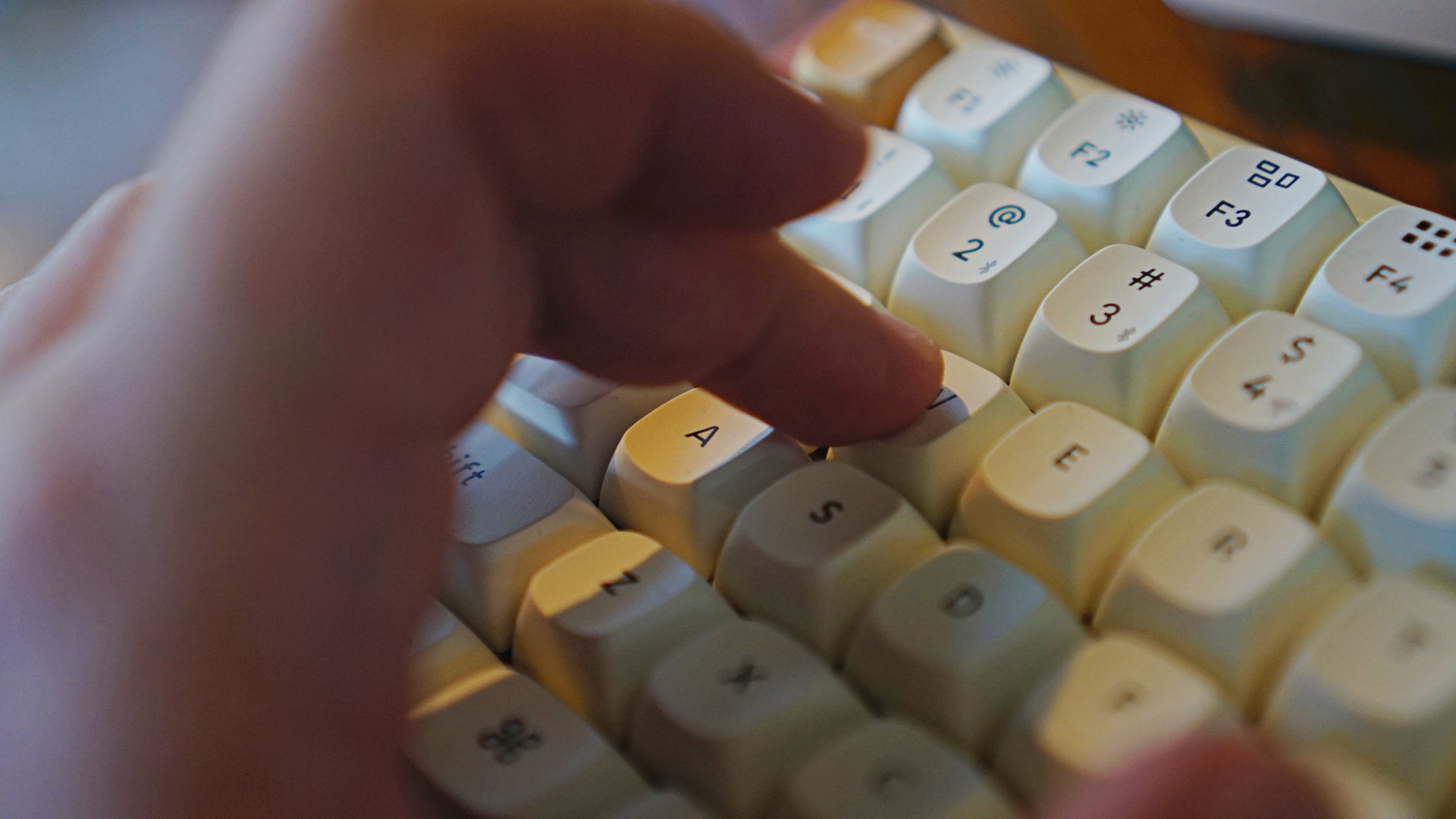
With ‘Dynamic Rapid Triggering’ you can “activate and deactivate keys based on travel distance to gain a consistent edge over your opponents with dynamic rapid trigger technology” . I just lifted that from the Kickstarter page because I’m more of a controller than a keyboard and mouse player when gaming. And I didn’t have a chance to thoroughly test this prior to needing to publish.
The way I understand it functions almost like the Adaptive Triggers on the DualSense controller of the PlayStation 5. In certain games, a half press and a full press on the triggers perform different functions. The keys on the Keychron K2 HE can be programmed in a similar manner.
If you’re all about precision, this is something that will be a major boon for you.
Thankfully, you don’t need an app to make all these adjustments. Just connect the keyboard to your laptop or PC and fire up the Keychron Launcher Web App to customize everything you want to customize. That includes keypresses
A look that will match just about anything

The Keychron K2 HE’s design is elevated by its wooden highlights. It comes in predominantly white or black bodies but it’s the rosewood accents that’ll help it blend into whatever set-up you have.
I was secretly hoping Keychron would send over the black one but I’ve grown to love the white one they sent over.
Toggles, ports and more are your usual affair.

On the left-hand side you’ll find the loan USB-C button. Right next to it you’ll find the Android/PC and Mac/iOS toggle. And right next to that you’ll find the Wired or Bluetooth toggle.

Flip it and you’ll find the two kickstands with two available height adjustments.
The rosewood accents are found on the sides of the keyboard with the escape and enter keys colored in the exact same way.

The Kickstarter Page says there are 22 backlight modes that you can fine tune to your liking. The backlight key on the top-most-right corner of the keyboard lets you cycle through some of the modes.
I tried changing the static color like I would on the Keychron K3 but that didn’t seem to work. For more granular control, your best bet is to go to the web app.
Long-lasting, quick waking

If, like me, you’re the type who doesn’t like to keep his things plugged, you’ll be happy to learn that the Keychron K2 HE will last on battery charge for a pretty long time. I’m already on roughly my second week of use from a full-charge and as of writing, it’s only gone down to 55% – that’s with pretty heavy usage.
I’m typically in front of my laptop 80% of my work time responding to work emails, chats, and copy editing the team’s work. In between those, I also have heavy writing session days when I try to knock off as many reviews, features, and scripts as I can in one sitting.

It’s that reason that I can’t tell you just yet how long it takes to charge this thing from zero because I just haven’t gotten to that point yet. Rest assured I shall update this space when the time comes.
Another big leap I noticed is that the keyboard’s sleep-to-wake speed is almost instantaneous. It’s a stark contrast to the 3-4 seconds that I have to wait before the Keychron K3 starts functioning again from sleep. It’s been one of the most pleasant things about the Keychron K2 HE for me.
Is the Keychron K2 HE your GadgetMatch?

The Keychron K2 HE has reached well-over its target in the Kickstarter campaign. The product starts at US$125 but you’ll need to shell out US$ 135 to get the special edition one with the rosewood accent.
For what you’re getting, I think that’s an absolutely fair price. And with the keyboard’s customizability, you’ll surely get plenty of mileage for it especially if you’re the type who really uses their keyboard a lot.

This is an easy recommendation for me. The Keychron K2 HE is a keyboard that feels absolutely light on your fingers with advanced features and looks to elevate your typing and gaming. It’s a worthy accessory to add to your arsenal and one that deserves GadgetMatch’s Seal of Approval.


Accessories
Apple is reportedly working on its own gaming controllers
It might launch under the Beats brand.

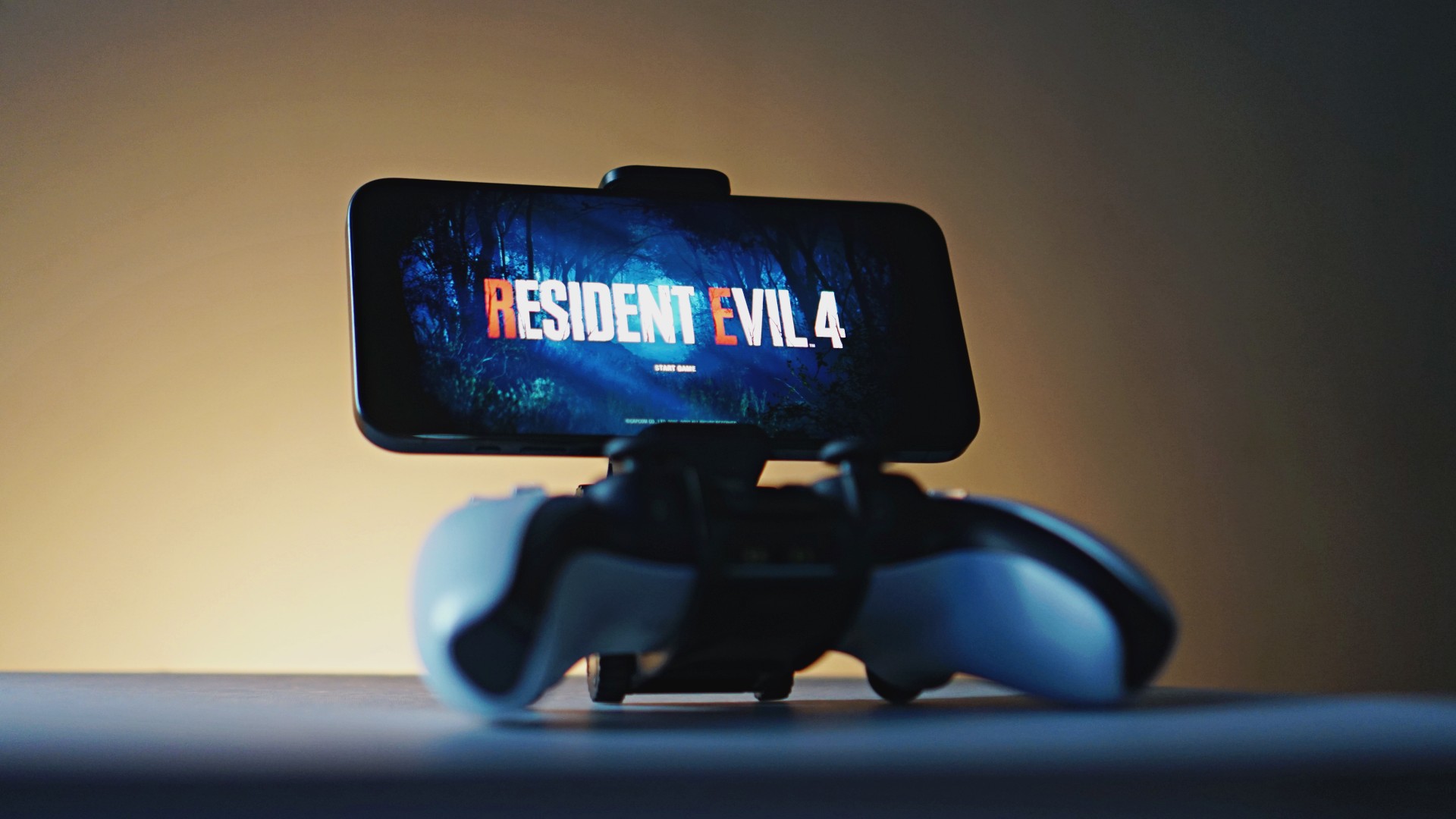
Last week, the iPhone Duo changed how you look at the ubiquitous smartphone. Foldables are in, and Apple is right there with it. But the company isn’t stopping with the foldable segment. Apple is reportedly working on its own branded game controllers.
According to Bloomberg, Apple has been working on a controller since last year. Further, a piece of code linked to macOS 27.4, spotted by MacRumors, includes references to two unknown gaming controllers.
Because Apple just concluded its huge event this month, it will likely be a while before we see confirmation of this controller. And it could be anything. Of course, because the Duo is fresh on our minds, the easiest answer is a mobile controller than can maximize the foldable’s ability to stand by itself. It could also use Apple’s larger screens like the iPad, the MacBook, or the Mac. Some even speculate that this could be Apple’s stronger push into the gaming market.
Outside of the actual hardware, the reports are also claiming that the controller will arrive by way of Beats, rather than from Apple itself. At first, the branding comes off as a surprise, but then again, Beats hasn’t really evolved past an audio brand in a long, long time. Is it time to revitalize Beats as something more than just a peddler of headphones?
SEE ALSO: First Look: Apple iPhone Duo
Accessories
New AGON gaming monitor features up to 1000Hz refresh rate
New level of speed, flexibility for competitive gaming


AGON by AOC has released the new AGON Pro AGP277QK dual-mode gaming monitor for the competitive segment.
This new offering features up to 1000Hz refresh rate at HD and 540Hz at QHD so gamers have the flexibility to prioritize either clarity or speed.
The 27-inch IPS gaming monitor comes with NVIDIA G-SYNC, synchronizing the monitor’s refresh rate with the GPU to help minimize screen tearing, stuttering, and input lag.
This is combined with 0.3ms MPRT and 1ms GtG response times for fast-moving action that is sharp and responsive, giving competitive players a clear visual advantage.
Moreover, the AGON Pro AGP277QK features VESA DisplayHDR 400 certification for enhanced contrast and more vivid, lifelike visuals.
Delta E < 1 color accuracy also provides precise color reproduction not just for gaming but even other scenarios like content creation.
For even smoother high frame-rate gameplay, MBR Sync combines motion blur reduction with variable refresh rate (VRR) technology. This helps maintain clarity during rapid movements.
The monitor also includes Low Input Lag, customizable Light FX ambient RGB lighting, Gaming Mode presets, and Shadow Control.
The display comes with HDMI 2.1 and DisplayPort 2.1 connectivity, along with a height-adjustable stand and G-Menu support.
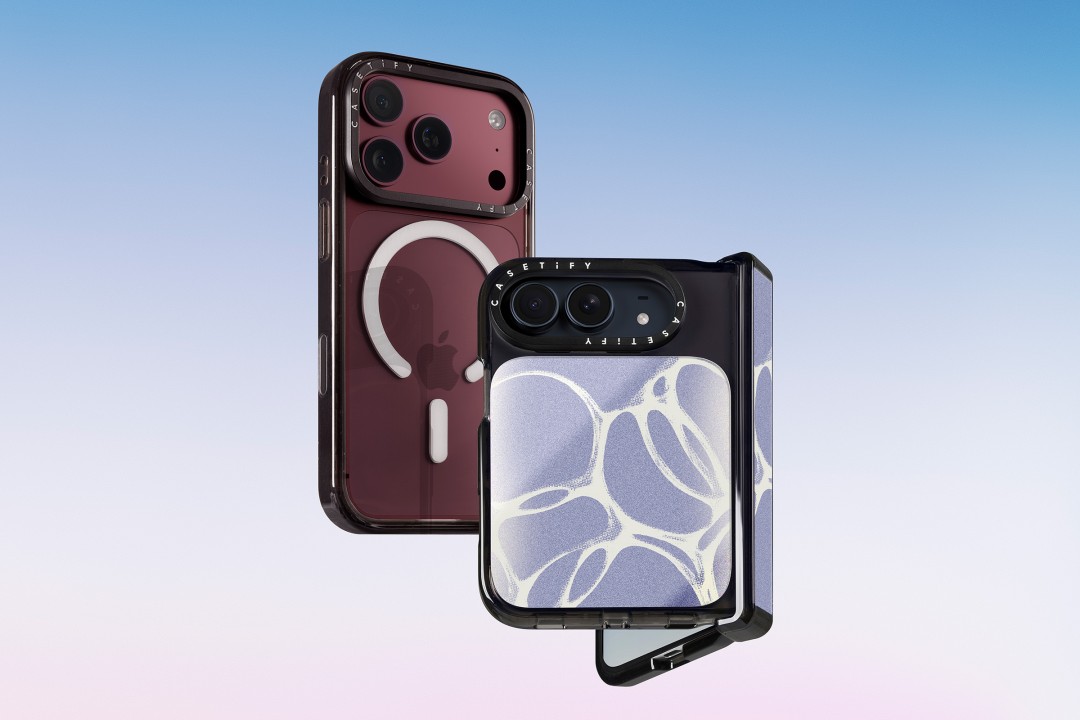
CASETiFY is launching a new collection of cases and accessories for the iPhone 18 series, updating some of its most popular designs with refined finishes, new protection features, and expanded customization options.
Impact Case
The collection is led by the Impact Case, CASETiFY’s best-selling case with more than 19 million units sold worldwide. It uses an internal EcoShock™ design and Duo-Lock by CASETiFY™ bonding for impact absorption and dispersion. The case is tested for drops of up to 8.2 feet and 4x Military Standard 810G. It also features a scratch-resistant Glaze finish, raised bezel, precision-engineered camera control button, and MagSafe and wireless charging compatibility.
The Ultra Impact Case builds on the same family with redesigned, more rounded corners and reinforced structures with internal air cells. It is tested for drops of up to 11.5 feet and 6x Military Standard 810G. It also has a slimmer profile, multiple design options, and MagSafe compatibility.
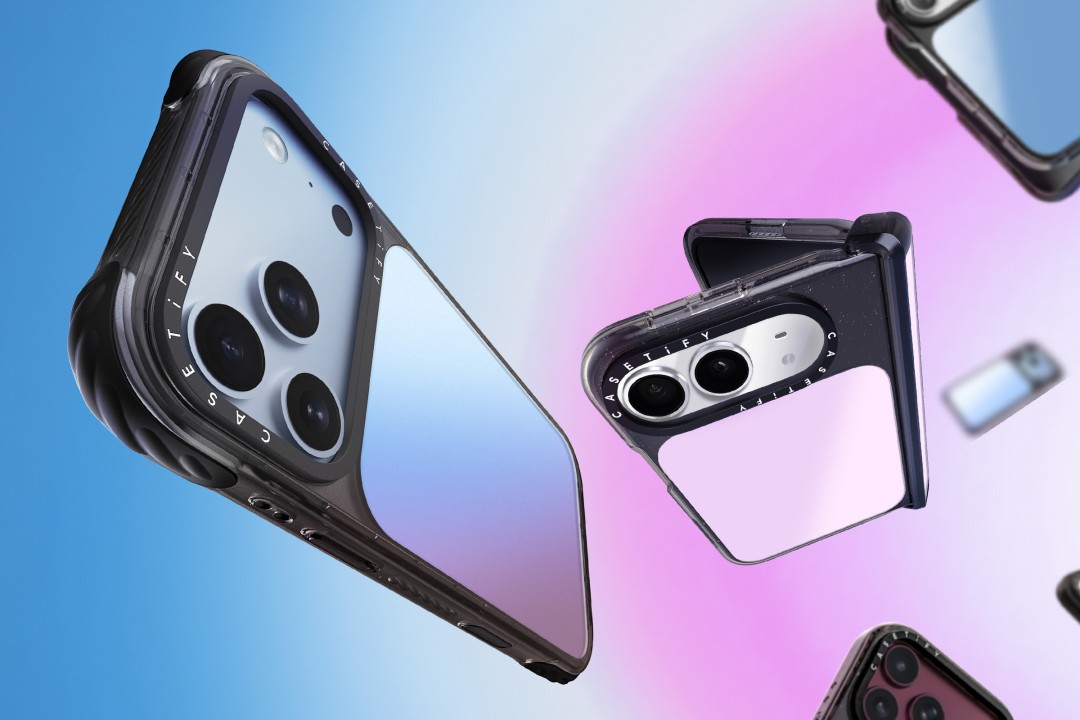
Both cases are available in Ring Stand variants. These feature a built-in metal camera ring stand that adjusts up to 150 degrees, with a screwless hinge designed for durability and stable hands-free viewing. Select models are also available with Glitter and Mirror finishes.
Ripple Case
CASETiFY is also bringing its Ripple Case to the iPhone 18 lineup. The soft-touch silicone case features rippled edges and puffed corners, with protection tested for drops of up to 6.6 feet and 3x Military Standard 810G. New colorways include Banana, Dusty Blue, Blush Pink, and Fig, alongside Black and White.
For users who want more protection, the Bounce Case offers CASETiFY’s highest level of drop protection in the collection. Its Expanded Bounce Corners, TesseLock™ design, and enhanced Duo-Lock bonding support drop protection of up to 21.3 feet and 7x Military Standard 810G.
Alloy Ripple Case
The lineup also includes the Alloy Ripple Case, which reworks the Ripple’s sculptural design in aluminum with an EcoShock™ design and Duo-Lock bonding. It is tested for drops of up to 8.2 feet and 4x Military Standard 810G. The Cloud Case uses a quilted soft-touch design with pillowy bumpers and up to 6.6 feet of drop protection.
Beyond cases, CASETiFY is expanding its accessories with the Ripple Wallet, Grip Stands, Loop Grips, Jelly Wristlets, Bow Charm Wristlets, and other charm-compatible straps. The iPhone 18 cases range from USD 50 to USD 90 , while accessories range from USD 25 to $USD 45.
The collection is available beginning September 10 through CASETiFY. The company is also preparing a case lineup for the upcoming iPhone Duo, with its waitlist already live.


REDMI Note 17 Pro Max review: A new breed born from AI greed
Welcome to the new normal


Marvel’s Wolverine review: When the claws come out
A brutal, cinematic superhero adventure


Setting your bedsheets ablaze with the Lovense Solace Pro
The closest proxy I could find where I'm guilty as sin

Now Playing: Resident Evil

HONOR, Fidesmo partner for contactless payments across Europe, Middle East

Ford revs up Truck Month with extended 5-star care offers
REDMI Note 17 Pro Max review: A new breed born from AI greed

REDMI NOTE 17 Series: Price, availability in the Philippines

TECNO MEGAPAD 2 review: Eyes on the size

realme 16T 5G with 8000mAh battery, IP69 Pro rating launches in PH

HUAWEI Pura X View is 2026’s first WIDE slab-type smartphone

REDMI reveals the refreshed Note 17 and Note 17 Pro series

REDMI Note 17 Series: Price, availability in Singapore


-
 News1 week ago
HUAWEI Pura X View is 2026’s first WIDE slab-type smartphone
-

 News1 week ago
The CAMON Slim 5G is TECNO’s latest ultra-slim smartphone
-

 IFA 20262 weeks ago
TECNO MEGABOOK T15 360 unveiled at IFA 2026
-

 Gaming2 weeks ago
NBA 2K27 review: A two-way All-Star
-

 News7 days ago
iPhone 18 Pro series: Price, availability in the Philippines
-

 IFA 20262 weeks ago
TECNO’s POVA 8 Pro gets a stealthy makeover
-

 Automotive2 weeks ago
Ford’s new Everest lineup brings V6 engine to the top, tech down the line
-

 Gaming2 weeks ago
Now Playing: Elden Ring Tarnished Edition