


Convenient Smart Home
Let the robot do the cleaning, I’ve got a life to rebuild
The Eureka J15 Max Ultra takes over the cleaning so you can take back your time

After everything in my life unraveled, I didn’t have the bandwidth to deal with life’s little messes.
Not the dishes piling up. Not the tangled strands of hair on the rug. Certainly, not the coffee I accidentally spilled on the floor because my hands wouldn’t stop shaking that week.
I’ve always believed in the power of movement to reset. But recovery needs structure too.
So, when the Eureka J15 Max Ultra entered my life after I moved homes and cities, it became a sturdy reminder that some things could still be handled — on my behalf, even when I couldn’t.
It goes where I can’t (or where I don’t want to)

Most days, I’m either in the gym, on a race trail, or at my desk buried under product launch calendars. I leave the house early and get home late. And when I’m home, I want to rest and not do chores.
The Eureka J15 Max Ultra became the roommate I didn’t know I needed.
With my limited time to clean and reset, I know I wouldn’t get the job done, especially on corners which take a lot of time.
Let’s be honest: corners have always been where messes settle and get forgotten.

The J15 Max Ultra does the opposite of forgetting. It sees them, and knows they’re there. And when it finds them, it extends its brush and mop, literally reaching out to scrub what most robots ignore.
That alone would’ve made it impressive. But what made me trust it was how it doesn’t tap furniture or jerk around awkwardly. It approaches carefully, cleans thoroughly, and pulls back without leaving a mark.

The secret is in its dual-extension system. While most robot vacuums are equipped with a single extending brush or a non-pressurized mop that dangles and wipes, this one features ScrubExtend and SweepExtend, both engineered to adapt to hard-to-reach spaces like edges, table legs, and irregular wall corners.

Even when it detects uneven shapes or changes in your furniture layout, it applies consistent downward pressure while mopping — up to 8 Newtons — to scrub, not just swipe.
The entire movement is supported by a flexible swing arm design, which retracts safely and smoothly, without ever bumping into your chairs or walls.
It even manages to clean the edges in testing, which you’ll see when you walk barefoot and there’s no gritty dust left clinging to corners.
The tech that puts your peace of mind first
Eureka’s J15 Max Ultra isn’t just another round disc that bumps around and calls itself smart.
It’s designed with thoughtful innovation that doesn’t scream for attention but earns it with consistency. Its Hyper-Fusion Technology delivers a whopping 28,000 Pa of suction power, which means it doesn’t miss a spot.

Its FlexiRazor Roller Brush is designed to adjust to different floor types and debris. Hardwood, tile, carpet, cat litter, dry food crumbs, this vacuum eats it all up without getting tangled or whining about the effort.

But what makes it truly different is its IntelliView AI 2.0 system. It doesn’t clean blindly. Using 3D structured light and RGB cameras, it identifies objects on the floor, recognizes rooms, and even adjusts cleaning patterns based on the mess.

It knew when my cat knocked over his litter box and when I dropped cookie crumbs next to my desk during a post-breakup binge. It knew and cleaned accordingly.
I can’t always keep up, so it cleans itself
Most robot vacuums return to base to charge. Some auto-empty dust. A few rinse the mop. This one does all of it, and then some.

The All-in-One Base Station refills clean water, empties dirty water and dustbin, washes the mop with heated water, and dries it with hot air. It also cleans the base tray underneath and collects tray waste into a separate dust bag.

That last part matters. Other bases skip tray cleaning, which leads to odor buildup. Eureka solves this with a tray scraper system that scrubs after every cycle, then separates solid from liquid waste before the next run.

It’s the kind of low-maintenance routine you don’t need to think about. The dust bag lasts up to 75 days. The clean water tank can handle up to 500 m² of mopping. And the 6400 mAh battery gives it up to 360 minutes of runtime.

That means it can clean the entire apartment, rinse itself off, and do it again without needing a recharge or refill.
That’s more than enough support for someone trying to stay afloat.
The caveats
Of course, nothing’s perfect. The vacuum’s All-in-One Base Station is large. You’ll need to make space for it, preferably somewhere with easy water access. If you live in a tiny apartment or a studio, the footprint might feel intrusive, which is the case with my 28sqm apartment.

Also, the setup required some time. Mapping your home for the first time takes a few runs, and you’ll have to be patient while it learns where things go. You’ll also want to play around with the app to adjust schedules, no-go zones, and cleaning preferences.

The map also doesn’t capture my space neatly. It wasn’t able to determine which one is my bedroom, and I had to customize the map so that the zones work seamlessly when I decide to clean the house.
But once you’ve set everything up, you rarely have to think about it again. And I think, that’s the point.

Is the Eureka J15 Max Ultra your GadgetMatch?
If you’re the kind of person whose brain needs external structure before you can function, who wants to come home to a clean space without feeling the guilt of not having done it yourself, and if your idea of self-care involves reclaiming control over your space without wasting hours vacuuming or scrubbing tiles, then yes. This is your GadgetMatch.

At US$ 1,299, the Eureka J15 Max Ultra may be on the premium end of robot vacuums, but it delivers on every feature.

Picture it this way: You’re buying back time, energy, and mental clarity. Because this one clears the emotional debris that builds up when you’ve been too tired, too broken, or too busy to care.


Convenient Smart Home
Spotlight: eufy Robot Vacuum Omni E35
Keeps My Apartment Clean While I Travel!

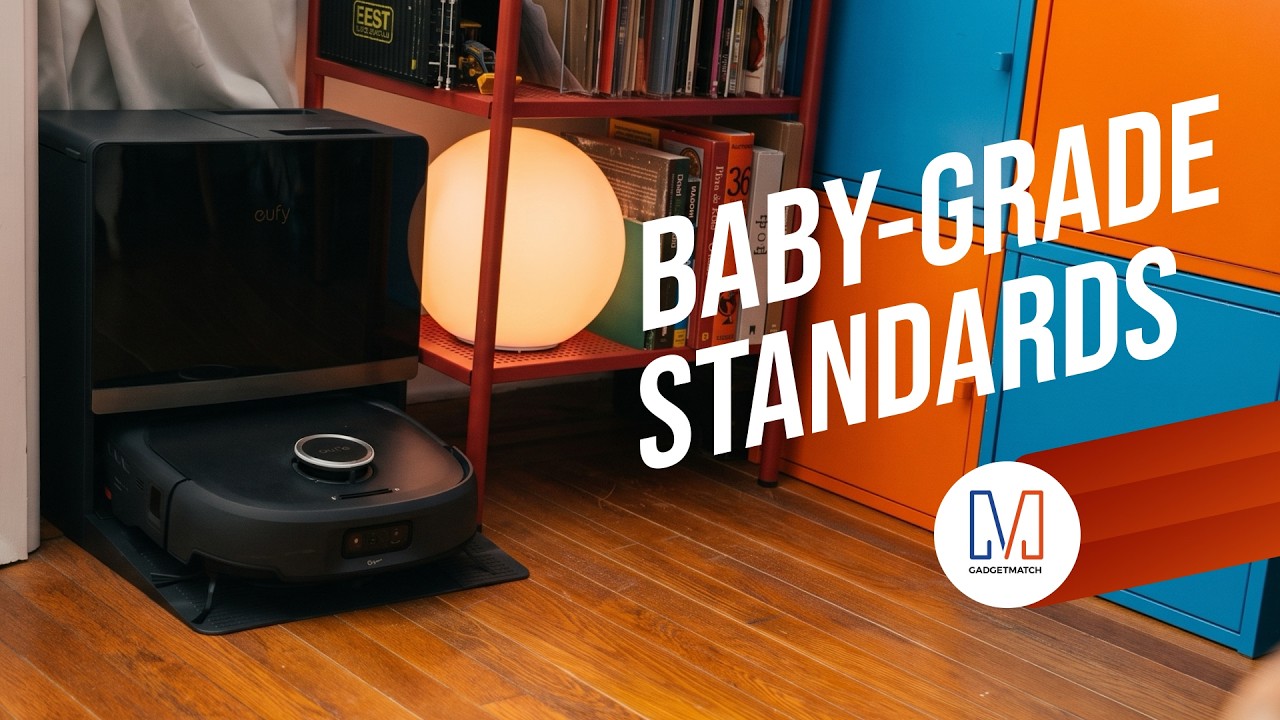
The eufy Robot Vacuum Omni E35 does more than vacuum.
With a suction power of 35,000 Pa, a HydroJet 2.0 self-cleaning roller mop, CornerRover true corner coverage, and DuoSpiral detangling brushes, it takes more of the work out of keeping your home clean.
It’s also eufy’s first baby-grade certified robot vacuum and is AAFA Asthma & Allergy Friendly certified, with AeroTurbo 2.0 multi-cyclone filtration to help keep dust locked away.
Head over to our Spotlight on the latest eufy Robot Vacuum Omni E35 to know more.
Save $450 with my exclusive code EUFYE35FANS available for a limited 30 days, so order now!

Deciding what to eat can be surprisingly difficult. Sometimes, you have a fridge full of ingredients but no idea what to make. Other times, you’re at the supermarket trying to remember whether you still have eggs at home.
Samsung thinks a little technology can help.
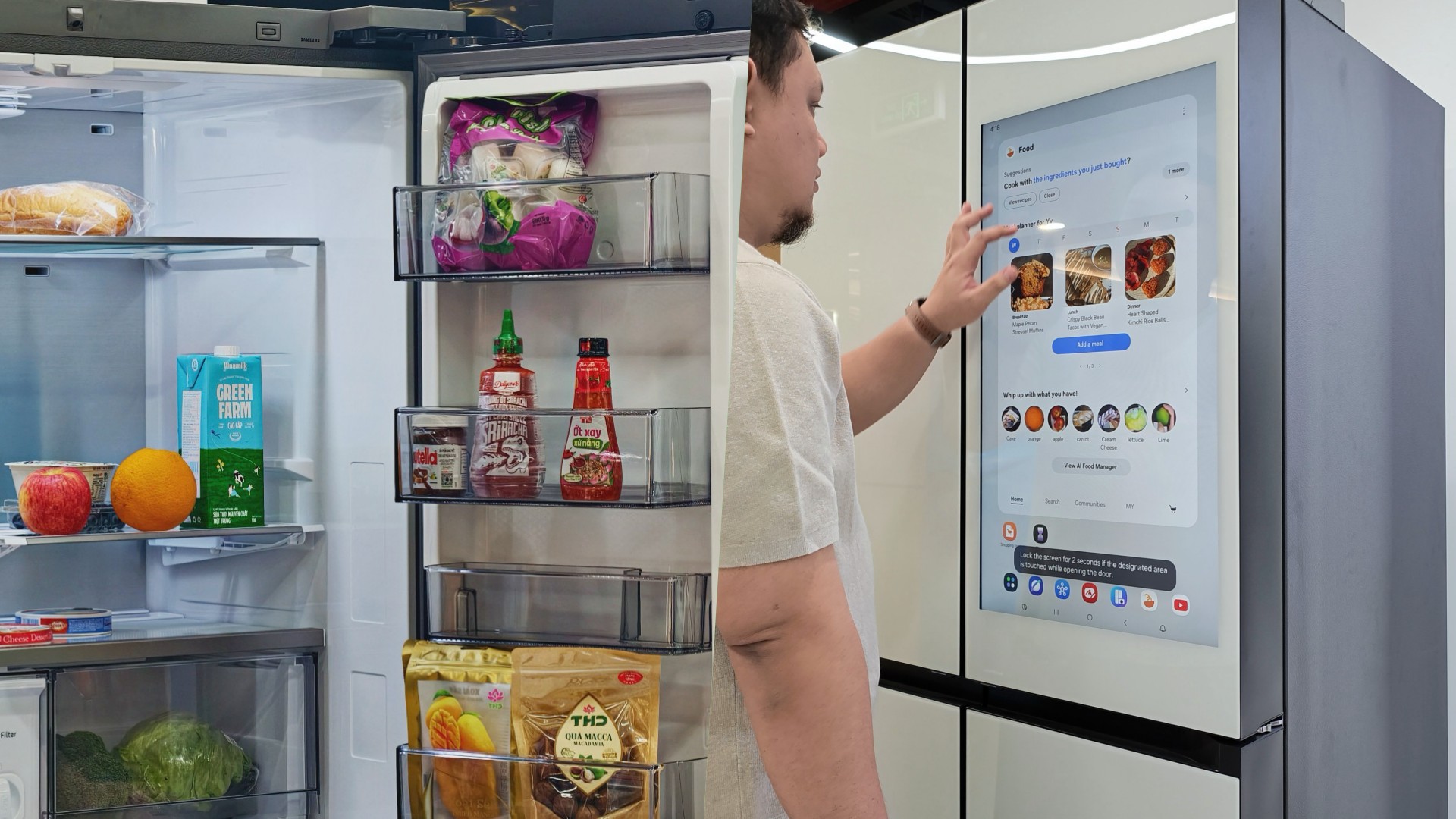
During my recent visit to Samsung’s showcase in Hanoi, Vietnam, its smart refrigerator stood out as one of the more interesting appliances on display. Its built-in screen offered plenty of opportunities for interaction, hinting at how a refrigerator can do more than simply keep food cold.
On supported Samsung models, AI-powered features can help users keep track of ingredients, discover recipes, and manage compatible smart appliances.
And honestly, anything that makes the daily routine a little less tedious deserves a closer look.
A little help deciding what’s for dinner
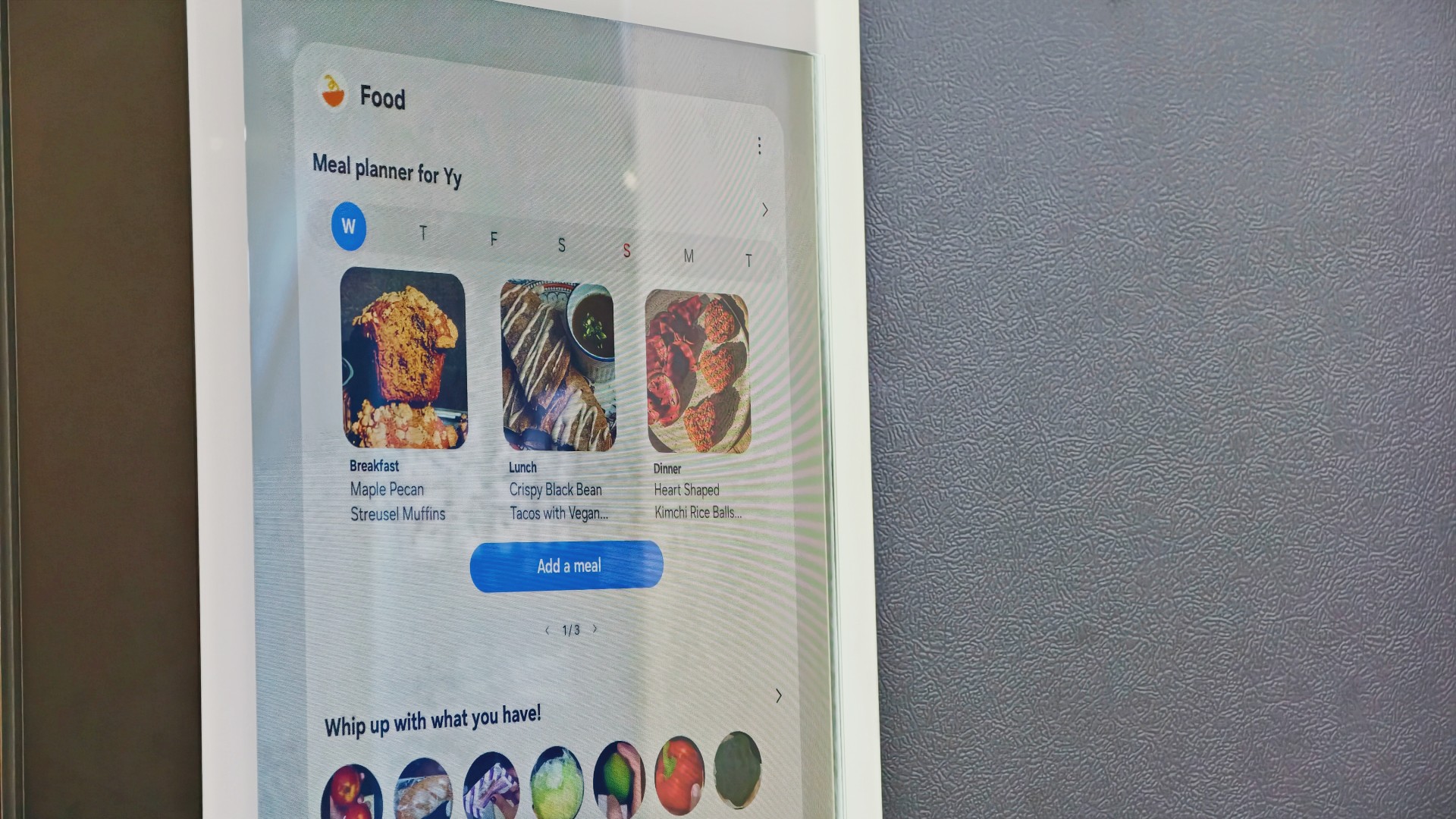
Samsung’s AI Food Manager helps users manage ingredients and discover what they can cook with what’s already available.
On supported Bespoke AI Refrigerator Family Hub models, an internal camera can recognize selected food items as they enter or leave the refrigerator. Users can check their food list through the SmartThings app, making it easier to remember what they have when planning their next grocery run.
The system isn’t infallible. Some items may not be recognized correctly, and users may need to review and adjust the list. Still, it’s a useful starting point for avoiding unnecessary purchases and making better use of ingredients already at home.
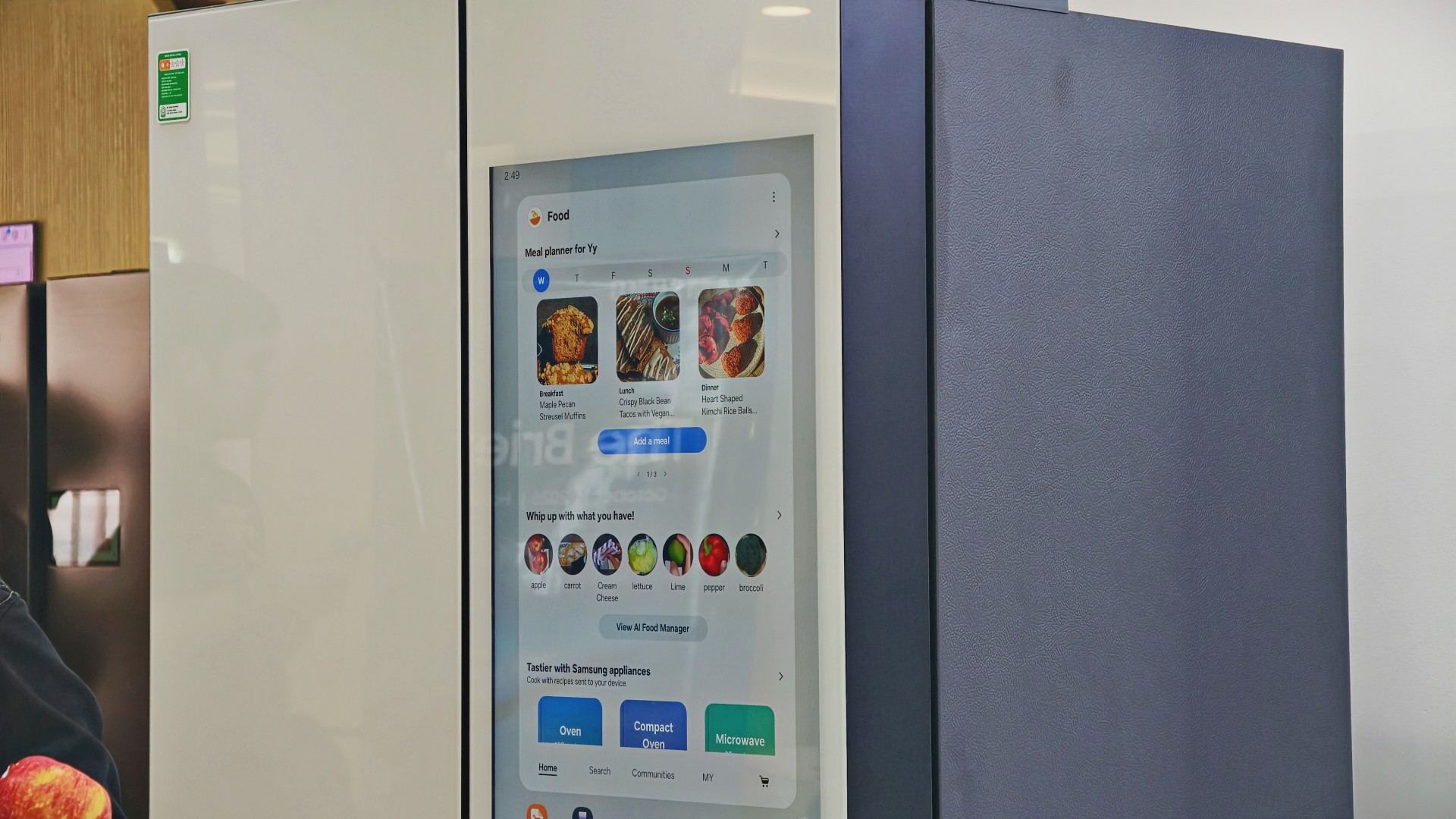
AI Food Manager can also recommend recipes based on available ingredients. Meanwhile, What’s for Today, available on select models, suggests menus based on the user’s chosen options, including available refrigerator contents.
Neither feature will magically turn anyone into a chef. But if you’ve ever stared into your fridge hoping dinner ideas would materialize, a little inspiration might help.
More than a refrigerator with a screen

The display has another practical purpose: controlling compatible connected appliances.
On supported Samsung side-by-side refrigerators with the 9-inch Family Hub display, users can access compatible Samsung smart appliances and supported third-party devices through SmartThings. Bixby also provides voice interaction for supported functions, offering another way to access controls while cooking or preparing meals.
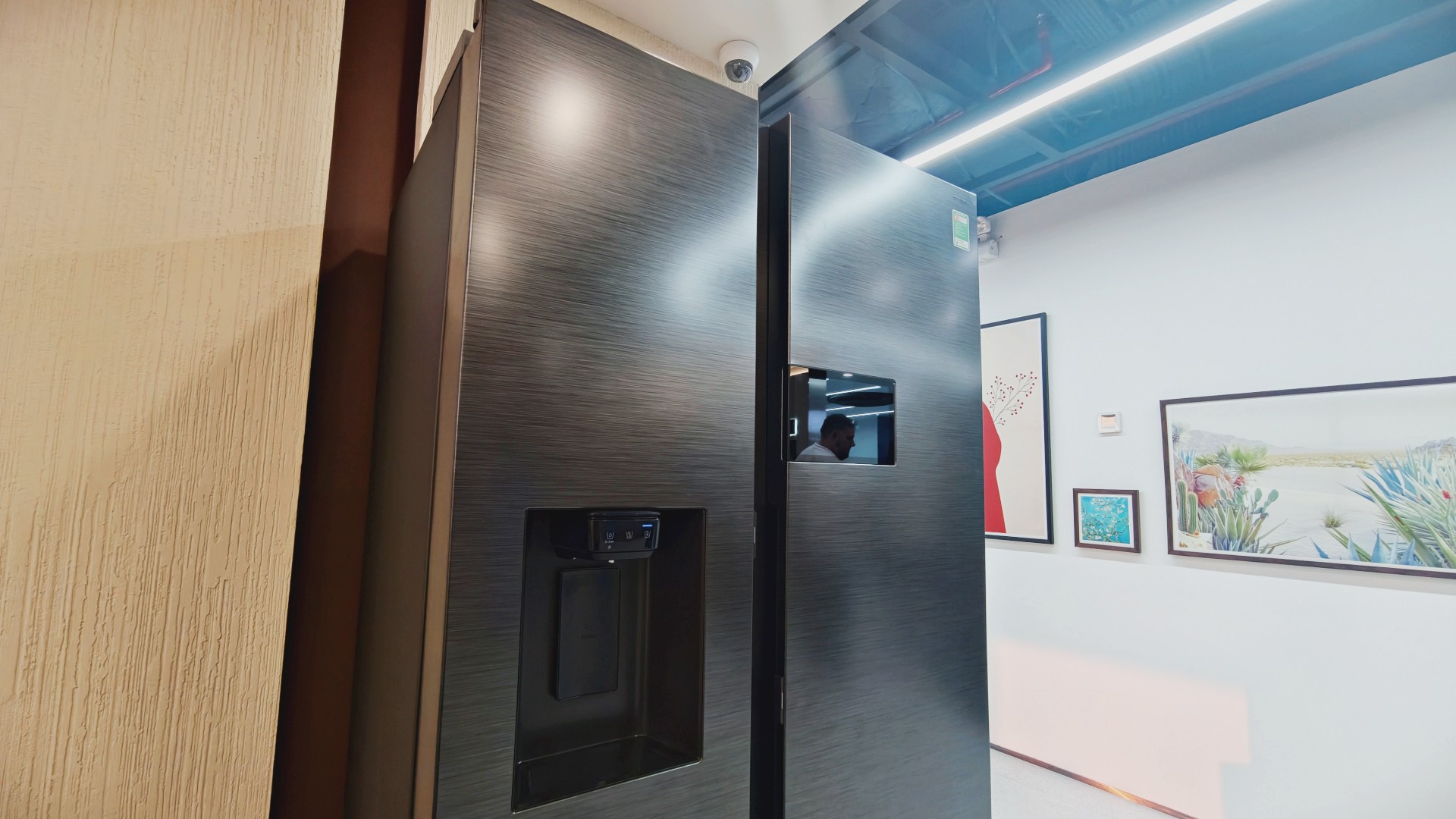
It’s part of Samsung’s broader connected-home approach, where compatible devices work together to simplify everyday routines.
Of course, not everyone needs every appliance in their home connected to one another. A refrigerator that keeps food fresh is already doing its most important job.
But for households that use smart appliances, having ingredient information, recipe ideas, and device controls accessible from one place could be convenient.
And speaking of that screen…
You know me. If there’s a screen, best believe I’ll find a way to put a STAYC Isa fancam on it.
Anyway, back to the bigger question.
Can a smarter fridge help you live better?
Healthier living involves more than diet and exercise. Everyday routines matter, too, including planning meals, keeping track of groceries, and figuring out what to cook.
Samsung’s AI-powered refrigerator features won’t automatically make anyone eat healthier. What they can do is make information easier to access and some everyday decisions less tedious.
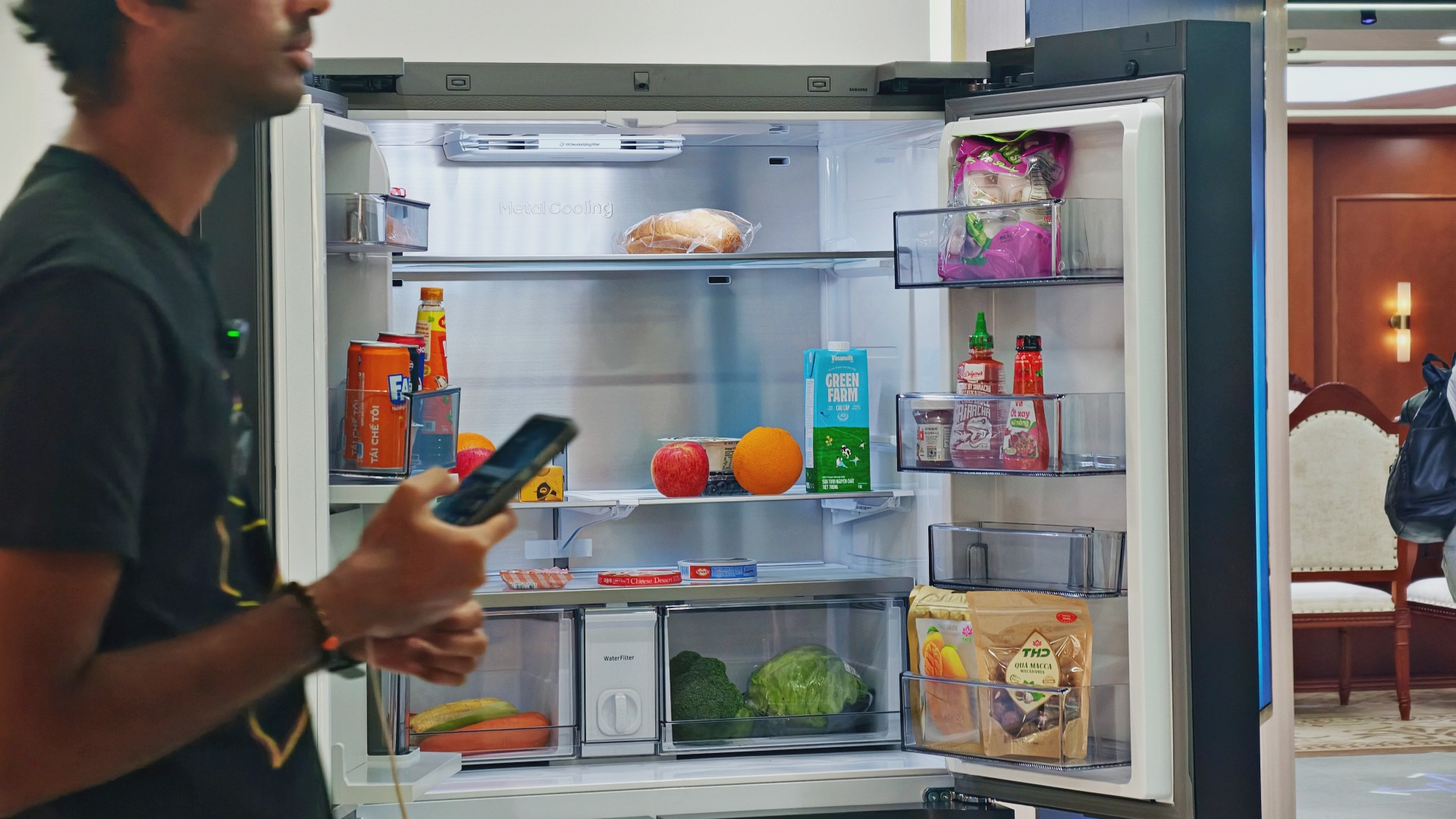
For someone who regularly cooks at home, that could mean making better use of ingredients already in the fridge. For a busy household, it might mean spending less time planning meals or remembering what to buy.
These features remain tools, not guarantees. Their usefulness depends on how accurately they work, which features a particular model supports, and whether they fit into your routine.
Still, I like the idea of technology that takes a little friction out of everyday life. A refrigerator doesn’t need to reinvent cooking to be useful. Sometimes, helping you remember what you bought last weekend or suggesting what to make with it is already a good start.

And if it happens to have a screen where you can watch a STAYC fancam while deciding what’s for dinner? Well, I’m certainly not going to complain.

Living in New York means making every square foot count, so why own multiple gadgets when one can do the job?
In this video, THE Michael Josh takes a look at the Marshall Heston 60. It’s a premium TV soundbar that brings more to the living room than just better sound.
With its sophisticated design, powerful audio, and versatile features, it sits in his living room while doing much more than you might expect from a soundbar.
CHECK IT OUT HERE: https://bit.ly/MarshallHeston


Apple iPad mini OLED review
Has the mini gone PRO?!


ROG G700 review: The best prebuilt PC you can get off the shelf
This PC will make you stop worrying about specs.


HP OMEN Max 16 review: Gamer-maxxing in deep black
Peripherals deemed necessary to max this out

Sony revives classic Walkman headphones with USB-C MDR-3R

IKEA, Xbox launch nine-piece YXSTABY gaming collection

Smart Infinity launches PureVoice

The Fellowship of the Ring in Concert finally arrives in Manila
Apple iPad mini OLED review

Your coffee nook is getting a makeover with Starbucks’ holiday collections

vivo V80 debuts with ZEISS cameras

Garmin Enduro 4 promises up to 320 hours of battery life

Dragon’s Dogma 2: Dark Arisen launches with new Official Pawns

vivo V80 review: Good phone, tough sell


-
 Lifestyle7 days ago
Your coffee nook is getting a makeover with Starbucks’ holiday collections
-

 Lifestyle1 week ago
Sticker season is back, and so is the planner your ~friends~ might fill in for you
-

 Gaming7 days ago
Wild Rift Patch 7.3, celebrates K/DA comeback
-
Gaming2 weeks ago
ROG G700 review: The best prebuilt PC you can get off the shelf
-

 Gaming2 weeks ago
PlayStation unveils Prism Collection
-
 News2 days ago
Sony revives classic Walkman headphones with USB-C MDR-3R
-

 News2 weeks ago
Apple unveils its biggest iPad mini update yet
-

 Laptops2 weeks ago
Apple unveils MacBook Pro with PROLED XDR display and Touch