


Her GadgetMatch
SCUBAPRO Aladin Sport Matrix review: Your first dive computer
Is it time to invest in diving gear?

When you hang out with a group of hardcore technical divers, you can’t help but feel the need to own every single high-tech dive equipment they use. Everything just seems like a necessity.
So, when it came down to actually diving into gear investment (pun intended) for my upcoming trip to the deep south of Maldives, I had to hold off the urge of blindly purchasing whatever I thought was cool. For a fairly new advanced diver such as myself, I needed something that’s practical and affordable that also suited my skills and circumstances. And so, the hunt for the perfect dive computer began. After some research and consultation, I found myself the owner of a new SCUBAPRO Aladin Sport Matrix.
Upfront: Bulky, but adaptable and functional
The Aladin Sport Matrix is pretty straight to the point. It’s a puck-style dive computer with a metallic silver faceplate. It has an easy-to-read display and a two-button menu system to navigate and select through its various functions.
The unit comes with an elastomer strap for any type of suit you dive with. But, I’ve personally opted to forgo the strap and replaced this with a bungee strap so it’s easier to put on and take off. Thankfully, the Aladin Sport Matrix allows for that as the strap pins are easily removed, which means you can have your bungee looped into the four holes without buying any special adapters.

When it comes down to functionality, research had to be done. All dive computers factor in depth, bottom time, and gas mix to calculate decompression time, so it’s important to consider your dive habits and the usual situation you’ll be operating in.
For context, a quick background of my diving habits: I usually yo-yo with an underwater camera on hand but despite this, I’m very frugal in air consumption versus my colleagues. As for the circumstances: I was preparing for dives in the deep south of the Indian Ocean, home to some of the most beautiful marine life visible 30 meters deep — exactly why it was important to have a computer that allowed me a generous amount of time to enjoy.
As I readied for my first dive, the local dive master/instructor, taking note of the watch, approached me and said, “That’s the best one.” And true enough, the Aladin Sport Matrix was very generous at extreme (but allowable) depths. It didn’t require me to have to do a ridiculous amount of safety stops to decompress.
The Aladin Sport Matrix is a single gas dive computer that leverages on SCUBAPRO’s adaptive ZHL-8 ADT MB algorithm. This predictive multi-gas algorithm adapts to each diver’s varied conditions, tried-and-tested based on millions of dive hours by divers everywhere. This means you can customize the algorithm based on your age, experience, and physical condition.
With a maximum operating depth of 120 meters (394 feet) and supporting up to three gas mixes, the Aladin Sport Matrix is perfect for when your skills progress to more advanced diving.
Bluetooth Connectivity
My favorite function has to be the Bluetooth 4.0 connectivity. This enables you to log your dive profile data straight to your computer, phone, or tablet. Simply download LogTRAK on Android, iOS, MacOS, or Windows, connect to your watch via Bluetooth, and you’ll get access to a slew of dive information, including total dive time, average depth, temperature, and even calories!
Affordable + Practical
Priced at around PhP 25,000, the Aladin Sport Matrix packs a punch in features. It has replaceable batteries, lasts about 300 dives, and is equipped with a backlight. It’s water-activated so it starts calculating as soon as it hits the water.
To be honest, going puck-style wasn’t really the first choice. I hung out with divers equipped with high-end consoles like the Shearwater Perdix and had been wired to think that despite my newness, I’d eventually get to that level anyway. As a recreational diver, though, it wasn’t really advisable to spend more than PhP 30,000 for a reliable computer.
Is the SCUBAPRO Aladin Sport Matrix your perfect dive buddy?
It’s truly exciting to finally get started with your gear haul as you progress as a diver, but it can get overwhelming. For those looking for a great starter and eyeing further advance in their diving in the near future, this unit may be a great GadgetMatch.

By this point, you should’ve already figured that all divers are different. Some consume gas quicker than others, some are more susceptible to decompression sickness, and as such may need to stick to more conservative dive computers (regardless of experience) for safety. The SCUBAPRO Aladin Sport Matrix covers more than the basics for the best-possible price point and is highly recommended for your first foray to dive tech.








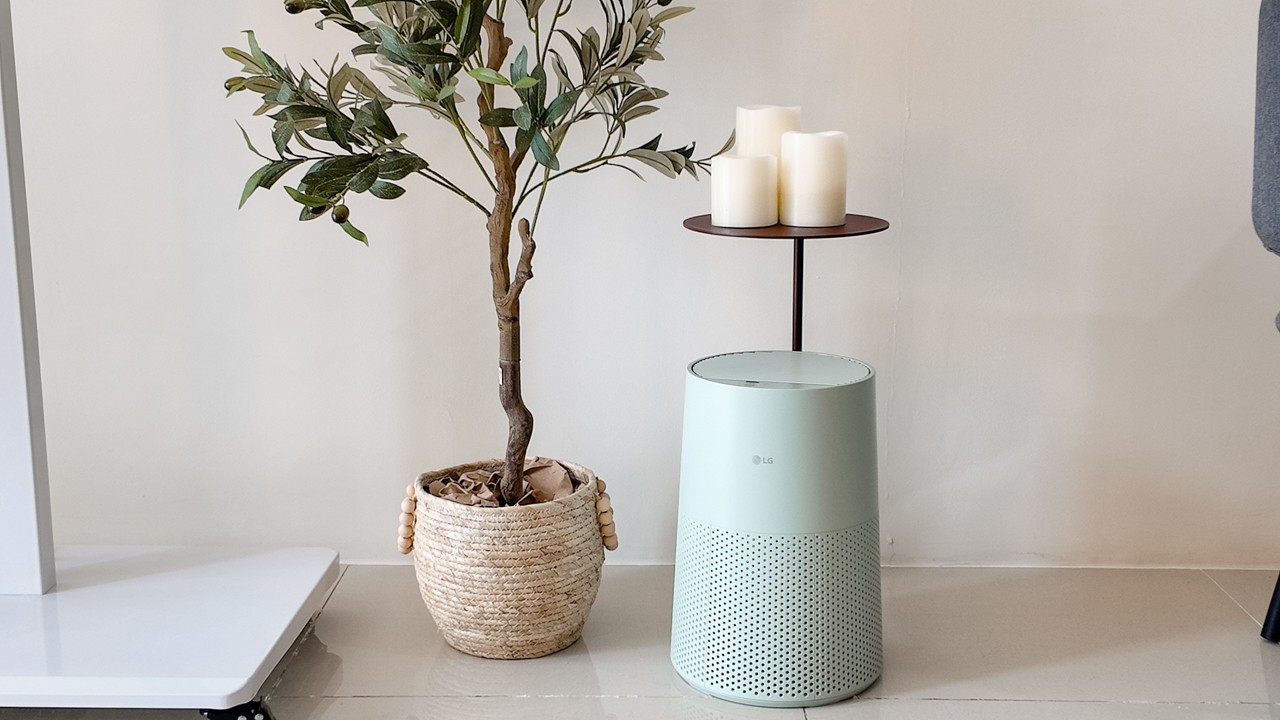
Moving into a new space comes with a long list of things to figure out, and lately, I’ve been paying more attention to something that’s easy to overlook: air quality.
After using the LG AeroMini for about a month, it has become a subtle but welcome addition to my space. It helps make the room feel fresher, while its compact and stylish design fits naturally into my setup. Here are the things that stood out to me most after living with it for a month.
360° purification for a fresher space
One of the things I appreciate about the AeroMini is its 360° air purification, designed to bring purified air in every direction.
For me, this is particularly useful in a new space where I’m spending a lot of time working, relaxing, and just settling in.
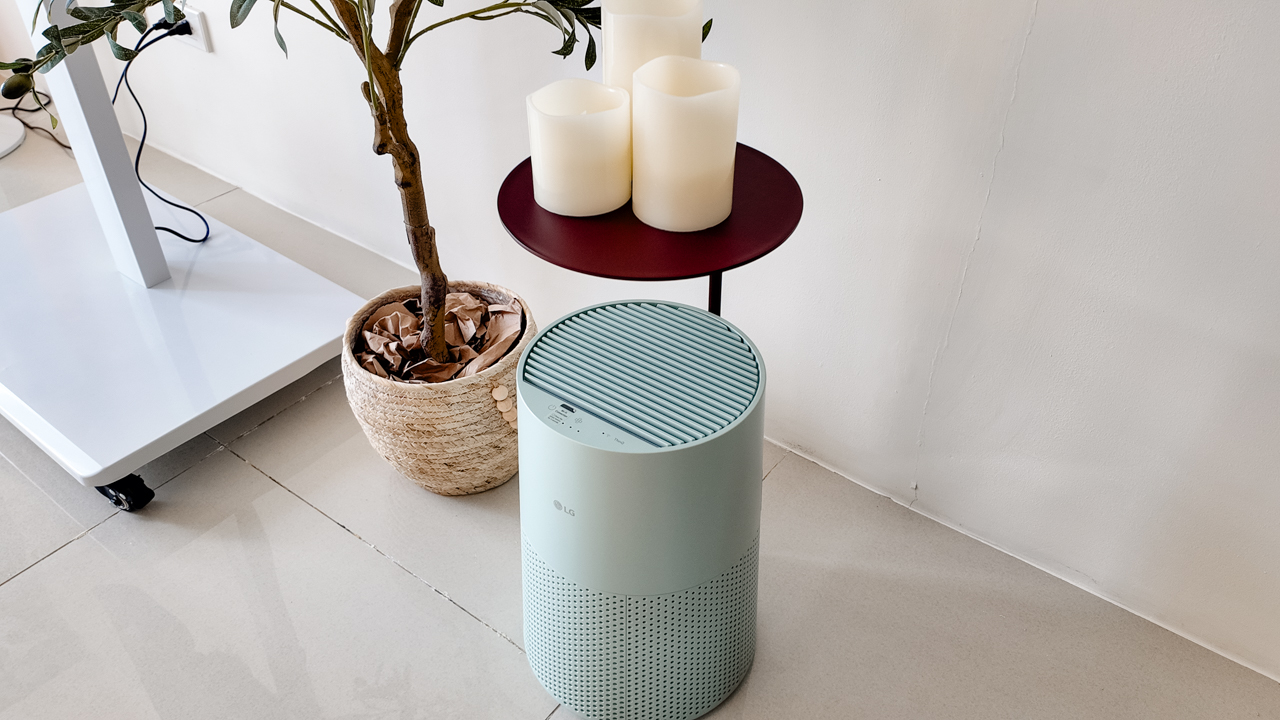
Combined with its True HEPA filter, which is designed to remove 99.999% of 0.01μm fine dust and allergens, it gives me added peace of mind about the air I’m breathing every day.
After a month, I can genuinely say that the space feels fresher with it running.
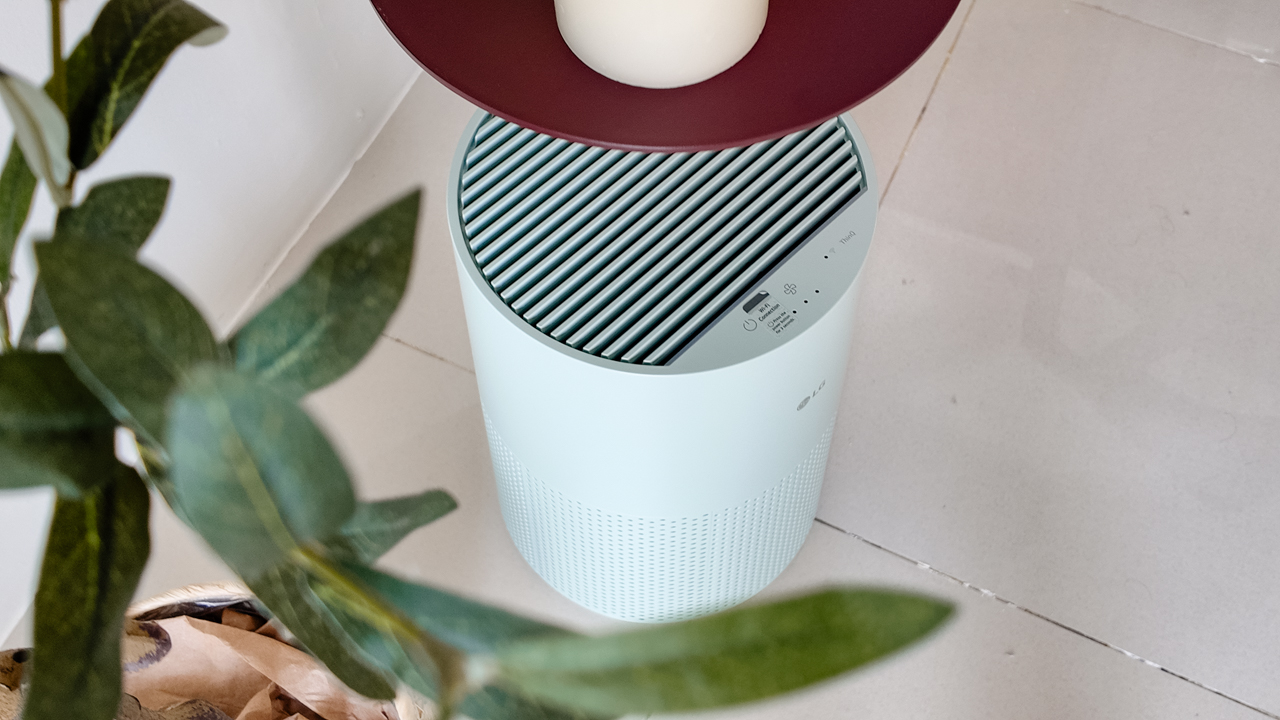
Surprisingly quiet
This is probably my favorite feature.
The LG AeroMini operates at just 26dB, and after using it for a month, what stands out is how easy it is to forget that it’s even running.

I can have it running while I’m working or sleeping without the noise becoming a distraction. For an appliance that’s designed to continuously improve the air around you, I think that’s a big deal.
Sometimes, the best feature is the one you barely notice.
Design that fits my space
Since I recently moved, I’ve been pretty conscious about what I bring into the space. I want things to be functional, but I also don’t want appliances that feel like they’re taking over the room.
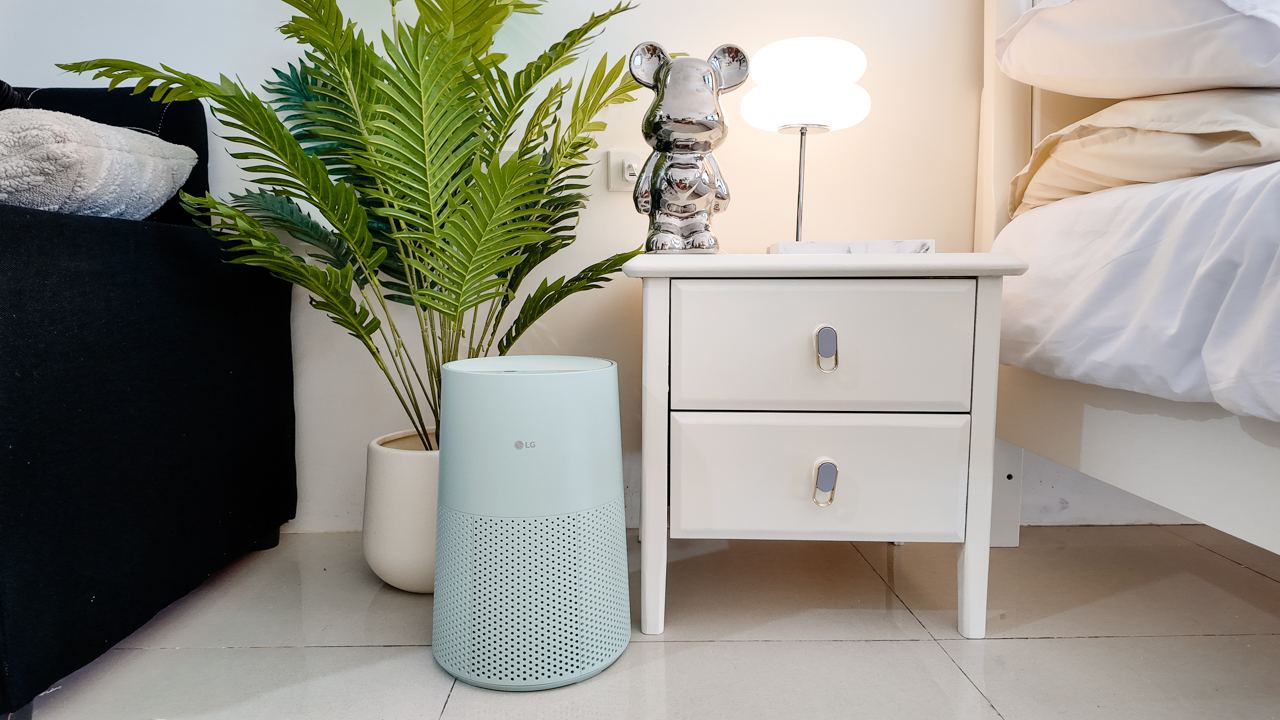
The AeroMini’s slim and compact design makes it easy to incorporate into my setup. It doesn’t feel bulky or industrial, and I like that I can leave it out without feeling like I need to hide it away.
For me, that balance between functionality and aesthetics makes it feel more like part of the space rather than just another appliance.
Air quality at a glance
Another feature I’ve found convenient is its Smart Control. Through the app, I can monitor and control the AeroMini while getting real-time updates on the indoor air quality.
It’s a small convenience, but being able to check the air quality without having to interact with the purifier directly makes it easier to keep track of what’s happening in the room.

Easy to maintain
I also appreciate that the AeroMini is designed with an all-in-one dust and deodorization filter that makes replacement and maintenance easier.
That matters to me because the best home gadgets are the ones that don’t create another complicated chore. I want something I can set up, use regularly, and maintain without too much fuss.

After a month, would I keep it?
Yes, and mainly because it quietly fits into my everyday routine.
The LG AeroMini has helped make my new space feel fresher and more comfortable, while its compact design means it doesn’t compromise the look of the room. But if I had to pick just one thing I appreciate most, it’s still how incredibly quiet it is.

It’s one of those upgrades that doesn’t demand your attention. It simply works in the background.
If you’re also looking to make your home a fresher and more comfortable space for yourself and your family, visit https://www.lg.com/ph/ to learn more about the LG AeroMini and how it can fit into your everyday life.
Her GadgetMatch
TECNO and Angélica Dass visit the Philippines next for its grand portrait project
100 Faces, 100 Stories


A portrait can show what someone looks like, but what about the story behind the face?
TECNO and visual artist Angélica Dass are exploring that question through “100 Portraits of Becoming,” a two-year global portrait project featuring 100 people across Kenya, the Philippines, Saudi Arabia, Türkiye, and Brazil.

The project begins with 20 portraits from Kenya, each paired with a personal story about identity, choices, change, and growth. Rather than having participants represent an entire culture or generation, the project focuses on their individual experiences.
Beyond inclusive imaging
The project builds on TECNO’s work with Universal Tone, its imaging technology designed to represent diverse skin tones more naturally and accurately.

But “100 Portraits of Becoming” takes that idea further. With AI increasingly involved in capturing, recognizing, and generating images of people, TECNO and Dass want to explore how technology can better represent the individual behind the image.

For Dass, meaningful portraiture starts with human connection.
“Meaningful portraits are never created by technology alone.”
She says her experience in Kenya reinforced the importance of trust, listening, and the willingness of people to share their stories.
The Philippines is next
Following Kenya, the project heads to the Philippines for a chapter called “Beyond Many Labels.”
It will feature 20 individuals, including working solo mothers and people whose lives are closely connected to solo parenthood.

Their stories will look beyond labels such as “single mother,” “breadwinner,” and “strong woman,” while exploring their ambitions, relationships, and personal growth.
The chapter will also explore “diskarte” — the ways Filipinos adapt, make choices, and find practical ways forward in everyday life.
After the Philippines, “100 Portraits of Becoming” will continue to Saudi Arabia, Türkiye, and Brazil.
By the end of the project, TECNO and Dass hope the 100 portraits will offer exactly what the title suggests: 100 different ways of seeing humanity.
Her GadgetMatch
What your smartphone color choice reveals about you
Eight colors, eight personalities. Here’s how to pick.


Your phone color says more than you think. With the Pixel 11 series, Google’s giving you eight ways to make that statement, and there’s genuinely one for every kind of person.
Hibiscus
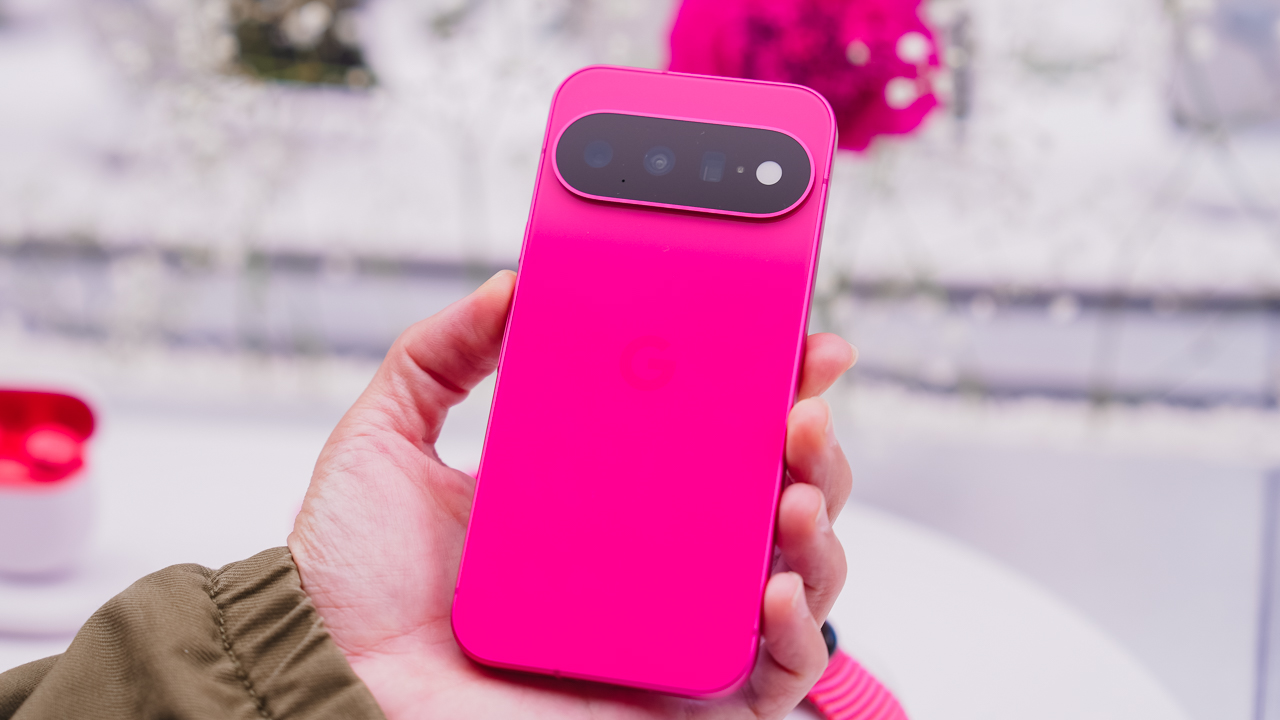
You’re never the quiet one in the room. Hibiscus doesn’t ask for attention; it just takes it, and if that sounds like you, you’re probably not planning to start hiding now. This is the pick for anyone who’d rather stand out than blend in.
Pistachio

You’re the one who remembers everyone’s coffee order. Pistachio is soft and easy; the one whom people gravitate toward without quite knowing why. It doesn’t try hard to be liked. It just is.
Frost

You like things a little too organized. Frost means clean lines and a clear head, the color equivalent of a camera roll with zero mess in it. If your notes app has color-coded folders, this one’s calling your name.
Obsidian

You let the work speak for itself. No flash needed, because when you show up, the room adjusts anyway. Obsidian is the classic choice, the one that’s never trying too hard because it doesn’t have to.
Canyon

You’re the one who suggests the sunset drive. Canyon is warm and a little restless, always chasing golden hour whether or not anyone else is up for it. Available on the Pro and Pro XL, it’s built for people who treat every evening like it might be a good one.
Olive
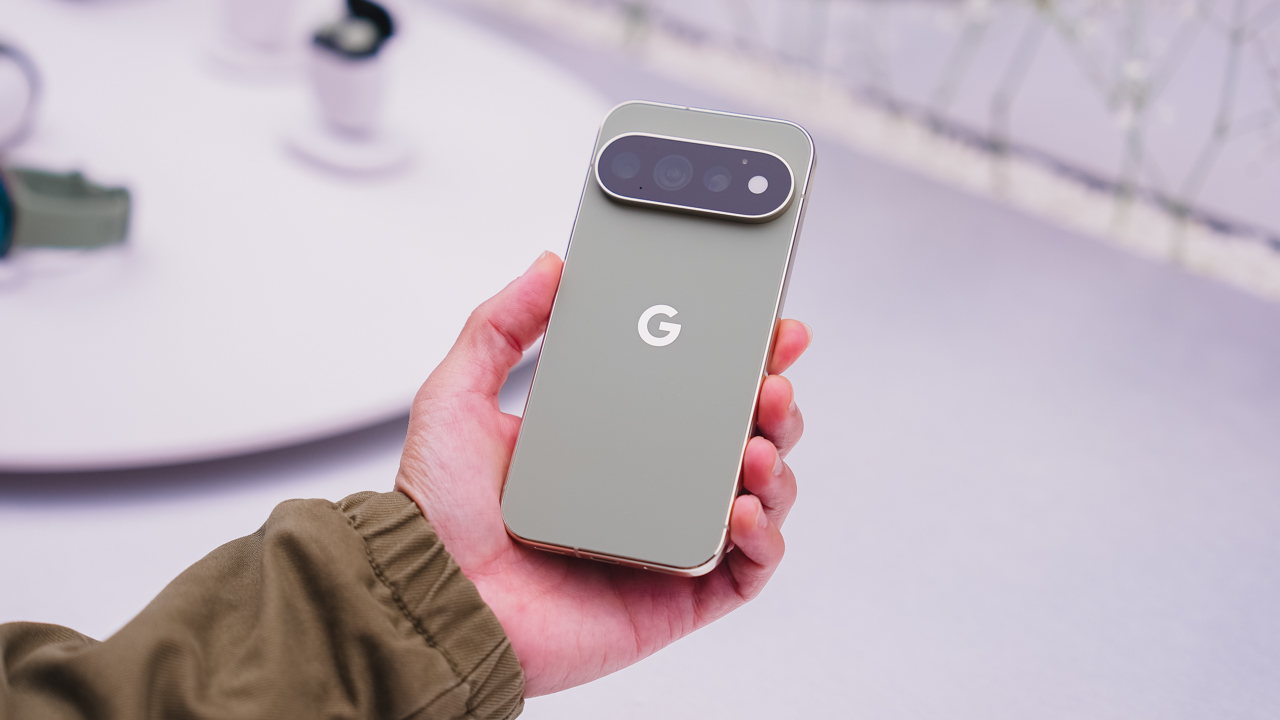
You’re outdoorsy, but you’ll still show up looking put together. Olive is low-key and grounded, the one who doesn’t try too hard because it’s already comfortable in its own skin. Another Pro and Pro XL exclusive.
Fog

You’re hard to read, and you like it that way. Fog is understated on purpose, a Pro and Pro XL colorway for anyone who’d rather keep people guessing.
So, which one’s you?

Eight colors, three phones, one very personal decision. Pixel 11, Pixel 11 Pro, and Pixel 11 Pro XL goes on sale starting August 20 — with Pistachio, Hibiscus, Frost, and Obsidian on the base model; and Canyon, Fog, Olive, and Obsidian on the Pro line.
Which one’s calling your name?


ROG G700 review: The best prebuilt PC you can get off the shelf
This PC will make you stop worrying about specs.


HP OMEN Max 16 review: Gamer-maxxing in deep black
Peripherals deemed necessary to max this out


vivo V80 review: Good phone, tough sell
A capable travel companion

Inside Infinix’s first global concept store in Bali

Wild Rift Patch 7.3, celebrates K/DA comeback

LG showcases its latest AI TVs in the Philippines

Your coffee nook is getting a makeover with Starbucks’ holiday collections

Petit Planet launches December 4


-
Reviews2 weeks ago
vivo V80 review: Good phone, tough sell
-
 News2 weeks ago
OPPO Find X10 Series: Price, availability in the Philippines
-

 Cameras2 weeks ago
DJI Osmo Pocket 4P Pearl White now available globally
-

 News2 weeks ago
OPPO Find X10 Series: Price, availability
-

 Entertainment2 weeks ago
Cyberpunk: Edgerunners 2 now streaming, Cyberpunk 2077 update coming
-
Gaming1 week ago
HP OMEN Max 16 review: Gamer-maxxing in deep black
-

 Laptops2 weeks ago
Lenovo expands Yoga lineup with new AI PCs and tablets
-

 Laptops2 weeks ago
ASUS ProArt P14, P16 laptops with NVIDIA RTX Spark now available