
Apps
8 apps to use when working from home
Conquer your to-do list and maintain your productivity!

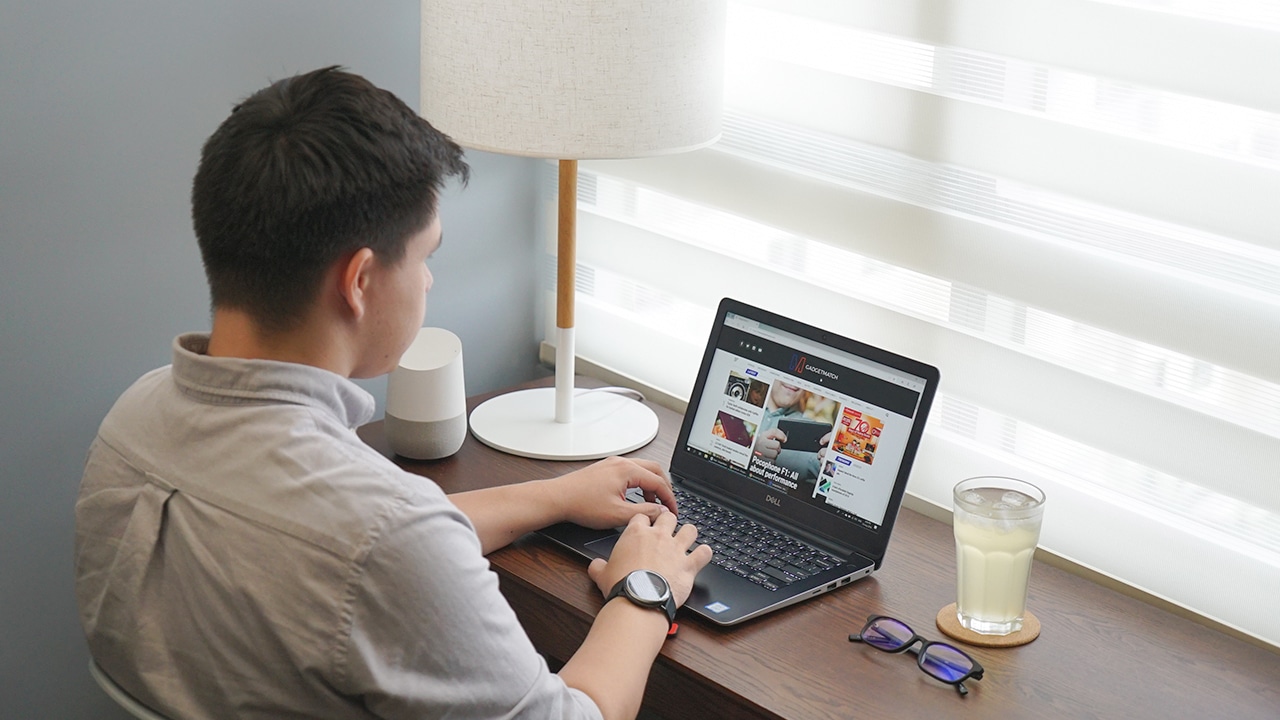
The outbreak of COVID-19 shows no sign of stopping. With no end in sight for the deadly disease, companies are resorting to a remote working environment for their employees. After all, most employees use smartphones and laptops that makes work from home possible.
For employees working at home for the first time, it can be a difficult task on where to start. There are many apps out there that could potentially distract you from reaching your full productivity levels. That’s why we compiled apps which can help you on your daily grind at the comfort of your home.
Tide (meditation and timer app)
Working for hours can be draining. As such, you tend to lose focus and your productivity levels suffer as a result. This is where Tide comes in. The name itself invokes a familiar sight on a calm beach. For the app itself, the combination of meditation and productivity timer in one makes it a great tool for everyone working at home.
You can set different timers for focusing on your work. By default, the app uses the pomodoro technique where tasks are divided into 25-minute sessions with breaks in between. The app’s breathe mode allows you to meditate and focus on your breath. Meanwhile, the sleep and nap timer tracks and helps you achieve that elusive sleep after a long day of grinding at work.
Download on Google Play Store or Apple App Store
Slack (work collaboration app)
Slack is a household name for remote work collaboration. As a matter of fact, we use this app at GadgetMatch for updates and pitching in articles. The app is straightforward to use — it’s comparable to most chat apps on the market, but better. You can reply to someone’s message, which will become a thread in itself where you can also react and reply to keep the conversation going.
Slack shines the most when used as a collaboration tool for work teams. As such, the app may not be useful to you if your company doesn’t have its own Slack workspace. You’ll need an invite to join a workspace and a channel. Once you’re invited, you can say anything to the channel you’re allowed in. Plus, you can also message a fellow user directly and privately.
Download on Google Play Store or Apple App Store
Gmail (email app)
Who doesn’t use Gmail to handle their email inbox? Google’s mail service has been around for a long time, making it a popular tool for sending and receiving emails. To utilize Gmail for best productivity, you can create automatic filters and labels which does the job of sorting out important work emails from personal ones.
Gmail’s smart compose feature is also a plus when typing new emails to your colleagues and bosses. And with the intelligent features baked in, you will see important emails right in front of your inbox. That makes it perfect for dealing with tasks with tight deadlines.
Download on Google Play Store or Apple App Store
Microsoft To-Do (to-do list app)
A day’s work is more exciting if you have a to-do list to conquer. Microsoft To-Do is basically that: a to-do list app, but with added features so you can conquer the day with confidence. By default, the app takes you to the “My Day” tab, where you can add your own to-do for the day. You have the option to create a sub-task within a certain task too, making it a versatile companion for focusing on your daily hustle.
The app’s versatility doesn’t stop there. You can remind yourself of an upcoming to-do, and even set it to repeat daily, weekly, monthly or yearly. Plus, you can even set it to repeat at a custom time. The biggest advantage of this app, however, is the option to set a due date. Setting a deadline for a certain task is very useful especially when working at home where numerous distractions abound.
And unlike other to-do list app, you can add images, notes, and files directly to a certain task.
Download on Google Play Store or Apple App Store
Microsoft Office (document creation app)
If you ever need a mobile companion for editing documents on the go, Microsoft Office app will more than suit your needs. Almost everything that you would expect from the desktop app is on the mobile app too. In the past, Microsoft used to offer three different apps for editing document, spreadsheet, and presentation files just like in the desktop. However, the company recently released a brand-new app which bundles Word, Excel, PowerPoint, and even Lens in one.
From the app, you can open and edit any documents from the local file directory or your OneDrive account. Microsoft Office even supports opening and converting PDFs, so you can view and edit an important document from your email inbox.
Download on Google Play Store or Apple App Store
Google Keep (note-taking app)
Keeping tabs of notes while working on a certain task can be daunting. While some of us may opt for a physical sticky-notes to keep tabs of the important stuff, some prefer a digital solution. After all, it’s much easier to use a digital note-taking app that synchronizes your notes on all devices.
That is what Google Keep does for its users. It’s dead simple to use and you can jot your notes within the app in no time. Additionally, you can change the color and label of your own notes if you’re obsessed with organizing stuffs. The biggest advantage of this app yet over its traditional counterpart is the ability to store and sync your notes from the cloud. Worrying over a sticky-note that you were supposed to pin on a board is now a thing of the past with this app.
Download on Google Play Store or Apple App Store
Toggl (time tracking app)
It can be a struggle to keep track of the time you work on something while at home. Toggl is a timesheet app that simplifies time tracking for you. You can set the app to automatically track the time while you work on a certain task. The time tracked can be displayed on your calendar too.
At the end of the day, the app will nudge you with stats and reports so you can see how productive you are for the day. This is useful if you always struggle completing a task because you had numerous distractions at home.
Download on Google Play Store or Apple App Store
LinkedIn (work social networking app)
LinkedIn is a social networking site just like Facebook. However, it’s more focused on work-related stuff. Here, you can follow a company’s profile for any updates related to work and daily operations. Plus, you can also follow a colleague. Following a colleague allows you to message him/her at any time of the day too. This is useful for getting in touch with a workmate regarding any company announcement that you missed while at home.
You could also search for new jobs on LinkedIn. The job search feature allows you to search for a part-time freelancing gig. More importantly, you could build connections with other people who can vouch you for a job you’re applying. And since this is a social networking site for work, your own profile will serve as a resume where you can post your achievements and boast your real-life skills.
Download on Google Play Store or Apple App Store
Bonus: Forest (productivity gaming app)
Who says that work at home can’t be fun? This app literally gamifies your work session. It works by letting you grow a virtual tree within a 25-minute period. The tree slowly grows as time progresses. However, once you leave the app, the tree dies. You wouldn’t want a tree to die, so you’ll be left with no other choice but to stick to the app and let the timer finish.
As such, you will be forced to focus on your work while the tree grows. It’s relaxing and satisfying to watch your tree grow while you conquer your task within the given time. The app cultivates a habit of productivity too, since any tree you’ve successfully grown will earn you coins that you can use to purchase another tree species. And the best part about this is that you can donate that coin to tree planting and conservation efforts for our planet.
Download on Google Play Store or Apple App Store
SEE ALSO:
How to disinfect your tech from the coronavirus
Apple: Coronavirus might cause iPhone shortage
COVID-19 effect: Facebook, Twitter employees advised to work from home
As general rules, the CDC or The Centers for Disease Control and Prevention listed these to help with preventing the spread of COVID-19:
- Stay home when sick
- Cover coughs and sneezes
- Frequently wash hands with soap and water
- Clean frequently touched surfaces





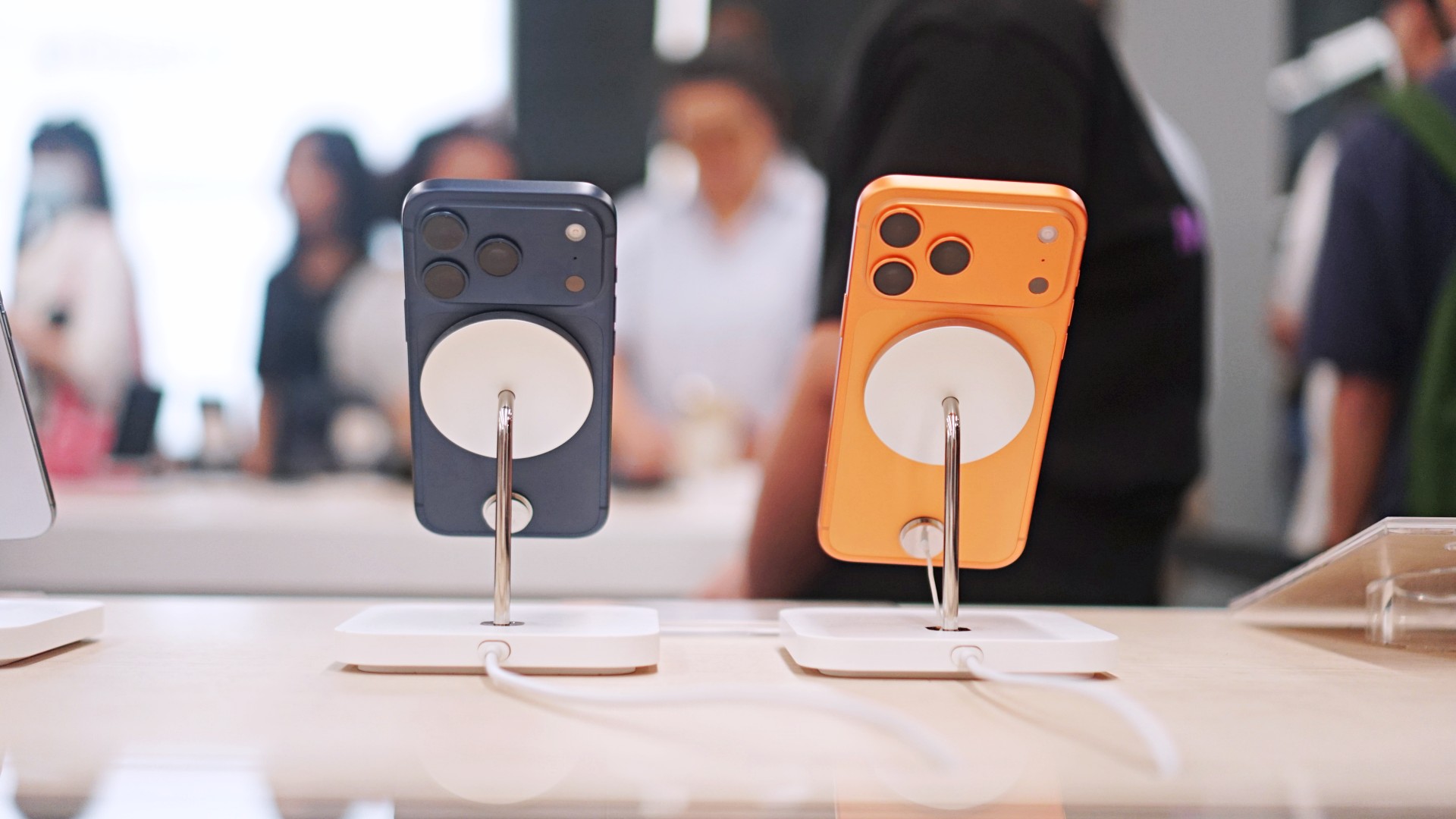
Normally, public betas come and go with nary a peep from anyone but dedicated fans and testers. After all, why care about a beta when the final release is likely just around the corner? This one, however, is special. Today, Apple launched the iOS 27 public beta, and it’s our first taste of the redesigned Siri AI.
Recently, WWDC 2026 unveiled Apple’s latest attempts at entering the AI segment. Whereas previous iterations to incorporate AI failed to make an impact, Siri AI promises to provide users with helpful feedback that’s actually helpful.
Now, in the public beta for iOS 27, users all over can finally access the new assistant. To get to the beta, you need to be a part of the beta program, which you can easily sign up for on beta.apple.com. Once signed up, you can get the update from Software Update in Settings. You’ll see options for a developer beta and a public beta. Choose iOS 27 Public Beta.
At face value, Siri AI offers much of what you’d get from a traditional AI-powered assistant. However, it does slightly differ because it integrates the entire phone. The assistant contextualizes your information (including emails, messages, and photos) to give you the most accurate feedback that you might need.
If that’s not enough, Siri AI also has its own chatbot app. If you’re more used to ChatGPT, the assistant should give you that bit of familiarity.
Now, if you don’t want to go for a beta, Apple is expected to launch iOS 27 in its final form sometime in September.
Apps
The case for traveling without a plan
How Grab’s 5-Star Travel Guide replaced my spreadsheets, for personal travel anyway

I have somehow acquired the reputation of a man permanently in transit.
Fill your feed with airport check-ins, road trips, hotel rooms, and race bibs for a decade, and people stop seeing travel as a hobby. They start treating it like a personality trait. And naturally, everyone is always breathless to know: “MJ, how on earth do you manage it all?”
Here’s the truth: every trip begins long before I pack a bag. A good itinerary takes time. Flights, hotels, transfers, backup plans, restaurant lists all have to fit together well enough to make the trip feel worthwhile.
My colleagues would probably call me a Type A traveler. They’ve watched me run international coverages and high-stakes business trips entirely off spreadsheets. Spreadsheets!
Timed down to the exact micro-second, complete with contingency plans for every possible disaster short of an alien invasion.
And they are completely right. For work. But personal travel? Oh, darling, personal travel plays by a completely different set of rules.
The luxury of letting go (and the panic that follows)
A month before departure, I am all about securing the basics. But once the flights and rooms are locked in? I completely let go.
I would much rather leave room for fabulous, unexpected curiosity than fill every single hour with another rigid destination.
Part of it is sheer decision fatigue. I spend so much of my professional life making executive decisions that the last thing I want to do on vacation is have a minor existential crisis at 2:00 p.m. over which artisanal café deserves the honor of my afternoon. I want to wake up, look at the sunlight filtering through the curtains, and let the universe decide.
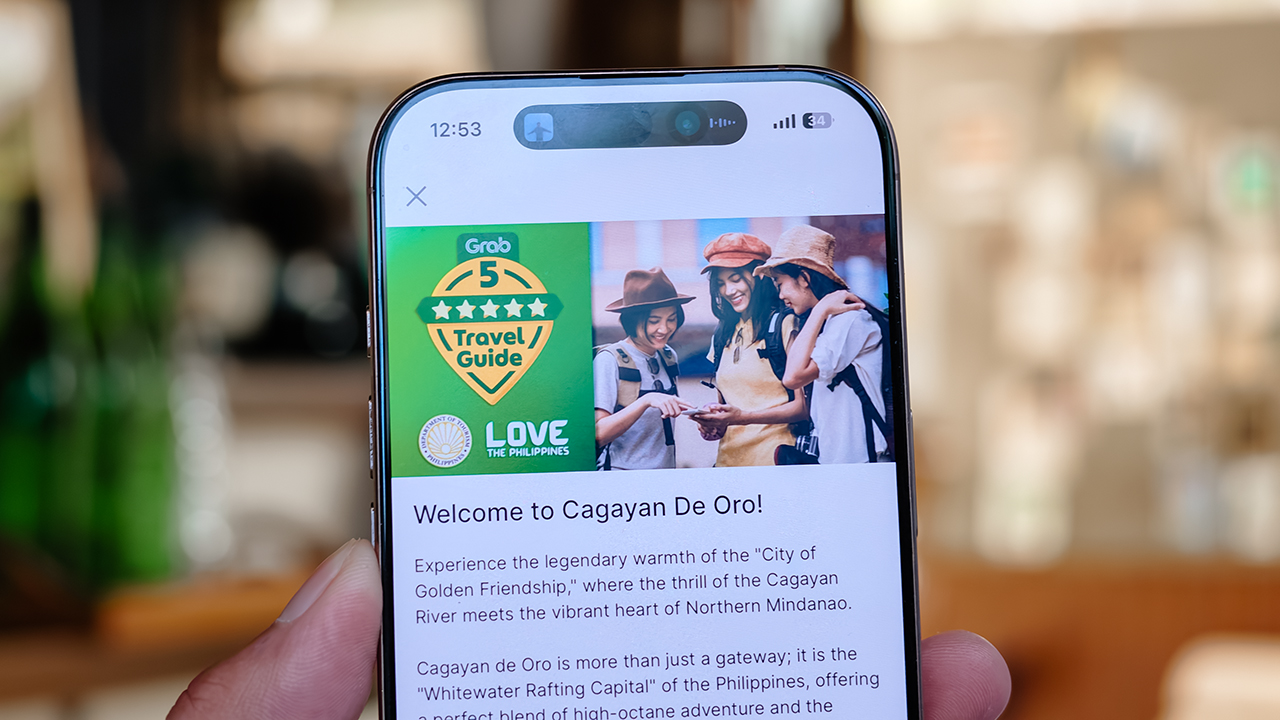
Of course, ironically, that absolute freedom can spiral into its own fabulous brand of panic. I know I want to go somewhere chic. I just have absolutely no idea where.
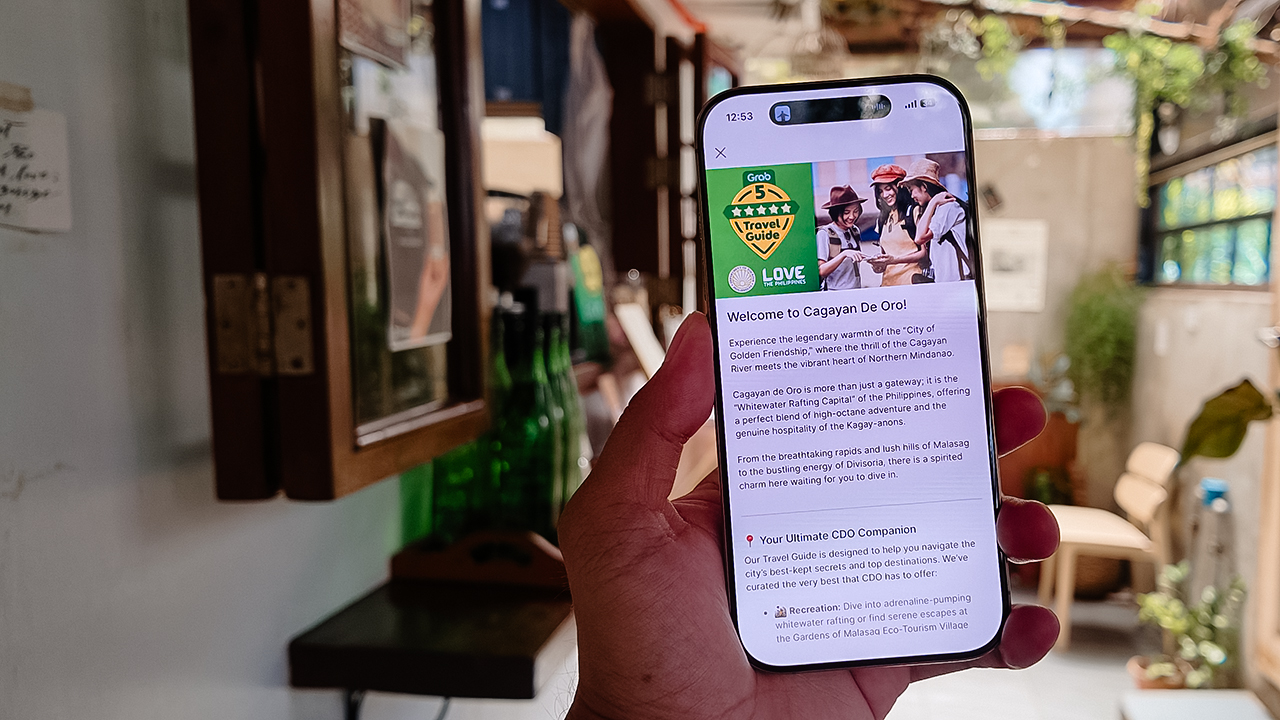
Which is precisely how Grab’s 5-Star Travel Guide quietly became the most indispensable accessory of my latest getaway.
Finding somewhere to spend the afternoon
I recently flew to Cagayan de Oro to spend some quality time with my long-term, long-distance, low-commitment, casual boyfriend. (Yes, it’s complicated, but the mystery keeps it glamorous.)
I arrived with absolutely zero plans, and this was entirely deliberate. If there is one thing a strong, independent person must never do, it is rely on someone else to dictate his day — even if that someone is technically his own handsome, local tour guide.
Instead of waiting around for an itinerary to be handed to me, I simply opened my Grab app while I’m in downtown and slithered over to their Travel Guide.
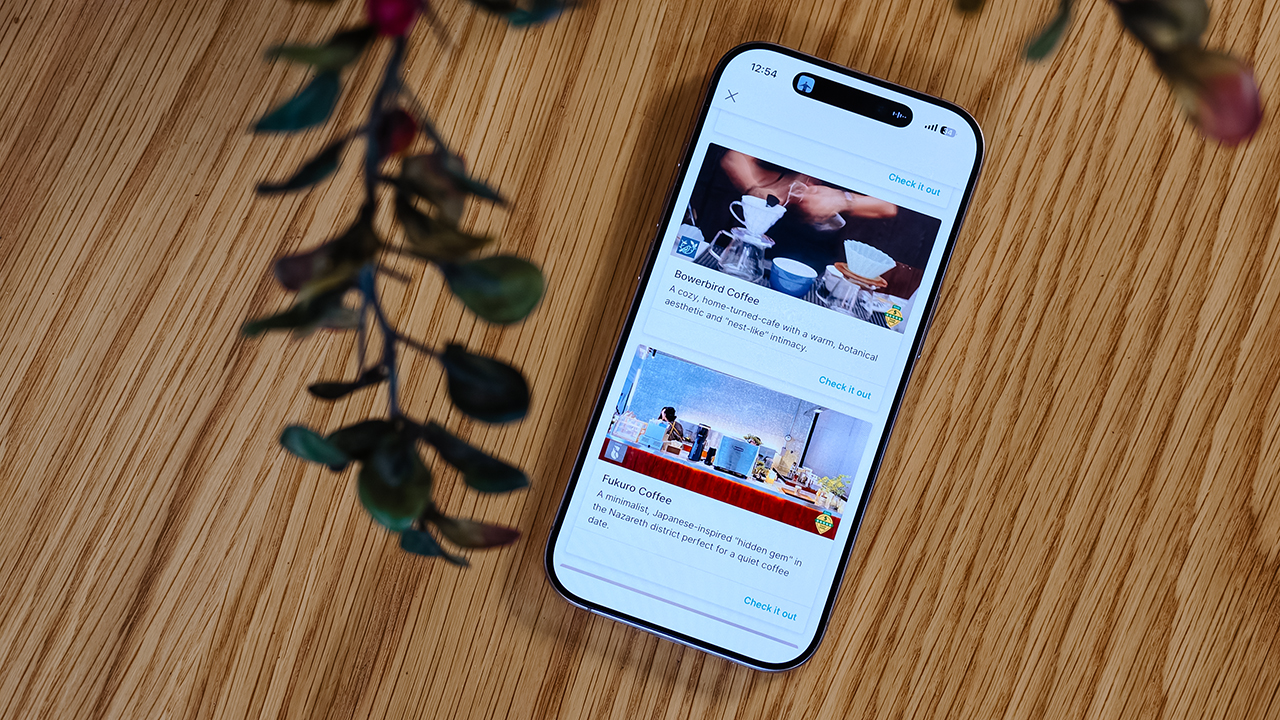
My fabulous friend, Syra, glided over from Midtown, and we agreed to rendezvous in Uptown to finally check out H Proper Coffee, which was practically screaming at me from the top of the Grab list.
It’s the city’s legendary third-wave coffee pioneer — complete with a deeply impressive roastery — and it has recently, thank goodness, expanded to Makati.
-
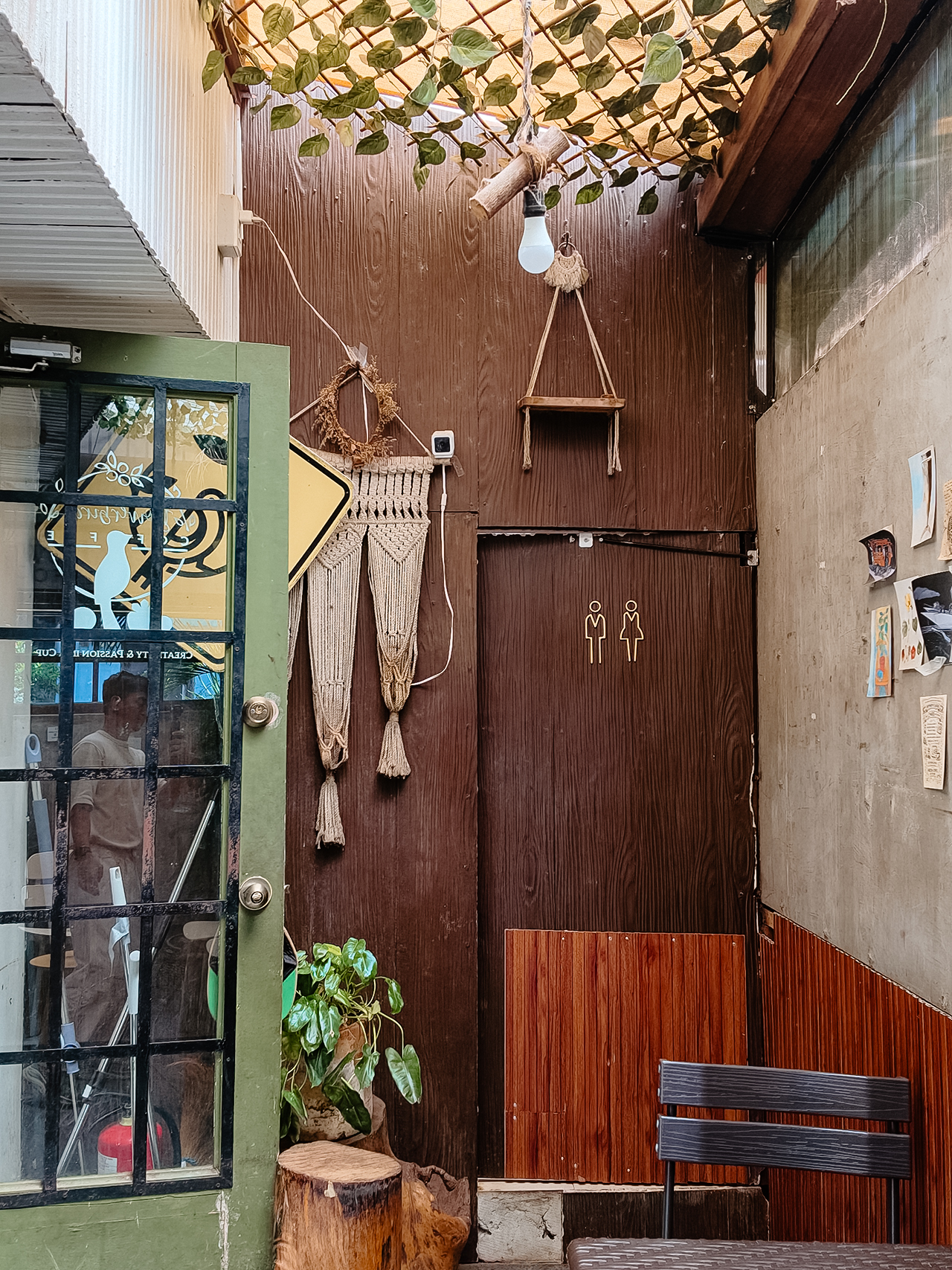
- Bowerbird Coffee

The guide also flirted with other familiar, delicious names like Milestone Coffee (where Syra and I had gossiped over lattes just six months prior), alongside Bowerbird Coffee, Fukuro, Apostrophe Café, The Lone Wolf, and Grae Coffee.
I must say, the recommendations were utterly spot-on. They weren’t just highly rated by random bots; these were the actual enclaves that the city’s stylish locals genuinely know and love.
Dinner dilemma (solved!)
The Travel Guide came through yet again when the sun began to set and the crucial question of dinner arose. Now, I absolutely adore discovering hidden neighborhood gems and family-run eateries. They possess a soul that no luxury restaurant could ever replicate.
That said, every proper holiday demands at least one evening where you put on a sharp blazer, splash on some Tom Ford, and indulge in a truly beautiful meal.
Unsurprisingly, Cucina Higala seduced me all over again. Look, I am a creature of habit. If I know an establishment delivers perfection, I will return.
Seeing it sitting proudly near the top of Grab’s curated list felt like a delicious little pat on the back; a quiet validation that my impeccable taste is worth trusting after all.
Beyond the plate
Refreshingly, the guide doesn’t stop at flat whites and fine dining. Grab’s Travel Guide also highlights local luxury hotels.
Though, fair warning, a few of them are the sort that make your credit card wince slightly. (But darling, they are five-star for a reason.)
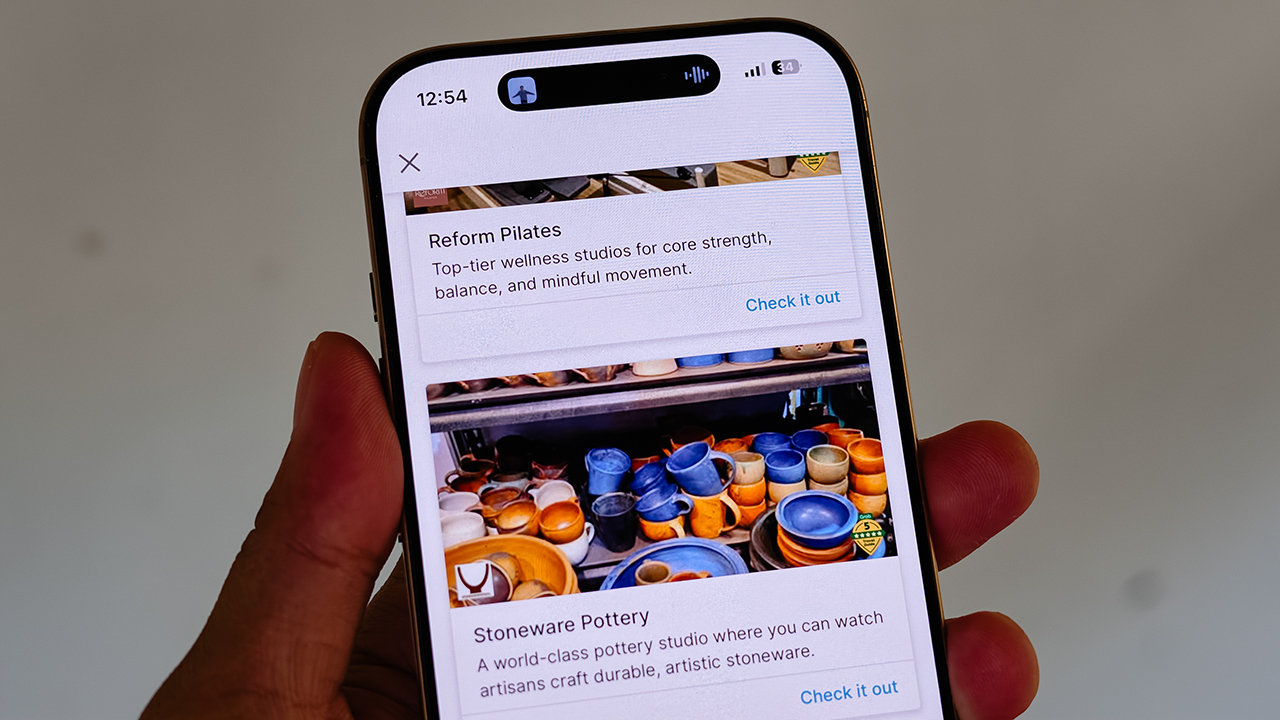
It also curates actual experiences. Browsing through the app, I found options for everything from heart-pounding whitewater rafting and sharp Pilates studios, to a world-class pottery atelier, a folkloric museum, and a sweeping, adventure-filled mountain retreat.
Some were already on my radar, but others? I would never, in a million years, have stumbled upon them myself. And that is the thrill of traveling this way. You leave just enough empty space in your diary to be utterly surprised.
For the spontaneous traveler
Let’s be clear: planning every detail down to the last centavo is not a flaw. When you’re younger or traveling on a strict budget, every single peso counts, and a meticulously plotted itinerary ensures you maximize both your wallet and your time.
But eventually, thank heavens, you reach a stage in life where the itinerary matters just a little bit less. A stage where time and budget stop being the terrifying monsters standing between you and a boarding pass.
You learn that not every single meal requires three weeks of intense counter-research. Not every hour requires a reservation confirmation number.
Sometimes, the most breathtaking, unforgettable moments happen simply because you wandered into a doorway you weren’t even looking for.
So, book the flight. Secure the hotel. Figure out how you’ll get around. Then let your feelings, and Grab’s Travel Guide, decide the rest.
Apps
Plot twist: Starbucks PH is letting you actually pick your reward now
Starting July 21, you choose what you redeem and when, from just 50 Stars, on the new Starbucks PH app.
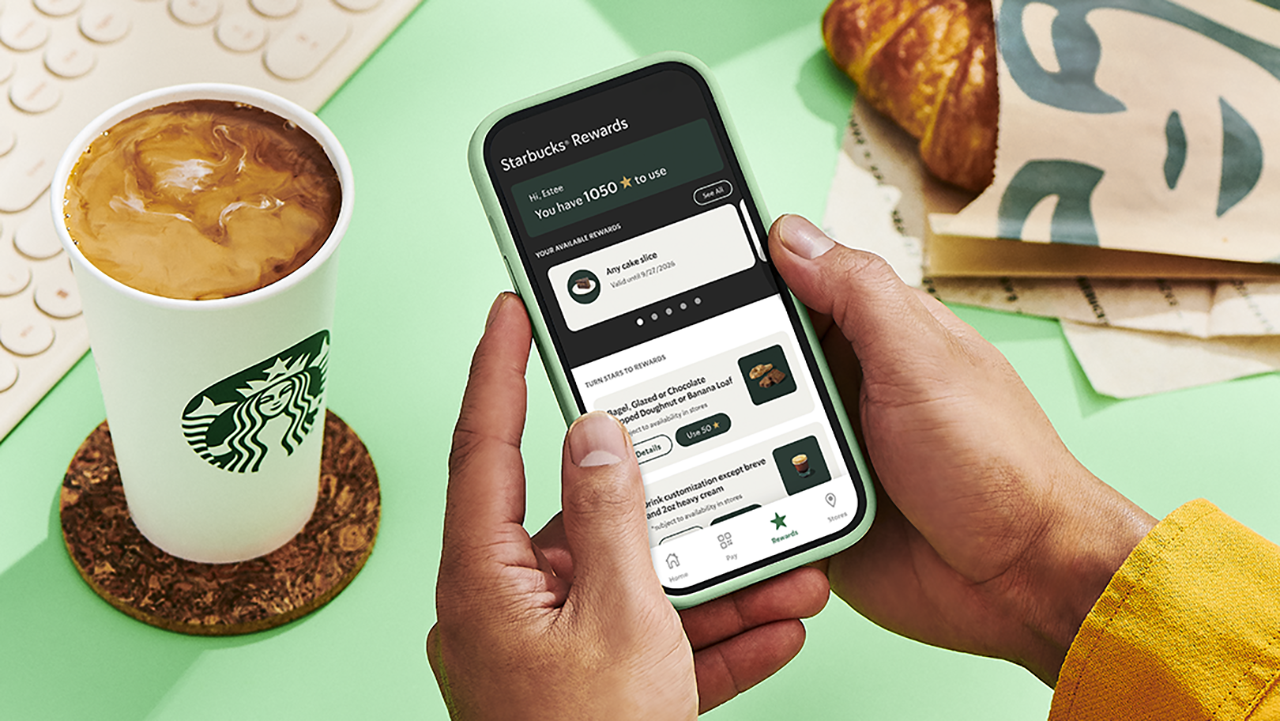
Confession time: I have spent an embarrassing number of hours doing mental math in line at Starbucks, staring at my Stars balance like it owes me money. Ninety-eight Stars. So close!
Two Stars short of a free drink that would just… appear, whether I wanted it that week or not. That’s the old system for you. It decided for me and I just showed up to collect.
Well, girl, the glory days of blind Star hoarding are over, and honestly? I’m thrilled.
Starting July 21, Starbucks Philippines is scrapping the automatic 100-Star-equals-one-voucher system it’s run since 2019. In its place: a Multi-Tiered Rewards system that finally treats members like adults who know what they want. Which, let’s be real, is exactly what I’ve wanted the whole time. I didn’t want a random cake slice I never asked for. I wanted to choose.
Tiers, explained (because I know you’re already doing the math)
Here’s where it gets good: You’re no longer stuck waiting for triple digits to cash in.
At 50 Stars, you can get a free drink customization or a bakery pick like a bagel, a banana loaf, or my personal weakness, the doughnut. Fifty Stars used to get you nothing but a longer wait. Now, it gets you a treat.
At 100 Stars, the world opens up. Any handcrafted beverage or bakery item are all yours to pick. This used to be the only option on the menu. Now, it’s just the middle tier.
And then there’s the new 150-Star tier, which lets you trade in for pasta, a sandwich, or a full cake slice. A whole meal, earned in caffeine.
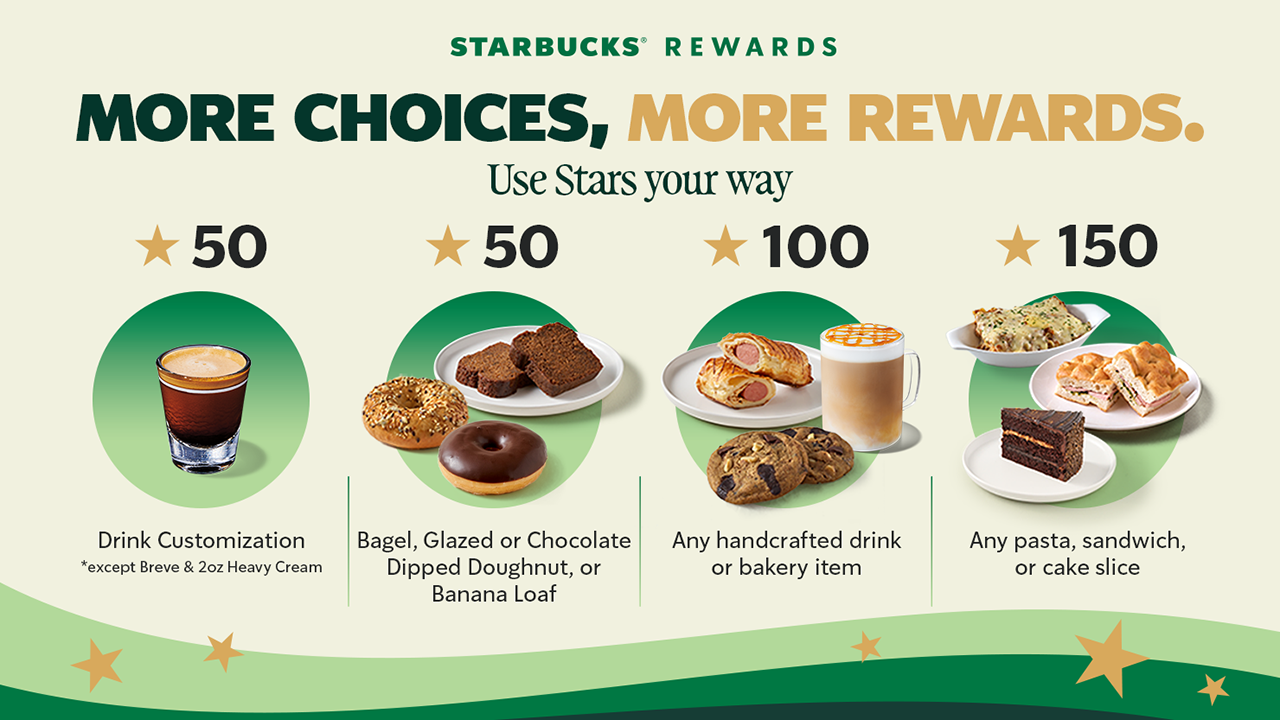
The only real exclusions to keep in mind: breve and the 2 oz heavy cream customization aren’t included at 50 Stars, and the Coffee Traveler Kit, French Press, and Reserve Ice Cream beverages sit outside the 100-Star tier. Small print, but worth knowing before you get to the counter with big plans.
The app situation (Deep breath, it’s fine)
Now, I’ll admit, hearing “you need a whole new app” gave me a small moment of panic.
New app, new login, new everything, right when I finally memorized where the barcode scanner button lives on the old one.
But here’s the relief: your Stars, your load balance, your account, all of it carries over automatically. No re-registering, and no starting from zero. You just download the new Starbucks PH App from the App Store or Google Play starting July 21, and your loyalty history walks right in with you.
The old app gets discontinued, so this isn’t optional, but it’s also not a hassle. Sign-in is faster, Star tracking updates in real time, and honestly, watching my Stars tick up instantly instead of refreshing the app like I’m checking a crush’s read receipts sounds like an upgrade I can get behind.
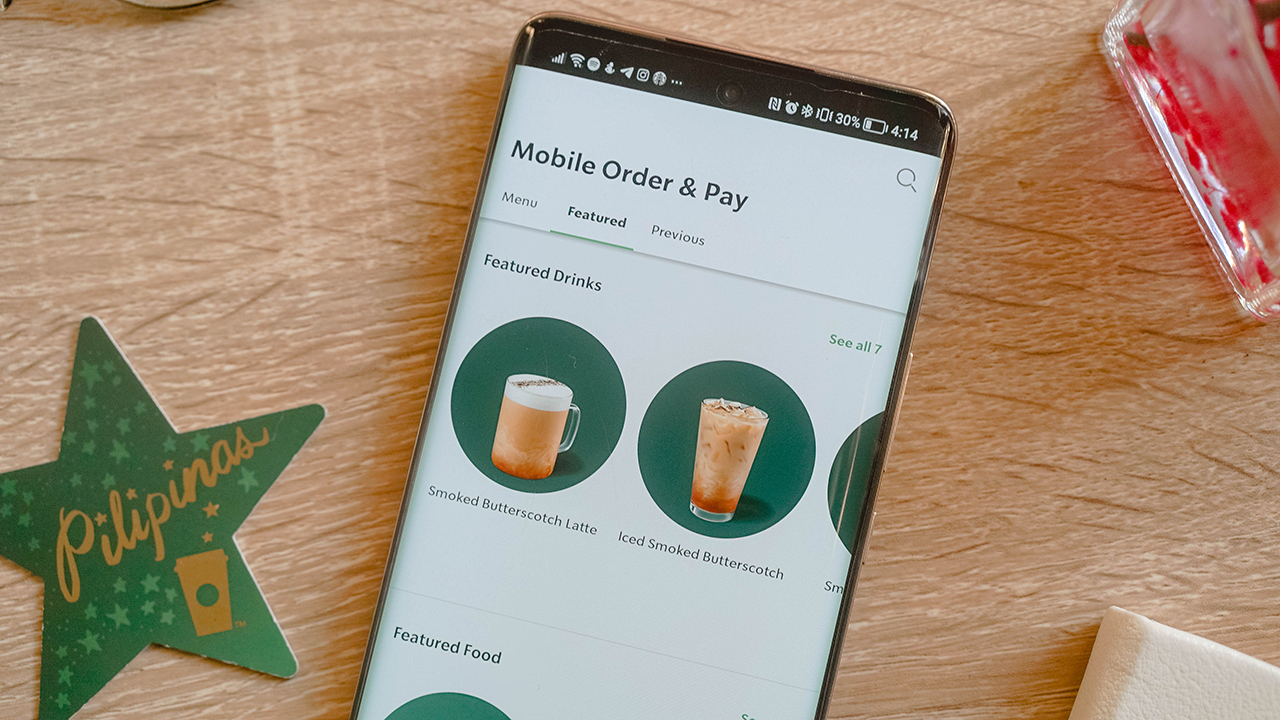
One thing to note if you’re a Mobile Order and Pay loyalist like me: it won’t be available on day one. Starbucks says it’s coming back in a future update, but the timing is still unannounced. Mildly inconvenient, but not a dealbreaker.
The part that actually changes how I use my Stars
Here’s the detail I didn’t expect to care about this much: Under the old system, your voucher’s 90-day countdown started the moment you crossed 100 Stars, whether you were ready to redeem or not.
Now, that 90-day clock only starts once you actually issue the reward yourself. Which means no more panic-ordering a bakery item I didn’t want just because the voucher was about to expire. I get to decide when the countdown even begins.
Stars still need to convert into a reward within a year, and anything unconverted still expires on your account anniversary, so it’s not an invitation to hoard forever. But within that window, the control is finally mine.
So, what now?
Mark your calendar for July 21. Download the new app, let your Stars migrate themselves while you do absolutely nothing, and start planning what you’re actually going to redeem instead of settling for whatever the algorithm decided you’d earned.
Fifty Stars for a banana loaf on a rough Monday. A hundred and fifty for a full pasta situation on a day that calls for one. My inner spreadsheet is already recalculating, and for once, that feels less like a chore and more like a plan.
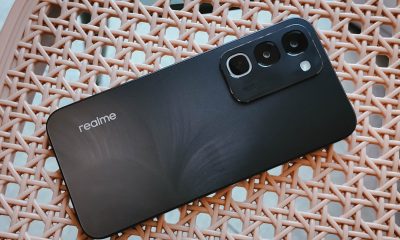

realme C100: Enduring and durable in spite of entry-level realities
Enough power but needs more agility
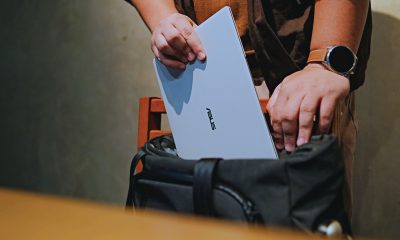

The ASUS ExpertBook Ultra wins you over
The laptop sneaks up on you


Nexal Watch Sport review: A rugged watch for small budgets
I couldn't believe that watches this good could come for this cheap.

Call of Duty: Modern Warfare 4 clip shows Losing Ground 1st look

Street Fighter special look: Blanka vs. Ryu

Xiaomi debuts SkyNomad Series featuring new Kunlun platform

GAC launches new trio of MPVs

TECNO unveils the world’s first 0mm bezel-less phone

New York becomes first state to ban smart glasses

Sony launches IER-M500 in-ear monitors

Microsoft dictates that a new Fallout game is coming

HoYo FEST 2026 details announced; tickets on sale from July 16
realme C100: Enduring and durable in spite of entry-level realities


-

 Wearables2 weeks ago
Garmin launches its first screenless fitness band
-

 Hands-On2 weeks ago
Hands-on: Samsung Galaxy Z Fold8, Flip8, Ultra
-

 Gaming2 weeks ago
Call of Duty, Aston Martin unveil Dreadnought for Modern Warfare 4
-

 Gaming2 weeks ago
NBA 2K27 cover athletes unveiled: Wemby, Clark, DRose
-

 Accessories1 week ago
CASETiFY revives Spider-Man collection for Brand New Day
-

 Cameras2 weeks ago
Sony announces new FX5 full-frame camera
-

 Gaming1 week ago
FINAL FANTASY X | X-2 HD Remaster launches on Nintendo Switch 2
-

 Entertainment2 weeks ago
Avengers: Doomsday trailer assembles Marvel’s biggest heroes against Doctor Doom