
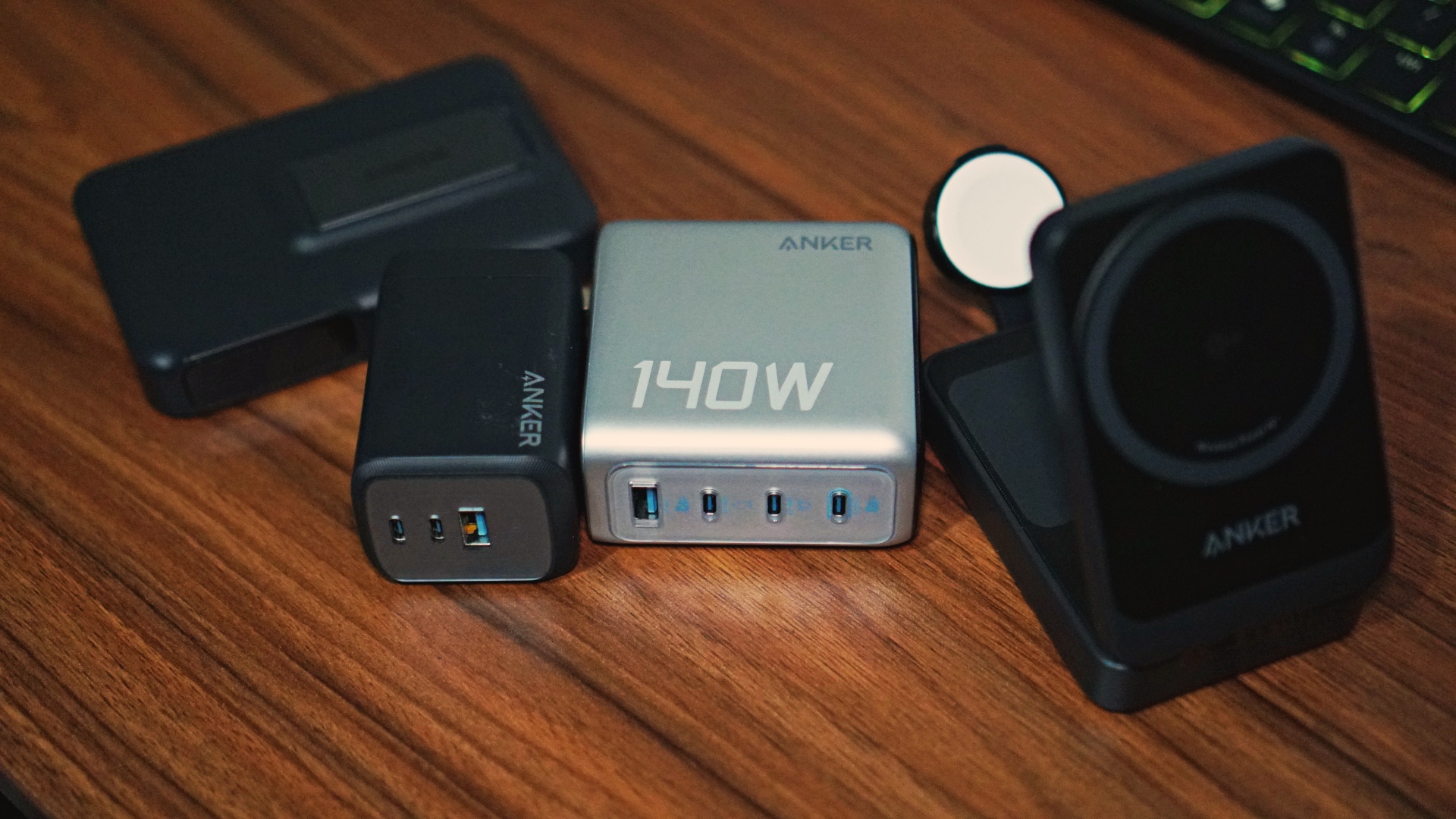


I have been going on plenty of work trips over the last half decade. However, it wasn’t until the past year or so that I really started optimizing my work-trip loadout. That’s in part because it was only during this time that I got my hands on a bunch of Anker products that have been a godsend during these trips.
What these Anker products have done is minimize the number of things I carry during these trips. On top of that, they ensure the many devices I carry are juiced up – granted I remember to actually plug them in.
Here’s a quick list of everything that’s made my life easier.
Anker 3-in-1 MagGo Wireless Charging Station
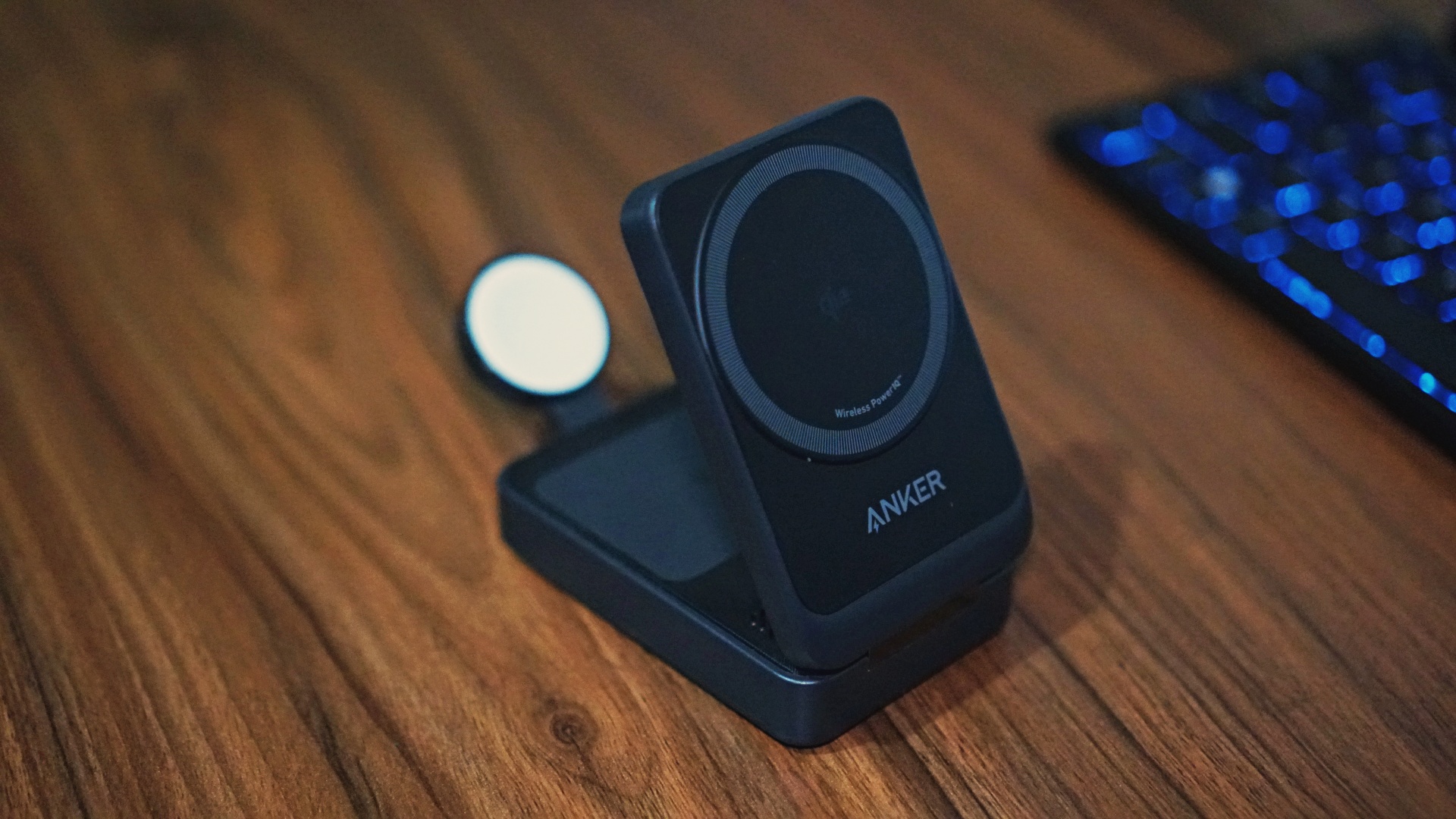
In all honesty, I wanted the Anker 3-in-1 Cube Portable Charger with Magsafe first. However, I was told by friends who got it that it was pretty heavy and not exactly ideal for travel.
Being redirected to the MagGo Wireless Charging Station turned out to be for the best. Now, I never travel without it. It’s just a convenient charging station that’s permanently parked in my tech pouch.
With it, I get to charge my iPhone and Apple Watch simultaneously, all while freeing another USB-C slot on my Anker Prime GaN chargers.
Which brings us to the next item on this list.
Anker Prime GaN Wall Charger (100W, 3 Ports) and Anker Fast GaN Charger (140W, 4 Ports, PD 3.1)
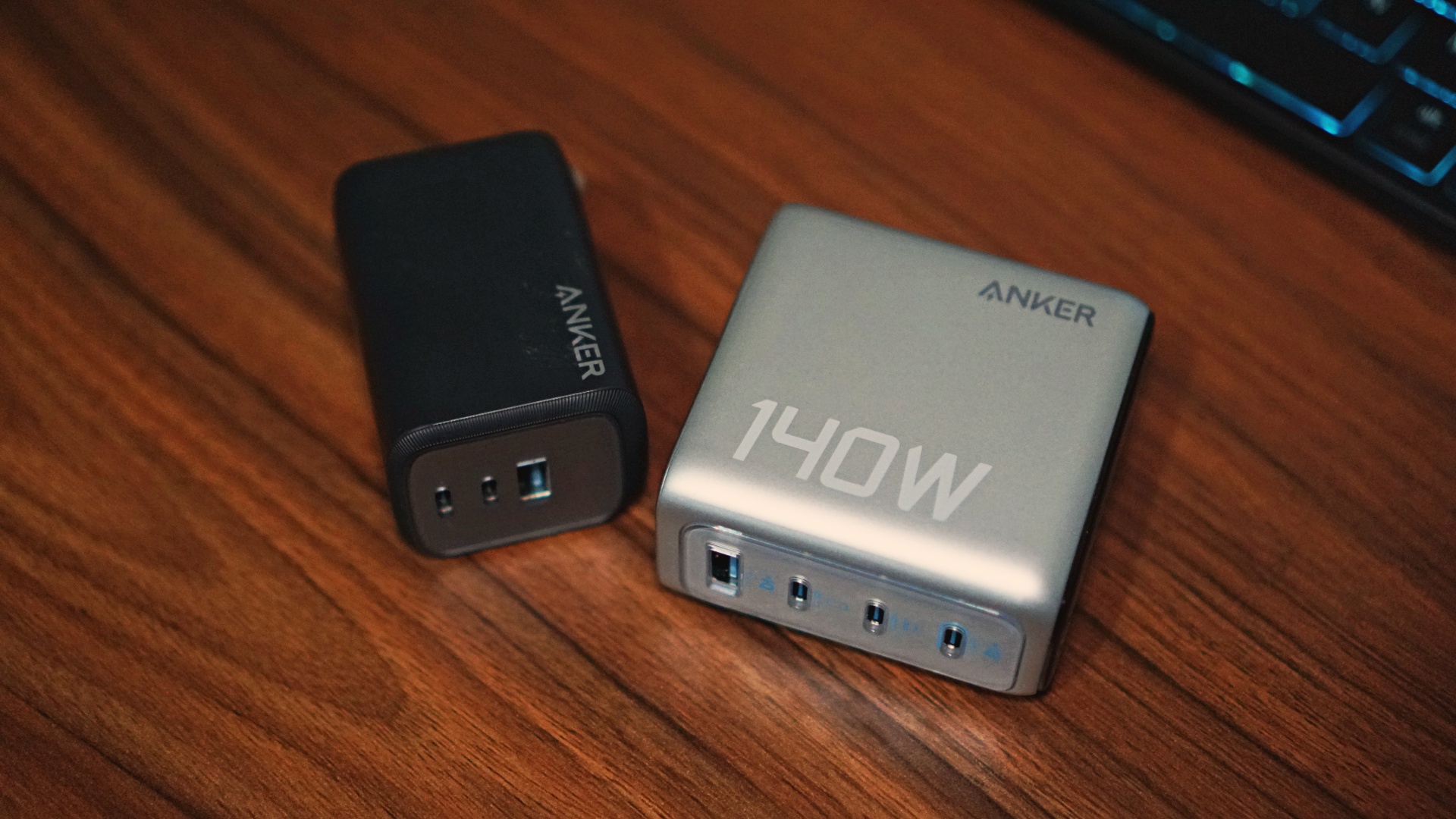
The Anker Prime GaN Wall Charger was already such a boon to my suite of accessories. It was small enough to fit any of my on-the-go loadouts, but also powerful enough to charge most of the laptops and smartphones I carry during review periods.
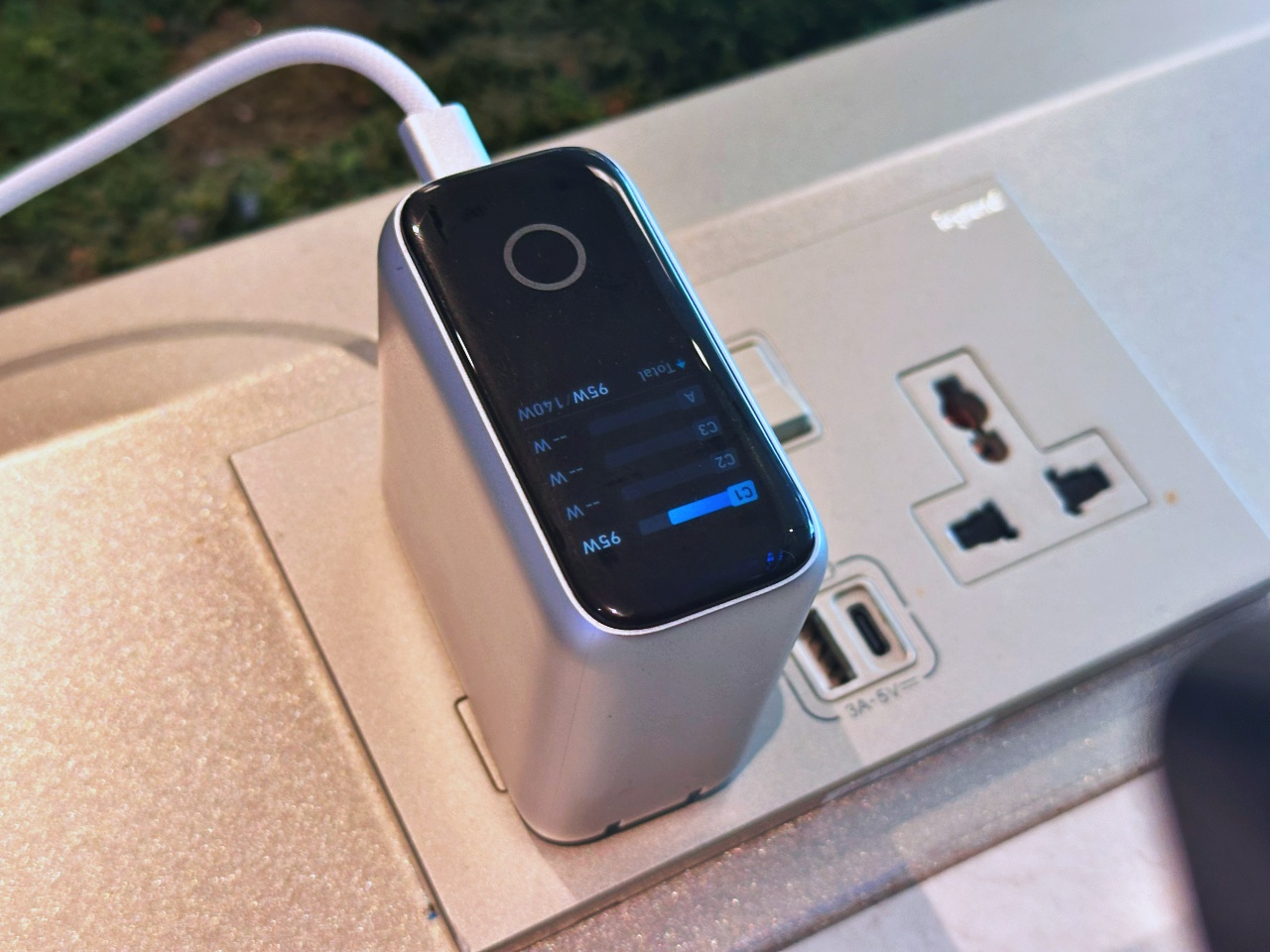
Here’s the Fast GaN charger powering a gaming laptop/tablet while I was waiting at Changi Airport
The arrival of the Anker Fast GaN Charger added diversity and power to what I carry. On days that I review some gaming laptops, this one is strong enough to charge them. Note that you will get notifications asking you to use the included charger, but you can just ignore it. This thing has enough juice for your work and low TDP gaming needs. Shoutout to GadgetMatch friends Mark Linsangan for this pro-tip.
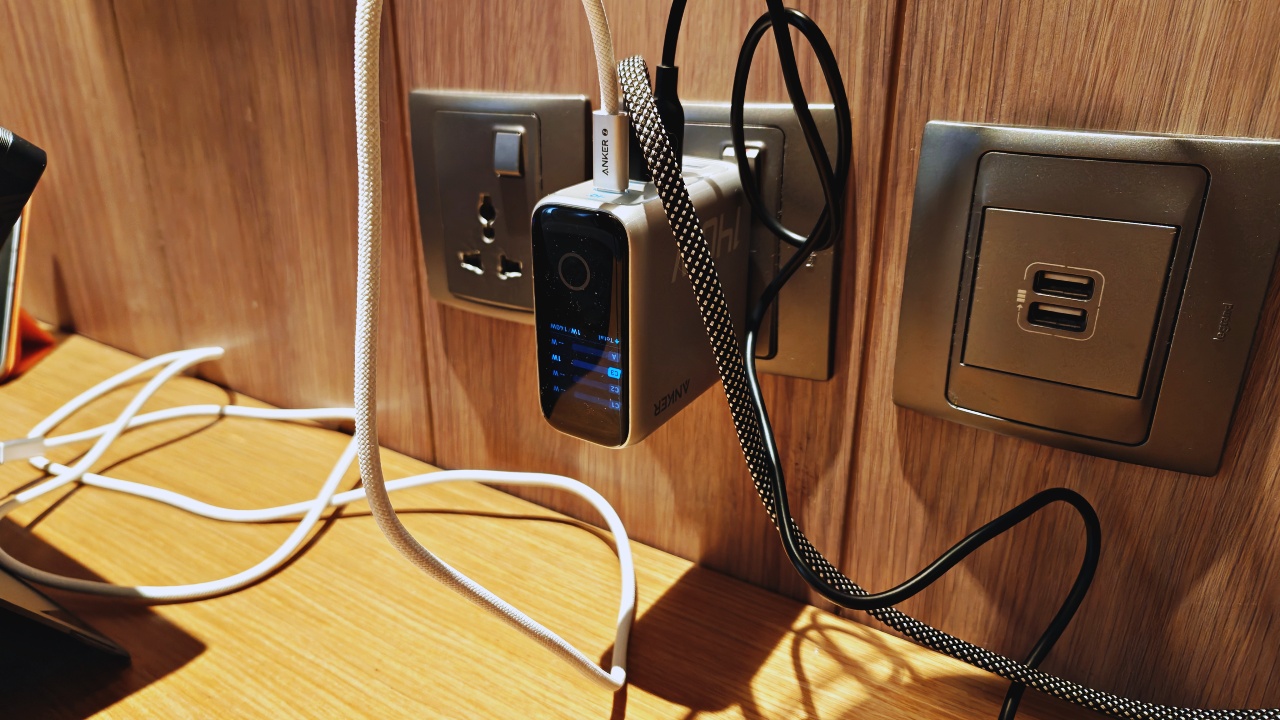
My ‘hotel workstation setup’ rarely looks pretty but it’s efficient.
This combo gave me a better setup during the trips. The Fast Charger stays on the work desk area while the Wall Charger is situated at my bed-side. It’s extremely helpful since I carry multiple devices on these trips – sometimes 3-4 smartphones, one tablet, one laptop, and occasionally a lav mic set, another tablet, and some portable lights.
Anker PowerExtend USB-C Travel Adapter
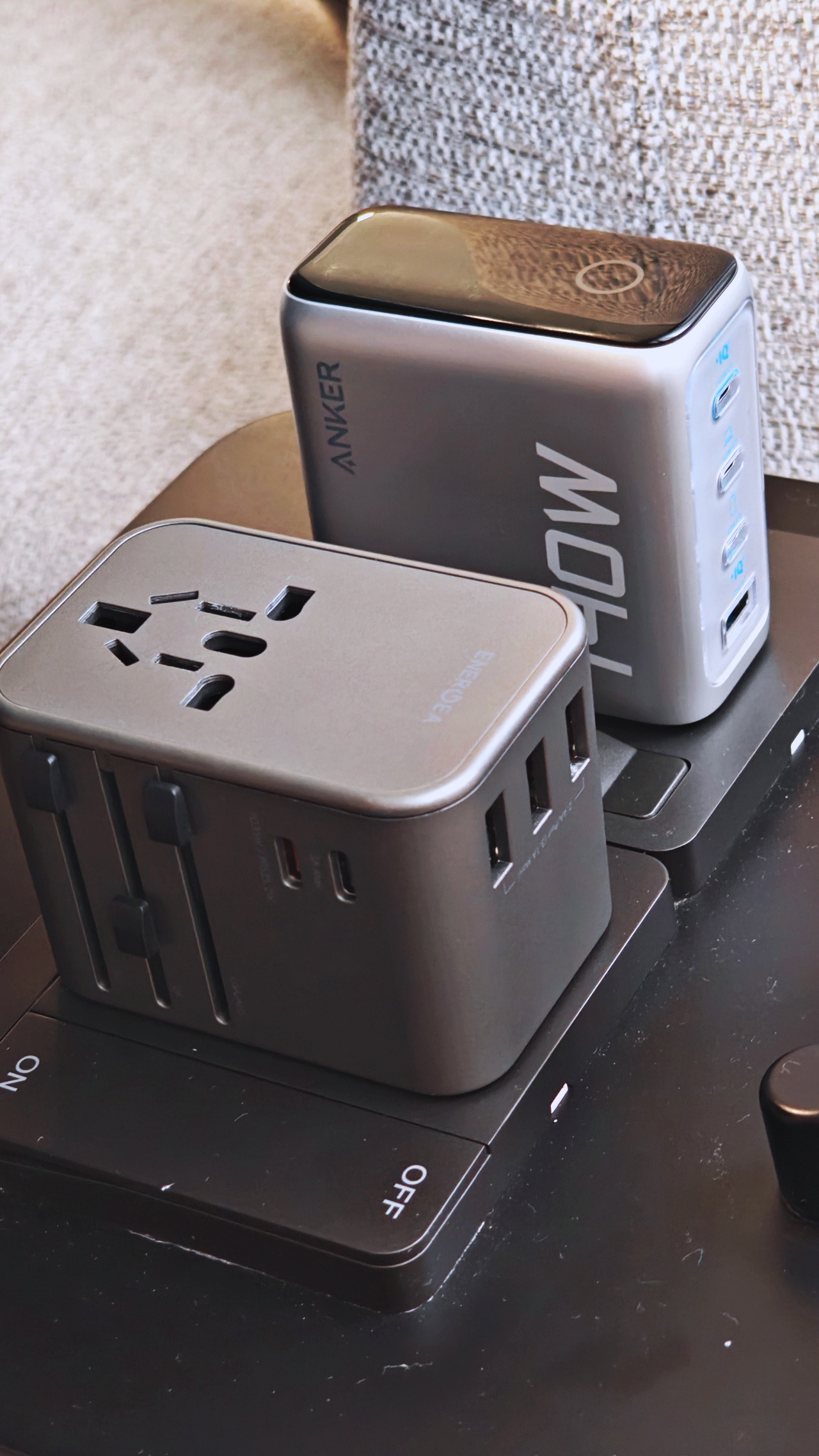
Anker PowerExtend USB-C Travel Adapter with the Anker Fast GaN Charger
This one is a no-brainer. I’ve travelled to North America, Europe, and all over Asia – a travel adapter is a must-have. And Anker’s is easily one of the best ones.
It works well with the chargers mentioned earlier and works as a sort of charger in and of itself when I stay in hotels that have International power outlets.
Anker MagGo Power Bank 10,000mAh/ Anker Zolo Wireless Power Bank (10,000mAh, 30W) Built-in USB-C cable
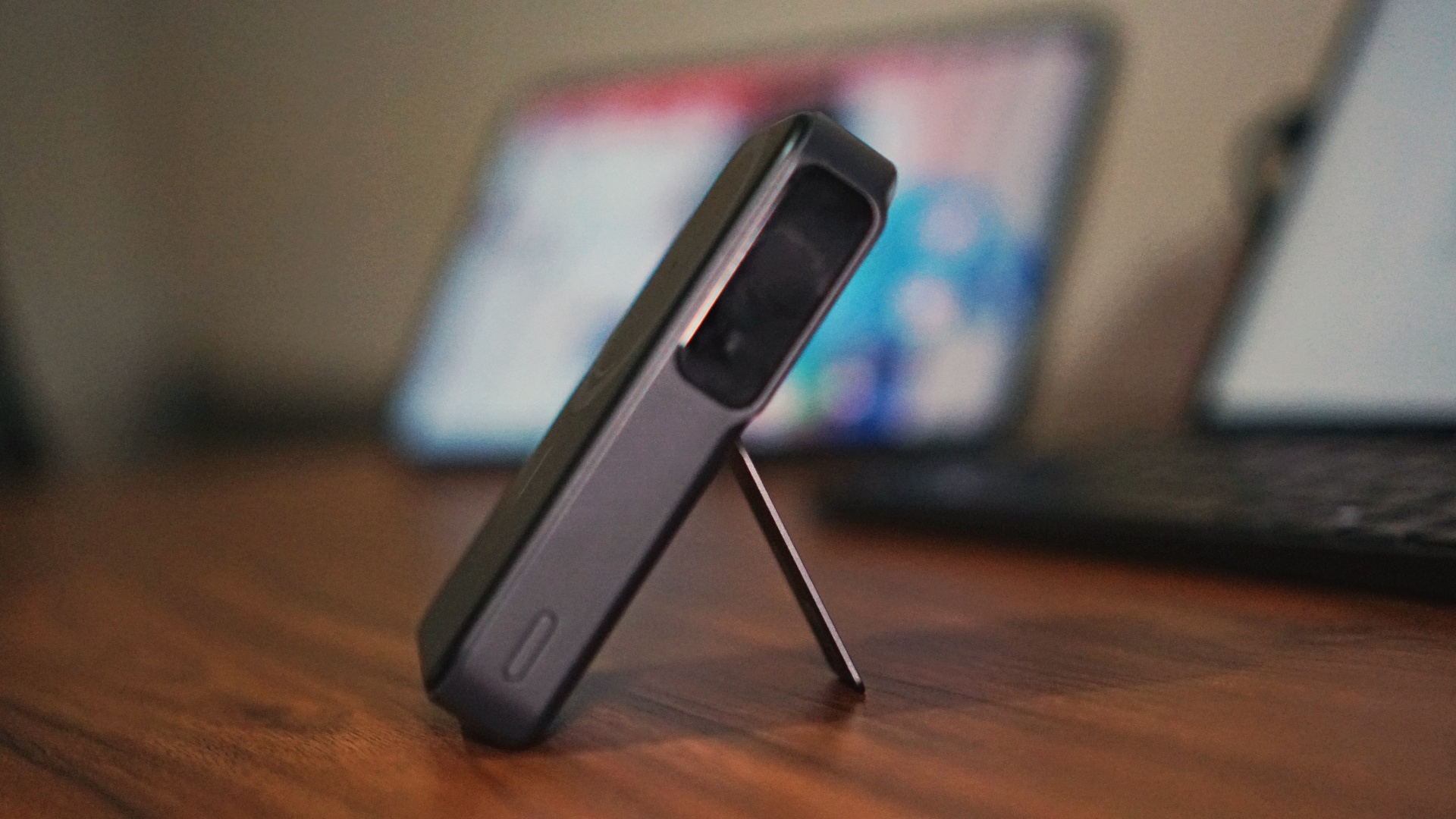
This one made sure I didn’t need to panic whenever I, inevitably, forget to carry a charging cable. As of writing, I’m still using an iPhone 14 Pro Max. Since adding this to my suite of accessories, I never broke a sweat again when I left the house with just one USB-C to USB-C cable.
I can easily juice up my iPhone when I feel I’m in danger of being out and about more than I intended to. It’s perfect both for long shoot days that start early and extend well into the early evening.
@gadgetmatchThese Anker goodies are daily and travel essentials 👌♬ original sound – Song Lyrics
To be honest, I’m not sure how I survived my previous work trips without these Anker products. These have streamlined my travel loadout, powering the many devices I carry during week-long (sometimes lengthier), overseas work trips.




Accessories
New AGON gaming monitor features up to 1000Hz refresh rate
New level of speed, flexibility for competitive gaming


AGON by AOC has released the new AGON Pro AGP277QK dual-mode gaming monitor for the competitive segment.
This new offering features up to 1000Hz refresh rate at HD and 540Hz at QHD so gamers have the flexibility to prioritize either clarity or speed.
The 27-inch IPS gaming monitor comes with NVIDIA G-SYNC, synchronizing the monitor’s refresh rate with the GPU to help minimize screen tearing, stuttering, and input lag.
This is combined with 0.3ms MPRT and 1ms GtG response times for fast-moving action that is sharp and responsive, giving competitive players a clear visual advantage.
Moreover, the AGON Pro AGP277QK features VESA DisplayHDR 400 certification for enhanced contrast and more vivid, lifelike visuals.
Delta E < 1 color accuracy also provides precise color reproduction not just for gaming but even other scenarios like content creation.
For even smoother high frame-rate gameplay, MBR Sync combines motion blur reduction with variable refresh rate (VRR) technology. This helps maintain clarity during rapid movements.
The monitor also includes Low Input Lag, customizable Light FX ambient RGB lighting, Gaming Mode presets, and Shadow Control.
The display comes with HDMI 2.1 and DisplayPort 2.1 connectivity, along with a height-adjustable stand and G-Menu support.
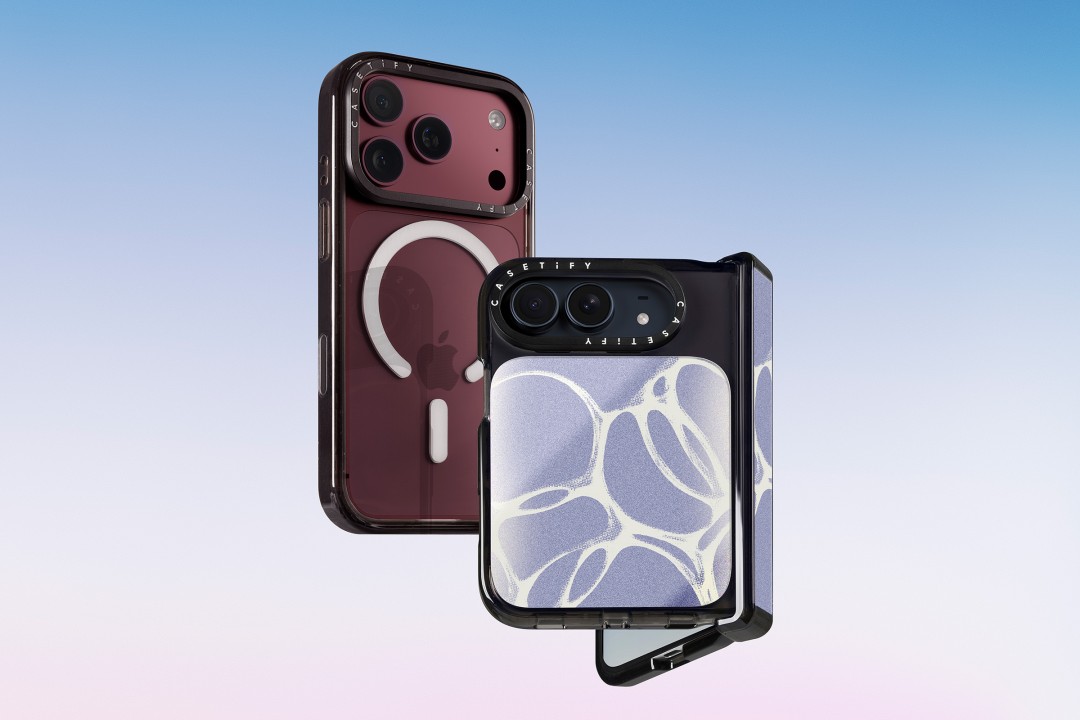
CASETiFY is launching a new collection of cases and accessories for the iPhone 18 series, updating some of its most popular designs with refined finishes, new protection features, and expanded customization options.
Impact Case
The collection is led by the Impact Case, CASETiFY’s best-selling case with more than 19 million units sold worldwide. It uses an internal EcoShock™ design and Duo-Lock by CASETiFY™ bonding for impact absorption and dispersion. The case is tested for drops of up to 8.2 feet and 4x Military Standard 810G. It also features a scratch-resistant Glaze finish, raised bezel, precision-engineered camera control button, and MagSafe and wireless charging compatibility.
The Ultra Impact Case builds on the same family with redesigned, more rounded corners and reinforced structures with internal air cells. It is tested for drops of up to 11.5 feet and 6x Military Standard 810G. It also has a slimmer profile, multiple design options, and MagSafe compatibility.
Both cases are available in Ring Stand variants. These feature a built-in metal camera ring stand that adjusts up to 150 degrees, with a screwless hinge designed for durability and stable hands-free viewing. Select models are also available with Glitter and Mirror finishes.
Ripple Case
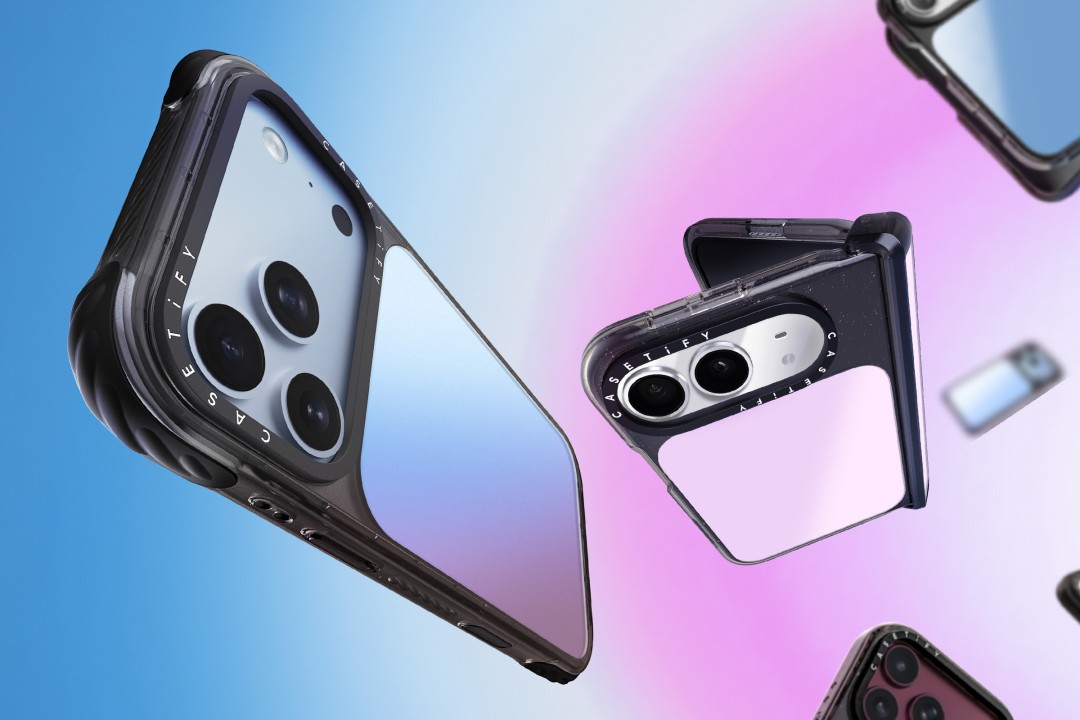
CASETiFY is also bringing its Ripple Case to the iPhone 18 lineup. The soft-touch silicone case features rippled edges and puffed corners, with protection tested for drops of up to 6.6 feet and 3x Military Standard 810G. New colorways include Banana, Dusty Blue, Blush Pink, and Fig, alongside Black and White.
For users who want more protection, the Bounce Case offers CASETiFY’s highest level of drop protection in the collection. Its Expanded Bounce Corners, TesseLock™ design, and enhanced Duo-Lock bonding support drop protection of up to 21.3 feet and 7x Military Standard 810G.
Alloy Ripple Case
The lineup also includes the Alloy Ripple Case, which reworks the Ripple’s sculptural design in aluminum with an EcoShock™ design and Duo-Lock bonding. It is tested for drops of up to 8.2 feet and 4x Military Standard 810G. The Cloud Case uses a quilted soft-touch design with pillowy bumpers and up to 6.6 feet of drop protection.
Beyond cases, CASETiFY is expanding its accessories with the Ripple Wallet, Grip Stands, Loop Grips, Jelly Wristlets, Bow Charm Wristlets, and other charm-compatible straps. The iPhone 18 cases range from USD 50 to USD 90 , while accessories range from USD 25 to $USD 45.
The collection is available beginning September 10 through CASETiFY. The company is also preparing a case lineup for the upcoming iPhone Duo, with its waitlist already live.


Right after the iPhone 18 Pro and Pro Max series, Apple dropped another bombshell for fans. Complementing the latest iPhone generation, the new AirPods 5 features a bunch of the most impressive improvements for the wearable.
Most importantly, the AirPods 5 will boast 50 percent better noise cancellation than the AirPods 4 with Active Noise Cancellation. With Adaptive Audio, the wearable can sense your surroundings and adapt accordingly so you don’t miss the important bits happening around you.
It also features Live Translation for talking with others speaking in a different language. Plus, Conversation Awareness automatically lowers the volume if the wearable detects that you’re talking.
For sound quality, the new wearable has a new acoustic architecture and an adaptive equalizer. It promises more detailed sound coming from the entry-level AirPods.
The new AirPods 5 will start at US$ 129. Preorders are already open, but the wearable will ship out on September 18.
Meanwhile, if you’re hankering for a bit more from your wearable, another variant, which starts at US$ 149, adds a Wireless Charging Case, on-stem swipe controls, and longer battery life. This model can reportedly last five more hours with active noise cancellation enable.
SEE ALSO: The iPhone Duo is real!


Marvel’s Wolverine review: When the claws come out
A brutal, cinematic superhero adventure

Setting your bedsheets ablaze with the Lovense Solace Pro
The closest proxy I could find where I'm guilty as sin


Now Playing: Elden Ring Tarnished Edition
Is the Switch 2 port worth the price?

Apple iPhone 18 Pro Series Hands-on

Spotlight: Hisense UR8 + RGB MiniLED Explained

First Look: Apple iPhone Duo

Xbox saves Kojima’s PHYSINT after PlayStation drops support
Marvel’s Wolverine review: When the claws come out

TECNO MEGAPAD 2 review: Eyes on the size

realme 16T 5G with 8000mAh battery, IP69 Pro rating launches in PH

HUAWEI Pura X View is 2026’s first WIDE slab-type smartphone

REDMI reveals the refreshed Note 17 and Note 17 Pro series

REDMI Note 17 Series focuses on long-term reliability


-
 News6 days ago
HUAWEI Pura X View is 2026’s first WIDE slab-type smartphone
-

 News6 days ago
The CAMON Slim 5G is TECNO’s latest ultra-slim smartphone
-

 Cameras2 weeks ago
DJI Osmo 360 II review: Going all-in on the ecosystem
-
 IFA 20261 week ago
TECNO MEGABOOK T15 360 unveiled at IFA 2026
-

 Gaming1 week ago
NBA 2K27 review: A two-way All-Star
-
 Reviews2 weeks ago
Samsung Galaxy Z Fold8 Ultra review: It’s time to get a foldable
-

 News4 days ago
iPhone 18 Pro series: Price, availability in the Philippines
-

 IFA 20261 week ago
TECNO’s POVA 8 Pro gets a stealthy makeover