
News
Apple is replacing cracked Watch screens for free
Is your Watch eligible?


Do you have an Apple Watch with a cracked display? There are chances it could be damaged because of a production glitch and it’s not your fault. Apple has acknowledged that a flaw could lead to a cracked screen and is offering a free replacement to affected users.
The company says they’ve investigated that “under very rare circumstances”, the screen on aluminum Series 2 and 3 Watches are developing cracks that can spread along the rounded edges.
Apple or an Apple-authorized service provider will replace the damaged screen on eligible Watches, free of charge. Under this program, accidental damage including shattered screens, would not be covered.
The new screen replacement program covers a specific type of screen cracking in models sold between September 2016 and September 2019.
The models that will be covered under the new screen replacement program are 38mm and 42mm Apple Watch Series 2, Apple Watch Nike + Series 2, Apple Watch Series 3 and Apple Watch Nike + Series 3.
All you need to do is head over to a nearby Apple service center. “Your Apple Watch will be examined prior to any service to verify that it is eligible for this program,” Apple said. It will take five business days for the service.
The company also recently called back a few units of the MacBook Pro due to a faulty battery. Airlines and regulators all around the world have issued notices, barring these laptops from being taken on board a flight.
The recall affects 15-inch MacBook Pros with Retina displays which have been sold between September 2015 and February 2017. Apple will be replacing batteries free of cost on these laptops.





News
vivo introduces OriginOS 7 with smarter multitasking and AI features
A smoother, smarter smartphone experience

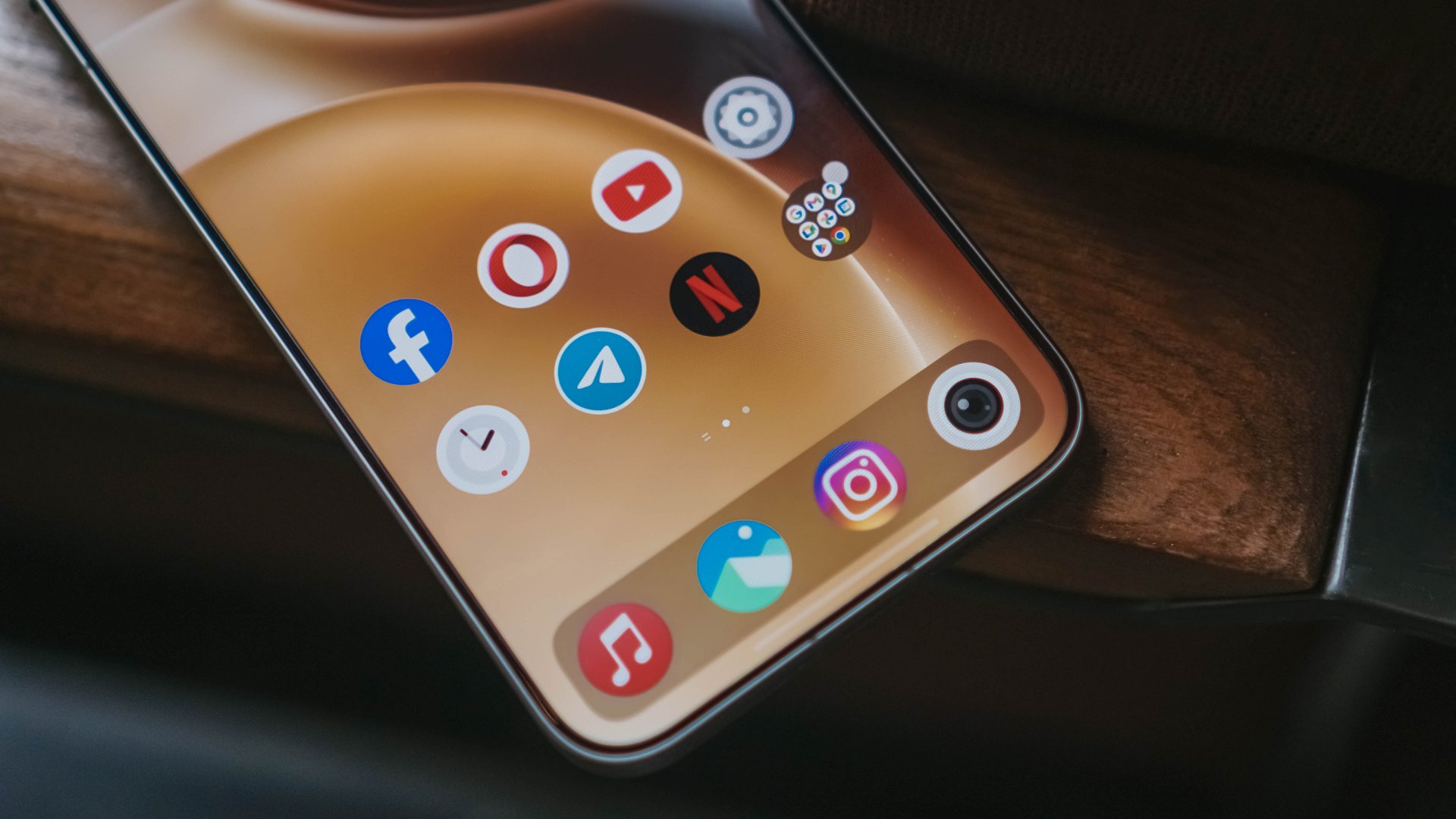
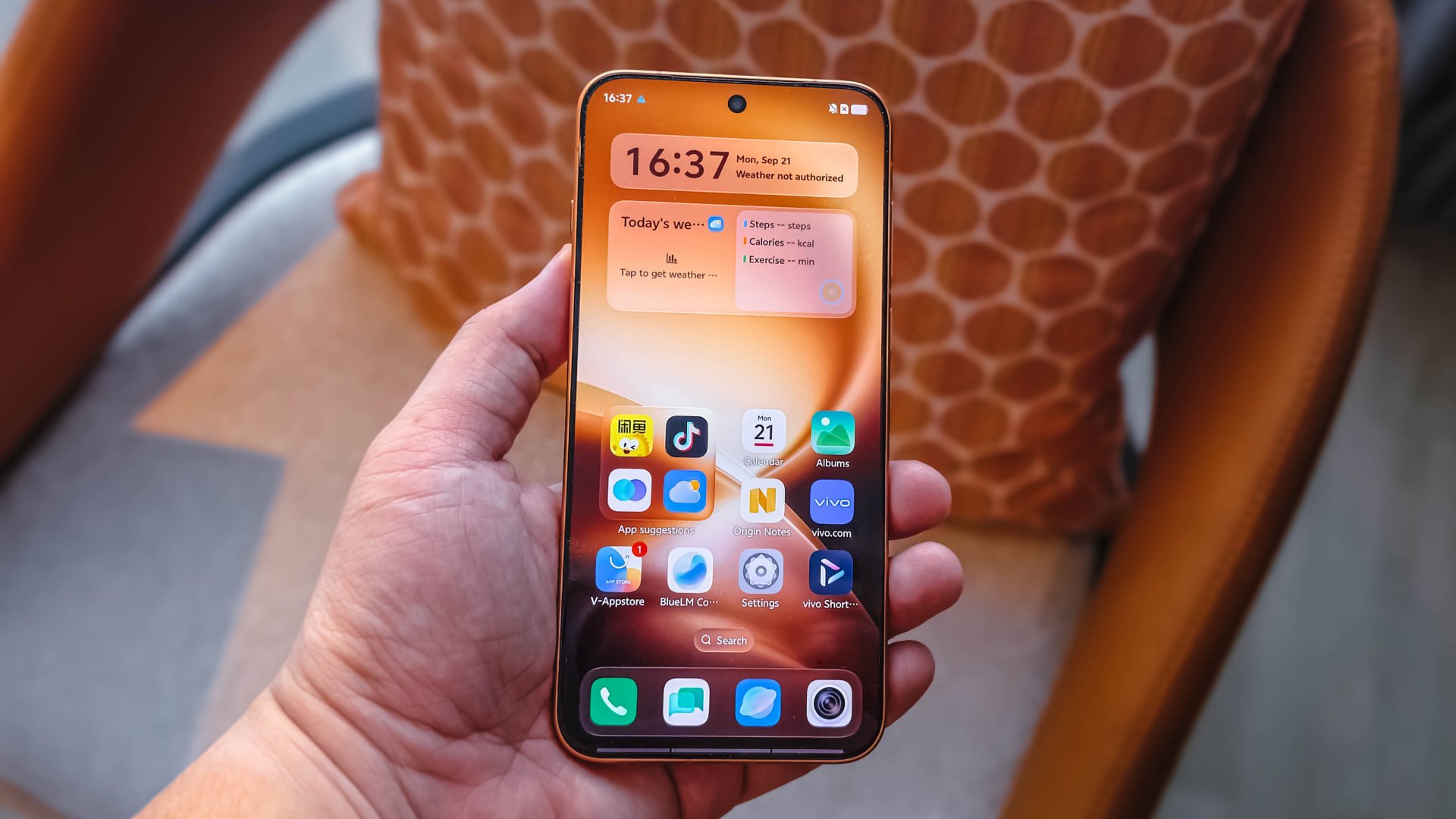
vivo has officially introduced OriginOS 7 in Shanghai, China, on September 21, 2026. The new operating system focuses on smoother performance, smarter multitasking, cross-device connectivity, and deeper customization.
OriginOS 7 introduces the next-generation Origin Smooth Engine, Origin Workbench, and Jovi, vivo’s personal AI agent. The company also promises up to six years of sustained smoothness through system-level optimizations.
The new operating system aims to make everyday smartphone interactions more responsive while helping users move seamlessly between apps and connected devices.
OriginOS 7 improves performance and multitasking
OriginOS 7 introduces the next-generation Origin Smooth Engine. The system redesigns graphics computation, memory management, and system scheduling to improve performance.
Its Ultra-Core Computing feature dynamically allocates processing resources based on demand. vivo says this helps maintain responsiveness during demanding activities, including gaming, multitasking, and extended video sessions.
The company claims OriginOS 7 reduces app cold start times by 10% and improves app page switching by 11%.

Memory Fusion also improves memory allocation and reclamation. vivo says the feature increases memory reclamation by 60% and can free up to 25GB of additional storage on a 256GB device.
Meanwhile, Dual Rendering introduces a new rendering pipeline and compilation framework. vivo claims it improves rendering efficiency by 14.4%, resulting in smoother animations and richer visuals.
These improvements power Origin Workbench, which lets users manage up to five active applications in a unified workspace. Users can coordinate tasks such as exporting video footage, reviewing notes, and messaging without constantly switching between apps.
vivo also says OriginOS 7 passed its 72-month anti-aging test. The company designed the system to maintain its responsiveness after six years of daily use.
Origin Animation makes interactions feel more natural
OriginOS 7 introduces Origin Animation, which applies physics-inspired motion to everyday interactions.
Fluid Motion lets interface elements stretch, bounce, and merge based on finger movements. Spring Animation applies consistent motion across system components, apps, and in-page elements.
Seamless Interaction also improves scrolling across supported system apps and third-party applications.
Together, these features aim to make transitions and touch interactions feel more natural.
OriginOS 7 connects vivo phones with Apple devices
OriginOS 7 expands cross-ecosystem connectivity, allowing users to integrate their vivo phones with devices they already own.
Apple Watch users can receive notifications and sync workout and health data with the Origin Health app. AirPods users can access battery information through Origin Island and use Spatial Audio.
Through vivo Office Kit, users can also connect their phones with an iPad, Mac, or Windows PC. The feature supports task handoffs, real-time note synchronization, and cross-screen file transfers.
OriginOS 7 also integrates iCloud into vivo File Manager. Users can browse, upload, and download photos and files stored in iCloud without leaving the app.
Feature availability may vary depending on the device, region, and software version.
Jovi brings AI-powered assistance across devices
OriginOS 7 introduces Jovi, a personal AI agent designed to manage workflows across connected phones and PCs.
Through vivo Office Kit, Jovi can retrieve files from a connected computer, summarize information, and deliver the results to a user’s phone. Users can also schedule recurring tasks, such as compiling weekly reports or organizing files.
For everyday productivity, Snap Note can turn photos of whiteboards, handwritten notes, and presentation slides into editable, formatted documents.
vivo also emphasizes user control and transparency. Through Jovi Security, the system records autonomous actions and requires user authorization for key steps.
OriginOS 7 adds interactive themes and customization
OriginOS 7 introduces new ways to personalize lock screens, home screens, and Always-On Displays.
Wiggle Theme transforms personal photos into interactive surfaces that ripple and respond to touch. Glint Theme uses gyroscope sensing to create realistic lighting and shadows as users tilt their phones.
StickIt lets users create layered collages from photos and Live Photos across supported screens.
Pet Pals adds interactive companions that respond to device movement, charging status, music playback, and the time of day.
These features give users more ways to personalize their phones beyond traditional wallpapers and static themes.
OriginOS 7 availability
vivo will begin the OriginOS 7 Preview Program on September 21, 2026, for the vivo X300 Pro and select iQOO devices in India, Thailand, and Malaysia.
The operating system will subsequently roll out to the vivo X500 Series, as well as new X Fold and V Series devices.
vivo has yet to announce a specific rollout timeline for other devices and markets. Feature availability may vary by region and device.
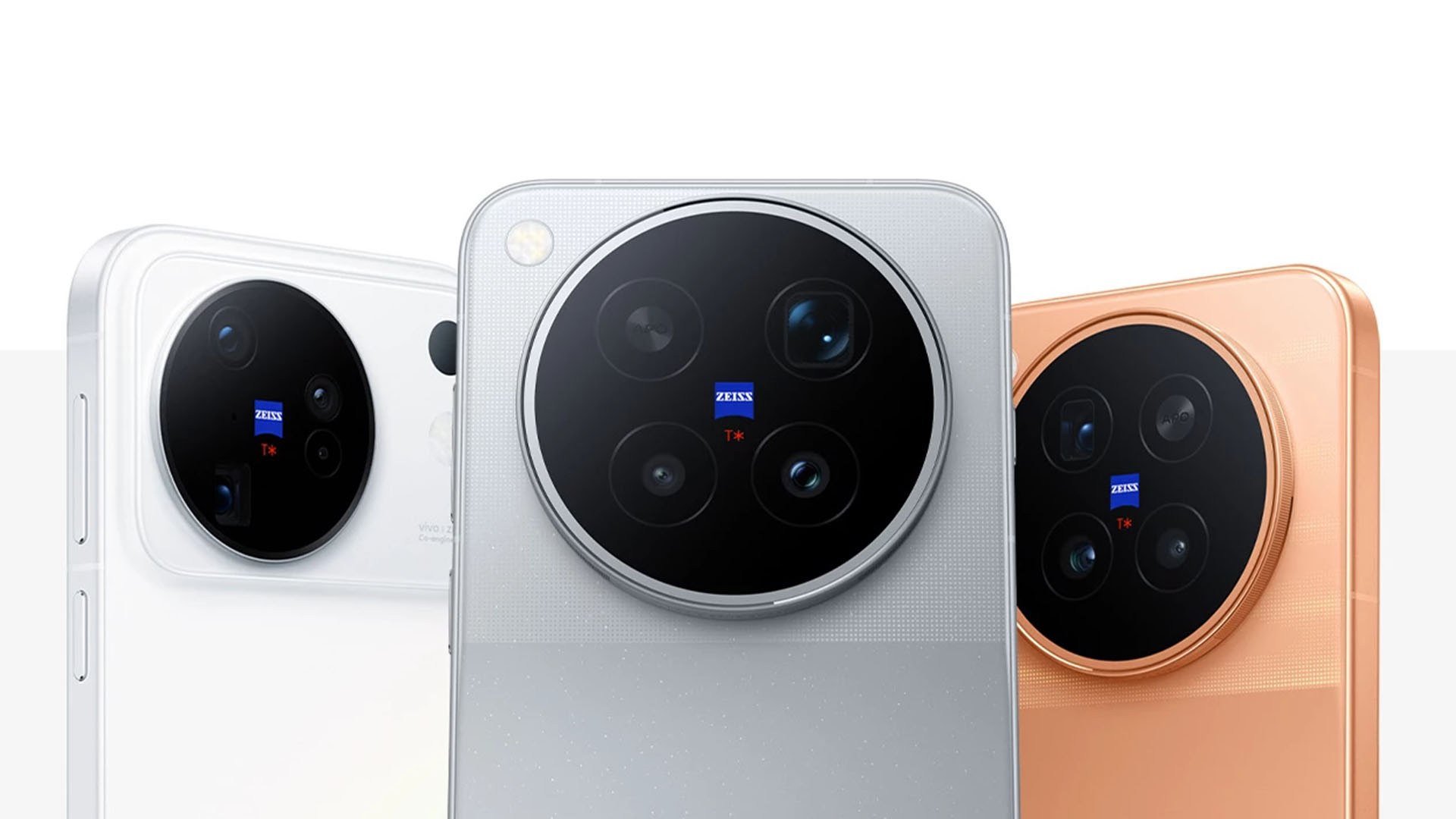
vivo has officially launched the X500 Series in Shanghai, China, on September 21, 2026. The new lineup includes the vivo X500, X500 Pro, and X500 Pro Max.
The new imaging flagships introduce vivo’s BlueImage Dynamic Imaging Technology Stack. The system focuses on improving photography, video recording, and live imaging through advancements in sensors, chips, and algorithms.
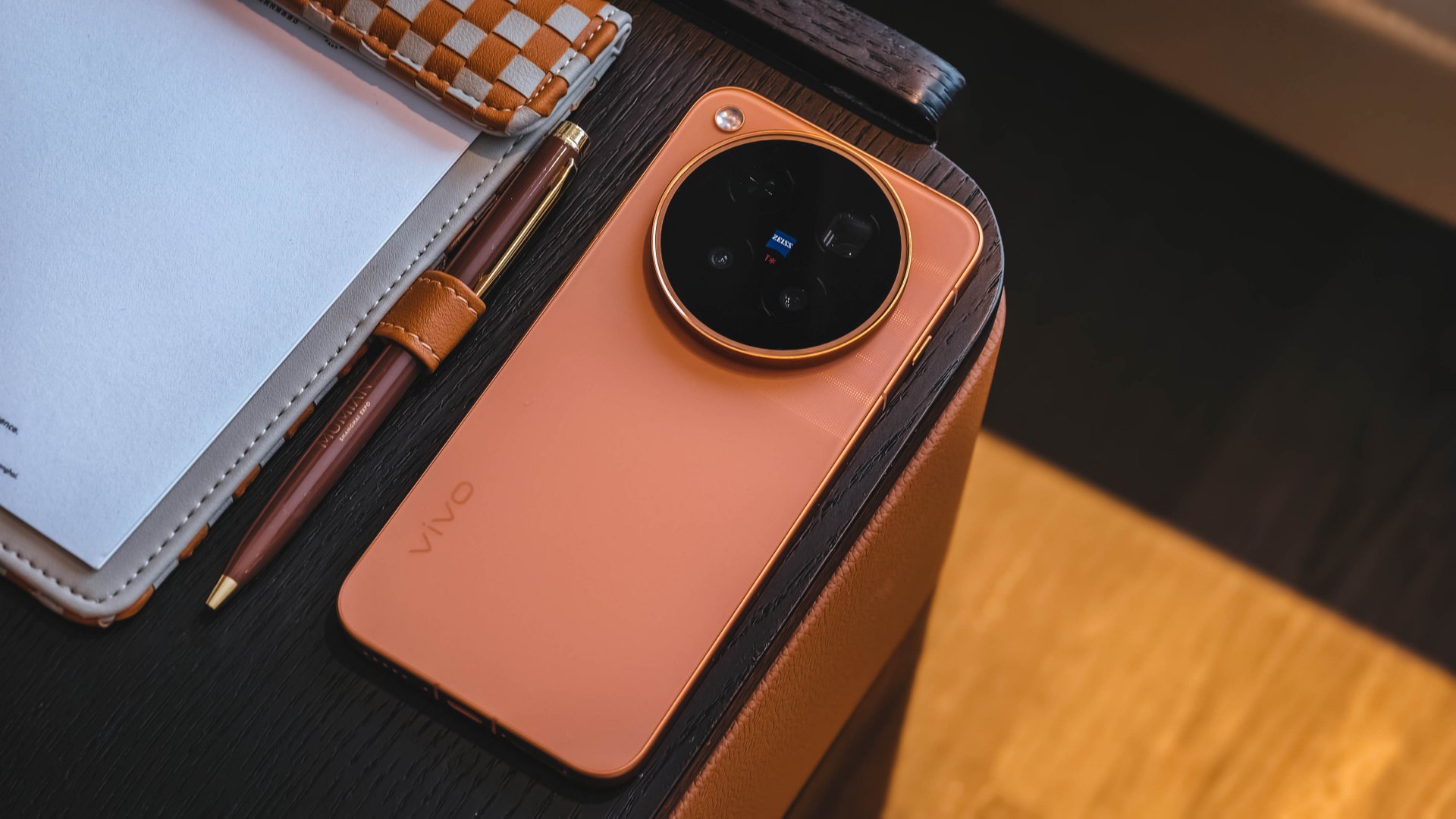
vivo aims to deliver professional-grade imaging capabilities while making cinematic video creation more accessible to everyday users.
The vivo X500 Series also introduces several imaging upgrades, including 4K 240fps cinematic slow-motion video, 8K Native Live, and improved stabilization. The company designed the lineup to deliver a more consistent experience across photography, video, and live content.
BlueImage Dynamic Imaging Technology Stack
The BlueImage Dynamic Imaging Technology Stack serves as the foundation for the X500 Series’ imaging capabilities. vivo developed the system around five key standards: high dynamic range, professional image quality, cinematic color, professional stabilization, and dynamic consistency.
The X500 Pro Max debuts the vivo × Sony LYTIA L910 sensor. It delivers a claimed 17 EV ultra-high dynamic range for video, allowing users to capture more detail in challenging lighting conditions.

The X500 Pro Max also features a ZEISS TrueDynamic Main Camera with 3-degree gimbal-grade optical image stabilization (OIS). Both its main and telephoto cameras achieve CIPA 7.0 Professional Stabilization.
vivo also partnered with MediaTek to develop professional Log video hardware for the Dimensity 9600 Pro. The chipset supports high-spec video creation through dedicated imaging processing capabilities.
vivo X500 Pro Series brings cinematic video to smartphones
The vivo X500 Pro and X500 Pro Max feature a ZEISS TrueDynamic Main Camera with a 1/1.28-inch sensor and ZEISS T* Coating.
The X500 Pro Max uses a 200-megapixel ZEISS APO Telephoto Camera, similar to the one on the vivo X300 Ultra. It supports CIPA 7.0 Professional Stabilization, multi-zone laser focus, and up to 30x Long Range Motion Snapshot.
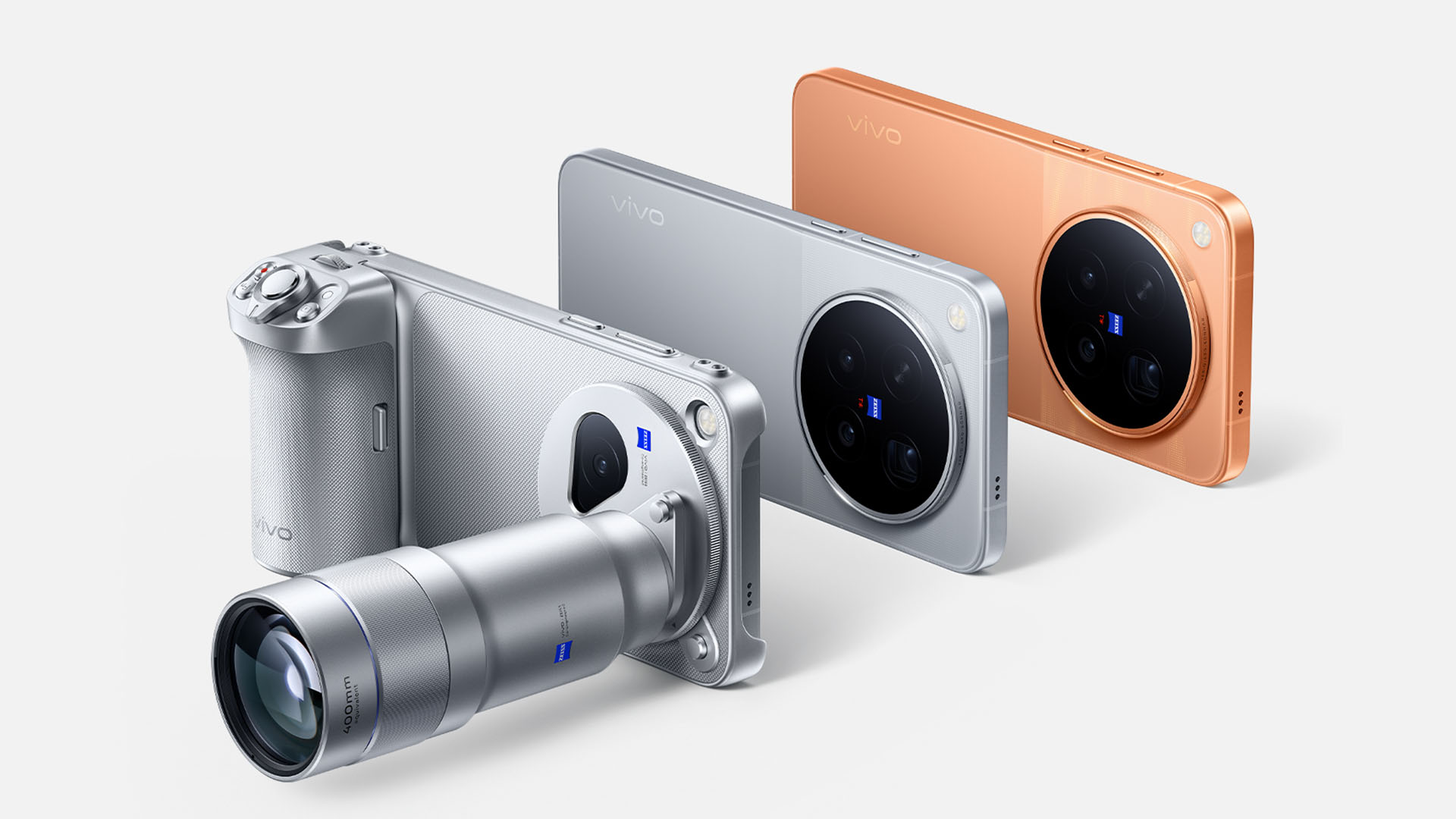
The phone also supports Anyplace Telephoto Tracking and the 400mm equivalent vivo ZEISS Telephoto Extender Gen 2 Ultra.
Meanwhile, the X500 Pro features a ZEISS APO Telephoto Camera with CIPA 7.0 Professional Stabilization.
Both Pro models support 4K 240fps Cinematic Slow-Mo Video. They also offer 17 EV TrueDynamic Log Video with 10-bit 4:2:2 encoding and ACES support.

vivo partnered with DaVinci to support official color transformation, allowing users to color-grade smartphone Log footage in the same color space as professional cinema camera footage.
The X500 Pro Series also supports 4K 120fps 10-bit Log direct output and 4K 120fps autofocus tracking video. The latter helps maintain focus even when foreground objects temporarily obscure the subject.
For portrait videos, the lineup introduces 4K Cinematic Portrait Video with unified portrait beautification and HDR production standards.
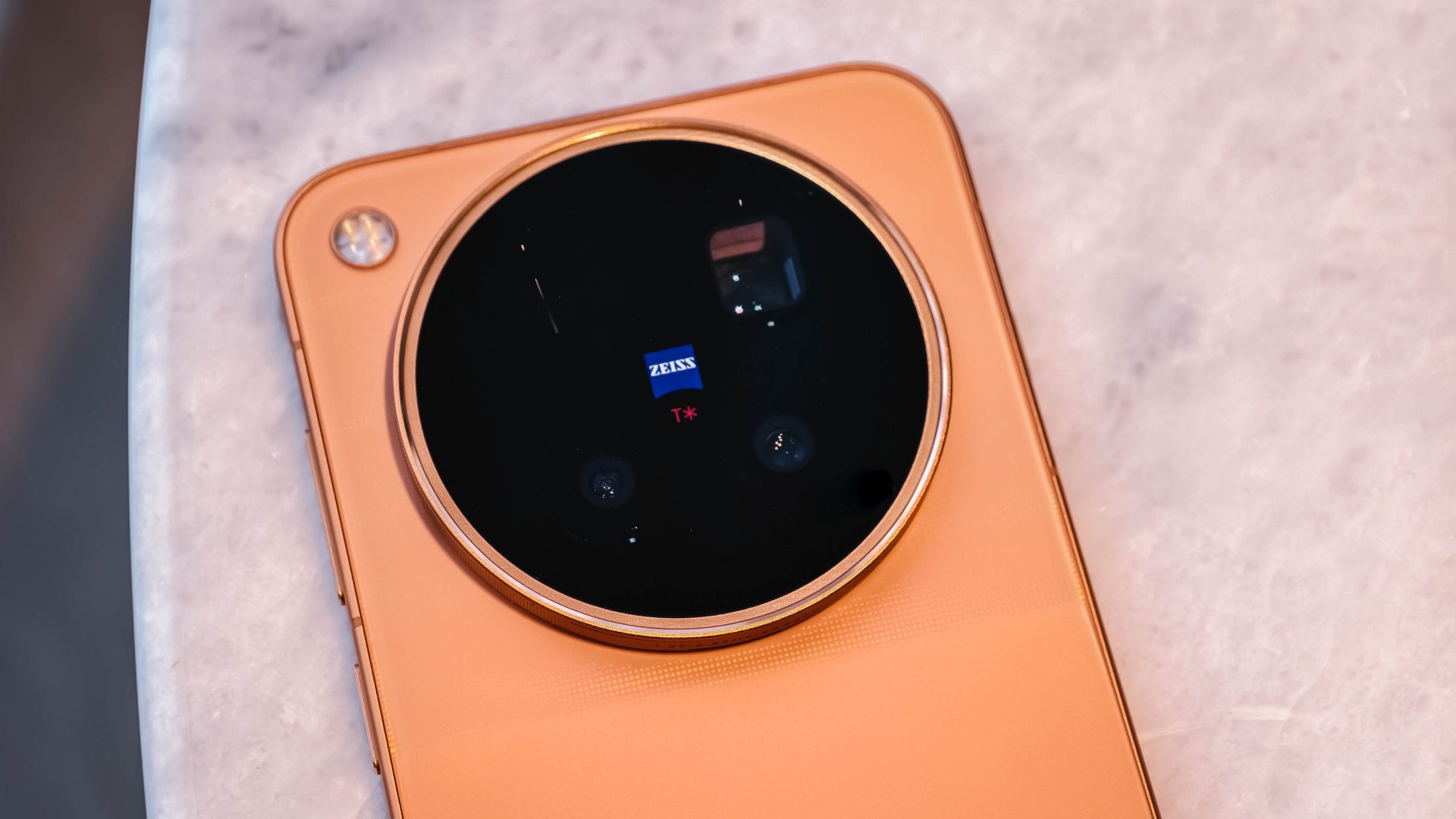
vivo also added six cinematic video color styles: Golden, Platinum, Sunny Day, Paris Afterglow, Noir, and Amber. Each style uses a dedicated color pipeline that optimizes the appearance of people and scenery.
The Pro Series also supports 8K Native Live direct output, keeping the cover frame and video stream consistent in color and perspective.
Users can access four cinematic camera movement options through Cinema mode: Auto Framing Video, Vortex Shot, Super Slow-Mo, and Dual View.
vivo X500 offers upgraded imaging in a standard model
The standard vivo X500 also brings several imaging features from the Pro lineup.
Its main camera uses the vivo × Sony LYTIA 828 sensor, the same sensor found in the vivo X300 Pro. The 1/1.28-inch sensor works with ZEISS Gimbal-Grade OIS to deliver stable video footage.
For telephoto, the X500 uses the vivo × Sony LYTIA 610 sensor, which it shares with the X500 Pro. The 64-megapixel telephoto camera supports 4K 120fps high-spec slow-motion video and CIPA 5.5 Professional Stabilization.
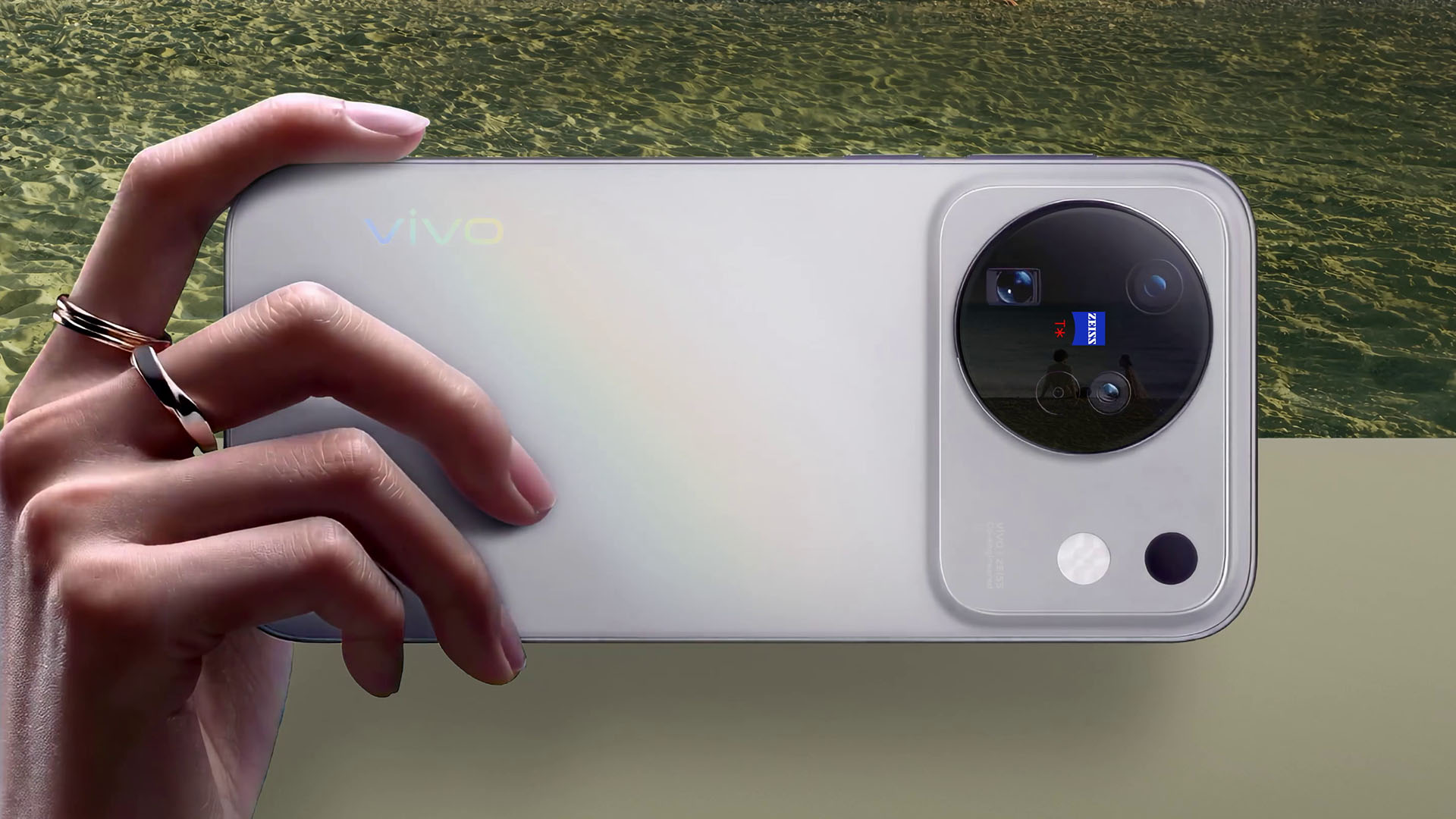
The standard model also supports 4K 120fps slow motion, cinematic color styles, 4K 60fps Cinematic Portrait Video across all focal lengths, 4K 120fps 10-bit Log, and 4K 120fps HLG video.
The entire X500 Series supports 8K Native Live, which vivo says delivers more detailed Live Photos.
The standard model also supports the 200mm equivalent vivo ZEISS Telephoto Extender Gen 2. The accessory weighs 153 grams and measures 96mm in length. It supports 14 shooting modes, including portrait, landscape, and stage photography.
vivo X500 Series features Dimensity 9600-series chips
The vivo X500 Pro and X500 Pro Max run on the MediaTek Dimensity 9600 Pro, which uses a second-generation 2nm process.
The X500 Pro Max features a 6.85-inch BOE Q11 2K ZEISS Master Color Display and an 8,000mAh BlueVolt Battery.
The X500 Pro, meanwhile, features a 6.36-inch ZEISS Master Color Display and a 6,510mAh BlueVolt Battery.
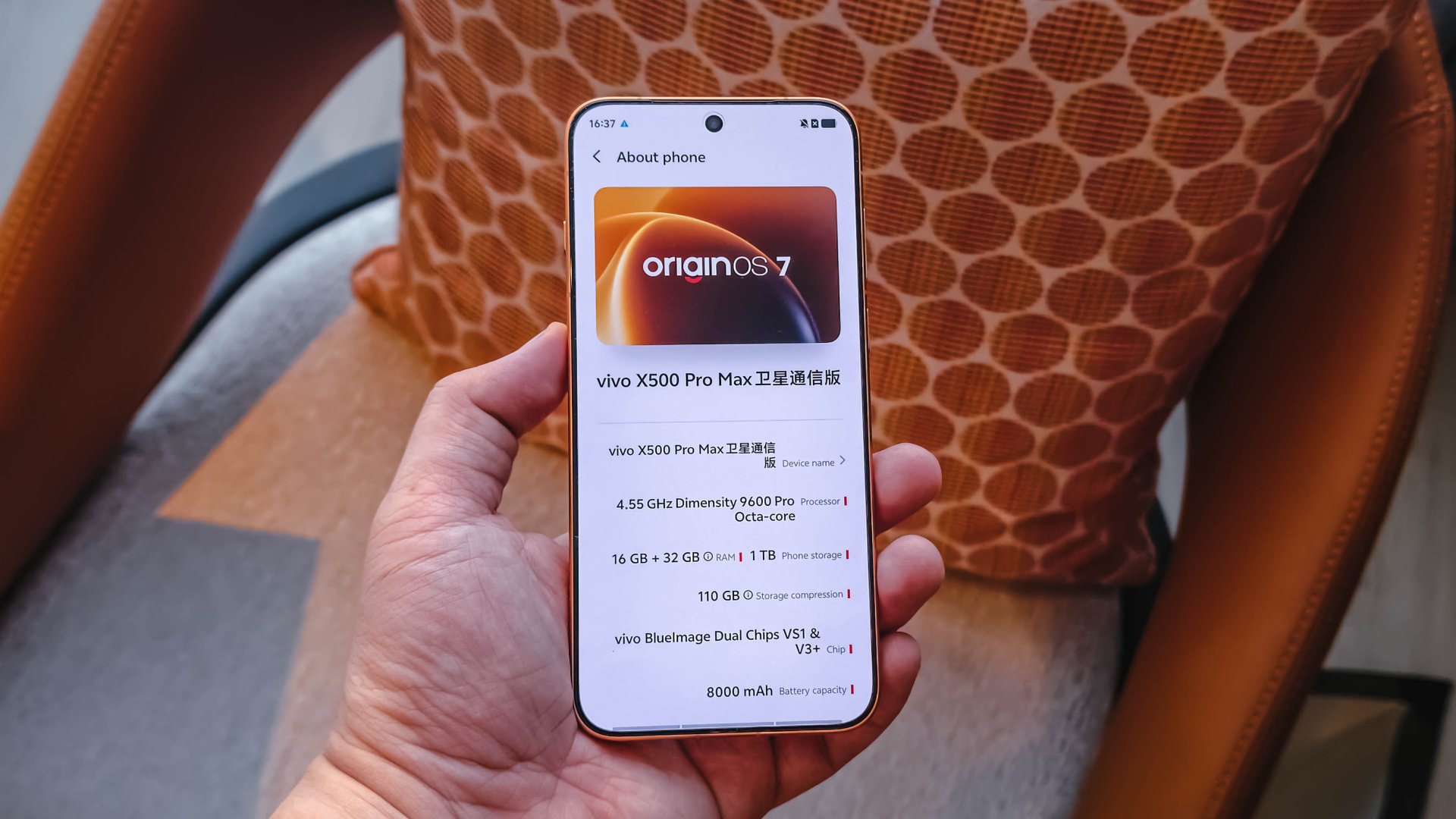
Both models run OriginOS 7, which introduces Origin Workbench and Seamless Interaction. vivo also says the phones passed its Lab’s 72-month anti-aging model test.
The X500 Pro Series comes in four colors: Sunny White, Starry Gray, Moonlit Black, and Sunset Orange.
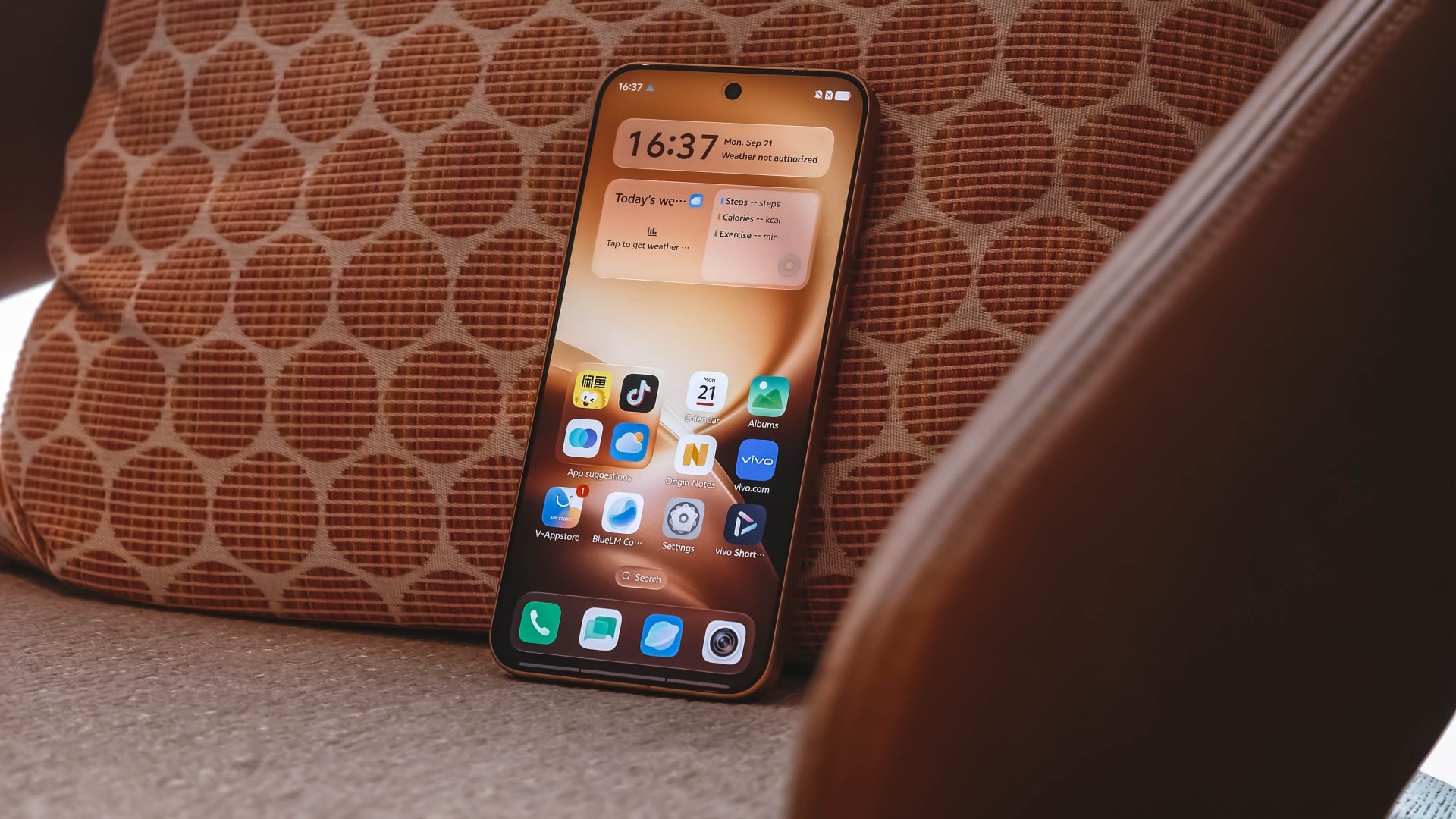
The standard vivo X500 uses the MediaTek Dimensity 9600M chip. It features a 6.59-inch ZEISS Master Color Display and a 7,500mAh BlueVolt Battery.
The phone supports 90W FlashCharge and 40W Wireless FlashCharge. It also runs OriginOS 7, with Origin Workbench supporting up to five apps running in the foreground.
The vivo X500 comes in Starry Gray, Sunny White, Dawn Pink, and Dusk Black.
vivo X500 Series price and availability
vivo has announced the following China pricing for the X500 Series. Sales officially begin on September 24, 2026.
Configuration and pricing are as follows:
vivo X500
- 12GB + 256GB = CNY 5499
- 12GB + 512GB = CNY 5999
- 12GB + 1TB = CNY 6999
X500 Pro
- 12GB + 256GB CNY 6499
- 12GB + 512GB CNY 7499
- 12GB + 1TB CNY 8499
X500 Pro Max
- 12GB + 256GB = CNY 6999
- 12GB + 512GB = CNY 7999
- 16GB + 512GB = CNY 8499
- 12GB + 1TB = CNY 8999
vivo also announced a special X500 Pro Max Creator Edition with 16GB RAM and 1TB storage. It retails for CNY 12,999.
The company will also offer photography accessories for the X500 Series, including the ZEISS Telephoto Extender G2 for CNY 999 and the ZEISS Telephoto Extender G2 Ultra for CNY 1999.
The X500 Pro Max Creator Kit costs CNY 699. A bundle featuring the X500 Pro Max, G2 Ultra telephoto extender, and Creator Kit is priced at CNY 2499.
These prices are for the Chinese market. vivo has yet to announce international pricing or availability for the X500 Series.
Lifestyle
Nike’s Alphafly 4 is built for the part of the marathon ~that actually hurts~
Made to protect your stride when fatigue sets in.

Every marathoner knows the exact moment the race truly begins.
It’s not at the starting line amidst the early morning excitement, but around the 32-kilometer mark, when your legs begin to feel heavy and your form starts to fall apart.
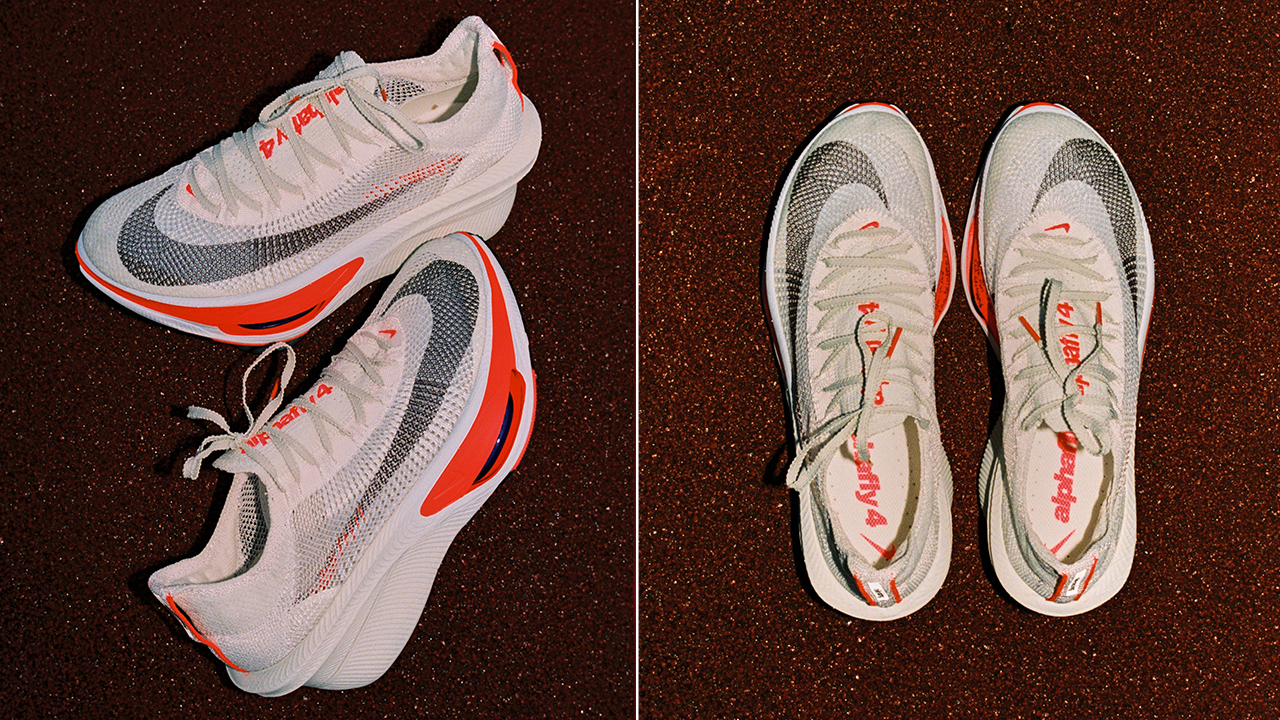
Nike designed its latest marathon racer specifically for that critical window. The Alphafly 4 shifts the focus away from chasing sheer top-end speed, targeting instead the physical breakdown that happens late in a long run.
By studying how fatigue alters a runner’s mechanics over time, Nike rebuilt its flagship distance shoe to help athletes maintain their stride when energy starts to dip.
Holding the line when fatigue sets in
On the road, the shoe operates as a complete, unified system designed to protect your stride.
A redesigned Atomknit upper wraps the foot with breathable support, using targeted midfoot cables and an integrated heel unit to keep your fit secure without adding unnecessary weight or friction over long distances.
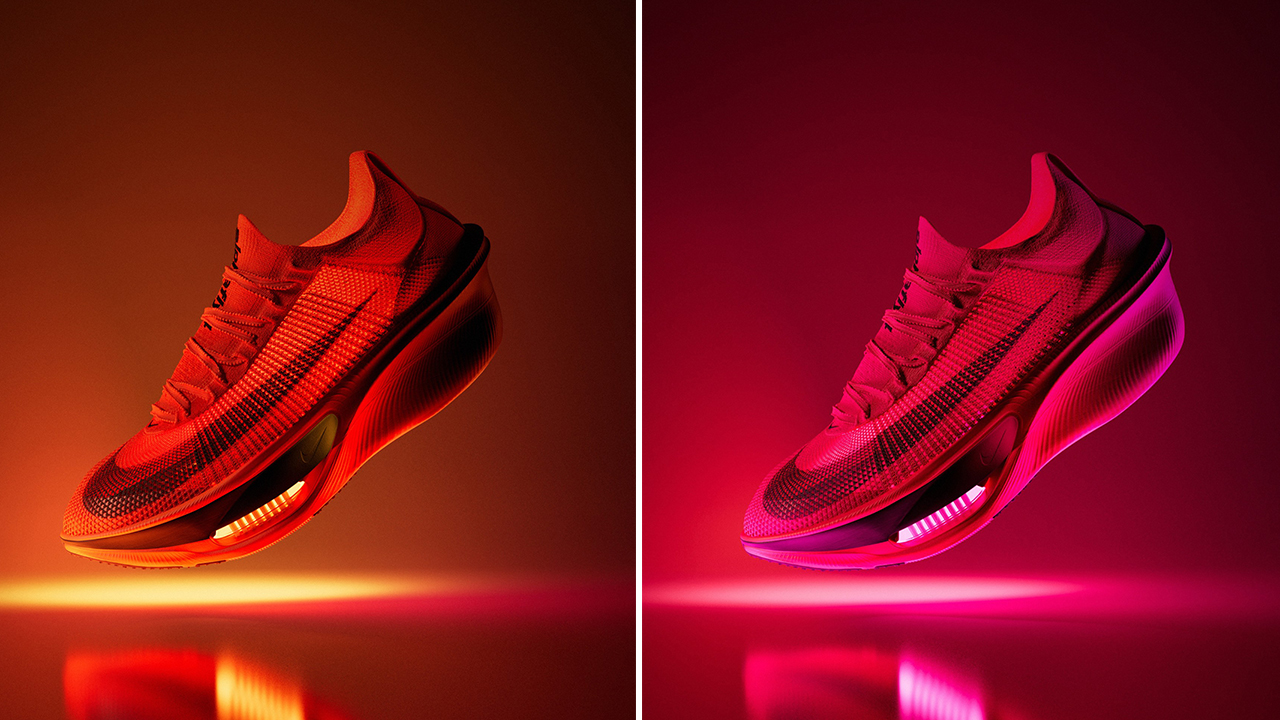
Underfoot, the new ZoomX LT foam layer works alongside Nike’s contoured carbon-fiber Flyplate. The lighter foam returns maximum energy with every footfall, while the plate smooths out your rolling motion.
Together with dual forefoot Air Zoom units and a durable Fast Shot outsole, the setup keeps your cadence consistent and your legs feeling fresh well into the back half of the race.
As Emily Farina from the Nike Sport Research Lab notes, their goal was to help runners stay confident, balanced, and capable from the start line all the way to the finish.
Built on the miles that came before
That focus on real-world endurance stems directly from athlete testing.
Nike developed the shoe using feedback from its Project Dreamweaver initiative and extensive trials with women distance runners, prioritizing stability and comfort alongside high performance.
The lineage carries significant weight. The Alphafly family has grounded some of distance running’s greatest moments, from historic sub-two-hour efforts to major course records.
With the Alphafly 4, that legacy translates directly into everyday marathon training, helping athletes hold their target pace just a little bit longer. Marathoners won’t have to wait long to feel the difference on race day.
The Nike Alphafly 4 drops in an early, limited release on September 17 at nike.com, followed by a wider global release on October 29 online and at select retail stores.


DJI Lito X1 review: Is this the best lightweight drone for creators?
Making a strong case as a travel companion and a capable B-cam!


REDMI Note 17 Pro Max review: A new breed born from AI greed
Welcome to the new normal


Marvel’s Wolverine review: When the claws come out
A brutal, cinematic superhero adventure

vivo introduces OriginOS 7 with smarter multitasking and AI features

vivo X500 Series launches with major imaging upgrades

Manila turns up the volume at COVE

Epson Lifestudio Grand Plus EH-LS970B with 4K projection, more launches

Jackery Explorer 300D: Power and portability in one

realme 16T 5G with 8000mAh battery, IP69 Pro rating launches in PH

HUAWEI Pura X View is 2026’s first WIDE slab-type smartphone

REDMI reveals the refreshed Note 17 and Note 17 Pro series

REDMI Note 17 Series: Price, availability in Singapore

The CAMON Slim 5G is TECNO’s latest ultra-slim smartphone


-

 News2 weeks ago
iPhone 18 Pro series: Price, availability in the Philippines
-
 Singapore2 weeks ago
iPhone 18 Pro series: Price, availability in Singapore
-
 News2 weeks ago
iPhone Duo: Price, availability in the Philippines
-
 News2 weeks ago
vivo introduces refurbished versions of X300 FE, X300 Ultra for less
-

 News2 weeks ago
iPhone Duo: Price, availability in Singapore
-

 Accessories2 weeks ago
CASETiFY upgrades iPhone 18 cases, teases iPhone Duo lineup
-

 News2 weeks ago
HONOR teases Magic9 Pro Max at Venice
-

 Editors' Choice2 weeks ago
GadgetMatch Awards: Best of IFA 2026