


I love a good robot vacuum. It makes cleaning easier and my dog Juancho has an instant playmate. Sure, he takes a bit of time to get used to the new addition to the family but once he’s used to it, he’ll follow it around in a playful manner and tire him out. I recently had the chance to test the Ecovacs Deebot T9 Robot Vacuum Cleaner and it helped in keeping our home tidier while allowing me to focus on work and other personal commitments. While hoovering is one of the more entertaining chores one can do at home, nothing beats having the option to take it out of one’s to-do list.

Is the Deebot T9 worth the price tag? Should you replace your current vacuum with it? Allow me to give you a list of the things I loved about the vacuum and a few things you should be aware of before getting one.
It maps out your home
It was pretty interesting to see how the vacuum mapped out our home and planned its own cleaning routine based on that map. The best thing is you don’t have to be a real techie to handle it.

The app on your phone is pretty straight forward and since it gets to know your home through powerful sensors, the most you have to do is either schedule or start a cleaning program. You can even select which room you want to be cleaned!
It leaves your home smelling fresh
The Deebot T9 has a built-in air freshener that infuses the home with a clean, delicate fragrance as it moves. Our unit came with the ‘Wild Bluebell’ fragrance and I loved it. It’s not overpowering but it also leaves the room smelling fresh.

Other scent options are Cucumber & Oak and Bergamot & Lavender. Each capsule lasts up to 60 days before they need a replacement.
It empties itself
One of the major issues people with robot vacuums have is how often they have to empty the waste compartment. After all, having a robot instead of a handheld vacuum with a bag means its compartment is much smaller. Deebot’s solution is having its own Auto Empty Station which also serves as the device’s charging dock.

Once a cleaning cycle ends, the T9 makes its way to the dock and automatically empties itself, letting the dirt go into a convenient, 2.5 liter bag which ensures fewer trips to your waste basket.
But can it handle fur?
My dog Juancho is a Pembroke Welsh Corgi which means he’s quite the fur monster. This type of dog sheds all year round and that means we get corgi fur everywhere. Yes, it sucks the fur in quite well, picking it off tiled floors and even carpeted rooms easily. The main issue is that the fur gets stuck in the vacuum’s waste bin.

It docks into the Auto Empty Station and you hear the loud woosh supposedly taking the dirt from the vacuum to a convenient bag. However, when you check the vacuum’s waste compartment, all the fur is still in there. Not a deal-breaker but definitely a concern if you have a shedder for a pet. You can probably skip the Auto Empty Station as you’d still have to manually empty the T9 anyway.
Control through the app
I can turn on the Deebot T9 to clean our home (while entertaining my dog) even when I’m outside and on the go. Since it maps out your home and uses the all-new TrueDetect 3D 2.0 technology, it’s able to easily detect obstacles that may come its way. A magazine that fell on the floor, dog toys left in corners. There are less chances of the T9 getting stuck so it’s able to complete cleaning even if you’re not there to watch it.
It mops your floors!
Ok, this isn’t the first robot vacuum to have this feature. However, it’s the first time I ever had a need for one that does this chore and I was thrilled with the convenience it brought! We have white, tiled floors in our living-slash-dining space so mopping is a part of life. Unless we want drool marks or a random paw print on the floor, mopping must be done quite regularly.
Thankfully, I have a husband who’s been into steam cleaning the floors before the Deebot T9 came in. The existence of this nifty addition to the family took a load off his back and now instead of mopping floors at night, we get more TV time together.

Attaching the OZMOTM Pro 2.0 Electric Oscillating Mopping System was quick and easy — it’s practically a no brainer. You just fill it up with water, slap a disposable, microfiber mopping pad (each unit comes with 10) and you’re good to go. Of course, the disposable pads can be quite a concern when it comes to added expenses and waste management. Maybe Ecovacs can come up with a mopping pad that we can wash and reuse instead?
All in all, the Deebot T9 is a great addition to any home. Two chores done means more time for family, productivity, and doing things you actually love. It’s currently available in Lazada.






Deciding what to eat can be surprisingly difficult. Sometimes, you have a fridge full of ingredients but no idea what to make. Other times, you’re at the supermarket trying to remember whether you still have eggs at home.
Samsung thinks a little technology can help.
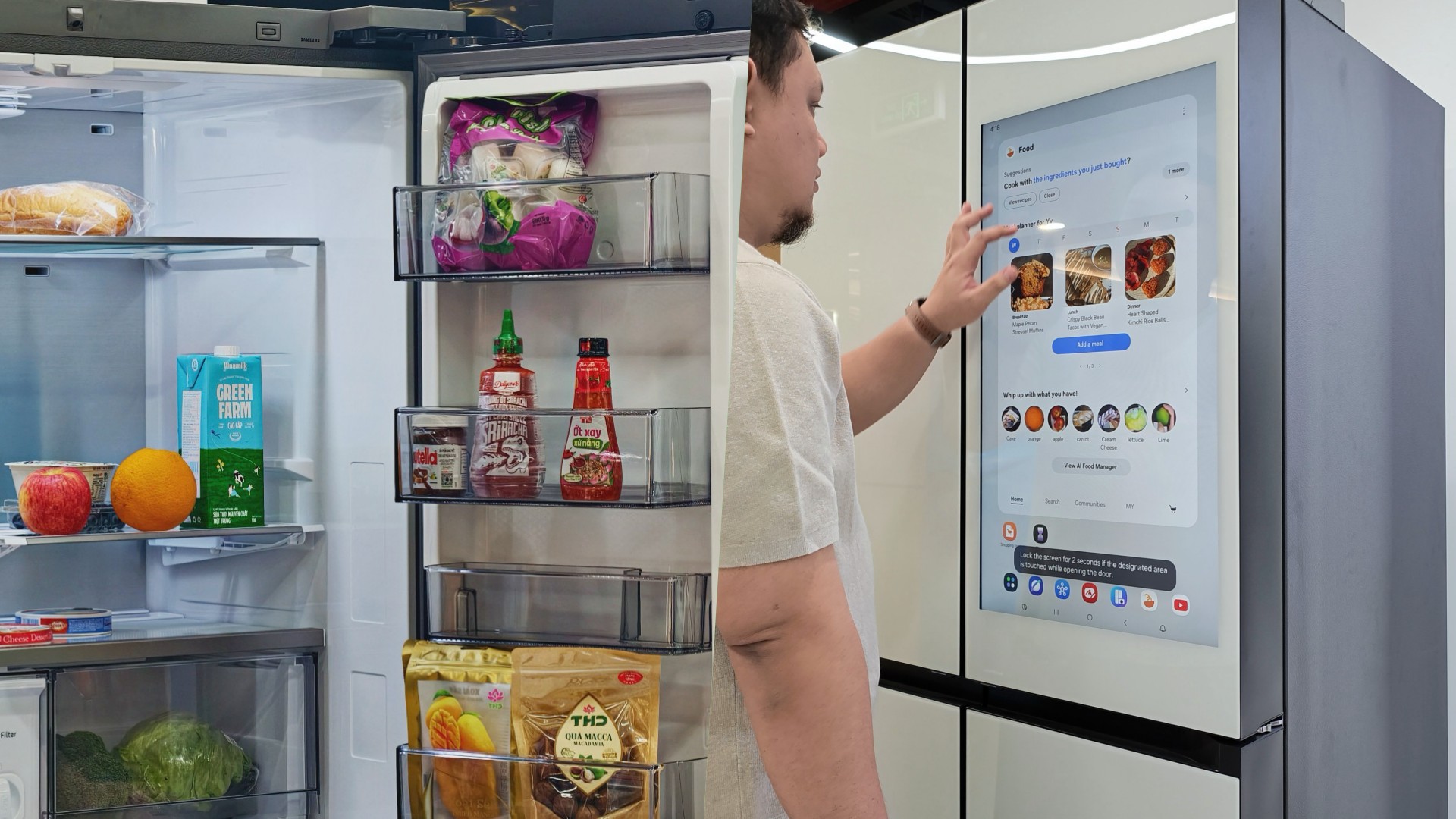
During my recent visit to Samsung’s showcase in Hanoi, Vietnam, its smart refrigerator stood out as one of the more interesting appliances on display. Its built-in screen offered plenty of opportunities for interaction, hinting at how a refrigerator can do more than simply keep food cold.
On supported Samsung models, AI-powered features can help users keep track of ingredients, discover recipes, and manage compatible smart appliances.
And honestly, anything that makes the daily routine a little less tedious deserves a closer look.
A little help deciding what’s for dinner
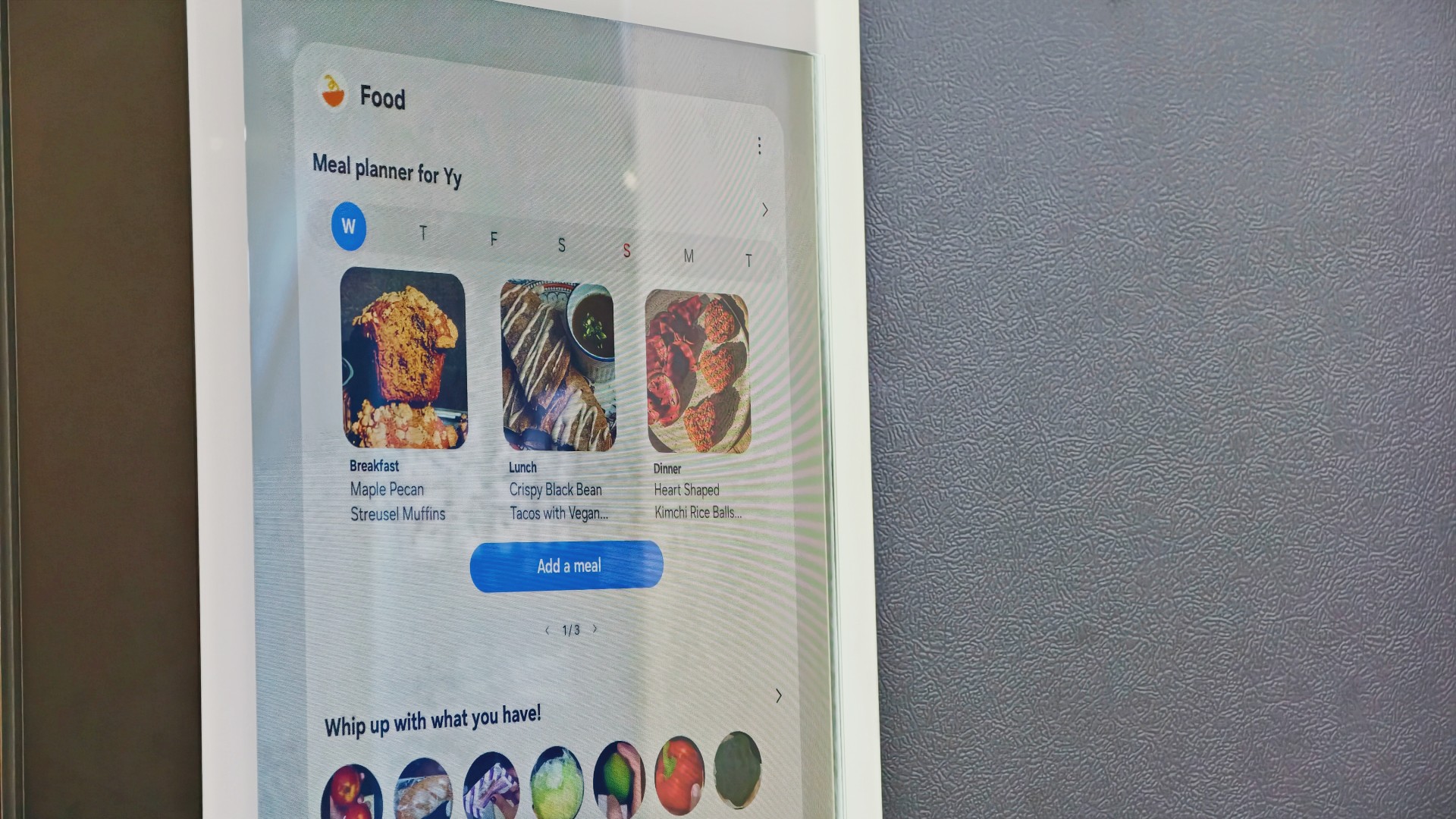
Samsung’s AI Food Manager helps users manage ingredients and discover what they can cook with what’s already available.
On supported Bespoke AI Refrigerator Family Hub models, an internal camera can recognize selected food items as they enter or leave the refrigerator. Users can check their food list through the SmartThings app, making it easier to remember what they have when planning their next grocery run.
The system isn’t infallible. Some items may not be recognized correctly, and users may need to review and adjust the list. Still, it’s a useful starting point for avoiding unnecessary purchases and making better use of ingredients already at home.
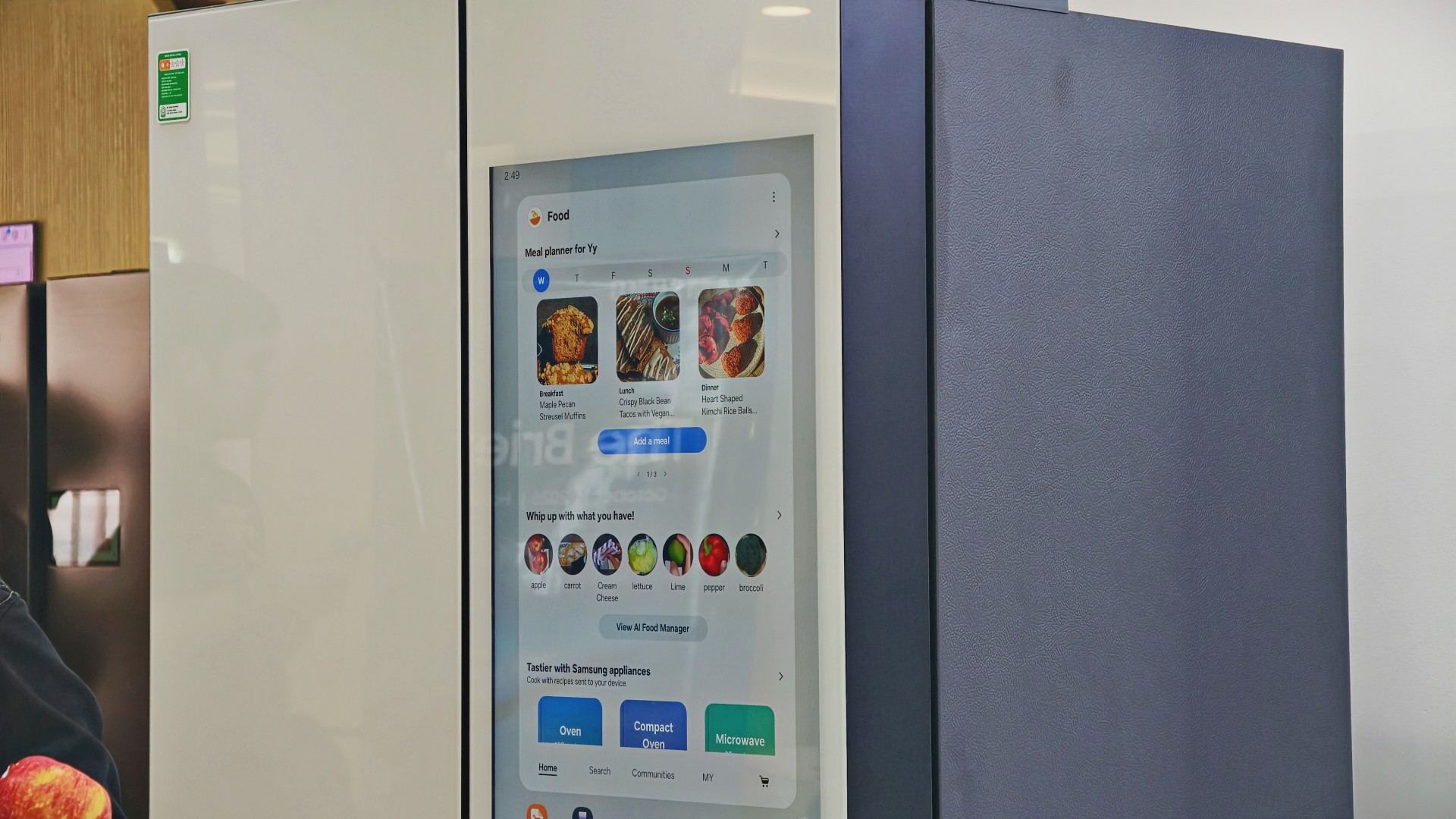
AI Food Manager can also recommend recipes based on available ingredients. Meanwhile, What’s for Today, available on select models, suggests menus based on the user’s chosen options, including available refrigerator contents.
Neither feature will magically turn anyone into a chef. But if you’ve ever stared into your fridge hoping dinner ideas would materialize, a little inspiration might help.
More than a refrigerator with a screen

The display has another practical purpose: controlling compatible connected appliances.
On supported Samsung side-by-side refrigerators with the 9-inch Family Hub display, users can access compatible Samsung smart appliances and supported third-party devices through SmartThings. Bixby also provides voice interaction for supported functions, offering another way to access controls while cooking or preparing meals.
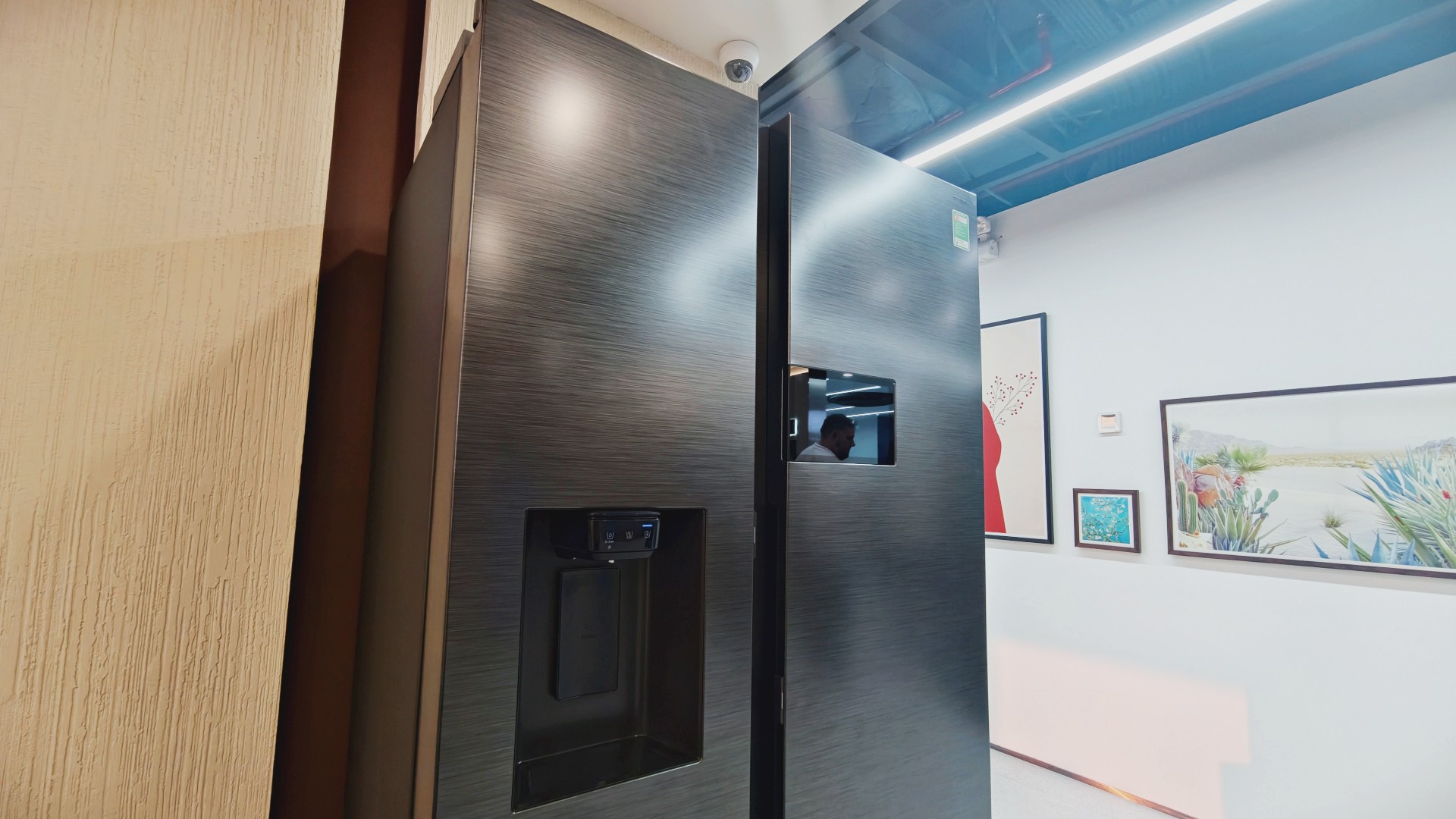
It’s part of Samsung’s broader connected-home approach, where compatible devices work together to simplify everyday routines.
Of course, not everyone needs every appliance in their home connected to one another. A refrigerator that keeps food fresh is already doing its most important job.
But for households that use smart appliances, having ingredient information, recipe ideas, and device controls accessible from one place could be convenient.
And speaking of that screen…
You know me. If there’s a screen, best believe I’ll find a way to put a STAYC Isa fancam on it.
Anyway, back to the bigger question.
Can a smarter fridge help you live better?
Healthier living involves more than diet and exercise. Everyday routines matter, too, including planning meals, keeping track of groceries, and figuring out what to cook.
Samsung’s AI-powered refrigerator features won’t automatically make anyone eat healthier. What they can do is make information easier to access and some everyday decisions less tedious.
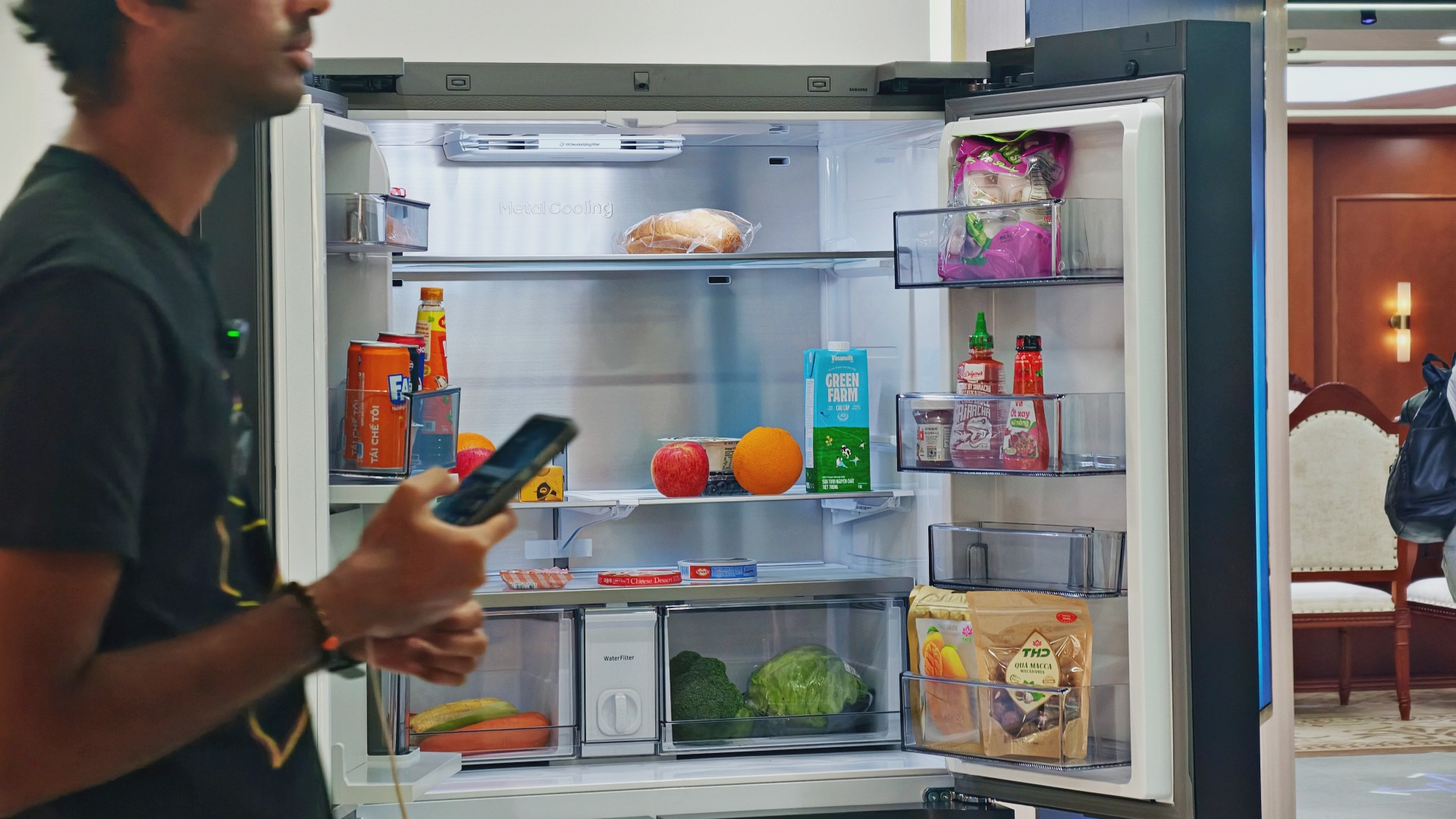
For someone who regularly cooks at home, that could mean making better use of ingredients already in the fridge. For a busy household, it might mean spending less time planning meals or remembering what to buy.
These features remain tools, not guarantees. Their usefulness depends on how accurately they work, which features a particular model supports, and whether they fit into your routine.
Still, I like the idea of technology that takes a little friction out of everyday life. A refrigerator doesn’t need to reinvent cooking to be useful. Sometimes, helping you remember what you bought last weekend or suggesting what to make with it is already a good start.

And if it happens to have a screen where you can watch a STAYC fancam while deciding what’s for dinner? Well, I’m certainly not going to complain.


Living in New York means making every square foot count, so why own multiple gadgets when one can do the job?
In this video, THE Michael Josh takes a look at the Marshall Heston 60. It’s a premium TV soundbar that brings more to the living room than just better sound.
With its sophisticated design, powerful audio, and versatile features, it sits in his living room while doing much more than you might expect from a soundbar.
CHECK IT OUT HERE: https://bit.ly/MarshallHeston

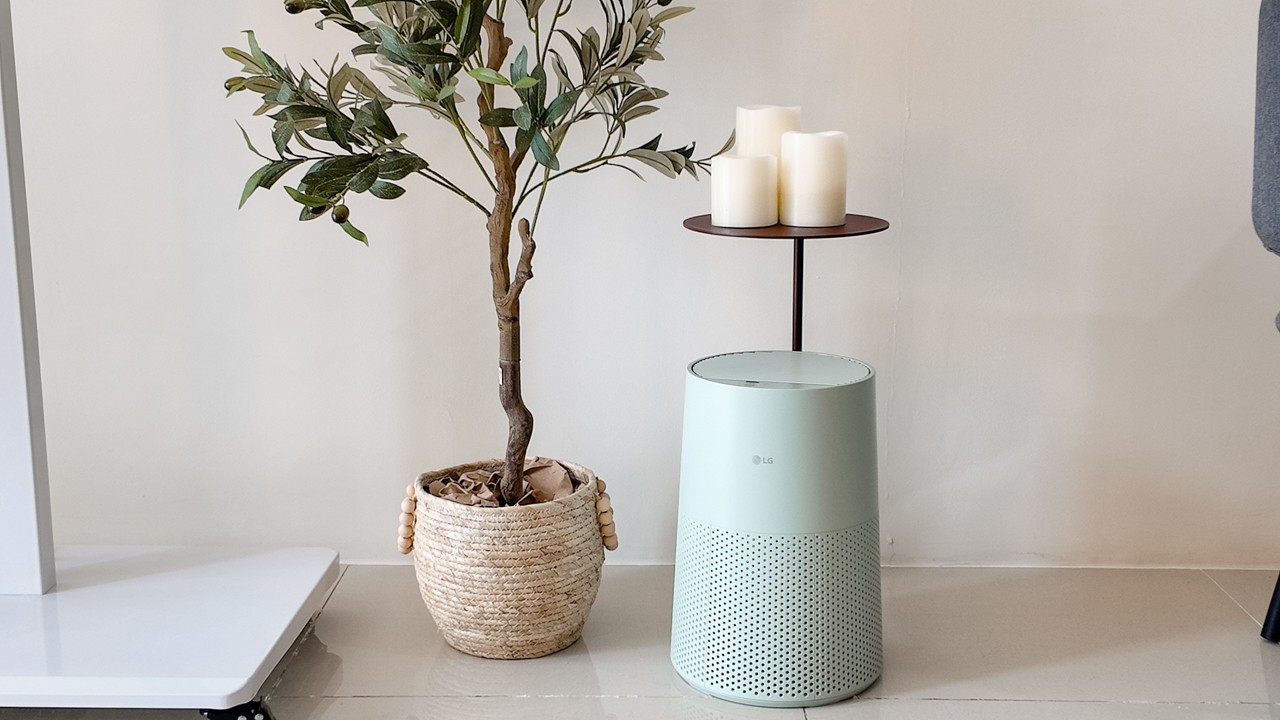
Moving into a new space comes with a long list of things to figure out, and lately, I’ve been paying more attention to something that’s easy to overlook: air quality.
After using the LG AeroMini for about a month, it has become a subtle but welcome addition to my space. It helps make the room feel fresher, while its compact and stylish design fits naturally into my setup. Here are the things that stood out to me most after living with it for a month.
360° purification for a fresher space
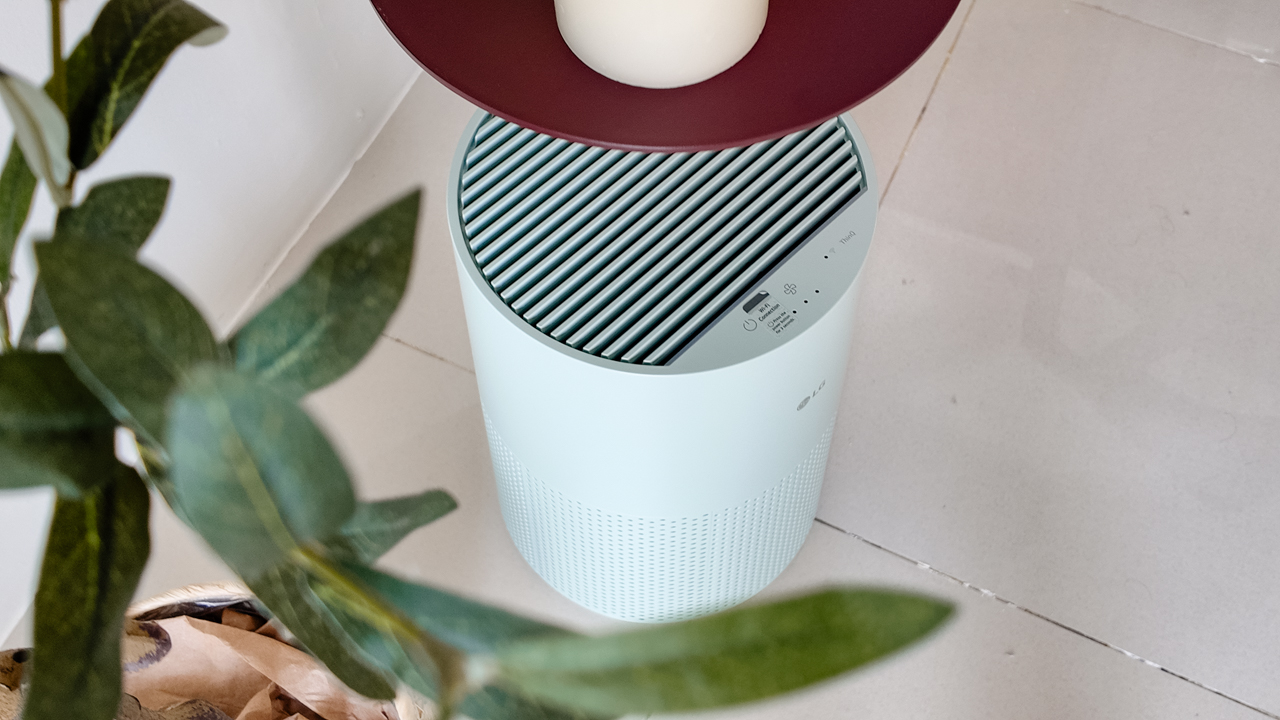
One of the things I appreciate about the AeroMini is its 360° air purification, designed to bring purified air in every direction.
For me, this is particularly useful in a new space where I’m spending a lot of time working, relaxing, and just settling in.
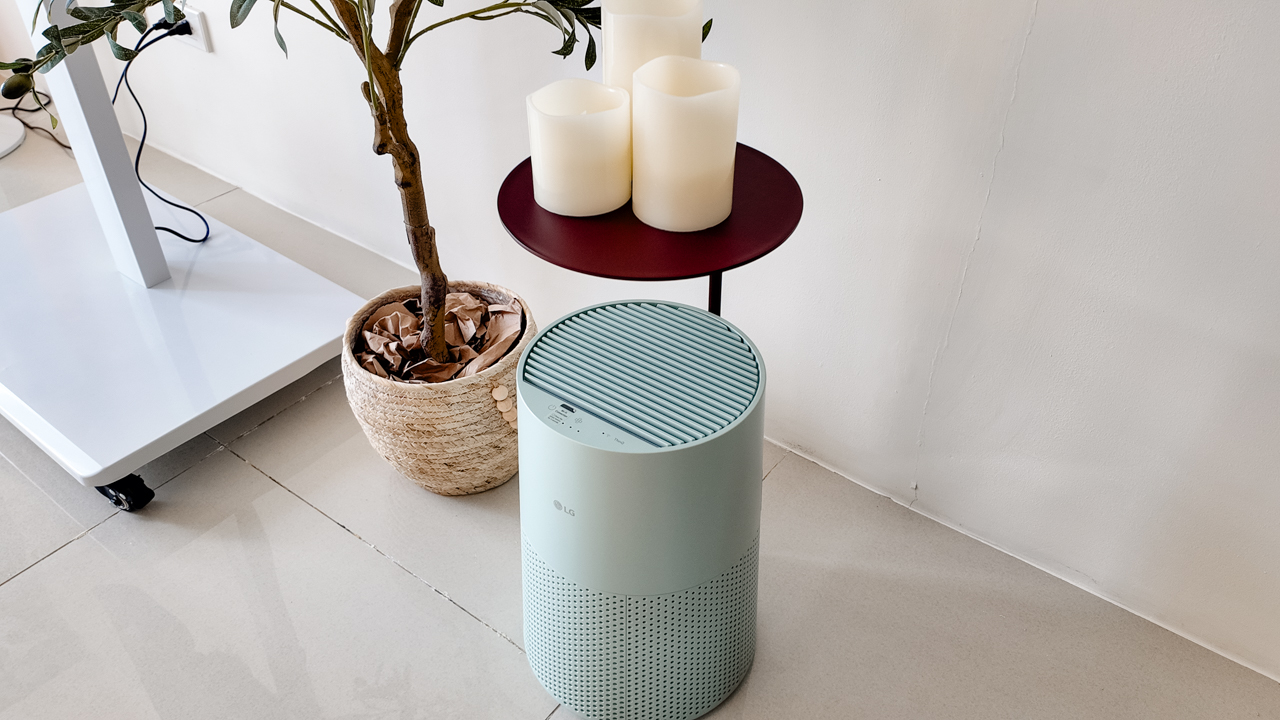
Combined with its True HEPA filter, which is designed to remove 99.999% of 0.01μm fine dust and allergens, it gives me added peace of mind about the air I’m breathing every day.
After a month, I can genuinely say that the space feels fresher with it running.
Surprisingly quiet
This is probably my favorite feature.
The LG AeroMini operates at just 26dB, and after using it for a month, what stands out is how easy it is to forget that it’s even running.

I can have it running while I’m working or sleeping without the noise becoming a distraction. For an appliance that’s designed to continuously improve the air around you, I think that’s a big deal.
Sometimes, the best feature is the one you barely notice.
Design that fits my space
Since I recently moved, I’ve been pretty conscious about what I bring into the space. I want things to be functional, but I also don’t want appliances that feel like they’re taking over the room.
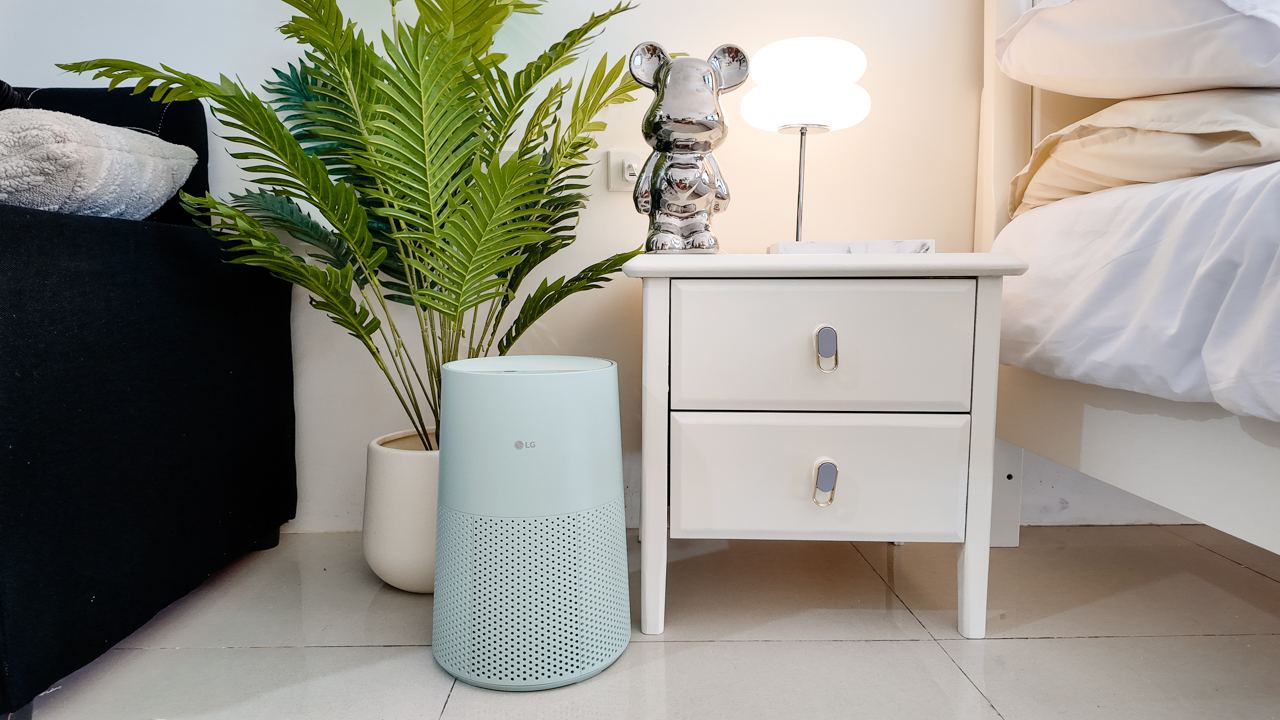
The AeroMini’s slim and compact design makes it easy to incorporate into my setup. It doesn’t feel bulky or industrial, and I like that I can leave it out without feeling like I need to hide it away.
For me, that balance between functionality and aesthetics makes it feel more like part of the space rather than just another appliance.
Air quality at a glance
Another feature I’ve found convenient is its Smart Control. Through the app, I can monitor and control the AeroMini while getting real-time updates on the indoor air quality.
It’s a small convenience, but being able to check the air quality without having to interact with the purifier directly makes it easier to keep track of what’s happening in the room.

Easy to maintain
I also appreciate that the AeroMini is designed with an all-in-one dust and deodorization filter that makes replacement and maintenance easier.
That matters to me because the best home gadgets are the ones that don’t create another complicated chore. I want something I can set up, use regularly, and maintain without too much fuss.

After a month, would I keep it?
Yes, and mainly because it quietly fits into my everyday routine.
The LG AeroMini has helped make my new space feel fresher and more comfortable, while its compact design means it doesn’t compromise the look of the room. But if I had to pick just one thing I appreciate most, it’s still how incredibly quiet it is.

It’s one of those upgrades that doesn’t demand your attention. It simply works in the background.
If you’re also looking to make your home a fresher and more comfortable space for yourself and your family, visit https://www.lg.com/ph/ to learn more about the LG AeroMini and how it can fit into your everyday life.


ROG G700 review: The best prebuilt PC you can get off the shelf
This PC will make you stop worrying about specs.


HP OMEN Max 16 review: Gamer-maxxing in deep black
Peripherals deemed necessary to max this out


vivo V80 review: Good phone, tough sell
A capable travel companion

Wild Rift Patch 7.3, celebrates K/DA comeback

LG showcases its latest AI TVs in the Philippines

Your coffee nook is getting a makeover with Starbucks’ holiday collections

Petit Planet launches December 4

This pop-up sauna brings the steam room experience into your home


-
Reviews2 weeks ago
vivo V80 review: Good phone, tough sell
-

 News2 weeks ago
OPPO Find X10 Series: Price, availability in the Philippines
-

 Cameras2 weeks ago
DJI Osmo Pocket 4P Pearl White now available globally
-

 News2 weeks ago
OPPO Find X10 Series: Price, availability
-

 Entertainment2 weeks ago
Cyberpunk: Edgerunners 2 now streaming, Cyberpunk 2077 update coming
-
Gaming1 week ago
HP OMEN Max 16 review: Gamer-maxxing in deep black
-

 Laptops2 weeks ago
Lenovo expands Yoga lineup with new AI PCs and tablets
-

 Laptops2 weeks ago
ASUS ProArt P14, P16 laptops with NVIDIA RTX Spark now available