
Apps
Grab moves beyond the ride to become a companion for the life in between
Now updated as an everyday guide with 13 AI-powered experiences to navigate life in Southeast Asia!

Navigating life in Southeast Asia requires a different mental load.
You decide what to eat while rushing to a meeting; you deal with the anxiety of landing in a foreign airport and wondering how to pay for coffee and your cab. We often look to our phones for answers, but sometimes, we just find more tasks to manage with the information we’re overloaded with.
At GrabX 2026 held in Jakarta, Indonesia, Grab as a Superapp transforms into an intelligent companion that understands our routines. It has just launched 13 AI-powered experiences, designed to act as an everyday guide.
Moving through the city together
Traveling within a busy city requires a delicate balance of time and budget. We want to get to our destinations efficiently, but we also want to share that journey with others.
The new Group Ride feature understands this balance. It allows up to four people to share a single vehicle. The system intelligently sequences pickups and splits payments automatically.
You can save up to 40 percent on your fare when you travel with friends on similar routes. Soon, a Waiting Room feature will let everyone see who is ready in real time. It turns a simple commute into a shared moment of connection.
After a busy day, the “what’s for dinner” dilemma usually begins. Grab More solves the frustration of wanting different things from different places. You can now add another nearby merchant to your order without paying extra delivery fees or meeting a minimum spend. The AI ensures both orders arrive in sync.
For the bigger plans, the Grab AI Assistant acts as a personal concierge. If you’re organizing a team celebration, you can simply tell the assistant your group size and dietary preferences. It handles the restaurant recommendations and the booking in a single conversation. If you are stocking up for the week, the Grab Shopping Agent lets you send a photo or a voice note of your list. It builds a cart across multiple merchants and even suggests smart substitutions for out-of-stock items.
Finding confidence
Navigating a city is about more than just a blue dot on a screen. GrabMaps for Consumers now helps you decide when to leave and what to do when you arrive.
The Journey Planner connects to your calendar and predicts your destination based on your history. You can compare the price of a ride versus the toll fees of driving yourself.
Once you arrive at a massive mall, which are plenty in Southeast Asia, indoor navigation guides you to the exact shop entrance.
You can even use the Custom Voice feature to clone a voice you love for your turn-by-turn directions. *cue Rufa Mae Quinto’s tone* It makes the journey feel personal.
For those moments when unexpected expenses arise, Cash Loan provides a bridge. It offers accessible credit to millions of people who may not have a traditional financial history. The AI uses Grab data to provide a loan decision in seconds. You can customize a repayment plan that fits your budget directly in the app. It’s a safety net built into the platform you already use.
A travel companion
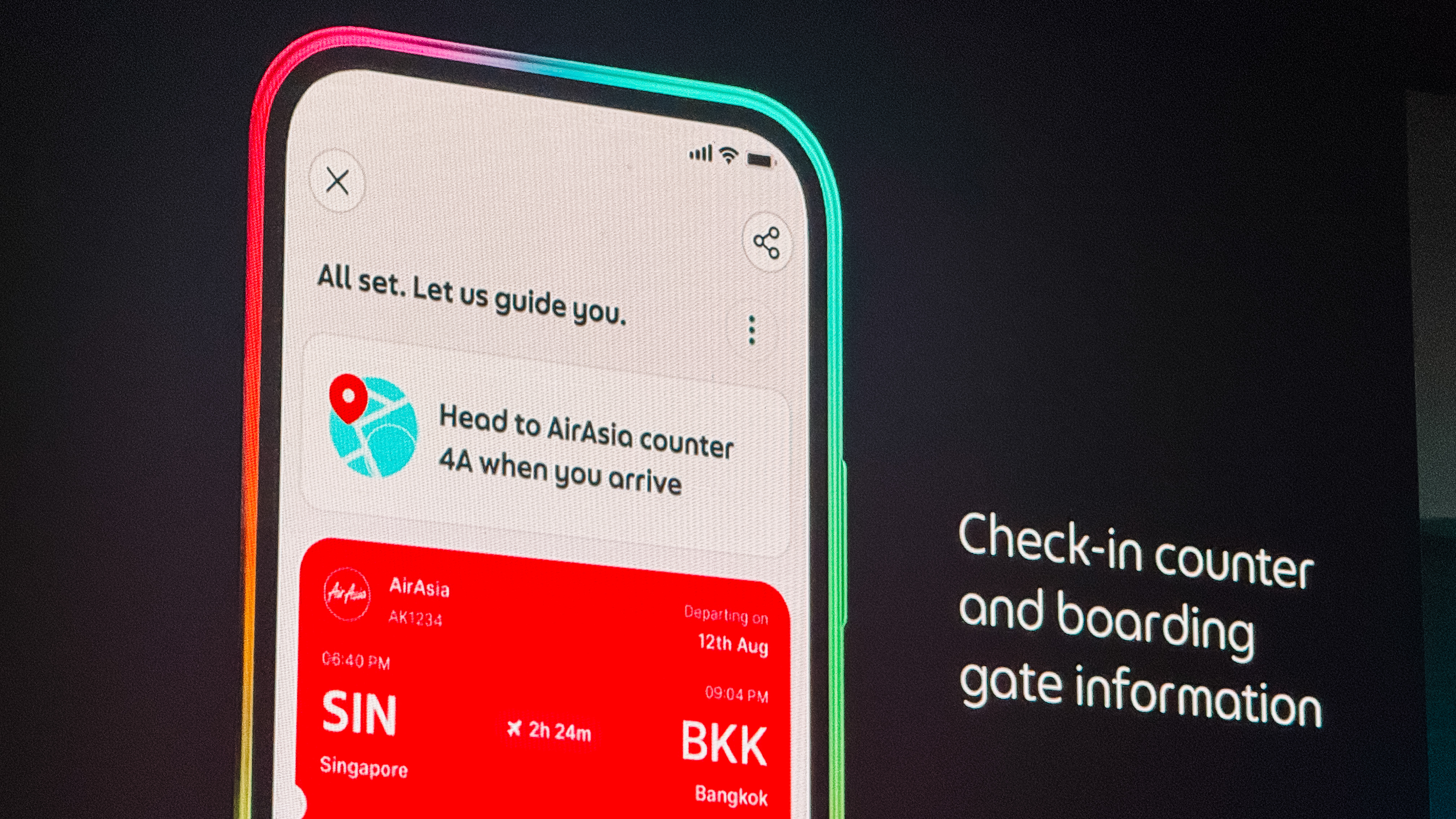
Travel is often beautiful but logistically exhausting. The Personalised Travel Experience turns the app into a travel partner. It consolidates your passport reminders, check-in counter details, and gate updates in one place. When you land, it guides you step-by-step to the correct baggage belt and pickup point.
Finding a place to stay is now just as integrated. GrabStays, built with the AI-first ecosystem Nuitee, is designed for the traveler who needs a last-minute booking. You get competitive same-day rates and earn GrabCoin rewards. Because your payment info is already saved, booking a hotel feels as easy as booking a ride.
Once you are settled, Discover by Grab helps you find where the locals eat. It surfaces authentic food content and uses AI to learn what you personally enjoy.
You can see a review, book a table, and get a ride there all in one flow. When the bill comes, GrabPay for Travel removes the stress of currency exchange.
You can scan national QR codes and pay with the cards already saved in your Grab account. There are no leftover foreign balances to worry about.
Empowering the people behind the business
Grab’s intelligence layer also extends to the entrepreneurs and drivers who keep our cities moving.

For shop owners, the Virtual Store Manager uses computer vision to monitor hygiene and foot traffic remotely. It sends alerts if staffing levels are low or if queues are getting too long. The Cloud Printer automates the workflow between the front counter and the kitchen. Orders print instantly, and the printer even pauses the store if no activity is detected. This prevents customers from ordering when a shop is closed.
Starting a business is also getting simpler. Tap to Pay turns any smartphone into a payment terminal. Merchants can accept cards and QR payments in minutes without any extra hardware.
For the drivers on the road, the Driver AI Assistant provides a hands-free companion. Drivers can ask for advice on policies or get help sending a message to a passenger.
A more human way to grow
All of these features are shaped by the people who use them. The Early Access Programme has grown to 200,000 users who have contributed thousands of improvements. A new “shake and share” feature now lets anyone submit feedback instantly by simply shaking their phone.
Because of these updates, we’re understanding how it feels to have a little more breathing room in our day. Grab is no longer just a way to get from point A to point B. It’s now a companion for the life that happens in between.





Apps
Google Photos can now censor your kid’s face better
The new Redact feature can censor sensitive information.


Censoring photos is heavy work. Either you stick on random emojis or draw an indiscriminate splotch of doodles to cover sensitive information. It’s an imperfect art but an essential one to protect privacy. Today, Google Photos is getting a Redact feature which can censor sensitive bits with pixelated blocks.
An addition to the Markup tool, Redact acts like a nifty pen that can hide information that you don’t want seen. Unlike a ghastly emoji or a splotch, the censored bar mixes better with the surrounding elements. In the example that Google used, a censored license plate blends well with the car it’s attached to, making the photo look more cohesive. Besides license plates, it’s the perfect tool for covering other information like phone numbers, addresses, and the faces of your loved ones.
Google Photos is also rolling out Moods, a set of filters that give photos a nostalgic look, including a 2000s night digicam vibe that’s popular today. There are also 15 new Remix templates to add more creation options.
Both the Redact and the Moods features will roll out to Android users starting today. The new Remix templates, however, will be limited to some countries on both Android and iOS.
SEE ALSO: Google will force Android users to use Gemini next month
Apps
Smart launches LiveSmart App for exclusive deals
Exclusive deals, cashback, and bill payments in one app.

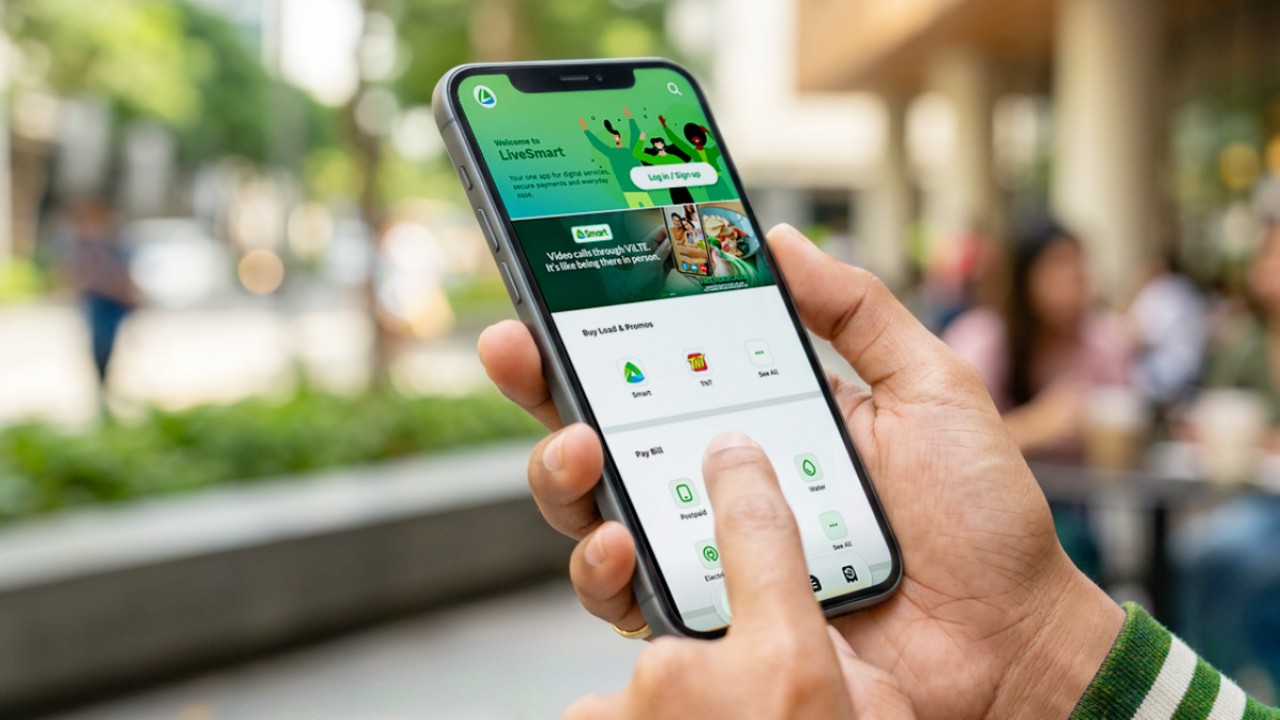
Smart Communications, Inc. (Smart) and TNT have launched the LiveSmart App, a new platform that combines loading, bill payments, exclusive offers, and other everyday transactions in one app.
The app is available on the Google Play Store and Apple App Store. It is open to Smart, TNT, and subscribers of other mobile networks.
The LiveSmart App gives users access to exclusive deals and savings. These include cashback offers, discounted Smart and TNT data packages, and limited-time access to AI.Smart.
“Filipinos are becoming more deliberate about where they spend and how they can get more value from every peso,” said Lloyd R. Manaloto, FVP and OIC for Smart. “The LiveSmart App is designed to help make those everyday decisions a little smarter, by giving users convenient ways to load, pay bills, and access exclusive savings and offers in one place.”
Exclusive deals and perks
Smart and TNT are rolling out several offers on the LiveSmart App starting September 18.
Smart and TNT subscribers can get 5% cashback when they purchase load or pay their Smart Postpaid bill through the app.
The app also offers data packages at exclusive prices. Smart Prepaid subscribers can get Power All 109 for PHP 105, while TNT subscribers can get Saya All 109 for PHP 105.
Users who download the LiveSmart App may also receive limited-time free access to AI.Smart.
AI.Smart combines multiple AI models, including AWS Nova, ChatGPT, Claude, Google Gemini, and Thinking Machines, in one workspace. Users can use it to generate images, create presentations, draft documents and spreadsheets, and get help with schoolwork, content creation, and other projects.
To claim the free AI.Smart credits, users need to tap the AI.Smart banner in the LiveSmart App. They then need to create an AI.Smart account using their Smart or TNT number.
Smart says users can also expect more exclusive deals and perks from lifestyle partners as it expands the LiveSmart App.
Powered by Smart 5G
The LiveSmart App runs on Smart’s network. Smart 5G supports activities such as video streaming, gaming, and real-time social media sharing.
The company said Ookla recently recognized its network for the Best Mobile Video Experience in the Philippines for the first half of 2026. Smart recorded a Video Score of 72.82, which it said was the highest among mobile operators in the country.
The LiveSmart App is now available on the Google Play Store and Apple App Store. Users can learn more about the app through Smart’s website.
Apps
Apple’s best feature to cure motion sickness is finally on Android
Google copies a good page from Apple’s playbook.
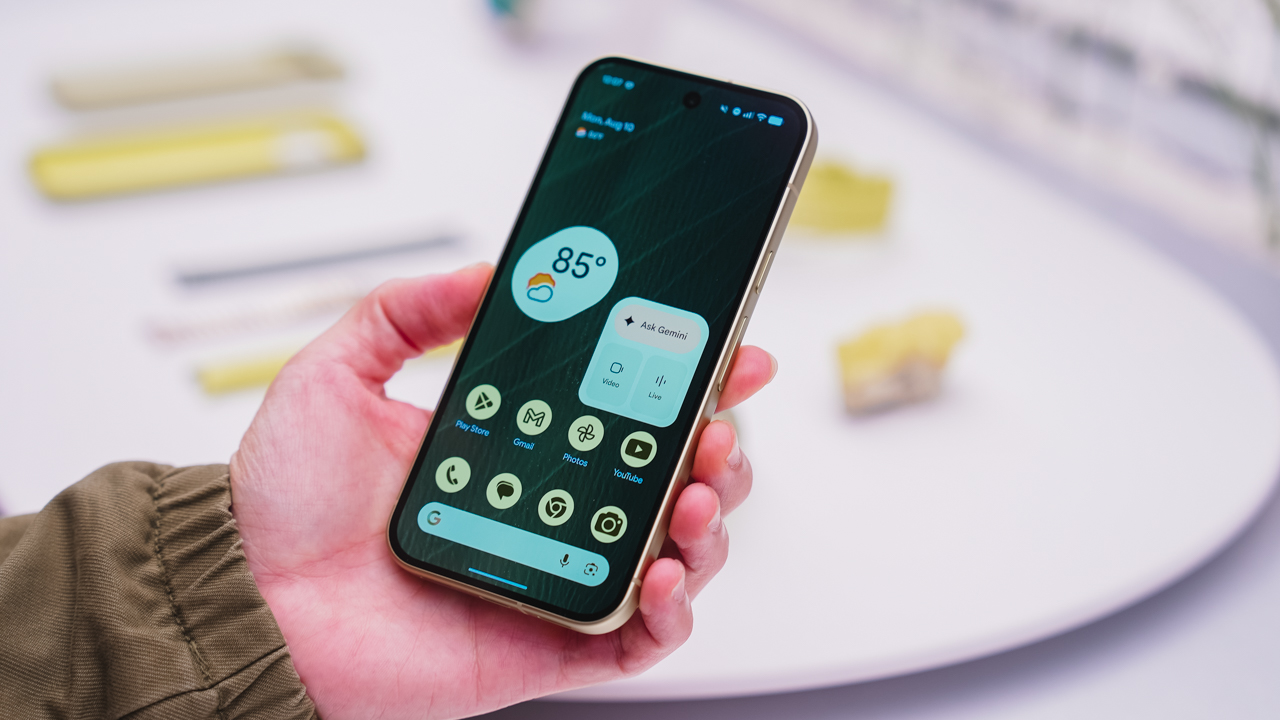
As an Android user, I’ve been jealous of iPhone users for a while now, but it’s not for the reason you might think. See, I’m ridiculously prone to motion sickness when I’m not driving. So, when I discovered that Apple has a software-based cure called Vehicle Motion Cues, I wanted it immediately. Now, Android does have third-party apps that do the same thing, but they’re not as good as a fully native version. Well, those dark, nauseating days are about to come to an end. Android 17 is finally getting a similar tool called Motion assist.
Before that, let’s rewind for a bit. What do these features do? How can they cure motion sickness?
Whenever you open Vehicle Motion Cues or Motion assist, the interface spawns a series of dots on the screen. These dots respond to movement. For example, if the vehicle turns to the left, the dots also go to the left, mimicking the movement. Without cues like this, the stationary nature of the screen clashes with our brain’s perception of movement. The disparity creates that feeling of nausea. Basically, our eyes are desperately trying to focus on the static screen, but our brains are telling us that we should be seeing motion. Having moving dots reorients our brain and places the phone inside our perception of movement.
Now, you can enable the same feature on your Android 17 device through Settings > All services > Motion assist under Personal & device safety. You can also set it so that the feature turns on automatically when the phone detects that you’re in a moving vehicle. Finally, you can also tweak the shape, color, and opacity of these dots.
Android 17’s Motion assist is rolling out now to compatible devices.
SEE ALSO: These are the best Android 17 features (if you hate AI)






iPhone Duo Philippines: Prices, installments, and where to buy
![KINGDOM HEARTS Collection [I-III]](https://www.gadgetmatch.com/wp-content/uploads/2026/10/kingdom-hearts-colletion-I-III-202610-80x80.png)
KINGDOM HEARTS Collection [I–III] now available on PS5, Switch 2

TECNO CAMON Slim 5G gets launch discounts, free MagBadge

LE SSERAFIM Sakura recommends this game to a fan

Smart opens iPhone Duo pre-orders today

vivo X500 Series launches with major imaging upgrades

OPPO Find X10 Pro Max is the first phone with a triple 200MP camera system

TECNO CAMON Slim 5G: Price, availability in the Philippines

TECNO CAMON Slim 5G review: Slim on size, big on surprise

HONOR Magic9 Pro Max launches in China with ARRI-powered imaging


-
 News1 week ago
OPPO Find X10 Series launches globally October 21
-

 Philippines2 weeks ago
Bambu Lab opens first Authorized Store in the Philippines
-

 Features2 weeks ago
Nike’s new race-day system, explained
-

 News2 weeks ago
Sony teams up with Hello Kitty for exclusive limited-edition collection
-
 Wearables1 week ago
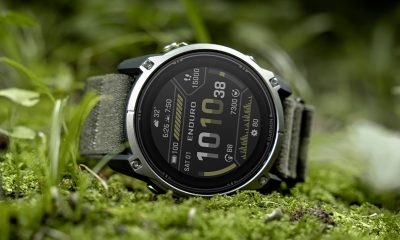
Garmin Enduro 4 promises up to 320 hours of battery life
-

 Gaming2 weeks ago
The Ace Combat 8: Wings of Theve launch event is happening this week
-

 News2 weeks ago
iPhone 18 series breaks records in Vietnam as pre-orders triple
-

 Gaming5 days ago
Dragon’s Dogma 2: Dark Arisen launches with new Official Pawns