
Apps
Microsoft continues to shove Copilot where it’s not wanted
This time, it’s reportedly coming to File Explorer.


If you look at a modern keyboard, you’ll find that the Copilot button is the cleanest one on the entire panel because no one ever willingly presses it. And yet, Microsoft still believes in the feature’s value. To show their odd commitment, the company is reportedly adding Copilot to File Explorer.
According to @phantomofearth from X (via Windows Central), a new Windows 11 preview build will add a button beside File Explorer’s navigation menu. Currently, the button is invisible and doesn’t do anything. However, the report says that the feature is tied to something called “Chat with Copilot.” It’s becoming clear that the system aims to add the AI software right inside the file organization app.
Besides revealing the potential addition of the egregious feature inside File Explorer, @phantomofearth also added mock-ups of a desktop with Copilot right on the taskbar, hinting at a potential nightmare of the feature lording itself over where it’s not wanted.
Thankfully, the preview build doesn’t always represent a final version of the system. There’s still a chance that Microsoft will not add the AI to the File Explorer.
As of late, Microsoft has received a lot of flak for persistently pushing Copilot onto users, regardless of how they feel about the feature. The company is also facing criticisms in the background for being a major proponent of AI data centers in the United States, which, in turn, have caused the prices of tech to skyrocket this year.
SEE ALSO: Dell admits AI PCs were a mistake






Apps
GrabCar Group Ride now splits the fare automatically
Passengers stand to save up to 50% compared with booking a solo ride

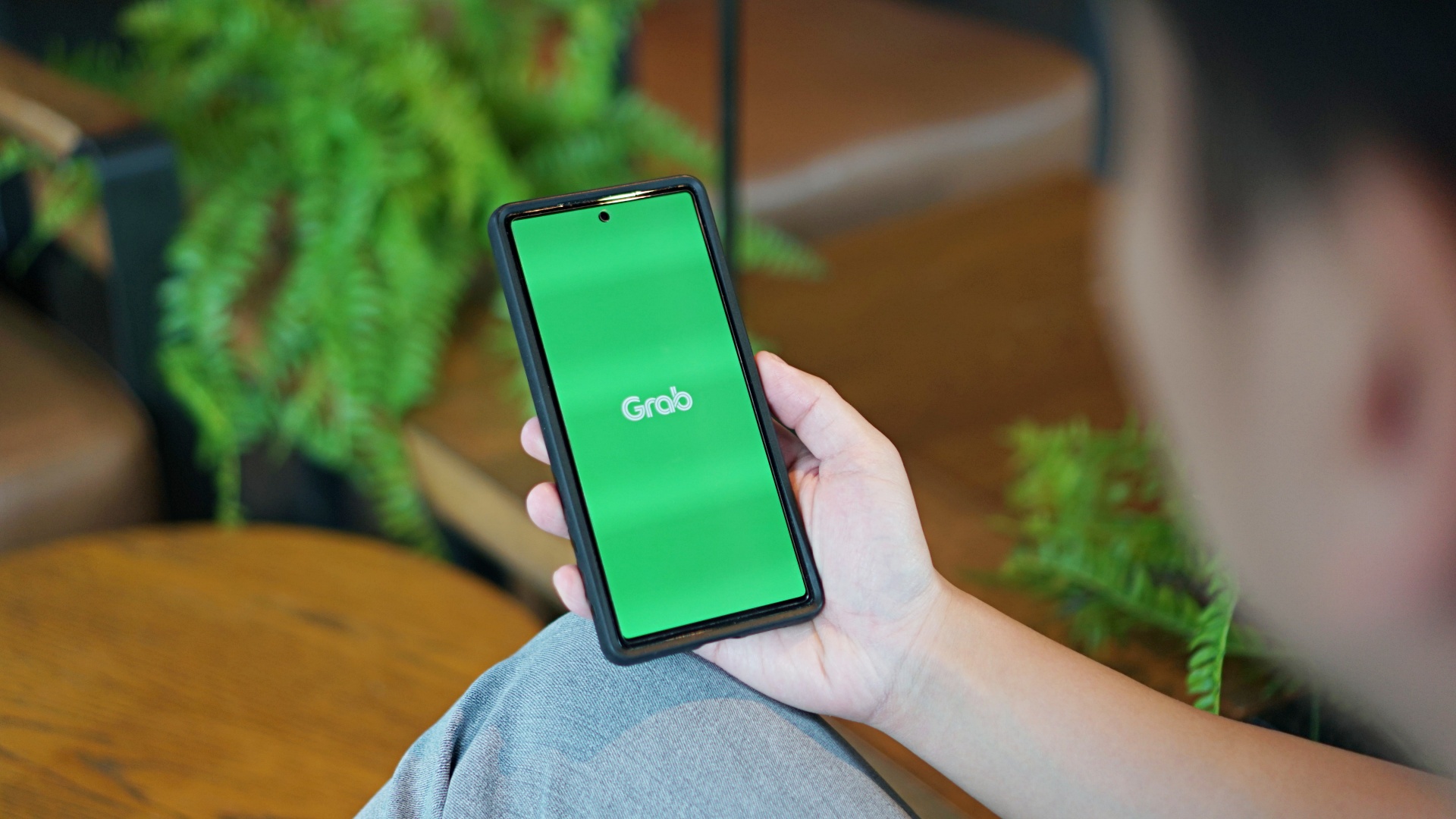
GrabCar Group Ride now splits the fare automatically among passengers, making it simpler to book such ride types.
Each rider can save up to 50% on fare as well when using a group ride, compared with booking a solo ride.
The ride type lets the ride host and up to two friends share one GrabCar, with up to three drop-off points along the way. The more people join, the more affordable the ride becomes for everyone.
Regular ride buddies can also be saved as a group, together with frequent pickup and drop-off pins. This way, repeat bookings take just a few taps.
Such a system is ideal for officemates headed the same way or friends coming home from a night out, as well as plenty of other scenarios.
To book a Group Ride, follow these steps:
- Open the Grab app, tap GrabCar, then select Group Ride
- Enter your pickup point and drop-off
- Share the invite link with up to two friends
- Your friends can add their own drop-off points
- Confirm the booking to split the fare automatically
The GrabCar Group Ride feature is now available in all GrabCar cities nationwide.
Apps
Google Photos can now censor your kid’s face better
The new Redact feature can censor sensitive information.
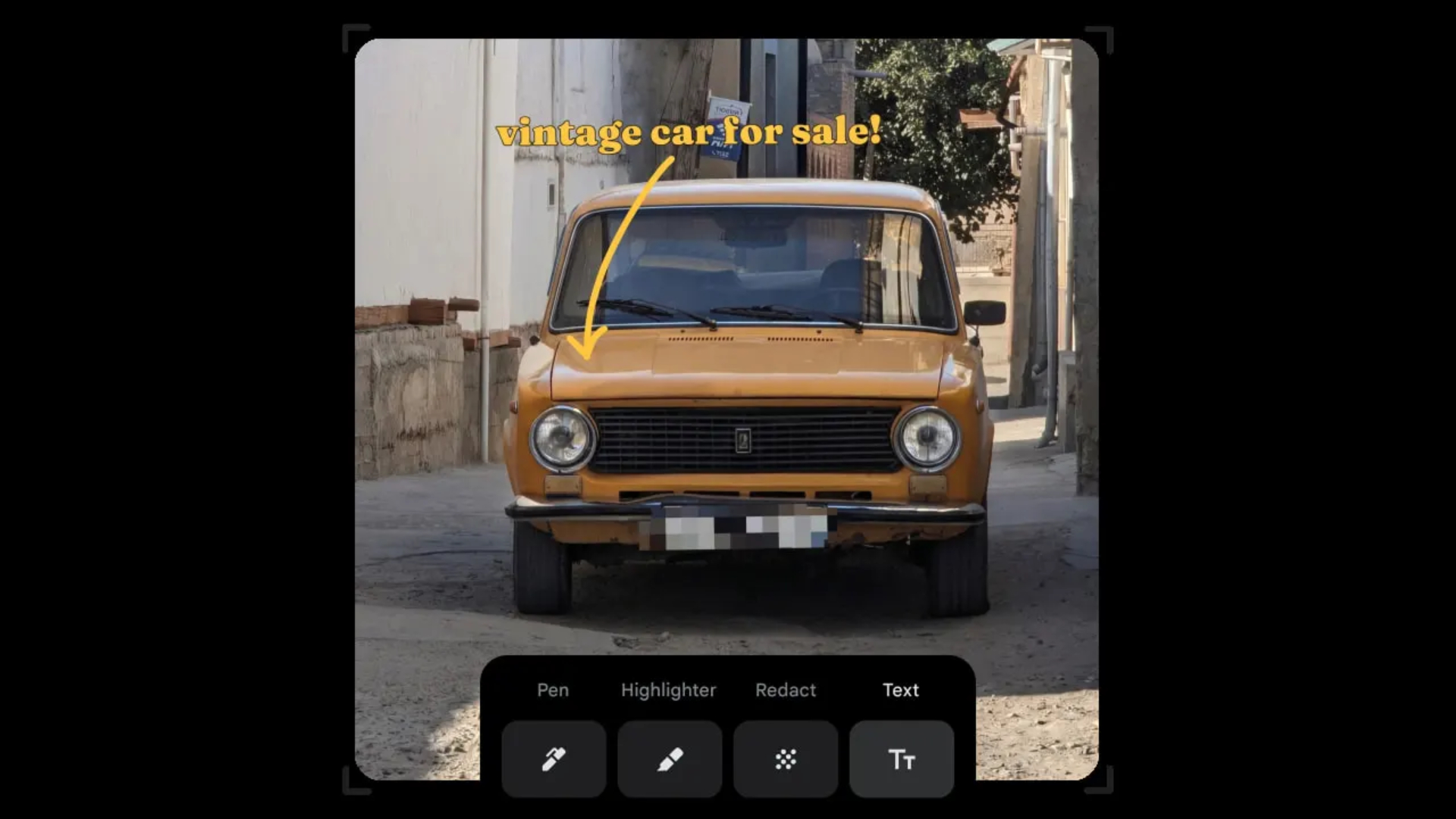
Censoring photos is heavy work. Either you stick on random emojis or draw an indiscriminate splotch of doodles to cover sensitive information. It’s an imperfect art but an essential one to protect privacy. Today, Google Photos is getting a Redact feature which can censor sensitive bits with pixelated blocks.
An addition to the Markup tool, Redact acts like a nifty pen that can hide information that you don’t want seen. Unlike a ghastly emoji or a splotch, the censored bar mixes better with the surrounding elements. In the example that Google used, a censored license plate blends well with the car it’s attached to, making the photo look more cohesive. Besides license plates, it’s the perfect tool for covering other information like phone numbers, addresses, and the faces of your loved ones.
Google Photos is also rolling out Moods, a set of filters that give photos a nostalgic look, including a 2000s night digicam vibe that’s popular today. There are also 15 new Remix templates to add more creation options.
Both the Redact and the Moods features will roll out to Android users starting today. The new Remix templates, however, will be limited to some countries on both Android and iOS.
SEE ALSO: Google will force Android users to use Gemini next month
Apps
Smart launches LiveSmart App for exclusive deals
Exclusive deals, cashback, and bill payments in one app.
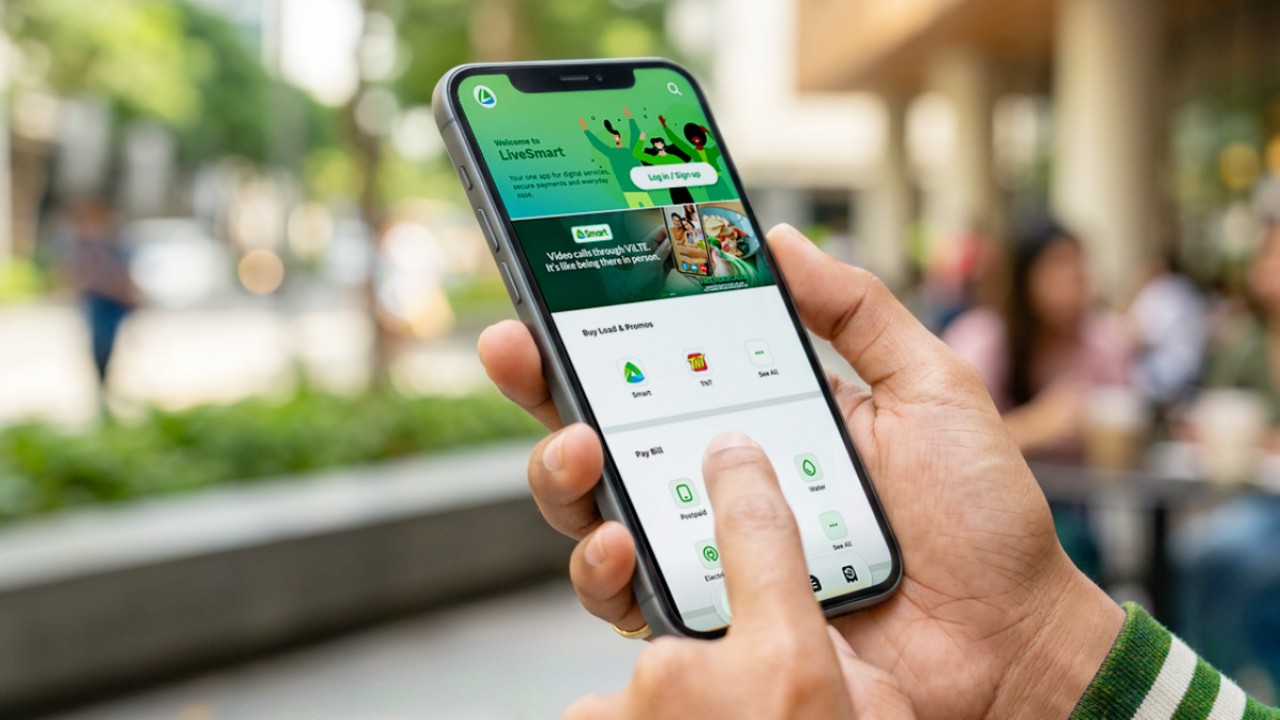
Smart Communications, Inc. (Smart) and TNT have launched the LiveSmart App, a new platform that combines loading, bill payments, exclusive offers, and other everyday transactions in one app.
The app is available on the Google Play Store and Apple App Store. It is open to Smart, TNT, and subscribers of other mobile networks.
The LiveSmart App gives users access to exclusive deals and savings. These include cashback offers, discounted Smart and TNT data packages, and limited-time access to AI.Smart.
“Filipinos are becoming more deliberate about where they spend and how they can get more value from every peso,” said Lloyd R. Manaloto, FVP and OIC for Smart. “The LiveSmart App is designed to help make those everyday decisions a little smarter, by giving users convenient ways to load, pay bills, and access exclusive savings and offers in one place.”
Exclusive deals and perks
Smart and TNT are rolling out several offers on the LiveSmart App starting September 18.
Smart and TNT subscribers can get 5% cashback when they purchase load or pay their Smart Postpaid bill through the app.
The app also offers data packages at exclusive prices. Smart Prepaid subscribers can get Power All 109 for PHP 105, while TNT subscribers can get Saya All 109 for PHP 105.
Users who download the LiveSmart App may also receive limited-time free access to AI.Smart.
AI.Smart combines multiple AI models, including AWS Nova, ChatGPT, Claude, Google Gemini, and Thinking Machines, in one workspace. Users can use it to generate images, create presentations, draft documents and spreadsheets, and get help with schoolwork, content creation, and other projects.
To claim the free AI.Smart credits, users need to tap the AI.Smart banner in the LiveSmart App. They then need to create an AI.Smart account using their Smart or TNT number.
Smart says users can also expect more exclusive deals and perks from lifestyle partners as it expands the LiveSmart App.
Powered by Smart 5G
The LiveSmart App runs on Smart’s network. Smart 5G supports activities such as video streaming, gaming, and real-time social media sharing.
The company said Ookla recently recognized its network for the Best Mobile Video Experience in the Philippines for the first half of 2026. Smart recorded a Video Score of 72.82, which it said was the highest among mobile operators in the country.
The LiveSmart App is now available on the Google Play Store and Apple App Store. Users can learn more about the app through Smart’s website.






GrabCar Group Ride now splits the fare automatically

Sony unveils three premium Walkman music players

iPhone Duo Philippines: Prices, installments, and where to buy
![KINGDOM HEARTS Collection [I-III]](https://www.gadgetmatch.com/wp-content/uploads/2026/10/kingdom-hearts-colletion-I-III-202610-80x80.png)
KINGDOM HEARTS Collection [I–III] now available on PS5, Switch 2

TECNO CAMON Slim 5G gets launch discounts, free MagBadge

vivo X500 Series launches with major imaging upgrades

OPPO Find X10 Pro Max is the first phone with a triple 200MP camera system

TECNO CAMON Slim 5G: Price, availability in the Philippines

TECNO CAMON Slim 5G review: Slim on size, big on surprise

HONOR Magic9 Pro Max launches in China with ARRI-powered imaging


-
 News1 week ago
OPPO Find X10 Series launches globally October 21
-

 News2 weeks ago
Sony teams up with Hello Kitty for exclusive limited-edition collection
-

 Features2 weeks ago
Nike’s new race-day system, explained
-

 Wearables1 week ago
Garmin Enduro 4 promises up to 320 hours of battery life
-

 Gaming2 weeks ago
The Ace Combat 8: Wings of Theve launch event is happening this week
-
 News2 weeks ago
iPhone 18 series breaks records in Vietnam as pre-orders triple
-

 Gaming6 days ago
Dragon’s Dogma 2: Dark Arisen launches with new Official Pawns
-
 Deals7 days ago
Score PhP 22,000 in guaranteed freebies when you pre-order the iPhone 18 Pro at Beyond the Box