
Apps
mWell: new health & wellness app for Filipinos
Because, really, we needed this.


Metro Pacific Health Tech Corporation (MPHTC) is looking to transform the digital health care ecosystem. With what, you ask? Well, with mWell. mWell is a health and wellness app made for every Filipino’s holistic well-being by providing you the medical aid you deserve through a secure digital space.
mWell has partnered with CareSpan, Philcare, Keralty Clinic, board-certified doctors and health practitioners. That way, they can give you access to the best digital medical aid.
For doctors, clinics, and hospitals
Doctors, clinics, and hospitals all over the country are welcome to sign up to mWell. With it, they can set up their own virtual clinic and virtual labs for free. From there, they’ll be able to easily book and manage digital appointments, access patients’ confidential medical records, and issue e-prescriptions.
If you’re a board-certified doctor who isn’t tech savvy, don’t worry. You’ll be given a quick and easy training to be able to access all of mWell’s services so you can immediately digitize your practice and reach more patients nationwide.

For the everyday Filipino
mWell provides everyday Filipinos access to professional consultations, wellness programs, products, and drug delivery services. With the partnership of Medicard, you can book COVID-19 testing services.
Starting August, mWell will let you access e-Pharmacies. From buying prescribed meds and getting them delivered to your doorstep, to buying PhilCare health insurance products for dengue, accidents, and emergencies, they’ve got you covered. They’re even launching nationwide virtual medical missions.
More coming
On September, mWell is partnering with Aktivolabs to let you monitor and track physical activities, sleep schedule, and stress so you can work on improving your health and wellness. And, for PLDT Home customers, you can avail free consultation with mWell doctors. The app is available for Android and iOS.






Apps
Google Photos can now censor your kid’s face better
The new Redact feature can censor sensitive information.


Censoring photos is heavy work. Either you stick on random emojis or draw an indiscriminate splotch of doodles to cover sensitive information. It’s an imperfect art but an essential one to protect privacy. Today, Google Photos is getting a Redact feature which can censor sensitive bits with pixelated blocks.
An addition to the Markup tool, Redact acts like a nifty pen that can hide information that you don’t want seen. Unlike a ghastly emoji or a splotch, the censored bar mixes better with the surrounding elements. In the example that Google used, a censored license plate blends well with the car it’s attached to, making the photo look more cohesive. Besides license plates, it’s the perfect tool for covering other information like phone numbers, addresses, and the faces of your loved ones.
Google Photos is also rolling out Moods, a set of filters that give photos a nostalgic look, including a 2000s night digicam vibe that’s popular today. There are also 15 new Remix templates to add more creation options.
Both the Redact and the Moods features will roll out to Android users starting today. The new Remix templates, however, will be limited to some countries on both Android and iOS.
SEE ALSO: Google will force Android users to use Gemini next month
Apps
Smart launches LiveSmart App for exclusive deals
Exclusive deals, cashback, and bill payments in one app.

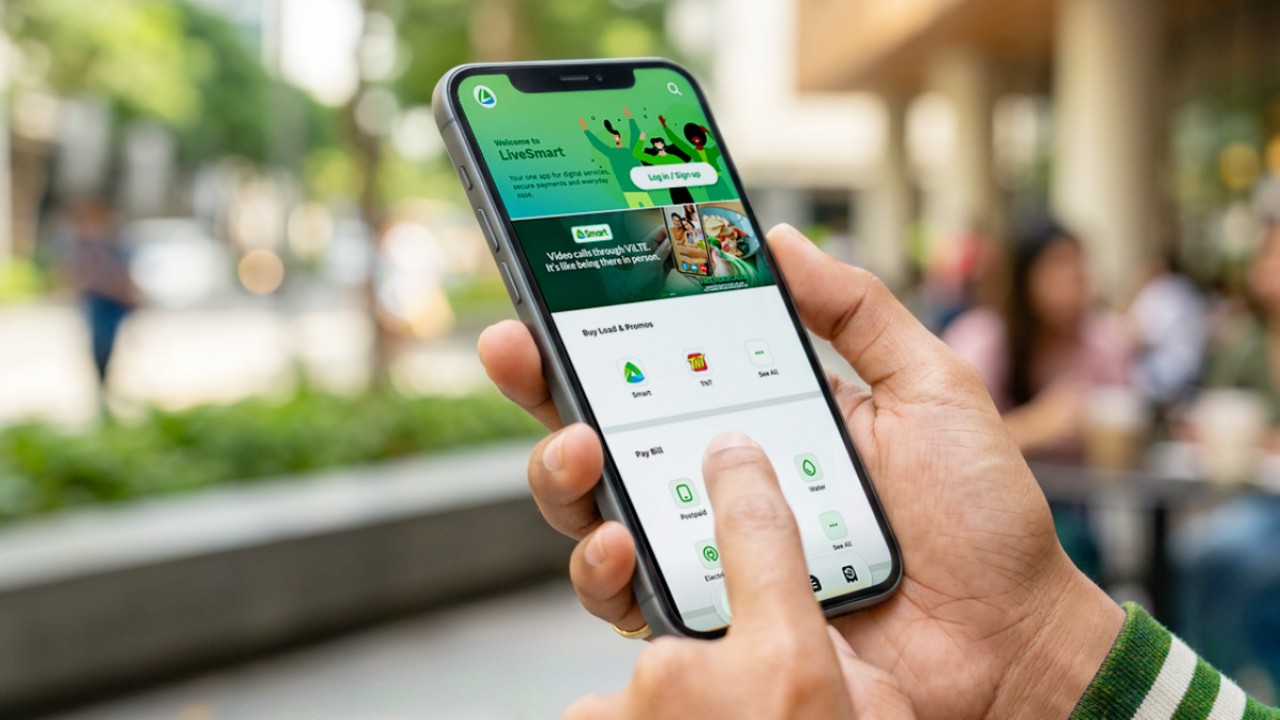
Smart Communications, Inc. (Smart) and TNT have launched the LiveSmart App, a new platform that combines loading, bill payments, exclusive offers, and other everyday transactions in one app.
The app is available on the Google Play Store and Apple App Store. It is open to Smart, TNT, and subscribers of other mobile networks.
The LiveSmart App gives users access to exclusive deals and savings. These include cashback offers, discounted Smart and TNT data packages, and limited-time access to AI.Smart.
“Filipinos are becoming more deliberate about where they spend and how they can get more value from every peso,” said Lloyd R. Manaloto, FVP and OIC for Smart. “The LiveSmart App is designed to help make those everyday decisions a little smarter, by giving users convenient ways to load, pay bills, and access exclusive savings and offers in one place.”
Exclusive deals and perks
Smart and TNT are rolling out several offers on the LiveSmart App starting September 18.
Smart and TNT subscribers can get 5% cashback when they purchase load or pay their Smart Postpaid bill through the app.
The app also offers data packages at exclusive prices. Smart Prepaid subscribers can get Power All 109 for PHP 105, while TNT subscribers can get Saya All 109 for PHP 105.
Users who download the LiveSmart App may also receive limited-time free access to AI.Smart.
AI.Smart combines multiple AI models, including AWS Nova, ChatGPT, Claude, Google Gemini, and Thinking Machines, in one workspace. Users can use it to generate images, create presentations, draft documents and spreadsheets, and get help with schoolwork, content creation, and other projects.
To claim the free AI.Smart credits, users need to tap the AI.Smart banner in the LiveSmart App. They then need to create an AI.Smart account using their Smart or TNT number.
Smart says users can also expect more exclusive deals and perks from lifestyle partners as it expands the LiveSmart App.
Powered by Smart 5G
The LiveSmart App runs on Smart’s network. Smart 5G supports activities such as video streaming, gaming, and real-time social media sharing.
The company said Ookla recently recognized its network for the Best Mobile Video Experience in the Philippines for the first half of 2026. Smart recorded a Video Score of 72.82, which it said was the highest among mobile operators in the country.
The LiveSmart App is now available on the Google Play Store and Apple App Store. Users can learn more about the app through Smart’s website.
Apps
Apple’s best feature to cure motion sickness is finally on Android
Google copies a good page from Apple’s playbook.
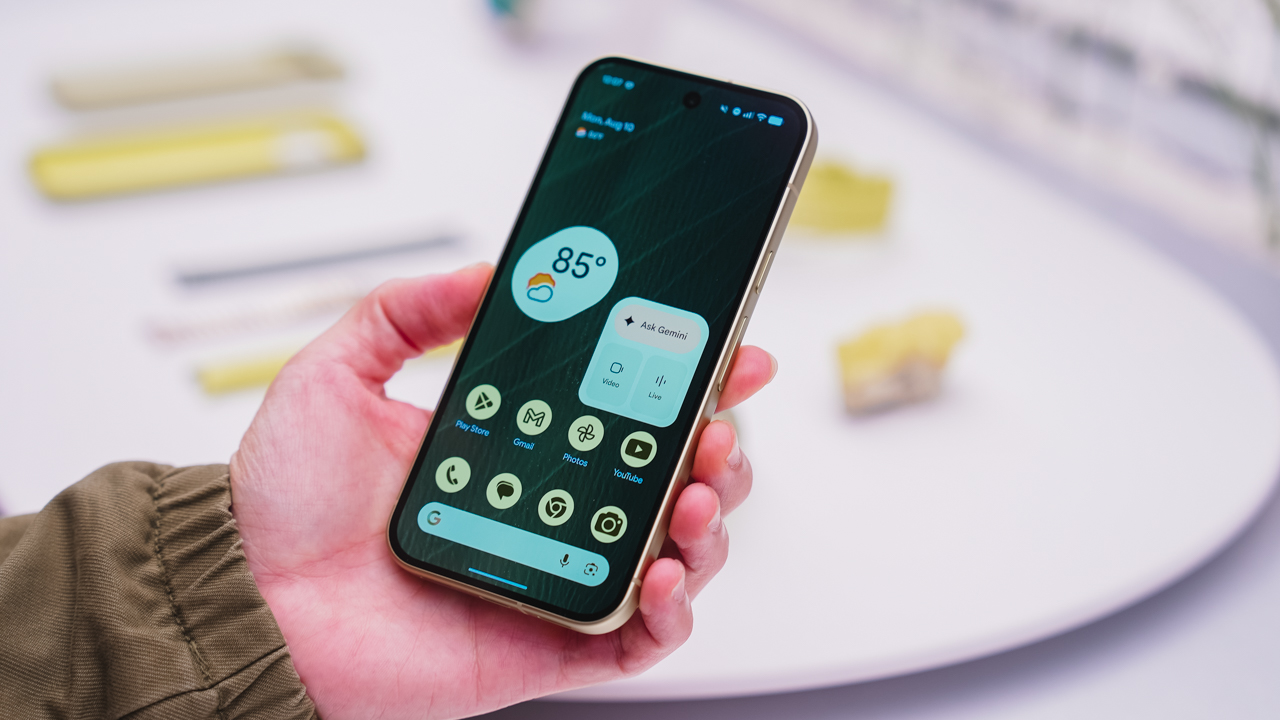
As an Android user, I’ve been jealous of iPhone users for a while now, but it’s not for the reason you might think. See, I’m ridiculously prone to motion sickness when I’m not driving. So, when I discovered that Apple has a software-based cure called Vehicle Motion Cues, I wanted it immediately. Now, Android does have third-party apps that do the same thing, but they’re not as good as a fully native version. Well, those dark, nauseating days are about to come to an end. Android 17 is finally getting a similar tool called Motion assist.
Before that, let’s rewind for a bit. What do these features do? How can they cure motion sickness?
Whenever you open Vehicle Motion Cues or Motion assist, the interface spawns a series of dots on the screen. These dots respond to movement. For example, if the vehicle turns to the left, the dots also go to the left, mimicking the movement. Without cues like this, the stationary nature of the screen clashes with our brain’s perception of movement. The disparity creates that feeling of nausea. Basically, our eyes are desperately trying to focus on the static screen, but our brains are telling us that we should be seeing motion. Having moving dots reorients our brain and places the phone inside our perception of movement.
Now, you can enable the same feature on your Android 17 device through Settings > All services > Motion assist under Personal & device safety. You can also set it so that the feature turns on automatically when the phone detects that you’re in a moving vehicle. Finally, you can also tweak the shape, color, and opacity of these dots.
Android 17’s Motion assist is rolling out now to compatible devices.
SEE ALSO: These are the best Android 17 features (if you hate AI)

Dragon’s Dogma 2: Dark Arisen launches with new Official Pawns

Score PhP 22,000 in guaranteed freebies when you pre-order the iPhone 18 Pro at Beyond the Box

Sony unveils world’s 1st Eclipsa Audio-certified mic for smartphones

Garmin Approach S72 brings swing metrics, green reading to your wrist

Garmin Enduro 4 promises up to 320 hours of battery life

vivo X500 Series launches with major imaging upgrades

OPPO Find X10 Pro Max is the first phone with a triple 200MP camera system

BYD says that way better EV batteries are coming next year

TECNO CAMON Slim 5G: Price, availability in the Philippines

HONOR Magic9 Pro Max launches in China with ARRI-powered imaging


-
 Philippines2 weeks ago
TECNO CAMON Slim 5G: Price, availability in the Philippines
-

 Reviews2 weeks ago
TECNO CAMON Slim 5G review: Slim on size, big on surprise
-

 News2 weeks ago
Apple wants to release new iPhones more regularly
-
 News1 week ago
vivo X Fold6 makes global debut with 200MP camera and 6900mAh battery
-

 Computers2 weeks ago
ROG brings out the ultra-stylish G1000 gaming desktop
-

 Reviews2 weeks ago
HONOR 600S review
-

 Gaming2 weeks ago
Ghost of Yōtei Complete Edition review: More of a great thing
-

 Reviews2 weeks ago
Apple iPhone 18 Pro Series review