
Computers
Huawei enters desktop PC market with the MateStation S
Expansion beyond the mobile space of smart devices

You’re not reading that wrong: Huawei has entered the world of desktop PCs. Everyone is pretty much aware of the company’s expansion into more platforms other than smartphones. From smart watches to the MateBook laptops, they’re simply just adding more products to the portfolio. This time around, it’s not a portable device they’re launching.
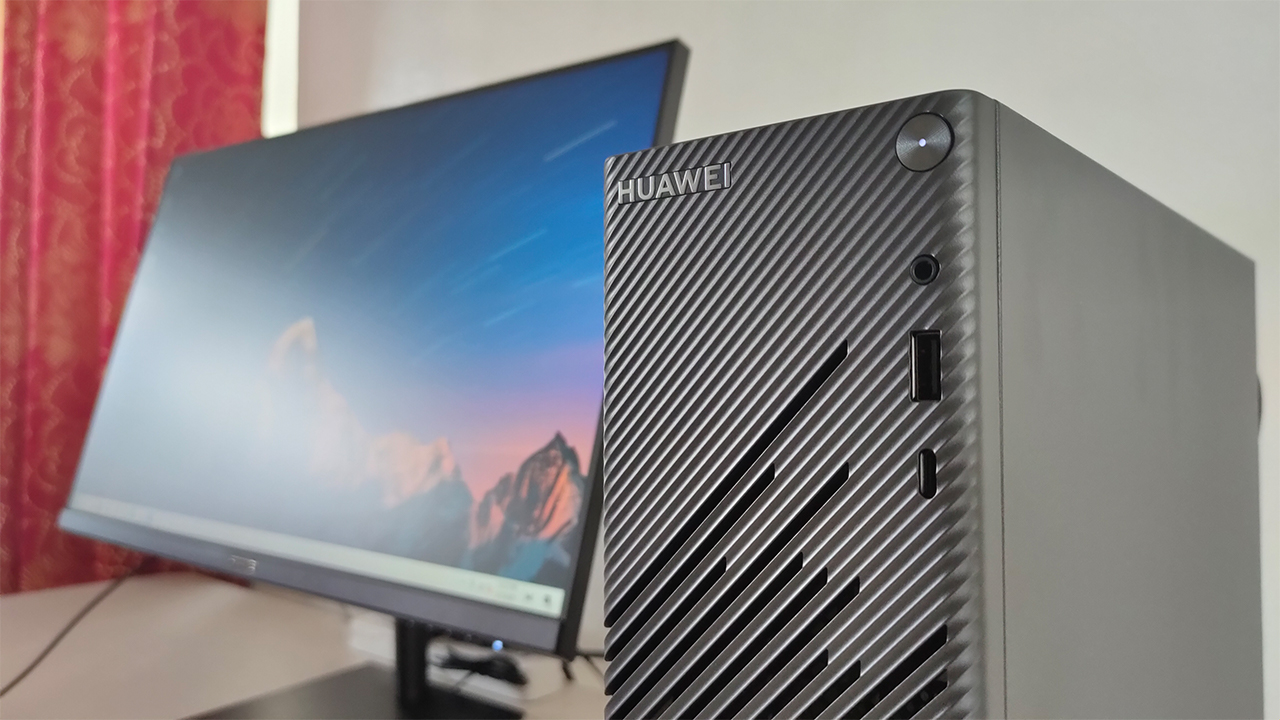
Meet the Huawei MateStation S, the company’s latest workstation system designed for students and young professionals. It comes with a variety of work-centric features mixed in with Huawei’s technologies to provide the ultimate work experience. Also, Huawei integrated smart features for full utility with their smart devices.
So, how exactly does this entire system look like when you bring it all together?
Stacks of boxes lined up

When the entire workstation arrived, I immediately pulled out all the Huawei boxes lying around my house. I decided to take one big family photo that will make some of you think I did a Huawei device haul or something. In many ways, this was what they were going for with the smart integration for the workstation — something we’ll get to later on.
As you can already tell, the packaging seems quite simple — three boxes for the monitor, desktop PC, and keyboard. Unboxing all of them was also straightforward, and needs some level of care in the process. In no particular order:
The Huawei Display
This one was in the largest box among the three boxes that arrived, and rightfully so because of the 23.8-inch display it comes with. Along with the main display, you also get the monitor stand, the power adapter and an HDMI cable. It’s pretty standard stuff for any typical monitor in the market.
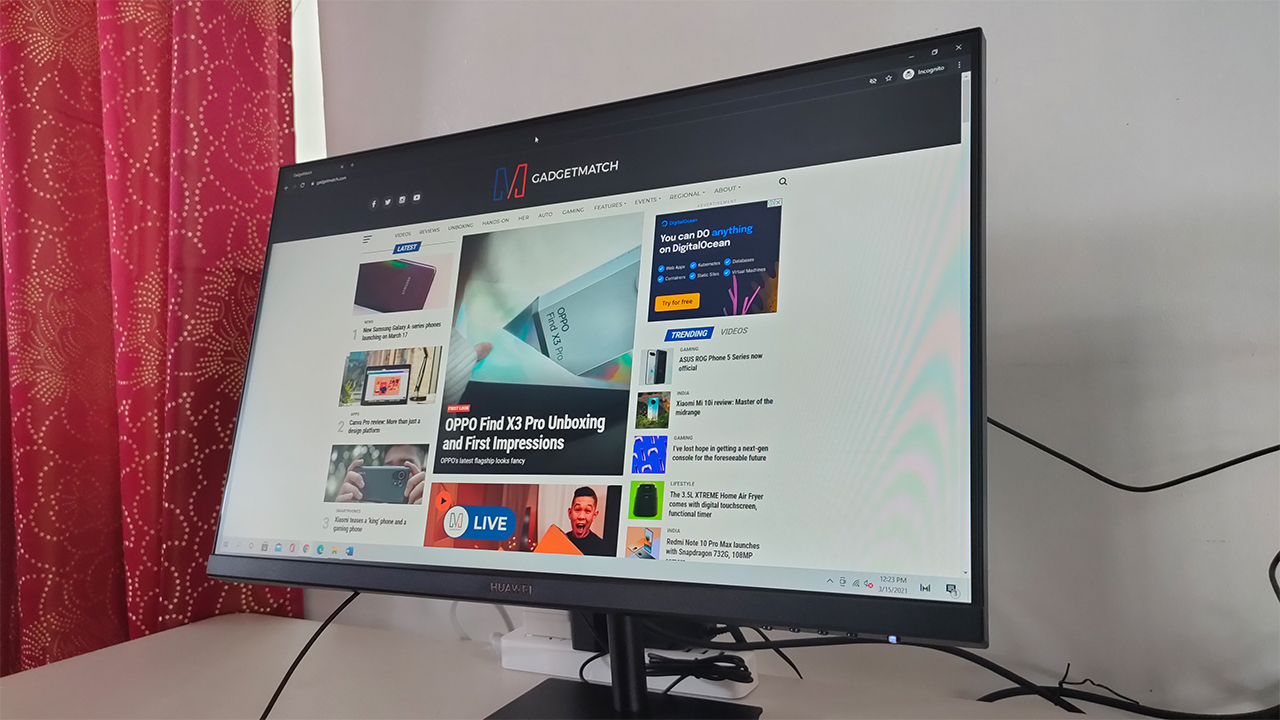
What stood out to me, at least, was the sleek and simple design of the Huawei Display. Sure, it comes in a shiny, subtle black color; the gold Huawei brand name was a nice touch. It’s not a flashy color option, but it didn’t have to be. Upon booting it up and attaching it to a laptop, it’s actually pretty bright.
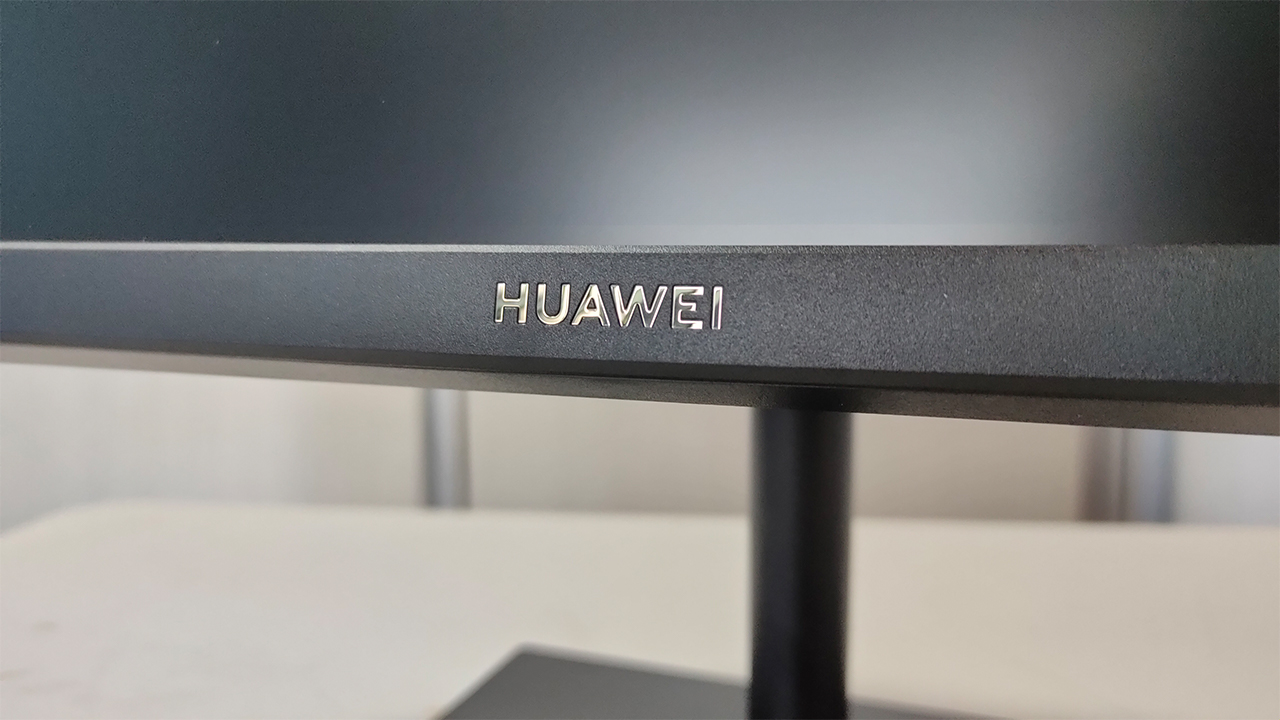
Although I’m curious about that little bit of flare at the right side of the display. When the screen is black, it’s something incredibly obvious to the eyes. Now, I’m not entirely sure if something happened in shipping, but once you boot the PC, it’s not that big of a bother.
The Huawei MateStation S PC itself
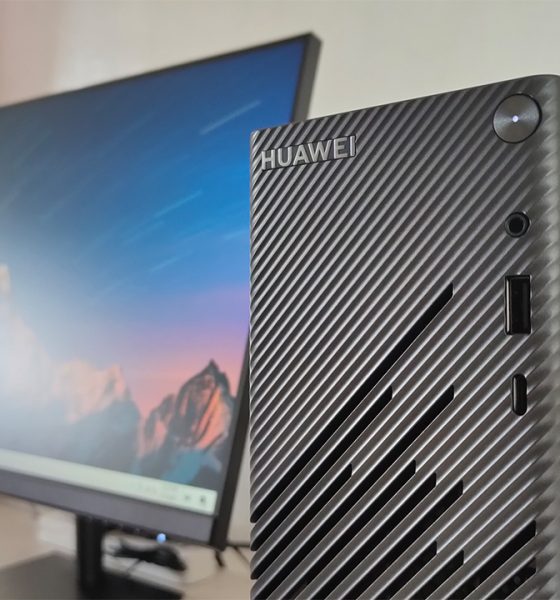
I decided to put the last two boxes here, which were dedicated to the PC and the keyboard. Admittedly, I thought that the MateStation S would be roughly as big as the box it came in. For something you need for working long hours, I thought it would be a wide tower placed inside. When I got it out of the box, I was pleasantly surprised at how compact the form factor was.
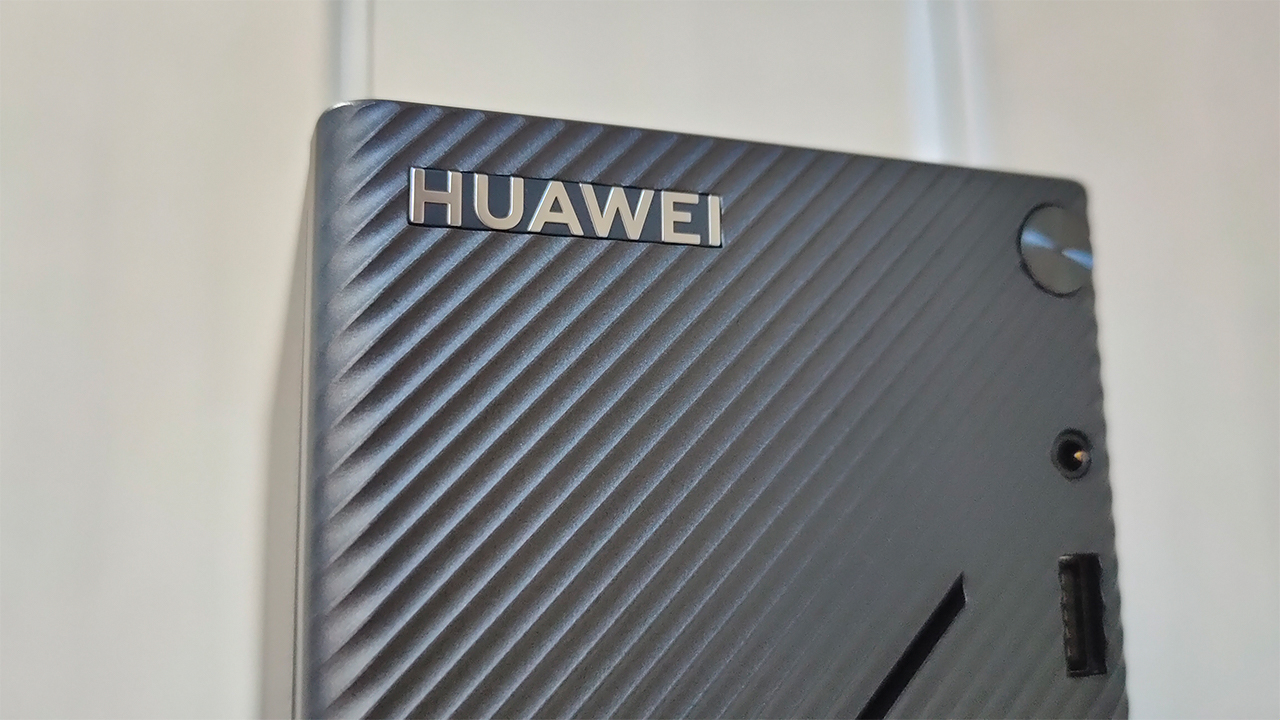
Now, it comes in a Space Gray type of finish, similar to its MateBook laptops with a Star Trail design etched in front. Personally, it’s a nice aesthetic choice but it’s not something you will continually notice every time you use the PC. I thought it was going to be another way for hot air to come out of the system.
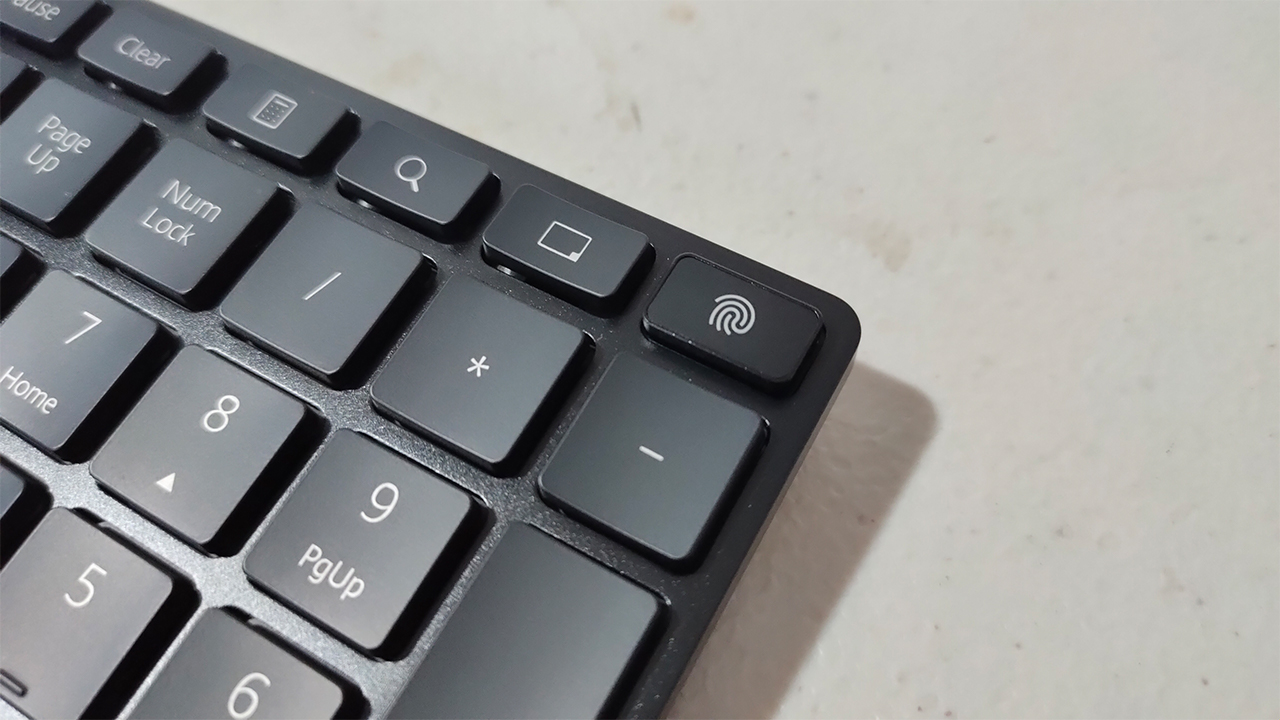
In the longer yet thinner box, you have Huawei’s Ultra-Slim Keyboard in Space Gray, as well. What’s nice about it is that it comes with both a fingerprint sensor and a Huawei Share button on the keyboard. Supposedly, it provides a faster and easier log-in option with Windows Hello, plus easy file transfer from your phone.
Setting it up and making it work
Piecing everything together didn’t necessarily take that long, especially on a relatively small table. The fact that the MateStation S is relatively compact allows for more space for the display and other peripherals to fit nicely. Once everything was in its place, the system booted up relatively quickly.
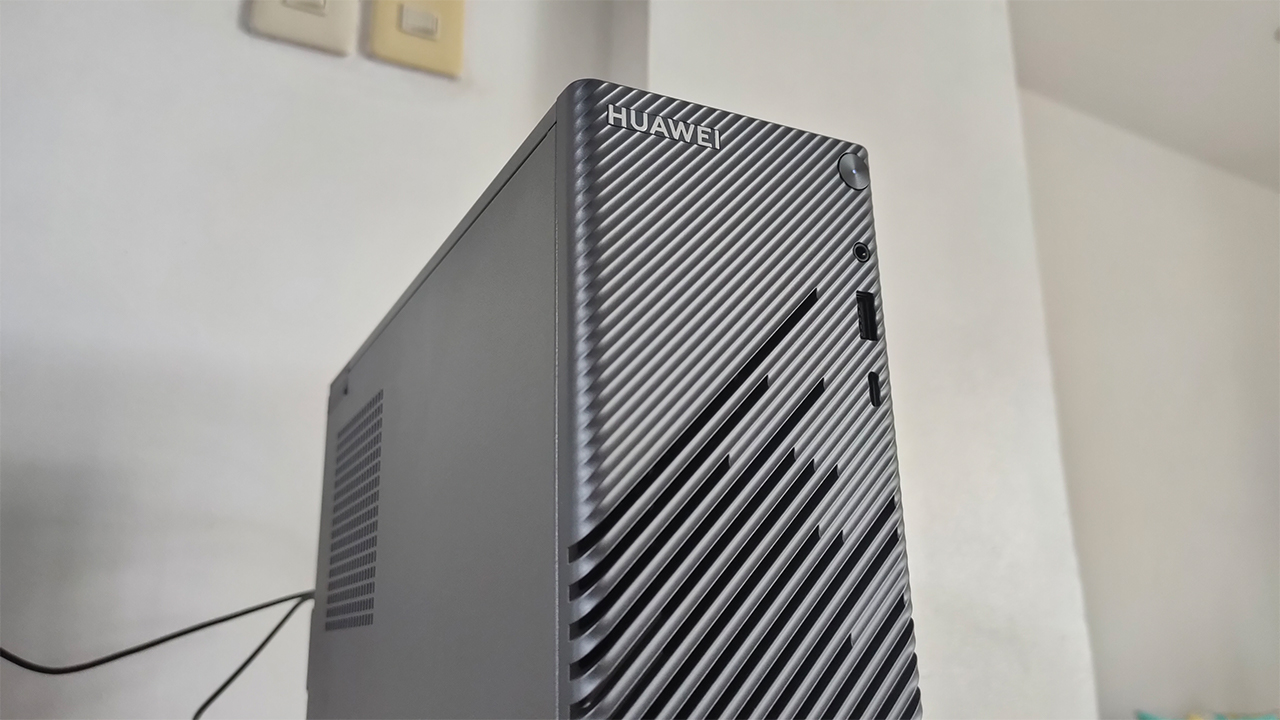
The Huawei MateStation S comes with a 4th-generation AMD Ryzen 5 processor inside, along with 8GB of RAM. For average office work, this is a great list of hardware for most tasks and applications you throw at it. Along with a 256GB SSD inside, all of these applications will ideally load up quite fast.
From initial tests and usage, I fully agree with what they had in mind with all of these hardware inside. Working on Word documents and Excel spreadsheets was a breeze, even with some complicated data in there. Also, it comes with a dual-band WiFi card inside so you can place this system anywhere you want.
How far will the Huawei PC go?
For the most part, I’ve showered Huawei’s newest system with praises on its design and performance. Obviously, it’s much different from their laptops in terms of portability, but offers the same smart technologies in the process. Plus, it’s a form factor that brings more benefits than distractions while you’re working.
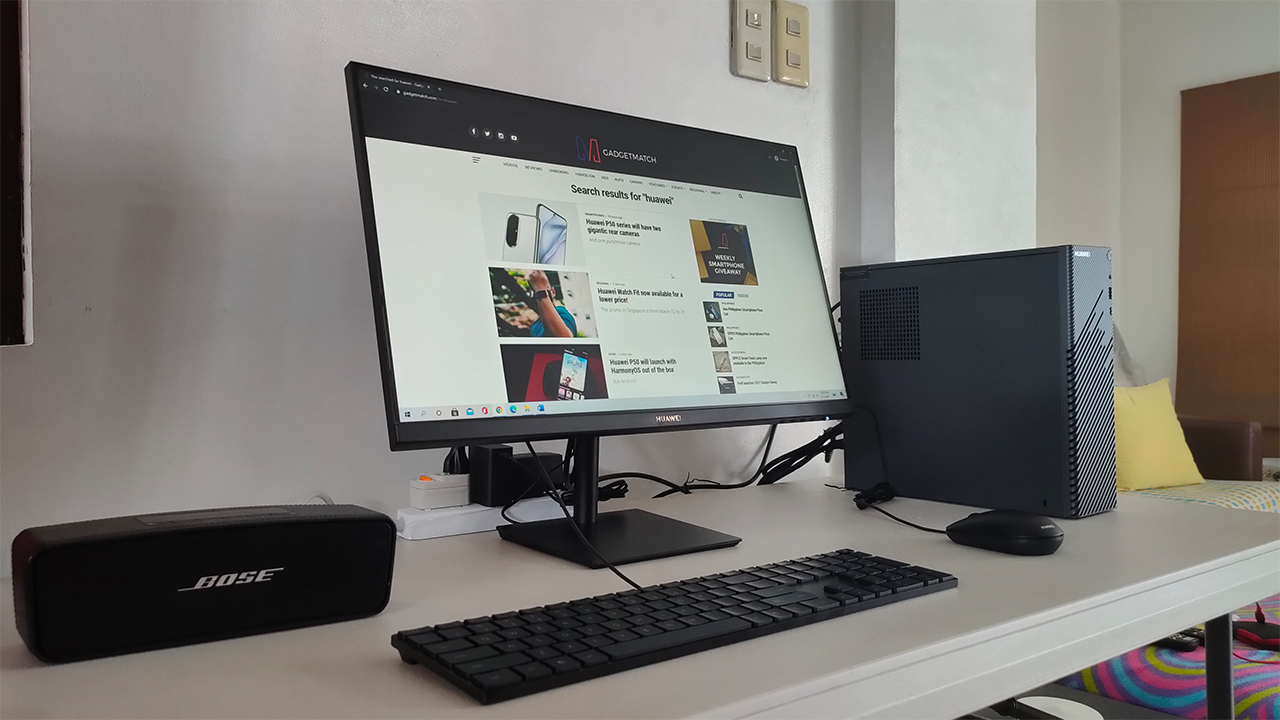
Of course, this is only scratching the surface of what the Huawei MateStation S can actually do. While it is fast, responsive, and handles most Office applications, let’s see how the system handles, well, everything else.




Computers
Lenovo tech behind DreamWorks Animation hit ‘Forgotten Island’
Partnership powers modern demands of animation production


DreamWorks Animation’s Forgotten Island has definitely become a big screen hit, debuting with a 100% Rotten Tomatoes score and being well received particularly by a large Filipino fanbase.
And behind the movie is DreamWorks Animation’s partnership with tech giant, Lenovo. The collaboration is helping power the former’s production slate, including the studio’s animated feature inspired by Filipino culture, mythology, and experiences.
In 2025, DreamWorks expanded its relationship with Lenovo by naming the company its preferred compute services, workstation, and solutions provider.
Such partnership brings together Lenovo workstations, high-performance infrastructure, data center technology, and services to support the demanding needs of modern animation production.
It is a collaboration that builds on years of work between the two companies. DreamWorks has used Lenovo workstations as part of workflows across the studio.
Lenovo infrastructure has also supported the large-scale computing requirements involved in creating animated worlds and characters.

Still in cinemas, Forgotten Island follows lifelong best friends Jo and Raissa, voiced by Grammy and Academy Award winner H.E.R. and Filipino actress Liza Soberano.
As the two prepare to take different paths after high school, they unexpectedly find themselves transported to Nakali, a fantastical island populated by magical and mythological creatures rooted in stories from their Filipino families.
The film is written and directed by Academy Award nominee Joel Crawford and Januel Mercado and produced by Academy Award nominee Mark Swift, the filmmaking team behind Puss in Boots: The Last Wish.
Its voice cast also includes Dave Franco, Jenny Slate, Manny Jacinto, Dolly de Leon, Jo Koy, Ronny Chieng, and Lea Salonga.
Computers
ROG brings out the ultra-stylish G1000 gaming desktop
Plus, here’s a couple of sleek transport options from ROG.

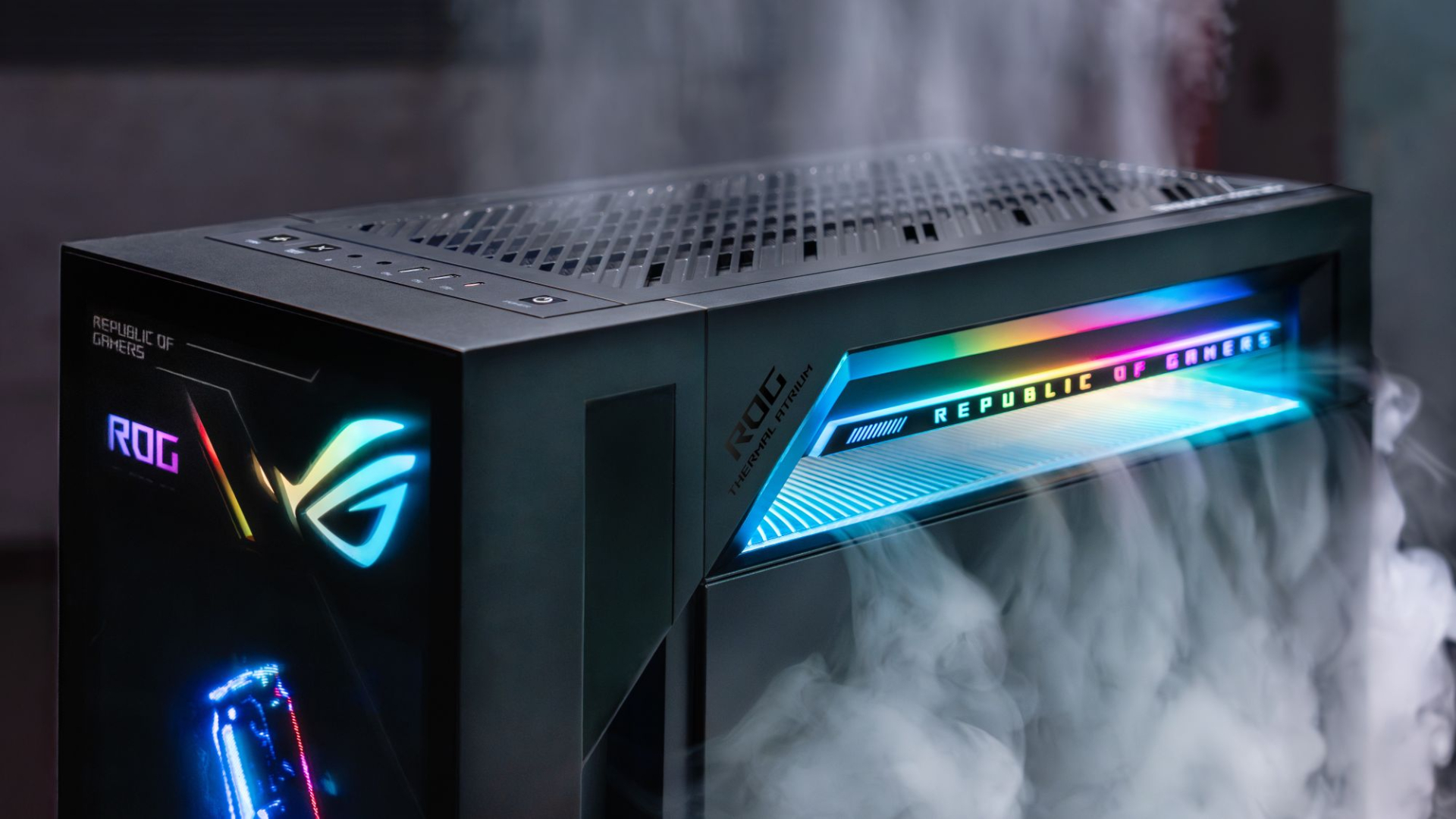
Despite how much higher prices are going today, there are still so many options if you want a PC for yourself. However, only a handful of brands will offer you quite as much style doing so as ASUS. Today, ROG has revealed the new G1000 gaming desktop.
For the first time ever in a prebuilt PC, the ROG G1000 comes with a built-in AniMe Holo, a holographic fan with customizable visuals using Armoury Crate and Aura Sync. Additionally, the holographic fan is inside its own chamber, preventing it from interfering with the main system. Instead, the desktop uses the ROG Thermal Atrium, which uses three fans to channel fresh air through a 420mm AIO liquid cooler.
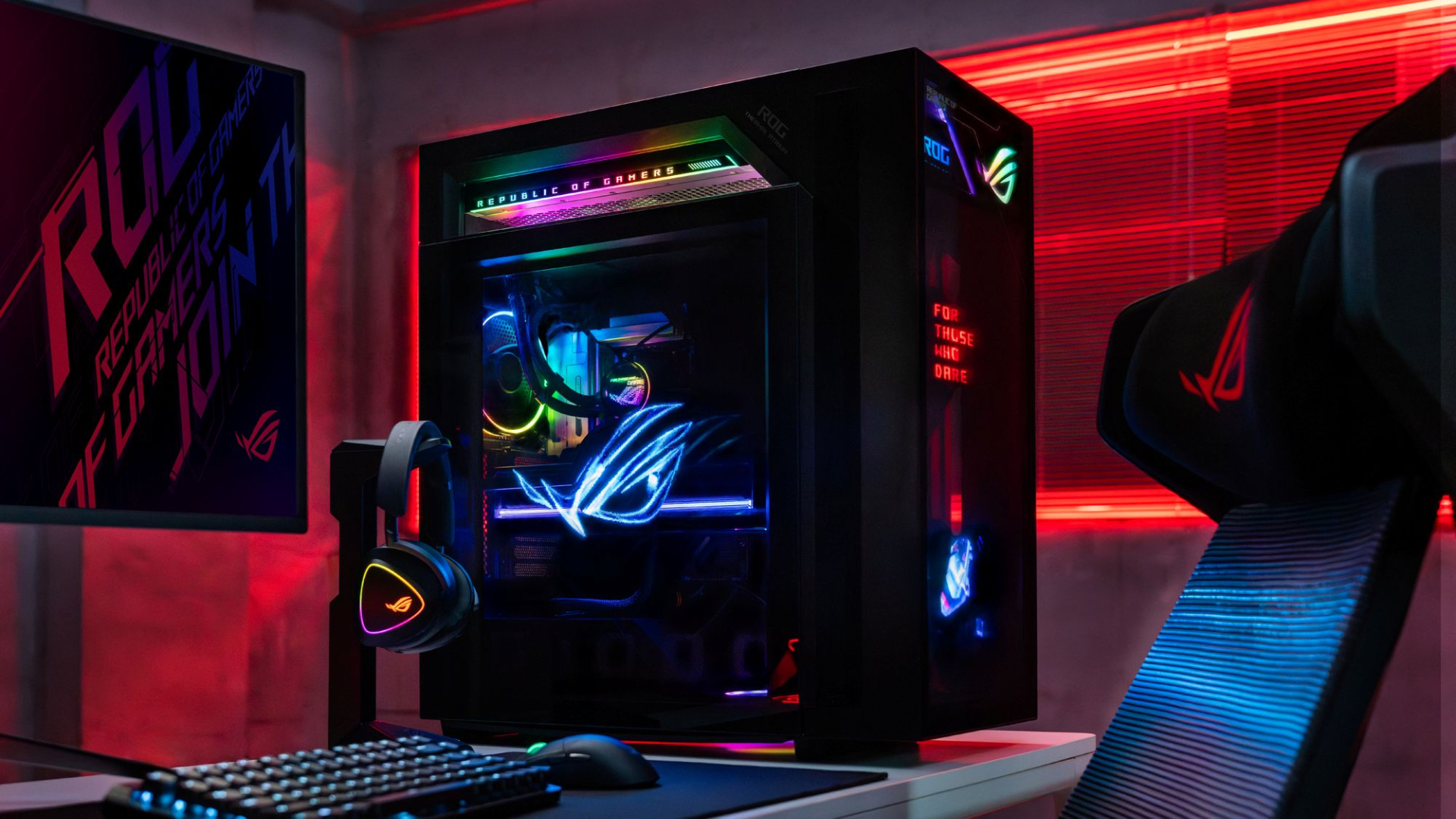
Now, the ROG G1000 isn’t just a pretty face. Inside, the 104L desktop comes with a Ryzen 7 9800X3D processor. It also comes equipped with the ROG Astral GeForce RTX 5080, up to 128GB DDR5 memory, and 1TB SSD for storage. New purchases will also come with a gaming keyboard and mouse, a year of Microsoft 365 Basic, Office Home 2024, and an ASUS No. 1 Quality and Service warranty.
The ROG G1000 will be available from ROG Exclusive Stores and will start at PhP 399,995.
Celebrating ROG at 20
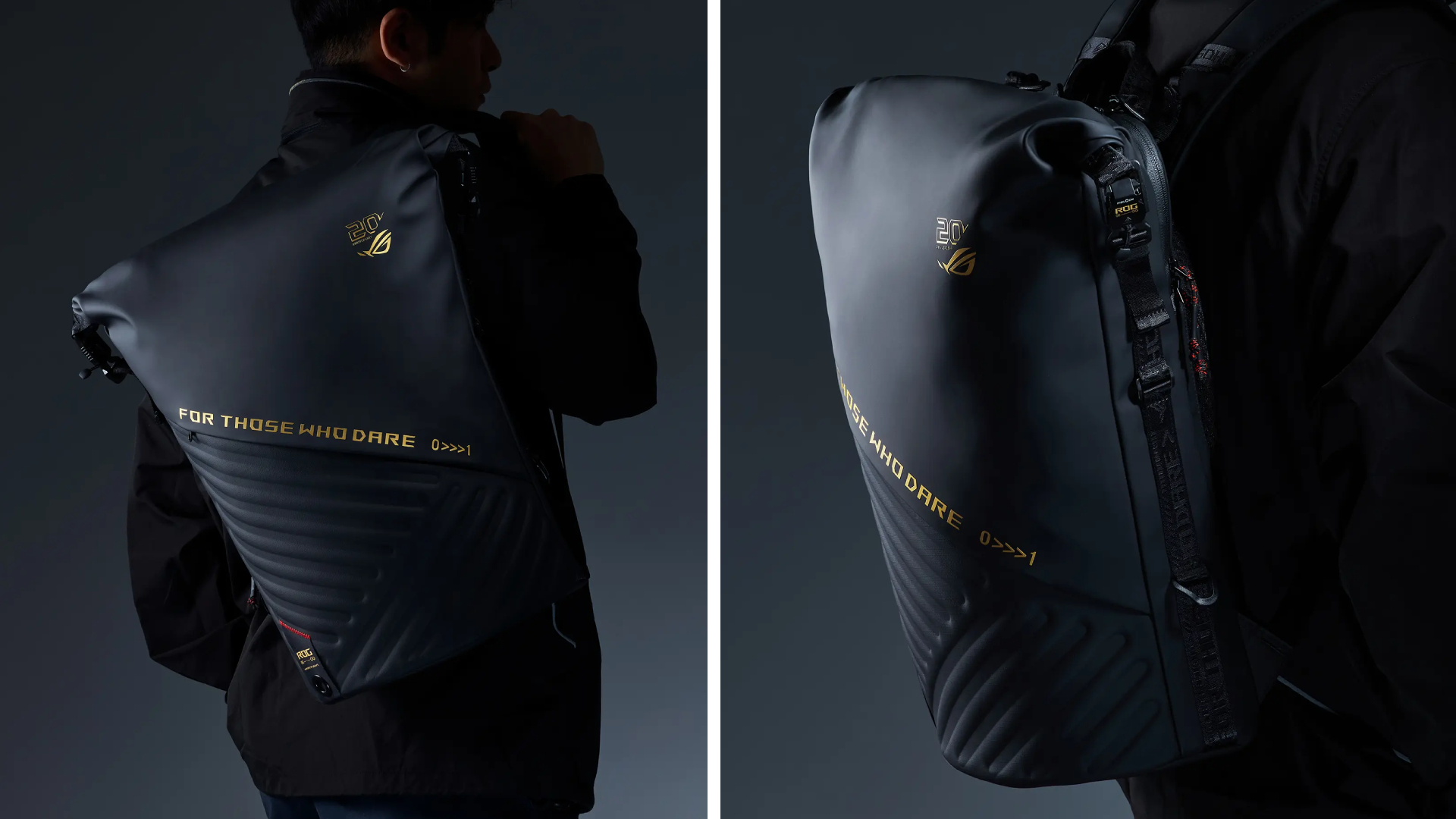
Besides the new desktop, ROG is also launching a couple of storage and transport options for your prized gaming possessions. The ROG SLASH Backpack Edition 20 is a sleek backpack that can fit an 18-inch laptop with enough room for peripherals and accessories. It also comes with a custom FIDLOCK Magnetic quick-release, black-and-translucent-gold buckle. It will be available next quarter for PhP 10,995.
Meanwhile, the ROG SLASH Hard-Case Luggage Edition 20 is designed specifically for transporting your hard-earned gaming devices. The light-but-durable aluminum frame comes with a specialized compartment for laptops, handhelds, and accessories. It also has removalbe foam dividers to better customize the case for your needs. Finally, it has 360-degree silent skate wheels for smoother rolling. The luggage will be available starting next quarter for PhP 15,995.


Acer is expanding its storage lineup with the PA100 Portable SSD. It’s a compact external drive designed for users who need faster storage across multiple devices.
The PA100 uses USB 3.2 Gen 1 connectivity. It reaches sequential read speeds of up to 560MB/s and write speeds of up to 430MB/s. This makes it suited for everyday tasks such as transferring large files, backing up content, managing documents, and moving media between devices.
Up to 2TB of portable storage
The PA100 comes in three capacities: 500GB, 1TB, and 2TB. This gives users options depending on whether they need extra space for documents and schoolwork or larger collections of photos, videos, and project files.
Acer also designed the drive with mobility in mind. The PA100 has a slim 9mm profile and a lightweight build, while its reinforced construction is designed to withstand everyday travel and handling.
The drive comes with a 2-in-1 USB-C to USB-C and USB-A cable. This allows it to connect to compatible PCs, tablets, smartphones, and other devices without requiring a separate adapter. It also supports major operating systems and USB-C mobile platforms.
Designed for everyday use
Power efficiency is another focus. Acer says the PA100 uses less than 3W during operation, while idle power consumption can drop to as low as 0.62W.
The drive also features an optimized thermal design to help maintain stable performance during extended transfers and daily workloads.
The Acer PA100 Portable SSD is backed by a three-year limited warranty. Pricing and availability may vary by market.





‘Street Fighter’ delivers pure arcade nostalgia

Your Samsung fridge might know what’s for dinner

Now Playing: Shin Godzilla

The new Apple TV 4K might be the smartest TV you can own

Apple unveils a new smart home hub called the HomeView

vivo X500 Series launches with major imaging upgrades

OPPO Find X10 Pro Max is the first phone with a triple 200MP camera system

TECNO CAMON Slim 5G: Price, availability in the Philippines

BYD says that way better EV batteries are coming next year

HONOR Magic9 Pro Max launches in China with ARRI-powered imaging


-
 News2 weeks ago
vivo X Fold6 makes global debut with 200MP camera and 6900mAh battery
-

 Philippines2 weeks ago
Bambu Lab opens first Authorized Store in the Philippines
-
 News1 week ago
OPPO Find X10 Series launches globally October 21
-
 Features1 week ago
Nike’s new race-day system, explained
-

 News1 week ago
Sony teams up with Hello Kitty for exclusive limited-edition collection
-

 Computers2 weeks ago
Lenovo tech behind DreamWorks Animation hit ‘Forgotten Island’
-
 Philippines2 weeks ago
Smart opens iPhone 18 Series pre-orders in the Philippines
-

 Wearables6 days ago
Garmin Enduro 4 promises up to 320 hours of battery life