
Tablets
iPad OS 17: Redesigned lock screen, updates to Messages
More personalization, versatility

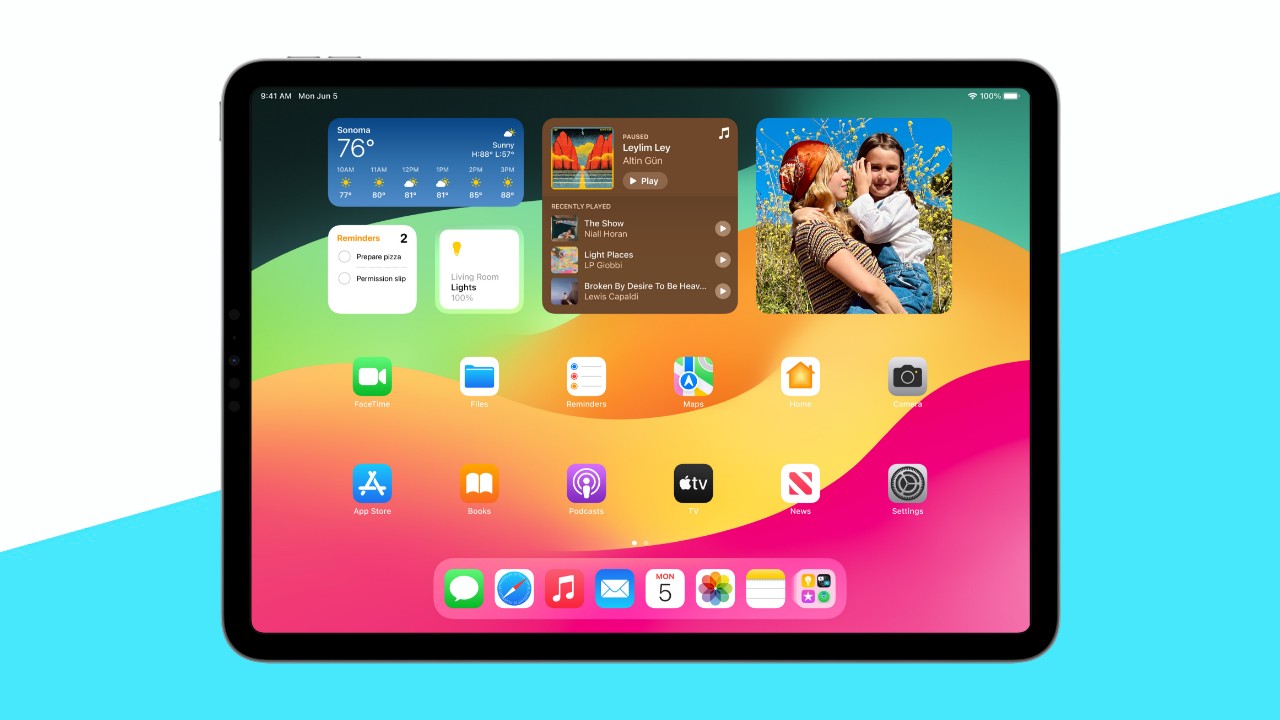
iPad users are set to get more personalization and versatility with the iPadOS 17, which has significant updates on its Lock Screen, Messages, FaceTime, Safari, and more. There will also be a new Health app coming.
The iPadOS 17 is available as a developer beta for now, and will be available as a free software update later in the year. For now, here’s a preview of what to expect.
Personalized Lock Screen experience
Users can now customize the Lock Screen with their favorite images from their personal library, whether just a single photo or a set shuffled throughout the day.
They can also choose a wallpaper from the Lock Screen gallery, customize the look of the date and time with more font styles, or create their own design with emojis and different colors.
Live Activities
Live Activities will come to iPad OS, allowing users to monitor important notifications right from the Lock Screen, such as live sports scores, travel plans, or a food delivery order.
More powerful widgets
In iPadOS 17, widgets will become more interactive; for instance, users can turn on the lights, play a song, or mark a reminder as complete right from a widget.
These interactive widgets are now available on the Lock and Home screens, for easier execution of tasks. On the Lock Screen, widgets also blend seamlessly with the wallpaper.
Working with PDFs
Entering information in PDFs has been made easier too. The iPadOS 17 users machine learning to identify fields in a PDF file so users can add details or fill out forms.
Notes app users can now also organize, read, annotate, and collaborate on PDF files, as they appear in full width on the device.
Enhanced communication, interaction for Messages
Messages, meanwhile, offers users to create Live Stickers from their own photos, and add effects to them.
The app also has new features, like an expandable menu on a tap for easy access to most frequent iMessage apps.
The search tool has also been improved with filters (people, keywords, content types) to easier bring up a specific conversation.
Audio messages are transcribed automatically for a version one can read on the fly.
More ways to FaceTime
In FaceTime, users can now leave an audio or video message when someone does not pick up the call.
The video-calling app now also allows Reactions, like hearts, balloons, fireworks, rain, and more, which can be activated through simple gestures or third-party video-calling apps.
More productive on Safari
Safari has been improved for users to be more productive on the browser too. Profiles separates users’ browsing, with each profile having its own history, cookies, Tab Groups, and more.
Private Browsing now allows users to lock the window they’re viewing with Face ID or Touch ID.
New Health app
The Health app also comes to iPad, giving users new ways to see their detailed health data, including Trends, Highlights, and interactive charts.
Health and fitness developers can now use HealthKit on iPad.
Offline Maps
Users can now download maps and use them offline. This way, users can select an area, search and explore information, and get routes, all while offline.
Freeform
Lastly, Freeform offers new drawing tools, like hover, tilt, snap to shape, and the ability to add connection lines and new shapes to any object.


With three new Kindles to choose from, picking the right one can still be daunting.
Well, THE Michael Josh has spent the last month testing every new Amazon Kindle. That meant the compact 6-inch Kindle to the ever-popular Paperwhite and oh-so-colorful Colorsoft.
In this video, we discuss what’s new across the entire Kindle lineup. Moreover, which is the best Kindle for every scenario. As well as all the accessories you should get.
He even has personal recommendations and book picks along the way!
Can’t wait further? Here’s our 2026 Amazon Kindle Buyer’s Guide.
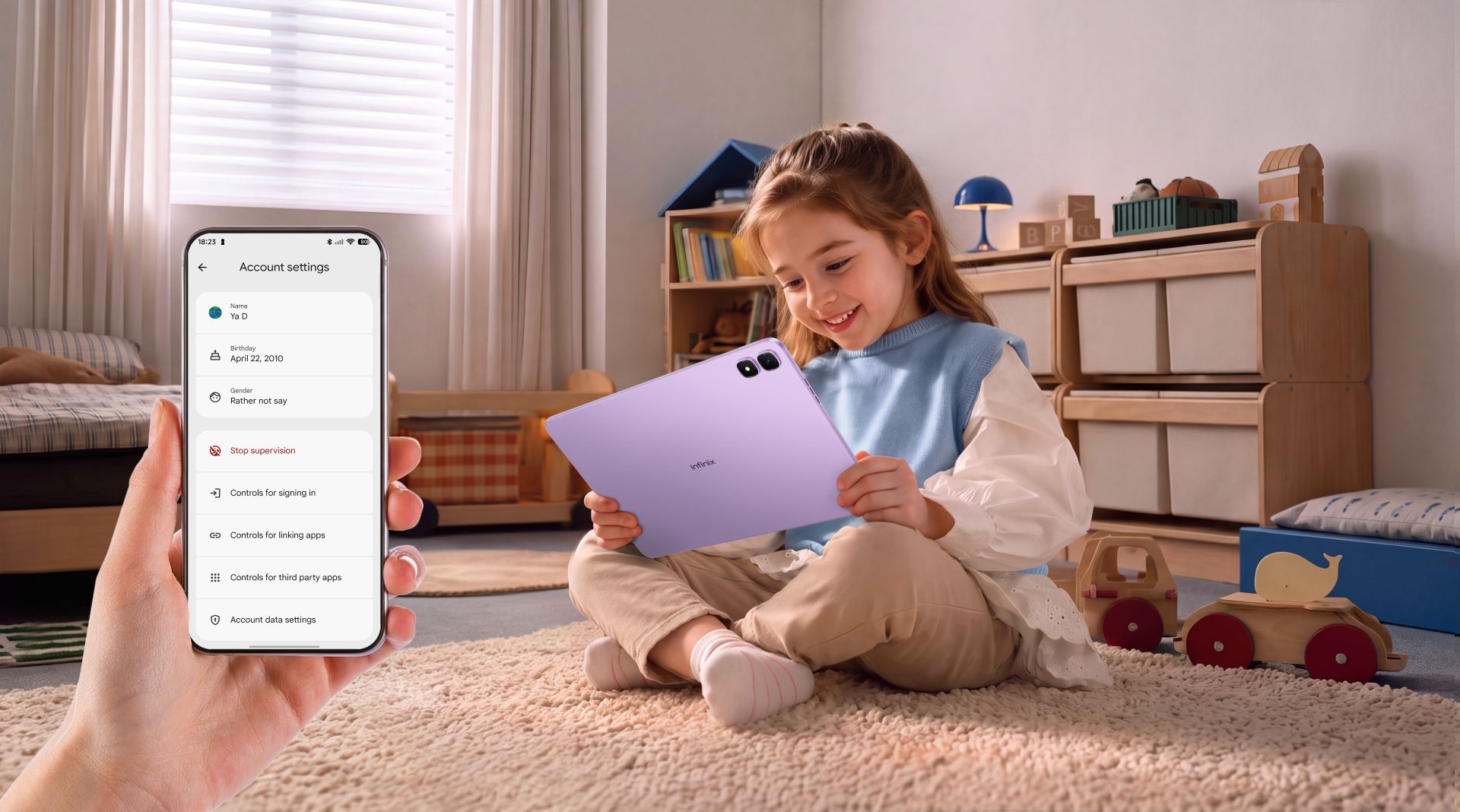
The Infinix XPAD 30 is now available, offering customers an entry-level tablet with essential features.
The tablet combines AI-powered learning tools, an immersive eye-care display, and reliable performance in its segment.
It is priced at PhP 10,499 for the lone 4GB+128GB configuration and is available via Lazada, Shopee, and TikTok Shop. Available colors are Lunar Lilac, Stellar Grey, and Cloudline Blue.
The Infinix XPAD 30 comes with an 11-inch 90Hz Eye-Care Display, delivering a spacious viewing experience.
Along with AI-powered features is Infinix’s Personalized Learning Center which offers access to more than 360,000 free educational videos.
The pad runs on the XOS experience, houses a 7,200mAh battery, and supports 4G LTE and WiFi connectivity.

Apple’s smallest tablet just got its biggest upgrade after two long years!
The 2026 iPad mini now features a brighter than ever OLED display, a more powerful A20 Pro chip, improved (and almost non-existent) speakers.Plus, ever durable with its IP67 water and dust resistance rating.
In this video, THE Michael Josh takes a closer look at everything that’s new, what he loves, what’s still missing, and whether the new iPad mini is worth upgrading to.
Here’s our in-depth review of the all-new 2026 iPad mini OLED.

My latest fashion accessory happens to play music
The JBL Soundgear Clips are the finishing touch my outfits needed!


Fujifilm instax Pal 2 review
A tiny digital camera that’s all about the keepsakes.

vivo X500 Pro Max review: 500+ hours later
Is Pro Max the new Ultra?

Avengers: Doomsday releases final trailer

Smart Postpaid Plans+ offers zero lock-in

HONOR Magic9 Pro Max brings ARRI cinematic imaging to Malaysia
My latest fashion accessory happens to play music

NVIDIA votes unanimously to reinstate Jensen Huang as CEO

Your coffee nook is getting a makeover with Starbucks’ holiday collections

Sticker season is back, and so is the planner your ~friends~ might fill in for you

Wild Rift Patch 7.3, celebrates K/DA comeback

ROG G700 review: The best prebuilt PC you can get off the shelf
vivo X500 Pro Max review: 500+ hours later


-
Reviews1 week ago
vivo X500 Pro Max review: 500+ hours later
-

 Gaming6 days ago
Five new (and better) games you can play instead of GTA VI
-
Cameras3 days ago
Fujifilm instax Pal 2 review
-

 Accessories2 weeks ago
Secretlab brings Pikachu, Gengar, and Eevee to its Pokémon gaming chair collection
-

 Smartphones1 week ago
Spotlight: OPPO Find X10 Pro Max
-
 Smartphones6 days ago
The iPhone Duo is replacing my Kindle
-

 Tablets1 week ago
Infinix XPAD 30 launches, comes with AI features and expansive display
-

 Buyer's Guide1 week ago
Buyer’s Guide: 2026 Amazon Kindle