

Features
Fortify your home office or business setup with these devices
For the work-from-home go-getters

If the 21st century taught us something, it’s that fad trends don’t last but legitimate ones stick.
The concept of working from home is an idea deemed impossible before. Thanks to technology, though, it has become a practical alternative for professionals nowadays.
The pandemic magnified its potential even further over the past few years. Working or managing small businesses from your own place has proven to be convenient. It saves you time and money from having to commute or travel to a traditional workplace. It’s also easier to communicate nowadays with various devices and apps. Even ordering food or sending something somewhere has also become a breeze with transport apps.
It’s a trend that won’t go anywhere. For those planning on sticking to staying at home, these devices will give them enough leverage for a “future-proof” setup at the comfort of their own spaces.
Laptops

You cannot go wrong with the Lenovo Yoga laptops. They’re versatile and powerful, and should serve more than enough for light to medium tasks and overall productivity.
They’re powered by Intel Core processors and have ample memory and storage for multitaskers. Yoga laptops also have OLED screens for a crystal-clear view.

For the more budget-conscious professionals, the ASUS Vivobook line is very reliable for most office work software and basic multimedia needs. They come with powerful processors as well, and a multitude of features for your needs.
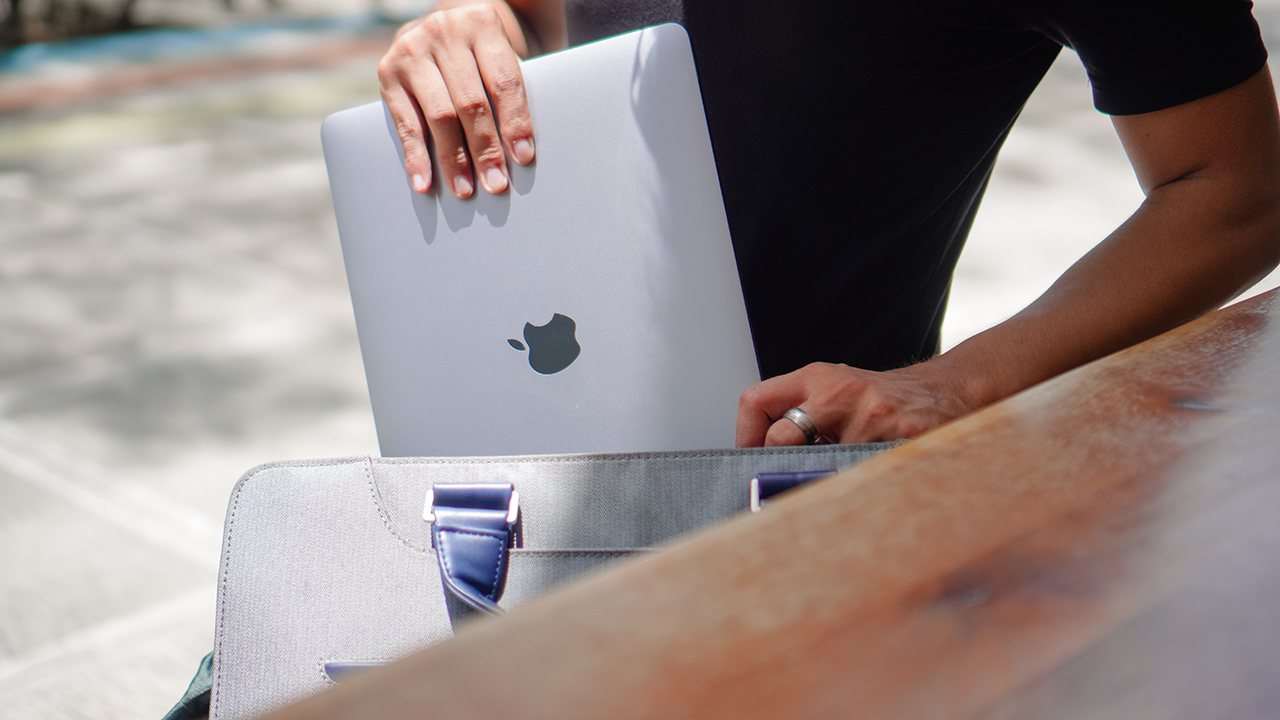
Of course, the MacBook Air with Apple Silicon is a go-to choice for those inclined on getting Apple devices.
Smartphones
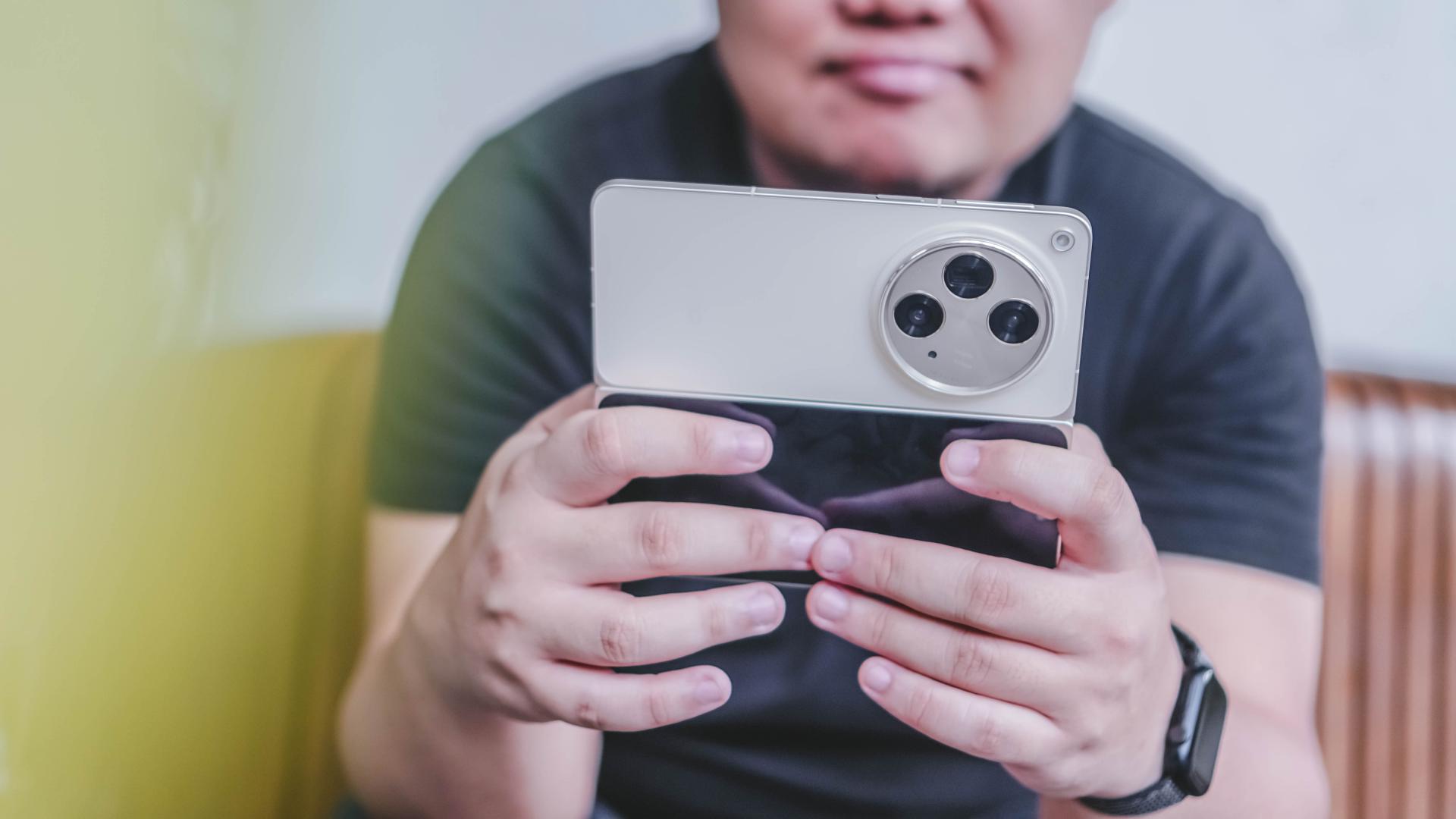
If you’re the ultimate workhorse, the Samsung Galaxy Z Fold5, OnePlus Open, and OPPO Find N3 are among the best recommendations.
Although they come with higher price tags, these devices ensure that you will have a smooth and seamless experience on your fingertips, whether it’s taking and editing photos, going on quick video calls, or organizing documents and other files.

There are also all-rounders like the HONOR 90 5G, OnePlus 11, and OPPO Reno10 Pro and solid mid-rangers like the POCO M-Series, Redmi Note series, and realme’s numbered series.
These more affordable phones can still deliver what is expected of them, especially for those who simply need a phone to aid them but do not necessarily have to literally rely on it for everything.
Epson CO-FH02 projector
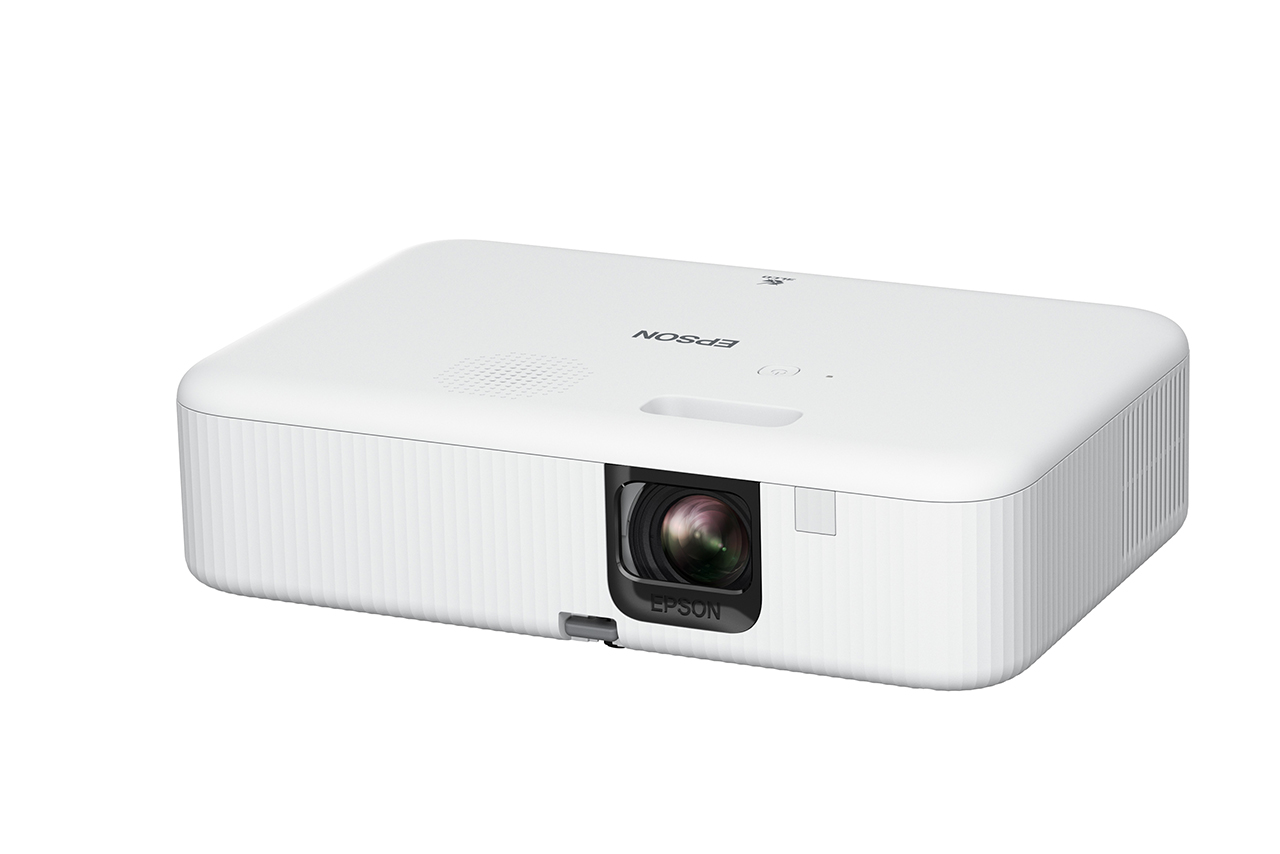
It doesn’t hurt to have an extra screen at home. For those looking to consume digital content on a bigger scale, the Epson CO-FH02 projector provides an expansive view. This versatile lifestyle device can also be a realistic backdrop for presentations or livestreams, instead of just merely sharing the screen.
What’s great about the award-winning projector is it beams full HD resolution images, up to 3,000 lumens of brightness, and up to a 391-inch size. It suits many different scenarios and complements your space.
There’s also a handful of connectivity options for different devices. What’s great about the CO-FH02 is it has an Android TV 2 Dongle and Chromecast built-in. The dongle enables wireless connectivity, while Chromecast built-in technology lets you stream content right from the projector, making the viewing experience a breeze, minus all the annoying cables and wires. It’s surely a reliable tool to have, and doesn’t break your wallet.
Epson L11050 Printer

Meanwhile, the Epson L11050 Printer is an excellent choice for both small business owners or those simply needing important files to print. Unlike ordinary printers, the Epson L11050 can print documents up to the A3+ size, giving the printer a distinct advantage over other models.
The printer has a page yield of up to 4,500 pages for black and 7,000 pages for colored. It delivers fast and high-quality printing of up to 30 pages per minute in black and white and 20 for colored. Moreover, it has a large, 100-paper capacity so users won’t have to open it often to refill sheets. Users may also connect wirelessly using the Epson Smart Panel app for a more efficient printing process from your device.
Aside from the convenience it offers in delivering its purpose, the ink tank printer also contributes to a more sustainable world. It is powered by Epson’s Heat-Free Technology for lower energy consumption and lower carbon emission. And with Epson’s EcoTank technology, business owners will also simply have to refill the containers instead of disposing of cartridges. The spill-free process not only saves them operating costs, but makes the printer a sustainable choice as a result.
Epson DS-C330 Scanner
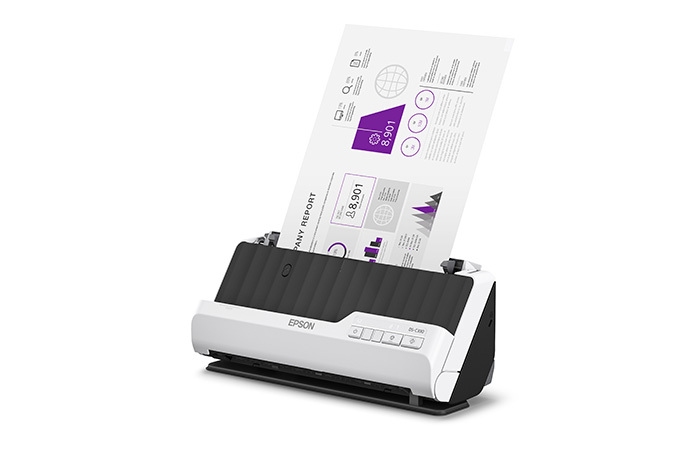
To complete your Epson setup, the Epson DS-C330 Scanner is a portable sheet-fed document scanner that is an absolute space-saver.
One simply has to insert the document they need scanned and the tool will do its work in just a few seconds. The scanner can work on hardcopy files up to legal paper size, even envelopes, IDs, and passports. It has a fast and efficient scanning rate of up to 30ppm and 60ipm, respectively.
It also comes with Vertical Path and Straight Path scan modes too. This means users can seamlessly select between the path modes so the scans come up desirably. With wireless connectivity, files can be saved instantly too. That saves time for uploading documentary requirements or helping customers save their own copies.
As the DS-C330 is also made from up to 34% recycled plastic, you are assured that you are minimizing environmental impact. It is the sustainable choice as far as scanners are concerned.
acerpure Cozy F1

Of course, where there is work, there should also be comfort. The acerpure Cozy F1 is a space-saving modern air circulator that uses an energy-efficient DC Motor and 3D AirFlow technology.
It has 12 touch-activated speed settings, and can project air for up to 15 meters away so it can reach every corner of a large room.
It’s also low-noise so users do not have to worry about getting distracted or bothered when keeping it cool and focusing on their everyday tasks.
Dyson V12s Detect Slim Submarine

After a day’s worth of hard work, it’s ideal to keep your workplace clean. Not only does it reflect yourself, but having a space that’s conducive for productivity always gives you the extra edge.
With the Dyson V12 Detect Slim Submarine, users get a compact and powerful stick cleaner that washes floors and surfaces from start to finish, using clean water.
The tool’s advanced vacuum system allows it to intelligently pick up dust and other debris. The multi-stage filtration system, meanwhile, ensures that even the smallest particles get picked up, leaving your spaces clean and healthy.







Features
How did new CEO John Ternus do for his first Apple event?
Is a new golden age coming for Apple?


For a brief moment, I thought Tim Cook was refusing to step down as Apple’s CEO.
Apple’s “Surprise and shine” event, which heralded the coming of the foldable iPhone Duo, started bombastically with a montage of cinematic moments spanning different genres. The main point was: “what’s the best way to start an opening scene?”
After what felt like an age, the all-too-familiar voice of Tim Cook came on, perhaps for the very last time. But rather than overstaying his exit as the former CEO, he describes that the perfect opener should be classic, as a car that is, quite symbolically, riding off into the sunset. He then explains that he’s not the main character anymore.

Last shot of Tim Cook at the Surprise and Shine event
“That’s your guy,” he said, before pointing to John Ternus, who steps into frame without an introduction or even a name card. It’s hard to image that this guy is the new face of Apple.
It’s the perfect end to Tim Cook’s tenure and as perfect a start for John Ternus’s.
Moving from an age of crisis to a golden age
After a decade and a half of being the face of the brand, Tim Cook stepped down from his tenure as CEO. He leaves the company in a much better state than when he took over. Thanks to him, the iPhone is now a household item. It’s a ubiquitous phone that draws millions of fans every time a new one comes out every year.
But his tenure didn’t start on a bed of roses. When he took over in 2011, it was in response to Steve Jobs’s failing health, who passed away soon after. He inherited a company constantly threatened by competitors trying to eat into Apple’s slice of the pie.

Indeed, Cook’s tenure was peppered with crises. He had to navigate Trump’s first reign, destructive as it was towards relationships in China. He had to figure out survival during the tempestuous pandemic years. Finally, he had to carefully build a strategy for the dawn of AI.
Cook is, first and foremost, a businessman. While the Jobs era was typified by innovation after innovation, Cook built upwards, turning Apple into a trillion-dollar company. Although we didn’t see a lot of new exciting segments introduced, the company built on what it was already good at, delivering a premium and refined experience.
John Ternus comes at an opportune time. Though the brand will always have a healthy share of diehard fans, Apple must now find the next big thing and rediscover the spice of years past.
A time for AI?
After his nonchalant introduction, Ternus immediately goes on the offensive and describes his vision for Apple Intelligence. Rather than dwell on NPUs, TOPS, and other metrics that a regular user can’t make heads or tails of, he described Apple Intelligence and Siri AI as a personal assistant. Usage versus performance, in other words.
If you’re an AI enthusiast, the renewed push towards Apple Intelligence should give you hope that the iPhone won’t just be a receptacle for other AI software. Rather, it’s building its own. Wherever the AI industry is going, Apple looks like it can keep up.
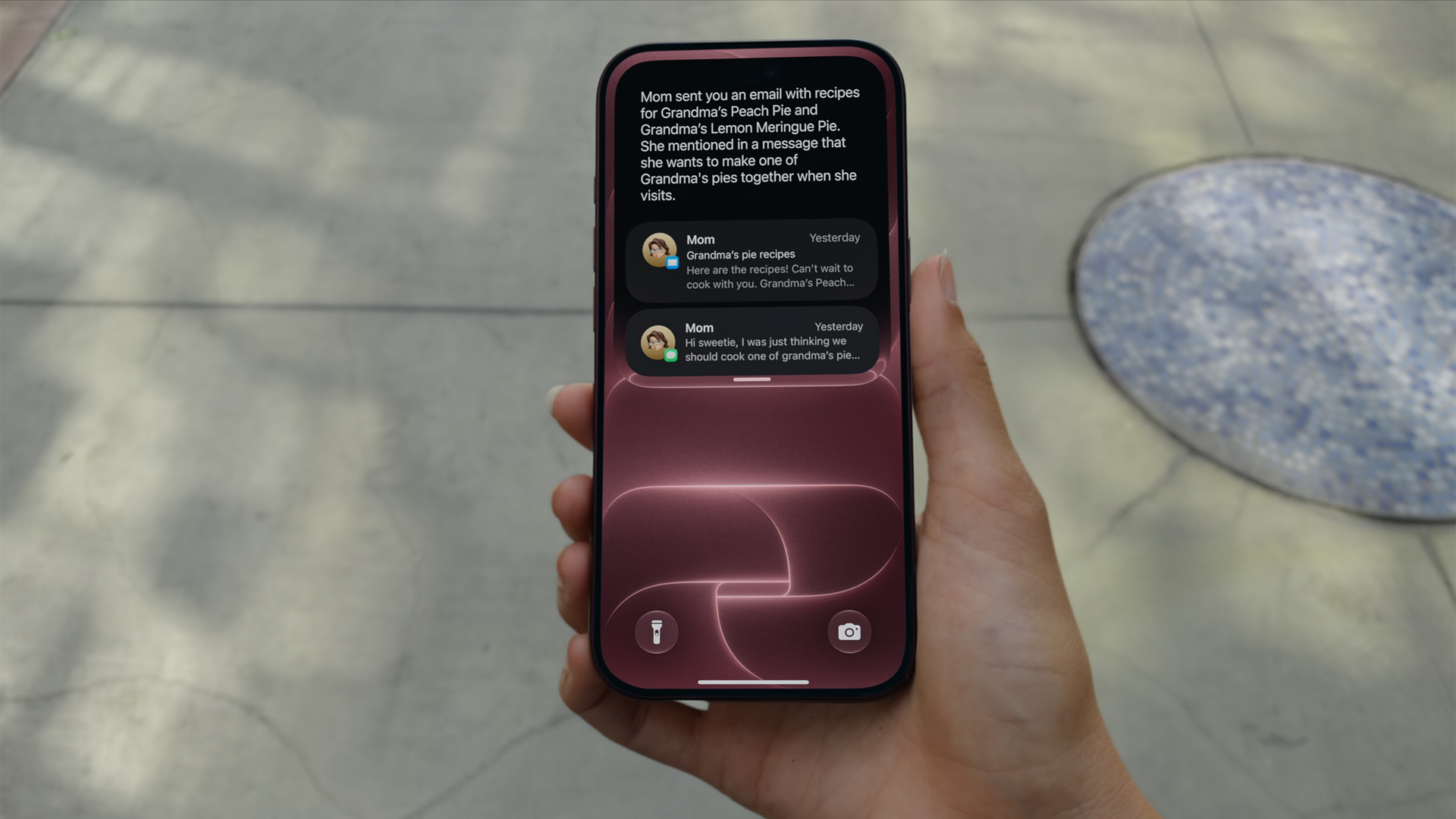
Now, if you don’t like AI at all, that’s fine, too. Ternus isn’t there just for the AI.
Unlike Jobs or Cook, Ternus comes from a strictly engineering background. In today’s world, hardware complements AI. The software must use NPUs after all. But, when the AI bubble finally pops, Ternus isn’t out of a job. In fact, if his track record is any indication, it’s just getting started.
Or a time for new hardware?
This year is absolutely monumental for Apple. Earlier this year, the company launched the MacBook Neo, its first budget-friendly notebook built for everyone. If you were looking to get into the MacBook lifestyle, now is the perfect time to buy in. A lot of users felt a subtle changing of the guard.
From there, you can feel Ternus’s influence already seeping in. And if it wasn’t obvious back then, it’s more than apparent now.
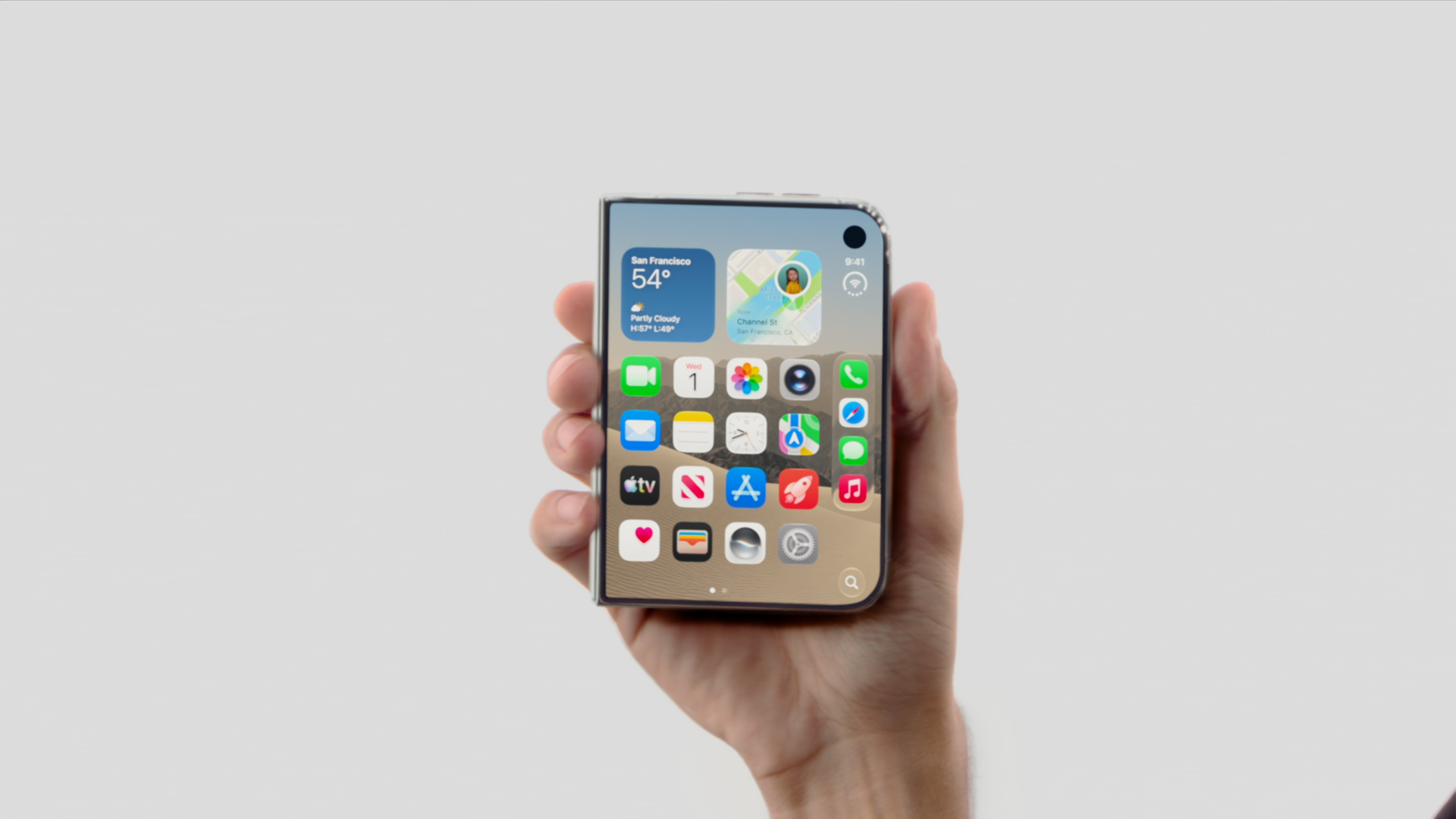
In his first ever “One More Thing,” Ternus started his tenure strong with the introduction of the iPhone Duo. Almost twelve hours since the phone’s announcement, I’ve never seen a more visceral reaction to the launch of a new iPhone.
Whereas most of their annual releases reveled in more incremental improvements that primarily tickled already dedicated fan, the iPhone Duo is something new. Everyone’s talking about it. It’s gotten so crazy that even Samsung, often more nonchalant with its prodding, openly attacked the foldable after teasing the brand to go foldable last year.
Though it’s technically not a new segment, the iPhone Duo is patching up the mistakes of past foldables. Rather than just pasting two screens together, Apple’s take feels like a unified whole, emphasized by an interface that seamlessly changes from folded to unfolded.
Where Tim Cook failed to illicit more than a modest ripple with the Vision Pro, Ternus flew to new heights with the iPhone Duo’s announcement. And the phone isn’t even out yet.
Now, there’s still a chance that the Duo won’t be a hit with sales, especially because of the price. But this is still a strong opener for Ternus.
Who is the main character?
“That’s your guy,” Tim Cook pointed.
I don’t think he was pointing in the right direction. Though the camera cut to Ternus himself, his first outing clearly states that the main character is no longer whoever is handling the reins. His decision to skip an official introduction feels intentional. The main character, after all, is the hardware itself: the iPhone 18 Pro, the iPhone Duo.
The entire event started with a bold declaration that everything was shot with an iPhone. It ended, in fact, with the same declaration. Channeling their inner Marshall McLuhan, Ternus’s Apple wants you to believe in the iPhone again.
Even as someone who doesn’t use Apple products mainly, I’m stoked to see what the new era will bring to the table. This is an exciting time for Apple. We might be in the first year of a new golden age.
Editors' Choice
GadgetMatch Awards: Best of IFA 2026
Xiaomi 18 Fold, Govee, XGIMI, ARZOPA, Cuktech and more!

We’re back at IFA 2026 in Berlin, checking out some of the coolest and most interesting tech on the show floor.
From smart home lighting and portable displays to projectors, power solutions, foldables, and more, these are some of the products and brands that caught our attention this year.
In this video, we take a look at:
- AI Lighting https://bit.ly/4xmY342
- Z3FC Portable Monitor https://bit.ly/4gRk7wD
- D14 Digital Photo Frame https://bit.ly/4qYlRJ6
- 30 Ultra Desktop Charging Station https://s.whaee.com/tXBornw
- 10 Ultra Charger https://s.whaee.com/UsWT4U2
** Use code CUKTECH09, valid until September 30
XGIMI
ASUS x NVIDIA RTX SPARK
- ProArt P16: https://asus.click/h7607_gm
- ProArt P14: https://asus.click/h7407_gm
- ProArt GR1X
Watch until the end for our favorite finds from IFA 2026!
Tutorials
How to spot scam emails and messages before they get you
Here are the telltale signs in a potential scam.

The brazenness of scammers often goes through fits and starts. Within the last few weeks, I’ve had three separate people in my immediate circle fall for three separate scams. I’ve received similar emails myself. With the Christmas season approaching, we’re living in a particularly brazen period, and it’s time for a very important PSA. Here’s how to spot a scam email today:
Check the contents of the message
Most scam or phishing attempts today will ask you to submit sensitive information like your log-in details or bank information to a seemingly innocuous platform. Obviously, these platforms are fake, and you’re surrendering your information to a malicious party. Unfortunately, these scams are getting much better with disguising their deception. If you put them side by side with a real email or message, you might find it hard to spot crucial differences. So, how do you clock them before it’s too late?
Start with the actual message. Companies will not ask you to submit your details on an email or on a message. It doesn’t matter if the message is claiming an issue (someone allegedly using your card) or a reward (your points are about to expire). If it’s not your usual way of logging in or submitting this information, then it’s likely fake.
Some might even include a highly suspicious link that leads to a log-in page. If that link is from a link shortener (like bit.ly) or looks nothing like the company’s real site, don’t click it. If you do click, check the URL for anomalies. In the below example, “Maya” claims that someone else tried to change the email on my account. Besides how unofficial the alert looks, the button does not lead to Maya’s website. 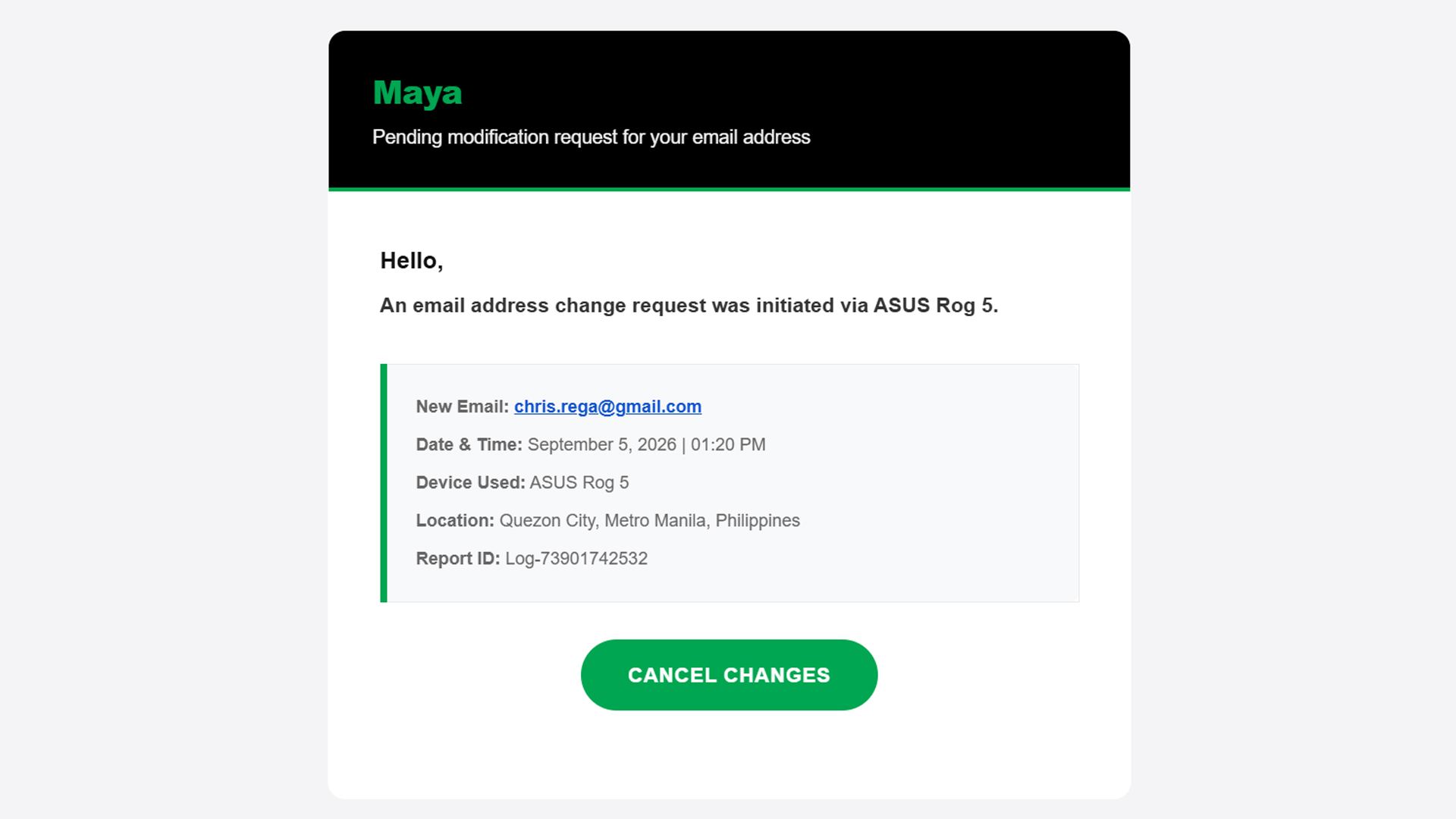
Now, on rarer occasions, the message itself has telltale signs of deception: typographical errors, missing words, extra spaces. A normal message should have already filtered these errors out, so there’s a good chance that it’s a fake message if it has any of these errors.
Basically, if something feels off straight from the get-go, cast doubt immediately and be vigilant.
Check the sender
Ensuring a fake message is clean should be easy stuff for scammers. A simple spell checker can trick a simple user into doing whatever the scammer wants. One aspect that’s way harder to change is the sender.
An email might have the cleanest copy, but one look at the sender dismantles all deception. In three of the four scam emails I’ve seen in the past two weeks, the sender was the ultimate telltale sign.
In the example below (the same one as above), the sender presents itself as “MayaPH.” If you weren’t paying attention, you would have been fooled into thinking that this is actually Maya. But, if you open the sender information, you’ll see that it’s coming from an unknown email, rather than an official Maya email address.

On a PC, this is easy to check because the email address automatically pops up beside the sender’s name when you open the email. On mobile, you’ll have to press the drop-down button below the sender’s name.
Verify the information yourself
Let’s move to the next level. What if the message looks official and seemingly comes from an official sender?
Unfortunately, scammers today can also spoof senders. Meaning, they are able to send official-looking messages and mask themselves as official senders. In the below example, “BPI” sent me an alert saying that someone tried to spend PhP 19,250 from my account. Take note: this is the same thread where I got real messages from the bank, which the scammer managed to hijack.
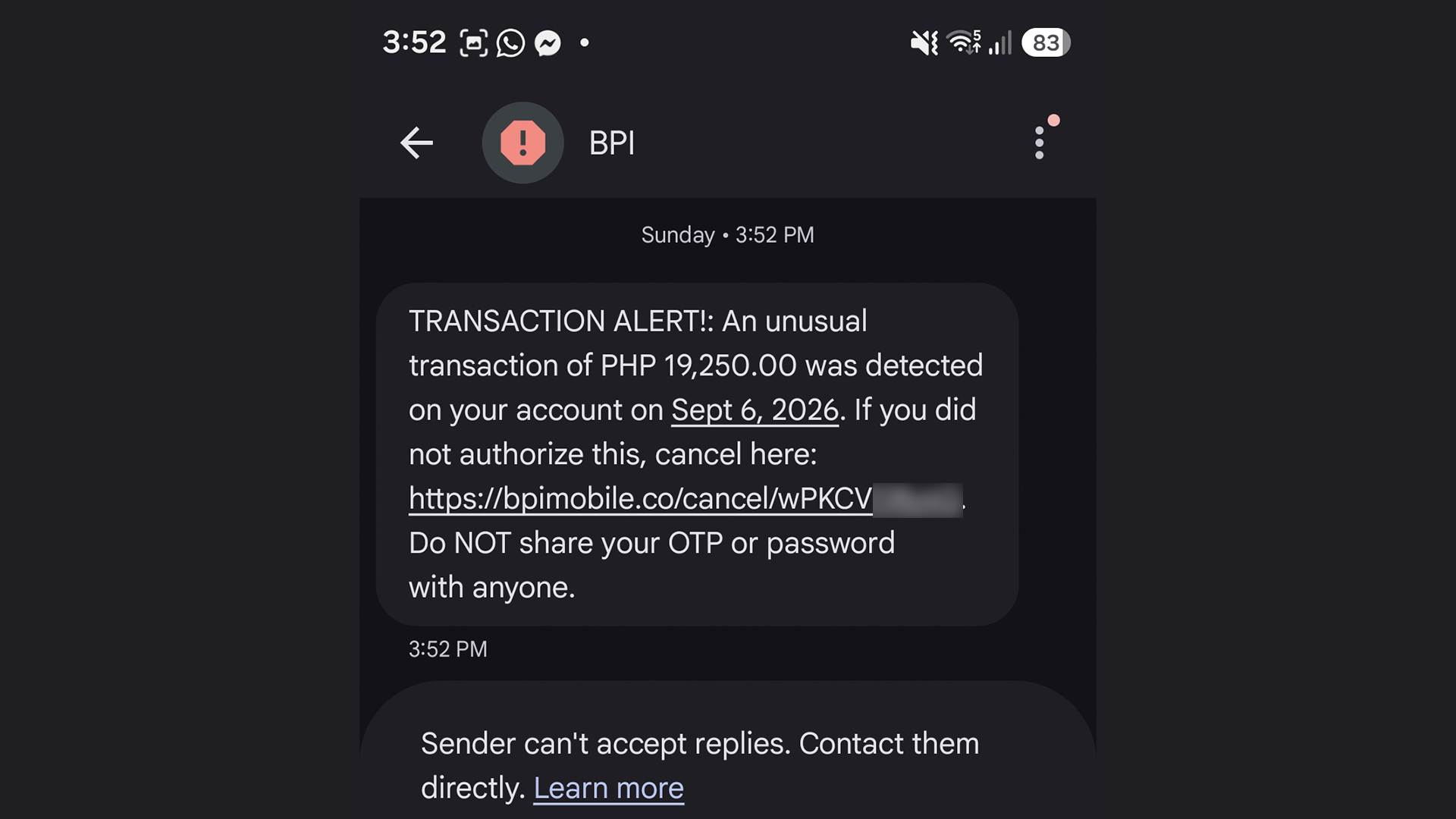
The message looks real. I can’t spot a single typo. Now, if you spotted this and thought it was real, you’d enter a state of panic and click the link out of instinct. The scammer is depending on your instinct to do so. Here’s why you shouldn’t click it: That’s not BPI’s official website. It looks like it, but it’s not.
Of course, you can’t be faulted for not memorizing official company websites. In fact, I had to Google the URL just to confirm that it was fake.
A surefire way to make sure, though, is checking the supposed information yourself. When I got the message, I checked my BPI app immediately. There was no trace of the transaction, so I knew it was fake. You can also call them yourself using their official numbers.
This isn’t limited to banks, either. Another example I’ve seen is one claiming that your Spotify subscription failed to renew. In this case, you can manually check your Spotify app to see if your subscription hasn’t been renewed.
Scammers are hopeful that you panic and run to them, rather than the official channels.
Sometimes, friends cannot be trusted
Though we can avoid falling for traps ourselves, other people still can. After an account is hacked, the hacker’s usual play is to message the account’s contact list to get other people.
Because it’s seemingly coming from a loved one’s account, a user is more likely to follow whatever the hacker wants, including clicking suspicious links.
In my experience, this type of scam is rarer these days, but it’s not completely gone. I’ve had one experience wherein a contact from Discord messaged me and tried getting me to play a game with them. The game itself was non-existent. The goal was to have me click a suspicious link and install malware on my computer. The malware can then give the hacker complete access to my PC and every account it’s logged into.
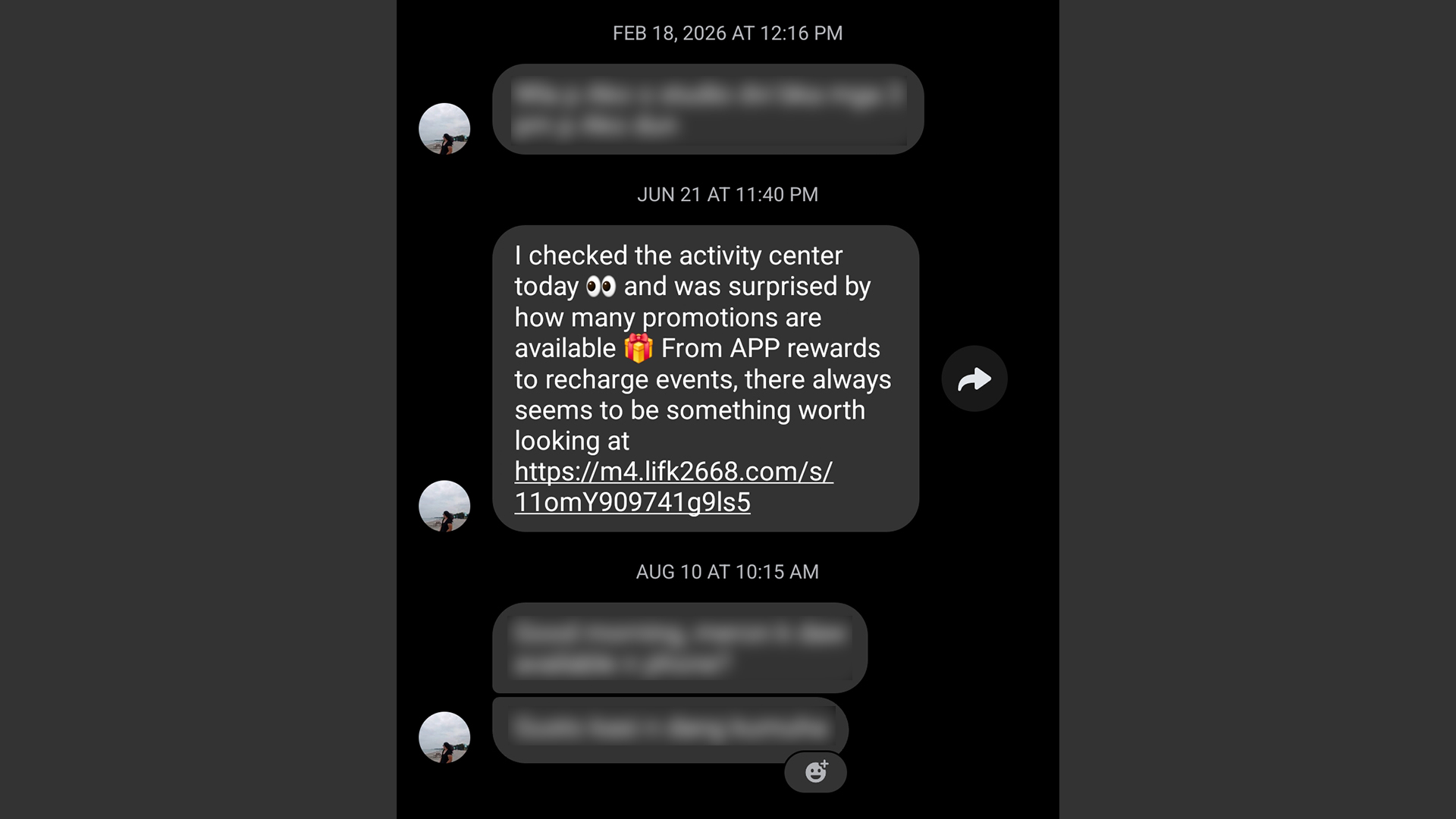
It’s a very nasty malware, but it’s fairly easy to prevent. If you get a message from a friend that isn’t their typical behavior, contact them on a separate platform, preferably on one that doesn’t rely on the net like SMS. If that’s not possible, contact someone near to them.
Address a potential hack immediately
Even with all these precautions, sometimes we can’t prevent ourselves from falling into these scams. If you find yourself victimized by scammers, respond immediately.
First of all, secure the targeted platform first. If it’s an app or a service, change passwords immediately and add two-factor authentication. If it’s a bank, call and appraise them of the situation. You might have to spend some time with a frozen account or without a card, but it beats having all your money sucked dry.
Now, if you suspect that your entire device was compromised, disconnect from the internet immediately. A hacker is toothless if they can’t connect to their prey. Then, using another device, reset every account that the hacker might have access to. If you know how, manually disconnect your accounts from the affected device. Once clear, do a clean install/reset of the device to hopefully weed out the malware.


Marvel’s Wolverine review: When the claws come out
A brutal, cinematic superhero adventure


Setting your bedsheets ablaze with the Lovense Solace Pro
The closest proxy I could find where I'm guilty as sin


Now Playing: Elden Ring Tarnished Edition
Is the Switch 2 port worth the price?

First Look: Apple iPhone Duo

Xbox saves Kojima’s PHYSINT after PlayStation drops support
Marvel’s Wolverine review: When the claws come out

PH to celebrate 1st ever National Cinema Day; movies start at less than $2

New AGON gaming monitor features up to 1000Hz refresh rate

TECNO MEGAPAD 2 review: Eyes on the size

realme 16T 5G with 8000mAh battery, IP69 Pro rating launches in PH

HUAWEI Pura X View is 2026’s first WIDE slab-type smartphone

REDMI reveals the refreshed Note 17 and Note 17 Pro series

REDMI Note 17 Series focuses on long-term reliability


-
 News6 days ago
HUAWEI Pura X View is 2026’s first WIDE slab-type smartphone
-

 News6 days ago
The CAMON Slim 5G is TECNO’s latest ultra-slim smartphone
-

 Cameras2 weeks ago
DJI Osmo 360 II review: Going all-in on the ecosystem
-

 IFA 20261 week ago
TECNO MEGABOOK T15 360 unveiled at IFA 2026
-

 Gaming1 week ago
NBA 2K27 review: A two-way All-Star
-
 Reviews2 weeks ago
Samsung Galaxy Z Fold8 Ultra review: It’s time to get a foldable
-

 News3 days ago
iPhone 18 Pro series: Price, availability in the Philippines
-

 IFA 20261 week ago
TECNO’s POVA 8 Pro gets a stealthy makeover