
Convenient Smart Home
These JMGO PicoPlay projectors are as small as a coffee cup
Ultra-portable yet still feature-rich


Projectors are often associated for their heavy heft. However, JMGO’s PicoPlay projectors are as portable as you can imagine.
As small as a coffee cup
At just 0.73kg (2.2lbs) with an 85mm diameter, the shiny-new JMGO PicoPlay and PicoPlay+ are about the size of the coffee cups we drink. These projectors are meant to be brought out and about.

Whether that be in your small room, spacious kitchen, outside your backyard, and even during your long-haul camping or beach trips, it’s the perfect entertainment companion whenever, wherever.

Both of the PicoPlay duo have an 88-degree Rotating Gimbal. This means it can project visuals anywhere you want — your floors even. This hands-free calibration ensures instant setup without the need of pesky manual adjustments.

JMGO’s FlexiSmart feature will then do all the adjustments for you — from autofocus, auto keystone, smart screen alignment, and even activating eye protection features.
With those in mind, these projectors can deliver a resolution output of 1080p Full HD and up to 400 / 450 ISO brightness lumens for the PicoPlay and PicoPlay+ respectively. That’s a lot brighter compared to conventional counterparts with only about 100 to 200 lumens.

As opposed to the standard Rec.709 color space, the JMGO PicoPlay projectors have a wider 90% DCI-P3 color space and FOFO (Full-On/Full-Off) Contrast Ratio of 400:1. There’s even support for HDR10 and surprisingly, 3D Blu-Ray content.
Lastly, both projectors have a projection size from 40-inches all the way up to 200-inches.
Feature-rich for its size
Just like modern-day TVs, the JMGO PicoPlay series run Google TV. This means your favorite streaming platforms (Netflix, Disney+, Amazon Prime, etc.) will natively on the device itself. More so, hands-free operation through Google Assistant.

Also, with the aforementioned rotating gimbal functionality, it’s now possible to watch content from TikTok, Instagram Reels, or even YouTube Shorts by rotating it vertically without frills.

Wanted to maximize your phone’s display into the big screen? Wireless streaming via Google Cast is also possible without the need of cables or other casting devices.
If your device doesn’t support casting, the JMGO duo still has a traditional USB-A 2.0 port, an HDMI 2.1 port with eARC support, and USB-C for power and/or charging.

To make watching easier, JMGO’s PicoPlay projectors possess a simplified control interface with a customizable action button for app shortcuts.
It also has touch controls for faster navigation in instances where there’s an absence of remote.
Multi-purpose projector
The JMGO PicoPlay series is not JUST a projector.
The inclusion of its colorful RGB ambient light serves like a night lamp that elevates the ambiance of a room or the mood of an any occasion being held.

Its circular form also means it functions as an 8W Bluetooth 5.1 speaker. It can then produce a 360-degree audio alongside Hi-Fi Dolby Audio codec.
Both variants have microSD card slots for expandability.

JMGO also offers an optional Power Bank Stand for the PicoPlay with a 20,000mAh battery capacity. Meanwhile, it serves as a battery pack extender for the PicoPlay+. It promises up to 3 hours of video playback or 7 hours of music on the go.
If you have any other 65W USB-C power banks, the JMGO PicoPlay series can also be powered that way.
Pricing and Availability
JMGO’s PicoPlay originally has an SRP of US$ 449 in the United States. However, as of writing, it’s now 40% off at just US$ 299 with a free set of 3D Glasses.

Meanwhile, the PicoPlay+ now has a slashed price of US$ 449 (10% off from US$ 499).
These will be the lowest price offerings of their new projector series for the whole year.
They can be purchased either from Amazon or directly via JMGO’s official website.




Convenient Smart Home
Spotlight: eufy Robot Vacuum Omni E35
Keeps My Apartment Clean While I Travel!

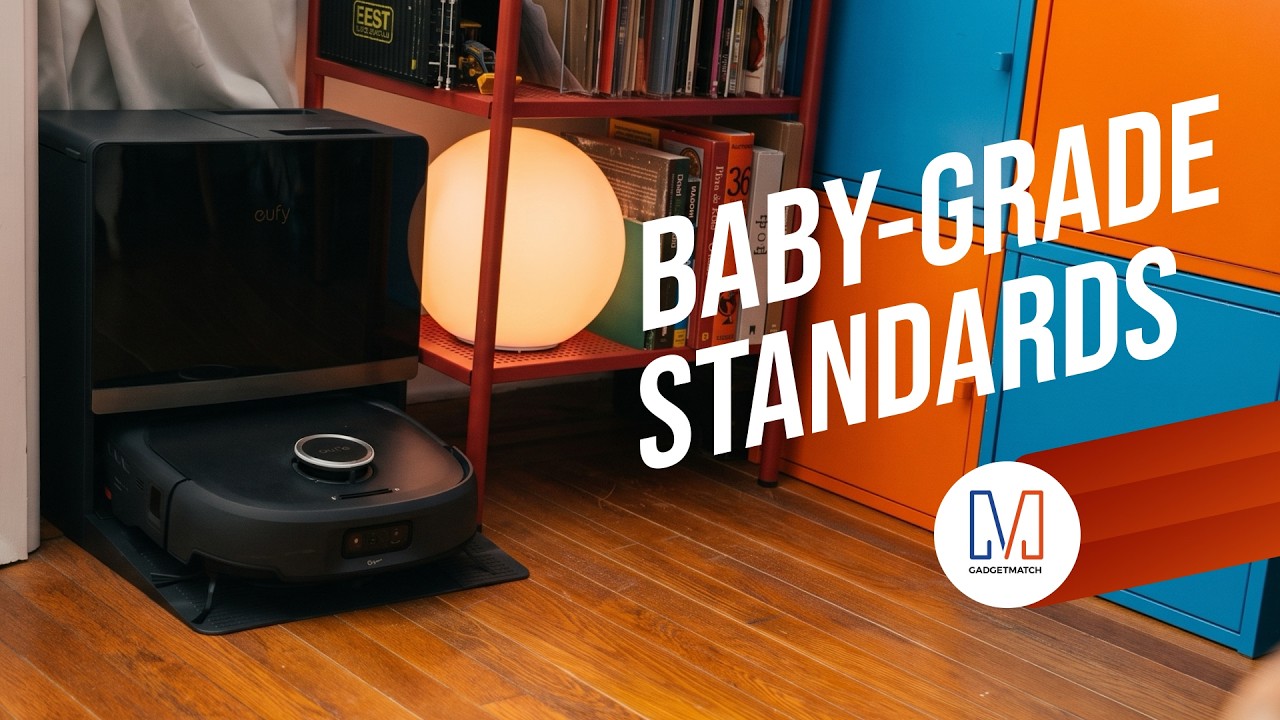
The eufy Robot Vacuum Omni E35 does more than vacuum.
With a suction power of 35,000 Pa, a HydroJet 2.0 self-cleaning roller mop, CornerRover true corner coverage, and DuoSpiral detangling brushes, it takes more of the work out of keeping your home clean.
It’s also eufy’s first baby-grade certified robot vacuum and is AAFA Asthma & Allergy Friendly certified, with AeroTurbo 2.0 multi-cyclone filtration to help keep dust locked away.
Head over to our Spotlight on the latest eufy Robot Vacuum Omni E35 to know more.
Save $450 with my exclusive code EUFYE35FANS available for a limited 30 days, so order now!

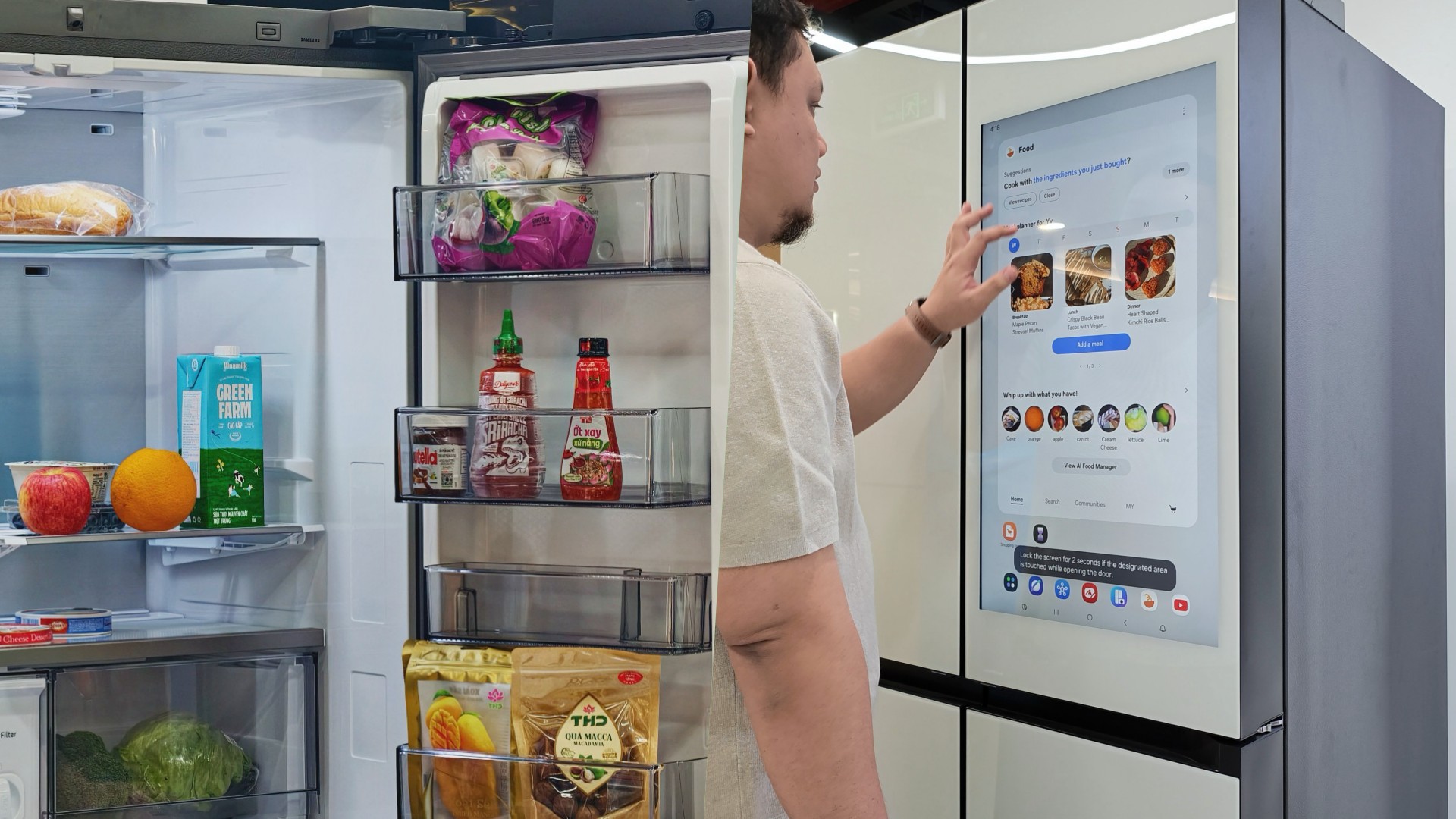
Deciding what to eat can be surprisingly difficult. Sometimes, you have a fridge full of ingredients but no idea what to make. Other times, you’re at the supermarket trying to remember whether you still have eggs at home.
Samsung thinks a little technology can help.
During my recent visit to Samsung’s showcase in Hanoi, Vietnam, its smart refrigerator stood out as one of the more interesting appliances on display. Its built-in screen offered plenty of opportunities for interaction, hinting at how a refrigerator can do more than simply keep food cold.
On supported Samsung models, AI-powered features can help users keep track of ingredients, discover recipes, and manage compatible smart appliances.
And honestly, anything that makes the daily routine a little less tedious deserves a closer look.
A little help deciding what’s for dinner
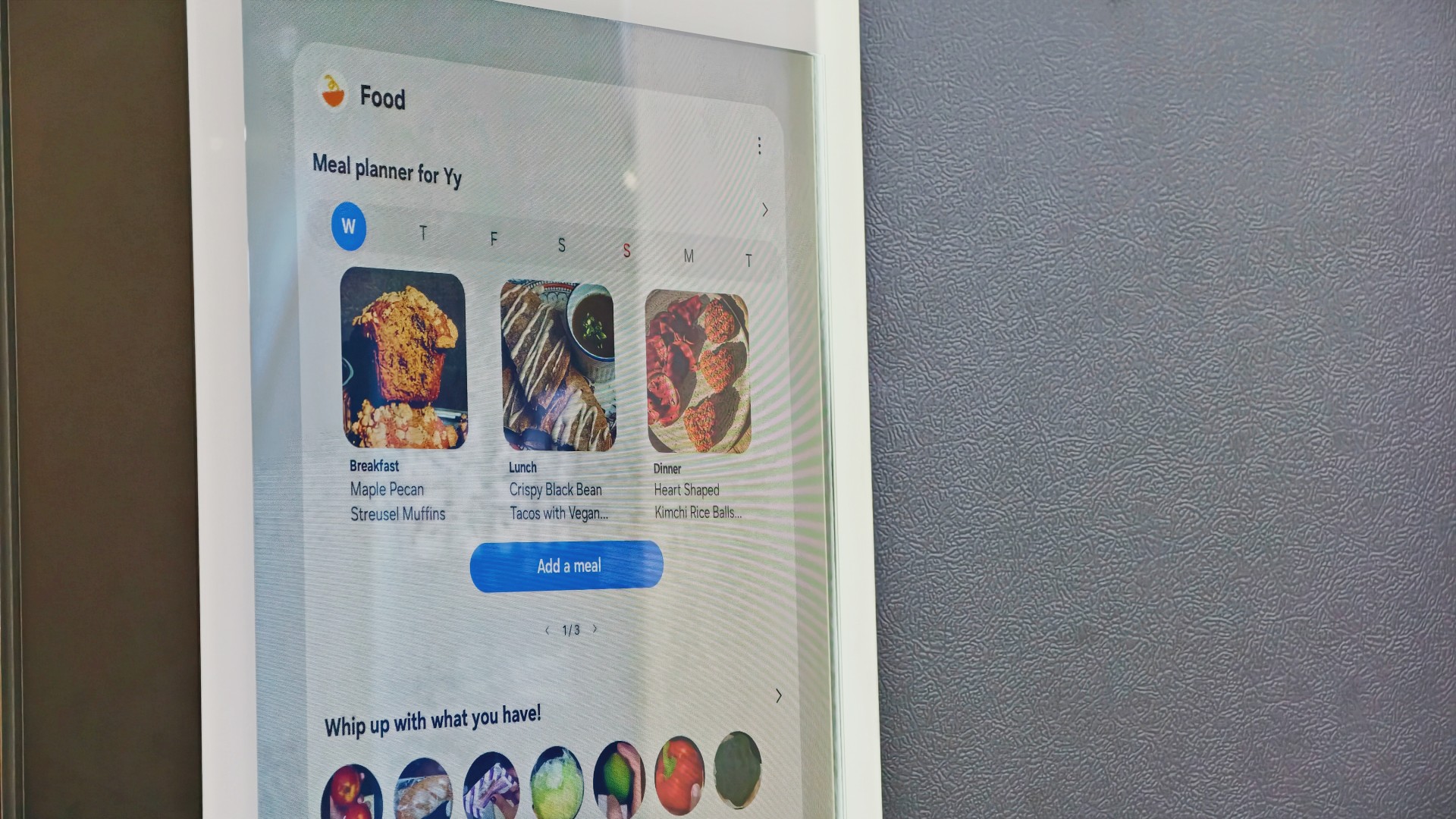
Samsung’s AI Food Manager helps users manage ingredients and discover what they can cook with what’s already available.
On supported Bespoke AI Refrigerator Family Hub models, an internal camera can recognize selected food items as they enter or leave the refrigerator. Users can check their food list through the SmartThings app, making it easier to remember what they have when planning their next grocery run.
The system isn’t infallible. Some items may not be recognized correctly, and users may need to review and adjust the list. Still, it’s a useful starting point for avoiding unnecessary purchases and making better use of ingredients already at home.
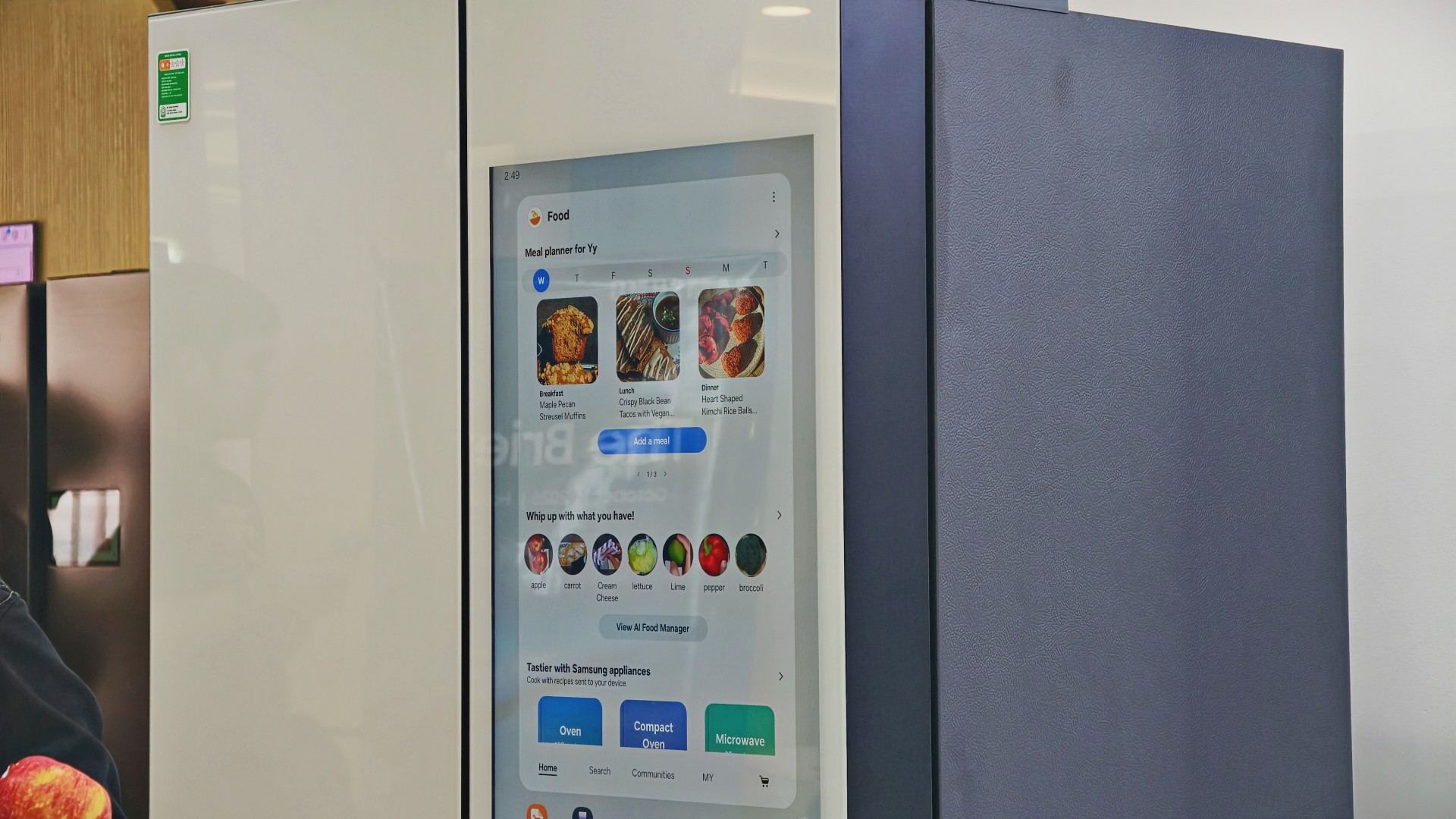
AI Food Manager can also recommend recipes based on available ingredients. Meanwhile, What’s for Today, available on select models, suggests menus based on the user’s chosen options, including available refrigerator contents.
Neither feature will magically turn anyone into a chef. But if you’ve ever stared into your fridge hoping dinner ideas would materialize, a little inspiration might help.
More than a refrigerator with a screen

The display has another practical purpose: controlling compatible connected appliances.
On supported Samsung side-by-side refrigerators with the 9-inch Family Hub display, users can access compatible Samsung smart appliances and supported third-party devices through SmartThings. Bixby also provides voice interaction for supported functions, offering another way to access controls while cooking or preparing meals.

It’s part of Samsung’s broader connected-home approach, where compatible devices work together to simplify everyday routines.
Of course, not everyone needs every appliance in their home connected to one another. A refrigerator that keeps food fresh is already doing its most important job.
But for households that use smart appliances, having ingredient information, recipe ideas, and device controls accessible from one place could be convenient.
And speaking of that screen…
You know me. If there’s a screen, best believe I’ll find a way to put a STAYC Isa fancam on it.
Anyway, back to the bigger question.
Can a smarter fridge help you live better?
Healthier living involves more than diet and exercise. Everyday routines matter, too, including planning meals, keeping track of groceries, and figuring out what to cook.
Samsung’s AI-powered refrigerator features won’t automatically make anyone eat healthier. What they can do is make information easier to access and some everyday decisions less tedious.
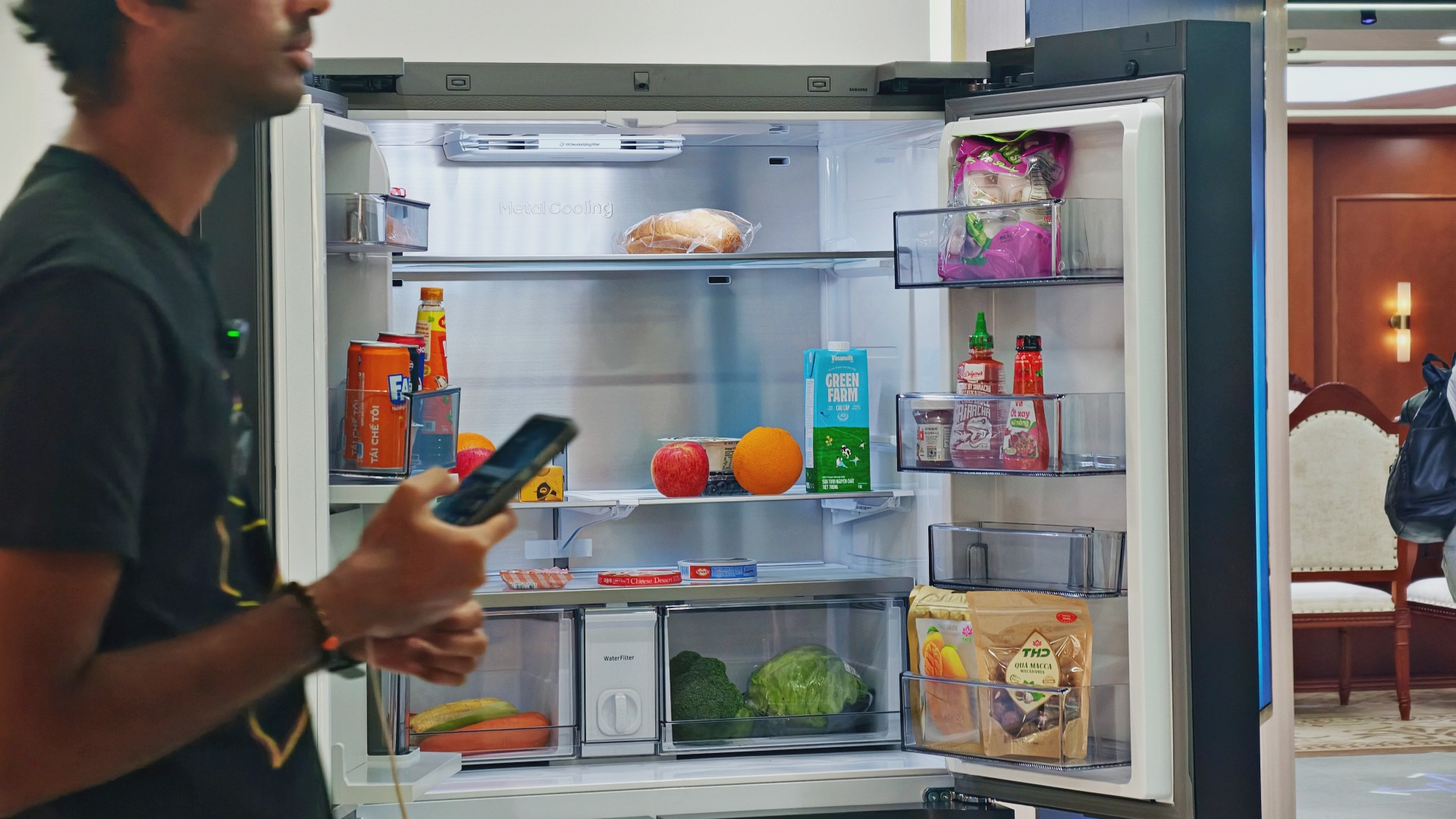
For someone who regularly cooks at home, that could mean making better use of ingredients already in the fridge. For a busy household, it might mean spending less time planning meals or remembering what to buy.
These features remain tools, not guarantees. Their usefulness depends on how accurately they work, which features a particular model supports, and whether they fit into your routine.
Still, I like the idea of technology that takes a little friction out of everyday life. A refrigerator doesn’t need to reinvent cooking to be useful. Sometimes, helping you remember what you bought last weekend or suggesting what to make with it is already a good start.

And if it happens to have a screen where you can watch a STAYC fancam while deciding what’s for dinner? Well, I’m certainly not going to complain.

Living in New York means making every square foot count, so why own multiple gadgets when one can do the job?
In this video, THE Michael Josh takes a look at the Marshall Heston 60. It’s a premium TV soundbar that brings more to the living room than just better sound.
With its sophisticated design, powerful audio, and versatile features, it sits in his living room while doing much more than you might expect from a soundbar.
CHECK IT OUT HERE: https://bit.ly/MarshallHeston


Apple iPad mini OLED review
Has the mini gone PRO?!


ROG G700 review: The best prebuilt PC you can get off the shelf
This PC will make you stop worrying about specs.


HP OMEN Max 16 review: Gamer-maxxing in deep black
Peripherals deemed necessary to max this out

Sony revives classic Walkman headphones with USB-C MDR-3R

IKEA, Xbox launch nine-piece YXSTABY gaming collection

Smart Infinity launches PureVoice

The Fellowship of the Ring in Concert finally arrives in Manila
Apple iPad mini OLED review

OPPO Find X10 Series launches globally October 21

Your coffee nook is getting a makeover with Starbucks’ holiday collections

vivo V80 debuts with ZEISS cameras

Garmin Enduro 4 promises up to 320 hours of battery life

Dragon’s Dogma 2: Dark Arisen launches with new Official Pawns


-
 Lifestyle5 days ago
Your coffee nook is getting a makeover with Starbucks’ holiday collections
-

 Lifestyle1 week ago
Sticker season is back, and so is the planner your ~friends~ might fill in for you
-

 Gaming5 days ago
Wild Rift Patch 7.3, celebrates K/DA comeback
-
Gaming1 week ago
ROG G700 review: The best prebuilt PC you can get off the shelf
-

 Gaming1 week ago
PlayStation unveils Prism Collection
-

 News2 weeks ago
Apple unveils its biggest iPad mini update yet
-

 Laptops1 week ago
Apple unveils MacBook Pro with PROLED XDR display and Touch
-

 Gaming1 week ago
FromSoftware’s The Duskbloods delayed to 2027