


OPPO recently streamlined its smartphone lineup. From Find and Reno, OPPO introduces us to the newest A series. On paper, it seems the A-series is a combination of the F-series and former A-series. Sitting in a sweet spot between an affordable price range and incredible performance, the OPPO A9 2020 is shaping up to be a contender in a sea of smartphones fighting for the crown in the midrange category.
With Xiaomi and Huawei firmly in the lead, can OPPO put up a fight just like it did with its F series? Let’s find out in this Hands-On!
Starting with looks, the OPPO A9 2020 gives in to a premium-like design

It has a dedicated fingerprint scanner and a quad-camera setup on its rear
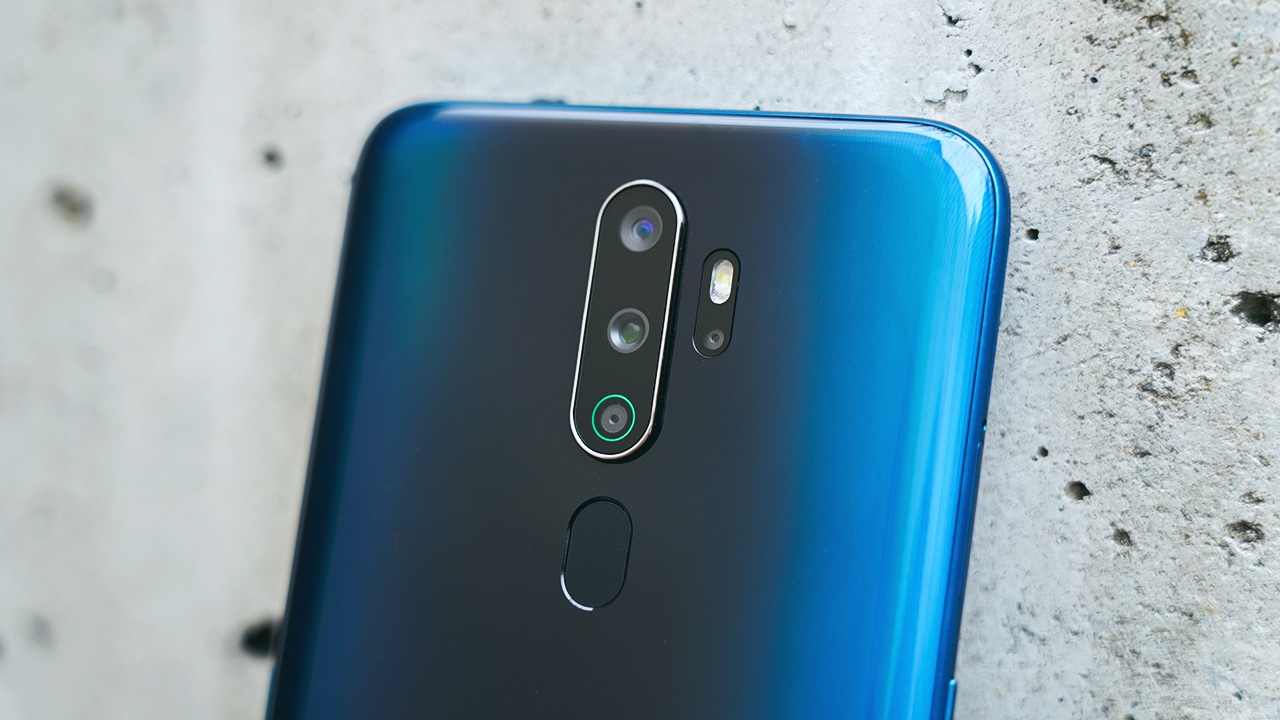
You can find the power button here…
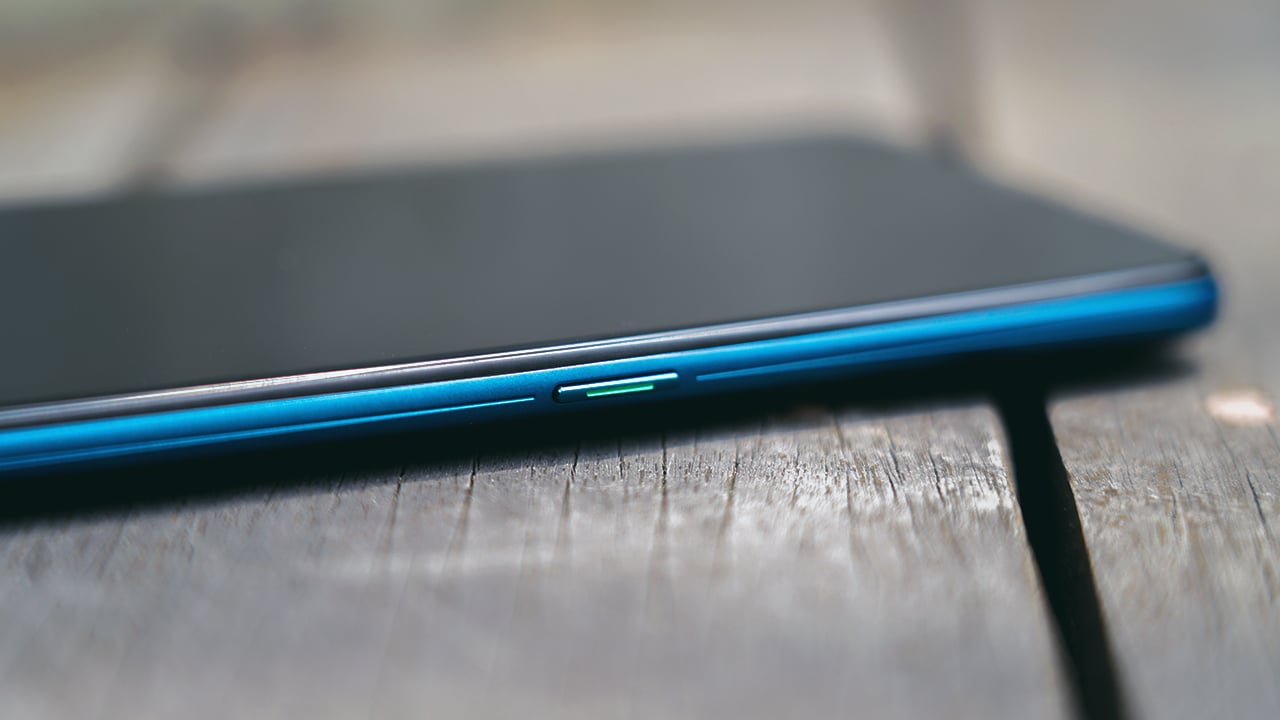
…While the left side houses the volume keys and sim card slot

Its top is clear, but its bottom shows-off its speakers, a 3.5mm headphone jack, and a USB-C port

It has a 6.5″ IPS LCD screen with a waterdrop notch for the front camera
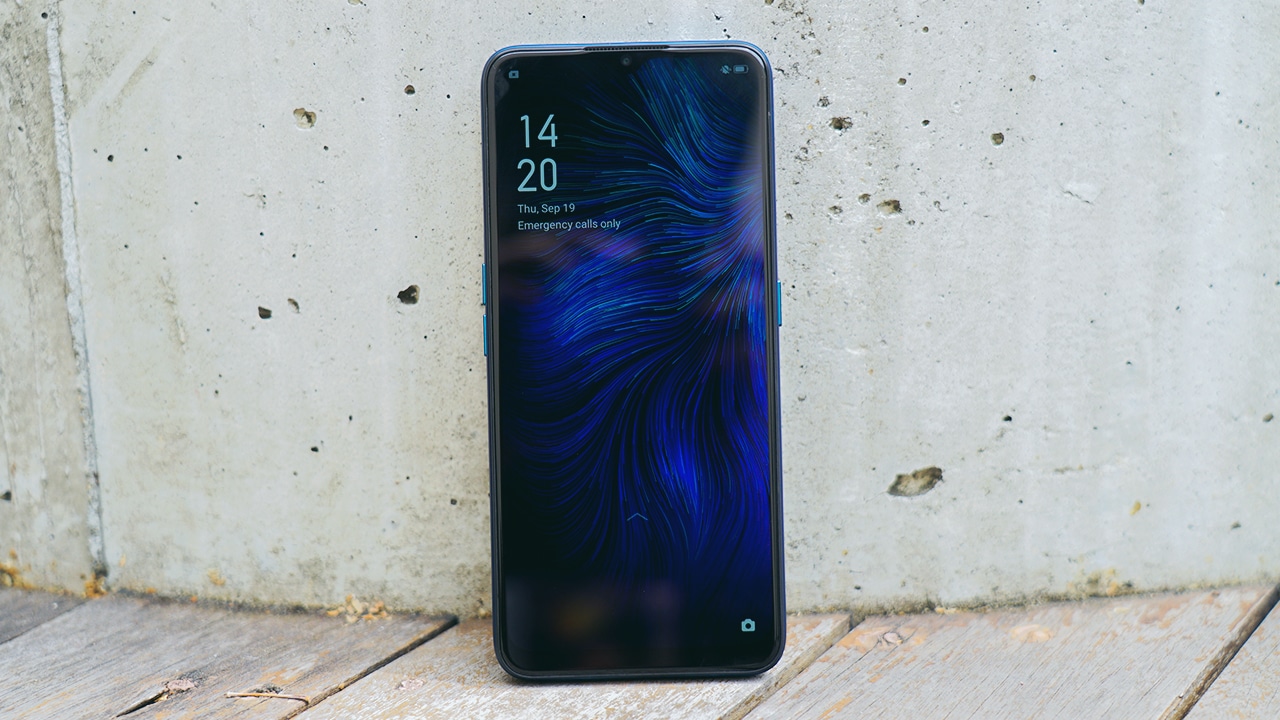
The OPPO A9 2020 prides itself with its new design that took inspiration from its R-series. In addition, OPPO focused on the phone’s display, reinforcing its IPS LCD screen with a Toughened Corning Gorilla Glass 3+.
Moreover, its screen has new features such as the Sunlight Screen which allows you to adjust the contrast so you can read the screen, even under strong direct light. It also has a Blue Shield which filters out blue light, relieving your eyes from fatigue and strain and protecting your eyesight.
Going big and definitely not going home
Sporting a Snapdragon 665 chipset along with an 8GB RAM, 128GB storage (which you can expand up to 256GB of external memory), the A9 2020 really joined the battle of offering power to midrange devices. OPPO decides to make everything flashy and… big.
For instance, it boasts a humongous 5000mAh battery that can last you throughout the day. Furthermore, it’s capable of reverse wireless charging (through OTG) so your friends can rely on you when their phones run out of battery.

Gamers will find delight with the A9 2020. Thanks to Game Boost 2.0, OPPO’s accelerator technology aims to resolve latency, reduce touchscreen lag, and optimizing energy consumption to avoid overheating.
OPPO decided to up their game for entertainment junkies, too! Packed with Dual Stereo Speakers and Dolby Atmos sound effects, expect a superb, immersive audio experience.
Smarter, smoother
The A9 2020 runs on ColorOS 6 based on Android 9.0. Now, its interface is cleaner and smoother. Icons look cute with their subtle gradient tones.
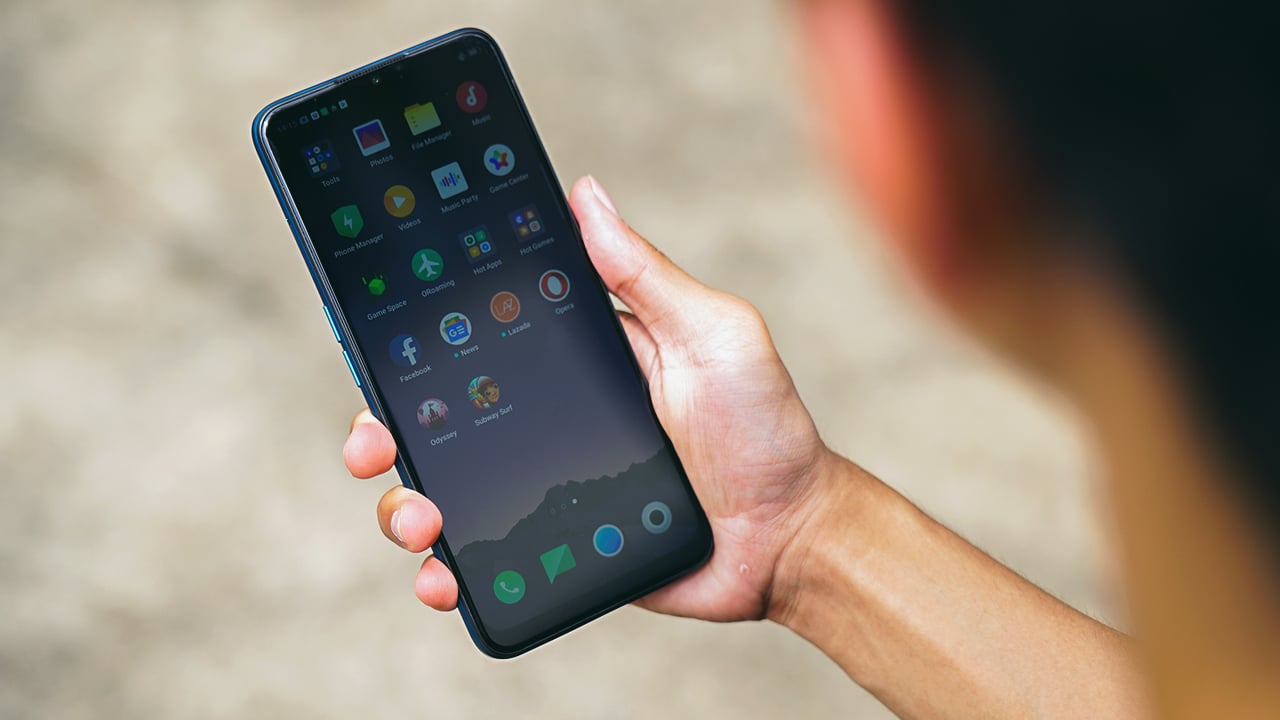
It also comes with smart functions like Smart Assistant, Riding Mode — which lets you remain uninterrupted by notifications and incoming calls — and a Music party app which lets multiple phones connect in the same LAN through a Wi-Fi hotspot for synchronized listening.
Navigating the phone is now easier with a single hand, too. Through Gesture Navigation, you can return to the home screen, check out recent tasks, switch pages and applications by just swiping up, left, and right.
Cameras for all angles and scenarios
The OPPO A9 2020 shows off its highly versatile camera setup. It has a 48-megapixel main camera, an 8-megapixel ultra-wide-angle lens, a 2-megapixel portrait lens, and a 2-megapixel mono lens on its rear.
On its front is a 16-megapixel camera with AI Beautification technology which automatically identifies your skin tone, age, gender, and skin color for customized beautification, giving you a pretty yet make-up free look.

More features include artistic portrait styles, ultra night mode, and 4K video shooting. More sample photos here:









Is the OPPO A9 2020 your GadgetMatch?
If you’re into massive and chunky smartphones with a solid build, the OPPO A9 2020 might be a good match. It offers power and performance for gamers and entertainment junkies, and its smartphone has a versatile camera setup to appease your needs. While there may be Xiaomi and Huawei leading the midrange category, OPPO definitely cooked up a powerful yet affordable phone that can go toe-to-toe with its rivals.

The OPPO A9 2020 is available in two colors: Space Purple and Marine Green. Its retail price is PhP 15,990 and will be available for pre-order starting September 20 until September 27 in Lazada, and through OPPO stores, authorized dealers, and e-commerce partner sites like Shopee, Akulaku, and Argomall on September 28.
For those who want to avail through Home Credit, customers can pre-order the A9 2020 starting September 20 with flexible payment terms of six and nine months with a guaranteed zero percent interest.


Hands-On
Apple iPhone Duo Unboxing and Hands-on
Supported apps, crease, cameras, and MagSafe all tested


Apple’s iPhone Duo is finally here!
Aside from unboxing the all-new iPhone-dable in Night Sky, we take a closer look at the display crease, check out the under-display camera quality, see which MagSafe accessories work with it.
Most of all, which apps support it (or not).
But how well does the dual-screen experience on an iPhone actually work? Watch our Apple iPhone Duo unboxing and hands-on to know more!


Moving into a new space comes with a long list of things to figure out, and lately, I’ve been paying more attention to something that’s easy to overlook: air quality.
After using the LG AeroMini for about a month, it has become a subtle but welcome addition to my space. It helps make the room feel fresher, while its compact and stylish design fits naturally into my setup. Here are the things that stood out to me most after living with it for a month.
360° purification for a fresher space
One of the things I appreciate about the AeroMini is its 360° air purification, designed to bring purified air in every direction.
For me, this is particularly useful in a new space where I’m spending a lot of time working, relaxing, and just settling in.

Combined with its True HEPA filter, which is designed to remove 99.999% of 0.01μm fine dust and allergens, it gives me added peace of mind about the air I’m breathing every day.
After a month, I can genuinely say that the space feels fresher with it running.

Surprisingly quiet
This is probably my favorite feature.
The LG AeroMini operates at just 26dB, and after using it for a month, what stands out is how easy it is to forget that it’s even running.

I can have it running while I’m working or sleeping without the noise becoming a distraction. For an appliance that’s designed to continuously improve the air around you, I think that’s a big deal.
Sometimes, the best feature is the one you barely notice.
Design that fits my space
Since I recently moved, I’ve been pretty conscious about what I bring into the space. I want things to be functional, but I also don’t want appliances that feel like they’re taking over the room.

The AeroMini’s slim and compact design makes it easy to incorporate into my setup. It doesn’t feel bulky or industrial, and I like that I can leave it out without feeling like I need to hide it away.
For me, that balance between functionality and aesthetics makes it feel more like part of the space rather than just another appliance.
Air quality at a glance
Another feature I’ve found convenient is its Smart Control. Through the app, I can monitor and control the AeroMini while getting real-time updates on the indoor air quality.
It’s a small convenience, but being able to check the air quality without having to interact with the purifier directly makes it easier to keep track of what’s happening in the room.

Easy to maintain
I also appreciate that the AeroMini is designed with an all-in-one dust and deodorization filter that makes replacement and maintenance easier.
That matters to me because the best home gadgets are the ones that don’t create another complicated chore. I want something I can set up, use regularly, and maintain without too much fuss.

After a month, would I keep it?
Yes, and mainly because it quietly fits into my everyday routine.
The LG AeroMini has helped make my new space feel fresher and more comfortable, while its compact design means it doesn’t compromise the look of the room. But if I had to pick just one thing I appreciate most, it’s still how incredibly quiet it is.

It’s one of those upgrades that doesn’t demand your attention. It simply works in the background.
If you’re also looking to make your home a fresher and more comfortable space for yourself and your family, visit https://www.lg.com/ph/ to learn more about the LG AeroMini and how it can fit into your everyday life.
Hands-On
Apple iPhone 18 Pro Series Hands-on
And everything announced during Apple’s September 2026 Event

The latest Apple event isn’t just about the shiny new Apple Duo. There’s a lot to talk about!
In this video, we break down everything Apple has announced during their September 2026 keynote.
First, there’s the updated iPhone 18 Pro and 18 Pro Max. That’s alongside their design and color changes, battery and performance improvements. Even that massive camera upgrade.
There’s even the ANC-infused AirPods 5 alongside the newer Apple Watch Series 12 and Apple Watch Ultra 4. Plus, the latest software updates coming to both these wearables.
So, are these worth the upgrade?


ROG G700 review: The best prebuilt PC you can get off the shelf
This PC will make you stop worrying about specs.


HP OMEN Max 16 review: Gamer-maxxing in deep black
Peripherals deemed necessary to max this out


vivo V80 review: Good phone, tough sell
A capable travel companion

Sticker season is back, and so is the planner your ~friends~ might fill in for you

FromSoftware’s The Duskbloods delayed to 2027

Yes, you can turn off the MacBook Pro’s touchscreen display

Demon Slayer: The Hinokami Chronicles 2 launches on Switch 2

What the MacBook should touch on instead

Ghost of Yōtei Complete Edition review: More of a great thing

vivo X Fold6 makes global debut with 200MP camera and 6900mAh battery

OPPO Find X10 Series launches globally October 21

Sony teams up with Hello Kitty for exclusive limited-edition collection

Bambu Lab opens first Authorized Store in the Philippines


-
Reviews2 weeks ago
vivo V80 review: Good phone, tough sell
-

 News1 week ago
OPPO Find X10 Series: Price, availability in the Philippines
-

 Cameras1 week ago
DJI Osmo Pocket 4P Pearl White now available globally
-

 News1 week ago
OPPO Find X10 Series: Price, availability
-

 News2 weeks ago
Sony unveils three premium Walkman music players
-

 Entertainment1 week ago
Cyberpunk: Edgerunners 2 now streaming, Cyberpunk 2077 update coming
-
Gaming1 week ago
HP OMEN Max 16 review: Gamer-maxxing in deep black
-

 Laptops2 weeks ago
Lenovo expands Yoga lineup with new AI PCs and tablets