


Accessories
Uperfect X14 Pro Wireless Lapdock Review
AKA The untapped potential of the modern smartphone

Whether you’re aware of it or not, we have long passed the line where mobile devices have enough horsepower to be viable laptop or desktop replacements.
Apple’s “What’s a Computer?” campaign has shown that the iPad was way closer to a Macbook than ever before. Samsung, on the other hand, already has its DeX desktop interface software. It has been baked-in with its flagship phones since the Galaxy S8. Other major smartphone manufacturers have followed suit with similar software since then.
Hell, even Google has been developing a native “Desktop Mode” since Android 10. It’s yet to receive an official release as of Android 13. However, it still speaks a lot about the capacity and the potential of mobile devices to make the jump toward the big-screen leagues. With all of that happening, here comes Uperfect with a lapdock that promises to take advantage of all that untapped power.
Long time coming
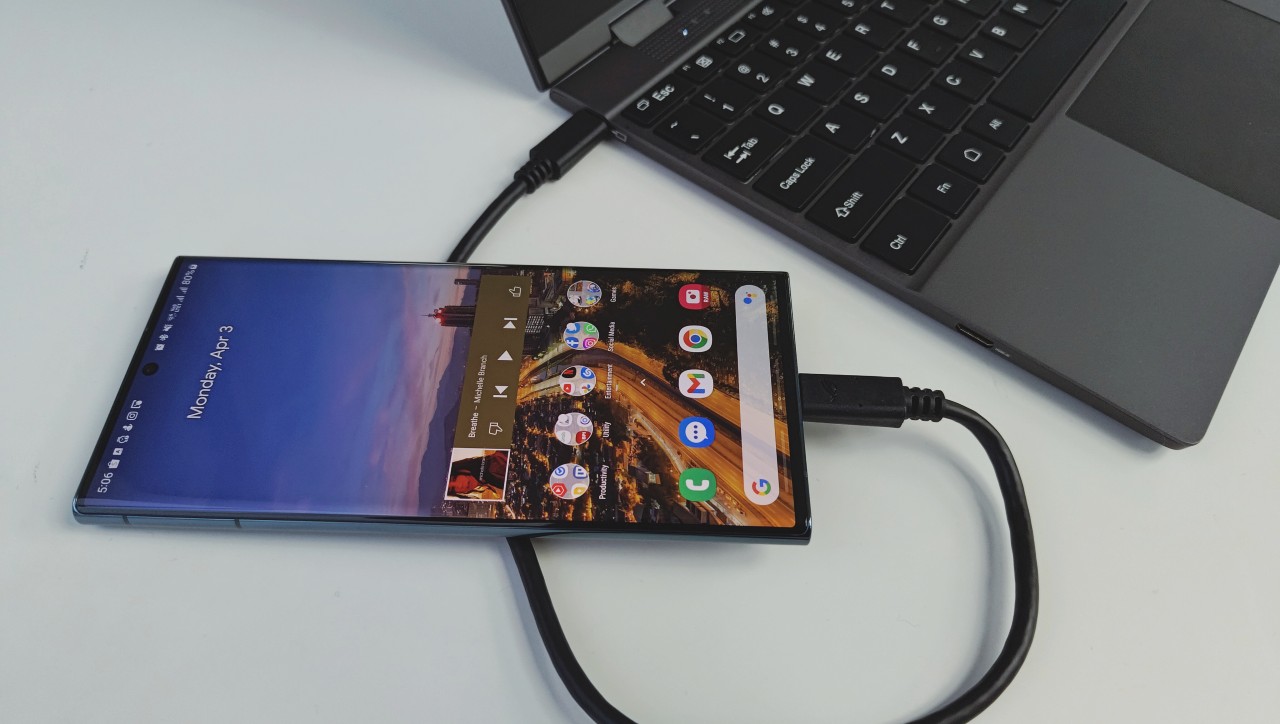
Before everything else, let me say that I’ve been asking for something like this from smartphone brands and third-party accessory developers for a long time now. More lapdocks, please. As an incredibly busy person who relies on my phone for my daily tasks– there are days when I live off of my Samsung Galaxy S22 Ultra entirely. I work within Samsung DeX via a USB-C to HDMI cable hooked up to a monitor.
I’ve used both the Samsung DeX Station and DeX Pad extensively in the past. I’ve even extended my home setup to accommodate space for an extra monitor hooked up to the DeX pad. This way, I can access my phone working interface at home. So for this review, I will primarily be using the Samsung DeX environment for my usage experience with the Uperfect X14 Pro.
Why the lack of lapdocks?
Back to the topic at hand: 2023 smartphones are strong enough to be laptop substitutes, but they don’t see widespread use for a few reasons. First, there is a lack in the market at large for viable laptop or desktop form factor substitutes. And more importantly, we as consumers just haven’t collectively decided on an acceptable and ergonomic solution to run our overpowered smartphones as mid-level laptops and desktops. There is still much innovation required in this space to be fully mainstream.
This is where Uperfect comes in, with a form factor that not only looks viable, but also straightforward enough to be understood even by the most tech-averse luddite. Their X14 Pro Wireless Lapdock looks, feels, and works like a laptop. But with two big twists: it’s a fraction of the cost of a proper laptop, and it needs your phone to power it.
Old parts, new tricks

If you think about it, there is technically nothing revolutionary about the hardware of the Uperfect X14 Pro. Its the combination of two technologies that has existed for a long time now– portable touchscreen monitors, and a wireless keyboard and trackpad.
But the way they’re implemented is much more unique. It extracts a desktop experience from your phone and presents it in a familiar, intuitive, and expanded laptop interface.
A laptop on a diet
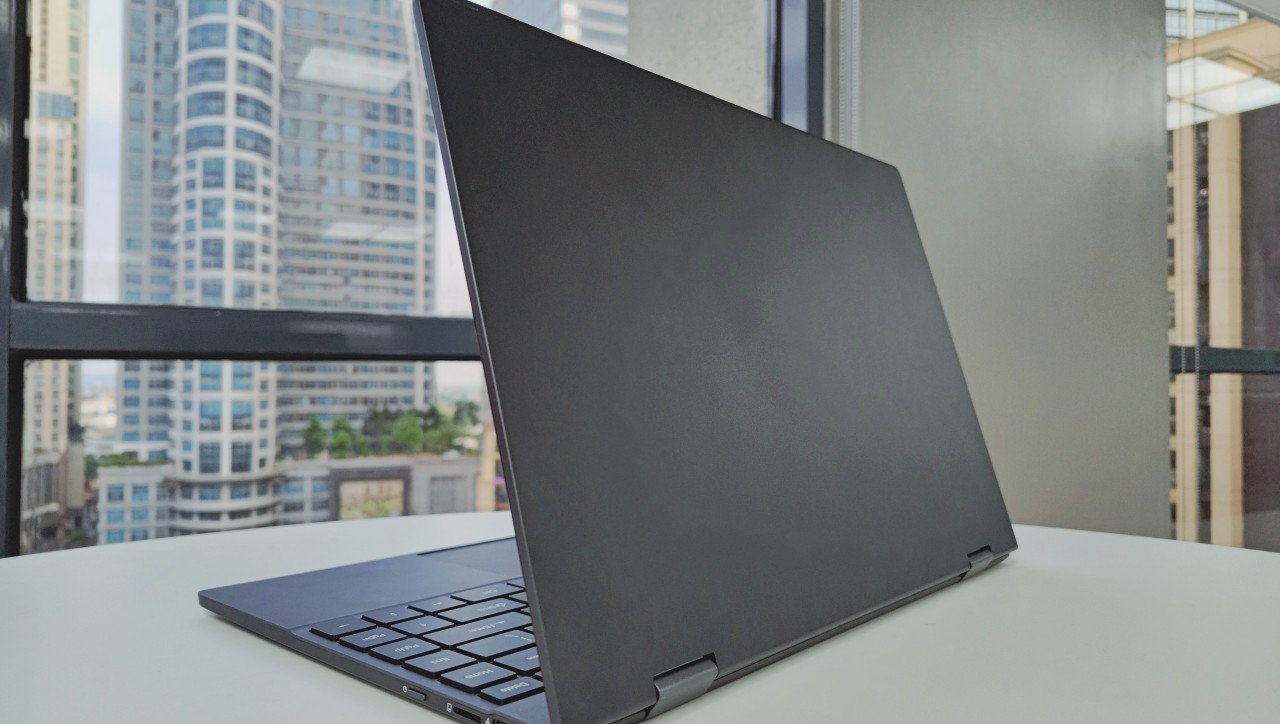
Starting with the outside, the Uperfect X14 Pro is solidly built. Its 2.76lb weight feels sturdy in the hand, and you can instinctively feel there are no empty chambers inside. The hinges are strong enough to combat display wobble, and there’s barely any deck flex.
It’s got the workings of a premium laptop; an all-aluminum build, all edges are finely chamfered, no pointed corners, and a pristine grippy finish. Its svelte housing is improved by the fact that there are no branding nor legal and industry compliance logos printed on its body. The most you get are port labels, and that’s it.
Yeah, it’s a sleek and stealthy device, measuring at 323mm across, 218mm deep, and 15mm thick. Since it doesn’t have much in the way of computing boards in its internals, it can be made almost impossibly thin. It also lacks vents, because there is no processor, GPU, or RAM inside to produce any heat.
The Uperfect X14 Pro’s slim frame houses a 10,800mAh battery. It charges at a max of 20W through USB-C. Uperfect claims it can get a maximum of six hours of usage after three hours of charging. This aligns with our findings.
While a six-hour screen-on time is impressive for a small laptop, a three-hour charging time can be considered slow by modern standards. That’s especially true when laptops of this size are starting to standardize a 65-100W charging through USB-C. This maxes out batteries within 30 minutes. If you’re using the X14 Pro as a daily driver, there’s no going around it– you’re plugging this in at the end of every day. At least, it’ll look good on your nightstand.
It’s got the right ports, but not the ones you expect

Speaking of plugging stuff in, all of the ports are well-machined and placed ergonomically. But while technically lacking in the context of a laptop, it’s abundant in the context of a lapdock.
It’s got a USB-C port that supports display throughput, as well as a mini HDMI. There is a separate USB-C charging port that supports 15W charging, right beside a 3.5mm audio out, and a microSD card slot.
This port selection is fine for me for the most part. If there’s anything I would like to see added or improved in future versions of the product is the addition of data passthrough to the charging USB-C port. Or hell, even just add another USB-C port for data, so users can connect an expansion dock to plug in external hard drives or wireless peripherals.
Audio apprehension

Also, upon first look at its I/O, I was immediately worried that placing the 3.5mm port right beside a power input port would result in powerline noise when using wired audio. And that worry rings true, as the powerline and the 3.5mm are not shielded properly from each other, and as such have audible(albeit low-level) high-frequency noise.
It’ll be fine for most, but for people looking to sit back and relax with some music in a quiet cafe somewhere, this ain’t the device to do it with, chief.
And while we’re on the topic of audio, don’t expect the Uperfect X14 Pro to impress you with its pair of 1W speakers. They sound thin and weak, which is to be expected of laptops of the same size, but it’s worsened by the fact that there are no vents on the laptop.
Remember, sound is vibration propagated through air, and the more air a speaker has access to, the better and louder it generally sounds. Unfortunately, the air access afforded by the perforated holes at the front of the keyboard is not enough for the Uperfect X14 Pro speakers to perform properly.
A delight to work on
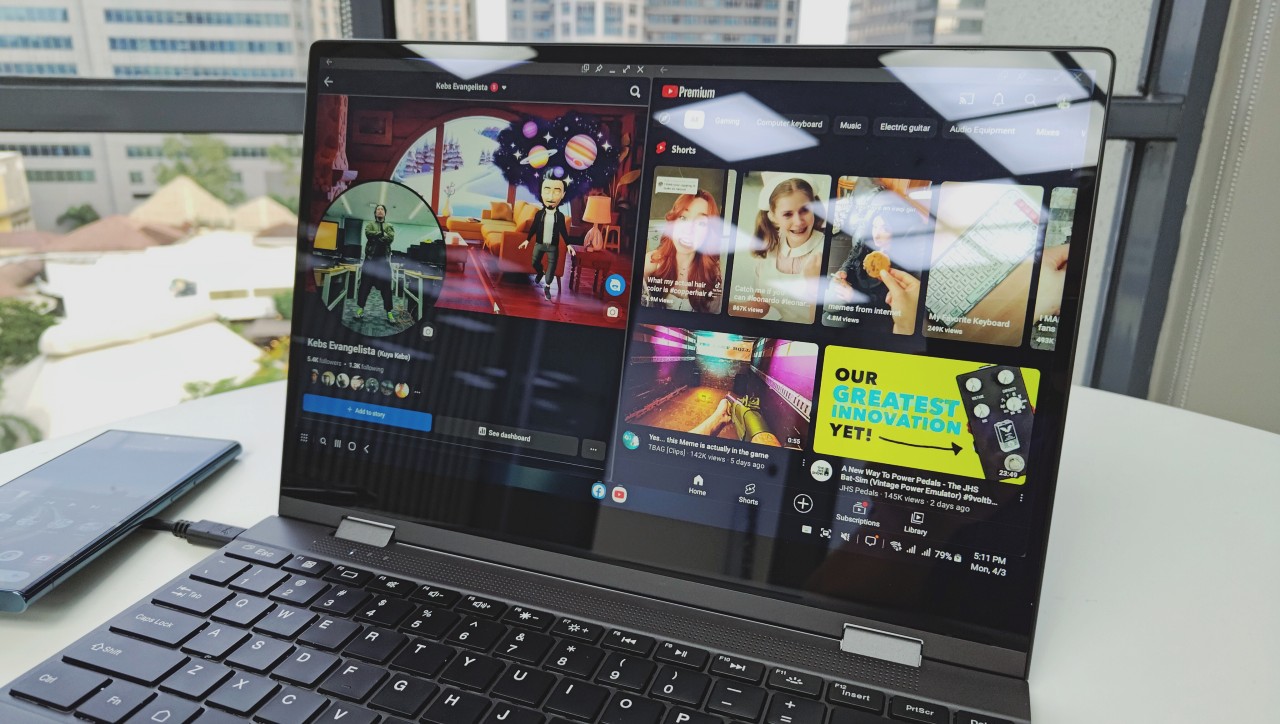
Moving down from the speakers, the Uperfect X14 Pro comes with a solid white-backlit keyboard with full-scale keys that offer comfortable key travel and response. I typed out this whole article on it, and the ergonomics are on par with some of the best slim and light keyboards out there. The trackpad feels great too. While it’s a bit too sensitive for my taste and lacks functional palm rejection, it is of a good size, has a satisfying tactile click, and is comfortably responsive.
Not quite the looker, but it’s a good one nonetheless
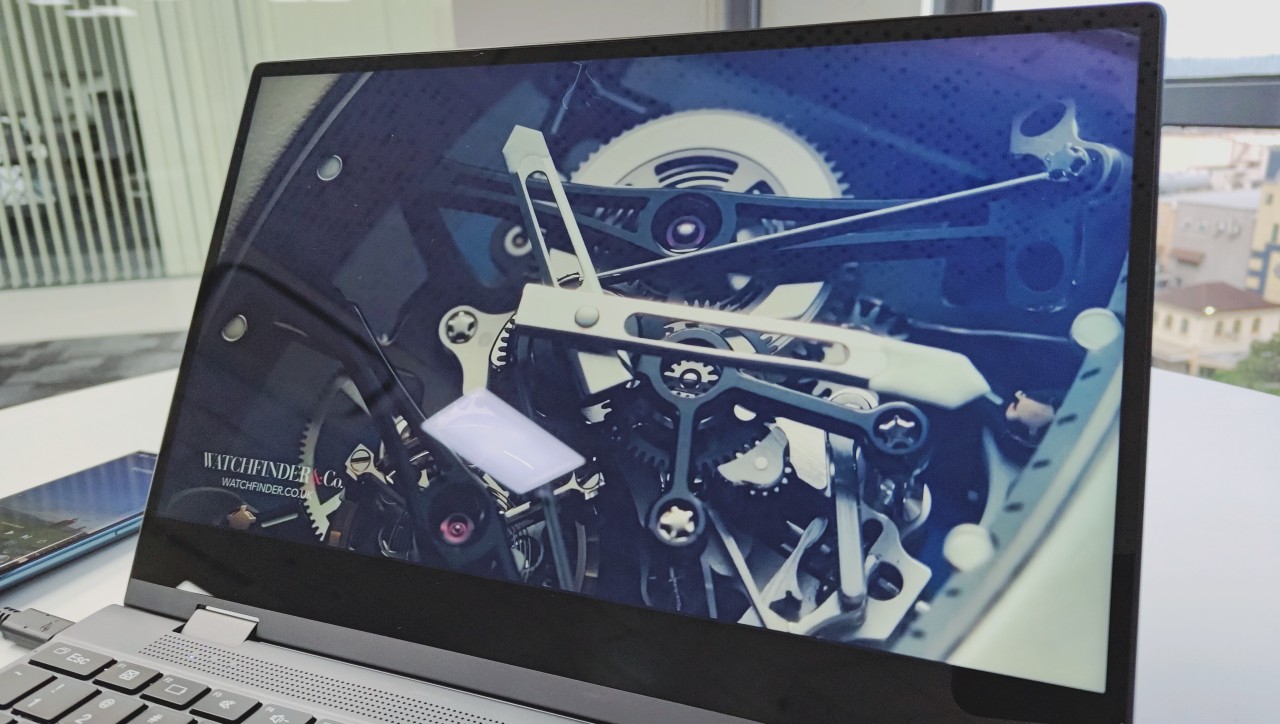
And lastly for outside features, the screen. The Uperfect X14 Pro has a 14-inch 1080p IPS 10-point touchscreen that runs at a 60Hz refresh rate. It does have some thick bezels and a chin on it, but it’s not enough to be distracting.
It covers 100% of the sRGB color spectrum and even has a dedicated sRGB mode for those who need to work with a color-neutral screen. This seems to be right on par with the needs of users that I expect this product to be for. It’s a modest screen with great color reproduction and response times.
Brightness might be a bit lacking for some, especially the crowd that would prefer to use this lapdock in a bright cafe or under direct sunlight. But for every other situation, the screen can function pretty well.
One other feature of the panel is it has a 360-degree hinge, meaning it can also be used in tent mode, display mode, or in tablet mode. All these uses have their times when they can be maximized, but this feature could’ve been served better if it also had stylus support. If it had that, it would’ve been the perfect companion piece to my S22 Ultra and its S-pen.
Last thing to note about the screen: unlike regular laptops, it does not have a webcam in its top bezel. But then again, you are going to be connecting this to your phone, so just use the camera on that.
Is it time to cut the cord?

So far in this article I’ve only written about my (mostly) great experience on the Uperfect X14 Pro. While they are all valid, those praises only apply when I have my phone plugged in via USB-C.
Availing of the wireless mode, sadly, just downgrades every bullet point of the experience to ‘meh’ status. When wireless, the screen I’ve praised now has blocky compression artifacts. There’s also a huge input delay for both typing and touchpad control– not to mention the fact that in wired mode, the touchscreen functions as expected; but when using the touchscreen in wireless mode, the screen struggles with locating the exact point of the touch and just ‘approximates’ all your touches and gestures, leading to a whole lot of misclicks and accidental drags. So you’re going to be stuck using the trackpad anyways.
Even audio is affected when forgoing the wire; wired and speaker audio gets compressed to all hell in wireless mode. So yeah, objectively the best usage experience for the Uperfect X14 Pro Wireless is when you don’t use it in Wireless mode.
So you might be thinking, ‘alright, so I’ll just use it in wired mode all of the time then’. Well, that’s the thing– when we’re using laptops outside of the comforts of our desks, we usually don’t connect anything to it, not even the charger. It’s hard to prop it up on your lap in bed to watch media off of it. It’s hard to use it while in the back of a moving vehicle, because you’ve got this fragile, semi-hard USB-C cable coming off the side of it, connected to a heavy phone with a fragile USB-C port as well.
Wired vs wireless
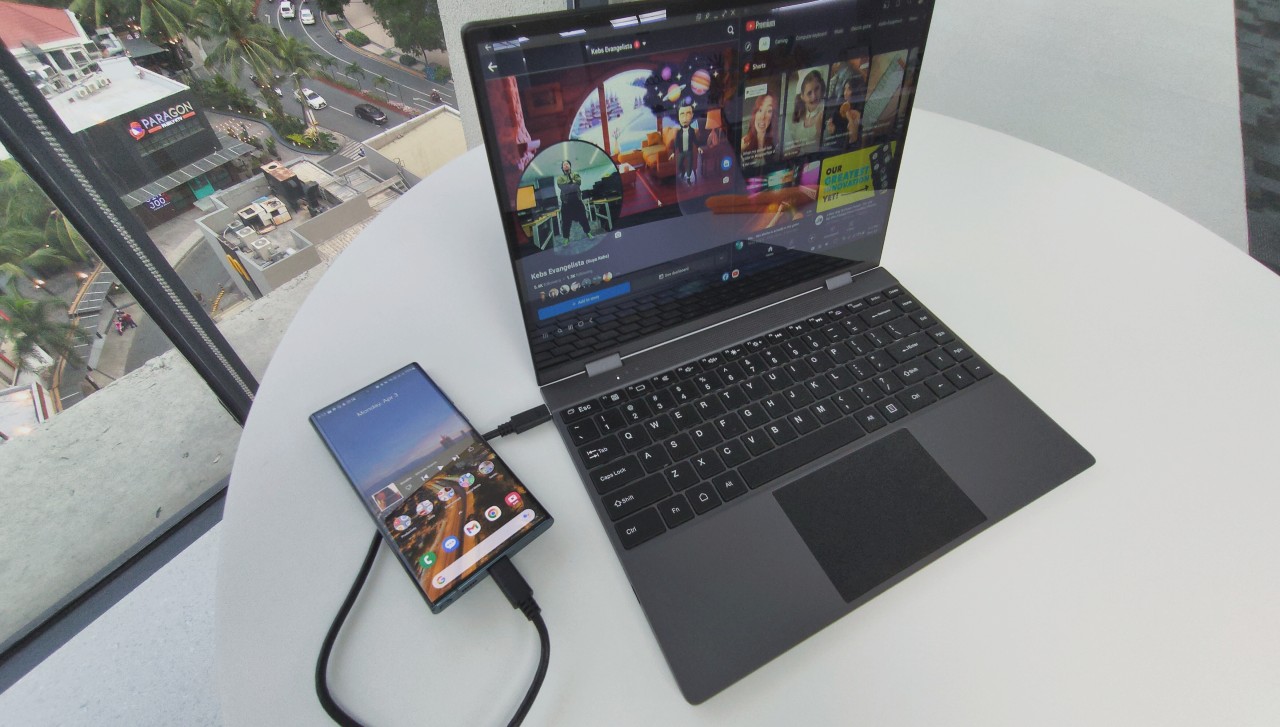
Wired vs wireless — It’s always an active choice. Do you stand the cable coming off the side in the name of better performance? Or do you use it in wireless mode, keep the phone in your pocket, and settle for not getting the best performance or responsiveness? For me, I’d always take the wired option.
Apart from that, there are some more major changes to the Uperfect X14 Pro experience compared to using a laptop. The glaring one would probably be the heat. Since there are no actual processing components inside the body, it doesn’t heat up like a normal laptop. You can keep it propped up on your lap the entire day and it’s not going to cook your nether regions.
However, since all the computing power is served by the phone, you might want to take your phone out of your pocket. It’s prudent to set it on the table while using it with the lapdock because it’s going to get toasty.
You also have to watch the battery of both your phone and the Uperfect X14 Pro. It does come with passthrough charging so you can charge both the lapdock and your phone just by hooking up one charger. But at 20W, you’re going to be slow charging most of the time, and just keeping their batteries at current levels during heavy use.
Is the Uperfect X14 Pro Lapdock your GadgetMatch?
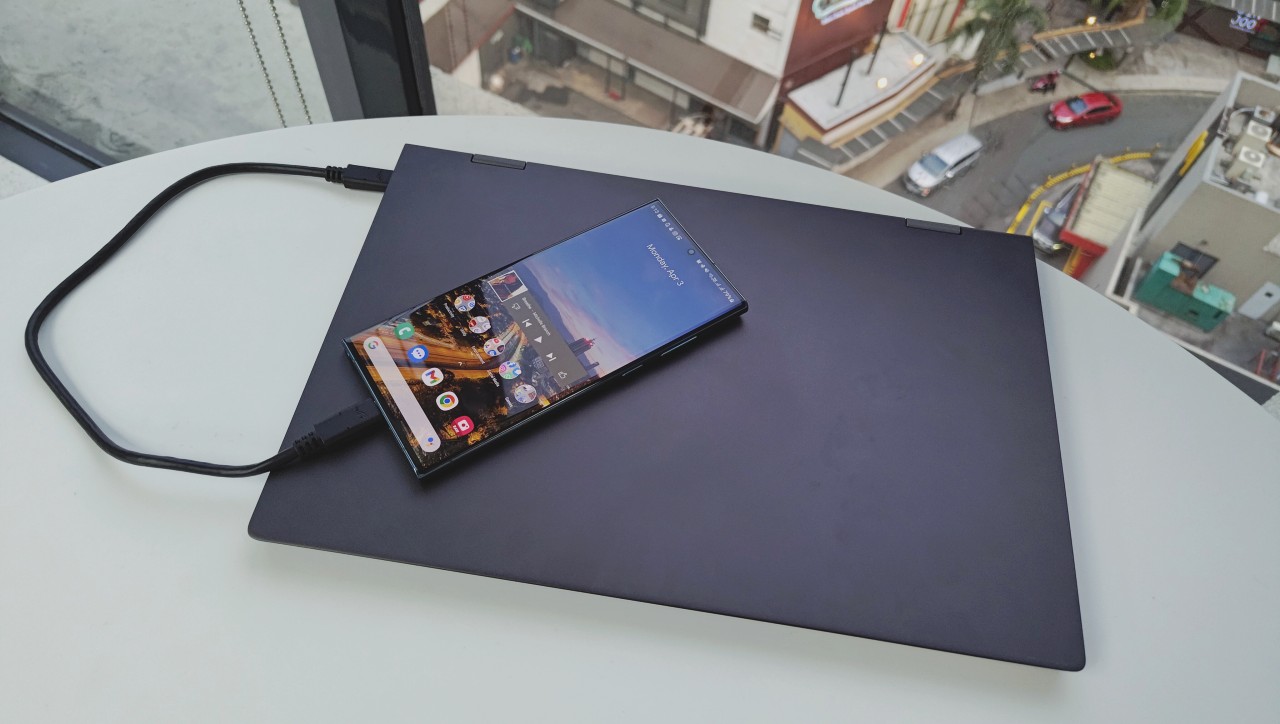
If you ignore the phon hanging around the side of the Uperfect X14 Pro all the time, you would think that this was a pretty expensive and high-performance laptop. Of course, the reality of that assumption highly hinges on you having to connect a flagship phone to get a flagship experience.
But let’s say you want to plug in an older-model Samsung S phone that can’t really promise snappy 2023 flagship phone performance. Take that software goodness away, and you’re still left with the premium-feeling hardware of the Uperfect X14 Pro. It’ll make your user experience still somewhat palatable.
I can wholly recommend this product for people who, like myself, like to live off of their phones as their main computing gadget. It gets the job done, usage is just like using any laptop you’ve ever used before.
At US$ 390 right now on the Uperfect website, it’s not much of a spend for great hardware. It gives you a new dimension to your smartphone experience. But before buying, please check if your smartphone has a desktop interface option. Oh, and please use it in wired mode. Wireless lapdocks still have some ways to go before they can be considered the ‘true’ experience for these products.
Interested in buying any of Uperfect’s monitors? Use our code upon checkout: GadgetMatch50.




Accessories
70mai launches the A900 series with 4K front, rear recording
Two new 4K dual-channel dash cams, both with 4G

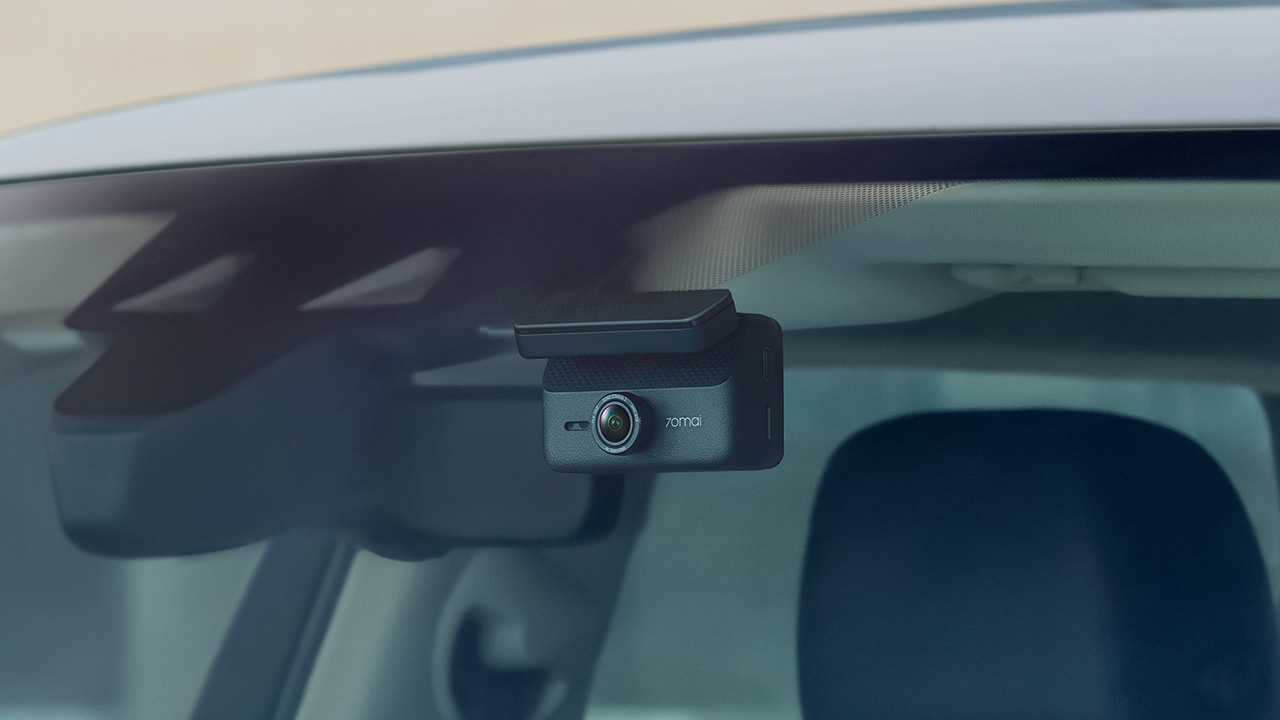
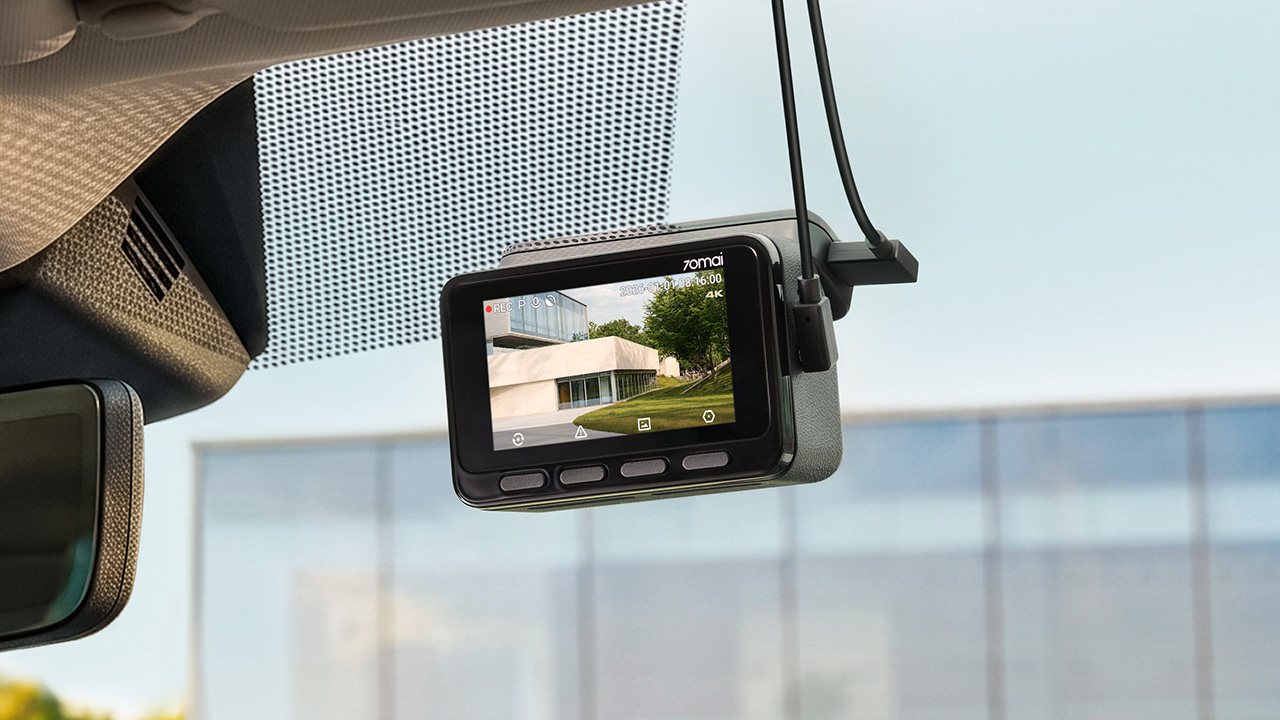
70mai has launched the A900 Series, led by the flagship 70mai Dash Cam 4K A900 Ultra, with the 70mai Dash Cam 4K A900 joining it in the lineup.
Both models record in 4K from the front and rear cameras, and both support 4G, so your footage stays reachable from your phone even when you’re away from the car.
4K recording from both cameras
The A900 Ultra uses dual Sony STARVIS 2 IMX678 sensors to capture clear 4K footage from both directions. As a result, details like license plates and road signs remain sharp.
Smart HDR balances bright and dark areas under shifting light. Users can also adjust color tones and contrast. To keep feeds synced, the rear camera uses LVDS digital transmission. This tech sends a lossless 4K feed with just 20ms of latency.
Handling changing light
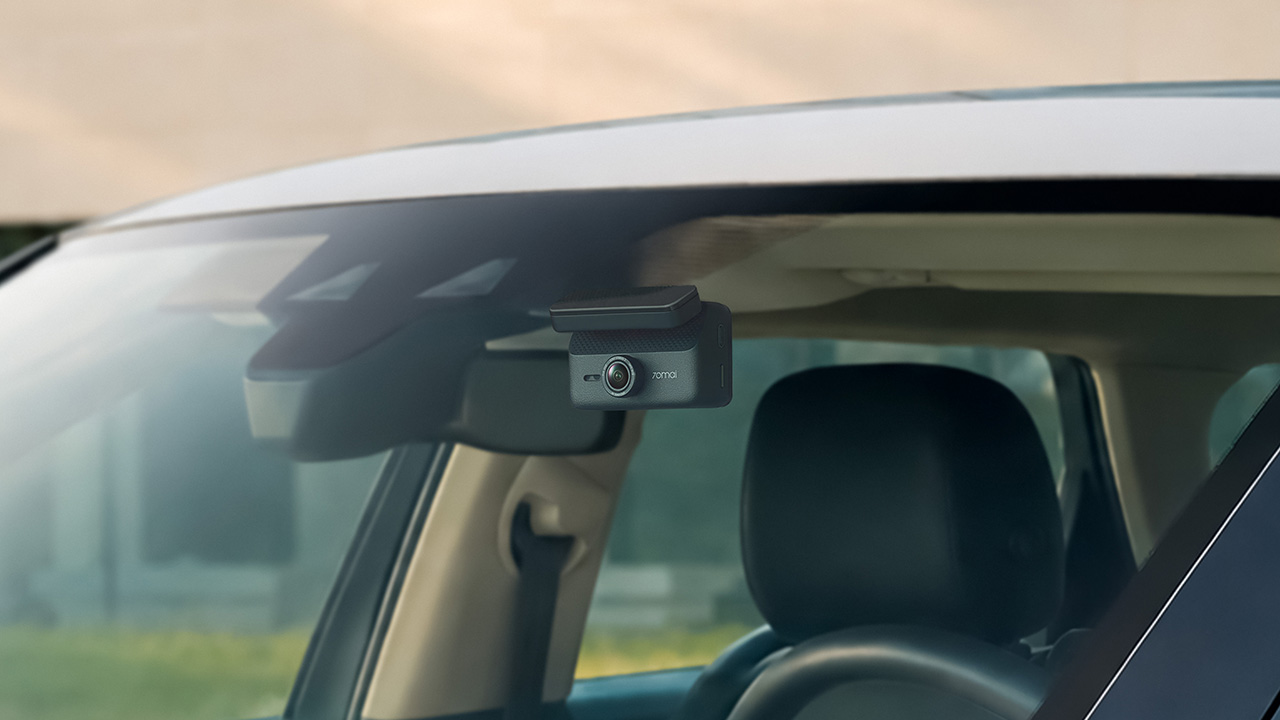
Driving into a tunnel or under the shadow of a tall building changes the lighting quickly, and 70mai built three imaging technologies into the A900 Ultra to deal with it.
MaiColor Vivid+ Solution 2.0 is meant to give more natural colors and finer detail, along with smarter scene adaptation. Night Owl Vision 2.0 reduces noise and glare to help with nighttime clarity.
Lumi Vision is made for parking surveillance in near-total darkness, where it automatically adjusts exposure and gain and applies noise reduction. 70mai says this produces clear, full-color footage in extremely low light.
Parking mode and remote access
Smart Parking Guardian Mode 2.0 protects your vehicle while parked. It combines AI motion detection, dual-channel collision detection with pre-recording, and time-lapse options.
The system draws just 5mA on standby to prevent battery drain. For extended coverage, the optional 70mai Battery Pack Mini powers surveillance for up to 30 days.
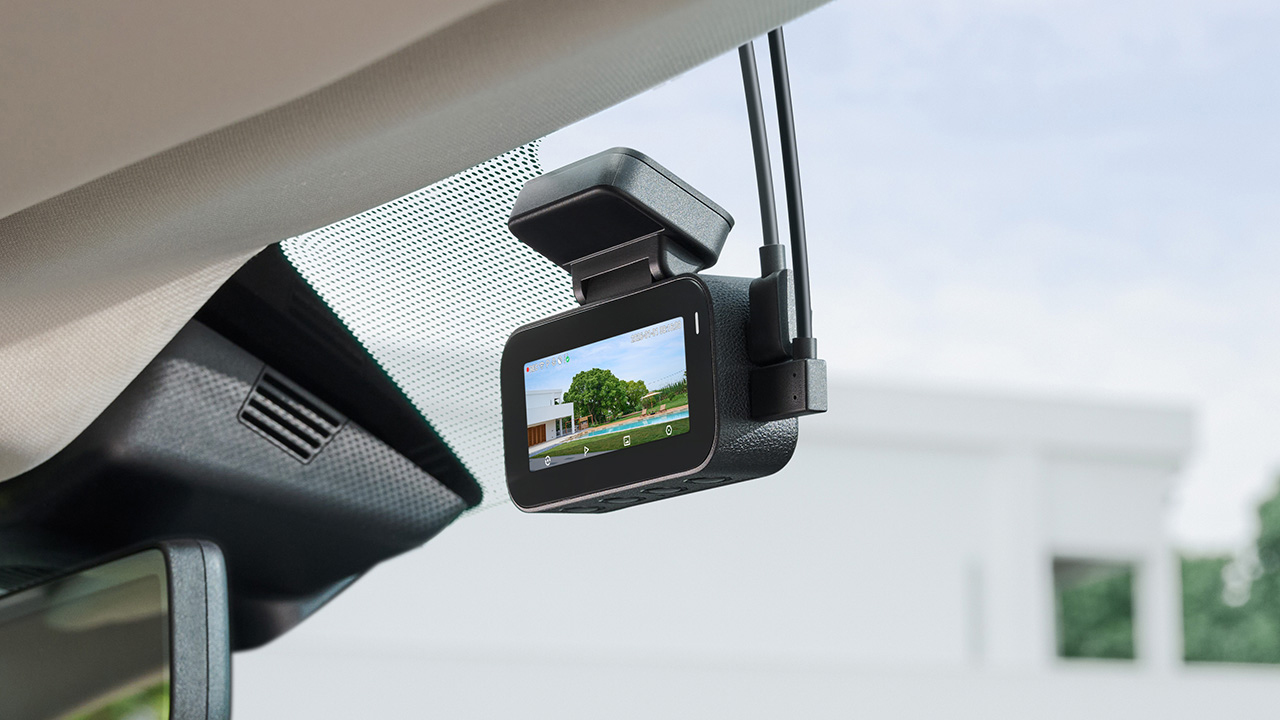
In photo: A900
Pairing the camera with the 4G Hardwire Kit unlocks 70mai 4G Cloud+ 2.0 features on the app. Enhanced Buffered Emergency Recording saves up to 190 seconds before an incident and 30 seconds after.
It automatically uploads this footage to the cloud for immediate remote viewing.
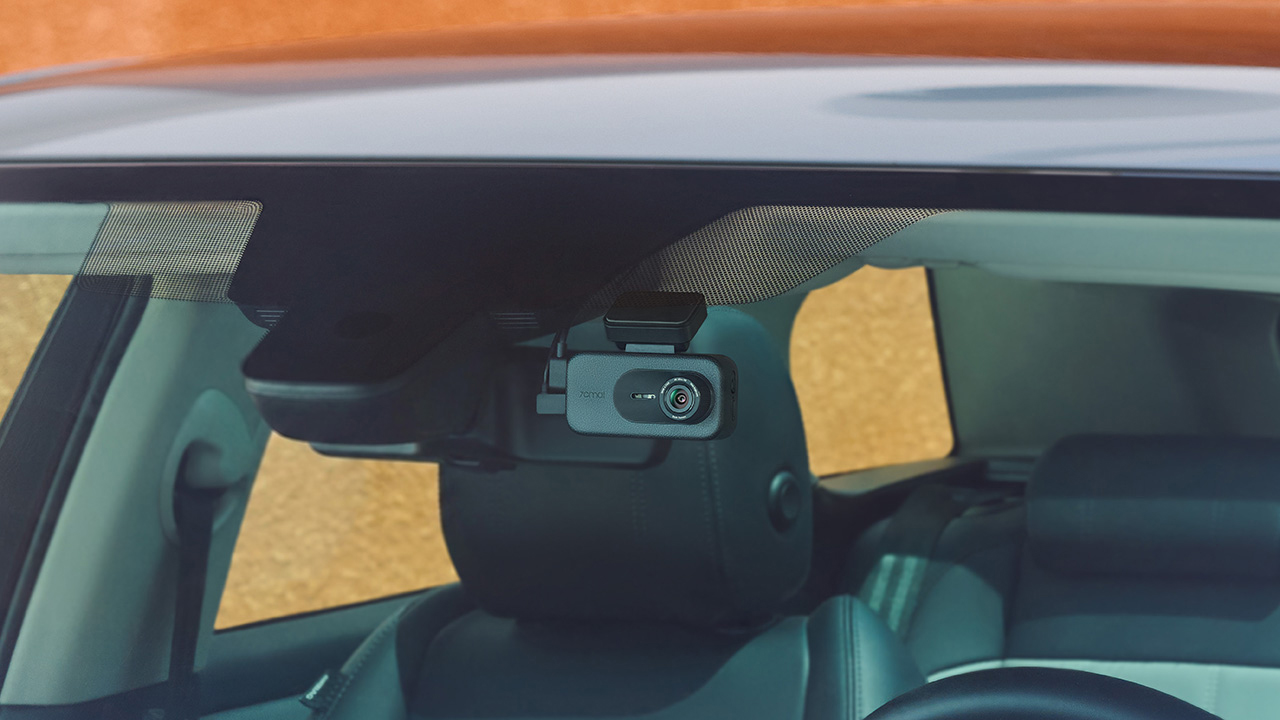
The 70mai Dash Cam 4K A900
In photo: A900
The A900 sits alongside the Ultra as the more accessible option. It records True 4K HDR at 30FPS from both the front and rear cameras, and Smart HDR can be scheduled to turn on at set times.
Its f/1.55 aperture is meant to help in low light, and 4G Cloud+ 2.0 keeps the dash cam connected to the 70mai App. It’s the model for drivers who want dual-channel recording and 4G connectivity at a lower price.
The 70mai Dash Cam 4K A900 Ultra retails for US$ 300, available for pre-order at US$ 240. Meanwhile, the A900 is priced at US$ 200, currently 20% off at US$ 170.
Accessories
Manila turns up the volume at COVE
Sony Philippines launched its ULT TOWER lineup at Beyond the Beat, with SB19 joining the ULT Squad.

Sound and style shared the floor at COVE Manila in Okada Manila. Sony Philippines opened its doors for Beyond the Beat: The Next-Level ULT POWER SOUND Experience.
The event marked the company’s biggest ULT POWER SOUND launch in the country, and Sony paced the program like an exclusive night out.
Stacked ULT Towers filled the space. Guests styled themselves with designer pieces from Alser Lumawag, and SB19 closed the evening as the newest Sony ULT Squad members.

MySony members from every tier joined industry guests while the new ULT TOWER lineup set the tempo.
The towers take center stage
Shuhei Sugihara, Sony Philippines’ President and Managing Director, opened the program.

Product Marketing Specialist Keira Ambubuyog then introduced the newest additions to the lineup.

Arbie Bandiling of Personal Audio Systems unveiled the latest ULT Squad video. The clip introduced the artists and personalities fronting the campaign.
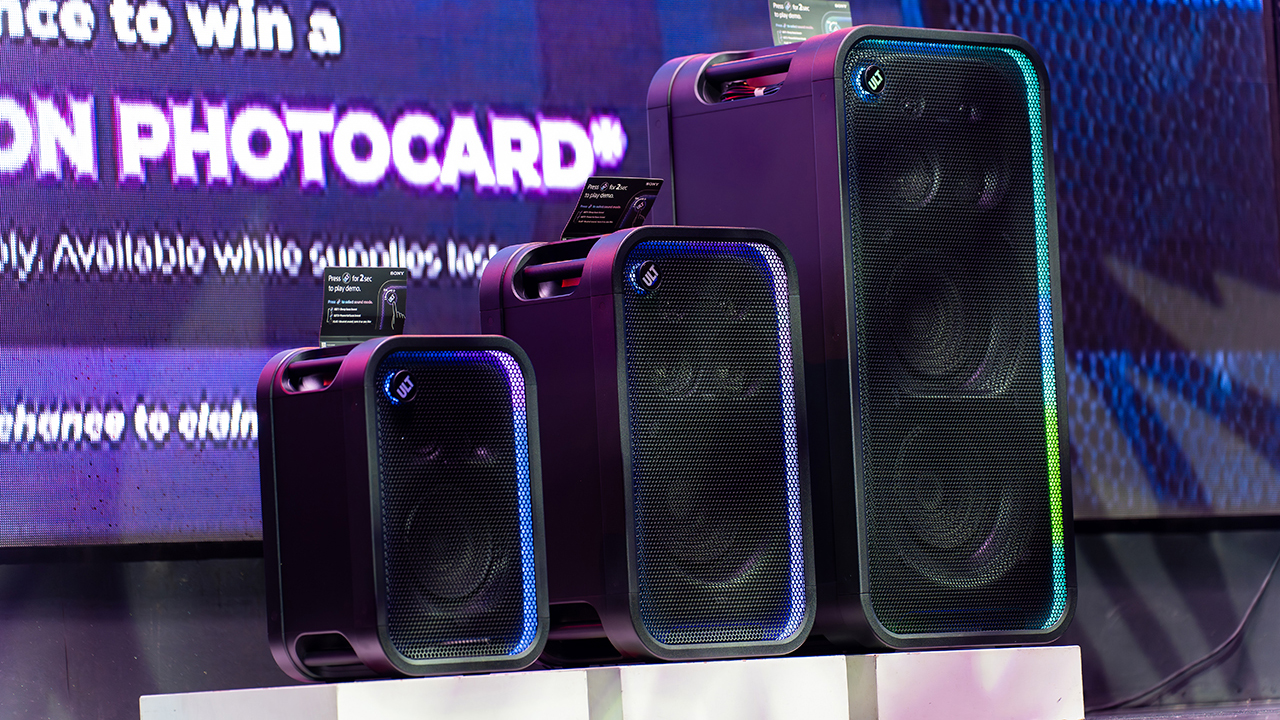
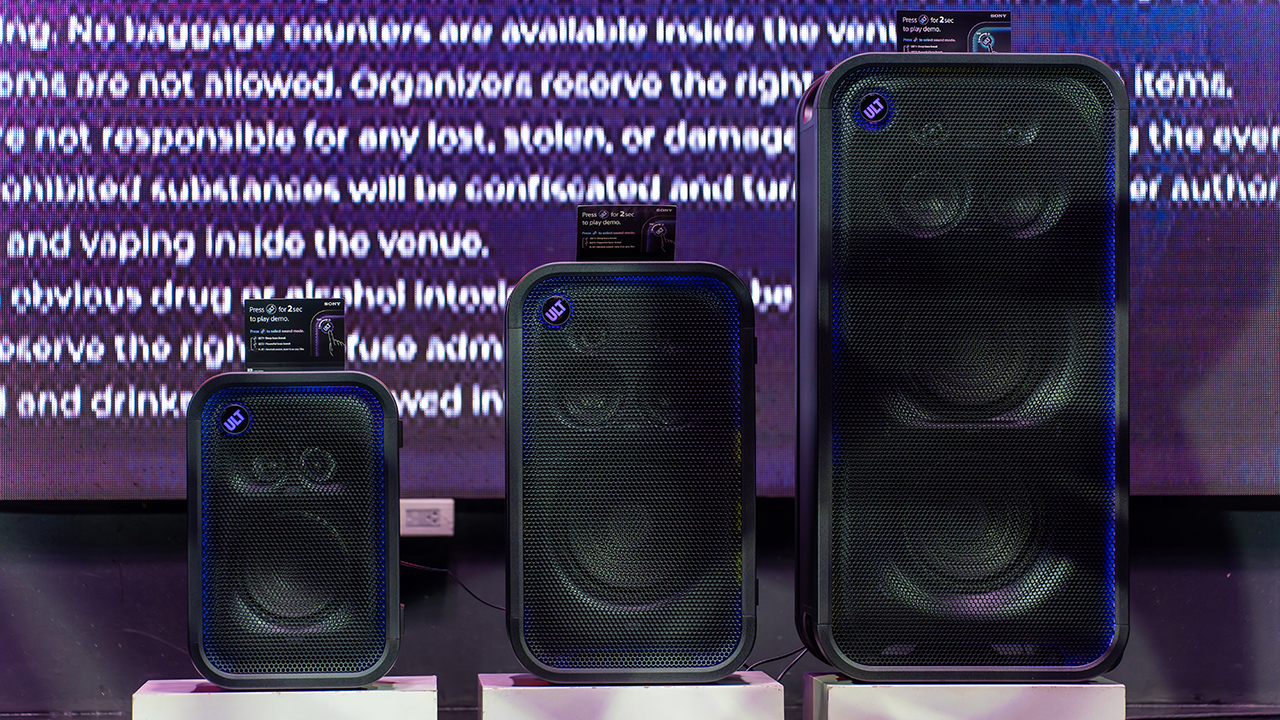
The lineup features the ULT TOWER 5, ULT TOWER 7, and ULT TOWER MAX. The new series pairs large circular woofers and high-capacity cabinets with ULT DUCT technology.
This design delivers stronger low-frequency bass than earlier models. The ULT TOWER MAX leads the series, described as Sony’s most powerful bass speaker yet.
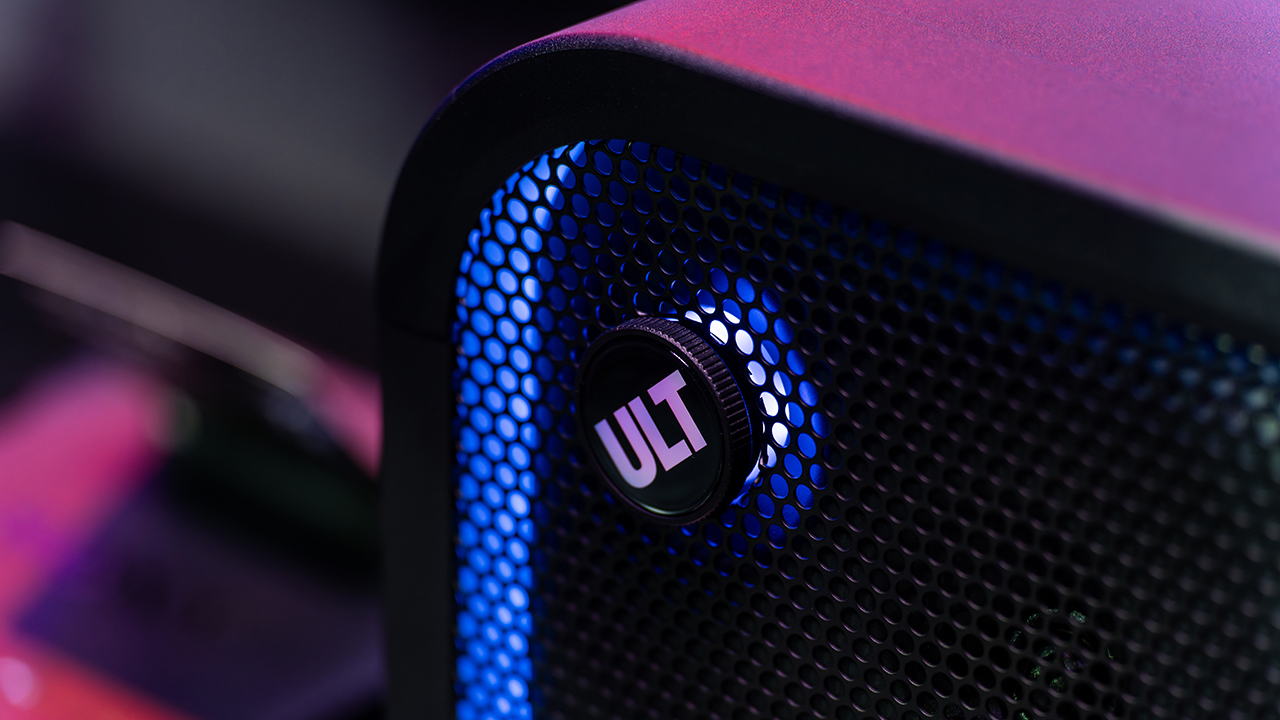
On another note, Sony pitches the ULT TOWER 7 as stage-worthy sound in a portable frame. Meanwhile, the compact ULT TOWER 5 targets smaller gatherings and features karaoke and DJ capabilities.
Experiential zones bring the sound to life
Guests explored the lineup across several interactive event zones. Step into the Beat paired an arcade-inspired setup with stacked ULT Towers and a dance pad. ULT Selfie Club handled photo ops.
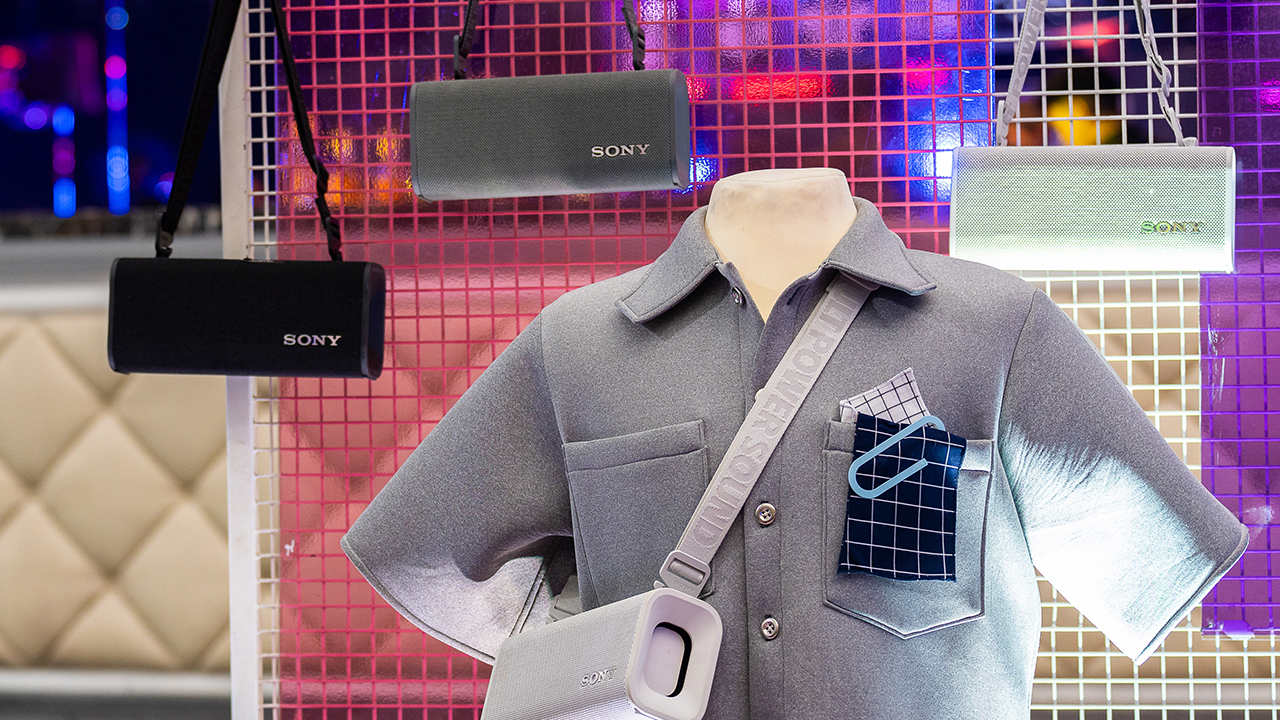
Nearby, ULT Cover Star let guests style ULT Field speakers alongside designer pieces from Alser Lumawag. Here, the speakers served as chic fashion accessories.

The Bass District gave VIPs and influencers a private, nightlife-inspired lounge. Karaoke Lounges invited everyone else to grab a mic and test the party-ready towers firsthand.
The ULT Squad shows up


Fashion influencer and ULT Squad member Angelique Manto-Guison hosted the night.
A-Team opened the show with a high-energy routine before Carlos Serrano III took the stage. David Guison and Jacqueline Jala walked the stage with ULT Models in elevated fashion, and Jeremy G followed with a dynamic musical performance.



KAIA brought a youthful pop sound, while Maki delivered a set in his signature style.
SB19 closed the night, making their debut as the newest Sony ULT Squad members. Sony pairs its sound technology with the group’s influence in Filipino music. This collaboration positions the Squad as a platform for artists shaping contemporary music culture.
The ULT TOWER MAX, ULT TOWER 7, and ULT TOWER 5 are now available at Sony Centres and authorized dealers nationwide.
Accessories
Jackery Explorer 300D: Power and portability in one
Uninterrupted workflows for digital nomads, freelance creatives, more

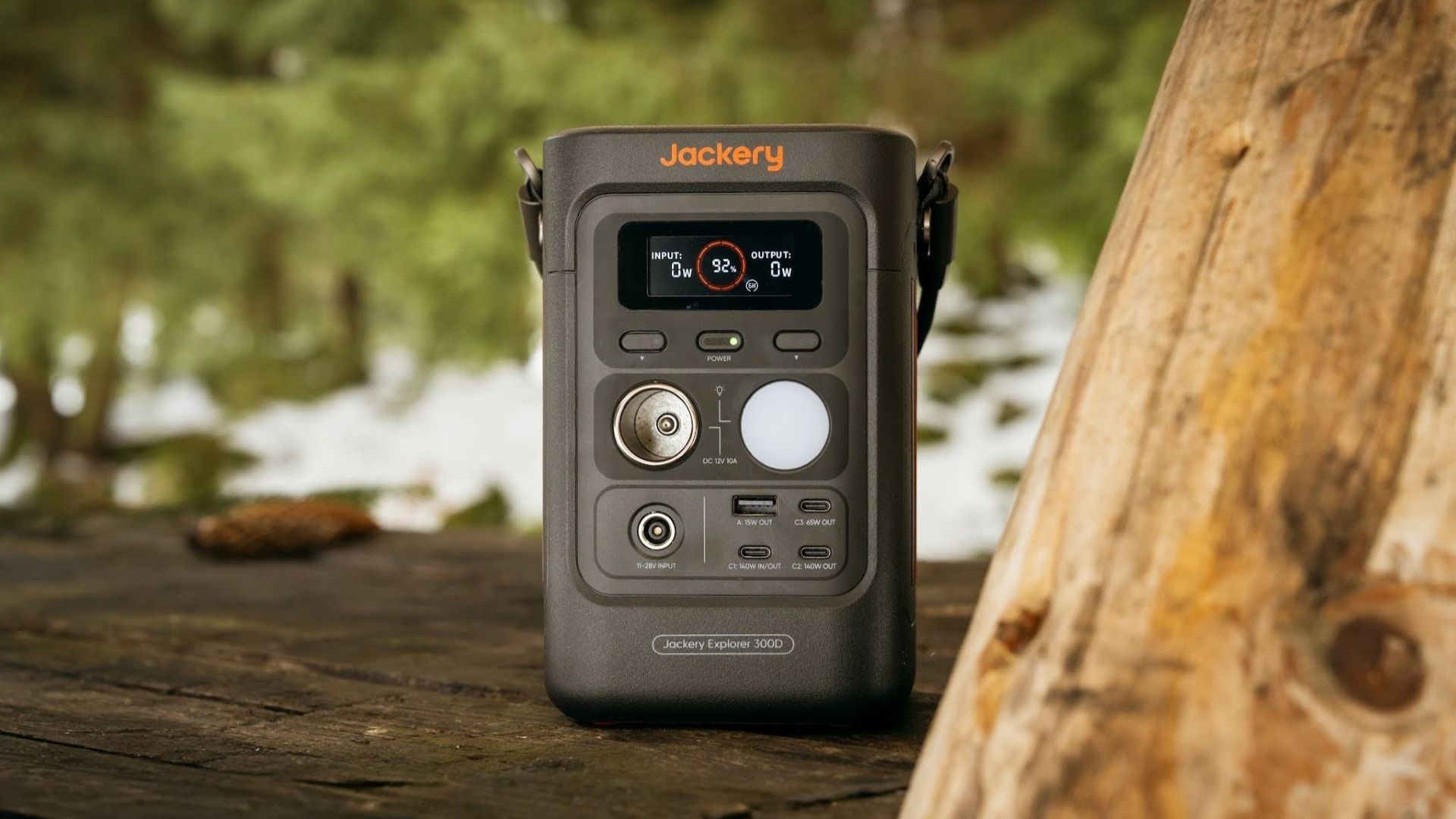
For digital nomads, freelance creatives, and even work-from-home professionals, staying productive on the move means carrying around multiple gadgets, cords, adapters, and power banks to survive the day.
Having to carry such weight, quite literally, is vital for maintaining workflow continuity.
For a more seamless experience and to have just one extra portable device to power all working parts, there’s the Jackery Explorer 300D.
Launched just last month, this grab-and-go offering from Jackery is designed for the modern lifestyle.
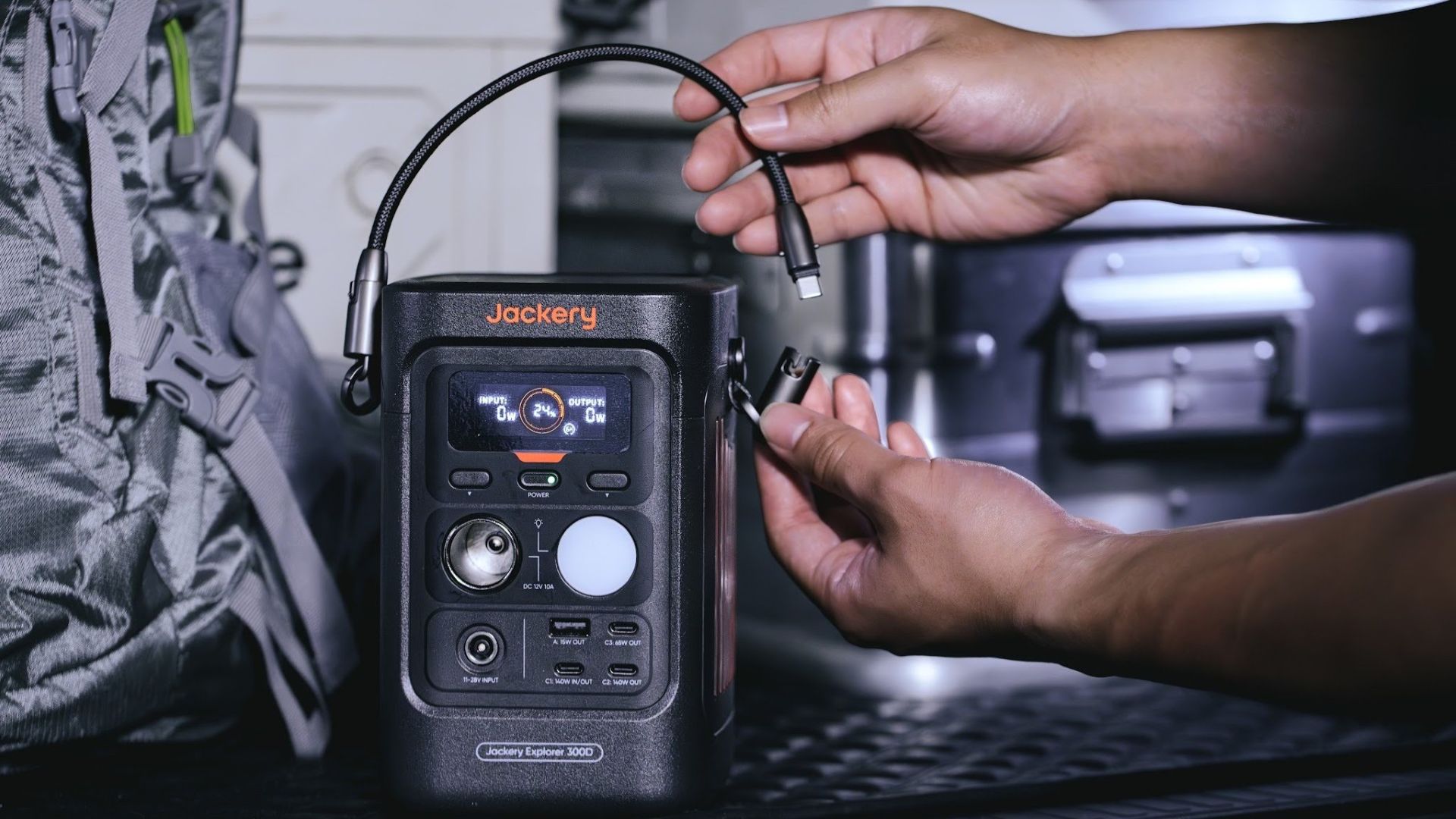
It moves away from Jackery’s traditional aesthetic with a sleek, speaker-like form factor. It weighs just 2.5 kilograms and is 64% smaller than standard 300W units in the market.
This ultra-compact size was made possible by a smart engineering choice of swapping bulky traditional AC wall outlets for highly efficient DC-only and USB-C ports — which also helps eliminate idle power loss.
With a 288Wh capacity, the Jackery Explorer 300D holds enough juice for up to nine power banks.
It can keep a Type-C fast-charging laptop for up to three to four full cycles, a Wi-Fi router alive for hours, and recharge cameras or drone batteries up to five times for a lengthy production day.
For smaller gadgets like smartphones and portable fans, the power station can juice them up for up to 22 times.

It can even charge five devices simultaneously with a total of three USB-C ports, a USB-A port, and a DC 12V car charger port.
All these ensure users are never disconnected, wherever they may set up their mobile office.
Another brilliant touch is the two-in-one shoulder strap that easily unclips to double as a heavy-duty 140W USB-C charging cable.
The everyday carry is available via Lazada and Shopee, and at the official Jackery kiosk in SM Fairview, as well as other partner stores.


DJI Lito X1 review: Is this the best lightweight drone for creators?
Making a strong case as a travel companion and a capable B-cam!


REDMI Note 17 Pro Max review: A new breed born from AI greed
Welcome to the new normal


Marvel’s Wolverine review: When the claws come out
A brutal, cinematic superhero adventure

70mai launches the A900 series with 4K front, rear recording

Dune: Awakening makes it way to the PS5 and Xbox Series X

The Kia EV3 brings gallery-worthy design in a compact electric form

vivo introduces OriginOS 7 with smarter multitasking and AI features

vivo X500 Series launches with major imaging upgrades

realme 16T 5G with 8000mAh battery, IP69 Pro rating launches in PH

HUAWEI Pura X View is 2026’s first WIDE slab-type smartphone

REDMI reveals the refreshed Note 17 and Note 17 Pro series

REDMI Note 17 Series: Price, availability in Singapore

The CAMON Slim 5G is TECNO’s latest ultra-slim smartphone


-

 News2 weeks ago
iPhone 18 Pro series: Price, availability in the Philippines
-
 Singapore2 weeks ago
iPhone 18 Pro series: Price, availability in Singapore
-

 News2 weeks ago
iPhone Duo: Price, availability in the Philippines
-

 News2 weeks ago
iPhone Duo: Price, availability in Singapore
-
 News2 weeks ago
vivo introduces refurbished versions of X300 FE, X300 Ultra for less
-

 Accessories2 weeks ago
CASETiFY upgrades iPhone 18 cases, teases iPhone Duo lineup
-

 News2 weeks ago
HONOR teases Magic9 Pro Max at Venice
-

 Editors' Choice2 weeks ago
GadgetMatch Awards: Best of IFA 2026