


Convenient Smart Home
Easy-peasy cleaning with 9 cats using the YEEDI C12 Combo
This 3-in-1 Vacuum and Mop Cleaner Combo Saves The Day!

Cleanliness is next to orderliness — that’s what we were taught when we were just kids. But, with #adulting and my tighter than ever work schedule, cleaning can be really daunting.

Eight fat cats, one long boi: Kaori, Korri, Kyoji, Kyouki, Koshi, Koshi Jr., Kaora, Korra, Kopi
Although living with nine cats doesn’t give you a breath of fresh air in a literal sense, figuratively, they do. Their presence and existence are one of the reasons why I still get thrilled and motivated every single day — even in times of laziness and despair.

So when YEEDI reached out to us for another vacuum review, I didn’t hesitate to try out their all-new C12 Combo.
After all, I only have a cheap handheld vacuum plus a traditional broom and mop to do all the work against the cats’ job of jumbling everything in our ✨ Home Sweet Home ✨.
Cats: Curious and Anxious
With a shiny new gadget in the room, it doesn’t stop my cats from examining and inspecting the massive vacuum cleaner.

The YEEDI C12 Combo is a more premium upgrade of the already existing C12 Pro Plus.

Not only will you get the usual robot vacuum cleaner and its docking station, but you also get a handheld vacuum that doubles as a mop.

And with nine cats lying, eating, making a mess, and having zoomies around, it’s exciting to see the wonders this new vacuum cleaner combo can do in our home.
Set-Up: Easy-peasy
At first, I was overwhelmed with how huge the box is. Opening it further confused and rattled my mind as I never had any vacuum cleaner this ginormous.

But with the Quick Start Guide and the order of equipment alongside its accessories, I was able to assemble the vacuum with ease for only around ten minutes.

That excludes the app connection and integration — which I will talk about next.
App: Simple and Straightforward
YEEDI offers a smart app where you can quickly connect the vacuum you just bought. You don’t need to worry as it works both on iOS and Android platforms.

Coincidental or not, I find it amusing that the app welcomes you with this cat graphic — much like how it relates to my cats trying to ruin my tidy room 😅.

You can scan the QR code just by removing its magnetic lid
Getting back to the process, all you need to do is to create an account, scan its QR code, follow some in-app prompts, connect to a compatible Wi-Fi network, and let it do the rest for you.

While the app may look simple, connecting isn’t. I thought it was just an issue on my iPhone but after switching to Android, the issue still persisted. It actually took me around 15 to 20 minutes before the app successfully connected to the cleaner combo.

After that tedious setup is where the app becomes simple and straightforward. You can do all the vacuum’s functions within the reach of your fingertips. It even shows the actual charge level of the vacuum in the app.

That’s also when I immediately started mapping my room and it was able to do it around five minutes. That’s all thanks to YEEDI’s TrueMapping Technology that can scan a 100-square-meter space in just eight minutes.

After you fully mapped your room (or house), you can either make the robot vacuum cleaner go back to the docking station and recharge itself, or instruct it to do the cleaning straight away.
Robot Vacuum: The Better Cleaner
The robot vacuum of the YEEDI C12 Combo isn’t far off from the C12 Pro Plus. But ICYMI, it has an improved suction power of 10,000 Pa (compared to C12 Pro Plus’ 8,000 Pa).

Flipping over the vacuum reveals some interesting tech by YEEDI.

First, it features YEEDI’s ZeroTangle 2.0 brush — perfect to get all that fine litter sand and cat fur lying on my floor.

Second, there are a pair of wheels that can elevate the vacuum up to 20mm (or 0.787 inches) on certain areas where it needs to — such as thick carpets, rugs, or door mats.

Lastly, there are four sensors beneath the robot vacuum. They’re responsible for keeping the vacuum safe from falling down the stairs. It was advantageous on my end, as my room is located on the second floor.
There was that one instance where it went out of my room and tried mapping the living room. Luckily, it was able to detect the stairs and stopped.

Going back to the app, you can set visual boundaries where you think the robot vacuum should be off-limits. On my end, that includes the litter box, my extension cord with cables, and some undetected fragile objects.

On the contrary, you can also set a specific zone where the vacuum can do the cleaning only without going around the whole area.

And with its 10,000 Pa suction power in mind, the app has four different options: Quiet, Standard, Strong, and Max. As obvious as it seems, the stronger the suction power, the louder the cleaning action will be.
With its portability and built-in 5200mAh battery, it can do several cleaning passes before it needs charging.
Stick Vacuum: Undoubtedly Powerful
After I powered on that long vacuum, my cats were caught off guard just by how loud the vacuum was.
For me, that’s a clear indication that the vacuum cleaner keeps its promise of having a powerful performance.

Unlike the robot vacuum, the stick vacuum has three different suction modes ranging from the quiet to the strongest one — which is also the loudest. That gives you a maximum of 95AW of suction power.
*Not to confuse you but: Pa (Pascal) is a unit of pressure while AW (Air Watts) is used more to measure a vacuum’s effectiveness in airflow and suction.

In darker parts of my room such as the underside of cabinets, tables, or beds, the inclusion of the LED Headlight was very helpful. Pair that with YEEDI’s innovative ZeroTangle 2.0 brush technology, and it makes cleaning even more powerful.

Using YEEDI’s stick vacuum also felt wonderful as it can vacuum those wasted cat food without any frills. That’s something my cheap handheld vacuum barely does with its less impressive suction power.

And with YEEDI C12 Combo’s auto-clean function of HEPA filter, it also means minimized costs in terms of replacing clogged HEPA filters in the long run.
Floors: Squeaky Clean
Already spoiled in the beginning, this stick vacuum also doubles as a mop.
With the extra attachment, you can easily put it behind the actual vacuum head, add some water, and let it make your floors extra clean and squeaky.

This mop function is also beneficial for wiping off those spilt water whenever they slurp and rehydrate — or randomly knock your coffee mug, milk cup, juice carton, or soda can off the desk.

While it may differ depending on the floor type you have, I think it’s more convenient to use it on surfaces like wood vinyls instead of hard tiles that I have.
In my experience, it resists with some friction. That’s opposed to cleaning my room without the mop attachment which is smoother to do so.

That being said, it’s still a wonderful add-on compared to having three separate cleaning equipment and/or tools lying around your house.

Also, the YEEDI C12 Combo comes with two mopping pads so you can use the extra one while the other is being machine-washed or dried.
Cleaner Combo: Seamless and Effortless
The combined power of the C12 robot and stick vacuum come with a greater sense of functionality.

Connecting both to the docking station automatically empties the dust bins from the vacuum cleaners straight to the station’s 1.5L dust bin. YEEDI calls this auto-emptying system as PureCyclone technology.

The docking station’s dust bin can actually store and hold up to 7 weeks’ worth of dust and debris.

It also doesn’t require any additional bags, so you don’t have to spend more for additional trash bags that are less sustainable for the environment.

To make cleaning even more intricate, the docking station has a built-in Accessory Storage where the additional cleaning heads of the handheld vacuum are found.

Not only do you have the regular vacuum head for floor cleaning and water tank meant for mopping, the vacuum can also use either the 2-in-1 dusting brush or the crevice tool for the higher areas and the tighter corners of your home.

And just like the robot vacuum cleaner, the handheld vacuum can be used wirelessly as it features six 2000mAh batteries. Docking it back to the station automatically recharges the device and empties the bin — much like the robot vacuum.

Is the YEEDI C12 Combo your GadgetMatch?
The YEEDI C12 Combo has a retail price of US$ 699.99. So far, it’s only currently available in the US.
In line with GadgetMatch’s roots of matching gadgets according to one’s liking, we are bringing back the matching app-like feature for you to have a better grasp if you should buy a device or not.

Swipe Left if you are looking for a vacuum cleaner that is wallet-friendly because obviously, this needs more money to spare.
Swipe Right if you wanted to look and invest for an ultimate all-in-one cleaning device for your dirty home woes — especially if you are a furparent like I am.
Personally, I’m Super Swiping the YEEDI C12 Combo not just because it does the job, but because the powerful vacuum takes cleaning to the next level.
Competent COMBOT
Not only can the robot vacuum do the cleaning without lifting a finger, I can also use the stick vacuum in areas that the robot vacuum cannot reach.

Moreover, the mop accessory is a handy add-on to make full-on cleaning a breeze.

Its asking price may not be for everyone but for what it offers, you basically get three cleaning products for the price of one.
For comparison’s sake, the Dyson V15s has a price tag of US$ 949.99. Meanwhile, the 360 Vis Nav, their only robot vacuum cleaner model, has a retail price of a staggering US$ 1,199.99. That gives you a total worth of under US$ 2150.

With that overall cost, it’s simply a no-brainer to get the YEEDI C12 Combo instead. It gives you almost US$ 1450 in savings.
Although YEEDI might be a brand you have never ever heard of, the company boasts over 2000 patented technologies in the field of service robots. This alone makes them a reliable and durable brand that you can rely on over long periods of time.

With its overall worth and value, I give the YEEDI C12 Combo the GadgetMatch Seal of Approval.


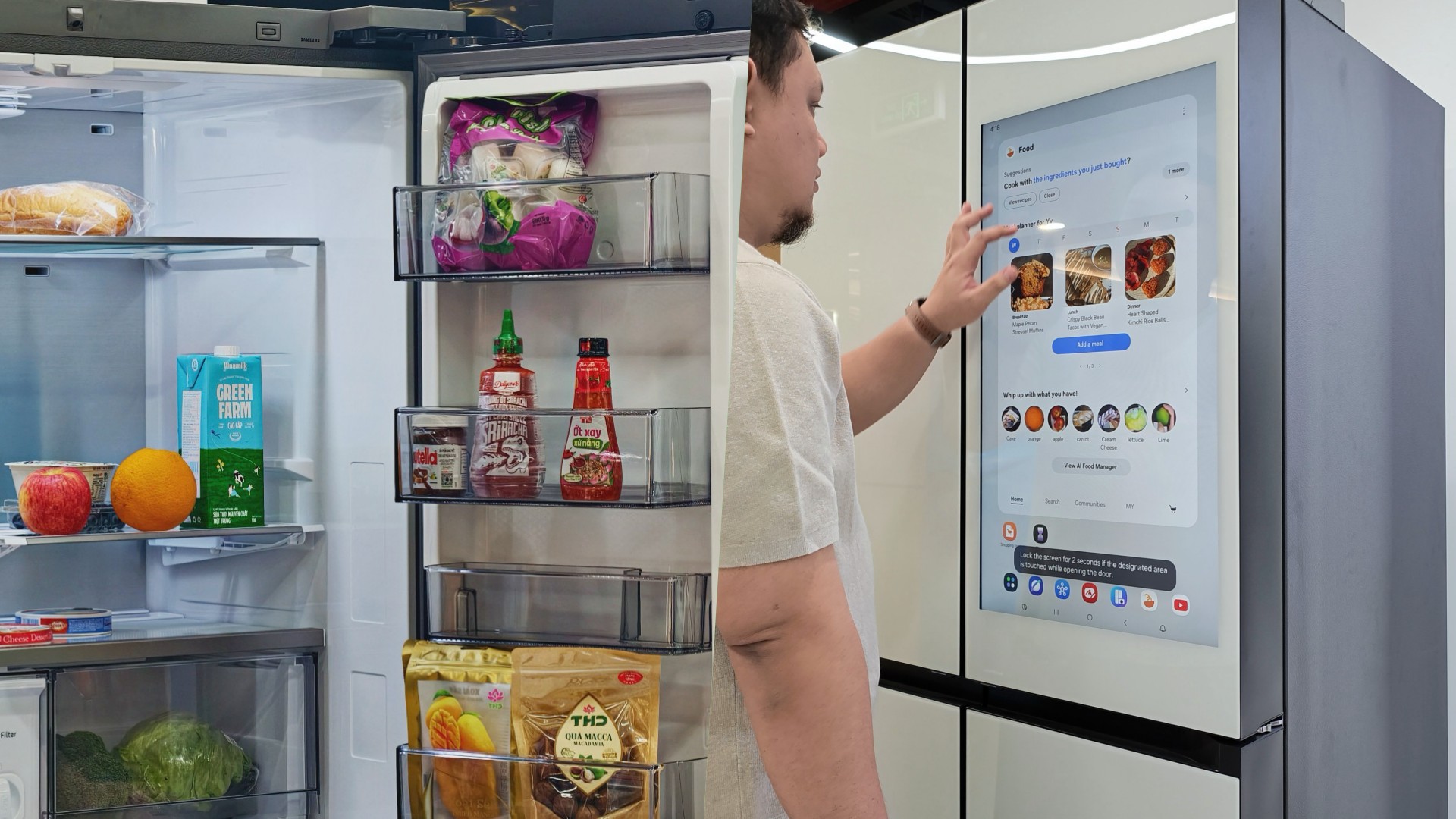
Deciding what to eat can be surprisingly difficult. Sometimes, you have a fridge full of ingredients but no idea what to make. Other times, you’re at the supermarket trying to remember whether you still have eggs at home.
Samsung thinks a little technology can help.
During my recent visit to Samsung’s showcase in Hanoi, Vietnam, its smart refrigerator stood out as one of the more interesting appliances on display. Its built-in screen offered plenty of opportunities for interaction, hinting at how a refrigerator can do more than simply keep food cold.
On supported Samsung models, AI-powered features can help users keep track of ingredients, discover recipes, and manage compatible smart appliances.
And honestly, anything that makes the daily routine a little less tedious deserves a closer look.
A little help deciding what’s for dinner

Samsung’s AI Food Manager helps users manage ingredients and discover what they can cook with what’s already available.
On supported Bespoke AI Refrigerator Family Hub models, an internal camera can recognize selected food items as they enter or leave the refrigerator. Users can check their food list through the SmartThings app, making it easier to remember what they have when planning their next grocery run.
The system isn’t infallible. Some items may not be recognized correctly, and users may need to review and adjust the list. Still, it’s a useful starting point for avoiding unnecessary purchases and making better use of ingredients already at home.
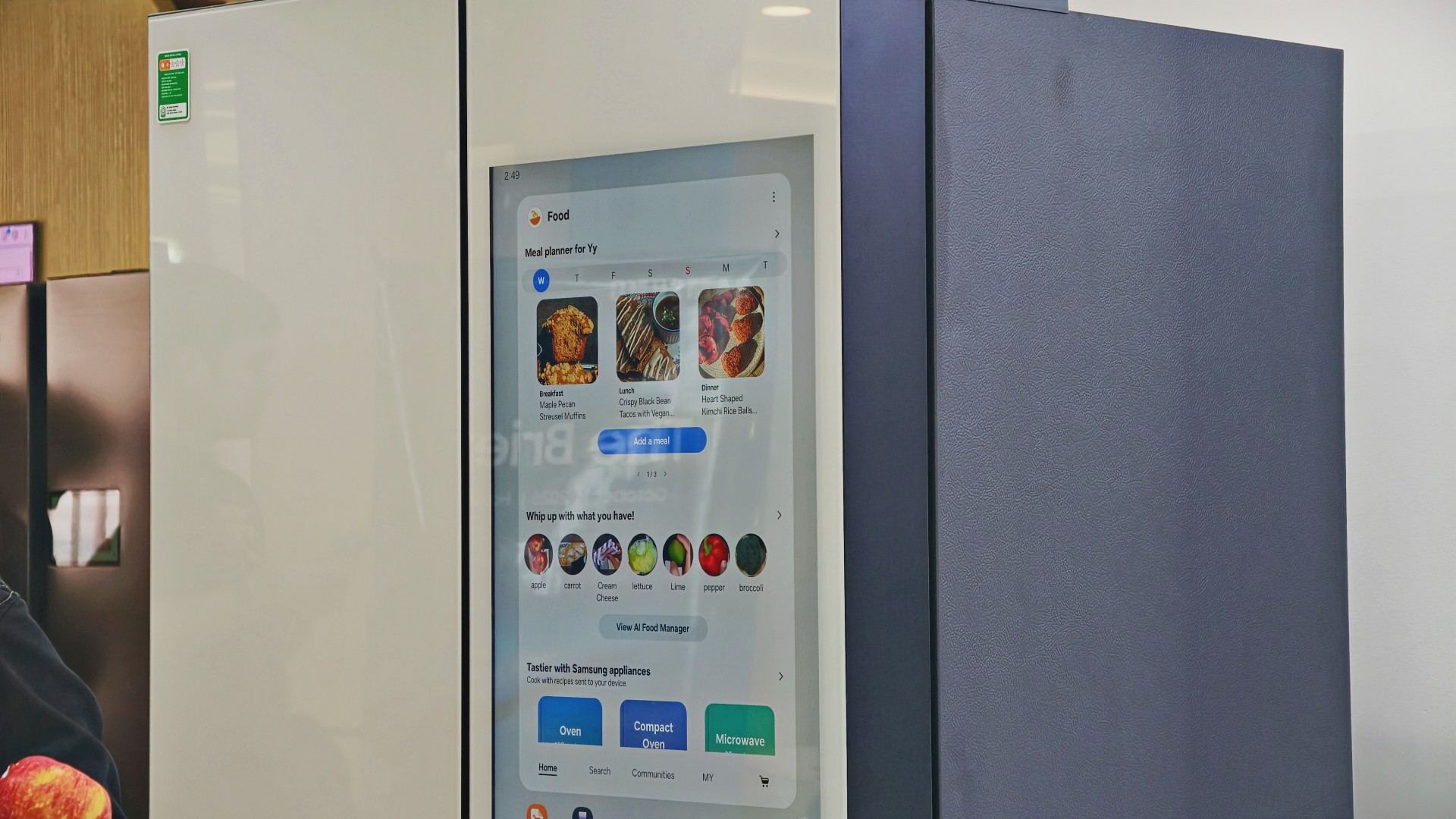
AI Food Manager can also recommend recipes based on available ingredients. Meanwhile, What’s for Today, available on select models, suggests menus based on the user’s chosen options, including available refrigerator contents.
Neither feature will magically turn anyone into a chef. But if you’ve ever stared into your fridge hoping dinner ideas would materialize, a little inspiration might help.
More than a refrigerator with a screen

The display has another practical purpose: controlling compatible connected appliances.
On supported Samsung side-by-side refrigerators with the 9-inch Family Hub display, users can access compatible Samsung smart appliances and supported third-party devices through SmartThings. Bixby also provides voice interaction for supported functions, offering another way to access controls while cooking or preparing meals.
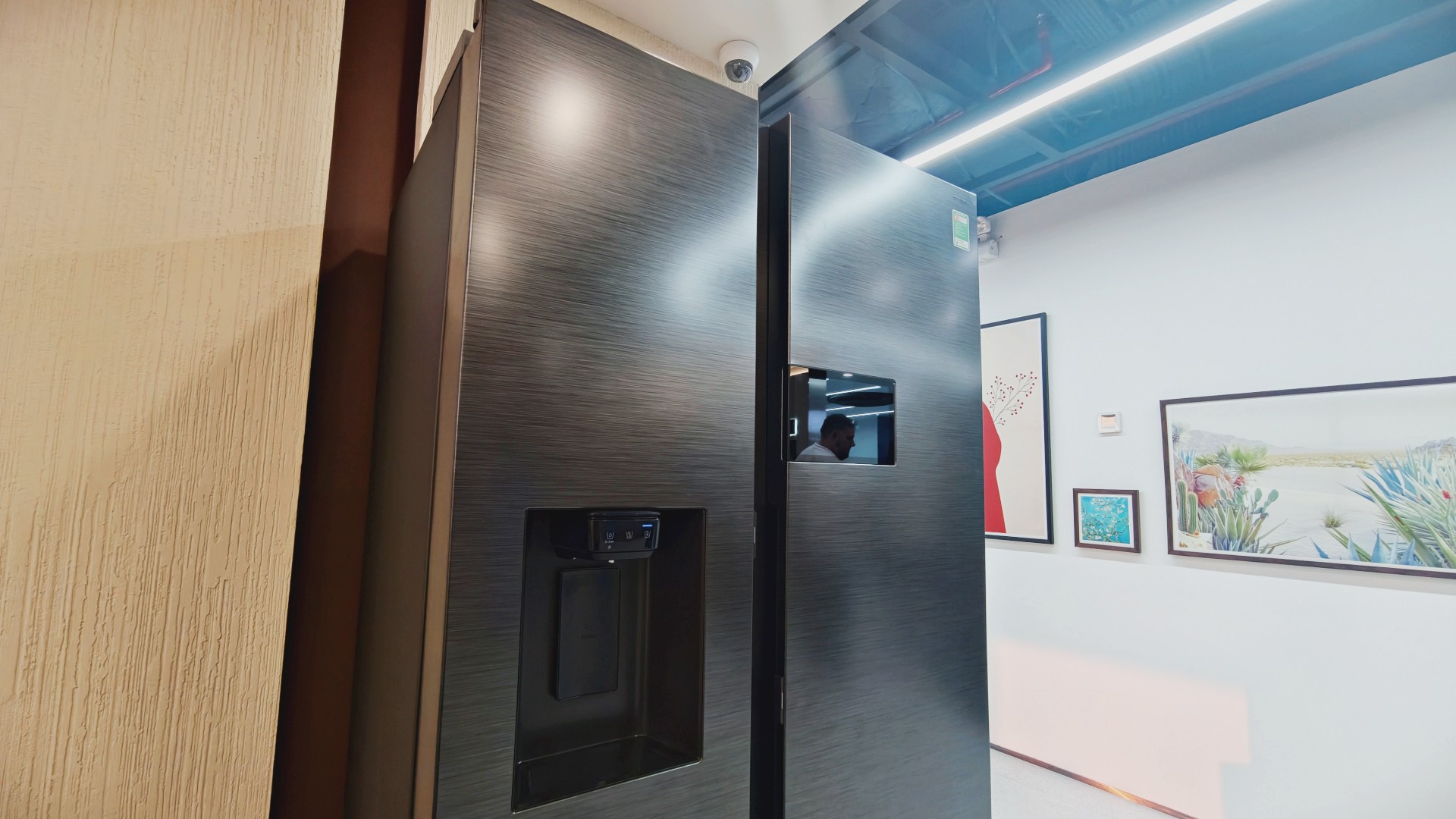
It’s part of Samsung’s broader connected-home approach, where compatible devices work together to simplify everyday routines.
Of course, not everyone needs every appliance in their home connected to one another. A refrigerator that keeps food fresh is already doing its most important job.
But for households that use smart appliances, having ingredient information, recipe ideas, and device controls accessible from one place could be convenient.
And speaking of that screen…
You know me. If there’s a screen, best believe I’ll find a way to put a STAYC Isa fancam on it.
Anyway, back to the bigger question.
Can a smarter fridge help you live better?
Healthier living involves more than diet and exercise. Everyday routines matter, too, including planning meals, keeping track of groceries, and figuring out what to cook.
Samsung’s AI-powered refrigerator features won’t automatically make anyone eat healthier. What they can do is make information easier to access and some everyday decisions less tedious.
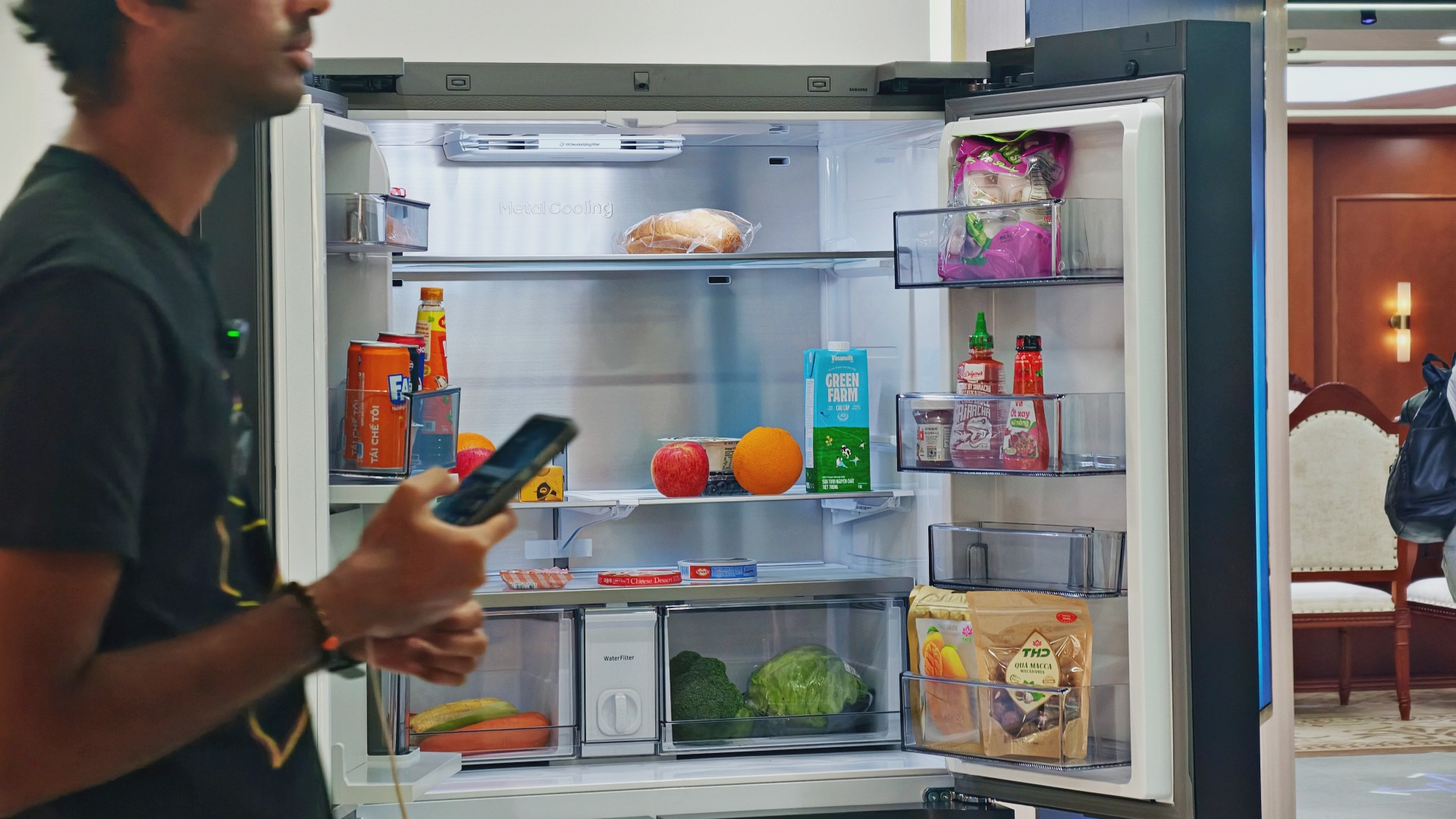
For someone who regularly cooks at home, that could mean making better use of ingredients already in the fridge. For a busy household, it might mean spending less time planning meals or remembering what to buy.
These features remain tools, not guarantees. Their usefulness depends on how accurately they work, which features a particular model supports, and whether they fit into your routine.
Still, I like the idea of technology that takes a little friction out of everyday life. A refrigerator doesn’t need to reinvent cooking to be useful. Sometimes, helping you remember what you bought last weekend or suggesting what to make with it is already a good start.

And if it happens to have a screen where you can watch a STAYC fancam while deciding what’s for dinner? Well, I’m certainly not going to complain.


Living in New York means making every square foot count, so why own multiple gadgets when one can do the job?
In this video, THE Michael Josh takes a look at the Marshall Heston 60. It’s a premium TV soundbar that brings more to the living room than just better sound.
With its sophisticated design, powerful audio, and versatile features, it sits in his living room while doing much more than you might expect from a soundbar.
CHECK IT OUT HERE: https://bit.ly/MarshallHeston

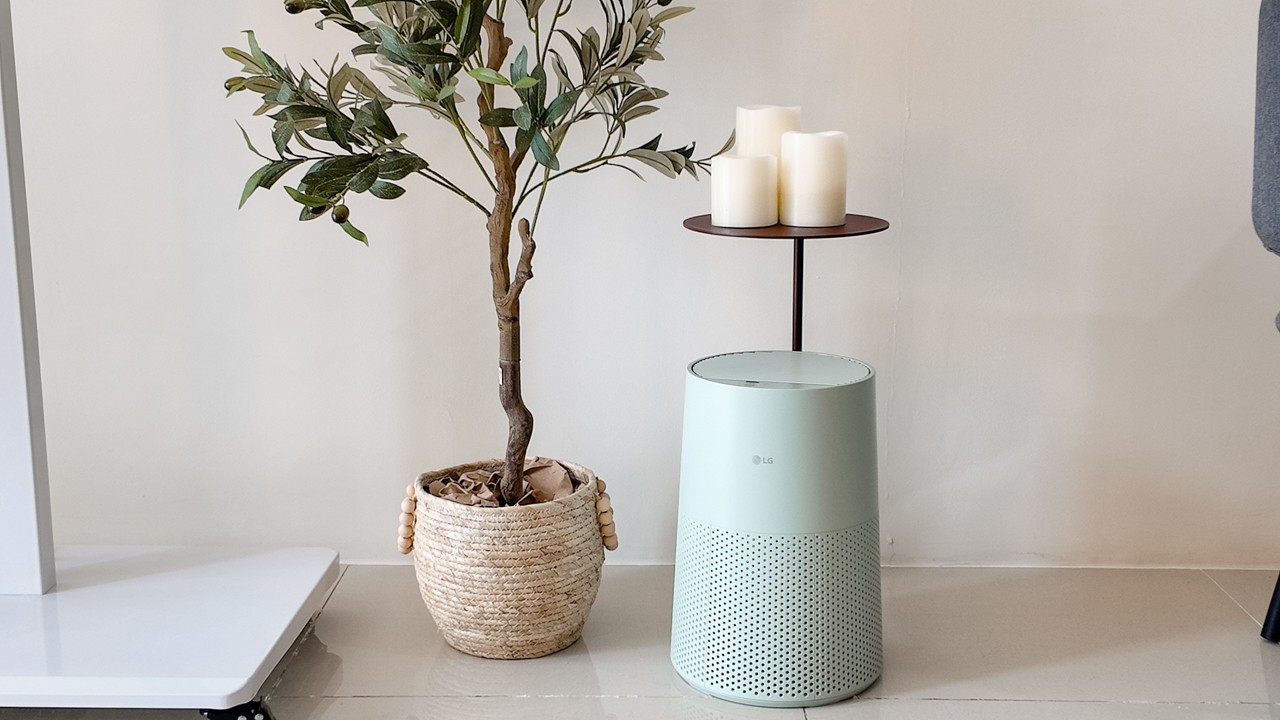
Moving into a new space comes with a long list of things to figure out, and lately, I’ve been paying more attention to something that’s easy to overlook: air quality.
After using the LG AeroMini for about a month, it has become a subtle but welcome addition to my space. It helps make the room feel fresher, while its compact and stylish design fits naturally into my setup. Here are the things that stood out to me most after living with it for a month.
360° purification for a fresher space
One of the things I appreciate about the AeroMini is its 360° air purification, designed to bring purified air in every direction.
For me, this is particularly useful in a new space where I’m spending a lot of time working, relaxing, and just settling in.
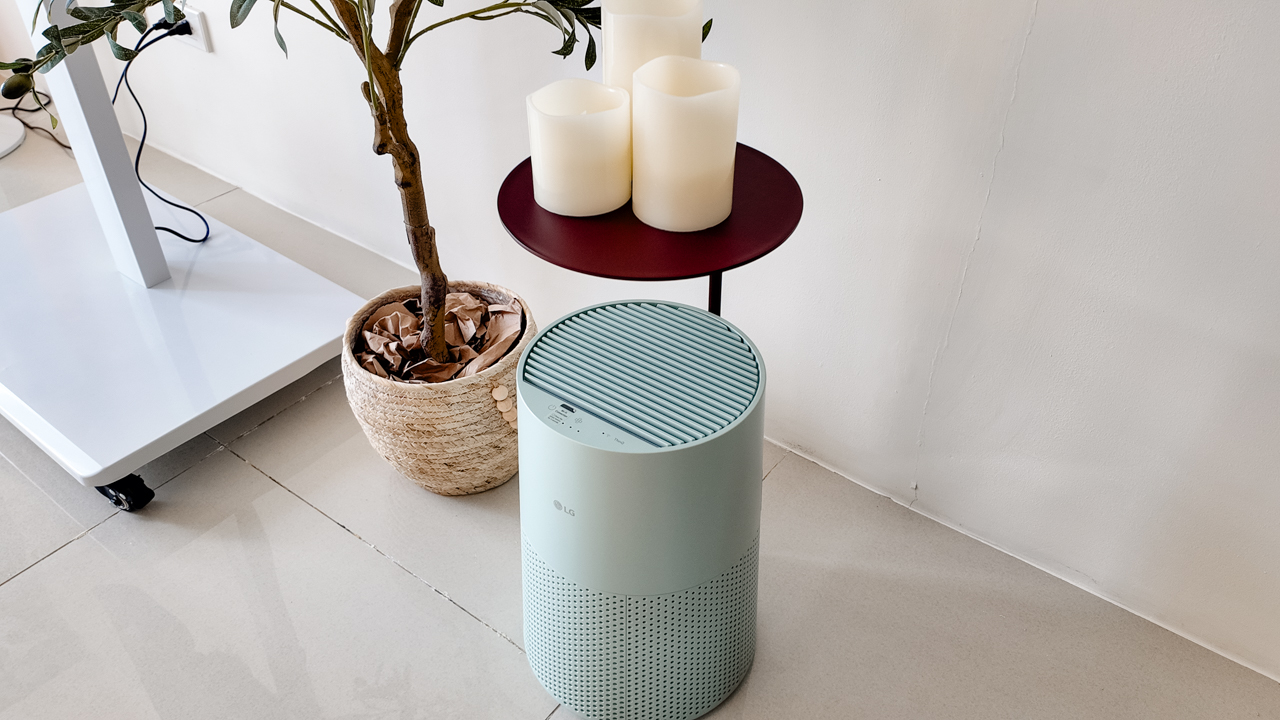
Combined with its True HEPA filter, which is designed to remove 99.999% of 0.01μm fine dust and allergens, it gives me added peace of mind about the air I’m breathing every day.
After a month, I can genuinely say that the space feels fresher with it running.
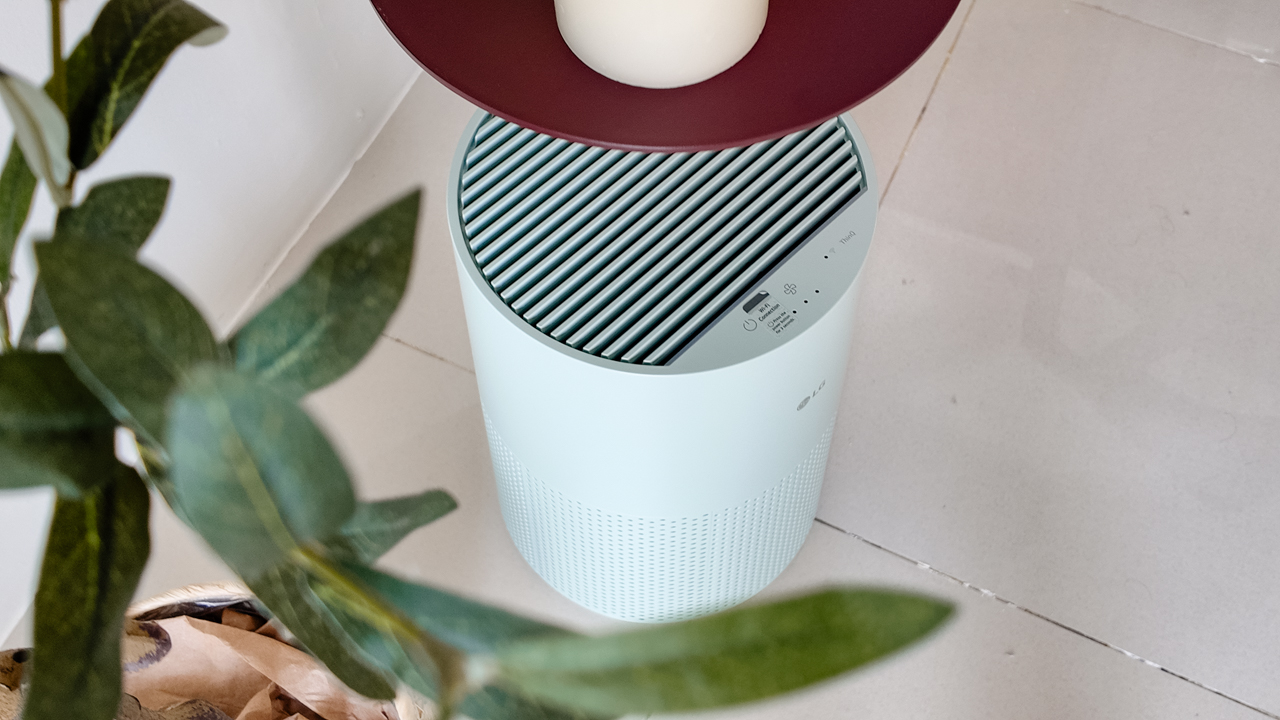
Surprisingly quiet
This is probably my favorite feature.
The LG AeroMini operates at just 26dB, and after using it for a month, what stands out is how easy it is to forget that it’s even running.

I can have it running while I’m working or sleeping without the noise becoming a distraction. For an appliance that’s designed to continuously improve the air around you, I think that’s a big deal.
Sometimes, the best feature is the one you barely notice.
Design that fits my space
Since I recently moved, I’ve been pretty conscious about what I bring into the space. I want things to be functional, but I also don’t want appliances that feel like they’re taking over the room.
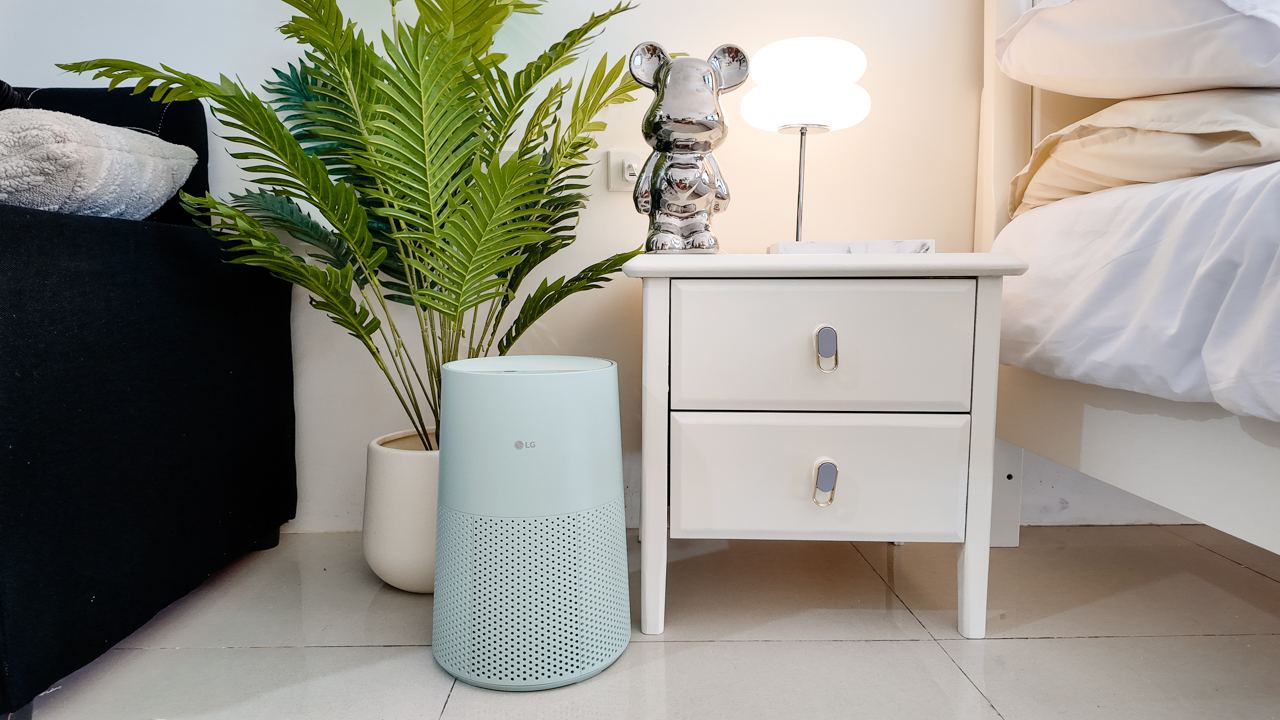
The AeroMini’s slim and compact design makes it easy to incorporate into my setup. It doesn’t feel bulky or industrial, and I like that I can leave it out without feeling like I need to hide it away.
For me, that balance between functionality and aesthetics makes it feel more like part of the space rather than just another appliance.
Air quality at a glance
Another feature I’ve found convenient is its Smart Control. Through the app, I can monitor and control the AeroMini while getting real-time updates on the indoor air quality.
It’s a small convenience, but being able to check the air quality without having to interact with the purifier directly makes it easier to keep track of what’s happening in the room.

Easy to maintain
I also appreciate that the AeroMini is designed with an all-in-one dust and deodorization filter that makes replacement and maintenance easier.
That matters to me because the best home gadgets are the ones that don’t create another complicated chore. I want something I can set up, use regularly, and maintain without too much fuss.

After a month, would I keep it?
Yes, and mainly because it quietly fits into my everyday routine.
The LG AeroMini has helped make my new space feel fresher and more comfortable, while its compact design means it doesn’t compromise the look of the room. But if I had to pick just one thing I appreciate most, it’s still how incredibly quiet it is.

It’s one of those upgrades that doesn’t demand your attention. It simply works in the background.
If you’re also looking to make your home a fresher and more comfortable space for yourself and your family, visit https://www.lg.com/ph/ to learn more about the LG AeroMini and how it can fit into your everyday life.


ROG G700 review: The best prebuilt PC you can get off the shelf
This PC will make you stop worrying about specs.


HP OMEN Max 16 review: Gamer-maxxing in deep black
Peripherals deemed necessary to max this out


vivo V80 review: Good phone, tough sell
A capable travel companion

This pop-up sauna brings the steam room experience into your home

Sticker season is back, and so is the planner your ~friends~ might fill in for you

FromSoftware’s The Duskbloods delayed to 2027

Yes, you can turn off the MacBook Pro’s touchscreen display

Demon Slayer: The Hinokami Chronicles 2 launches on Switch 2


-
Reviews2 weeks ago
vivo V80 review: Good phone, tough sell
-

 News2 weeks ago
OPPO Find X10 Series: Price, availability in the Philippines
-

 Cameras2 weeks ago
DJI Osmo Pocket 4P Pearl White now available globally
-

 News1 week ago
OPPO Find X10 Series: Price, availability
-

 Entertainment2 weeks ago
Cyberpunk: Edgerunners 2 now streaming, Cyberpunk 2077 update coming
-
Gaming1 week ago
HP OMEN Max 16 review: Gamer-maxxing in deep black
-

 Laptops2 weeks ago
Lenovo expands Yoga lineup with new AI PCs and tablets
-

 Laptops2 weeks ago
ASUS ProArt P14, P16 laptops with NVIDIA RTX Spark now available