


Never in my life I had imagined to live with four cats.
When my dog died when I was nineteen, I kept saying I’m never going to take care of another living being. But here I am, nearing 30s and playing with cats that make my apartment a big playground.
Becoming a fur parent was never in my plans and dreams. While the cats gave me joy and never-ending allergic rhinitis, they also gave me headache for the fur they shed, the messy little hair on top of my couch, and the sand from their cat litter that they take out for fun.
Waking up with a messy living room sounds stressful for most people. It became a normal day for me. I’d spend the morning cleaning up their mess, replacing their food and water, and started arranging my living space.
The routine made wonders for my mental health, giving me a sense of order and purpose instead of waking up most days and wondering what to do.
Although the everyday cleaning stresses me out, the Yeedi C12 Pro Plus became a game-changer when it arrived.

Assembly
I didn’t know Yeedi until I learned it was a sub-brand of Ecovacs, one of the leading robot vacuum brands in the market. Being a sub-brand of a prominent brand sets an expectation that this one should give a wow factor as well.
Upon receiving the unit that came in a brown, plain box, I took out the Yeedi C12 Pro Plus. It was quite hefty to lift. But I was also surprised how easy it was to assemble.
I’ve always struggled with setting up devices and appliances, especially since most of them actually takes a lot of brainpower to figure out. But for this one? I didn’t even need a caffeine kick to set it up.

It was easy to attach the side-sweeping brush and figure out the two attachments that came with the unit: one that’s made for vacuuming, and one that would vacuum and mop. And more importantly, it was easy to mount the robot vacuum to its charging station that also has a bag-less bin.
Mapping
What I struggled with is pairing the Yeedi C12 Pro Plus to the Yeedi app on my iPhone. It took quite a while to pair it since I had to press the pairing button longer than ten seconds, which was longer than what was stated in the instruction manual.

But when you’re connected already, then everything’s smooth-sailing in terms of pairing and using the device. The app has occasional lags and delays that I had to force close it so I can continue using again.

Since moving out, I haven’t had the time to properly store and organize my boxes and furniture. My cats turned the boxes into their very own obstacle course playground.
This setup gave a limited space for the Yeedi C12 Pro Plus to map. It made the whole mapping process quick and easy in a matter of minutes.
Cleaning
I only put the Yeedi C12 Pro Plus in a 7m2 space, making it clean after my cats’ messes. I can’t bother putting it inside my rooms since there are a lot of cables on the floor, which tend to get sucked.

On one occasion, it sucked a cable and some strings that my cats play with. It made a rattling noise that made me rush to stop the cleaning process.
I’ve only known handheld and cordless vacuum cleaners in my life. Instances like that made me anxious about robot vacuums since I cannot control what they suck when they clean.

But other than that, the Yeedi C12 Pro Plus has a great suction power rated at 8000pa that keeps my living space spotless. With its ZeroTangle technology, I already bid goodbye to messy hair and fur, and other sand and litter that my cats make.
More importantly, I can set a schedule for cleaning through the app. The app also contains a cleaning log, which I can check whether it encountered a problem when it was cleaning while I was in my office room taking on a meeting.

Nevertheless, the way it was cleaned is how my mom taught me to clean the floor. Although, we were using a broom and a mop. If my mom would see my floor right now, I’ll be damn sure she’d be proud of me. Except it was the robot vacuum that did all of that.
I cannot take credit. But at least, with technology, I get to live up to my mom’s standards of cleanliness and orderliness.
Sustainability
All the mess and dirt it cleaned up gets stored in a bag-free bin that uses PureCyclone Technology. Emptying the bin makes it easy without the additional cost of disposal bags.
As a young adult who recently left the nest, I am keen in making practical choices that save money while still getting the results I want.

Such is the case with the Yeedi C12 Pro Plus. It makes cleaning easy, sustainable, and effortless. With a 5200mAh battery, it takes a few days to drain it. But since the robot vacuum returns to its charging station right away, you can be certain that you can keep cleaning whenever you want.
Having the Yeedi C12 Pro Plus also made me decide to skip buying a floor mop. Instead, I rely on the vacuum and mop attachment since it can do the work.
Price, availability

The Yeedi C12 Pro Plus is available on Yeedi’s Amazon Store for US$ 599. However, Yeedi has a summer sale slashing 42% off to its price, making it available for only US$ 375.
For a limited time, customers may also enjoy the following discounted prices on the aforementioned cutting-edge home solutions:
- M12 PRO+: US$ 669 (from US$ 1,099)
- C12 PLUS: US$ 329 (from US$ 479)
- C12: US$ 249 (from US$ 299)
Is this your GadgetMatch?
The Yeedi C12 Pro Plus is a powerful, affordable 2-in-1 robot vacuum cleaner. It makes cleaning and vacuuming quick and easy, especially for people with busy and hectic schedule. Fur parents can also appreciate the technology it has, since the robot vacuum helps in keeping your home spotless and neat.

At its price, discounted or not, the Yeedi C12 Pro Plus is a steal. Although there are quirks and challenges, its power and technology is enough to overlook some parts I didn’t like about it. I realized I can make compromises, as long as it does the job.
So if you’re in the market for a powerful robot vacuum that will help keep your spaces clean without breaking the bank, the Yeedi C12 Pro Plus is easily your GadgetMatch.


Convenient Smart Home
Spotlight: eufy Robot Vacuum Omni E35
Keeps My Apartment Clean While I Travel!

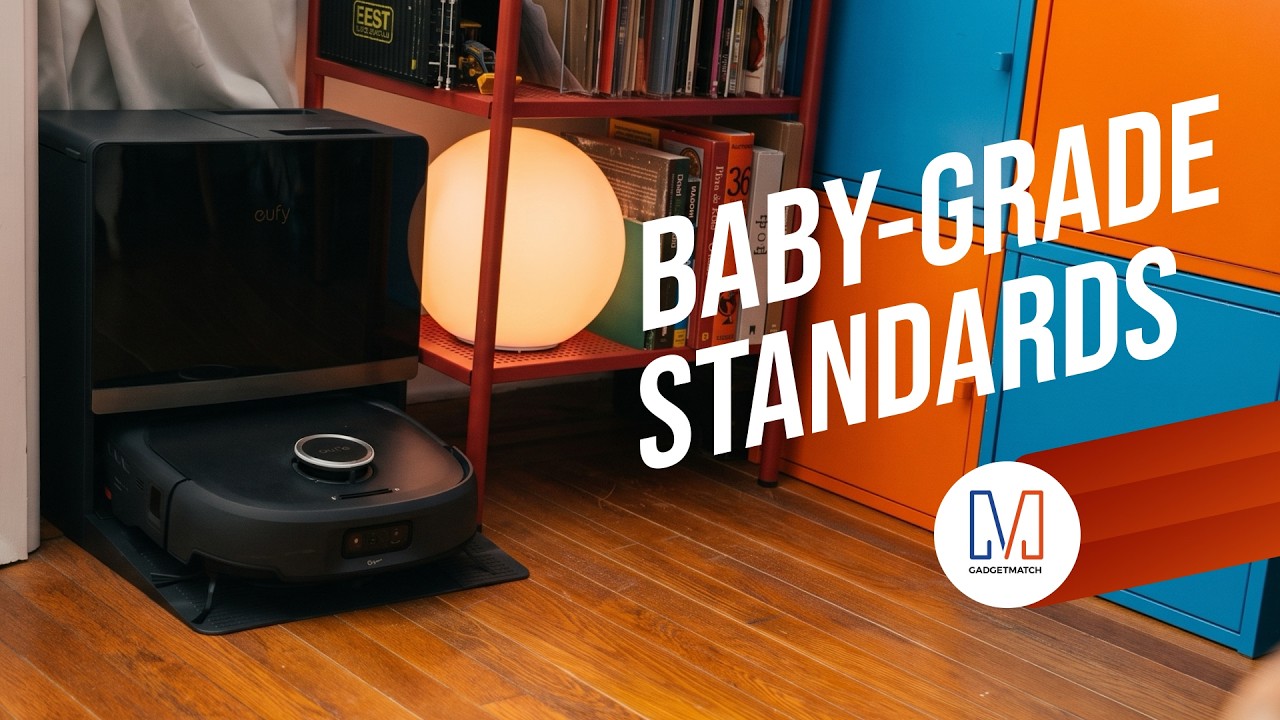
The eufy Robot Vacuum Omni E35 does more than vacuum.
With a suction power of 35,000 Pa, a HydroJet 2.0 self-cleaning roller mop, CornerRover true corner coverage, and DuoSpiral detangling brushes, it takes more of the work out of keeping your home clean.
It’s also eufy’s first baby-grade certified robot vacuum and is AAFA Asthma & Allergy Friendly certified, with AeroTurbo 2.0 multi-cyclone filtration to help keep dust locked away.
Head over to our Spotlight on the latest eufy Robot Vacuum Omni E35 to know more.
Save $450 with my exclusive code EUFYE35FANS available for a limited 30 days, so order now!

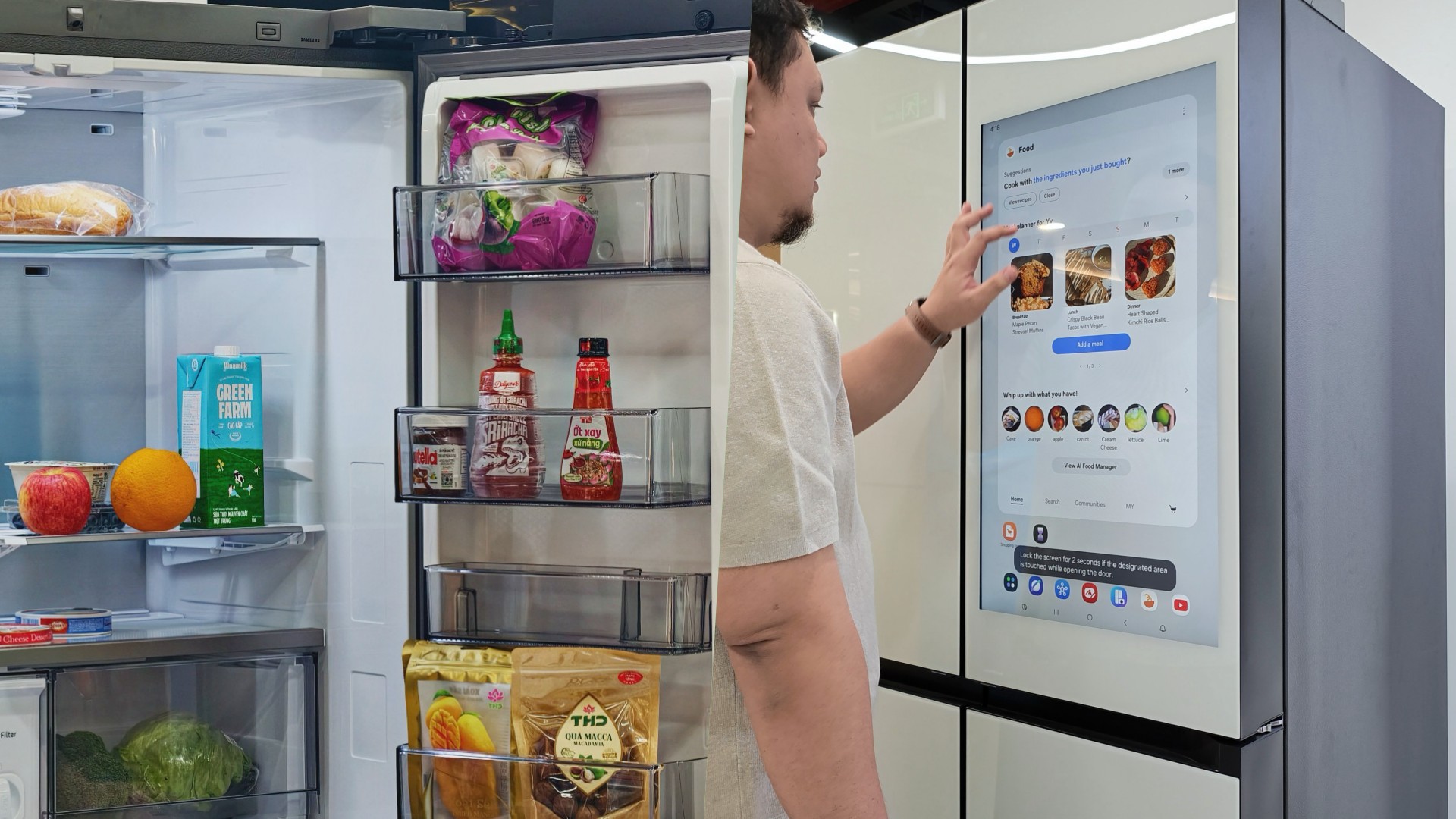
Deciding what to eat can be surprisingly difficult. Sometimes, you have a fridge full of ingredients but no idea what to make. Other times, you’re at the supermarket trying to remember whether you still have eggs at home.
Samsung thinks a little technology can help.
During my recent visit to Samsung’s showcase in Hanoi, Vietnam, its smart refrigerator stood out as one of the more interesting appliances on display. Its built-in screen offered plenty of opportunities for interaction, hinting at how a refrigerator can do more than simply keep food cold.
On supported Samsung models, AI-powered features can help users keep track of ingredients, discover recipes, and manage compatible smart appliances.
And honestly, anything that makes the daily routine a little less tedious deserves a closer look.
A little help deciding what’s for dinner
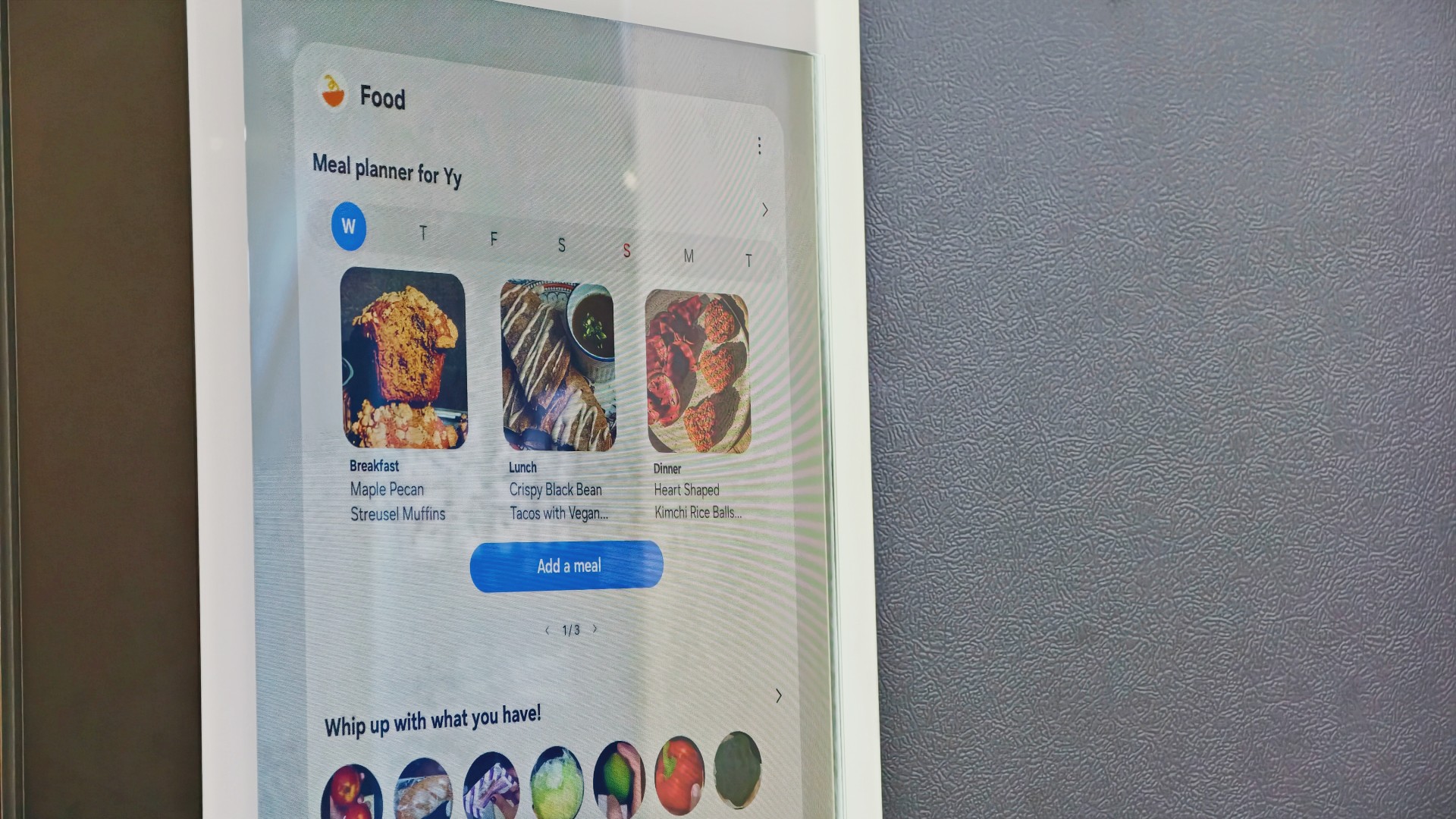
Samsung’s AI Food Manager helps users manage ingredients and discover what they can cook with what’s already available.
On supported Bespoke AI Refrigerator Family Hub models, an internal camera can recognize selected food items as they enter or leave the refrigerator. Users can check their food list through the SmartThings app, making it easier to remember what they have when planning their next grocery run.
The system isn’t infallible. Some items may not be recognized correctly, and users may need to review and adjust the list. Still, it’s a useful starting point for avoiding unnecessary purchases and making better use of ingredients already at home.
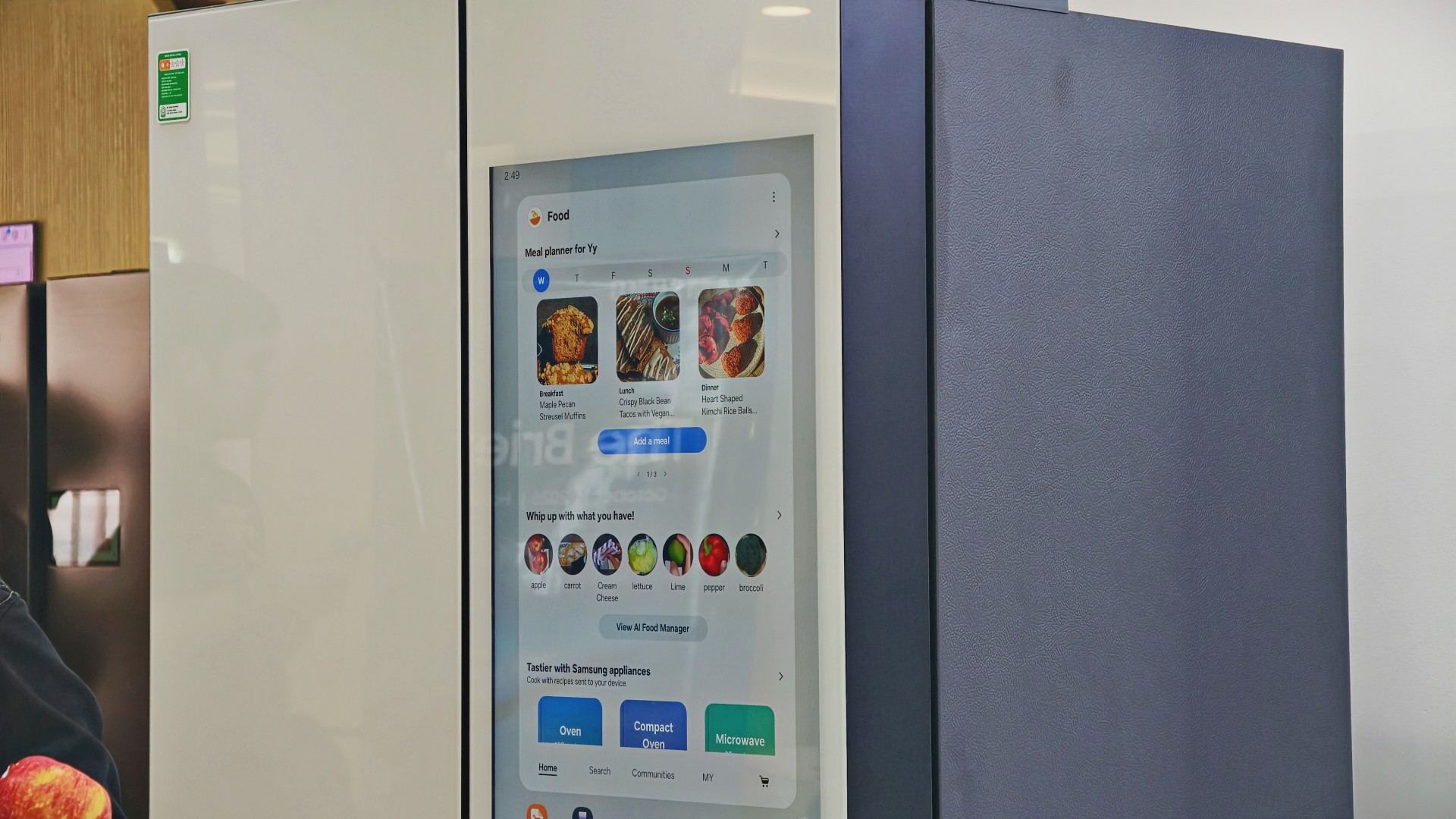
AI Food Manager can also recommend recipes based on available ingredients. Meanwhile, What’s for Today, available on select models, suggests menus based on the user’s chosen options, including available refrigerator contents.
Neither feature will magically turn anyone into a chef. But if you’ve ever stared into your fridge hoping dinner ideas would materialize, a little inspiration might help.
More than a refrigerator with a screen

The display has another practical purpose: controlling compatible connected appliances.
On supported Samsung side-by-side refrigerators with the 9-inch Family Hub display, users can access compatible Samsung smart appliances and supported third-party devices through SmartThings. Bixby also provides voice interaction for supported functions, offering another way to access controls while cooking or preparing meals.
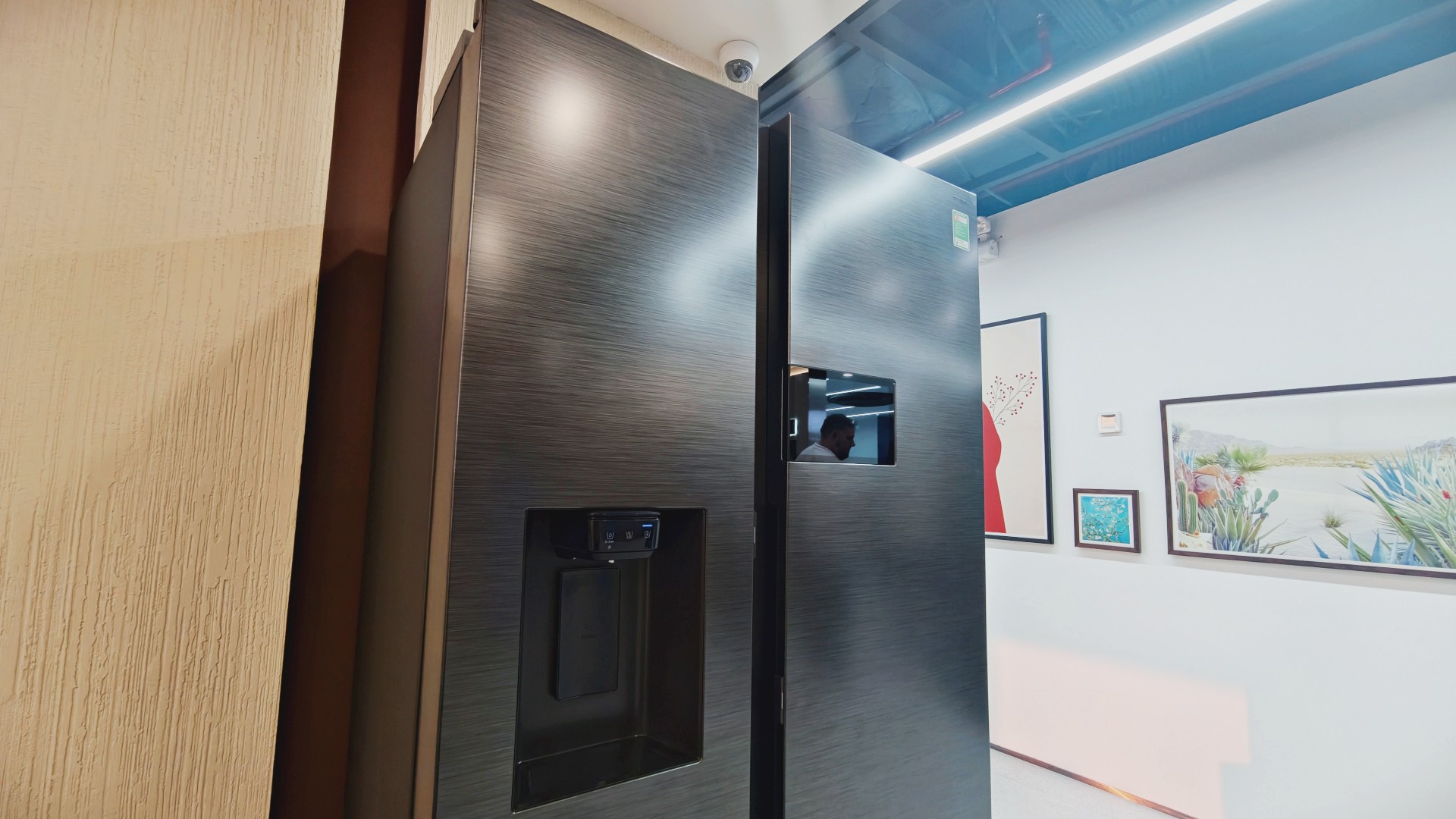
It’s part of Samsung’s broader connected-home approach, where compatible devices work together to simplify everyday routines.
Of course, not everyone needs every appliance in their home connected to one another. A refrigerator that keeps food fresh is already doing its most important job.
But for households that use smart appliances, having ingredient information, recipe ideas, and device controls accessible from one place could be convenient.
And speaking of that screen…
You know me. If there’s a screen, best believe I’ll find a way to put a STAYC Isa fancam on it.
Anyway, back to the bigger question.
Can a smarter fridge help you live better?
Healthier living involves more than diet and exercise. Everyday routines matter, too, including planning meals, keeping track of groceries, and figuring out what to cook.
Samsung’s AI-powered refrigerator features won’t automatically make anyone eat healthier. What they can do is make information easier to access and some everyday decisions less tedious.
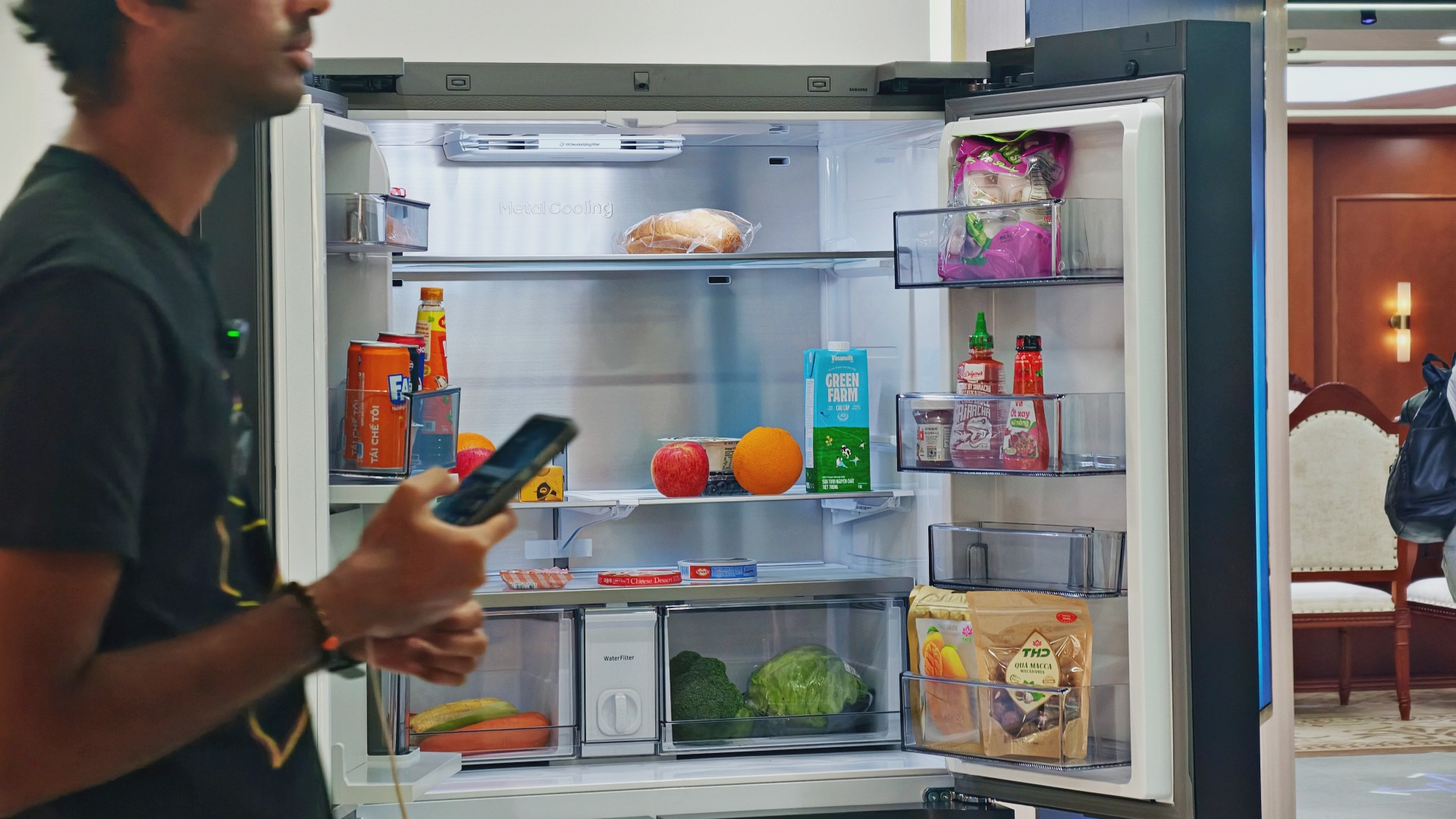
For someone who regularly cooks at home, that could mean making better use of ingredients already in the fridge. For a busy household, it might mean spending less time planning meals or remembering what to buy.
These features remain tools, not guarantees. Their usefulness depends on how accurately they work, which features a particular model supports, and whether they fit into your routine.
Still, I like the idea of technology that takes a little friction out of everyday life. A refrigerator doesn’t need to reinvent cooking to be useful. Sometimes, helping you remember what you bought last weekend or suggesting what to make with it is already a good start.

And if it happens to have a screen where you can watch a STAYC fancam while deciding what’s for dinner? Well, I’m certainly not going to complain.

Living in New York means making every square foot count, so why own multiple gadgets when one can do the job?
In this video, THE Michael Josh takes a look at the Marshall Heston 60. It’s a premium TV soundbar that brings more to the living room than just better sound.
With its sophisticated design, powerful audio, and versatile features, it sits in his living room while doing much more than you might expect from a soundbar.
CHECK IT OUT HERE: https://bit.ly/MarshallHeston





HONOR Watch 6 Pro launches globally

The iPhone Duo is replacing my Kindle

Five new (and better) games you can play instead of GTA VI

Instagram adds ability to edit a recently posted Story

GTA VI Review Round-up: International and Southeast Asia

Your coffee nook is getting a makeover with Starbucks’ holiday collections

HP OMEN Max 16 review: Gamer-maxxing in deep black

OPPO Find X10 Series: Price, availability

Sticker season is back, and so is the planner your ~friends~ might fill in for you

Wild Rift Patch 7.3, celebrates K/DA comeback


-

 Reviews3 days ago
vivo X500 Pro Max review: 500+ hours later
-

 Accessories1 week ago
Secretlab brings Pikachu, Gengar, and Eevee to its Pokémon gaming chair collection
-

 Gaming1 week ago
Nintendo eShop launches in the Philippines
-

 Gaming1 week ago
GTA VI pre-loading now available on PS5, Xbox
-

 Smartphones4 days ago
Spotlight: OPPO Find X10 Pro Max
-

 Tablets6 days ago
Infinix XPAD 30 launches, comes with AI features and expansive display
-

 Computers2 weeks ago
ASUS and ROG Grand Tech Fair 2026 offers holiday deals
-

 Philippines4 days ago
Xiaomi teases 18 Pro Series with innovative rear display