
Apps
Plot twist: Starbucks PH is letting you actually pick your reward now
Starting July 21, you choose what you redeem and when, from just 50 Stars, on the new Starbucks PH app.

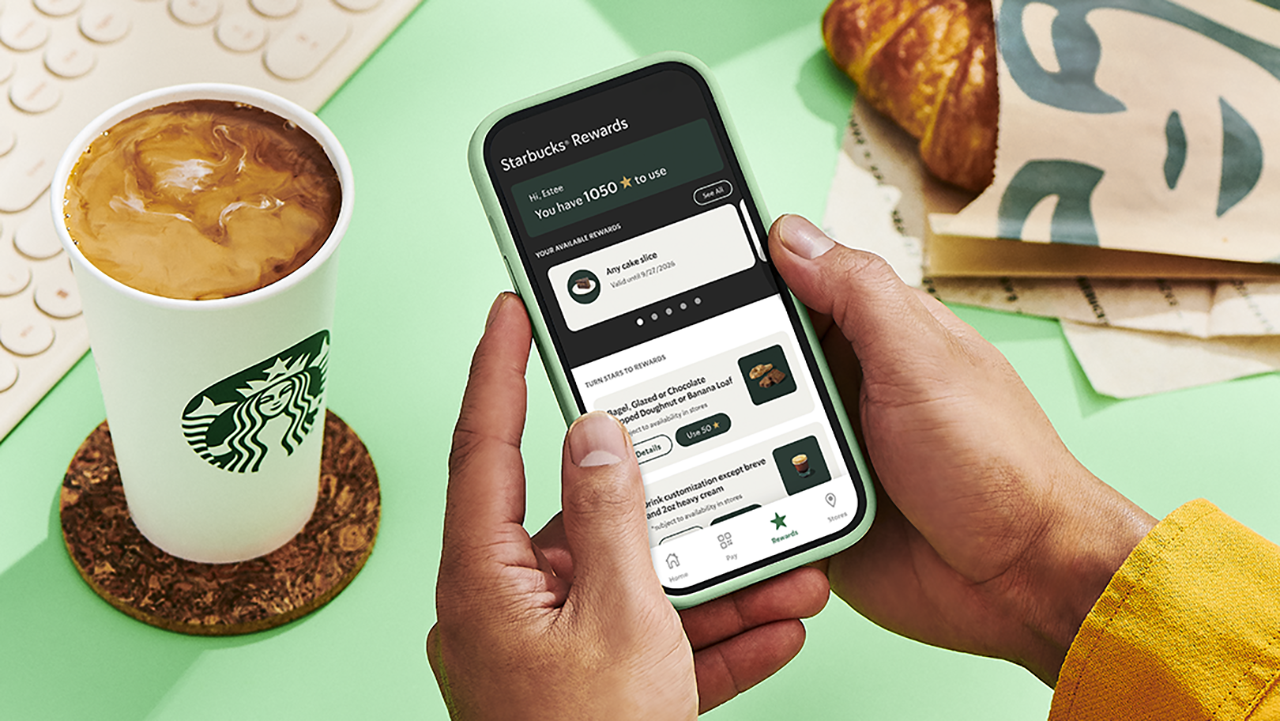
Confession time: I have spent an embarrassing number of hours doing mental math in line at Starbucks, staring at my Stars balance like it owes me money. Ninety-eight Stars. So close!
Two Stars short of a free drink that would just… appear, whether I wanted it that week or not. That’s the old system for you. It decided for me and I just showed up to collect.
Well, girl, the glory days of blind Star hoarding are over, and honestly? I’m thrilled.
Starting July 21, Starbucks Philippines is scrapping the automatic 100-Star-equals-one-voucher system it’s run since 2019. In its place: a Multi-Tiered Rewards system that finally treats members like adults who know what they want. Which, let’s be real, is exactly what I’ve wanted the whole time. I didn’t want a random cake slice I never asked for. I wanted to choose.
Tiers, explained (because I know you’re already doing the math)
Here’s where it gets good: You’re no longer stuck waiting for triple digits to cash in.
At 50 Stars, you can get a free drink customization or a bakery pick like a bagel, a banana loaf, or my personal weakness, the doughnut. Fifty Stars used to get you nothing but a longer wait. Now, it gets you a treat.
At 100 Stars, the world opens up. Any handcrafted beverage or bakery item are all yours to pick. This used to be the only option on the menu. Now, it’s just the middle tier.
And then there’s the new 150-Star tier, which lets you trade in for pasta, a sandwich, or a full cake slice. A whole meal, earned in caffeine.
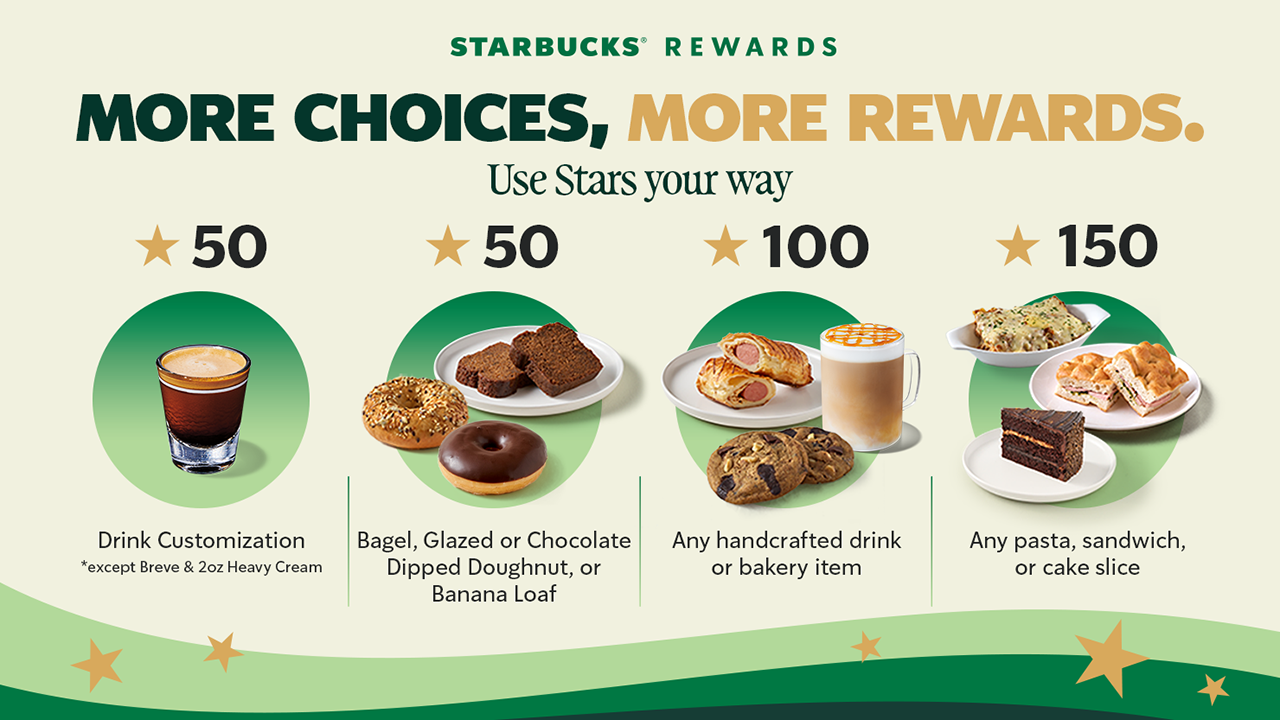
The only real exclusions to keep in mind: breve and the 2 oz heavy cream customization aren’t included at 50 Stars, and the Coffee Traveler Kit, French Press, and Reserve Ice Cream beverages sit outside the 100-Star tier. Small print, but worth knowing before you get to the counter with big plans.
The app situation (Deep breath, it’s fine)
Now, I’ll admit, hearing “you need a whole new app” gave me a small moment of panic.
New app, new login, new everything, right when I finally memorized where the barcode scanner button lives on the old one.
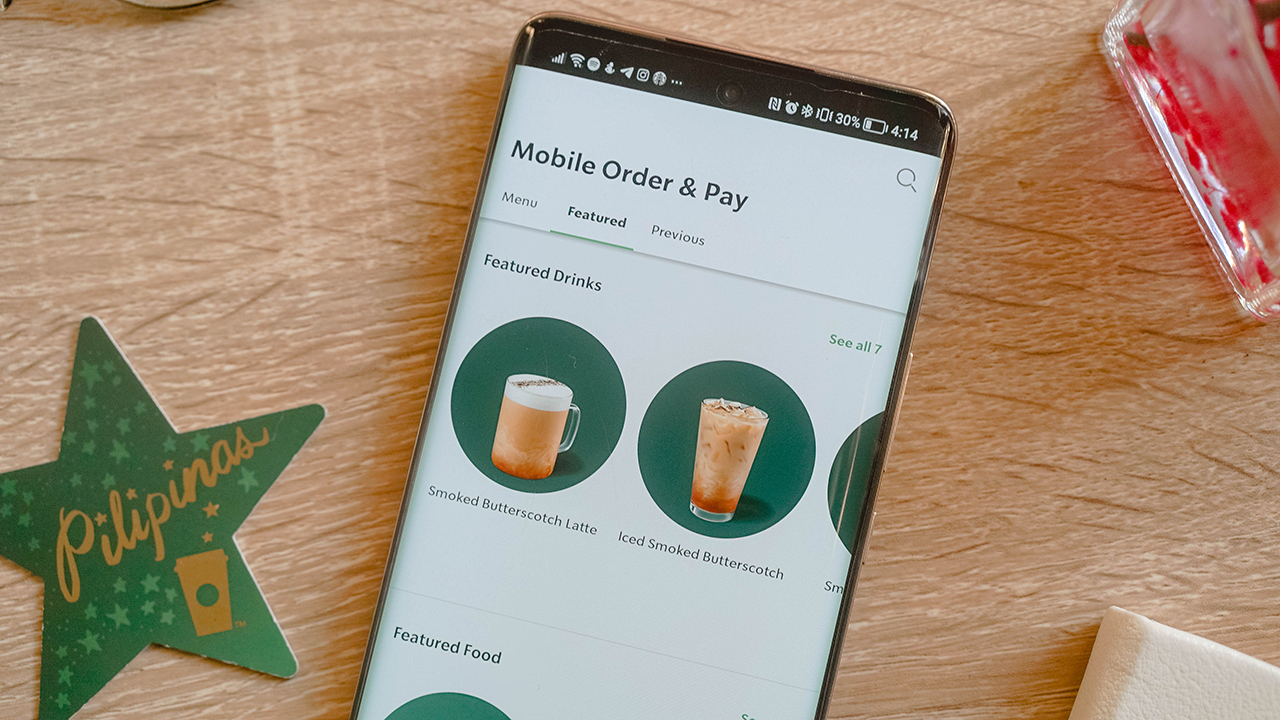
But here’s the relief: your Stars, your load balance, your account, all of it carries over automatically. No re-registering, and no starting from zero. You just download the new Starbucks PH App from the App Store or Google Play starting July 21, and your loyalty history walks right in with you.
The old app gets discontinued, so this isn’t optional, but it’s also not a hassle. Sign-in is faster, Star tracking updates in real time, and honestly, watching my Stars tick up instantly instead of refreshing the app like I’m checking a crush’s read receipts sounds like an upgrade I can get behind.
One thing to note if you’re a Mobile Order and Pay loyalist like me: it won’t be available on day one. Starbucks says it’s coming back in a future update, but the timing is still unannounced. Mildly inconvenient, but not a dealbreaker.
The part that actually changes how I use my Stars
Here’s the detail I didn’t expect to care about this much: Under the old system, your voucher’s 90-day countdown started the moment you crossed 100 Stars, whether you were ready to redeem or not.
Now, that 90-day clock only starts once you actually issue the reward yourself. Which means no more panic-ordering a bakery item I didn’t want just because the voucher was about to expire. I get to decide when the countdown even begins.
Stars still need to convert into a reward within a year, and anything unconverted still expires on your account anniversary, so it’s not an invitation to hoard forever. But within that window, the control is finally mine.
So, what now?
Mark your calendar for July 21. Download the new app, let your Stars migrate themselves while you do absolutely nothing, and start planning what you’re actually going to redeem instead of settling for whatever the algorithm decided you’d earned.
Fifty Stars for a banana loaf on a rough Monday. A hundred and fifty for a full pasta situation on a day that calls for one. My inner spreadsheet is already recalculating, and for once, that feels less like a chore and more like a plan.






Apps
Google Photos can now censor your kid’s face better
The new Redact feature can censor sensitive information.


Censoring photos is heavy work. Either you stick on random emojis or draw an indiscriminate splotch of doodles to cover sensitive information. It’s an imperfect art but an essential one to protect privacy. Today, Google Photos is getting a Redact feature which can censor sensitive bits with pixelated blocks.
An addition to the Markup tool, Redact acts like a nifty pen that can hide information that you don’t want seen. Unlike a ghastly emoji or a splotch, the censored bar mixes better with the surrounding elements. In the example that Google used, a censored license plate blends well with the car it’s attached to, making the photo look more cohesive. Besides license plates, it’s the perfect tool for covering other information like phone numbers, addresses, and the faces of your loved ones.
Google Photos is also rolling out Moods, a set of filters that give photos a nostalgic look, including a 2000s night digicam vibe that’s popular today. There are also 15 new Remix templates to add more creation options.
Both the Redact and the Moods features will roll out to Android users starting today. The new Remix templates, however, will be limited to some countries on both Android and iOS.
SEE ALSO: Google will force Android users to use Gemini next month
Apps
Smart launches LiveSmart App for exclusive deals
Exclusive deals, cashback, and bill payments in one app.

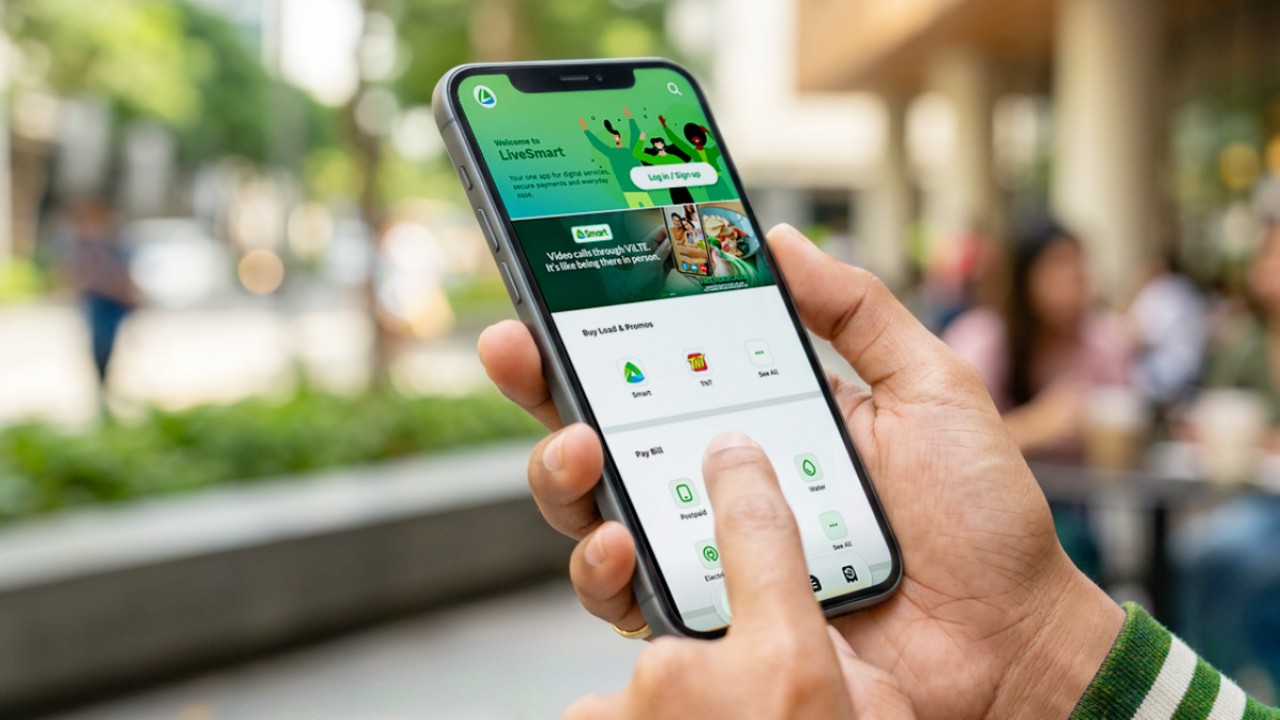
Smart Communications, Inc. (Smart) and TNT have launched the LiveSmart App, a new platform that combines loading, bill payments, exclusive offers, and other everyday transactions in one app.
The app is available on the Google Play Store and Apple App Store. It is open to Smart, TNT, and subscribers of other mobile networks.
The LiveSmart App gives users access to exclusive deals and savings. These include cashback offers, discounted Smart and TNT data packages, and limited-time access to AI.Smart.
“Filipinos are becoming more deliberate about where they spend and how they can get more value from every peso,” said Lloyd R. Manaloto, FVP and OIC for Smart. “The LiveSmart App is designed to help make those everyday decisions a little smarter, by giving users convenient ways to load, pay bills, and access exclusive savings and offers in one place.”
Exclusive deals and perks
Smart and TNT are rolling out several offers on the LiveSmart App starting September 18.
Smart and TNT subscribers can get 5% cashback when they purchase load or pay their Smart Postpaid bill through the app.
The app also offers data packages at exclusive prices. Smart Prepaid subscribers can get Power All 109 for PHP 105, while TNT subscribers can get Saya All 109 for PHP 105.
Users who download the LiveSmart App may also receive limited-time free access to AI.Smart.
AI.Smart combines multiple AI models, including AWS Nova, ChatGPT, Claude, Google Gemini, and Thinking Machines, in one workspace. Users can use it to generate images, create presentations, draft documents and spreadsheets, and get help with schoolwork, content creation, and other projects.
To claim the free AI.Smart credits, users need to tap the AI.Smart banner in the LiveSmart App. They then need to create an AI.Smart account using their Smart or TNT number.
Smart says users can also expect more exclusive deals and perks from lifestyle partners as it expands the LiveSmart App.
Powered by Smart 5G
The LiveSmart App runs on Smart’s network. Smart 5G supports activities such as video streaming, gaming, and real-time social media sharing.
The company said Ookla recently recognized its network for the Best Mobile Video Experience in the Philippines for the first half of 2026. Smart recorded a Video Score of 72.82, which it said was the highest among mobile operators in the country.
The LiveSmart App is now available on the Google Play Store and Apple App Store. Users can learn more about the app through Smart’s website.
Apps
Apple’s best feature to cure motion sickness is finally on Android
Google copies a good page from Apple’s playbook.
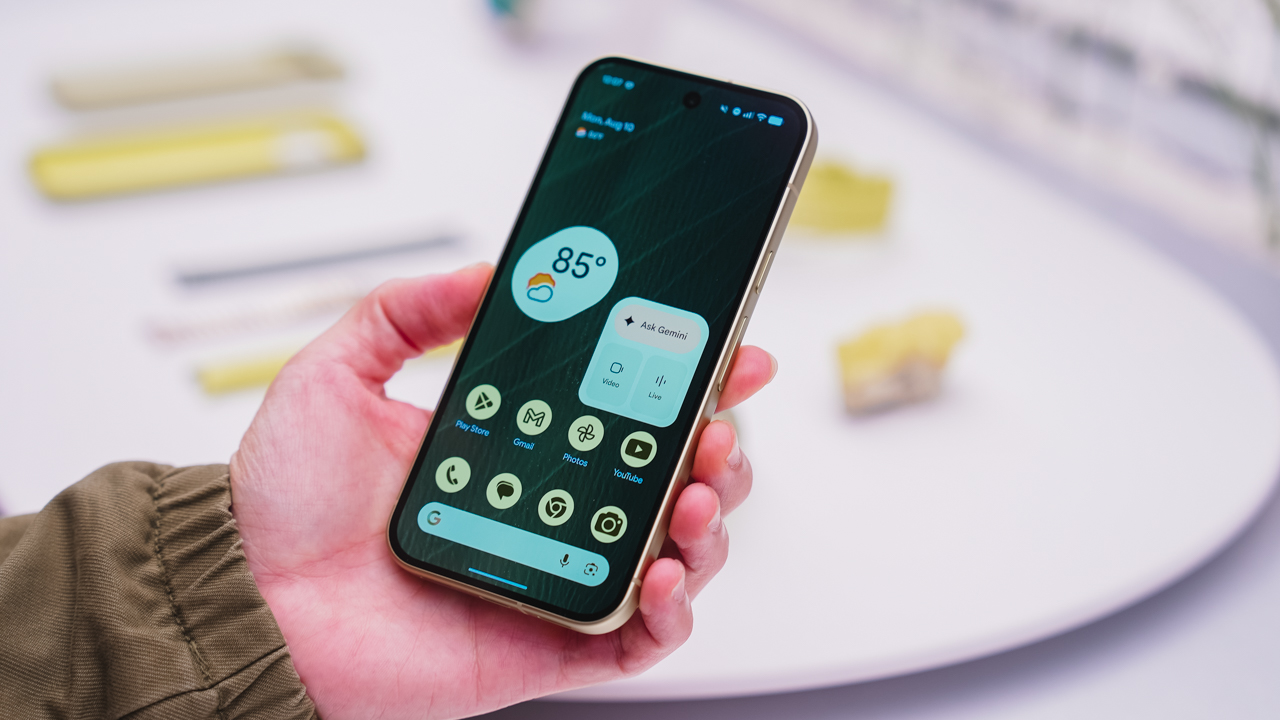
As an Android user, I’ve been jealous of iPhone users for a while now, but it’s not for the reason you might think. See, I’m ridiculously prone to motion sickness when I’m not driving. So, when I discovered that Apple has a software-based cure called Vehicle Motion Cues, I wanted it immediately. Now, Android does have third-party apps that do the same thing, but they’re not as good as a fully native version. Well, those dark, nauseating days are about to come to an end. Android 17 is finally getting a similar tool called Motion assist.
Before that, let’s rewind for a bit. What do these features do? How can they cure motion sickness?
Whenever you open Vehicle Motion Cues or Motion assist, the interface spawns a series of dots on the screen. These dots respond to movement. For example, if the vehicle turns to the left, the dots also go to the left, mimicking the movement. Without cues like this, the stationary nature of the screen clashes with our brain’s perception of movement. The disparity creates that feeling of nausea. Basically, our eyes are desperately trying to focus on the static screen, but our brains are telling us that we should be seeing motion. Having moving dots reorients our brain and places the phone inside our perception of movement.
Now, you can enable the same feature on your Android 17 device through Settings > All services > Motion assist under Personal & device safety. You can also set it so that the feature turns on automatically when the phone detects that you’re in a moving vehicle. Finally, you can also tweak the shape, color, and opacity of these dots.
Android 17’s Motion assist is rolling out now to compatible devices.
SEE ALSO: These are the best Android 17 features (if you hate AI)


Now Playing: ACE Combat 8: Wings of Theve
A refreshing change of pace

TECNO POVA 8 Pro Tonino Lamborghini review
Truly a rare gem in 2026


DJI Lito X1 review: Is this the best lightweight drone for creators?
Making a strong case as a travel companion and a capable B-cam!

Apple might not have given up on the Vision Pro yet

ROG brings out the ultra-stylish G1000 gaming desktop

God of War Laufey pre-orders are now live

Nothing launches the Headphone (1) Pro

HUAWEI WATCH GT 7 Pro: What’s actually under the hood?

HUAWEI Pura X View is 2026’s first WIDE slab-type smartphone

The CAMON Slim 5G is TECNO’s latest ultra-slim smartphone

iPhone 18 Pro series: Price, availability in the Philippines

DJI Osmo 360 II review: Going all-in on the ecosystem

iPhone 18 Pro series: Price, availability in Singapore


-

 News1 week ago
vivo X500 Series launches with major imaging upgrades
-

 News7 days ago
OPPO Find X10 Pro Max is the first phone with a triple 200MP camera system
-

 Singapore1 week ago
Epson Lifestudio Grand Plus EH-LS970B with 4K projection, more launches
-
Drones2 weeks ago
DJI Lito X1 review: Is this the best lightweight drone for creators?
-

 News1 week ago
vivo introduces OriginOS 7 with smarter multitasking and AI features
-

 Automotive1 day ago
BYD says that way better EV batteries are coming next year
-
 Smartphones3 days ago
When TECNO-logy meets Tonino Lamborghini legacy
-
 Finance2 weeks ago
HONOR, Fidesmo partner for contactless payments across Europe, Middle East