
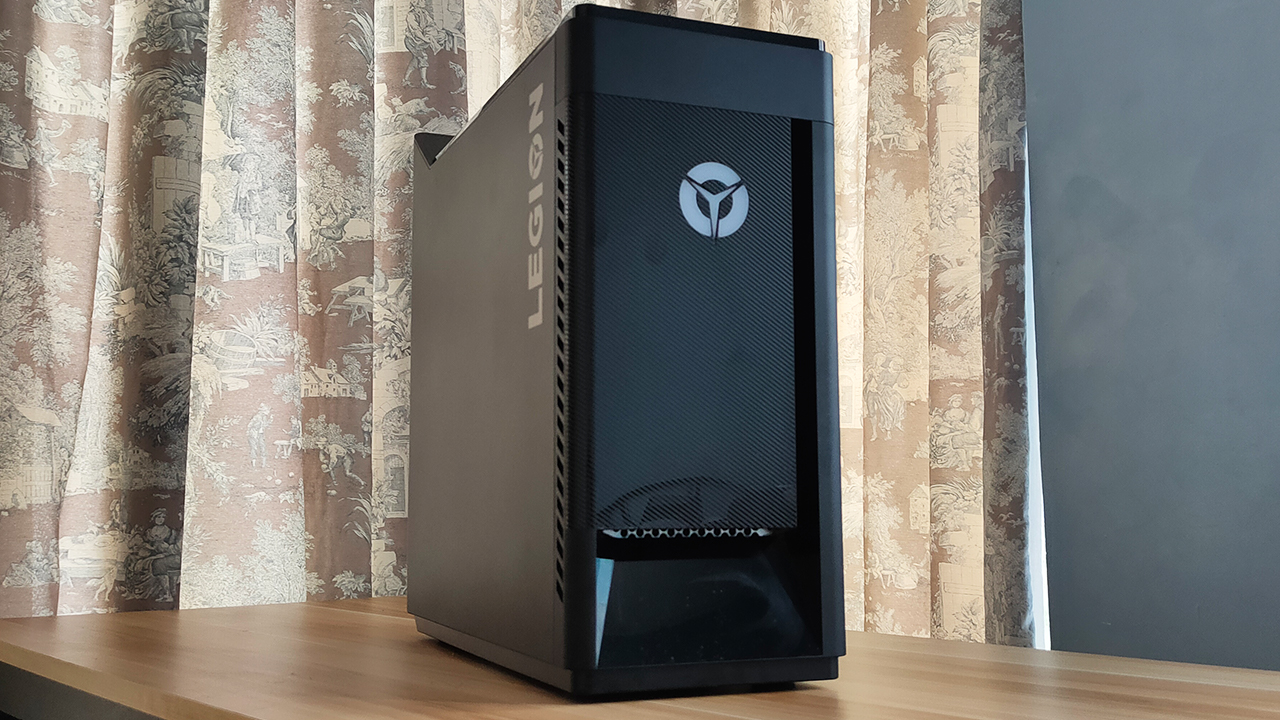

Just last June, I managed to build my own PC through countless research and price haggling. I figured that I should invest in a gaming setup that will last for about two good years while playing games at high frame rates. With building a PC, I ensure some level of upgradability and flexibility down to every last detail.
Before I decided on this endeavor, I was dead-set on wanting to just stick to a pre-built system. Imagine getting an entire package with all the parts you’re looking for, without the hassle of building it yourself. Plus, it’s already optimized to some extent so you don’t have to worry about tinkering as much.
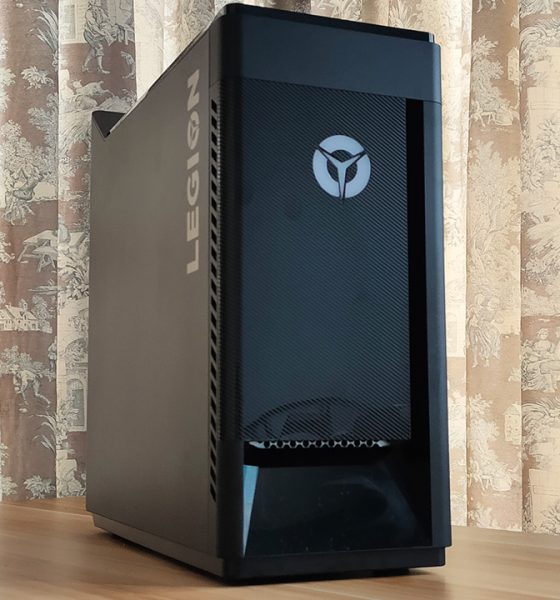
In essence, a prebuilt like the Lenovo Legion Tower 5i offers such promise. But, as someone who has already built a gaming system, is it really a good idea to get this pre-built system?
On its own, it’s a great system for intensive workloads
I will go out and say that on its own, the Legion Tower 5i is a well-built system. It comes with an Intel Core i5-10400 processor and an NVIDIA GTX 1660 SUPER inside. Right off the bat, I thought that the hardware was great for gaming, and it showed when I ran some games on it.
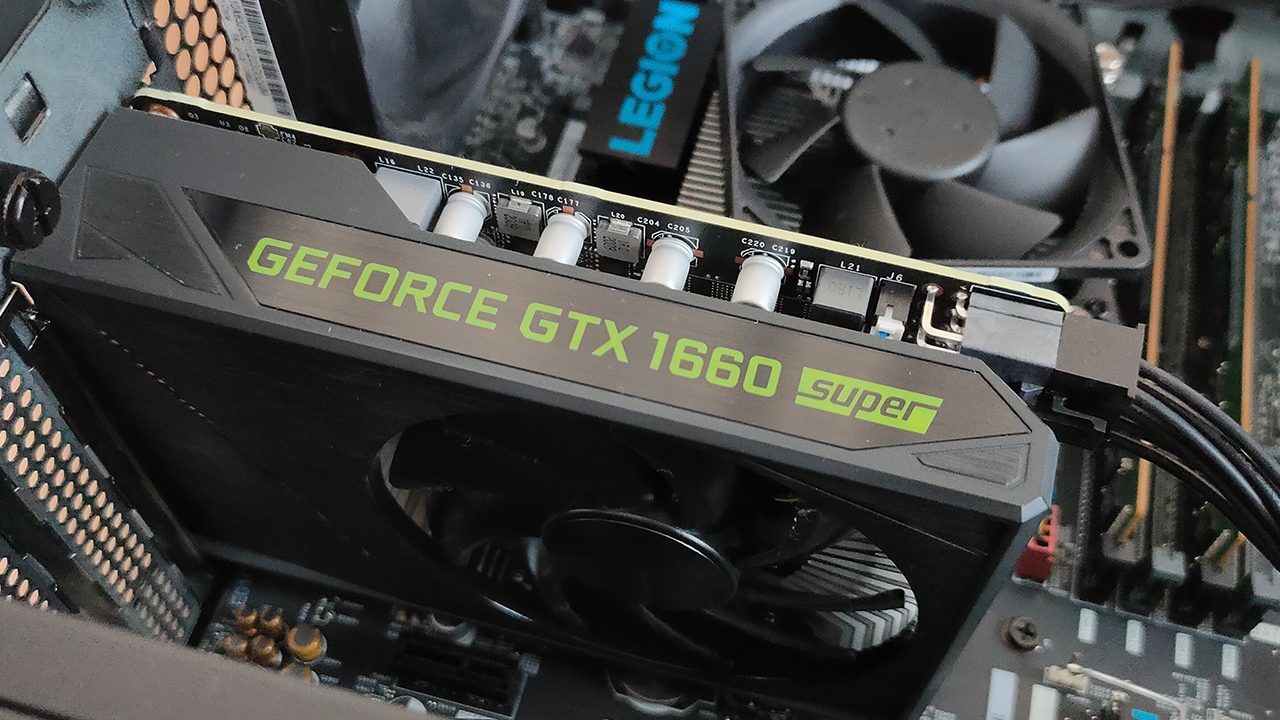
The NVIDIA GTX 1660 SUPER inside the Legion Tower 5i
More than anything, it’s a solid device for a variety of workloads. With 16GB of RAM and a 512GB M.2 SSD inside, Windows managed to boot up pretty fast — which is great. This means that I could get into my work immediately, especially when I’m in a rush to get some done.
Intensive applications like Google Chrome, Adobe After Effects, and even Blender ran with relative ease. As a content-creating machine, I felt that it has potential to accommodate whatever project you throw at it. However, don’t expect the world from it since the hardware isn’t the most powerful available.
Gaming performance is great
I touched on this in the previous section, but it’s true: Lenovo managed to create a great gaming system here. Some graphics-intensive games like Call of Duty: Warzone and Fortnite ran pretty well under this system, provided you adjust a few settings. Throughout my hours of gameplay, I didn’t experience lag caused by the hardware.

Valorant’s FPS on the Legion Tower 5i when nothing is happening in the game
Most games I tested on this system ran at consistent frame rates, which is what you should expect out of gaming systems. Games like VALORANT and Counter Strike: Global Offensive ran at above 200 FPS, considering you really don’t need much to run them. Those two games I mentioned earlier, however, ran at close to 50-60 FPS.
By all means, this isn’t a perfect gaming system to both record and stream content out of. But, if you wanted to start somewhere — again, on its own — this system provides great gaming value.
Putting up a great (Cold) front
Like gaming laptops, I feel that gaming PC builds are only effective when proper cooling is present. While the Legion Tower 5i doesn’t come with fancy liquid cooling, it does come with Lenovo’s Coldfront 2.0. Essentially, it’s an optimization feature for the overall airflow between all the components.

From my experience, I actually think Coldfront did its due diligence. Throughout long hours of gameplay, I didn’t hear the fans whirring loudly. Plus, I felt that the air coming out of both the front vent and rear fans wasn’t as warm. Inside, components do feel a little warm but it isn’t scalding hot.
I even cranked up the system to run on Performance Mode, with overclocking enabled and I don’t hear any fans whirring too much. Again, even without all the liquid cooling tubing you see in custom builds, the Legion Tower 5i delivers while staying relatively cool.
Going against a custom build? Well…
I know I’m practically raving about the Legion Tower 5i, but the big question is whether it’s a better investment over a custom build. My short answer: not really, unless you’re committed to not build a PC from scratch. See, my custom build actually comes pretty close to the Legion Tower 5i across most of the hardware.
CPU Performance (Intel vs. AMD)
My custom build comes with an AMD Ryzen 5 3600X, which comes with the same core and thread count as the i5-10400. On paper, performance should be right about the same but the big difference is in my AMD’s base clock speed of 3.9Ghz. This means that my AMD performs at a much faster rate.
I tried running two Google Chrome tabs simultaneously between the two systems, and both showed stable clock speeds. However, when I tried switching tabs, I noticed a slight delay on the Legion Tower 5i. At face value, it doesn’t really mean much but that split second of a delay could come back to haunt you.
In case you were wondering, the two Chrome tabs I ran were a Google Doc and a YouTube music video at 1440p.
GPU Performance (NVIDIA GTX 1660 SUPER)
Here’s the thing: both these systems run a 6GB VRAM, NVIDIA GTX 1660 SUPER. Both systems can run the games I just listed with relative ease, which was what I expected. At first, I thought I couldn’t discuss anything more beyond these points. However, when I started to play for longer hours, I noticed something.

Performance between my AMD build and the Legion Tower 5i for Fortnite Battle Royale
Because they’re both running the same type of GPU, what set them apart would be its CPU performance. However, based on avg. frame rates, the Legion Tower 5i outperforms my build by just a few frames per second. It comes at a slower clock speed during gaming, though so it resulted in some levels of bottleneck.
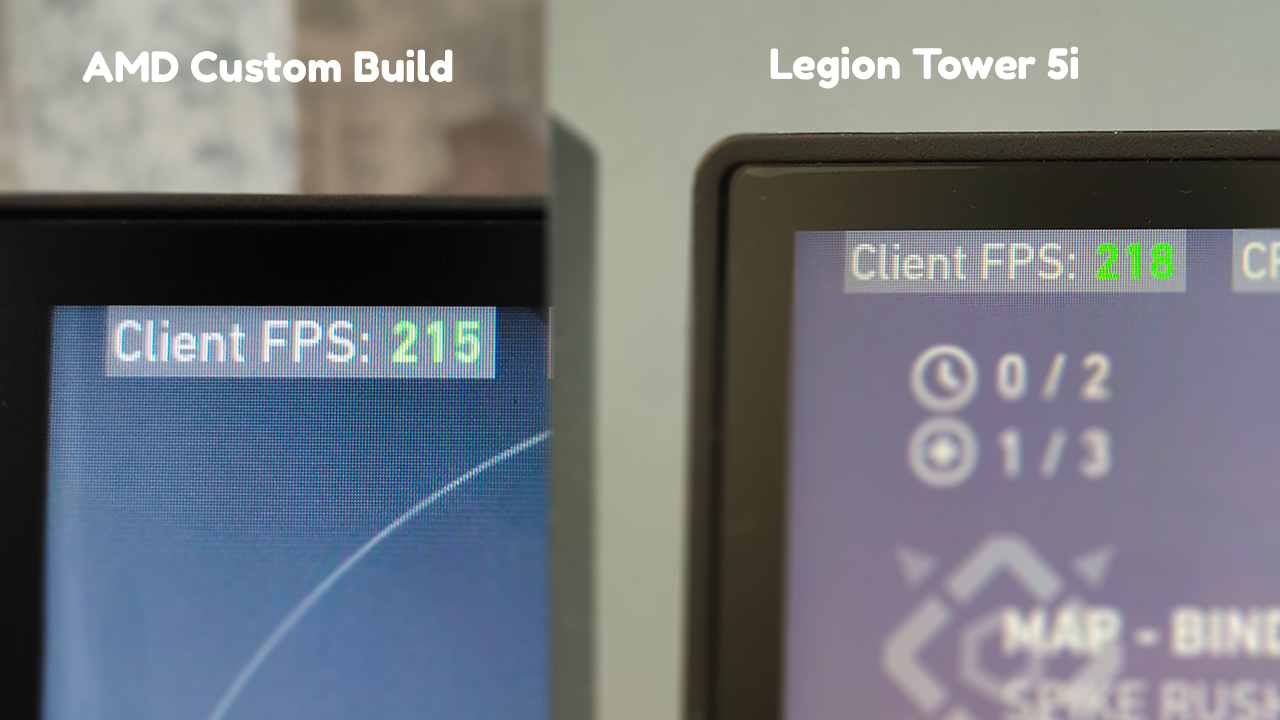
Performance between my AMD build and the Legion Tower 5i for Valorant
Price (The most important aspect)
At the end of the day, you’ll be spending your hard-earned money on either one of these systems. At this point, I’d like to stress out once more that both systems perform well — although not as identical. Both systems are suitable for long hours of gaming and productive work, and cooled roughly the same way. Except, my build doesn’t have Coldfront 2.0.
Yet, this is where I draw the line between a custom build and a pre-built system. See, the Lenovo Legion Tower 5i comes in at Php 72,995 and the package you get already comes with Windows pre-installed, and all the optimizations in place. My build, when sourcing the parts individually, comes in at close to Php 42,000.
I don’t think a 30,000-peso difference sounds like a great financial investment. Personally, I believe that a working version of Windows 10, PC optimization software, and a Legion-branded tower is not worth that much. Also, this doesn’t even factor in the amount you will spend for all the other peripherals.
Is this your GadgetMatch?
All in all, the Lenovo Legion Tower 5i is a great gaming system to consider. If you’re looking for a great PC to start off your streaming career or to just play games, this build is a great pickup. With powerful hardware and a fast SSD inside, you will get straight into the action once you boot it up.
On its own, it’s a product of great value. But, when you have the option to just build your PC and get the parts individually, it doesn’t look too good. You can even look for the parts that the Legion Tower 5i has, and get them for way less than this finished product.
If you have some extra cash to spare and you’re too afraid to build a PC, the Legion Tower 5i is a great fit. Otherwise, you’re better off building your own PC and grabbing more powerful yet compatible parts.







Computers
New Mac mini starts at a whopping $899, only 256GB of storage
It comes with the M6 or the M5 Pro.


Almost two decades ago, Apple was infamous for being an anti-gamer brand. Though the company’s devices touted superior protection against viruses, they couldn’t play video games, alienating a significant chunk of the population and forcing them onto PCs. For a while now, the Mac has changed the status quo, bringing in more powerful hardware that can play games. Today, Apple is championing that cause further through the newly launched Mac mini.
Compared to the chunkier Macs, the Mac mini has a lithe 5” x 5” profile, emphasizing the “mini” in its name. Despite the size, the new mini will tout two flavors of Apple silicon: the M6 and the M5 Pro.
The M6 variant delivers with up to two times faster gaming performance with ray tracing when running Cyberpunk 2077: Ultimate Edition, compared to the previous M4 version. Meanwhile, the M5 Pro version touts up to 4.5 times faster rendering performance with ray tracing in Blender, compared to the M2 Pro. It will come with macOS 27 Golden Gate out of the box.
You won’t have to worry about connectivity, either. The Mac mini comes with compatibility for Wi-Fi 7, Bluetooth 6, and 2.5Gb Ethernet (going up to 10Gb in upgraded versions). It will also have two USB-C ports, three Thunderbolt 5 ports (but only Thunderbolt 4 for the M6 version), and HDMI port, an Ethernet port, and a headphone jack.
Unfortunately, price seems to be another thing that it’s getting from PCs. The new Mac mini has an increased starting price. Specifically, the M6 version starts at US$ 899 (with only 256GB of storage), and the M5 Pro version starts at US$ 1,699 (for 512GB of storage). Preorders are open now, but they ship out on September 22.
SEE ALSO: Apple raises the prices of iPad and MacBook lineups

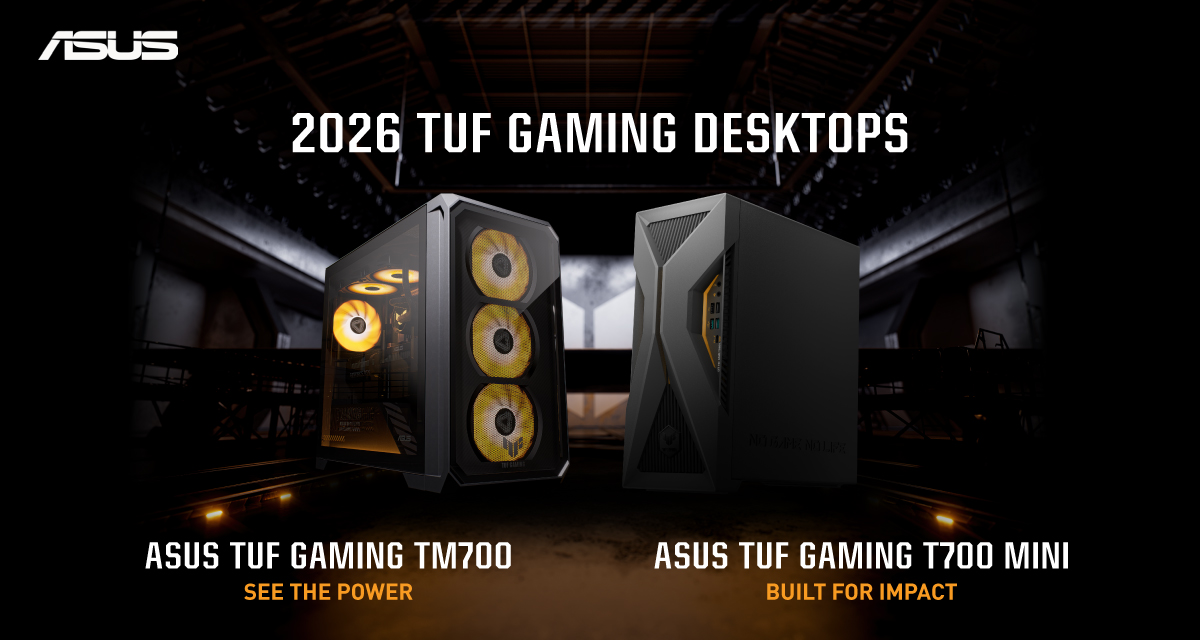
ASUS has announced the arrival of its latest TUF Gaming desktop lineup models: the TUF Gaming T700 and TUF Gaming T700 Mini.
These new offerings bring heavy-duty performance and military-grade durability to gamers, engineered to endure extreme operational demands while delivering rock-solid stability.
The new ASUS TUF Gaming T700, in particular, is engineered to take on modern AAA titles with its uncompromising performance.
It has an aggressive mecha-inspired MIL-STD chassis, including a transparent side panel to put powerful components on display. Vibrant orange ambient lighting also adds a bold finishing touch.
Inside is an AMD Ryzen 7 8700F processor and up to an NVIDIA GeForce RTX 5060 Ti GPU for high-frame rate gaming.
The T700 also features a robust thermal solution equipped with quad 65 CFM fans and a 240mm liquid cooler.
Meanwhile, the TUF Gaming T700 Mini is tailored for competitive gamers while maintaining a compact, battle-tested chassis.
It has an Intel Core Ultra 5 225F desktop processor, paired with with NVIDIA GeForce RTX 3050 graphics.
This combination provides seamless multitasking, crisp visuals, and reliable frame rates across today’s popular titles.
The internal hardware is cooled by a custom thermal matrix featuring dedicated copper heat pipes and a heavy-duty 90mm cooling fan.
True to the TUF Gaming legacy, the T700 Mini is likewise MIL-STD tested to endure extreme operational demands.

Phones flip and fold. Now webcams do too.
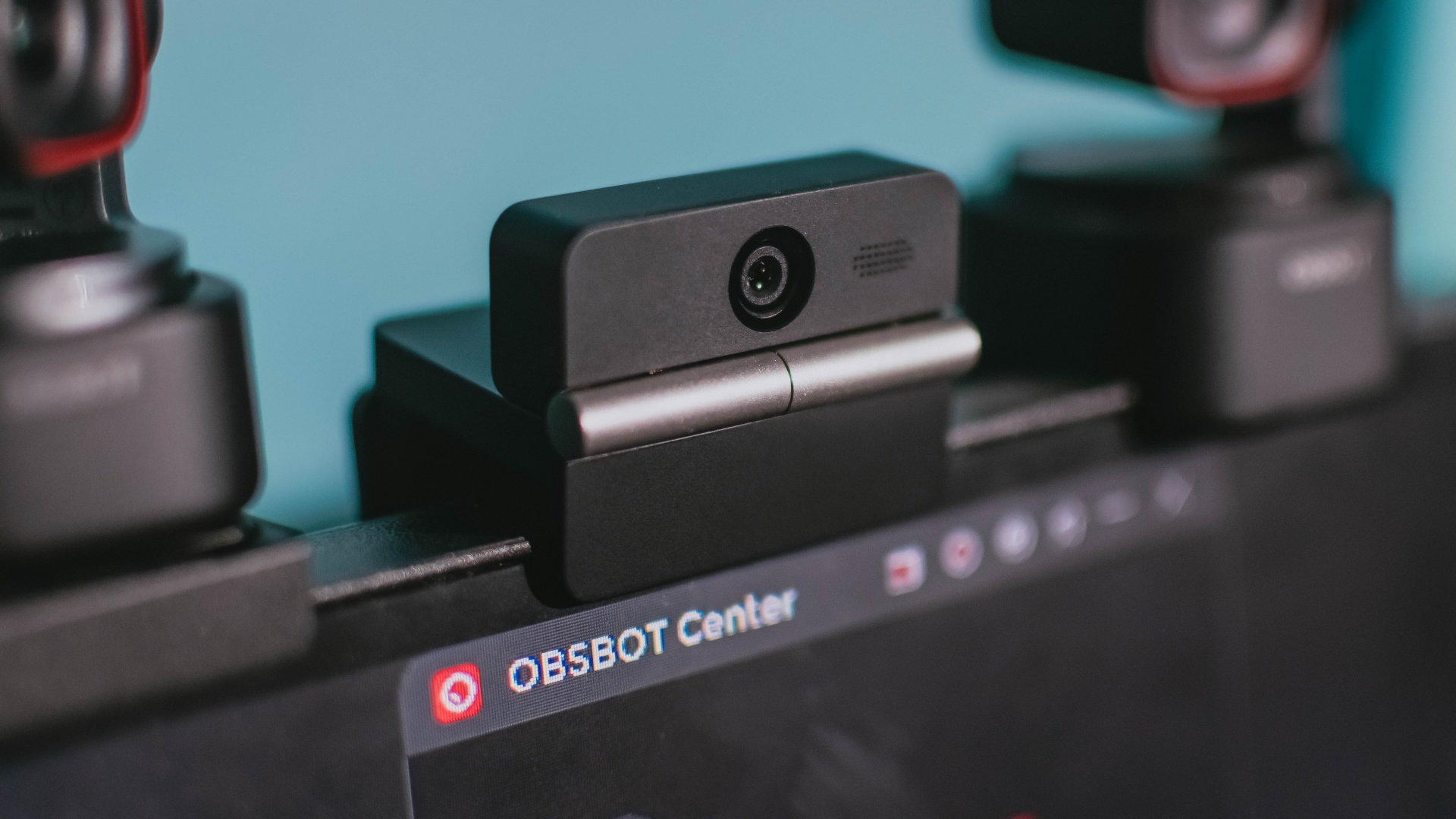
Foldable screens have found their way into phones, tablets, and laptops in recent years. Now, OBSBOT is taking that idea in a considerably smaller direction: the webcam.
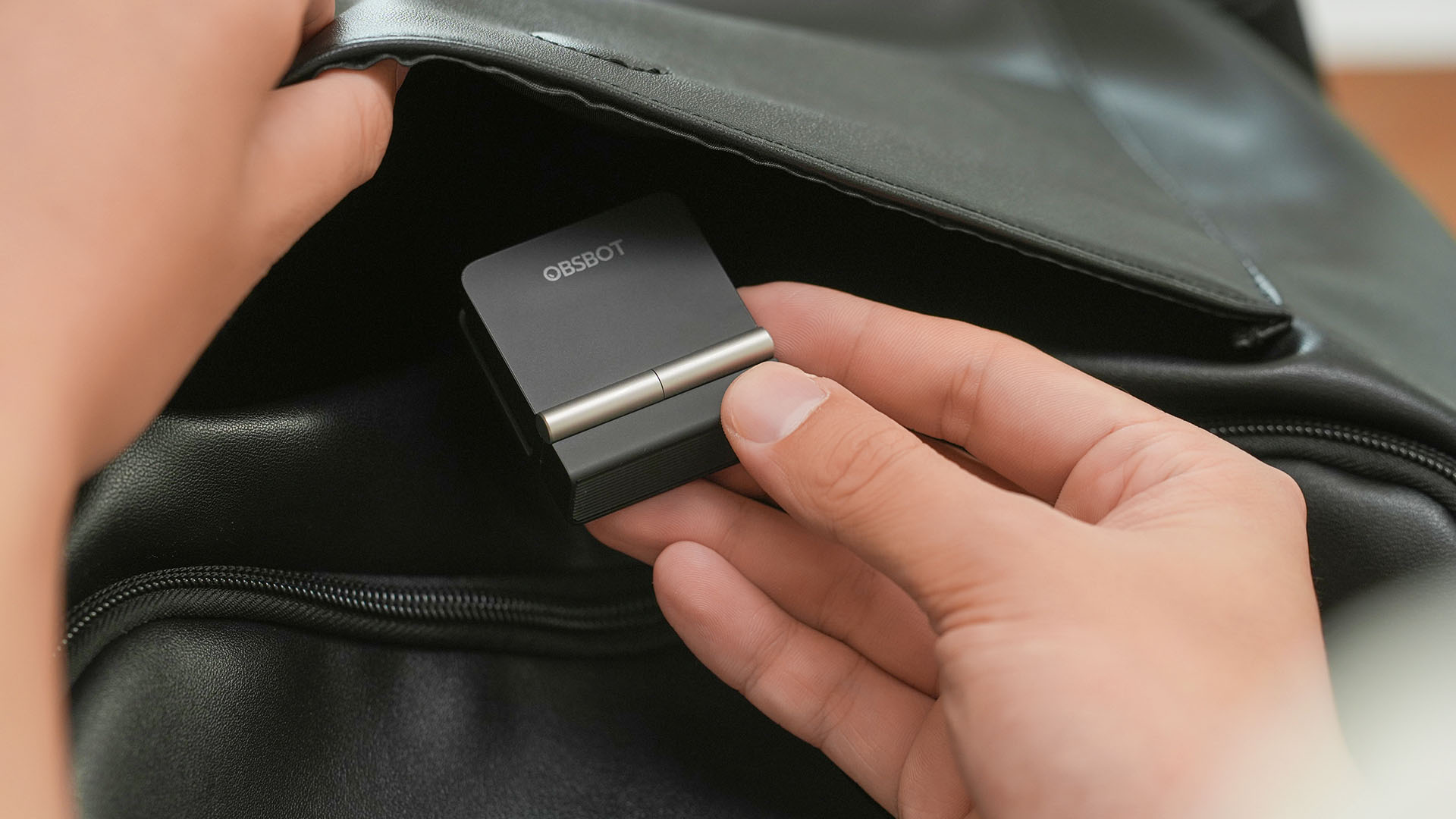
The OBSBOT Meet Flip is the company’s first foldable 4K webcam packing:
- 1/2-inch stacked CMOS sensor
- intelligent audio
- a collection of AI-powered meeting tools
All of these inside a body weighing just 37.7 grams.
A fold that does something, not just a gimmick
The OBSBOT Meet Flip isn’t foldable just to make it easier to throw into a bag.
Closing the webcam physically blocks the lens and puts the device into sleep mode. Open it when you want to be seen, flip it shut when you don’t.
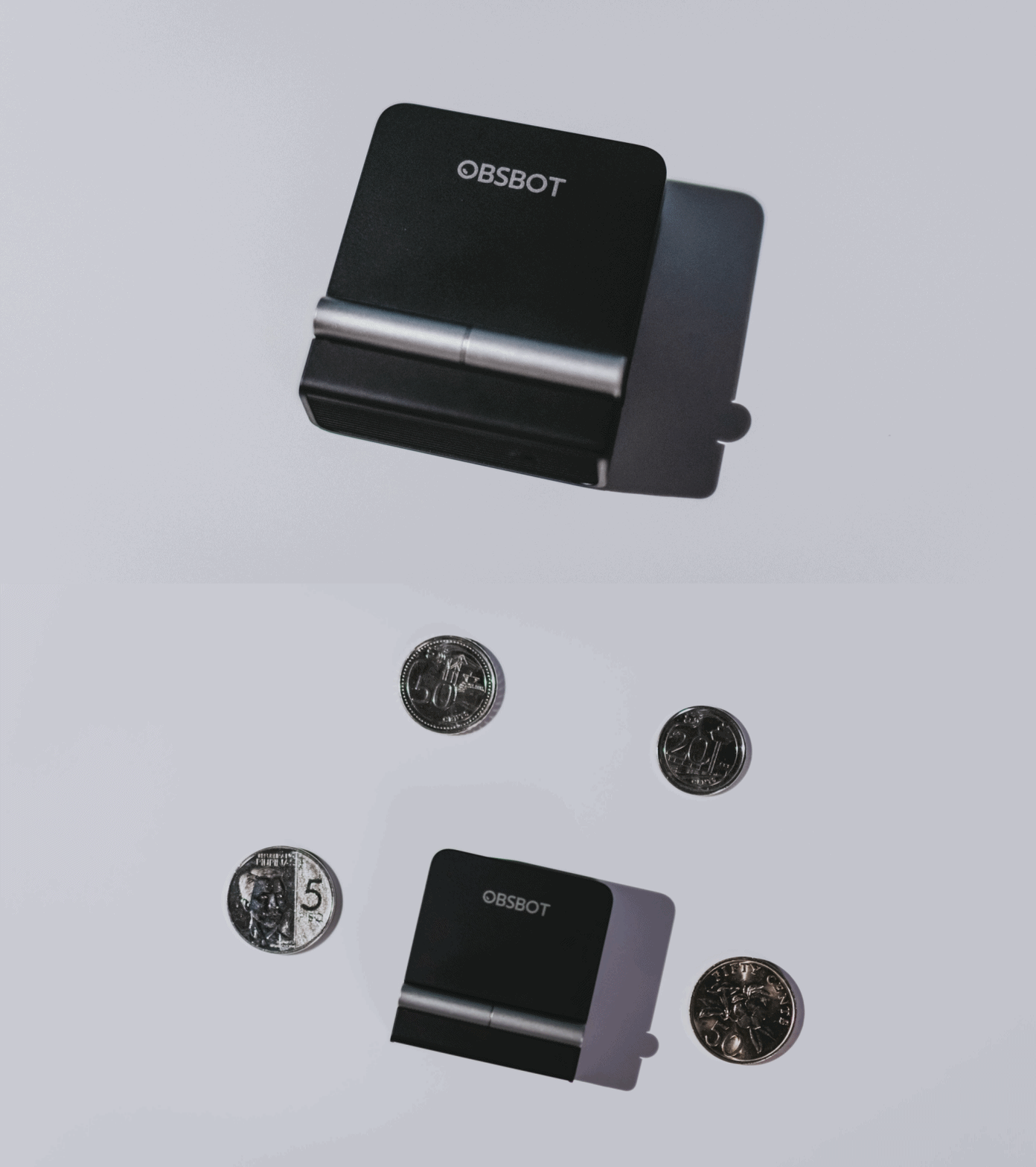
A physical privacy cover isn’t novel in itself. What’s clever here is how it’s part of the folding design.
As someone with a love-hate relationship with data privacy, I almost always keep some physical barrier over my laptop webcam. And if I can avoid having a webcam there entirely, even better.
Serious camera hardware in a pocket-sized webcam
Despite its size, OBSBOT hasn’t treated the Meet Flip like a basic laptop-camera replacement.
Inside is a 1/2-inch Exmor RS stacked CMOS sensor with Quad Bayer technology, capable of recording 4K UHD at 30 fps or 1080p at 60 fps. It also packs an f/1.8 aperture, HDR, PDAF autofocus, ISO 100–6400, and up to 4x digital zoom.
At its core is a 1/2-inch Exmor RS stacked CMOS sensor with Quad Bayer technology.
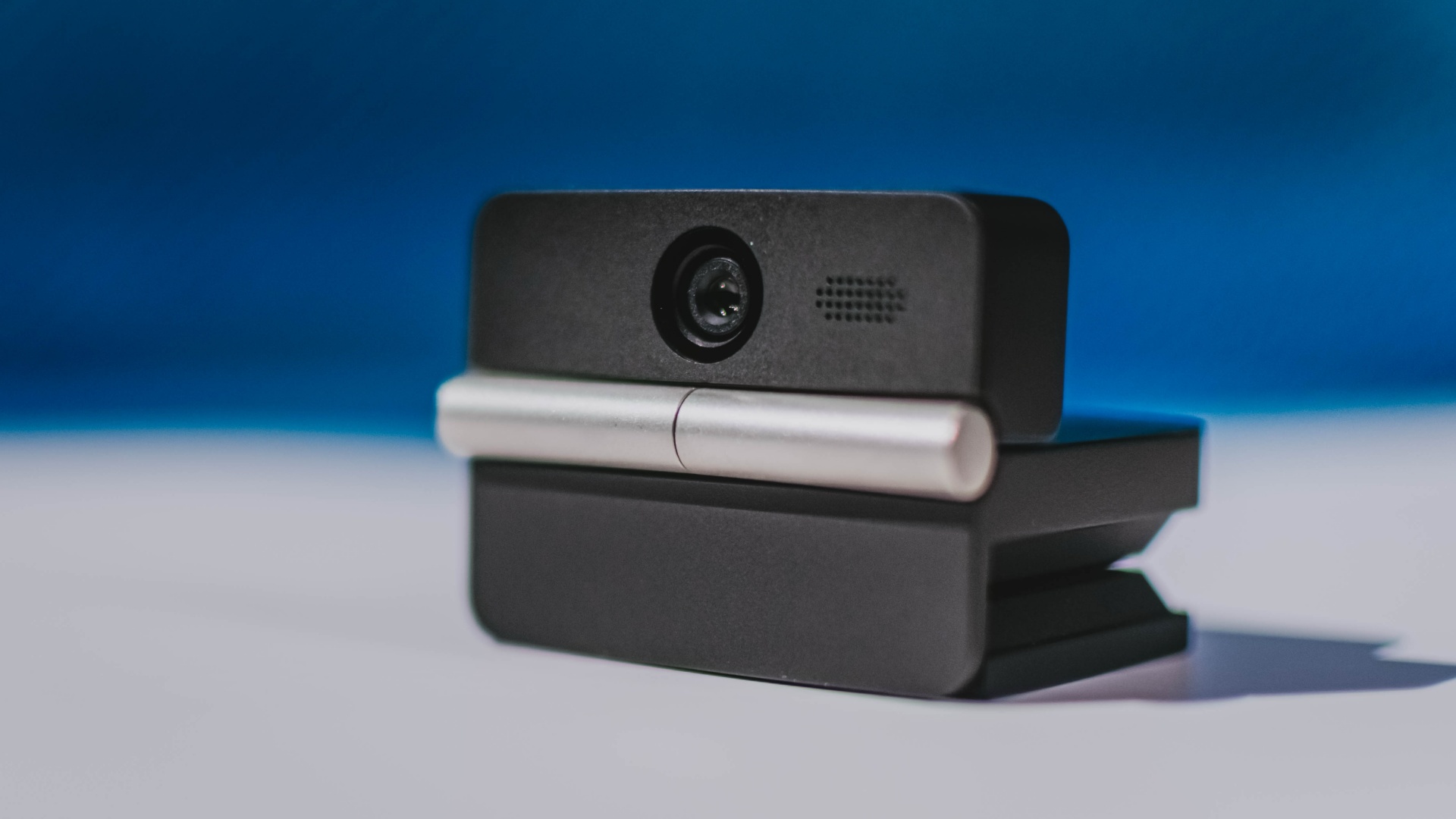
It can record:
- 4K UHD at 30fps
- 1080p at 60fps
You also get:
- f/1.8 aperture
- HDR
- PDAF autofocus
- ISO 100–6400
- up to 4x digital zoom
On paper, that gives the Meet Flip a better shot at handling the situations built-in laptop webcams often struggle with: dim rooms, harsh backlighting, changing lighting conditions, or simply moving around in front of the camera.
HDR helps keep faces visible against bright backgrounds, while PDAF autofocus continuously adjusts focus as you move closer to or farther from the lens.
The wider f/1.8 aperture should also help in less-than-ideal lighting.
The point is that once the Meet Flip is set up, you shouldn’t have to spend much time thinking about the camera itself.
It listens differently depending on the room setup
The Meet Flip also uses an intelligent dual-microphone system combining omnidirectional and directional microphones.
Instead of relying on one pickup pattern for every situation, it offers four audio modes for different setups:
Directional Mode focuses on sound coming from the front, making it the obvious choice for solo calls.
Dual-Directional Mode listens to both the front and rear of the webcam, which could be useful for interviews or conversations between two people sitting across from each other.

Smart Omni Mode is designed for group meetings, picking up voices from around the room.
And Pure Audio Mode provides unprocessed left and right stereo channels for users who would rather handle the audio themselves in post-production.
Auto Gain and AI Noise Reduction also work across the first three modes, helping clean up audio without requiring much manual adjustment.
It gives the Meet Flip more flexibility than a typical webcam microphone, especially if you regularly switch between solo calls, interviews, and group meetings.
AI that doesn’t intrude
AI has become an almost obligatory addition to new hardware in 2026, but several of the Meet Flip’s features put it to work on real-world meeting annoyances.
AI Auto Framing keeps you in frame, with options for:
- Group
- Single Close-up
- Upper Body
- Full Body
Gesture controls can also toggle Auto Framing or adjust the zoom without reaching for a keyboard or mouse.
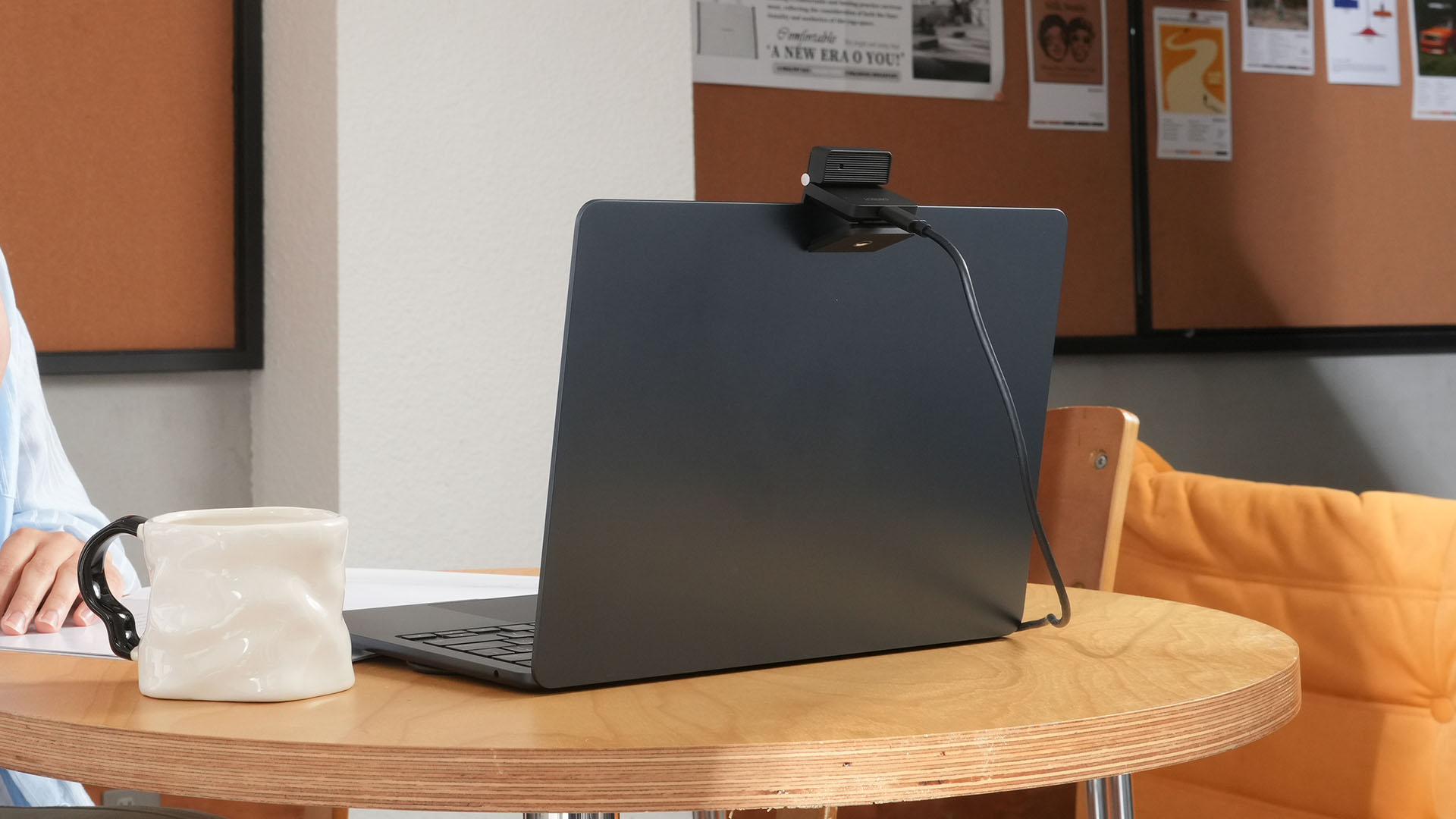
More interesting is AI Magic Notes.
Through OBSBOT Center, it provides real-time transcription and can automatically generate meeting summaries with key points, decisions, and action items. It works across Google Meet, Zoom, and Microsoft Teams.
Although AI Magic Notes is offered as a subscription service, every Meet Flip includes 120 complimentary minutes to get started.
MORE with OBSBOT Center & OBSBOT Live
There are plenty of other software features as well. OBSBOT Center includes:
- Background Blur and Background Replacement
- Real-Time Beauty Mode
- Picture-in-Picture overlays
- Smart Eye Tracking
- Teleprompter support
- Detailed image adjustments
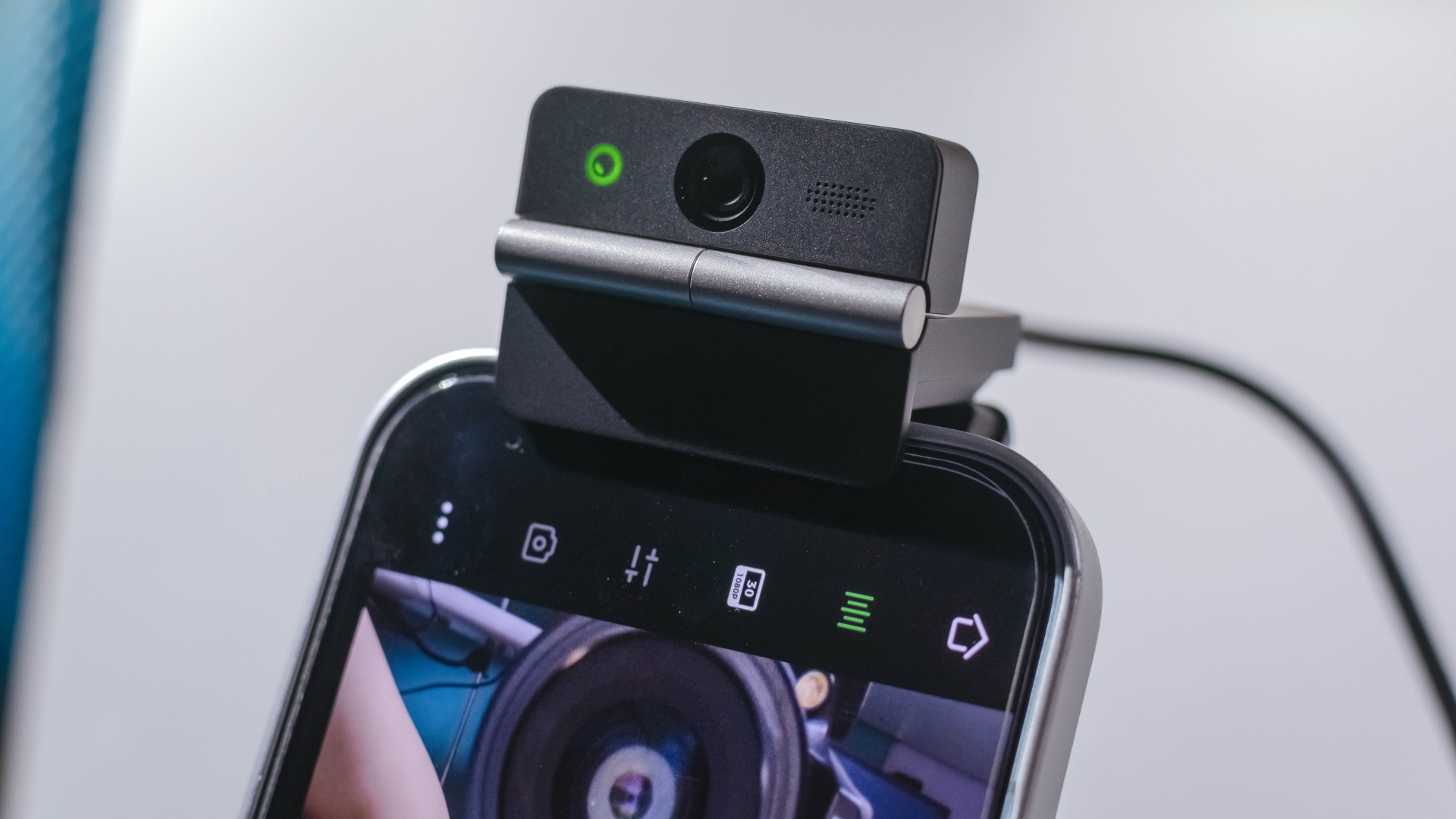
The Meet Flip isn’t limited to laptops or desktops either. Through OBSBOT Live, it can connect directly to smartphones and tablets over USB-C for mobile streaming and content creation.
Flip it open. Fold it away.
None of those features reinvent the webcam on their own.
Taken together, though, they make the Meet Flip a more thoughtful take on a piece of hardware whose basic design and features have barely changed.
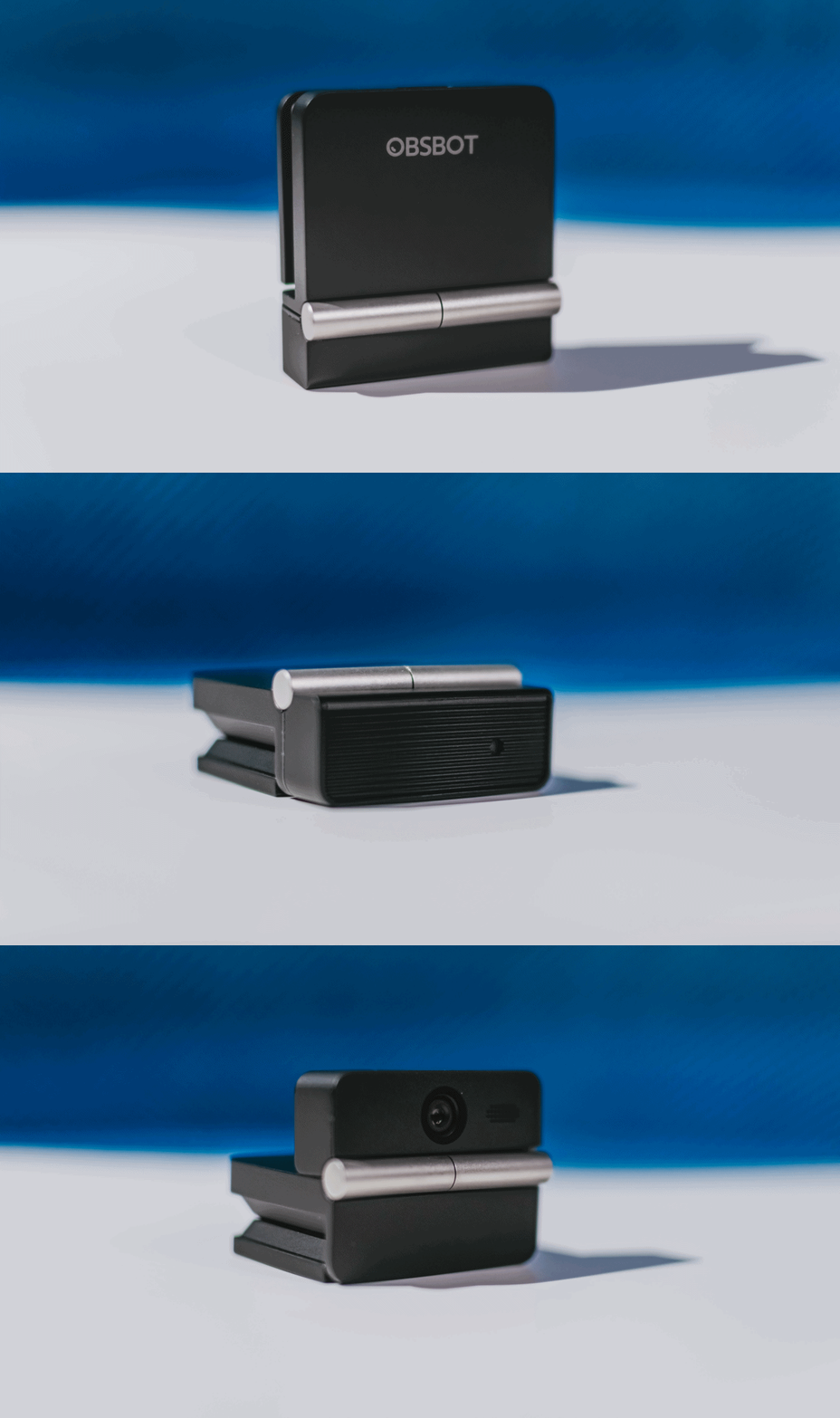
The flip may grab your attention first, but it’s how OBSBOT uses that design alongside its camera, audio, and software features that makes the Meet Flip interesting.
The OBSBOT Meet Flip is now available at US$ 119 and is currently available through OBSBOT’s official store, Amazon US, and select retailers.
&
@gadgetmatchPhones flip. Now webcams do too. 👀 Meet the OBSBOT Meet Flip, a tiny foldable 4K webcam with a lot packed inside. ✨
If you buy one, here’s what you’ll get out of the box!


REDMI Note 17 Pro review: What a rollercoaster ride!
The serious series of ups and downs are NOTEworthy of your attention


Insta360 Luna Ultra review: My new solo coverage camera
Changed my workflow

TECNO MEGAPAD 2 review: Eyes on the size
The MEGA pad for two base users

Samsung Galaxy S26 FE brings Galaxy AI upgrades
REDMI Note 17 Pro review: What a rollercoaster ride!

REDMI Note 17 Series: Price, availability in Singapore

REDMI reveals the refreshed Note 17 and Note 17 Pro series

AGIBOT just topped the medal table at the World Humanoid Robot Games

VinFast debuts two-wheeler models, opens 21 e-motorcycle showrooms
TECNO MEGAPAD 2 review: Eyes on the size

REDMI Note 17 Series focuses on long-term reliability

OnePlus officially leaves the United States and Canada

Xiaomi debuts SkyNomad Series featuring new Kunlun platform


-
Reviews5 days ago
TECNO MEGAPAD 2 review: Eyes on the size
-
 Singapore2 weeks ago
REDMI Note 17 Series focuses on long-term reliability
-

 News1 week ago
realme 16T to come with 8,000mAh battery, 7-year battery health guarantee
-

 Reviews2 weeks ago
Samsung Galaxy Z Fold8 Review
-

 News1 week ago
HUAWEI Pura X View is 2026’s first WIDE slab-type smartphone
-

 Accessories1 week ago
Jackery expands Explorer Series portable power stations
-

 Gaming2 weeks ago
Now Playing: Assassin’s Creed Black Flag Resynced
-

 Cameras6 days ago
30 days with the DJI Osmo Pocket 4P