
Computers
Dell launches SafeShutter webcam for convenience, privacy
No more sticky notes for webcam privacy

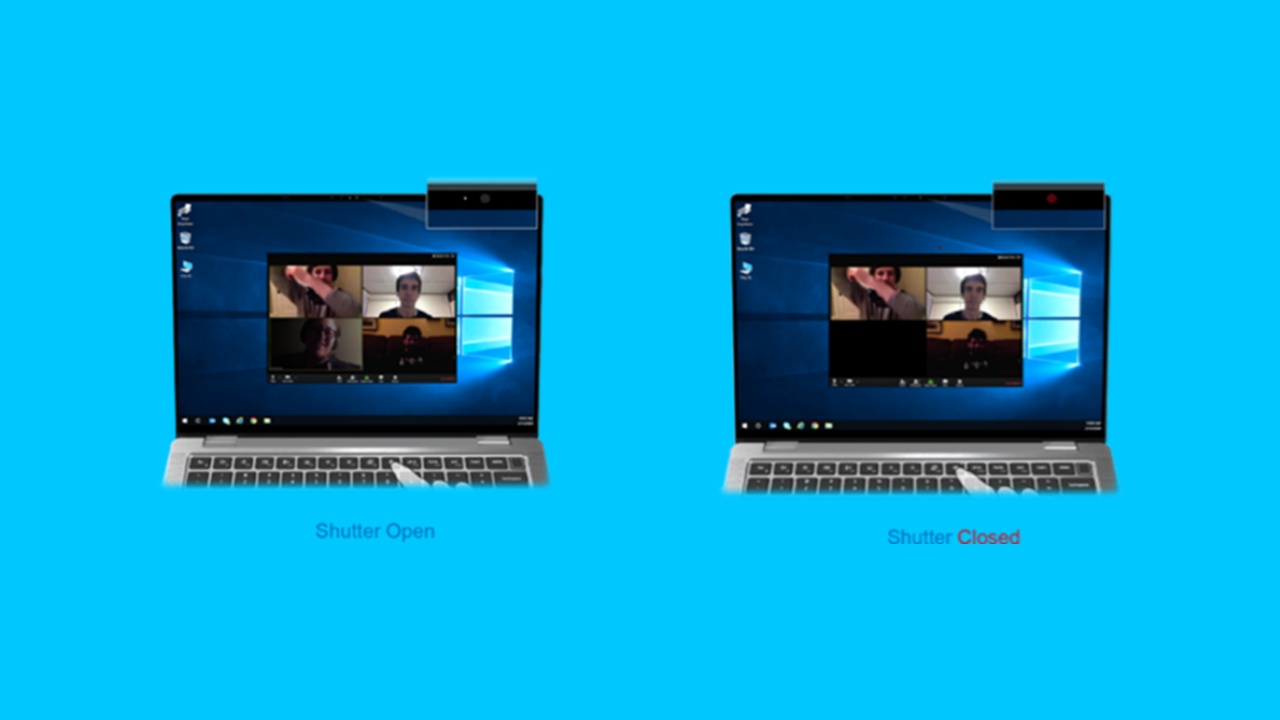
With video conferencing becoming a staple in everyday work lives, Dell has announced SafeShutter — an automatic webcam shutter that knows when to open or close by syncing with users’ video conferencing applications, enabling them to work securely and confidently from anywhere.
Many remote workers today have resorted to permanently affixing a sticky note to computer cameras to ensure webcam privacy while working. It doesn’t need to be this way.
SafeShutter was created with remote working scenarios in mind — to strike the right balance between the convenience of seamlessly joining video calls and the privacy and the safety of knowing the camera is secure.
Human error is inevitable when it comes to video conferencing, be it speaking while still on mute or thinking the camera is turned off when it isn’t. SafeShutter creates an audible “click” that lets users know the camera has closed. The webcam also comes with a privacy LED light that turns on when the camera is in use. Paired with the keyboard indicator lights that denote if the camera and audio are on or off, users can rest assured they are in full control of their audio and video settings. No sticky note needed!
SafeShutter also factors in the need for added security aimed at limiting malicious surveillance and hacking. The security-hardened, hardware-controlled circuit allows users to control their privacy with camera disable (F9) and mic mute (F4) keys to override software settings. This provides extra assurance at the hardware level and ensures users can regain control with just a simple touch of a key, should the unexpected occur.
SafeShutter is available on the industry’s most secure commercial PCs and the new Latitude 9420 and 9520 devices. Combined with AI-based features that provide intelligent background noise-cancelling, auto-mute and smart connectivity features (like ExpressConnect, that prioritises bandwidth to your conferencing apps to prevent dropped calls), the Latitude 9420 and 9520 devices offer one of the best video conferencing experiences on a PC.
Pricing and availability
- Dell Latitude 9420 — April 2021 — Pricing TBD
- Dell Latitude 9520 — Available now — SG$ 2,629
All products are available for purchase online at dell.com.sg and the Dell exclusive stores in Funan Mall, NEX and Plaza Singapura.
This is a press release from Dell Singapore.





Phones flip and fold. Now webcams do too.
Foldable screens have found their way into phones, tablets, and laptops in recent years. Now, OBSBOT is taking that idea in a considerably smaller direction: the webcam.
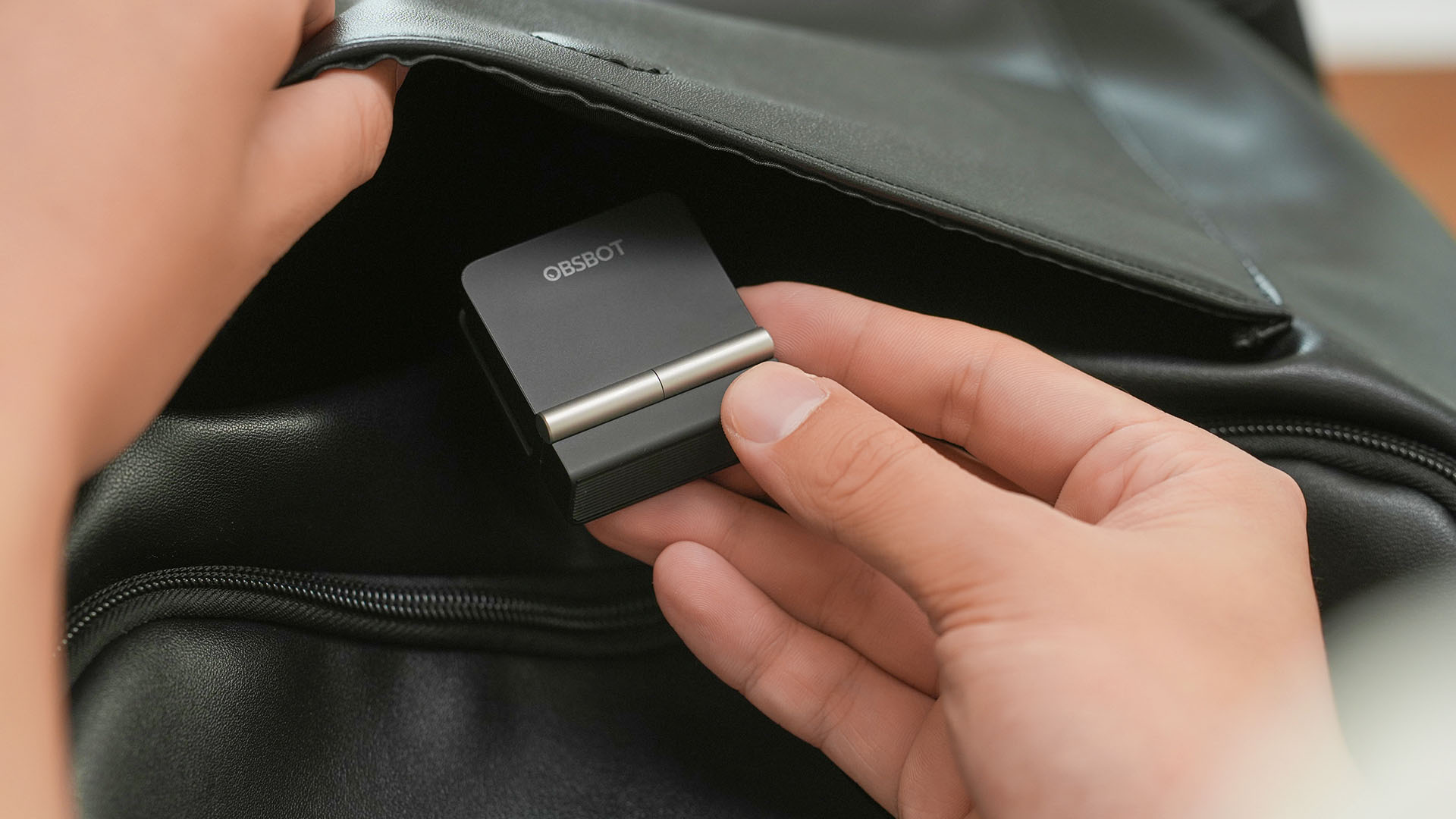
The OBSBOT Meet Flip is the company’s first foldable 4K webcam packing:
- 1/2-inch stacked CMOS sensor
- intelligent audio
- a collection of AI-powered meeting tools
All of these inside a body weighing just 37.7 grams.
A fold that does something, not just a gimmick
The OBSBOT Meet Flip isn’t foldable just to make it easier to throw into a bag.
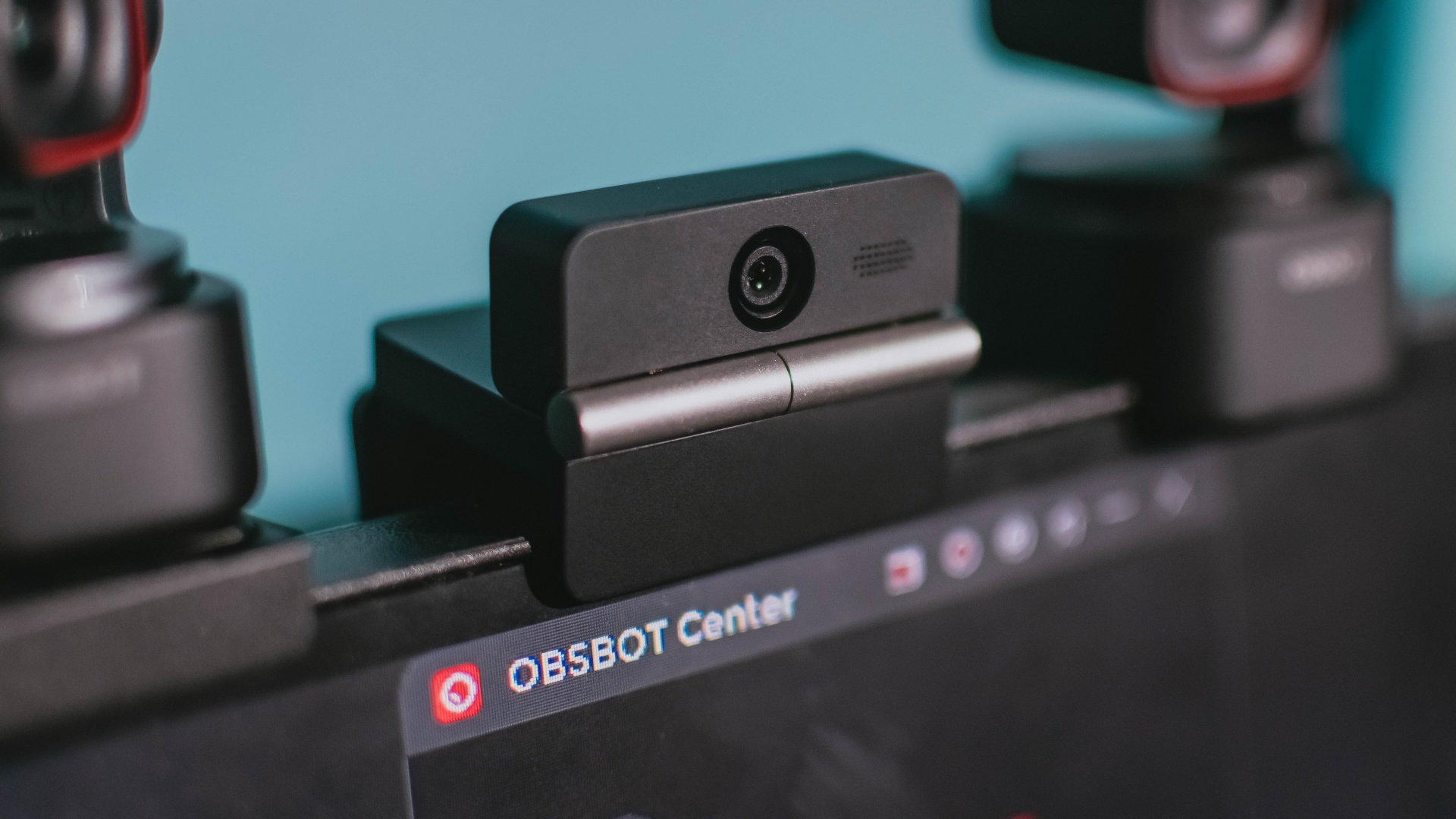
Closing the webcam physically blocks the lens and puts the device into sleep mode. Open it when you want to be seen, flip it shut when you don’t.
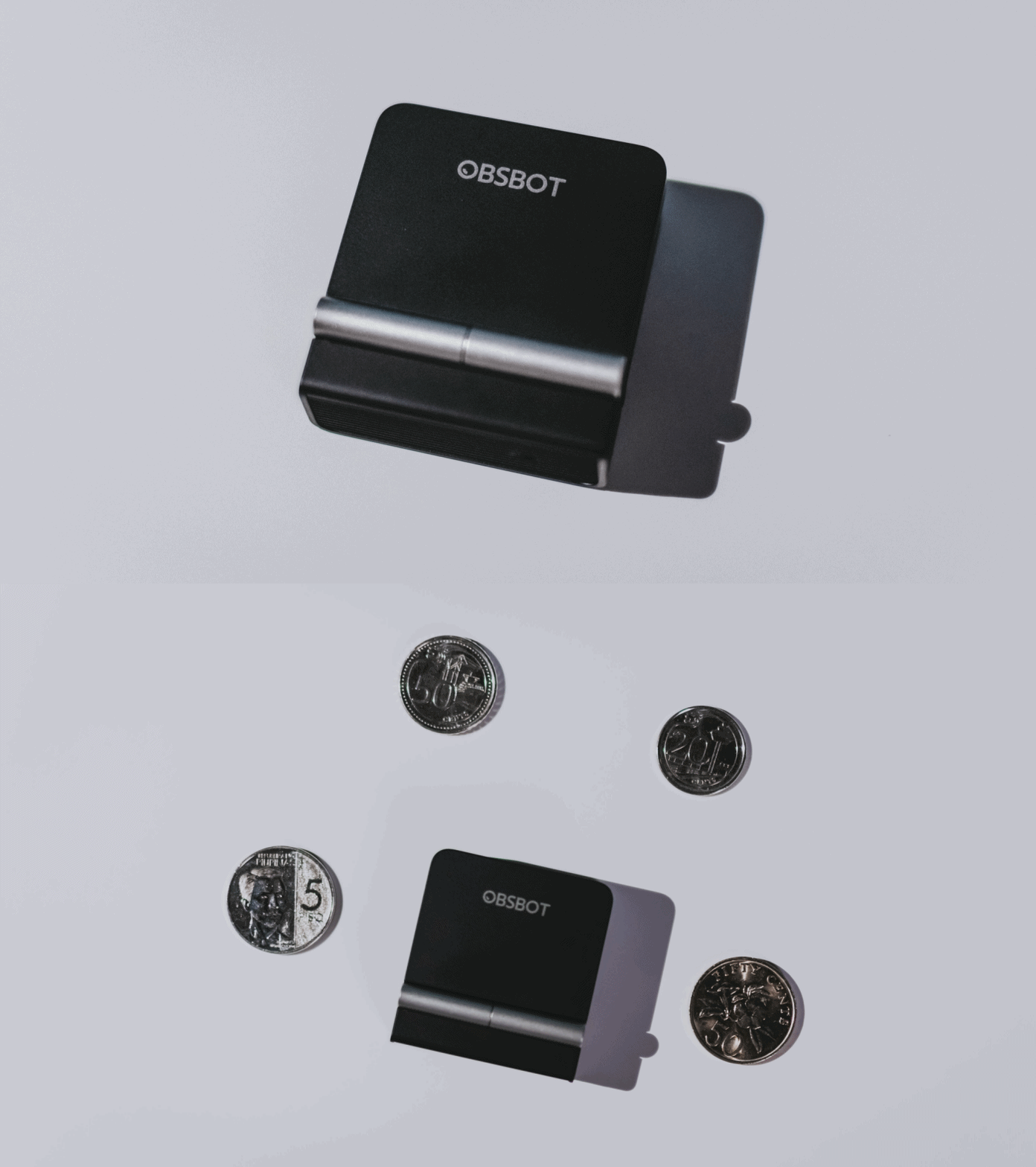
A physical privacy cover isn’t novel in itself. What’s clever here is how it’s part of the folding design.
As someone with a love-hate relationship with data privacy, I almost always keep some physical barrier over my laptop webcam. And if I can avoid having a webcam there entirely, even better.
Serious camera hardware in a pocket-sized webcam
Despite its size, OBSBOT hasn’t treated the Meet Flip like a basic laptop-camera replacement.
Inside is a 1/2-inch Exmor RS stacked CMOS sensor with Quad Bayer technology, capable of recording 4K UHD at 30 fps or 1080p at 60 fps. It also packs an f/1.8 aperture, HDR, PDAF autofocus, ISO 100–6400, and up to 4x digital zoom.
At its core is a 1/2-inch Exmor RS stacked CMOS sensor with Quad Bayer technology.
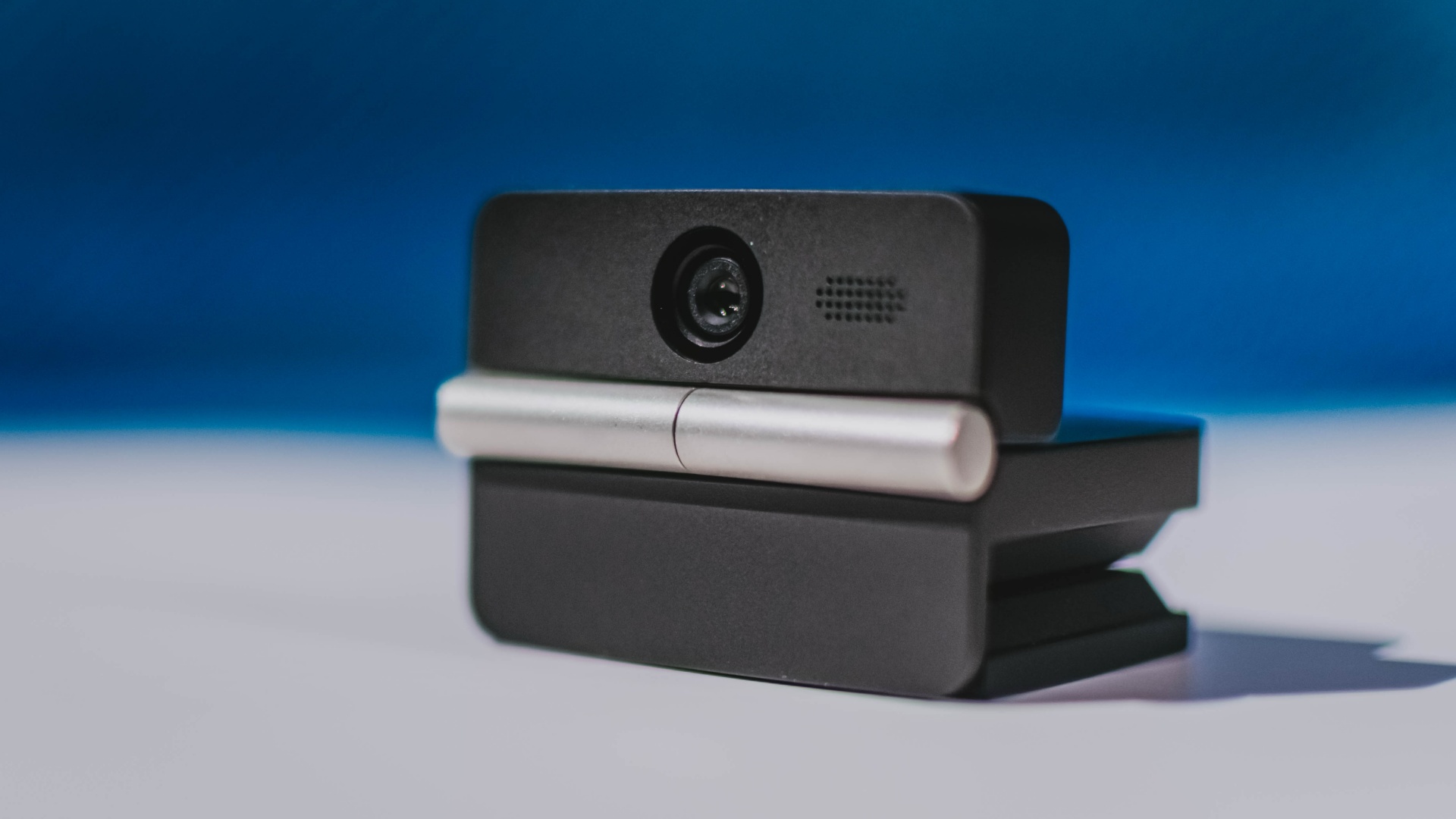
It can record:
- 4K UHD at 30fps
- 1080p at 60fps
You also get:
- f/1.8 aperture
- HDR
- PDAF autofocus
- ISO 100–6400
- up to 4x digital zoom
On paper, that gives the Meet Flip a better shot at handling the situations built-in laptop webcams often struggle with: dim rooms, harsh backlighting, changing lighting conditions, or simply moving around in front of the camera.
HDR helps keep faces visible against bright backgrounds, while PDAF autofocus continuously adjusts focus as you move closer to or farther from the lens.
The wider f/1.8 aperture should also help in less-than-ideal lighting.
The point is that once the Meet Flip is set up, you shouldn’t have to spend much time thinking about the camera itself.
It listens differently depending on the room setup
The Meet Flip also uses an intelligent dual-microphone system combining omnidirectional and directional microphones.
Instead of relying on one pickup pattern for every situation, it offers four audio modes for different setups:
Directional Mode focuses on sound coming from the front, making it the obvious choice for solo calls.
Dual-Directional Mode listens to both the front and rear of the webcam, which could be useful for interviews or conversations between two people sitting across from each other.
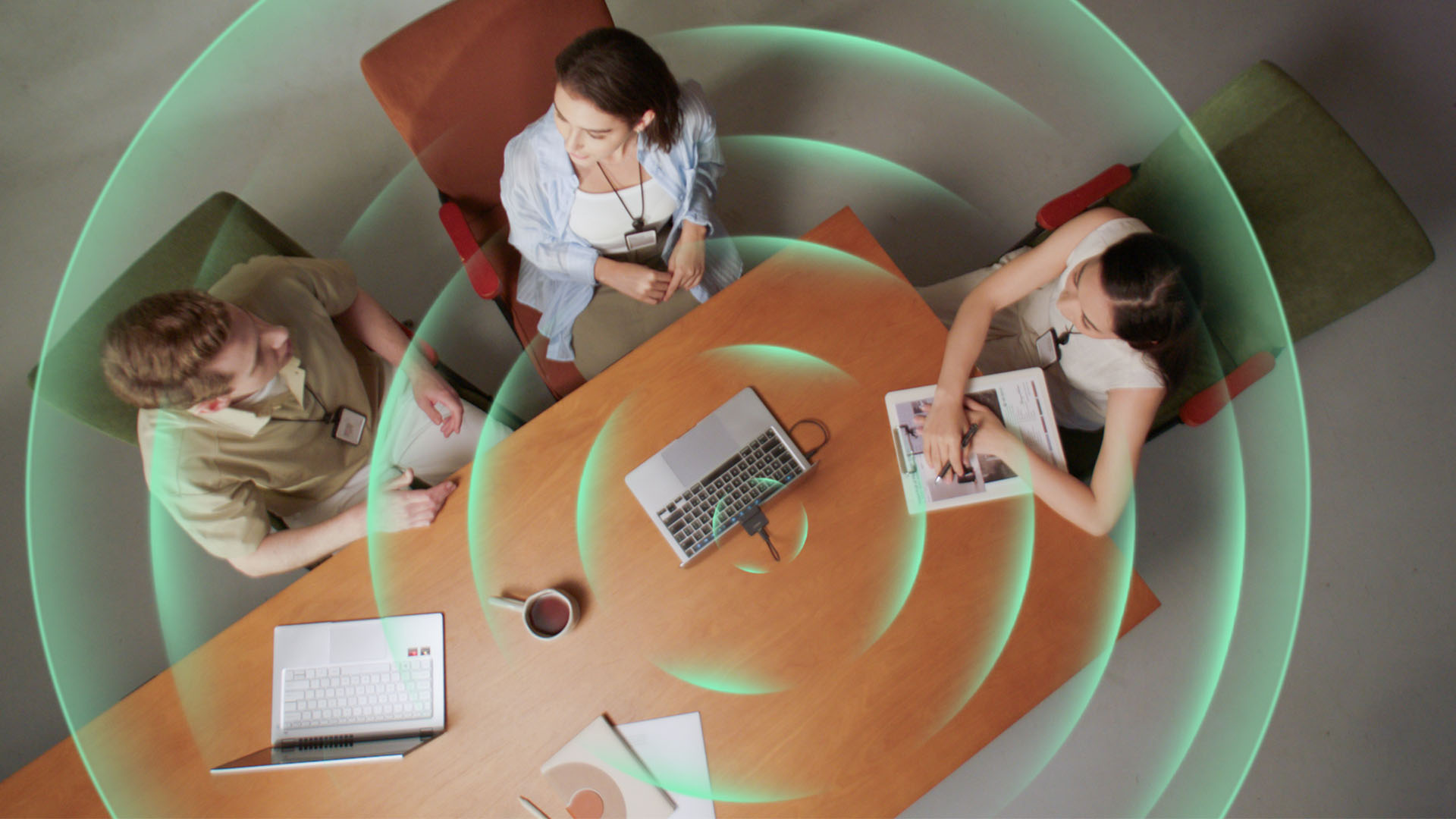
Smart Omni Mode is designed for group meetings, picking up voices from around the room.
And Pure Audio Mode provides unprocessed left and right stereo channels for users who would rather handle the audio themselves in post-production.
Auto Gain and AI Noise Reduction also work across the first three modes, helping clean up audio without requiring much manual adjustment.
It gives the Meet Flip more flexibility than a typical webcam microphone, especially if you regularly switch between solo calls, interviews, and group meetings.
AI that doesn’t intrude
AI has become an almost obligatory addition to new hardware in 2026, but several of the Meet Flip’s features put it to work on real-world meeting annoyances.
AI Auto Framing keeps you in frame, with options for:
- Group
- Single Close-up
- Upper Body
- Full Body
Gesture controls can also toggle Auto Framing or adjust the zoom without reaching for a keyboard or mouse.
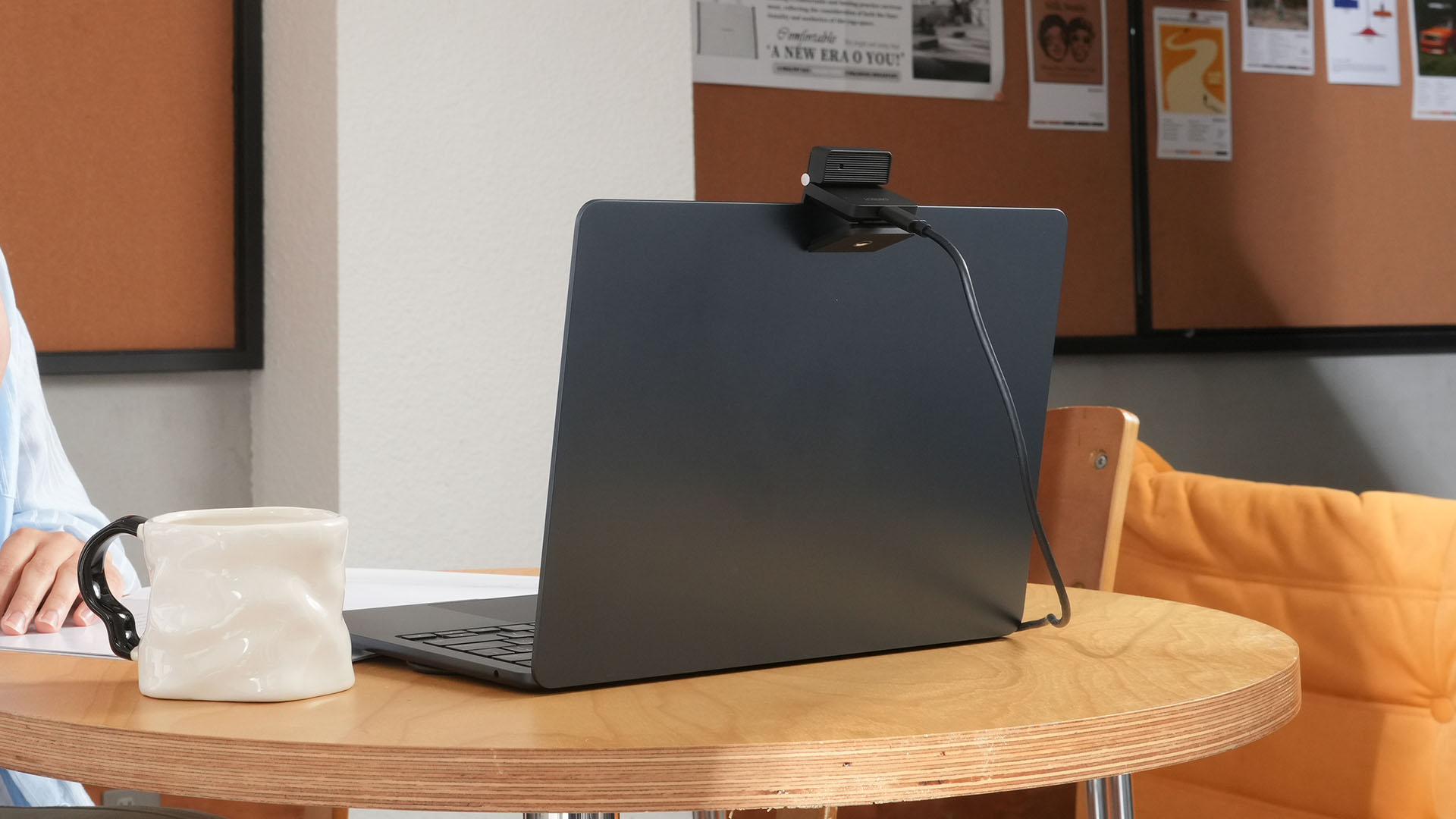
More interesting is AI Magic Notes.
Through OBSBOT Center, it provides real-time transcription and can automatically generate meeting summaries with key points, decisions, and action items. It works across Google Meet, Zoom, and Microsoft Teams.
Although AI Magic Notes is offered as a subscription service, every Meet Flip includes 120 complimentary minutes to get started.
MORE with OBSBOT Center & OBSBOT Live
There are plenty of other software features as well. OBSBOT Center includes:
- Background Blur and Background Replacement
- Real-Time Beauty Mode
- Picture-in-Picture overlays
- Smart Eye Tracking
- Teleprompter support
- Detailed image adjustments
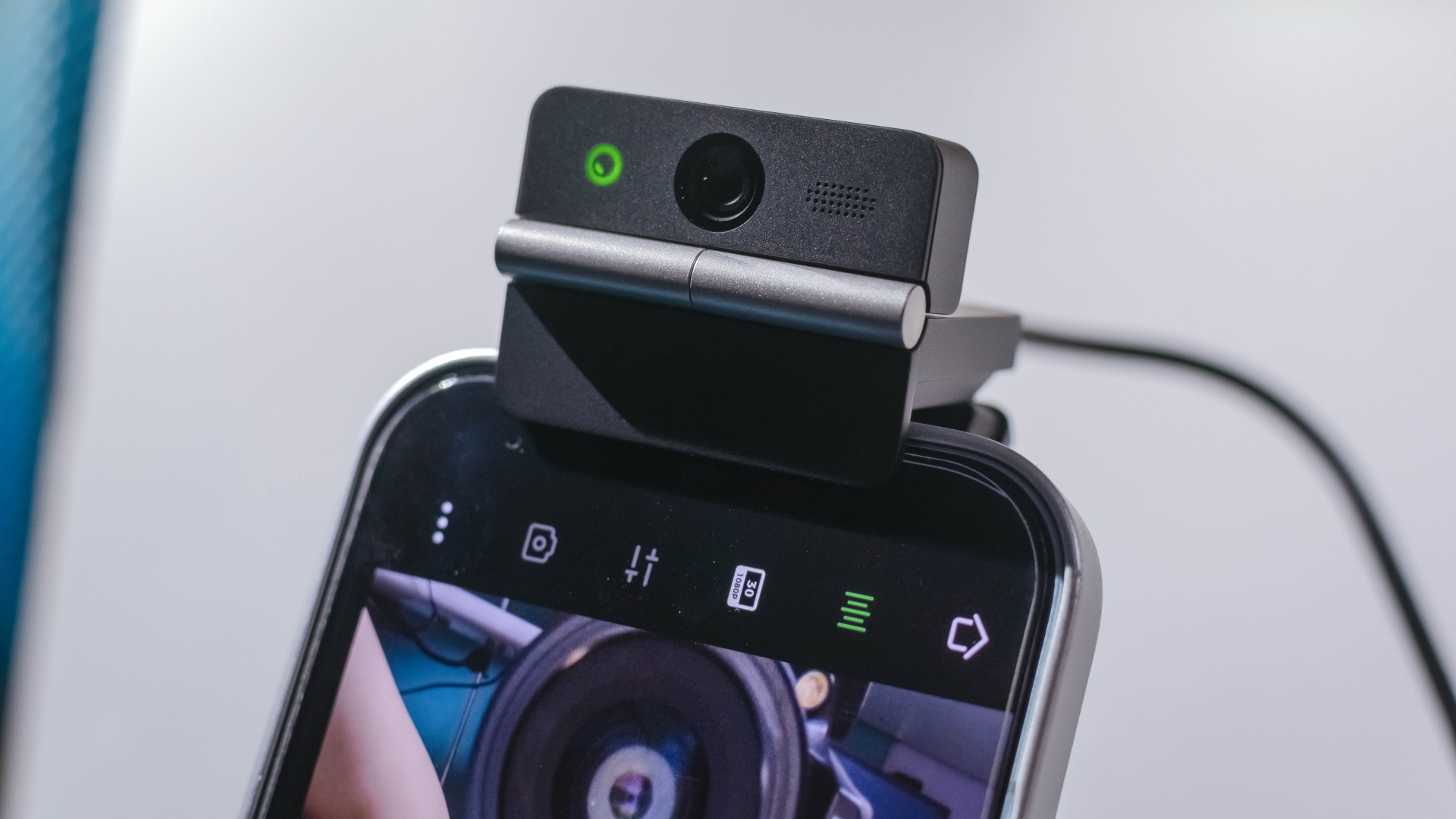
The Meet Flip isn’t limited to laptops or desktops either. Through OBSBOT Live, it can connect directly to smartphones and tablets over USB-C for mobile streaming and content creation.
Flip it open. Fold it away.
None of those features reinvent the webcam on their own.
Taken together, though, they make the Meet Flip a more thoughtful take on a piece of hardware whose basic design and features have barely changed.
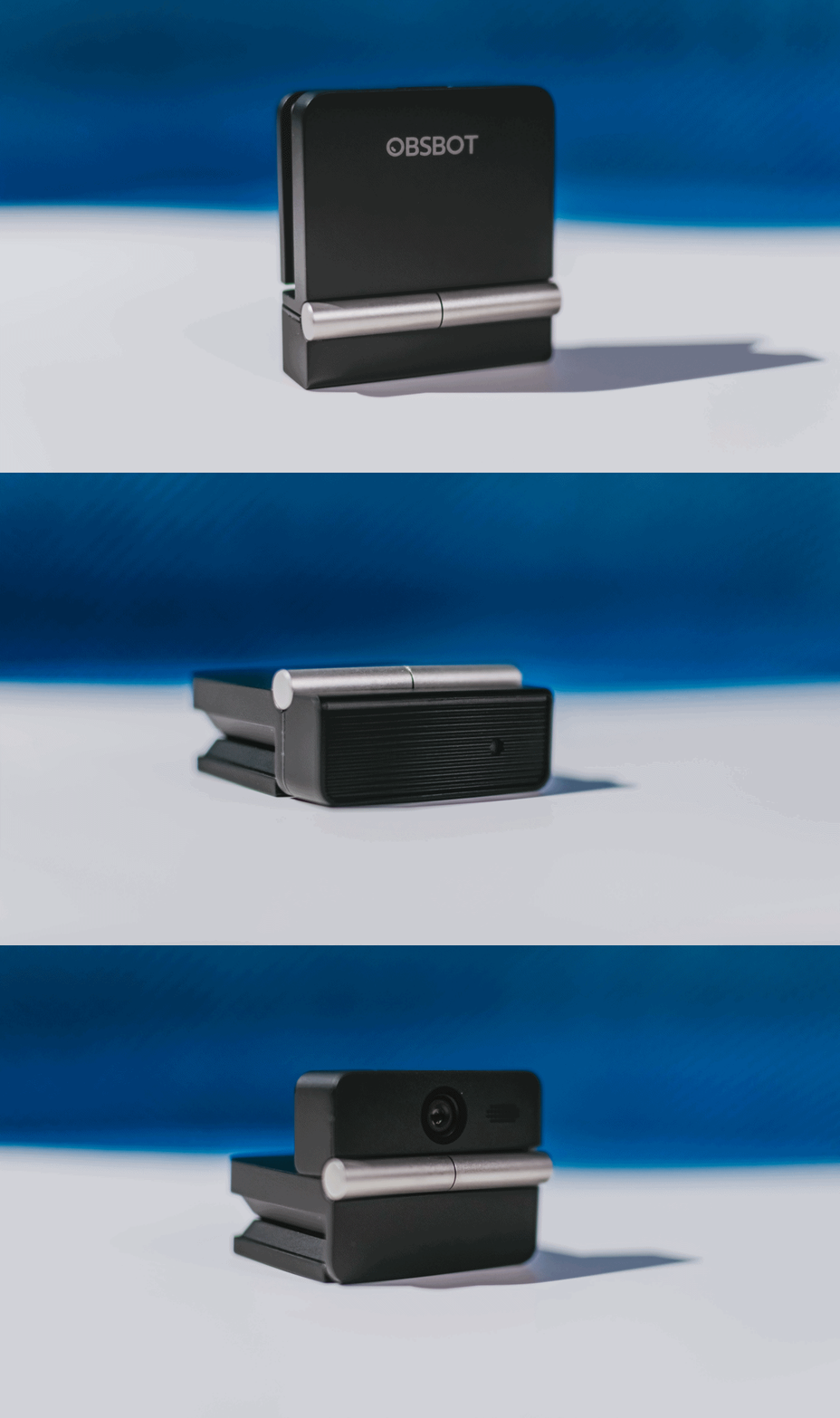
The flip may grab your attention first, but it’s how OBSBOT uses that design alongside its camera, audio, and software features that makes the Meet Flip interesting.
The OBSBOT Meet Flip is now available at US$ 119 and is currently available through OBSBOT’s official store, Amazon US, and select retailers.
&
@gadgetmatchPhones flip. Now webcams do too. 👀 Meet the OBSBOT Meet Flip, a tiny foldable 4K webcam with a lot packed inside. ✨
If you buy one, here’s what you’ll get out of the box!
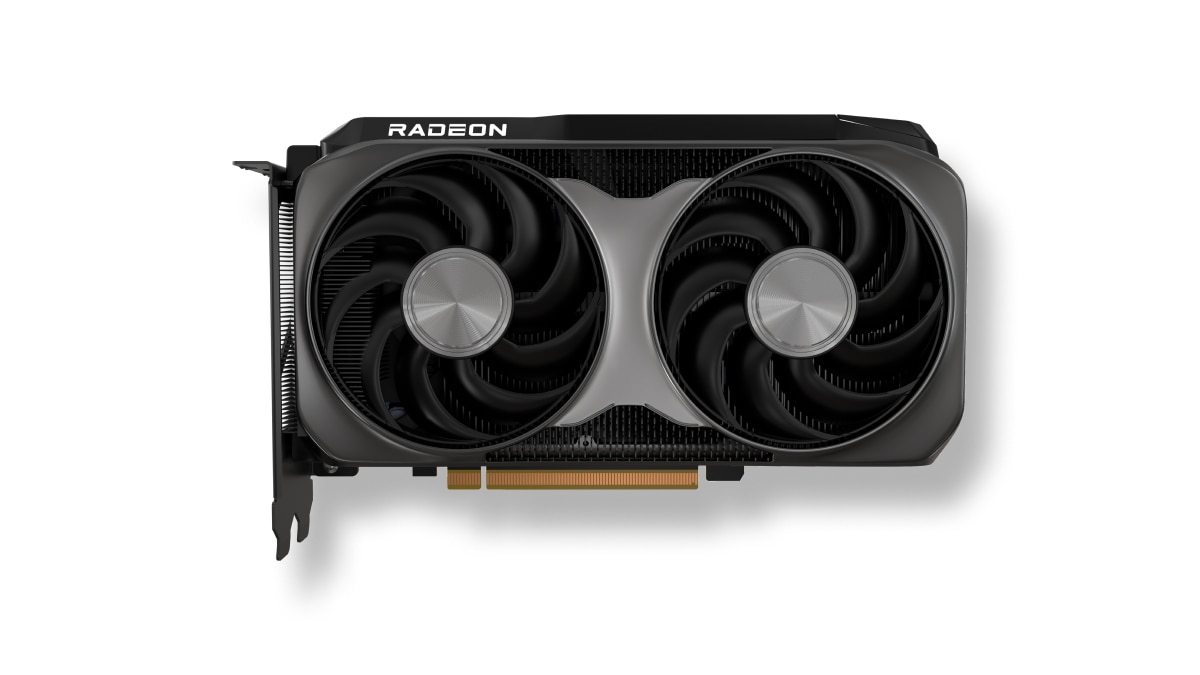
AMD has launched the new AMD Radeon RX 9050 graphics card, expanding the Radeon RX 9000 series with an affordable option.
This brings AMD RDNA 4 gaming technologies to mainstream gamers with a retail price of US$ 279.
The particular GPU is designed for responsive gameplay at 1080p. That’s for esports and modern AAA titles.
Some popular titles it can run at high frame rates on a 1080p resolution include: Cyberpunk 2077, Forza Horizon 6, Pragmata, Call of Duty: Black Ops 7, Valorant, and Tom Clancy’s Rainbow Six Siege, to name a few.
This highly efficient, drop-in upgrade features a 92W TBP and fully supports the latest AMD FSR technologies, next-gen raytracing, and high-quality AV1 video streaming.
Key specs:
- Architecture: AMD RDNA 4
- Compute Units: 16
- VRAM: 8GB GDDR6
- Game Clock / Boost Clock: 1.92 GHz / Up to 2.60 GHz
- TBP: 92W
In line with the Radeon RX 9050 launch, AMD has also released AMD Software: Adrenalin Edition 26.7.1.
This driver introduces official day-one support for Radeon RX 9050, alongside early multiplayer access for Gears of War: E-Day.
Users can download the software here.
Accessories
OBSBOT’s Meet Flip is your next best pocketable 4K webcam
Fold the Flip for further protection

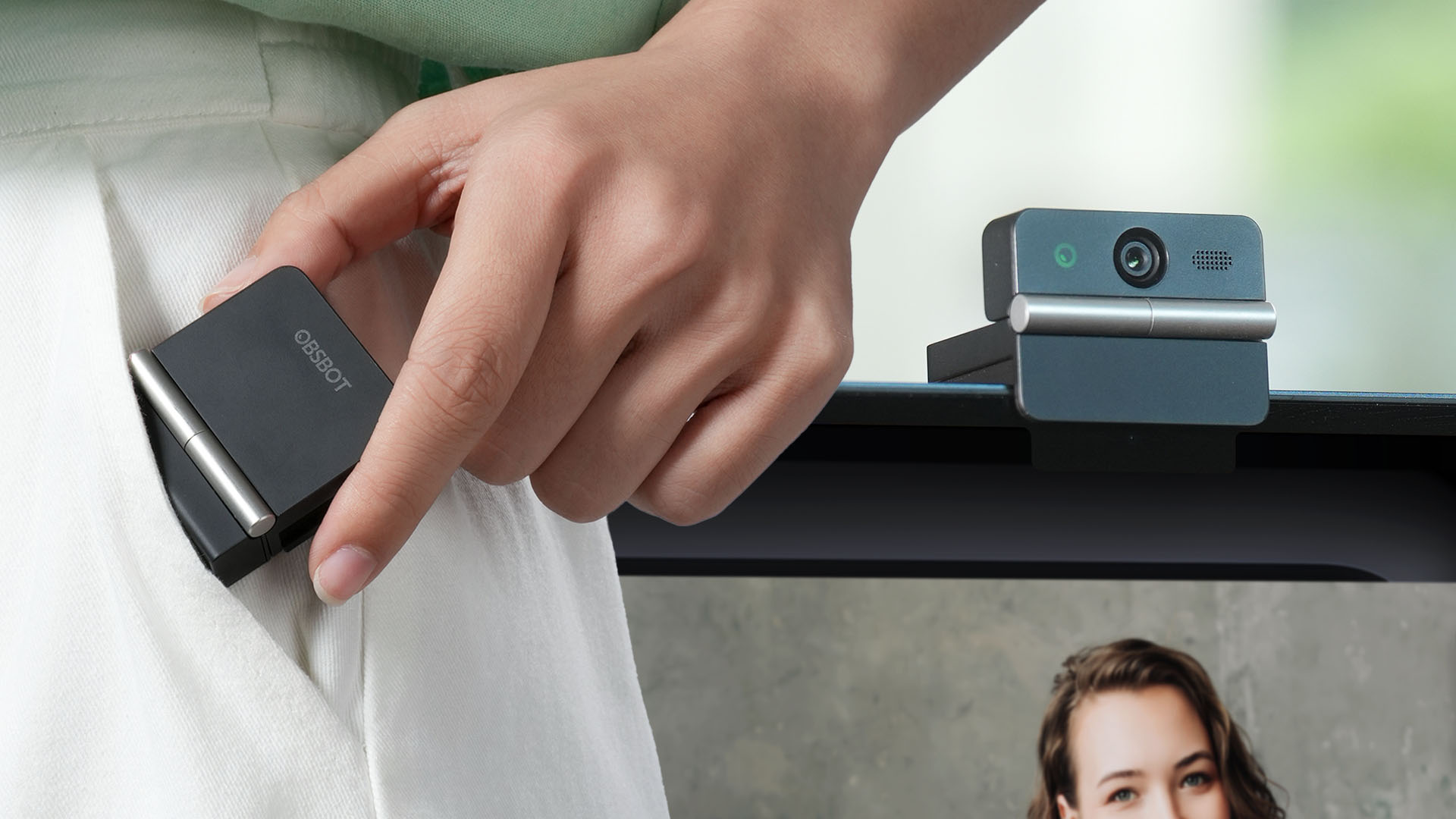
Several months ago, you might remember that OBSBOT revealed the Tiny 3 series of web cameras.
Six months after, they also unveil the all-new Meet Flip. From the name itself, it’s the company’s latest foldable 4K webcam that puts hardware privacy front and center.
Foldable and pocketable
Despite weighing just 37.7 grams, the Meet Flip aims to deliver premium webcam features for all types of users. Be it remote workers, professionals, or content creators.
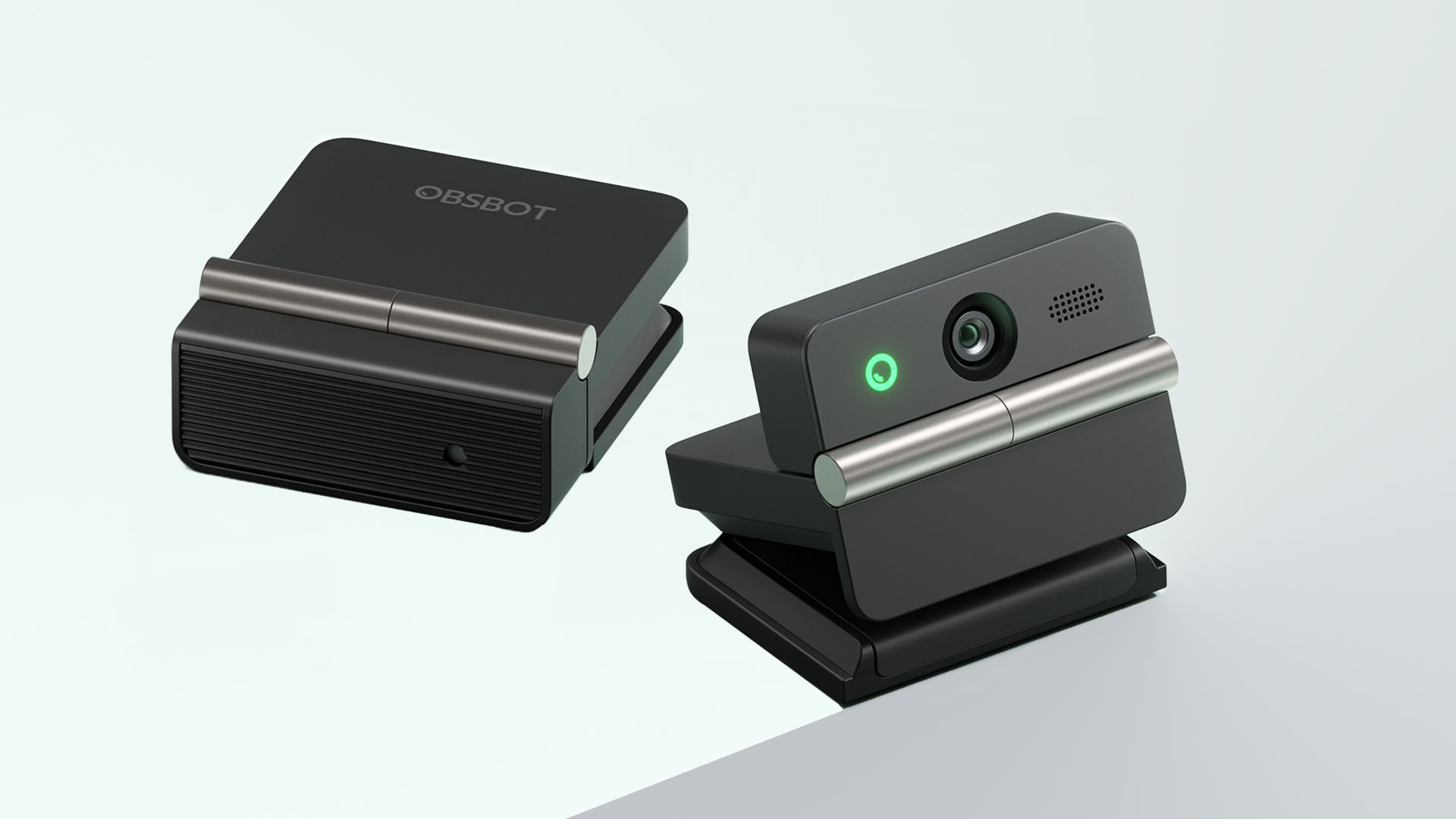
Graphics by Vincenz Lee | GadgetMatch
Undoubtedly, the biggest highlight has got to be the webcam’s folding design. Not only it’s portable, it protects your privacy too.
Closing the device physically blocks the lens, giving users a visual confirmation that the camera is no longer active. When it’s time for a meeting, simply unfold it and it’s ready to go.
That lightweight body also features a built-in mounting clip that works with laptops, monitors, and tripods. Users can mount it in landscape, portrait, or even upside-down orientations depending on their setup.
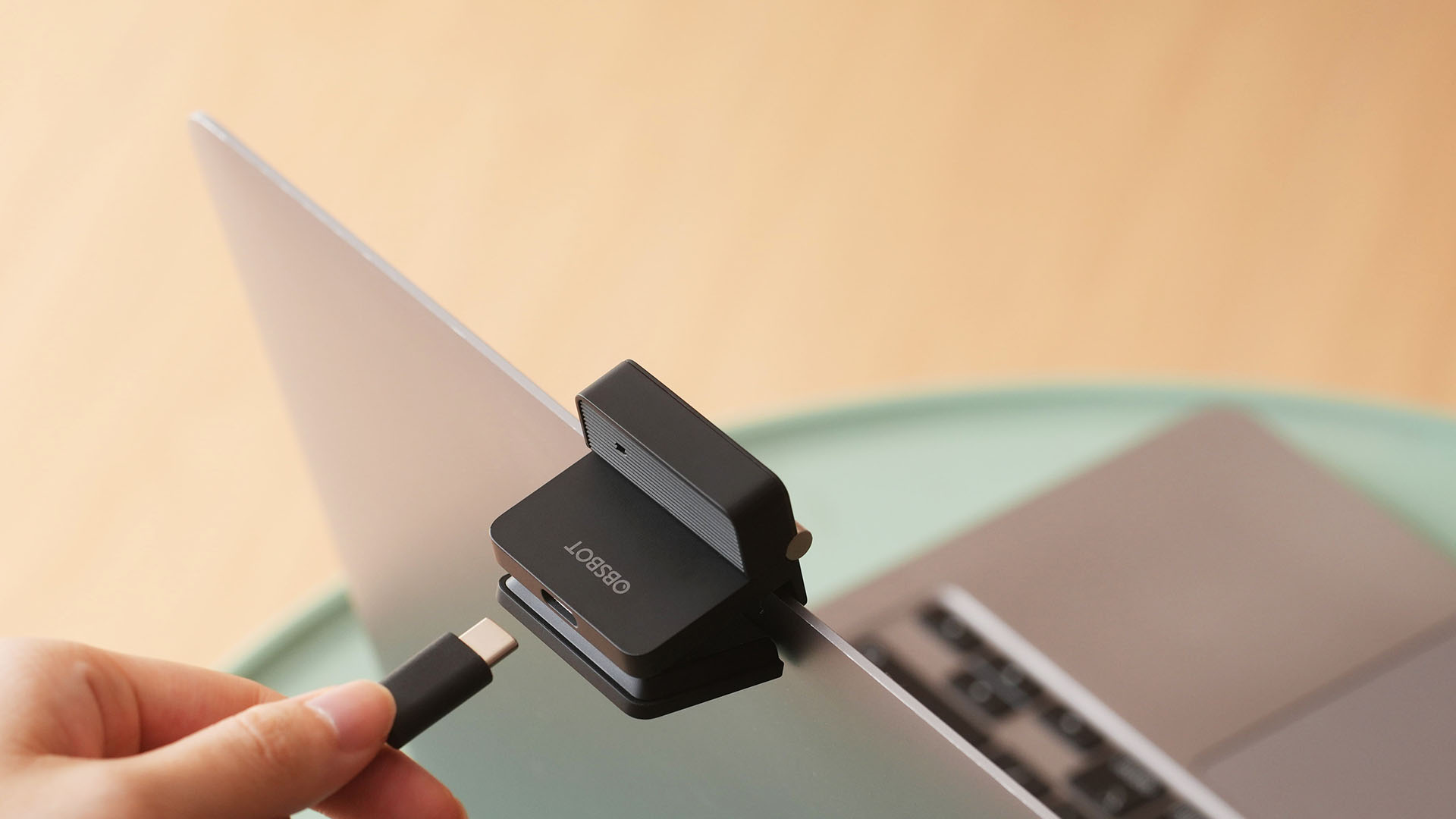
Despite that absurd amount of lightweightness, the OBSBOT Meet Flip is still able to house a 1/2-inch Exmor RS stacked CMOS sensor with Quad Bayer technology. That’s something more commonly found among bigger and higher-end web cameras.
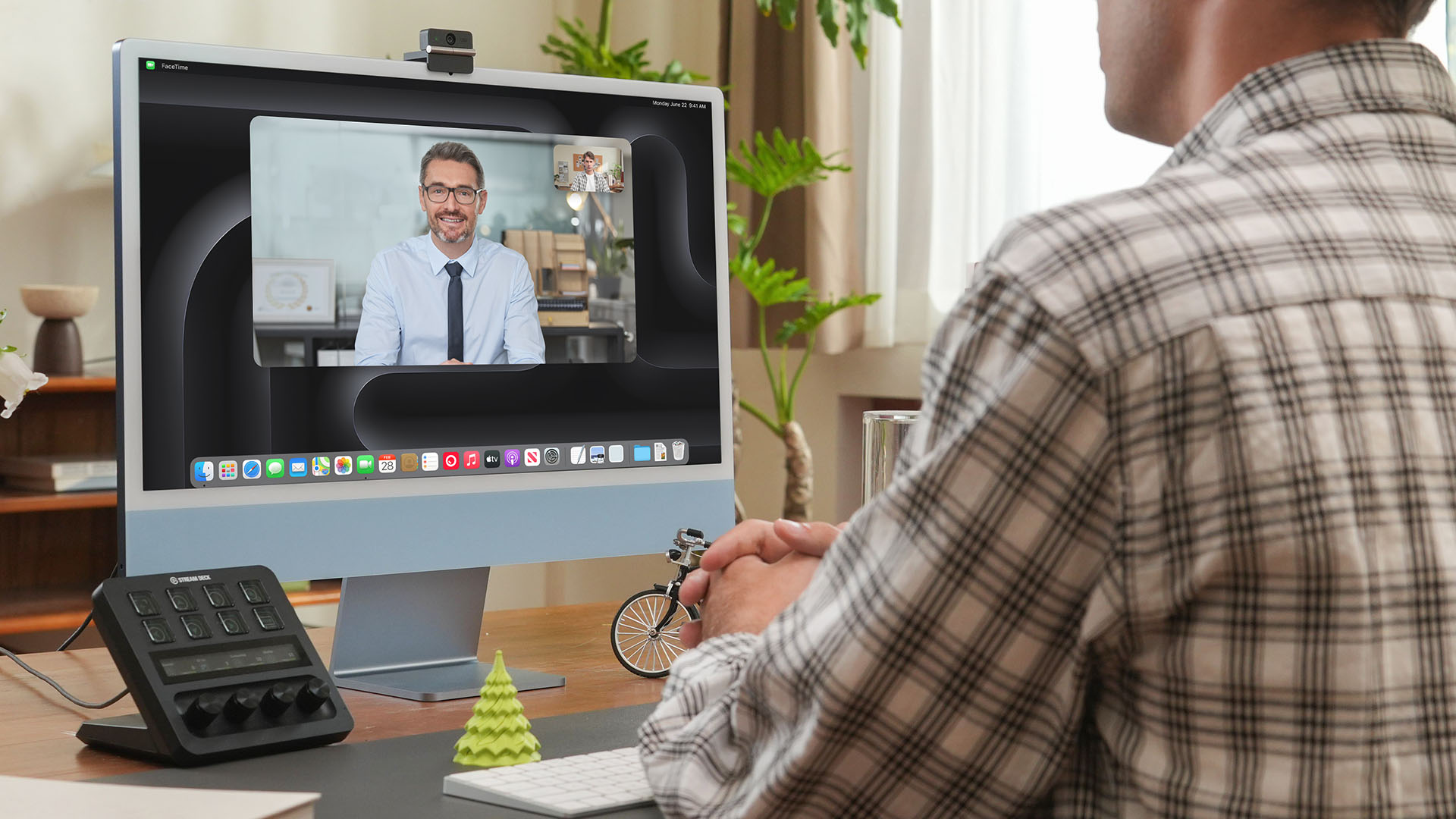
Other camera features include:
- 4K video recording / 30fps
- 1080p recording / up to 60fps
- HDR support for challenging lighting
- Phase Detection Autofocus (PDAF)
- 4x digital zoom
- f/1.8 aperture with ISO 100-6400 support for low-light environments
Beyond just video calls
The OBSBOT Meet Flip isn’t just packed with serious camera hardware, it’s seriously intelligent as well.
The Meet Flip supports AI Auto Framing. This automatically keeps users centered during meetings — regardless if they are presenting alone or with a group. Gesture controls also let users activate framing or adjust zoom without touching the keyboard or mouse.
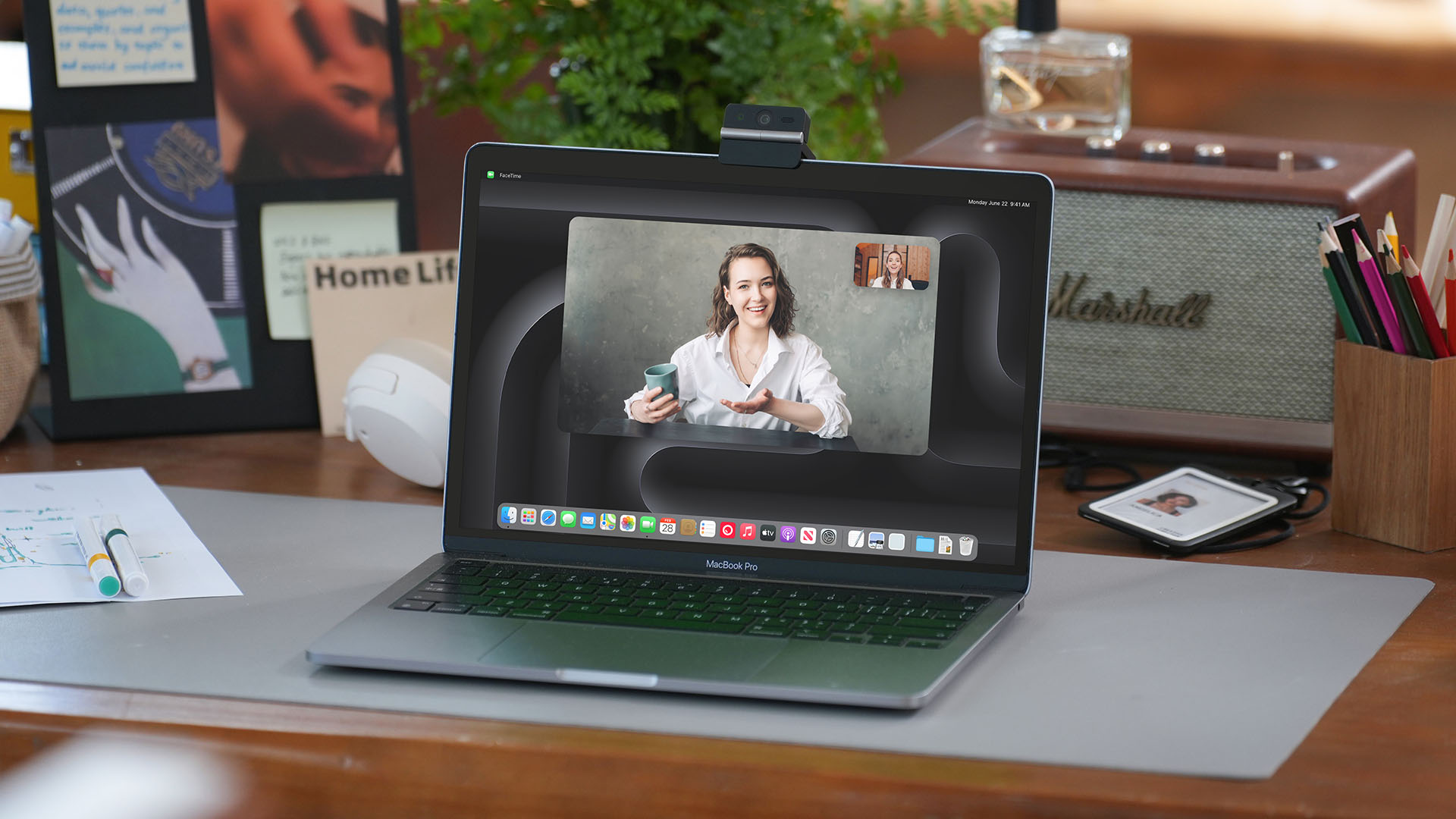
Another standout feature is AI Magic Notes which provides real-time meeting transcription and automatically generates summaries, action items, and key discussion points.
The feature works with Google Meet, Zoom, and Microsoft Teams through OBSBOT Center. Every webcam includes complimentary transcription of 120 minutes.

With that being mentioned, OBSBOT Center also makes users gain access to software features such as background blur, virtual backgrounds, beauty mode, and picture-in-picture overlays for presentations.
Those who want more advanced controls can enable Smart Eye Tracking, teleprompter support, and manual image adjustments.
Audio also gets an upgrade through an intelligent dual-microphone system that offers four recording modes:
- Directional Mode / solo calls
- Dual-Directional Mode / interviews
- Smart Omni Mode / group meetings
- Pure Audio Mode / unprocessed stereo recording
AI Noise Reduction and Automatic Gain Control are also available across most modes to help improve voice clarity.
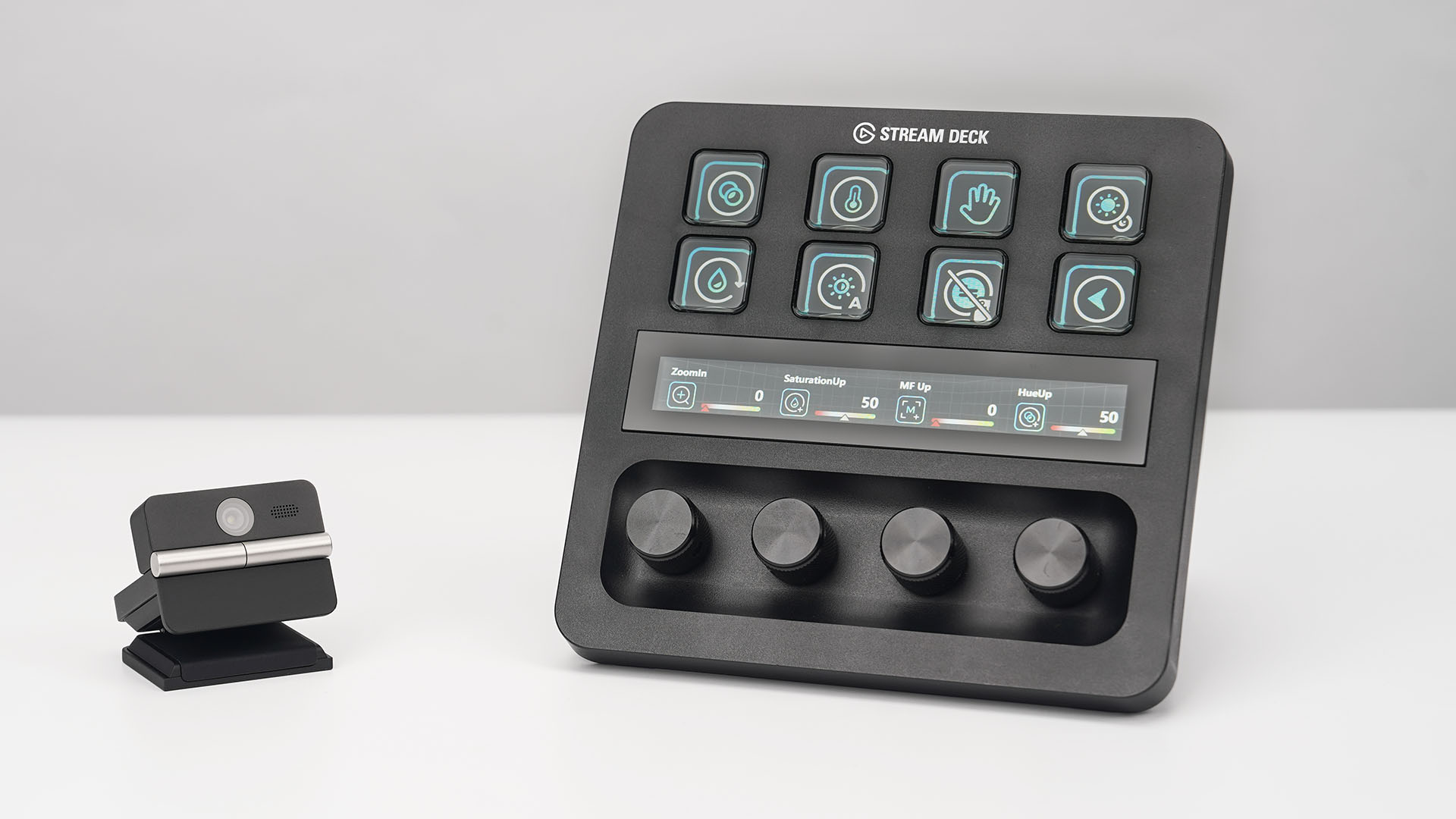
OBSBOT’s Meet Flip is also compatible with mobile devices through the OBSBOT Live app and supports integrations with accessories including Elgato Stream Deck, Nintendo Switch 2, and UVC-to-NDI/HDMI adapters.
Pricing and Availability
The OBSBOT Meet Flip is available starting today for US$119 through OBSBOT’s online store, Amazon US, and select retailers worldwide. Regional pricing may vary.

TECNO MEGAPAD 2 review: Eyes on the size
The MEGA pad for two base users

30 days with the DJI Osmo Pocket 4P
This is the camera that made solo travel filmmaking finally feel possible.


MARVEL Tōkon: Fighting Souls review: Easy to pick up, hard to put down
Welcomes casual and experienced fighting game players

HONOR Magic V6: Price, availability in the Philippines

Shokz launches lighter OpenRun Air 2 and OpenFit Air 2

Smart wins best mobile video experience again

Match Pulse: Boya Notra Neo

Tesla involved in recalling over 4 million electric cars

VinFast debuts two-wheeler models, opens 21 e-motorcycle showrooms

OnePlus officially leaves the United States and Canada

REDMI Note 17 Series focuses on long-term reliability

Xiaomi debuts SkyNomad Series featuring new Kunlun platform

ROG STRIX G16 Review: Building for the moment


-
 Singapore1 week ago
REDMI Note 17 Series focuses on long-term reliability
-
Reviews3 days ago
TECNO MEGAPAD 2 review: Eyes on the size
-
 News1 week ago
realme 16T to come with 8,000mAh battery, 7-year battery health guarantee
-
 Gaming2 weeks ago
Marvel Wolverine Limited Edition PS5 bundle SEA pricing
-
 Reviews2 weeks ago
Samsung Galaxy Z Fold8 Review
-
 Accessories6 days ago
Jackery expands Explorer Series portable power stations
-

 Entertainment2 weeks ago
Box office: Brand New Day set to surpass US$ 2 billion, drives Marvel’s Spider-Man 2 resurgence
-
 News2 weeks ago
HONOR Robot Phone officially launches after its MWC debut