
News
Huawei MatePad launches in Singapore
Comes with a freebie bundle and more!

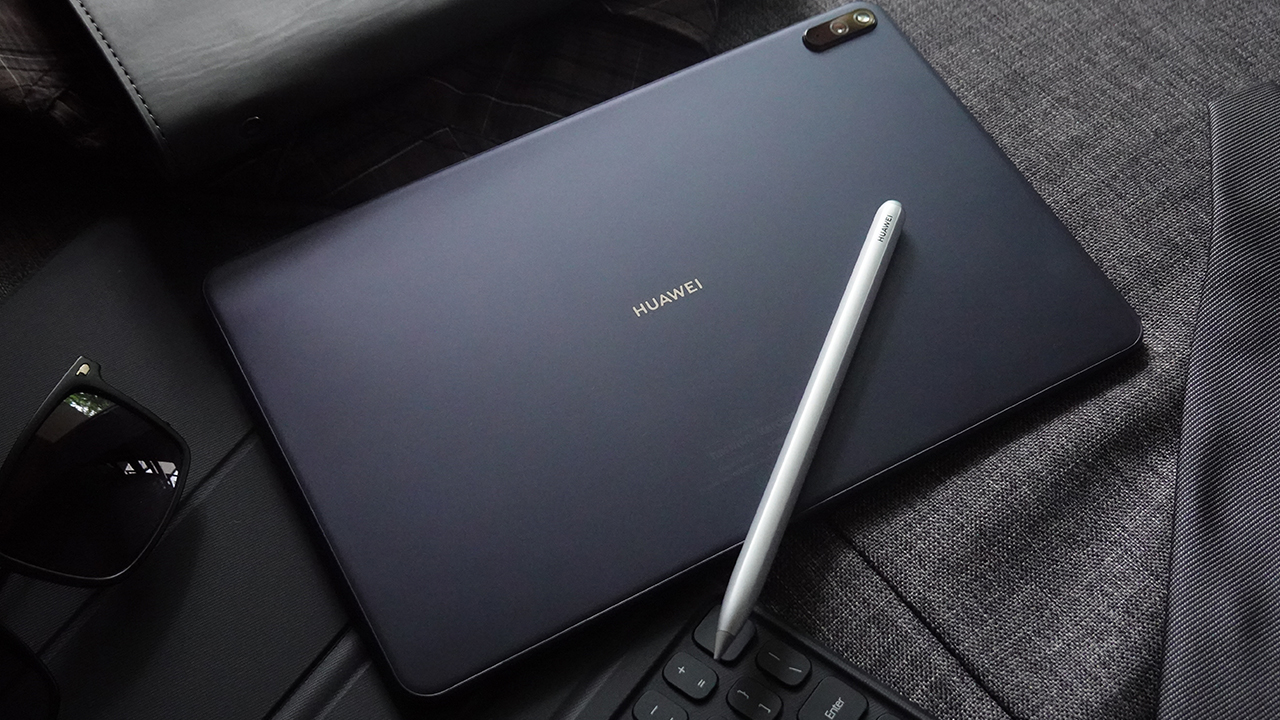
Huawei will soon launch its best-in-class MatePad tablet in Singapore this May 22. Featuring high-end specs, the tablet is a perfect companion for those looking to upgrade their entertainment and productivity experience.
The perfect companion for work and play
With a large 2K display, everyone can enjoy leveled-up entertainment on the go with Huawei’s MatePad tablet. The high-res display features 100 percent sRGB coverage for lifelike images and 225 PPI for crisper details. Complementing the high-quality display is the powerful, in-built Harman Kardon quad-speaker system for a truly immersive viewing experience all around.
Behind that display is the capable Huawei Kirin 820 chipset with Mali-G57 GPU for smoother performance in day-to-day tasks. Huawei doubles down on productivity with a bevy of features for the users too. That includes a faster Wi-Fi 6 for faster downloads and streaming. EMUI 10.1 — the OS powering the tablet — comes with multi-window feature for faster multitasking. Indeed, multitasking is a breeze thanks to the included 128 GB of storage and 4 GB of RAM.
Huawei is backing these great features on its MatePad tablet with a large 7,250 mAh battery. The tablet also supports fast charging, so users can go from 0 to 100 percent in less than three hours.
With freebies to go too
Huawei MatePad will retail at SG$ 498 for the sole Midnight Gray configuration. Buyers who will purchase from May 22 to June 6 will also get a freebie bundle worth up to SG$ 180. The freebie bundle includes a Huawei Smart Keyboard and 50 GB of Huawei Cloud for the first 3 months for new subscribers. Combined with a special discount of SG$ 78 on Huawei WiFi AX3, buyers can really enjoy a fast and worthy companion for their work and play.
The giveaways don’t stop there, though. Huawei is also offering an SG$ 30 off on any meWATCH subscription plan for every purchase of the tablet at all Huawei Experience Stores.
Interested buyers may hit up any Huawei Experience Stores, Best Denki, Challenger & Hachi.tech, COURTS, Harvey Norman, Sprint Cass, and official online stores in Lazada and Shopee to purchase the MatePad tablet




News
HUAWEI Pura X View is 2026’s first WIDE slab-type smartphone
2026’s first non-foldable WIDE smartphone makes its surprising debut

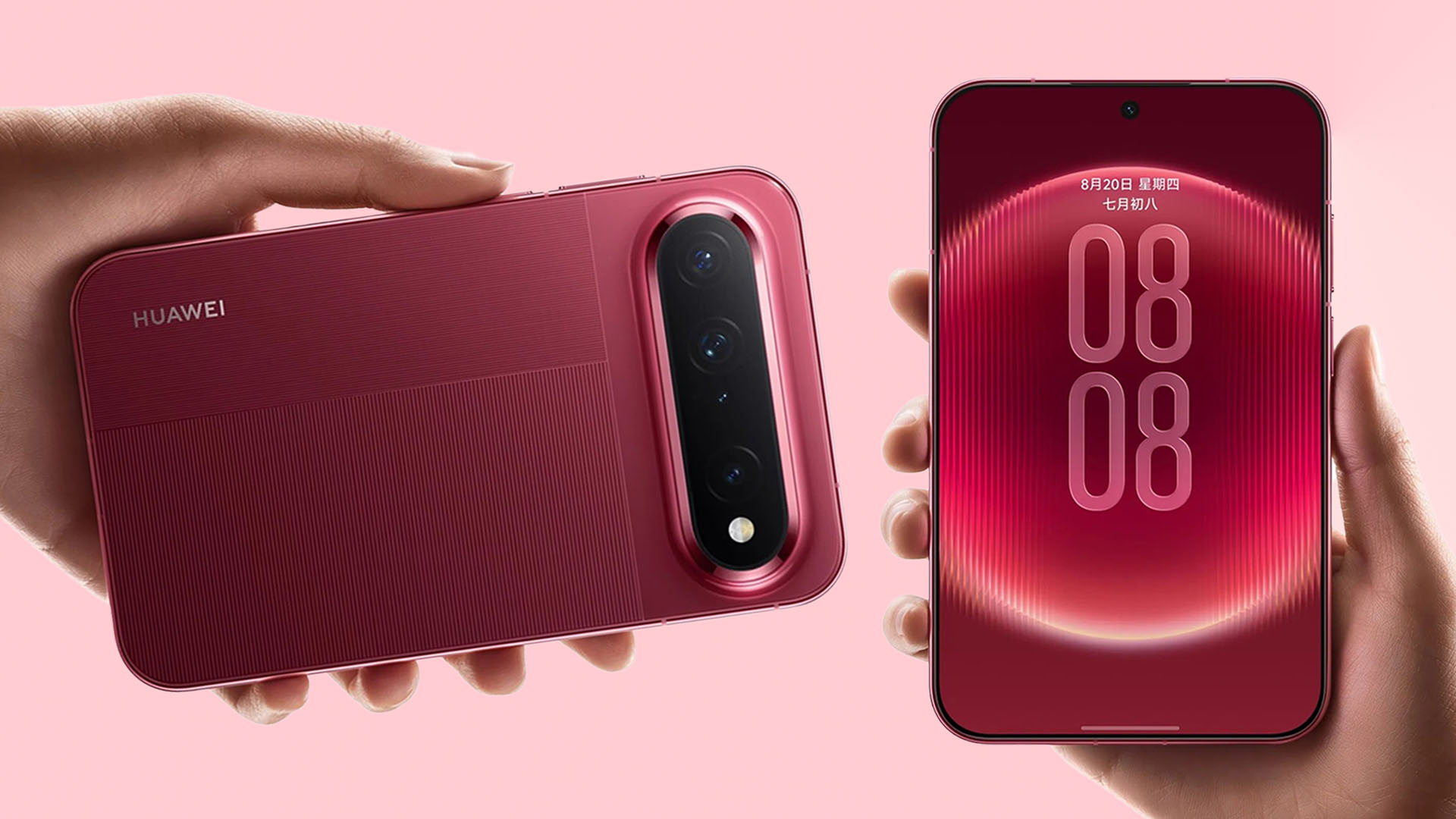
It seems like the WIDE smartphone craze is getting out of hand.
Surprise, surprise! Out of nowhere, HUAWEI reveals the Pura X View — 2026’s first WIDE smartphone that does not fold at all.
Tied to WIDE
With the massive success of HUAWEI’s Pura X Max as well as the newly-released Samsung Galaxy Z Fold8, it’s hard to ignore the sudden trend behind WIDE smartphones. Let alone, Apple’s much-awaited iPhone foldable (dubbed the “iPhone Ultra”) will be announced in less than a month.
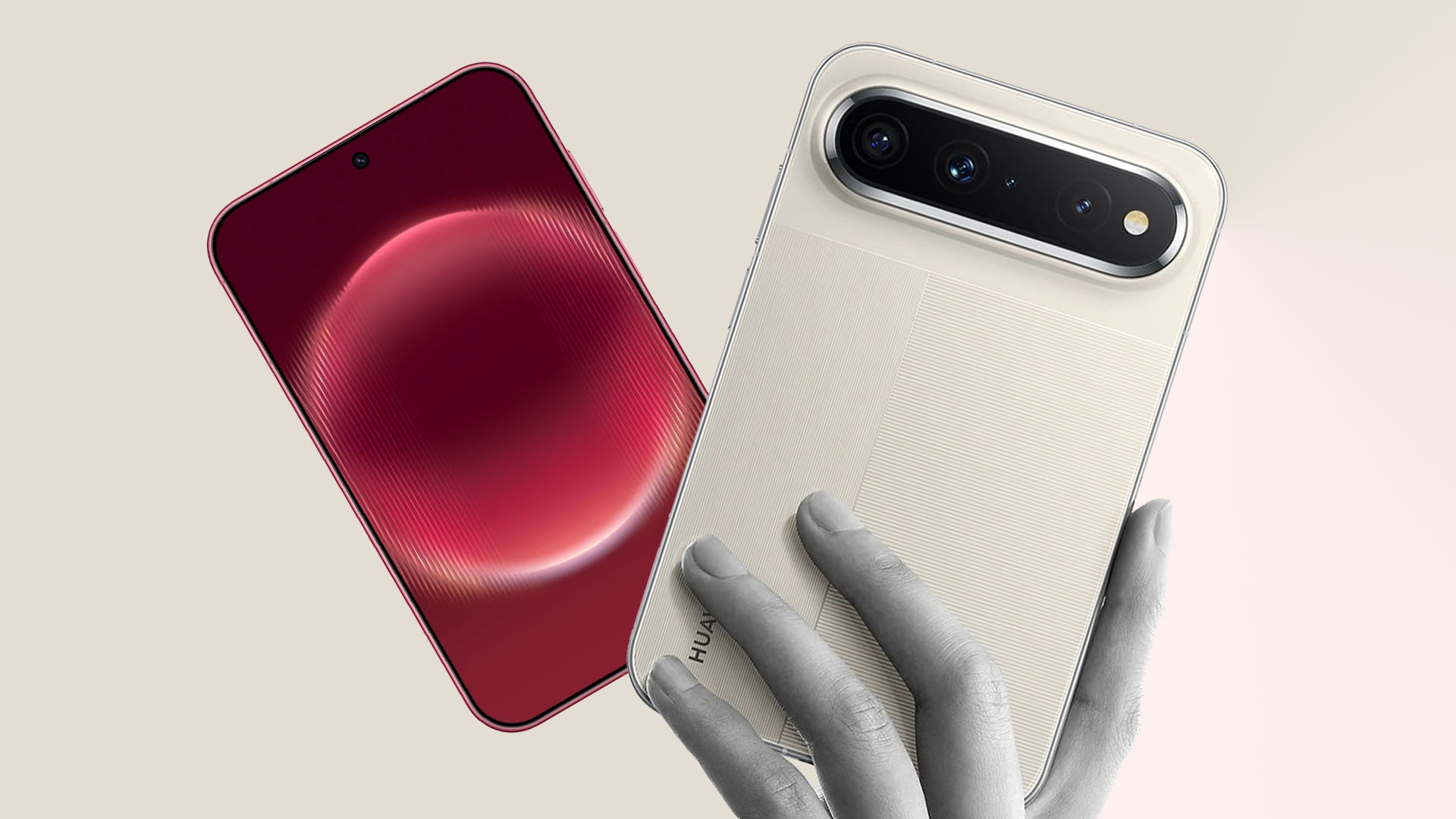
Graphics by Vincenz Lee | GadgetMatch
Opposed to the usual tall and narrow form factor, the Pura X View comes in a wider body with a 16:9.5 aspect ratio. Display bezels are extremely narrow too at just 1.09mm and StB (Screen-to-Body) ratio reaches a whopping 96.1%.
This wider than usual body means better ergonomics with better content consumption — from images, books, documents, all the way to movies and shows, as well as games.
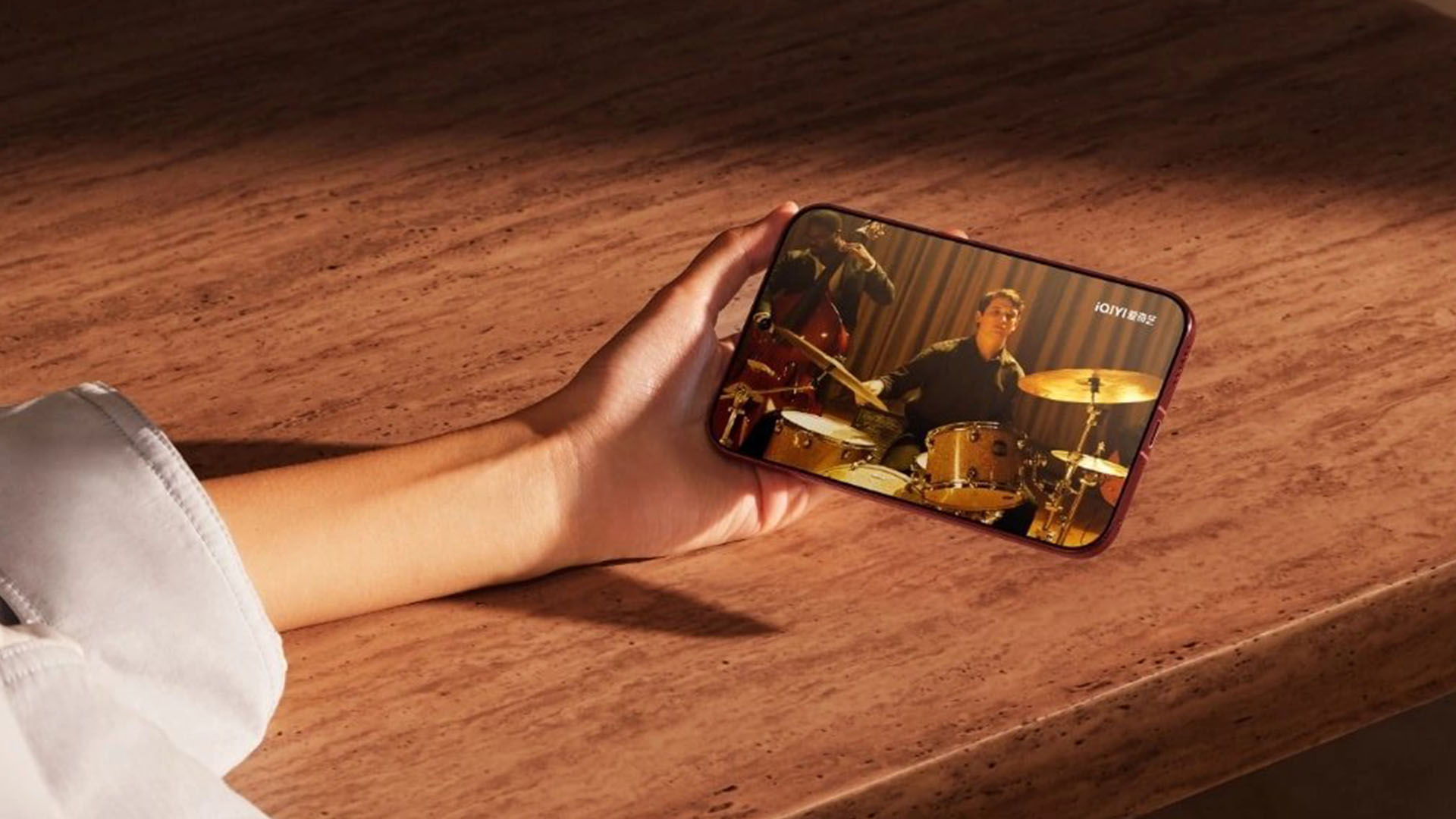
While it has a smaller 6.39-inch display, the Chinese electronics giant says it has greater content area compared to 6.9-inch flagship smartphones.
Other display feats include a 2160Hz PWM Dimming, resolution of 2232 × 1320, and max brightness of up to 6500 nits.
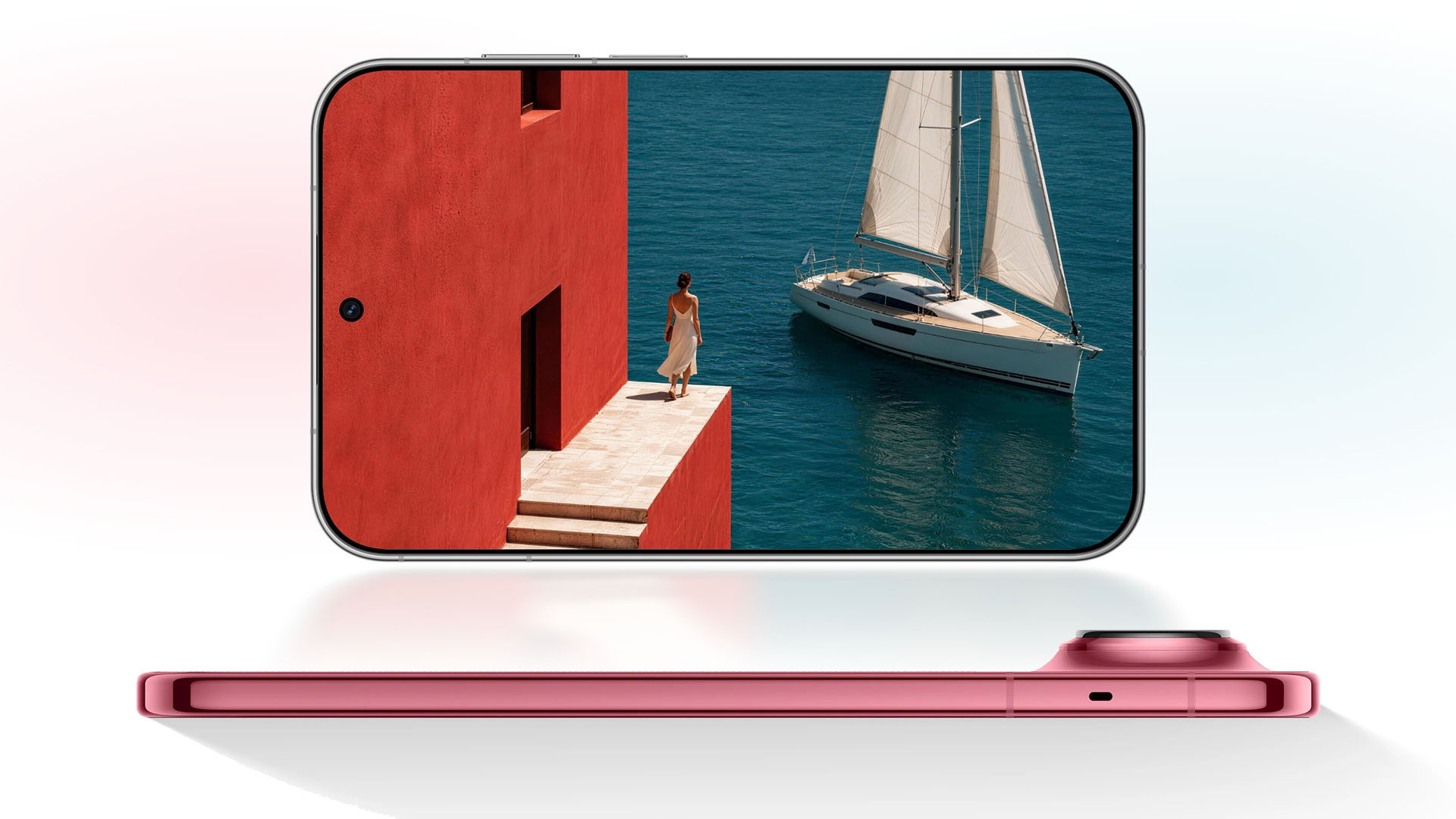
Graphics by Vincenz Lee | GadgetMatch
Despite all these, HUAWEI still managed to put a monstrous 7000mAh battery capacity inside its super slender 6.68mm chassis — which also happens to be lightweight at only 201 grams.
Unfortunately, at the time of this writing, HUAWEI did not reveal every bit of spec on their website.
Pricing and Availability
The HUAWEI Pura X View comes in four colorways: Illusion Dark Night, Zero-degree White, Leap Shadow Red, and Linen Ash.
It’s currently open for pre-orders in China alongside three configurations:
- 12+256GB
- 12+512GB
- 12+1TB
Just like its unrevealed specifications, HUAWEI did not reveal the exact pricing of the Pura X View.
Make GadgetMatch.com your daily habit so you don’t miss out on these updates!
News
Samsung might launch the Galaxy S26 FE next week
A new event is hinting at the smartphone’s debut.


It wasn’t too long ago when Samsung launched the new Galaxy Fold and Flip series. Historically, the brand is done for the year after two major Galaxy Unpacked events. However, if you’re still hankering for a few more morsels of Galaxy devices, Samsung is hosting another event next week, which might mean the debut of the Galaxy S26 FE.
This week, Samsung has just released an official invite for a Galaxy Event on August 27. The invite itself looks like a tray with two glasses of matcha and a coaster in between them. It’s visually similar to a modest camera setup, hinting at a new smartphone coming during the event.
Because Samsung has already filled its usual quota of flagships and foldables, it’s highly likely that the event is meant for the Galaxy S26 FE. The Galaxy FE series is Samsung’s way of extending the life cycle of the current generation of Galaxy phones, while also catering to another segment of the market.
As for what the Galaxy S26 FE might hold, it looks like AI might be a prime focus. Samsung confirms that the invite graphic has AI-generated images. The text accompanying the graphic also indicates that AI will be a part of the event.
It’s only a week left before the August 27 event, so we’ll get to know more about everything soon.
SEE ALSO: Samsung Galaxy Z Fold8 Review
Gaming
Leaked Grand Theft Auto VI footage surfaces online
The leakers says they are protesting the game’s lack of a physical release.

We’re nearing the dreaded date that all game publishers are rightfully fearing: the launch of Grand Theft Auto VI. Since we’re so near, it’s only right that Rockstar Games starts teasing their upcoming game, which is officially happening later this month via a special presentation on Netflix. However, ahead of that highly anticipated date, a leaker has apparently leaked the footage in protest of the game’s lack of a physical release.
Let’s parse that out piecemeal. First up, Rockstar Games is scheduled to release an extended first look at Grand Theft Auto VI through Netflix on August 27. If you don’t have the platform, the publisher will release the same footage on more public outlets six hours later. The footage will represent our biggest peek at the game after months of relative silence.
Secondly, a leaker has released the said footage ahead of time. Now, this isn’t the first time that a major leak spoiled details about the game. Previously, a leak was the first to reveal that the sixth entry in the series is getting two playable protagonists.
Third, the why: The leaker says that they will continue to reveal more information about the game to protest the game’s lack of a physical release. Like new PlayStation games next year, Rockstar Games does not plan to release a disc version of the game.
The footage itself
And, finally, the leak itself. Rockstar Games is currently issuing DMCA notices against anyone posting the leaked footage. It lends credence to the authenticity of the footage but also ensures that we can’t post the leaks themselves.
If anything, there are two reportedly legitimate clips, while others were seemingly generated with AI. The first clip has Jason, one of the two protagonists, playing basketball in his hideout, which gives him a stat boost. The clip confirms the return of minigames you can play in between missions.
The second clip sees Jason fight with a truck driver after a traffic incident. He kills the driver with a wrench, which earns him a two-star wanted level and summons a police chase as the series often does.
There’s not much to glean from these two short clips. In fact, it’s hard to say whether this footage represents the final release or something left over from previous leaks. Thankfully, Rockstar Games is releasing the official extended look soon on August 27.
After that, Grand Theft Auto VI launches on PlayStation 5 and Xbox Series X|S on November 19.

TECNO MEGAPAD 2 review: Eyes on the size
The MEGA pad for two base users


MARVEL Tōkon: Fighting Souls review: Easy to pick up, hard to put down
Welcomes casual and experienced fighting game players


Now Playing: Assassin’s Creed Black Flag Resynced
Nostalgia does a lot of heavy lifting.
TECNO MEGAPAD 2 review: Eyes on the size

UNDERTALE: The Determination Symphony gets two more shows

HUAWEI Pura X View is 2026’s first WIDE slab-type smartphone

These Polaroid x Pokémon cameras are just the cutest things
MARVEL Tōkon: Fighting Souls review: Easy to pick up, hard to put down

VinFast debuts two-wheeler models, opens 21 e-motorcycle showrooms

OnePlus officially leaves the United States and Canada

Xiaomi debuts SkyNomad Series featuring new Kunlun platform

ROG STRIX G16 Review: Building for the moment

REDMI Note 17 Series focuses on long-term reliability


-
 Laptops2 weeks ago
ROG STRIX G16 Review: Building for the moment
-
 Singapore6 days ago
REDMI Note 17 Series focuses on long-term reliability
-

 Laptops2 weeks ago
30 days later with the ASUS ExpertBook Ultra: Like seeing an ex
-

 News6 days ago
realme 16T to come with 8,000mAh battery, 7-year battery health guarantee
-

 Philippines2 weeks ago
Smart opens HUAWEI Pura 90s Series pre-orders with exclusive freebies
-
 News2 weeks ago
TCL expands mobile lineup with latest NXTPAPER series
-
 Gaming2 weeks ago
Marvel Wolverine Limited Edition PS5 bundle SEA pricing
-
 Reviews1 week ago
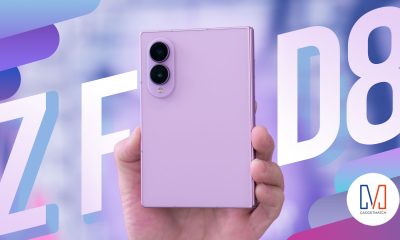
Samsung Galaxy Z Fold8 Review