


Reviews
Redmi Note 10S review: The all-rounder you want
Great, long lasting performance with less compromises

Picture this: it’s 2021, you’re still stuck indoors and in need of something to pass the time. Also, with all the time you’ve spent indoors, you have enough savings to get a new smartphone. Maybe you’re looking for a phone that lasts long, or a phone that feels fast and performs well for any use.
Within the midrange space, smartphone companies manage to give you a product with everything you’re looking for. However, as is the case with most budget smartphones, they gave up some features and functionalities that dampen the experience a little bit. You want a smartphone that caters to everything you throw at it.
Enter the Redmi Note 10S, the latest midrange smartphone that hopes to do just that. In my initial impressions of the device, I was impressed by all facets but I wanted to see how it would fare with prolonged use. I think my exact words were that it “ticked all the boxes,” but is it impressive enough for you to consider?
Here’s what you’re getting with the Redmi Note 10S:
It comes with a 6.43” FHD+ AMOLED DotDisplay

Editor’s Note: MoChaeng best girls 💕
Also, it has a rear quad camera setup with a 64MP main sensor

There is also a USB-C charging port and headphone jack at the bottom

It comes in three colors: Onyx Gray, Pebble White, and Ocean Blue

Handles anything you throw at it with ease
If I could sum up my overall take on how the Redmi Note 10S performs, I’d do it in three words: “bring it on.” I mentioned in my initial impressions that everything runs smoothly on this device, and that’s still my main takeaway with prolonged use. A lot of credit obviously goes to the hardware this device rocks inside it.
The Redmi Note 10S comes with a MediaTek Helio G95 chipset inside, along with 6GB of RAM. There are models that come with 8GB of RAM, but I would argue that 6GB is actually quite enough. I mean, it’s enough for the things you normally do when you use a smartphone, along with multitasking apps if you feel like it.

What also helped the performance just a little bit for me was the AMOLED DotDisplay. Whether it was watching Queens Archive or Netflix TV shows, it was quite bright and color accurate. Honestly, I had the brightness set to around 40 to 50 percent and I could still see what I was watching.
A great mobile gaming device for most games
The other performance aspect I wanted to touch on was how well you could game on the device. With 6GB of RAM inside, it’s a no-brainer that a phone like this can handle most games. For the most part, I didn’t really have too many problems running more graphically-intense games on this device, and Game Turbo helped out a lot.

See, within MIUI’s settings, you have access to Game Turbo that optimizes gaming performance. Throughout my entire usage of the device, I managed to play games quite smoothly, with only a handful at around 60 FPS. I mean, if the game came with a 60 FPS setting, I would rather play that way, right?
What’s pretty great about this is that you can even use Game Turbo to finetune performance per individual game. At the time, I noticed that PUBG Mobile and Mobile Legends: Bang Bang were supported by this feature, so I tinkered with it a little bit. The resulting performance ended up a little better, but I’d still opt to just let Game Turbo do its thing.
Decent photography and selfie machine
When you hear that a smartphone has a quad-camera setup, you would assume that image quality would turn out great. In the case of the Redmi Note 10S, it turned out alright with its version of a quad-camera setup. Also, the 13MP selfie camera on the DotDisplay fared just as well as the rear cameras.

I tried taking pictures in both preferable and less than ideal lighting conditions, and the results were mixed. Under great lighting conditions, the images turned out quite nice, showing accurate colors and great detail. Also, I finally got through the wonky auto-focus I experienced in my initial tests, so just give it some more time.
However, the cameras don’t fare well when there’s not enough light around the area. I don’t just mean taking pictures at night, but even when there’s little brightness in the room. When I checked the photos, they didn’t particularly scream “super-detailed” but the rear camera tried its hardest.


Keeps you going, whether you’re bored or not
You might be wondering how the device keeps going with all of these activities you’re throwing at it. Inside this machine, you will find a 5,000 mAh battery, which is honestly a standard for most budget to midrange smartphones. With such a big battery, I expect it to last for maybe a day or so, with regular use.

Instead, the Redmi Note 10S took nearly two days worth of regular usage for it to reach zero percent. In one instance, I even managed to extend the run time by about five to six hours when I kept the brightness from 40 to 50 percent. Basically, on a full charge, this phone will keep you going even if you lose electricity because of a storm.
The craziest thing about this is that it doesn’t take that long to fully recharge the device. Through my battery tests, I managed to fully charge the phone with its 33W fast charging charger in over an hour and 20 minutes. Furthermore, charging the device to 50 percent took around 35 minutes. Honestly, this kind of battery and charging setup is everything you could ever ask for.
Is the Redmi Note 10S your GadgetMatch?
At PhP 11,990, the Redmi Note 10S provides you with everything you could ask for in a smartphone. From the performance to the battery life, it’s an all-rounder type of device that you will appreciate through and through. Also, the fact that it comes in three colors means you have more options that suit your tastes.

Again, it still has its hiccups in the camera department despite producing decent image quality in general. I think they’re pretty great, but honestly you’re better off using the phone under better lighting for the best selfies. Other than that, the phone itself poses as a potential daily driver for most people.
The Redmi Note 10S is a great example of a smartphone that gives you everything, without sacrificing too much. If you want something that caters to your every whim, give this one a chance!





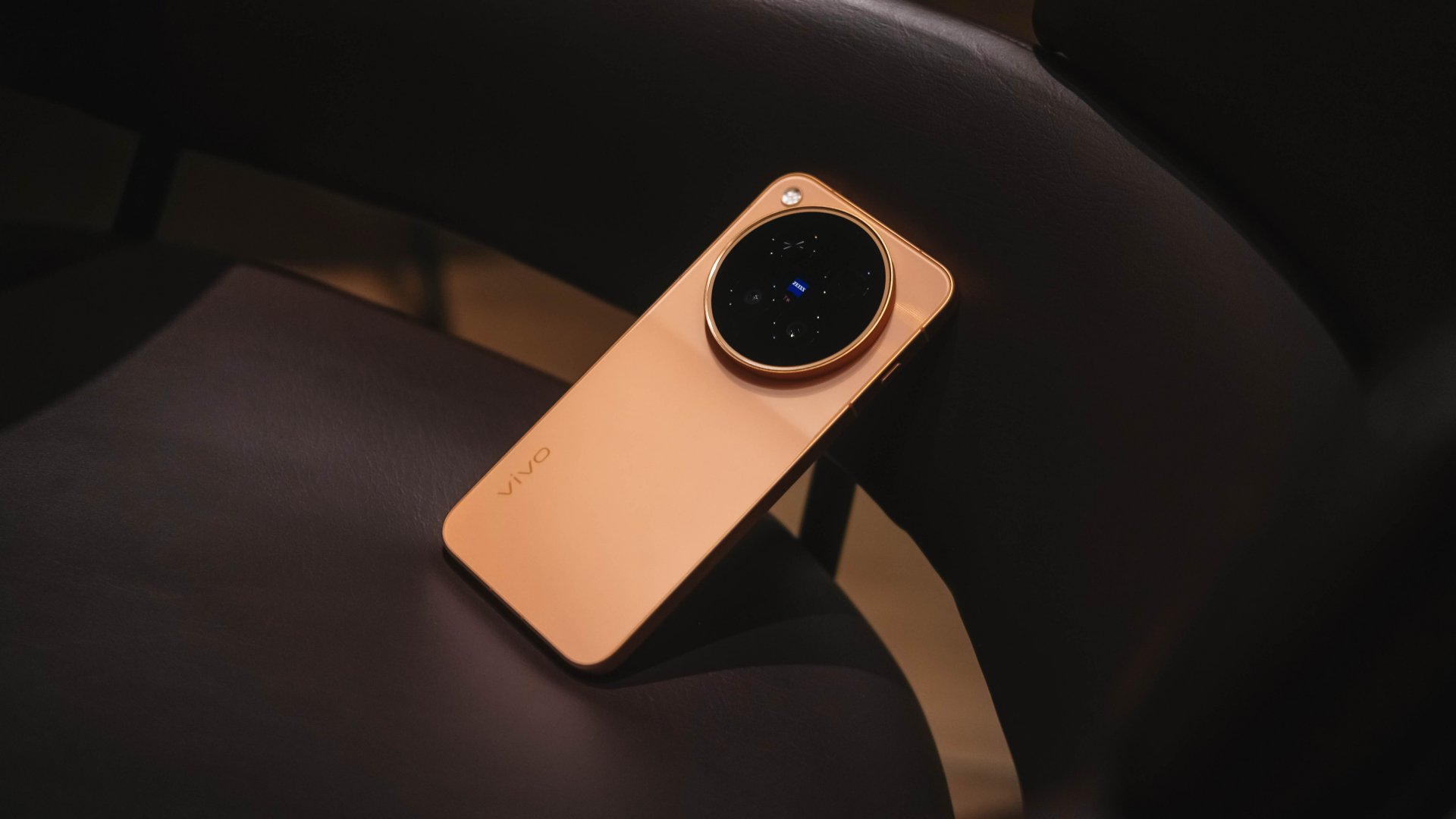
The X300 Ultra is vivo’s best of the best flagship. Or so I thought.
The arrival of the newest vivo X500 Pro Max six months after the Ultra release had me doubt a bit.
Does the introduction of a “Pro Max” model mean a MAXed-out flagship? Or is this simply another case of phone brands jumping on the trending naming game?
Let’s find out together in this in-depth vivo X500 Pro Max review — 500+ hours after it was handed to me alongside my journey to Japan and South Korea.
Cleaner in every corner
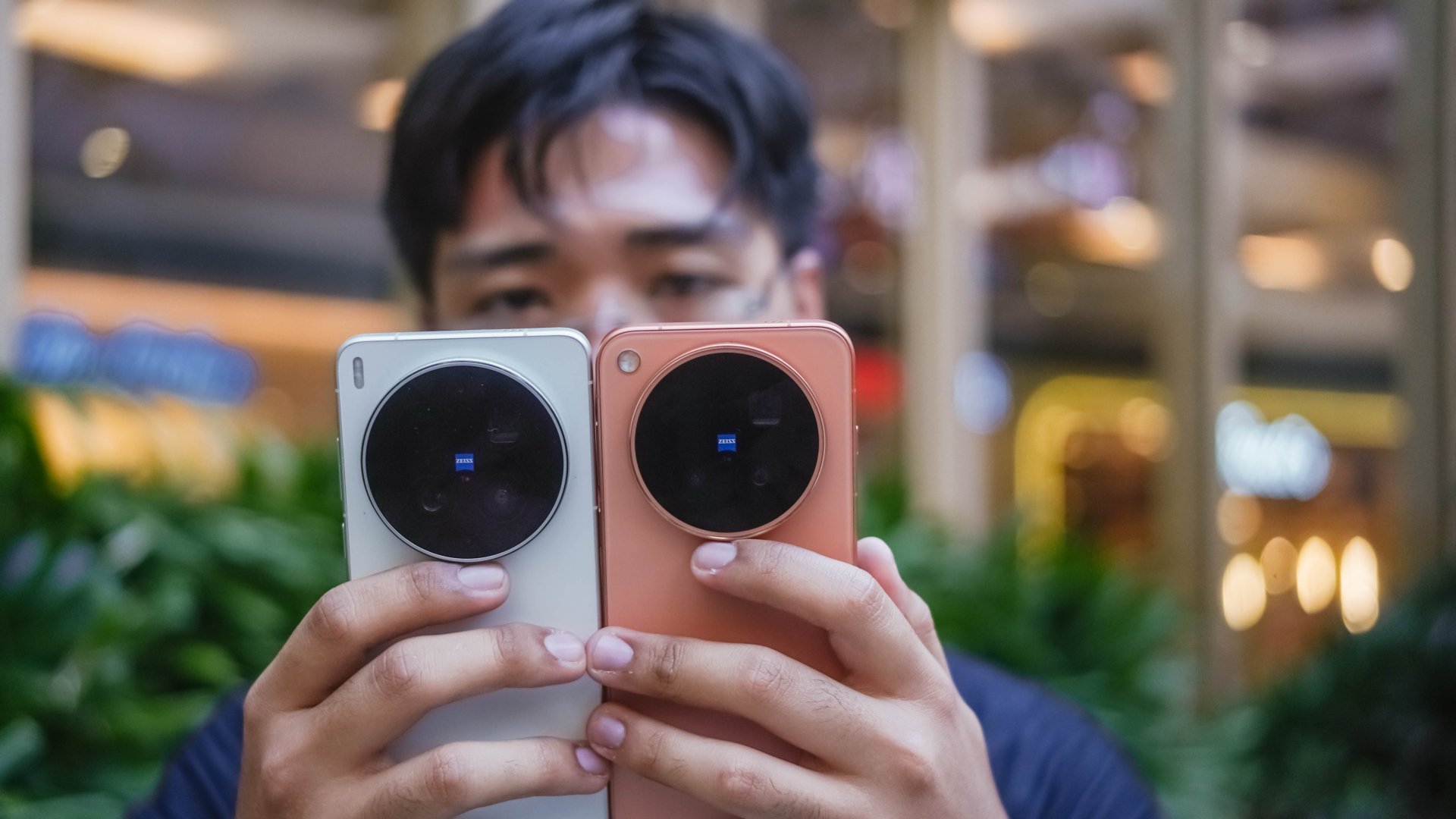
The vivo X500 Pro Max features the unsurprising massive camera center slapped with the ZEISS logo alongside the T* branding.

Despite not having major design changes since the X100 series (except for ditching curved displays), I just don’t get tired of this design language.
While people continuously complain about its massive camera hump and how “top-heavy” it is, I still thank them for keeping it.

More than just its form, it has a valuable function as it serves as a resting place for my fingers — especially when holding it one-handedly.
Clearly, I rock the vivo X500 Pro Max in the Sunset Orange colorway.

If the X300 Ultra has landscape detailing, the X500 Pro Max dazzles with its shimmering sunlight speckles.
Also, that tideline design on its camera module paired with the chamfered edges on its aerospace-grade aluminum frame are nice added touches for better hand comfort.
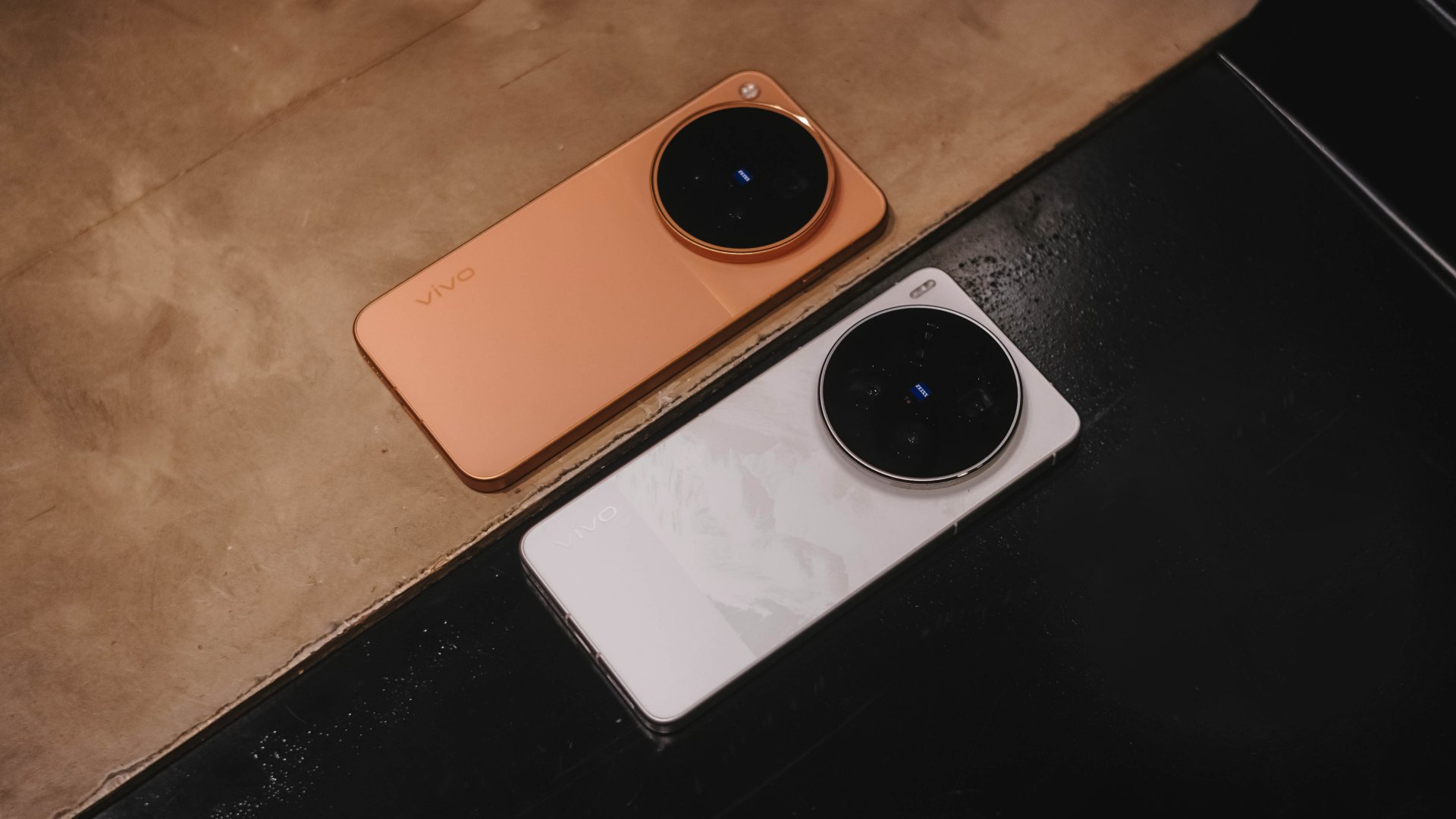
It would have been more appealing though if vivo offered it in cooler colors aside from the monotonous Starry Gray, Sunny White, and Moonlit Black options. (Sorry not sorry, I’m not a fan of the overhyped Burgundy).
Snap wonderful sights, wide or tight
Spoiled by that massive circular back hump, it’s time to talk about the cameras now more than anything else.
As I always say in my write-ups, specs aren’t everything. Still, we’re all here for all the same reason, intricate camera hardware:
vivo X500 Pro Max |
vivo X300 Ultra |
|
Wide |
50MP f/1.57
|
200MP f/1.85
|
Ultra-Wide |
50MP f/2.0
|
50MP f/2.0
|
Tele-
|
200MP f/2.67 ZEISS APO
|
200MP f/2.67 ZEISS APO
|
Extra |
Multi-zone laser focus sensor |
5MP f/2.0 Multispectral sensor |
Selfie |
50MP f/2.0
|
50MP f/2.45
|

While camera hardware alone doesn’t define what the X500 Pro Max is truly capable of, vivo still gave us an indirect response that they are not neglecting nor replacing “Ultra” anytime soon.
And even if their telephoto lens modules are quite alike, the X300 Ultra still has the upper-hand when it comes to both the main and ultra-wide sensors.
But, this isn’t a head-to-head camera showdown. The vivo X500 Pro Max, despite the disparities, is still a Pro-grade flagship shooter of its own.
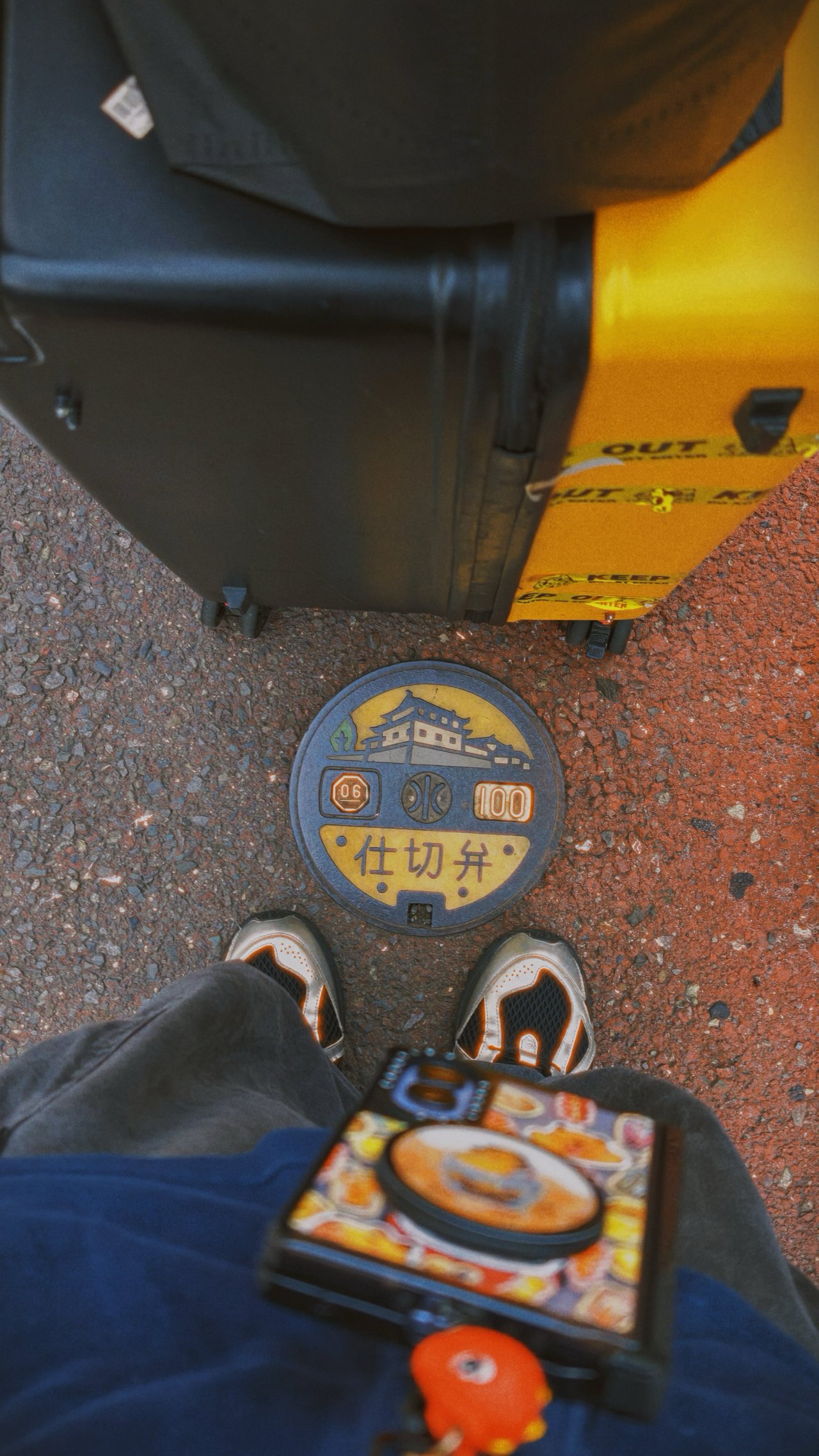
* 95% of the photographs were shot using my custom V01 preset in the native camera app. Post-color grading was later applied to reflect my creative taste.
🇯🇵 静岡市 / Shizuoka












-

- * accidental shot





🇯🇵 名古屋市 / Nagoya
📍 Nagoya-jo




📍 Mirai Tower


📍 Sakae






📍 Osu


📍 Side quests








📍 Chubu Centrair






🇯🇵 富士市 / Fuji









🇰🇷 부산 / Busan
📍 Gwangalli



In these Busan beachcapade shots I took where the sunlight is too harsh during the mid-day while shadows were stronger after golden hour, the new main sensor with its LOFIC technology truly helped in preserving each photo’s dynamic range and contrast.






📍 Haeundae










📍 Cheongsapo








📍 Songjeong



📍 Gamcheon

















🚅 Train Outta Busan



From Japan and Busan’s clean streets to Shinkansen and KTX-Cheongryong’s comfy seats, the X500 Pro Max never slouched a single bit.
🇰🇷 서울 / Seoul
📍 Ikseon-dong
While I stated that I’ve been a full-time user and enjoyer of the rare 35mm main camera of the X300 Ultra, I’ll admit I missed the conventional 24mm focal length for scenes that require a wider perspective.



This focal length became handy-dandy when I tried taking photos of Gamcheon’s steep alleyways and the narrower streets of Ikseon-dong.


📍 Seongsu




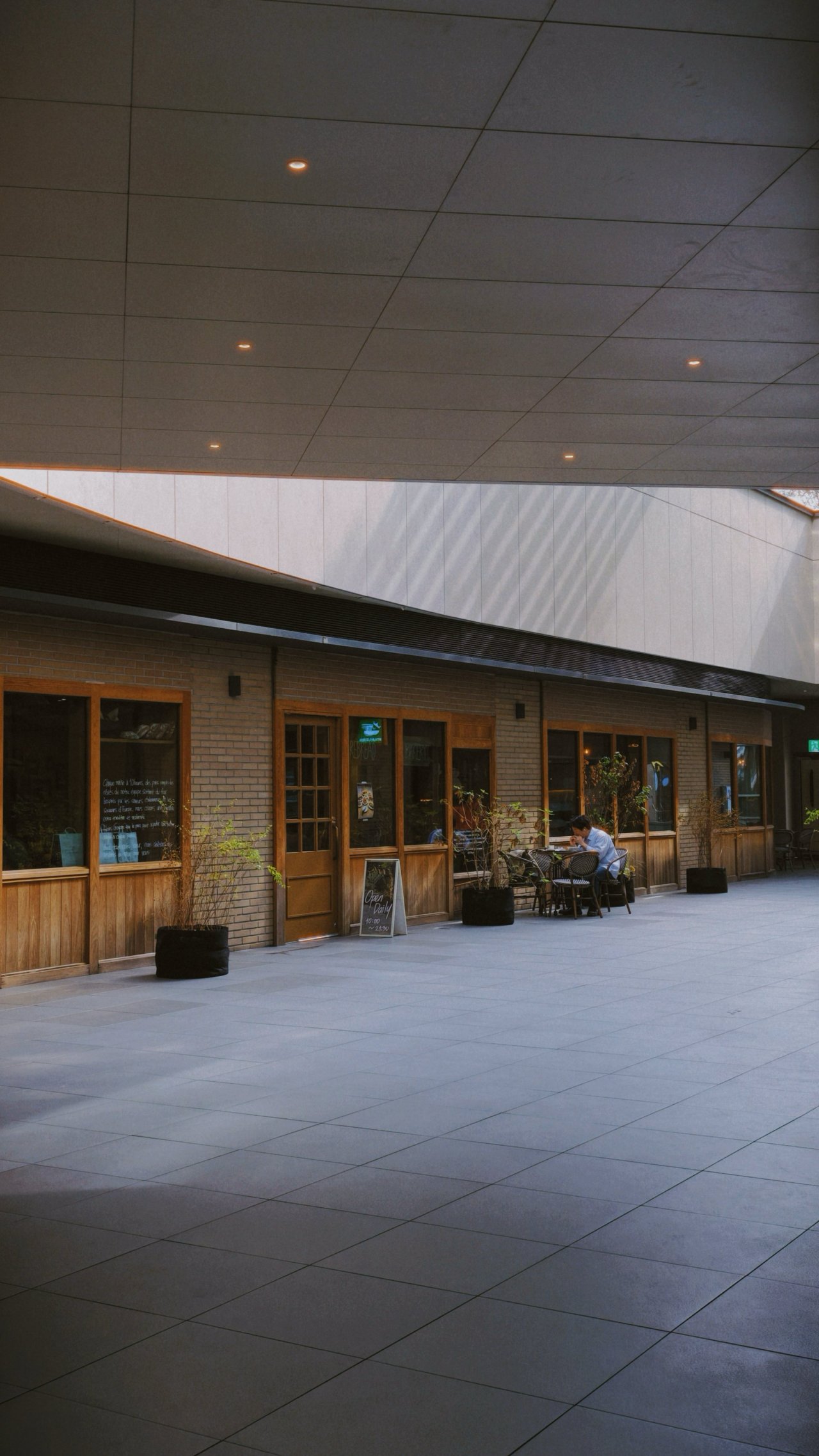
📍 Namsan



However, there were times that X300 Ultra’s ultra-wide shooter makes more sense — especially when trying to capture wider than wide perspectives, especially at night.




That doesn’t mean the X500 Pro Max lacks in the UWA department. It’s just that the X300 Ultra evidently performs better due to its larger sensor.
If you’re the type who shoots group photos, expansive landscapes, and even building interiors or façades, this is a dealbreaker.
🌊 Hangang (Han River)
📍 Jamwon




📍 Ichon








📍 Banpo





🌃 More night sights
📍 Cheonggyecheon



📍 Myeongdong, Gyeongdong, Itaewon













📸 X-tras
🍜🍡 Delight in every bite








🌺🐰 Fauna and flora



** Samples below until the concert segment were captured only with vivo’s built-in BlueImage presets (Vivid, Refined)









Little to teach for a far more reach
I finally got to try vivo’s special Photography Kit I’ve been dreaming of ever since its debut with the China-exclusive X200 Ultra.
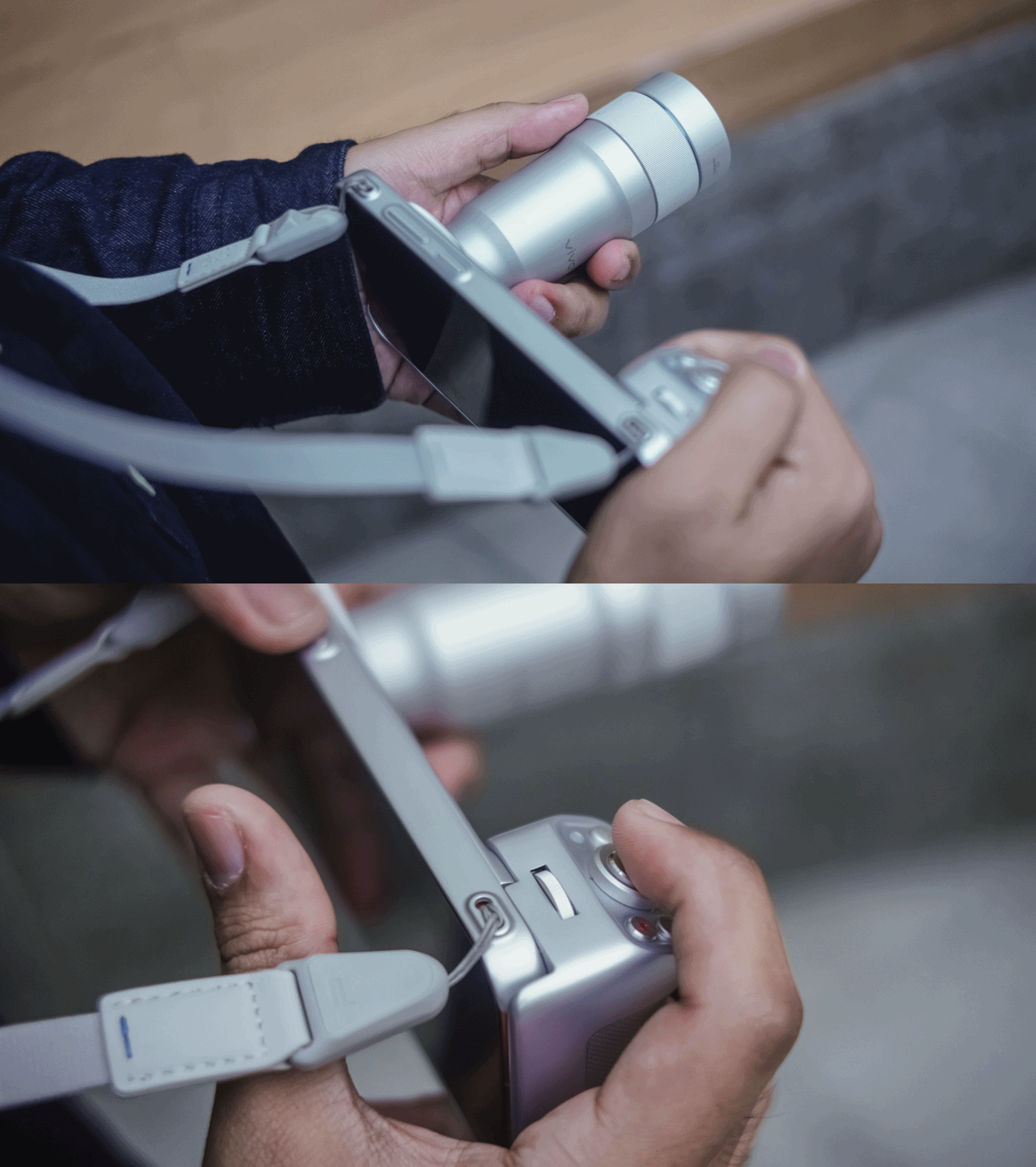
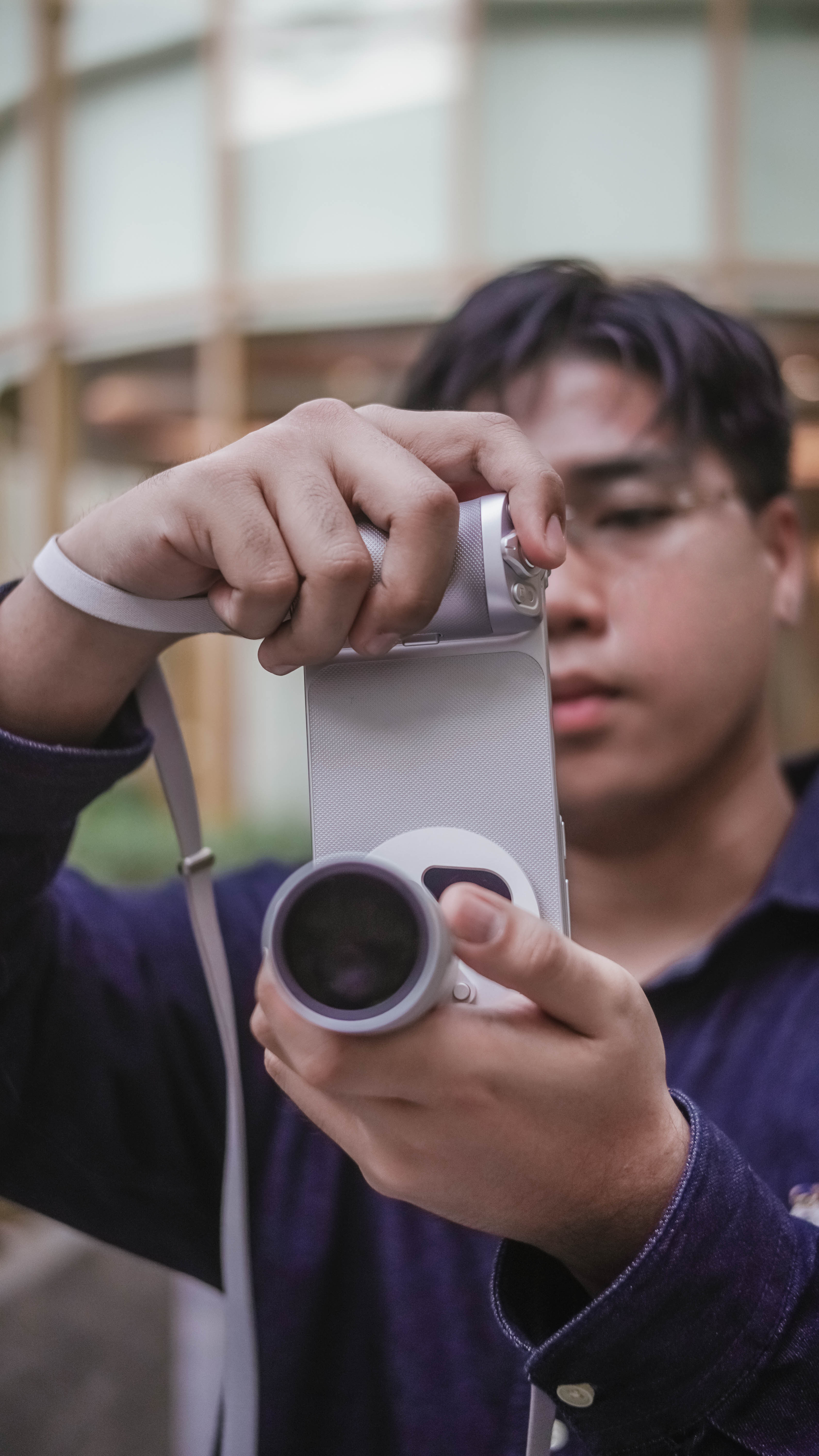
Assembling one is noob-friendly. Once you figure out how the twists and locks work, it will be an easy-peasy process every time you want to use it.

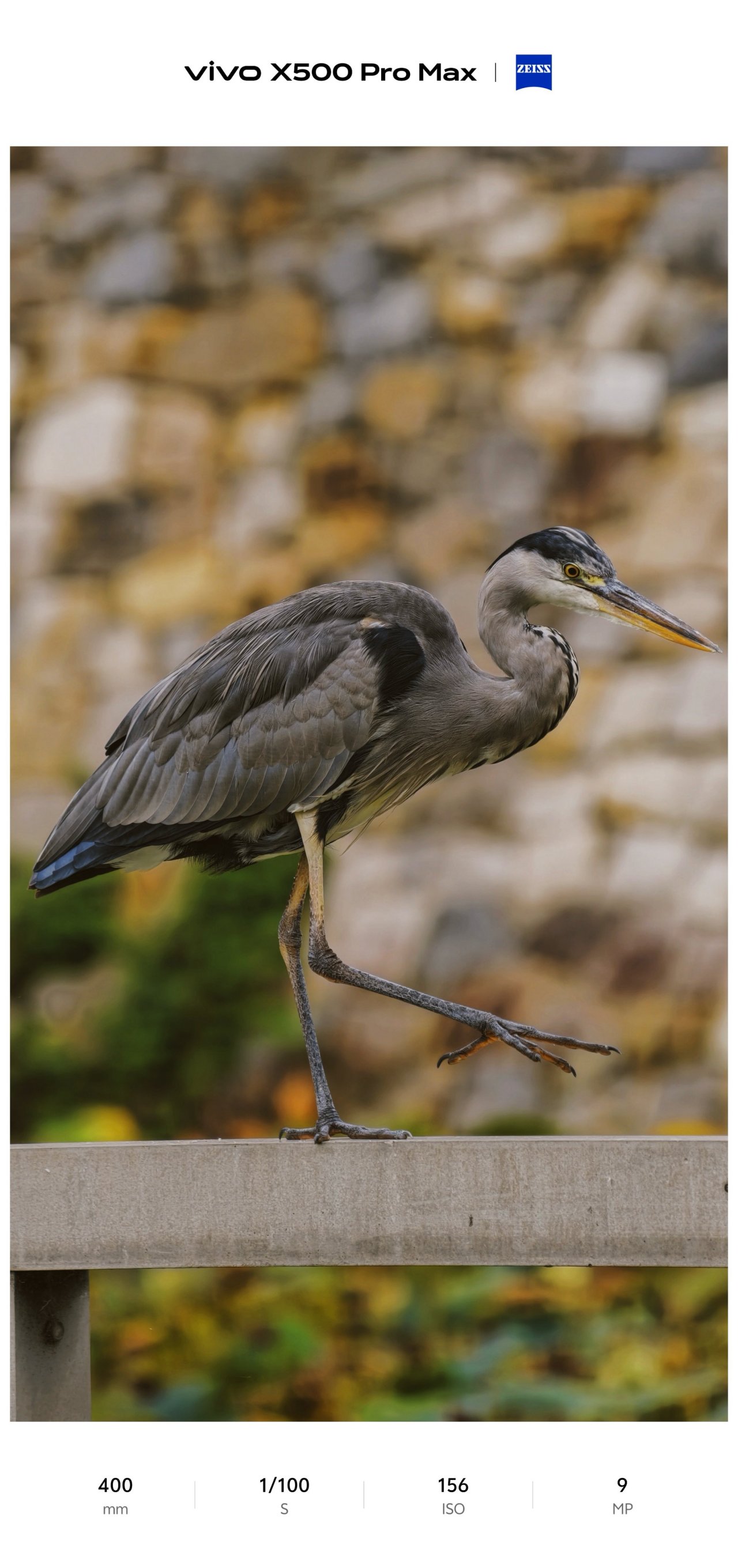
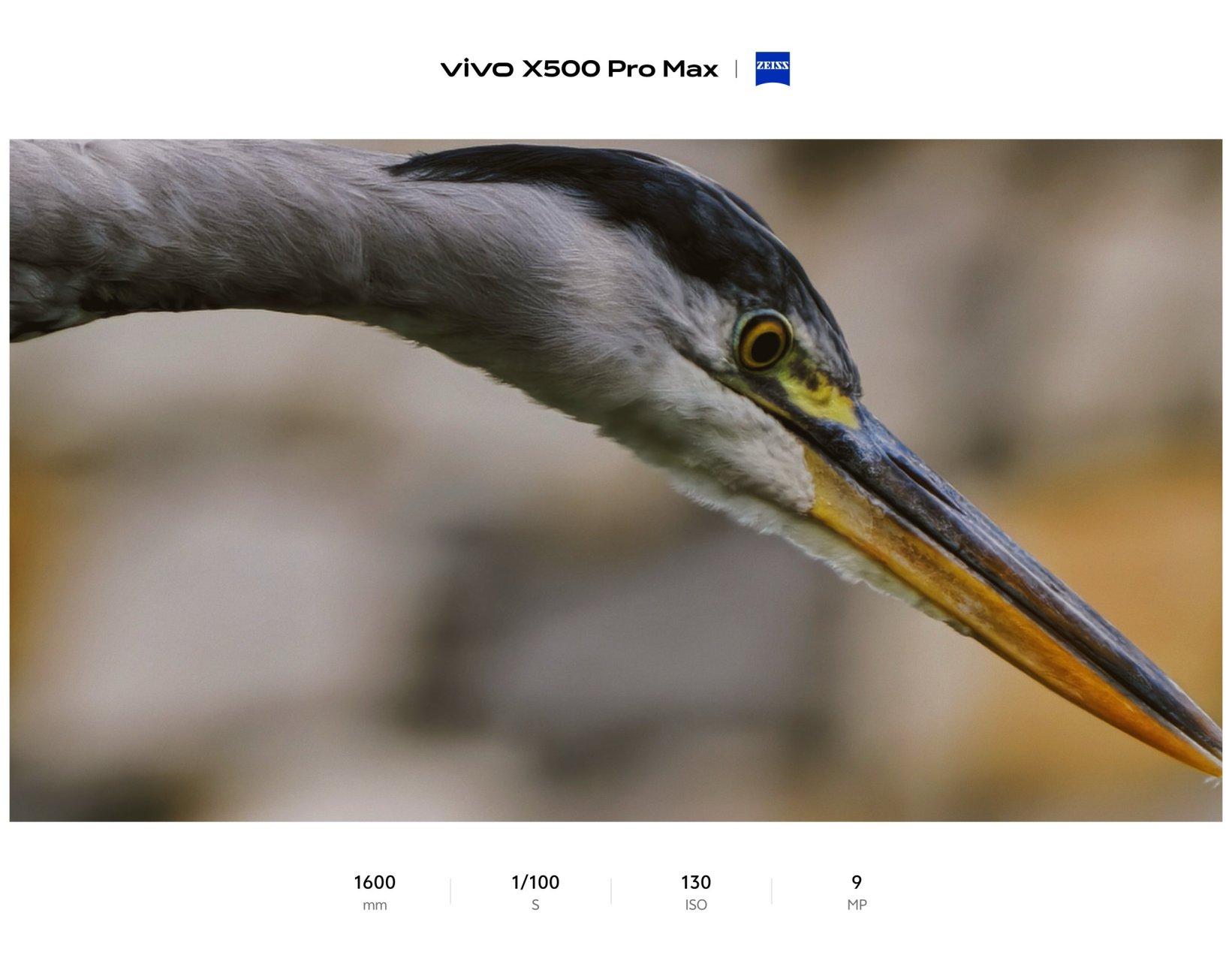
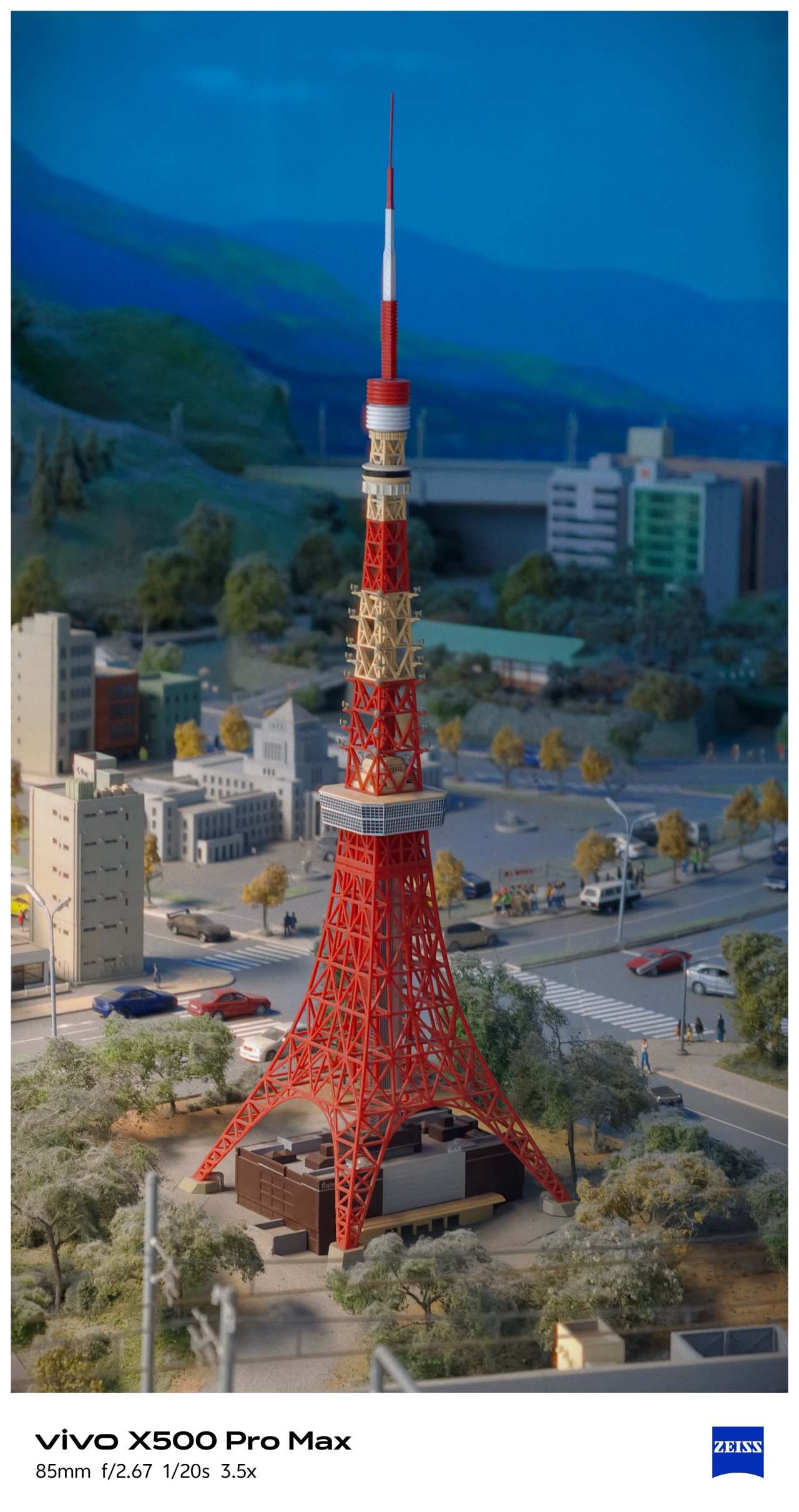
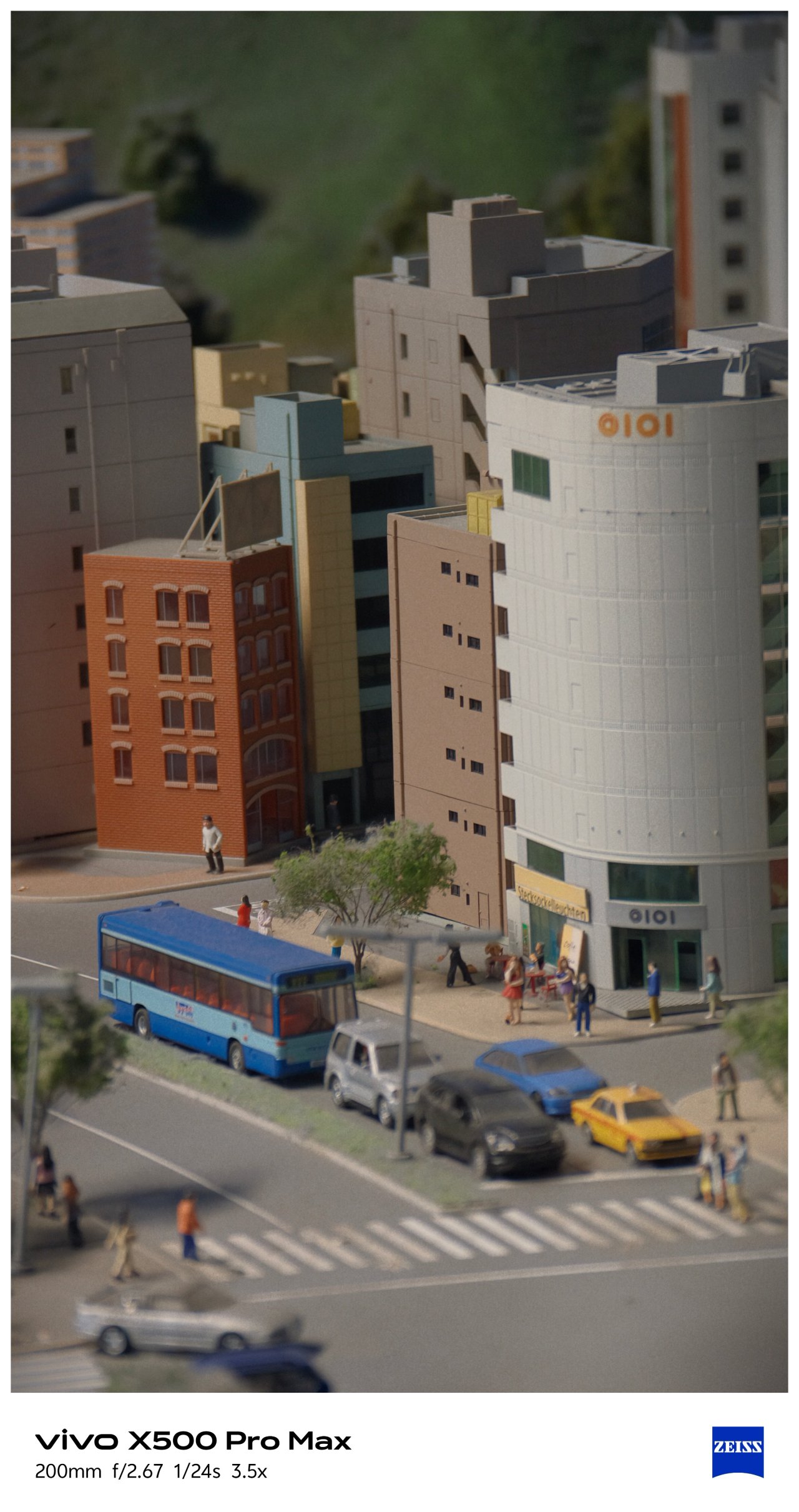
Although the vivo G2 and G2 Ultra teleconverter lenses aren’t new to the lineup, they remain excellent companions to the X500 Pro Max, further extending its already impressive optical zoom.
Both lenses allowed me to capture distant subjects with greater reach and detail across these shooting scenarios:
🕊️ Unintentional bird-watching / Nagoya-jo


🚅 Diorama drama / SCMagLev and Railway Park





🖤💀🪦 MCR – My Chemical Romance / PH Stop
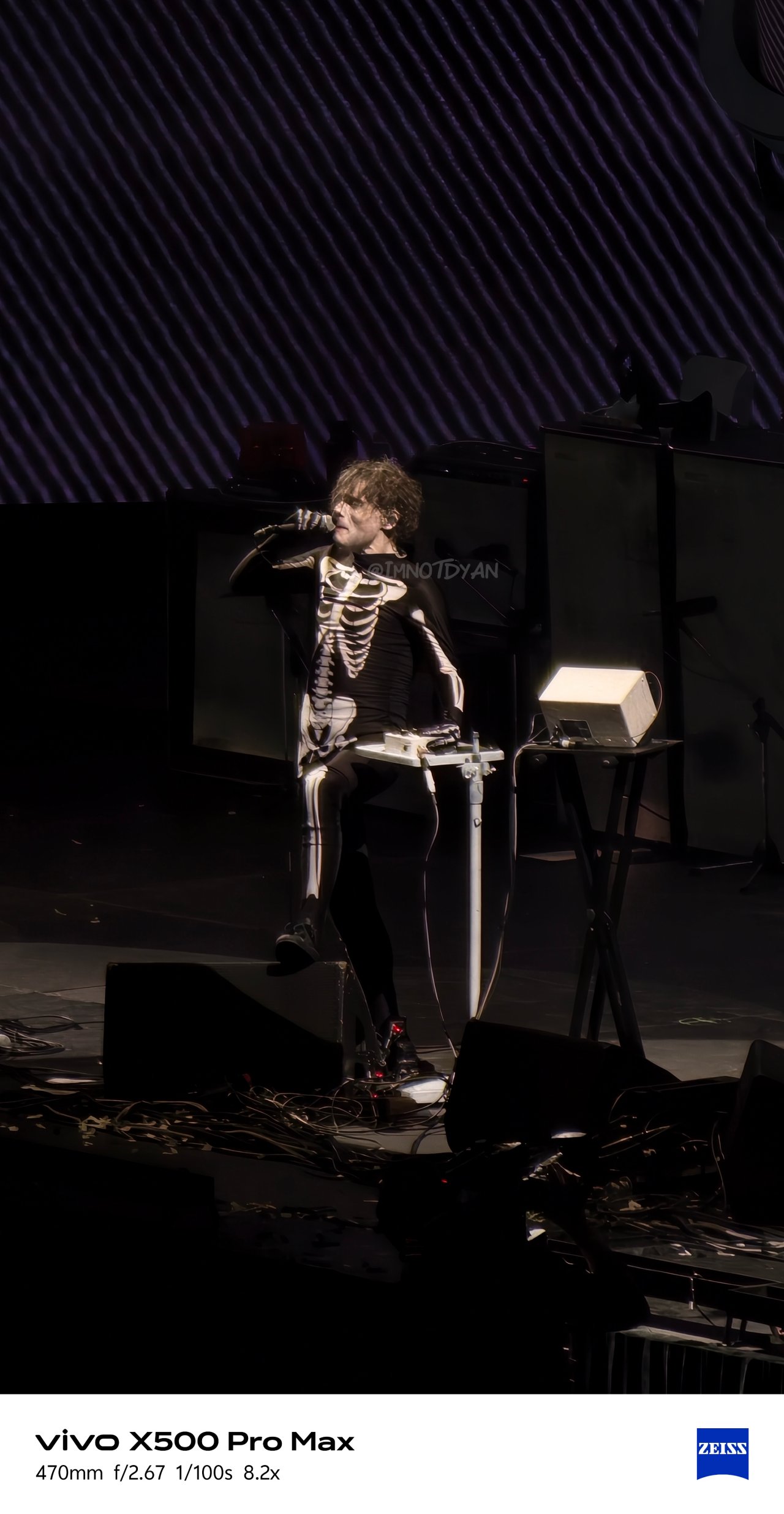

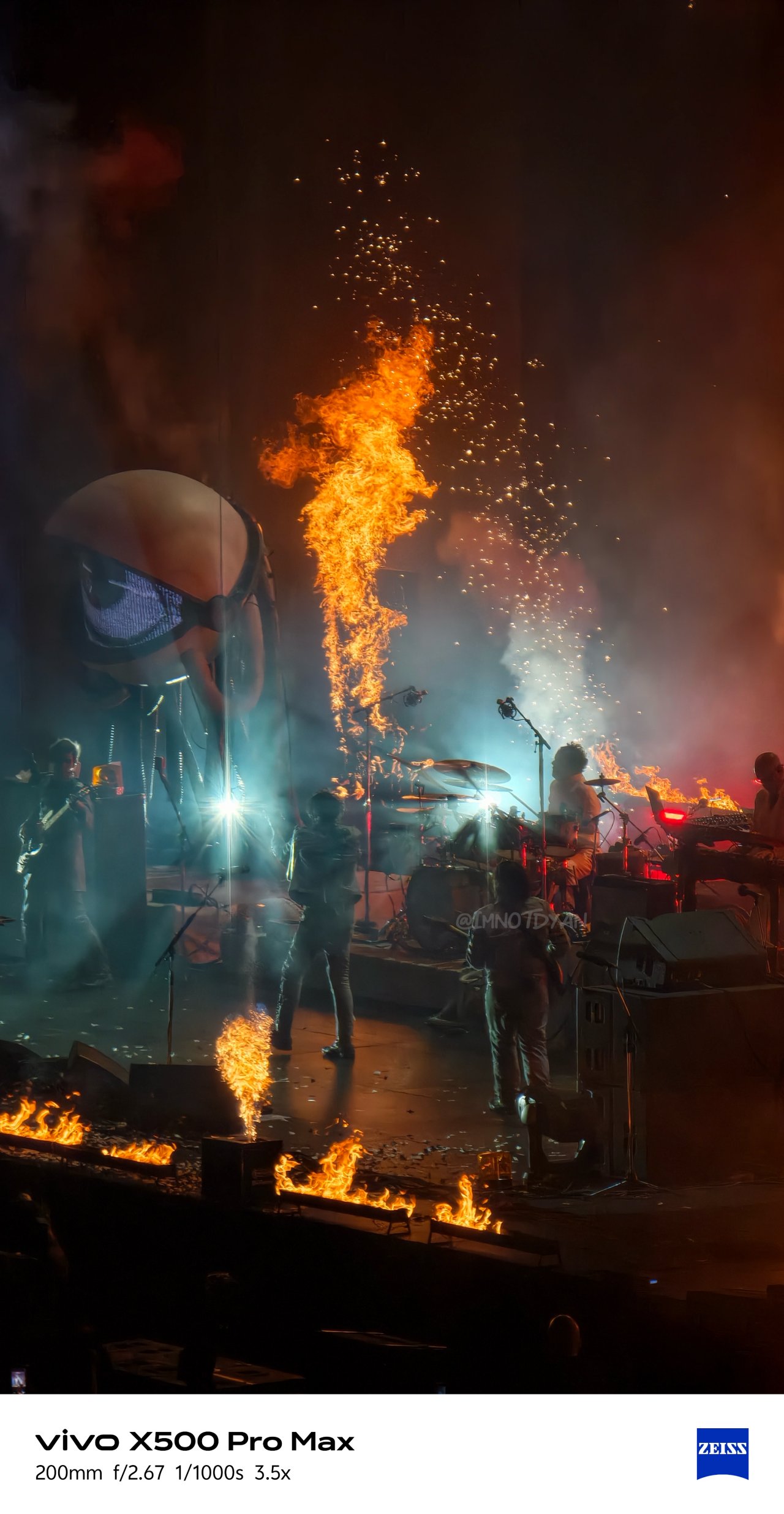


On the other hand, that battery grip made shooting more ergonomic and faster when attaching with either of the two lenses (which are honestly hefty).
Now, is this the most practical setup for everyone? Probably not.
For us who enjoy experimenting with intricate settings, different focal lengths, playing with colors, and capturing subjects from afar, buying the full photography kit is a no-brainer. But for casual photographers? The phone alone is more than enough.


But how is this setup any different from the X300 Ultra? Well, let’s move on to these two more accessories I’ll mention.
ICYMI, I celebrated my birthday alone in a far away land for the first time in forever. That meant the vivo X500 Pro Max was my only shooting companion.

vivo’s new magnetic wireless monitor was something I never thought would be my travel companion.






It’s a true blessing for any solo traveler slash introvert (like yours truly) who never asks a stranger for a travel portrait memento.
The newer magnetic case also helps bring the experience together, making the monitor setup more convenient to use.
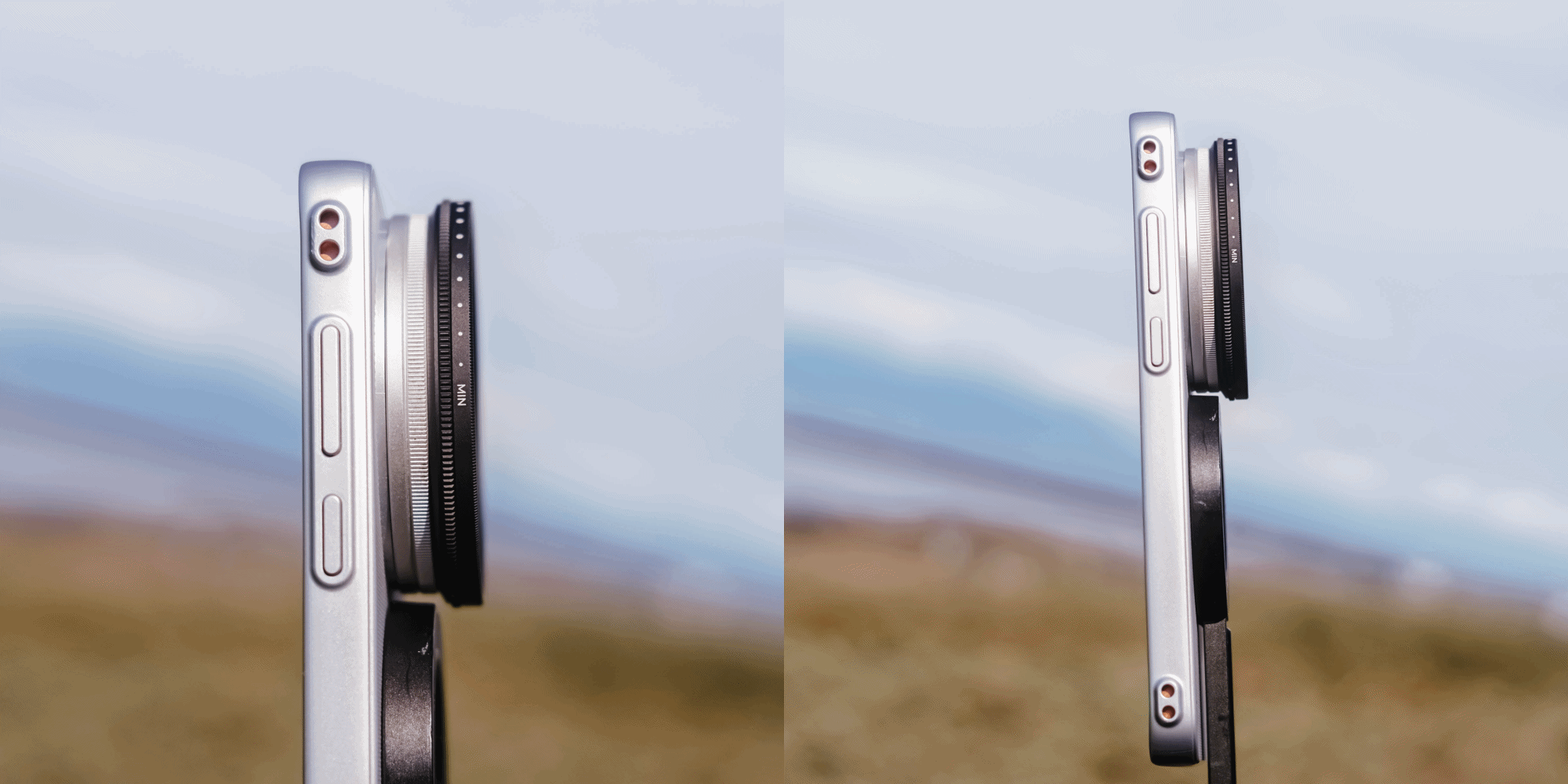
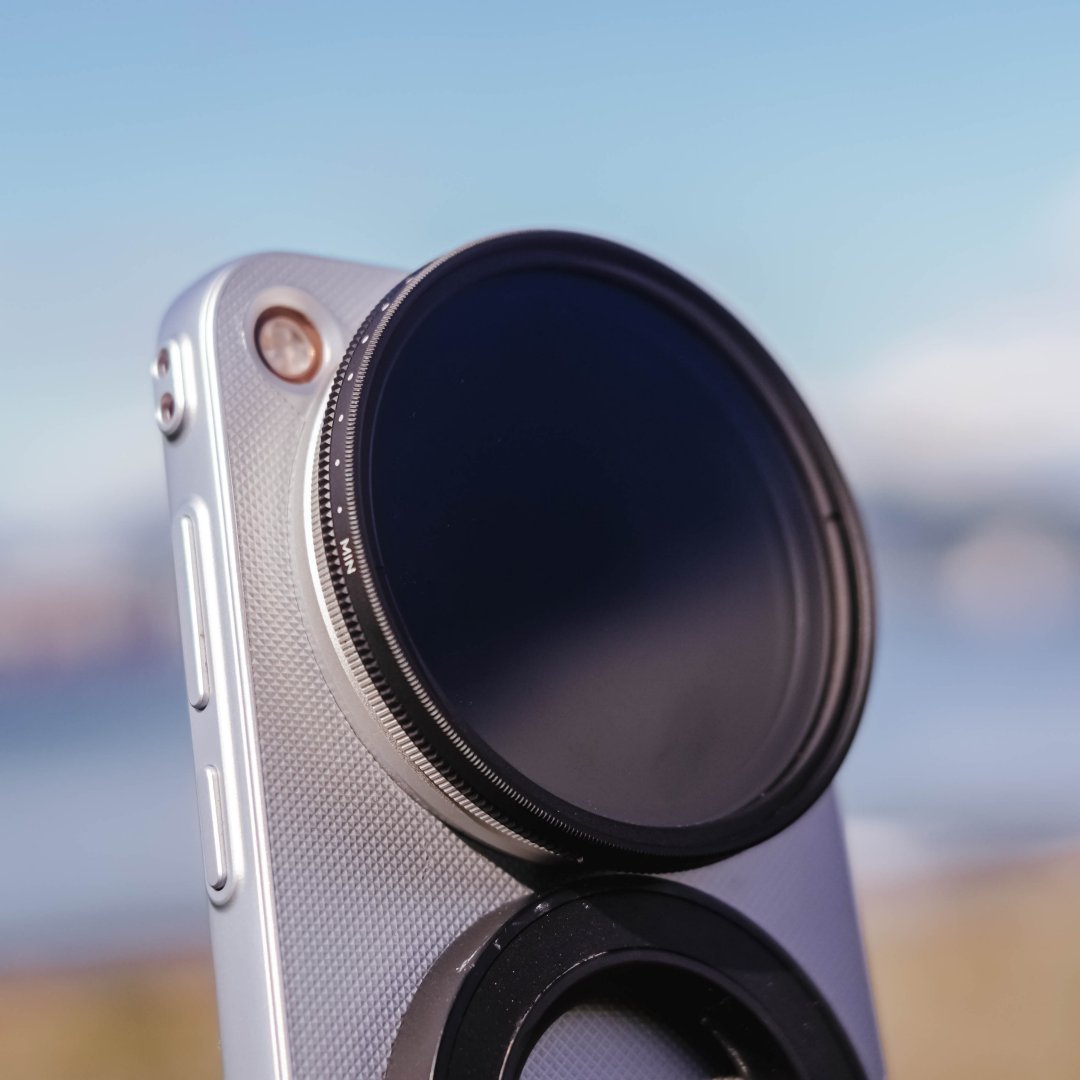
vivo also included a separate filter thread aside from the special lens mount. It serves its purpose as my 67mm variable ND filter attached seamlessly.
For me, these truly MAX out the vivo X500 Pro Max-perience.

Even if the camera bump was placed slightly higher, it still won’t make MagSafe accessories fit properly. You’ll only get it on the X300 FE or base X500 Pro with its smaller camera island (or plateau).
Slo-mo glory with a shaky story
The vivo X500 Pro Max is the first ever smartphone that can record footages in extreme 4K / 240fps.
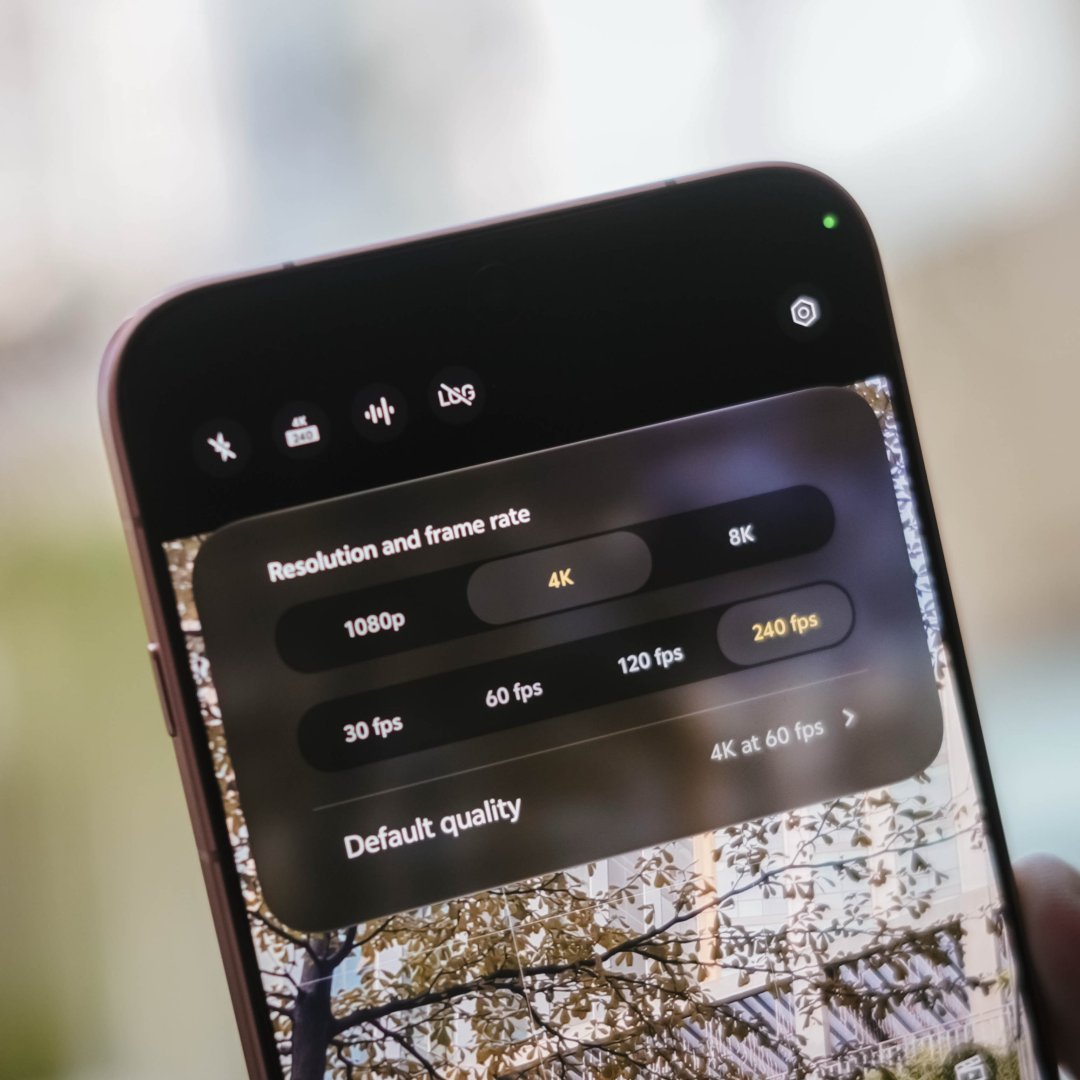

For someone who shoots in 60/120fps a lot, hearing this feature wowed me at first. Until I finally used the feature one fine day in Japan.
First, this capability is only limited to 1x shooting. No ultra-wide support. No telephoto slo-mo clips as well.
That also meant attaching the teleconverter kit lenses will lower it down to 120fps shooting.
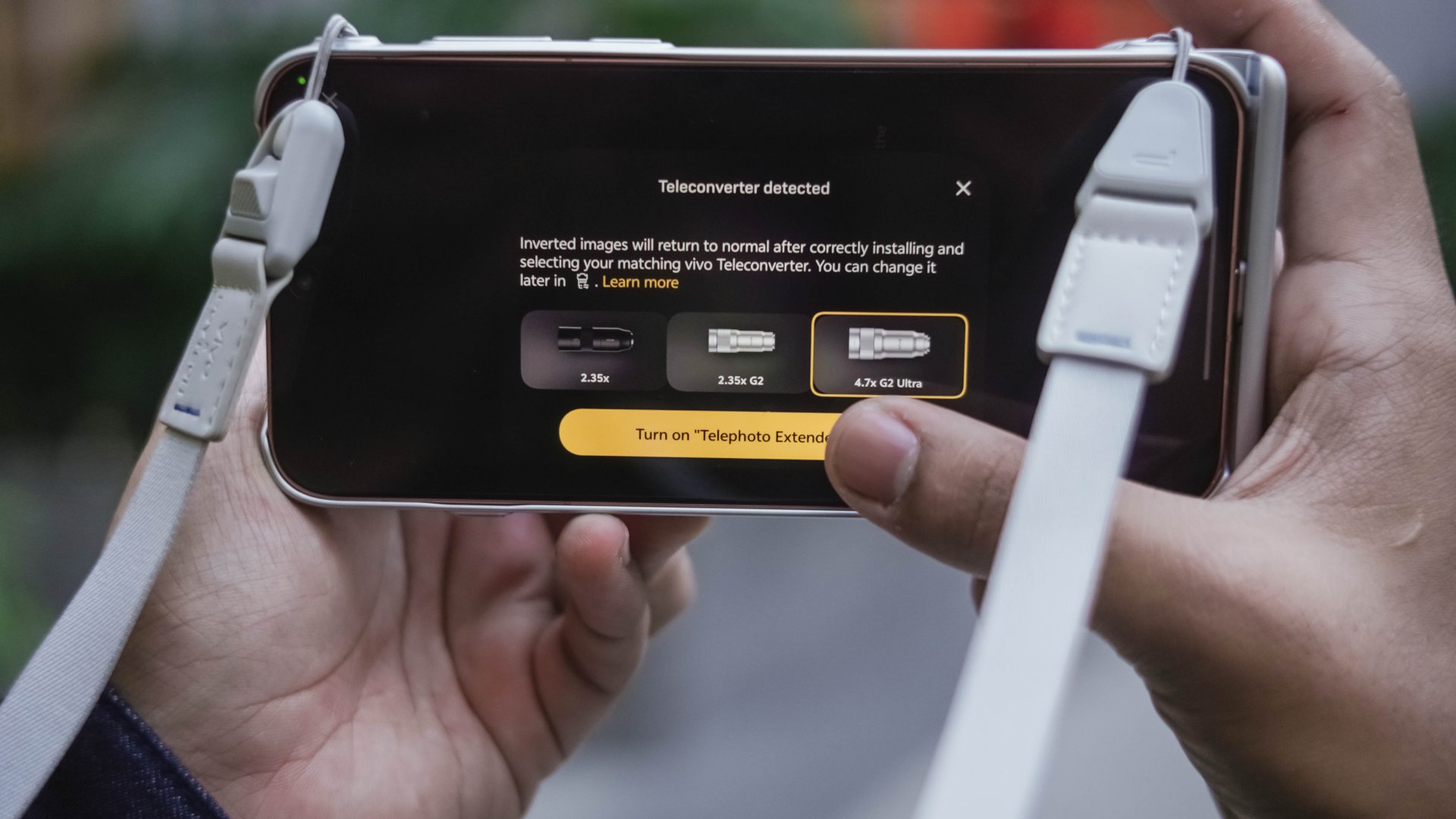
But that isn’t my major concern. Rather, the lack of video stabilization.
That means you can’t simply point the phone at any moving subject, walk around, and expect smooth results.
I tried shooting as firm as I can without any panning or movement. I even attached it to a MagSafe tripod but it didn’t help much.
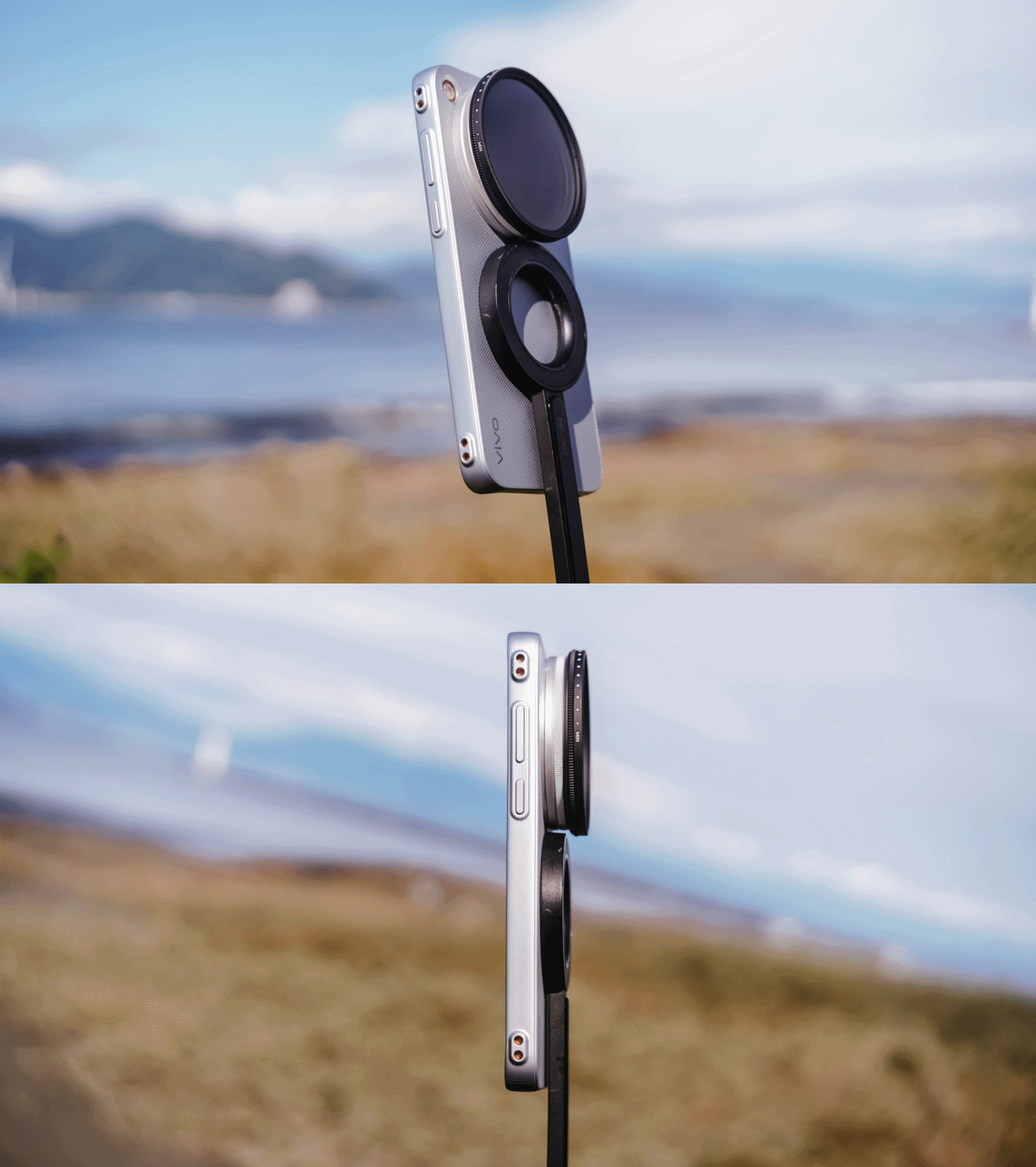
Even having several software updates, it still performed the same way. The only solution? Drag it to your laptop or PC and do post-edits.
In my case, Apple’s Final Cut Pro works best in this over Adobe Premiere Pro’s warpy and janky post-stabilization performance.
Hopefully, the next vivo flagship brings this fresh feature along a stabilization support across all lenses.
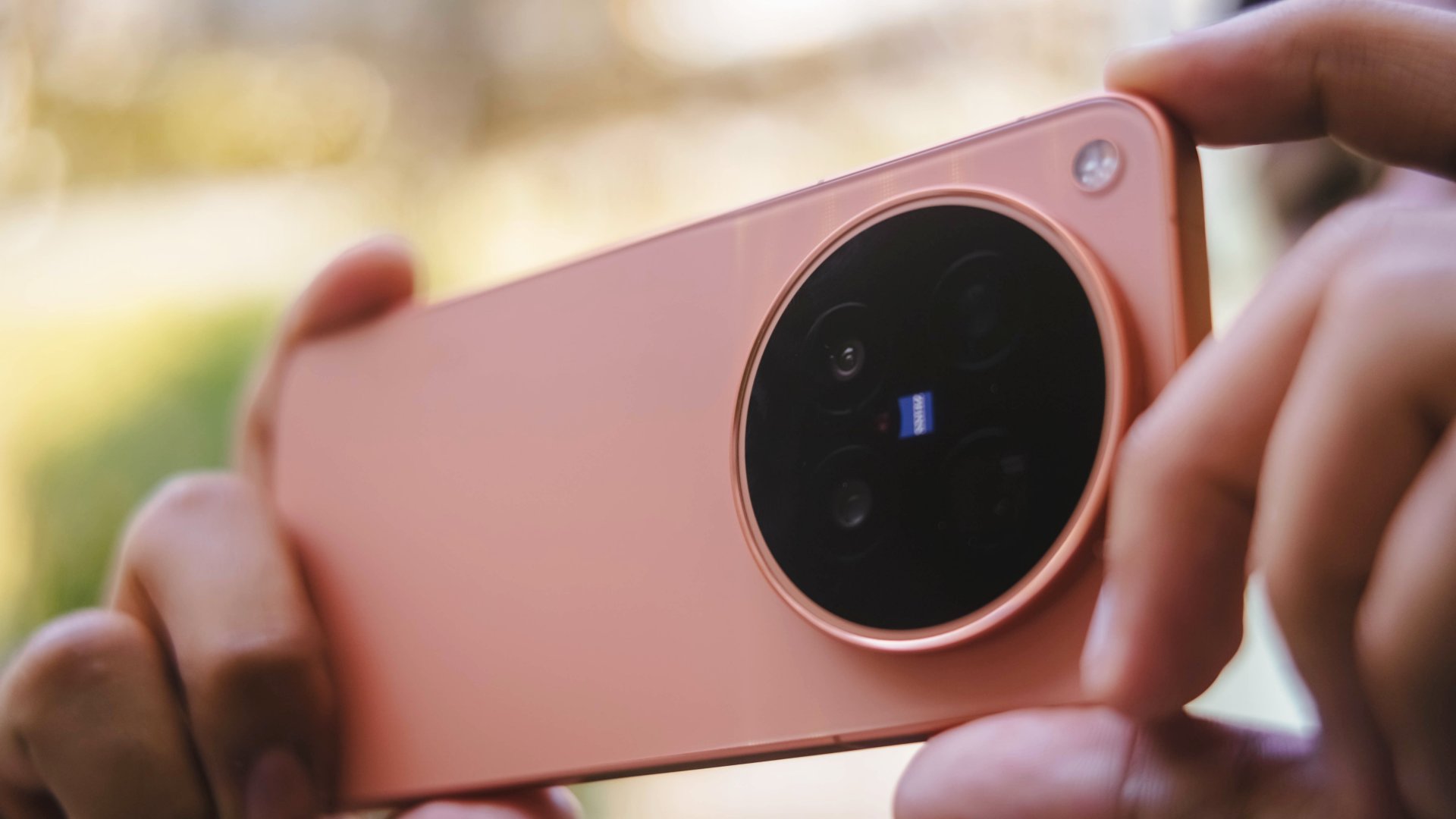
While this sounds like a heavy disappointment, it’s still worthy to note that X300 Ultra exclusives were also brought to the X500 Pro Max. Those include Pro Video Mode and LOG recording, as well as the film-focused Film Style mode, or even formulate your own color recipes with the Color Palette functionality.
Display delight, day or night
Consuming content is another way to appreciate the phone beyond its photography and camera capabilities.
Coincidental or not, the premiere of Doctor X: Mafia in White on Netflix happened during the second week of my review period.
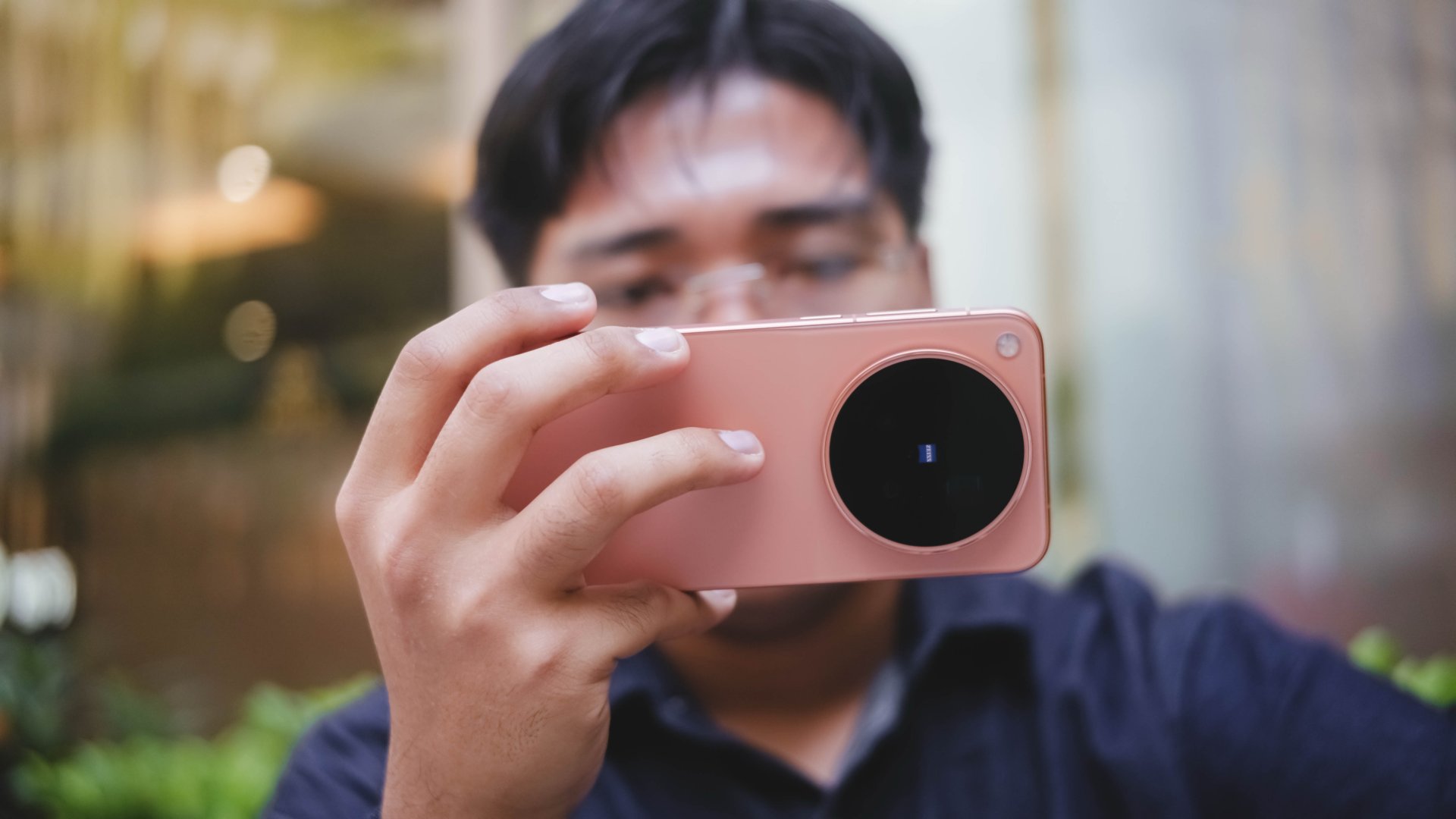
Comparable to Kim Ji-won’s blank-faced character, it’s the same with X500 Pro Max’s display. You’ll never know what that blank screen offers.
Diving deeper meant realizing that it’s one of the purest displays — just like Doctor X’s pure heart and soul.

Her exceptional surgery skills also remind me that the X500 Pro Max offers an outstanding smartphone display.
As sharp as Gye Su-jeong’s eyes, this phone also offers sharp details with its 507ppi pixel density alongside 2K resolution.
While it’s normal for any modern flagship to feature 100% DCI-P3 wide color space alongside support for HDR10+ and Dolby Vision content, it’s also worth noting that it supports 4400 nits high peak HDR brightness and an ultimately-low 1 nit when needed.

It’s also the first vivo smartphone to feature a bigger 6.85-inch LTPO AMOLED display. While it doesn’t scream much, it’s still slightly bigger than vivo’s standard 6.82 inchers.
Despite all the display specs I mentioned, this is also a reminder that a great display is also how we comfortably use it for our favorite content for longer periods of time.

I’m just happy to report that I never experienced any eye fatigue during my time with it. Be it in the plane or my capsule bed, the X500 Pro Max was able to serve me right both in low-light and under the harsh sunlight.
Every beat is a real treat
While I use my wireless earbuds 90% of the time, I still play the latest K-releases through a phone’s loudspeakers as long as I’m inside my room (or bathroom).
Another coincidental thing like Doctor X? The grand debut of A2O Soul and A2O Lite all happened during my stay in South Korea. I was instantly mesmerized by the addictive tune of NEON and got a little bit nostalgic as it leans more towards 2nd-gen K-Pop.

On the other hand, SUPERSTAR is something most people won’t get used to the first time they listen to it. However, playing it non-stop will make it as addictive as their sister group’s debut track.

A bittersweet feeling after all that fleeting? NMIXX’s Birthday Wish’s was released a day after I got home from my Seoul trip.

On Apple Music, I listened to tripleS’ ANDLESS and Xdinary Heroes’ Obsessed with Youth in Lossless quality. Unlike the previously mentioned songs, these songs are instrument-heavy.
Of course, the separation of highs, mids, and lows can be heard even in high volume.

While playing Lossless doesn’t fully guarantee that every part of the listening experience will be superior, it’s still the best audio quality you can possibly get in any smartphone. That said, your playback setup still matters.

What I can guarantee is that, the X500 Pro Max has one of the best loudspeaker setups in any smartphone today. It complements the display and performance that already make it an appealing all-around device.
Slay that play
Just like vivo’s first “Pro Max” smartphone, MediaTek also welcomes its first “Pro” chip (and also their first to be fabricated in TSMC’s 2nm process).
Lo and behold, the vivo X500 Pro Max runs the latest and greatest Dimensity 9600 Pro SoC.

Its monstrous core wants to defy the negative perception of tech nerds whenever they hear “MediaTek.”
As we always say in this website, we don’t munch on numbers. Go get those benchmarks elsewhere.
That said, my real-world gameplays will still prove how beast of a chip this is.

First and foremost, HoYoverse’s Zenless Zone Zero. For all we know, it’s one of the most graphics-intensive games out there. Surprisingly, the Dimensity 9600 Pro treated it like any other ordinary game.
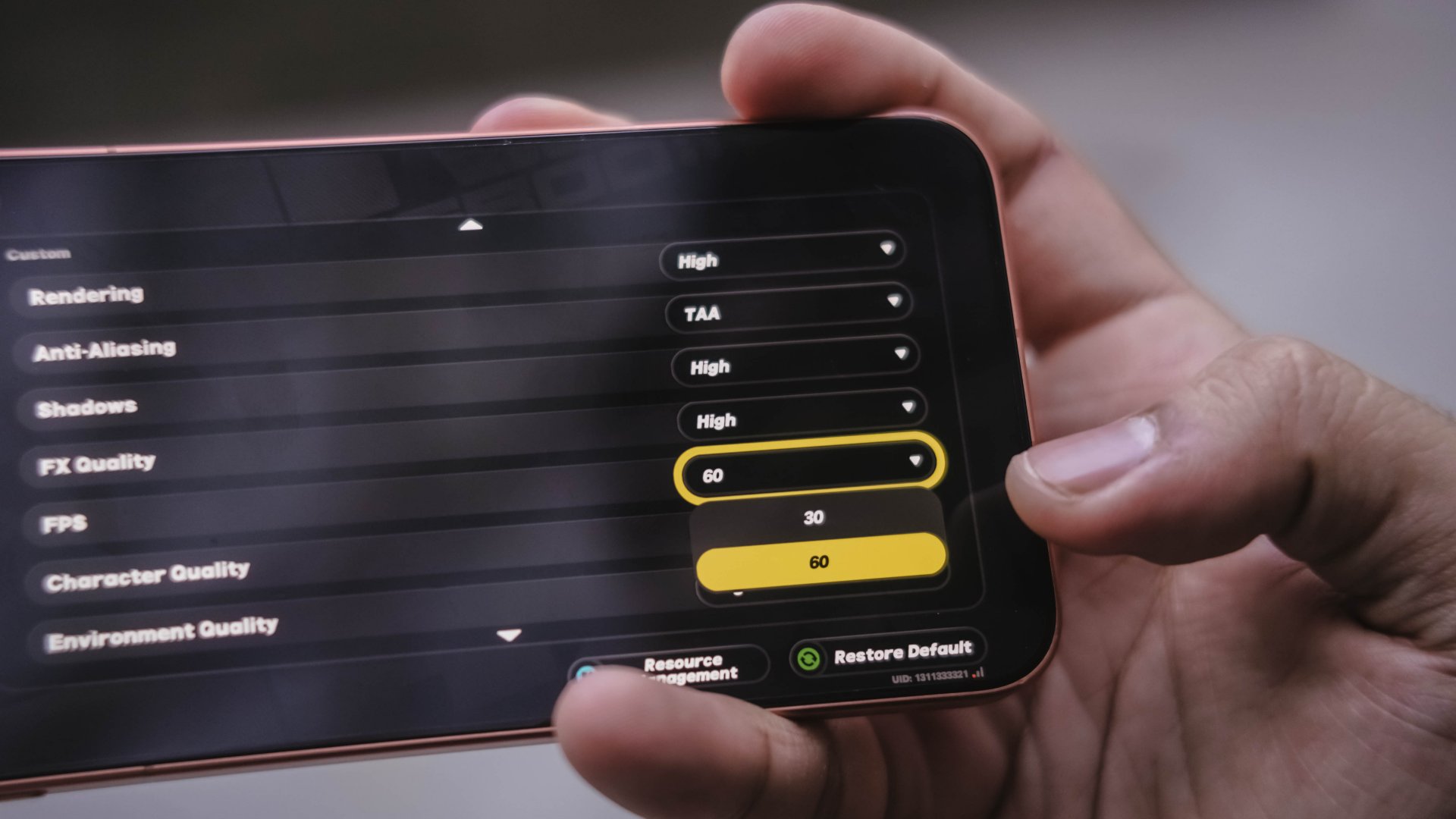
While High settings are on by default, it can even go further as I was able to play the game ever-so-smooth by enabling its 60fps frame rate setting.
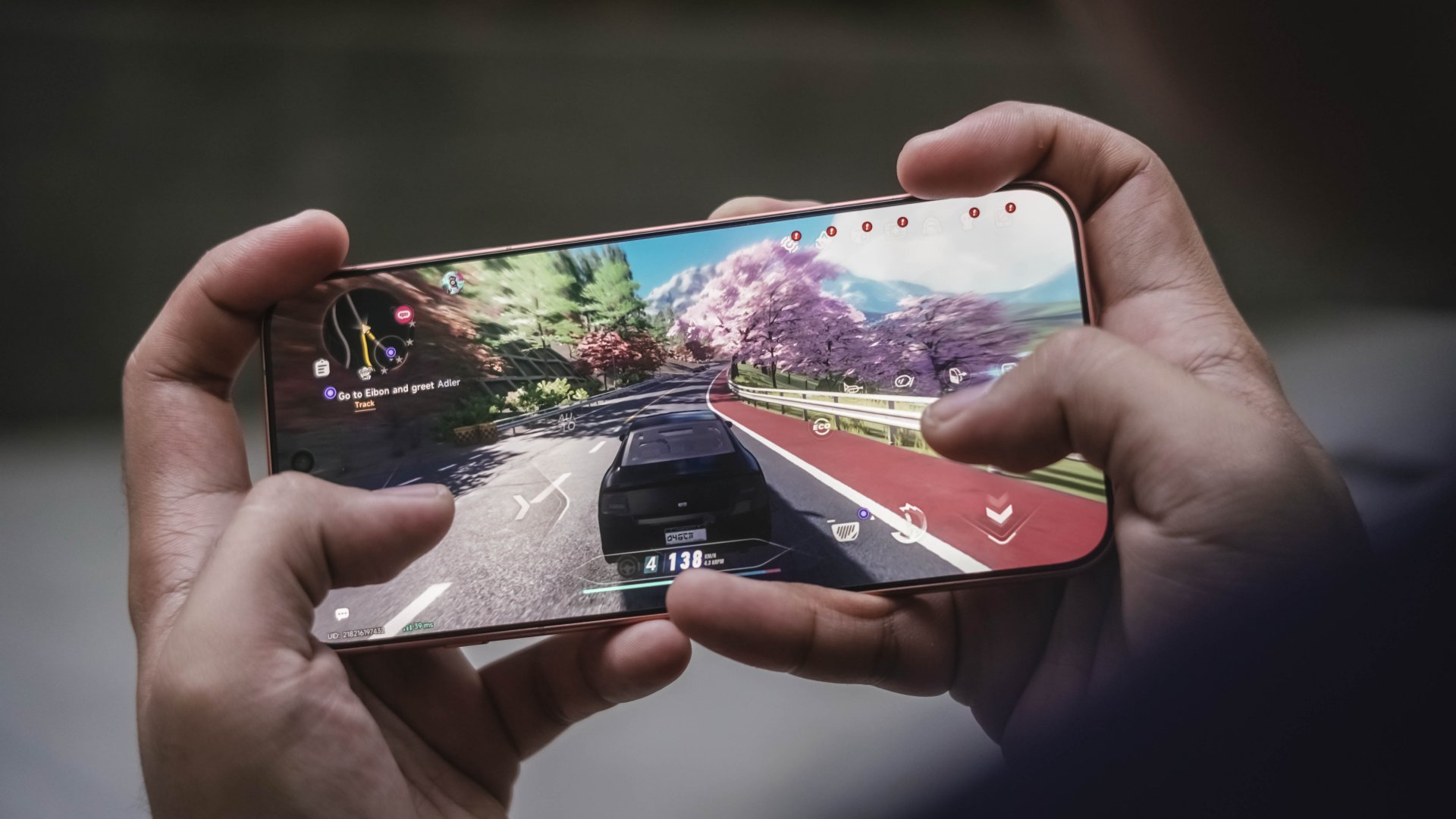
Neverness to Everness (NTE) comes second. Again, frame rate can be toggled at 60fps with settings set to extreme.
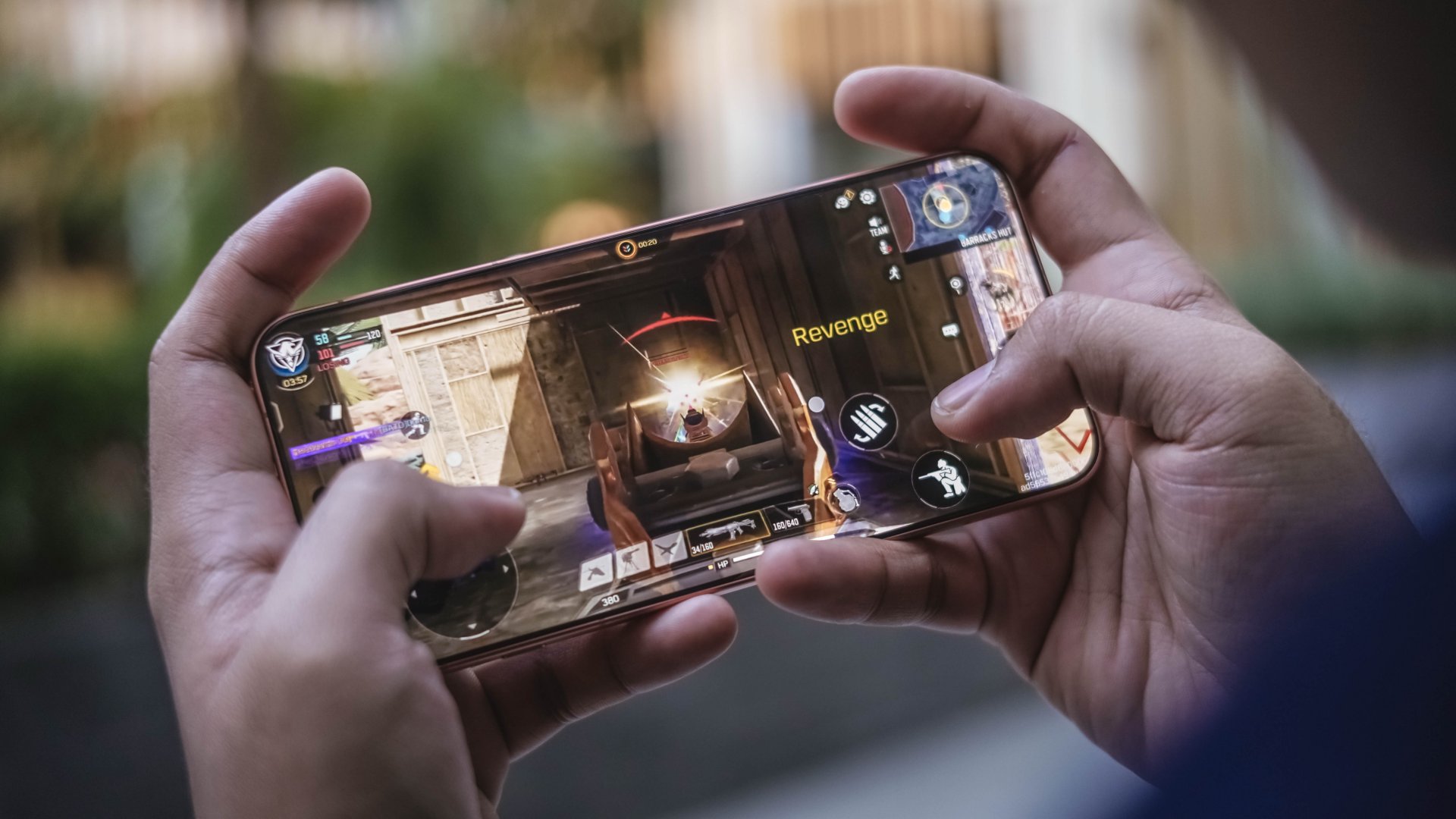
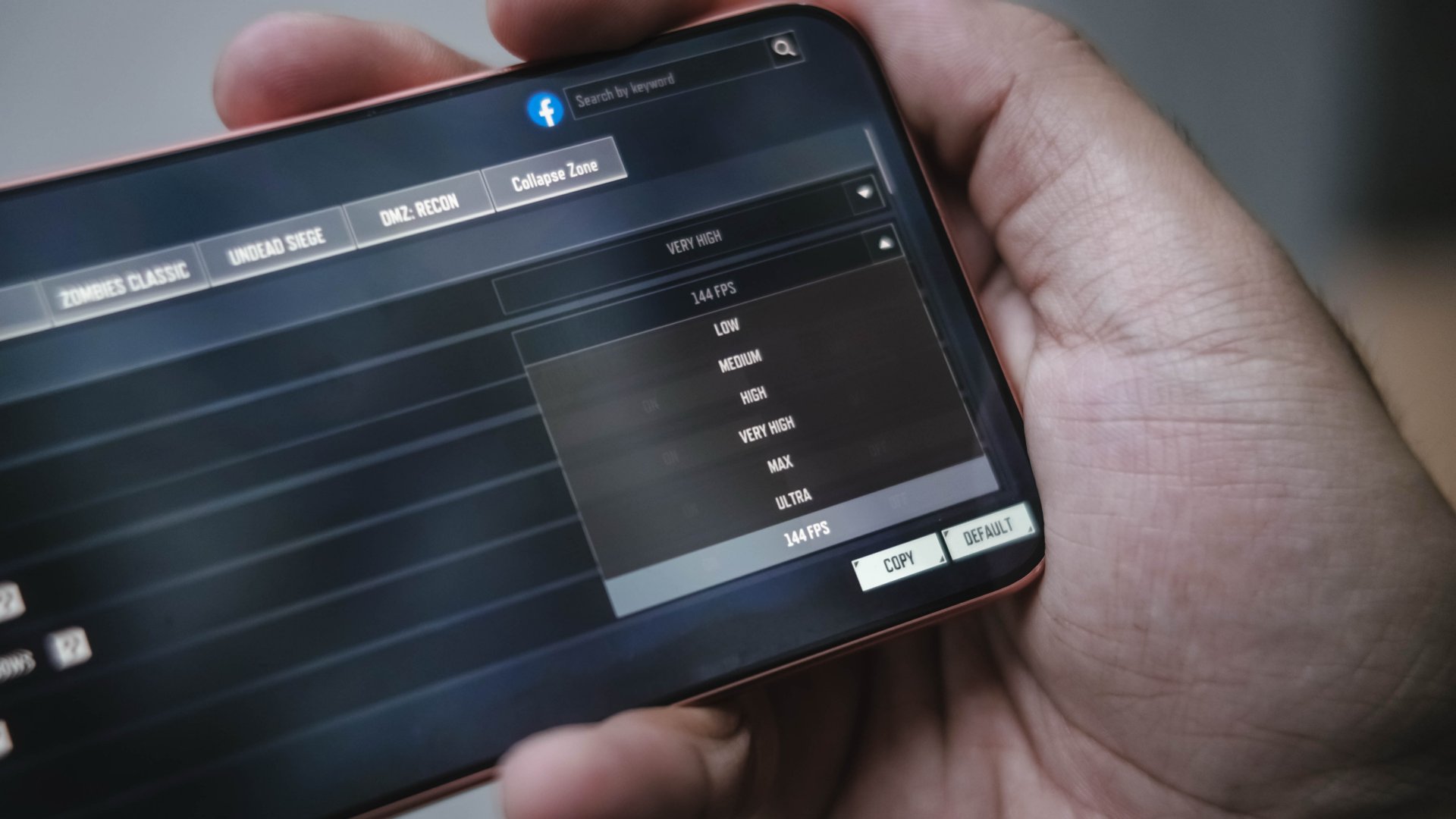
Do I need to add more? Call of Duty: Mobile (CoDM) also did the same thing, but at a whopping 144fps. A perfect complement to the phone’s 144Hz display.
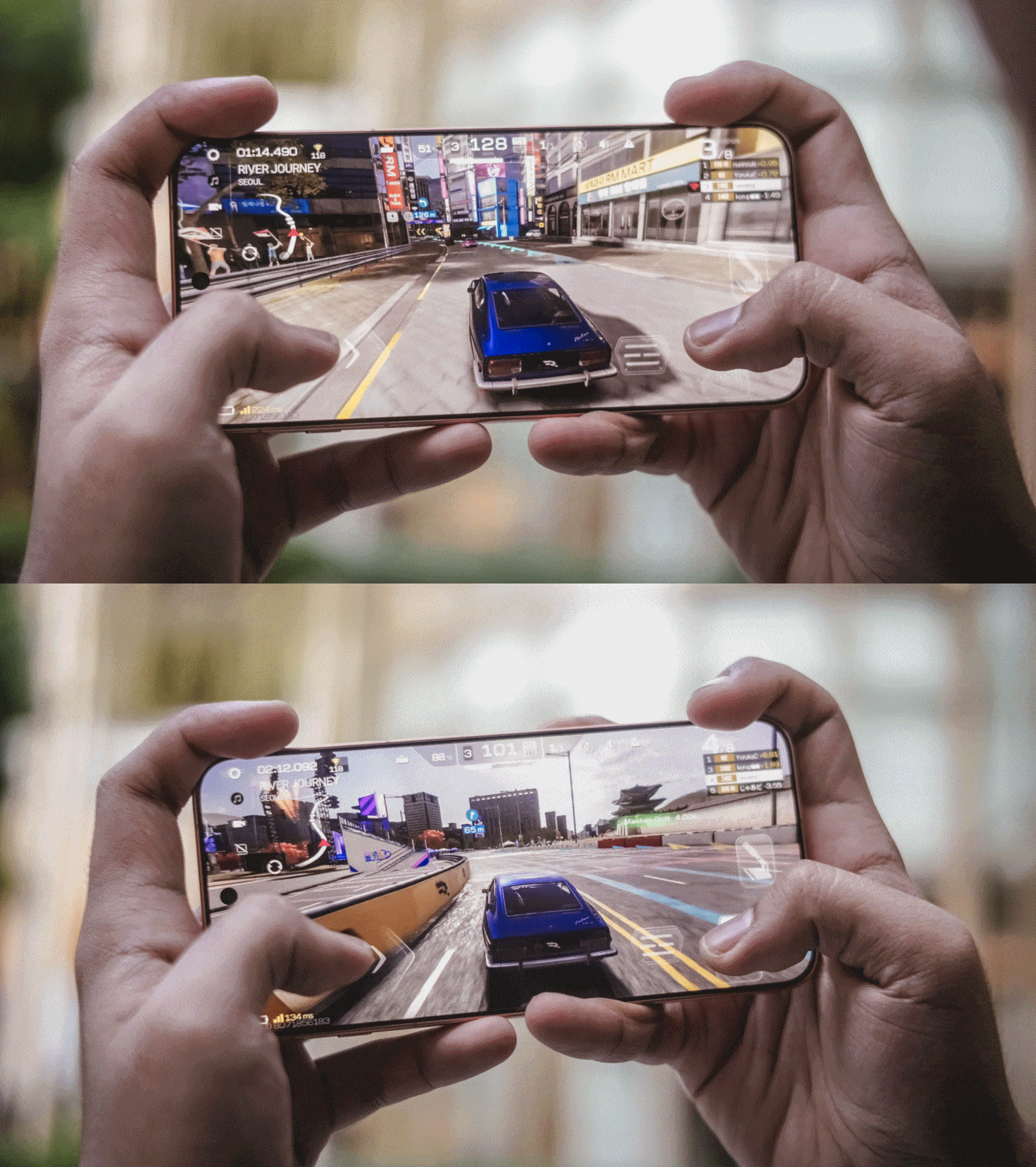
Racing Master? It obviously ran in high settings without stutters and jitters.
Of course, thermals, room temperature, and game optimizations still matter. Nevertheless, the vivo X500 Pro Max has the raw power to deliver an excellent gaming experience across these demanding titles.
Packed with might, lasting overnight
The vivo X500 Pro Max packs a mighty 8000mAh battery, the biggest in any vivo flagship to date.
In my actual use-case where I captured a lot of stills and clips during my Japan and Korea trip, trying to drain the phone was hard to accomplish.

Even when I set it as my personal hotspot, it still lasts by the end of the day with 20% left to spare. That isn’t the case when I did the same with the X300 Ultra. That 1400mAh boost clearly meant a lot for any heavy user.
Clearly, it will last more than a day or two under lighter to ever-so-moderate usage.
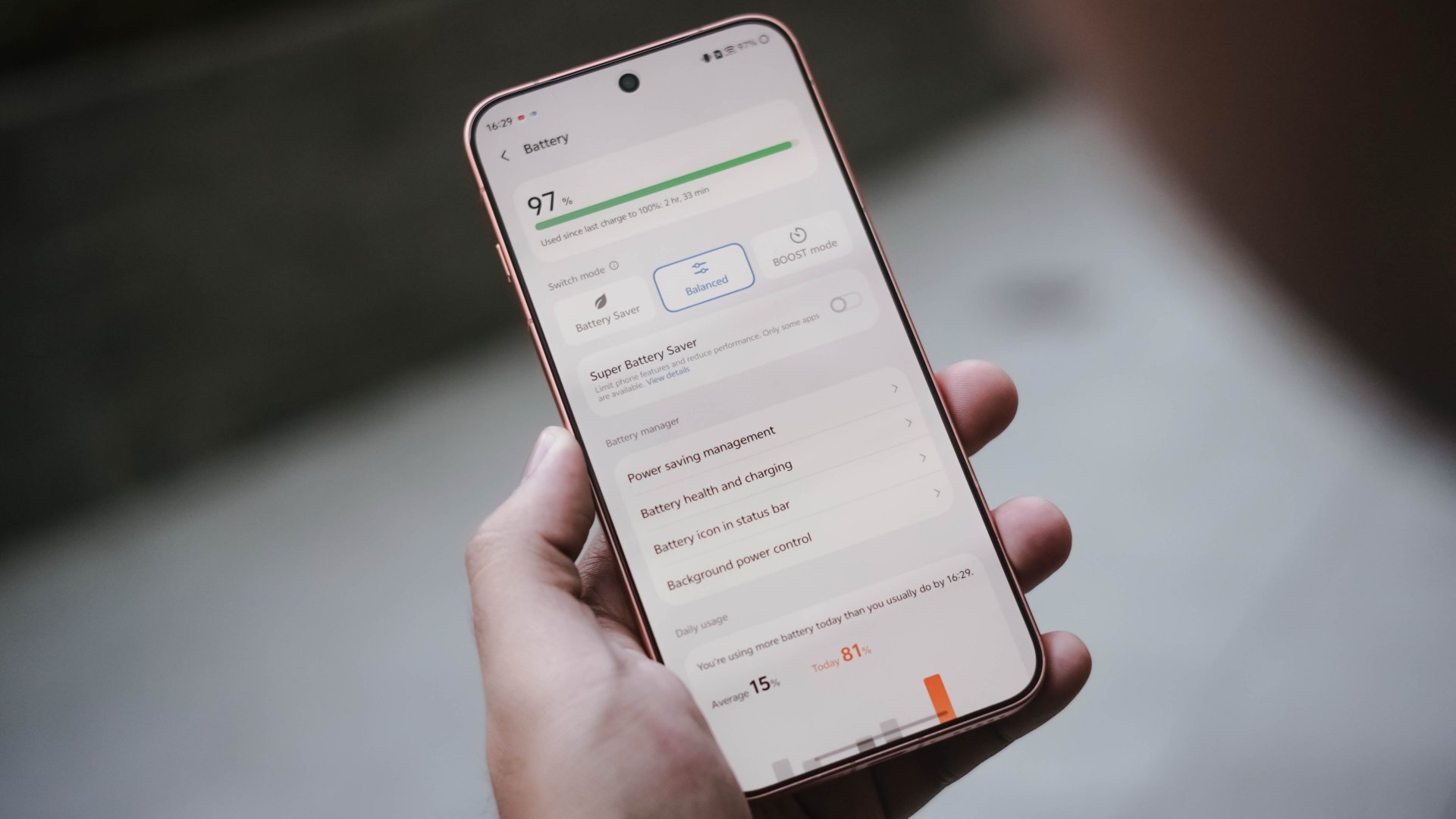
While I’m not ignoring the possibility that it might be due to better software optimizations offered by the Chinese OriginOS, it’s also due to a more power-efficient chip found within.
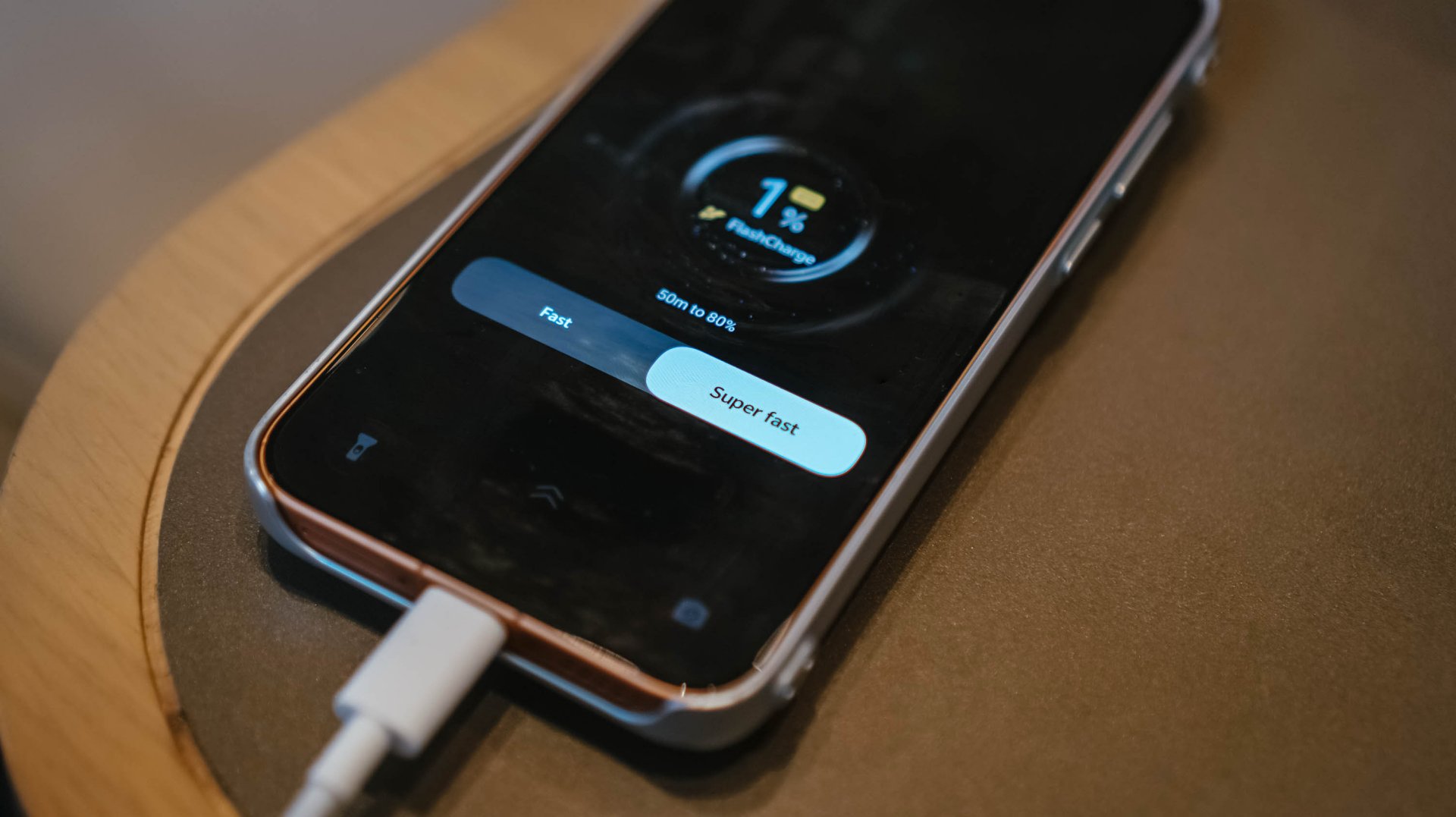
If it ever dies down, its bundled 90W FlashCharge adapter saves the day.
vivo 90W FlashCharge adapter |
UGREEN Uno 100W GaN charger |
|
START TIME (0%) |
2:35PM |
12:23PM |
3 minutes |
1% |
2% |
5 minutes |
6% |
4% |
10 minutes |
15% |
9% |
15 minutes |
17% |
15% |
20 minutes |
28% |
20% |
30 minutes |
49% |
30% |
45 minutes |
68% |
51% |
1 hour |
91% |
72% |
1 hour 15 minutes |
– |
85% |
1 hour 30 minutes |
– |
99% |
END TIME |
3:49PM
|
1:56PM
|
Third-party chargers will also work through USB-C PPS. You just have to be wary of the extra minutes when filling it.
Familiar face in a more refined space
For the longest time, I believed that the Chinese and global versions of Android software only differed in their system apps and default languages.
As this is the first-ever vivo smartphone I held running a Chinese software, this helped me decipher some of the differences between the two.
Fortunately, I was able to update the global X300 Ultra I possess to the latest OriginOS 7. While both phones feature that “Liquid Glass” adaptation, there are still subtle disparities.
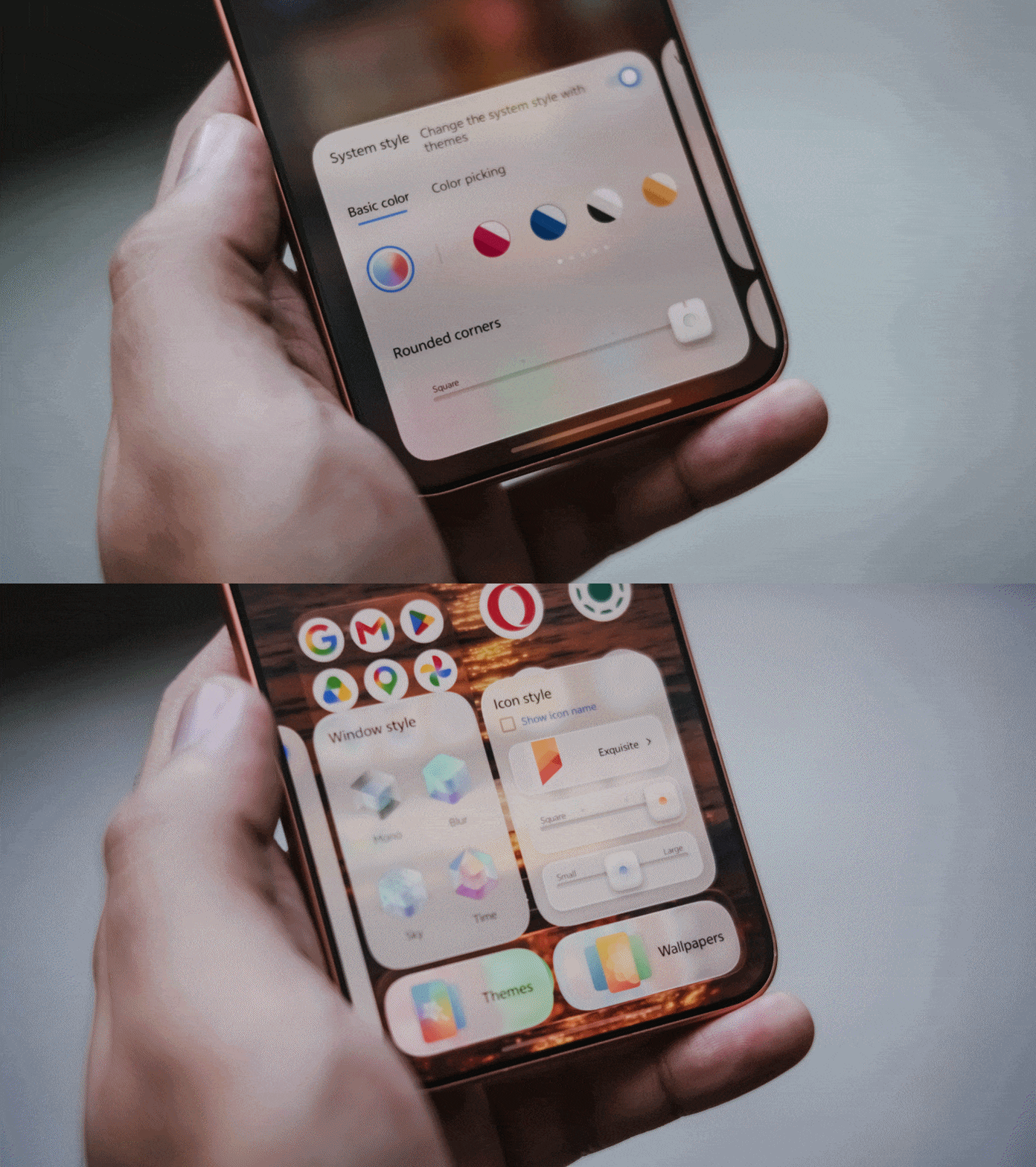
One of my favorite exclusives is Mood Cube. This allows me to customize the shape of app icons plus modify the corners of the Control Center elements just by accessing it through home page settings. This exact feature cannot be found in the global version.
Other visual gaps can be seen by the limiting 4×7 layout, opposed to global’s tighter 5×7 grid. It’s these small details I can pinpoint both as a reviewer and a creative.
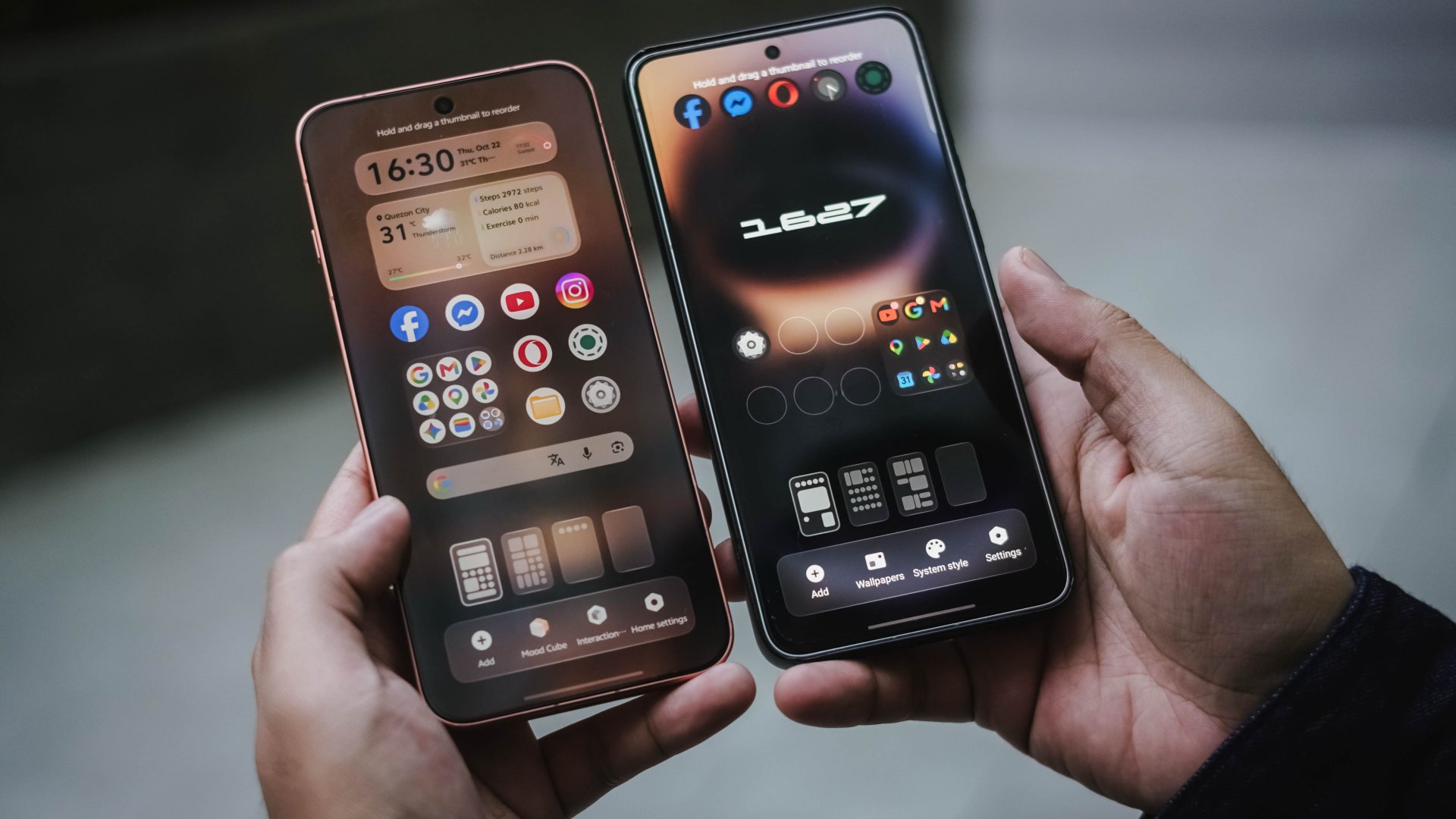
Other than software, there are hardware gaps too. Global versions are limited to 16+512GB or 12+1TB configurations. Whereas, the Chinese version maxes out at 16+1TB.
Batteries are different as well. Global version is capped at 7800mAh while those in Europe have an awfully smaller 6750mAh cell, closer to X300 Ultra’s 6600mAh capacity.
As a long-time tech-thusiast, I’ve been aware that Chinese smartphones lack eSIM support. Surprisingly, the vivo X500 Pro Max has one.
Addressing the elephant in the room…
And it’s none other than GMS (Google Mobile Services).
Well, I’m here to testify that the actual installation isn’t complicated. It’s straightforward just by searching and installing it through the native V-Appstore. However, even after setting everything, there will still be compromises.
First is the lack of Google’s Circle to Search as it’s tied to vivo’s BlueLM, which only works in Mandarin. And even if it’s available in English, availability is still limited to Mainland China. This doesn’t hinder you from using your favorite AI apps though such as ChatGPT, Google Gemini, or Claude.
While long-time users say there’s a workaround, most people won’t bother.

Another would be the absence of Quick Share. Since it’s also a Google feature, Chinese ROMs simply lack it — regardless if it’s a vivo smartphone or any Android brand.
The quickest way to solve this? vivoShare and EasyShare both exist. Another would be my all-time fave LocalSend through Google Play installation. Bada is also a great substitute but only accessible via GitHub.
If you’re a MacBook Pro user like me, there’s also the vivo Office Kit. It’s the next best option when backing up files in bulk aside from plugging an external SSD through the phone’s USB-C port.
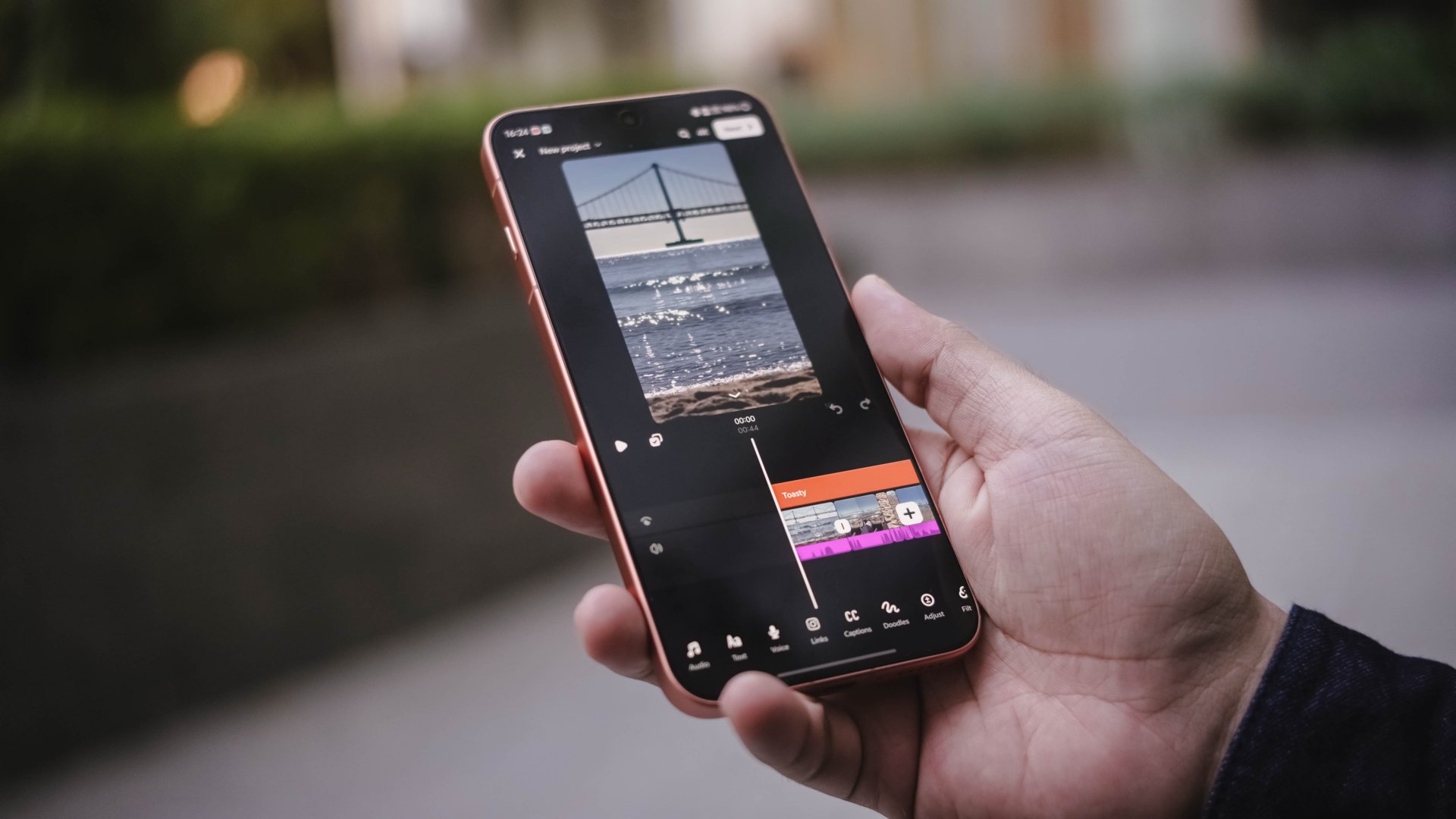
Lastly, notification reliability is buggy — and you may already have heard of this issue from other users. I sometimes receive real-time notifications on certain apps while others are delayed by minutes or hours.
Is the vivo X500 Pro Max your GadgetMatch?
I won’t make this any longer. The vivo X500 Pro Max is a Super Swipe and deserves the GadgetMatch Seal of Approval.

If it’s not evident enough with my myriads of sample photos, the clear winner has got to be its superior camera hardware. Complemented by the full-fledged accessories in its Photography Kit, vivo truly nailed and polished this release even further.

Unless you own the very recent X-releases, the vivo X500 Pro Max is worth splurging for. And if you do, getting the Chinese variant gives you the MAX hardware — as long as you can deal with software compromises.
Now, if the X500 Pro Max is already this great, how much more in the upcoming iteration? I cannot further wait with what vivo offers in their next best flagship.


Apple’s smallest tablet just got its biggest upgrade after two long years!
The 2026 iPad mini now features a brighter than ever OLED display, a more powerful A20 Pro chip, improved (and almost non-existent) speakers.Plus, ever durable with its IP67 water and dust resistance rating.
In this video, THE Michael Josh takes a closer look at everything that’s new, what he loves, what’s still missing, and whether the new iPad mini is worth upgrading to.
Here’s our in-depth review of the all-new 2026 iPad mini OLED.
Gaming
ROG G700 review: The best prebuilt PC you can get off the shelf
This PC will make you stop worrying about specs.

The last time I touched a PC was 2014.
At the time, I’d just finished moving houses. While my old house had space for a desk and a fairly decent PC for its time, I opted for a smaller workstation because I was confident that laptops were the future.
Now, more than ten years later, I wish I didn’t dismiss PCs so readily. Thanks to AI, the price of a new PC has reached new levels of absurdity today. It’s not easy to stock up on components anymore.
So, it was like a very heavy blessing falling down from heaven and crash-landing on my lap when the ROG G700 arrived on my doorstep. It’s my first PC in over a decade, and, wow, what a return.
A box with everything you need
The art of building a PC takes a lot of effort these days. You’ll need a command over every little detail that every single component can do. Obviously, you also need to time the market for better prices.
That said, the ROG G700 is not for the minmaxers. It’s a fully built tower you can — gingerly — pick up from the shelf and play on just as soon as you get home.
It’s perfect for people like me. Now, if I had the time and the money, I’d definitely make a little more effort to explore every single detail. However, as someone returning to the PC world after a decade, this prebuilt PC is more than enough to dip my toes back into it.
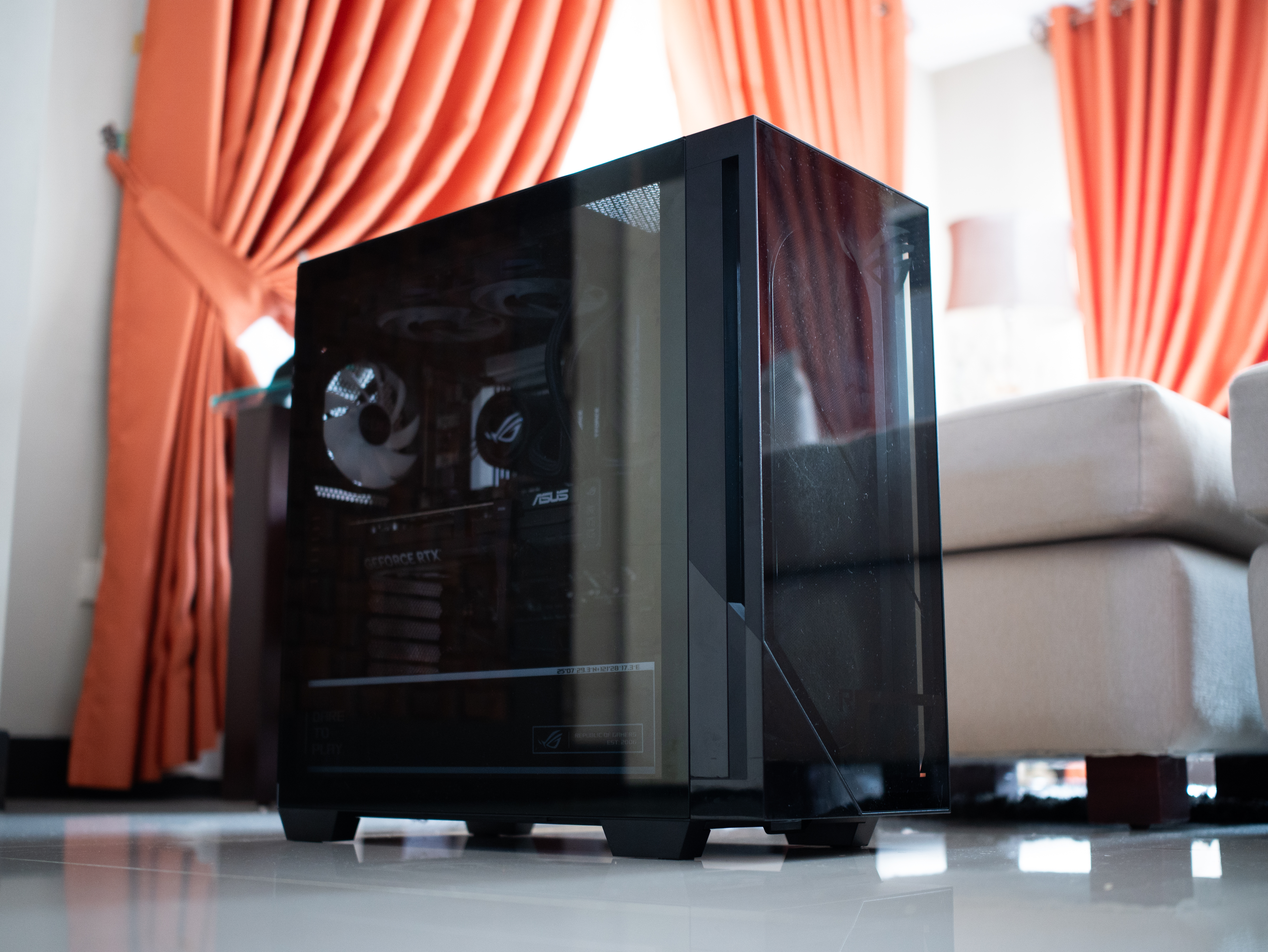
It is quite the package, though. The tower is 9.45 inches wide by 20.05 inches long. It’s also 18.88 inches tall. If you have a small space, you might struggle to find a space for this behemoth.
Plus, it weighs 40.39 pounds. If you live up a flight of stairs, you’d better not skip leg day. Even then, it was scary to handle this tower, knowing how much hardware I was holding up a few feet from the ground.
A clean design for gamers
Usually, I’m not a fan of heavy gamer aesthetics. As much as I identify as a gamer, I prefer keeping that part of my identity lowkey from how I look. I don’t go for all the edgy angles and the RGB lighting.
But the ROG G700 is one exception to my rule. Even then, it’s not that huge of an exception.
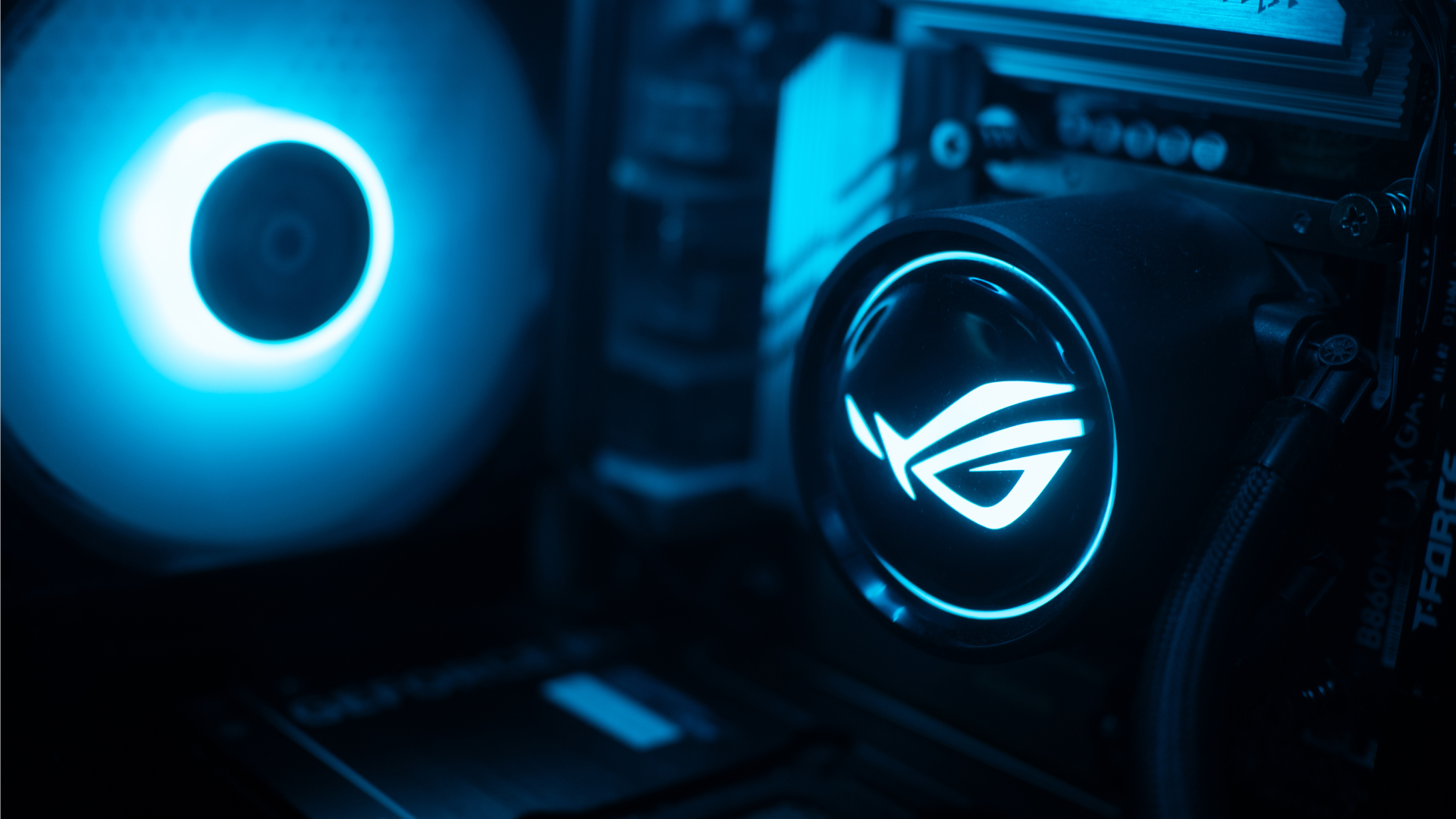
The ROG G700 exudes that gamer aesthetic, but it’s still pretty clean. The chassis has subtle grilles that ease cooling. The main panel is transparent that peeks into a cleanly organized system with heavy ROG visuals. The brand’s logo is peppered throughout the system. The RGB lighting, though bright at times, was easy to get used to.
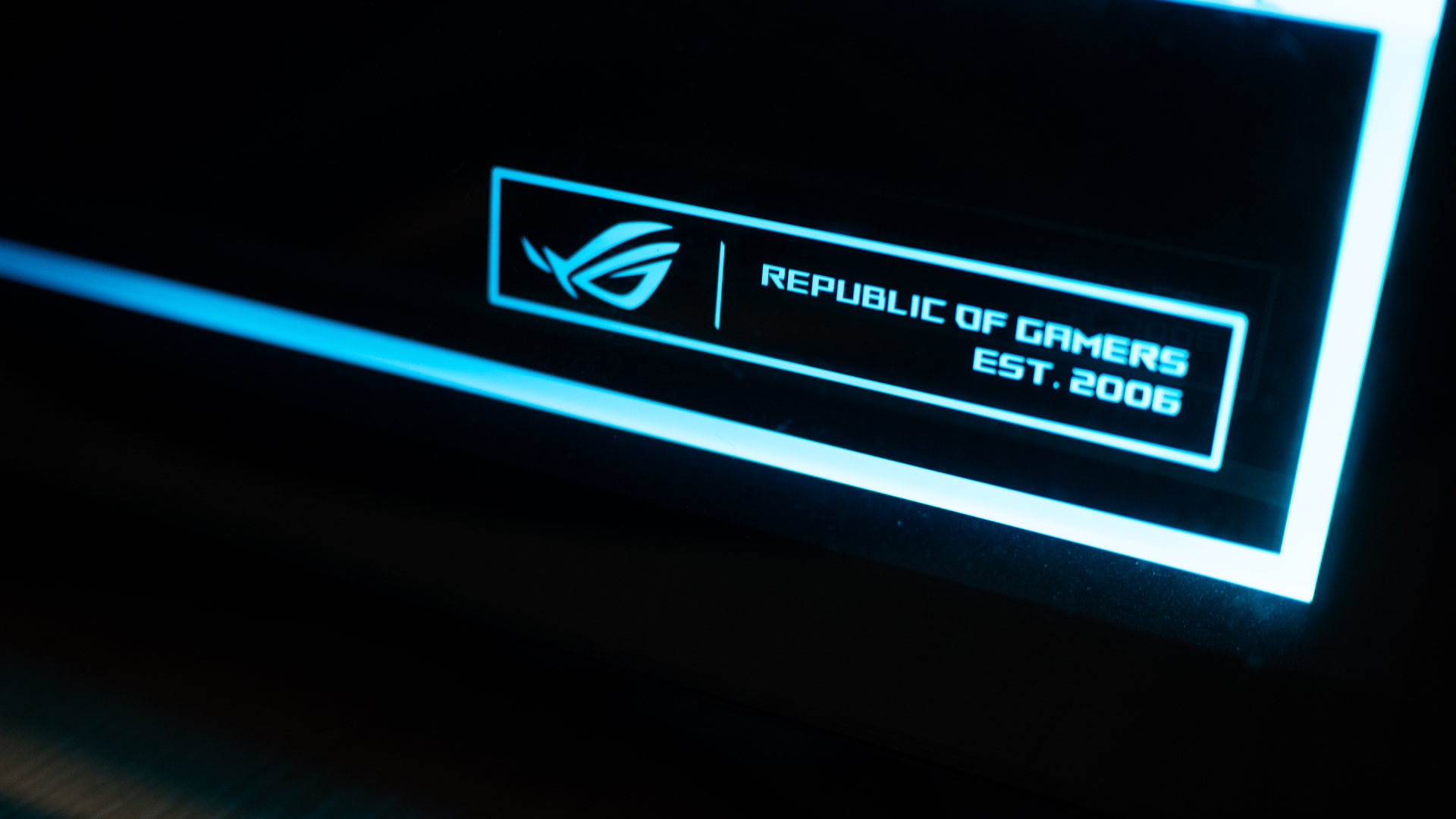
Personally, I liked how clean the internals are organized. It always hits the right part of my brain when I see something well put together.
Additionally, though it could use a tiny bit more, the G700 has an ample number of ports well situated at the back and up top. When I was setting everything up, I had enough space to make sure I didn’t end up with wire clutter. My workstation was clean at all times.
The 2026 machine
Now, let’s get into the performance. With the highest configuration, the ROG G700 goes up to an Intel Core Ultra 7 processor, up to a 16GB NVIDIA GeForce RTX 5080 GPU, 32GB RAM, and 2TB of SSD storage. All thing considered, this is a very powerful machine for today’s world.
If you’re not down on particulars and just want something off the rack, this is more than enough. I tested the G700 on this year’s games like 007 First Light and Forza Horizon 6. Both games performed without a hitch. In fact, I appreciated both games a lot more than when I played them on older laptops. The graphics were absurdly crisp without sacrificing a smooth performance.

Also, as a hard multitasker, I love alt-tabbing even while I’m playing. While other setups usually complain, the G700 doesn’t really care. You can run a Twitch stream, play a YouTube video, or have Spotify open in the background, all while playing an intensive game. This is a machine that tells you to leave your worries at the front door because it can handle everything.
If anything, it can get too powerful. Despite the cooling system with a tri-fan intake, the tower still gets hot with heavy loads. After an hour on 007 First Light, my room started getting much warmer. Though you won’t get performance dips, all that heat is coming your way.
Is the ROG G700 your GadgetMatch?
As someone getting back into PCs, the ROG G700 is a powerful off-the-shelf prebuilt PC. Now, do you need all this hardware for day-to-day gaming? Probably not. But if you don’t want to worry if your rig can do certain things, get the ROG G700.
If you have the money, that is.

Being a powerful machine, the G700 comes with a hefty price tag. When it was launched, the machine started at PhP 179,995. Now, with prices of RAM steadily climbing, prices are likely higher today. Plus, you need good peripherals to maximize this PC, so expect to spend a lot more. Overall, it’s very expensive, but at least you’re getting your money’s worth on the investment.
For that, the ROG G700 gets a Swipe Right and a Super Swipe for being a powerful machine you can get today. It is, however, a Swipe Left if you’re looking for cheaper options that won’t break your bank.



Xiaomi partners with Singtel for AI-powered smart living

Xiaomi expands its smart home lineup with four new appliances

Xiaomi launches Watch S5, Smart Band 11, and Clip earbuds

Xiaomi 18 Pro Series brings dual 200MP cameras and a rear display

NBA 2K27 brings Vice City crossover in Season 3

Your coffee nook is getting a makeover with Starbucks’ holiday collections

OPPO Find X10 Series: Price, availability in the Philippines

OPPO Find X10 Series: Price, availability

DJI Osmo Pocket 4P Pearl White now available globally

HP OMEN Max 16 review: Gamer-maxxing in deep black


-

 News2 weeks ago
Sony revives classic Walkman headphones with USB-C MDR-3R
-

 Reviews2 weeks ago
Apple iPad mini OLED review
-

 Accessories6 days ago
Secretlab brings Pikachu, Gengar, and Eevee to its Pokémon gaming chair collection
-

 Philippines2 weeks ago
Lazada kicks off 11.11 Biggest Sale of the Year ahead of holiday rush
-

 Gaming1 week ago
Nintendo eShop launches in the Philippines
-

 Gaming1 week ago
GTA VI pre-loading now available on PS5, Xbox
-
 Reviews1 day ago
vivo X500 Pro Max review: 500+ hours later
-

 Gaming2 weeks ago
IKEA, Xbox launch nine-piece YXSTABY gaming collection