







The Samsung Galaxy Z Fold3 5G is here. It’s cheaper, more durable, and now supports the S Pen.
If there’s one big takeaway from the launch of the Galaxy Z Fold 3, it’s that its price has gone down. From last year’s Galaxy Z Fold2 launch price of US$ 2000, the new Galaxy Z Fold3 starts at $1800.
I know, it’s still a lot of money to pay for a smartphone. But it’s a good indication that this bleeding edge tech will one day find its way to more affordable price points.
Where’s the camera?
Of course there’s more to the story. From a tech innovation standpoint you’ll most enjoy two things: One, when opened up, at first glance the Z Fold3 doesn’t seem to have a punch hole for its selfie camera. But if you look closely there’s one hidden underneath the display. This is the first time we’re seeing an under display camera on a Samsung device ever.
How this works is basically there are a few missing pixels that are covered by the display’s pixels and AI fills in those missing pixels for you to create a complete image.
On paper, the specs of this camera are inferior to last year’s model. But given that there’s still a selfie camera up front. It shouldn’t be much of an issue. Unless you video call a lot.
I don’t know for sure how much better or worse this camera is. But I’m glad it’s there. And can’t think of a better device to implement this technology on.
That way when you use a Fold 3 in tablet mode. you get a fully uninterrupted experience which really is the dream regardless of what device you’re using.
S Pen
More on what you can do with the Fold 3’s big display later. But first the other big feature is one that we all knew was inevitable. This device now supports the S-Pen.
Samsung is announcing two new pen models alongside the Z Fold3. Both are designed with a self retracting nib so that no matter how hard you press — a sharp tip is not gonna drill into the flexible display.
The first one called the S Pen Fold Edition is made specifically for and will only work with the Z Fold 3. Just like the S Pen that debuted with the Galaxy 21 Series, it doesn’t have a battery and Bluetooth. But does all the basic stuff like taking notes, which to be honest, is all you really need. You can buy the S Pen Fold Edition separately for US$ 49.99 or with a case that has a little slot to store the S-Pen Fold Edition. That’s US$ 79.99.
Then there’s the S-Pen Pro which retails for US$ 99.99. It’s backwards compatible with all Samsung devices that support the S Pen. But also with Bluetooth, so all those wand-like air gestures are supported too. And it’s got on board memory, so you can copy from one Samsung device. And paste it to another.
Both S Pens will deliver 9ms of latency which is the fastest in the industry. At par with the Note 20 Ultra and the iPad Pro. This just means that there’s going to be hardly any visible delay from drawing a stroke and that stroke appearing on screen.
Z Fold2 vs Z Fold3
At first glance, there’s nothing intrinsically different between the Z Fold2 and Z Fold3. Of course, the Z Fold3 comes in three new colors: Phantom Green, Phantom Silver, and Phantom Black. Definitely eyeing the green one.
The black one is cool too! An improvement over last year offering a matter back vs the black Z Fold2’s glossy finish which I immediately covered up with a leather case. Its’ Gorilla Glass Victus on both sides by the way.
The Z Fold3 is also roughly the same size as the Z Fold2, but in the hands it feels thinner and lighter. When folded shut, you’ll notice the gap between both displays isn’t as big as last year. But it’s still not as small as the Mate X2.
Samsung says the hinge mechanism is the same, but they’ve reduced its size so it doesn’t protrude from the phone so much. Hence the smaller gap and its slimmer appearance.
It’s also made from a new material. Samsung is calling Armor Aluminum that is 10 percent more durable than on the Z Fold2. Durable in terms of picking up bumps and scratches.
By the way, if you’re wondering if Samsung is also going to offer a special built-to-order custom colored hinge — like my blue hinged fold 2 — the answer is no.
And while we’re on the topic of durability, for the first time ever on a foldable device– the Galaxy Z Fold3 is IPX8 Water and Dust Resistant. Samsung says water can still get into the device, but they’ve made sure to give its insides a water resistant layer.
That said — I still wouldn’t recommend submerging the phone in water or taking it swimming. Or doing underwater photography.
Both the cover display and the inner display on the Z Fold 3 are still the same size as on the Fold 2. So, outside you get a 6.2-inch Cover Display. And when unfolded to tablet mode, a 7.6” Main Display
Two important changes though: Both screens now have a 120Hz panel. So you get buttery smooth scrolling no matter how you choose to use your phone.
More importantly, and this will address a pain point of early adopters, the plastic top layer of the display that sits above the UTG display panel is made of a completely different kind of plastic that is more stretchable. Samsung says it’s 80 percent more durable.
They’re promising 200,000 folds or about over 100 folds a day for five years. This, of course, is not something that one can verify over a short review but make sure you follow me on Instagram and Twitter so you get update as I periodically will update my reviews with real world notes there.
Improved UI
One of my problems with folding devices is that Android isn’t optimized for these unconventional form factors. Thankfully Samsung has taken things into their own hands.
They amde tweaks to the user experience and working with third party app developers so that more apps take advantage of the extra screen real estate. Apps like Netflix and Spotify, Google’s roster of apps like YouTube, Gmail and Chrome, and work apps like Slack, Zoom and Microsoft Word just to name a few.
For example if you’re on YouTube. You can prop your phone and have a video play on one half of the display and have the flex mode panel appear on the bottom that gives you easy access to brightness and volume controls. As well as an easy screenshot button.
When you’re using the camera — which we’ll talk about in a bit. Dual Preview lets the person you’re taking photos off see a preview of the shot while you’re taking it. And now this applies to all the other camera modes too. So, for example, its easier for them to interact with an AR Doodle.
Capture View mode lets you compose and take shots. While also previewing shots you’ve already taken at the same time — over here on the left side. Just better use of the screen real estate.
Remember Edge Panel — that contains shortcuts to frequently used apps and app pairs? You can now pin it to the side of your screen and have it work like a Windows Dock.
There’s also a more intuitive way to drag and drop between open apps in split screen view. And if all else fails you can turn on the Labs Feature that lets you Optimize almost any app. Settings > Advanced Features > Labs.
Galaxy Z Fold3 Cameras
On the camera front nothing has changed from last year. On paper, the Z Fold3 has the same camera system. But thanks to software improvements, photos theoretically should be better. Basically all the camera improvements that came to the S21 Series make it here.
On its back side there’s a 12MP Ultra Wide Camera (12MP / 1.12um / F2.2), a 12 MP Wide Camera (12MP / 1.8um / F1.8 OIS, Dual Pixel), and a 12MP Telephoto Camera with 2x Zoom. (12MP / 1.0um / F.2.4 / OIS 2x Zoom)
Aesthetically the camera bump isn’t as big either.
I know you’ll want to see samples so make sure you’re subscribed to this YouTube Channel and have Notifications turned on so you get to see our upcoming review video first.
Inside there’s a 4MP Under Display Camera (4MP 2.0um F/1.8), and up front a 10MP Cover Camera.
Z Fold3 Specs
As to be expected the, Galaxy Z Fold3 is powered by Qualcomm’s top of the line Snapdragon Processor SD888 here in the US. And Exynos elsewhere in the world. It comes with only one RAM offering — 12GB. Here in the US you can get it with either 256GB or 512GB storage options.
One area where you’ll notice a discrepancy of last year looking better than this year is in terms of battery capacity. This year’s model has a 4400mAh battery which is 100 less than last year. Samsung says this was to accommodate the slightly smaller profile And that with the 5nm chip, they expect battery life to be the same.
Speaking of, like all of Samsung’s top of the line phones this year, there will be no charge in the box. The phone supports Samsung’s 25W USB-C Charger. There’s also one eSIM and one Nano SIM and a fingerprint sensor still on side of device.
Price and availability
-
- USA — Starts at US$ 1799.99
- Philippines — Starts at PhP 87,990
- Singapore — Starts at SG$ 2,398
Galaxy Z Flip 3 5G — BUY here
Galaxy Fold 3 5G — BUY here
Galaxy Watch 4 and Galaxy Watch 4 Classic — BUY here
Tab S7 FE — BUY here
Galaxy Buds 2– BUY here






Hands-On
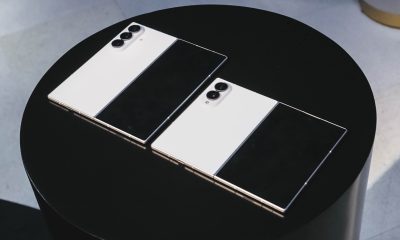
Apple iPhone Duo Unboxing and Hands-on
Supported apps, crease, cameras, and MagSafe all tested

Apple’s iPhone Duo is finally here!
Aside from unboxing the all-new iPhone-dable in Night Sky, we take a closer look at the display crease, check out the under-display camera quality, see which MagSafe accessories work with it.
Most of all, which apps support it (or not).
But how well does the dual-screen experience on an iPhone actually work? Watch our Apple iPhone Duo unboxing and hands-on to know more!


Moving into a new space comes with a long list of things to figure out, and lately, I’ve been paying more attention to something that’s easy to overlook: air quality.
After using the LG AeroMini for about a month, it has become a subtle but welcome addition to my space. It helps make the room feel fresher, while its compact and stylish design fits naturally into my setup. Here are the things that stood out to me most after living with it for a month.
360° purification for a fresher space
One of the things I appreciate about the AeroMini is its 360° air purification, designed to bring purified air in every direction.
For me, this is particularly useful in a new space where I’m spending a lot of time working, relaxing, and just settling in.

Combined with its True HEPA filter, which is designed to remove 99.999% of 0.01μm fine dust and allergens, it gives me added peace of mind about the air I’m breathing every day.
After a month, I can genuinely say that the space feels fresher with it running.

Surprisingly quiet
This is probably my favorite feature.
The LG AeroMini operates at just 26dB, and after using it for a month, what stands out is how easy it is to forget that it’s even running.

I can have it running while I’m working or sleeping without the noise becoming a distraction. For an appliance that’s designed to continuously improve the air around you, I think that’s a big deal.
Sometimes, the best feature is the one you barely notice.
Design that fits my space
Since I recently moved, I’ve been pretty conscious about what I bring into the space. I want things to be functional, but I also don’t want appliances that feel like they’re taking over the room.

The AeroMini’s slim and compact design makes it easy to incorporate into my setup. It doesn’t feel bulky or industrial, and I like that I can leave it out without feeling like I need to hide it away.
For me, that balance between functionality and aesthetics makes it feel more like part of the space rather than just another appliance.
Air quality at a glance
Another feature I’ve found convenient is its Smart Control. Through the app, I can monitor and control the AeroMini while getting real-time updates on the indoor air quality.
It’s a small convenience, but being able to check the air quality without having to interact with the purifier directly makes it easier to keep track of what’s happening in the room.

Easy to maintain
I also appreciate that the AeroMini is designed with an all-in-one dust and deodorization filter that makes replacement and maintenance easier.
That matters to me because the best home gadgets are the ones that don’t create another complicated chore. I want something I can set up, use regularly, and maintain without too much fuss.

After a month, would I keep it?
Yes, and mainly because it quietly fits into my everyday routine.
The LG AeroMini has helped make my new space feel fresher and more comfortable, while its compact design means it doesn’t compromise the look of the room. But if I had to pick just one thing I appreciate most, it’s still how incredibly quiet it is.

It’s one of those upgrades that doesn’t demand your attention. It simply works in the background.
If you’re also looking to make your home a fresher and more comfortable space for yourself and your family, visit https://www.lg.com/ph/ to learn more about the LG AeroMini and how it can fit into your everyday life.
Hands-On
Apple iPhone 18 Pro Series Hands-on
And everything announced during Apple’s September 2026 Event

The latest Apple event isn’t just about the shiny new Apple Duo. There’s a lot to talk about!
In this video, we break down everything Apple has announced during their September 2026 keynote.
First, there’s the updated iPhone 18 Pro and 18 Pro Max. That’s alongside their design and color changes, battery and performance improvements. Even that massive camera upgrade.
There’s even the ANC-infused AirPods 5 alongside the newer Apple Watch Series 12 and Apple Watch Ultra 4. Plus, the latest software updates coming to both these wearables.
So, are these worth the upgrade?


ROG G700 review: The best prebuilt PC you can get off the shelf
This PC will make you stop worrying about specs.


HP OMEN Max 16 review: Gamer-maxxing in deep black
Peripherals deemed necessary to max this out


vivo V80 review: Good phone, tough sell
A capable travel companion

FromSoftware’s The Duskbloods delayed to 2027

Yes, you can turn off the MacBook Pro’s touchscreen display

Demon Slayer: The Hinokami Chronicles 2 launches on Switch 2

What the MacBook should touch on instead

realme 16 Pro 5G Harry Potter Edition: Price, availability in the Philippines


-
Reviews2 weeks ago
vivo V80 review: Good phone, tough sell
-
![KINGDOM HEARTS Collection [I-III]](https://www.gadgetmatch.com/wp-content/uploads/2026/10/kingdom-hearts-colletion-I-III-202610-400x240.png)
![KINGDOM HEARTS Collection [I-III]](https://www.gadgetmatch.com/wp-content/uploads/2026/10/kingdom-hearts-colletion-I-III-202610-80x80.png) Gaming2 weeks ago
Gaming2 weeks agoKINGDOM HEARTS Collection [I–III] now available on PS5, Switch 2
-

 News1 week ago
OPPO Find X10 Series: Price, availability in the Philippines
-
 Buyer's Guide2 weeks ago
iPhone Duo Philippines: Prices, installments, and where to buy
-

 Cameras1 week ago
DJI Osmo Pocket 4P Pearl White now available globally
-

 News1 week ago
OPPO Find X10 Series: Price, availability
-
 News2 weeks ago
Sony unveils three premium Walkman music players
-

 Entertainment1 week ago
Cyberpunk: Edgerunners 2 now streaming, Cyberpunk 2077 update coming