


Computers
ViewSonic VX2418 review: A display of well-roundedness
An entertainment-friendly monitor for every device

Everybody needs a good monitor these days, and it’s not that hard to find one. Whether it’s for work or play, getting a monitor that suits your needs is a godsend. Plus, you want it to fit your entire setup nicely, instead of taking too much space just for additional things to look at on your screen.
ViewSonic has always given people the kind of monitors they need for any use case. The company doesn’t shy away from delivering high-grade monitors for productivity or for gaming. Now, they have another offering that supposedly hits the mark on both the productivity and gaming aspect with the ViewSonic VX2418.
Is this an all-around display that you should go for?
What’s in the box?
Before we go any further, I think you should know what you’re getting with this monitor. For starters, the ViewSonic VX2418 comes with a 23.8-inch LCD, anti-glare display and up to a 165Hz refresh rate. At the back of the monitor, you will see two HDMI ports, one DisplayPort, and a headphone jack for audio output.
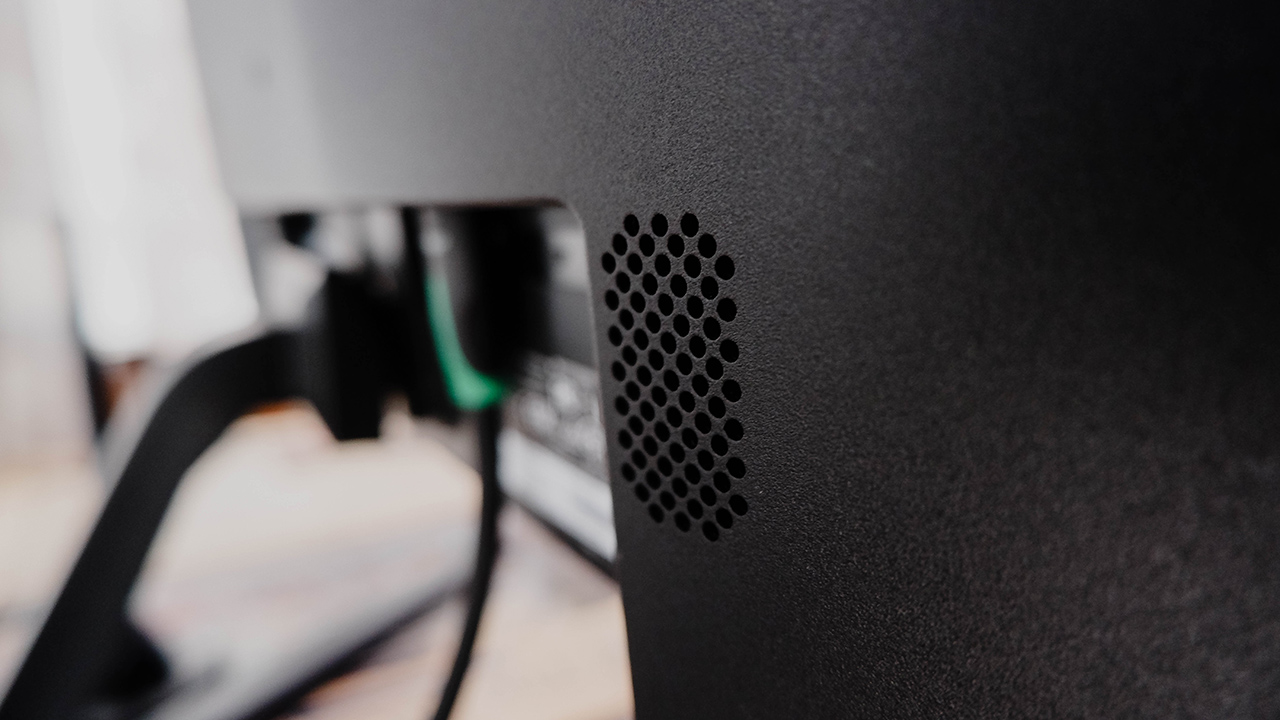
Also, the ViewSonic VX2418 also comes with dual integrated speakers found on each end of the monitor. If you’re lacking any good speakers for your setup, this monitor will provide those for you instead. In terms of any extra freebies, ViewSonic included a DisplayPort cable with the whole package, which saved me the hassle of buying one.

A display for practically anything
Once you set the monitor up, you will realize that you could use this monitor for any device you own. To be fair, those two HDMI ports open the monitor to a multitude of devices as long as you have an HDMI cable nearby. Whether it’s a gaming PC, a spare laptop, or even your consoles, this monitor accommodates them all.

Here’s the thing: this monitor is quite bright and delivers colors fairly accurately. Across all my devices and consoles, the VX2418 produced great quality suited for watching movies, playing a few games, and even getting some work done. Plus, even under great lighting conditions, it’s still pretty bright provided that you turn it up to around 70 to 80 percent.
Remember those speakers I brought up earlier? Well, I’m happy to report that they sound pretty good for dedicated monitor speakers. I felt that having two of them amplifies the sound a little bit more, which is great for PC users and gamers. If you’re more of a console player, don’t play too far from the monitor if you want to hear your game sounds.
Good for competitive, great for casual
For all the PC gamers out there, the ViewSonic VX2418 poses as a prime candidate for your future monitor upgrade. See, with the 165Hz refresh rate, you can crank up the frame rates on your games and experience less lag while playing. If you’re more of a casual player, you wouldn’t really notice this as much, but if you’re trying to get good at a game, it helps.
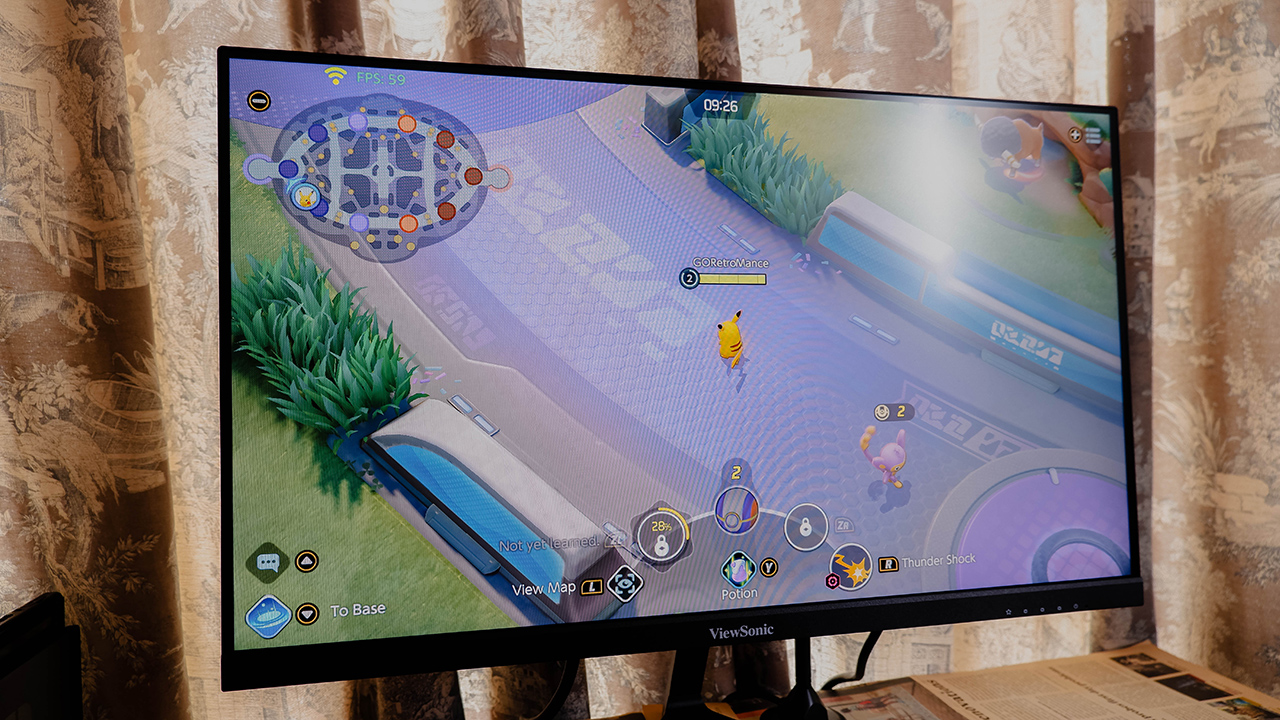
For competitive players, it’s just a good thing to have in any monitor you pick up. Another thing that this monitor comes with is support for Adaptive Sync, which promises a smoother gaming experience. Whether you’re team AMD or NVIDIA, this monitor will allow you to experience less screen tearing and low input lag, especially since it also comes with a 1ms response rate.
If you plan to hook up your consoles to this monitor, it will still display everything properly and in great detail, too. Although, I don’t recommend using this monitor for your next-gen console if you’re looking to maximize it.
Some missed marks
Alas, this monitor isn’t perfect and some of these will sound a little nitpicky. For starters, the whole refresh rate stipulation, I felt was a bit of a misstep. The only way you get access to the 165Hz refresh rate is through the DisplayPort; if your GPU doesn’t have a DisplayPort, tough luck. If you opt to use HDMI, which most available GPUs come with, it is capped at 144Hz, which isn’t necessarily bad.

Another thing is, well the anti-glare display itself — particularly against direct sunlight. When using the monitor against direct sunlight, there is a glare on the screen with respect to where the sunlight is coming from. I had to crank up the brightness to 100 percent to subdue the glare a little bit. Honestly, it wasn’t that much of a bother for me but for others, it might be.

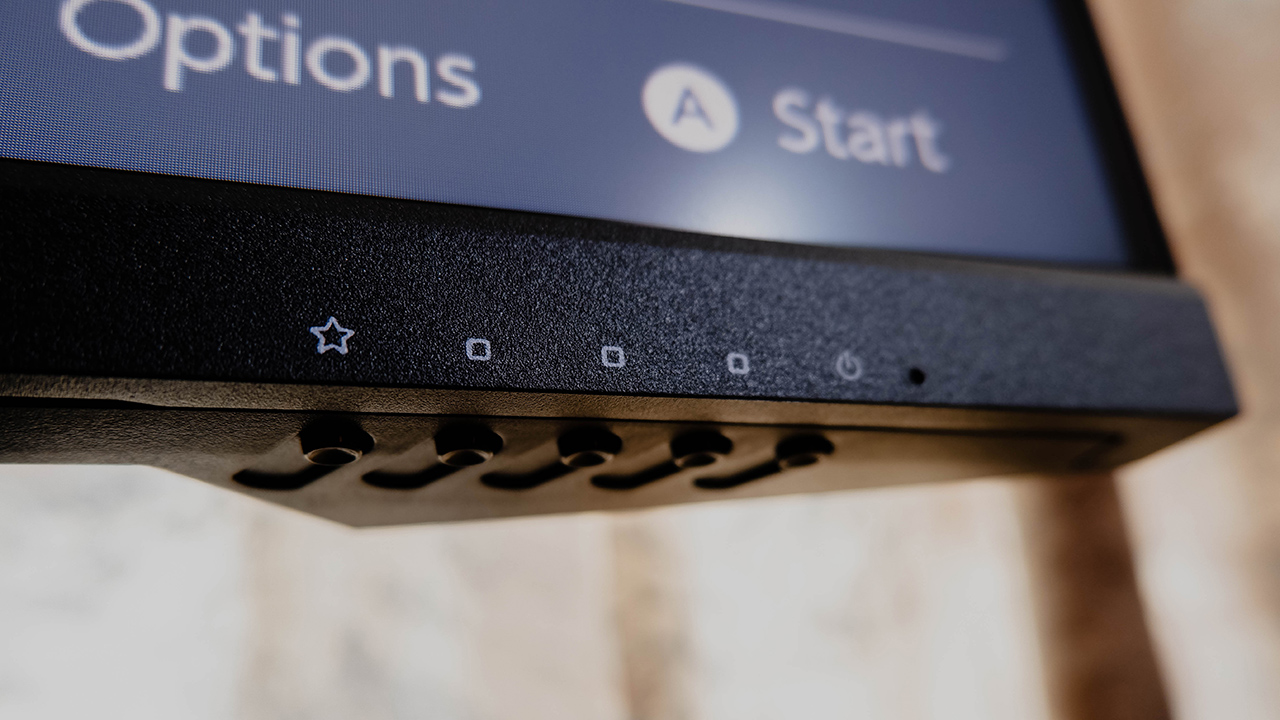
Finally, the monitor doesn’t come with any form of cable management feature at the back. If you’re somebody who loves to manage their cables for their setup, this is a bit of a downer. There are other monitors out there within the same price range that offer a cable management hook, at least.
Is this your GadgetMatch?
At PhP 10,999, the ViewSonic VX2418 delivers great visual quality and color accuracy for any use case. Whether you’re typing up documents, editing photos, playing games, or watching streams, this monitor suits all of those well. Plus, the speakers sound good and loud enough, but don’t be too far from the monitor.

Sure, there were some hiccups along the way, depending on whether they bother you or not. Again, some of the missed opportunities seem nitpicky, but they affect the overall experience with the monitor. Even with these hiccups, it still brings a lot to the table that you will appreciate about it.
If you’re looking to upgrade your old monitor at home, this is a great pickup. It serves as a more well-rounded option that fits any device you hook up to it.




Computers
Lenovo tech behind DreamWorks Animation hit ‘Forgotten Island’
Partnership powers modern demands of animation production


DreamWorks Animation’s Forgotten Island has definitely become a big screen hit, debuting with a 100% Rotten Tomatoes score and being well received particularly by a large Filipino fanbase.
And behind the movie is DreamWorks Animation’s partnership with tech giant, Lenovo. The collaboration is helping power the former’s production slate, including the studio’s animated feature inspired by Filipino culture, mythology, and experiences.
In 2025, DreamWorks expanded its relationship with Lenovo by naming the company its preferred compute services, workstation, and solutions provider.
Such partnership brings together Lenovo workstations, high-performance infrastructure, data center technology, and services to support the demanding needs of modern animation production.
It is a collaboration that builds on years of work between the two companies. DreamWorks has used Lenovo workstations as part of workflows across the studio.
Lenovo infrastructure has also supported the large-scale computing requirements involved in creating animated worlds and characters.

Still in cinemas, Forgotten Island follows lifelong best friends Jo and Raissa, voiced by Grammy and Academy Award winner H.E.R. and Filipino actress Liza Soberano.
As the two prepare to take different paths after high school, they unexpectedly find themselves transported to Nakali, a fantastical island populated by magical and mythological creatures rooted in stories from their Filipino families.
The film is written and directed by Academy Award nominee Joel Crawford and Januel Mercado and produced by Academy Award nominee Mark Swift, the filmmaking team behind Puss in Boots: The Last Wish.
Its voice cast also includes Dave Franco, Jenny Slate, Manny Jacinto, Dolly de Leon, Jo Koy, Ronny Chieng, and Lea Salonga.
Computers
ROG brings out the ultra-stylish G1000 gaming desktop
Plus, here’s a couple of sleek transport options from ROG.


Despite how much higher prices are going today, there are still so many options if you want a PC for yourself. However, only a handful of brands will offer you quite as much style doing so as ASUS. Today, ROG has revealed the new G1000 gaming desktop.
For the first time ever in a prebuilt PC, the ROG G1000 comes with a built-in AniMe Holo, a holographic fan with customizable visuals using Armoury Crate and Aura Sync. Additionally, the holographic fan is inside its own chamber, preventing it from interfering with the main system. Instead, the desktop uses the ROG Thermal Atrium, which uses three fans to channel fresh air through a 420mm AIO liquid cooler.
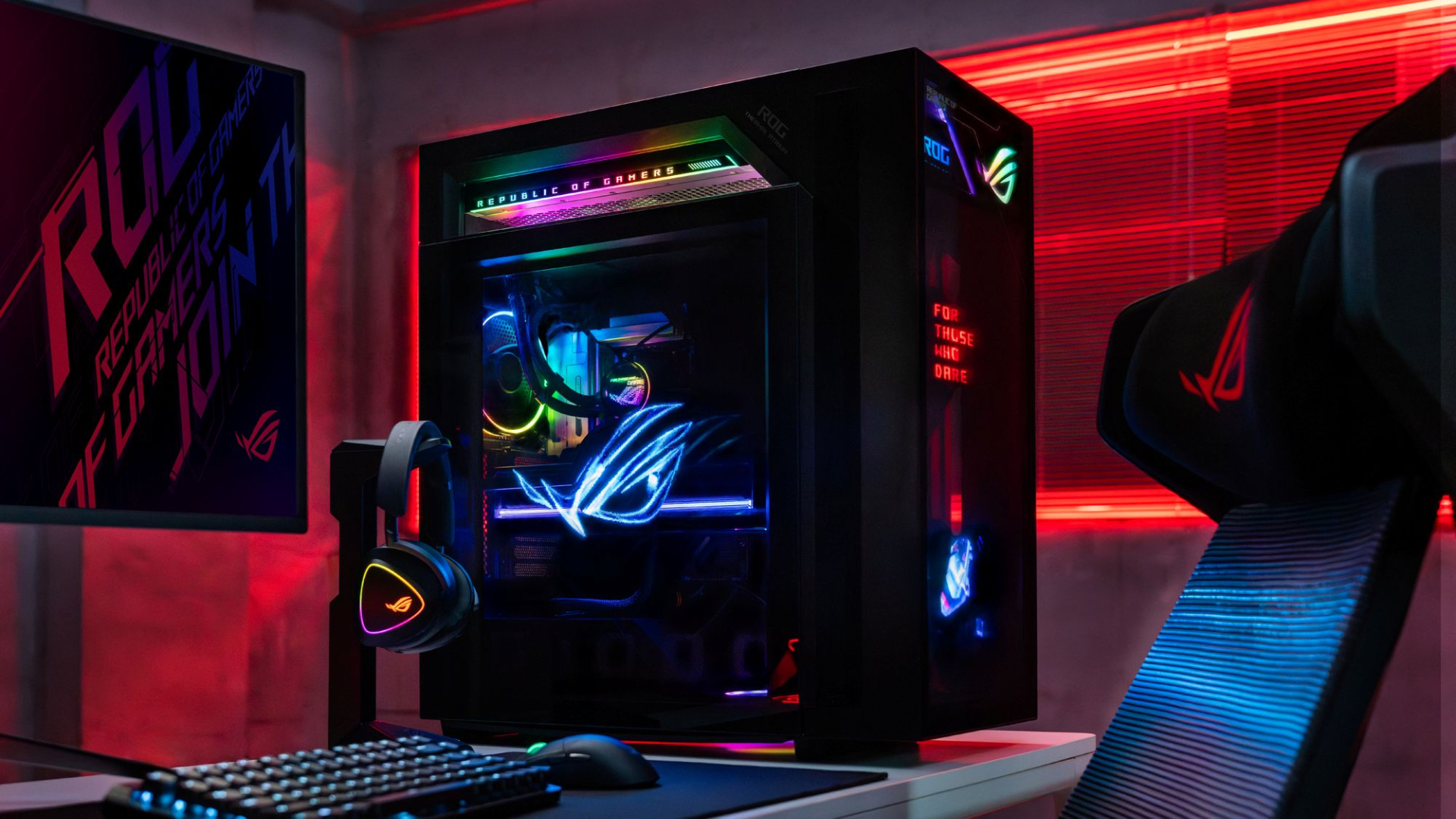
Now, the ROG G1000 isn’t just a pretty face. Inside, the 104L desktop comes with a Ryzen 7 9800X3D processor. It also comes equipped with the ROG Astral GeForce RTX 5080, up to 128GB DDR5 memory, and 1TB SSD for storage. New purchases will also come with a gaming keyboard and mouse, a year of Microsoft 365 Basic, Office Home 2024, and an ASUS No. 1 Quality and Service warranty.
The ROG G1000 will be available from ROG Exclusive Stores and will start at PhP 399,995.
Celebrating ROG at 20
Besides the new desktop, ROG is also launching a couple of storage and transport options for your prized gaming possessions. The ROG SLASH Backpack Edition 20 is a sleek backpack that can fit an 18-inch laptop with enough room for peripherals and accessories. It also comes with a custom FIDLOCK Magnetic quick-release, black-and-translucent-gold buckle. It will be available next quarter for PhP 10,995.

Meanwhile, the ROG SLASH Hard-Case Luggage Edition 20 is designed specifically for transporting your hard-earned gaming devices. The light-but-durable aluminum frame comes with a specialized compartment for laptops, handhelds, and accessories. It also has removalbe foam dividers to better customize the case for your needs. Finally, it has 360-degree silent skate wheels for smoother rolling. The luggage will be available starting next quarter for PhP 15,995.


Acer is expanding its storage lineup with the PA100 Portable SSD. It’s a compact external drive designed for users who need faster storage across multiple devices.
The PA100 uses USB 3.2 Gen 1 connectivity. It reaches sequential read speeds of up to 560MB/s and write speeds of up to 430MB/s. This makes it suited for everyday tasks such as transferring large files, backing up content, managing documents, and moving media between devices.
Up to 2TB of portable storage
The PA100 comes in three capacities: 500GB, 1TB, and 2TB. This gives users options depending on whether they need extra space for documents and schoolwork or larger collections of photos, videos, and project files.
Acer also designed the drive with mobility in mind. The PA100 has a slim 9mm profile and a lightweight build, while its reinforced construction is designed to withstand everyday travel and handling.
The drive comes with a 2-in-1 USB-C to USB-C and USB-A cable. This allows it to connect to compatible PCs, tablets, smartphones, and other devices without requiring a separate adapter. It also supports major operating systems and USB-C mobile platforms.
Designed for everyday use
Power efficiency is another focus. Acer says the PA100 uses less than 3W during operation, while idle power consumption can drop to as low as 0.62W.
The drive also features an optimized thermal design to help maintain stable performance during extended transfers and daily workloads.
The Acer PA100 Portable SSD is backed by a three-year limited warranty. Pricing and availability may vary by market.





Spotlight: Marshall Heston 60

Apple sets home-themed event on October 13

ASUS Zenbook 14 lineup expands with new colors and processors

OPPO Find X10 Series launches globally October 21

Amazon launches new Alexa+ tablets with full Google Play access

iPhone 18 Pro series: Price, availability in the Philippines

vivo X500 Series launches with major imaging upgrades

iPhone 18 Pro series: Price, availability in Singapore

OPPO Find X10 Pro Max is the first phone with a triple 200MP camera system

BYD says that way better EV batteries are coming next year


-
 Automotive2 weeks ago
BYD says that way better EV batteries are coming next year
-

 Philippines1 week ago
TECNO CAMON Slim 5G: Price, availability in the Philippines
-

 News2 weeks ago
HONOR Magic9 Pro Max launches in China with ARRI-powered imaging
-

 Reviews1 week ago
TECNO CAMON Slim 5G review: Slim on size, big on surprise
-

 Smartphones2 weeks ago
TECNO CAMON Slim 5G teases an ultra-slim design ahead of launch
-

 Reviews2 weeks ago
TECNO POVA 8 Pro Tonino Lamborghini review
-
 Smartphones2 weeks ago
When TECNO-logy meets Tonino Lamborghini legacy
-

 News1 week ago
Apple wants to release new iPhones more regularly