
Apps
Peloton tips and tricks: How to make the most out of your workout
There’s more to riding your bike than meets the eye

Fitness is about developing routines and forming habits, so don’t get stuck using just a portion of your bike’s potential! If you’re new to Peloton and are looking to getting the most out of your bike, or already on your 100th ride, we’re sure you’ll find something useful in this list of tips and tricks.
To get us started we interviewed Peloton Instructor Irene Scholz to find out what her top tips are for getting the most out of your bike.
Peloton is more than just a bike

Yoga, sleep, strength training — Peloton has it all. Add in another form of exercise when your legs get tired or you can’t bring yourself to get on the bike. Think about forming a holistic workout plan based on the hundreds of classes Peloton has to offer. If that sounds overwhelming, just try out something new: dance cardio or some chair stretching or learn to use that foam roller you bought at a garage sale 5 years ago. You’ve got so much more at your fingertips than just a spin class. Explore it!
Do an FTP Test Every Month
FTP stands for “Functional Threshold Power” and is typically described as the output one could sustain for around one hour. The goal of the 20 min FTP Test is to record your highest average power for 20 min. It’s important to warm up, and warm up in the same way when you take the test again. You should take the test once a month to track your progress.
The added bonus is that it updates your FTP stats so when you’re taking a class you know what zone you’re aiming to train in.
Stretch. Every. Single. Time.
Stretching if the most important part of the workout. You become more prone to injury and tighter on your next ride if you don’t.
Check your set up, even if you’ve been riding your bike a while

Follow the intro videos about setting the seat height and depth, and know that one of the most common setup errors that go unnoticed is that people don’t have the seat high enough.
Here is a video of our favorite German Instructor, showing us how properly set up your bike, in English of course.
Change instructors

As you get in better shape your preferences will change over time, someone that you might not have liked when you first started could be your new favorite.
Do a beginner class
Even 50 rides later, I went back and learned a few things about form I had overlooked.
Check your form every time the instructor tells you to
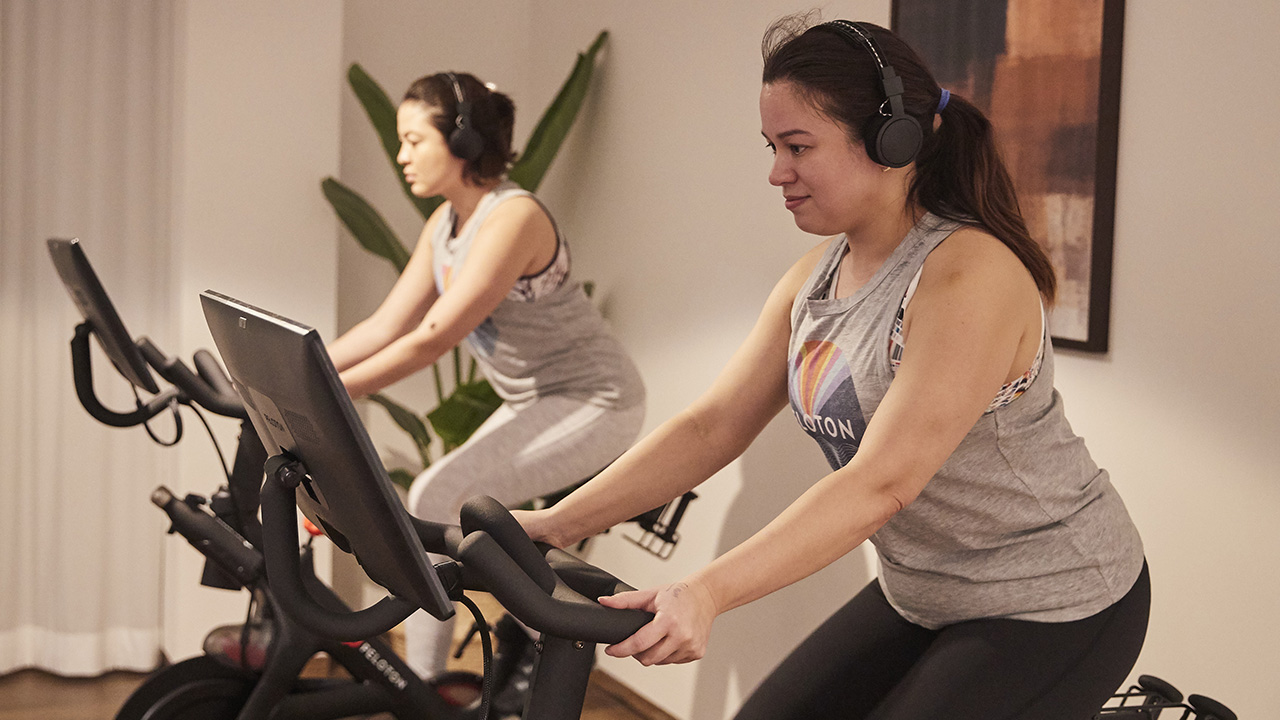
After coming back from my wrist injury I consciously corrected my form every time they told me to, and it feels amazing each time I actually had to make adjustments.
You’ll find that some instructors do things to check their form, but don’t tell you to check yours. Whenever I see Denis lift and wiggle his fingers and lift his wrists, I do it, too. No instructor will have perfect form, but they’ll all do things unconsciously to check in on themselves.
Stop your knee from turning the resistance knob
This means you’re too far forward. Hitting the red knob whether you’re in or out of the saddle means you’re sinking into your joints, and you end up putting weight into your thighs or arms instead of engaging your core. The solution? Push your hips and booty back so your weight is right over the saddle.
Just like real life, there is no pause button

Accept it, there is no way to pause classes. Stop looking. If you drop your water bottle or the doorbell rings, you can’t pause the ride. People have been asking for it since the bike launched but Peloton wants to keep the rides honest. If you take a break you’ll be fresh.
Schedule a workout with a friend

Similar to a live class, Sessions is another way to work out together with other members. On the Peloton app, you can schedule any ride or run that’s 20-minutes or longer, then send an invite to your friends so they can join you in that class. Think of it like an Encore class, which is a class that is not live, but the people in the ride are all starting it at the same time.
If you’re like me who is not very organized, you’ll also see all the latest rides or rides people have selected that are available starting every five minutes at the top of the classes page.
If you’re competitive and using the leaderboard to push yourself, these rides are perfect to have real people to compete against.
Skip the intro
Peloton finally added a feature to skip the 1min opening dialogue! You’ll find the button on the top left hand corner of your screen at the start of the timeline.
Are you pulling up on the pedals?
Pushing down on the pedals happens naturally. Focus on lifting the opposite foot so you engage your hamstring and glute muscles. It will also increase your output. If you’re going after a personal best, you’ll get more out of your stroke if you’re using your quads on the front of your leg and your hamstring and glutes on the back.
Watch your grip

How tight are you holding onto those handlebars? They’re there for stability, not support. Relying on them to support your weight takes away the core and quad work you’re after. Flutter or flex your fingers during the hard parts to check in on form throughout the class. We do it a lot during sprints out of the saddle.
Double tap the screen
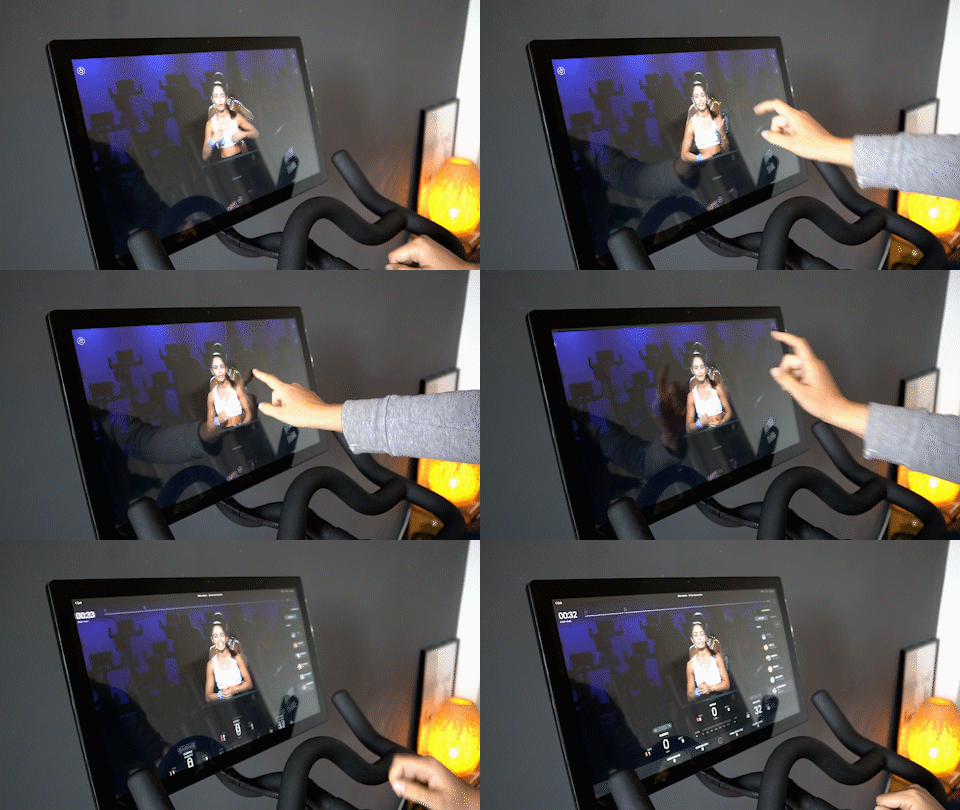
If you want to get rid of the progress indicators, leaderboard, music and high fives, double tap the screen. If you do it again, it will bring everything back. I find this useful when I throw my towel down and I hide something I want to see. Rather than trying to tap a specific button, I just double tap the screen a few times.
Listen to the songs you liked even after the ride
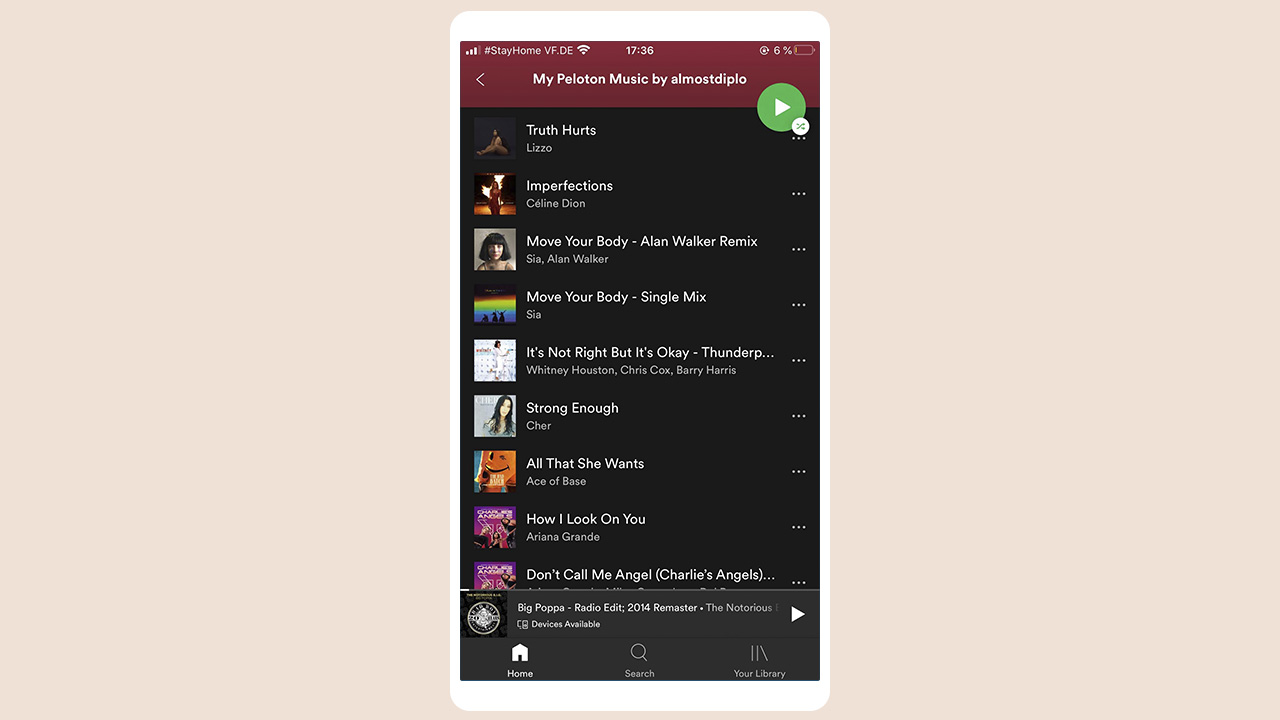
Ever wondered what happens to all the songs you liked during a ride? If you connect your Spotify or Apple Music accounts, every song will be added to your playlist! When you do, you’ll see a playlist called My Peloton Music by (username).
How to connect Peloton Music to your Spotify account
Go to your profile on the Peloton Bike and select “Music” on the left navigation column. This page will show a list of all songs you have saved during your workouts.
From the “Music” tab, click the “Connect” button on the top right of the page to link to your Spotify or Apple Music account. Enter your Spotify or Apple Music username and password, and agree to the terms to proceed.
In your Spotify player, open “Your Library” to view your playlists. A new playlist titled “My Peloton Music” should appear in your playlists. If it does not appear, simply refresh the Spotify player by closing and reopening the app or you might need to scroll down through your playlists to find it.
Lower the instructors voice

If you have classes where you loved the sound track, save them and then choose to have more music and less instructor. It’s amazing how much having motivational music blasting helps. Hit the volume button on the right hand side of the display and on the touch screen change the mix. Note that you have to do it each time as it always resets back to an even mix of music and voice.
READ MORE: 5 best workout apps to try at home
Try more short classes
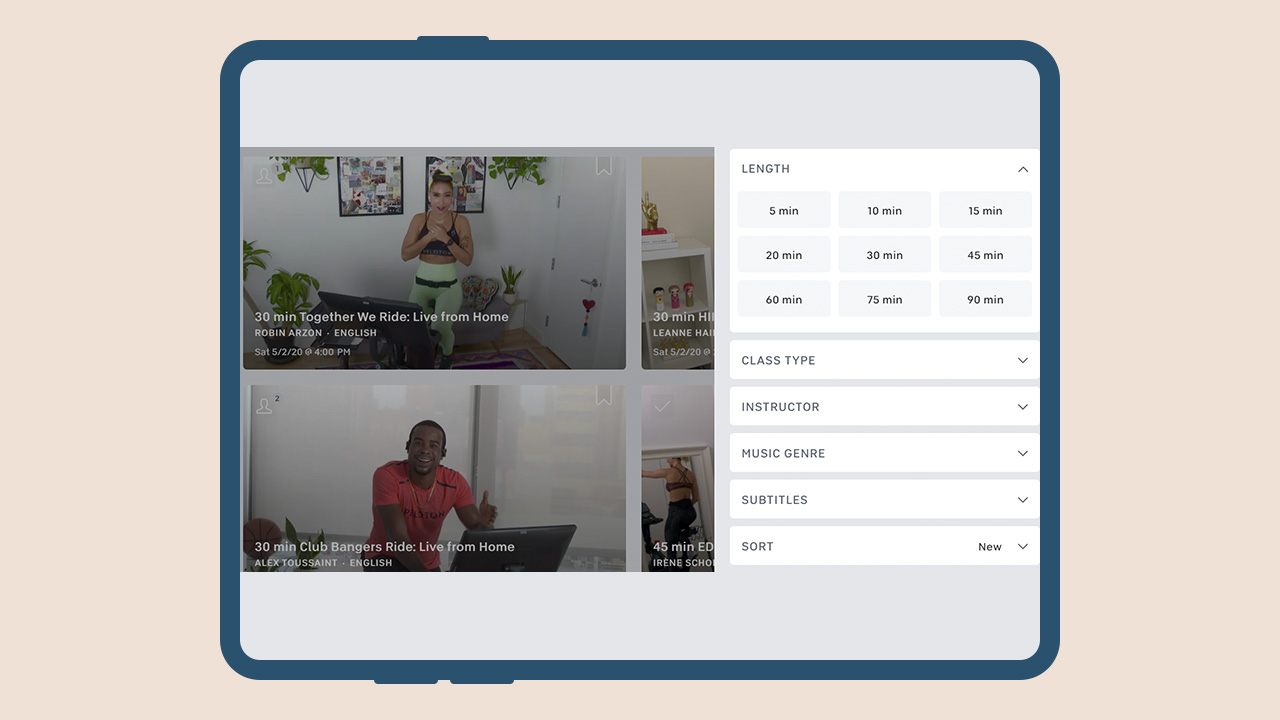
Opting for multiple short classes in a day instead of long ones will also lead to getting your milestones earlier. Once you reach a milestone stage — 50, 100, or any other rounded up number, opt for a live ride. You might just get that shoutout!
The bike gets a lot of attention but the app is a treasure trove

Beyond spinning, you’d be pumped to discover all the other classes available in the app. There are yoga, pilates, and barre classes. There are strength-training classes and boot camps. There are even five-minute cardio classes for the whole fam. I also love that there are meditation classes so I didn’t have to continue my subscription on another app.
Pro Tip: Save time by bookmarking your favorite classes in the app on your phone so you can easily find them on the bike tablet later.
How to get a shout out
Take an early class – If you’re taking a live class in Europe before the US wakes up, there will be less people in the class. That way, your chances of getting a shoutout increase and to grab the top spot on the leaderboard.
Take a live class. This may be obvious to most but if you’re new to Peloton it may be unclear. The instructor can only give you a shoutout if you are on with them in real-time.
Have an easy to read leaderboard name. If your name is long, has a lot of numbers or no capitalization, it can be hard for an instructor to spit it out while leading a class. If you’re willing to alter your Pelo-identity, try to use real words or phonetic spellings so it is easy to read and to say. And yes, you can change your name without losing all your stats.
Join class early. Live classes usually start 3 or 4 minutes prior to the recorded session and “when the lights go down.” During this time instructors casually chat with the people in studio. They also scroll through the leaderboard to see who is on and give quick shout outs. It might not quite be the same as getting it during that final hill but it is nice to know they see you and it can give your entire workout a boost.
Ride on your birthday. Make sure your birthday is set in your profile.
Toe clips are great! For your friends…
I made the mistake of getting toe clips instead of shoes. I made this choice not because I was being cheap, but because I wanted to share the joy of Peloton.

The problem with using toe clips instead of real shoes is that you can’t pull up when you’re bringing your foot around. I’m not a cyclist so I didn’t think that these things mattered. After a few months I decided to get the shoes and it made a huge difference! If you want to increase your output and workout your whole leg, you need the shoes.
I’ve gotten good at clipping and unclipping the toe clips. The first time it took 30 minutes, now it takes just 30 seconds! I still suggest buying them if you have friends sharing your bike they’re worth every penny.
Make clipping out a little easier

What I learned about installing the toe clips is that you have to loosen one of the screws. I also noticed that if I forgot to tighten it, it was really easy to unclip. It takes practice to snap your foot out in a single graceful movement. Cheat a little, loosen the screw. The disadvantage to doing this is that when I’m standing and have my full weight pushing and pulling on pedals I hear a creak. You need to twist your ankle out at a 90 degree angle out from the bike. I’m never in danger of my foot unclipping, but it sounds like I need to tighten things up a bit, which I do.
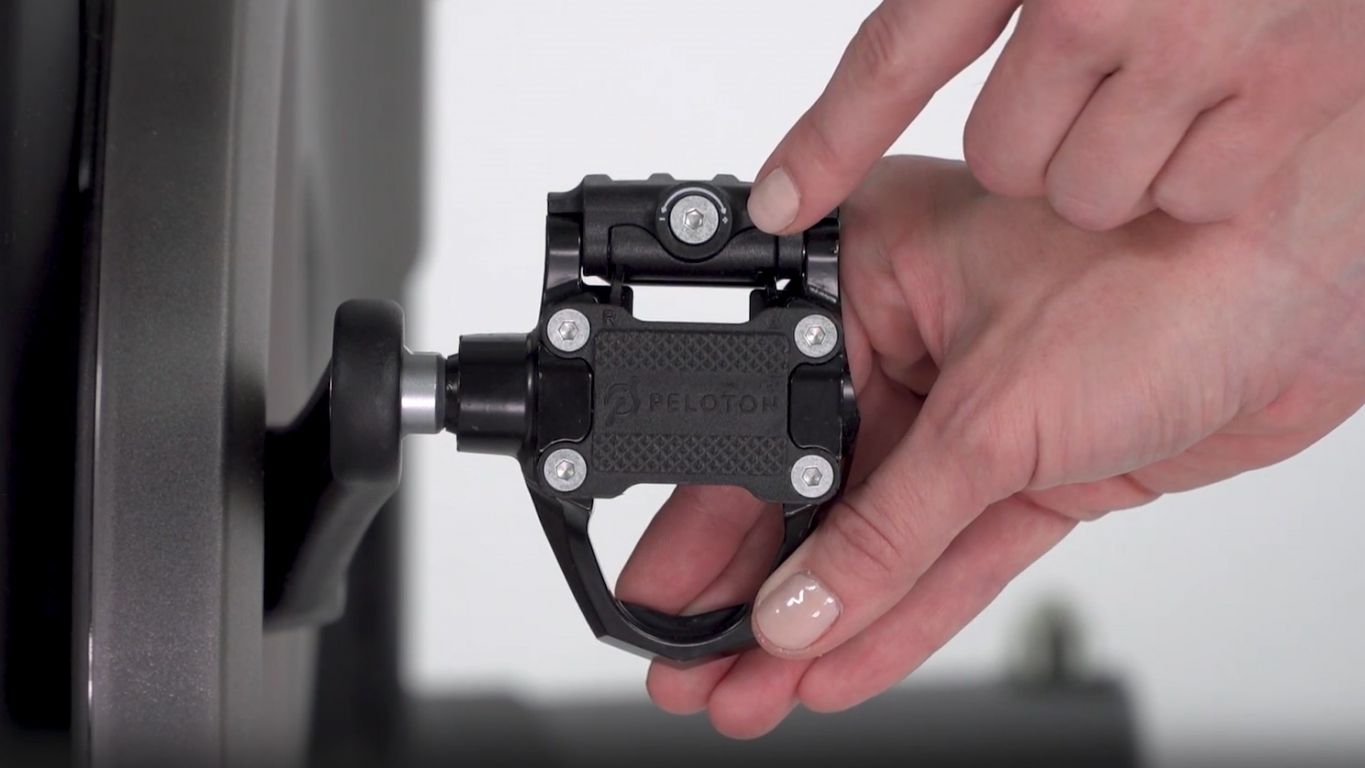
Don’t loosen your pedal too much as you’ll risk damaging it.
Understand the types of rides
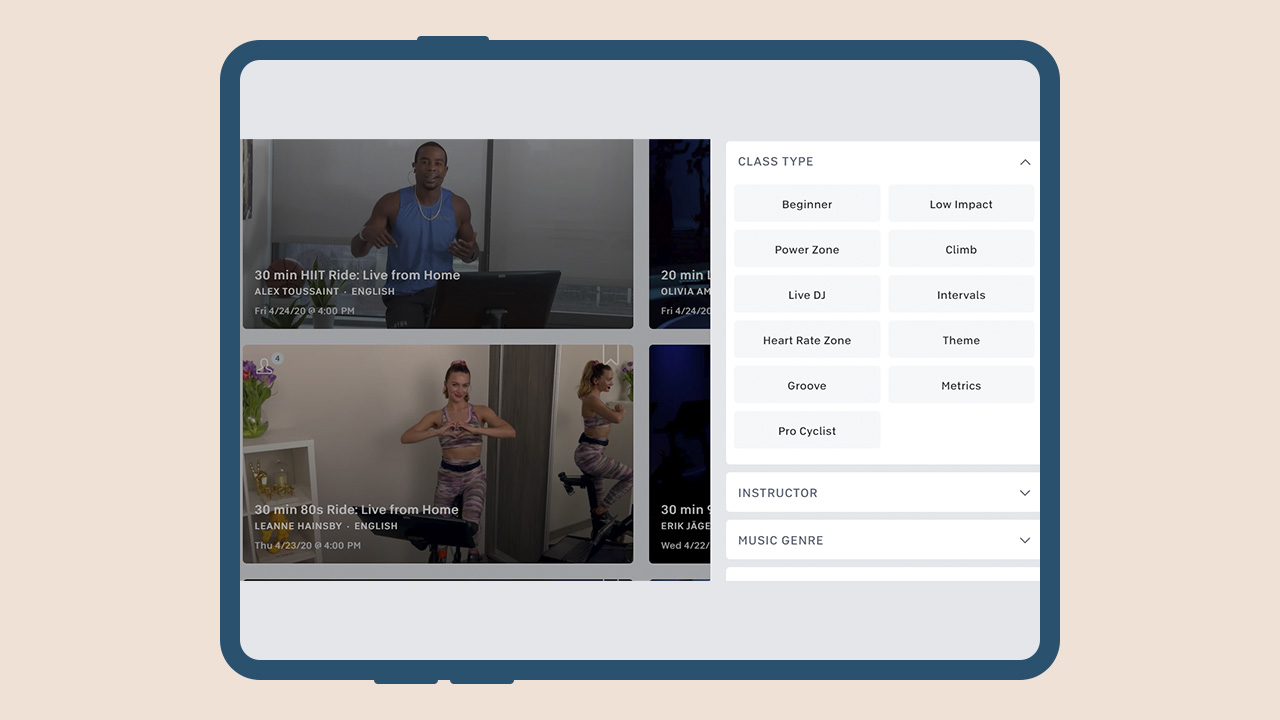
If you’re new to Peloton, some of the terminology and slang used will probably be confusing. Here are some basic ride types to get you started:
Low-Impact. This doesn’t mean low effort, but in general it means that the cadence won’t go over 100, the resistance won’t go over 50, and there will be little or no “out of the saddle” sections (i.e. standing).
Groove. This type means less cadence dictated by the instructor and more based on riding to the beat of the music. It can also sometimes include more movement on the bike. When people ask, “what ride is more like Soul Cycle?” this is one of the frequent answers.
Live DJ. This means exactly what it says: a live DJ is in studio mixing songs and helping to drive the class. These are fun when the DJ and the instructor have a good rapport.
HIIT. High intensity interval training or HIIT is a series of intense periods followed by a quick rest period. PRO TIP: avoid doing this as your first ride.
Tabata. This is a type of HIIT ride, but it follows a specific pattern. The classic Tabata pattern is 20 seconds of effort followed by a 10 second rest. I think “Tabata” translated means sweaty; or death.
70’s / 80’s / Y2K / Classic Rock / EDM. These are rides based on the associated genre of music, and it’s not limited to these. There’s country, jazz, broadway, etc.
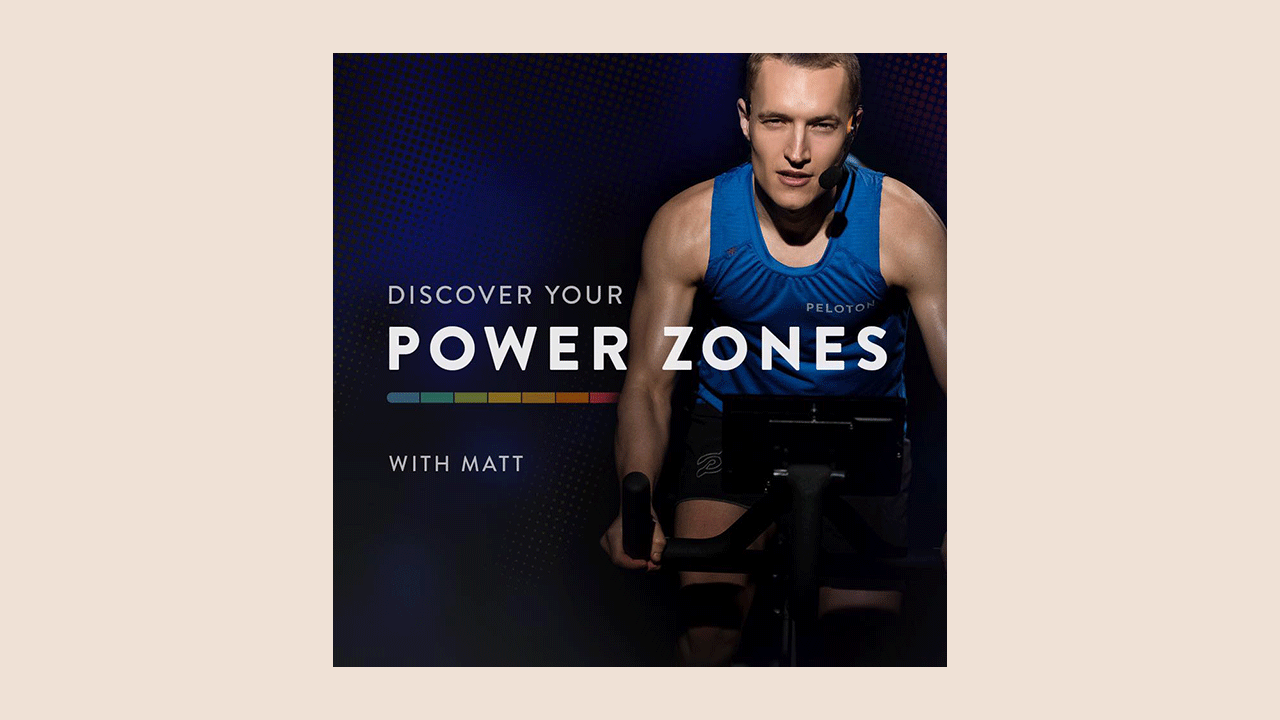
Power Zone. Based on your calculated Functional Threshold Power, these rides direct you through seven different zones of output from “Very Easy” to “Max Effort.”
Call a Friend
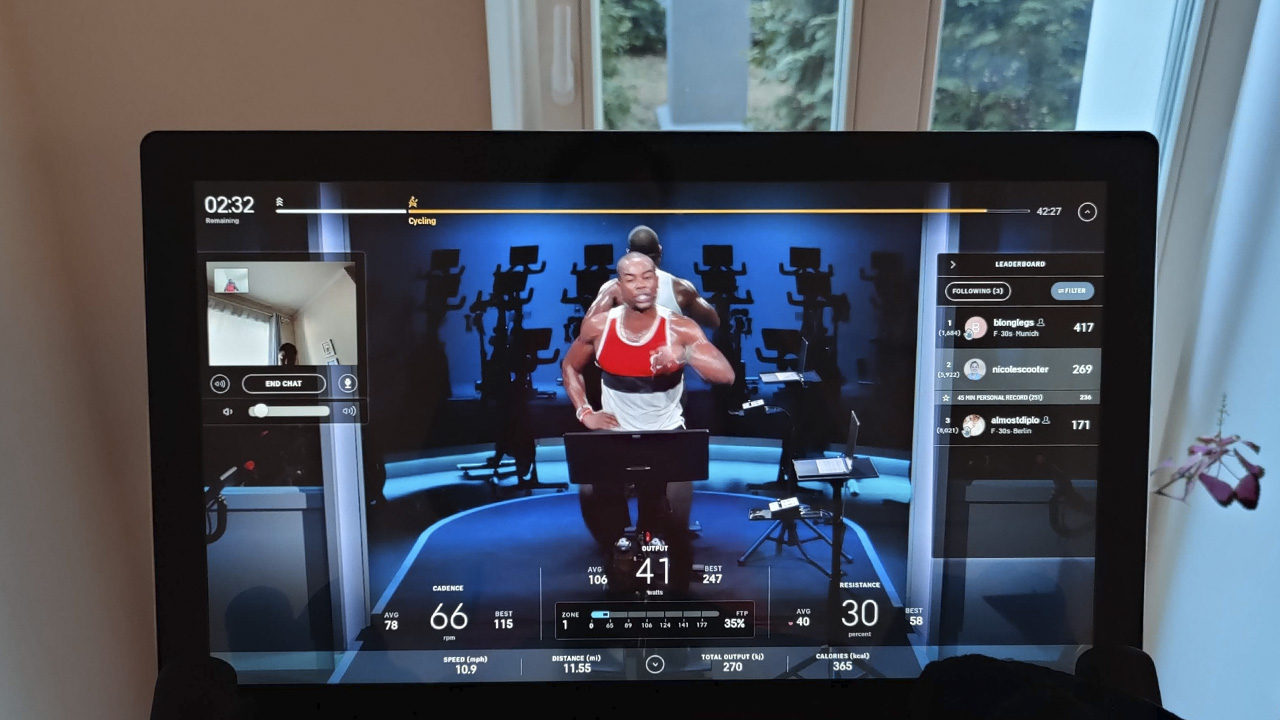
If you’re wondering what the 5MP camera on the bike is for, during a live ride you can do a call with a friend. But first, you have to be friends on Peloton. In your profile settings, go to social, then enable video chat.
During a live ride, invite friend to ride at the same time. Click on their name on the leaderboard and an option to call them will appear. This will activate the camera located on the top part of your screen. A small window showing their video feed will appear on the instructor’s right. Now, you can see each other as you ride, talk (if you can) in between each pedal stroke, and enjoy milestones together — virtually, of course.
Fair warning: make sure to only use this feature with good friends because that angle is not flattering. There are only so many people that I would let watch me die during one of Irène Scholz’s rides.
Did we miss any tips or tricks? Let us know in the comments!
— with additional tips from Carol RH Malasig
If you’re keen to try reading this in German, visit Mobile Geeks!
This article was originally published on May 4th, 2020. It has since been updated to reflect Peloton updates.


Apps
Google Photos can now censor your kid’s face better
The new Redact feature can censor sensitive information.

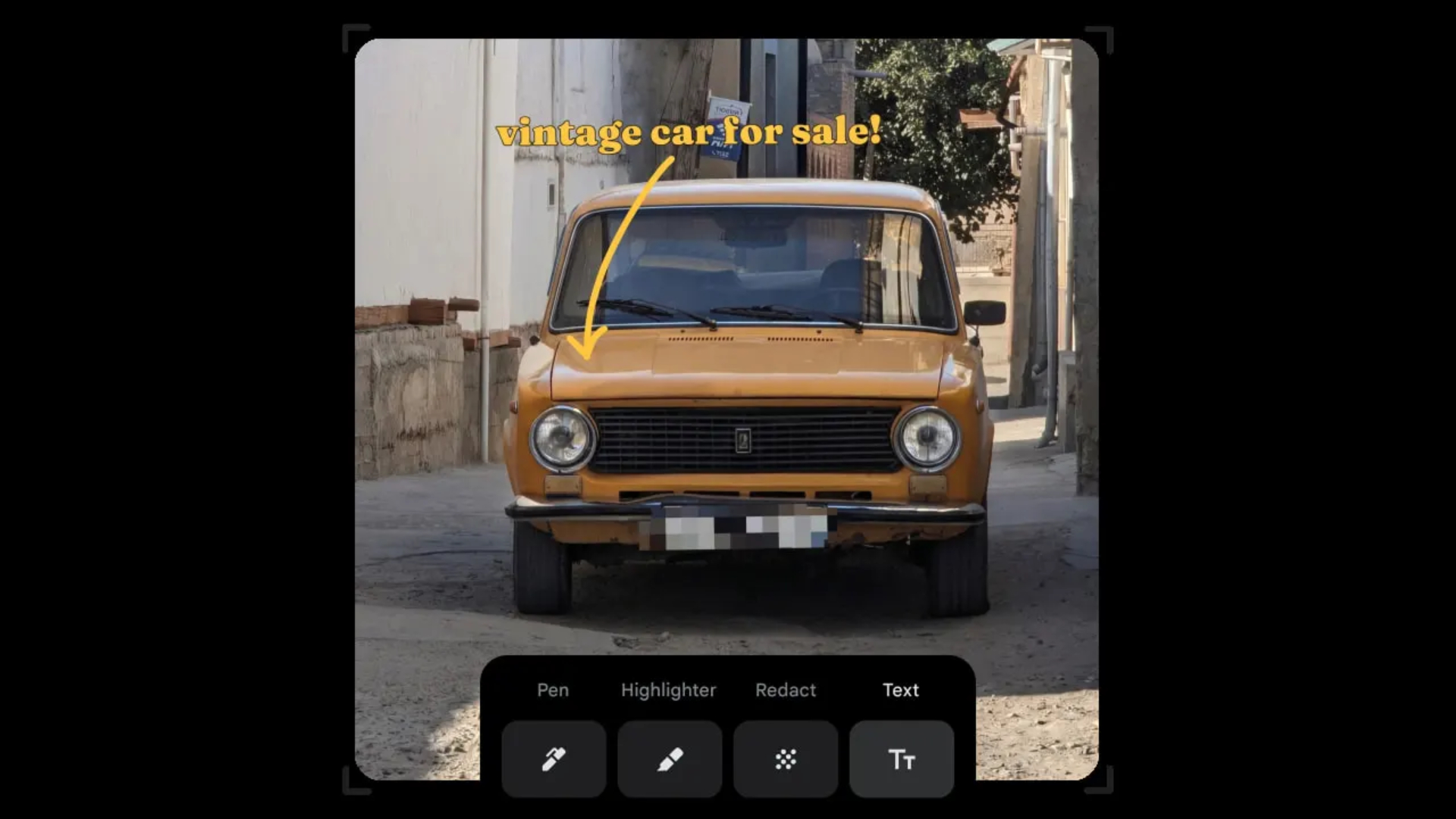
Censoring photos is heavy work. Either you stick on random emojis or draw an indiscriminate splotch of doodles to cover sensitive information. It’s an imperfect art but an essential one to protect privacy. Today, Google Photos is getting a Redact feature which can censor sensitive bits with pixelated blocks.
An addition to the Markup tool, Redact acts like a nifty pen that can hide information that you don’t want seen. Unlike a ghastly emoji or a splotch, the censored bar mixes better with the surrounding elements. In the example that Google used, a censored license plate blends well with the car it’s attached to, making the photo look more cohesive. Besides license plates, it’s the perfect tool for covering other information like phone numbers, addresses, and the faces of your loved ones.
Google Photos is also rolling out Moods, a set of filters that give photos a nostalgic look, including a 2000s night digicam vibe that’s popular today. There are also 15 new Remix templates to add more creation options.
Both the Redact and the Moods features will roll out to Android users starting today. The new Remix templates, however, will be limited to some countries on both Android and iOS.
SEE ALSO: Google will force Android users to use Gemini next month
Apps
Smart launches LiveSmart App for exclusive deals
Exclusive deals, cashback, and bill payments in one app.

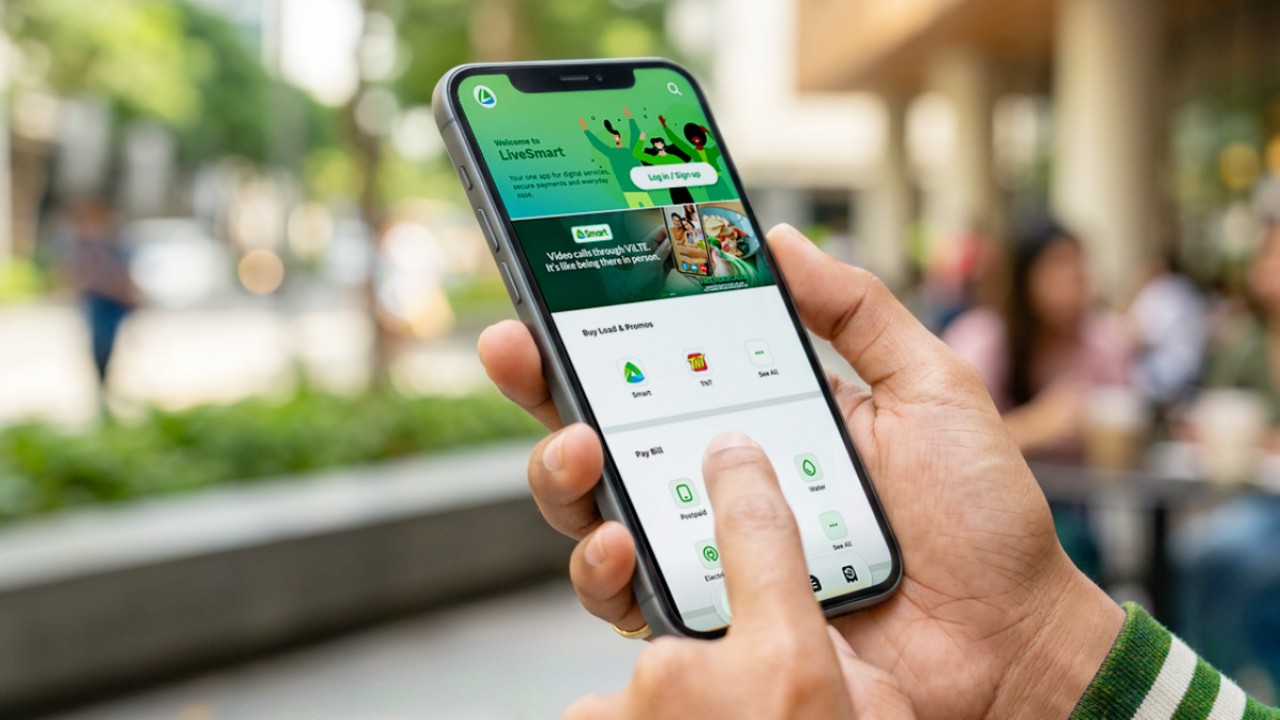
Smart Communications, Inc. (Smart) and TNT have launched the LiveSmart App, a new platform that combines loading, bill payments, exclusive offers, and other everyday transactions in one app.
The app is available on the Google Play Store and Apple App Store. It is open to Smart, TNT, and subscribers of other mobile networks.
The LiveSmart App gives users access to exclusive deals and savings. These include cashback offers, discounted Smart and TNT data packages, and limited-time access to AI.Smart.
“Filipinos are becoming more deliberate about where they spend and how they can get more value from every peso,” said Lloyd R. Manaloto, FVP and OIC for Smart. “The LiveSmart App is designed to help make those everyday decisions a little smarter, by giving users convenient ways to load, pay bills, and access exclusive savings and offers in one place.”
Exclusive deals and perks
Smart and TNT are rolling out several offers on the LiveSmart App starting September 18.
Smart and TNT subscribers can get 5% cashback when they purchase load or pay their Smart Postpaid bill through the app.
The app also offers data packages at exclusive prices. Smart Prepaid subscribers can get Power All 109 for PHP 105, while TNT subscribers can get Saya All 109 for PHP 105.
Users who download the LiveSmart App may also receive limited-time free access to AI.Smart.
AI.Smart combines multiple AI models, including AWS Nova, ChatGPT, Claude, Google Gemini, and Thinking Machines, in one workspace. Users can use it to generate images, create presentations, draft documents and spreadsheets, and get help with schoolwork, content creation, and other projects.
To claim the free AI.Smart credits, users need to tap the AI.Smart banner in the LiveSmart App. They then need to create an AI.Smart account using their Smart or TNT number.
Smart says users can also expect more exclusive deals and perks from lifestyle partners as it expands the LiveSmart App.
Powered by Smart 5G
The LiveSmart App runs on Smart’s network. Smart 5G supports activities such as video streaming, gaming, and real-time social media sharing.
The company said Ookla recently recognized its network for the Best Mobile Video Experience in the Philippines for the first half of 2026. Smart recorded a Video Score of 72.82, which it said was the highest among mobile operators in the country.
The LiveSmart App is now available on the Google Play Store and Apple App Store. Users can learn more about the app through Smart’s website.
Apps
Apple’s best feature to cure motion sickness is finally on Android
Google copies a good page from Apple’s playbook.
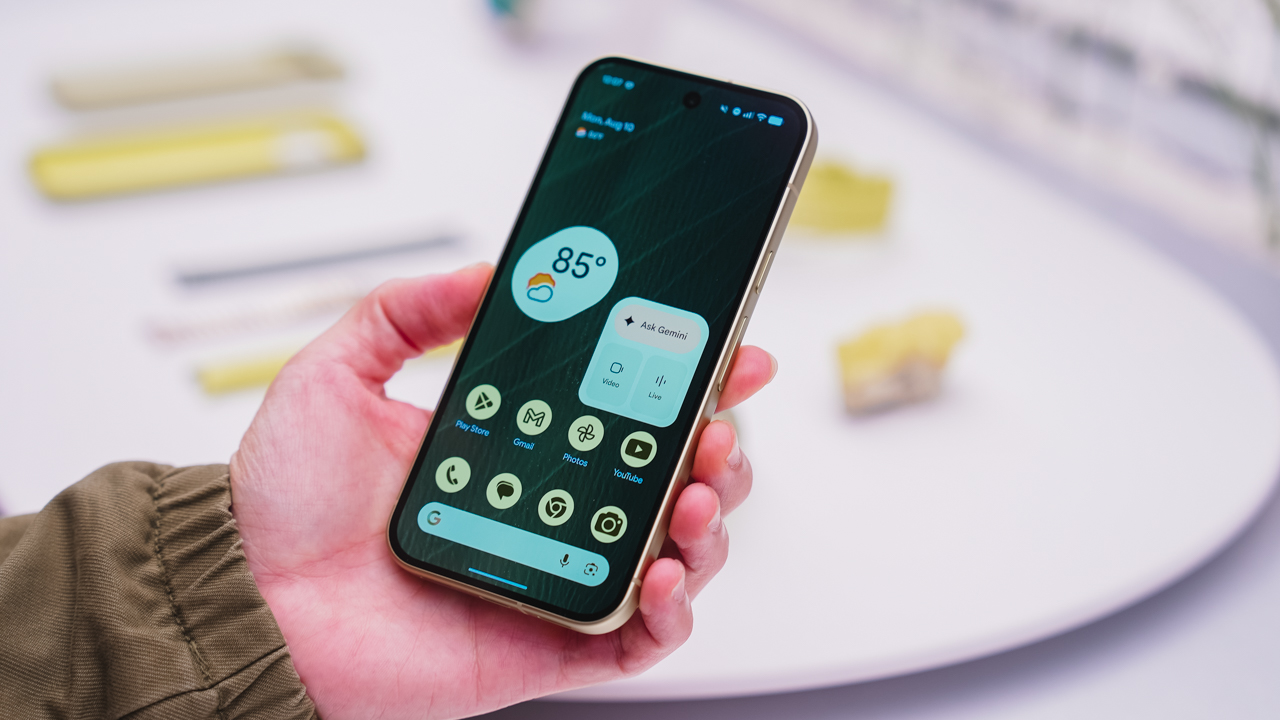
As an Android user, I’ve been jealous of iPhone users for a while now, but it’s not for the reason you might think. See, I’m ridiculously prone to motion sickness when I’m not driving. So, when I discovered that Apple has a software-based cure called Vehicle Motion Cues, I wanted it immediately. Now, Android does have third-party apps that do the same thing, but they’re not as good as a fully native version. Well, those dark, nauseating days are about to come to an end. Android 17 is finally getting a similar tool called Motion assist.
Before that, let’s rewind for a bit. What do these features do? How can they cure motion sickness?
Whenever you open Vehicle Motion Cues or Motion assist, the interface spawns a series of dots on the screen. These dots respond to movement. For example, if the vehicle turns to the left, the dots also go to the left, mimicking the movement. Without cues like this, the stationary nature of the screen clashes with our brain’s perception of movement. The disparity creates that feeling of nausea. Basically, our eyes are desperately trying to focus on the static screen, but our brains are telling us that we should be seeing motion. Having moving dots reorients our brain and places the phone inside our perception of movement.
Now, you can enable the same feature on your Android 17 device through Settings > All services > Motion assist under Personal & device safety. You can also set it so that the feature turns on automatically when the phone detects that you’re in a moving vehicle. Finally, you can also tweak the shape, color, and opacity of these dots.
Android 17’s Motion assist is rolling out now to compatible devices.
SEE ALSO: These are the best Android 17 features (if you hate AI)






Lenovo tech behind DreamWorks Animation hit ‘Forgotten Island’

Samsung joins the clip-on earbud trend with the Galaxy Buds On

vivo X Fold6 makes global debut with 200MP camera and 6900mAh battery

Smart opens iPhone 18 Series pre-orders in the Philippines

The regular PlayStation 5 is getting an AI upscaling feature

HUAWEI Pura X View is 2026’s first WIDE slab-type smartphone

The CAMON Slim 5G is TECNO’s latest ultra-slim smartphone

iPhone 18 Pro series: Price, availability in the Philippines

vivo X500 Series launches with major imaging upgrades

iPhone 18 Pro series: Price, availability in Singapore


-
 News2 weeks ago
vivo X500 Series launches with major imaging upgrades
-

 News2 weeks ago
OPPO Find X10 Pro Max is the first phone with a triple 200MP camera system
-

 Automotive5 days ago
BYD says that way better EV batteries are coming next year
-

 Singapore2 weeks ago
Epson Lifestudio Grand Plus EH-LS970B with 4K projection, more launches
-

 News2 weeks ago
vivo introduces OriginOS 7 with smarter multitasking and AI features
-
 News5 days ago
HONOR Magic9 Pro Max launches in China with ARRI-powered imaging
-
 Accessories2 weeks ago
70mai launches the A900 series with 4K front, rear recording
-
 Smartphones7 days ago
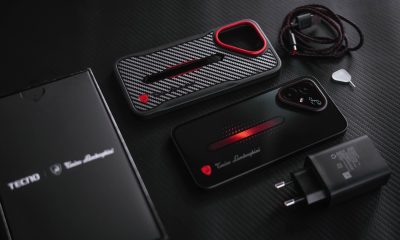
When TECNO-logy meets Tonino Lamborghini legacy