
Apple Vision Pro: Complete Unboxing & Set Up!
What you get from this $3000+ computer from the future
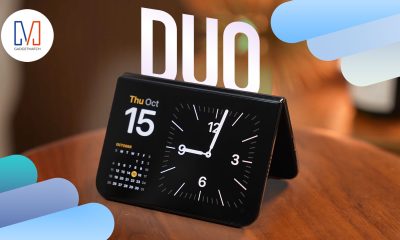





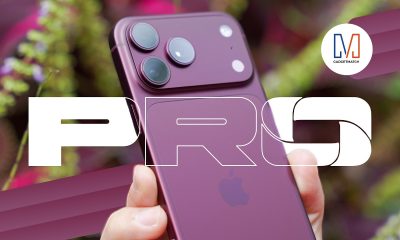


Finally! Michael Josh got his hands on his very own Apple Vision Pro!
In this video, he will unbox all what’s inside the newest spatial computing device.
Those also include his additional ZEISS inserts and a not-so-handy-dandy travel case.
Can’t wait like he did? Head over to his complete unboxing and set-up of the Apple Vision Pro.




Accessories
Jackery Explorer 300D: Power and portability in one
Uninterrupted workflows for digital nomads, freelance creatives, more

For digital nomads, freelance creatives, and even work-from-home professionals, staying productive on the move means carrying around multiple gadgets, cords, adapters, and power banks to survive the day.
Having to carry such weight, quite literally, is vital for maintaining workflow continuity.
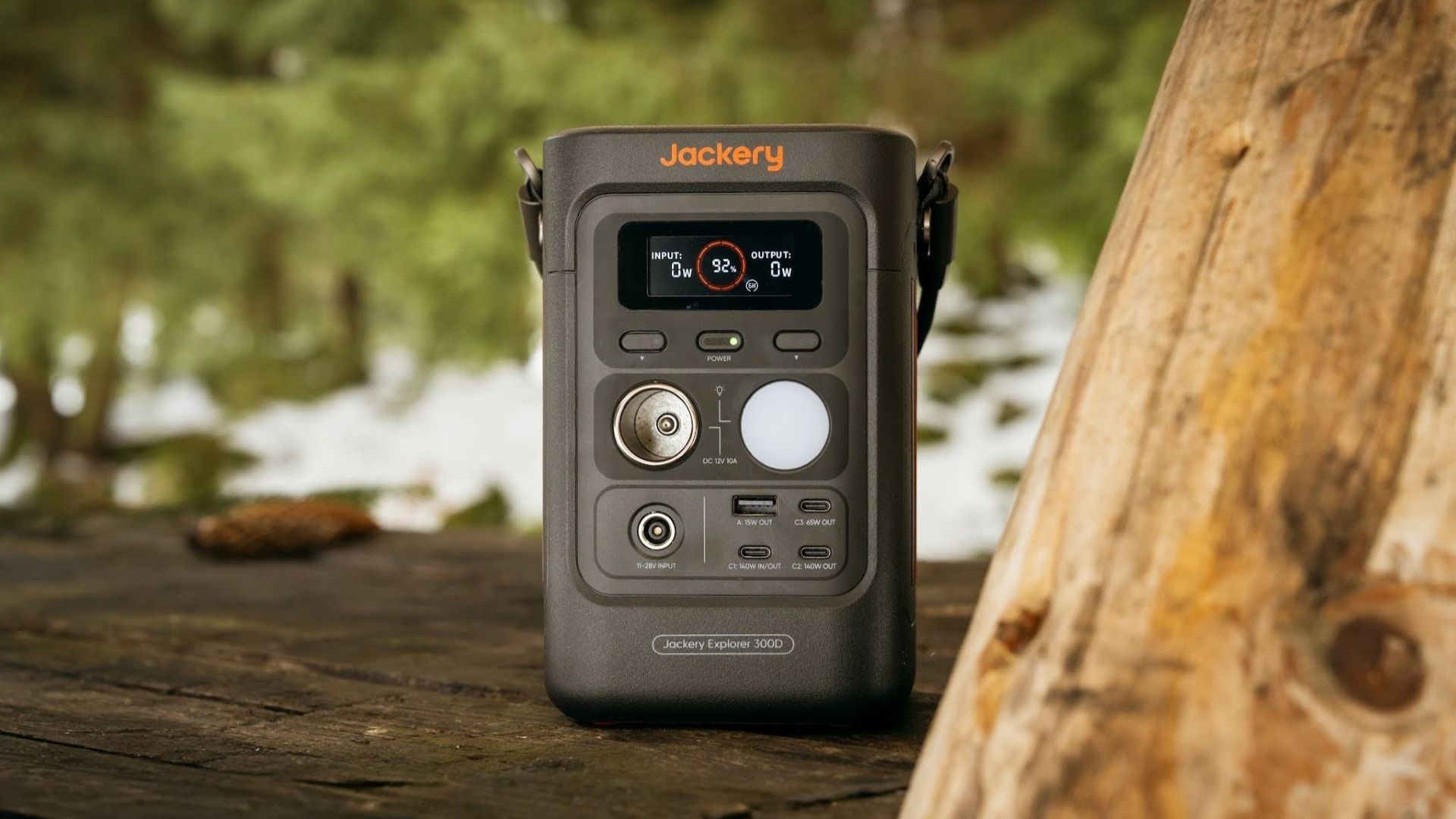
For a more seamless experience and to have just one extra portable device to power all working parts, there’s the Jackery Explorer 300D.
Launched just last month, this grab-and-go offering from Jackery is designed for the modern lifestyle.
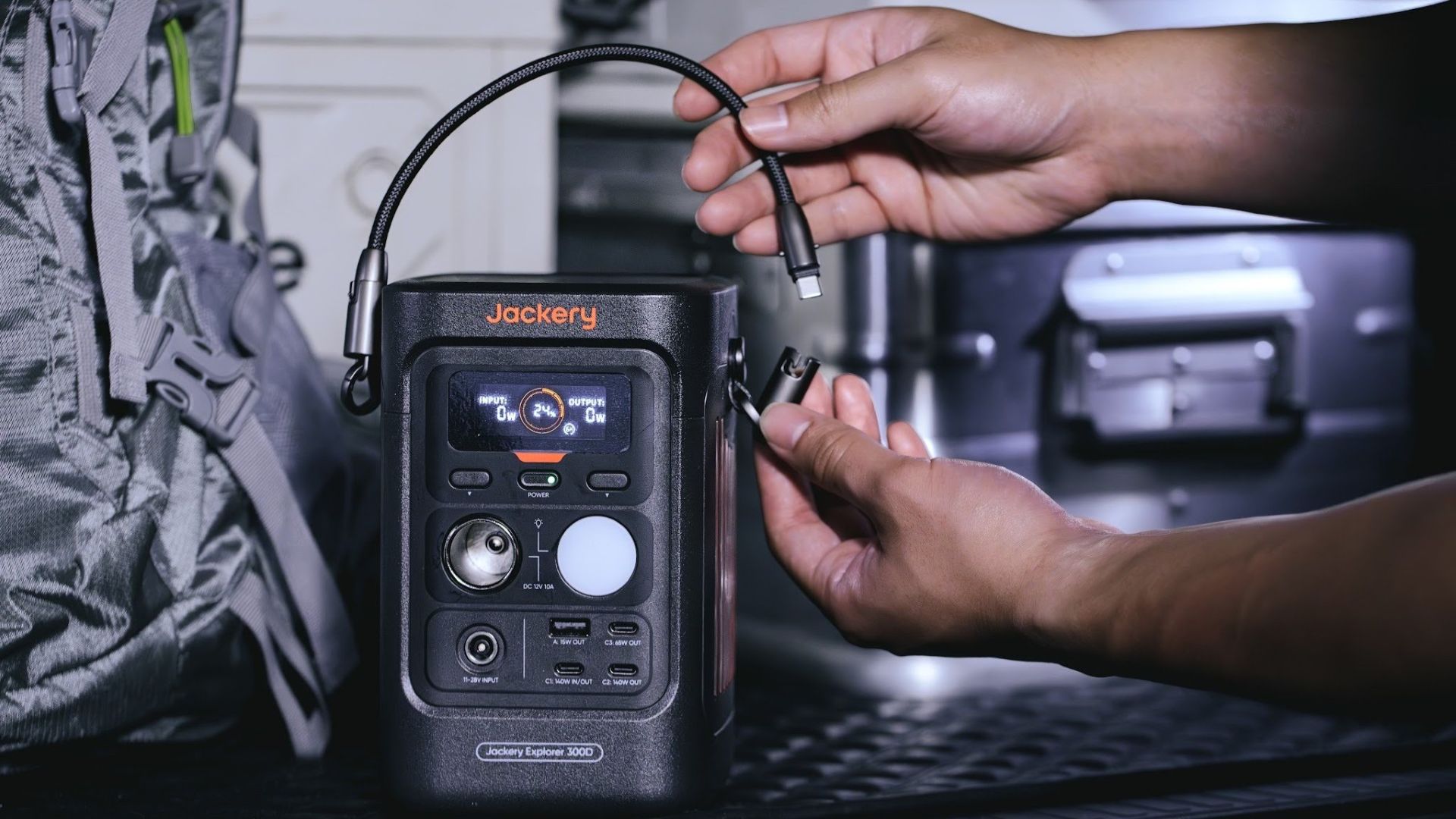
It moves away from Jackery’s traditional aesthetic with a sleek, speaker-like form factor. It weighs just 2.5 kilograms and is 64% smaller than standard 300W units in the market.
This ultra-compact size was made possible by a smart engineering choice of swapping bulky traditional AC wall outlets for highly efficient DC-only and USB-C ports — which also helps eliminate idle power loss.
With a 288Wh capacity, the Jackery Explorer 300D holds enough juice for up to nine power banks.
It can keep a Type-C fast-charging laptop for up to three to four full cycles, a Wi-Fi router alive for hours, and recharge cameras or drone batteries up to five times for a lengthy production day.
For smaller gadgets like smartphones and portable fans, the power station can juice them up for up to 22 times.

It can even charge five devices simultaneously with a total of three USB-C ports, a USB-A port, and a DC 12V car charger port.
All these ensure users are never disconnected, wherever they may set up their mobile office.
Another brilliant touch is the two-in-one shoulder strap that easily unclips to double as a heavy-duty 140W USB-C charging cable.
The everyday carry is available via Lazada and Shopee, and at the official Jackery kiosk in SM Fairview, as well as other partner stores.

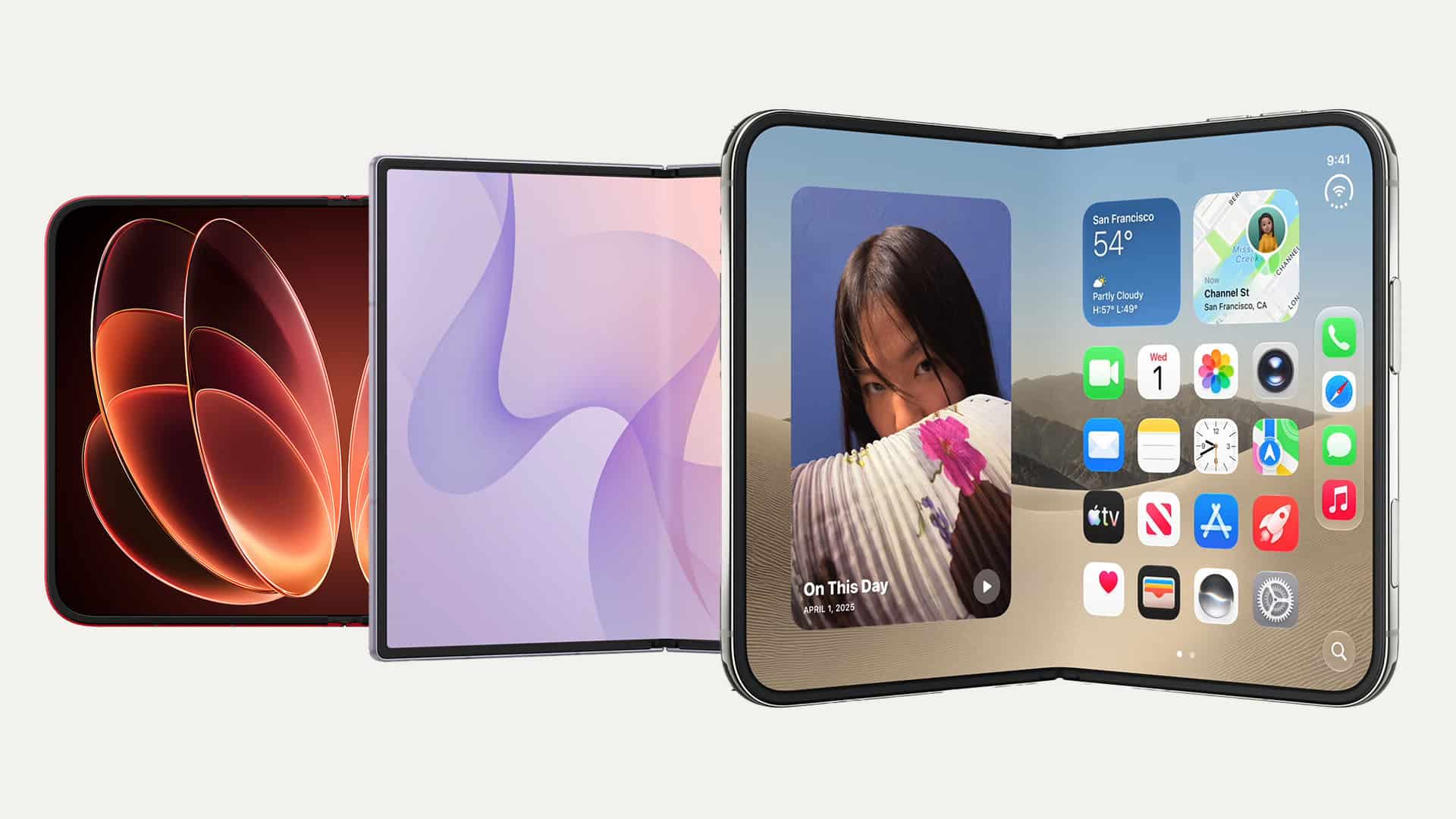
There’s a passport-sized revolution upon us, and we’re here for it.
After the HUAWEI Pura X Max and Samsung Galaxy Z Fold8, September 2026 showed us two more joining the fray: the Xiaomi 18 Fold and the much-awaited and plenty-rumored iPhone Duo.
While all four share a similar form factor, they don’t exactly all share the same approach to it. And while we’ve yet to spend significant time with most of them, we’re gonna go ahead and jump the gun and list what we think each one did right.
Think of this as more of a collective first impression or Match Pulse.
Samsung gets the weight right
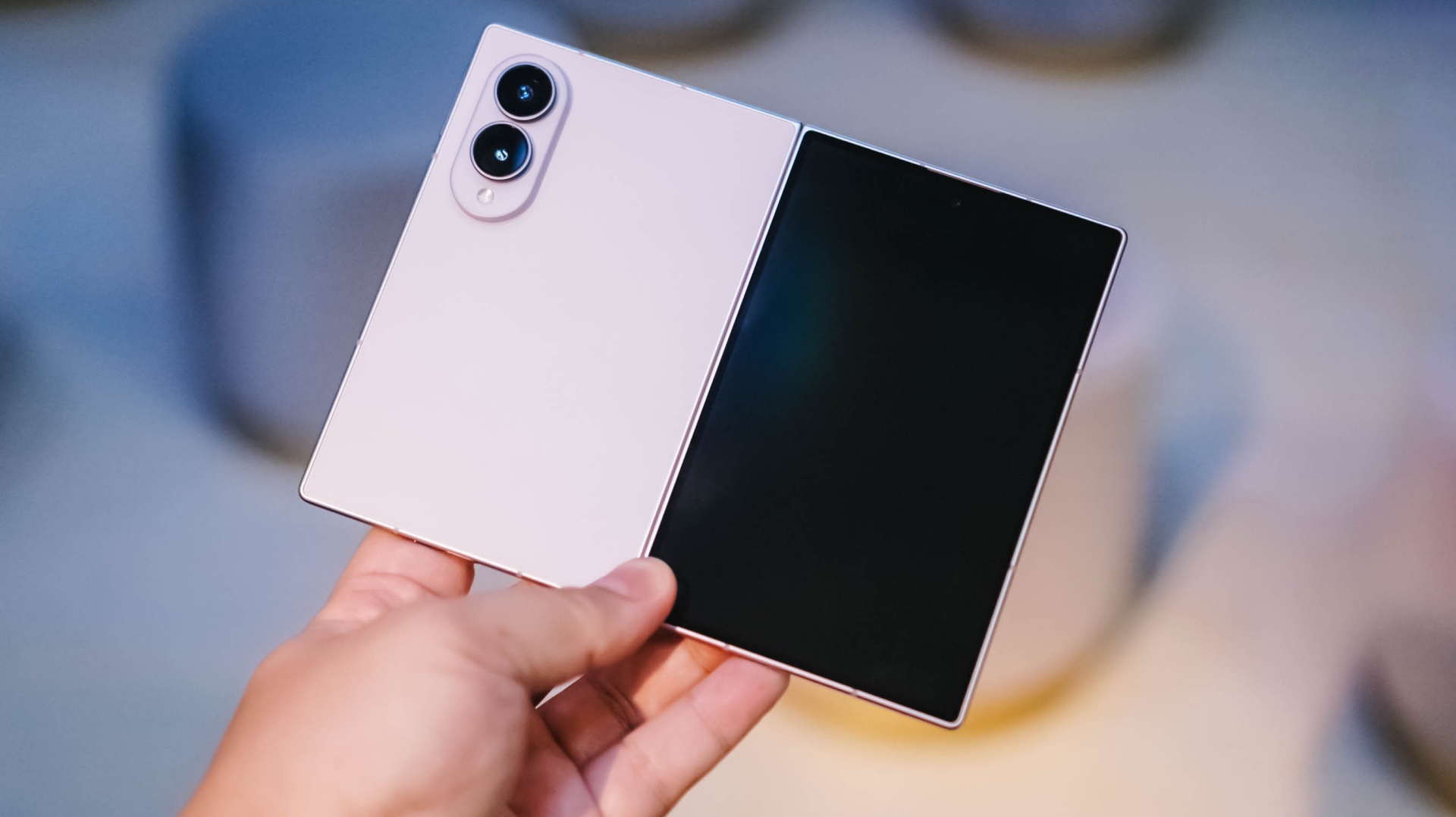
Samsung being a foldie veteran shows up here.
When I first held the Galaxy Z Fold8, I was pleasantly surprised by how light it was. At 201g, it’s the lightest of these four by a pretty significant margin. The Xiaomi 18 Fold comes in at 219g, the HUAWEI Pura X Max at 229g, and the iPhone Duo at 254g.
That’s thoughtful design, and definitely a result of Samsung having at it for years.
This is one of those things that doesn’t necessarily jump out on a spec sheet. But it matters when you actually have the phone in your hand. A passport-sized foldable is supposed to give you more screen without feeling like you’re carrying around a tiny tablet.
Samsung seems to understand that balance particularly well.
Xiaomi gets the cameras right
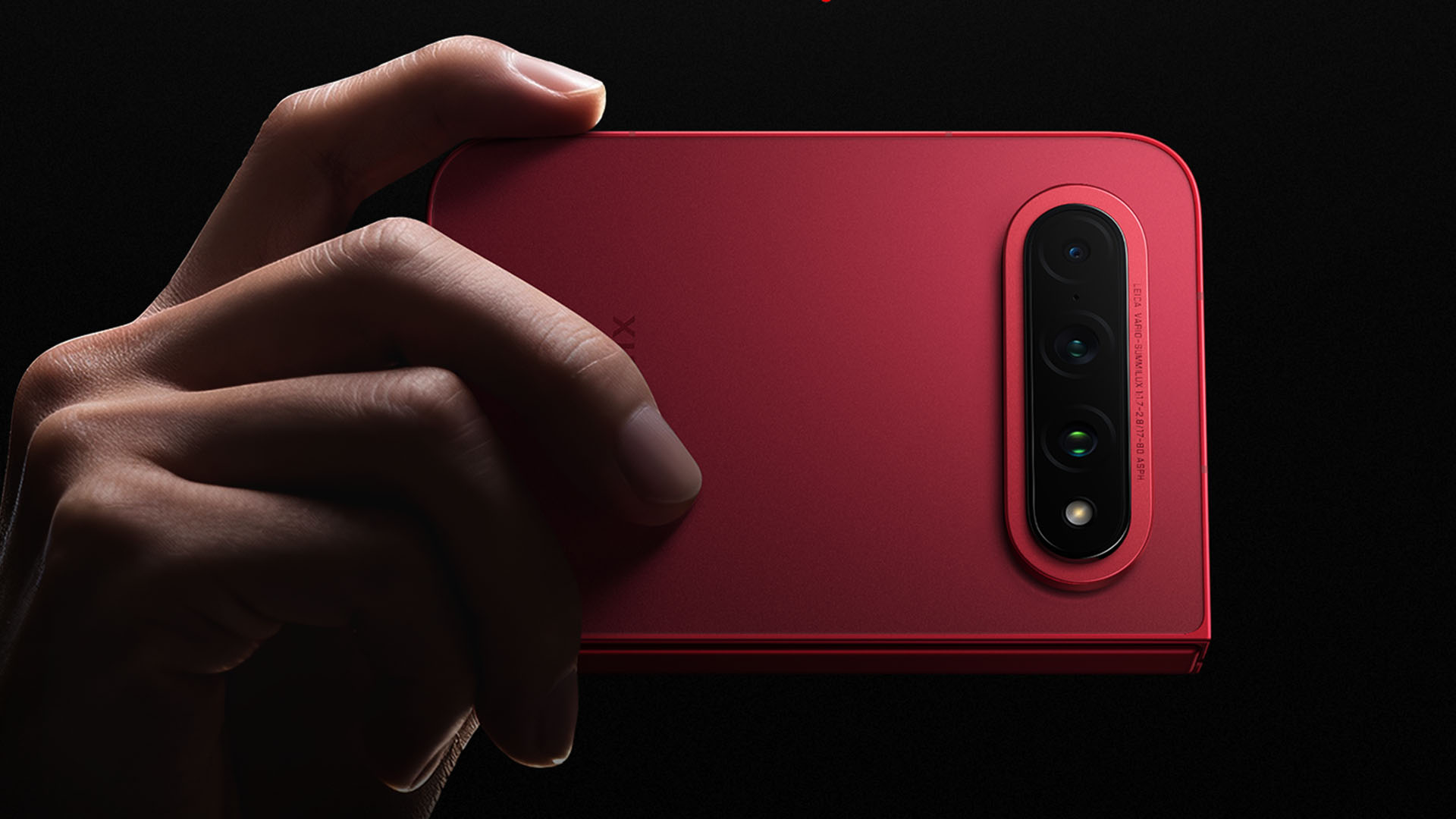
We’re not gonna talk about camera performance here. Just the cameras present and how they’re laid out.
In that regard, the Xiaomi 18 Fold is a runaway winner for me.
It has a 200-megapixel main camera, a 50-megapixel ultrawide, and a 50-megapixel 3.5x periscope telephoto. All three are part of Xiaomi’s Leica camera system.
That telephoto alone makes the setup feel much more complete than what some of the other passport-sized foldables are offering.
Then there’s the physical layout. Xiaomi puts the three cameras in a horizontal arrangement across the upper portion of the rear panel. It looks clean, but more importantly, it should help keep the phone from rocking around as much when you put it down on a flat surface.
That’s the kind of small design decision I appreciate.
You’re not just getting a foldable with cameras slapped onto the back. You’re getting a flagship-style camera system that also happens to fold.
Android gets the big screen right

This is where Android still has Apple beat.
The whole point of opening a passport-sized foldable is getting more screen. Android has spent years figuring out what to actually do with all that extra real estate.
On Samsung, you can run apps side by side, resize windows, use pop-up windows, save app pairs, and take advantage of Samsung’s broader Multi Window and DeX features. Huawei has also built out its own split-screen and floating-window tools.
Apple is finally entering that conversation with the iPhone Duo. Its iOS 27 implementation allows two apps to run side by side (you just can’t resize them like you can on Android), two windows of the same app, quick app swapping, and saved app pairs.
That’s actually a pretty big deal. But Android has been doing this for years.
The passport-sized foldable isn’t just a bigger screen. It should let you do more things at once. Android understands that part of the assignment.
Apple gets the transition right
@gadgetmatchiPhone Duo maxxing 😮💨♬ original sound – GadgetMatch
This might be Apple’s biggest contribution to the passport-sized foldable.
The iPhone Duo doesn’t simply take iOS and stretch it across a bigger display. Apple has reworked the experience around the fact that the phone can physically change shape.
Both displays share the same aspect ratio, which means content can move between the outer and inner screens without feeling like you’re jumping between two completely different phones. iOS 27 also moves controls to the side when the Duo is open, adjusts app layouts for the wider canvas, and introduces Split View for the first time on iPhone.
There’s also the rather clever StandBy implementation. Put the Duo down in a tent orientation and it can turn into a little smart display, even without being plugged in.
Apple Pencil support is coming later this year, too, and it works on both displays.
This is very Apple.
The hardware is new, but the software is doing a lot of the work to make the new thing feel familiar.
Samsung gets the overall shape right
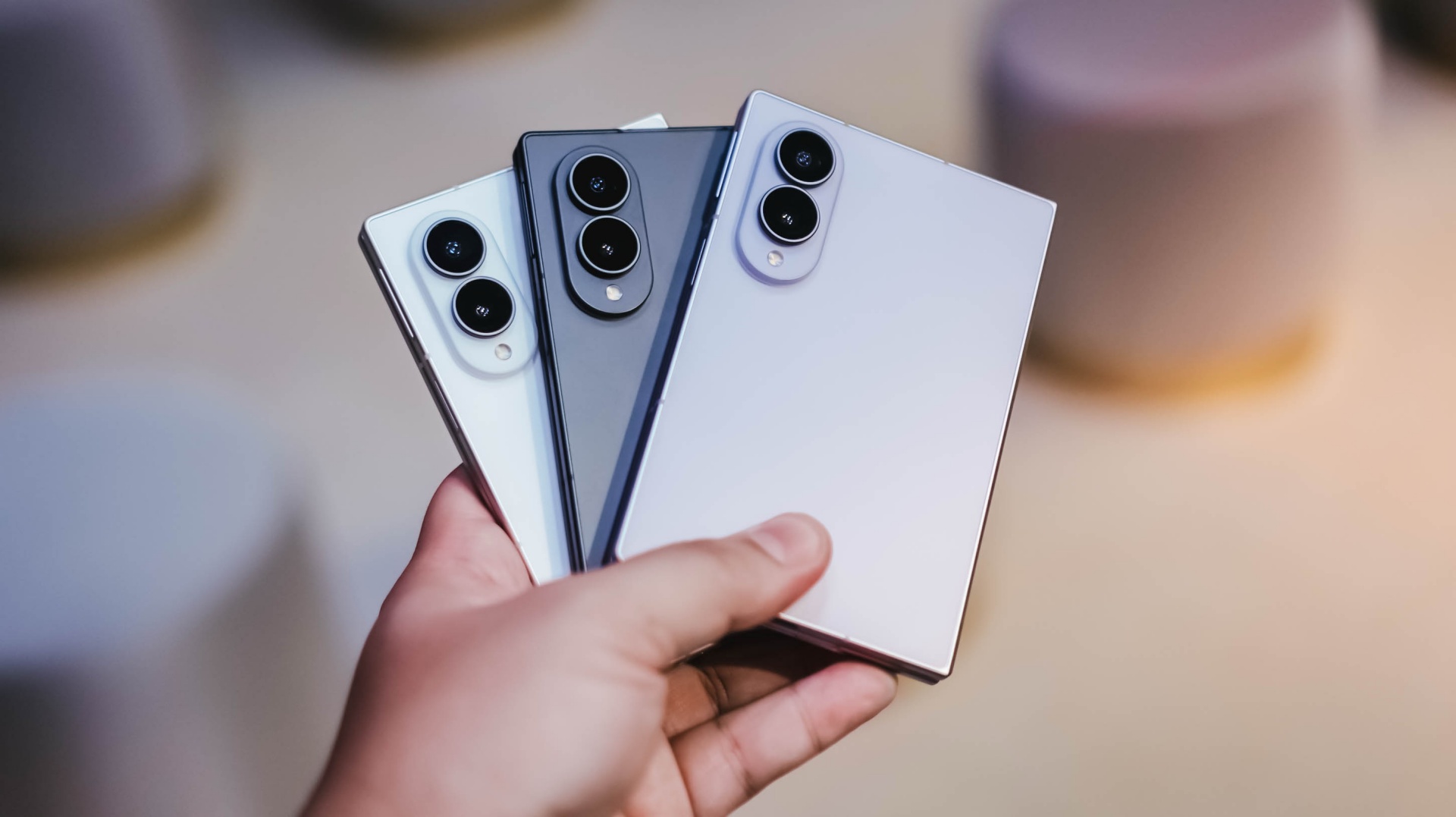
This one is completely subjective.
Personally, I prefer the square-ish, sharp-edge look of the Galaxy Z Fold8. I’ve seen plenty of people praising the D-like shape of the Duo — was that deliberate or just a happy coincidence? — and the more rounded look of the Pura X Max and Xiaomi 18 Fold.
But looks-wise, the Galaxy Z Fold8 just stands out to me.
There’s something about the balance and more symmetrical look of the Fold8 that seems more user-friendly compared to the no-love-for-lefties approach of the Duo, especially software-wise.
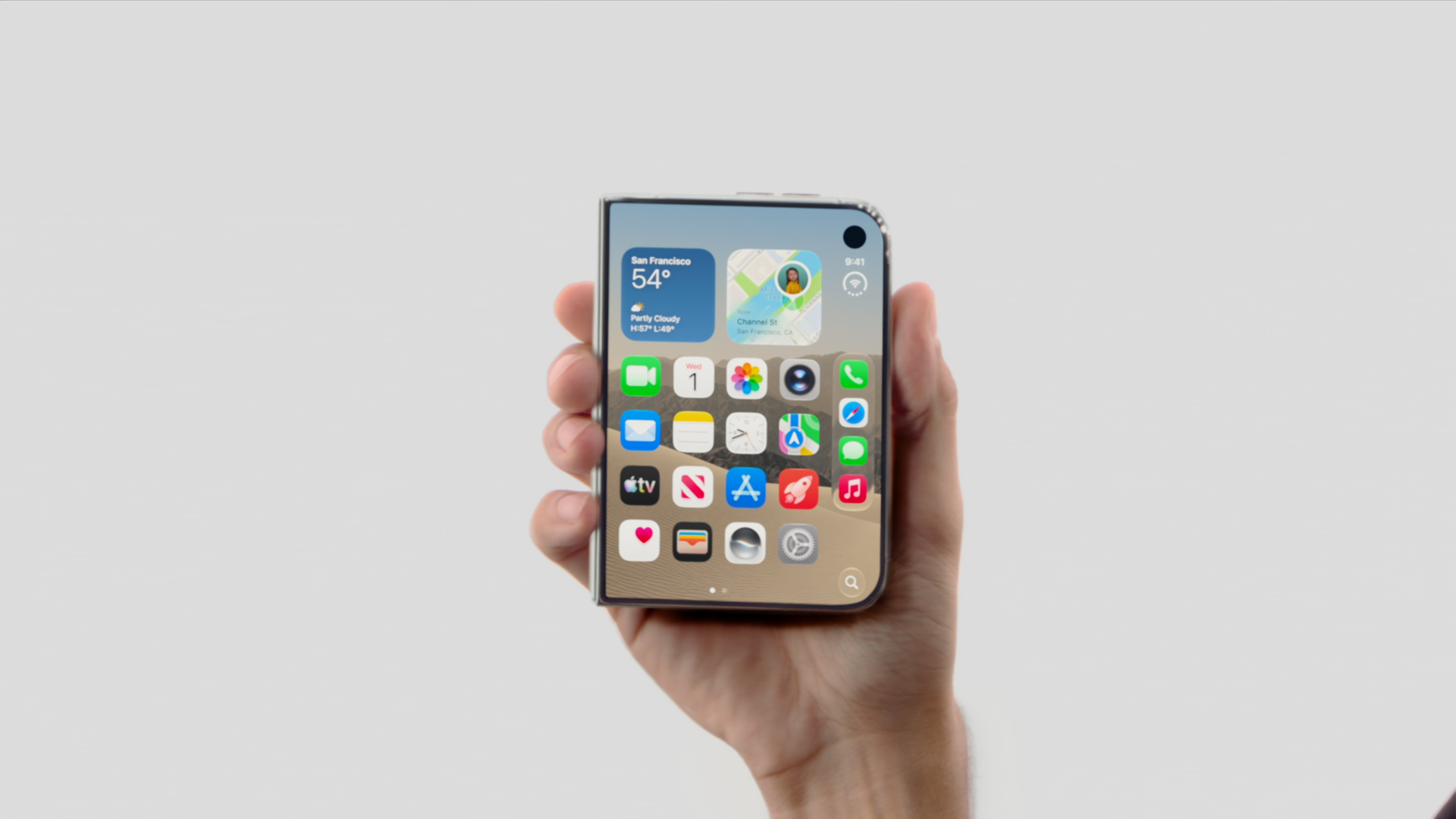
That’s obviously a personal preference. But that’s kind of the point.
We’re now at a stage where these devices aren’t all trying to look like the same thing.
The passport-sized foldable is becoming a design language of its own.
Android gets customization right
@rodneil Galaxy Z Fold8 – 3 different wallpapers: Folded, Landscape unfolded, Portrait unfolded #GalaxyZFold8 ♬ Kitty (MOMO) – MISAMO
Much has been said about the unfolding animation of the iPhone Duo. That’s cool for sure.
But if you’re after making a passport foldie truly feel like yours, Android is still the playground.
With Samsung specifically, Good Lock is your customization best friend.
You can tweak the interface, the lock screen, gestures, multitasking behavior, and plenty of little things that make a Galaxy feel less like the phone Samsung shipped and more like the phone you set up.
It’s not necessarily the sexiest feature to put on a spec sheet.
But after you’ve lived with a foldable for a while, those little things add up.
Samsung dropped the ball on the stylus
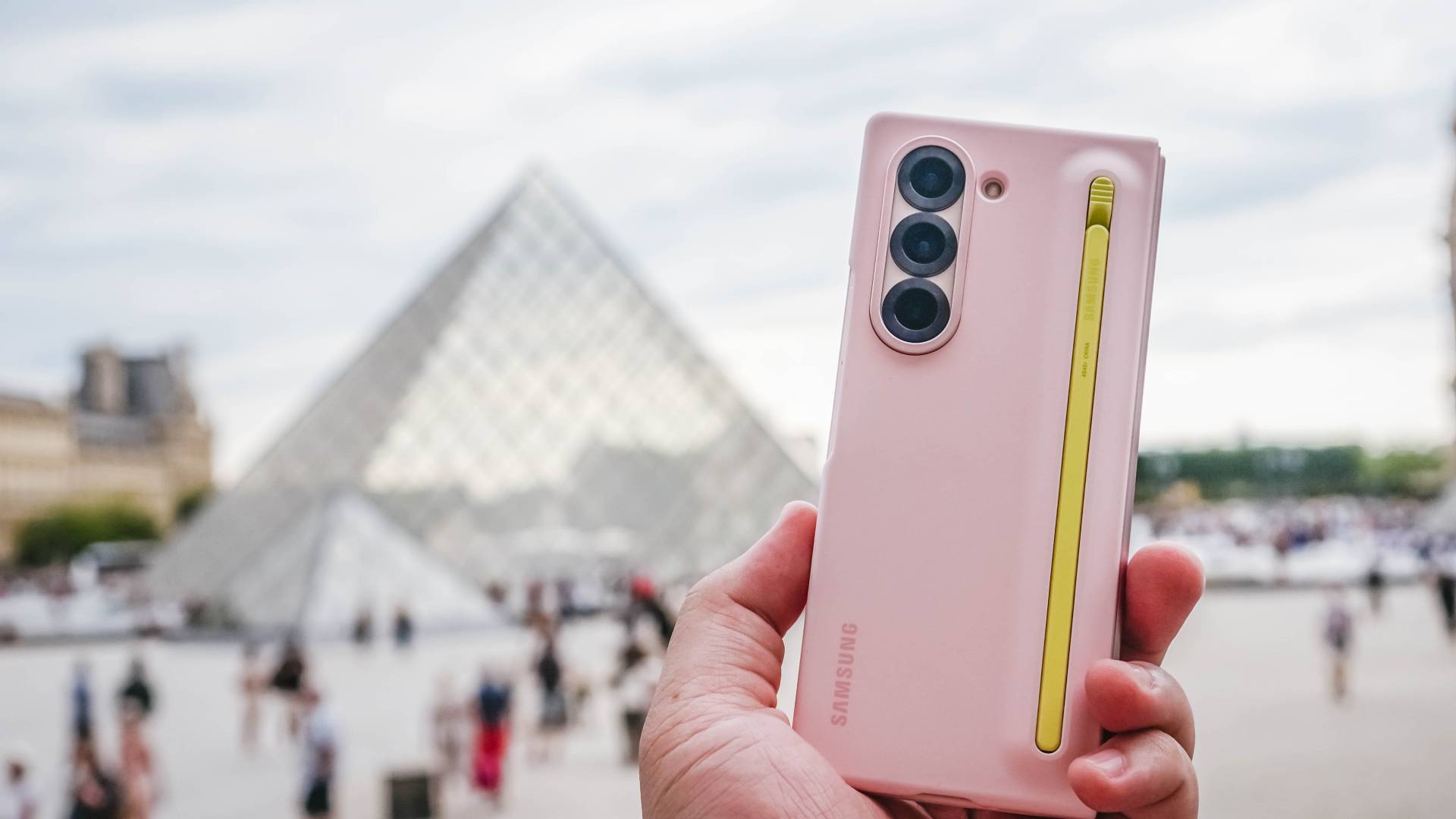
This is a weird one.
Samsung had S Pen support on the Galaxy Z Fold3, Fold4, Fold5, and Fold6. Then it dropped support with the Fold7. The Galaxy Z Fold8 and Galaxy Z Fold8 Ultra doesn’t support the S Pen either.
That’s a pretty significant omission for a device that unfolds into something approaching tablet territory.
The S Pen had plenty of fans. And you can absolutely argue that a stylus makes even more sense on a foldable because you suddenly have a much larger canvas for writing, drawing, editing, and annotating.
Apple, meanwhile, has promised Apple Pencil support for the iPhone Duo later this year.
Now, they’ve broken (or at least delayed) some promises before, so this is still a wait and see.
But it’s funny seeing Apple move toward a feature Samsung had already established on its Fold line.
The battery race is getting interesting
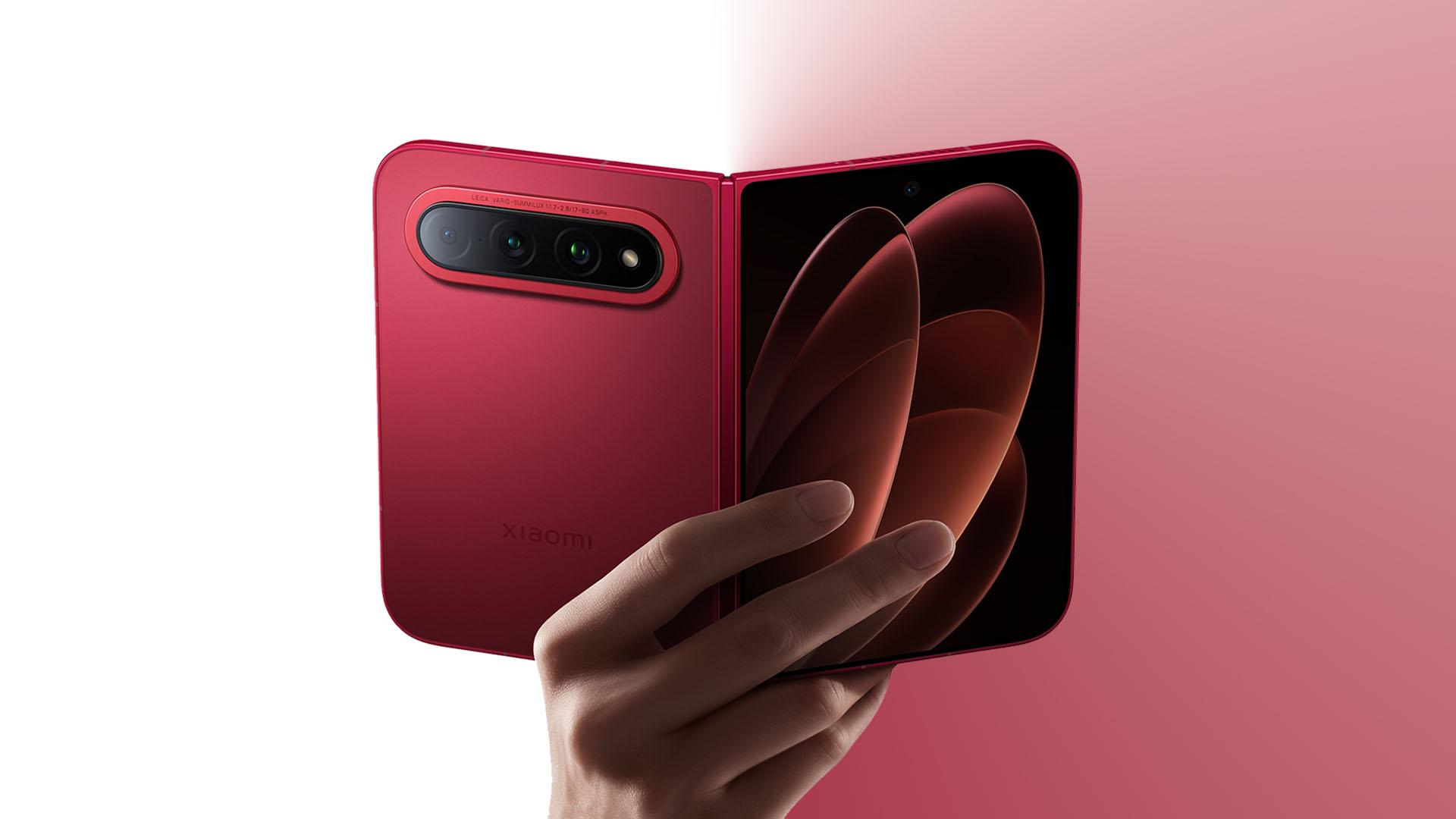
Graphics by Vincenz Lee | GadgetMatch
We still can’t fully compare this usage-wise. We haven’t spent enough time with all four devices to make any meaningful real-world battery call.
So we’re just gonna give you the numbers on paper.
The Xiaomi 18 Fold is the battery monster here with a 6,000mAh cell, alongside 67W wired and 50W wireless charging. Samsung’s Galaxy Z Fold8 has a 4,800mAh battery with 45W wired charging.
Apple doesn’t publish the iPhone Duo’s battery capacity in the same way, so we’ll leave the mAh comparison there rather than pretending the numbers are directly comparable.
This is one area where Xiaomi’s approach is particularly interesting.It has managed to put a 6,000mAh battery into a device that weighs 219g. That’s a pretty compelling combination on paper.
And then there’s performance
Same refrain as the battery here.
We’re not going to pretend that chipset names alone tell us which phone is going to be faster in actual use. Especially with four different platforms, operating systems, thermal designs, and software stacks involved.
But the hardware underneath is certainly no joke.
The Galaxy Z Fold8 runs on Snapdragon 8 Elite Gen 5 for Galaxy. The Xiaomi 18 Fold introduces Xiaomi’s own XRING O3 processor. And the iPhone Duo gets Apple’s A20 Pro, the same chip family used in the iPhone 18 Pro models.
The interesting part isn’t really which one wins the benchmark race. It’s that none of these companies seem to be treating the passport-sized foldable as a compromise device.
They’re putting flagship-class silicon, serious cameras, big batteries, and increasingly sophisticated software into this format.
And that’s probably the biggest thing to get right.
The passport foldable is becoming a thing
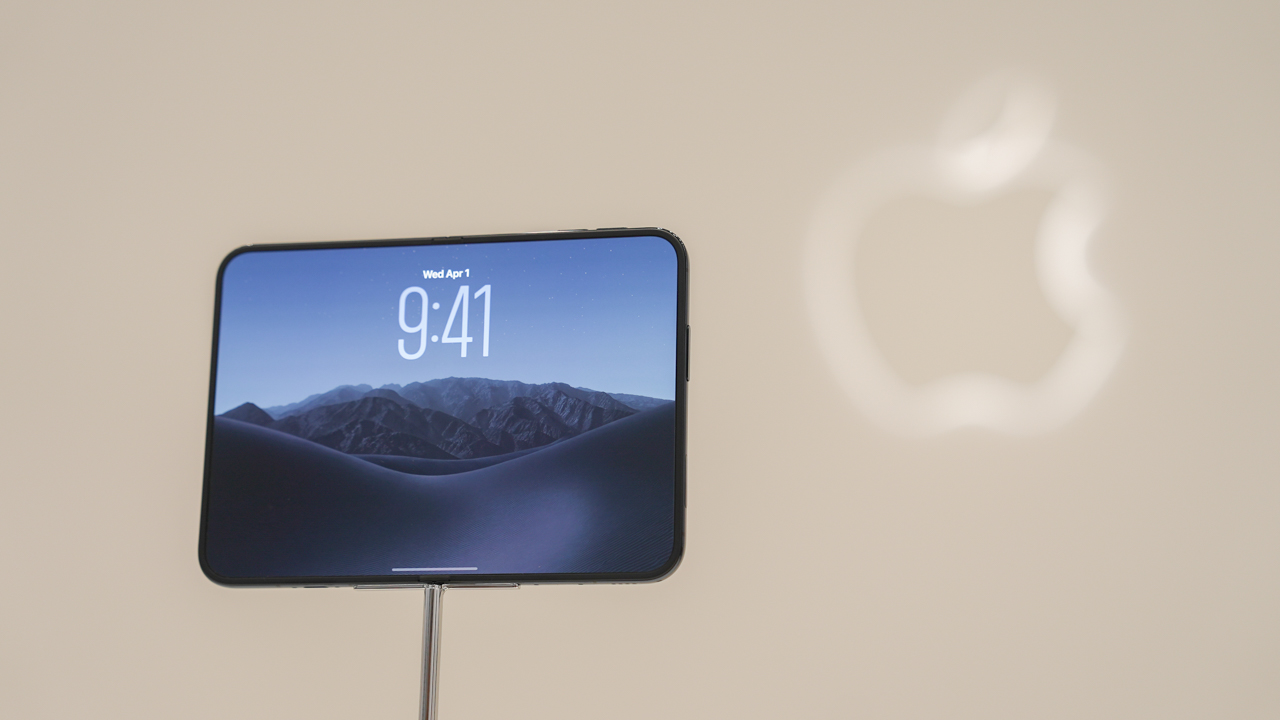
Exciting times are unfolding for the passport-sized foldable.
What’s interesting isn’t that these four phones are similar. It’s that they’re different.
Samsung has spent years figuring out how to make a big foldable thinner and lighter. Xiaomi is going all-in on cameras and battery. Huawei has its own interpretation of the compact, wide form factor. And Apple has arrived with a completely new take on how iOS should behave when the screen itself changes shape.
Between the Galaxy Z Fold8 being a big hit and the buzz generated by the iPhone Duo, it’s not far-fetched to think other brands will throw their own take at the form factor pretty soon.
And we’re totally here for it.
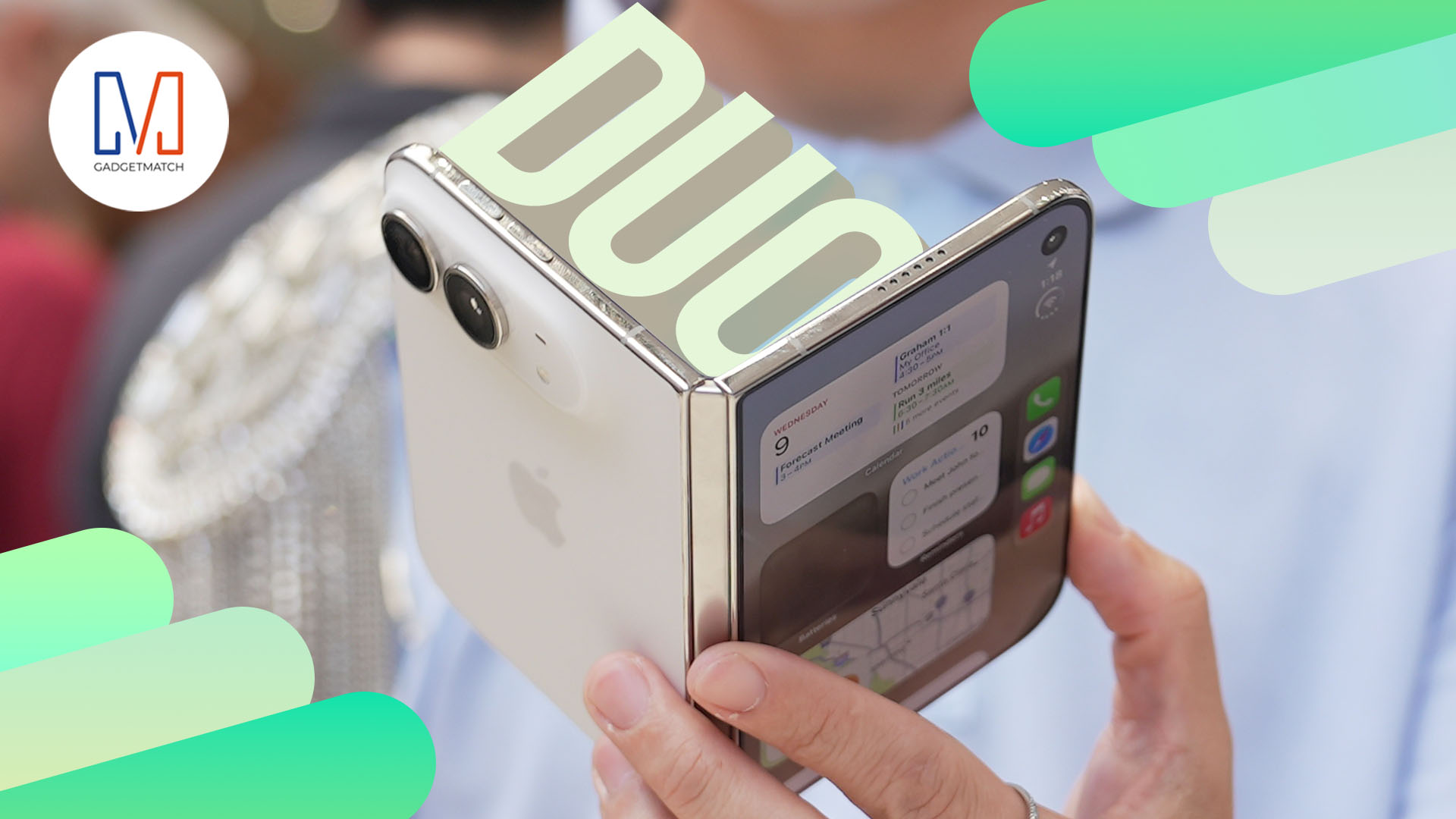
Apple’s first ever foldable is finally here! Say hello to the iPhone Duo.
In this video, THE Michael Josh shares his first impressions.
Those include the design, display, cameras, performance, and what it’s actually like to use Apple’s latest iPhone.
Is the iPhone Duo the future of the iPhone or just an interesting experiment?
We take a closer look and share everything that stood out during our hands-on experience.


HP OMEN Max 16 review: Gamer-maxxing in deep black
Peripherals deemed necessary to max this out


vivo V80 review: Good phone, tough sell
A capable travel companion


Ghost of Yōtei Complete Edition review: More of a great thing
Picking up where Atsu left off

Apple unveils new iMac with M6 chip

Apple introduces 14-inch MacBook Pro with M6 chip

Anker soundcore AeroClip 2 brings open-ear audio to everyday life

adidas debuts ENERGYRIM carbon tech in the Adizero Adios Pro 5

Firefox ad reunites all your favorite memes from decades ago

TECNO CAMON Slim 5G review: Slim on size, big on surprise

TECNO CAMON Slim 5G: Price, availability in the Philippines

HONOR Magic9 Pro Max launches in China with ARRI-powered imaging

BYD says that way better EV batteries are coming next year

HONOR 600S review

-

 News2 weeks ago
vivo V80 debuts with ZEISS cameras
-

 Philippines2 weeks ago
TECNO CAMON Slim 5G gets launch discounts, free MagBadge
-

 News2 weeks ago
Samsung: Galaxy Z Fold8 demand rose because of iPhone Duo
-
Reviews1 week ago
vivo V80 review: Good phone, tough sell
-
 Features2 weeks ago
I don’t want a phone that unfolds — the Galaxy Z Fold8 gets why
-

 News7 days ago
OPPO Find X10 Series: Price, availability in the Philippines
-
![KINGDOM HEARTS Collection [I-III]](https://www.gadgetmatch.com/wp-content/uploads/2026/10/kingdom-hearts-colletion-I-III-202610-400x240.png)
![KINGDOM HEARTS Collection [I-III]](https://www.gadgetmatch.com/wp-content/uploads/2026/10/kingdom-hearts-colletion-I-III-202610-80x80.png) Gaming2 weeks ago
Gaming2 weeks agoKINGDOM HEARTS Collection [I–III] now available on PS5, Switch 2
-

 Cameras7 days ago
DJI Osmo Pocket 4P Pearl White now available globally