
Laptops
ASUS brings new set of OLED laptops to the Philippines
Two Vivobooks and a Zenbook


ASUS’ latest OLED laptops designed for creators and professionals are now available in the Philippines to take productivity to new heights.
Included in the new products are the ASUS Zenbook 14X OLED, ASUS Vivobook Pro 14 OLED, and the ASUS Vivobook Pro 15 OLED.
The new laptops are packed with the latest AMD Ryzen 5000 H-Series processors and are also equipped with 11th Gen Intel Core mobile processors.
All laptop models will also be included in the ASUS Share 2021 holiday promo with lots of discounts and freebies.
Bringing everything to life
The ASUS Zenbook 14X OLED is the world’s first laptop with a WQXGA+ 2880 x 1800 resolution OLED display.
It also comes with a 16:10 touchscreen on either a 14-inch or 15.6-inch display, which makes everything brighter and clearer.
ASUS’ OLED laptops are tailor-made to deliver a great viewing experience with true-to-life colors at any brightness level, and deep blacks for enhanced realism.
The NanoEdge design features slim bezels; they are PANTONE validated for color accuracy and come with a cinema-grade 100 percent DCI P3 color gamut.
Zenbook 14X: Designed for professionals
The ASUS Zenbook 14X OLED (UM5401QA) has a slim and compact 15.9mm thin body which is suitable for any work environment.
Among its other features are an intelligent ASUS NumberPad 2.0 that integrates an LED-illuminated numeric keypad into the touchpad, as well as a fingerprint sensor.
The Zenbook 14X OLED is powered by AMD Ryzen 5600 mobile processor and 8GB RAM, it has dual-fan cooling technology and is available in Jade Black Color.
At PhP 64,995, users may get the laptop with an ASUS Pen and Microsoft Office Home and Student 2019.
Vivobook Pro: Push creative limits

The ASUS Vivobook pro 14/15 OLED, meanwhile, is designed mainly for creators.
Packed with up to an AMD Ryzen 5900HX mobile processor and NVIDIA GeForce RTX 3050 graphics, the laptops promise topnotch speed and great performance for content creators.
Selected ASUS Vivobook Pro 14/15 OLED models come pre-installed with genuine Windows and Microsoft Office Home & Student 2019.
The ASUS Vivobook Pro 14/15 OLED are available in ASUS Concept Stores with a starting price of only PhP 47,995.
For the full specs of all three models, check the table below.
| Series | Variant | Color | Specs | SRP |
| ASUS Zenbook 14X OLED | UM5401QA-KN009TS | Jade Black | 14″ WQXGA+ / 16:10 OLED / AMD Ryzen R5-5600H / 16GB DDR4 / 512GB PCIE3 SSD / AMD Radeon graphics / WIN10 + Office Home & Student | PhP 64,995 |
| ASUS Vivobook Pro 14 OLED | M3401QA-KM048T | Quiet Blue | 14″ 2.8K OLED / AMD Ryzen R5-5600H / 8GB DDR4 / 512GB PCIE3 SSD / AMD Graphics | PhP 47,995 |
| K3400PA-KM013T | Quiet Blue | 14″ 2.8K OLED / Intel Core i5-11300H / 8GB x 2 / 512GB PCIE3 SSD / Intel Iris Xe Graphics | PhP 49,995 | |
| M3401QC-KM116T | Quiet Blue | 14″ 2.8K OLED / AMD Ryzen R5-5600H / 8GB DDR4 / 512GB PCIE3 SSD / RTX3050 | PhP 59,995 | |
| M3401QC-KM070TS | Quiet Blue | 14″ 2.8K OLED / 16:10 OLED / AMD Ryzen R9-5900HX / 16GB DDR4 / 512GB PCIE3 SSD / RTX3050 | PhP 74,995 | |
| ASUS Vivobook Pro 15 OLED | K3500PH-L1085TS | Quiet Blue | 15.6″ FHD / OLED / Intel Core i5-11300H / 8GB DDR4 / 512GB PCIE3 SSD / GTX1650 | PhP 57,995 |
| M3500QC-L1080TS | Quiet Blue | 15.6″ FHD / OLED / AMD Ryzen R5-5600H / 16GB DDR4 / 512GB PCIE3 SSD / RTX3050 | PhP 62,995 | |
| M3500QC-L1175TS | Quiet Blue | 15.6″ FHD / OLED / AMD Ryzen R9-5900HX / 16GB DDR4 / 512GB PCIE3 SSD / RTX3050 | PhP 69,995 | |
| M3500QC-L1156TS | Cool Silver | 15.6″ FHD / OLED / AMD Ryzen R9-5900HX / 16GB DDR4 / 512GB PCIE3 SSD / RTX3050 | PhP 69,995 |
Holiday bundle promos
For the Christmas season, ASUS is offering a complimentary three-month subscription to Adobe Creative Cloud full suite for the Zenbook 14X OLED and Vivobook Pro 14/15 OLED.
Membership will include 100 GB of cloud storage, Adobe Portfolio, and Adobe Fonts.
Meanwhile, purchases of the laptops until January 15, 2022 will be part of the ASUS Share 2021 Promo.
This means freebies including an ASUS router AC68U, Marshall Wireless Headset Major IV, a Chipolo Air One, and an ASUS EOS Bag depending on the purchase.
| PURCHASE | HOLIDAY BUNDLE INCLUSIONS |
| ASUS Zenbook 14X OLED | ASUS Router AC68U
Marshall Wireless Headset Major IV (worth more than PhP 14,000) |
| ASUS Vivobook Pro 14/15 OLED | Chipolo Air One
ASUS EOS Bag (worth more than PhP 4,800) |
Click here for more information and complete promo mechanics, please check this link.







Editors' Choice
GadgetMatch Awards: Best of IFA 2026
Xiaomi 18 Fold, Govee, XGIMI, ARZOPA, Cuktech and more!

We’re back at IFA 2026 in Berlin, checking out some of the coolest and most interesting tech on the show floor.
From smart home lighting and portable displays to projectors, power solutions, foldables, and more, these are some of the products and brands that caught our attention this year.
In this video, we take a look at:
- AI Lighting https://bit.ly/4xmY342
- Z3FC Portable Monitor https://bit.ly/4gRk7wD
- D14 Digital Photo Frame https://bit.ly/4qYlRJ6
- 30 Ultra Desktop Charging Station https://s.whaee.com/tXBornw
- 10 Ultra Charger https://s.whaee.com/UsWT4U2
** Use code CUKTECH09, valid until September 30
XGIMI
ASUS x NVIDIA RTX SPARK
- ProArt P16: https://asus.click/h7607_gm
- ProArt P14: https://asus.click/h7407_gm
- ProArt GR1X
Watch until the end for our favorite finds from IFA 2026!
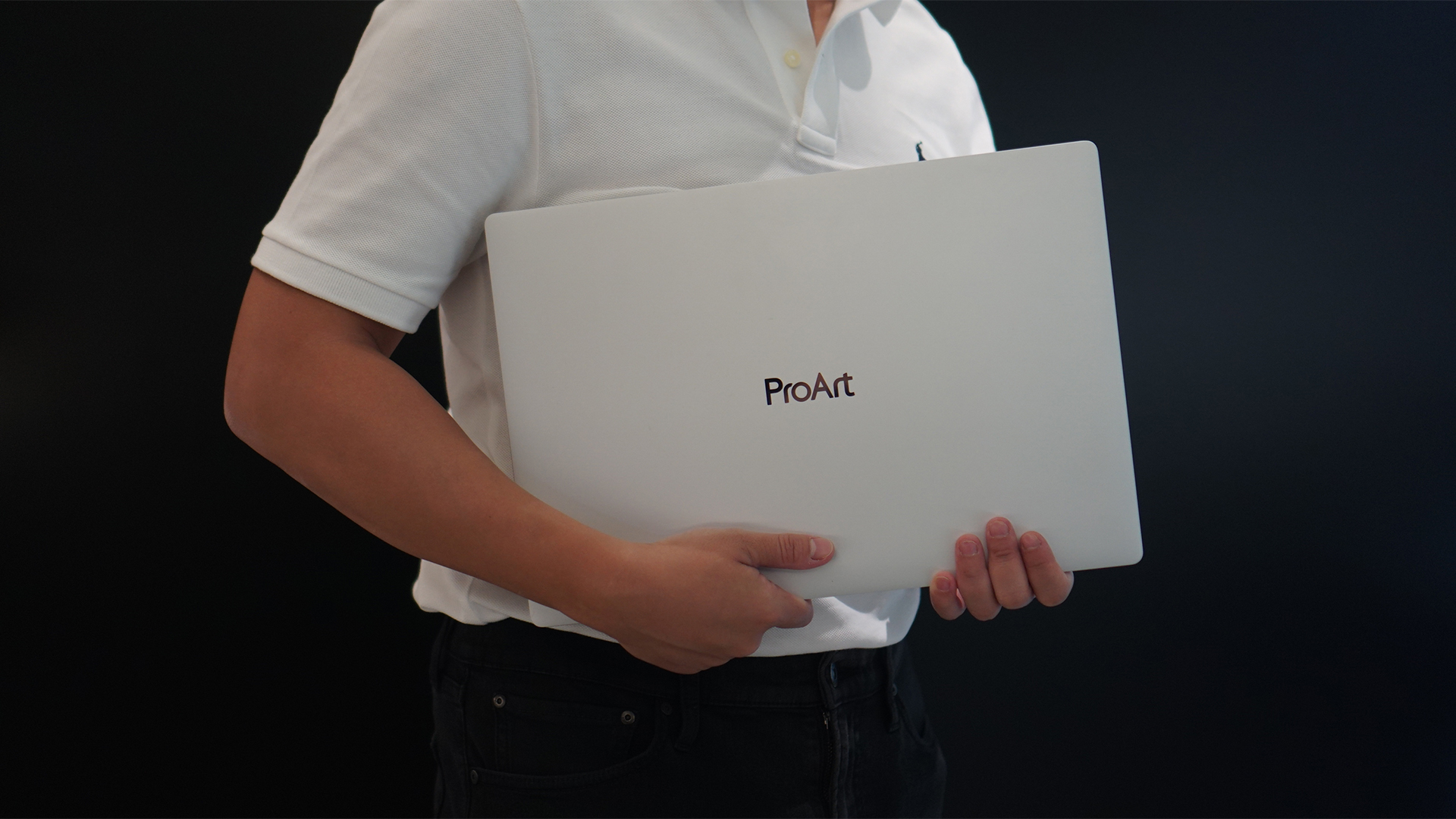
Select ASUS and ROG laptops now come with three months of Google AI Pro or Google AI Plus at no extra cost. The offer starts September 7 and covers eligible models from the 2025, 2026, and upcoming 2027 lineups.
Google AI Pro includes 5TB of cloud storage, while Google AI Plus comes with 400GB. Both plans also provide access to a range of Google’s AI-powered tools and features.
More Google AI on ASUS laptops
Eligible customers can use the Google Gemini app, Deep Research, Google Flow, Gemini in Google apps, and Gemini Notebook, among other features. Availability varies depending on the Google AI plan and supported features.
Google AI Pro offers higher usage limits and expanded access to Google’s more capable Gemini models. It also includes additional developer and agentic tools such as Google Antigravity, Jules, and AI Studio, subject to availability and plan terms.
Google AI Plus provides elevated access to Google’s AI tools alongside features for creative generation and productivity.
The offer covers more than just AI features. Google AI Pro’s 5TB of cloud storage and Google AI Plus’ 400GB give users additional space for documents, photos, videos, research, and other projects.
Available across select ASUS models
The one-year program starts September 7 and applies to selected ASUS and ROG laptops in supported markets. Eligible models span the ROG, TUF Gaming, ProArt, Zenbook, and Vivobook families, including select 2025 and 2026 models and upcoming 2027 devices.
Customers can redeem the offer exclusively through the MyASUS app. ASUS has published the full list of eligible models and the offer’s terms and conditions on its website.
Check the full list of eligible ASUS laptops
ASUS is also running its No. 1 Quality, School-Ready Deals promotion until September 15, 2026. The promo offers additional deals for students, gamers, and professionals buying select ASUS and ROG devices.
The company’s No. 1 Quality and Service package also includes up to three years of international and local warranty, service access across more than 90 countries, and over 100 ASUS Service Centers and Drop-Off Points in the Philippines. Eligible laptops also come with one year of Local Accidental Damage Protection and up to six free device cleaning claims.


TECNO is making its MEGABOOK lineup a little more flexible.
At IFA ShowStoppers 2026, the uprising tech brand unveils the MEGABOOK T15 360 with two more laptops and three phones tagging along.
One laptop, four modes
The MEGABOOK T15 360 series is the brand’s first laptop lineup with a 360-degree hinge and touchscreen display.
By that, it’s more than just a conventional laptop. It can also be a tablet or a portable display via Tent mode or Stand mode. This added feat makes everything more versatile as TECNO’s existing laptops are only limited to the clamshell form factor.
Both models feature a 15.6-inch screen with the standard 16:9 aspect ratio. As alluded earlier, it’s a touchscreen laptop consisting of 10-point multitouch points. There’s also optional MPP 2.0 active pen support if you want to write or draw directly on the display.
So what’s the difference?
Well, the regular T15 360 gets a Full HD 60Hz panel with 320 nits brightness.
Meanwhile, the Pro version takes it up a notch with a faster 120Hz refresh rate, sharper 2.5K display resolution, full 100% sRGB coverage, and higher 350 nits brightness.
Both laptops come in an all-metal chassis made using CNC machining. The convertible design doesn’t come at the expense of a more conventional laptop build.
Performance uncompromised
TECNO isn’t treating the T15 360 as a lightweight convertible that has to compromise on performance.
You can get up to an Intel Core Ultra 9 185H processor, paired with an LPDDR5X RAM. The storage is based from PCIe M.2 2280 SSD — with select models having a secondary M.2 slot for utmost expansion.
There’s also a 70Wh battery plus support for a speedy 65W PD GaN charger. Connectivity includes up to Wi-Fi 6E and Bluetooth 5.4, alongside seven built-in ports.
Practical stuff were neither forgotten. There’s a backlit keyboard with a dedicated number pad, a fingerprint reader underneath its power button, dual speakers with DTS Ultra, a webcam, and dual digital microphones.
TECNO’s OneLeap feature also rounds things out by letting the MEGABOOK work with other TECNO’s smartphones, tablets, and other PCs for cross-device collaboration.
Two more MEGABOOKs
TECNO also brought two other MEGABOOKs to IFA.
The MEGABOOK K15S WCL is the more straightforward option. It uses Intel’s newer Wildcat Lake platform with a 16:10 display, a 70Wh battery, and 65W GaN charging — all in a premium, all-metal body.
Then there’s the MEGABOOK T17 Ultra. Ultra by its name, it goes big with a massive 17.3-inch 16:9 display. It can be configured with up to an Intel Core Ultra 9 processor and LPDDR5X memory. It also features a massive 99.99Wh battery and speedy 100W GaN PD fast charging.
Wait! There’s even more…
Beyond laptops, TECNO reveals the true form of its Next-Gen Bezelless Concept Phone at IFA 2026.
As announced more than a month ago, this concept uses a redesigned display architecture, internal stacking, structural engineering, and screen packaging to eliminate the physical black border around the display, resulting in what TECNO calls a true 0mm display border.

Beside a phone prototype, there are two consumer-ready products as well.
The POVA 8 Pro 5G Tonino Lamborghini Limited Edition combines the POVA series’ performance-focused approach with Tonino Lamborghini’s design language.
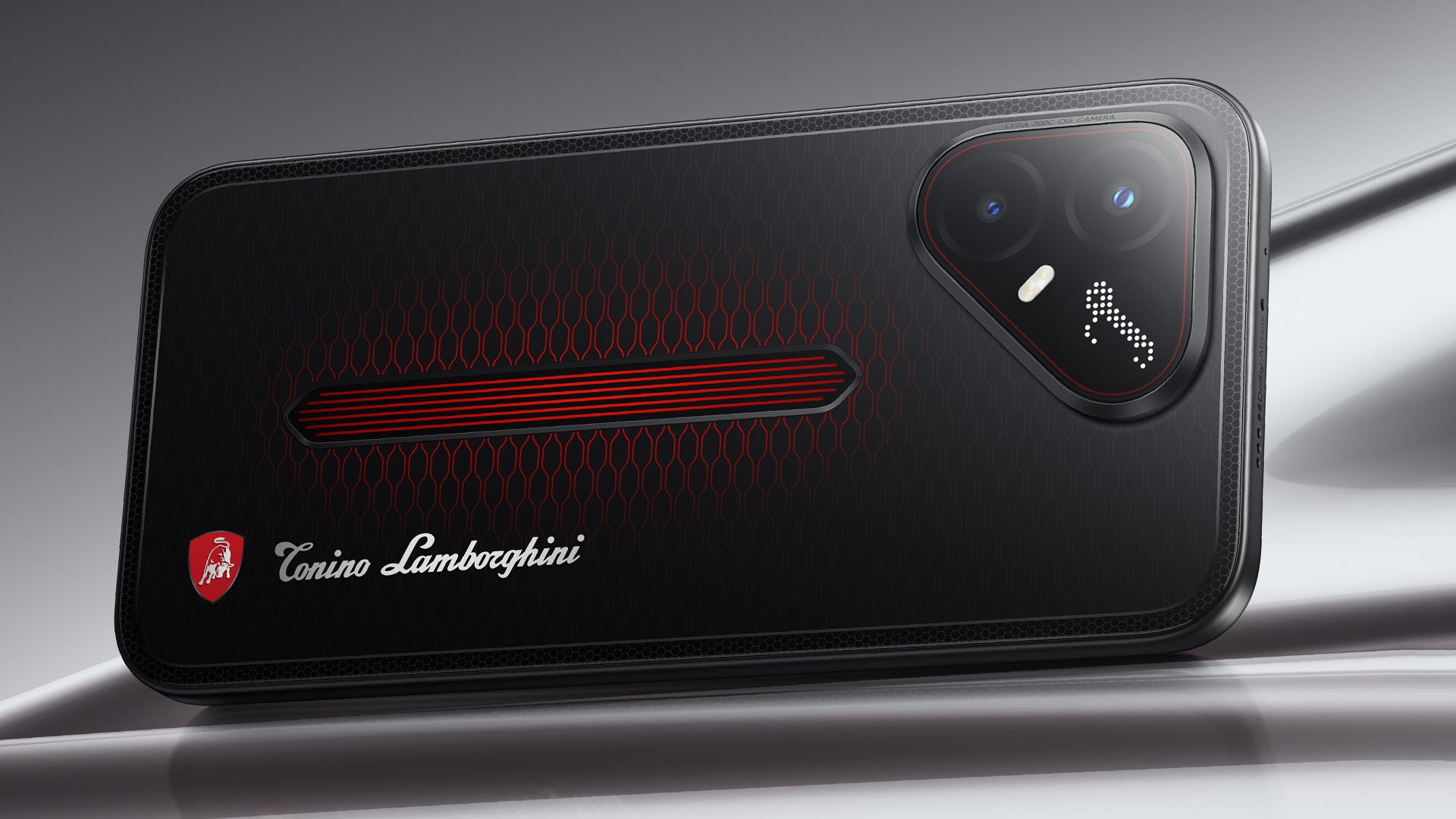
It uses a MediaTek Dimensity 7400 Ultimate 5G chipset alongside TECNO’s custom-made P1 Graphic Chip and a 5K IceShield vapor chamber cooling system. Specific details will be announced on September 4, 2026.
Meanwhile, the CAMON Slim 5G focuses on a thinner form factor, measuring just 6.39mm thick.
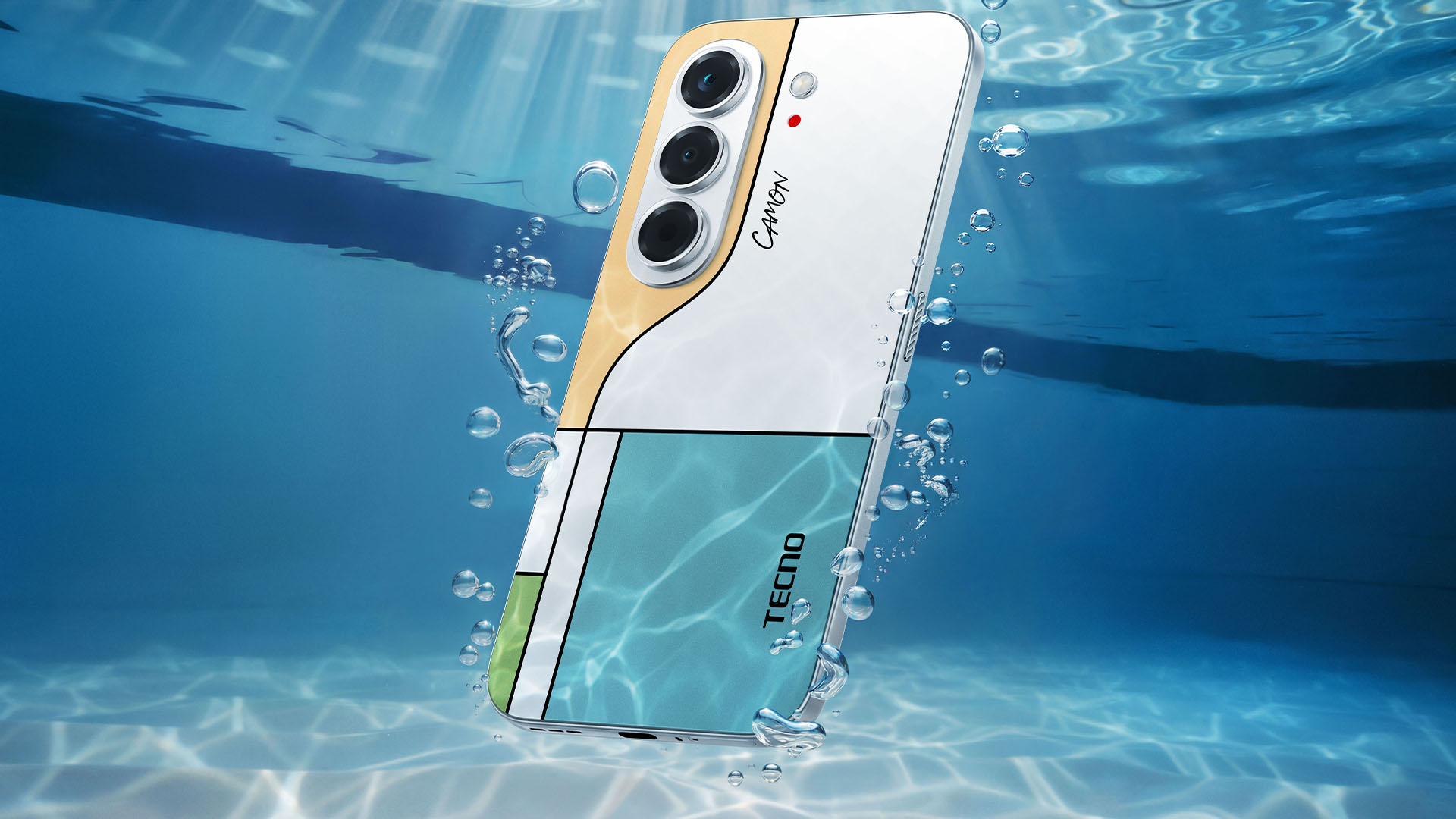
TECNO says it combines the CAMON line’s imaging features with AI capabilities and artistic colorways. More specifications will be revealed on September 7.
Pricing and Availability
The MEGABOOK T15 360 Series is expected to arrive in Europe by Q4 2026.
Depending on the configuration choice, the MEGABOOK T15 360 will start between EUR 899 ~ EUR 999. The MEGABOOK T15 360 Pro will cost as much as EUR 1099.
No pricing info were announced for the other MEGABOOKs and two phones as of writing.


DJI Lito X1 review: Is this the best lightweight drone for creators?
Making a strong case as a travel companion and a capable B-cam!


REDMI Note 17 Pro Max review: A new breed born from AI greed
Welcome to the new normal


Marvel’s Wolverine review: When the claws come out
A brutal, cinematic superhero adventure

When your body talks, the Galaxy ecosystem listens

MediaTek launches the Dimensity 9600 Pro

Qualcomm unveils the Snapdragon 8 Elite Gen 6 series

OPPO Find X10 Pro Max is the first phone with a triple 200MP camera system

70mai launches the A900 series with 4K front, rear recording

realme 16T 5G with 8000mAh battery, IP69 Pro rating launches in PH

HUAWEI Pura X View is 2026’s first WIDE slab-type smartphone

REDMI reveals the refreshed Note 17 and Note 17 Pro series

REDMI Note 17 Series: Price, availability in Singapore

The CAMON Slim 5G is TECNO’s latest ultra-slim smartphone


-

 Accessories2 weeks ago
CASETiFY upgrades iPhone 18 cases, teases iPhone Duo lineup
-

 Hands-On2 weeks ago
Apple iPhone 18 Pro Series Hands-on
-

 News3 days ago
vivo X500 Series launches with major imaging upgrades
-
Gaming2 weeks ago
Marvel’s Wolverine review: When the claws come out
-

 Gaming1 week ago
BlizzCon 2026 announces World of Warcraft: Forever and Diablo V
-

 Singapore5 days ago
Epson Lifestudio Grand Plus EH-LS970B with 4K projection, more launches
-
Reviews1 week ago
REDMI Note 17 Pro Max review: A new breed born from AI greed
-

 First Look2 weeks ago
First Look: Apple iPhone Duo