


I’ve already talked about how GadgetMatch covered gamescom for the first time. This time, let me tell you about the other “first” that shaped the trip: walking the massive halls of Koelnmesse with the Canon EOS R50 V in hand.
You already know this was my first gamescom. What you don’t know is that I didn’t have my usual setup. Instead of my trusty Sony a6500 with a 35mm lens, I had the Canon EOS R50 V paired with the RF15-35mm f/2.8L IS USM.
Unfamiliar gear in unfamiliar territory. Spicy combo, right?
Zero prep, full send

Here’s the thing: I picked up the R50 V just hours before my flight. Zero time to get cozy with it. I went straight from unboxing to event mode, no warm-up lap in between.
And while the R50 V is compact, that RF15-35mm f/2.8L IS USM lens is anything but. Fitting it into my bag felt like stuffing sneakers into a clutch.

But the size had perks. With its wide-to-zoom range, it felt like carrying multiple prime lenses without the weight. I could capture a sprawling booth one second and zoom in for a portrait the next.
Cosplayers noticed it too—many struck a pose as soon as I pointed the lens their way. The camera practically invited interaction, which made shooting the Sights and Sounds reel a lot more fun.
@gadgetmatch Sights & Sounds at #gamescom2025 ♬ original sound – GadgetMatch
The vlogger button that got benched

One of the R50 V’s cool tricks is the front-facing record button. Perfect for vloggers. But paired with that massive lens? Not so much. Holding the setup out for a selfie felt less “on-the-go creator” and more “arm day workout.”
Still, I gave it a shot. If you watch my ROG Xbox Ally X first look video, you’ll spot a few clips where I used it. But for the most part, I stuck to capturing everything else happening around me.
Missing my dials, finding my groove

What I missed most were the physical dials. My Sony setup lets me adjust settings with a quick flick. With the R50 V, a lot of those changes live on the touchscreen. It’s workable, but I’m not the biggest fan of poking a screen mid-shoot.
That said, Canon nailed the ergonomics. Stubby fingers, chunky hands, smaller body—still comfortable. The grip never felt flimsy or cramped. For its size, it’s solid.
After a few days, I found my rhythm. The Samsung PlayGalaxy reel is probably the best showcase of what I was able to do once I got past the learning curve.
@gadgetmatchAll fun and games at the Samsung Play Galaxy at Gamescom 2025!♬ original sound – GadgetMatch
A surprise player for stills
The R50 V is clearly made with video creators in mind, but the stills surprised me too. Even in the chaos of gamescom, I managed to snap a handful of shots worth sharing.
Sharp, clean, detailed. That L-series glass obviously helps, but the camera itself is no slouch.


Coverage tested, coverage ready
So how did the Canon EOS R50 V hold up at my first gamescom? Honestly, pretty well. I had maybe ten minutes to fiddle with it before diving into one of the busiest events of the year, and I still came home with reels, clips, and photos I’m proud of.
That, to me, says a lot.
Would I trade my usual setup for it? Not completely. I still crave the physical dials and the vlogger button works best with a smaller lens. But the R50 V proved it can keep up with the demands of real event coverage.
Is the Canon EOS R50 V your GadgetMatch?

The Canon EOS R50 V is a Swipe Right—but not without caveats.
First, ask yourself: do you really need something with an interchangeable lens? If yes, then this is an investment worth making in your content creation journey.
But think carefully about the kind and size of lens you’ll need. Wide lenses are great for vlogging. Prime lenses shine for portraits and product shots. Zoom lenses come alive at big events like gamescom. Figure out what you’ll use it for the most, and match your setup accordingly.

If you’re not ready to make that leap, Canon has another option: the Powershot V1. Think of it as a half-step up if you’re moving from smartphone shooting. Less intimidating, easier to carry, but still a noticeable jump in quality.
As for me, I survived my first gamescom with Canon. And while I may not be a full convert just yet, I can say this much: the R50 V earned its spot in my bag, sneakers and all.







Cameras
Insta360 X6: Never worry about missing the shot
Capture everything. Choose your angle later.

One of the biggest challenges when recording video is deciding where to point the camera. A moment can unfold in several directions, and choosing one composition means potentially missing everything else.
The Insta360 X6 offers a different approach.
As a 360-degree camera, it captures the entire scene around you. Instead of committing to a single angle while recording, you can choose your preferred framing afterward. A single recording can produce several different perspectives, depending on what you want the final video to show.
This makes reframing one of the most compelling parts of the experience. A shot originally focused on the scenery can become a shot of the people in it. A recording from a moving vehicle can reveal details that weren’t even visible from the original viewing angle.
The camera also offers other ways to capture a moment, including high-resolution 360-degree photos. Features like AI Director provide another option for turning footage into a finished highlight video, while its rugged construction makes it suitable for taking along on different adventures.
Ultimately, the appeal of the Insta360 X6 goes beyond its ability to record in 360 degrees. It gives creators more flexibility during capture and more creative choices during editing.
You don’t always have to get the perfect shot while recording. Sometimes, it’s enough to capture everything and decide what matters later.
Insta360 X6 specifications
| Feature | Specification |
|---|---|
| Sensors | Dual 1/1.1-inch square sensors |
| 360° video | Up to 8K at 50fps |
| 360° photos | Up to 120MP |
| Single-lens video | Up to 5K at 60fps |
| Display | 2.32-inch OLED touchscreen |
| Storage | 64GB built-in (47GB usable), microSD expansion |
| Battery | 2,600mAh |
| Waterproofing | Up to 20 meters |
| Weight | 196g |
Pricing and availability
| Bundle | Philippine SRP |
|---|---|
| Standard Bundle | PHP 45,390 |
| Essentials Bundle | PHP 49,990 |
The Essentials Bundle adds an extra battery, selfie stick, lens cap, and fast-charge case.
Prices reflect published Philippine launch pricing. Check with authorized retailers for current promotions and availability.


DJI has announced the global availability of the Osmo Pocket 4P Pearl White, a new color option for its dual-lens gimbal camera. The new edition retains the camera’s 1-inch CMOS sensor, 17 stops of dynamic range, 10-bit HDR video recording, and dual-lens system.
The Pearl White finish uses mica-infused pearlescent pigments and a multilayer spray coating that creates subtle changes in appearance under different lighting conditions. DJI designed the new colorway for creators who want a camera that complements lifestyle photography, travel vlogging, and everyday video production.
DJI Osmo Pocket 4P Pearl White features
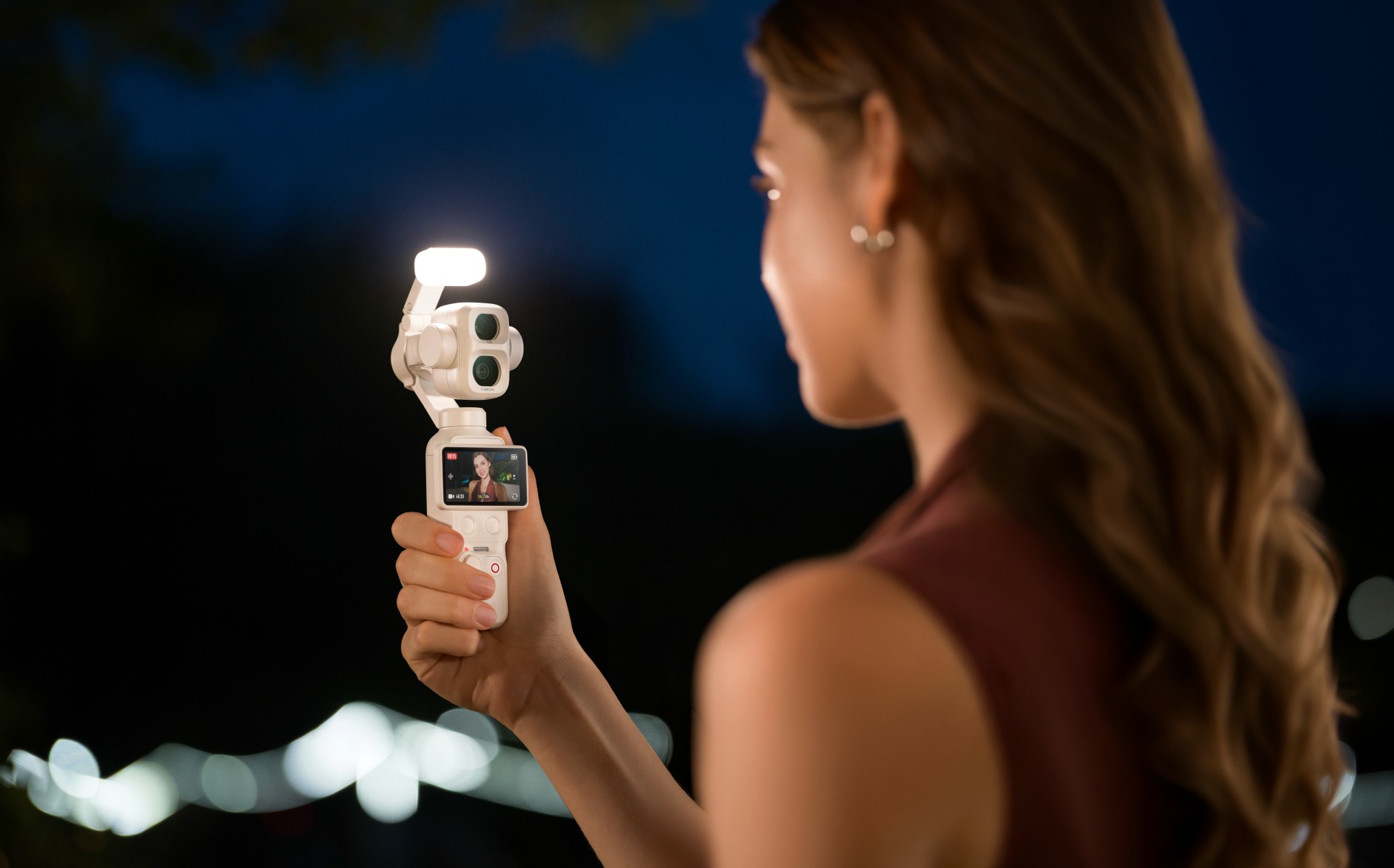
The Osmo Pocket 4P Pearl White features two lenses with different focal lengths. Its primary 20mm wide-angle lens has a 1-inch CMOS sensor and an f/2.0 aperture. It supports video recording at up to 4K at 240 frames per second, with LOFIC technology helping preserve highlight and shadow details in challenging lighting conditions.
The camera also supports up to 17 stops of dynamic range and a 10-bit D-Log 2 color profile. These features give creators greater flexibility when adjusting colors, exposure, and contrast during post-production.
For portraits and tighter compositions, the 60mm medium-telephoto lens has an f/1.8 aperture and supports 3x optical zoom and up to 12x zoom. The camera combines both lenses with gimbal stabilization in a compact body weighing approximately 230 grams.

Other creative features include:
- Slow-motion video: Record up to 4K at 240fps for slow-motion footage.
- High-resolution photos: Capture still images at up to 37 megapixels.
- 4K Live Photos: Record 1.5-second clips alongside photos.
- ActiveTrack 8.0: Track subjects such as people, vehicles, and pets.
- Fast file transfers: USB 3.1 support enables transfer speeds of up to 800MB/s.
- Extended battery life: Record for up to 210 minutes on a single charge.
- Fast charging: Reach 80% battery capacity in as little as 18 minutes.
- Automatic iOS transfers: Transfer newly captured footage to compatible iOS devices after powering off the camera.
Automatic media transfer works best with an iPhone 16 series device or later running iOS 26.4.1 or above, provided the camera battery is above 15%.
The camera also supports HDR 10-bit video recording for footage with a wider range of colors and greater flexibility during editing.
Compatible with DJI Osmo accessories
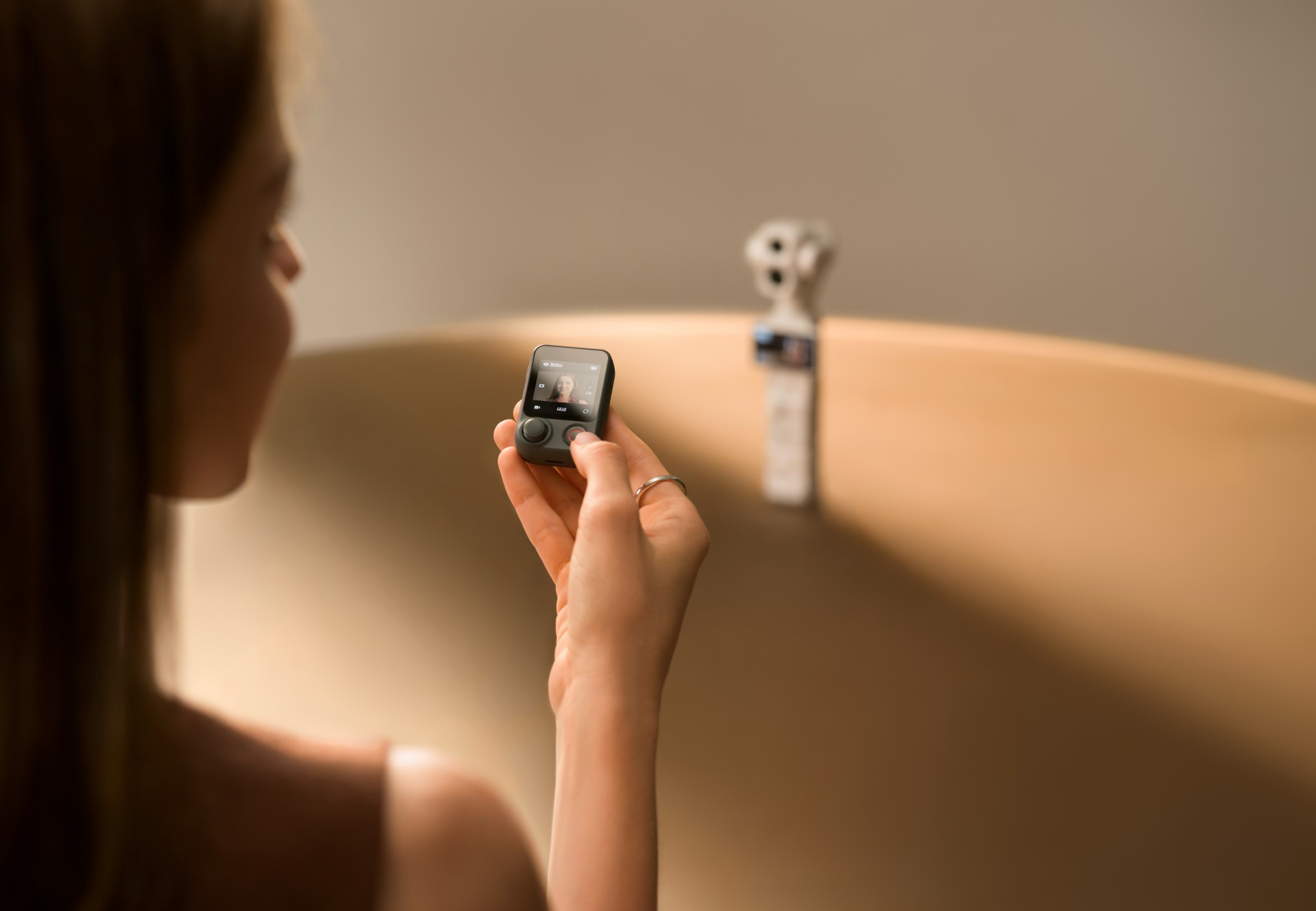
The Osmo Pocket 4P Pearl White works with DJI’s existing Osmo accessory ecosystem. Compatible accessories include the Osmo Pocket 4 Fill Light, ND and polarizing filters, wide-angle lens adapters, battery handle, and OsmoAudio microphones.
These accessories are sold separately, allowing creators to customize their setup for different shooting scenarios.
DJI Care Refresh coverage
DJI Care Refresh is available for the Osmo Pocket 4P Pearl White. The protection plan covers accidental damage, including collisions and water damage, through a replacement service for an additional fee.
The one-year plan includes up to two replacements, while the two-year plan includes up to four replacements. Other benefits include official warranty coverage, international warranty service, and free shipping, subject to DJI’s terms and conditions.
Pricing and availability
The DJI Osmo Pocket 4P Pearl White is now available globally. The Standard Combo is priced at £529 in the UK and €599 in Europe.
For more information, visit the official DJI Osmo Pocket 4P website.
Accessories
Fujifilm’s new instax Pal 2 and Link WIDE 2 make room for more creative memories
A new pocket camera and a collage-making printer join the instax family.

Seeing a memory take shape beyond your screen changes how it feels. A favorite photo becomes a print you can tuck into a journal or pin beside your desk, and the everyday moments you capture get a little more room to live.
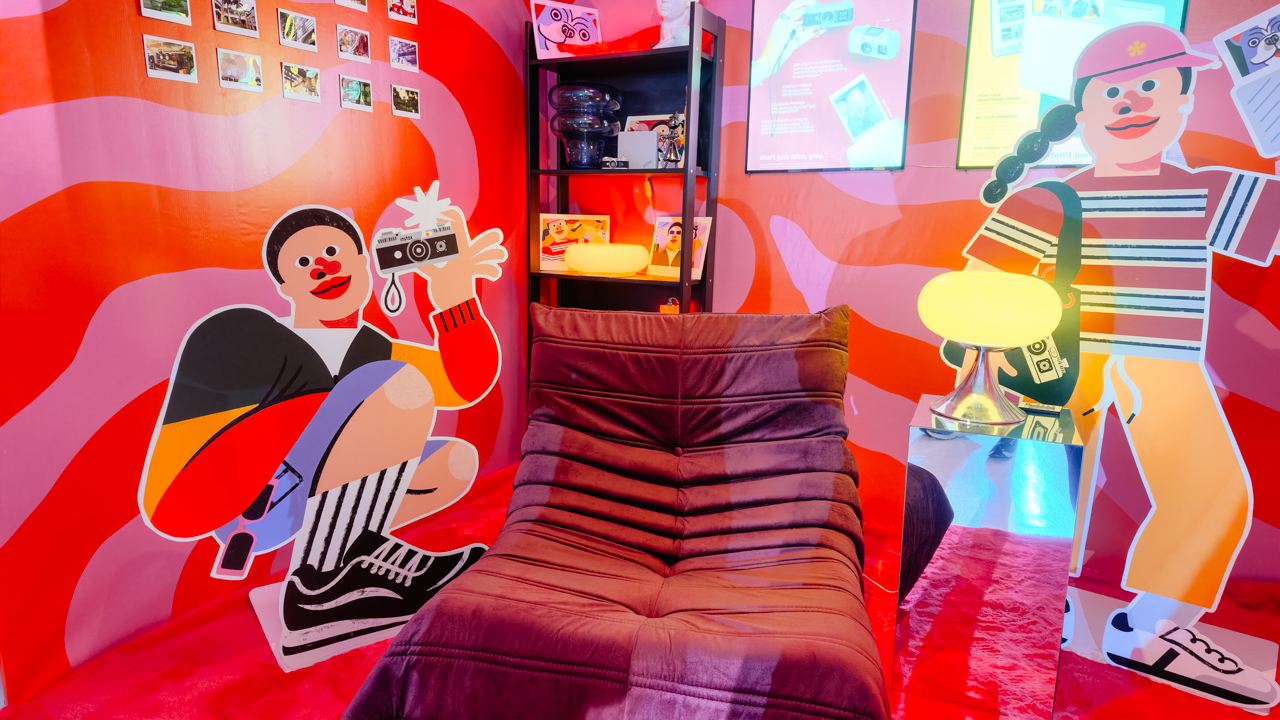
That was the spirit of Fujifilm’s instax Playhou2e launch in Makati, where visual artist Jill Arteche brought her signature illustrations into the event space.
Her artwork surrounded the latest additions to the instax family, the instax Pal 2 and instax Link WIDE 2. Both devices treat photography as a form of personal expression, from the snapshots you take throughout the day to the printed memories you want to keep close.

A pocket-sized camera that goes wherever you do
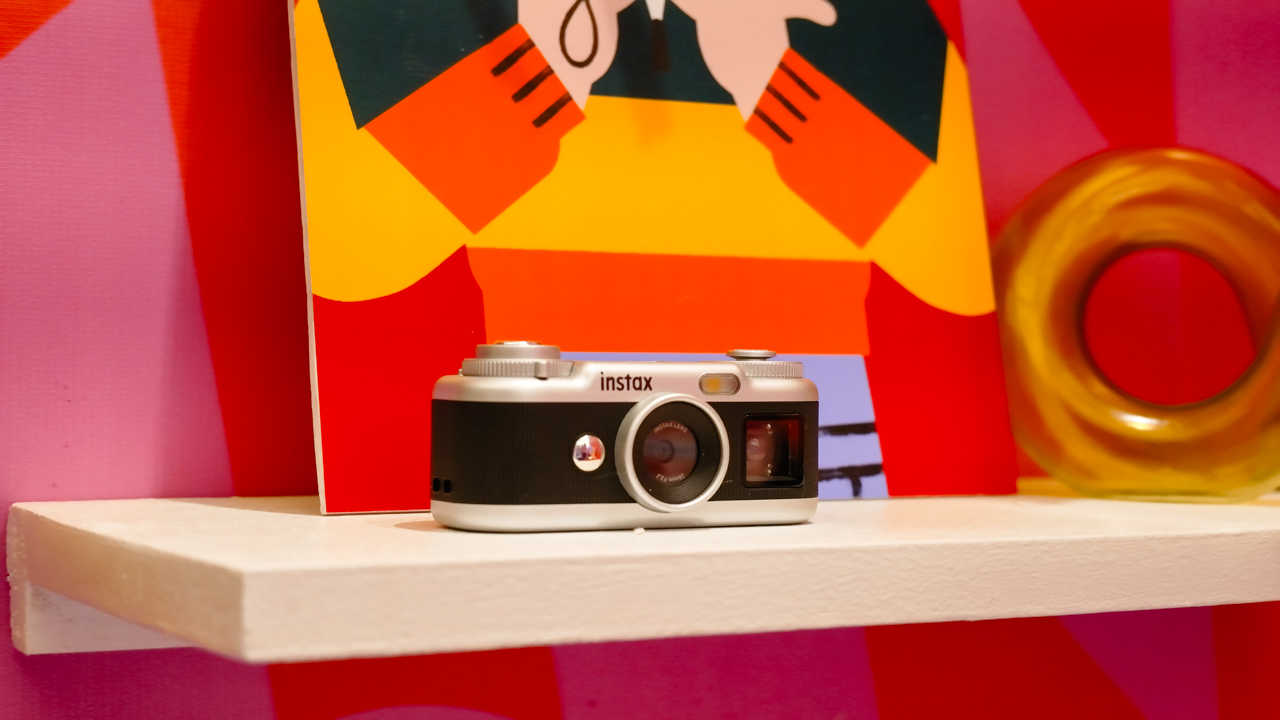
The original instax Pal made the case for carrying a camera without a full-sized setup. Its successor, the instax Pal 2, builds on that with a refreshed design and improved image quality.
The palm-sized camera is built for everyday adventures and can capture angles that are awkward to get with a smartphone. Its compact body also makes it easy to bring along if you like documenting your day as it happens.

Fujifilm gave the Pal 2 a semi-matte finish. A new monitor on top lets you review shots right after you take them, and the added viewfinder, control dial, and lever give it a more tactile feel to shoot with.
The specs have moved up, too. The Pal 2 captures 10-megapixel images, double the original’s five megapixels, and its internal storage holds up to 100 images compared with 50 before. A separately sold microSD card adds more room.
The creative options are where the Pal 2 gets playful. It offers 30 effects, so you can give images different moods without editing each one from scratch. Its instax Animation mode strings up to 10 consecutive shots into a flipbook-style animated video.

Transferring your photos is straightforward. The Pal 2 supports wireless Bluetooth transfers, and a USB Type-C connection offers faster transfers to compatible smartphones. From there, you can edit the images and post them to social media or keep them in your camera roll.
Because the Pal 2 is part of the instax ecosystem, its digital photos can also be printed on instant film through compatible instax printers. That means you can shoot first and decide later which moments deserve a physical copy.
Turning your camera roll into something worth keeping
Taking photos is only half the fun. The other half is deciding what to do with the hundreds of images that pile up on our phones.
The instax Link WIDE 2 is Fujifilm’s answer for anyone who collects travel photos or documents celebrations. As the brand’s WIDE-format smartphone printer, it prints at twice the image area of the instax mini format, which leaves more space for group photos and landscapes.
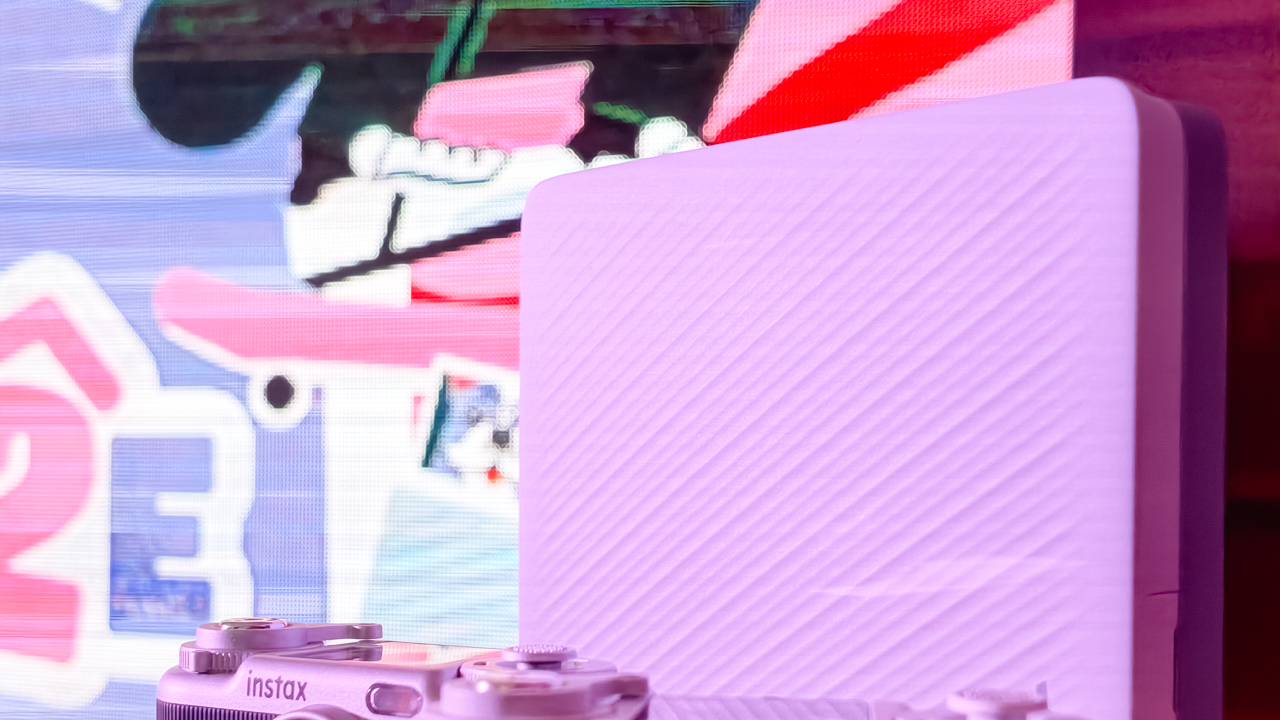
Its biggest new feature is Photo Mixer, which builds scrapbook-style collages from multiple images you pick in the dedicated app. Instead of printing a single photo, you can combine highlights from a trip or a gathering into one larger keepsake.
The app suggests layouts based on your chosen photos and adjusts image sizes, angles, text placement, and fonts to keep the design cohesive. You can then add your own text and stamps. A cutout function identifies people and objects in your photos so you can layer them into the collage.
With Photo Mixer, printing becomes part of the creative process, and your camera roll turns into material for building a visual record of an experience in a single print.
The Link WIDE 2 also gets a design refresh, with two-tone finishes in Duo Beige and Duo Blue. The light and dark surfaces give it a polished look on a shelf or desk, and an illuminated instax logo glows while it prints.
Connectivity has expanded, too. Beyond smartphones and tablets, the printer works with PCs, Fujifilm X Series cameras, and the instax Pal 2, so digital artwork and other compatible images can become physical prints.
A more personal way to keep your memories
The instax Pal 2 and Link WIDE 2 share the idea that photography is a way to express yourself. The Pal 2 makes it easy to capture moments as they happen, and the Link WIDE 2 gives those images a place in the physical world.

Jill Arteche’s artwork at the launch backed that idea up. Her illustrations filled the space with personality and showed how photos and art can make an environment feel more personal. The event also made a case for revisiting and reinterpreting the images we collect.

Taking a photo takes seconds, and printing one can make the memory feel more special. The instax Pal 2 and Link WIDE 2 bring that into everyday life and give your snapshots room for creativity, from the moment you press the shutter to the moment you find a place for the print.
In the Philippines, the Fujifilm instax Pal 2 retails for PhP 10,599, while the Fujifilm instax Link WIDE 2 is priced at PhP 10,999. Both devices are now available on Fujifilm’s authorized stores and retailers nationwide.


Apple iPad mini OLED review
Has the mini gone PRO?!


ROG G700 review: The best prebuilt PC you can get off the shelf
This PC will make you stop worrying about specs.


HP OMEN Max 16 review: Gamer-maxxing in deep black
Peripherals deemed necessary to max this out

AMD, Meta deepen partnership for AI infrastructure

2026’s The Game Awards will stream live on Disney+

Secretlab brings Pikachu, Gengar, and Eevee to its Pokémon gaming chair collection

realme Christmas raffle: Win an XPENG EV, more

Avengers Endgame: Encore debuts on Disney+

Your coffee nook is getting a makeover with Starbucks’ holiday collections

vivo V80 debuts with ZEISS cameras

vivo V80 review: Good phone, tough sell

OPPO Find X10 Series: Price, availability in the Philippines

iPhone Duo Philippines: Prices, installments, and where to buy


-
 Lifestyle2 weeks ago
Your coffee nook is getting a makeover with Starbucks’ holiday collections
-

 Gaming2 weeks ago
Wild Rift Patch 7.3, celebrates K/DA comeback
-

 News1 week ago
Sony revives classic Walkman headphones with USB-C MDR-3R
-
Reviews1 week ago
Apple iPad mini OLED review
-

 Features2 weeks ago
Inside Infinix’s first global concept store in Bali
-

 Philippines1 week ago
Lazada kicks off 11.11 Biggest Sale of the Year ahead of holiday rush
-

 Philippines2 weeks ago
LG showcases its latest AI TVs in the Philippines
-

 Gaming4 days ago
Nintendo eShop launches in the Philippines