





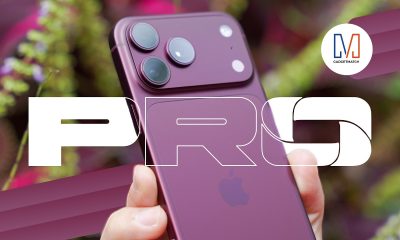


nova, by definition, is a star that suddenly lights up over a period of time before eventually fading. The HUAWEI nova line, in the meantime, aims to keep you in the spotlight. And that’s especially true with the HUAWEI nova 11 Pro.
With its Super Design, Super Camera, and Super Charge Innovation, you’ll definitely feel, well… Super!
Super Design
The nova 11 Pro’s back panel will immediately catch your attention. First with the way it looks. Second with how it feels.
This black colorway that we have, in particular, showcases a touch of elegance not often seen on midrangers. The back has a Monogram Vegan Leather design. It has ‘nova’ engravings making the phone feel premium to touch.
The black look is highlighted by gold — both by the HUAWEI nova logo at the bottom part of the phone, as well as the lining around the main camera which we can’t wait to showcase to you. More on that later.
It has a 6-point-78-inch, OLED, curved-edge display with 120Hz of refresh rate and FULL HD, ultra-high resolution for a truly enjoyable viewing experience.
And that display is protected by Kunlun Glass making it near impervious to accidental drops and falls.
Super Camera
The nova 11 Pro has a killer look. But it impresses even more with its portrait-taking capabilities.
Here are the lenses that the phone is rocking: On the rear are the 50 megapixel Ultra Vision Camera and the 8 megapixel Ultra-wide macro camera. And up front you have the 60 megapixel Ultra wide Autofocus camera and the 8 megapixel portrait close-up camera.
More important than the numbers are all the things that it will let you do.
You can take portraits, in more ways than one! The nova 11 Pro is built for that.
What about selfies? We all love them! The nova 11 pro lets you take them at different focal lengths… and different lighting conditions.
What about non portraits and selfies? Naturally, the nova 11 Pro can more than deliver quality photos, in many different shooting scenarios. This makes it a really handy camera to always have in your pocket.
Are you more into videos? Hop into vlog mode, and show off your style.
Super Charge
You can say a nova is somewhat of a burst. Charging speed-wise, it definitely does just that with the SuperCharge Turbo feature.
With the 100W HUAWEI SuperCharge Turbo charging modes, the HUAWEI nova 11 Pro can be charged with haste.
That’s up to 60% in 10 minutes and fully charged in 20 minutes when the screen is off. Screen on? You get to 50% in 15 minutes. Easy and speedy.
AppGallery with GBox
But what’s a smartphone without the apps that you need? Fret not, Huawei has beefed up the AppGallery. Now you can download all the necessary apps.
There’s the Grab Super App for deliveries, getting around, and more. GCash for all your transactions and Landbank and BPI for your banking needs!
Into gaming? Pick your favorite Hero and help get the win in Mobile Legends or grab your favorite assault rifle and lead the charge on Call of Duty Mobile!
What about Google Apps? We’ve talked about in detail before, but Google Apps are now available through GBox. And GBox is now integrated into AppGallery.
Simply look for the Google app you need to install it!
Need access to your files, download Google Drive. Have to send those files via email? Go ahead and get Gmail. Download GMeet to get your video calling needs done and wind down by watching your favorite videos on YouTube.
Huawei nova 11 Pro
The HUAWEI nova 11 Pro is a midranger but already has that flagship flavoring.
The feel is elegant, the look is divine, and the capabilities are breathtaking. The cameras let you capture in great detail and the phone, as a whole, delivers a complete experience.
It’s a smartphone that takes care of all your need and looks pretty darn good while doing it.
Price and availability
The HUAWEI nova 11 Pro retails for PhP 33,999. From June 23-29, it comes with a Watch Fit freebie worth PhP 4,999.
HUAWEI nova 11 series
- nova 11i (8GB+128GB) — PhP 11,999 (*online exclusive)
- nova 11i (8GB+256GB) — PhP 13,999
- nova 11 — PhP 24, 999




Hands-On
Apple iPhone Duo Unboxing and Hands-on
Supported apps, crease, cameras, and MagSafe all tested

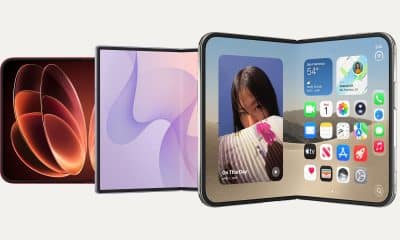
Apple’s iPhone Duo is finally here!
Aside from unboxing the all-new iPhone-dable in Night Sky, we take a closer look at the display crease, check out the under-display camera quality, see which MagSafe accessories work with it.
Most of all, which apps support it (or not).
But how well does the dual-screen experience on an iPhone actually work? Watch our Apple iPhone Duo unboxing and hands-on to know more!


Moving into a new space comes with a long list of things to figure out, and lately, I’ve been paying more attention to something that’s easy to overlook: air quality.
After using the LG AeroMini for about a month, it has become a subtle but welcome addition to my space. It helps make the room feel fresher, while its compact and stylish design fits naturally into my setup. Here are the things that stood out to me most after living with it for a month.
360° purification for a fresher space
One of the things I appreciate about the AeroMini is its 360° air purification, designed to bring purified air in every direction.
For me, this is particularly useful in a new space where I’m spending a lot of time working, relaxing, and just settling in.

Combined with its True HEPA filter, which is designed to remove 99.999% of 0.01μm fine dust and allergens, it gives me added peace of mind about the air I’m breathing every day.
After a month, I can genuinely say that the space feels fresher with it running.

Surprisingly quiet
This is probably my favorite feature.
The LG AeroMini operates at just 26dB, and after using it for a month, what stands out is how easy it is to forget that it’s even running.

I can have it running while I’m working or sleeping without the noise becoming a distraction. For an appliance that’s designed to continuously improve the air around you, I think that’s a big deal.
Sometimes, the best feature is the one you barely notice.
Design that fits my space
Since I recently moved, I’ve been pretty conscious about what I bring into the space. I want things to be functional, but I also don’t want appliances that feel like they’re taking over the room.

The AeroMini’s slim and compact design makes it easy to incorporate into my setup. It doesn’t feel bulky or industrial, and I like that I can leave it out without feeling like I need to hide it away.
For me, that balance between functionality and aesthetics makes it feel more like part of the space rather than just another appliance.
Air quality at a glance
Another feature I’ve found convenient is its Smart Control. Through the app, I can monitor and control the AeroMini while getting real-time updates on the indoor air quality.
It’s a small convenience, but being able to check the air quality without having to interact with the purifier directly makes it easier to keep track of what’s happening in the room.

Easy to maintain
I also appreciate that the AeroMini is designed with an all-in-one dust and deodorization filter that makes replacement and maintenance easier.
That matters to me because the best home gadgets are the ones that don’t create another complicated chore. I want something I can set up, use regularly, and maintain without too much fuss.

After a month, would I keep it?
Yes, and mainly because it quietly fits into my everyday routine.
The LG AeroMini has helped make my new space feel fresher and more comfortable, while its compact design means it doesn’t compromise the look of the room. But if I had to pick just one thing I appreciate most, it’s still how incredibly quiet it is.

It’s one of those upgrades that doesn’t demand your attention. It simply works in the background.
If you’re also looking to make your home a fresher and more comfortable space for yourself and your family, visit https://www.lg.com/ph/ to learn more about the LG AeroMini and how it can fit into your everyday life.
Hands-On
Apple iPhone 18 Pro Series Hands-on
And everything announced during Apple’s September 2026 Event

The latest Apple event isn’t just about the shiny new Apple Duo. There’s a lot to talk about!
In this video, we break down everything Apple has announced during their September 2026 keynote.
First, there’s the updated iPhone 18 Pro and 18 Pro Max. That’s alongside their design and color changes, battery and performance improvements. Even that massive camera upgrade.
There’s even the ANC-infused AirPods 5 alongside the newer Apple Watch Series 12 and Apple Watch Ultra 4. Plus, the latest software updates coming to both these wearables.
So, are these worth the upgrade?


ROG G700 review: The best prebuilt PC you can get off the shelf
This PC will make you stop worrying about specs.


HP OMEN Max 16 review: Gamer-maxxing in deep black
Peripherals deemed necessary to max this out


vivo V80 review: Good phone, tough sell
A capable travel companion

4 new nutribullet kitchen essentials to make holiday hosting easier

Inside Infinix’s first global concept store in Bali

Wild Rift Patch 7.3, celebrates K/DA comeback

LG showcases its latest AI TVs in the Philippines

Your coffee nook is getting a makeover with Starbucks’ holiday collections


-

 News2 weeks ago
OPPO Find X10 Series: Price, availability in the Philippines
-

 Cameras2 weeks ago
DJI Osmo Pocket 4P Pearl White now available globally
-

 News2 weeks ago
OPPO Find X10 Series: Price, availability
-
 Lifestyle2 days ago
Your coffee nook is getting a makeover with Starbucks’ holiday collections
-
Gaming2 weeks ago
HP OMEN Max 16 review: Gamer-maxxing in deep black
-

 Entertainment2 weeks ago
Cyberpunk: Edgerunners 2 now streaming, Cyberpunk 2077 update coming
-

 Lifestyle4 days ago
Sticker season is back, and so is the planner your ~friends~ might fill in for you
-

 Laptops2 weeks ago
ASUS ProArt P14, P16 laptops with NVIDIA RTX Spark now available