








Midrange smartphones have been the middle ground for people who want the premium of a higher end smartphone but don’t want to burn their pockets. Huawei gives in to this demand and claims the title of midrange king as they dethrone all other midrangers with their new nova 8 series — the nova 8 and nova 8i.
Here, we’ll put the spotlight on the Huawei nova 8i.
Build and design
Inheriting the Huawei P Series’ signature stylish aesthetic, the Huawei nova 8i has a fancy and premium design. It is slim, sleek, and has exquisite curved edges, which makes it really easy to grip.
Checking out its back, you’ll definitely notice the quad camera setup that’s surprisingly not bulky at all. It also has a noticeable resemblance with the Huawei Mate 30. But we’ll talk more about the cameras later on.
What also caught our attention is the gradient finish of this Moonlight Silver variant that we have which is absolutely stunning.
Fantastic display
The Huawei nova 8i has an edgeless 6.67-inch display with ultra-narrow bezels around it. This results in an immersive viewing experience for browsing your social media pages or watching your favorite music videos.
The Huawei nova 8i also sports full HD+ resolution and DCI-P3 color gamut, giving us that rich and vibrant color reproduction. Once again, Huawei taps on Tuv Rheinland for certification on low blue light emittance to ensure eye comfort for long hours of work and play. It also has a natural tone feature which automatically adjusts the colors on the display depending on your surroundings.
Gaming
Just as you would expect from a midrange phone, gaming is also something you can do with the nova 8i. With its 180Hz touch sampling rate, your favorite mobile games feel very responsive, making the gaming experience really enjoyable.
When you’re deep into gaming, the last thing you want is to be interrupted by a call or message. Well, you don’t have to worry about that since the Huawei nova 8i has a gaming assistant. You can enable settings so you won’t be disrupted and you can indulge yourself fully to the game.
But the experience is not the only thing that’s fast with the nova 8i. The 66W Huawei SuperCharge can juice up this phone up to 68 percent in just 20 minutes and can fully charge it in just 38 minutes. You can literally stare at your phone as your battery indicator rises.
Cameras
Here’s where the fun part starts. Cameras: 64MP f/1.9 main, 8MP f/2.4 ultra-wide, 2MP f/2.4 macro, 2MP f/2.4 depth, 16MP f/2.0 selfie.
The nova 8i has a quad camera setup with a 64MP main camera which uses a big 1/1.7-inch CMOS sensor. It means its camera sensor has the ability to let in more light. This results to a cleaner image and better low light performance.
And we’re telling you, this sensor is not messing around.
It lets you capture the highest resolution images you could probably ever need. Different from the usual software upscaled images typically seen on an ordinary smartphone. This gives you the capability to zoom in and crop your captured image yet still maintain a tremendous amount of details.
With the powerful cameras that the nova 8i has, you can definitely maximize its features to create your content whether just for leisure, a passion project, or social media content for your business.
EMUI and multitasking
As for its software, the Huawei nova 8i runs on EMUI 11 bringing in a bunch of convenient features that boosts your efficiency. For one, if you’re someone who loves multitasking, the multi-window feature is perfect as it lets you operate multiple apps on your screen.
Speaking of apps, Huawei’s app gallery is loaded with great ones from top shopping apps like Shopee and Lazada, to the most trending ones like TikTok.
And if in case you’re having trouble finding the app for you, Petal Search has got you covered. Just type in the app or whatever it is you’re looking for and Petal Search looks it up for you on different sources making sure you get the absolute best results.
Taking screenshots has never been this easy. You can do so by just swiping down using three fingers.
And for security, a new safe sharing feature has been included on the nova 8i. We now get the option to delete information of your phone and other details before sharing your photos or screenshots.
nova 8i — easy to recommend
Jam packed with features, the nova 8i just enables you to do so much. From capturing great photos and videos to having a seamless gaming and online experience, the nova 8i is an easy phone to recommend. At its price point, it is truly worthy of its crown.
The Huawei nova 8i retails for PhP 13,999. It’s available via online Huawei Store, Lazada, Shopee and Huawei experience stores.
This feature is a collaboration between GadgetMatch and Huawei Philippines.





Hands-On
Apple iPhone Duo Unboxing and Hands-on
Supported apps, crease, cameras, and MagSafe all tested

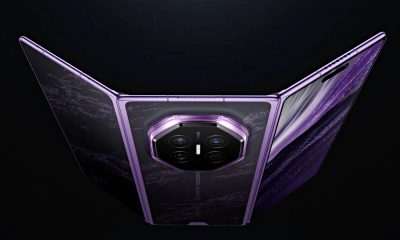
Apple’s iPhone Duo is finally here!
Aside from unboxing the all-new iPhone-dable in Night Sky, we take a closer look at the display crease, check out the under-display camera quality, see which MagSafe accessories work with it.
Most of all, which apps support it (or not).
But how well does the dual-screen experience on an iPhone actually work? Watch our Apple iPhone Duo unboxing and hands-on to know more!


Moving into a new space comes with a long list of things to figure out, and lately, I’ve been paying more attention to something that’s easy to overlook: air quality.
After using the LG AeroMini for about a month, it has become a subtle but welcome addition to my space. It helps make the room feel fresher, while its compact and stylish design fits naturally into my setup. Here are the things that stood out to me most after living with it for a month.
360° purification for a fresher space
One of the things I appreciate about the AeroMini is its 360° air purification, designed to bring purified air in every direction.
For me, this is particularly useful in a new space where I’m spending a lot of time working, relaxing, and just settling in.

Combined with its True HEPA filter, which is designed to remove 99.999% of 0.01μm fine dust and allergens, it gives me added peace of mind about the air I’m breathing every day.
After a month, I can genuinely say that the space feels fresher with it running.

Surprisingly quiet
This is probably my favorite feature.
The LG AeroMini operates at just 26dB, and after using it for a month, what stands out is how easy it is to forget that it’s even running.

I can have it running while I’m working or sleeping without the noise becoming a distraction. For an appliance that’s designed to continuously improve the air around you, I think that’s a big deal.
Sometimes, the best feature is the one you barely notice.
Design that fits my space
Since I recently moved, I’ve been pretty conscious about what I bring into the space. I want things to be functional, but I also don’t want appliances that feel like they’re taking over the room.

The AeroMini’s slim and compact design makes it easy to incorporate into my setup. It doesn’t feel bulky or industrial, and I like that I can leave it out without feeling like I need to hide it away.
For me, that balance between functionality and aesthetics makes it feel more like part of the space rather than just another appliance.
Air quality at a glance
Another feature I’ve found convenient is its Smart Control. Through the app, I can monitor and control the AeroMini while getting real-time updates on the indoor air quality.
It’s a small convenience, but being able to check the air quality without having to interact with the purifier directly makes it easier to keep track of what’s happening in the room.

Easy to maintain
I also appreciate that the AeroMini is designed with an all-in-one dust and deodorization filter that makes replacement and maintenance easier.
That matters to me because the best home gadgets are the ones that don’t create another complicated chore. I want something I can set up, use regularly, and maintain without too much fuss.

After a month, would I keep it?
Yes, and mainly because it quietly fits into my everyday routine.
The LG AeroMini has helped make my new space feel fresher and more comfortable, while its compact design means it doesn’t compromise the look of the room. But if I had to pick just one thing I appreciate most, it’s still how incredibly quiet it is.

It’s one of those upgrades that doesn’t demand your attention. It simply works in the background.
If you’re also looking to make your home a fresher and more comfortable space for yourself and your family, visit https://www.lg.com/ph/ to learn more about the LG AeroMini and how it can fit into your everyday life.
Hands-On
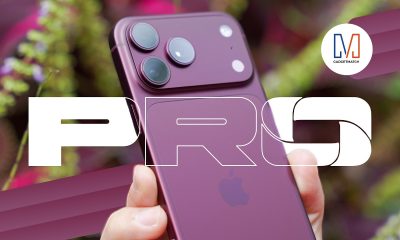
Apple iPhone 18 Pro Series Hands-on
And everything announced during Apple’s September 2026 Event

The latest Apple event isn’t just about the shiny new Apple Duo. There’s a lot to talk about!
In this video, we break down everything Apple has announced during their September 2026 keynote.
First, there’s the updated iPhone 18 Pro and 18 Pro Max. That’s alongside their design and color changes, battery and performance improvements. Even that massive camera upgrade.
There’s even the ANC-infused AirPods 5 alongside the newer Apple Watch Series 12 and Apple Watch Ultra 4. Plus, the latest software updates coming to both these wearables.
So, are these worth the upgrade?


ROG G700 review: The best prebuilt PC you can get off the shelf
This PC will make you stop worrying about specs.


HP OMEN Max 16 review: Gamer-maxxing in deep black
Peripherals deemed necessary to max this out


vivo V80 review: Good phone, tough sell
A capable travel companion

Inside Infinix’s first global concept store in Bali

Wild Rift Patch 7.3, celebrates K/DA comeback

LG showcases its latest AI TVs in the Philippines

Your coffee nook is getting a makeover with Starbucks’ holiday collections

Petit Planet launches December 4


-
Reviews2 weeks ago
vivo V80 review: Good phone, tough sell
-

 News2 weeks ago
OPPO Find X10 Series: Price, availability in the Philippines
-

 Cameras2 weeks ago
DJI Osmo Pocket 4P Pearl White now available globally
-

 News2 weeks ago
OPPO Find X10 Series: Price, availability
-

 Entertainment2 weeks ago
Cyberpunk: Edgerunners 2 now streaming, Cyberpunk 2077 update coming
-
Gaming1 week ago
HP OMEN Max 16 review: Gamer-maxxing in deep black
-

 Laptops2 weeks ago
Lenovo expands Yoga lineup with new AI PCs and tablets
-

 Laptops2 weeks ago
ASUS ProArt P14, P16 laptops with NVIDIA RTX Spark now available