
Features
The average American needs 5.8 days to save up for an iPhone 11 Pro
Switzerland only needs less than a week

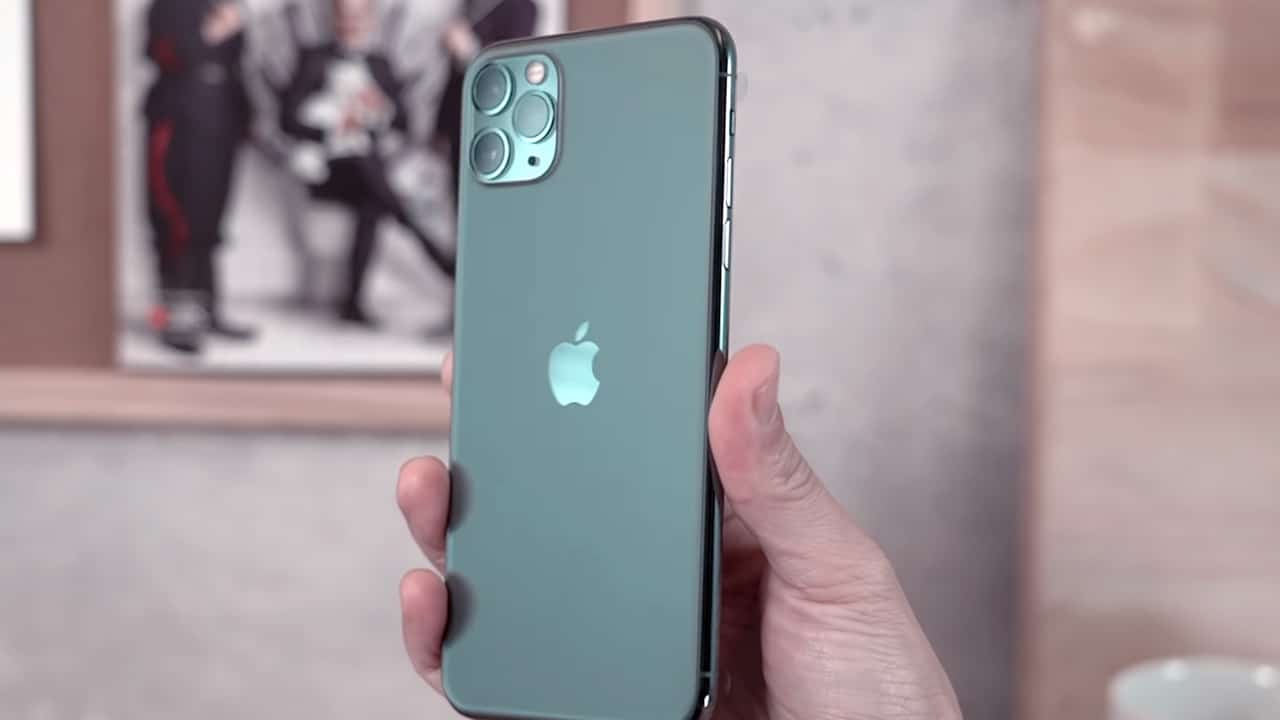
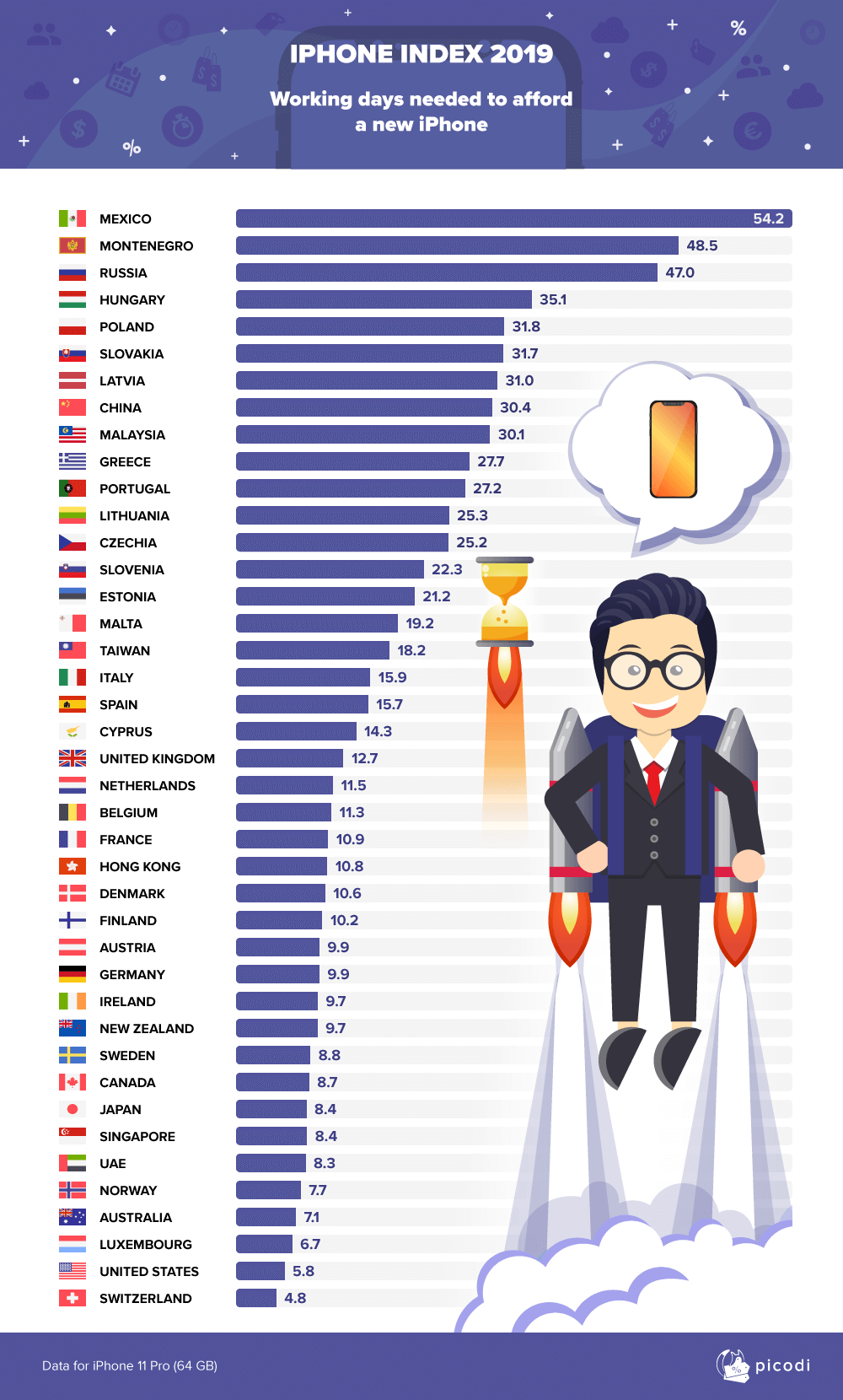
How many days does it take to save up for the new iPhone 11 Pro? According latest research by Picodi, an average American only needs 5.8 days to save up for the 2019 iPhone.
The research compared the average salary of selected countries with the local price of an iPhone 11 Pro (64GB model) to come up with the statistics. The weekly average salary of an American person is US$ 936.78 after taxes had been deducted. The average price of the iPhone 11 Pro with taxes included is US$ 1087.66. Dividing the weekly average into five workdays results in a daily salary of US$ 187.36. The average price is then divided by the average daily salary to determine the days needed to save up for the phone in each country.
Switzerland needs the least number of days to save up for the new iPhone, as an Average Swiss only needs 4.8 days, while Mexico needs 54.2 days — approximately two months, the longest that’s included in the study.
In Asia, the average Singaporean and Japanese need only 8.4 days, the shortest in the region.
Picodi gathered the average salary of a country through public statistical records, and iPhone 11 Pro pricing through Apple or authorized seller websites.
See the full infographic below:





Buyer's Guide
iPhone Duo Philippines: Prices, installments, and where to buy
Compare prices and payment options

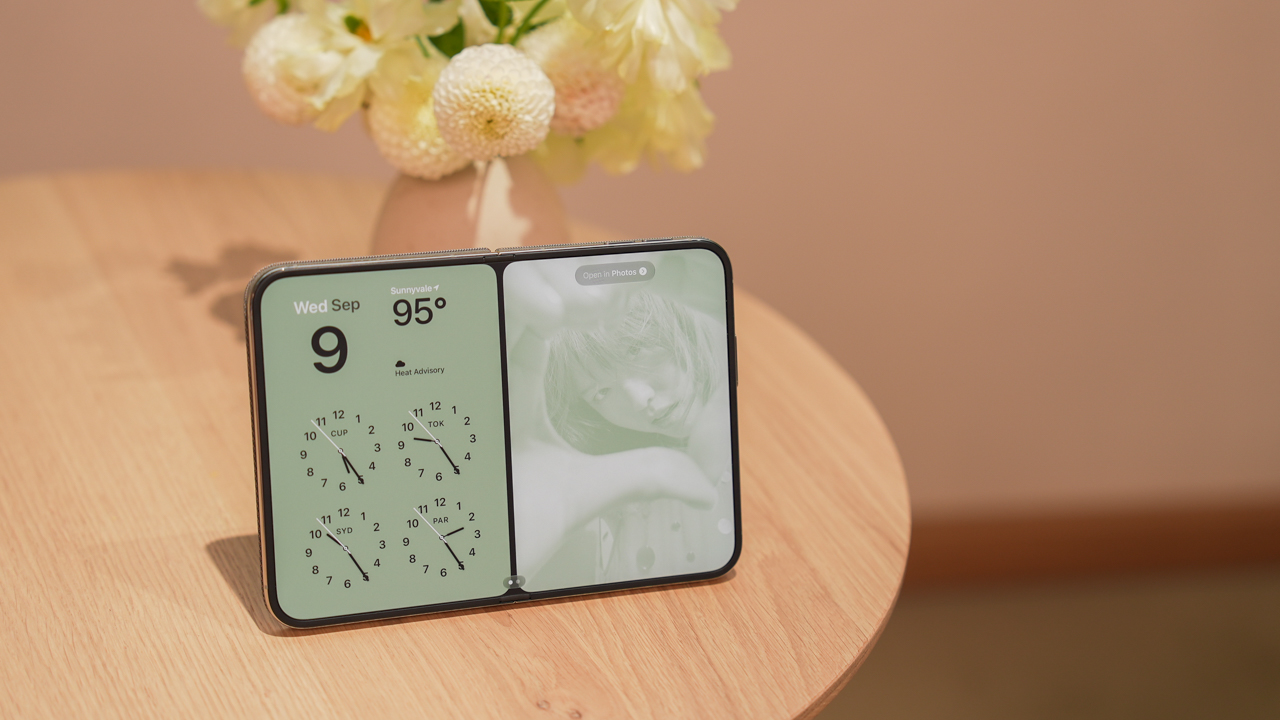
The iPhone Duo is now available for pre-order in the Philippines. Apple’s first foldable iPhone comes in four storage configurations, with promotional prices ranging from PhP 159,990 to PhP 254,990.
But which model should you buy, and where should you get it?
Several authorized retailers offer discounted launch prices, 0% credit card installments, and pre-order bundles. Eligible bank promotions can also reduce the price by thousands of pesos.
Here’s what you need to know before ordering.
iPhone Duo Philippines price list
| Storage | Regular SRP | Promotional price |
|---|---|---|
| 256GB | PhP 170,990 | PhP 159,990 |
| 512GB | PhP 187,990 | PhP 175,990 |
| 1TB | PhP 221,990 | PhP 207,990 |
| 2TB | PhP 271,990 | PhP 254,990 |
The promotional prices are based on Power Mac Center’s published exclusive launch offer. Other retailers may have different payment requirements or participating bank promotions.
Prices reflect Power Mac Center’s published exclusive launch offer and may differ across retailers. We’ll update this guide as we verify each store’s latest offers.
Pre-orders run from October 16 to 29, 2026, ahead of the October 30 launch.
Which storage should you buy? Get the 512GB
Our recommendation is simple: skip the 256GB and get the 512GB iPhone Duo.
At PhP 159,990, the 256GB version is already an expensive purchase. While it offers enough storage for everyday tasks, it could become restrictive as your photo library, videos, games, and downloaded files grow.
The 512GB model costs PhP 16,000 more under the promotional pricing. That buys twice the storage capacity without the significantly larger price jump to 1TB.
Spread across 24 months, the difference is approximately PhP 667 per month.
For a phone this expensive, we’d rather pay that difference than constantly manage storage or rely on cloud subscriptions.
The 1TB and 2TB configurations remain options for people who regularly shoot large amounts of video or need substantial offline storage. However, most buyers won’t need to spend that much.
The 512GB iPhone Duo offers the best balance of storage and price.
Where to buy the iPhone Duo in the Philippines
Power Mac Center
Power Mac Center offers the iPhone Duo 512GB at an exclusive launch price of PhP 175,990.
Its published installment options include:
| Term | Monthly payment |
|---|---|
| 24 months at 0% | PhP 7,332.92 |
| 36 months at 0% | PhP 4,888.61 |
The 24-month option is available with credit cards and Home Credit under the published offer. The 36-month option is subject to eligible bank cards and promotional periods.
Installment amounts are based on Power Mac Center’s published promotional pricing and applicable 0% installment terms. Actual payments depend on the eligible card and transaction. We’ll update this section as we verify the latest terms.
Power Mac Center also operates UpTrade, which lets customers trade in eligible devices toward a new purchase.
Beyond the Box
Beyond the Box offers iPhone Duo pre-orders with installment options of 3, 6, 12, 24, and 36 months at participating physical stores. Online payment options differ.
Using the PhP 175,990 promotional price as a comparison, a 0% installment would cost:
| Term | Monthly payment |
|---|---|
| 12 months | PhP 14,665.83 |
| 24 months | PhP 7,332.92 |
| 36 months | PhP 4,888.61 |
Monthly payments are illustrative calculations based on the PhP 175,990 promotional price, assuming 0% interest and no additional fees. Confirm the final price and available installment terms with Beyond the Box before purchasing. We’ll update this section once the retailer confirms its current offers.
Beyond the Box also advertises a pre-order accessory bundle worth over PhP 22,000 at listed retail prices. It includes a Speck case, Urbanista speaker, Function101 charger, Momax speaker flask, Bellroy tech kit, and other accessories.
The retailer says qualifying pre-orders receive the gift bundle, subject to availability. Buyers can also explore its BoxTrade program.
Digital Walker
Digital Walker participates in iPhone Duo pre-orders and selected bank promotions.
Using the PhP 175,990 promotional price as a comparison, the illustrative monthly payments would be:
| Term | Monthly payment |
|---|---|
| 12 months at 0% | PhP 14,665.83 |
| 24 months at 0% | PhP 7,332.92 |
These are calculated examples, not confirmed Digital Walker quotations. Actual pricing depends on the final transaction, participating bank, and installment terms. We’ll update this section when the retailer confirms its current offers.
Digital Walker also participates in the Live Beyond Grand Raffle, which gives qualifying iPhone Duo purchases a chance to win an exclusive dinner for two at Toyo Eatery. The raffle is a chance to win, not a guaranteed purchase benefit.
Digimap
Digimap offers the iPhone Duo through its retail channels, with participating bank promotions and its DigiTrade program.
Metrobank lists Digimap among its participating retailers offering special iPhone Duo cash pricing.
For the 512GB model, the reference promotional price is PhP 175,990. At 0% interest, that would equal PhP 14,665.83 monthly over 12 months or PhP 7,332.92 over 24 months.
These amounts are illustrative calculations, not verified Digimap installment quotations. Digimap’s exact installment amounts and applicable terms have not yet been independently verified. We’ll update this section once the retailer confirms its current offers.
Buyers should compare the final cash price against available credit card installment offers. Trade-in credits may also reduce the amount payable, depending on the assessed value of the device.
The Loop
The Loop participates in several iPhone Duo bank promotions, including an offer from Security Bank.
The retailer’s reference promotional price for the 512GB model is PhP 175,990. At 0% interest, the illustrative payments would be:
| Term | Monthly payment |
|---|---|
| 12 months | PhP 14,665.83 |
| 24 months | PhP 7,332.92 |
These are calculated examples based on the reference promotional price, not confirmed quotations from The Loop. Actual payments depend on eligible bank cards and transaction terms. We’ll update this section as we verify the latest offers.
The Loop also participates in bank-specific discounts. Buyers should check whether their card qualifies and whether the discount can be combined with other retailer offers.
Bank discounts can make a difference
Security Bank currently advertises a PhP 5,000 discount on qualifying iPhone Duo purchases at participating retailers, including Power Mac Center, Beyond the Box, Digital Walker, and The Loop.
For the 512GB model, that brings the promotional reference price from PhP 175,990 to PhP 170,990.
| Installment term | Monthly payment |
|---|---|
| 12 months at 0% | PhP 14,249.17 |
| 24 months at 0% | PhP 7,124.58 |
| 36 months at 0% | PhP 4,749.72 |
Monthly payments are calculated from the PhP 170,990 discounted price, assuming an eligible 0% installment transaction with no additional fees. The discount is subject to the bank’s promotional terms and participating merchant conditions. We’ll update this section if the offer changes.
EastWest also advertises savings of up to PhP 17,000 on qualifying iPhone Duo purchases at Power Mac Center and The Loop. Its promotion includes 0% installment options for 12 or 24 months, with the final discount depending on the applicable terms.
Metrobank separately lists iPhone Duo offers at Power Mac Center, The Loop, Beyond the Box, Digital Walker, and Digimap. Benefits differ by merchant and transaction.
Before choosing a payment method, check the final amount payable. Some bank offers cannot be combined with other promotions.
Postpaid options: Smart and Globe
Smart Communications
Smart offers the iPhone Duo through Postpaid Plans+ 1999, with advertised monthly payments starting at PhP 6,304.
The offer includes an open-line device, a choice of Unli App bundle, 12 months of UNLI 5G, and high-priority network access.
Customers who qualify for the pre-order promotion can also receive 18GB of additional Open Access Data valid for three months, a PhP 5,000 voucher for select Smart accessories, and 18% off select Digimap accessories.
Online pre-orders also qualify for a complimentary AirTag, subject to the offer’s conditions.
Smart supports zero-interest credit card installments over 24 months with select banks. Renewing subscribers may qualify for 36-month device payments charged to their postpaid bill.
Advertised monthly payments and promotional benefits are subject to Smart’s eligibility requirements and offer conditions. The total cost depends on the selected device configuration and plan. We’ll update this section as we verify the complete cost breakdown.
Globe Telecom
Globe also offers Apple devices through its postpaid channels.
However, we have not independently verified a complete iPhone Duo price and installment breakdown for its current GPlan offers.
Buyers considering Globe should compare the device cashout, monthly plan fee, contract duration, and total payable amount against the outright retail price.
Globe’s current iPhone Duo device pricing and installment terms have not yet been independently verified. We’ll update this section when the relevant details are available.
Should you trade in your old phone?
Trading in an existing device can reduce the cost of upgrading.
Power Mac Center, Beyond the Box, and Digimap operate trade-in programs. However, final valuations depend on the device’s condition, storage, and assessment results.
Before committing, compare the assessed trade-in value against potential private-sale prices. Also check whether a trade-in bonus can be combined with the promotional price and bank discounts.
What should you check before buying?
Before placing an order, keep these points in mind:
- Final price: Confirm the amount you’ll actually pay after eligible discounts.
- Installments: Compare total cost, monthly payments, and any additional fees.
- Freebies: Check which gifts are guaranteed and whether they’re subject to availability.
- Stock: Confirm the availability of your preferred storage configuration and color.
- Trade-ins: Ask for the final assessed value and any promotional bonus.
- Warranty: Understand the standard warranty and any optional protection plan.
- Network compatibility: Confirm eSIM support if you’re keeping your existing number.
- Delivery: Ask when your order is expected to arrive, particularly if the model is on back order.
Is the iPhone Duo worth buying?
The iPhone Duo starts at PhP 159,990, putting it firmly in premium flagship territory. Its foldable design offers a larger screen for viewing content, gaming, and multitasking while retaining a compact outer display when closed.
For most buyers, we’d recommend the 512GB model at PhP 175,990. It offers twice the base storage for PhP 16,000 more, without the much larger price jump to 1TB.
Power Mac Center currently provides one of the clearest published installment schedules, while Beyond the Box offers a substantial pre-order accessory bundle.
Security Bank cardholders should pay particular attention to the PhP 5,000 discount available at participating retailers. Smart is another option for buyers who already want a postpaid subscription, although its total contract cost deserves closer examination.
Ultimately, compare the final amount payable, not just the advertised monthly payment. The right offer should give you the storage you need without unnecessary charges or restrictions.
Last updated: October 17, 2026. We are verifying retailer-specific prices, installment terms, trade-in offers, and freebies. This guide will be updated as additional details are confirmed.
Features
I don’t want a phone that unfolds — the Galaxy Z Fold8 gets why
I want a tablet that shrinks
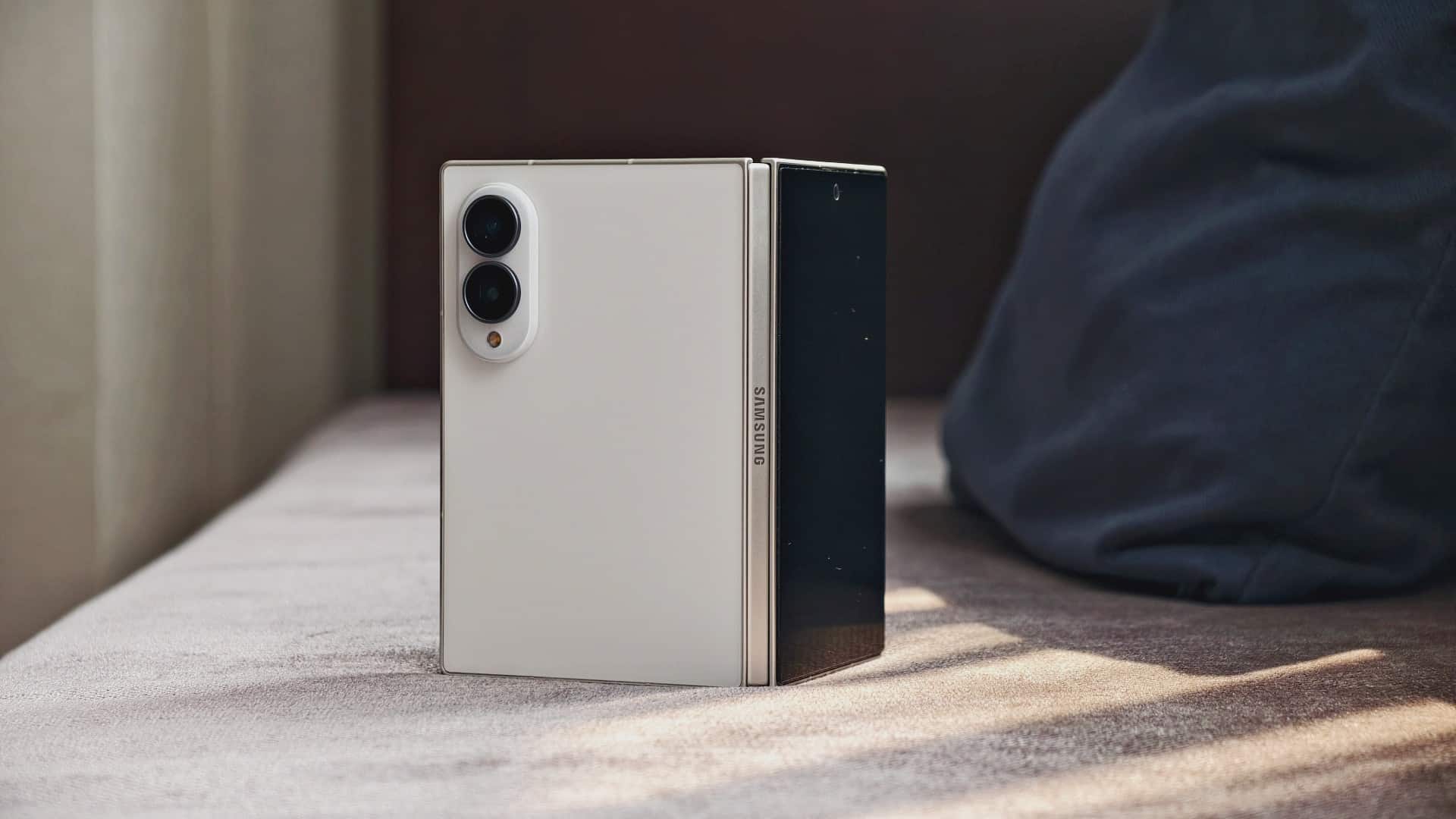
I’ve been using foldables full-time for roughly four to five years now.
So I’m well past the “getting used to opening and closing my phone” stage. At this point, folding a phone is one of the most natural things I do with a smartphone. Mileage will vary, of course, but if you’re coming from a regular slab, I’d say give it two to three weeks and you’ll start feeling right at home.
When I wrote about why wide foldables genuinely excite me, I already had a pretty good idea of what I wanted from this form factor. After living with the Galaxy Z Fold8 for a month and change, I can say that hunch was pretty much right.
I’ve always had a thing for mini tablets. I loved the Nexus 7 back in the day. I still have an iPad mini. There’s something about having a small screen with just enough room to do more without committing to carrying around a full-sized tablet.
And the Galaxy Z Fold8 feels like that idea got remixed.
I don’t want a regular smartphone that unfolds into something bigger.
I want a mini tablet that shrinks into a smaller phone when I don’t need all that extra space.
Here are some things I’ve noticed after living with the Galaxy Z Fold8.
1. The Fold8 made regular phones feel too tall

Galaxy Z Fold8 and Galaxy S26 Ultra
After more than a month with the Galaxy Z Fold8, my usage has settled into a pretty healthy 50/50 split between folded and unfolded.
When it’s folded, I use it like a regular phone. Quick chats. Five to 15 minutes of social media. Doomscrolling Reels, TikTok, and Shorts. Checking my bank account. Making payments. When I need more room, I open it up.
YouTube and streaming are more comfortable. Websites have more breathing room. Writing is easier. I can even do some basic video editing without immediately wishing I had a bigger screen.
It’s also made me notice something I didn’t expect.
Regular phones now feel unnecessarily tall to me.
I’ve gotten so used to having a wider screen when I want one that going back to a tall slab feels strange. The Fold8 gives me a smaller phone when I want a smaller phone, then a wider screen when I actually need the space.
2. My desk fits in my pocket now
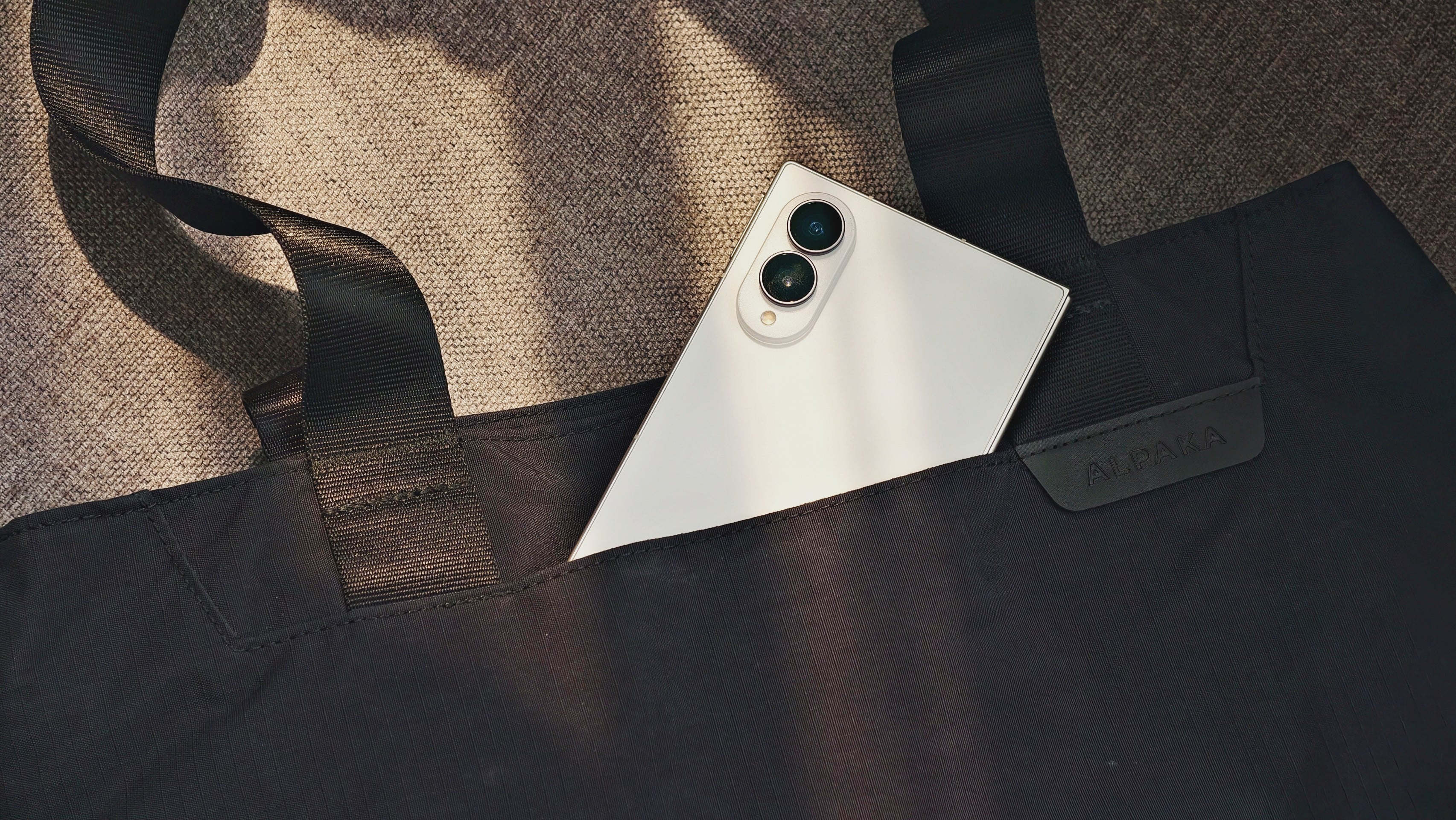
The Fold8 is my main phone. I still carry a dedicated smartphone for photos when I’m on coverage, and I have an Insta360 Luna Ultra for Reels.
But I can do around 70 percent of my work away from my desk or laptop.
A lot of that is correspondence — email, chats, and the endless back-and-forth that comes with work. I also write scripts, emails, reviews, and articles on it. I’ve even done basic cut-to-cut Reel edits.
I edited the Wolverine PR Package on the Fold8.

I’ve also put together seven to nine fancams of STAYC’s Isa, who currently lives in my head rent-free.

It’s not replacing my laptop. But there are plenty of moments when I don’t need my laptop anymore.
I can pull out the Fold8, open it, and get things done.
3. Actually useful split-screen scenarios
I’ve used split-screen on Android before. But the Fold8’s wider display makes me use it more often.
The useful examples are pretty simple.
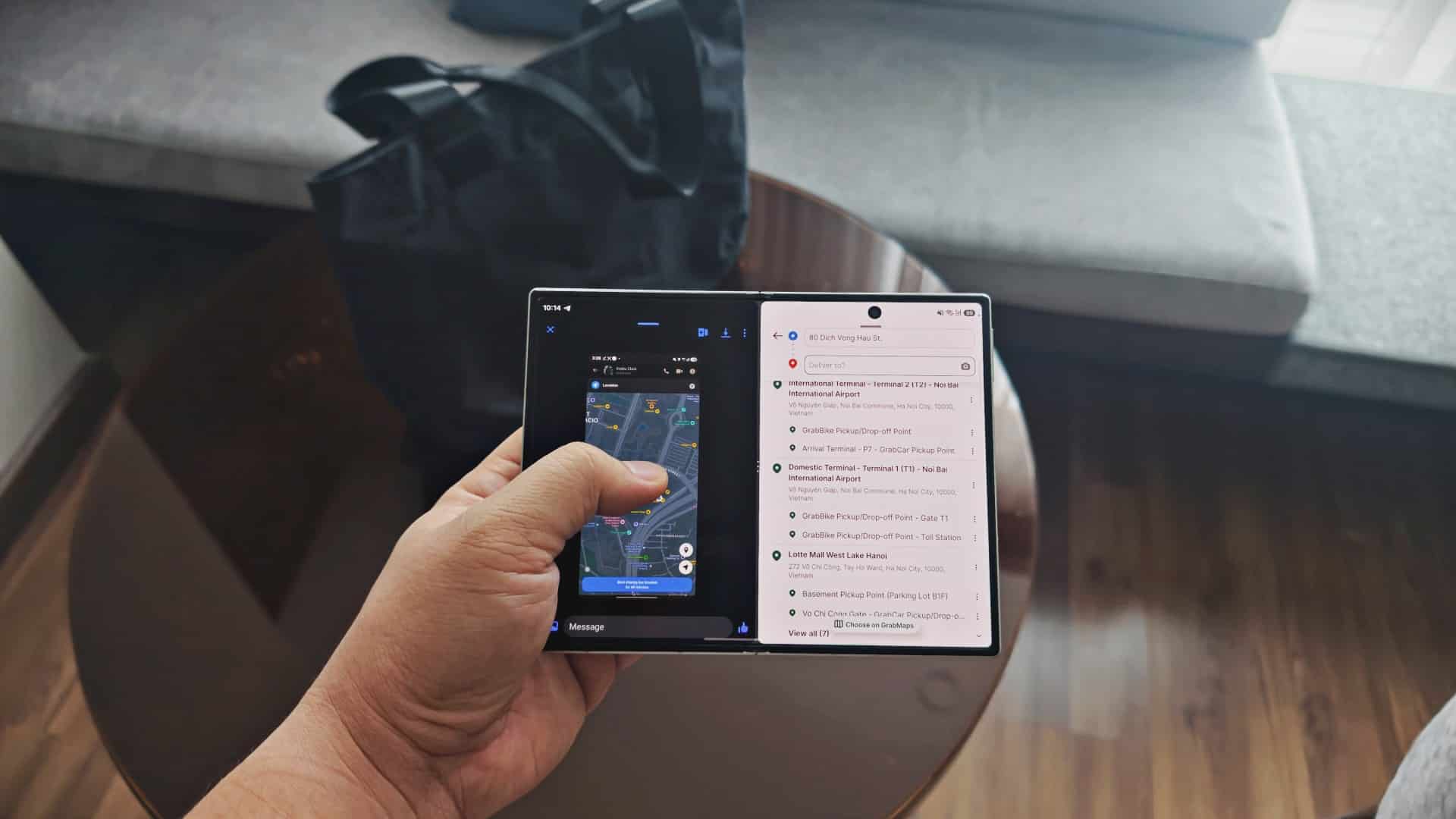
I’ll have an address or contact details open on one side while copying them into a delivery app on the other. I’ll copy sensitive financial details from one app while filling out an online purchase on another. I’ll pull up a caption from my documents app and paste it directly into whatever social platform I’m scheduling for.
Then there are the more important use cases.
I’ve watched two Isa fancams at the same time.
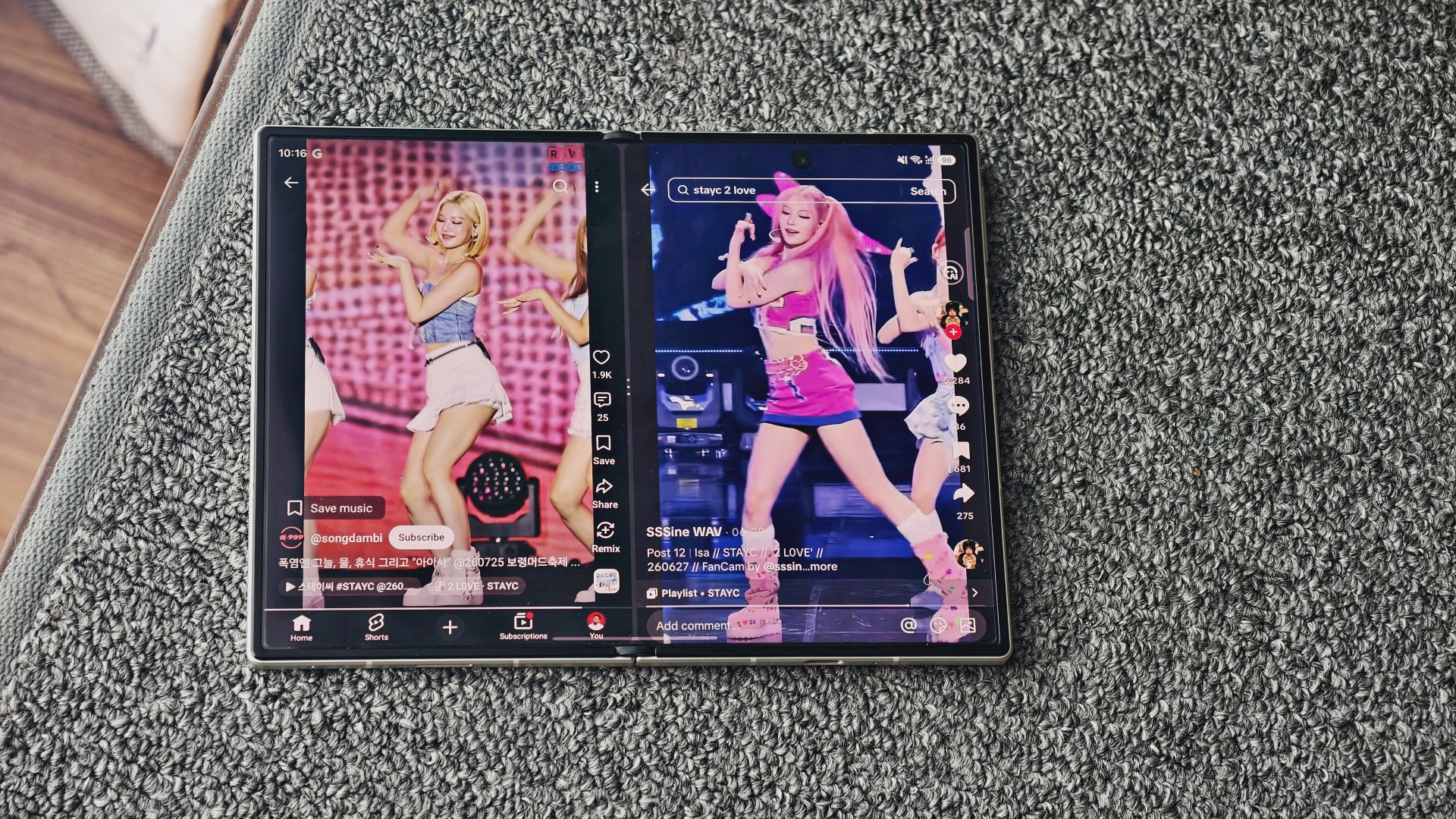
2 LOVE: Android 18 Isa and Pink pigtails Isa
Or, you know, watching Momo and Chaewon at the same time. Gotta make sure my Top 3 are all represented.
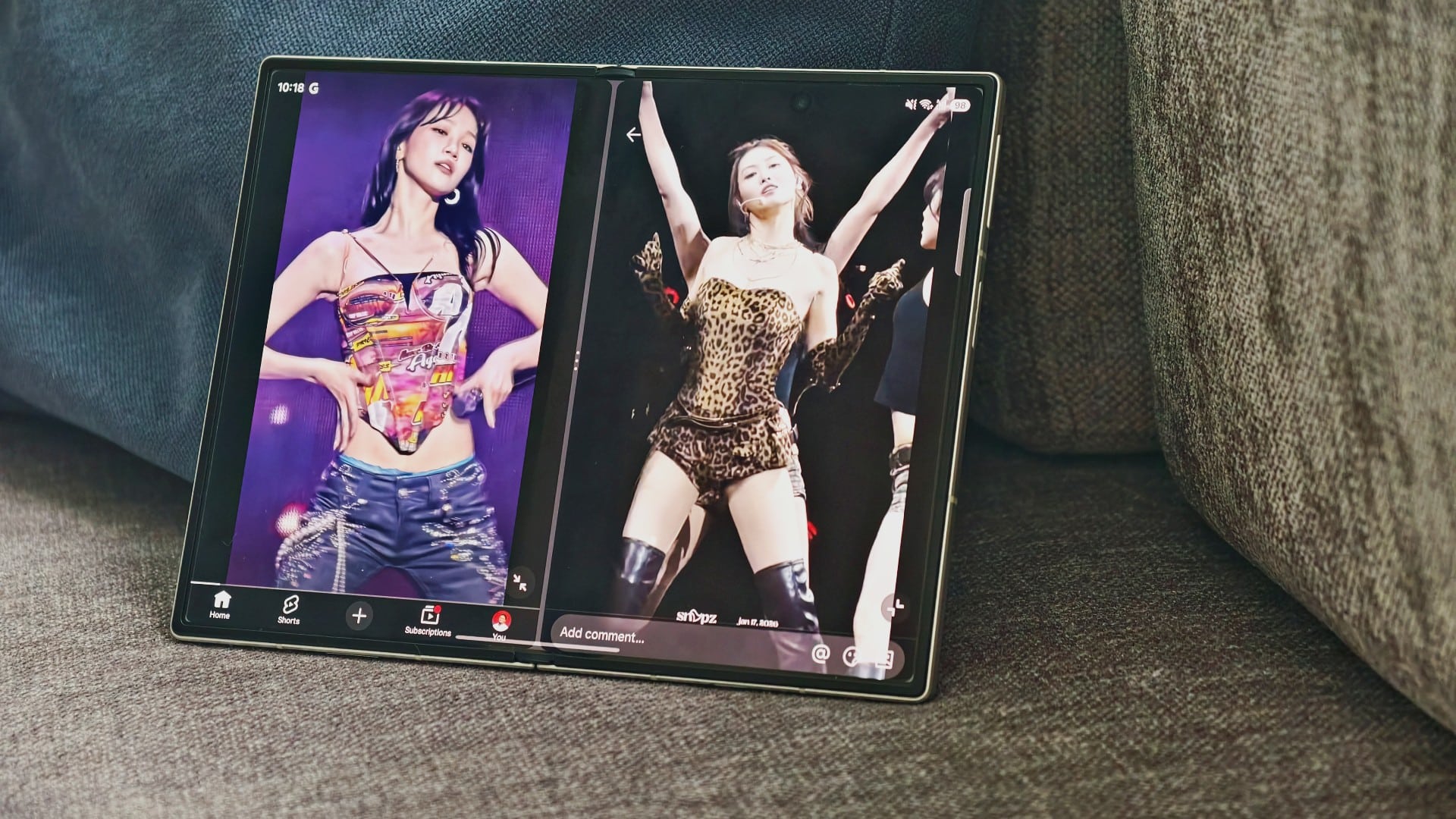
The wider screen makes these scenarios feel much more comfortable than trying to do the same thing on a regular phone.
4. Landscape mode just makes sense
This is probably one of the stranger things I’ve noticed with the Fold8.
Portrait still works. In fact, the aspect ratio works really well for it. Browsing, scrolling, and plenty of regular phone stuff still feel natural that way.
But when I unfold it, landscape somehow feels more natural.

I think part of it is that the wider screen harkens back to a time before smartphones started becoming extra long and extra tall. It feels closer to the way we used to think about larger screens: something wider, rather than just a really tall phone.
Even on apps and websites that aren’t perfectly optimized for the form factor, landscape just feels right to me.
It’s not that I always want to use the Fold8 that way.
It just feels like the orientation the bigger screen was meant to have.
5. The Fold8 killed my tablet habit
I still travel with a lot of devices.
That’s not going away anytime soon.
What has changed is that I mostly stopped bringing a small or medium-sized tablet with me. The Fold8 covers that particular role well enough that I don’t feel the need to add another screen to the pile.
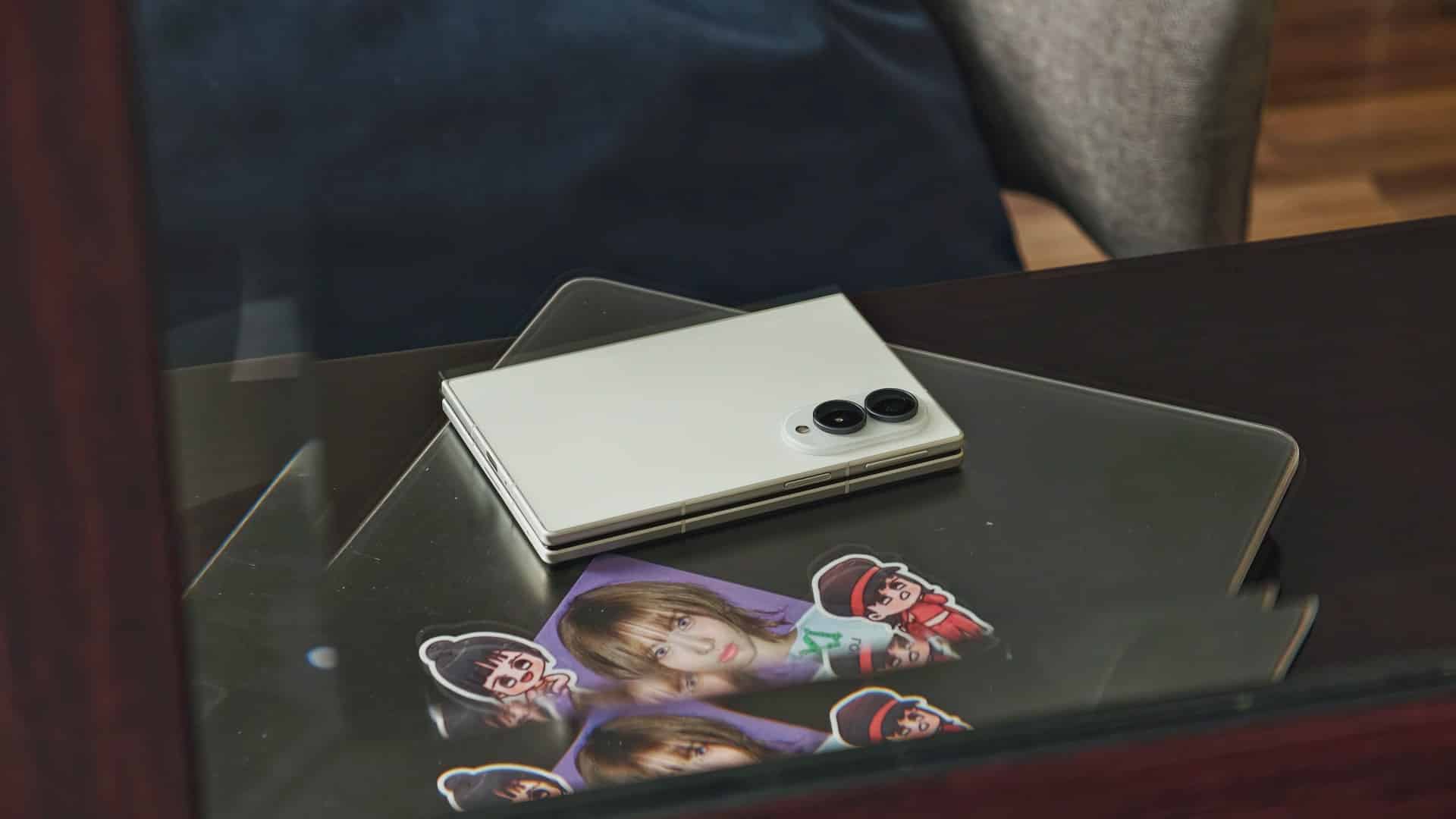
That’s one less thing to pack and, more importantly, one less thing to take out at airport security.
It has also changed how I wind down at night during work trips.
I usually don’t watch shows or movies when I’m overseas. I don’t really use them as something to lull me to sleep.
But the Fold8 makes catching up on shows easier. The unfolded screen gives me enough room to watch comfortably, while still being easier to hold than a tablet.
I’ve watched Lanterns, Smoking Behind the Supermarket with You, The Rookie, and, naturally, various STAYC appearances.
I’m also slowly looking to get into reading comics on it. I’m still figuring out the most economical way to do that, but the screen makes me want to explore it.
The Fold8 hasn’t made me stop traveling with multiple devices.
It has just given me one less screen to bring.
6. The camera hasn’t convinced me to consolidate everything
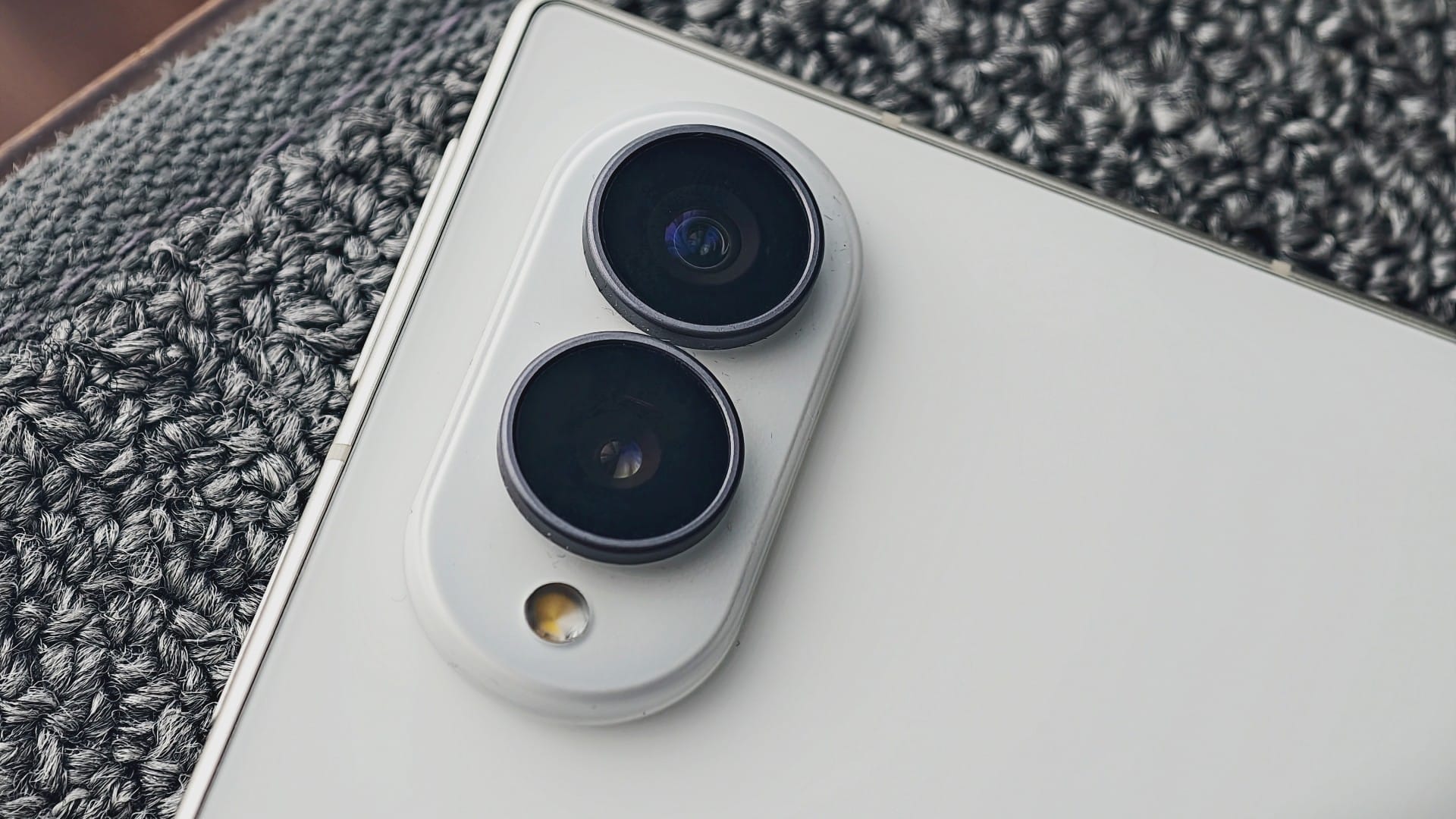
The Fold8’s cameras are serviceable.
I’ve taken plenty of casual photos with it, and some have turned out well enough that I’ve happily posted them. A recent photoset on Threads even got a nice reaction.
View on Threads
For everyday shooting, I’m not particularly worried about it.
For work, though, I still bring a dedicated camera phone when I’m covering an event. I wouldn’t rely on the Fold8 as my only camera for coverage.
There’s also a very specific problem I have with it.
I have chubby hands and fingers.
I’ve occasionally covered part of the camera while shooting because of how I’m holding the phone. That’s more of a me problem than a Fold8 problem, but it’s something I’ve had to keep in mind.
So while the Fold8 has replaced my tablet habit, it hasn’t convinced me to consolidate everything into one device.
7. I just want a case that doesn’t ruin the Fold
Cases have been surprisingly difficult.
What I want isn’t complicated: something thin, back-only, with good hand feel, MagSafe support, and preferably in red.
I’ve tried a few cases from Shopee. CASETiFY was also gracious enough to send me some options.
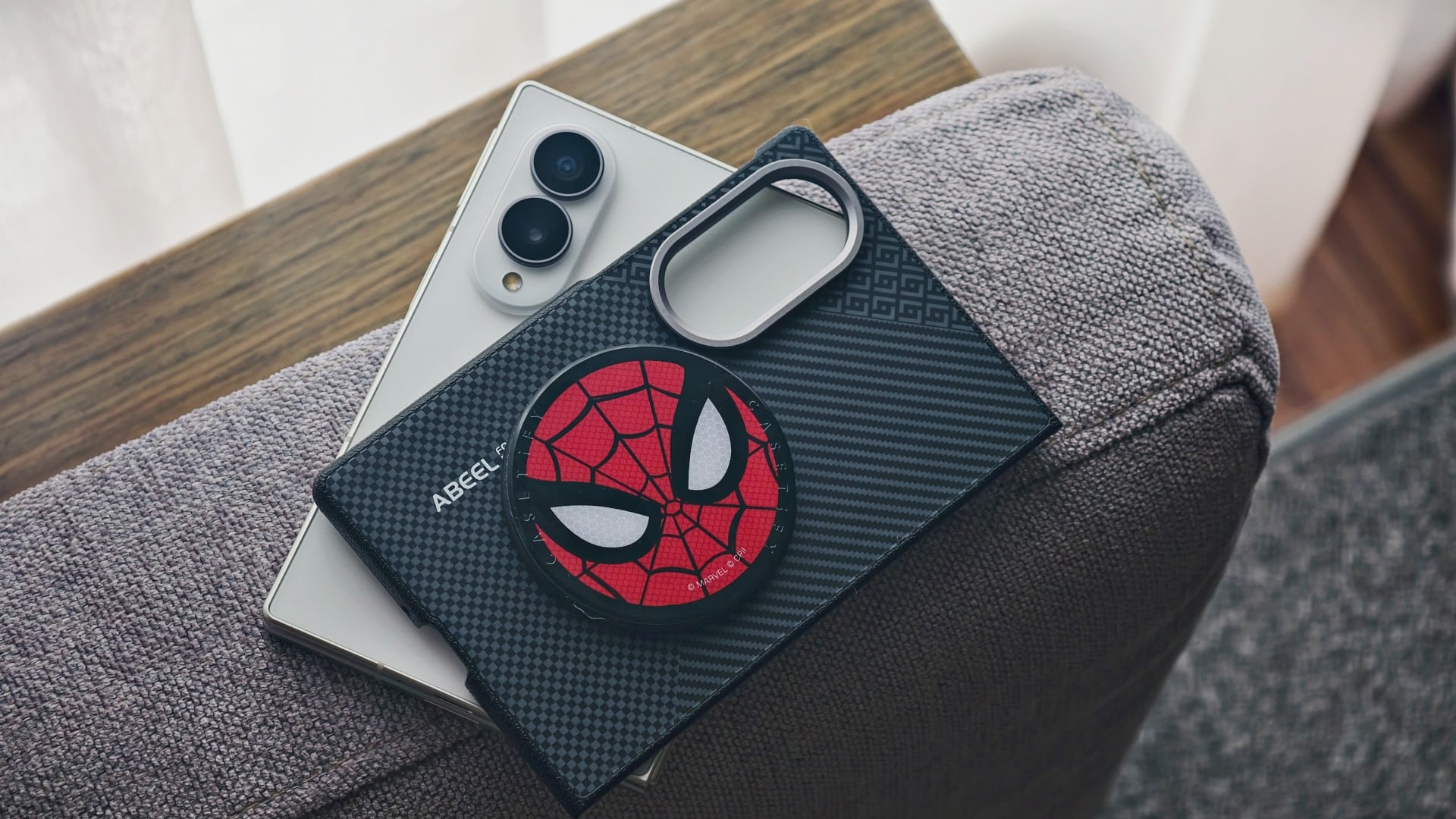
The problem is that after a few days with the bulkier ones, I kept coming back to the same thought: I like the Fold8’s size and shape. I don’t want to cover that up with something that makes it feel like a completely different phone.
The accessory ecosystem also hasn’t completely caught up.
Most MagSafe accessories are still designed with regular slab phones in mind. That’s understandable. Slab phones have been around forever.
But as more people start using foldables like this, I expect the accessory market to catch up too.
For now, I’m still looking for that one case that gives me the protection I want without getting in the way of the phone I actually enjoy using.
8. This is the kind of foldable I want
I’ve been using foldables long enough to know that I’m not particularly interested in the novelty of a phone that folds.
What I want is a specific kind of foldable.
I want a mini tablet that shrinks into a phone.
That’s what the Galaxy Z Fold8 feels like to me.
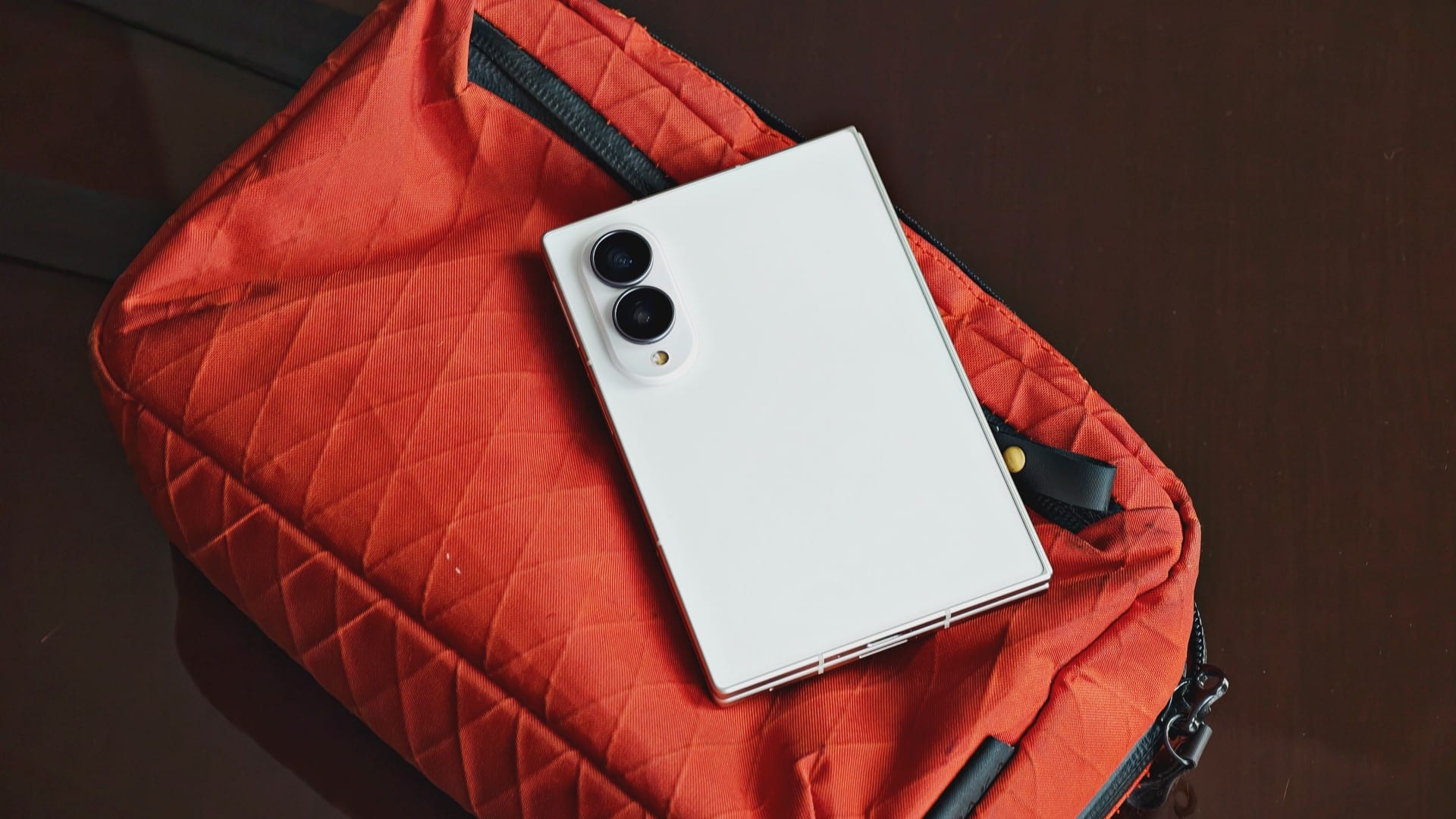
Folded, it’s there when I need to answer a message, scroll through social media, check my bank account, or stare at photos of my favorite K-pop girlies.
Unfolded, it gives me the room to write, work, edit, watch, multitask, and eventually, hopefully, read more comics.
It has also meant carrying one less device when I travel.
That’s basically the pitch for me.
Give me the screen when I need it. Get out of the way when I don’t.
That’s the kind of foldable I want.
Features
When your internet ruins the moment
The worst interruptions happen when you’re already invested.

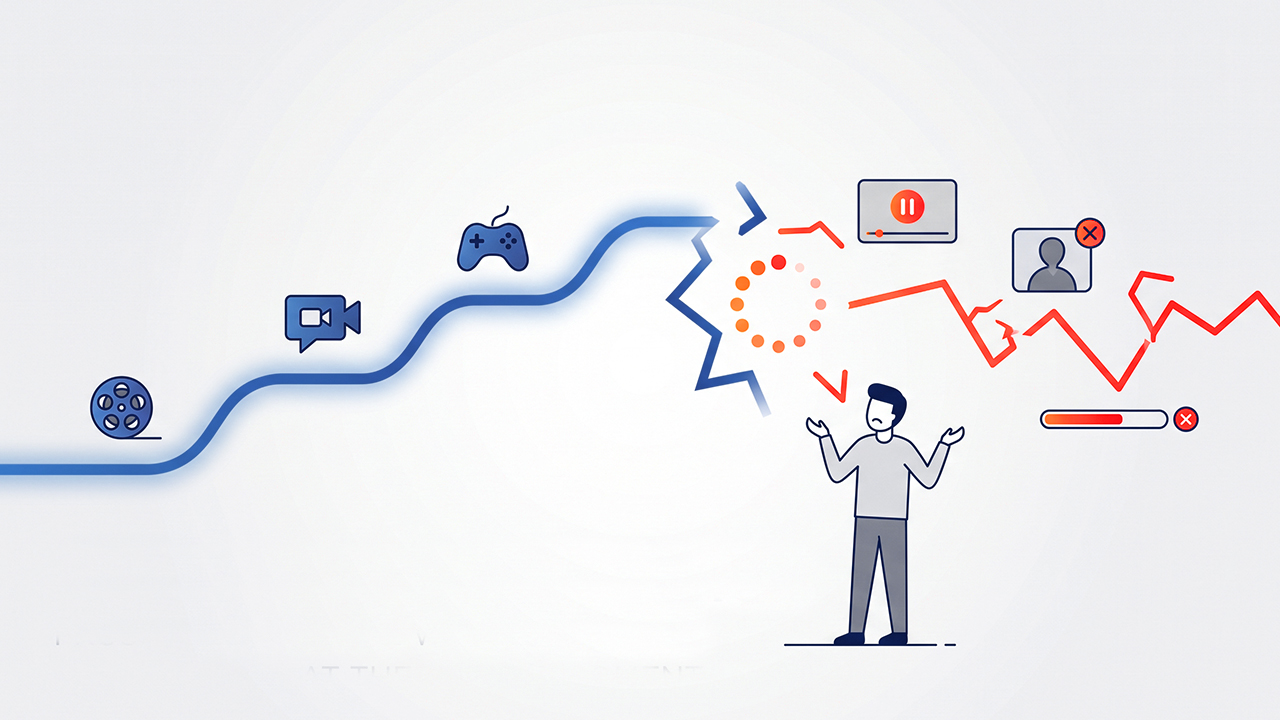
A fast internet connection means little if it fails when you need it most.
We often think about internet quality in terms of speed. How quickly can a page load? How fast can a file download? How quickly can a video start streaming?
Those numbers matter, but they only tell part of the story. A connection can feel fast when everything is working and still become frustrating when it suddenly drops, stalls, or struggles to maintain a stable connection.
That is the idea behind this series of short videos, which looks at familiar moments where a connection can suddenly get in the way. From watching a K-drama and catching up with someone on a video call to gaming, dancing, and sharing travel memories, each scenario shows how frustrating an interruption can become when it happens at the worst possible time.
When the episode gets good
You have been following a K-drama all episode, waiting for the moment when everything finally comes together. The characters are finally about to reveal something important when the video suddenly buffers.
@gadgetmatchA good internet connection isn’t the fastest one. It’s the one that doesn’t stop. ✨♬ original sound – GadgetMatch
The frustration comes from more than the interruption itself. You were already invested in the story, and the connection stopped you just when you wanted to see how it unfolded.
When a conversation gets interrupted
A video call can make distance feel a little smaller, especially when you are catching up with someone you have not seen in a while.
The conversation is flowing until the other person starts telling you something important. Then the call freezes.
@gadgetmatchA good internet connection isn’t the fastest one. It’s the one that doesn’t stop.♬ original sound – GadgetMatch
You can wait for the connection to come back, but you have might already missed a lot.
Conversations do not always pause neatly when the internet does. When a call freezes in the middle of a thought, you can miss a reaction, a story, or even a few seconds that change the context of what someone was trying to say.
When you are about to win
Few things are more frustrating in gaming than losing control when victory is within reach.
You and your team have pushed through the match. The opposing team is almost down, and you are ready to make the final move. Then your character stops responding.
@gadgetmatchA good internet connection isn’t the fastest one. It’s the one that doesn’t stop. ✨♬ original sound – GadgetMatch
The problem is not simply that the connection slowed down. It failed at the moment when you needed it to stay consistent.
You were almost there, and the interruption took that moment away.
When you find the perfect travel shot
Going through photos after a trip can bring the experience back to life. You scroll through your camera roll, find a photo you love, and decide that it is the one you want to share.
You start the upload and watch the progress bar move.
Then it stops.
@gadgetmatchA good internet connection isn’t the fastest one. It’s the one that doesn’t stop. ✨♬ original sound – GadgetMatch
The frustration comes from more than a failed upload. You had already found the moment you wanted to share, but an unreliable connection put it on hold.
When the music cuts out
A good song can pull you completely into the moment. You start dancing casually, get more into the beat, and eventually find yourself waiting for the next big part of the song.
Then the music stops.
@gadgetmatchA good internet connection isn’t the fastest one. It’s the one that doesn’t stop. ✨♬ original sound – GadgetMatch
The sudden silence breaks the momentum. It feels frustrating because the song had already taken you somewhere, and the connection interrupted that experience just before the payoff.
A reliable connection should let you stay in the moment instead of making you wait for it to come back.
How much speed do you actually need?
For many everyday online activities, you may need less speed than you think. Netflix recommends 5 Mbps for Full HD streaming and 15 Mbps for 4K, while Zoom recommends around 3 Mbps download and 3.8 Mbps upload for a 1080p one-on-one video call.
Those numbers show that speed is only one part of the equation. A connection can meet the recommended speed for an activity and still feel frustrating if its performance fluctuates or drops when you need it most.
That is why a speed test does not always tell the whole story. What matters is whether your connection can consistently deliver the performance you need while you are streaming, gaming, making a call, or sharing files.
Keep the moment going
These situations have one thing in common: the interruption happens after you have already invested in the experience.
We rely on the internet for much more than simply getting information from one place to another. We use it to watch the shows we follow, stay in touch with people, play games, listen to music, preserve memories, and share those memories with others.
In each of these situations, speed can help you get started. Consistency is what helps you stay in the experience.
A connection that starts quickly but keeps dropping can still disrupt a video, interrupt a conversation, affect a game, stop a song, or prevent a photo from uploading. The impact may only last a few seconds, but those seconds can matter when they happen at the exact moment you are most engaged.
That is why a good internet connection is not only about how quickly it gets you started. It also needs to stay consistent when you are watching a show, talking to someone, gaming, listening to music, or sharing memories.
Reliability gives these experiences room to continue without forcing you to stop, reconnect, or wait for the moment to return. It lets you focus on what you are doing instead of thinking about whether your connection will hold.
A good connection should not just get you there. It should help you stay there.






GrabCar Group Ride now splits the fare automatically

Sony unveils three premium Walkman music players

iPhone Duo Philippines: Prices, installments, and where to buy
![KINGDOM HEARTS Collection [I-III]](https://www.gadgetmatch.com/wp-content/uploads/2026/10/kingdom-hearts-colletion-I-III-202610-80x80.png)
KINGDOM HEARTS Collection [I–III] now available on PS5, Switch 2

TECNO CAMON Slim 5G gets launch discounts, free MagBadge

vivo X500 Series launches with major imaging upgrades

OPPO Find X10 Pro Max is the first phone with a triple 200MP camera system

TECNO CAMON Slim 5G: Price, availability in the Philippines

TECNO CAMON Slim 5G review: Slim on size, big on surprise

HONOR Magic9 Pro Max launches in China with ARRI-powered imaging


-
 News1 week ago
OPPO Find X10 Series launches globally October 21
-

 News2 weeks ago
Sony teams up with Hello Kitty for exclusive limited-edition collection
-

 Features2 weeks ago
Nike’s new race-day system, explained
-

 Wearables1 week ago
Garmin Enduro 4 promises up to 320 hours of battery life
-

 Gaming2 weeks ago
The Ace Combat 8: Wings of Theve launch event is happening this week
-
 News2 weeks ago
iPhone 18 series breaks records in Vietnam as pre-orders triple
-

 Gaming6 days ago
Dragon’s Dogma 2: Dark Arisen launches with new Official Pawns
-
 Deals6 days ago
Score PhP 22,000 in guaranteed freebies when you pre-order the iPhone 18 Pro at Beyond the Box