

Reviews
Xiaomi 18 Pro Max review: A jetsetter’s dream
It’s got a cover screen that doesn’t need folding!

Being single and traveling alone comes with an inconvenience of its own. You get to go wherever you want, whenever you want, without having to send someone a play-by-play of your whereabouts.
It’s all very glamorous. Then you arrive somewhere breathtaking and realize you have no one to take your picture.
I recently found myself in this predicament while traveling. I was miles from home and surrounded by beautiful scenery, and I wanted a photograph of myself enjoying the view.
There were barely any people around, and even if I managed to find someone, there was always the possibility of a language barrier. Explaining the exact angle and framing I wanted would have required a PowerPoint presentation. Thankfully, I had my trusty white tripod and the Xiaomi 18 Pro Max.
With its dual 200-megapixel cameras and a display on the back that lets me see myself before taking a photo, I suddenly had something resembling a personal photographer.
I didn’t have to approach strangers, and I didn’t have to settle for a photograph where my head occupies 80 percent of the frame. For someone who travels frequently and has an extensive camera roll to prove it, this was already a promising start.
Coordinates with the wardrobe
The Xiaomi 18 Pro Max feels suited to the modern jetsetter. Traveling alone means becoming your own photographer and navigator, and occasionally the person responsible for everyone’s luggage. Having a smartphone that makes documenting those experiences easier is a welcome addition to the itinerary.
I first encountered the Xiaomi 18 Pro Max at Xiaomi’s Science and Technology Park in Beijing, where its Back Display caught my attention. I was already imagining all the travel content I could create with it. Finally, my aspirations of becoming a travel vlogger could have a fighting chance.
The colorways were equally captivating. I was especially drawn to Pink, which had a beautiful blush finish reminiscent of the Xiaomi SU7 in Dawn Pink. It reminded me of the first golden rays of sunlight hitting snow-capped mountains, when everything looks cinematic and you consider extending your holiday indefinitely.
I wanted that Pink version with the same enthusiasm I’d reserve for a pair of Gucci boots discovered during a Black Friday sale. Unfortunately, my review unit came in Velvet Red. I suppose I could survive.
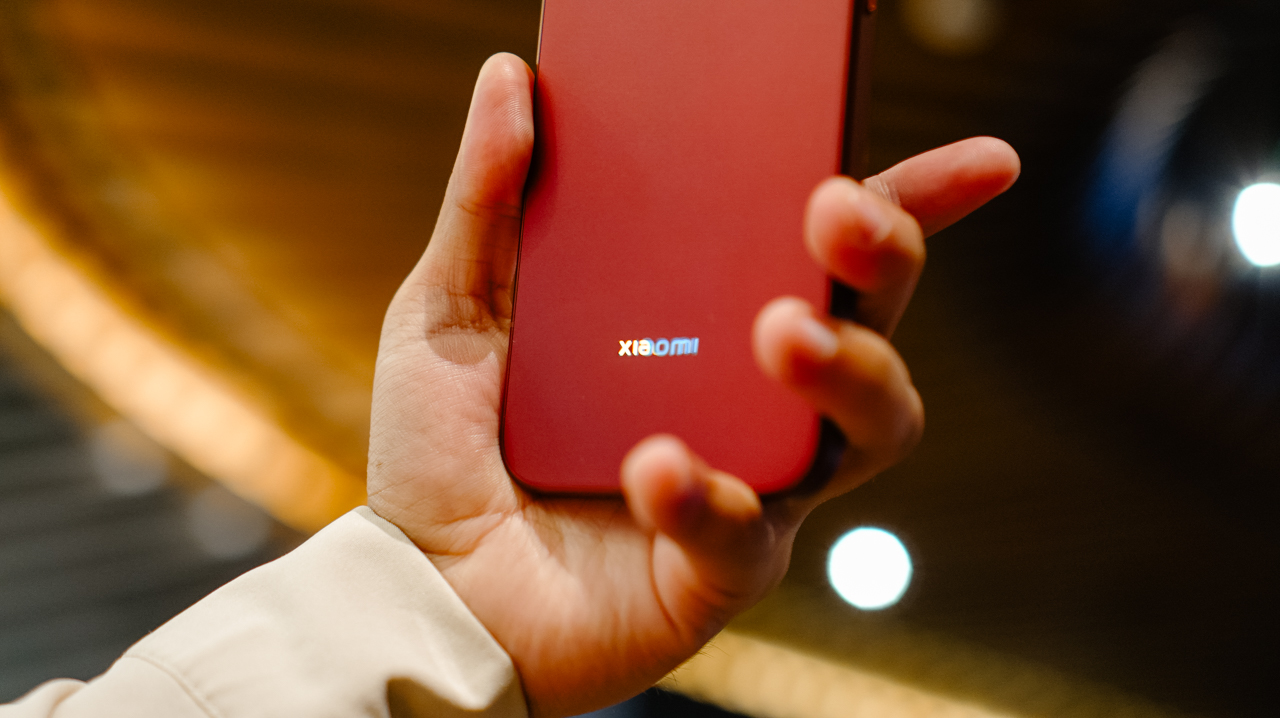
The sophisticated wine-red finish has an understated elegance that makes the phone look much more expensive than it already is. It’s a beautiful color in its own right, although I’d happily accessorize it with a prettier case to complement my outfits. A smartphone is a travel essential, after all, and it might as well coordinate with the wardrobe.
A cover screen without needing to fold
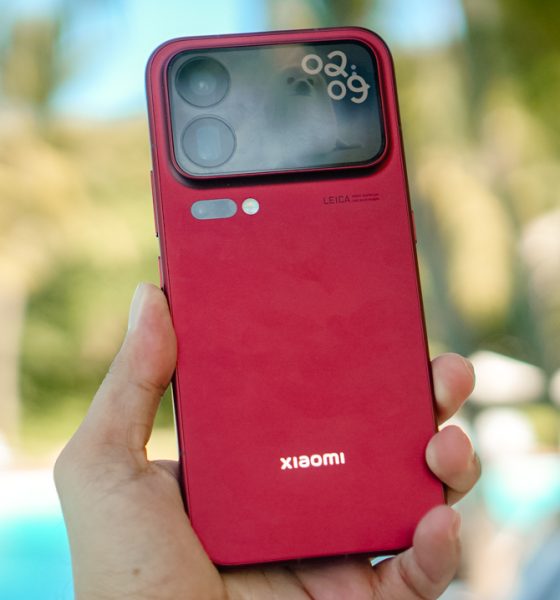
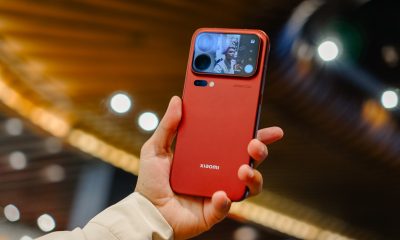
The biggest attraction of the Xiaomi 18 Pro Max is its Back Display. Built around a custom M11 panel, it offers up to 4,000 nits of peak brightness and a 1-120Hz LTPO refresh rate.
I’ll admit that I initially approached the idea with a little skepticism. I had already seen the leaks and theories surrounding the secondary display, and my first instinct was to wonder if this was another feature designed to make a smartphone look different on paper.
I’ve been reviewing technology for almost a decade. At this point, I’ve developed a healthy suspicion of anything marketed as revolutionary. This time, I was pleasantly surprised.
The Back Display gives the Xiaomi 18 Pro Max the convenience of a foldable phone’s cover screen without requiring the actual folding mechanism.
It doubles as a viewfinder for selfies and vlogs, allowing me to see exactly how I look before pressing the shutter. For solo travelers, this is a useful feature.
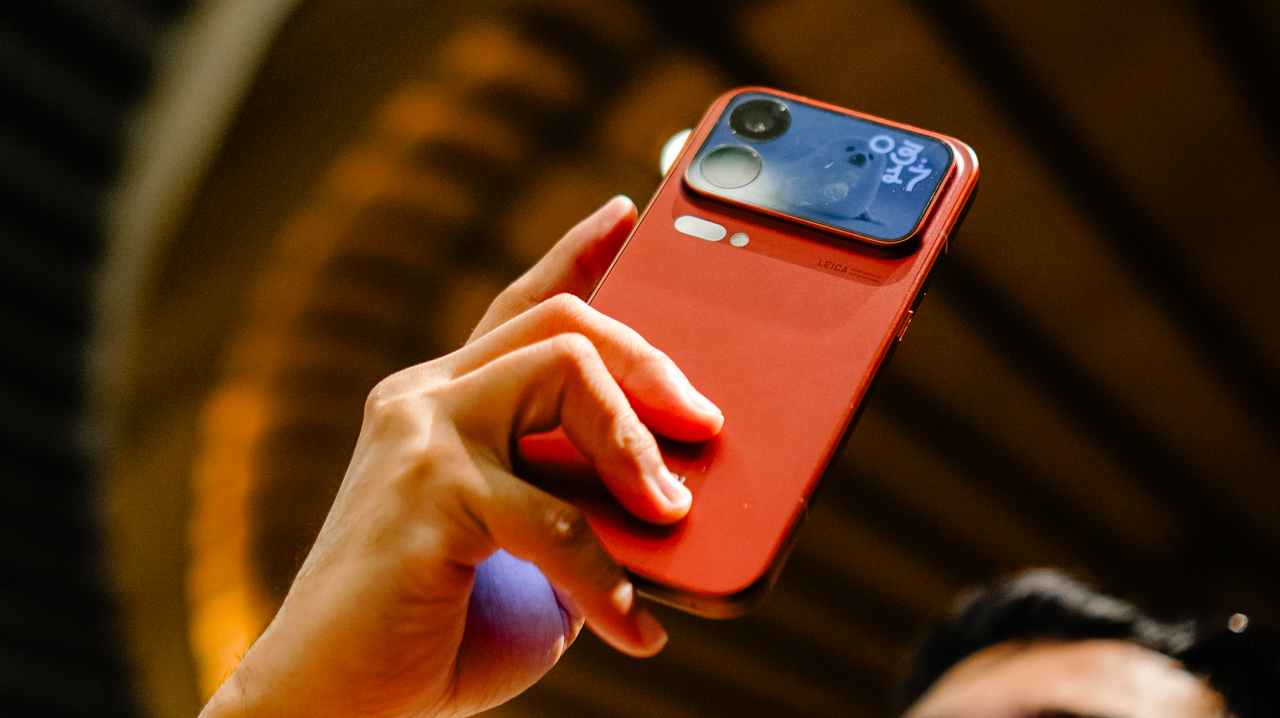
I could set up my tripod and position myself against a beautiful backdrop, then use the rear cameras while monitoring the composition from the Back Display.
It’s especially helpful when shooting 0.5x selfies, where getting the right framing can make the difference between a beautiful travel portrait and a photograph that accidentally includes half the pavement.
The phone can also record 8K video at up to 30fps with a real-time preview on the secondary screen.
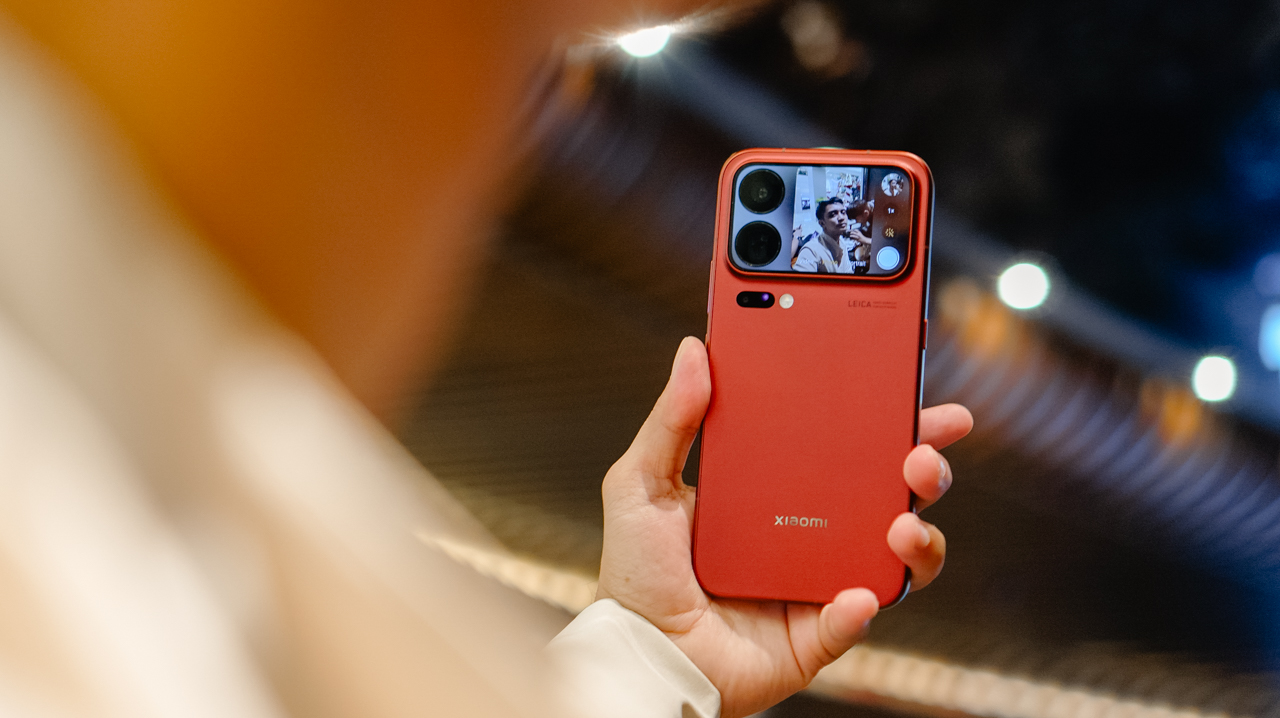
When taking group selfies with more than three people, the camera automatically switches to an ultra-wide perspective. There are also hand gestures for triggering the shutter or starting video recording, which means I no longer have to awkwardly stretch my fingers toward the phone while trying to maintain a flattering pose.
Beyond photography, the Back Display can preview notifications and other important information. This comes in handy when the phone is resting on a restaurant table or beside me while I’m enjoying a conversation.
I can quickly check what’s happening without constantly turning the phone around.
A little personality on the Back Display
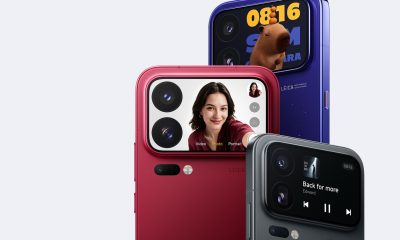
The Back Display is customizable, and naturally, I had to spend some time making it look presentable. Wallpaper options include creative clocks, nature, pets, signatures, oversized numbers, and weather forecasts.
My initial choice was a photograph of my own face because apparently, having a full-length mirror at home is no longer enough. I eventually replaced it with a cute seal, which felt more approachable.
The more interesting additions are the app cards. By default, Xiaomi includes a calendar, upcoming events, and countdowns.
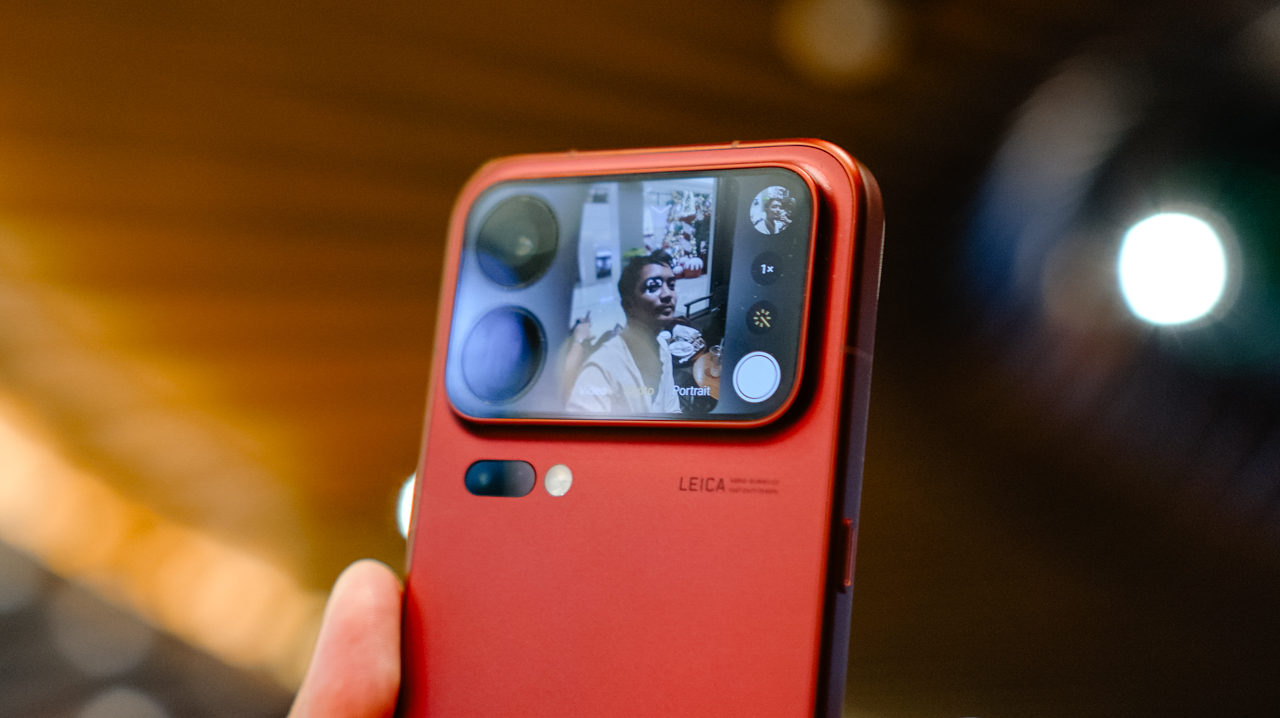
GenAI-powered customization expands these options with additional cards, including French vocabulary, an egg timer, training and rest schedules, and little games such as Gravity Ball, Fruit Slice, and Retro Bowling.
There are also wellness-oriented tools such as a focus timer, daily water tracker, and caffeine calculator. The possibilities extend further through AI-assisted app creation.
Powered by Qualcomm’s latest Snapdragon 8 Elite mobile platform, the Xiaomi 18 Pro Max allowed me to create a personalized card using prompts.
I uploaded my itinerary for a recent trip to Hon Tre Island in Nha Trang, Vietnam, and created something called Itinerary Digest. It displayed an overview of my trip and allowed me to tick off each activity as I completed it.
For someone who tends to save itineraries in several different places, from Notes to screenshots to random conversations with friends, having a quick overview on the back of my phone was a huge convenience.
I could check what was coming up without opening another application or scrolling through an entire conversation to find the address of our next destination. It’s a little travel assistant I didn’t know I needed.
200MP cameras for postcard-worthy memories
The Back Display and rear camera system share the same sheet of glass, giving the Xiaomi 18 Pro Max a seamless appearance.
Photography is a major part of the Xiaomi 18 Pro series, and the Pro Max comes equipped with a Leica Dual-200MP camera system. This consists of a 200-megapixel main camera and a 200-megapixel periscope telephoto camera.
The main sensor measures 1/1.28 inches, while the telephoto sensor measures 1/1.56 inches. The main camera also features the Light Fusion 960L sensor, offering up to 16.2EV of dynamic range.
These specifications translate into an impressive photography experience, even with the unpredictable lighting that comes with traveling.
Some of my favorite travel photographs are taken against the light. I love the atmosphere of a bright background, especially when photographing architecture and landscapes, where stretches of sunlight make a destination feel cinematic.
Unfortunately, this usually means spending much more time in post-processing to recover details on my face without washing out the background.
The Xiaomi 18 Pro Max handled these situations well. Even when photographing myself against bright surroundings, I could retain details in the highlights without turning myself into a silhouette or sacrificing the beautiful sky behind me.

My biggest complaint was the automatic exposure. The camera occasionally brightened the entire scene more than I wanted, requiring me to manually adjust the exposure before taking a photograph.
This happened across different focal lengths, including 1x, 2x, 3x, and 5x, as well as in Portrait, Essential Moments, and 200MP modes.
Shot via 200MP


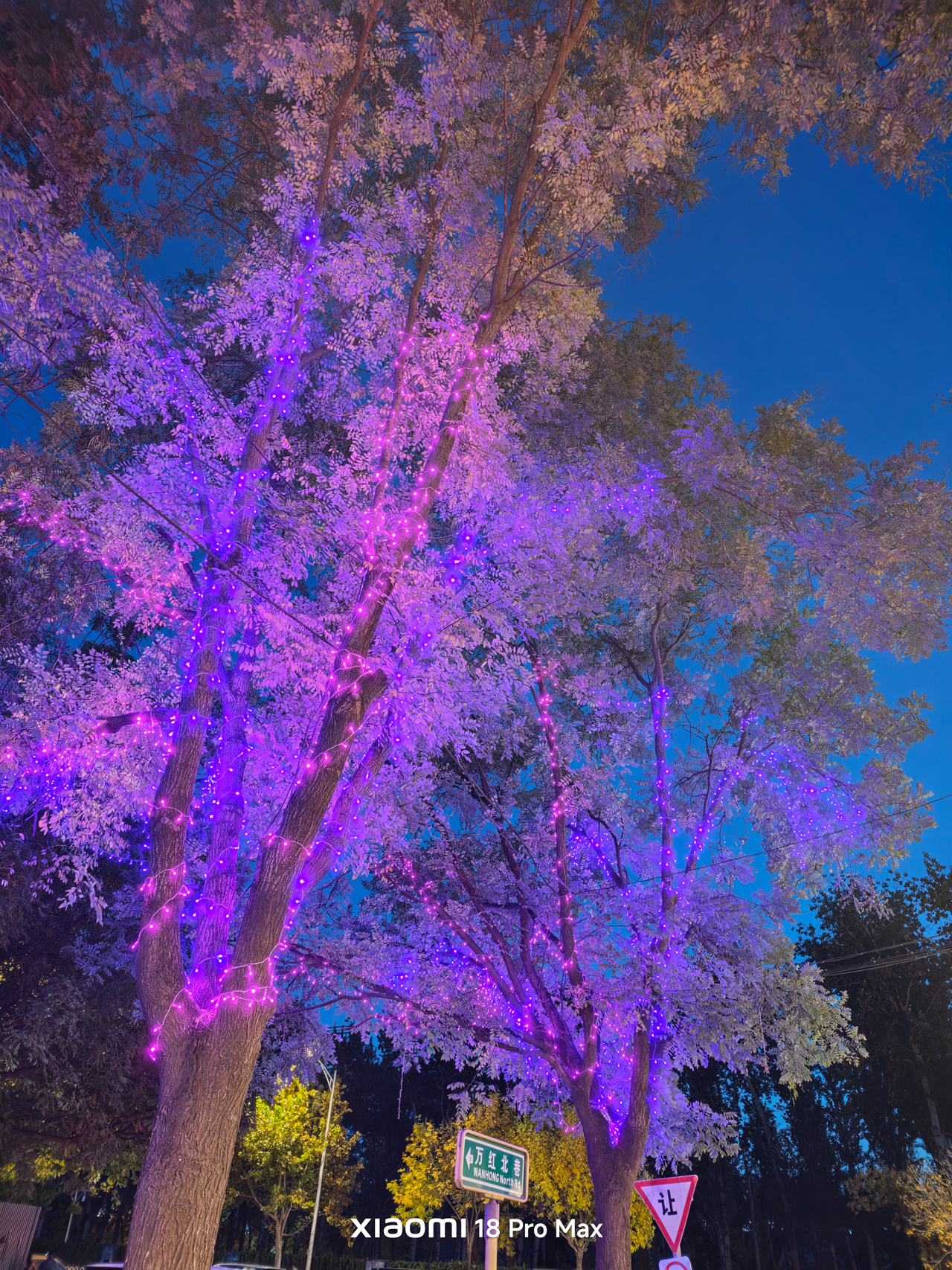
1x photos
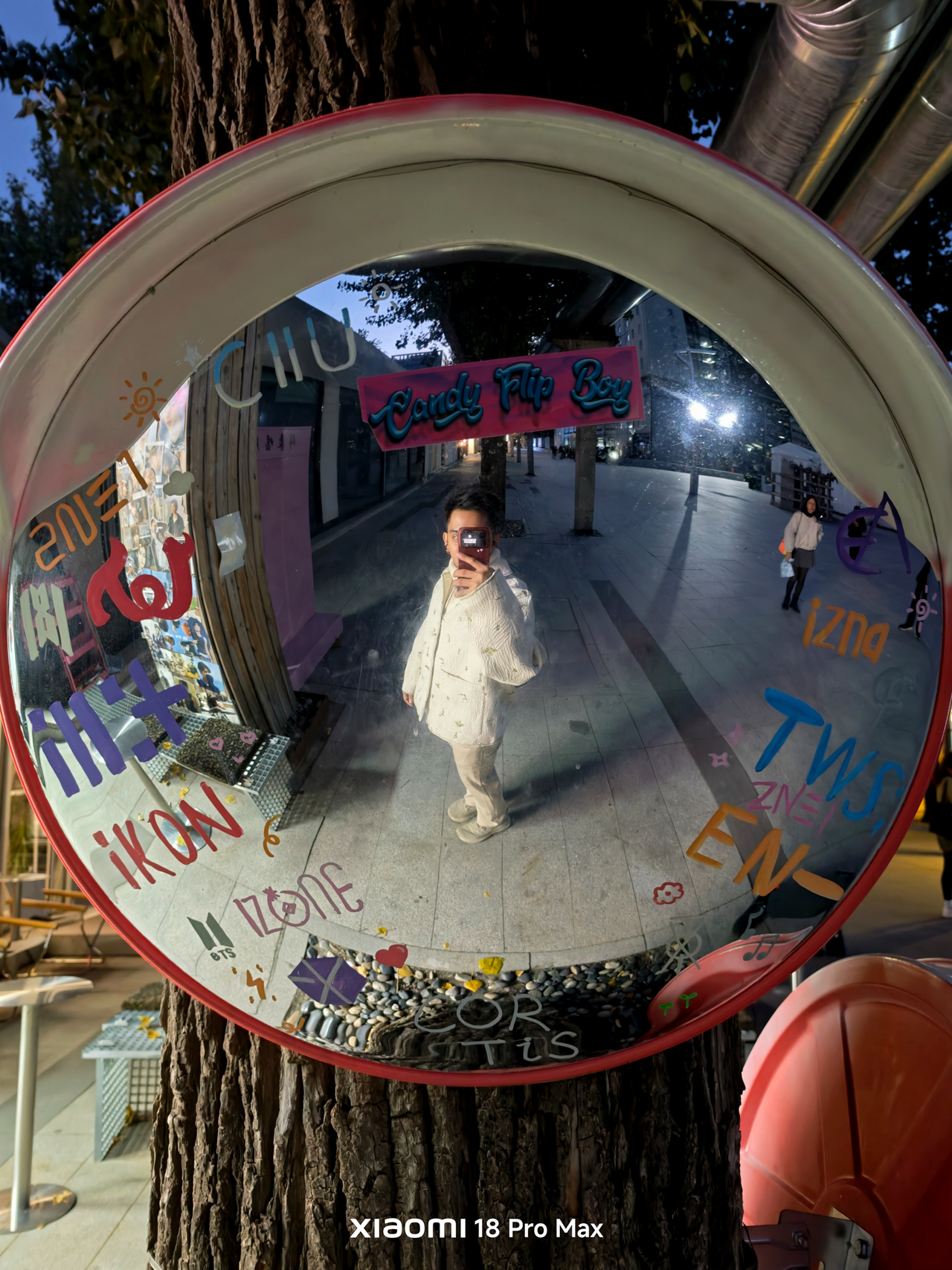
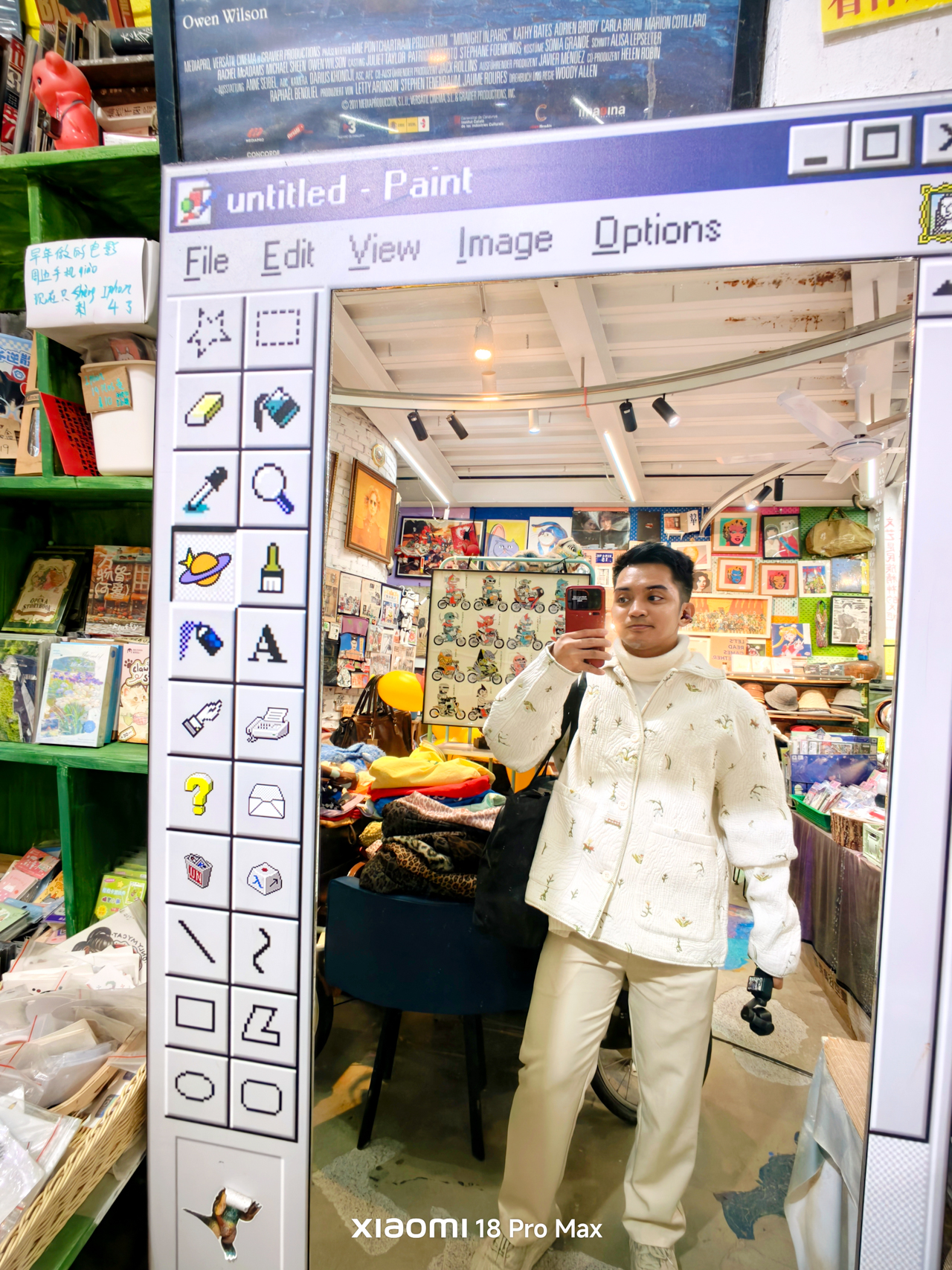








Once I got the exposure right, however, the results were detailed and vibrant. I mostly used Leica Vibrant as my preferred photography style, although Original and Leica Authentic are also available.
Even with the more vivid color profile, the photographs retained a lively yet natural appearance. The colors looked lovely when photographing destinations with contrasting scenery, where bright skies and colorful architecture could share a frame with natural landscapes.
The same goes for the photos taken with the front camera.




Collecting memories, one zoom at a time
For most of November, I brought the Xiaomi 18 Pro Max along on my travels through Beijing, China, and Nha Trang, Vietnam.
It was an interesting opportunity to test its cameras across two very different environments, from the cooler late-autumn atmosphere of Beijing to the tropical scenery of Vietnam.
I eventually settled on 3x zoom as my preferred focal length for everyday travel photography. It gave me a flattering perspective for portraits while allowing enough distance between myself and the subject.









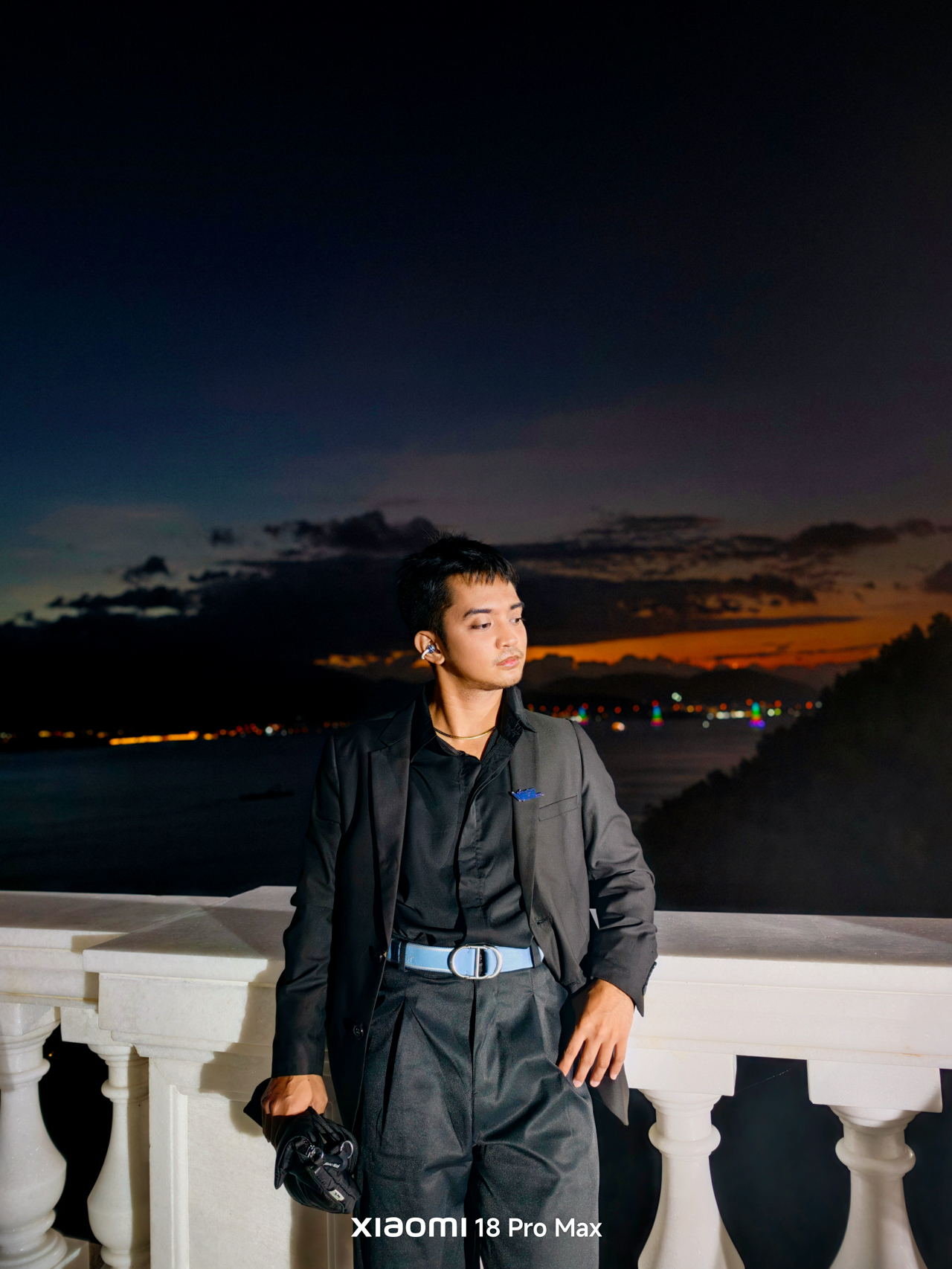


I also enjoyed using it for architectural details and interiors. The resulting background separation and depth looked natural, giving photographs a more polished appearance without requiring much additional editing.





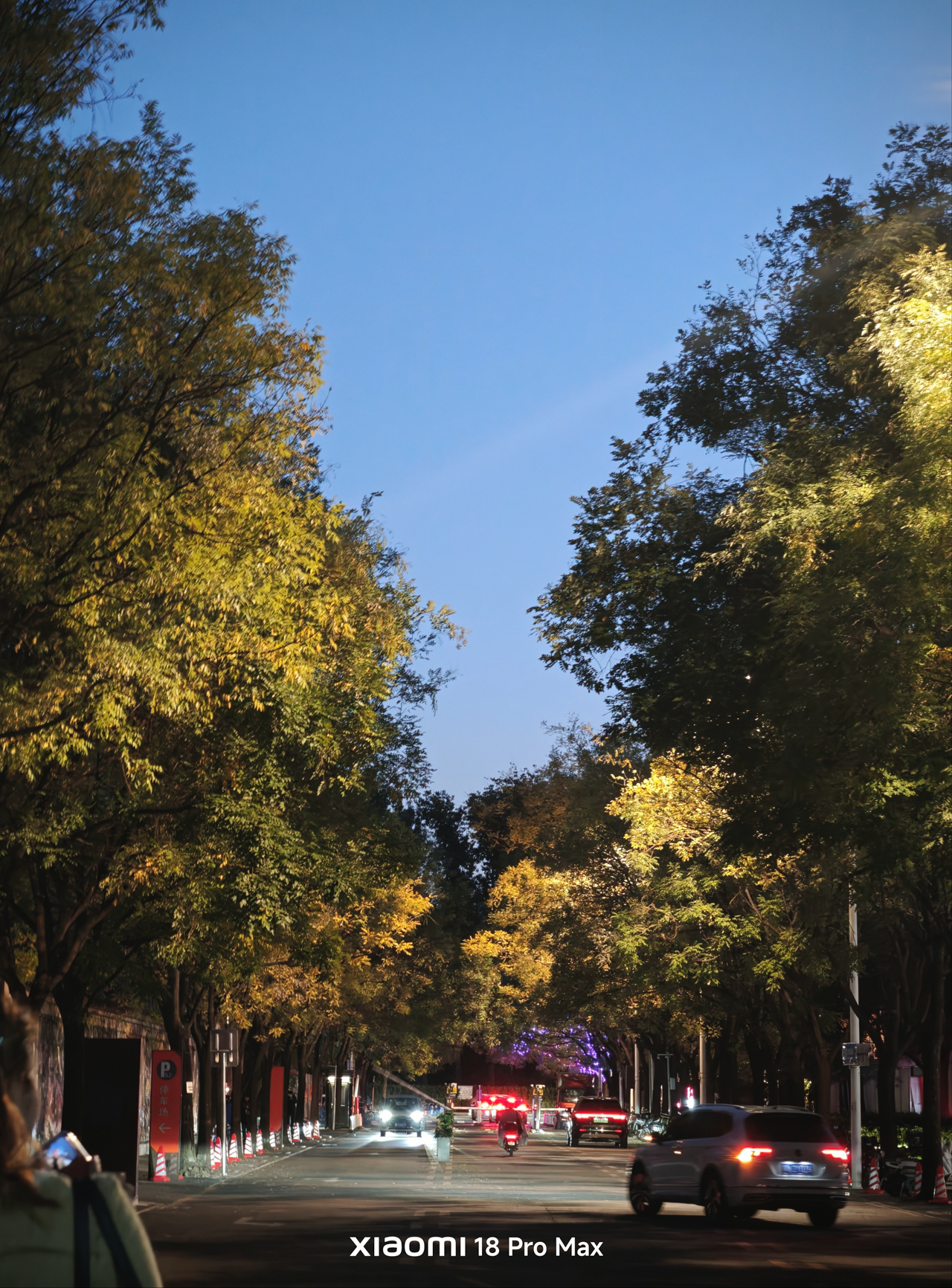


When something was farther away, I switched to 5x zoom, which offers up to 150mm optical-level zoom.
This was especially useful when photographing performances and events. During the Imperial Banquet in Beijing and the Tata Show at VinWonders in Nha Trang, I could capture performers from a distance without losing too much detail.


The images remained sharp and clear, even when I couldn’t get close to the action. This is a welcome advantage when traveling, since moving closer isn’t always possible.


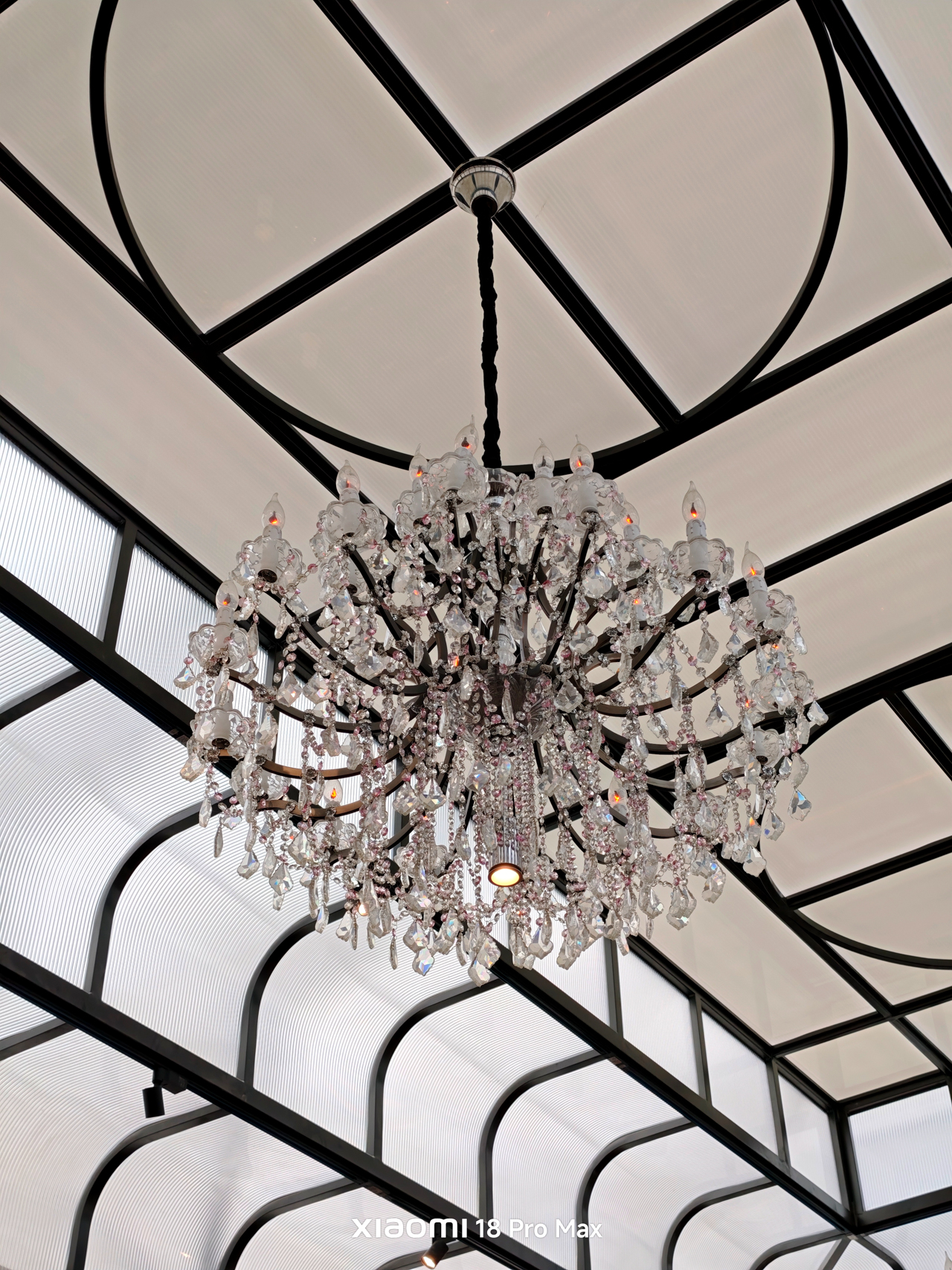





Sometimes there’s a crowd between you and the attraction. Other times there’s a very strict rope barrier reminding you that your photography ambitions have limits.
Either way, having a capable telephoto camera makes documenting those moments much easier.
Editing my memories, my way
Post-processing has always been an important part of my travel photography. I enjoy taking photographs, but I also enjoy the process of turning them into something that reflects my own visual preferences.
My editing style usually depends on my mood and the destination. I gravitate toward color harmony and tonal balance, lifting exposure and shadows to create an open, airy appearance. I prefer creamy whites over sterile highlights, while keeping skin tones natural and rich against brighter environments.






The overall aesthetic is timeless, with true-to-life colors and a slightly elevated finish.
Fortunately, Xiaomi’s built-in photo editor offers several tools that fit comfortably into my usual workflow. It has plenty of cropping options, aspect ratios, filters, and editing controls that make post-processing much more convenient.
My latest favorite is AI Beautify, which automatically detects facial features and optimizes the image’s color and tone. I found it useful for improving portraits taken in challenging lighting, giving them a more polished and cinematic appearance without requiring an extensive editing session.

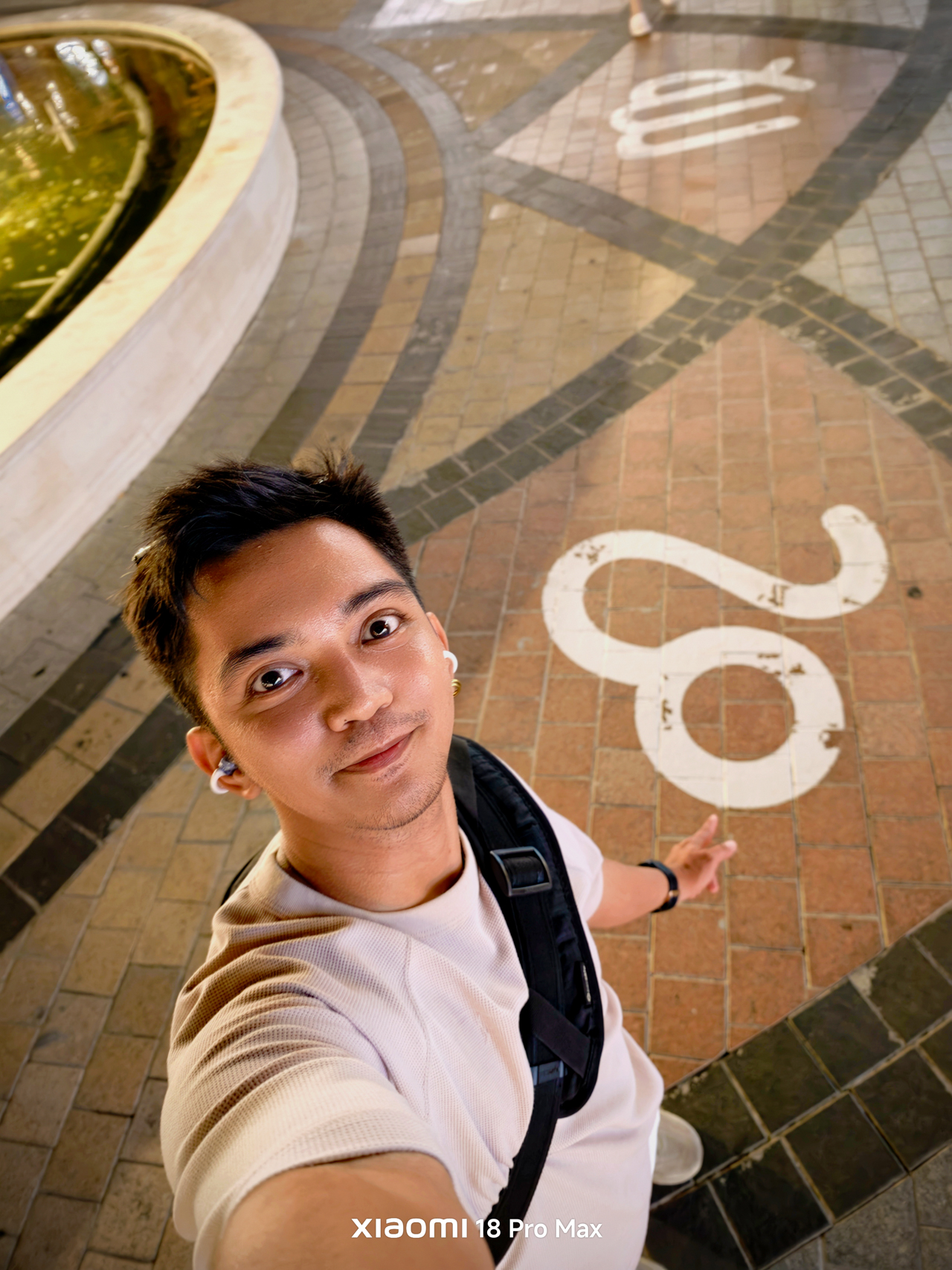
The AI Creativity Assistant also includes a comprehensive collection of editing tools. These include AI Erase Pro, AI Ultra HD, AI Composition, AI Deblur, AI Cutout, Expand, AI Bokeh, and AI Skyscaping.
I appreciate having tools that rescue photographs which would otherwise need several adjustments in Adobe Lightroom.
But I draw a line between using AI to improve a photograph and letting it take over the creative process. I still want my photographs to look and feel like mine. And of course, I want to retain the decisions behind the composition and the overall mood.
AI works best when it takes care of the tedious parts and leaves me with the creative freedom to shape the final image. This is the AI I can get behind.
Essential Moments and the beauty of imperfect memories
Beyond its camera hardware and editing capabilities, Xiaomi’s Essential Moments introduces three photography styles: B&W Film, Iconic CCD, and Modern Vintage.
Xiaomi also offers options to recreate the characteristics of 35mm Documentary and 75mm Portrait lenses, giving users more creative freedom when capturing different scenes.
View this post on Instagram
Michael Josh experimented with B&W Film when he brought the Xiaomi 18 Pro Max to Paris on a rainy day. His photographs had an evocative quality, capturing the atmosphere of the city through beautiful monochromatic compositions.
My own experience leaned toward Iconic CCD. During my stay in Beijing, I found myself photographing the little details inside my hotel room.

Sunlight spilling through the windows and the slightly messy setup that comes with living out of a suitcase all became interesting photographic subjects.
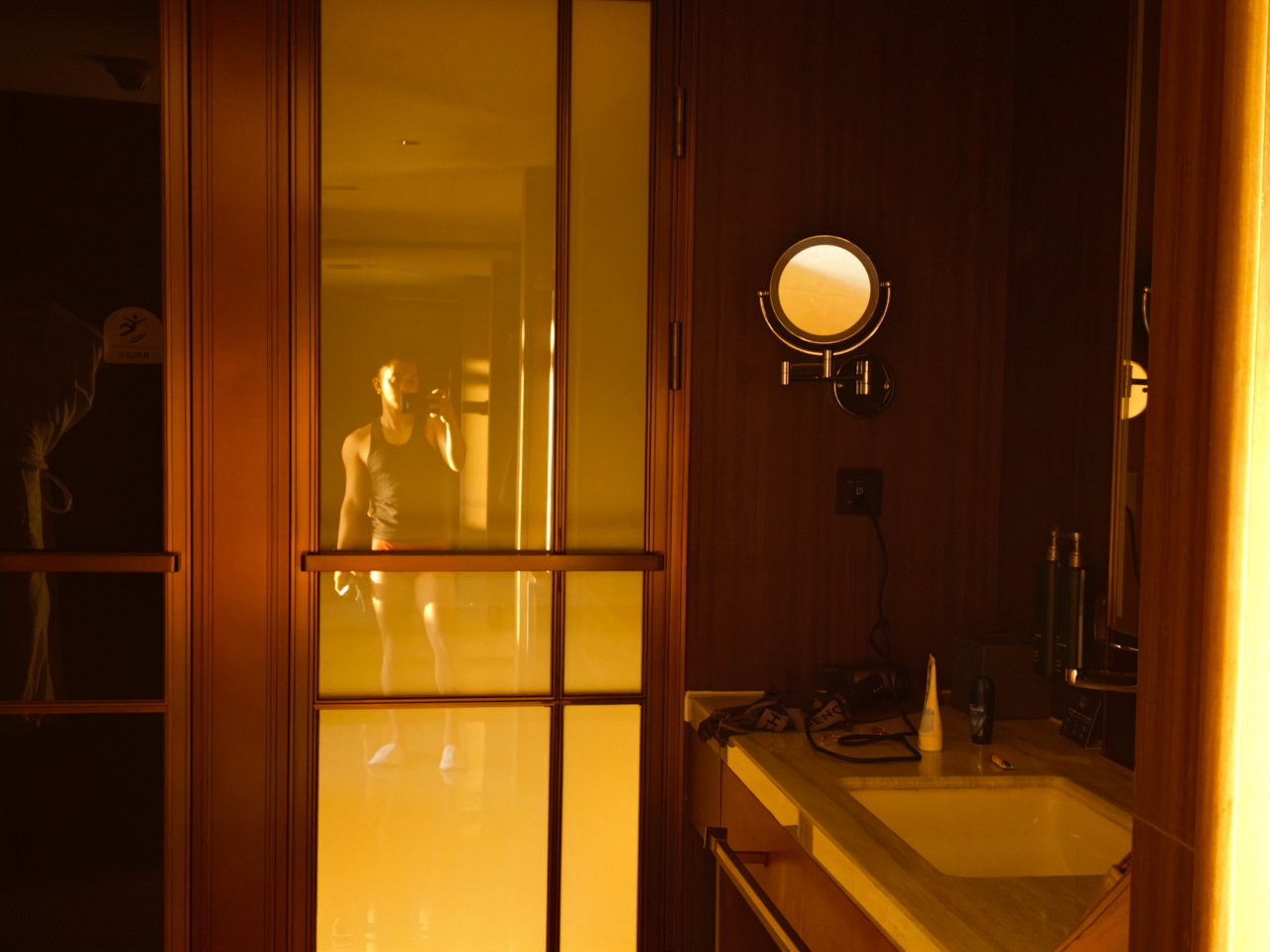

These everyday travel moments have a charm of their own. While the postcard-worthy landmarks usually dominate our camera rolls, these moments tell a more personal story about being somewhere.
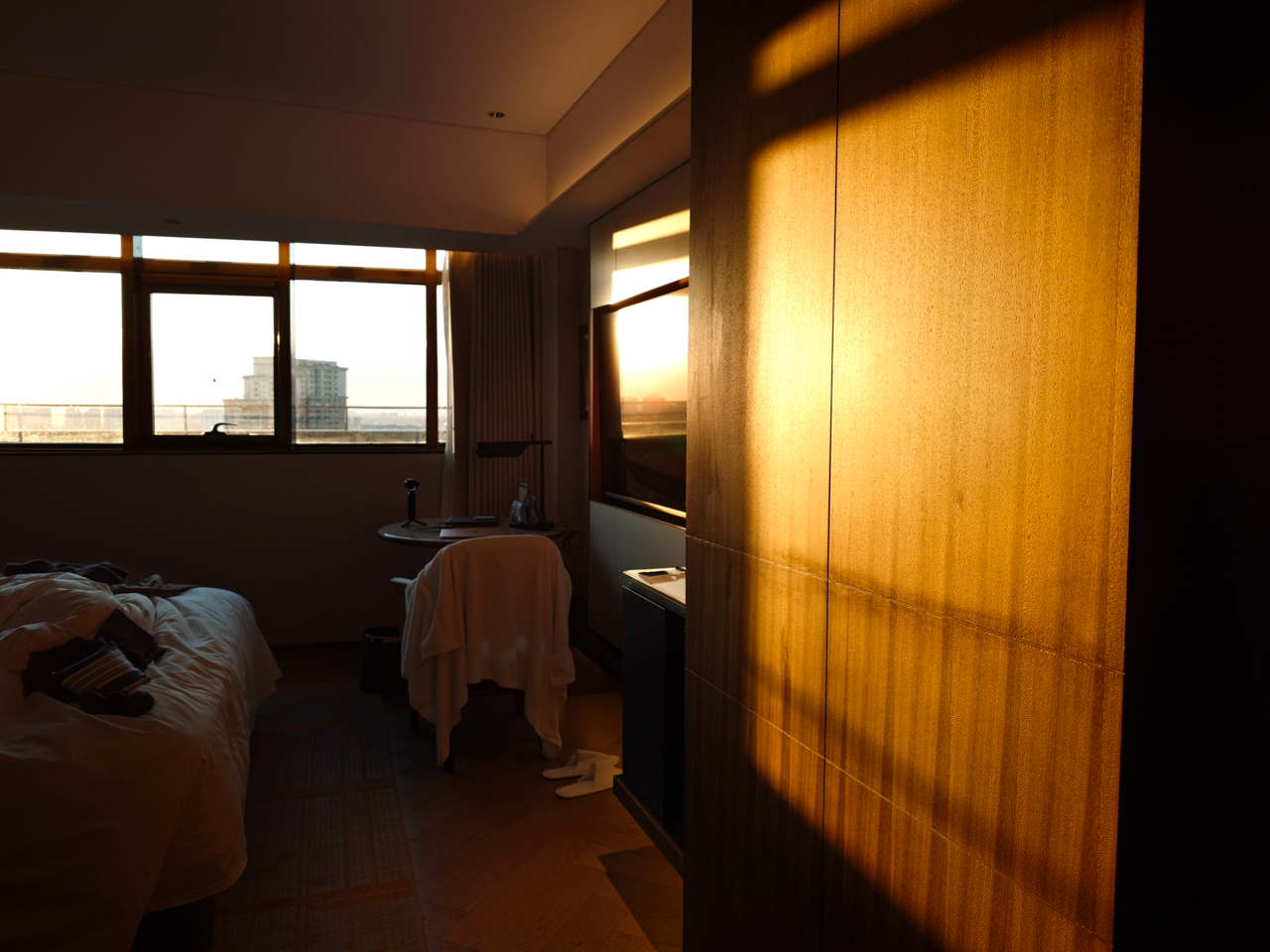
I enjoyed how Iconic CCD gave these photographs a nostalgic quality, almost reminiscent of scenes from an old film. It made even my messy hotel room look aesthetically pleasing, which is quite an achievement considering the number of outfits I had brought along.
A storytelling tool for the travel diary
The Xiaomi 18 Pro Max supports 4K video recording at up to 120fps in Dolby Vision, 10-bit Log, and 8K recording at up to 30fps.
At one point, I considered producing an entire YouTube travel video using the phone. It seemed like a fitting way to test its video capabilities, especially with the Back Display offering a convenient preview when filming myself.
However, traveling has a funny way of disrupting even the most carefully planned content schedules. Some of the best moments happened so quickly that I barely had time to pull out my phone, let alone switch to a more elaborate filming setup.
I ended up recording most of my videos vertically, which is how I naturally document my travels anyway.
I captured the Imperial Banquet performance in Beijing, the Tata Show at VinWonders in Nha Trang, our welcome and gala dinners at Vinpearl Convention Center during the V-Creator All Star Summit ’26, and plenty of spontaneous moments with friends along the way.
Everything was recorded in 4K at 30fps. These clips became little pieces of my travel diary. They were the spontaneous moments that might otherwise have disappeared into memory, from watching a performance to enjoying an evening with friends after a long day of activities.
The video capabilities are impressive, although I found myself appreciating the convenience of having a capable camera ready at all times more than the prospect of producing a full-fledged film.
Sometimes, the best travel footage is the one you actually manage to capture.
Privacy display (and the privacy notice)
Traveling also means spending plenty of time in public spaces, from airports and hotel lounges to restaurants and crowded tourist attractions. This makes smartphone privacy relevant.
Xiaomi introduced its Privacy Display technology, which uses dedicated privacy pixels to limit screen visibility from side angles. The feature can be applied to selected apps, notifications, floating windows, and split-screen views.
Unfortunately, my experience was less convincing than I expected. Even with Privacy Display enabled, my friends could still see what I was doing when looking over my shoulder.
Visibility became more limited when the screen was viewed from farther angles or when brightness was reduced to its lowest levels. It didn’t feel quite as effective as Samsung’s Privacy Display implementation.
Xiaomi also introduced a Privacy Notice feature that detects nearby onlookers and alerts users through discreet vibrations or the Xiaomi HyperIsland.
I tested this with friends who were more than happy to indulge their inner snoops, but the feature didn’t respond during my testing.
Hopefully, this improves with future software updates. I’d appreciate being able to check my flight details and personal messages without an audience.
Surviving a full travel day
The Xiaomi 18 Pro Max features a 6.9-inch display and a 7,050mAh battery. Considering its size and camera capabilities, the battery matters, especially when traveling.
A typical day can involve taking hundreds of photographs and navigating unfamiliar streets, with video recording and editing squeezed in between activities.
With the Back Display’s Always-On Display enabled, I noticed much higher battery consumption. During busy days of filming, photographing, and navigating, the battery could run down to very low levels before the day ended.
On standby, however, the Xiaomi 18 Pro Max comfortably lasted beyond a day before needing a recharge. Charging is another advantage. The Pro Max supports 100W wired charging, while the Pro variant supports 90W. Both also support up to 50W wireless HyperCharge.
Having access to such fast charging is reassuring when traveling. I could top up the phone during a short break before heading out again, which is far preferable to spending precious holiday time sitting beside a charging outlet.
The last thing I want is to discover that my phone has died just as I arrive at the most beautiful part of my trip.
A premium phone for frequent travelers
The Xiaomi 18 Pro Max is a premium flagship smartphone with a starting price of EUR 1,599. It’s an expensive purchase, although its Leica cameras and useful Back Display make it an interesting proposition for frequent travelers and content creators.
I enjoyed how the phone made documenting my travels easier. The Back Display gave me the freedom to take better self-portraits and videos without constantly relying on other people.
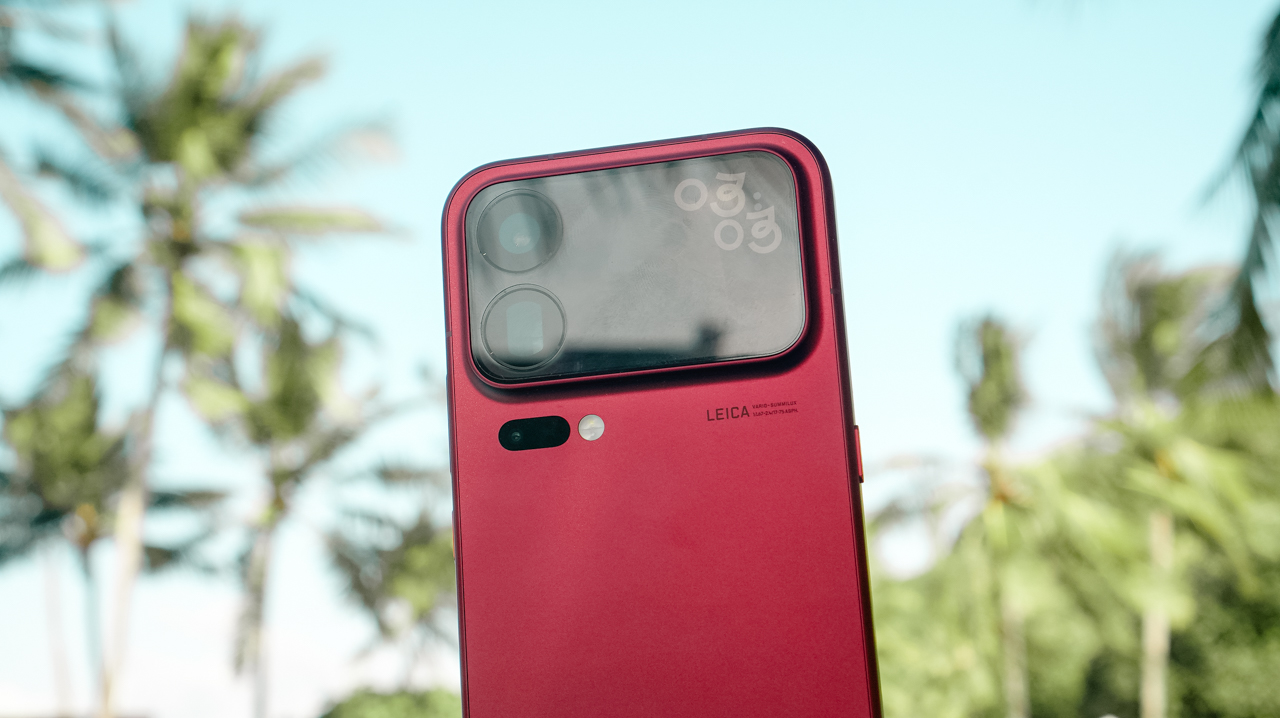
The telephoto camera offered flexibility when photographing distant subjects, while the editing tools helped me achieve the visual style I wanted without spending too much time processing every photograph.
A few things still need improvement. The automatic exposure needs better control, and the Always-On Back Display can be demanding on battery life. The Privacy Display also didn’t perform as effectively as I expected.
Personally, I’d probably consider the Xiaomi 18 Pro instead. Its smaller form factor appeals to me, especially when traveling with limited luggage space and trying to keep my everyday essentials manageable. Its EUR 1,399 starting price is also a little easier to justify.
Is the Xiaomi 18 Pro Max your GadgetMatch?
Swipe Left if you prefer a compact, pocket-friendly smartphone and rely heavily on automatic point-and-shoot photography. The occasional exposure inconsistencies might also frustrate you.
Swipe Right if you travel solo and regularly create content. The Back Display is a useful feature that gives you the convenience of a foldable phone’s cover screen without having to fold anything.
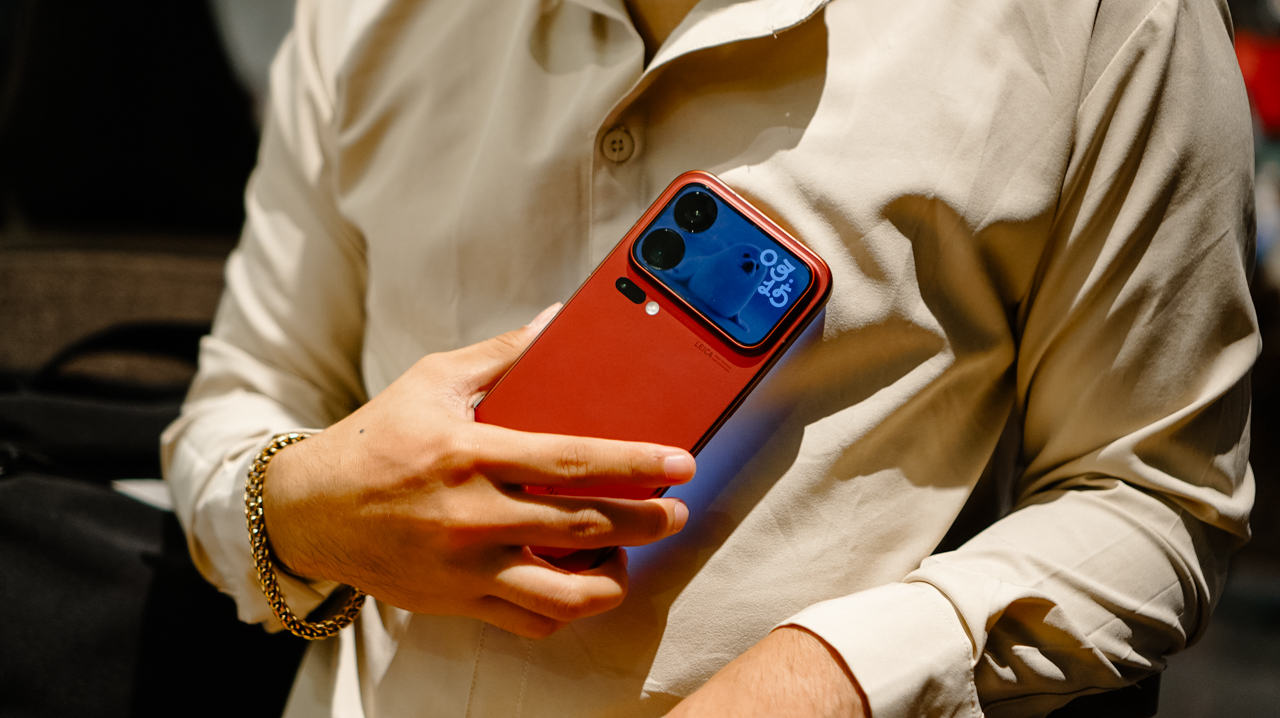
Super Swipe if you appreciate professional-grade zoom and Leica’s film-inspired color profiles, and want editing tools that let you retain your personal aesthetic.
The Xiaomi 18 Pro Max is the jetsetter’s personal cameraman. It gives you the freedom to capture the beautiful details of a destination and actually appear in your own travel photographs.
For someone who has spent years being the designated photographer in a group, having a phone that finally returns the favor feels wonderful.
After all, the best travel memories deserve photographs that include you, too. And with that, the Xiaomi 18 Pro Max earns the GadgetMatch Seal of Approval.







I’ve never played the original Ocarina of Time. Every time I’ve tried through Nintendo Switch Online, I was always put off by the dated graphics and the aging control system. Still, I can’t ignore that the title is universally considered as one of the best games of all time. So, when the remake came out, I couldn’t pass on the chance.
After finishing the remake, there’s little else you can use to describe 2026’s Ocarina of Time other than a true labor of love. This isn’t just a simple cash grab; it’s a genuine attempt to reintroduce an all-time classic to a new audience, young and old alike.
Welcome to 2026, Ocarina of Time
Dated graphics is no longer an issue in the remake. Whereas the original was plagued with blocky characters and wide open rooms, the remake adds smooth curves and flavorful environments that can put even Breath of the Wild to shame.
It’s apparent that, even when transposed to 2026 standards, Ocarina of Time features a dynamic world where every corner feels like it’s hiding secrets and Easter eggs. It feels like a playground, albeit more linear than the platformer styles of Donkey Kong Bananza and Mario Odyssey. Even the vast Hyrule Field looks ripe for exploration in this remake.
The characters themselves are lovingly brought to life. Every character was remade from scratch, turning them more lifelike while retaining the cartoonish charm of the original. Even adult Link looks drastically different from his child version.

Graphics aside, the real star of the show is the animation. Making everything look more realistic affords more time to improve how the world moves. Every blade of glass flutters with the wind. Objects (and enemies!) react precisely according to how you attack them. (For example, a sign is sliced exactly from the direction it’s attacked.)
Characters, too. Link, for example, pauses to catch his breath when he’s playing his ocarina. Characters fidget when idle.
And, finally, cutscenes are completely remade, turning them into the more epic style of Breath of the Wild or Tears of the Kingdom. Moments can feel more grandiose and rewarding. Reveals are treated like plot twists.
A smooth game for the Switch 2
Despite being an almost exact translation of the original, the remake’s system feels smoother, as if dropping the clunk of yesteryear’s console. This is a true Switch 2 game. It’s so easy to pick up both on handheld and on docked. The addition of motion controls and Zelda Notes adds that much flavor to the experience.
Now, I’ve heard complaints that Nintendo dumbed down the experience to be easier for younger audiences. While I’ve found this to be half true, I still found the right amount of challenge, especially when it comes to combat. Boss fights are treated with respect, as if they were bosses from Dark Souls. Which, in itself, is a huge full-circle moment, since the original Ocarina of Time is a progenitor for a lot of action RPGs like Dark Souls.

As for what stays, though, the puzzles are still enjoyable to solve. The colorful history of puzzle-solving in platformers hasn’t dulled the charm of the original puzzles in the remake. That just goes to show how timeless Ocarina of Time is. It’s satisfying to solve the game’s secrets. Although, admittedly, there were a few that felt too contrived for comfort.
Still one of the best stories in gaming history
There are several reasons why Ocarina of Time is considered one of the best games of all time. Yes, everyone can continue praising the graphics (for its time), the mechanics, and even the audio. But the same can also be said for its story.
To be fair, Ocarina of Time’s story isn’t that revolutionary, especially today after tons of RPG plots already. Then again, it doesn’t need to be. It’s a classic after all.

Once again, Link is the chosen one, tasked to be the only one who can save Hyrule from Ganondorf. Along the way, he has to find special pieces that can grant him the necessary power to defeat the big evil. If you’ve played a Legend of Zelda game in the past, this should be familiar to you. Heck, if you’ve played an RPG in the last two decades, this should tug at your heartstrings, too.
The remake, however, makes this much livelier, going back to how the renewed graphics brings new life to the dated game. For example, Saria, one of the beloved characters you meet early in the game, is rendered with a more lifelike and relatable face, attaching herself to Link’s story. It’s much easier to feel the connection between character. So, especially in Saria’s case, every character’s transitions through the plot has more weight.
Is 2026’s The Legend of Zelda: Ocarina of Time worth playing?
Yes, absolutely. Of course, I can’t speak much from the perspective of an older gamer revisiting Hyrule. But, as a newer visitor to Ocarina of Time, the remake is an incredibly fun caper that breaks the shackles of aging machinery, while elevating its core elements into today’s age.
The original Ocarina of Time is already a classic. However, the remake elevates this even further, making one of the best games of all time into what it should already be: a timeless classic.
Lifestyle
My latest fashion accessory happens to play music
The JBL Soundgear Clips are the finishing touch my outfits needed!
When clip-on earbuds started becoming a thing, I wasn’t exactly first in line to join the hype. I had already fallen in love with ear-hook open-ear audio ’cause it suited my athletic lifestyle.
I could run, work out, and stay aware of my surroundings without feeling completely disconnected from the world. Lately, though, I’ve been spending more time in my off-season wardrobe, putting a little more thought into how I dress outside the gym.
And somewhere between swapping running gear for more fashionable outfits, I realized that my wearables deserved a styling upgrade, too.
I used to think an ear-hook open-ear design such as the JBL Sense Pro could easily transition into casual settings.
Unfortunately, wearing them made me look like a secret service agent assigned to protect someone important. The effect was professional and mysterious, and perhaps a little too ready to receive classified instructions.
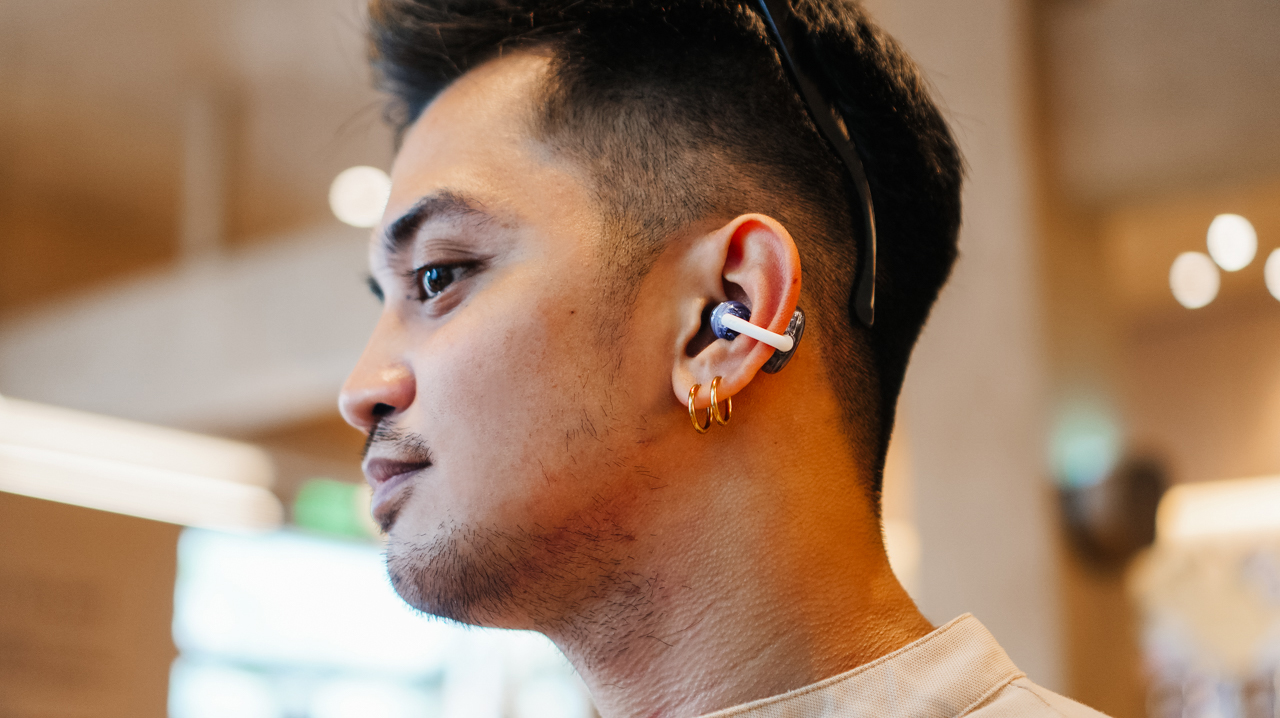
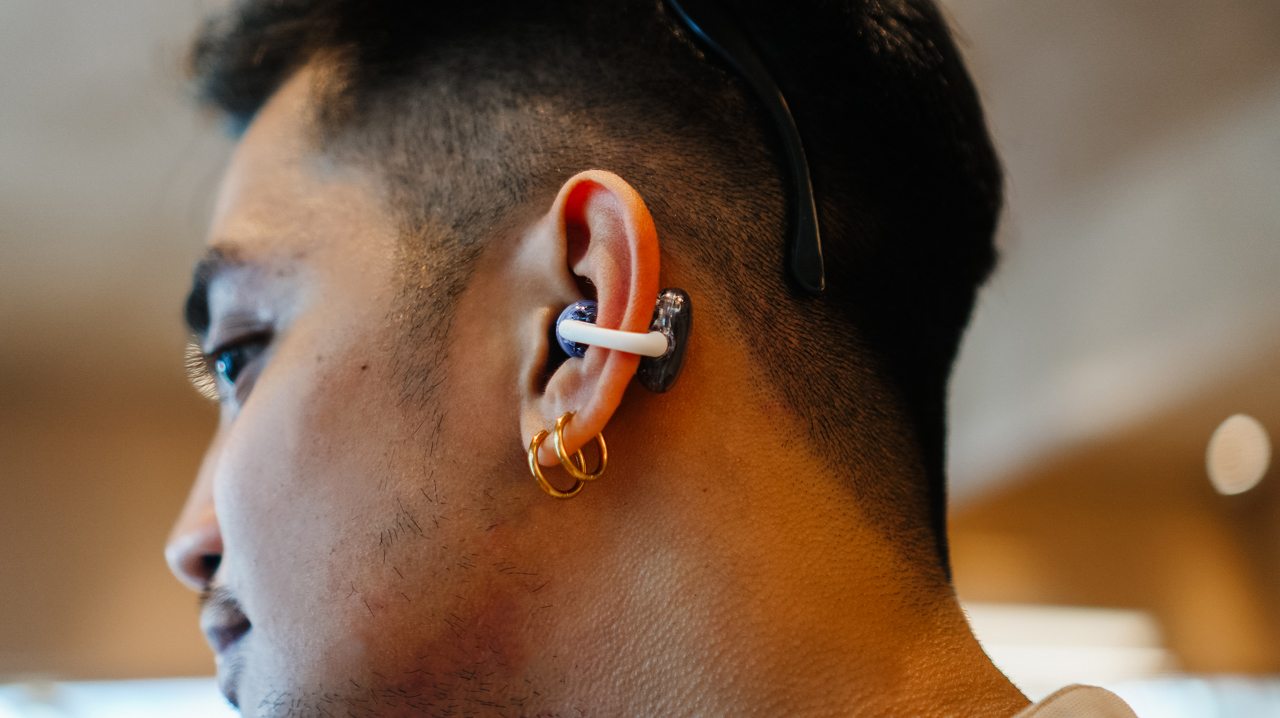
The JBL Soundgear Clips changed that. I took these clip-on earbuds for a spin to see if they were a better fit, pun absolutely intended. With their conspicuous placement around the ears, they felt like an extension of my earrings.
They look like futuristic jewelry with a little espionage energy, and suddenly, being a spy looked considerably more fashionable.
Accessory in disguise
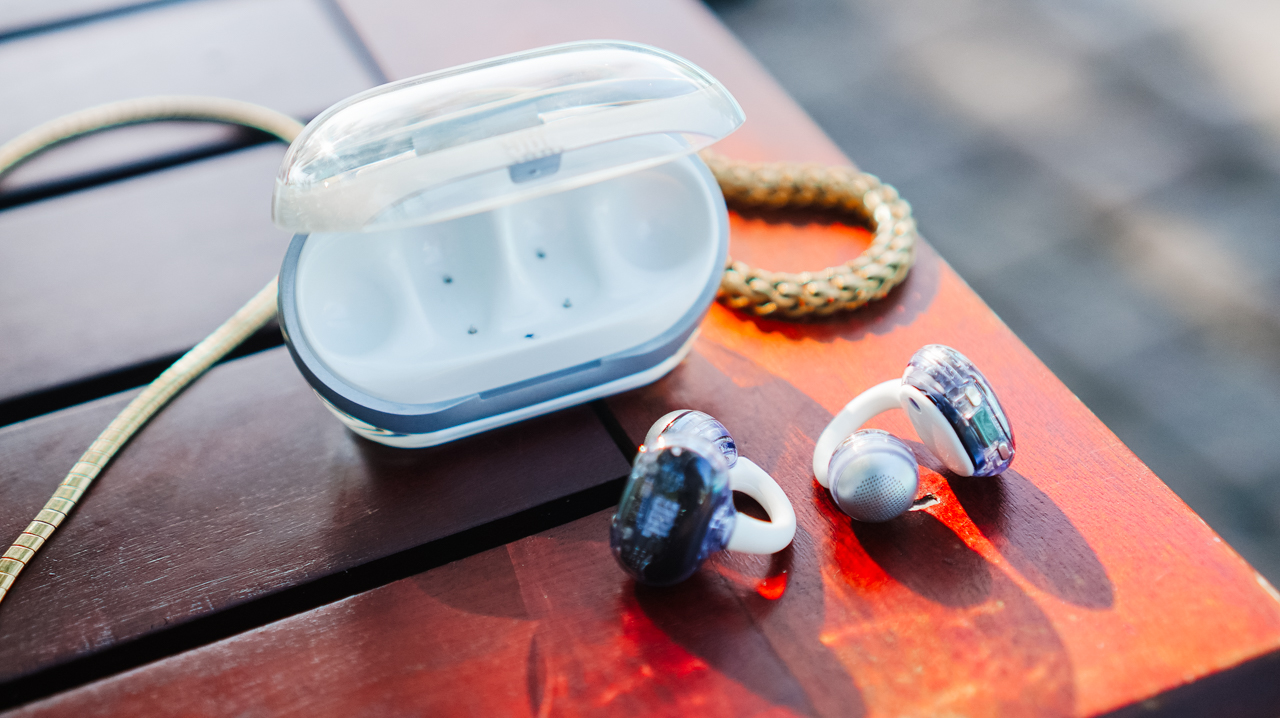
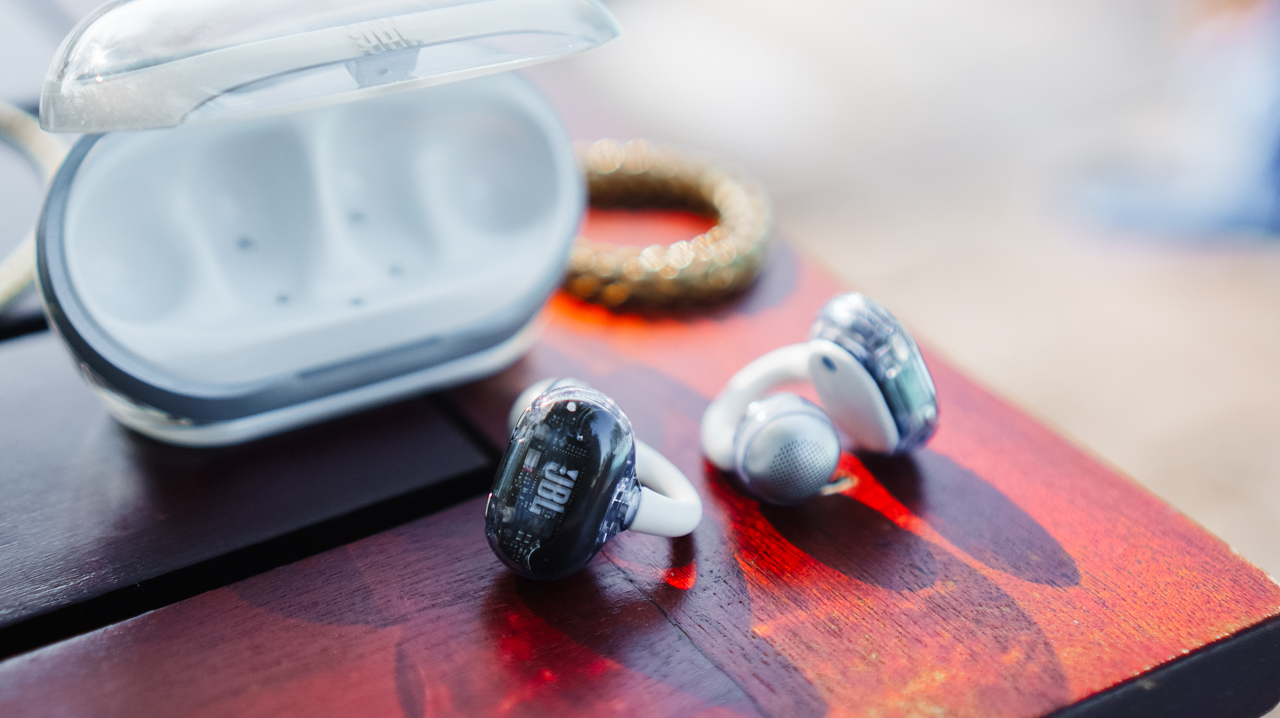
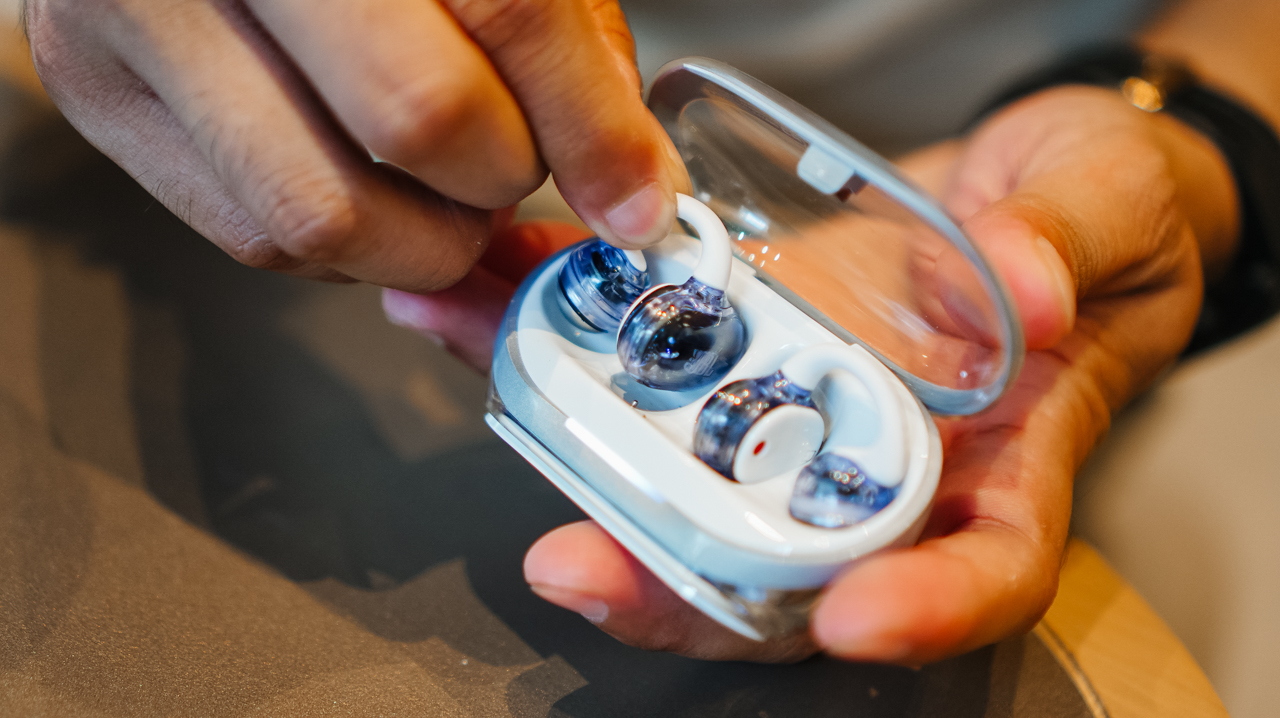
My JBL Soundgear Clips came in white, housed in a transparent plastic charging case with gray and white accents. The rounded case slips easily into my pockets and handbags, although I did find it a little bigger than some of the other clip-on earbud cases I’ve encountered.

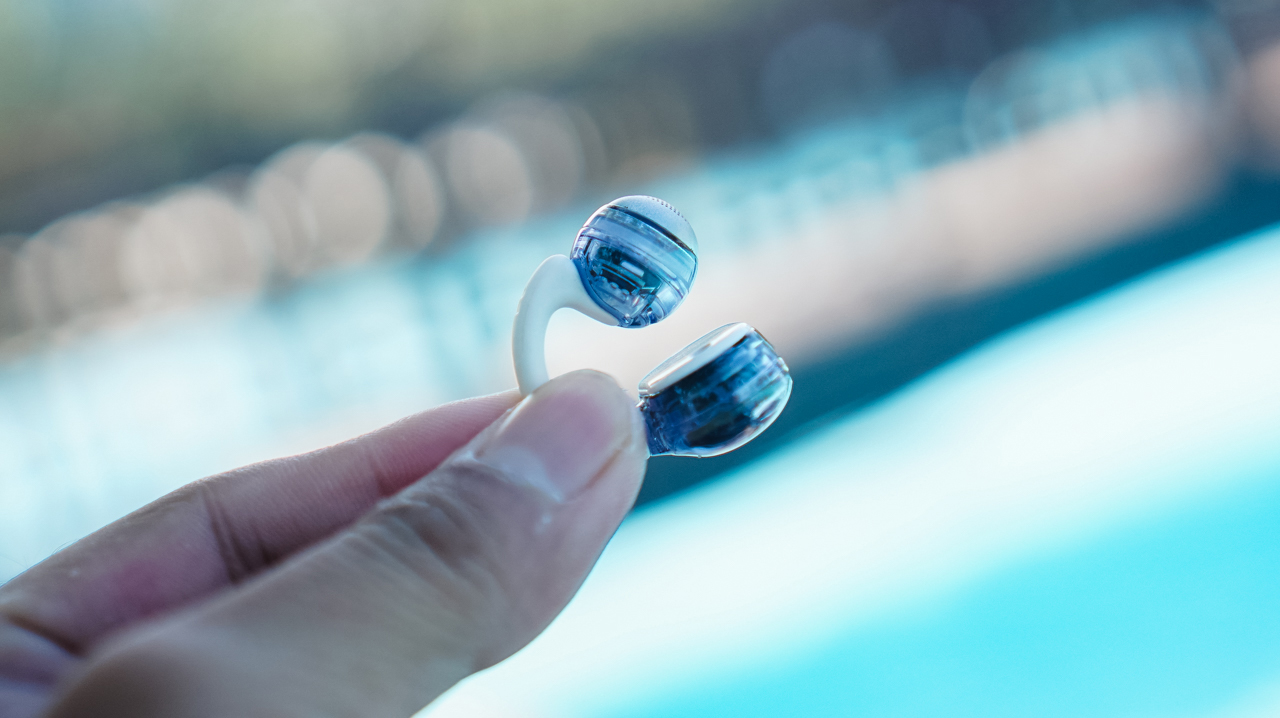
The earbuds themselves are easy to put away, with no complicated arrangement required. Their design features a white arch connecting the pearl speaker and the main unit, which comes with a gray translucent panel that reveals its stylized internal details.
It gives the earbuds a futuristic aesthetic, with a little nod to the transparent design language popularized by brands such as Nothing.

The overall look feels modern and slightly experimental, making them an interesting accessory to wear alongside your usual jewelry. I love how the white finish works with silver accessories. It gives the entire look a cohesive, almost editorial feel.
And if you’re someone who enjoys having your accessories do a little talking, these certainly have something to say.
Clippin’ it on
Putting on the Soundgear Clips is straightforward. Position the Pearl Speaker near your ear canal and wrap the Arch around your ear, then slide the Main Unit up or down until you find a comfortable fit.
They’re lightweight and surprisingly comfortable. I found myself leaving them on for extended periods, especially while traveling, when I wanted to listen to music while remaining aware of announcements and the activity around me.
The touch controls are customizable through the JBL Headphones app. Out of the box, the left earbud handles volume while the right controls playback.
A single tap on the left increases the volume, while a double tap lowers it. On the right, a single tap plays or pauses your audio, a double tap skips to the next track, and a triple tap returns to the previous one.
For calls, double tapping answers an incoming call or ends an ongoing one. Tapping and holding rejects an incoming call or mutes/unmutes the microphone during a conversation.
I appreciate how responsive the touch controls are, even when I’m sweating through a workout. I was worried about accidental inputs since the Clips use capacitive touch pads instead of physical buttons. Thankfully, I didn’t have any phantom touches during my workout sessions.
But more importantly, the Soundgear Clips stay put. I brought them to the gym and wore them while sprinting on the treadmill, and they remained securely attached throughout the run.
Even during plyometric exercises and movements involving plenty of jumping, they stayed in place. They might shift slightly during more vigorous movements, but I never had to stop and reposition them.
For something designed to sit around your ears, that’s a rather important fashion and fitness achievement. Nobody wants to interrupt a workout because their accessories have decided to make a run for it.
A little customization goes a long way
The JBL Headphones app covers the usual audio customization, including an equalizer for adjusting the sound to your preferences. It also has a maximum volume limiter and a Sound Level Optimizer, along with microphone calibration options that let you choose how your voice sounds during calls.
Of course, the biggest selling point of open-ear earbuds is being able to enjoy your music while remaining aware of your surroundings. The Soundgear Clips deliver on that premise, although there’s an expected compromise: sound leakage.
People around me could hear snippets of my music, particularly in quieter enclosed spaces such as elevators and cable cars. It’s something worth considering if you frequently commute or share close quarters with other people.
Personally, I’ve come to treat the Soundgear Clips as the soundtrack to whatever I’m doing. They work as my own background music while I walk down an airplane aisle or stroll through airport terminals. You can adjust the volume to suit your surroundings, although I’d still be mindful of people sitting nearby.
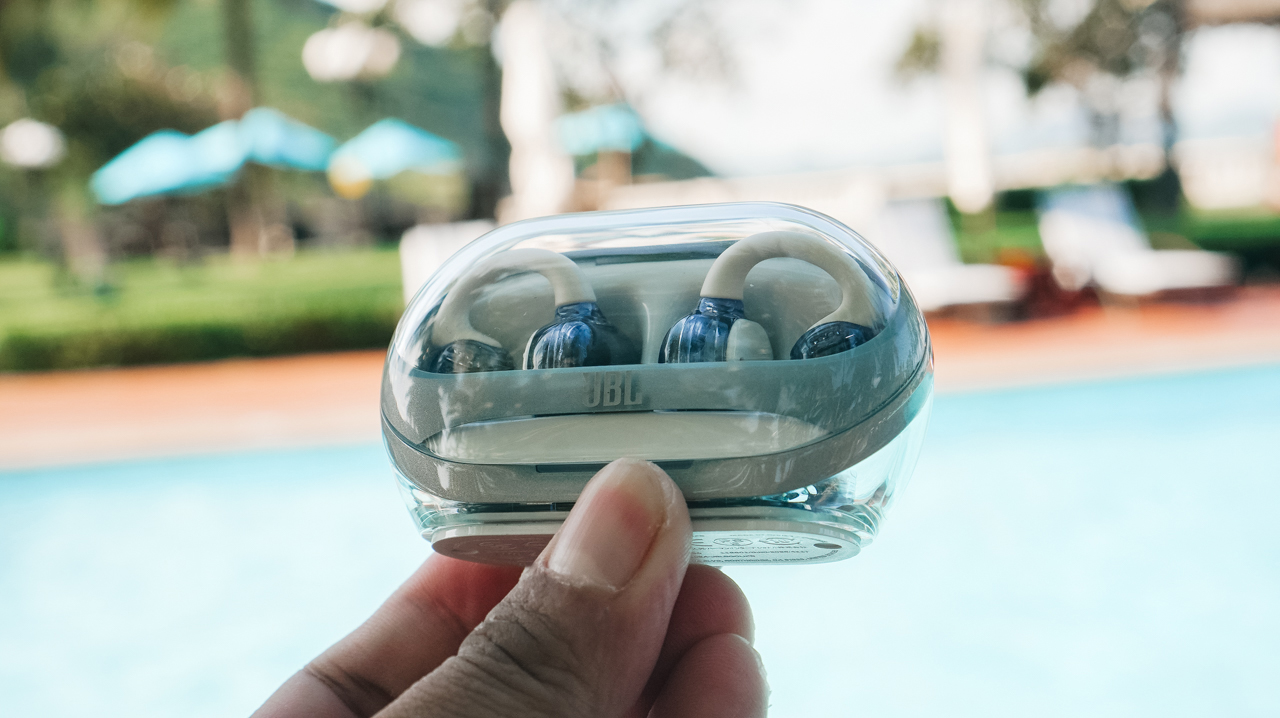
Another interesting addition is Relax Mode, which lets you create up to five relaxing sound mixes. You can choose from different ambient sounds, including nighttime sounds, forests, rain, crackling wood fires, and ocean waves.
It’s a nice extra for moments when you want something soothing playing in the background, especially during travel or downtime.
Keeping up with the itinerary
JBL advertises up to 32 hours of total playtime for the Soundgear Clips, with up to eight hours from the earbuds and another 24 hours from the charging case.
I wasn’t able to conduct a complete battery drain test, but I did put them through an overnight travel itinerary that gave me a pretty good idea of their endurance.
I wore the Soundgear Clips for approximately 12 hours during a trip from Manila to Hon Tre Island in Nha Trang, Vietnam.
My itinerary involved a bus ride to Clark International Airport, a chartered flight departing at 3AM, and finally arriving at my hotel around 7AM.
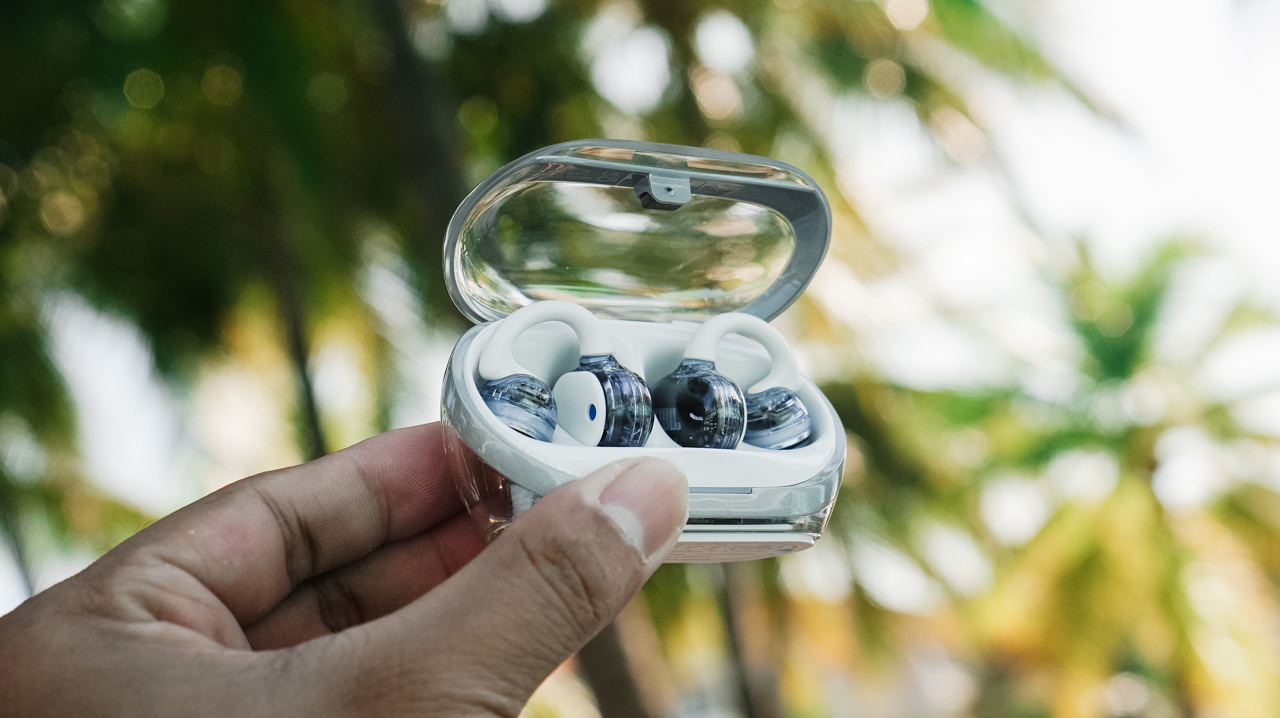
One travel night covered a bus, a plane, and a speedboat, and my ears practically had their own boarding passes. Throughout the journey, I kept the earbuds on without returning them to their charging case.
I listened to music intermittently, and by the end of the trip, the battery had reached around five percent. It’s worth noting that this wasn’t 12 hours of uninterrupted music playback.
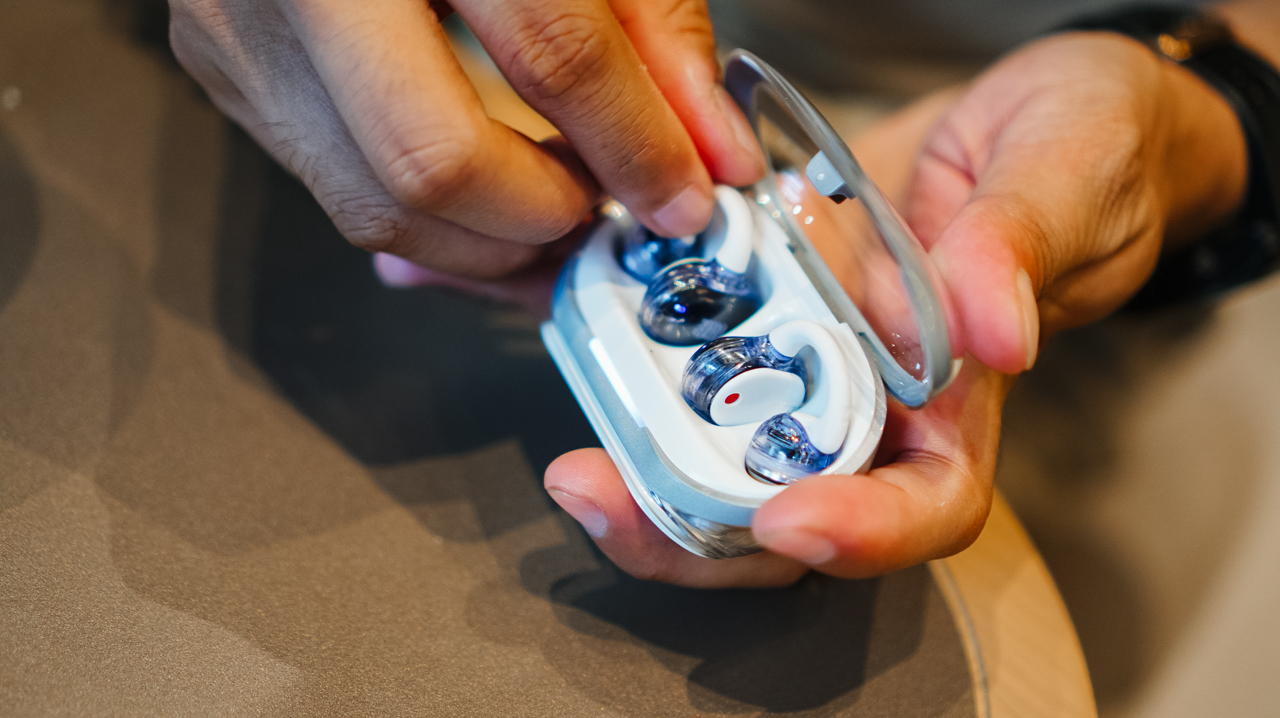
The advertised eight-hour battery life applies to continuous listening, while my experience involved extended wear with intermittent audio. Still, I appreciated being able to keep them on throughout the journey without constantly worrying about charging.
I had enough time with my playlist that “Nicole Kidman” by ADELA eventually claimed a spot at the top of my Spotify “On Repeat.” At this point, the earbuds had become a travel companion with excellent musical taste, or at least one that tolerated mine.

The charging case also makes it easy to keep track of its remaining battery. Its indicator light gives you a visual estimate of the charge, so you don’t always have to open the app to check. During my trip, I noticed the indicator dropping to around half, giving me a quick reference for how much battery I had left.
After that overnight adventure, I still had enough juice to get through another day before charging the case back to full.
Is the JBL Soundgear Clips your GadgetMatch?
The JBL Soundgear Clips retail for PhP 8,299, placing them among the more accessible options in the growing clip-on earbud category.
What makes them appealing is how easily they transition between different parts of my day. They’re comfortable and secure enough for extended wear and workouts. Plus, they’re stylish enough to complement an outfit beyond my usual athletic wardrobe.
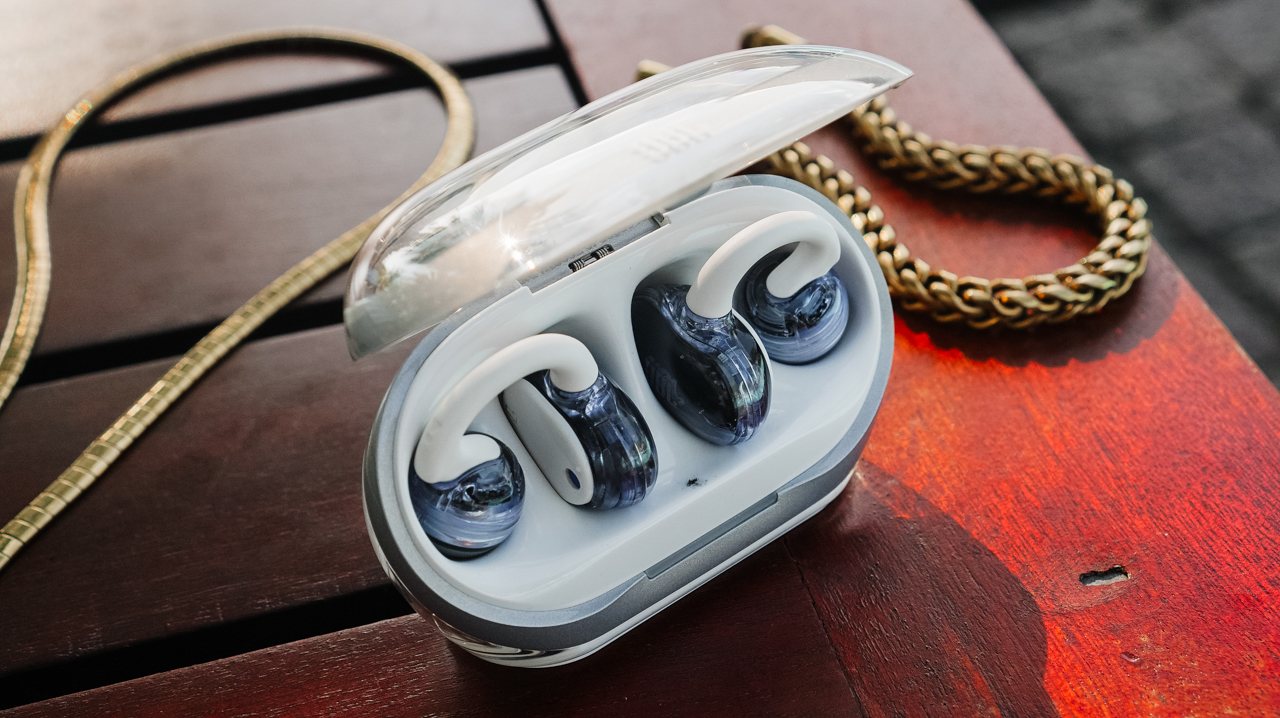
Swipe Right if you want a lightweight, fashionable wearable that doubles as an everyday audio companion. The customizable controls and comfortable fit make them especially appealing for people who prefer having their ears free while listening to music.
Swipe Left if you prefer a more compact charging case or a more balanced sound signature, or if you want greater privacy when listening in public. Their open-ear construction comes with some sound leakage, while JBL’s signature bass-forward tuning might not appeal to listeners who prefer a more neutral presentation.
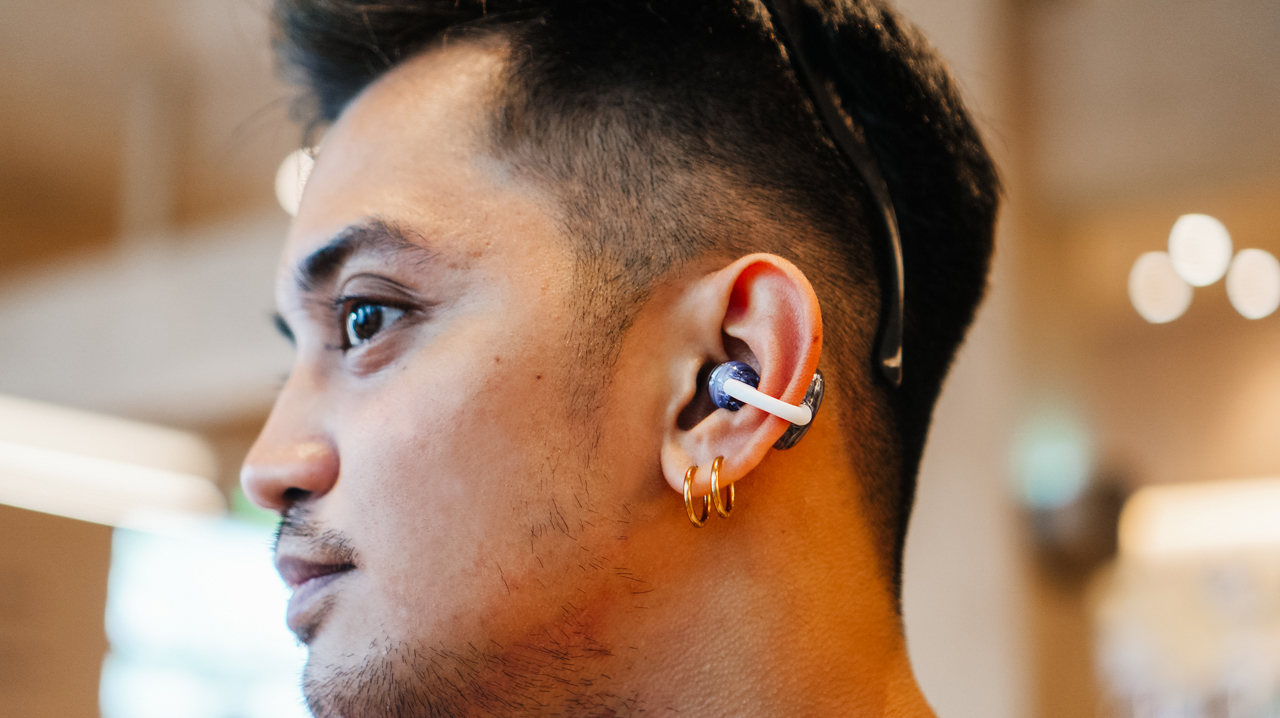
For me, the Soundgear Clips have found their place somewhere between my workout essentials and my jewelry collection.
They’re a wearable that makes me think twice about leaving the house without them. And frankly, I never knew my ears needed another accessory.
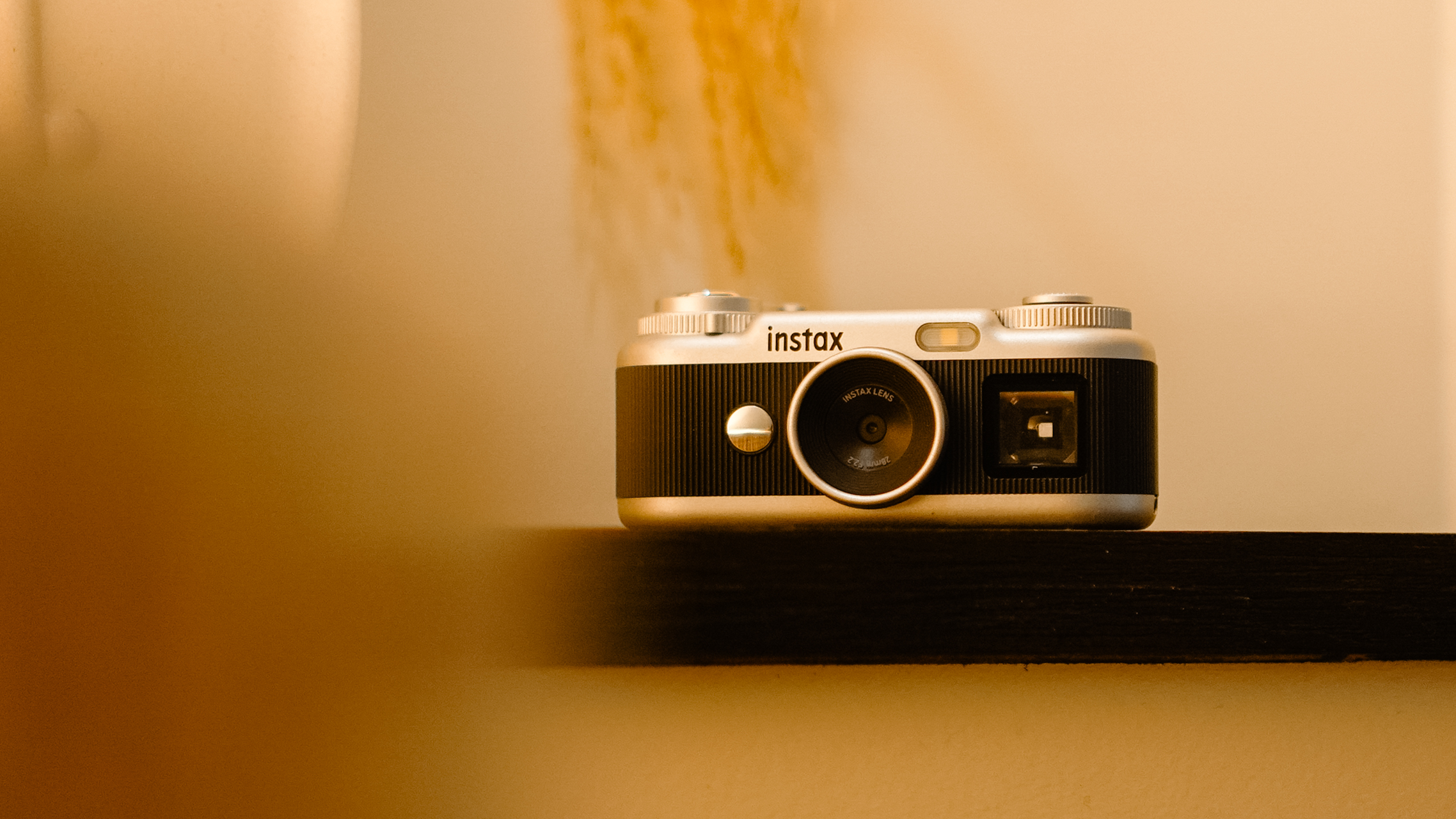
In the age of bag charms and Labubus, accessories are as much about personality as they are about practicality. A digital camera that looks and feels like a toy might be the next little obsession to add to your collection.
Fujifilm launched the second iteration of its Instax Pal, aptly named the Instax Pal 2, just in time for the holiday season.
With reunions and celebrations on the calendar, it’s a fitting companion for documenting life’s little pleasures.
Pocket-sized camera with a playful personality
The Instax Pal 2 comes in Black and White. Mine is the Black variant, which gives it a classic film camera look despite its toy-like proportions. Picking it up feels a little like holding a miniature camera from a dollhouse, thanks to its incredibly lightweight construction.
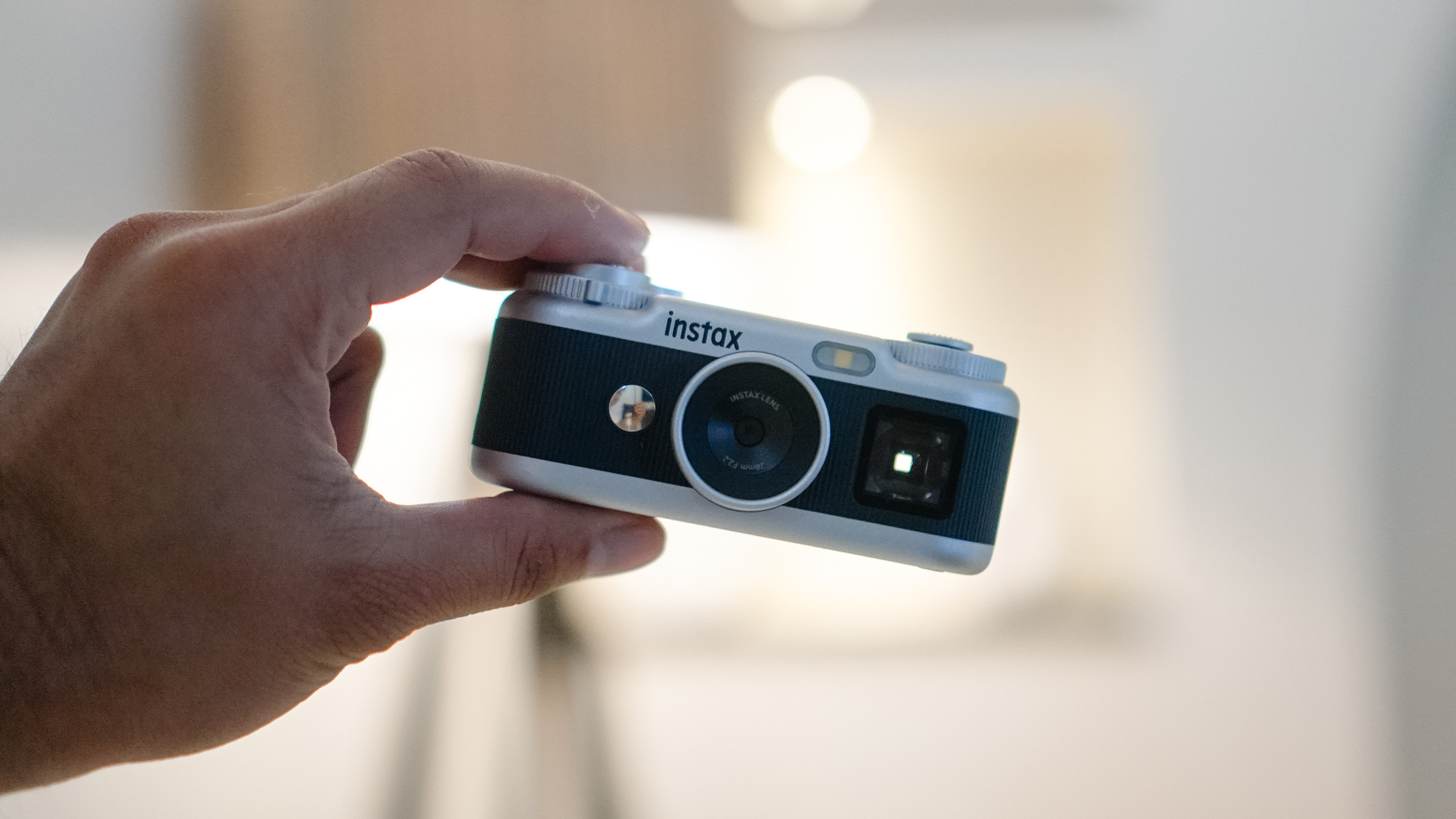
Beneath that adorable exterior is a digital point-and-shoot camera with fairly straightforward controls. The buttons and dials might look intimidating at first, especially if you’re new to dedicated cameras, but they’re easy to get used to.
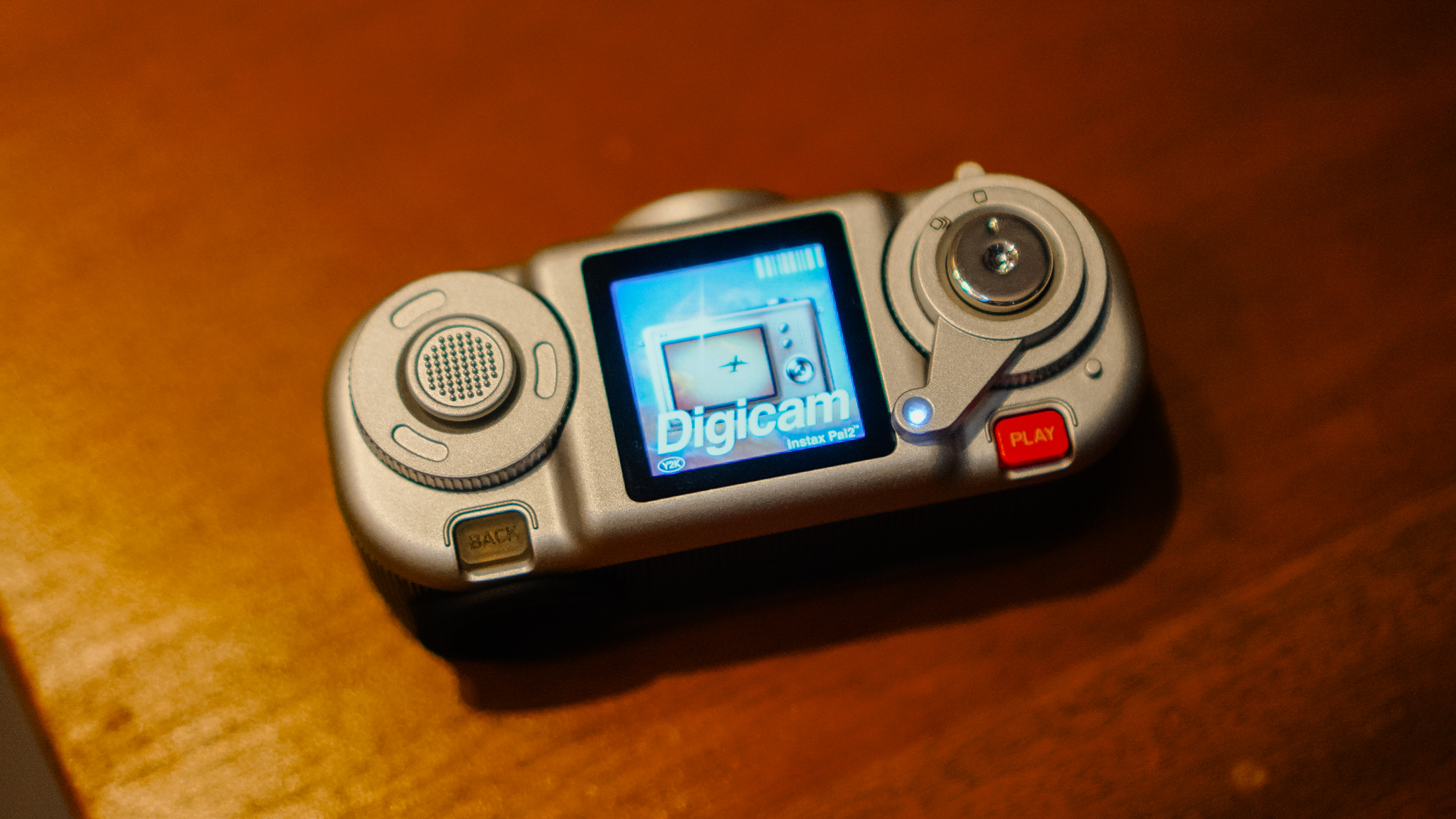
You turn it on, select your preferred frame format, and choose a preset using the dial on the left. You can switch between no frame, Instax Mini, Square, and Wide, which gives you some flexibility in how your photos will eventually look.
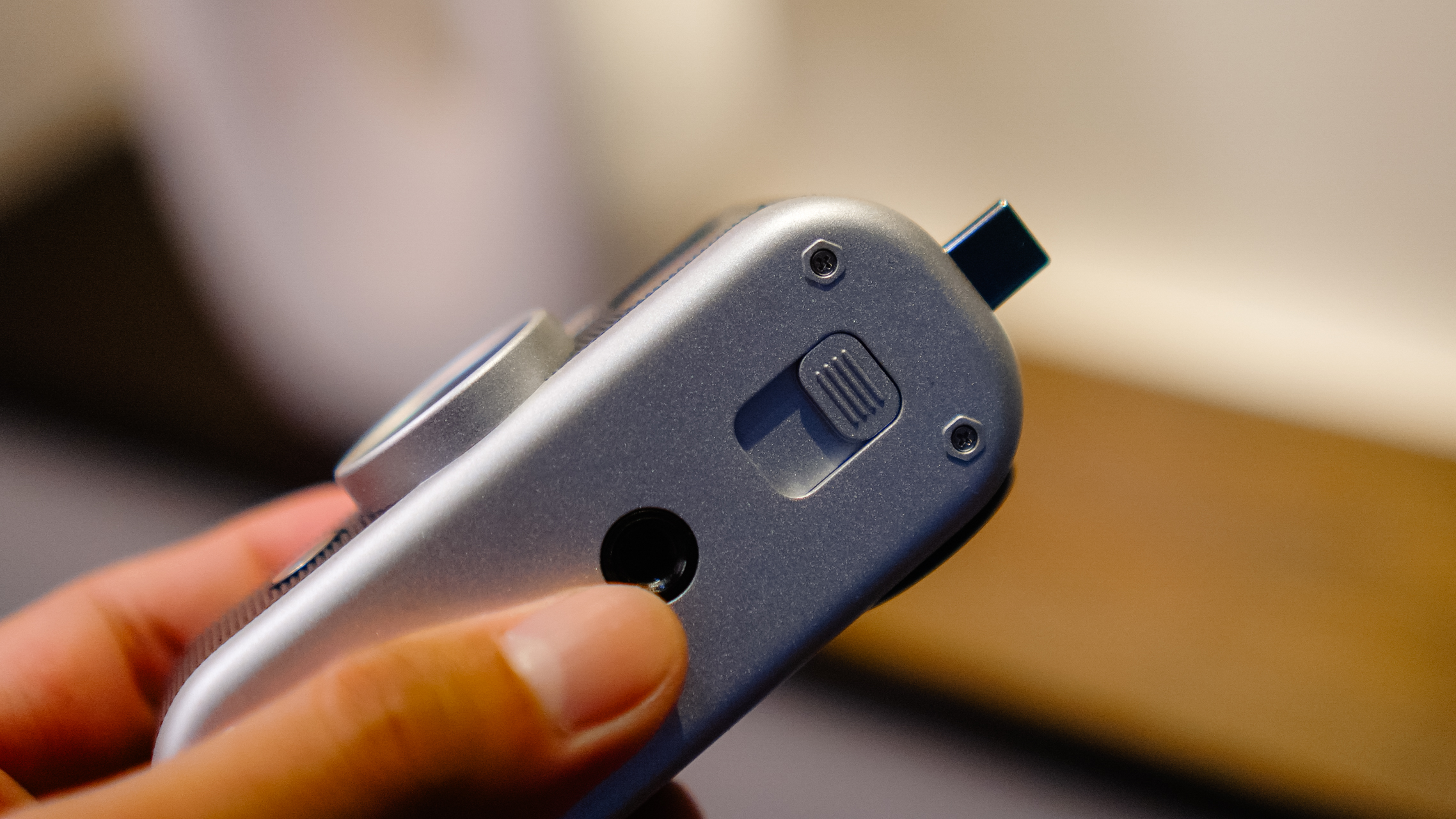
Charging is handled through a sliding mechanism underneath that reveals a USB-C connection. The camera connects to a separate dongle, which also charges via USB-C. Beside it is a dedicated mounting slot for the camera.
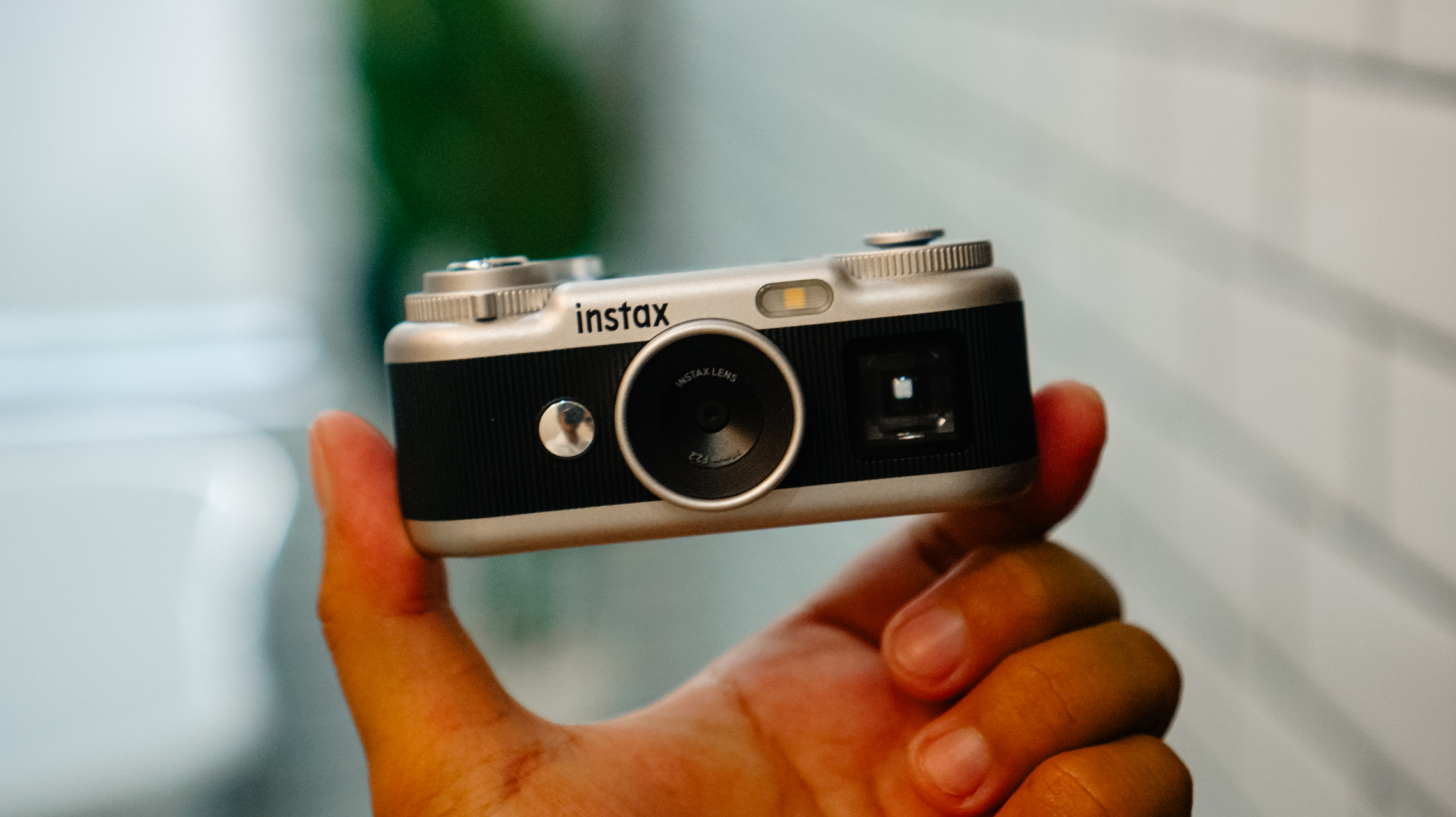
Up front, you’ll find a 28mm f/2.2 lens, a small mirror for framing selfies, and a flash that activates automatically when the lighting is insufficient.
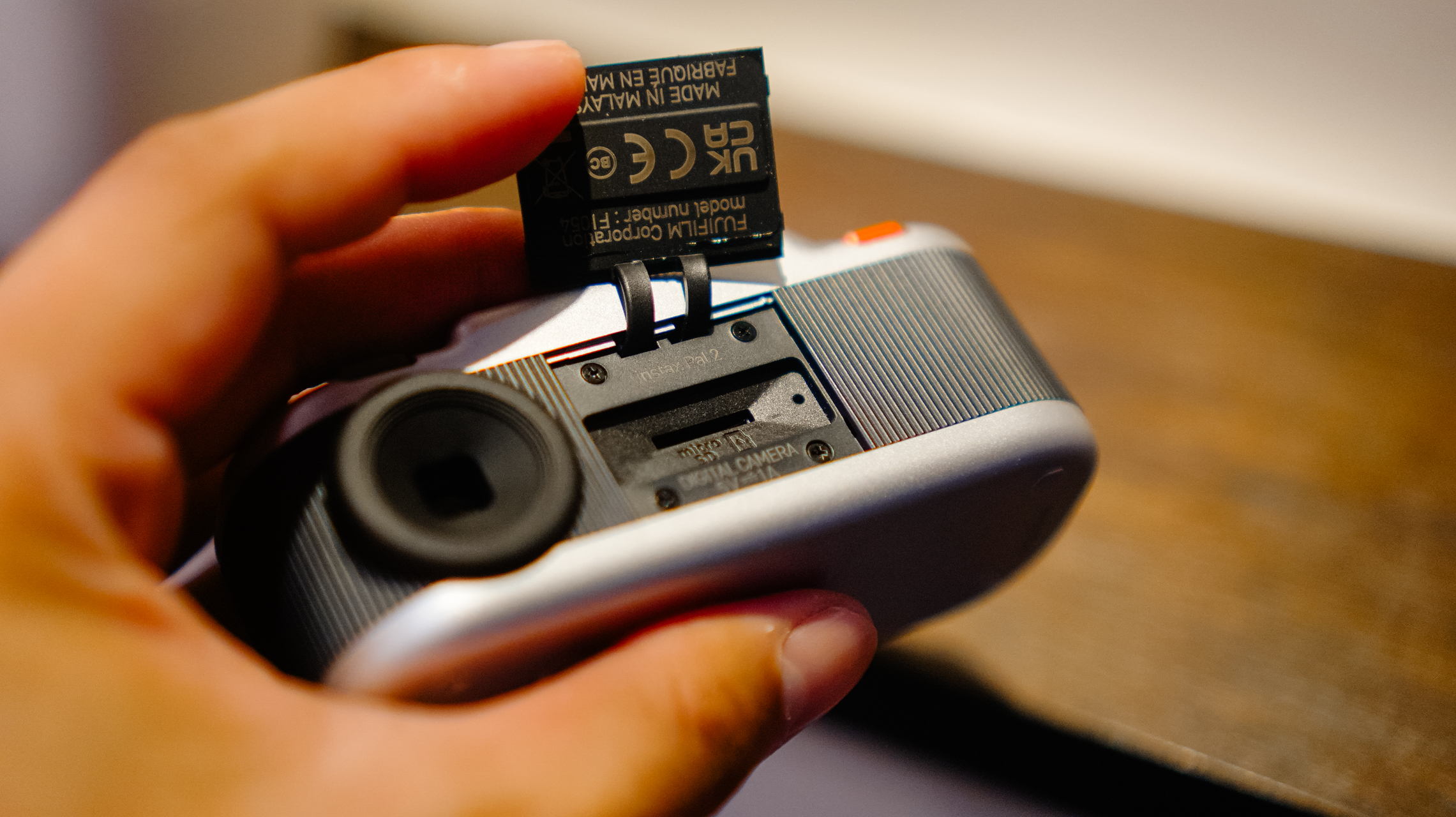
The viewfinder sits at the back, and the microSD card slot is tucked away discreetly. There’s also internal storage that holds your photos before you transfer them to your phone.
From digital snapshots to little keepsakes
Photos captured with the Instax Pal 2 are stored internally and can be viewed using the playback button. To transfer them to your phone, you’ll need to connect the camera to the Instax Pal app.
The app is where much of the experience comes together. You can edit your photos by choosing between the Instax formats, including Mini, Square, and Wide, or leave them without a frame altogether.

You can also customize the background ratio, with 1:1, 4:3, 16:9, and no background available. I gravitated toward no background, although those who want a little more visual personality can add a colored background or another image. The app can blur the background image and lets you adjust its tint to suit your preferred aesthetic.


If your photo isn’t perfectly aligned, you can rotate or zoom in to get the composition right.
The real treat comes when you’re ready to turn those digital snapshots into physical prints. The Instax Pal 2 works with several printers and hybrid cameras in Fujifilm’s Instax ecosystem, including the mini Link, Square Link, Link WIDE, mini LiPlay, mini Evo, and WIDE Evo, among other compatible models.


You can select your printer directly in the app and send your photos for printing. If you’d rather keep things digital, you can download them to your phone and share them across your social platforms.
The app also supports remote shooting for something more interactive. You can capture a regular photo or create an Instax animation, with a timer available for solo shots and more carefully composed group photos.
The camera is small enough to position almost anywhere, so setting up a little group photo session becomes part of the fun.
Finding your own aesthetic
One of the more appealing features of the Instax Pal 2 is its collection of presets. Through the app, you can choose from different preset collections and install up to six at a time.
The Modern set offers a more natural photographic treatment with Pure, Cool, Muted, Soft, Flare, and Mono. The Y2K set leans into the nostalgic appeal of early digital photography, with Film, Digicam, Lo-Fi, Pixel, Dusty, and Screen. Vintage, Chromatic, and Fantasy collections give you even more room to experiment with different looks.
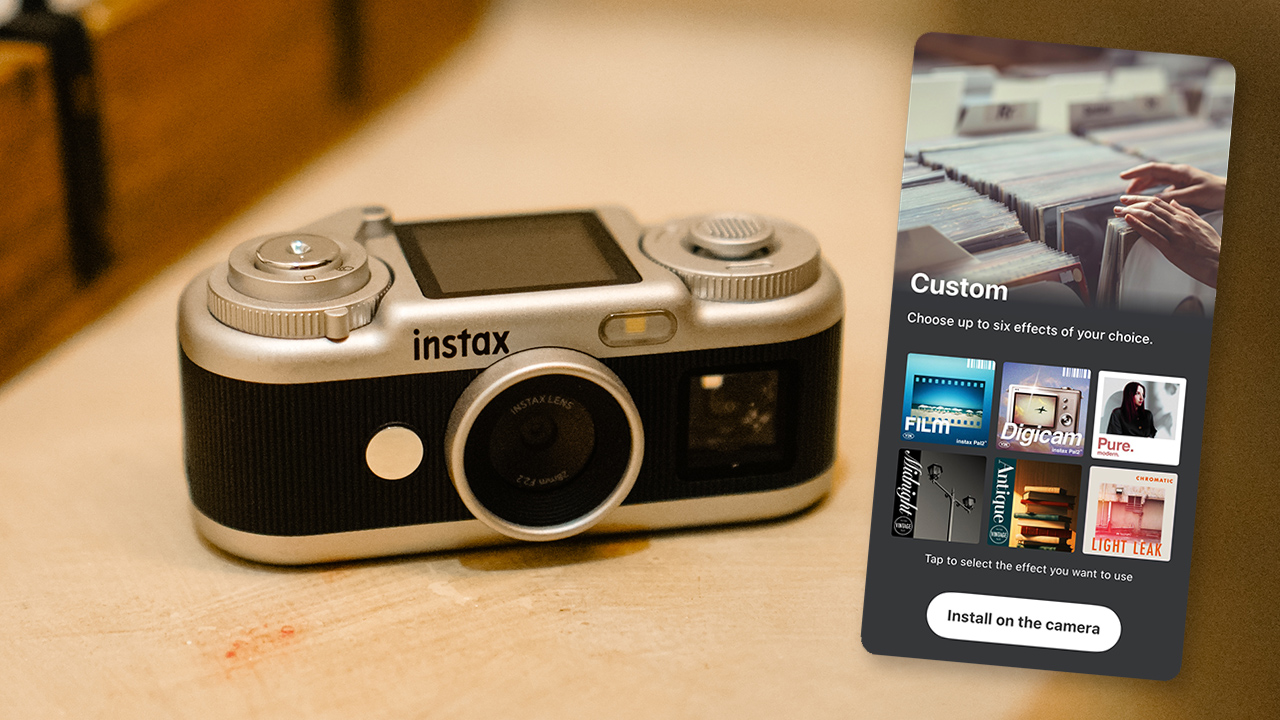
Instead of sticking to a single collection, I customized my setup by picking six presets across different sets. My selection includes Film and Digicam from Y2K, Pure from Modern, Midnight and Antique from Vintage, and Light Leak from Chromatic.


It’s a nice touch if you enjoy having a visual identity in your photos. You can switch between aesthetics depending on the mood or the moment, without spending time editing every image individually.

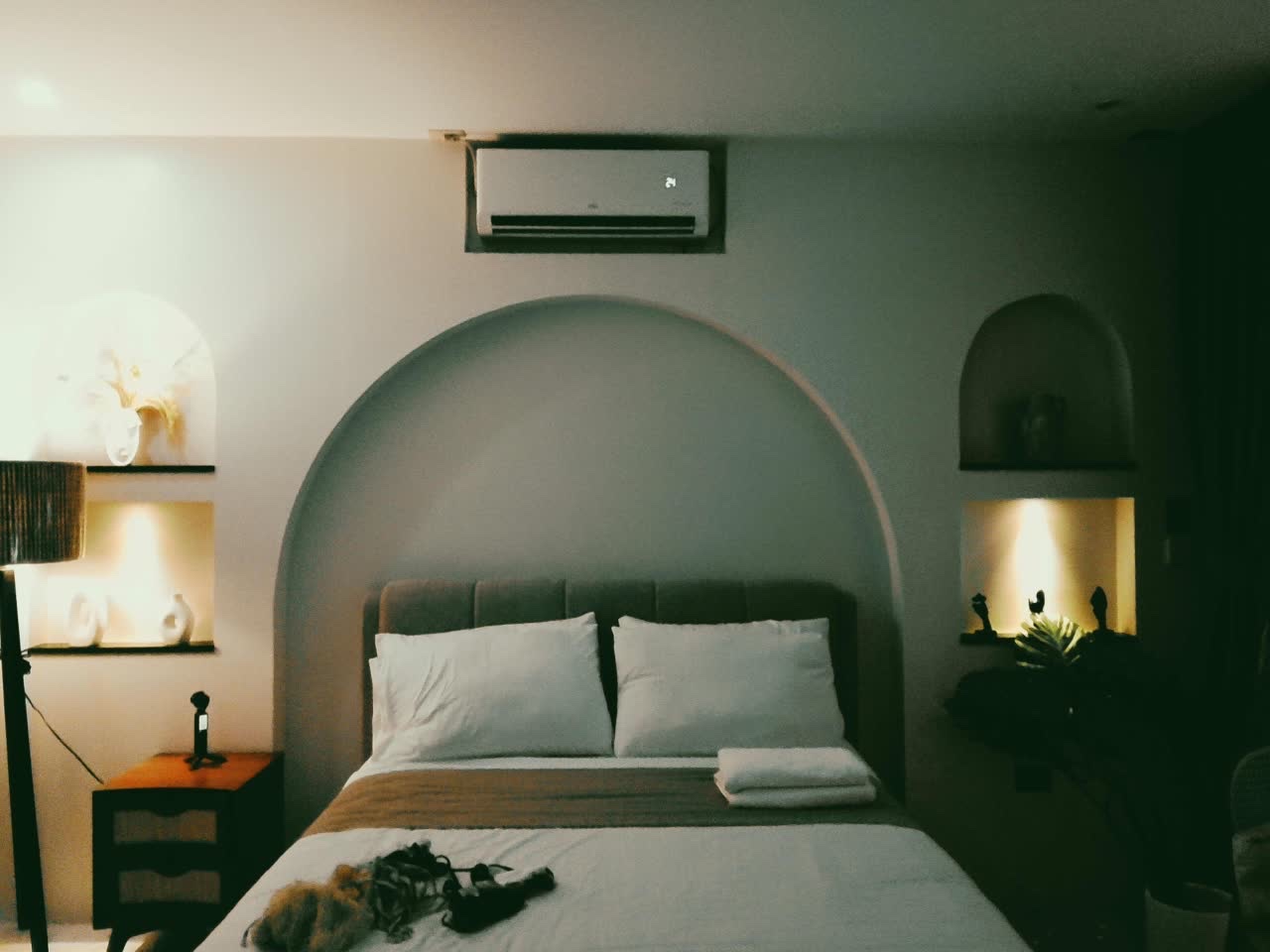
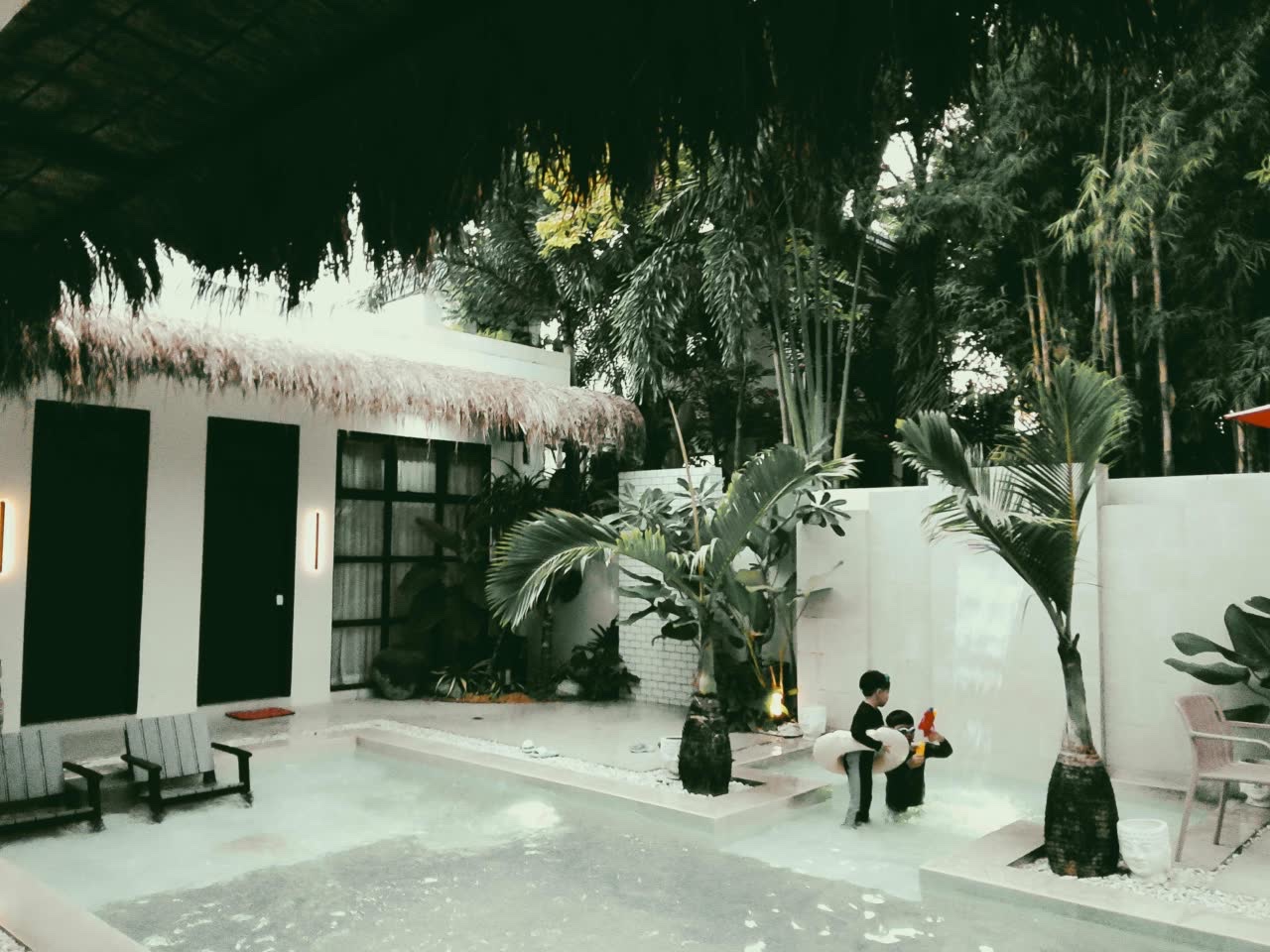

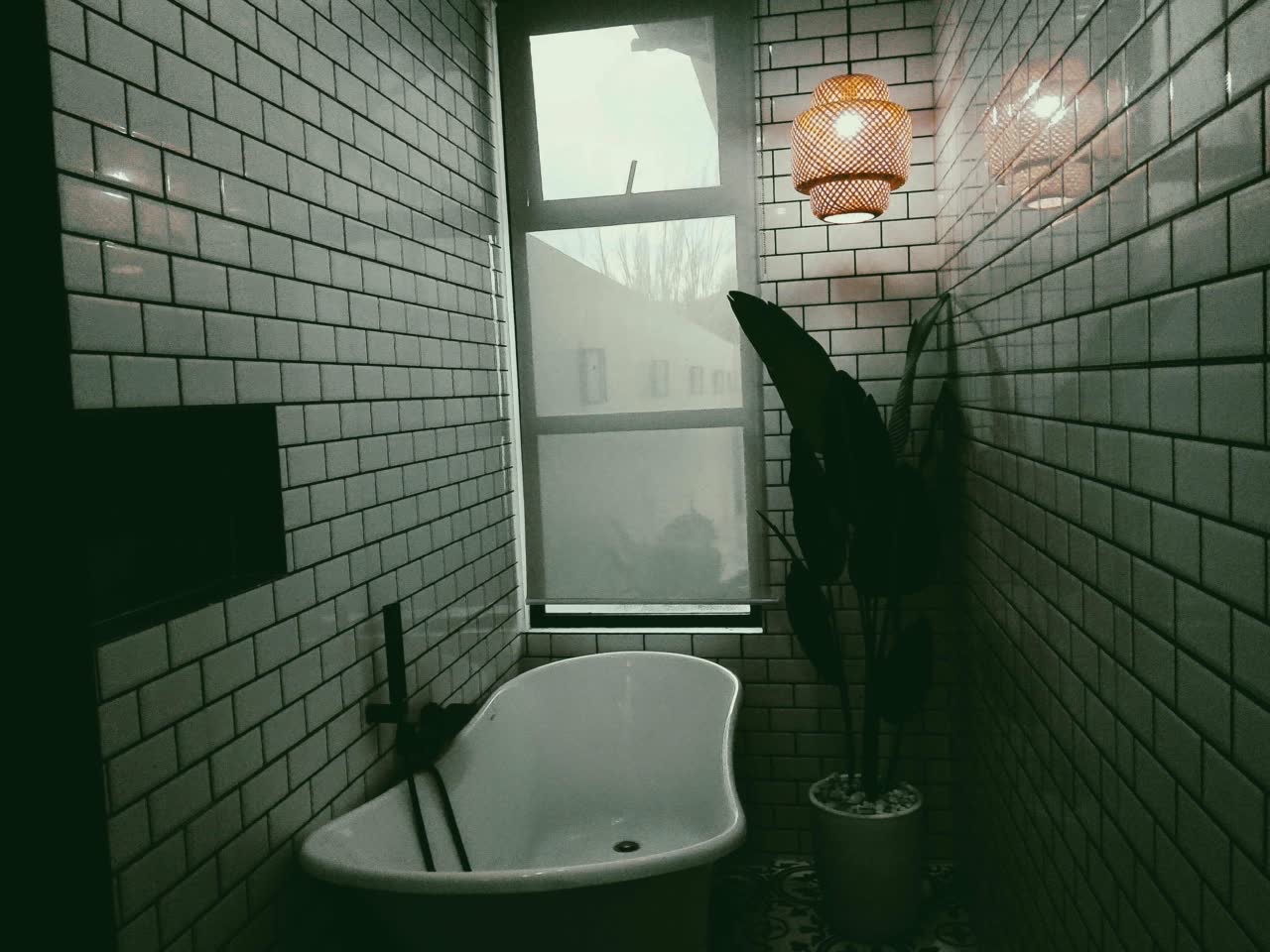

The presets are also a big part of what gives the Instax Pal 2 its personality. They embrace the imperfections and visual quirks of older digital cameras, which makes the photos feel a little more nostalgic.
Novelty comes with a price
The Instax Pal 2 is fun to use, although its lightweight construction takes some getting used to. I found myself holding it extra carefully because its small body feels easy to slip out of my hands. That said, it comes with a wrist strap for a more secure grip.
Battery life comes with the compact size. A day of frequent shooting can have you reaching for the charger sooner than you’d expect.
The Instax Pal 2 retails for PhP 10,599, up from the first-generation model’s launch price of PhP 5,999. The newer iteration brings improvements to its design and functionality.
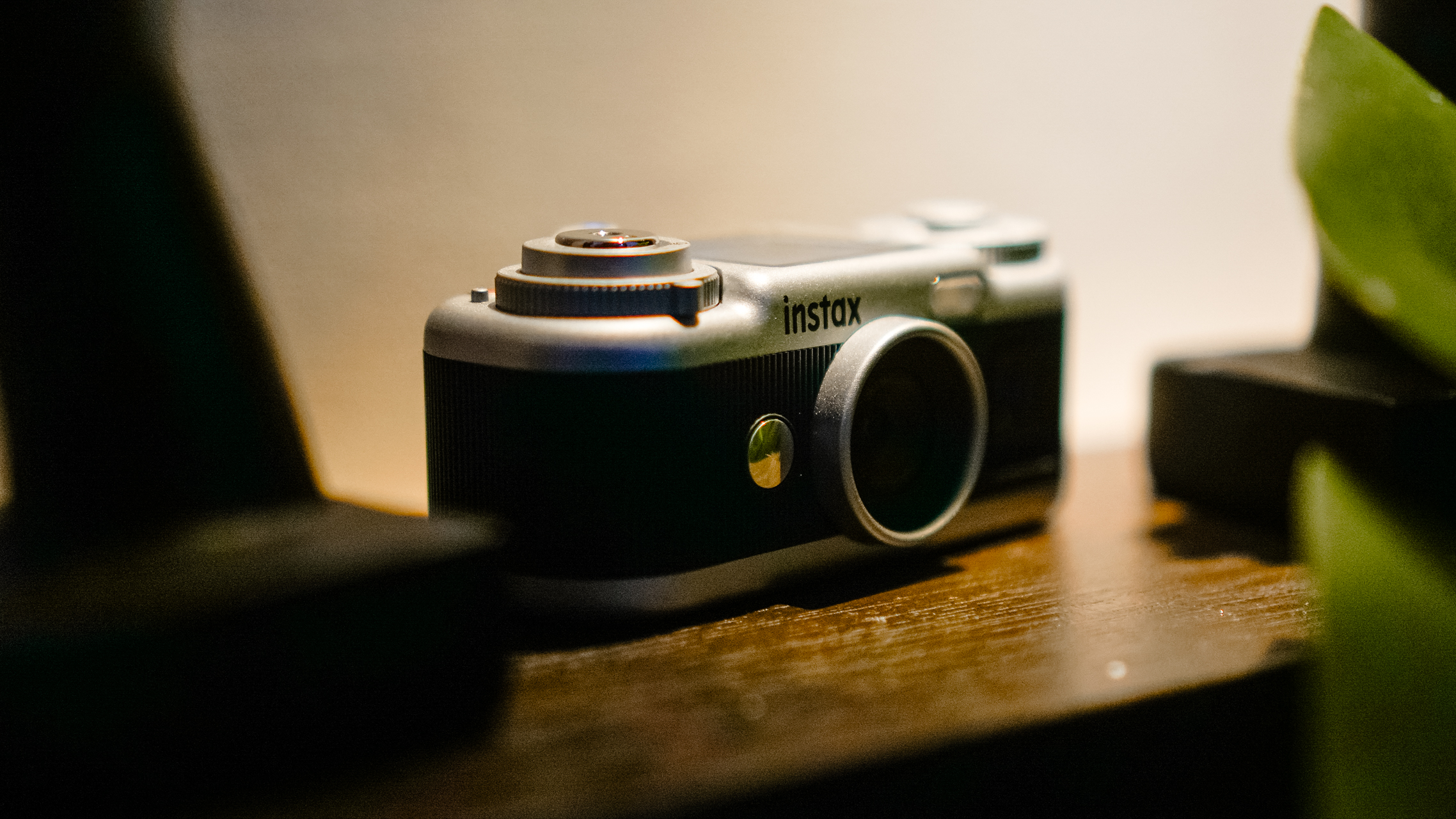
At this price, you’re paying for a particular photographic experience. The images have a deliberately lo-fi look that gives them their nostalgic appeal, so it helps to know the resolution and overall image quality aren’t meant to match the versatility of a conventional digital camera.
That makes the Instax Pal 2 a specific purchase. Its appeal is strongest among people who collect cameras and enjoy turning everyday snapshots into physical keepsakes.
If you’re after a more versatile shooter, other compact cameras offer more flexibility. Personally, I’d be inclined to reach for the Insta360 GO 3S Retro Edition. It records in 4K and offers a different kind of creative freedom. And for roughly PhP 6,000 more than the Instax Pal 2, you get a better camera.
If you’d rather stay close to the Instax Pal 2’s price, the Kodak PIXPRO FZ55 retails for approximately PhP 9,999 and offers a 16MP sensor, 5x optical zoom, and Full HD video recording. It may not have the same playful appeal or nostalgic presets, but it delivers a more conventional point-and-shoot experience.
Is the Fujifilm Instax Pal 2 your GadgetMatch?
The Fujifilm Instax Pal 2 makes a compelling case for having a dedicated little camera to document everyday life. It’s small enough to bring along without feeling like another piece of tech in your everyday carry, and its playful approach to photography makes ordinary moments feel a little more special.
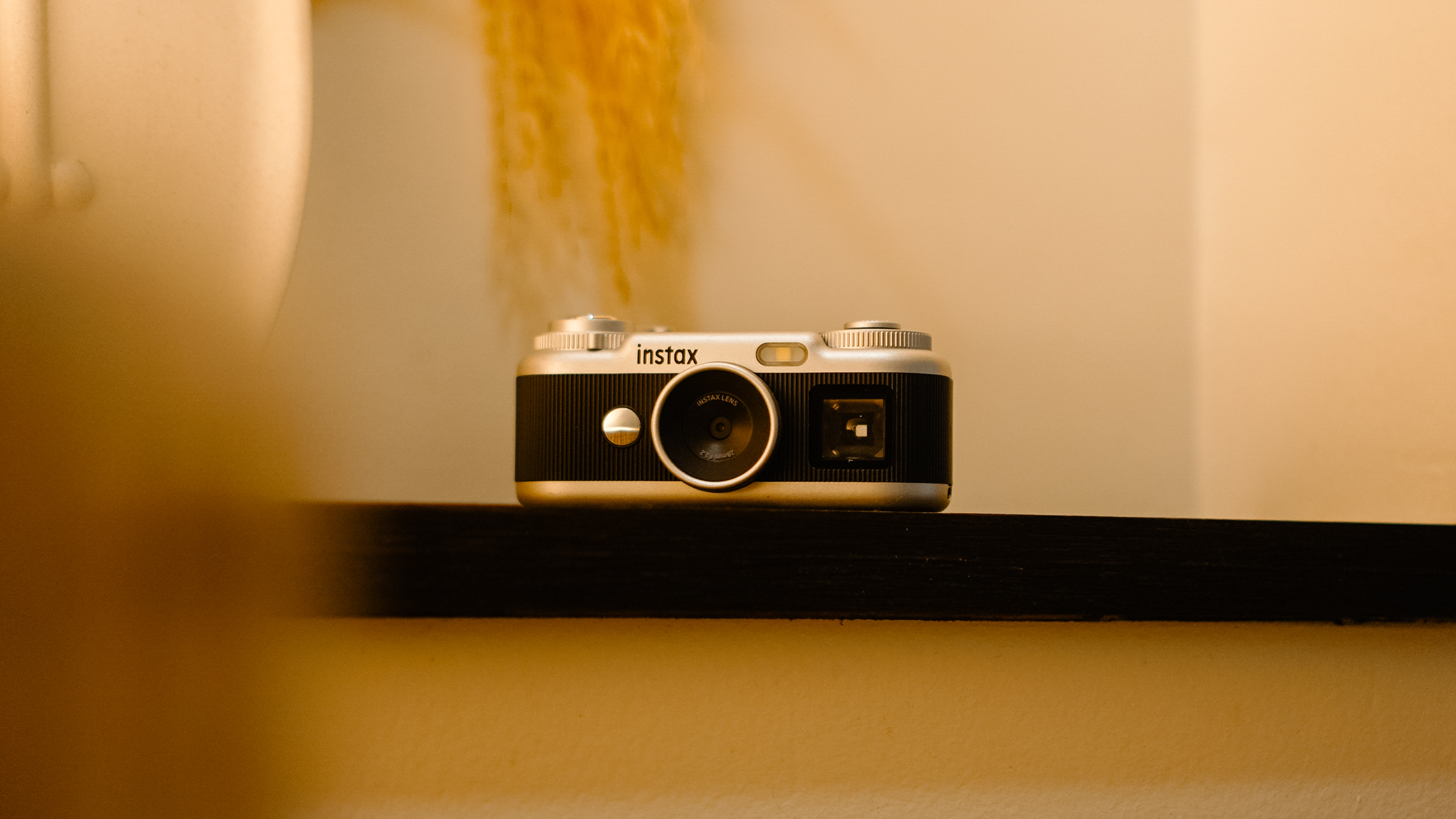
Its strongest appeal lies in the experience surrounding the photos, from experimenting with presets to choosing which snapshots deserve a place in your physical photo collection.
At PhP 10,599, it’s a novelty purchase best suited to people who appreciate its quirks. The Instax Pal 2 has plenty of personality, and its limited battery life and modest image quality are worth weighing against that charm.
Swipe Right if you’re an Instax enthusiast who loves collecting cameras and printing little memories, or if you enjoy the nostalgic aesthetic of early digital photography.
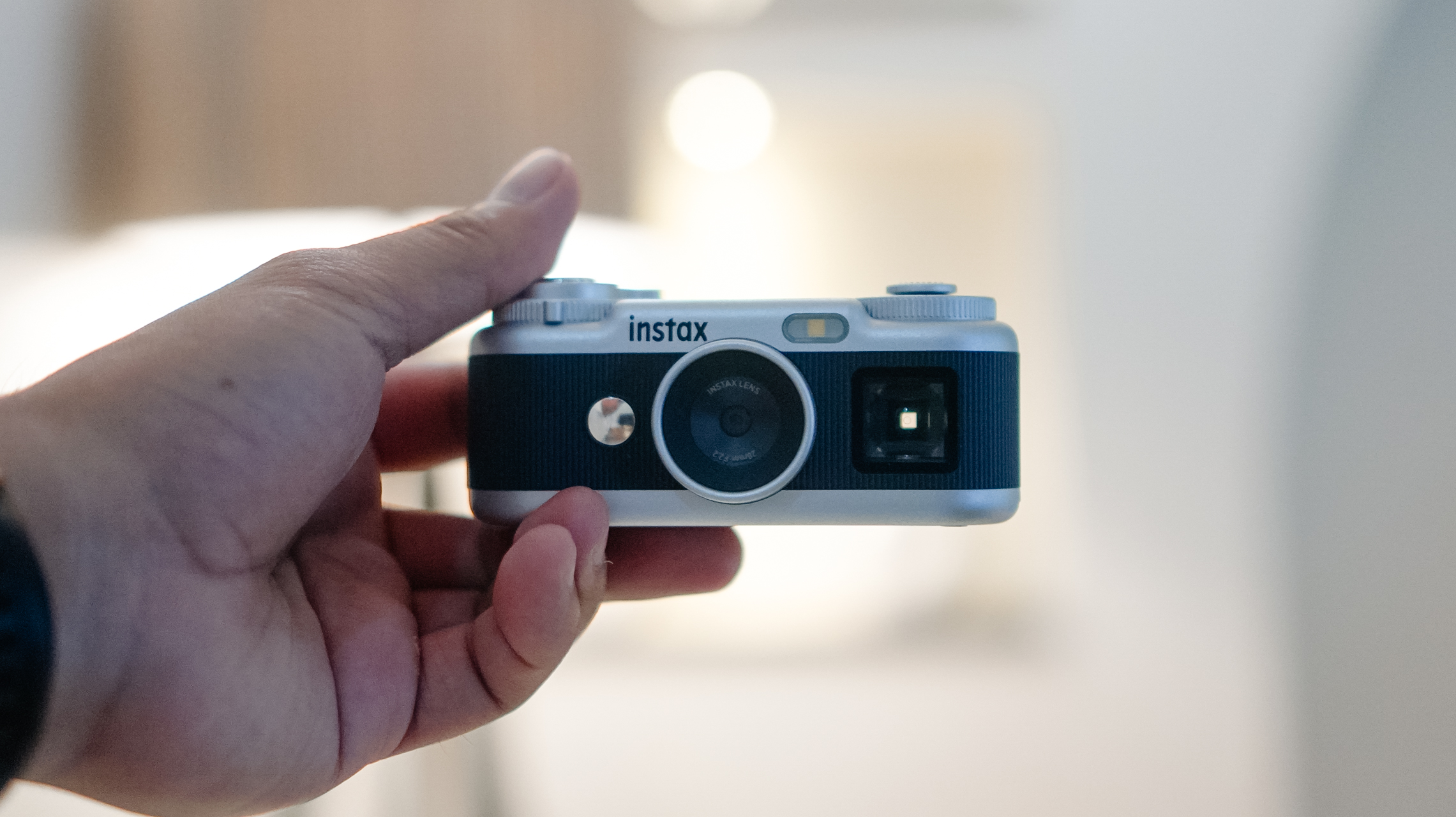
It’s also a charming companion for social butterflies who love documenting gatherings and turning everyday moments into tangible keepsakes.
Swipe Left if you’re shopping for a versatile digital camera with dependable battery life, higher-resolution photos, and more creative flexibility. If image quality or value for money is your priority, other cameras in this price range are better equipped for it.

Xiaomi 18 Pro Max review: A jetsetter’s dream
It's got a cover screen that doesn't need folding!


Now Playing: The Legend of Zelda: Ocarina of Time (2026)
It's a true labor of love.

My latest fashion accessory happens to play music
The JBL Soundgear Clips are the finishing touch my outfits needed!

Smart advances AI-powered mobile experiences with 5G
Xiaomi 18 Pro Max review: A jetsetter’s dream

Apple might be working on a foldable iPad worth $5,000

CASETiFY has a new Pokémon collection

Salmon launches basketball-themed virtual card designs

Your coffee nook is getting a makeover with Starbucks’ holiday collections

Sticker season is back, and so is the planner your ~friends~ might fill in for you

Wild Rift Patch 7.3, celebrates K/DA comeback

vivo X500 Pro Max review: 500+ hours later

Five new (and better) games you can play instead of GTA VI


-
 Reviews1 week ago
vivo X500 Pro Max review: 500+ hours later
-
 Gaming1 week ago
Five new (and better) games you can play instead of GTA VI
-

 Cameras5 days ago
Fujifilm instax Pal 2 review
-

 Smartphones2 weeks ago
Spotlight: OPPO Find X10 Pro Max
-

 Entertainment3 days ago
Spider-Man: Brand New Day returns to cinemas with new scenes
-
 Smartphones1 week ago
The iPhone Duo is replacing my Kindle
-
 News1 week ago
Xiaomi launches Watch S5, Smart Band 11, and Clip earbuds
-

 Buyer's Guide2 weeks ago
Buyer’s Guide: 2026 Amazon Kindle