
Computers
Dell Video Conferencing Monitor: Built for remote work
Making video call meetings more bearable

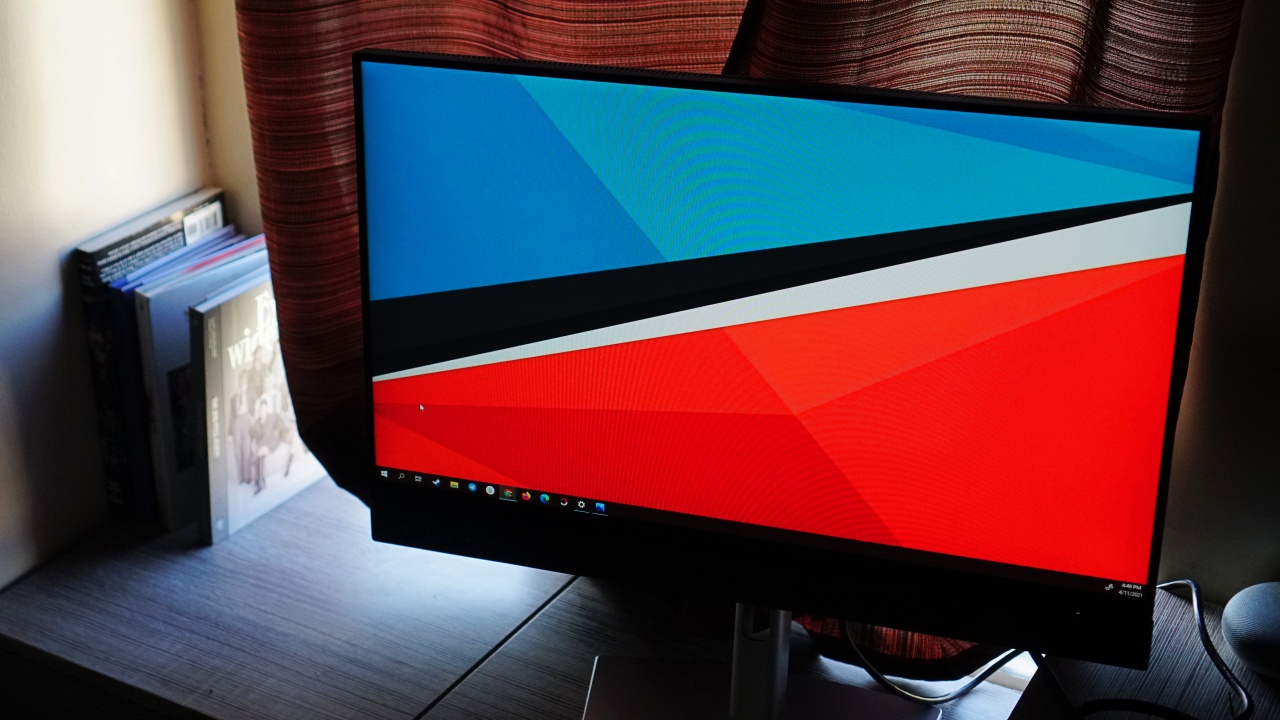
.Meetings suck. To some, they’ve become even more unbearable and complicated as the world forcibly shifted to a work from home setup due to the Coronavirus pandemic. In an effort to make these video call meetings a little more bearable, Dell came out with the Dell Video Conferencing Monitor — C2422HE.
What are you in for?
The Dell Video Conferencing Monitor – C2422HE is exactly what it sounds like — a monitor with features specifically built for better handling of video call meetings. Perhaps the clearest indicator of such are these buttons on the lower left side of the monitor.
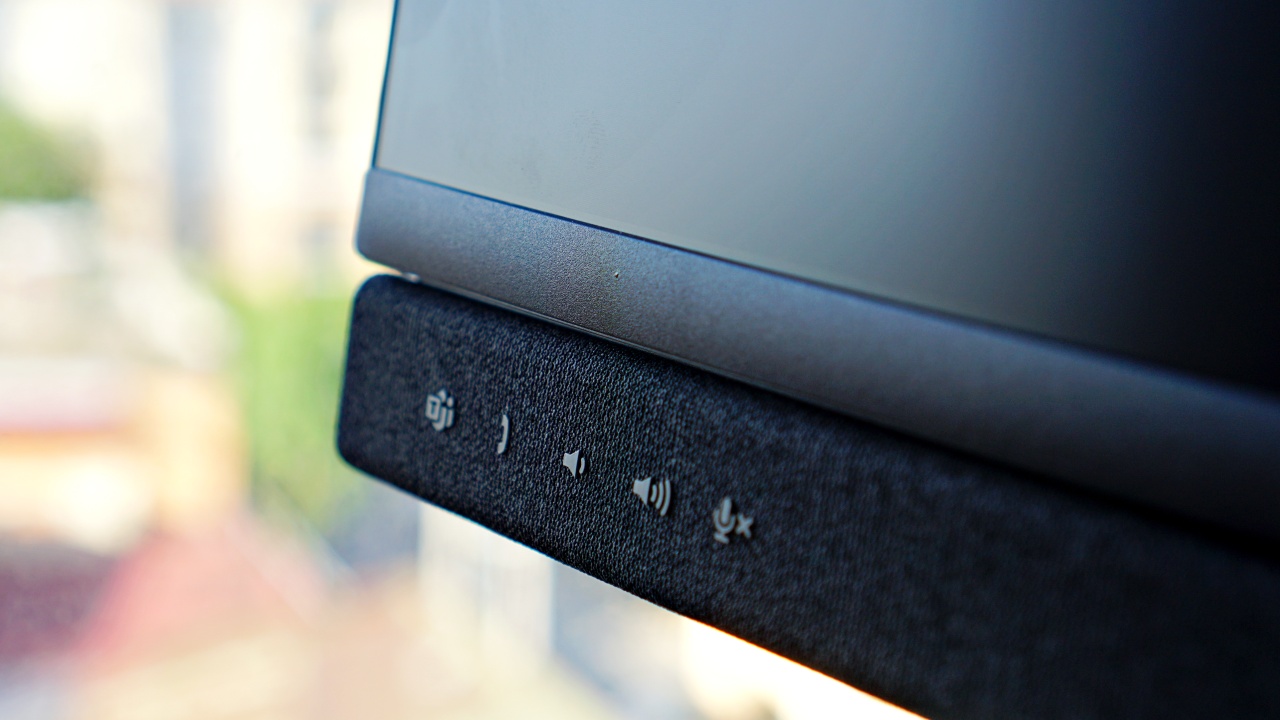
The monitor can be used to connect directly to Microsoft Teams. So, if that’s the video conferencing app you used the most, then you’ll get so much out of this monitor.
However, even if that’s not the case, the volume and mute controls you see here also work with other video conferencing apps. Most of the video calls I participated in while I had the monitor were on Zoom and Google Meet but I could still use the buttons. It was a level of convenience that, while I could do without, was still pretty nice to have.
Underneath the buttons you’ll see various connection ports.

Here you can connect a headset as well as a USB mic. Specifically, the ports are: Super speed USB 5Gbps (USB 3.2 Gen1), Headphone jack, and USB-C downstream port. These add another layer to increasing the overall audio quality of your video calling experience.
While we’re on the topic of ports, let’s check out the ones in the back of the monitor.
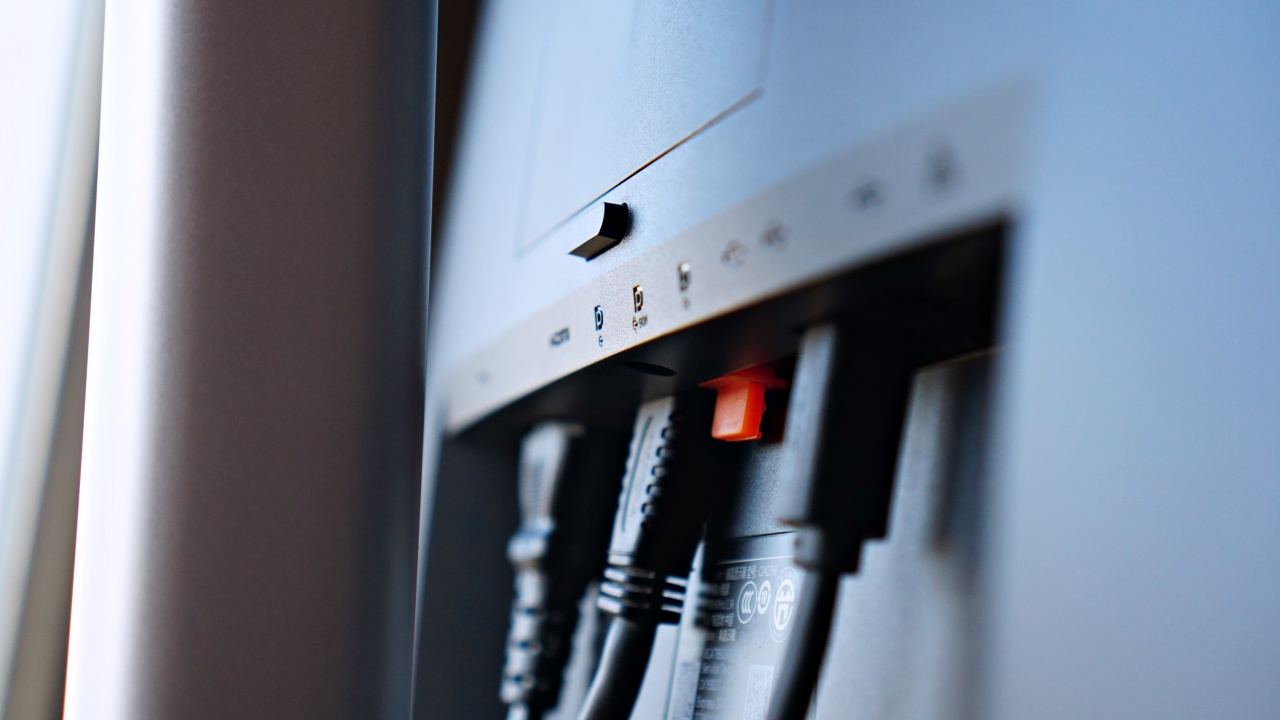
The ports are as follows: Security lock slot, Power connector, HDMI port, DisplayPort in , USB-C upstream/DisplayPort, DP port (out), USB-B upstream port, Super speed USB 5Gbps (USB 3.2 Gen1), Super speed USB 5Gbps (USB 3.2 Gen1), RJ45 connector.
That’s a variety of connections to give you options on what you can connect to the monitor. However, you’ll have to have your own HDMI cable if that’s your preferred way to connect. The only cables included here are: Power cable, DisplayPort cable (DisplayPort to DisplayPort), USB 3.2 Gen1 Type-A to Type-B upstream cable, and USB-C cable (C to C).
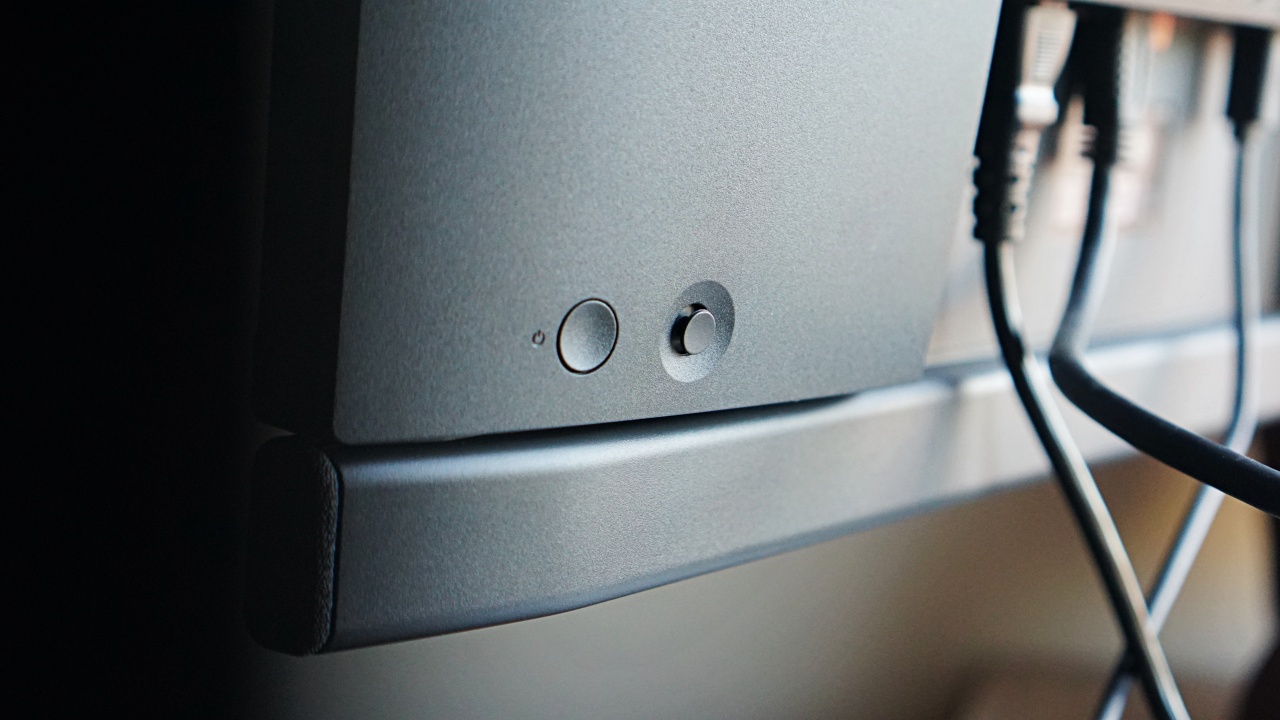
The power button and navigation nub sits on the right side of the monitor and they’re fairly easy to reach.
The camera
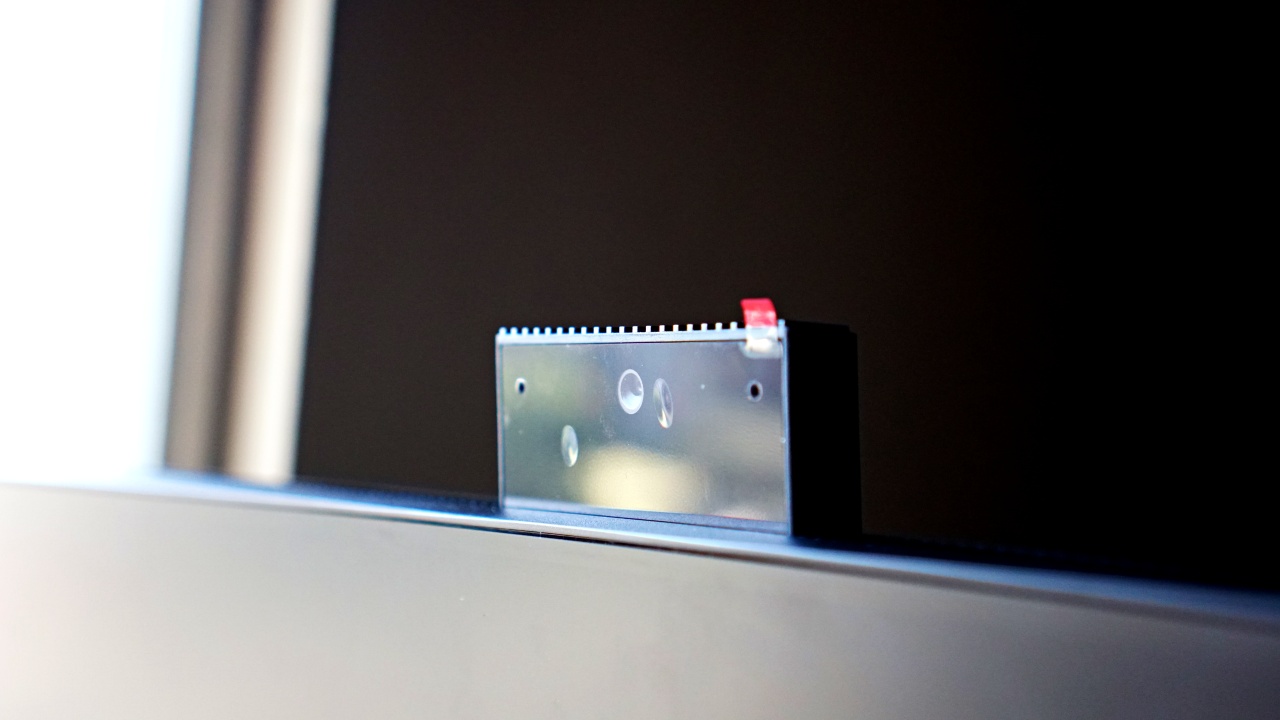
But of course, the star here is the integrated pop-up camera. Yes, pop-up. You can tuck it inside the monitor when not in use ensuring privacy and taking away fears of it capturing video without your knowledge.
The lens isn’t the only thing in that pop-up camera though. Flanking it are two mics and two IR LEDs. This means you can use it comfortably without any peripherals if you don’t have any on hand.
While I did hold most of the video calls wearing a headset on, I did try them using only the monitor. I still came off relatively clear according to the people on the other end of the call.
Meanwhile, you’ll have no trouble hearing them because of the front-firing speakers. They’re placed in the middle of the lower panel where you’ll find the volume and mute buttons.
Sitting in the middle is the camera lens. Dell’s official specs says it’s FHD 30fps with a 178° wide viewing angle. Based on my usage, I’d say it’s a 720p cam and it’s most certainly a wide angle one.
That’s great for when you want to showcase your background, but not so much if it’s messy and you prefer it not be seen.
Here’s a preview of what it looks like.

It captures A LOT compared to the usual webcams that pretty much only gets your face. I wasn’t even sitting too far away when I took this photo. I live in a pretty cramped and messy space so I couldn’t really show-off the wide angle camera as much. But it’s great and works really well especially if you want to fit more than one person in the shot.
But how does it fare as a monitor?
Here are the numbers on paper: 1920 x 1080 at 60Hz, 250 cd/m2 (typical) brightness, 1000: 1 (Typical) contrast ratio, 5 ms (Fast) – (gray to gray), 8 ms (normal) response time, 16.78 million color support, Anti-Glare with Hard- Coating 3H.
Pretty standard stuff. It’s fine for most office work and maybe some light photo editing, but this wouldn’t be fun at all for gaming. Even for standard media consumption, the monitor left me wanting.
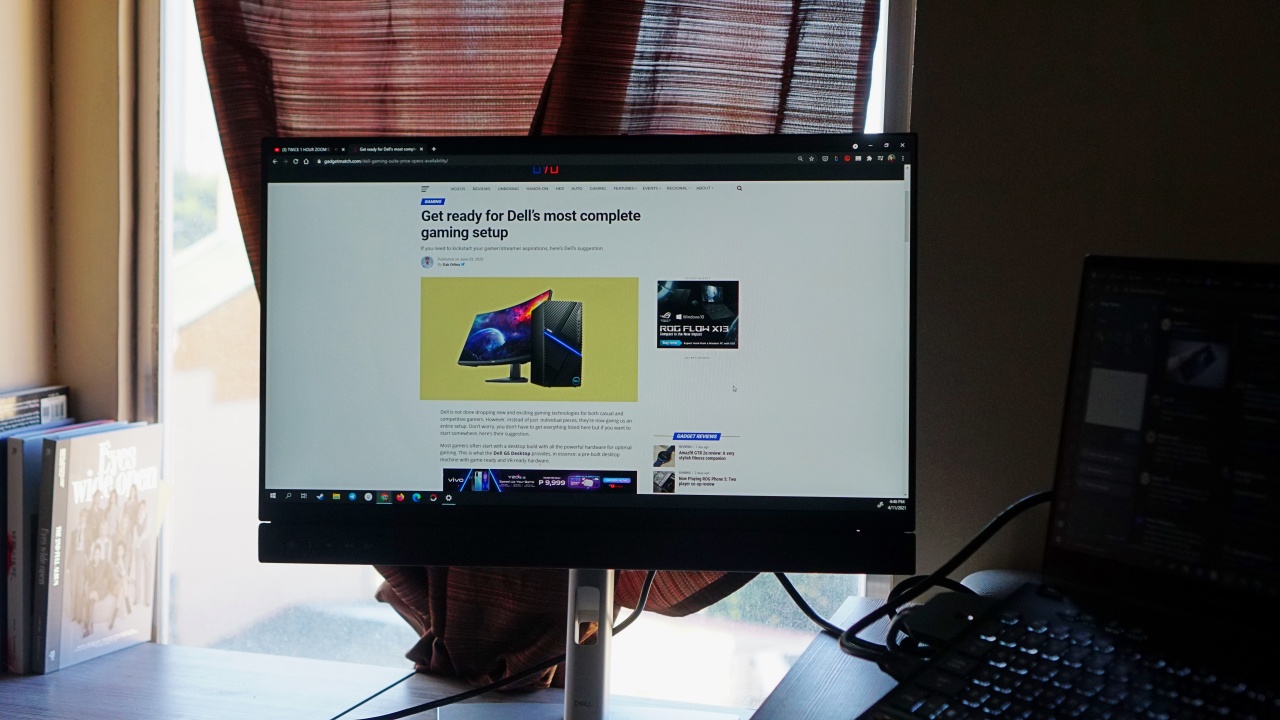
It could be my eyes being used to 4K panels, but the monitor just didn’t do it for me visually when I tried it for watching K-Pop videos and Netflix. The image quality didn’t get to a sharpness level that my eyes have been spoiled with on my other devices.
But for other use-cases, it’s pretty useful. Other than typical office work, it might actually be useful as a secondary monitor too especially with its ability to swivel.
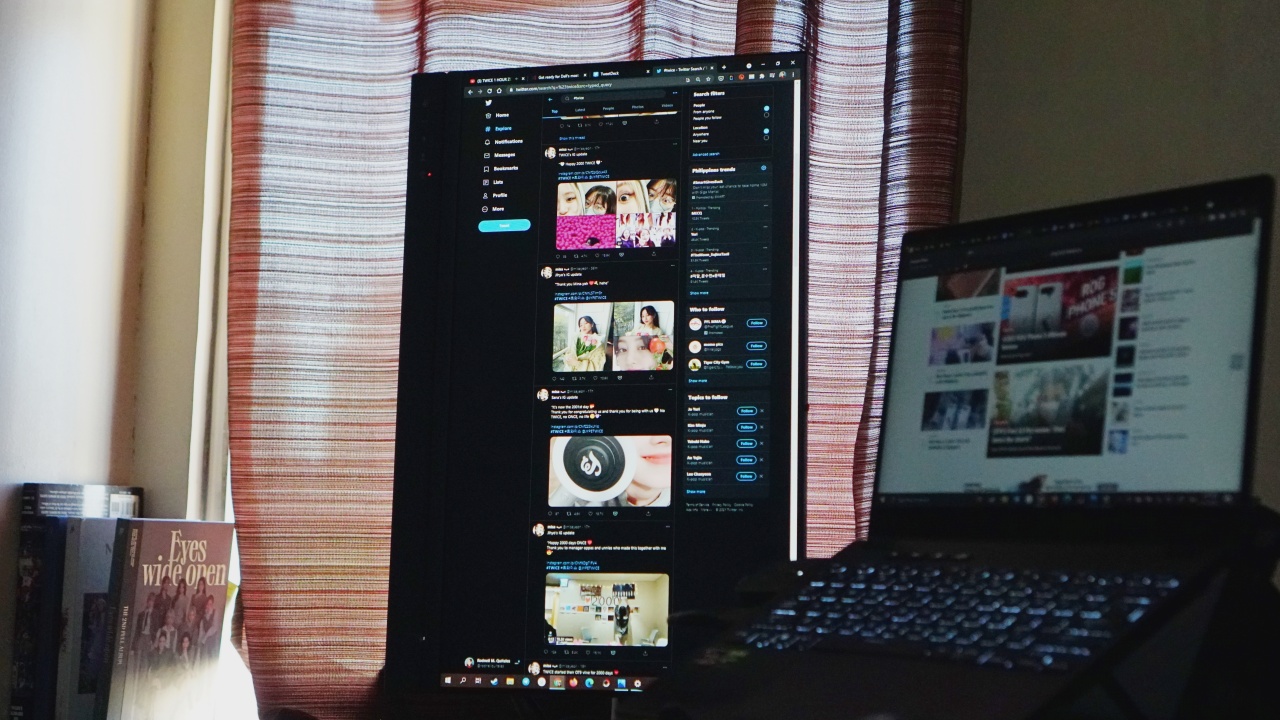
You can use it vertically to monitor social media or whatever you may have a use for vertical screens for. Personally, this wasn’t a use-case I found to be pertinent to my line of work but I can see it being helpful for others.
Is the Dell Video Conferencing Monitor – C2422HE your GadgetMatch?
The Dell Video Conferencing Monitor – C2422HE is pretty unique with the way it’s built for video calling. But it will set you back for US$ 470 or around PhP 29,000. Personally, I think that’s a big ask for the task that its set of features are gunning for.
(Editor’s Note: The official price in the Philippines is PhP 29,500 and it’s available in all Dell Partner stores).
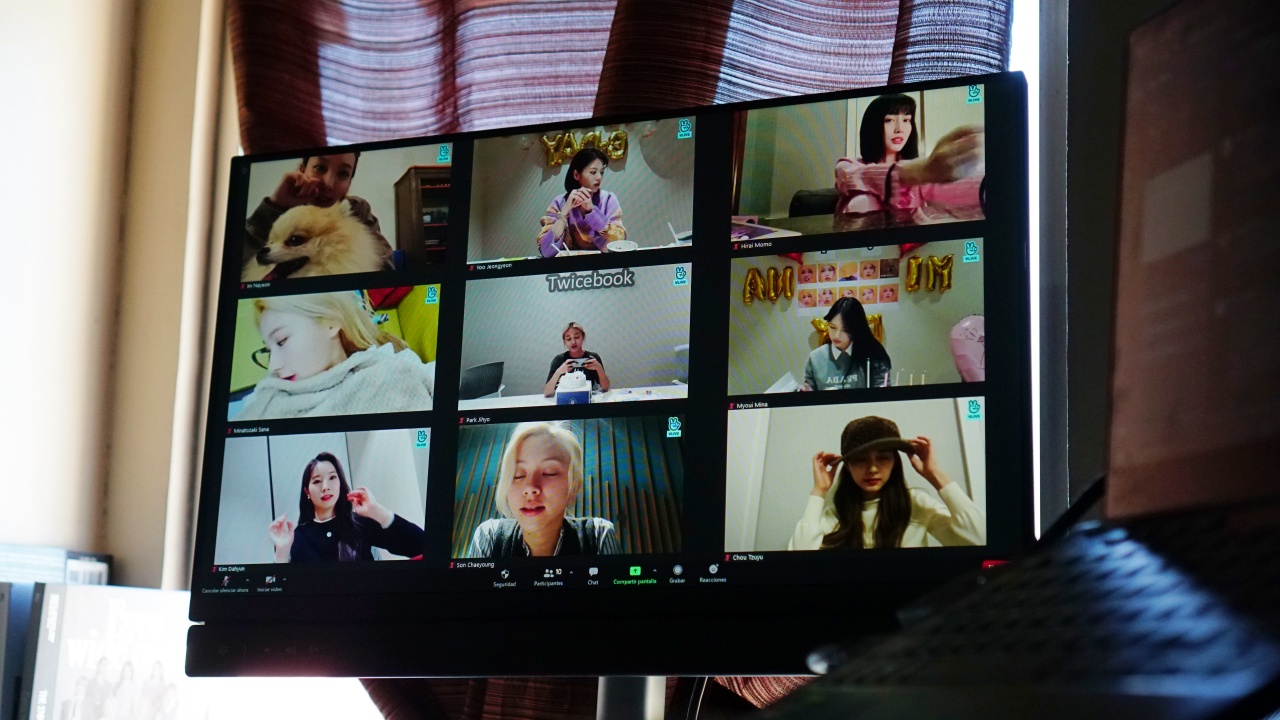
Softening the blow of this conclusion with a faux TWICE video conference call
Sure, it makes video conferencing a tad bit more convenient, but I argue you can get to a similar level of quality by purchasing different sets of devices (monitor, webcam, mic) that amount to around the same price.
It’s by no means a terrible monitor, and the features are quite unique. However, if I’m able to replicate the experience with a different set of devices, then the only thing you’re buying this for is convenience. You’ll have to be a pretty lazy shopper (no judgment here, cause I’m pretty lazy myself) with deep pockets to want this over buying separate devices for a similar, if not better experience post-purchase.





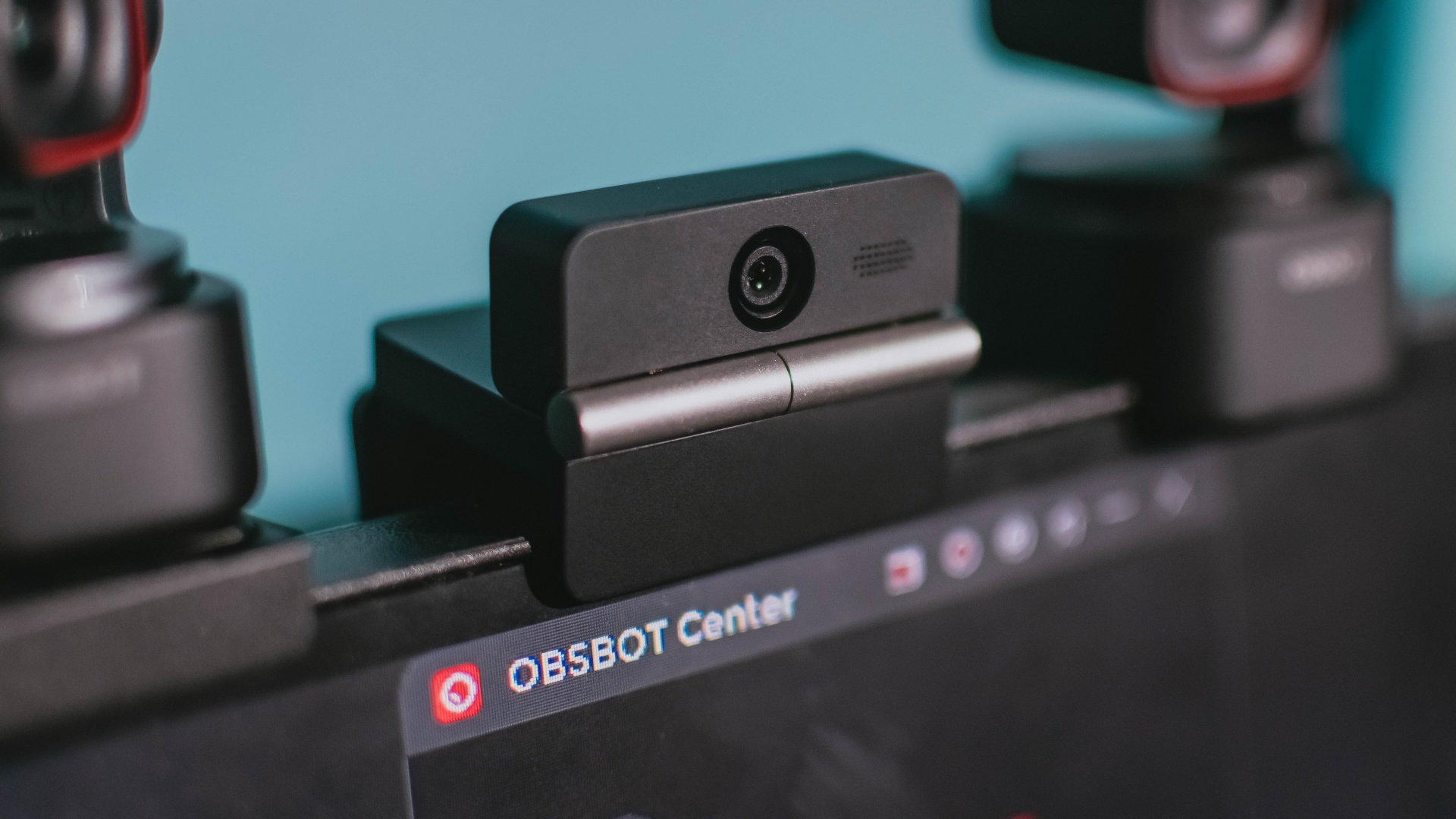
Phones flip and fold. Now webcams do too.
Foldable screens have found their way into phones, tablets, and laptops in recent years. Now, OBSBOT is taking that idea in a considerably smaller direction: the webcam.
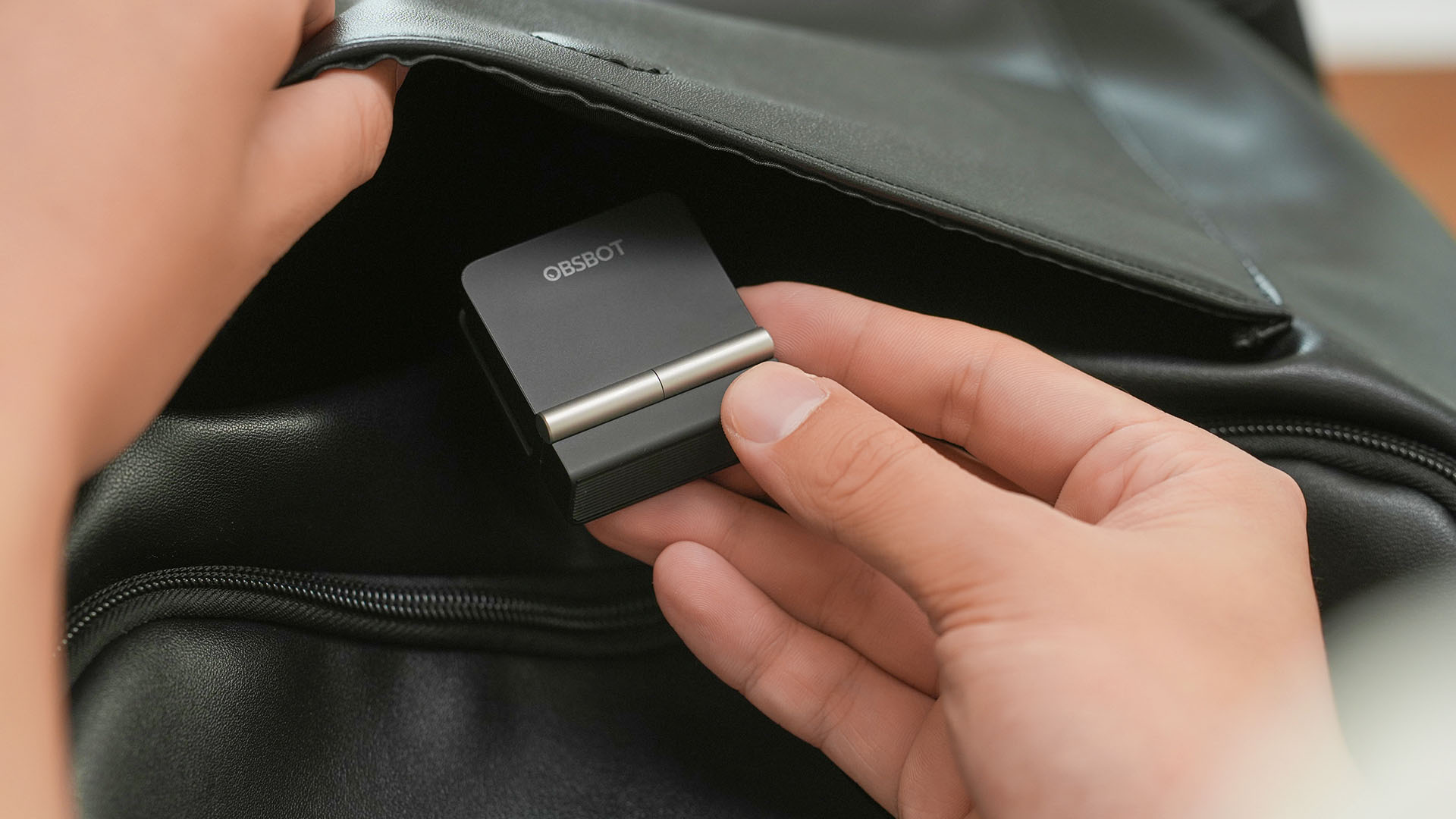
The OBSBOT Meet Flip is the company’s first foldable 4K webcam packing:
- 1/2-inch stacked CMOS sensor
- intelligent audio
- a collection of AI-powered meeting tools
All of these inside a body weighing just 37.7 grams.
A fold that does something, not just a gimmick
The OBSBOT Meet Flip isn’t foldable just to make it easier to throw into a bag.
Closing the webcam physically blocks the lens and puts the device into sleep mode. Open it when you want to be seen, flip it shut when you don’t.
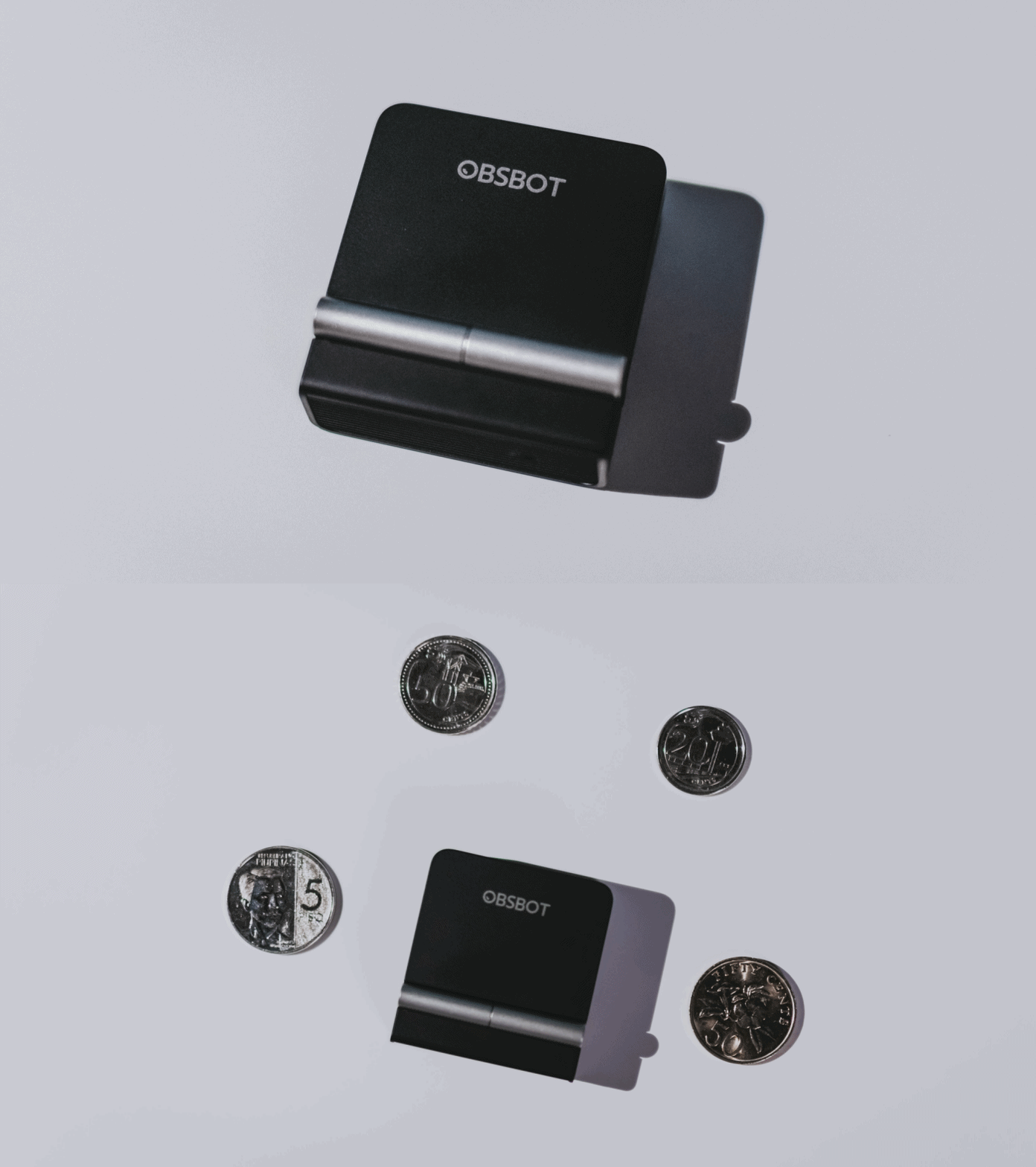
A physical privacy cover isn’t novel in itself. What’s clever here is how it’s part of the folding design.
As someone with a love-hate relationship with data privacy, I almost always keep some physical barrier over my laptop webcam. And if I can avoid having a webcam there entirely, even better.
Serious camera hardware in a pocket-sized webcam
Despite its size, OBSBOT hasn’t treated the Meet Flip like a basic laptop-camera replacement.
Inside is a 1/2-inch Exmor RS stacked CMOS sensor with Quad Bayer technology, capable of recording 4K UHD at 30 fps or 1080p at 60 fps. It also packs an f/1.8 aperture, HDR, PDAF autofocus, ISO 100–6400, and up to 4x digital zoom.
At its core is a 1/2-inch Exmor RS stacked CMOS sensor with Quad Bayer technology.
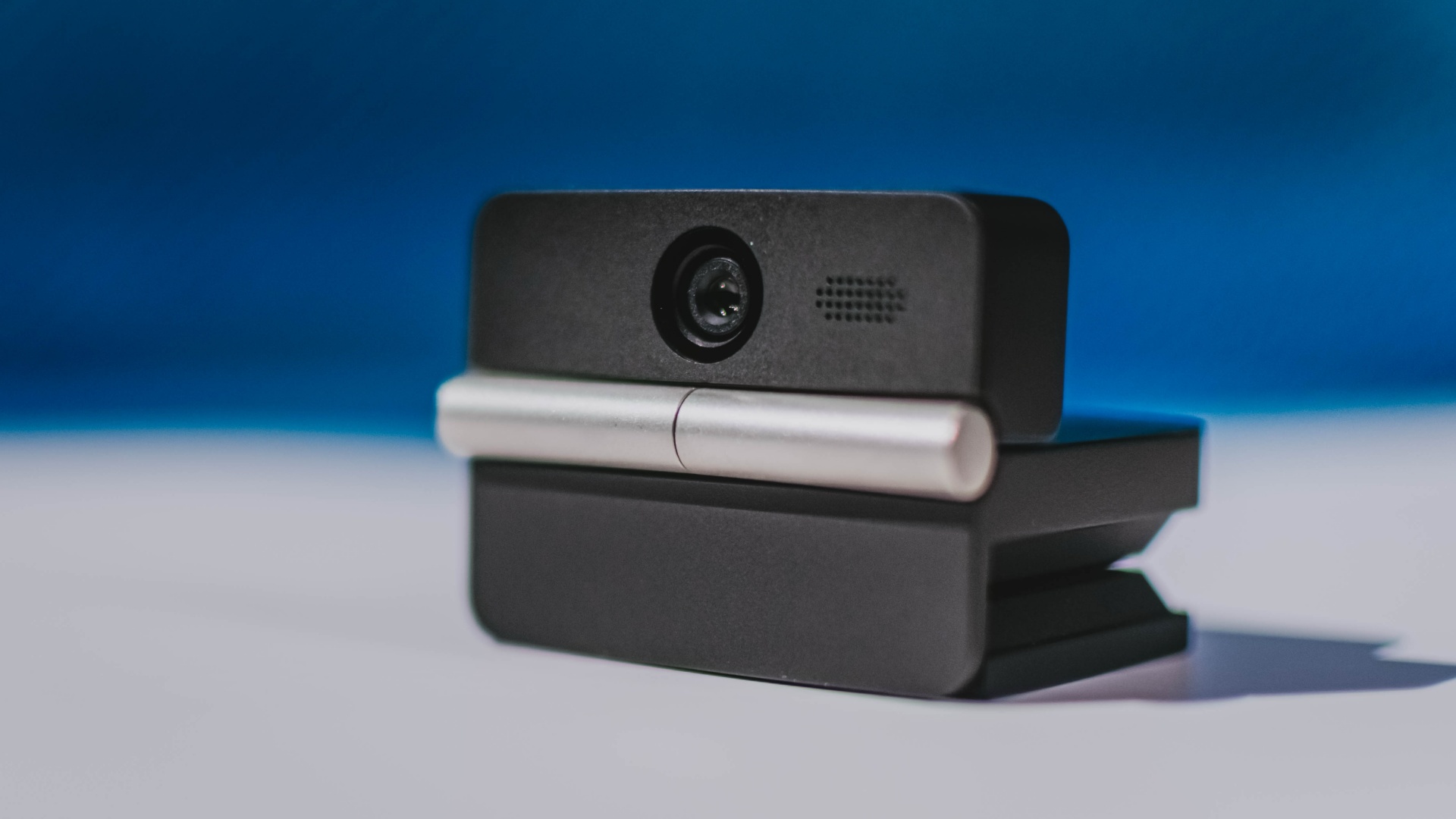
It can record:
- 4K UHD at 30fps
- 1080p at 60fps
You also get:
- f/1.8 aperture
- HDR
- PDAF autofocus
- ISO 100–6400
- up to 4x digital zoom
On paper, that gives the Meet Flip a better shot at handling the situations built-in laptop webcams often struggle with: dim rooms, harsh backlighting, changing lighting conditions, or simply moving around in front of the camera.
HDR helps keep faces visible against bright backgrounds, while PDAF autofocus continuously adjusts focus as you move closer to or farther from the lens.
The wider f/1.8 aperture should also help in less-than-ideal lighting.
The point is that once the Meet Flip is set up, you shouldn’t have to spend much time thinking about the camera itself.
It listens differently depending on the room setup
The Meet Flip also uses an intelligent dual-microphone system combining omnidirectional and directional microphones.
Instead of relying on one pickup pattern for every situation, it offers four audio modes for different setups:
Directional Mode focuses on sound coming from the front, making it the obvious choice for solo calls.
Dual-Directional Mode listens to both the front and rear of the webcam, which could be useful for interviews or conversations between two people sitting across from each other.
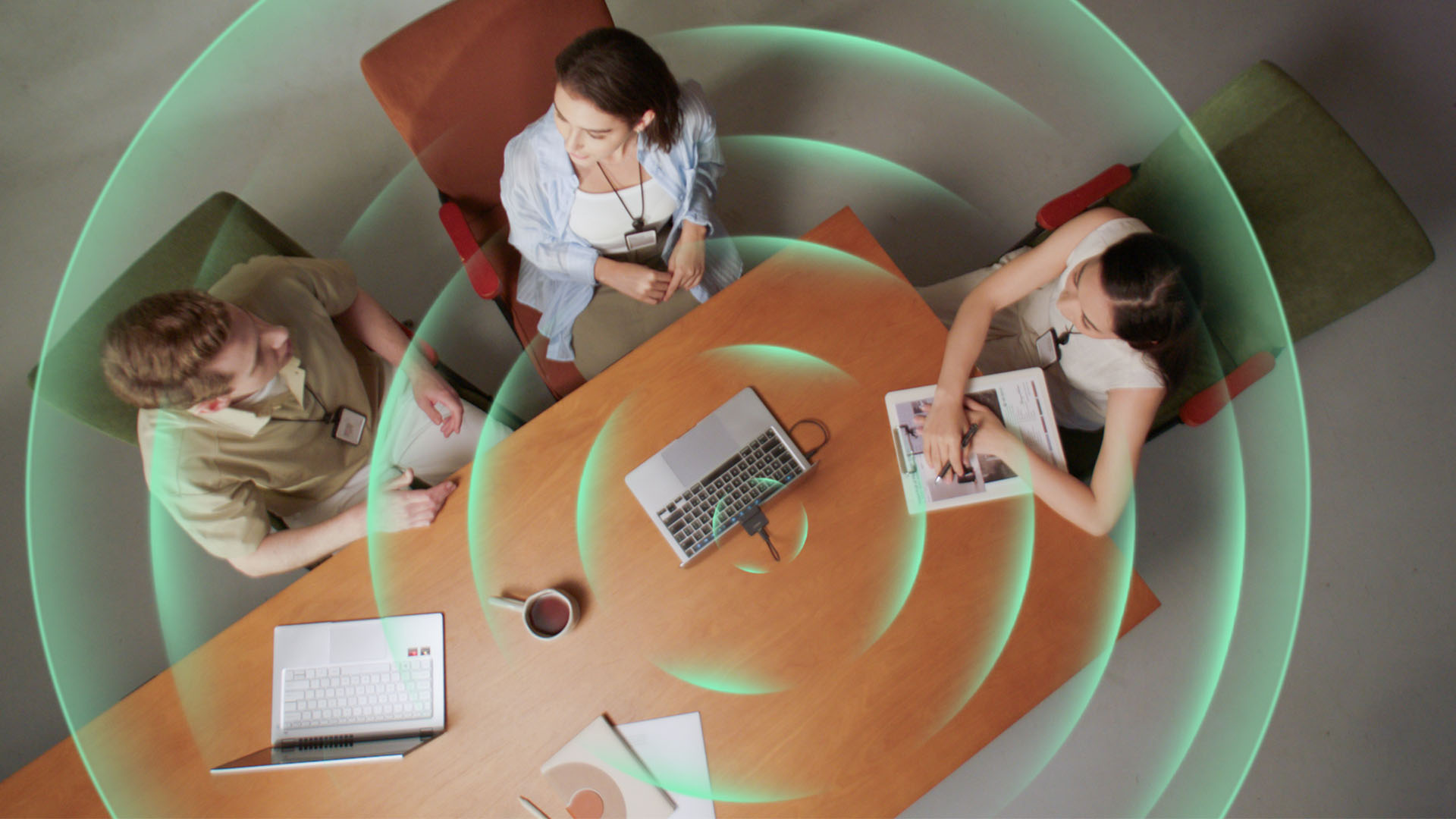
Smart Omni Mode is designed for group meetings, picking up voices from around the room.
And Pure Audio Mode provides unprocessed left and right stereo channels for users who would rather handle the audio themselves in post-production.
Auto Gain and AI Noise Reduction also work across the first three modes, helping clean up audio without requiring much manual adjustment.
It gives the Meet Flip more flexibility than a typical webcam microphone, especially if you regularly switch between solo calls, interviews, and group meetings.
AI that doesn’t intrude
AI has become an almost obligatory addition to new hardware in 2026, but several of the Meet Flip’s features put it to work on real-world meeting annoyances.
AI Auto Framing keeps you in frame, with options for:
- Group
- Single Close-up
- Upper Body
- Full Body
Gesture controls can also toggle Auto Framing or adjust the zoom without reaching for a keyboard or mouse.
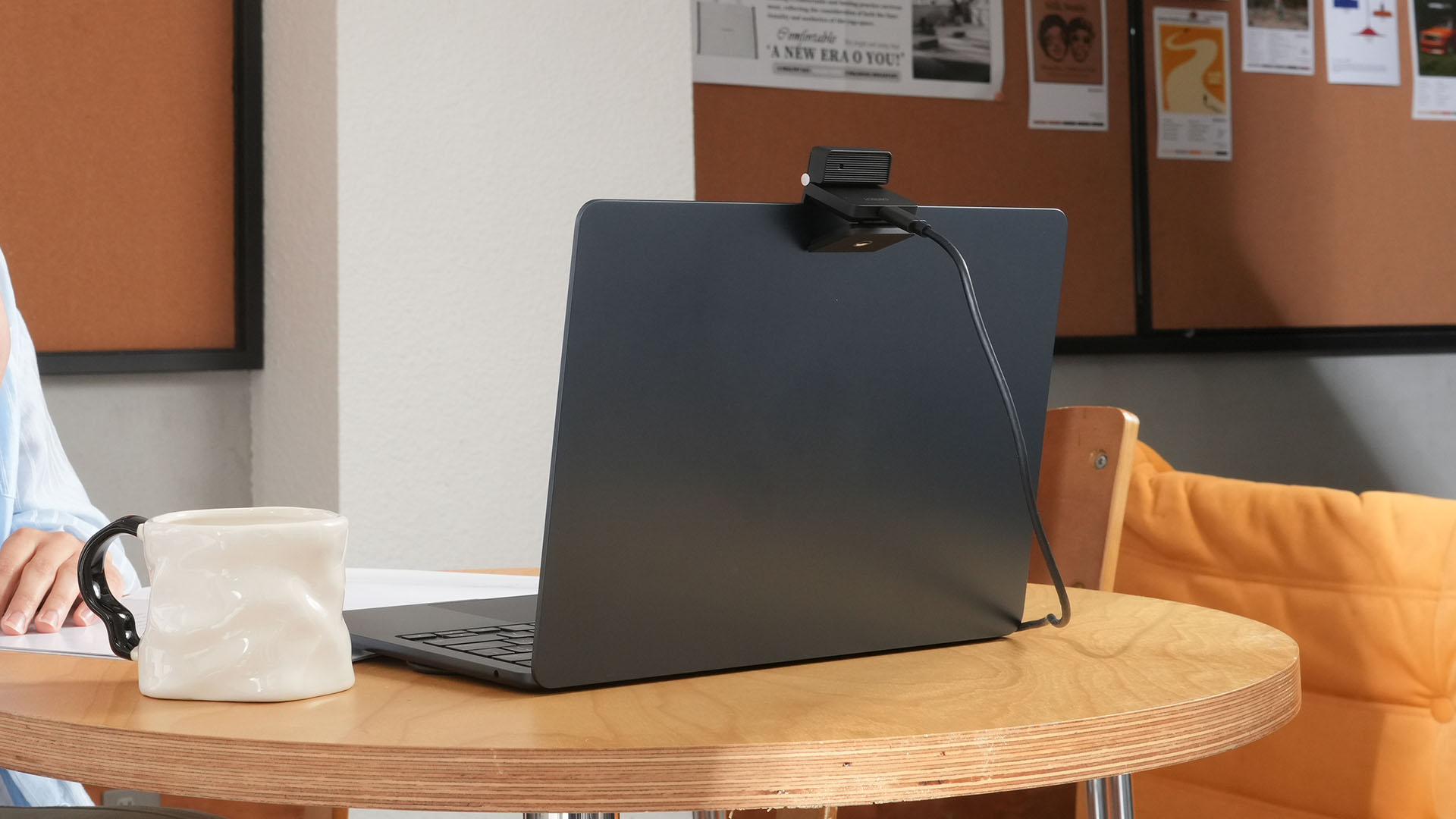
More interesting is AI Magic Notes.
Through OBSBOT Center, it provides real-time transcription and can automatically generate meeting summaries with key points, decisions, and action items. It works across Google Meet, Zoom, and Microsoft Teams.
Although AI Magic Notes is offered as a subscription service, every Meet Flip includes 120 complimentary minutes to get started.
MORE with OBSBOT Center & OBSBOT Live
There are plenty of other software features as well. OBSBOT Center includes:
- Background Blur and Background Replacement
- Real-Time Beauty Mode
- Picture-in-Picture overlays
- Smart Eye Tracking
- Teleprompter support
- Detailed image adjustments
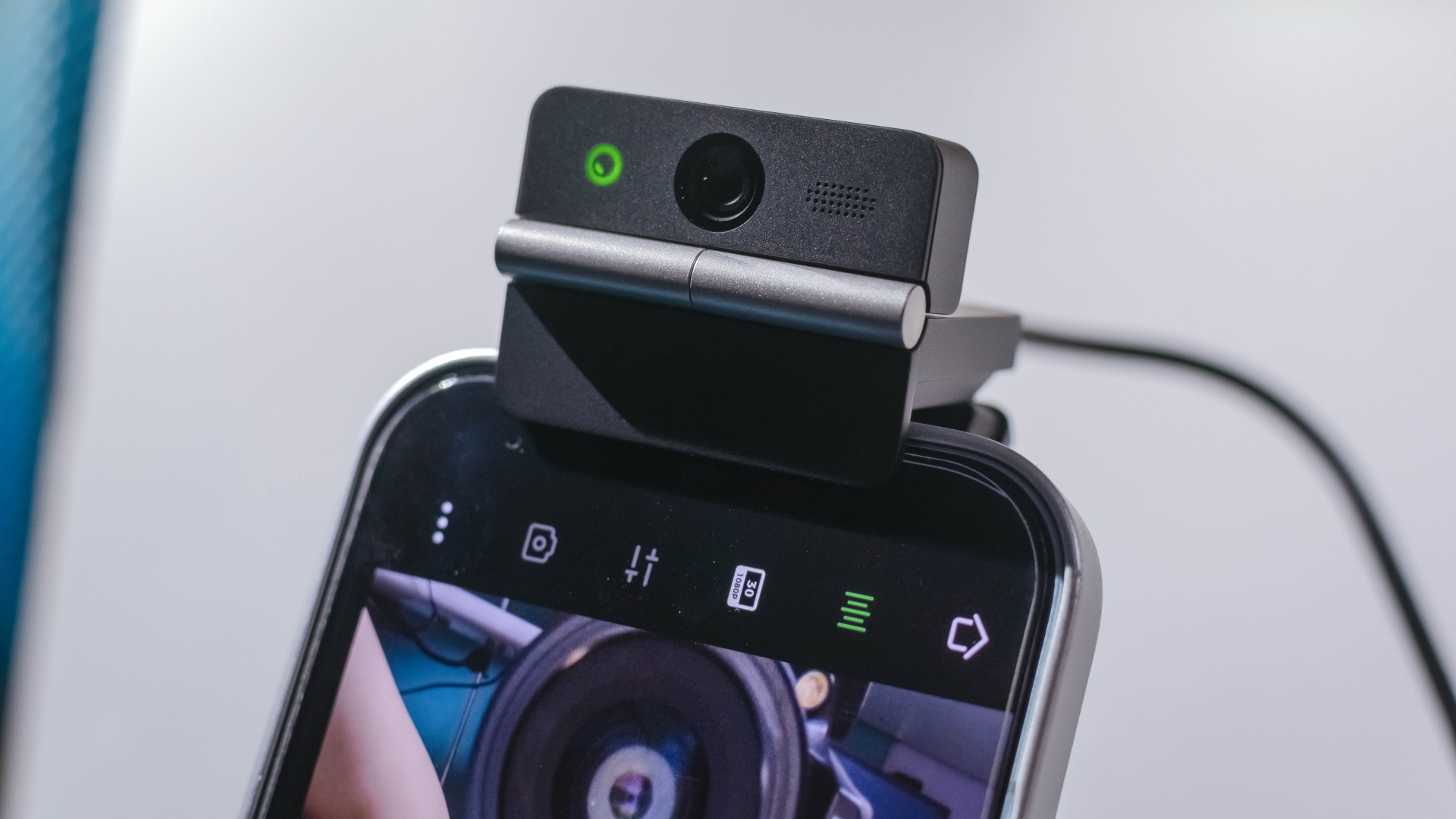
The Meet Flip isn’t limited to laptops or desktops either. Through OBSBOT Live, it can connect directly to smartphones and tablets over USB-C for mobile streaming and content creation.
Flip it open. Fold it away.
None of those features reinvent the webcam on their own.
Taken together, though, they make the Meet Flip a more thoughtful take on a piece of hardware whose basic design and features have barely changed.
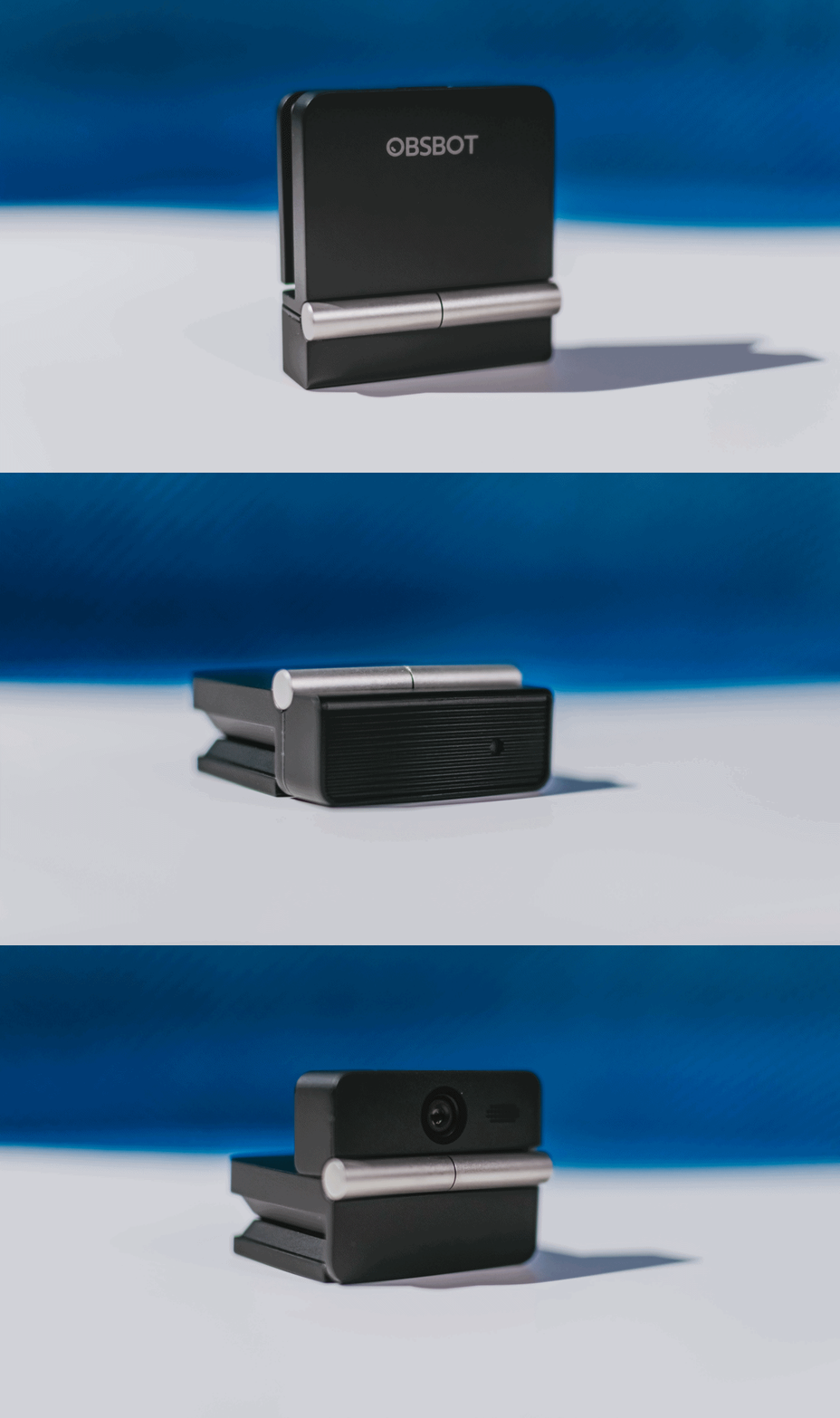
The flip may grab your attention first, but it’s how OBSBOT uses that design alongside its camera, audio, and software features that makes the Meet Flip interesting.
The OBSBOT Meet Flip is now available at US$ 119 and is currently available through OBSBOT’s official store, Amazon US, and select retailers.

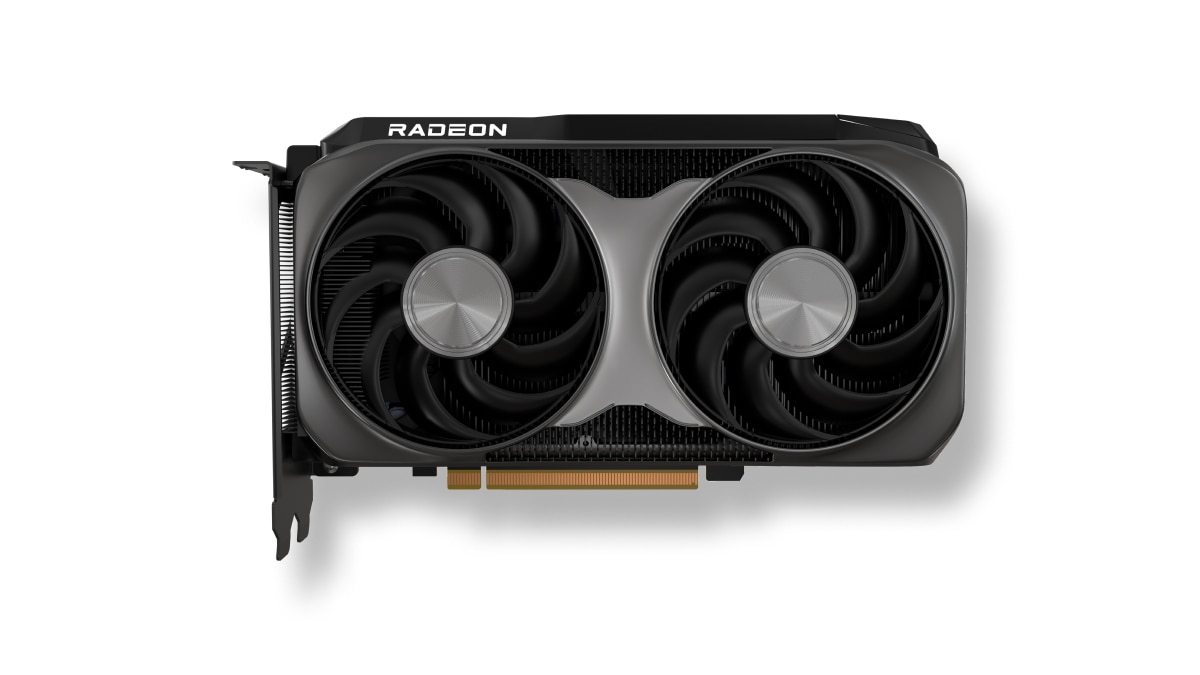
AMD has launched the new AMD Radeon RX 9050 graphics card, expanding the Radeon RX 9000 series with an affordable option.
This brings AMD RDNA 4 gaming technologies to mainstream gamers with a retail price of US$ 279.
The particular GPU is designed for responsive gameplay at 1080p. That’s for esports and modern AAA titles.
Some popular titles it can run at high frame rates on a 1080p resolution include: Cyberpunk 2077, Forza Horizon 6, Pragmata, Call of Duty: Black Ops 7, Valorant, and Tom Clancy’s Rainbow Six Siege, to name a few.
This highly efficient, drop-in upgrade features a 92W TBP and fully supports the latest AMD FSR technologies, next-gen raytracing, and high-quality AV1 video streaming.
Key specs:
- Architecture: AMD RDNA 4
- Compute Units: 16
- VRAM: 8GB GDDR6
- Game Clock / Boost Clock: 1.92 GHz / Up to 2.60 GHz
- TBP: 92W
In line with the Radeon RX 9050 launch, AMD has also released AMD Software: Adrenalin Edition 26.7.1.
This driver introduces official day-one support for Radeon RX 9050, alongside early multiplayer access for Gears of War: E-Day.
Users can download the software here.
Accessories
OBSBOT’s Meet Flip is your next best pocketable 4K webcam
Fold the Flip for further protection

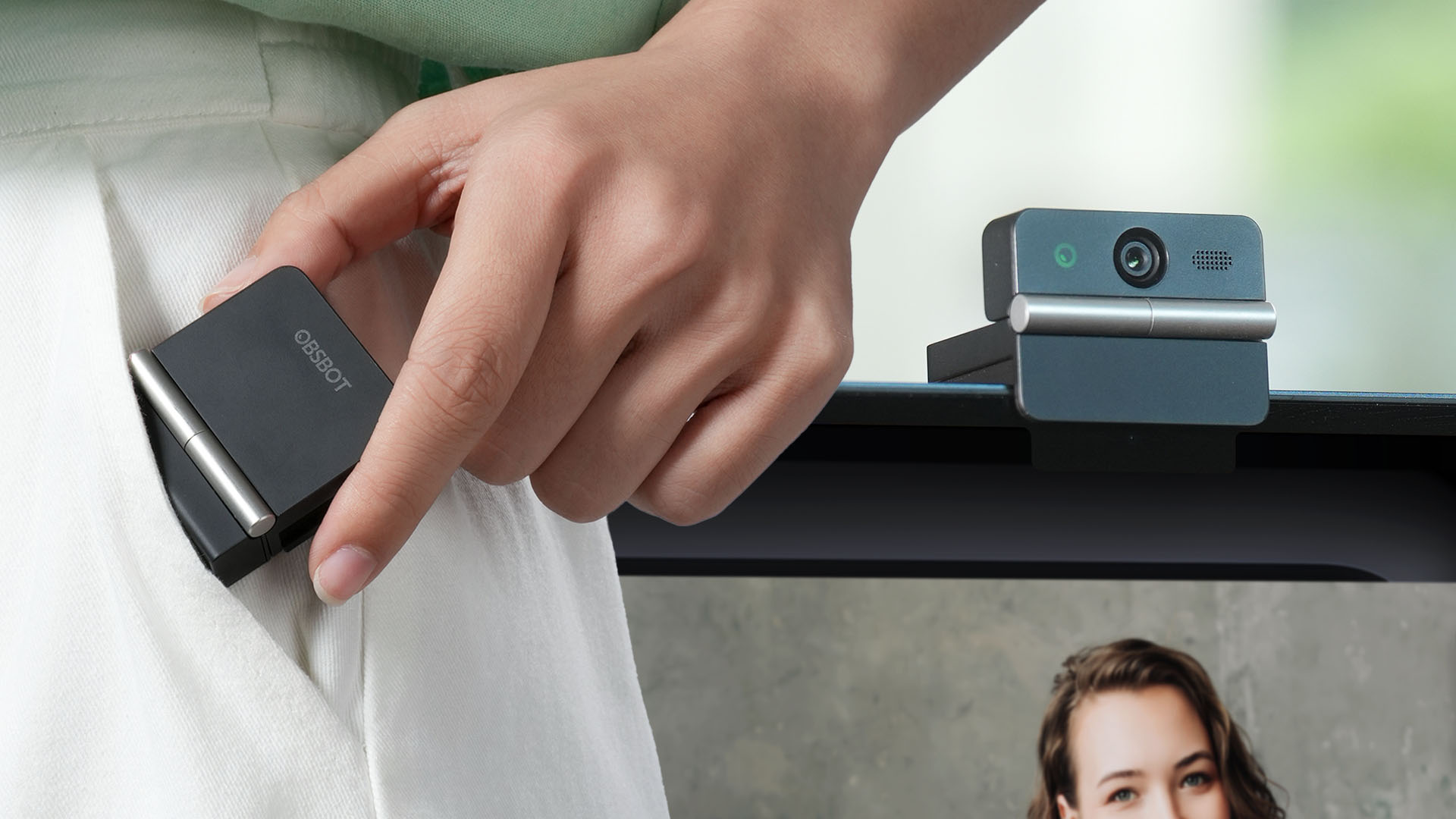
Several months ago, you might remember that OBSBOT revealed the Tiny 3 series of web cameras.
Six months after, they also unveil the all-new Meet Flip. From the name itself, it’s the company’s latest foldable 4K webcam that puts hardware privacy front and center.
Foldable and pocketable
Despite weighing just 37.7 grams, the Meet Flip aims to deliver premium webcam features for all types of users. Be it remote workers, professionals, or content creators.
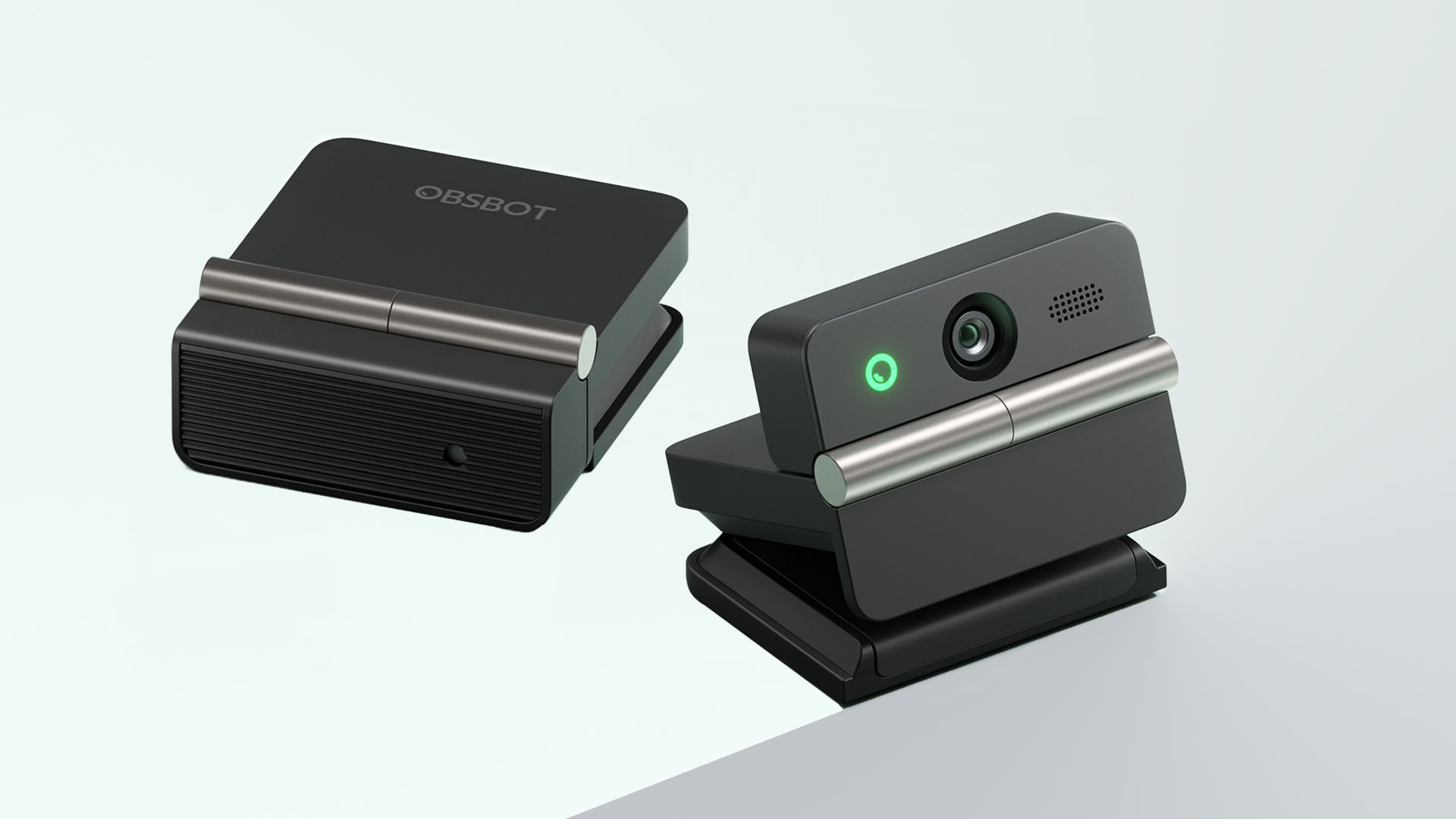
Graphics by Vincenz Lee | GadgetMatch
Undoubtedly, the biggest highlight has got to be the webcam’s folding design. Not only it’s portable, it protects your privacy too.
Closing the device physically blocks the lens, giving users a visual confirmation that the camera is no longer active. When it’s time for a meeting, simply unfold it and it’s ready to go.
That lightweight body also features a built-in mounting clip that works with laptops, monitors, and tripods. Users can mount it in landscape, portrait, or even upside-down orientations depending on their setup.
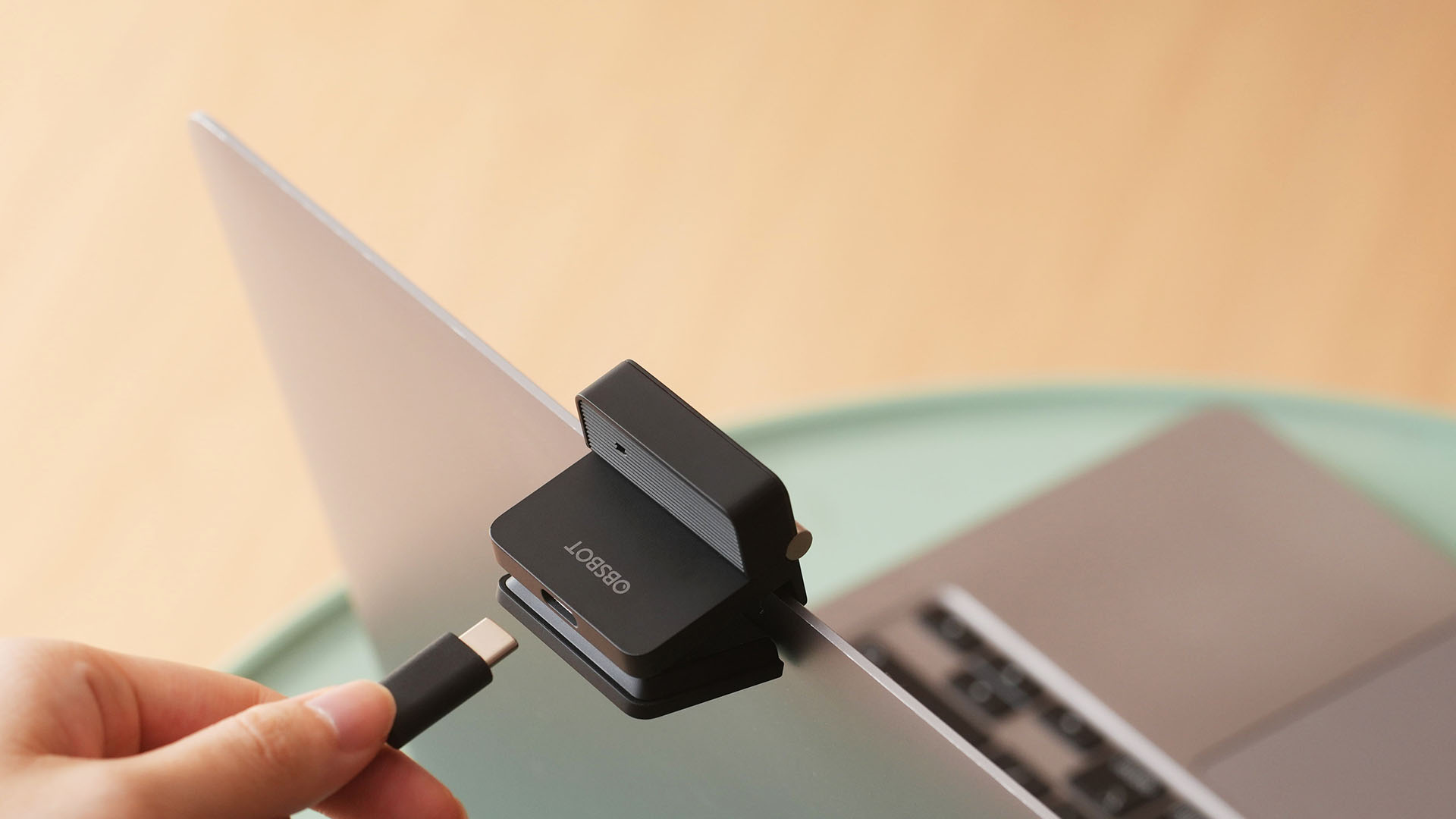
Despite that absurd amount of lightweightness, the OBSBOT Meet Flip is still able to house a 1/2-inch Exmor RS stacked CMOS sensor with Quad Bayer technology. That’s something more commonly found among bigger and higher-end web cameras.
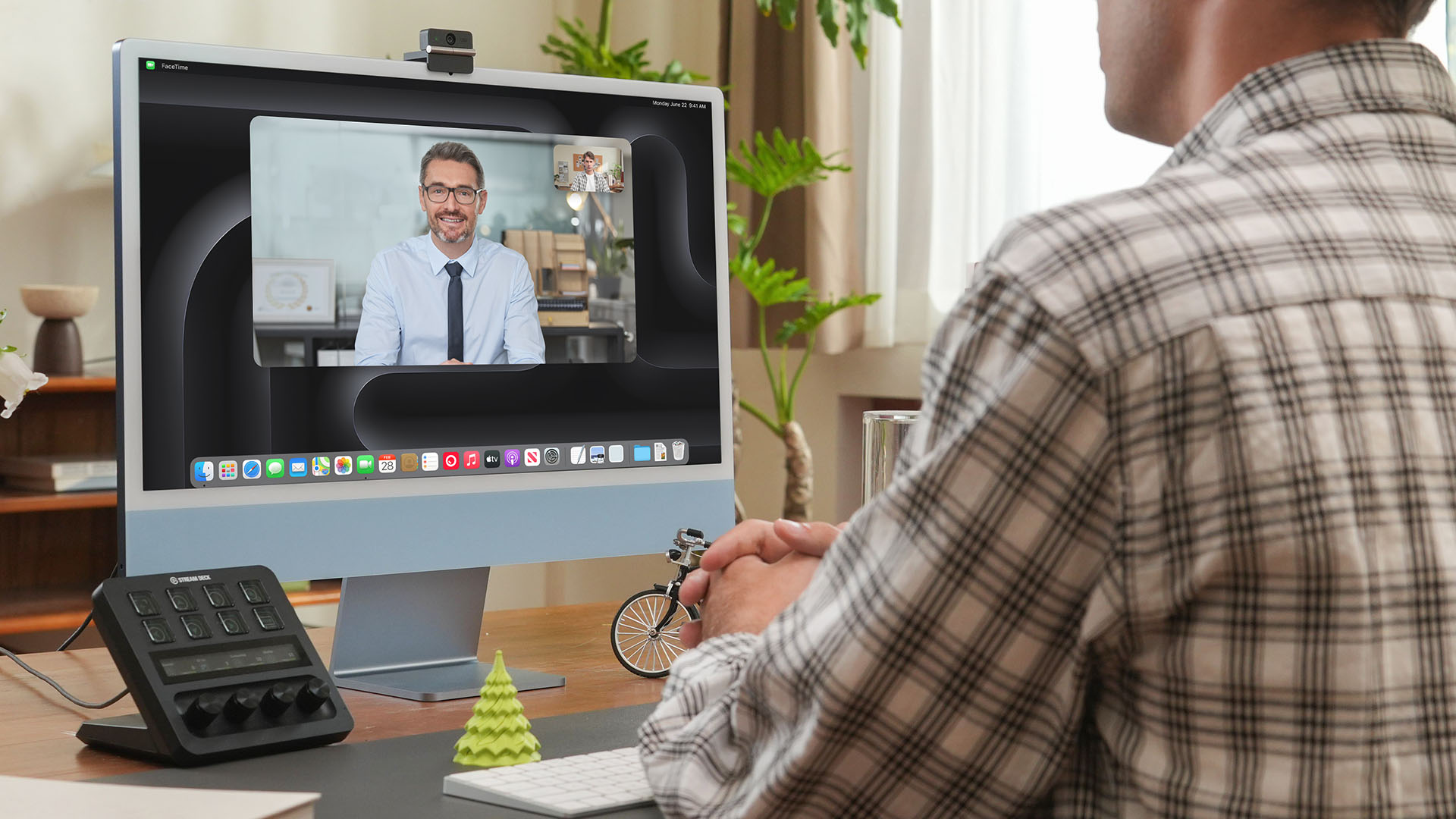
Other camera features include:
- 4K video recording / 30fps
- 1080p recording / up to 60fps
- HDR support for challenging lighting
- Phase Detection Autofocus (PDAF)
- 4x digital zoom
- f/1.8 aperture with ISO 100-6400 support for low-light environments
Beyond just video calls
The OBSBOT Meet Flip isn’t just packed with serious camera hardware, it’s seriously intelligent as well.
The Meet Flip supports AI Auto Framing. This automatically keeps users centered during meetings — regardless if they are presenting alone or with a group. Gesture controls also let users activate framing or adjust zoom without touching the keyboard or mouse.
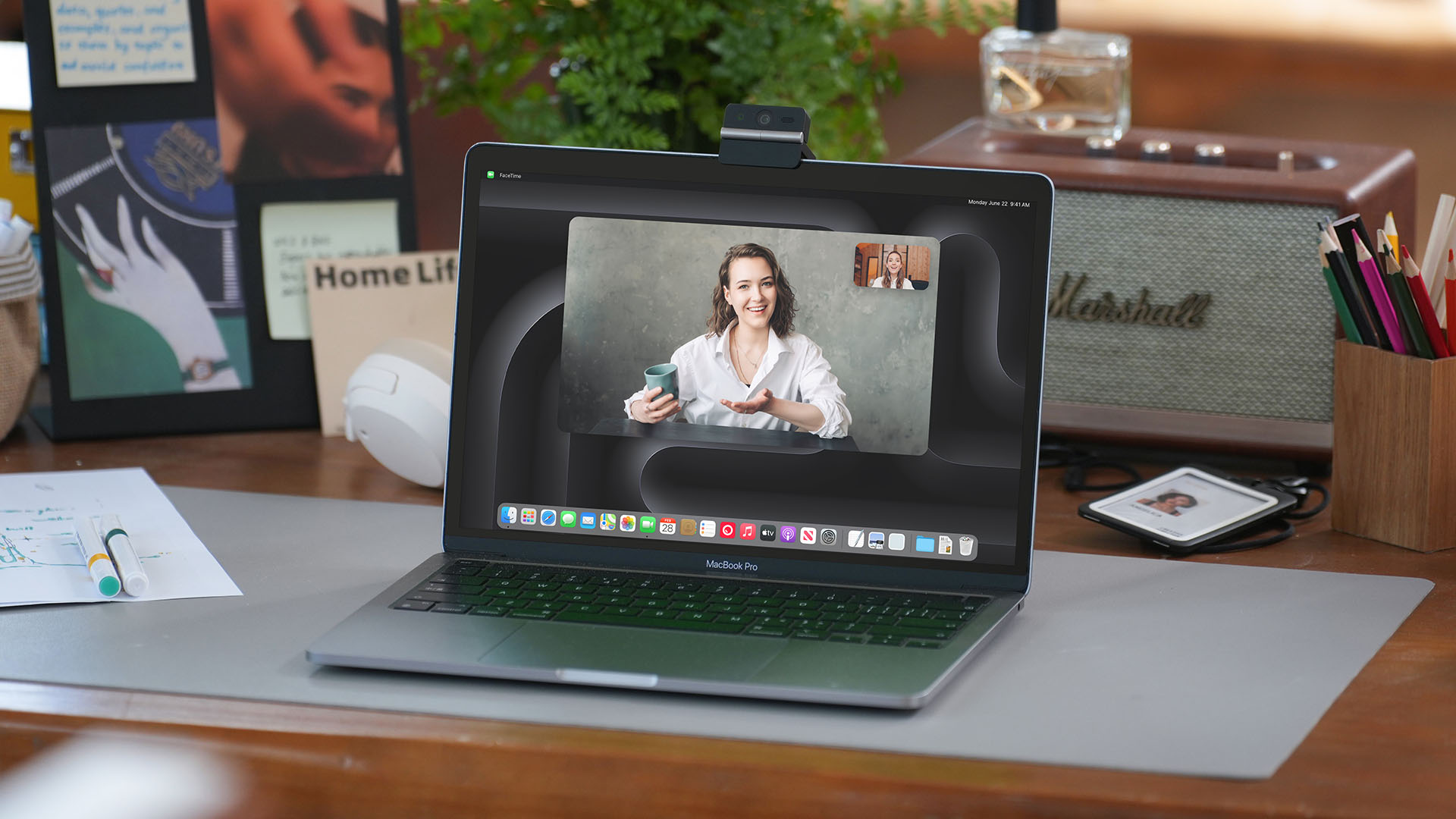
Another standout feature is AI Magic Notes which provides real-time meeting transcription and automatically generates summaries, action items, and key discussion points.
The feature works with Google Meet, Zoom, and Microsoft Teams through OBSBOT Center. Every webcam includes complimentary transcription of 120 minutes.

With that being mentioned, OBSBOT Center also makes users gain access to software features such as background blur, virtual backgrounds, beauty mode, and picture-in-picture overlays for presentations.
Those who want more advanced controls can enable Smart Eye Tracking, teleprompter support, and manual image adjustments.
Audio also gets an upgrade through an intelligent dual-microphone system that offers four recording modes:
- Directional Mode / solo calls
- Dual-Directional Mode / interviews
- Smart Omni Mode / group meetings
- Pure Audio Mode / unprocessed stereo recording
AI Noise Reduction and Automatic Gain Control are also available across most modes to help improve voice clarity.
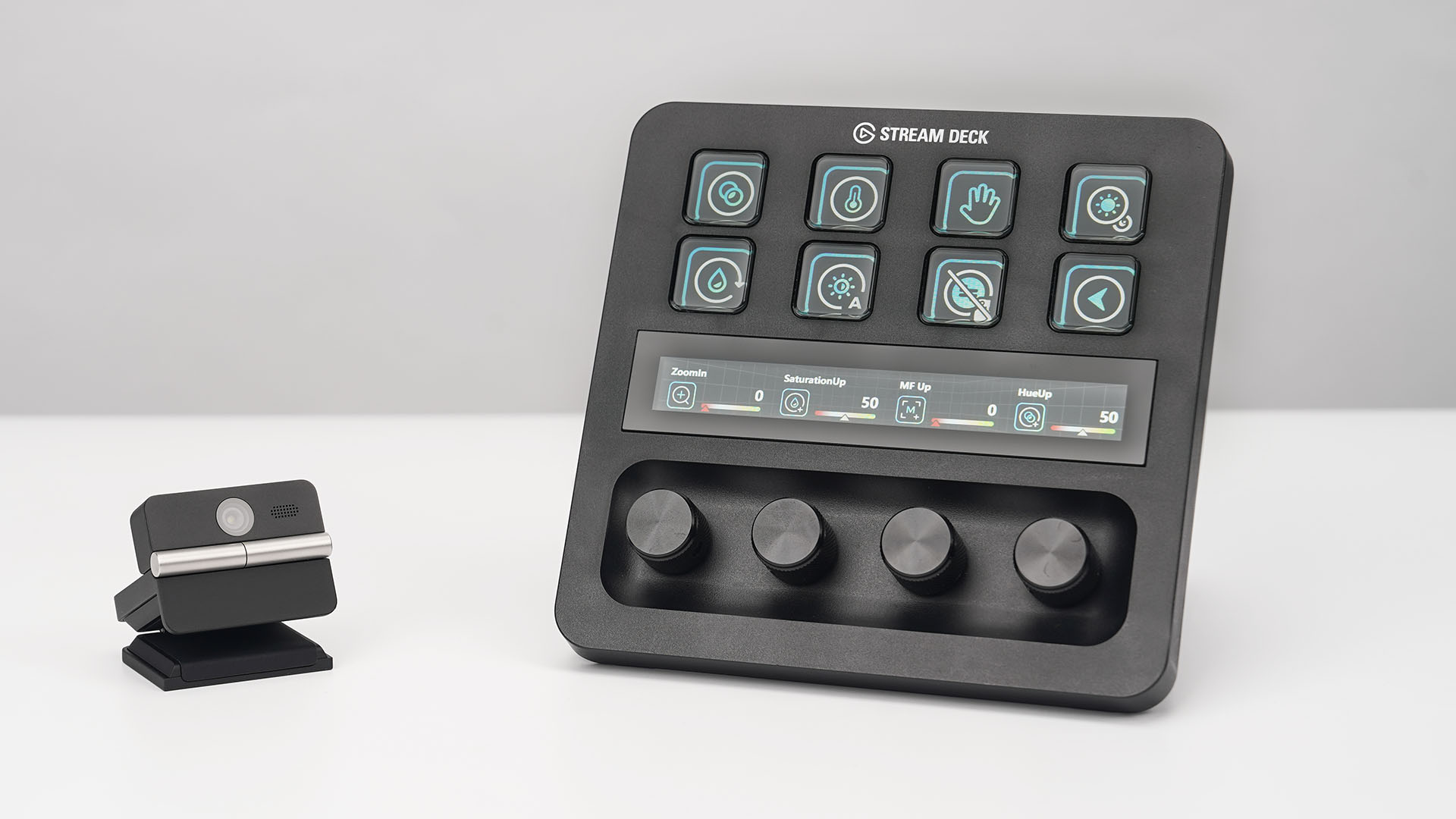
OBSBOT’s Meet Flip is also compatible with mobile devices through the OBSBOT Live app and supports integrations with accessories including Elgato Stream Deck, Nintendo Switch 2, and UVC-to-NDI/HDMI adapters.
Pricing and Availability
The OBSBOT Meet Flip is available starting today for US$119 through OBSBOT’s online store, Amazon US, and select retailers worldwide. Regional pricing may vary.

Samsung Galaxy Z Fold8 Review
8 Galaxy Folds later, Samsung finally nailed It!

30 days later with the ASUS ExpertBook Ultra: Like seeing an ex
Felt exactly as I remembered.

ROG STRIX G16 Review: Building for the moment
Setting it up however you want to make the most out of it

OBSBOT Meet Flip Hands-on
Samsung Galaxy Z Fold8 Review

Smart showcases cloud gaming platform in partnership with Blacknut

What your smartphone color choice reveals about you

New EV player XPENG to launch in the Philippines in September

Hands-on: Samsung Galaxy Z Fold8, Flip8, Ultra

VinFast debuts two-wheeler models, opens 21 e-motorcycle showrooms

Garmin launches its first screenless fitness band

Samsung releases teaser with Spider-Man: Brand New Day Easter eggs

Sony announces new FX5 full-frame camera


-
 Automotive2 weeks ago
VinFast debuts two-wheeler models, opens 21 e-motorcycle showrooms
-

 Automotive2 weeks ago
Xiaomi debuts SkyNomad Series featuring new Kunlun platform
-

 News1 week ago
OnePlus officially leaves the United States and Canada
-

 Gaming2 weeks ago
Call of Duty: Modern Warfare 4 clip shows Losing Ground 1st look
-

 Automotive2 weeks ago
GAC launches new trio of MPVs
-

 Gaming2 weeks ago
Genshin Impact opens Snezhnaya in Version 7.0 this August 12
-
 News1 week ago
Google will force Android users to use Gemini next month
-

 Gaming1 week ago
Tides of Annihilation opens first public demo at Gamescom 2026