
Computers
Armaggeddon Pixxel+ Pro PF24HD Super Monitor review: Cheap yet superb
A Singaporean brand that deserves more attention

Admit it, the pandemic is making us buy things we don’t need. At the same time, we also bought essentials to boost our productivity when working inside our rooms. In the past few months, a lot of us went under a WFH (work from home) setup — which also meant greater demands for consumer tech products such as laptops, PC rigs, keyboards, mouse, and even monitors.
As GadgetMatch’s Associate Creative Producer, I needed a large monitor that’s not too pricey yet delivers the top three features that I need: color accuracy, viewing angles, fast refresh rate.
After lending some of my time for thorough online shopping, comparing, and research, I went with Armaggeddon’s Pixxel+ Pro PF24HD monitor.
Armaggeddon may not be familiar to most of you. They’re a Singaporean brand that offers a wide array of computing products and gaming peripherals.
Ultra slim and bezel-less
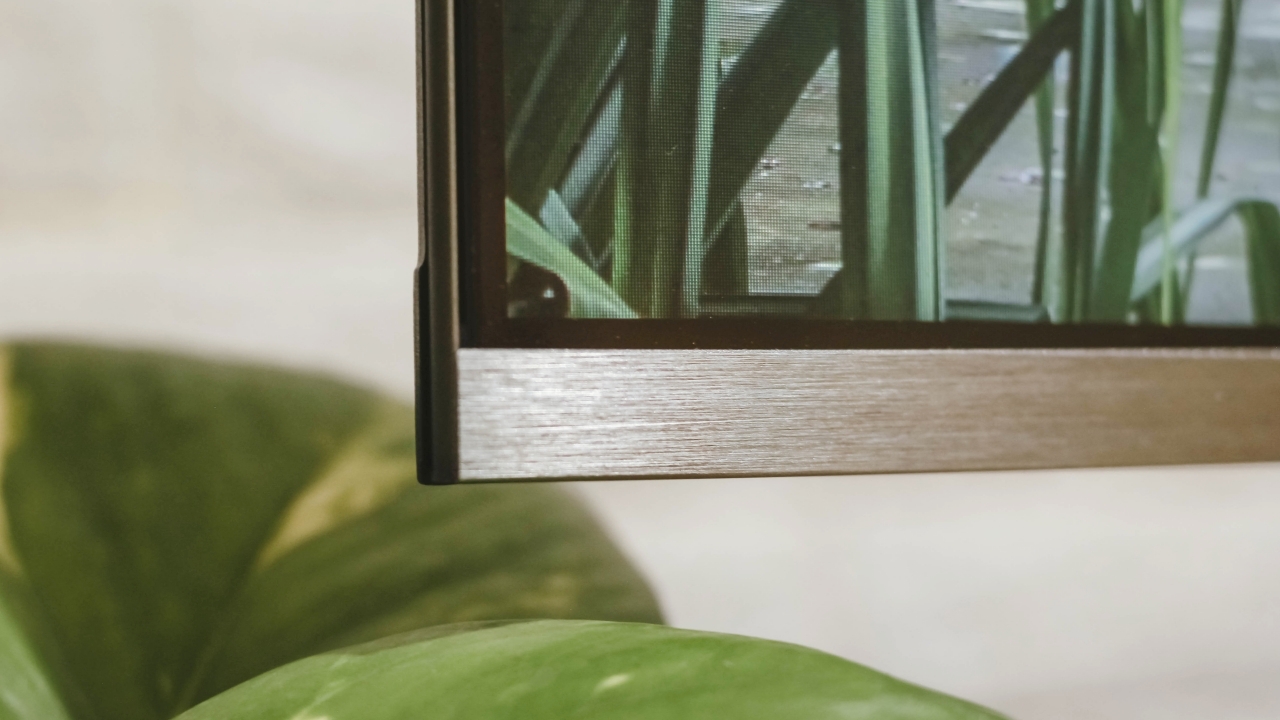
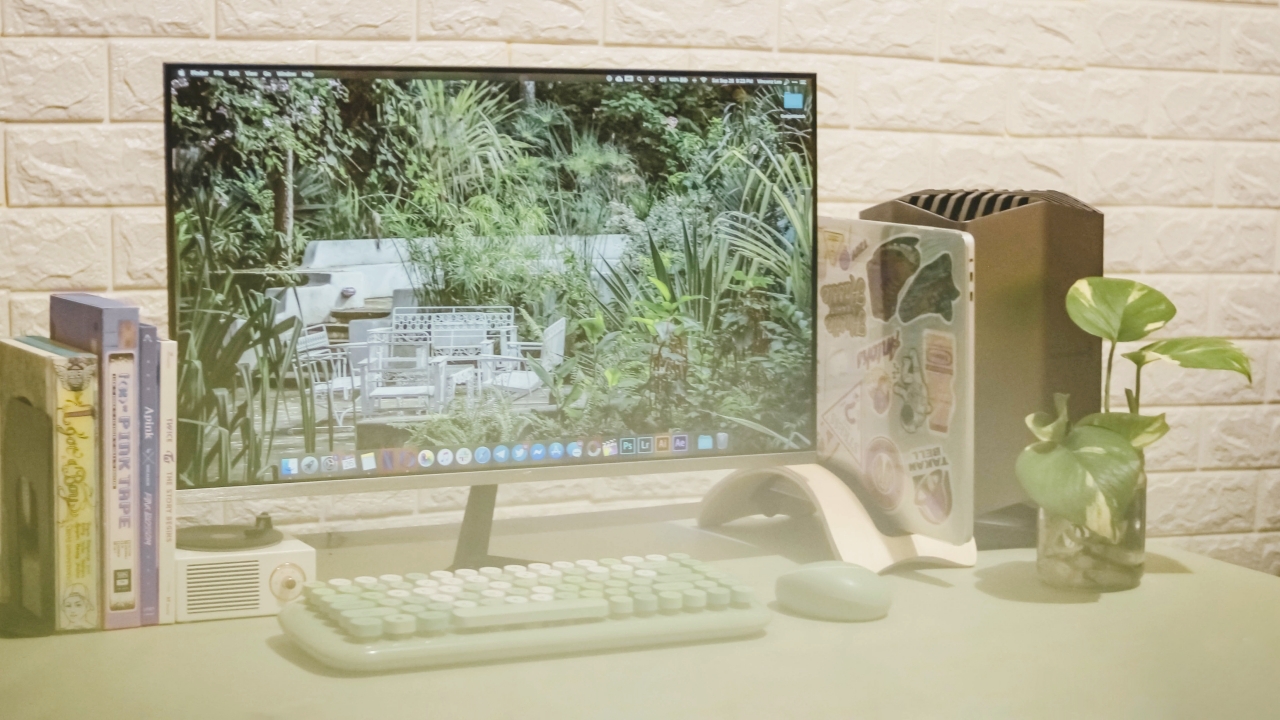
What I first liked about Armaggeddon’s Pixxel+ Pro PF24HD is its design. The massive 23.8-inch display almost feels like it’s floating because of the zero bezel design or what they call the “Infinity Frame”. Other monitors of the same price look bland with their plastic black frame and stand.
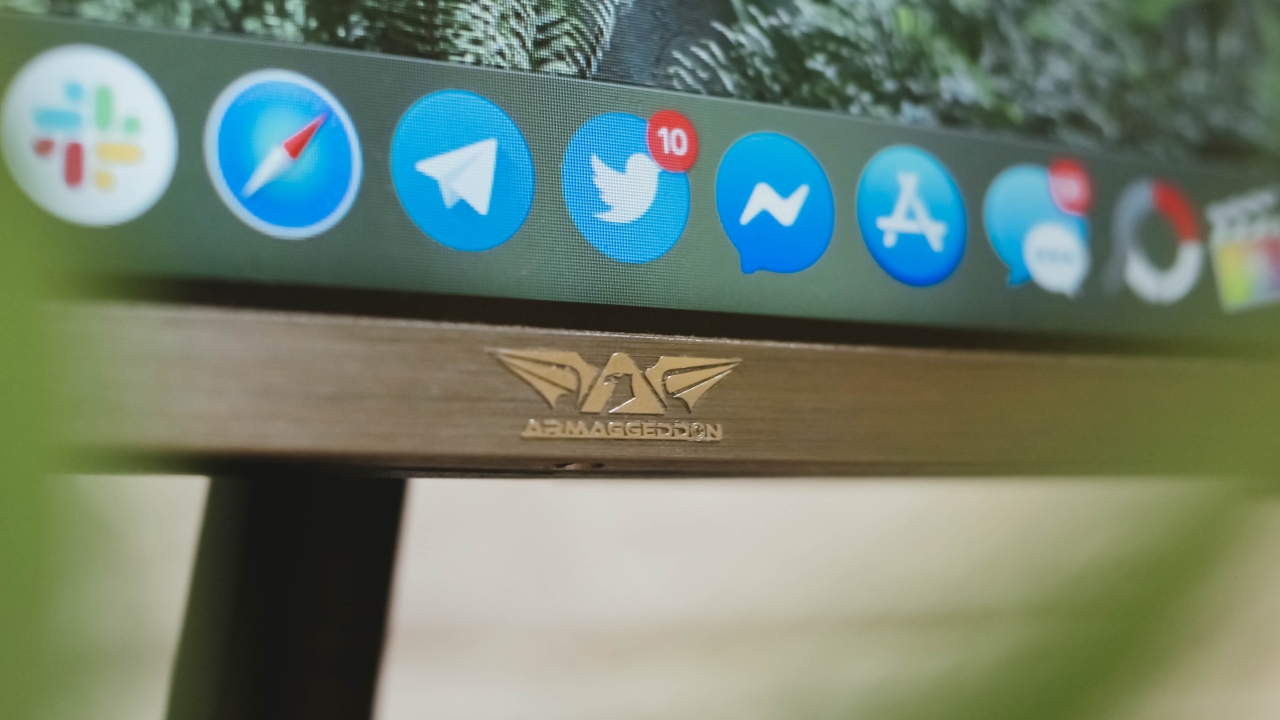
Armaggeddon’s logo may not be as distinct from afar but the silver emblem is a nice complement to the monitor’s brushed metal bottom bezel.
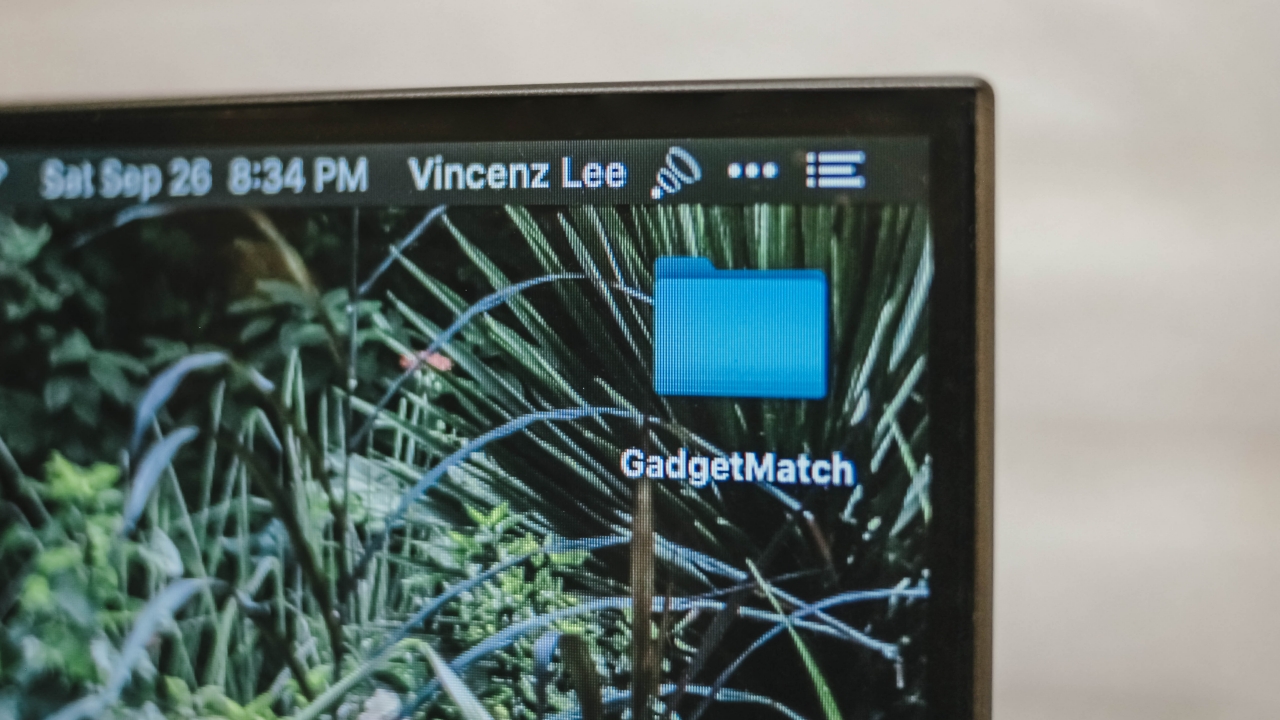
Its sides are truly ultra thin. The only thick part is at the bottom, which houses the monitor’s internals and holds the hefty metal monitor stand in place. Side-tilting isn’t supported but it can be tilted upwards or downwards at around +15/-5-degrees.
To make it more reliable, this monitor also supports a 75×75 VESA mount for better desk setups.
Ports and cables
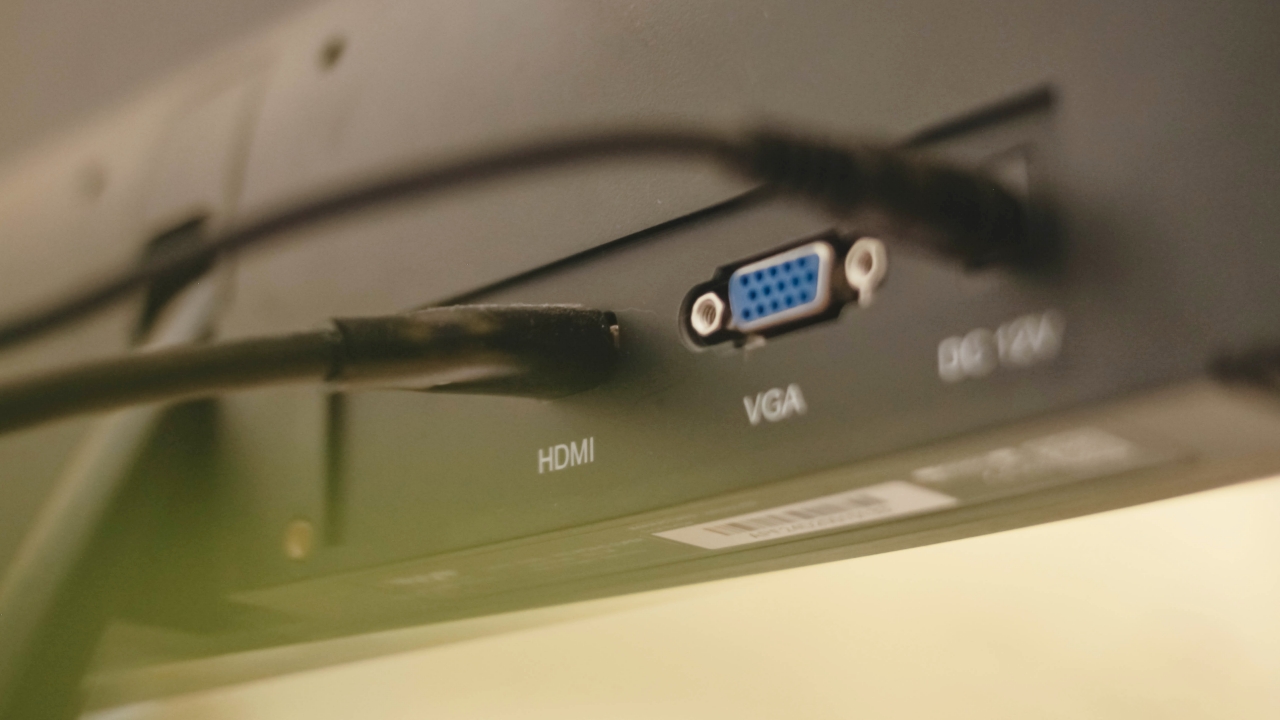
You get the usual port selections here. Out of the box, there’s an included 12V cable that powers the monitor through the DC port.
There’s also a bundled HDMI cable that you can connect via the HDMI port. This port is used for PC rigs, Playstation or Xbox consoles, and laptops that support it. There’s even an extra VGA port for older PC and laptops configurations with less fancy resolution output.
What you don’t get is a DisplayPort (DP) and an Optical Audio Output — which might be a dealbreaker for some of you. There’s also no room for USB-C port since having one would add more to its cost. For my part, I just use a Bluetooth speaker for loud music sessions or a pair of wireless earbuds when I’m editing.
Cable management is a little tricky though as it doesn’t include clips for fixing those cluttered cables behind the monitor.
Real IPS panel

There are different types of monitors out there that are being sold around the same price. You may have heard of them before: TN and VA panels are the most common in the list. They’re cost-efficient especially because they feature less bright and desaturated panels. But what made me choose the Armaggeddon PF24HD is the inclusion of a real IPS panel.
Just like in your smartphones, IPS displays offer excellent colors, contrast, and viewing angles. These are display features I’ve said from the very beginning that I need for the type of work I do.
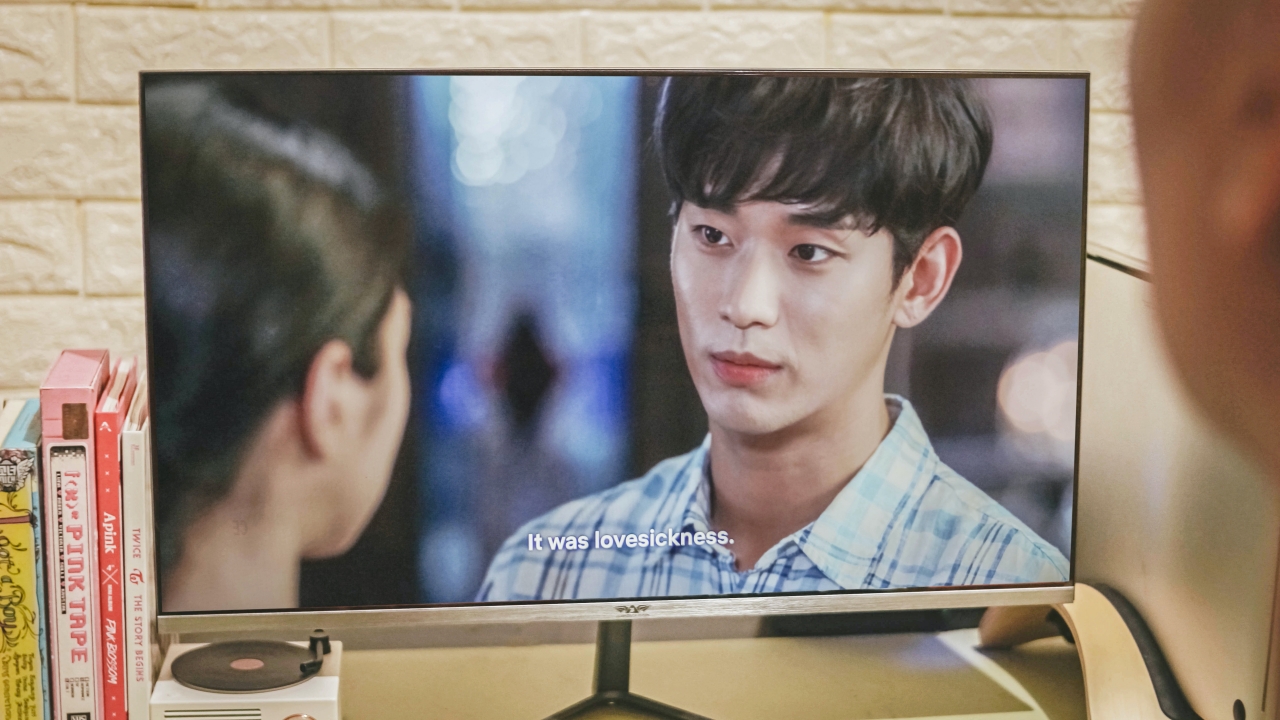
Yes. I’m still not over Ko Mun Yeong and Moon Gang Tae
For what its worth, the display is excellent. Colors pop while there’s little to no degradation when you look at the monitor even at the narrowest viewing angle. Other advertised “IPS” monitors I found online were just re-configured TN/VA panels with poor viewing angles and color accuracy. It’s not a good thing to fool customers with product misinformation.
With my desk setup facing parallel to the window, screen glare is unavoidable. But with PF24HD’s bright panel, it wasn’t that big of a deal for me. I even adjusted the monitor’s brightness from 70 down to just 40 because it’s just too bright for me.
In my case, my IPS panel doesn’t suffer from severe “backlight bleeding” that shows brighter areas near the edges among most IPS panels. A built-in Anti blue-light filter also comes handy to protect your eyes when using it.
True 75Hz refresh rate
During my time of comparing, I noticed that other popularly-branded IPS panels of the same price only feature a modest 60Hz refresh rate. Meanwhile, faster refresh rates of 75Hz and 144Hz are available but they feature TN or VA panels — which is a deal breaker for me (and if you were paying attention earlier, you already know why they’re not advisable for creative tasks).
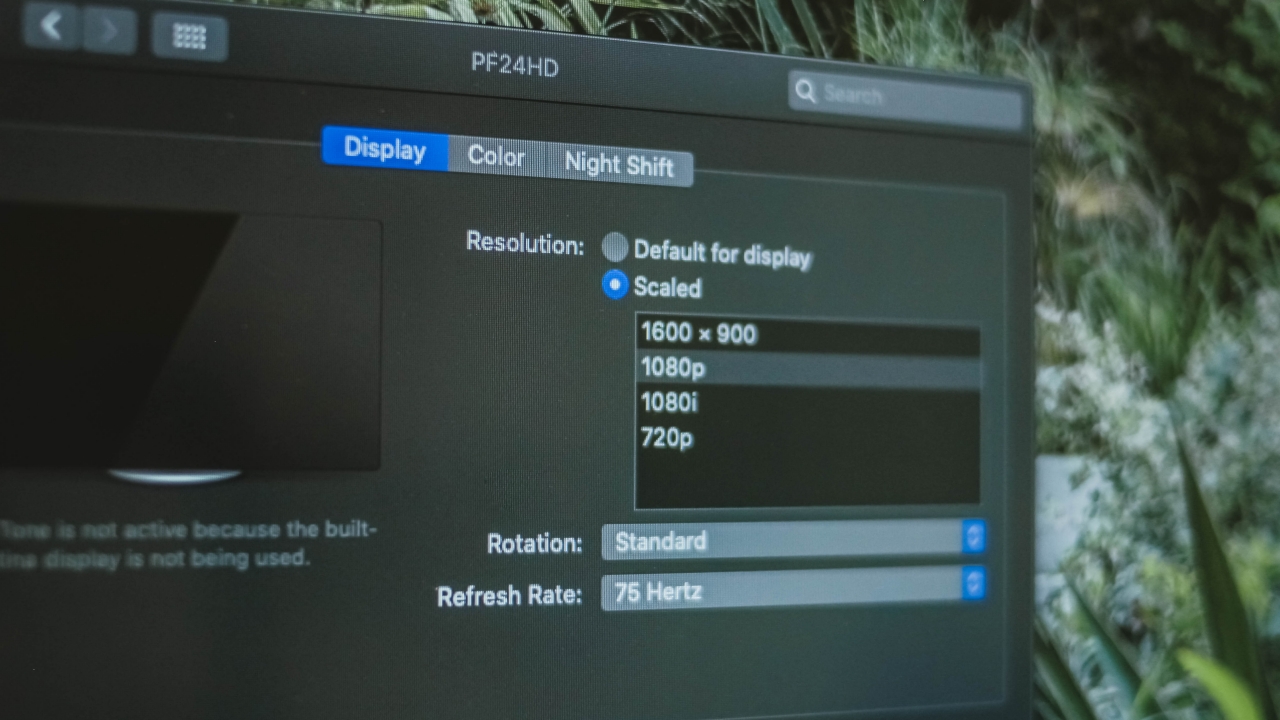
Having Armaggeddon’s 75Hz IPS panel is a true feat. I first tried it on macOS Catalina and I haven’t experienced any hassle after connecting my MacBook through the HDMI port. It’s automatically set to the highest refresh rate available.
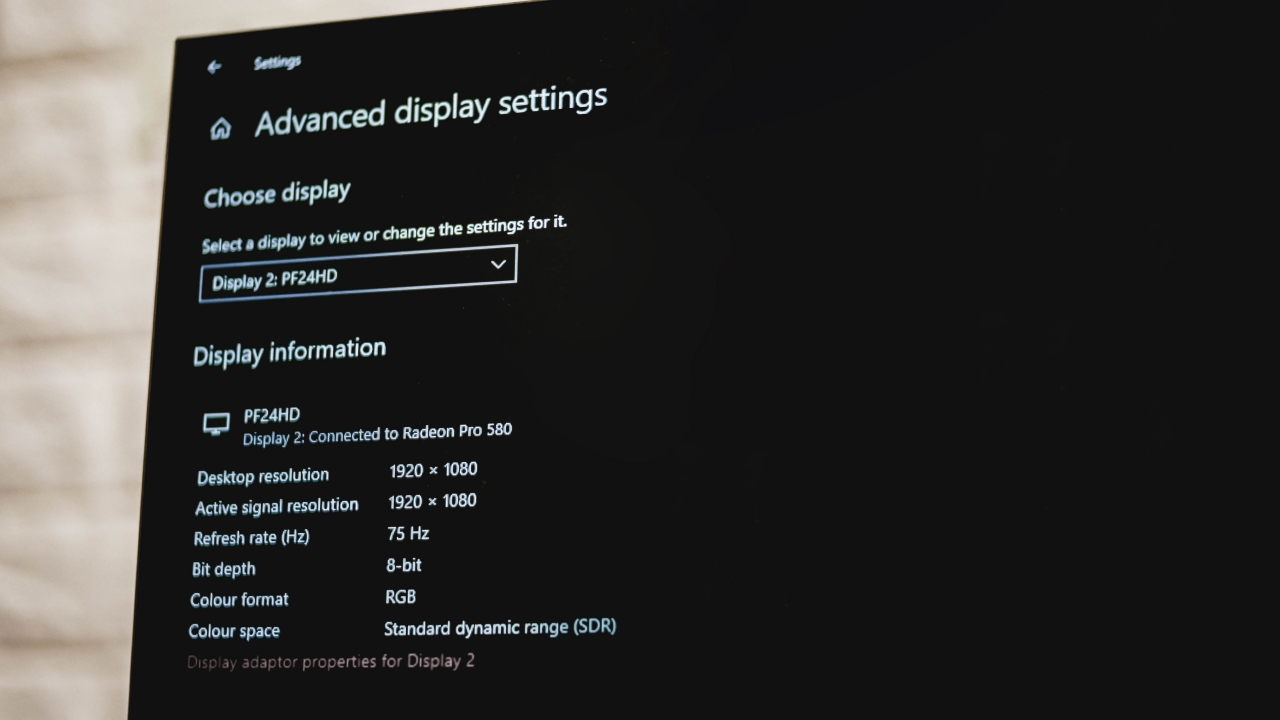
I was also able to run both of my MacBook Pro and eGPU through Windows 10 Bootcamp. Although this one is more of a complicated process before it actually detects and runs the external GPUs, the monitor detection together with its higher refresh rate setting worked for my case.
If you have a PC setup or a Windows laptop, I think you shouldn’t worry as your device will automatically detect the monitor through HDMI port.
Photo and video editing
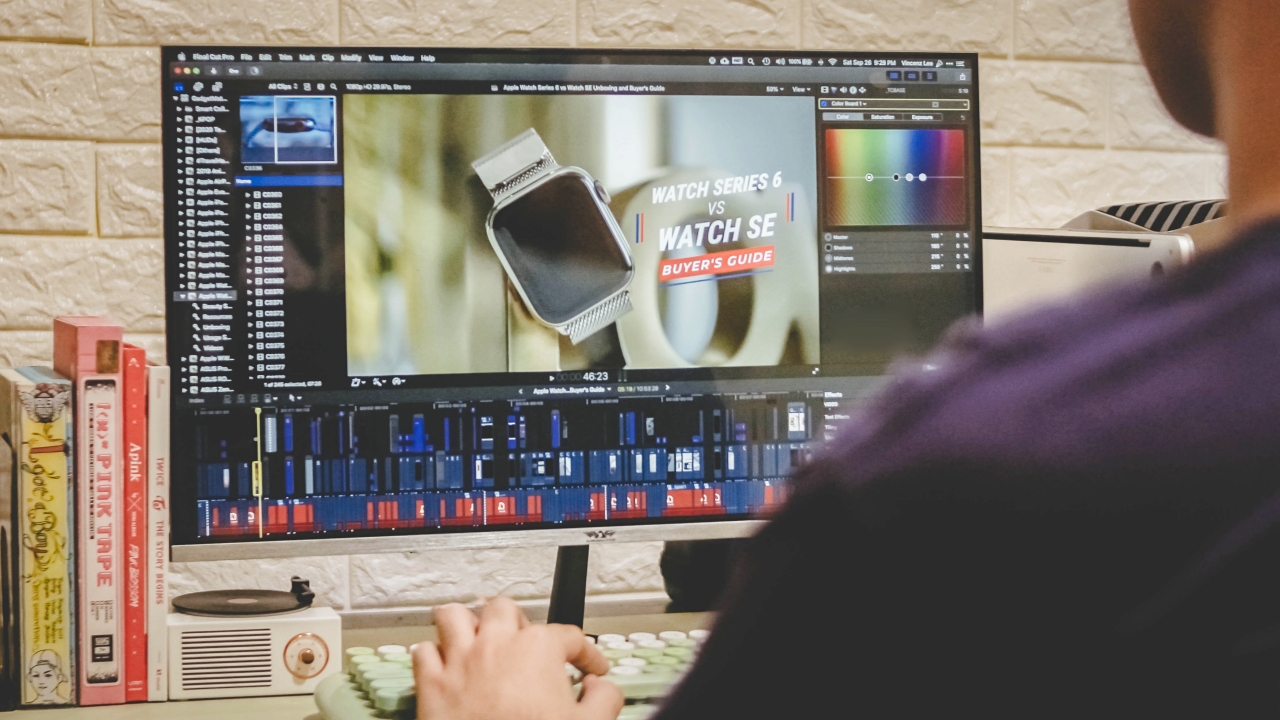
The main reason why I bought an external monitor is to maximize my screen workspace. Even if my 15-inch MacBook Pro displays a higher resolution while this 24-inch monitor only supports 1080p Full HD, it significantly improved my workflow when editing our YouTube videos through the latest update of Final Cut Pro. That added space for color correction, transition, and effects tab as well as the inspector and nearby windows really helped me work faster.
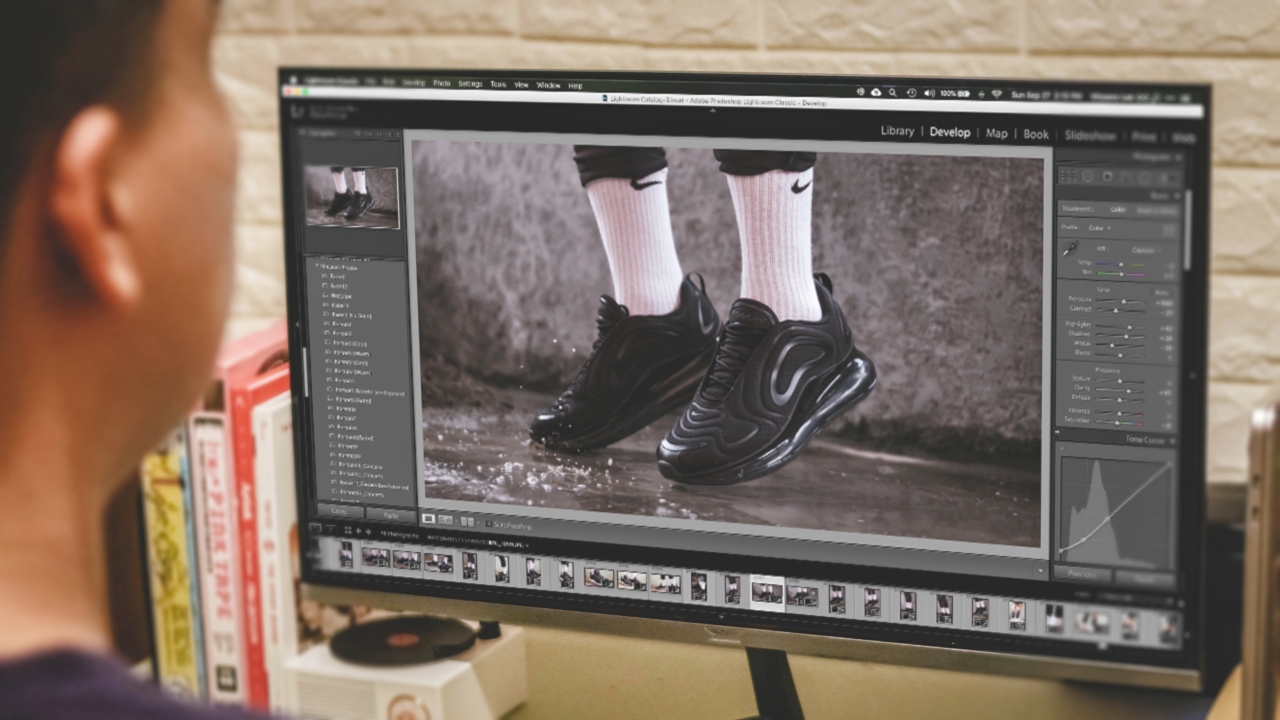
Other than that, I was able to post-process these shots for my Nike Air Max 720 review with ease. This is where color accuracy comes into play. Armaggeddon PF24HD’s IPS panel together with its 100% sRGB support helped in displaying the shot’s correct color information.
To maximize the monitor’s contrast ratio, I then changed the screen calibration. On macOS, I adjusted it through System Preferences > Displays > Color and set it to Apple RGB profile to show deeper grays and blacks and better red hues as well.
If that’s not enough, there’s also a contrast adjustment setting through the monitor’s native menu accessible via its joystick at the back.
Gaming

Gaming on a Mac was possible thanks to this fast 75Hz monitor. As said a while ago, I was able to run the MacBook Pro and eGPU configuration through Windows 10 Bootcamp drive. That gave me the ability to play GTA V (Grand Theft Auto V) at high graphics settings without any stutters and lags.
The monitor’s 75Hz monitor also worked like a charm. Having an AMD Radeon graphics card helped a lot especially because the monitor features AMD Freesync without the need for a DisplayPort.
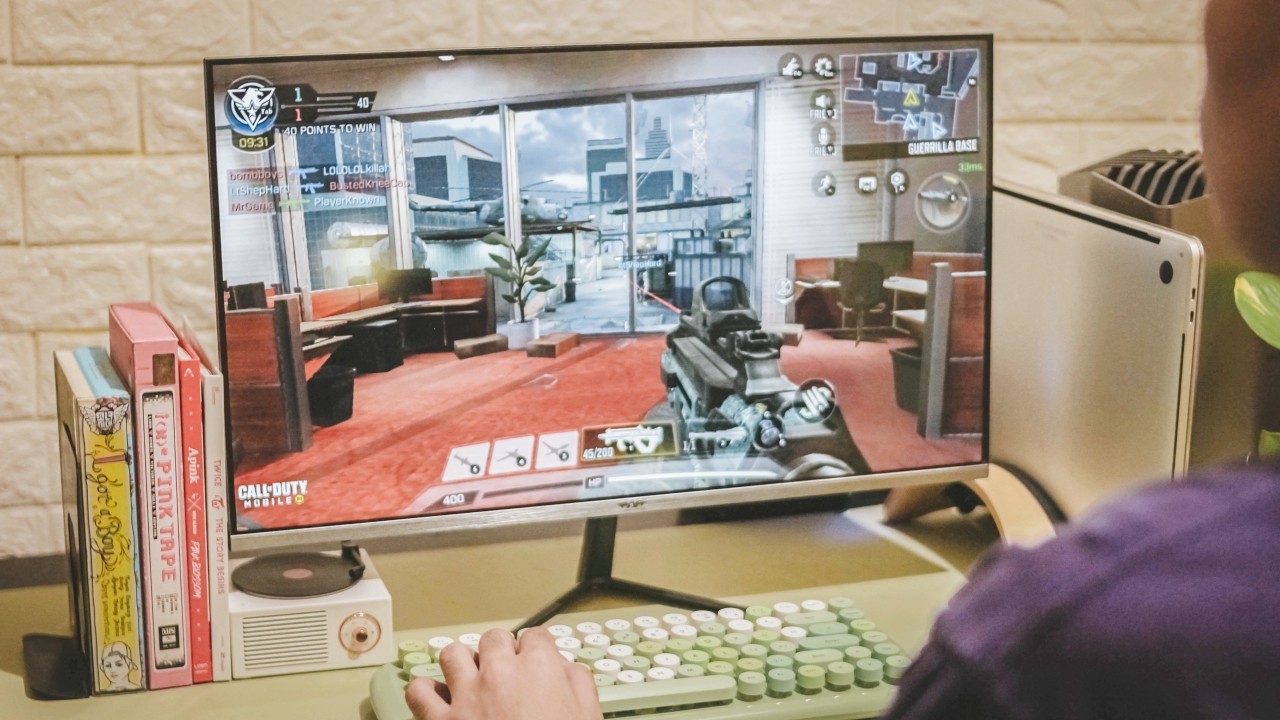
“Why is he playing Call of Duty: Mobile with such gaming setup?” — well, I know what you’re thinking. By installing GameLoop, I was able to test out CoDM with max graphics settings available. I know it’s a smartphone game but trust me, running it on a large 75Hz monitor is a feast for the eyes.
Its 5ms response time might not be as responsive as other 1/2ms-rated monitors but it’s ultra responsive especially when aiming and hitting opponents in the game.
A lot of users are hyping up curved monitors for a “greater” playing experience, but I oppose. The flat display with a 178-degree viewing angle still does the job of keeping you immersed when playing.
Is this your GadgetMatch?
In a sea full of well-known monitor brands, it’s hard to tell which relatively unknown brand delivers a better display quality at a reasonable price. Armaggeddon, being Singapore-based, gave me a huge assurance and relief. Not that I don’t support Chinese products but it’s hard to rely on products with negative reviews about false advertisements.

I’ve been using this monitor for more than a month now and it’s definitely worth your hard-earned money. If you’re like me who’s a creative that needs a reliable 75Hz IPS monitor on a budget, this is definitely one of, if not the, best options out there.
If you’re someone who’s planning to build a gaming setup with a limited budget on peripherals, this is also a great purchase especially with its fast refresh rate and response time.
In Singapore, you can buy the Armaggeddon Pixxel+ Pro PF24HD with a discounted price of just SG$ 169 that comes with a free BT150 soundbar. If you live in the Philippines, it’s being sold for just PhP 5,990 through a local distributor‘s Shopee page. You can click the hyperlinks to find out more.


Acer is expanding its storage lineup with the PA100 Portable SSD. It’s a compact external drive designed for users who need faster storage across multiple devices.
The PA100 uses USB 3.2 Gen 1 connectivity. It reaches sequential read speeds of up to 560MB/s and write speeds of up to 430MB/s. This makes it suited for everyday tasks such as transferring large files, backing up content, managing documents, and moving media between devices.
Up to 2TB of portable storage
The PA100 comes in three capacities: 500GB, 1TB, and 2TB. This gives users options depending on whether they need extra space for documents and schoolwork or larger collections of photos, videos, and project files.
Acer also designed the drive with mobility in mind. The PA100 has a slim 9mm profile and a lightweight build, while its reinforced construction is designed to withstand everyday travel and handling.
The drive comes with a 2-in-1 USB-C to USB-C and USB-A cable. This allows it to connect to compatible PCs, tablets, smartphones, and other devices without requiring a separate adapter. It also supports major operating systems and USB-C mobile platforms.
Designed for everyday use
Power efficiency is another focus. Acer says the PA100 uses less than 3W during operation, while idle power consumption can drop to as low as 0.62W.
The drive also features an optimized thermal design to help maintain stable performance during extended transfers and daily workloads.
The Acer PA100 Portable SSD is backed by a three-year limited warranty. Pricing and availability may vary by market.
Computers
New Mac mini starts at a whopping $899, only 256GB of storage
It comes with the M6 or the M5 Pro.


Almost two decades ago, Apple was infamous for being an anti-gamer brand. Though the company’s devices touted superior protection against viruses, they couldn’t play video games, alienating a significant chunk of the population and forcing them onto PCs. For a while now, the Mac has changed the status quo, bringing in more powerful hardware that can play games. Today, Apple is championing that cause further through the newly launched Mac mini.
Compared to the chunkier Macs, the Mac mini has a lithe 5” x 5” profile, emphasizing the “mini” in its name. Despite the size, the new mini will tout two flavors of Apple silicon: the M6 and the M5 Pro.
The M6 variant delivers with up to two times faster gaming performance with ray tracing when running Cyberpunk 2077: Ultimate Edition, compared to the previous M4 version. Meanwhile, the M5 Pro version touts up to 4.5 times faster rendering performance with ray tracing in Blender, compared to the M2 Pro. It will come with macOS 27 Golden Gate out of the box.
You won’t have to worry about connectivity, either. The Mac mini comes with compatibility for Wi-Fi 7, Bluetooth 6, and 2.5Gb Ethernet (going up to 10Gb in upgraded versions). It will also have two USB-C ports, three Thunderbolt 5 ports (but only Thunderbolt 4 for the M6 version), and HDMI port, an Ethernet port, and a headphone jack.
Unfortunately, price seems to be another thing that it’s getting from PCs. The new Mac mini has an increased starting price. Specifically, the M6 version starts at US$ 899 (with only 256GB of storage), and the M5 Pro version starts at US$ 1,699 (for 512GB of storage). Preorders are open now, but they ship out on September 22.
SEE ALSO: Apple raises the prices of iPad and MacBook lineups
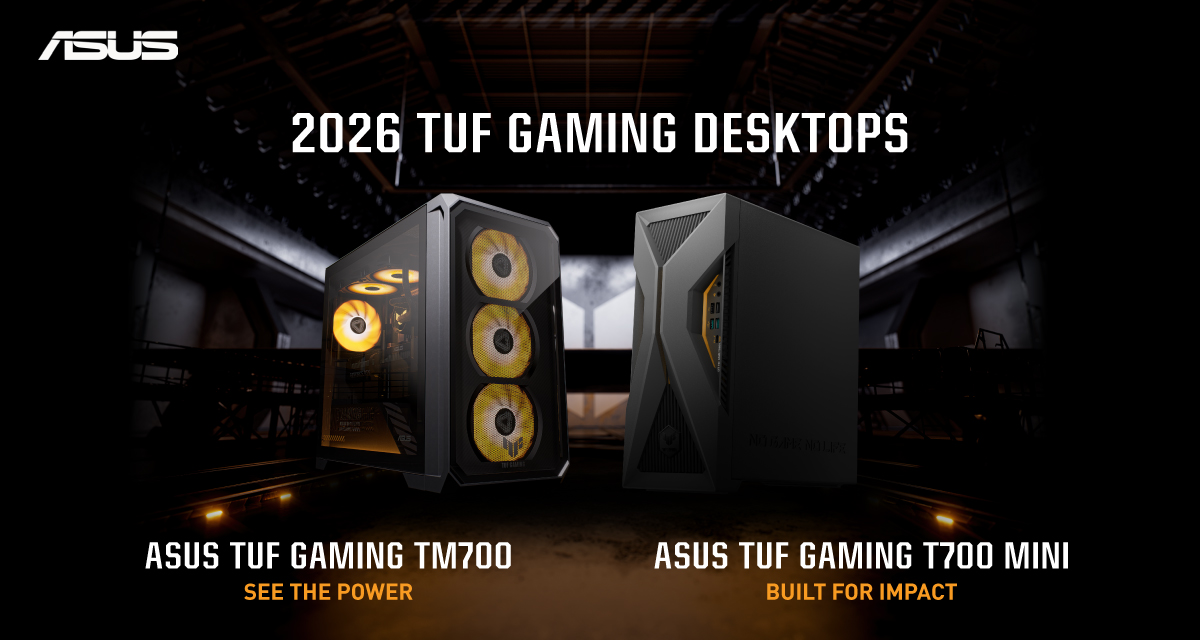
ASUS has announced the arrival of its latest TUF Gaming desktop lineup models: the TUF Gaming T700 and TUF Gaming T700 Mini.
These new offerings bring heavy-duty performance and military-grade durability to gamers, engineered to endure extreme operational demands while delivering rock-solid stability.
The new ASUS TUF Gaming T700, in particular, is engineered to take on modern AAA titles with its uncompromising performance.
It has an aggressive mecha-inspired MIL-STD chassis, including a transparent side panel to put powerful components on display. Vibrant orange ambient lighting also adds a bold finishing touch.
Inside is an AMD Ryzen 7 8700F processor and up to an NVIDIA GeForce RTX 5060 Ti GPU for high-frame rate gaming.
The T700 also features a robust thermal solution equipped with quad 65 CFM fans and a 240mm liquid cooler.
Meanwhile, the TUF Gaming T700 Mini is tailored for competitive gamers while maintaining a compact, battle-tested chassis.
It has an Intel Core Ultra 5 225F desktop processor, paired with with NVIDIA GeForce RTX 3050 graphics.
This combination provides seamless multitasking, crisp visuals, and reliable frame rates across today’s popular titles.
The internal hardware is cooled by a custom thermal matrix featuring dedicated copper heat pipes and a heavy-duty 90mm cooling fan.
True to the TUF Gaming legacy, the T700 Mini is likewise MIL-STD tested to endure extreme operational demands.


DJI Lito X1 review: Is this the best lightweight drone for creators?
Making a strong case as a travel companion and a capable B-cam!


REDMI Note 17 Pro Max review: A new breed born from AI greed
Welcome to the new normal


Marvel’s Wolverine review: When the claws come out
A brutal, cinematic superhero adventure

70mai launches the A900 series with 4K front, rear recording

Dune: Awakening makes it way to the PS5 and Xbox Series X

The Kia EV3 brings gallery-worthy design in a compact electric form

vivo introduces OriginOS 7 with smarter multitasking and AI features

vivo X500 Series launches with major imaging upgrades

realme 16T 5G with 8000mAh battery, IP69 Pro rating launches in PH

HUAWEI Pura X View is 2026’s first WIDE slab-type smartphone

REDMI reveals the refreshed Note 17 and Note 17 Pro series

REDMI Note 17 Series: Price, availability in Singapore

The CAMON Slim 5G is TECNO’s latest ultra-slim smartphone


-

 News2 weeks ago
iPhone 18 Pro series: Price, availability in the Philippines
-
 Singapore2 weeks ago
iPhone 18 Pro series: Price, availability in Singapore
-

 News2 weeks ago
iPhone Duo: Price, availability in the Philippines
-

 News2 weeks ago
iPhone Duo: Price, availability in Singapore
-
 News2 weeks ago
vivo introduces refurbished versions of X300 FE, X300 Ultra for less
-

 Accessories2 weeks ago
CASETiFY upgrades iPhone 18 cases, teases iPhone Duo lineup
-

 News2 weeks ago
HONOR teases Magic9 Pro Max at Venice
-

 Editors' Choice2 weeks ago
GadgetMatch Awards: Best of IFA 2026