
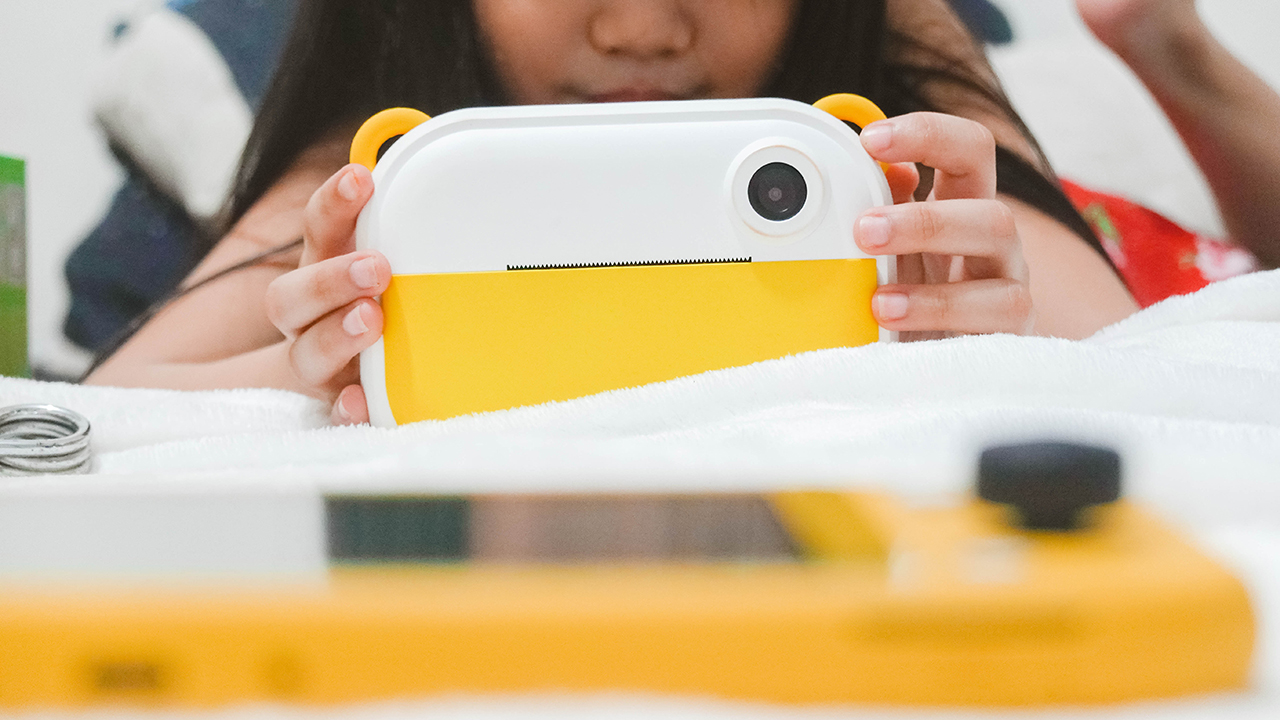
Cameras
myFirst Insta Wi: For the love of labels, prints, and photographs
Here’s a camera and printer in one!

Kids nowadays are neck-deep into technology — smartphones, tablets, smartwatches, television, and other forms of tech in our day-to-day lives.
Being the legal guardian of my seven-year-old niece is tough, especially since my work involves the latest devices in the consumer technology industry. She has access to all the newest and coolest gadgets in the market more than her peers.
What worries me is that I’ll have a hard time encouraging her to be more present, disconnect, and have fun offline. So when Oaxis Singapore reached out for their Kickstarter campaign, I was ecstatic. An instant camera and printer in one could be the solution to my woes.
A bit of history
Before we dive in, let’s have a bit of a background about myFirst. It’s a kids technology brand under Oaxis, founded by a team of super dads who aim to bridge the gap between tech and the toys we used to love.
There are a lot of issues that almost every parent has when it comes to gadgets. These include security in using technology and against online risks, being a factor in a child’s learning process, possible addiction, and safety from hazardous materials. This is what myFirst has been trying to address ever since they launched the myFirst Camera. And it continues to do so with the newest Insta Wi.
So, what is this Insta Wi?
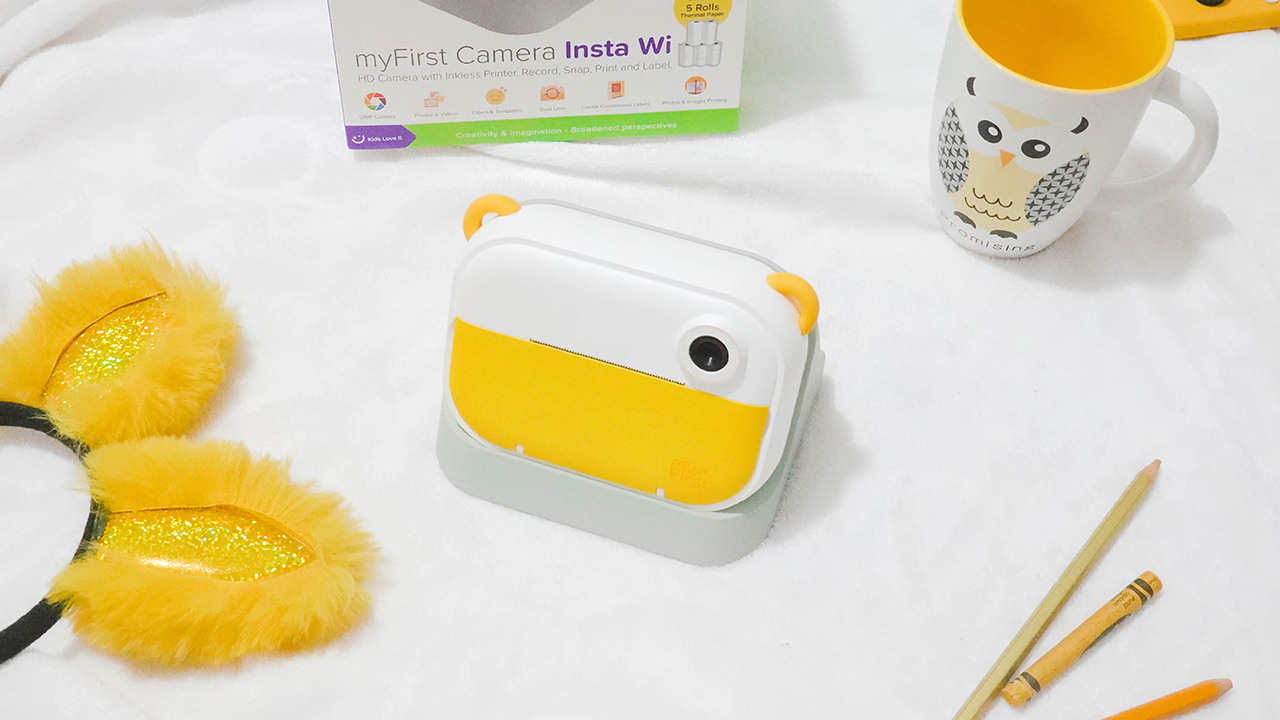
The Insta Wi is myFirst’s newest camera — an all-in-one device that lets you take photos and videos, and print pictures and labels.
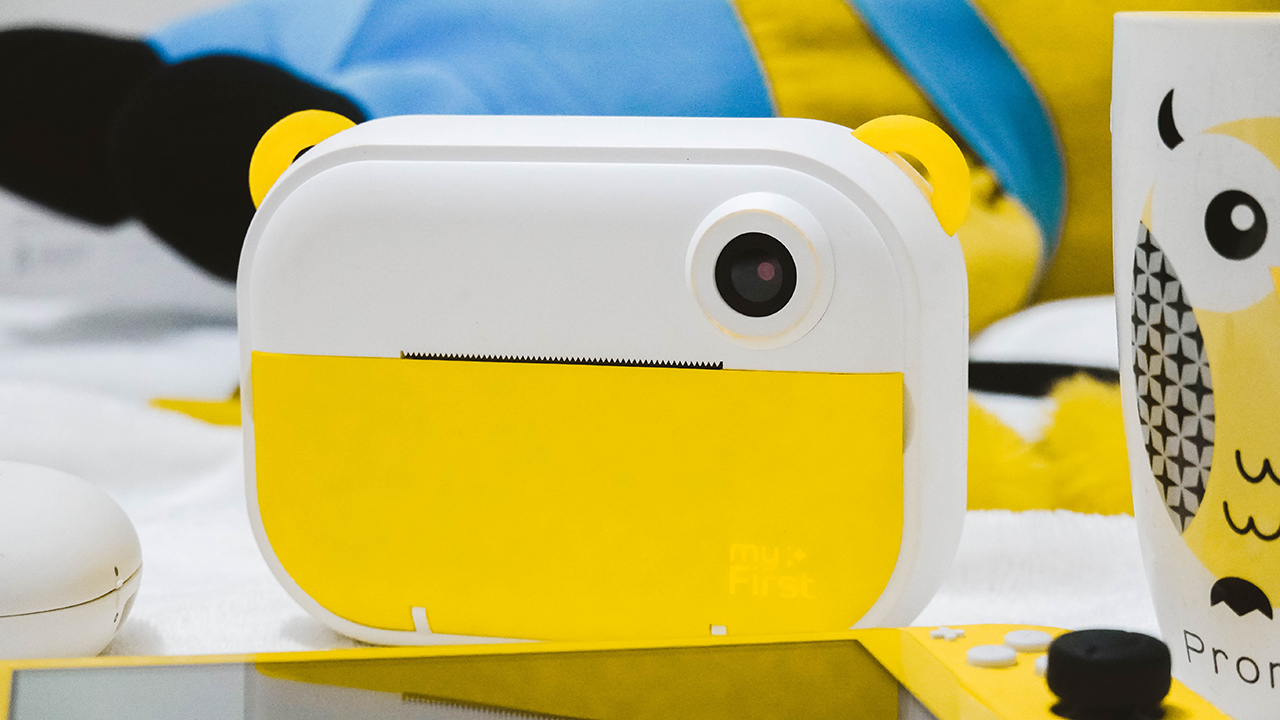
It comes in an adorable, familiar shape with a yummy yellow colorway. Seems familiar? The color follows after the Pantone Color of the Year 2021.
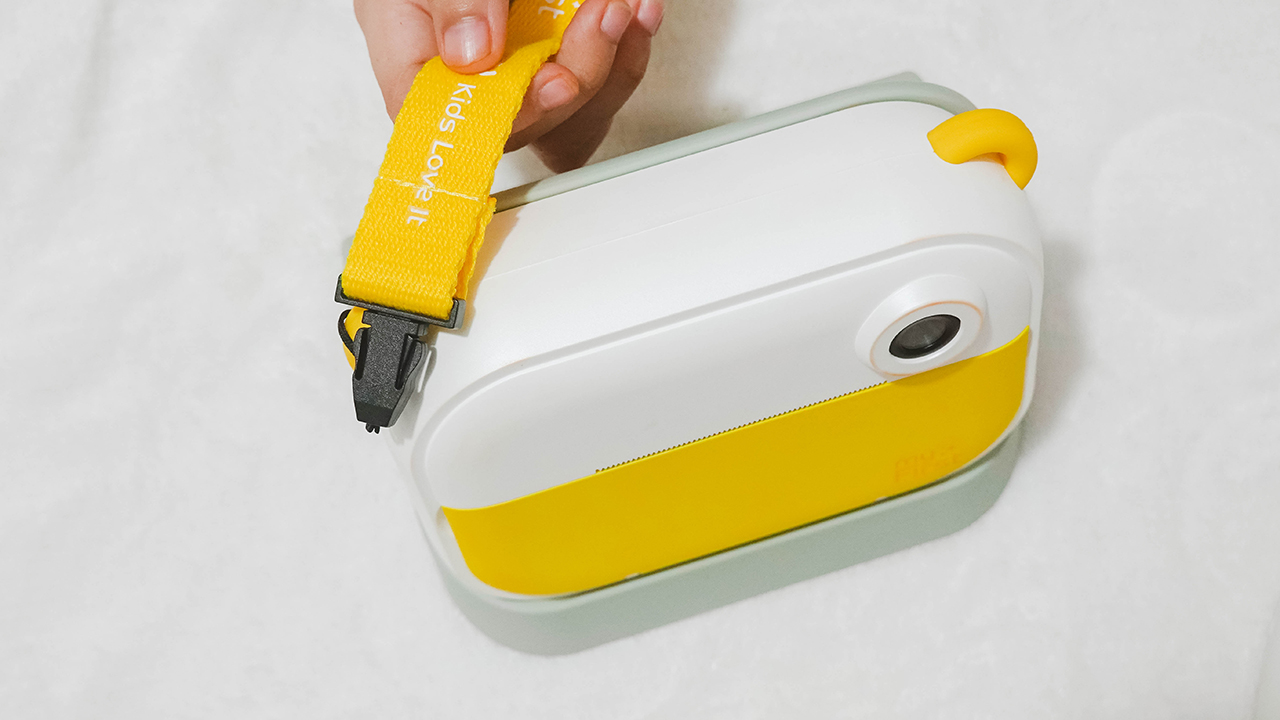
It has little ears where you can hook some straps so you can bring the device wherever you go without worry.

On its front, you can find its 16-megapixel rear camera together with the printer.
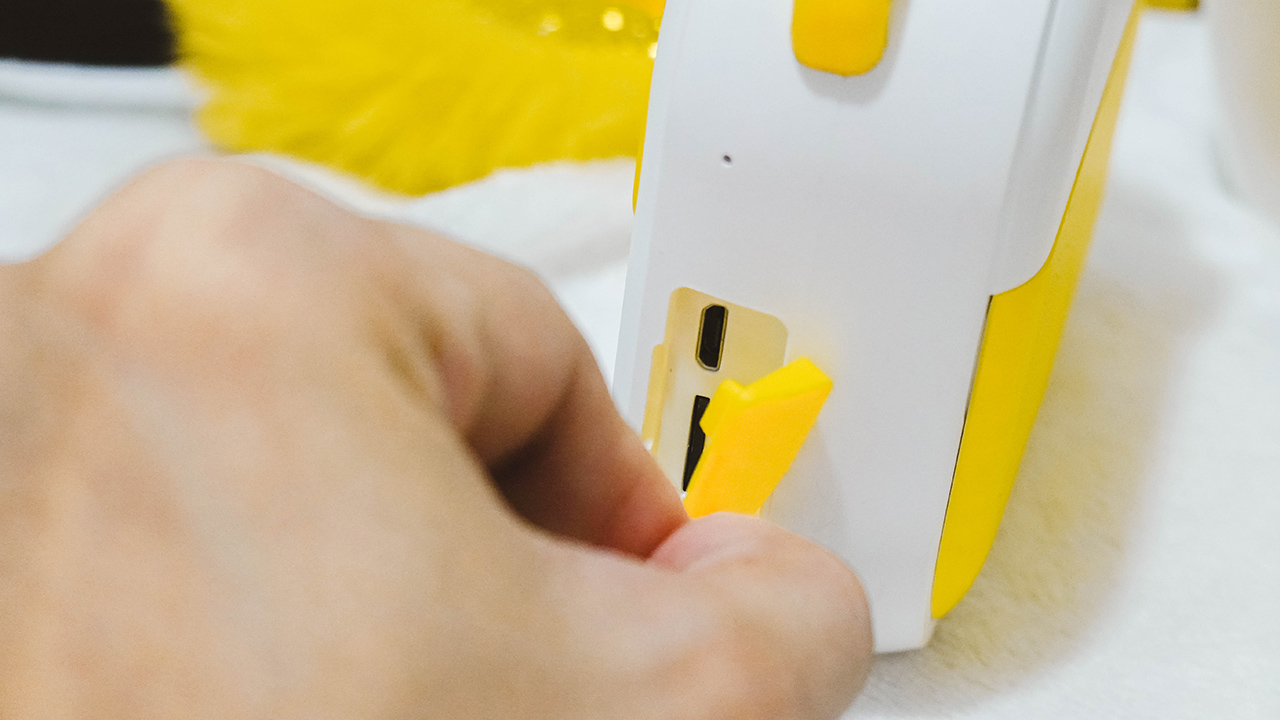
Moving to its sides, the right part has a mouthpiece and a slot for the micro-USB port and memory card, covered by a yellow silicone flap.

The other side comes with its speaker grilles.
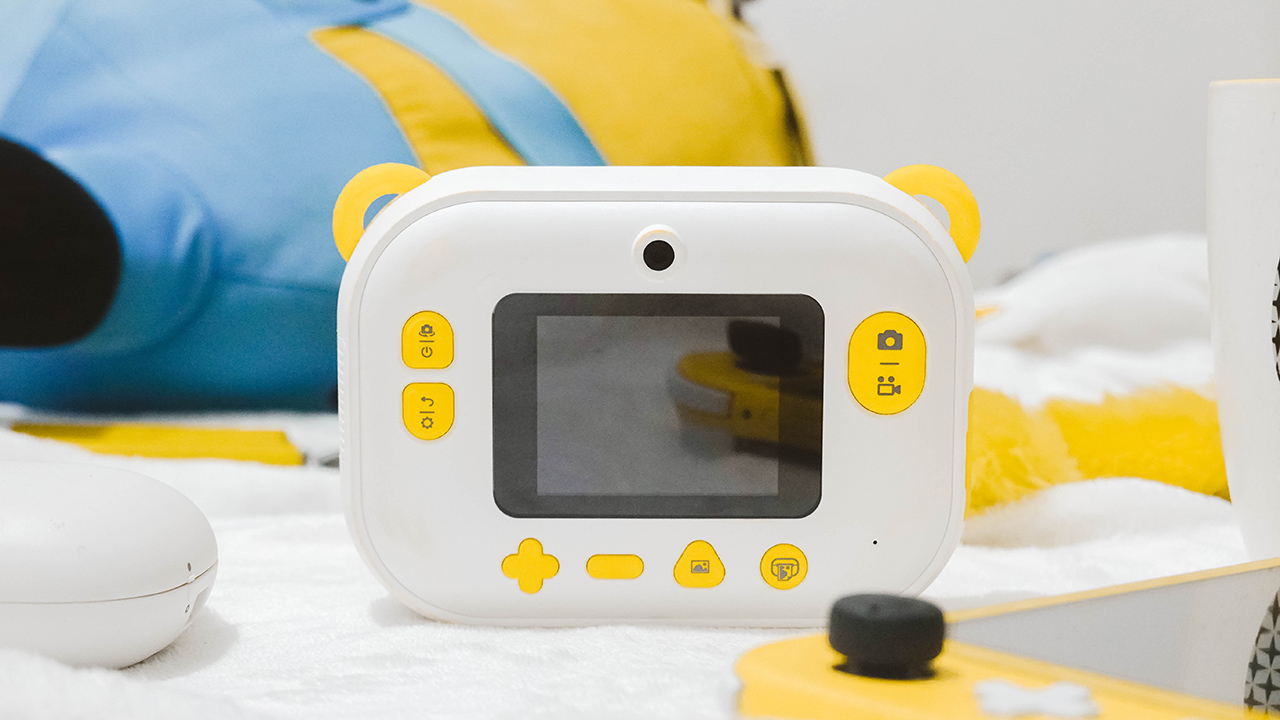
On the back, you can find its selfie camera above the 2.4-inch IPS LCD screen, surrounded by plenty of buttons for navigating the device and doing its function.
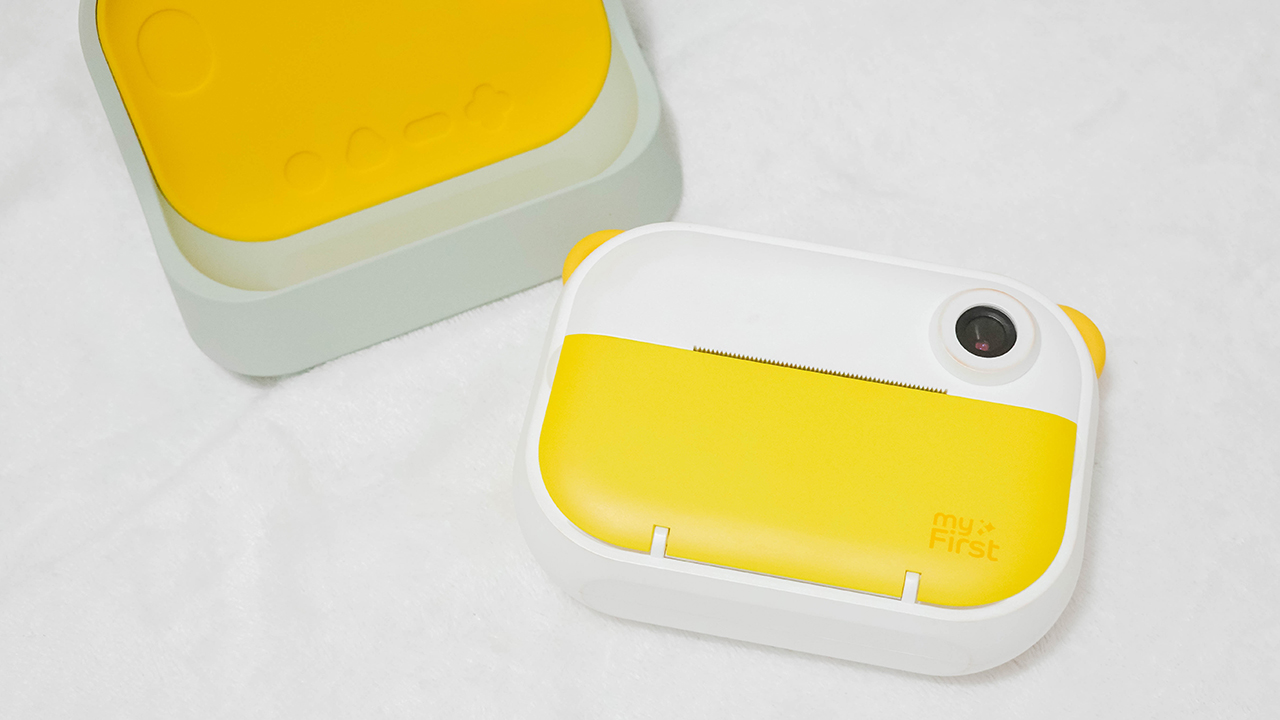
It also comes with a dock that doubles as its protective case and holder for kids to grip easily.
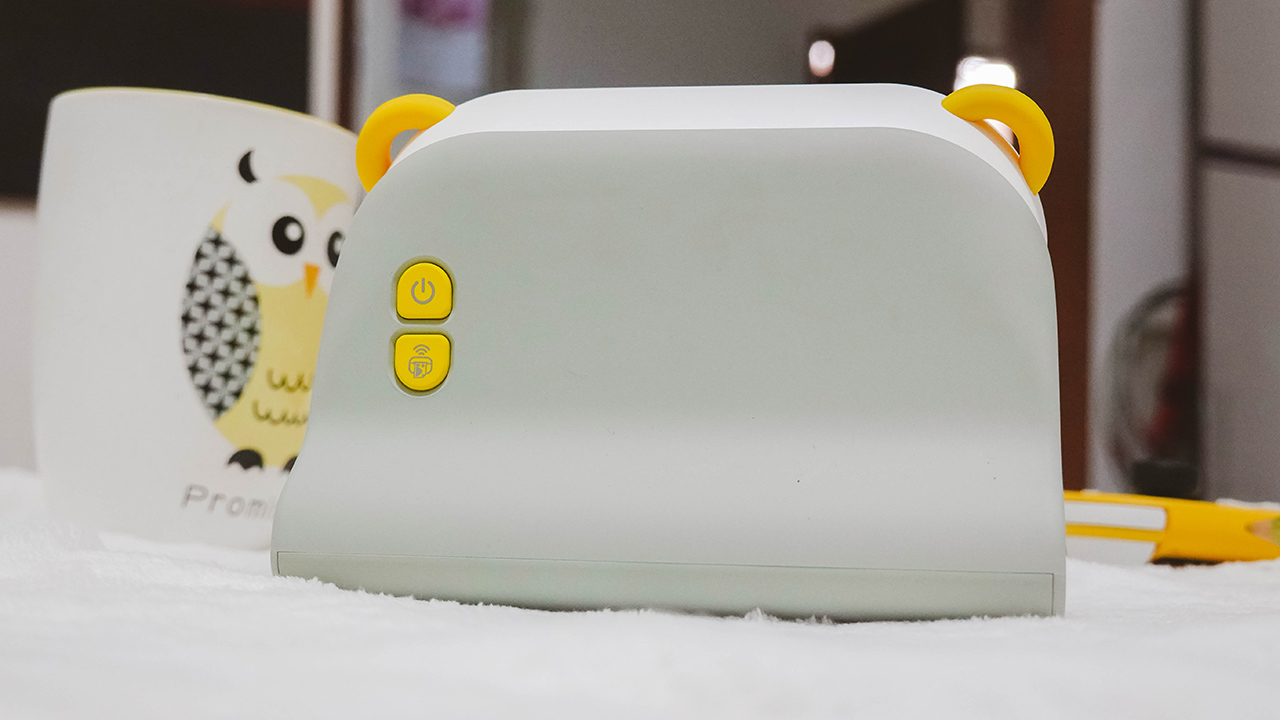
The case has two instant buttons on its back: a power button and a wireless print option.
Playing around
So let’s dive in on what this all-in-one device can do for you or your kid. You can boot the device by pressing the power button on the left side of the screen. When it’s opened, it will automatically use the selfie shooter. If you aim to use the rear camera, flip it through the same button you used to boot the device. You just need to click it to switch, since pressing long will shut it down.

On the right side of the screen are buttons that let you capture photos and videos. It’s the same process as the power button; the icon on top requires a single click while the icon below requires a long press for it to work.
The button below the power toggle is for the back option and settings. You can change the printing density, or switch the photo resolution between 6M (3280×1848), 9M (4000×2248), and 12M (4032×2880). Just make sure to use the plus and minus sign as the up and down buttons, and the camera button as a replacement to the usual “enter” sign.

Other settings include video resolution options (VGA, 720P, and 1080P), language setting, sound, date and time, wireless connection, and format option. The other buttons below the screen let you access the gallery and print photos, assuming you have inserted a roll of paper.
Thermal printing!
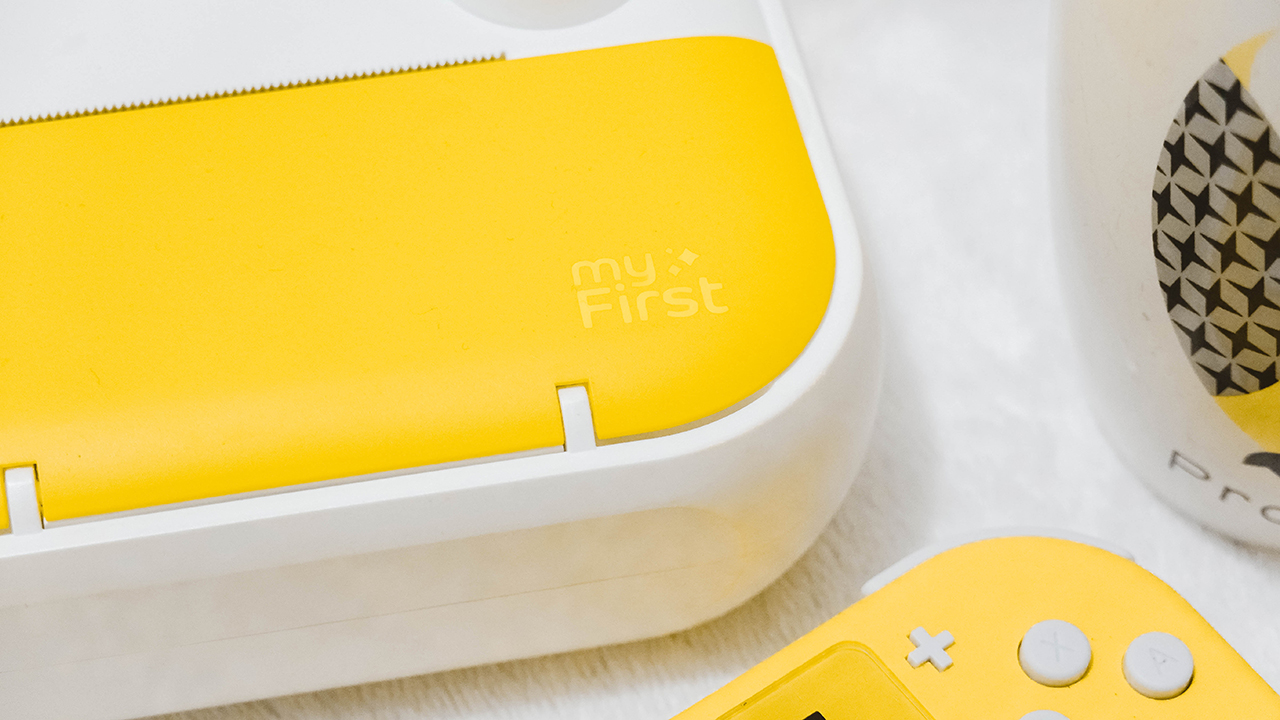
Let’s go back to the front and figure out how to print and insert a roll of paper. First, you need to open the yellow cover by pulling it from the side.
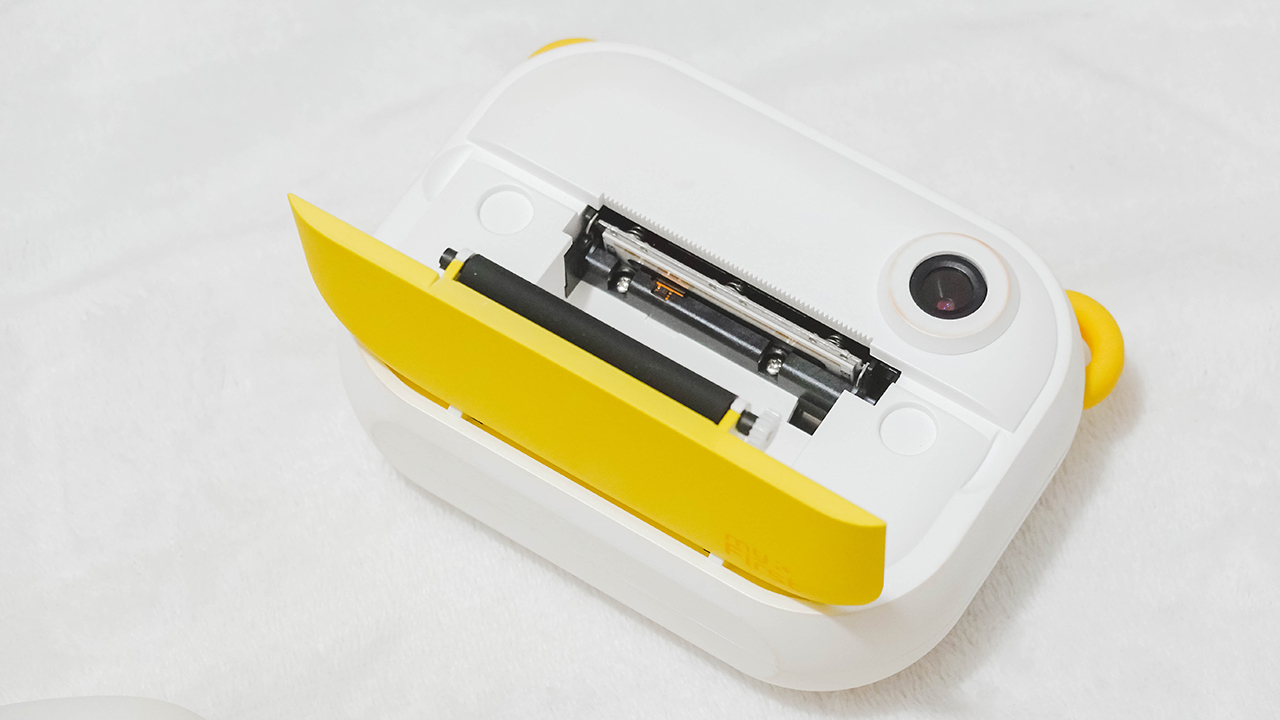
Once opened, you’ll find a slot where you can insert the rolled thermal paper included in the box.
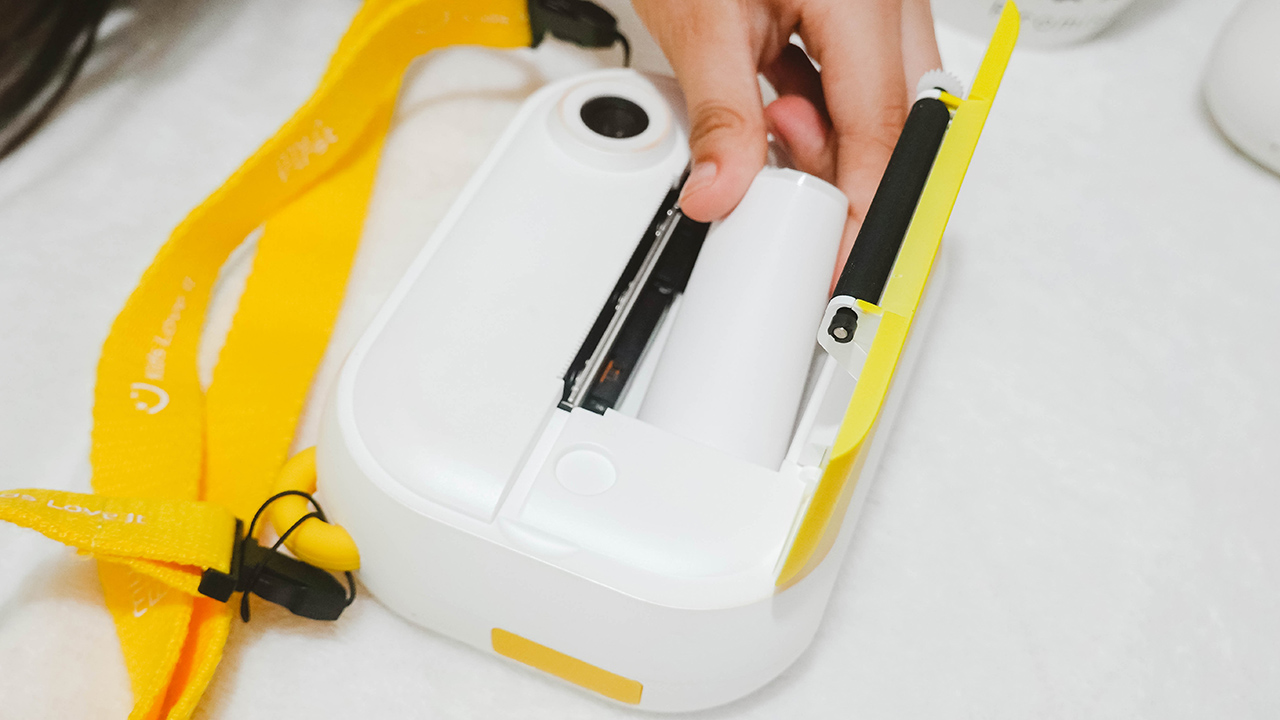
Of course, you have to insert the rolled thermal paper so we can get things rolling. Remember to remove the sticker and put the edge to the opening so the printer can detect the paper.
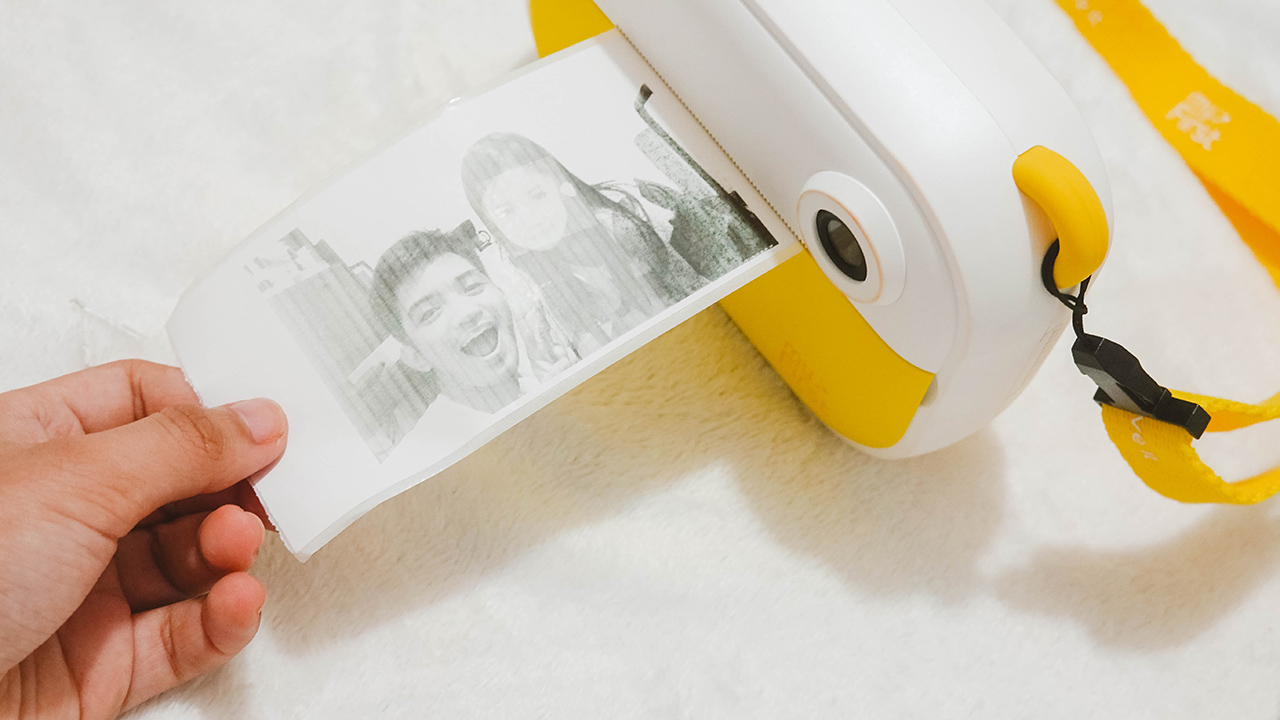
Once you’re set, you can check your gallery and click the print button. Printing doesn’t take long, ten seconds top. The results aren’t quite lovely, since we’ve covered thermal printers before that have clearer and firmer results.
Although, that’s only an inconvenience for adults. When my niece used the printer to make physical copies of her photos, she was astounded. The key here is making the kid indulge and have fun using technology.

To make things more adorable, the package comes with colorful stickers to adorn your prints and labels.
Needing labels
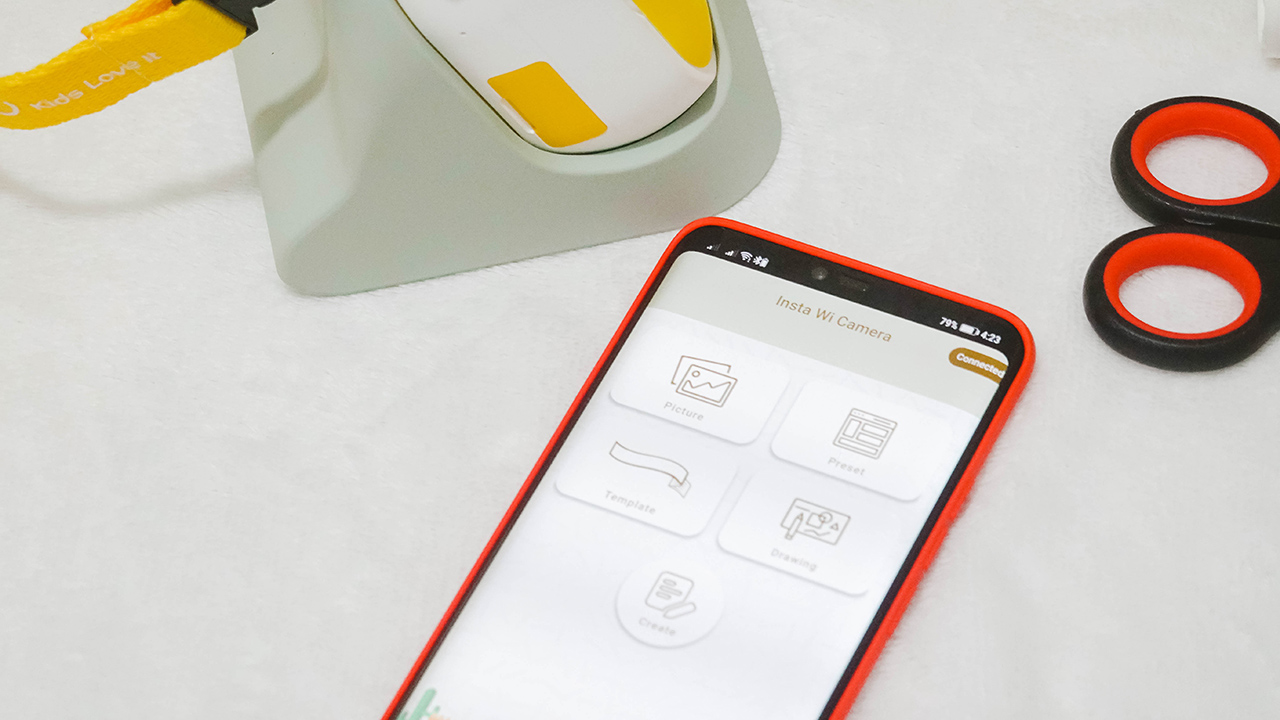
If you don’t have a label in your life, then that’s a problem. Kidding aside, the Insta Wi prints not just photos, but labels, too. You can download the myFirst Insta Wi app on the App Store and the Play Store.
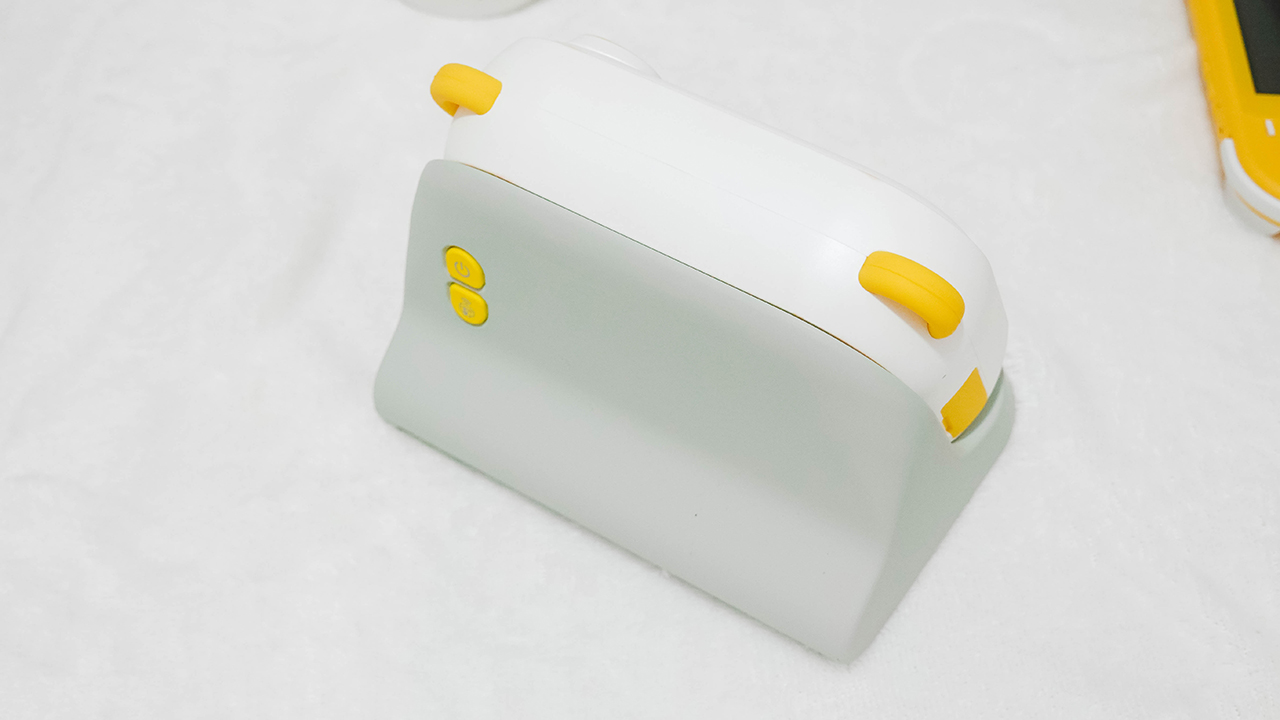
To make it work, remember to turn off the camera (if you have it on), and place it on the dock. Then, turn it on again through the power button and press the wireless print option.
This enables Wi-Fi connectivity so you can connect both your smartphone and the Insta Wi. It took me a few minutes connecting both, but when I succeeded — everything was just seamless.
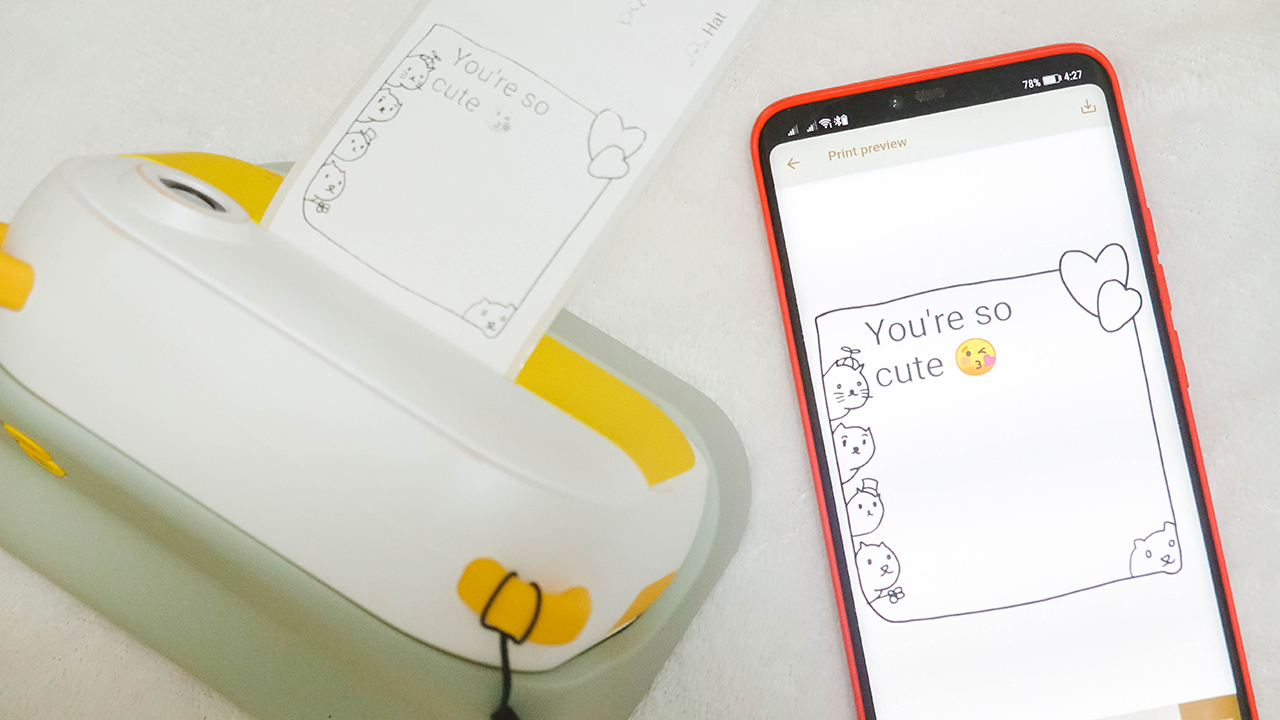
There are so many things you can do using the app. I even asked my niece to write something and use a layout so that the print looks cute.
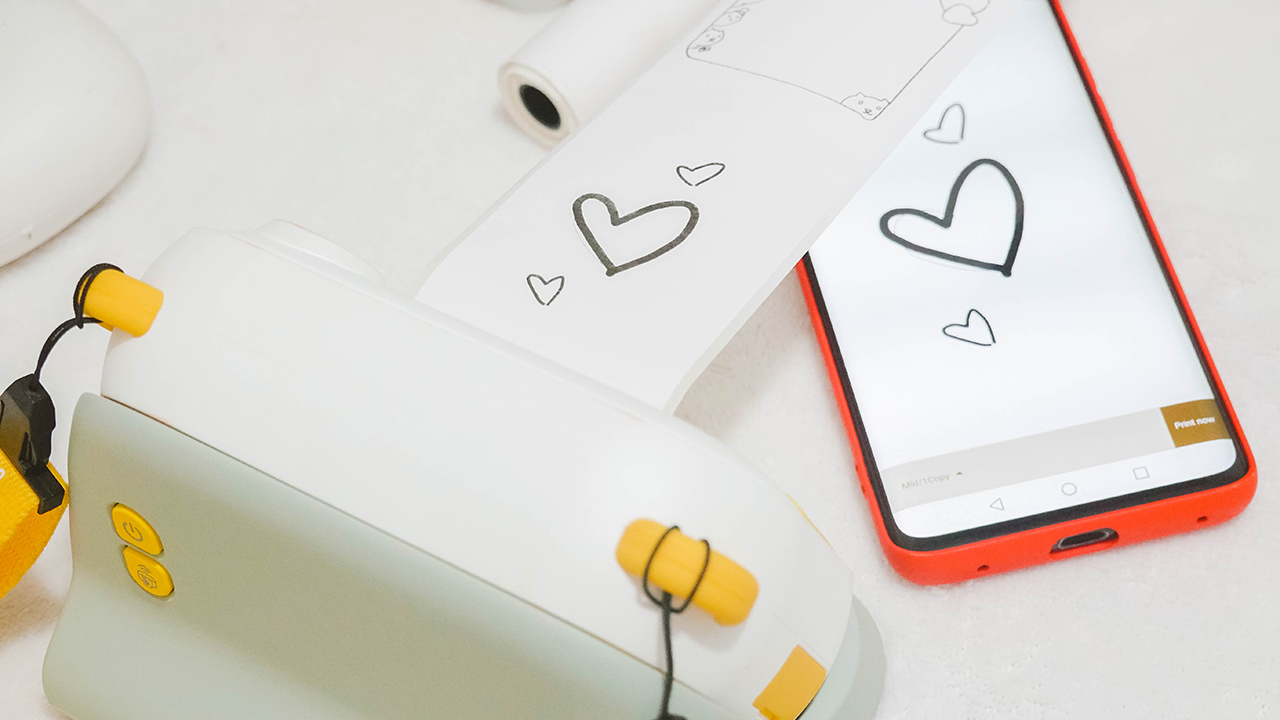
If you have a Galaxy Note or a tablet with pen support, it would be perfect to draw on the app and have it printed to give a handwritten and personal touch to your labels and prints. Nonetheless, fingers do well on any smartphone if you’re creative enough.

There are options to make a label, layout a design, and even add filters to your existing photos through the app — and you can print it easily and continuously. I would advise cutting the rolls using a cutter or a pair of scissors since the thermal paper is tougher than it seems.

For those who want to make things a little bit personal, you can print old photos from your phone. The thermal prints need a higher contrast so consider editing your photos to appear clear and visible when printed.
Taking snaps
I didn’t have any video samples with me but I took a stroll with the device while my cousins and I were out for a walk. And for the record, I was able to upload these photos because the device comes with a memory slot for a microSD card. And a microSD card reader in the box to ensure you can have a copy of your snaps!



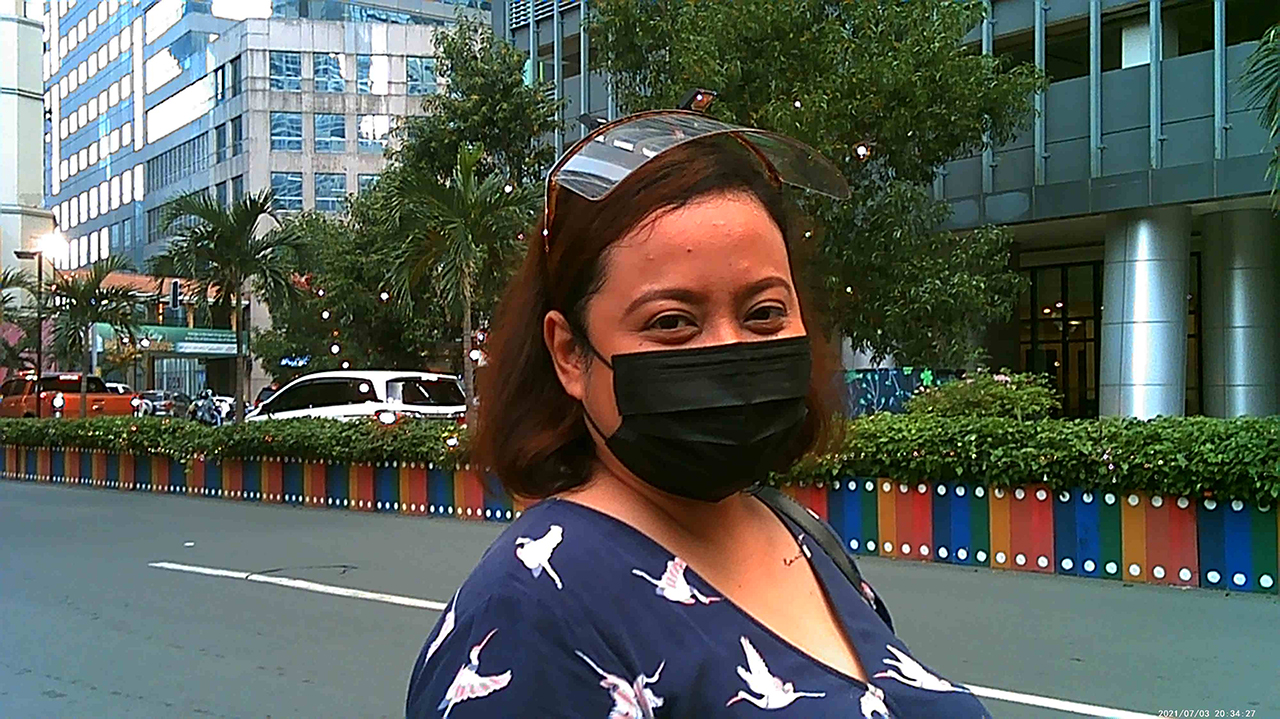

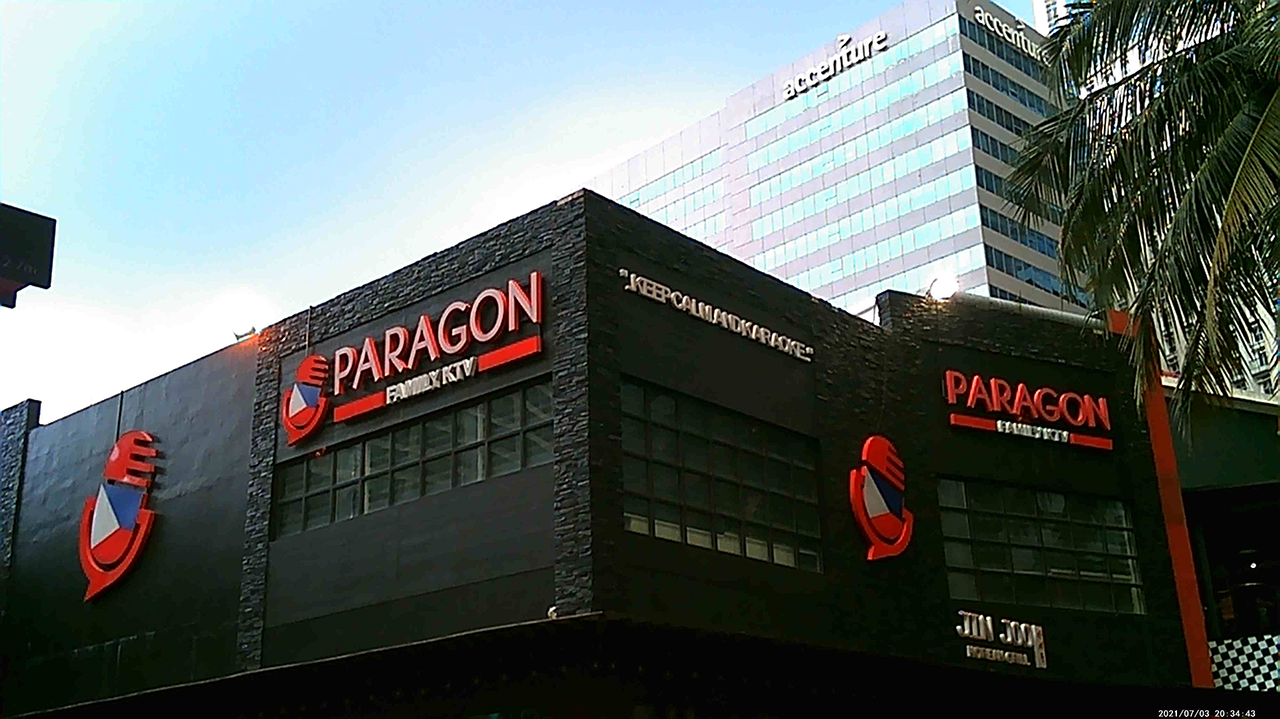



Of course, the shots aren’t remarkable if you compare them to the latest cameras and smartphones we have today. However, it’s reminiscent of digital cameras of the past — grainy films, dates and tags, and colors that saturated our photo albums back in the 90s and early 2000s.
Lasts enough

The Insta Wi has a 1,500mAh battery capacity which can last up to five hours. Charging time is capped at 2.5 hours. If you ask me, the capacity is more than enough since we’re not going to spend the whole day using the device. When I went out, I turned it on and off in between chats and walks.
Just because you have cool and cute technology at your hands doesn’t mean you can’t enjoy the present. Remember: variety is key when it comes to recreational activities with our kids.
Price and availability
The myFirst Insta Wi retails for US$ 129. However, you can snag it for EUR 59/US$ 69 through its Kickstarter campaign which started last September 14, 2021, and will end on October 14, 2021.

After the Kickstarter campaign, production will begin in October 2021 and will start shipping in November 2021 for early birds. Regular Kickstarters will have their Insta Wi shipped by December 2021.
Is this your Kid’s GadgetMatch?
I’d give a resounding yes — whether you snag the Insta Wi at an affordable rate through its Kickstarter campaign or if you have spare cash to buy it at retail price.
Most gadgets aren’t designed for kids. There’s a handful that does so, but it’s rare to see a product that considers the kids’ user experience, safety, and security, as well as addressing a parent/guardian’s concerns.
And myFirst’s Insta Wi ticks all the boxes to make it a kid’s GadgetMatch. And possibly, a gift that parents and guardians can consider for birthdays and holidays.
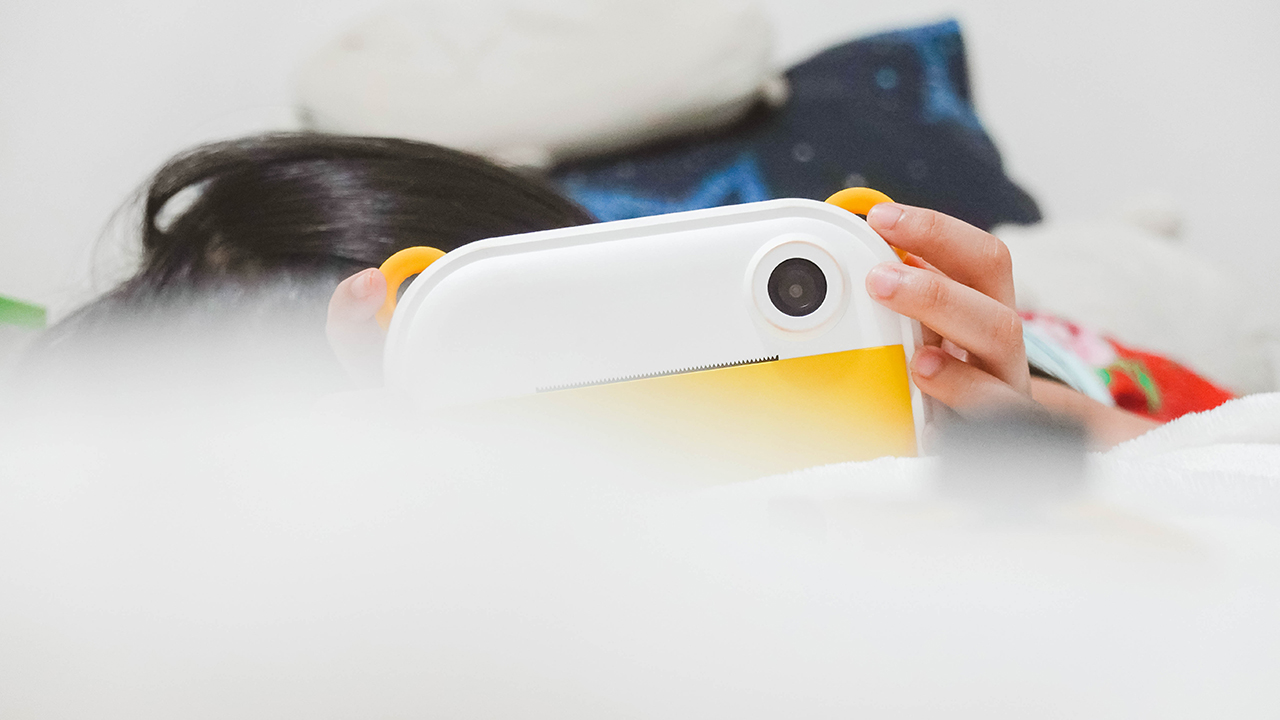
After all, it has an adorable design made of kid-friendly materials and an experience that helps kids unleash their creativity through prints, photographs, and a bit of video recording. More importantly, it encourages a balanced use of technology to help be more present.
My niece surely had a good time, and even I, as an adult, had a fun time playing around with the Insta Wi. Incidentally, it became a bonding moment for us, too. My high-end cameras, printers, and novelty devices are too difficult to grasp for kids under 12. At least with the Insta Wi, my love for prints and photographs lives on to a whole new generation.


DJI has announced the global availability of the Osmo Pocket 4P Pearl White, a new color option for its dual-lens gimbal camera. The new edition retains the camera’s 1-inch CMOS sensor, 17 stops of dynamic range, 10-bit HDR video recording, and dual-lens system.
The Pearl White finish uses mica-infused pearlescent pigments and a multilayer spray coating that creates subtle changes in appearance under different lighting conditions. DJI designed the new colorway for creators who want a camera that complements lifestyle photography, travel vlogging, and everyday video production.
DJI Osmo Pocket 4P Pearl White features
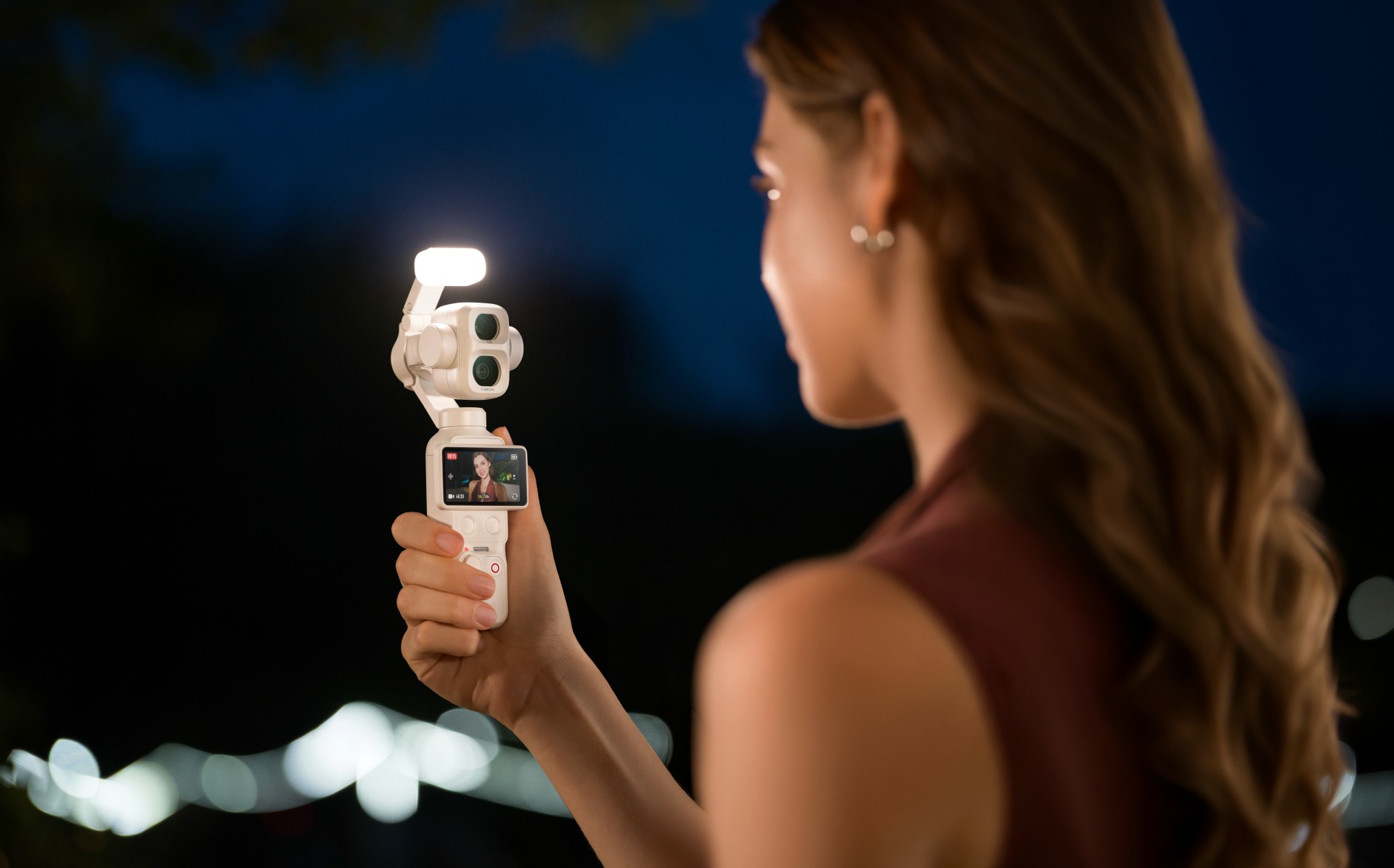
The Osmo Pocket 4P Pearl White features two lenses with different focal lengths. Its primary 20mm wide-angle lens has a 1-inch CMOS sensor and an f/2.0 aperture. It supports video recording at up to 4K at 240 frames per second, with LOFIC technology helping preserve highlight and shadow details in challenging lighting conditions.
The camera also supports up to 17 stops of dynamic range and a 10-bit D-Log 2 color profile. These features give creators greater flexibility when adjusting colors, exposure, and contrast during post-production.
For portraits and tighter compositions, the 60mm medium-telephoto lens has an f/1.8 aperture and supports 3x optical zoom and up to 12x zoom. The camera combines both lenses with gimbal stabilization in a compact body weighing approximately 230 grams.

Other creative features include:
- Slow-motion video: Record up to 4K at 240fps for slow-motion footage.
- High-resolution photos: Capture still images at up to 37 megapixels.
- 4K Live Photos: Record 1.5-second clips alongside photos.
- ActiveTrack 8.0: Track subjects such as people, vehicles, and pets.
- Fast file transfers: USB 3.1 support enables transfer speeds of up to 800MB/s.
- Extended battery life: Record for up to 210 minutes on a single charge.
- Fast charging: Reach 80% battery capacity in as little as 18 minutes.
- Automatic iOS transfers: Transfer newly captured footage to compatible iOS devices after powering off the camera.
Automatic media transfer works best with an iPhone 16 series device or later running iOS 26.4.1 or above, provided the camera battery is above 15%.
The camera also supports HDR 10-bit video recording for footage with a wider range of colors and greater flexibility during editing.
Compatible with DJI Osmo accessories
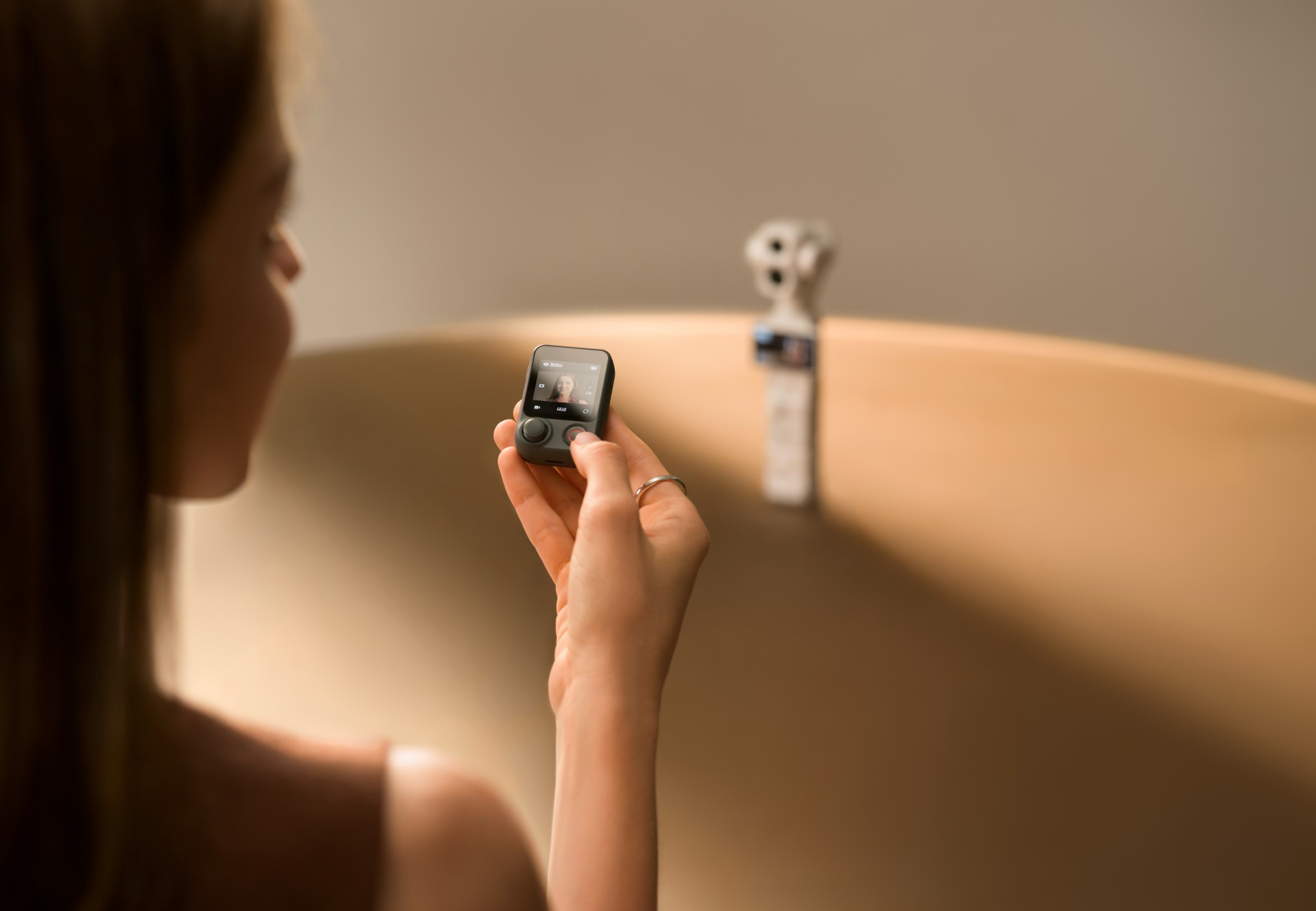
The Osmo Pocket 4P Pearl White works with DJI’s existing Osmo accessory ecosystem. Compatible accessories include the Osmo Pocket 4 Fill Light, ND and polarizing filters, wide-angle lens adapters, battery handle, and OsmoAudio microphones.
These accessories are sold separately, allowing creators to customize their setup for different shooting scenarios.
DJI Care Refresh coverage
DJI Care Refresh is available for the Osmo Pocket 4P Pearl White. The protection plan covers accidental damage, including collisions and water damage, through a replacement service for an additional fee.
The one-year plan includes up to two replacements, while the two-year plan includes up to four replacements. Other benefits include official warranty coverage, international warranty service, and free shipping, subject to DJI’s terms and conditions.
Pricing and availability
The DJI Osmo Pocket 4P Pearl White is now available globally. The Standard Combo is priced at £529 in the UK and €599 in Europe.
For more information, visit the official DJI Osmo Pocket 4P website.
Accessories
Fujifilm’s new instax Pal 2 and Link WIDE 2 make room for more creative memories
A new pocket camera and a collage-making printer join the instax family.
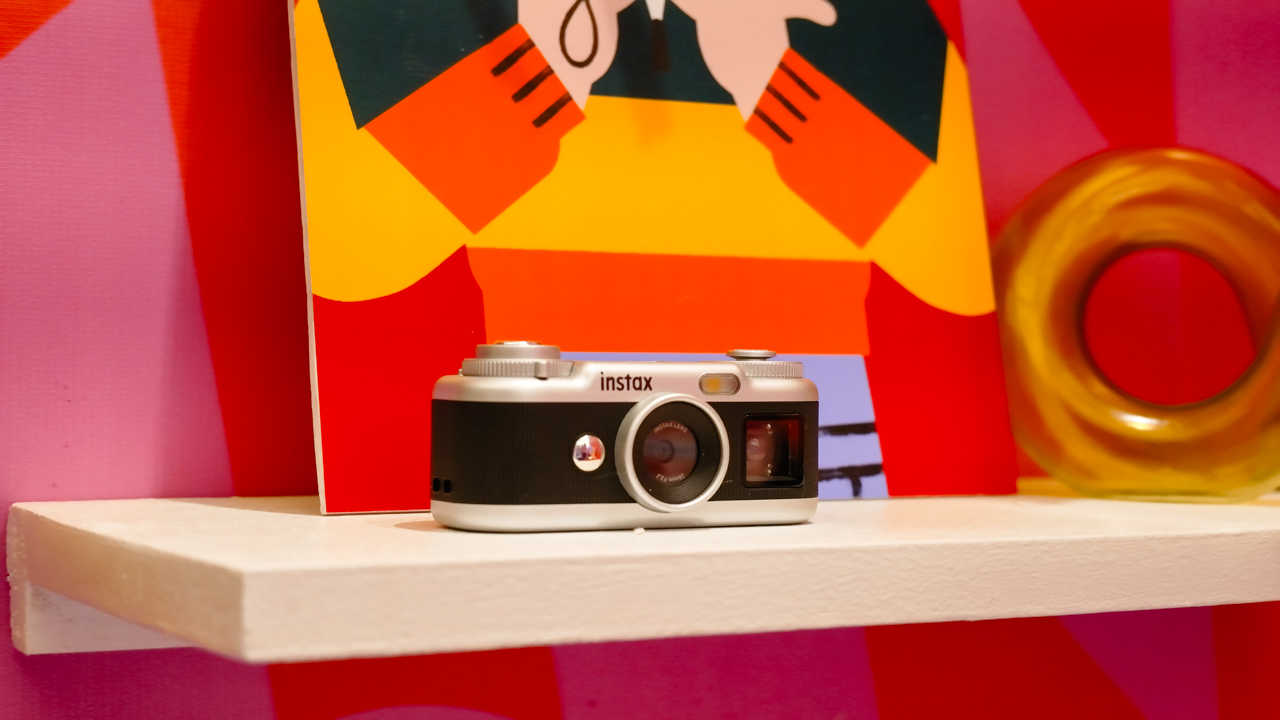
Seeing a memory take shape beyond your screen changes how it feels. A favorite photo becomes a print you can tuck into a journal or pin beside your desk, and the everyday moments you capture get a little more room to live.
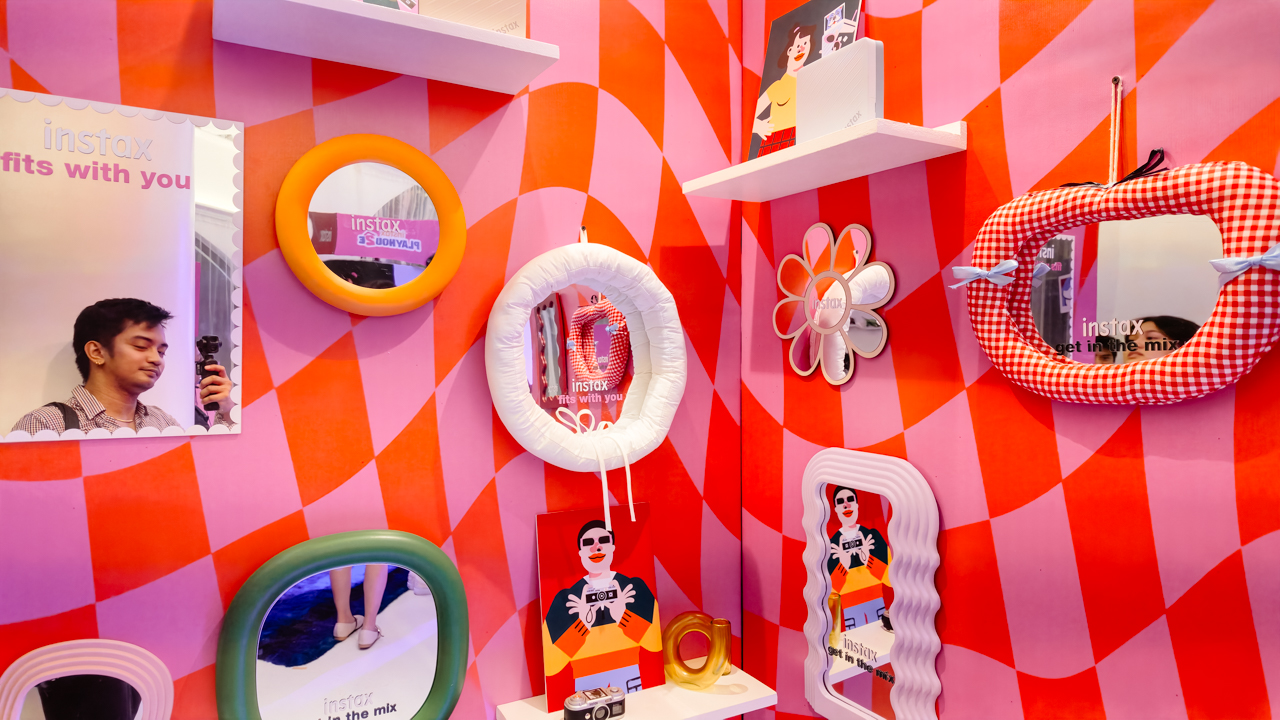
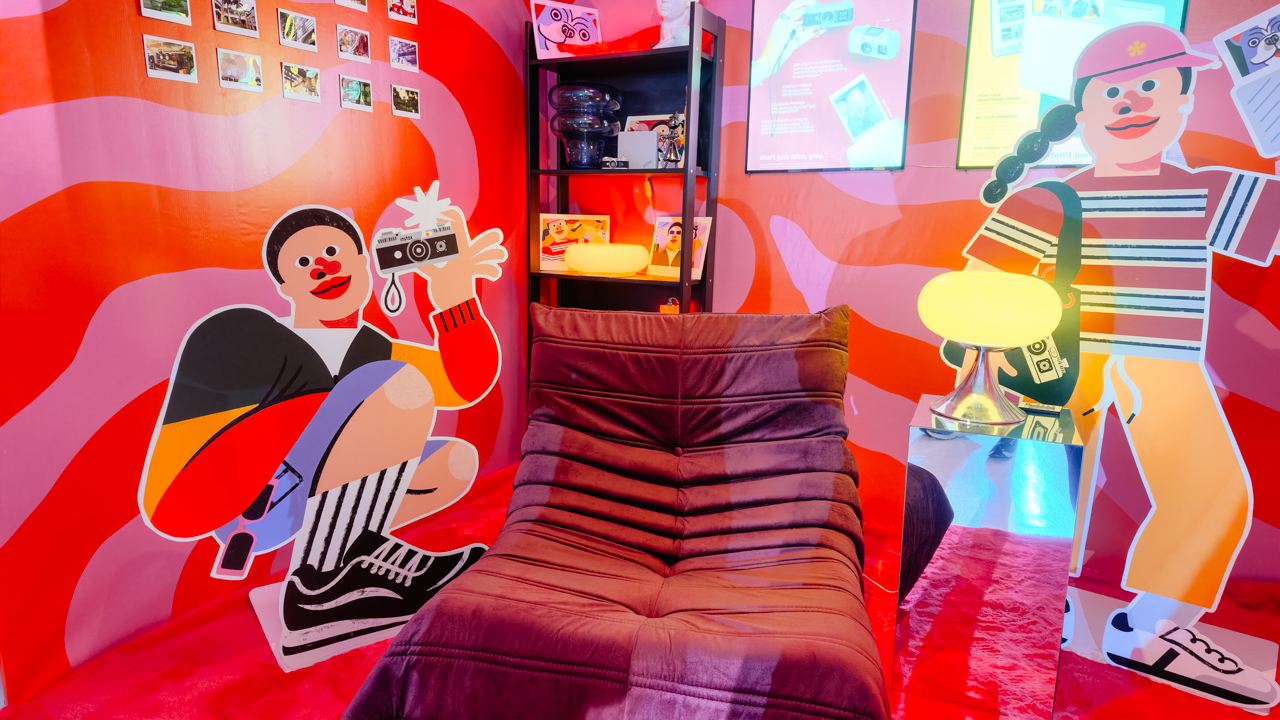
That was the spirit of Fujifilm’s instax Playhou2e launch in Makati, where visual artist Jill Arteche brought her signature illustrations into the event space.
Her artwork surrounded the latest additions to the instax family, the instax Pal 2 and instax Link WIDE 2. Both devices treat photography as a form of personal expression, from the snapshots you take throughout the day to the printed memories you want to keep close.

A pocket-sized camera that goes wherever you do
The original instax Pal made the case for carrying a camera without a full-sized setup. Its successor, the instax Pal 2, builds on that with a refreshed design and improved image quality.
The palm-sized camera is built for everyday adventures and can capture angles that are awkward to get with a smartphone. Its compact body also makes it easy to bring along if you like documenting your day as it happens.

Fujifilm gave the Pal 2 a semi-matte finish. A new monitor on top lets you review shots right after you take them, and the added viewfinder, control dial, and lever give it a more tactile feel to shoot with.
The specs have moved up, too. The Pal 2 captures 10-megapixel images, double the original’s five megapixels, and its internal storage holds up to 100 images compared with 50 before. A separately sold microSD card adds more room.
The creative options are where the Pal 2 gets playful. It offers 30 effects, so you can give images different moods without editing each one from scratch. Its instax Animation mode strings up to 10 consecutive shots into a flipbook-style animated video.
Transferring your photos is straightforward. The Pal 2 supports wireless Bluetooth transfers, and a USB Type-C connection offers faster transfers to compatible smartphones. From there, you can edit the images and post them to social media or keep them in your camera roll.
Because the Pal 2 is part of the instax ecosystem, its digital photos can also be printed on instant film through compatible instax printers. That means you can shoot first and decide later which moments deserve a physical copy.
Turning your camera roll into something worth keeping
Taking photos is only half the fun. The other half is deciding what to do with the hundreds of images that pile up on our phones.
The instax Link WIDE 2 is Fujifilm’s answer for anyone who collects travel photos or documents celebrations. As the brand’s WIDE-format smartphone printer, it prints at twice the image area of the instax mini format, which leaves more space for group photos and landscapes.
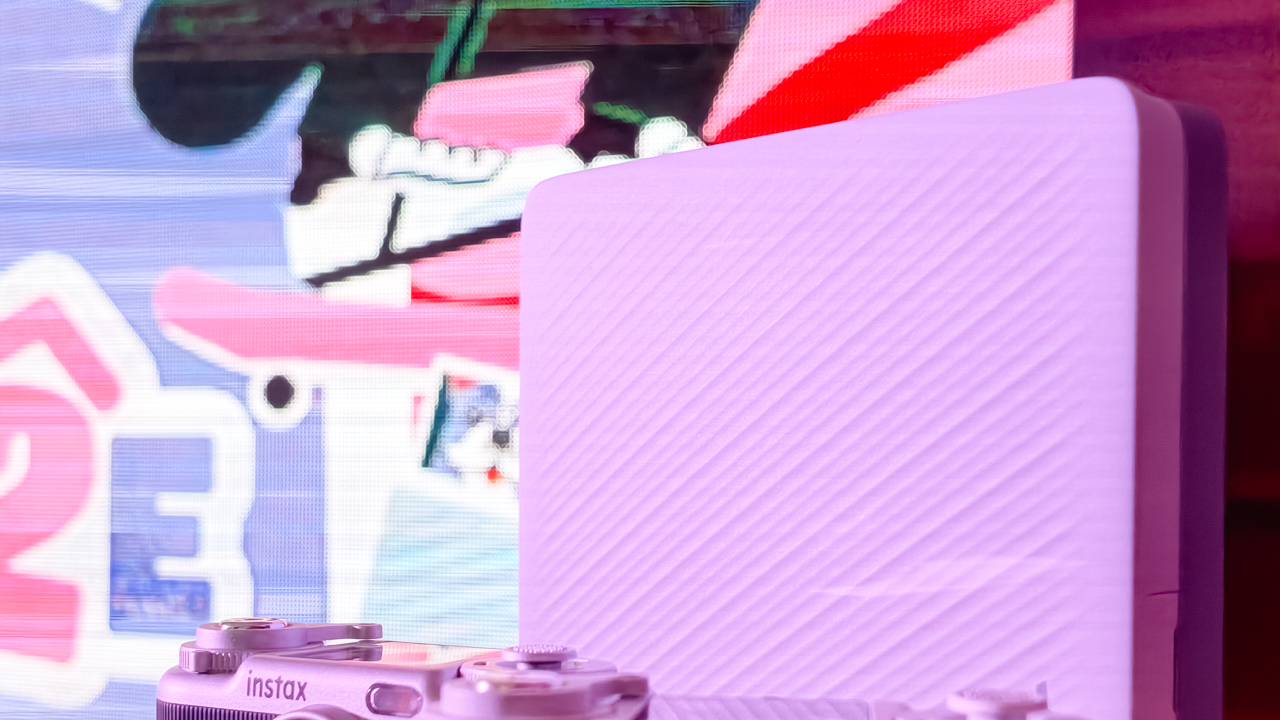
Its biggest new feature is Photo Mixer, which builds scrapbook-style collages from multiple images you pick in the dedicated app. Instead of printing a single photo, you can combine highlights from a trip or a gathering into one larger keepsake.
The app suggests layouts based on your chosen photos and adjusts image sizes, angles, text placement, and fonts to keep the design cohesive. You can then add your own text and stamps. A cutout function identifies people and objects in your photos so you can layer them into the collage.
With Photo Mixer, printing becomes part of the creative process, and your camera roll turns into material for building a visual record of an experience in a single print.
The Link WIDE 2 also gets a design refresh, with two-tone finishes in Duo Beige and Duo Blue. The light and dark surfaces give it a polished look on a shelf or desk, and an illuminated instax logo glows while it prints.
Connectivity has expanded, too. Beyond smartphones and tablets, the printer works with PCs, Fujifilm X Series cameras, and the instax Pal 2, so digital artwork and other compatible images can become physical prints.
A more personal way to keep your memories
The instax Pal 2 and Link WIDE 2 share the idea that photography is a way to express yourself. The Pal 2 makes it easy to capture moments as they happen, and the Link WIDE 2 gives those images a place in the physical world.

Jill Arteche’s artwork at the launch backed that idea up. Her illustrations filled the space with personality and showed how photos and art can make an environment feel more personal. The event also made a case for revisiting and reinterpreting the images we collect.

Taking a photo takes seconds, and printing one can make the memory feel more special. The instax Pal 2 and Link WIDE 2 bring that into everyday life and give your snapshots room for creativity, from the moment you press the shutter to the moment you find a place for the print.
In the Philippines, the Fujifilm instax Pal 2 retails for PhP 10,599, while the Fujifilm instax Link WIDE 2 is priced at PhP 10,999. Both devices are now available on Fujifilm’s authorized stores and retailers nationwide.
Cameras
Sony introduces its 1st Fisheye Zoom G Lens
Broad range for landscapes, architecture, sports, and video production

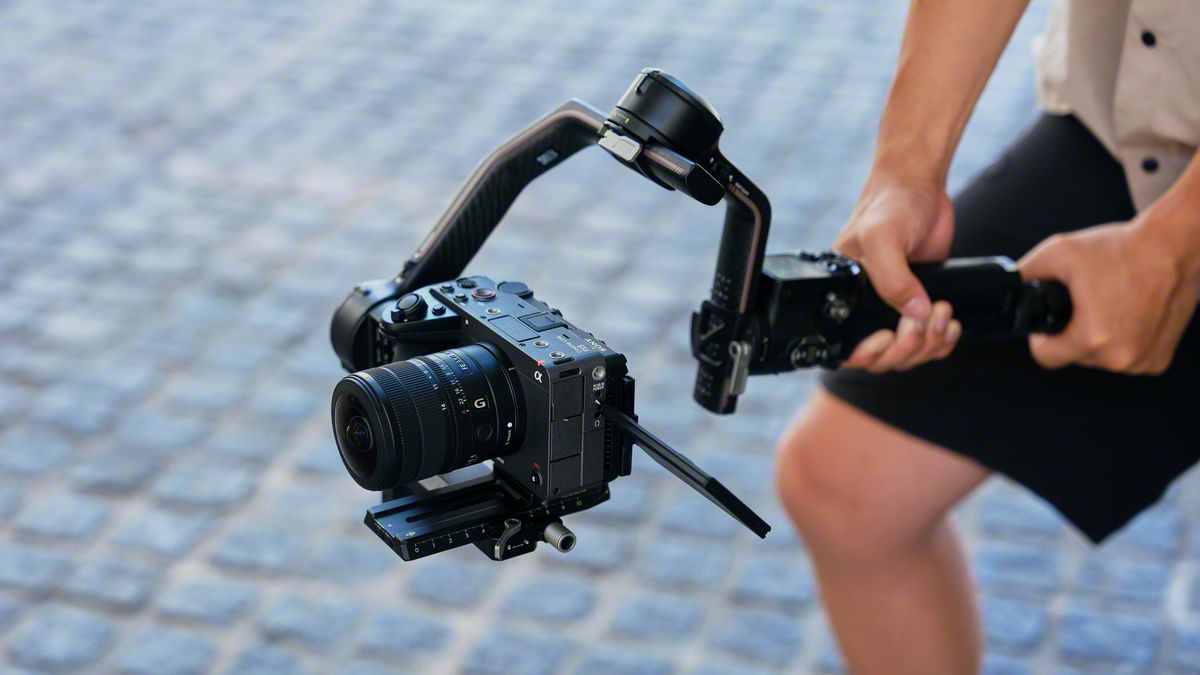
Sony has just launched its first fisheye zoom G Lens for full-frame Alpha E-mount cameras: the Sony FE 8-14mm F3.5 Fisheye G. It will be available from late September for an SRP of US$ 1,599.99 / SG$ 2,049.
The 8 mm to 14 mm zoom focal range covers a broad set of fisheye perspectives in one compact lens.
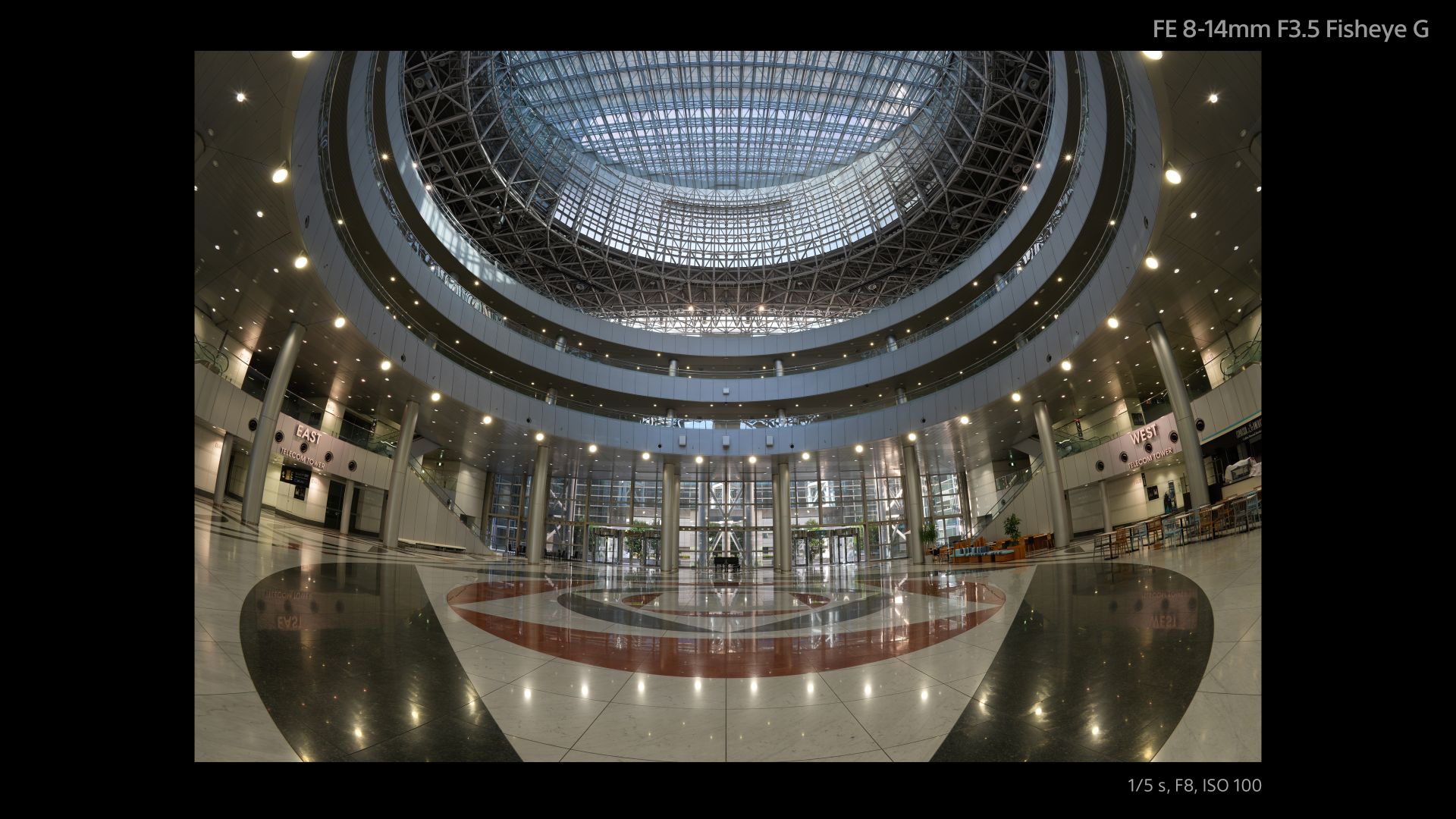
At 8 mm, the lens shoots circular fisheye with a 180-degree angle of view projected as a circular image on a full-frame sensor.
Meanwhile, at 14 mm, it shoots diagonal fisheye across the full frame with a 180-degree diagonal angle of view.
Users can match the angle of view and composition to the subject and creative intent, across various scenarios like landscapes, architecture, sports, and more.
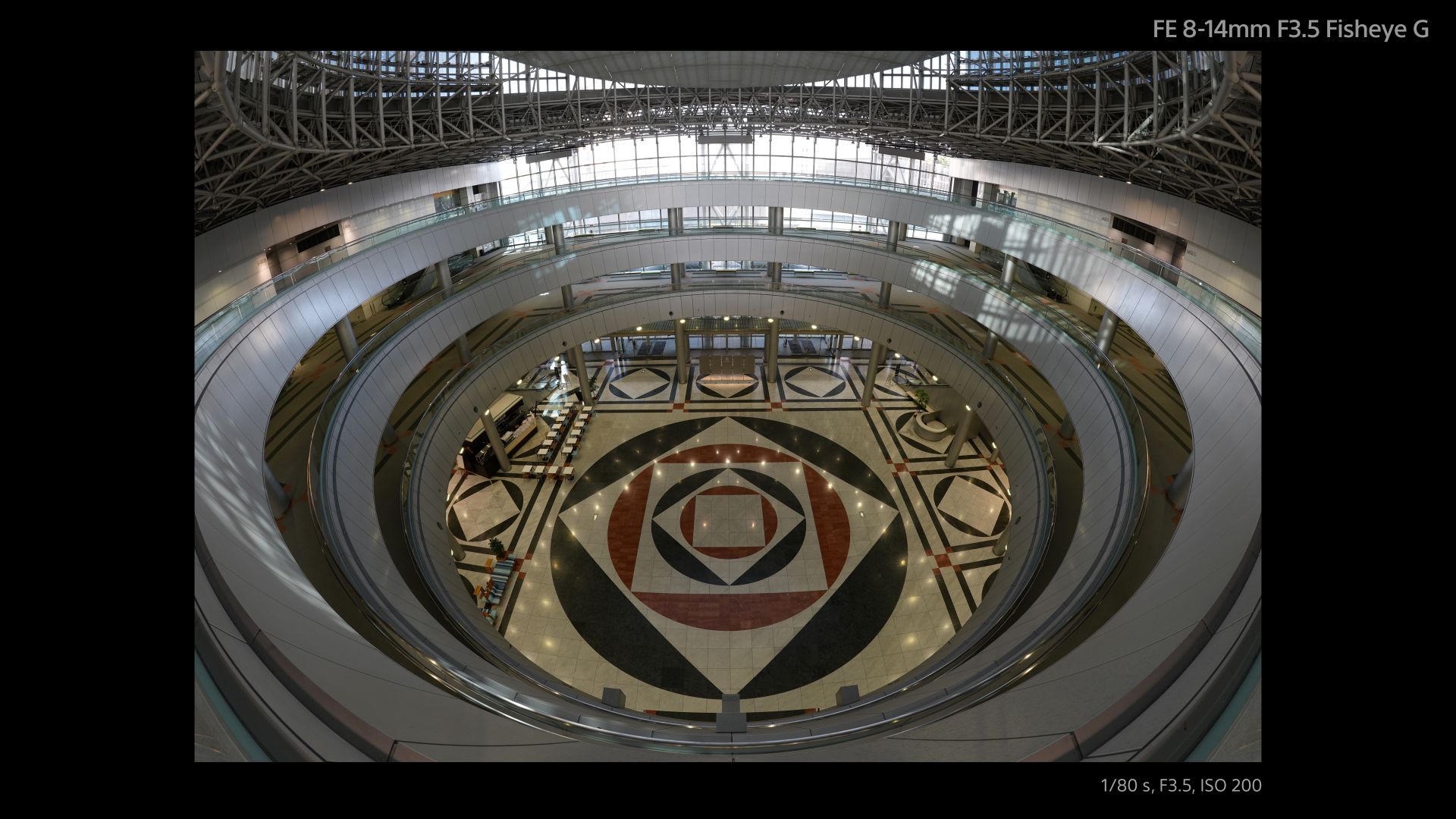
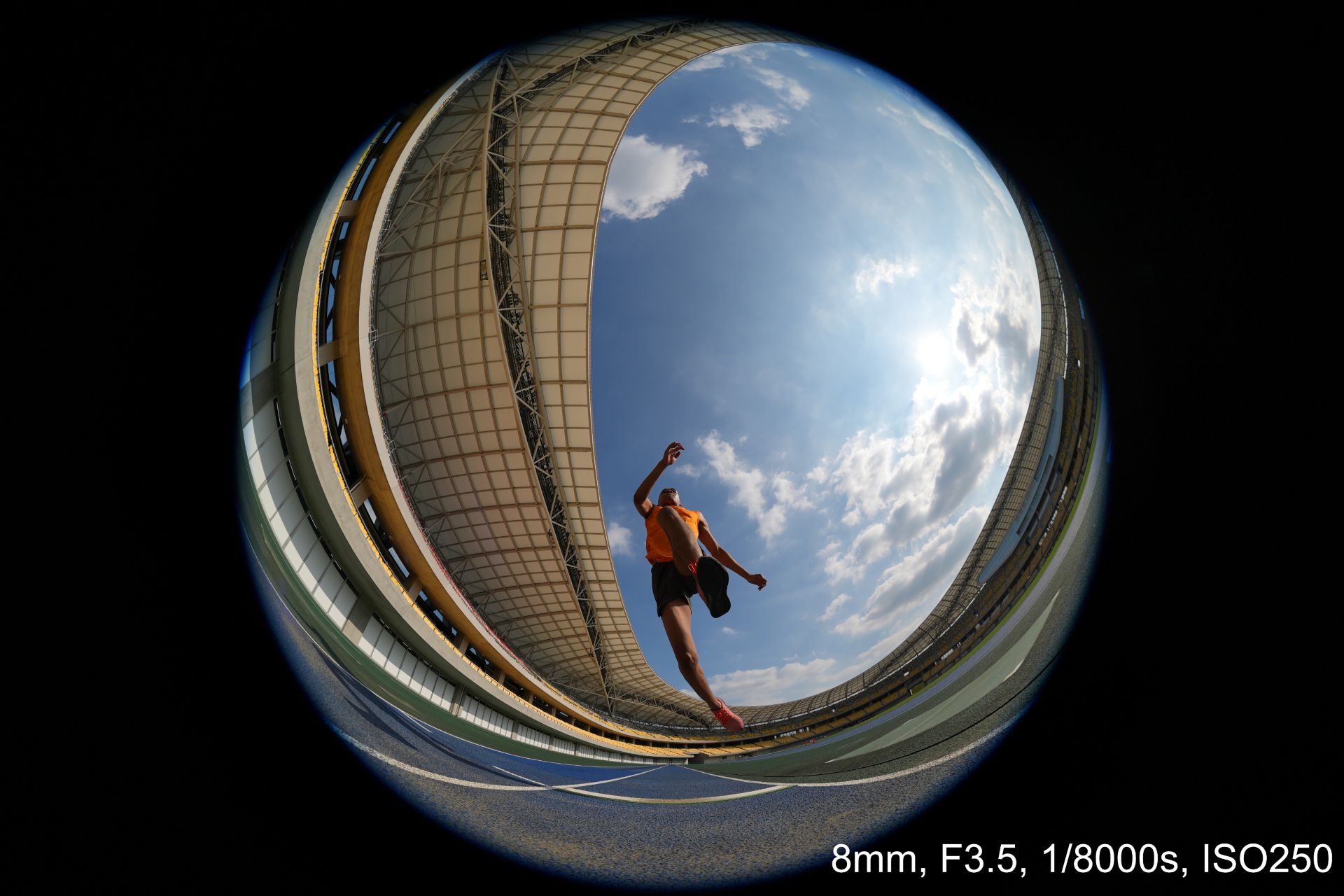



An optical design with ED (extra-low dispersion) glass and aspherical elements suppresses chromatic and other aberrations across the image area.
This enables high resolution throughout the zoom range with fast and precise autofocus and Linear Response MF. All these while suppressing focus breathing and operating quietly for movie production.
Controls include a focus mode switch, zoom lock switch, and an aperture ring with switchable click stops.
A minimum focusing distance of 0.15 meters and maximum magnification of 0.22x at the telephoto end also allow close-up fisheye perspectives both for stills and movies.
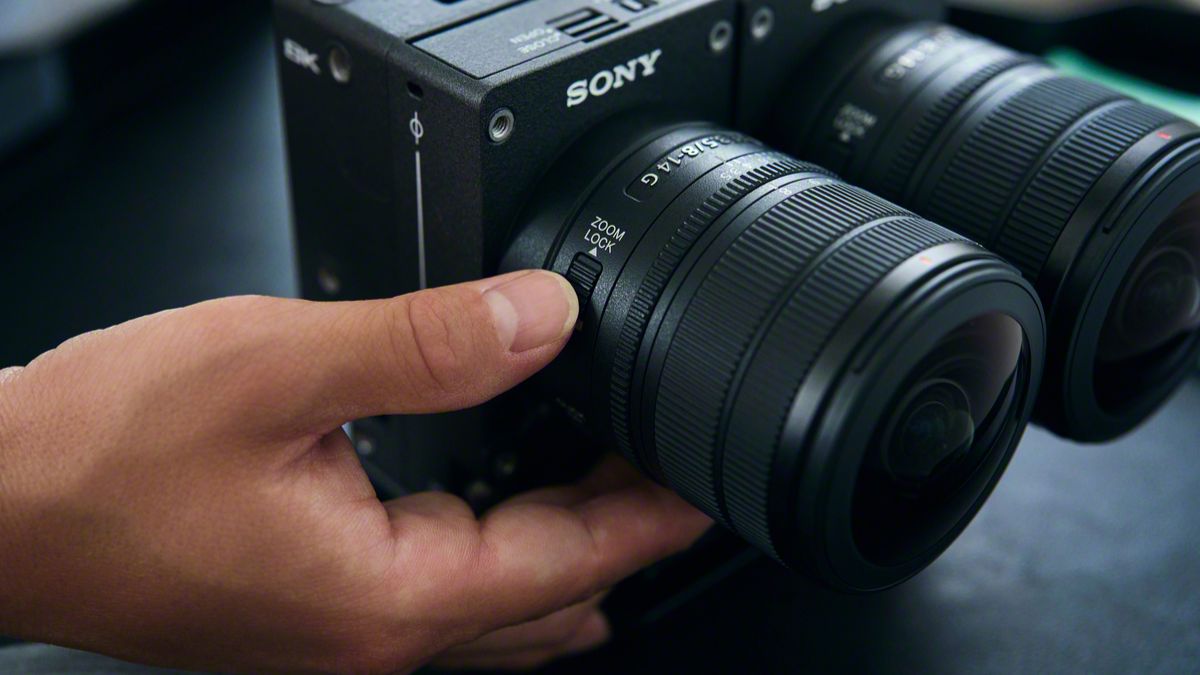
The Sony FE 8-14mm F3.5 Fisheye G measures about 63.1 mm in maximum diameter and 82.8 mm in length.
It weights about 314 grams, giving it mobility for handheld, gimbal, and rig-based shooting. It is also dust and moisture-resistant with a fluorine coating on the front.
In addition, users can opt for a dual-lens configuration with the VENCE Extension System Mini.


Apple iPad mini OLED review
Has the mini gone PRO?!


ROG G700 review: The best prebuilt PC you can get off the shelf
This PC will make you stop worrying about specs.

HP OMEN Max 16 review: Gamer-maxxing in deep black
Peripherals deemed necessary to max this out

ASUS and ROG Grand Tech Fair 2026 offers holiday deals

Next iPhone might get rid of the Action Button

NVIDIA CEO admits to having an affair with alleged Chinese spy

Sony revives classic Walkman headphones with USB-C MDR-3R

IKEA, Xbox launch nine-piece YXSTABY gaming collection

Your coffee nook is getting a makeover with Starbucks’ holiday collections

vivo V80 debuts with ZEISS cameras

vivo V80 review: Good phone, tough sell

Dragon’s Dogma 2: Dark Arisen launches with new Official Pawns

Score PhP 22,000 in guaranteed freebies when you pre-order the iPhone 18 Pro at Beyond the Box


-
 Lifestyle1 week ago
Your coffee nook is getting a makeover with Starbucks’ holiday collections
-

 Lifestyle1 week ago
Sticker season is back, and so is the planner your ~friends~ might fill in for you
-

 Gaming1 week ago
Wild Rift Patch 7.3, celebrates K/DA comeback
-
Gaming2 weeks ago
ROG G700 review: The best prebuilt PC you can get off the shelf
-
 News4 days ago
Sony revives classic Walkman headphones with USB-C MDR-3R
-

 Gaming2 weeks ago
PlayStation unveils Prism Collection
-

 Laptops2 weeks ago
Apple unveils MacBook Pro with PROLED XDR display and Touch
-

 Gaming2 weeks ago
FromSoftware’s The Duskbloods delayed to 2027