

Entertainment
Xiaomi Mi TV P1: Home cinema for the budget-conscious
A 4K HDR Android TV you can definitely afford

I don’t want to sound like I’m an ultimate cheapskate, but I guess I kind of belong in that category as I always try and see things on-sale or those lower than their Suggested Retail Pricing.
Way back in May 2021, I was looking for an Android TV within my PhP 20,000 to 25,000 (US$ 400 – US$ 500) budget. Xiaomi’s Mi TV was one of them — the Mi LED TV 4S to be exact. But upon knowing that units bought from China with a global ROM still doesn’t support Netflix, I decided to find another (and might even be a better) alternative.

Several months later, Xiaomi announced the Mi TV P1 series — and finally a follow-up to the Mi TV 4A series almost three years ago.
Even though it’s been a while ever since I purchased that other Android TV with my hard-earned money, I still accepted this review unit to test and know the feats and defeats of the Mi TV P1 as a new Android TV in this vast TV market.
A design so tacky and lacks variety
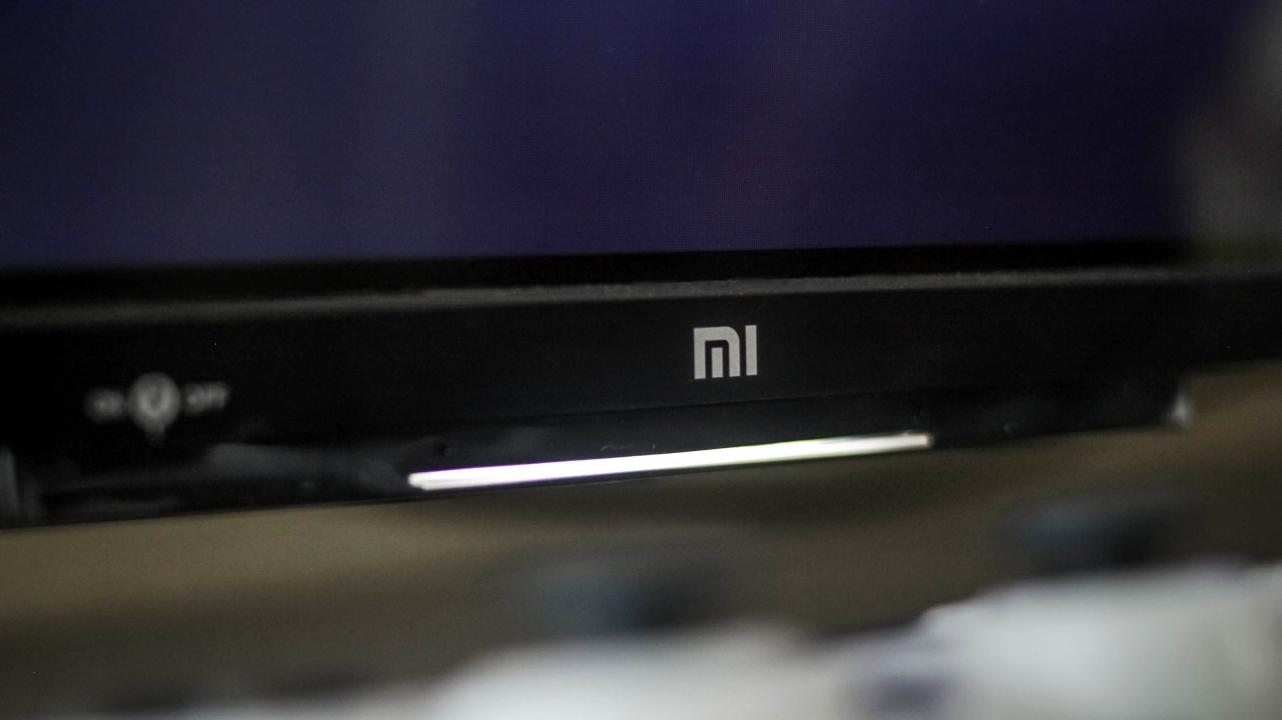
Just a static long light indicator when it’s powered on
The problem with TV nowadays is that, most of them look similar with their plasticky build. If you’re looking for a premium-looking TV on a tight budget, sorry to break it to you, but the Mi TV P1 is entirely made out of plastic. From its side bezels, chin, and even the legs/stand, they’re all in the same material and a coating that’s oh-so-glossy.
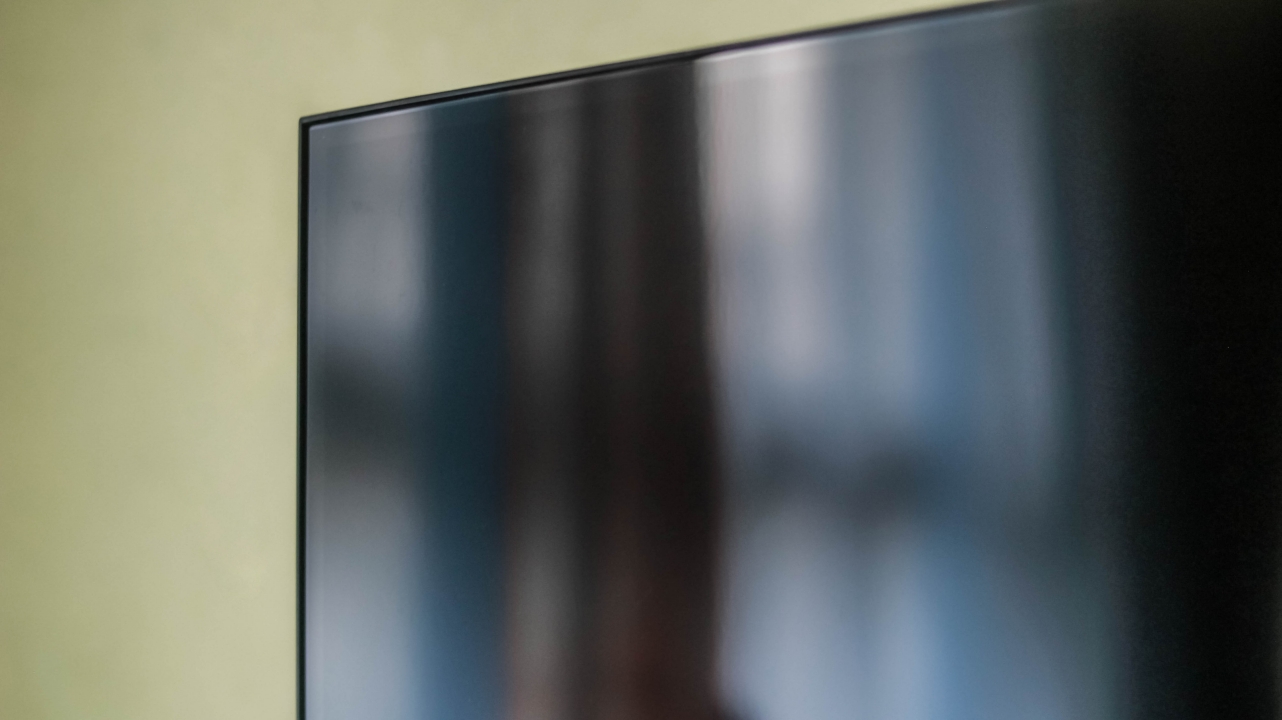
It’s almost as glossy as the protective film it came with
The panel is glossy too. You shouldn’t place this directly parallel to your window or it might bother you when watching content that are less bright or dark.

Chaehyun is the definition of a human being with an angelic voice #김채현_데뷔하자
Even the large window covered with curtains at the left side of our living room wasn’t safe from such distraction.

Not the most unique stand design ever
Not gonna lie, it looked and felt cheap. There’s literally no excuse for it being a “budget” TV. Compared to the Android TV I own at the same price point, it’s still able to have a metallic bottom bezel and aluminum stands without reducing most of the features that the Mi TV P1 possesses.
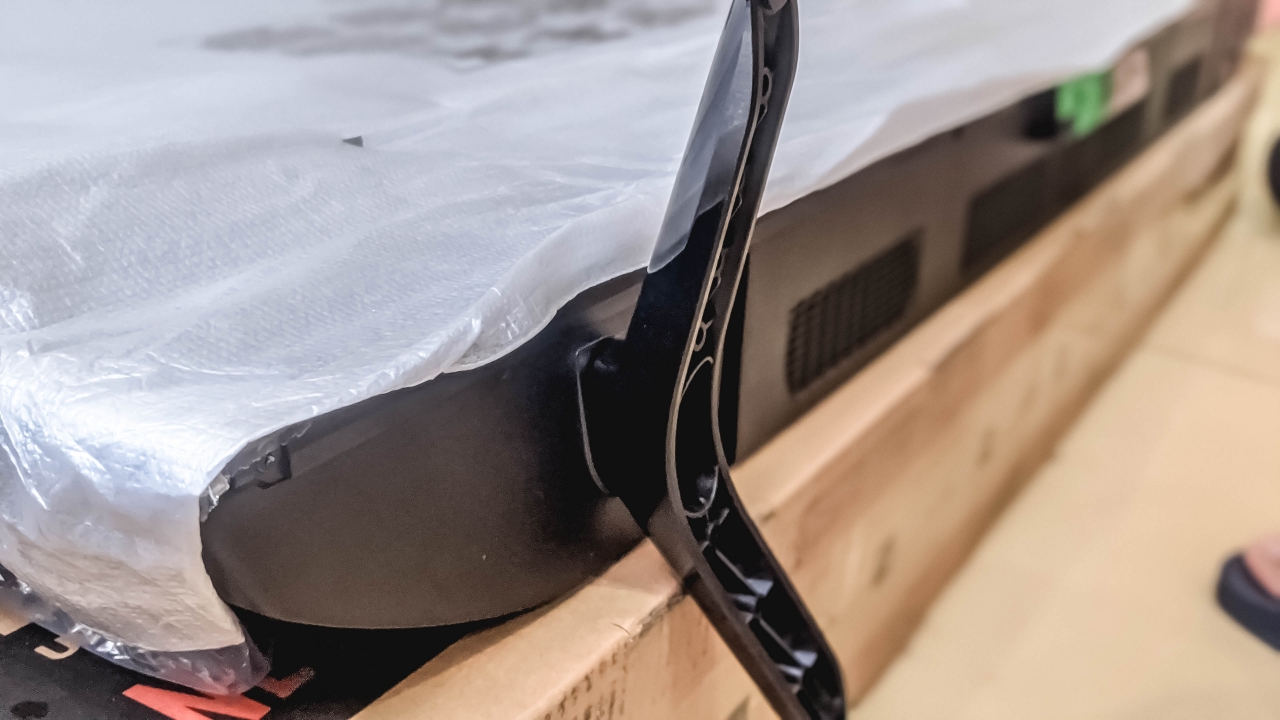
Attaching these was truly a horrifying experience
Speaking of stand, it took me around ten minutes thinking how to attach both legs. The screw holes were kind of confusing and misleading as well as the form of each leg. Instructions in the user manual about attaching both TV leg stands was vague so I have to research further online. It’s honestly one of my worst experiences of attaching screws to a product.
Sufficient ports and connections
The Mi TV P1 has a Composite In (AV), two USB-A ports, and three HDMI ports — one with eARC support. The 32-inch version has lesser though. Other ports you might be curious to know are Ethernet Port, CI Slot, Optical Digital Audio Out, and a 3.5mm headphone jack.

For wireless connectivity, the Mi TV P1 has a reliable Wi-Fi connection as it not only supports the 2.4GHz band, but the faster 5GHz band as well. That’s something my other TV doesn’t have.
There’s even the faster and latency-less Bluetooth 5.0 support. And with the bundled 360 Bluetooth remote, I can still turn off the TV even when I’m sitting and eating from the kitchen area or when I need to go to the bathroom without ever pointing at the TV itself.

Not sure if it’s just my muscle memory but the remote of the Xiaomi Mi TV P1 confuses me — and might be the same to some future users.
If you’re a heavy Android user, the default back key of smartphones is placed at the left side rather than the middle. Xiaomi could’ve just switched the button placements. They could’ve even done the same to the “O” (home) button by placing it in the middle instead.

Some button controls would’ve made more sense too if “CC”, “EPG”, “INFO”, and that “dot” weren’t placed there. And if you’re right-handed like I am, pressing the power button requires some reach as it’s placed on the upper left part instead of right.
The power of Android TV
ICYMI, the Xiaomi Mi TV P1 runs Android TV. On paper, it runs a MediaTek 9611 chipset paired with 2GB of memory and 16GB of internal storage. Those are actually enough for running and storing TV-limited Android apps that can be downloaded through the Google Play Store.
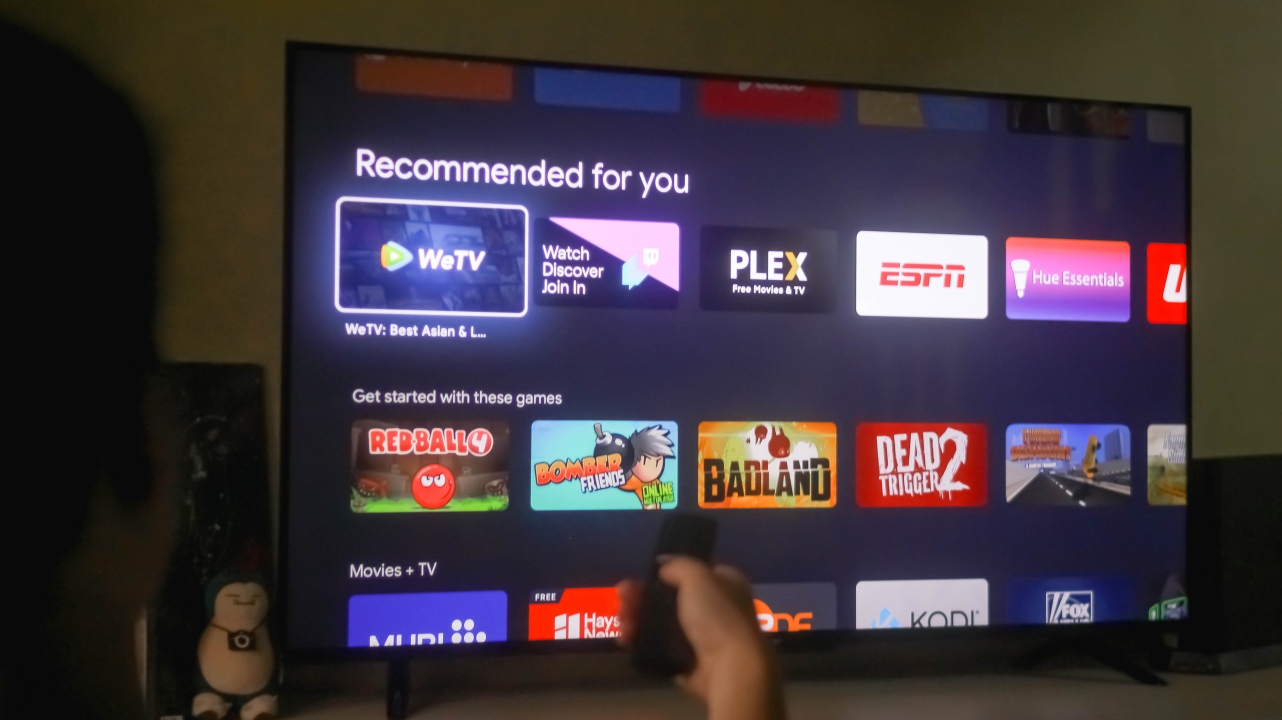
While YouTube, Netflix, and Prime Video were already installed upon first use, there are also other streaming apps you can download such as iQiyi, WeTV, Viu, Crunchyroll, HBO Go, TED, and more.

As you were already spoiled in the earlier section, the Mi TV P1 supports Google Assistant. This reduces the hassle and sore of typing each letter through the remote’s D-pad when searching content across all apps.

Google Assistant indicator
On the bottom part of that odd bar below the Mi TV P1’s chin, there’s a switch to turn on (or off) the far-field microphones of the TV.
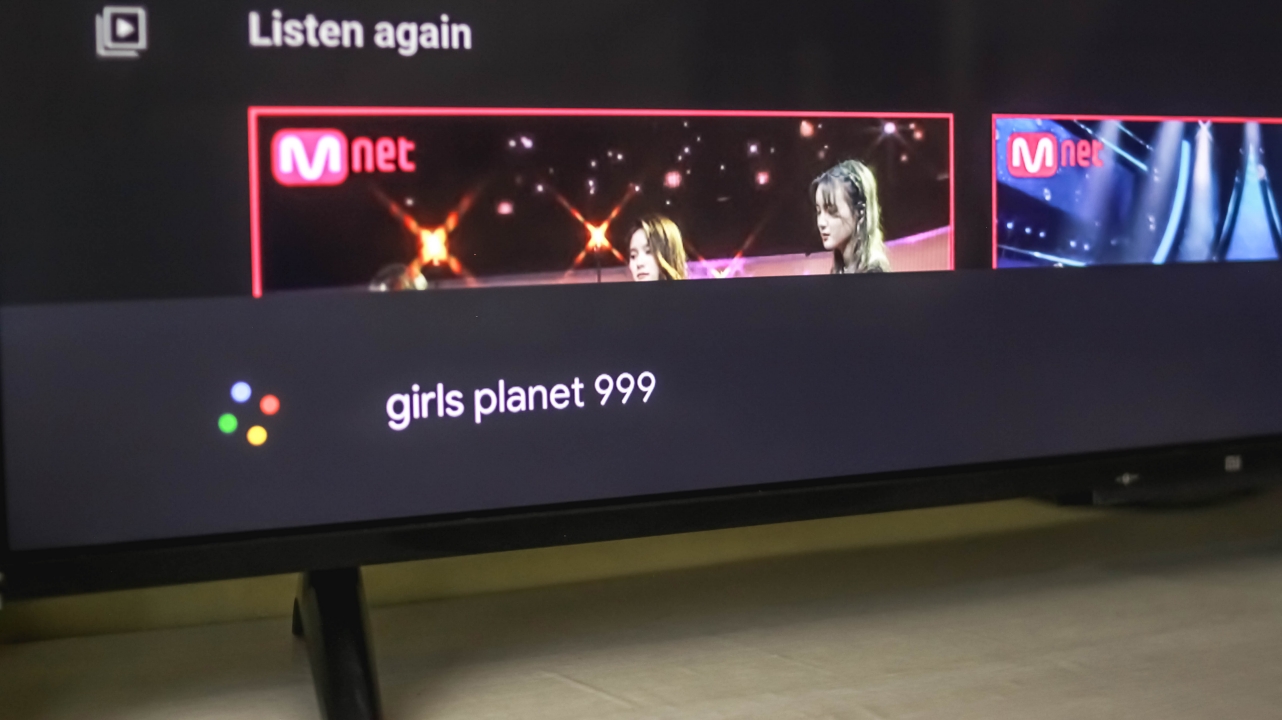
Google Assistant prompt
This enables you to use Google Assistant even when you’re roaming another area in your house. So yeah, no to pointing your mouth to the remote. People with a loud speaking voice will benefit this feature the most.
More power with Chromecast
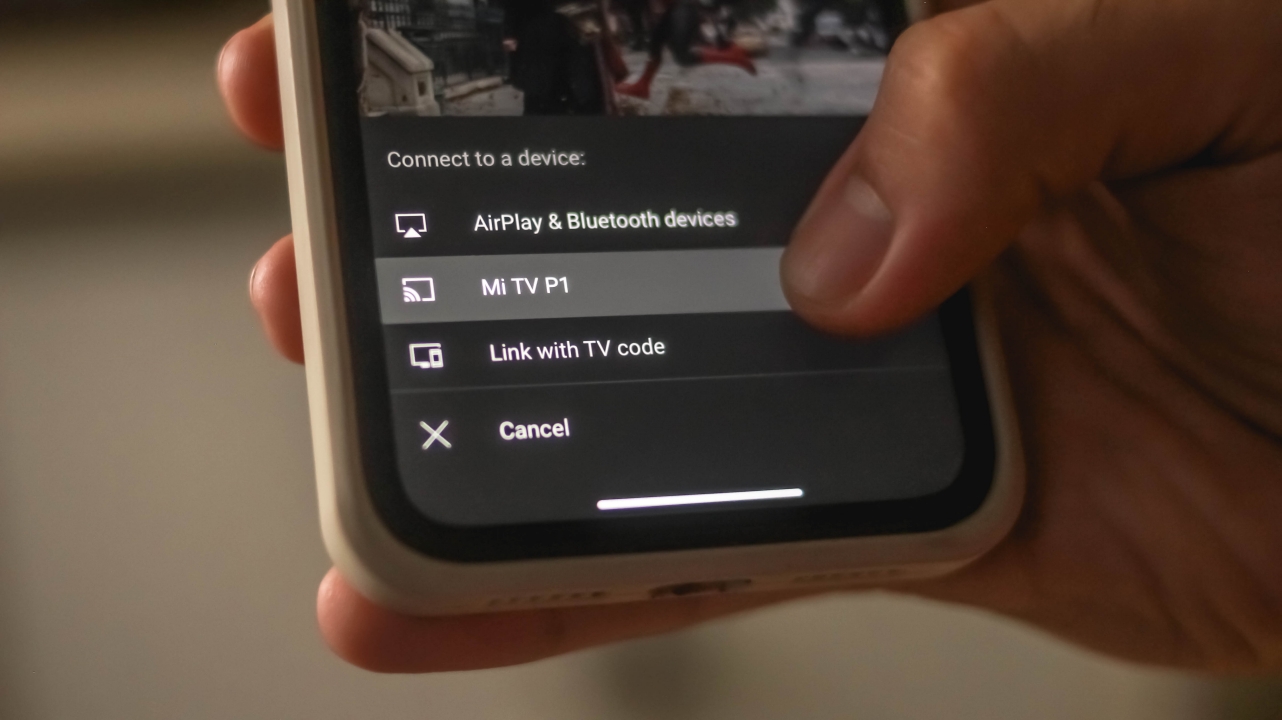
Too lazy to type? Or you just don’t want to bother your family members when you activate Google Assistant? Well, your other option is to share content from your phone to the TV — and that’s thanks to its built-in Chromecast feature.
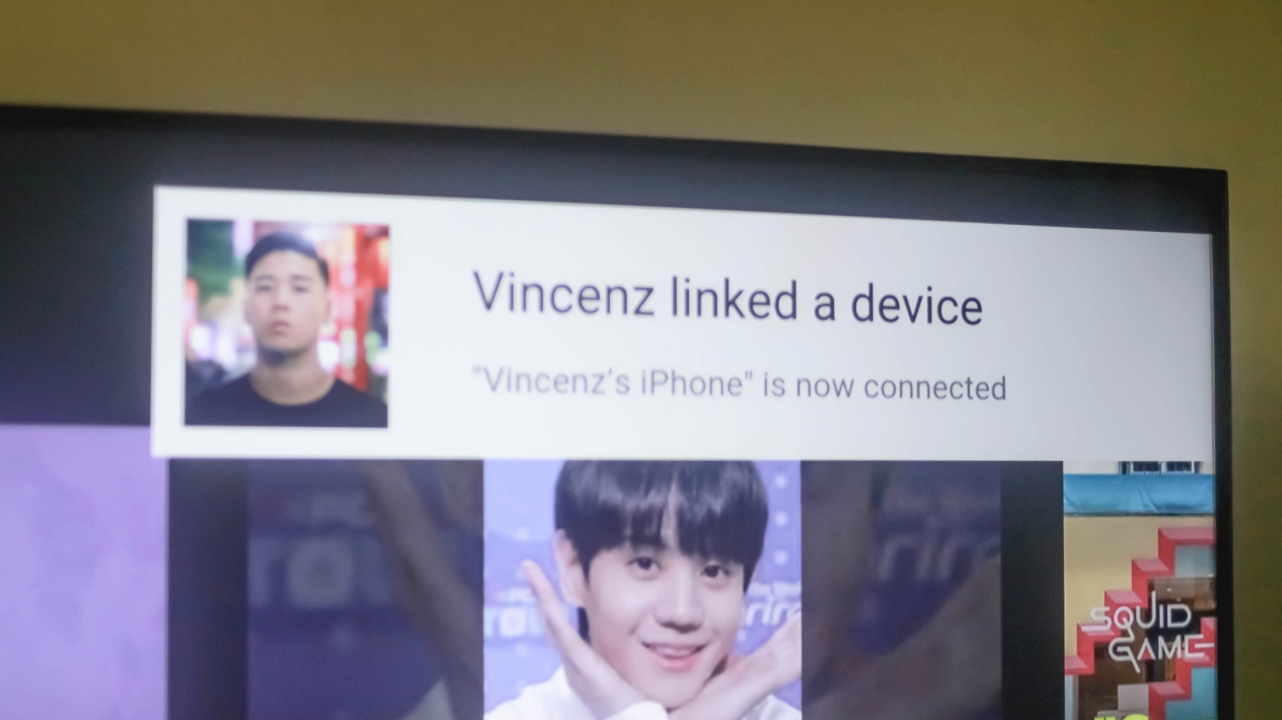
Whether you’re using an iPhone or an Android, you shouldn’t worry at all as Chromecast supports both systems.

Other than sharing content from YouTube, you can also share and stream music on a bigger screen as long as Spotify is downloaded on both devices.

Spotify being sus by cutting both Heejin and Olivia Hye out of the screen 🙄
Purely immersive
Nowadays, most Netflix titles and YouTube content come with an ultra-wide 21:9 ratio (or even in a 2.39:1 anamorphic ratio). In layman’s term, those are simply the black bars you see when watching videos in your fullscreen smartphones or standard monitors. But thanks to its slim bezels, watching on the Xiaomi Mi TV P1 felt immersive — especially if you’re watching just several meters away from the TV.
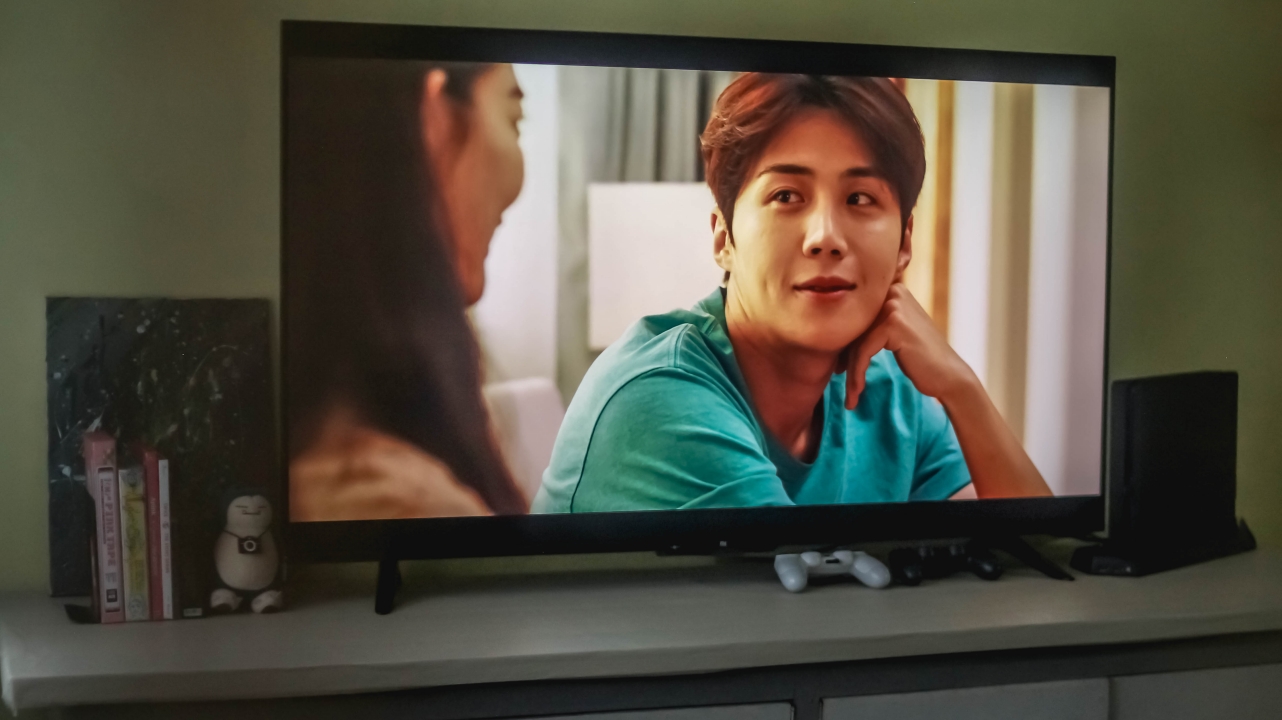
Hong Banjang just being charismatic over Yoon Chigwa #HeadOverHeels
Watching series such as Hometown Cha-Cha-Cha honestly felt more immersive as if I’m sitting along with the characters.

Isa’s visuals pops even more with this vibrant TV
Even STAYC’s Stereotype music video, despite its black bars, still made me enjoy its stunning visuals and cinematography (as well as vocals, musical arrangement, and choreography).

Speaking of pure, the “Fate” performance from Girls Planet 999 made me cry with its pureness in beauty paired with superiority in choreography
What more if it’s a 16:9 content? Whether it’s in 4K UHD or just Full HD 1080p resolution, your eyes will still enjoy every frame of what you’re watching especially if its displayed in a large screen a la cinema.

My feels for Tzuyu are definitely not over when watching and listening to #TheFeels
A 4K 16:9 content is more pleasing to look at especially with its sharp and crisp details. TWICE’s The Feels is a testament to that.

If you’re curious about sound quality. It’s double 10W speakers are loud with enough bass and clarity. But don’t expect cinema-grade audio experience even with Dolby Audio and DTS-HD support. But if you’re really into that cinema-grade experience. you still need to get at least a soundbar or invest on a better surround sound system (in which I think budget-conscious users care less about).
Excellent display for a budget TV
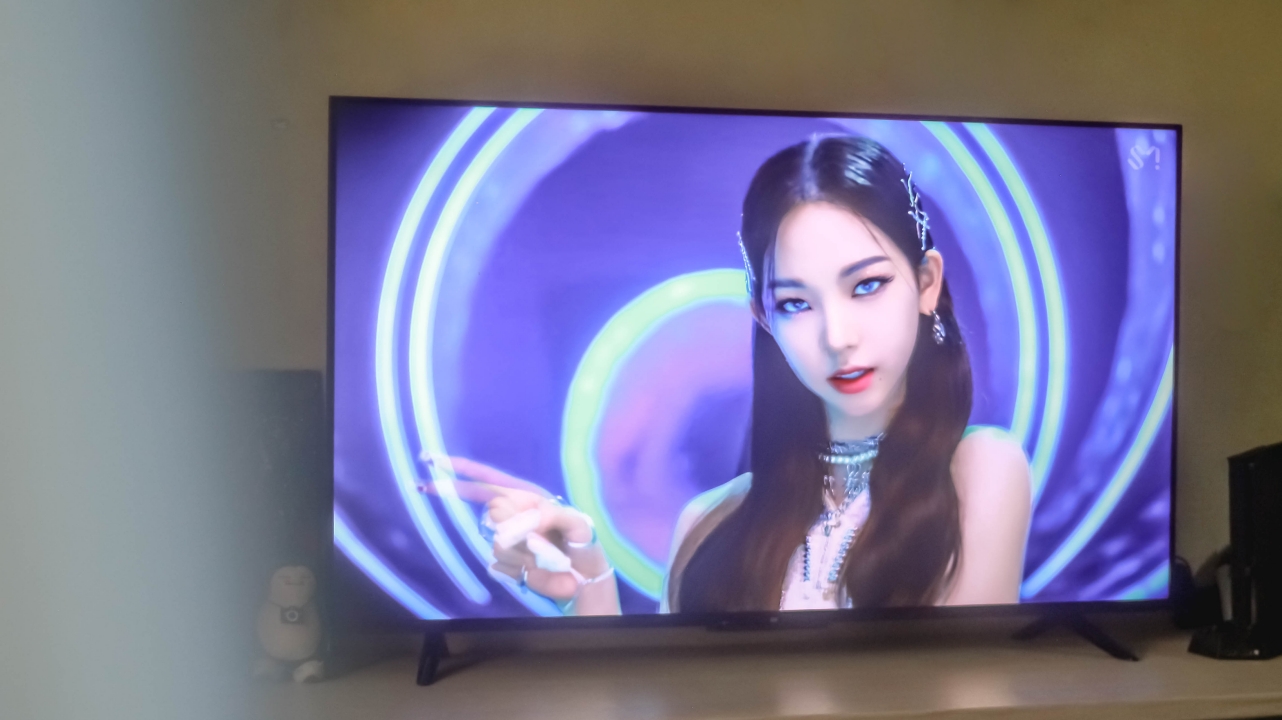
aespa’s Karina is a living goddess. Periodt. Periodism.
Apart from having an almost edge-to-edge 4K display, the Mi TV P1 also boasts HDR10+ support for displaying picture-perfect content with an even wider range of colors in the spectrum.

This isn’t for everyone but just in case someone wants to know, you can choose between various Color Spaces ranging from Standard and Native, to Adobe RGB, DCI-P3, BenQ’s BT.2020, and ITU-R’s BT.709 color gamut.
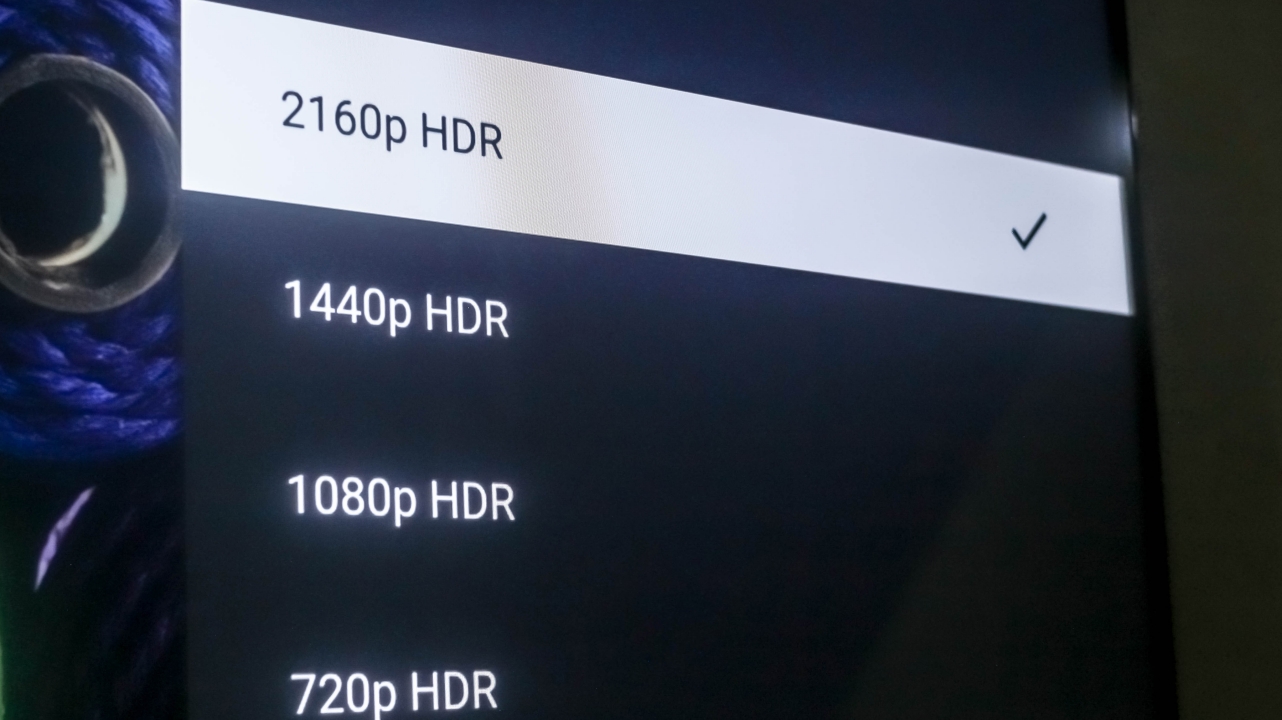
If you go and specifically search for 4K HDR content on YouTube, the Xiaomi Mi TV P1 will be able to handle and display that content to you with no frills. That’s something other TVs, monitors, and even smartphones can’t display at all.
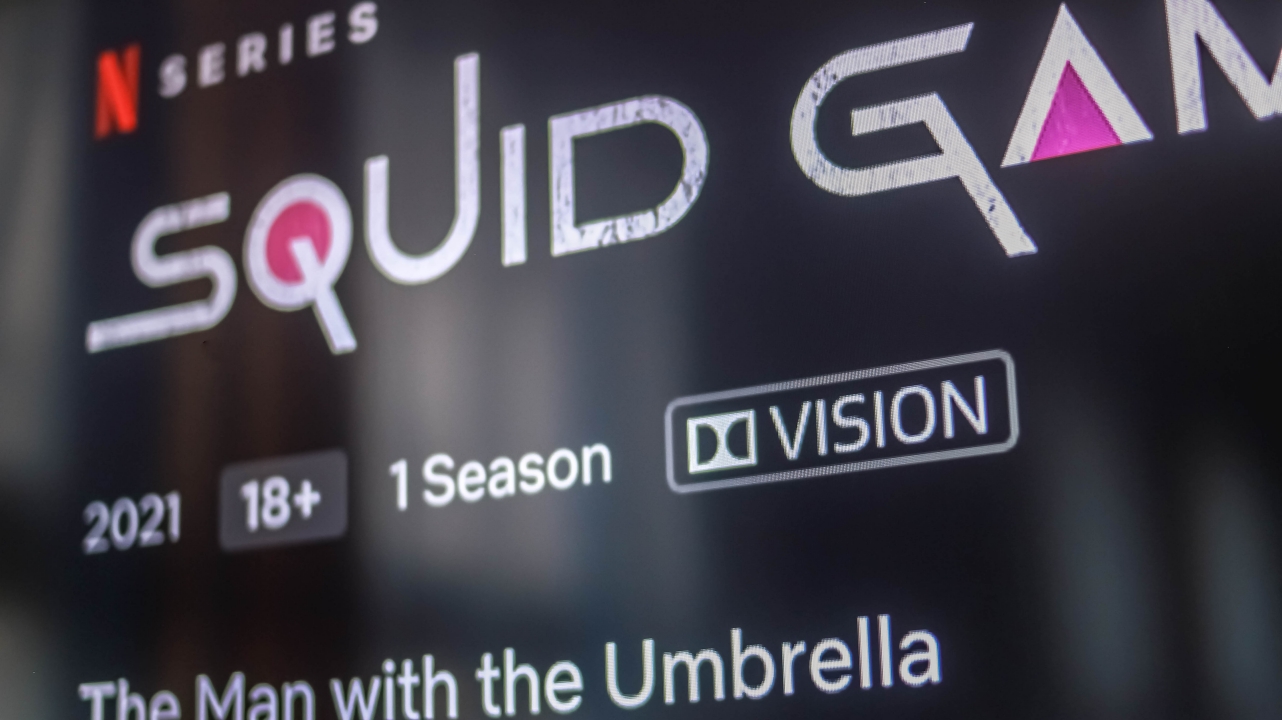
To make the display even better, it also has Dolby Vision apart from HDR10+. For this particular instance: Squid Game, which is Netflix’s hottest series right now, shows the Dolby Vision indicator right next to its parental rating info.

Not only does it show better color accuracy and output with HDR10+, this Dolby Vision feature is also able to display better dynamic range with the right amount of contrast, highlights, and shadows.

Loco might just be Yuna’s era
One noticeable aspect of this TV is the inclusion of Motion Smoothing feature out of the box that my other Android TV doesn’t have. It’s honestly a feast for the eyes but probably not everyone’s cup of tea. By default, it’s set to Standard but can be turned off.
Pretty decent for gaming, too
While the Mi TV P1 has only a 60Hz panel, playing on it still felt true-to-life. With the 55-incher that I have, details are still clear and sharp even if my PS4 Slim only supports a maximum display resolution of 1080p. With one port that supports HDMI 2.1 / eARC, people who spent their fortune on a PlayStation 5 (PS5) and are considering a less-expensive smart TV, I’m sure bumping it over 1080p will work.
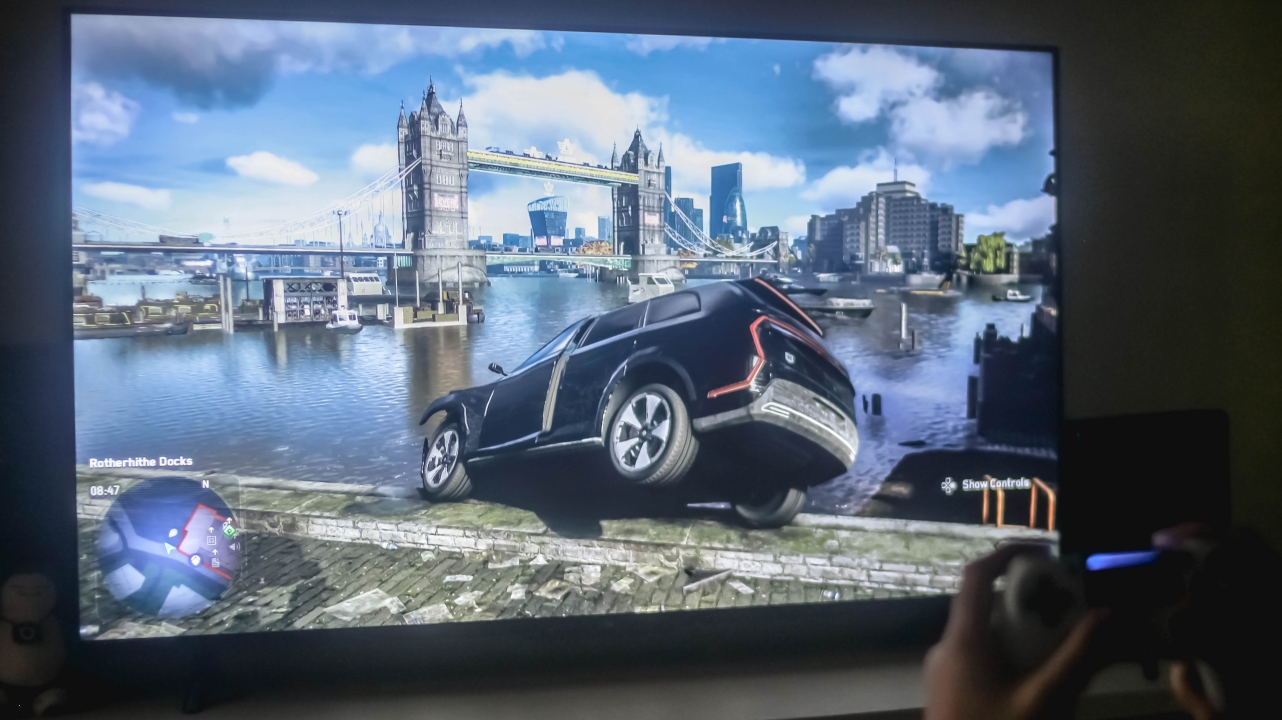
One thing to keep in mind if you’re a sucker for ultra-smooth and seamless gameplay, the Mi TV P1 doesn’t do its Motion Smoothing magic — at least on the PS4 itself. It doesn’t even work on the console’s UI.
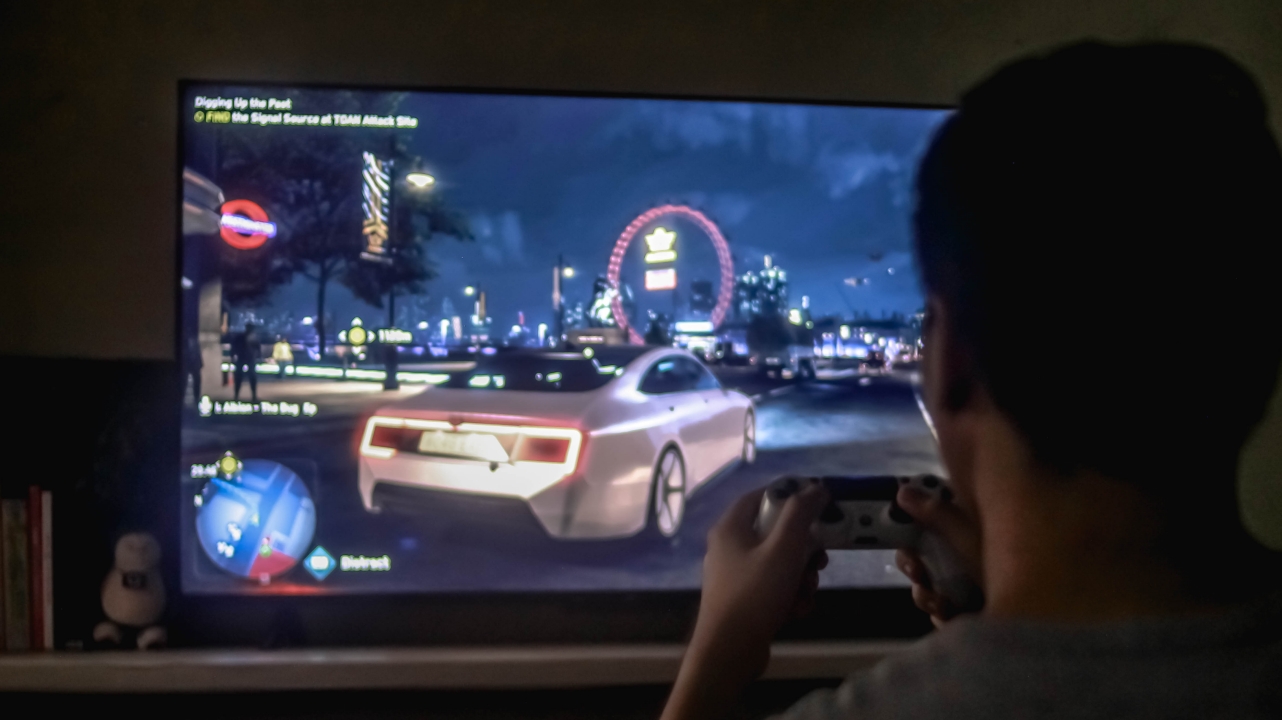
Not a biggie but some might consider that as a buying point. There are also two more limitations that I’ll talk more at the latter part of this review.

Overall, gaming on the Mi TV P1 is pretty decent for casual and gamers on a limited budget. You get to enjoy its big screen size — which still depends on the model you’ll buy and your distance from the TV.

Another thing, I tested playing games for hours starting with Watch Dogs: Legion, then Gran Turismo, Crash Team Racing, and even several Tekken 7 but my eyes haven’t strained at all.
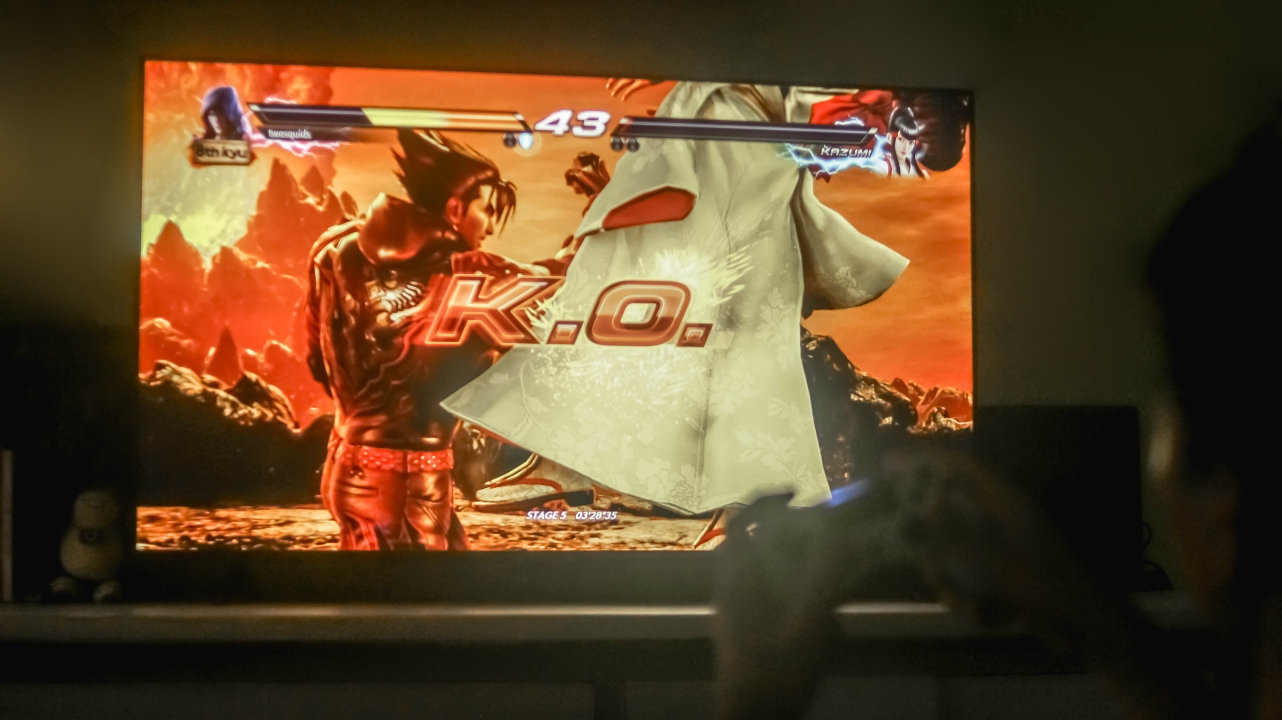
The best part is that, I’ve successfully finished all those games thanks to the Mi TV P1’s display superiority.
Some good things have bad sides, too
Aside from rants about its design and remote control, there are other things I’ve encountered during my time with this smart Android TV.
1st: PatchWall isn’t ready for the country yet
While PatchWall was already introduced to Mi TV users in India, Indonesia, and other parts of the globe, it’s unfortunately not ready in the Philippines just yet.

For those who aren’t familiar, PatchWall is Xiaomi’s special launcher that has a better UI over the stock Android TV experience. But it not being ready for the Philippine market further proves my point that the “Mi” button on the remote control is pretty useless as that one opens up PatchWall.
2nd: HDR isn’t supported for all devices
As ironic as it gets, this 4K HDR TV has some HDR limitations.

It may not be a huge deal to most but for myself who got accustomed with my own Android TV being able to display HDR even when a PlayStation 4 is hooked up, it’s such a disappointment that the Mi TV P1 doesn’t offer that HDR compatibility to my gaming console. I even tried hooking up the HDMI cable to each HDMI port but to no avail.
3rd: Display settings cannot be accessed on other HDMI devices as well
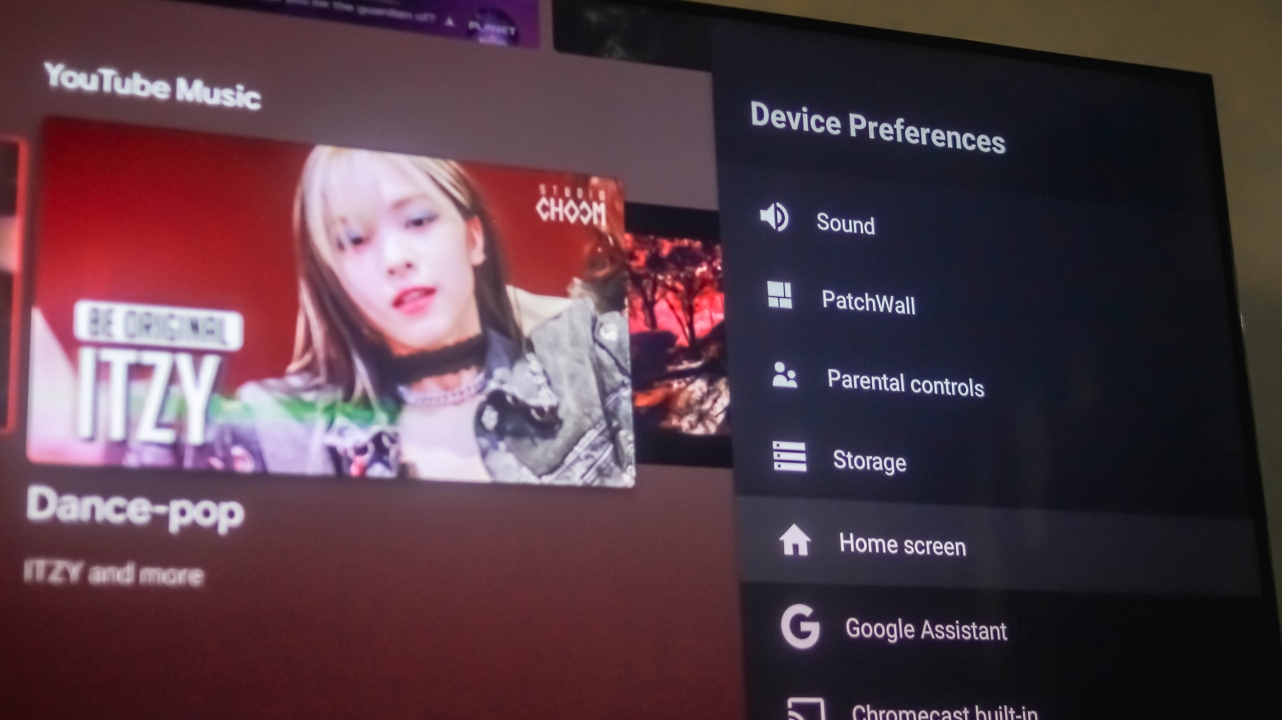
As I was trying to shoot more photos of the TV while using the PS4, I was surprised that pressing the “Settings” button doesn’t reveal the Device Preferences sidebar. Not only can I not adjust the brightness and backlight level, I also can’t pick a certain picture mode that might suit the game better. What a total waste.
Is the Xiaomi Mi TV P1 your GadgetMatch?
If you’re all in for the Mi TV P1’s excellence in image quality and immersiveness without ever minding its lackluster aesthetic and limitations in HDR support and PatchWall, the Mi TV P1 is a TV I can recommend. This product goes well for those who just recently moved to a new home and wants a TV that’s just right for their budget.

The good stuff of this Android TV still weigh more than the compromises mentioned. If you can’t wait to have your new TV in this upcoming holiday season, the Xiaomi Mi TV P1 is still a wise buy. Other than this 55-inch model which is priced at PhP 24,990, there are also 32, 43, and 50-inch variants available that retail for PhP 10,990 / PhP 18,990 / PhP 22,990 respectively.




Entertainment
SEGA, Netflix announce Crazy Taxi film adaptation
1st in planned slate of film adaptations, including Sonic and STRANGER THAN HEAVEN


SEGA and Netflix have announced a new Crazy Taxi film adaptation. This will usher in a new collaboration era with the parties also developing adaptations for Sonic and STRANGER THAN HEAVEN.
Such a slate of future adaptations reflects the range of SEGA’s library as it draws on Netflix’s experience bringing beloved game worlds to new audiences.
The first project features Crazy Taxi, which will be written by Dan Gregor and Doug Mand. The beloved writing duo was behind the 2025 reboot of The Naked Gun.
Also on board to help helm the production are the same visionaries behind the Sonic franchise: Neal H. Moritz, Toby Ascher, and Toru Nakahara.
Crazy Taxi has been an arcade hit since 1999, putting players behind the wheel of a fearless cabbie racing the clock through chaotic city streets.
There’s flying off ramps, dodging traffic, and chasing tips with punk-rock energy that has become the series’ signature.
The latest title in the franchise, Crazy Taxi: World Tour, is set for a 2027 release. You can watch its trailer below:
Entertainment
Now Playing: Resident Evil
Horror and comedy join forces in Zach Cregger’s latest masterpiece.


The intersection between horror and comedy is separated by a thin wall of air. In modern times, we’ve seen comedy legends, such as Jordan Peele and John Krasinski, make the successful jump into horror. Some have theorized that laughter is a pain response, which links it to the adrenaline-filled thrill of experiencing horror. Personally, I believe that mastering comedic timing also complements the timing of scary moments in horror. Comedy-trained directors just get it. That’s why the melding of the two genres is always something to look for, and that’s why Zach Cregger’s Resident Evil is a must watch.
Coming from last year’s Weapons, Cregger established himself in the annals of horror history, despite learning the art of filmmaking from cult comedy classics like Miss March and The Whitest Kids U’Know. Weapons (and Barbarian before it) expertly balances the essentials of horror with dark comedy. If you’ve seen either of these movies, then you know what you’re in for with Resident Evil.
Based on the games or the past movies?
Resident Evil is tagged as second reboot of the movie franchise after 2021’s disastrous attempt, starring Kaya Scodelario, which barely registered a hiccup in the oeuvre of Resident Evil films. However, like 2021’s failure, Cregger’s take bases itself primarily on the events of the games, specifically around the plot of Resident Evil 2.
Bryan, a medical courier played by Austin Abrams, is tasked with delivering a top-priority package to Raccoon City. Unbeknownst to him, the way leading into Raccoon City (and the fabled city itself) is already overrun with mutated monstrosities.
And so, Bryan, a courier inexperienced with combat (much less surviving against zombies), must fight his way into the city to deliver his charge.
A worthy protagonist
Over the years, the franchise has seesawed between capable action heroes, like Leon Kennedy, and those who can barely survive, like Biohazard‘s Ethan Winters. On that scale, Bryan falls deeply into Winters’s side of the spectrum. He’s ill-equipped to survive a zombie apocalypse. He even admits that his barebones knowledge of guns comes from videogames. He attempts to shoot locks, thinking they’d work as they do in games. He is not a character you’d want to follow if you’re looking for a gruff man gunning down hordes of zombies with a machine gun.

But that’s exactly what makes this horror film worth watching. Bryan is us. Though there were times I was screaming at the screen because he wouldn’t do the obviously logical thing of running away from blatant traps, our fragile protagonist mimics how we would all react in a horrific situation: a deer in the headlights stuck staring.
Every situation feels more frightful. You don’t know how you’d react. He doesn’t know how he’d react. We’re just stuck trailing along for his ride. If he lingers too long looking at a zombie about to bite him, you have no choice but to look along with him. As a horror protagonist, he’s perfect.
When a camera does the work
Of course, inept protagonists aren’t new to horror. Practically all good horror films will feature a helpless hero standing up to the monster. See: the “final girl” era of horror.
Resident Evil elevates this trope by allowing the camera to do the heavy lifting. The film’s expert transitions into first-person perspectives and over-the-shoulder ones amp up the frights. When Bryan sweeps a room with a gun, the camera takes you down to the muzzle. You become the one sweeping along with him. You see the darkness as he does. The style creates an impressive layer of immersion that brings you into his trauma. Plus, if we’re going with comparisons, the transitions feel like a game taking you from a cutscene back into control of your character.
And it’s not just the perspectives, too. The film mimics several tense moments oft found in horror games, like gingerly creeping through a thin ledge when one false move can mean plummeting to your death. Resident Evil also has scenes in a dark tunnel, the sewers, and an overrun hospital. It’s a veritable who’s who of horror settings. But they all just work. It’s like you’re in a Resident Evil game.
When goofy becomes scary
But that’s enough of how the movie was made. How scary is it?
Taking them from their respective contexts, each monster is goofy. There’s an infirm zombie spewing acid bile that Bryan just bullies around. There’s a seemingly innocent young girl with a tentacle foot. There’s a zombie katamari.
And if that’s not enough, the casting is filled with masters of comedic timing like Paul Walter Hauser, Zach Cherry, and Austin Abrams himself. The first two play bumbling representatives of Umbrella Corporation, people who are too incompetent to do their job. Abrams is the bumbling everyman who can’t make heads or tails of what’s happening. Comedy is a living, breathing presence in this film.
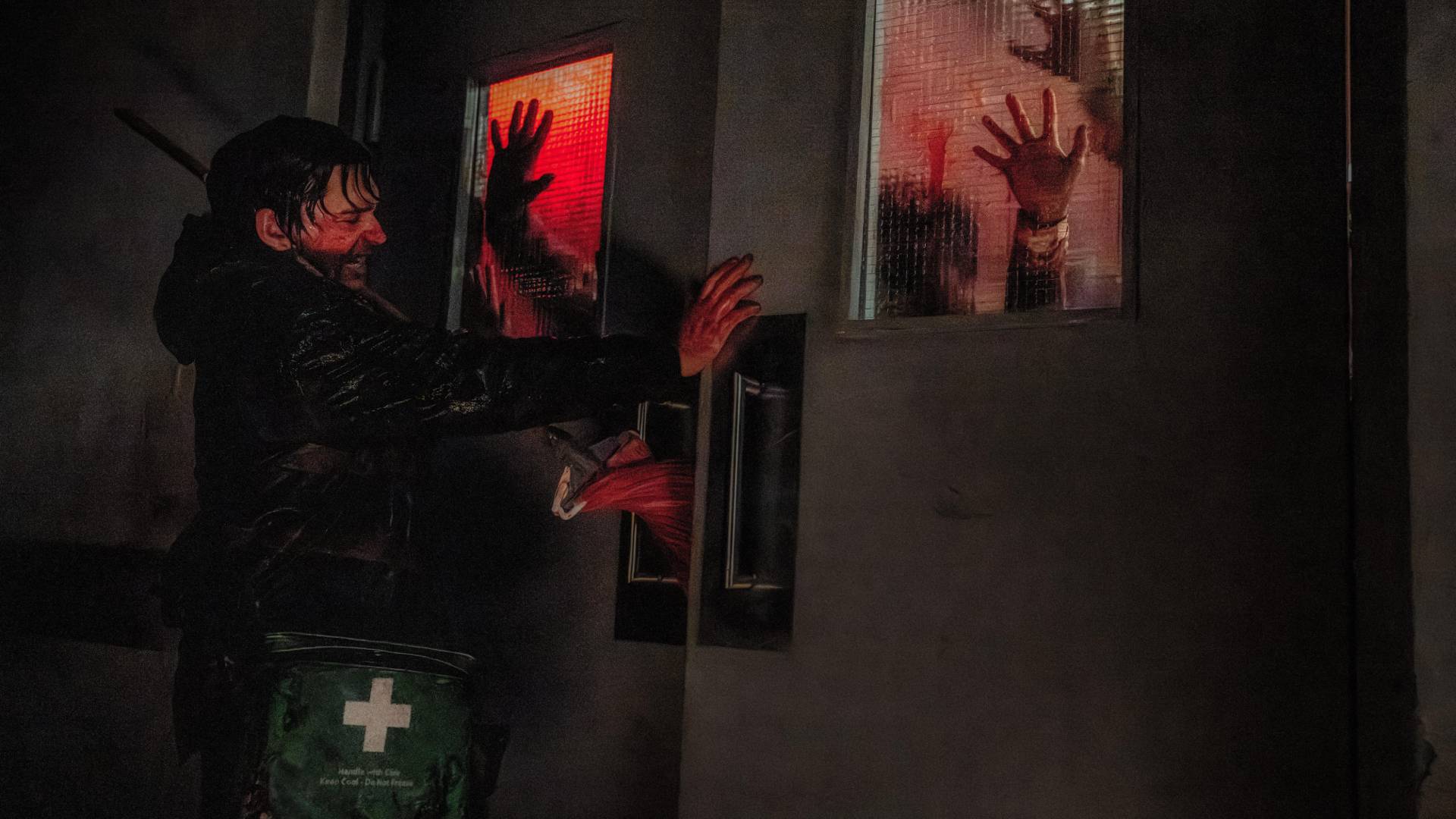
But that’s not to say that this is a comedy film. The horror is still top notch. Cregger just knows how to time everything right.
Unlike modern films today, like in The Conjuring universe, Resident Evil is not a scare-a-minute film. It will not bombard you with jumpscares.
Now, to be fair, there are a fair bit including fakeouts. In fact, under normal circumstances, I’d dislike how many there are. But here, each jumpscare comes with a lengthy period to catch your breath. The film gives you time to relax, to laugh, and, eventually, lower your guard for the next scare. It’s a balanced pace that’s kept up throughout the entire film.
This is exactly how you should pace a horror movie.
Should you watch Resident Evil?
Even with its uniquely comedic style, Resident Evil is one of the most faithful adaptations of a video game I’ve ever seen. Like a game, Cregger’s pacing knows when to let you, the viewer, breathe and when to thrust you back into its monstrosities.
Humor will always go hand in hand with horror. Though the responses to these two categories are technically different, they’re both genres about facing the unexpected. On the box, Resident Evil says that it’s a horror film, but it’s so much more. If you want to laugh, cry, and cower in fear all in the same movie, this is the movie to watch.
Entertainment
Max vs 100 will feature Max Verstappen race against 100 go-karters
The live event will stream at midnight on September 17.

As a child, one of my favorite thought experiments is to imagine who would win in a fight between my favorite characters at the time and a number of other random beings. For example, will Superman prevail against 100 Magnetos? Those are the ways I kept my young mind occupied. Now, as a former child, I still do the same thing but with more realistic people, like imagining if Steph Curry can win against 100 high schoolers. This week, ESPN and Disney+ are making one of those imaginary fights real: Formula 1 legend Max Verstappen versus 100 go-karters.
In an upcoming live event streaming exclusively on Disney+, Max vs 100 will pit the four-time world champion against 100 go-karters from everywhere in pop culture. This gaggle of 100 will include popular content creators such as Twitch streamer ExtraEmily, car photographer Larry Chen, and NBA shooting coach Chris Matthews.
All 101 drivers will race around one of the most iconic tracks in Formula 1 history, Silverstone in England. The track will be reconfigured to match the special race.
Of course, this is more than just a parade of go-karts. Max Verstappen will start at the back of the grid, meaning he has to overtake all 100 racers to win. Now, the Dutch driver is no stranger to winning from the back. In 2024, he won the Sao Paulo Grand Prix despite starting from P17 (out of 20 racers). Max vs 100, though familiar for the driver, presents a different challenge. Can he overtake 100 times to win the race?
Max vs 100 will stream live through Disney+ on September 17, 12:00am PHT.


DJI Lito X1 review: Is this the best lightweight drone for creators?
Making a strong case as a travel companion and a capable B-cam!


REDMI Note 17 Pro Max review: A new breed born from AI greed
Welcome to the new normal


Marvel’s Wolverine review: When the claws come out
A brutal, cinematic superhero adventure

Epson Lifestudio Grand Plus EH-LS970B with 4K projection, more launches

Jackery Explorer 300D: Power and portability in one

Nike’s Alphafly 4 is built for the part of the marathon ~that actually hurts~

SEGA, Netflix announce Crazy Taxi film adaptation

Smart launches LiveSmart App for exclusive deals

TECNO MEGAPAD 2 review: Eyes on the size

realme 16T 5G with 8000mAh battery, IP69 Pro rating launches in PH

HUAWEI Pura X View is 2026’s first WIDE slab-type smartphone

REDMI reveals the refreshed Note 17 and Note 17 Pro series

REDMI Note 17 Series: Price, availability in Singapore


-
 News2 weeks ago
HUAWEI Pura X View is 2026’s first WIDE slab-type smartphone
-

 News2 weeks ago
The CAMON Slim 5G is TECNO’s latest ultra-slim smartphone
-

 News2 weeks ago
iPhone 18 Pro series: Price, availability in the Philippines
-

 Singapore2 weeks ago
iPhone 18 Pro series: Price, availability in Singapore
-

 News2 weeks ago
iPhone Duo: Price, availability in the Philippines
-
 News2 weeks ago
HUAWEI Mate XT 2 tri-fold launches with Kirin 9050 Pro
-
 News2 weeks ago
vivo introduces refurbished versions of X300 FE, X300 Ultra for less
-

 News2 weeks ago
iPhone Duo: Price, availability in Singapore