


When the ROG Phone first came out, we thought ASUS ROG was the perfect company for the job. After all, ASUS had success with both their Zenfone line and their whole ROG gaming portfolio. It was a perfect combination that came at just the right time. The ROG Phone is now going strong in its 7th generation.
ASUS might have the right device to recapture that same kind of magic with the ROG Ally. It’s a handheld gaming console — ROG’s first.
There are plenty of reasons to get excited about the ROG Ally and all of them have to do with what ROG has built throughout the years.
That’s a proven track record in the gaming space when it comes to hardware, software, and close collaborations with processor partners.
While we’re at it, here are the specs of the ROG Ally.
- AMD Ryzen Z1 Series processor
- 7-inch FHD 120Hz screen, 500 nits peak brightness
- Up to 16GB LPDDR5 of RAM
- Up to 512GB NVMe M.2 SSD internal storage
- MicroSD Card slot for storage expansion
- AMD Radeon Navi3 graphics
- 40Wh with 65W PD Adapter, support for passthrough charging
The AMD Ryzen Z1 Series processor is also a first for AMD Ryzen. It’s a chip that’s made specifically for handheld gaming PCs. That’s an exciting prospect that could mean more handheld PCs are on the horizon. But that’s a topic for another day.
The series consists of two chips — the base Ryzen Z1 and then Ryzen Z1 Extreme. Both will make their way to the ROG Ally.
We’ll dive into overall performance later on. For now, let’s take a look at this handheld console’s design.
Undeniably ROG
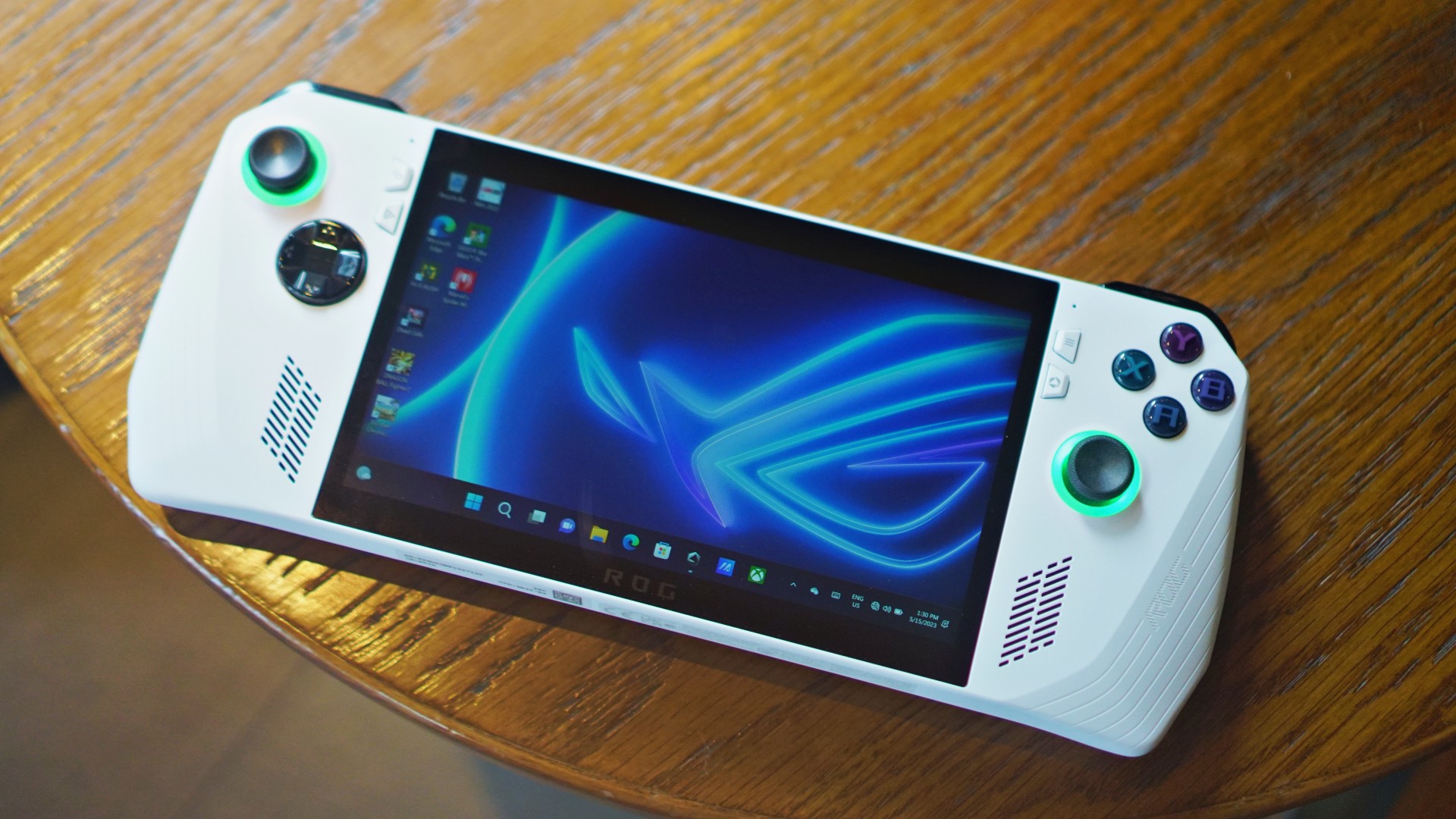
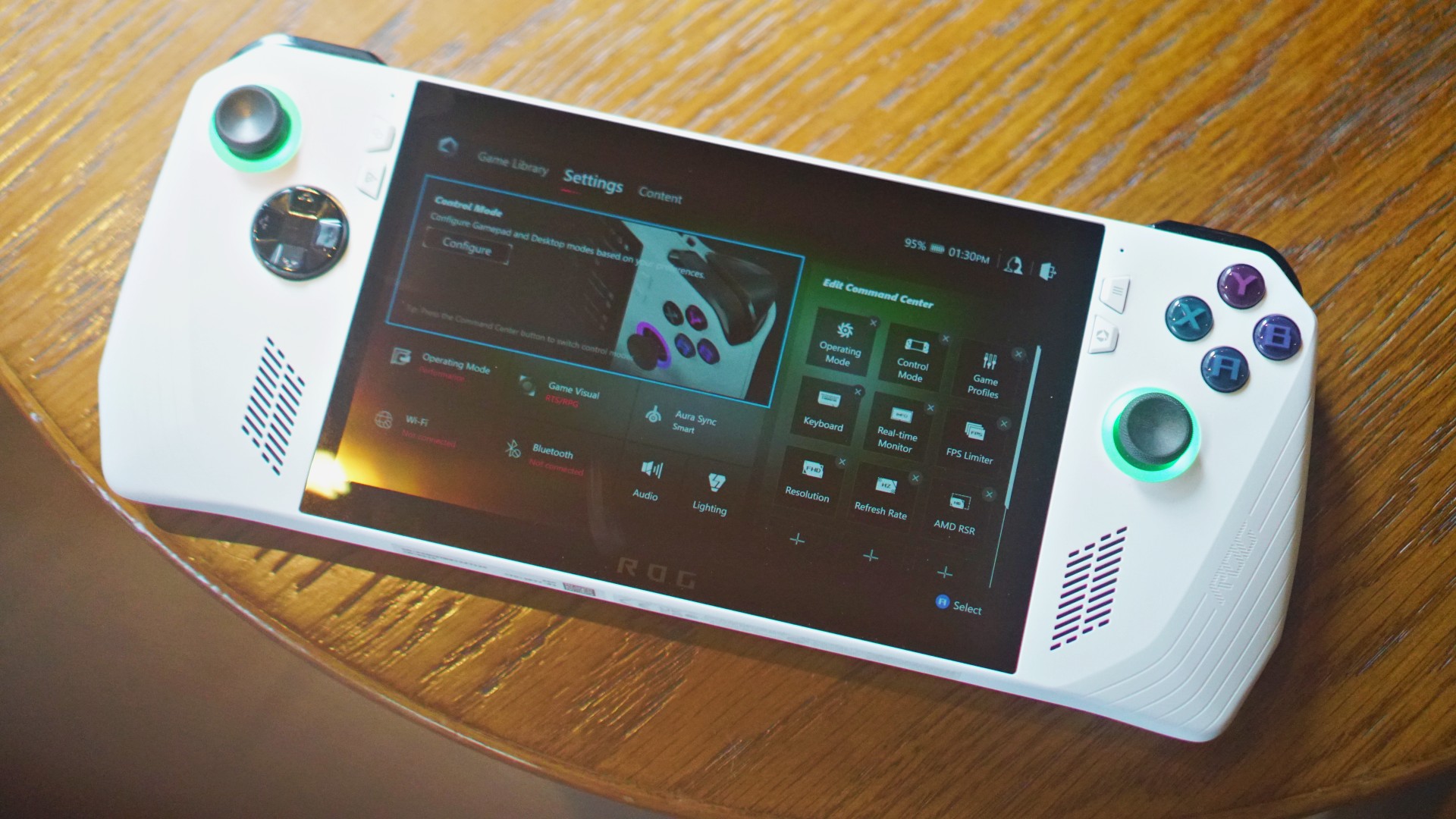
One look and the Ally is undeniably an ROG device. The lines all over the device scream ROG and are very reminiscent of the recent ROG Phones.
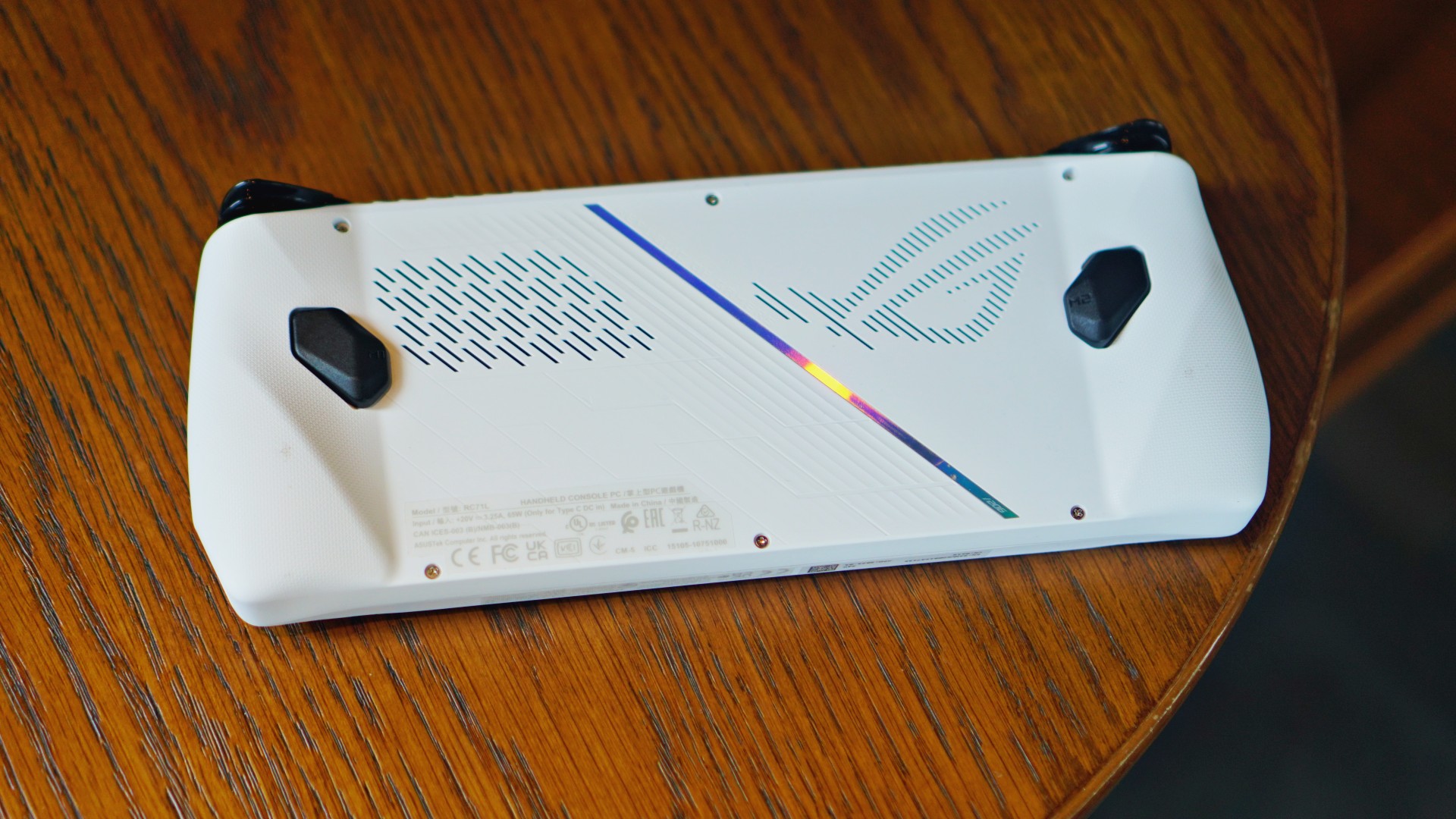
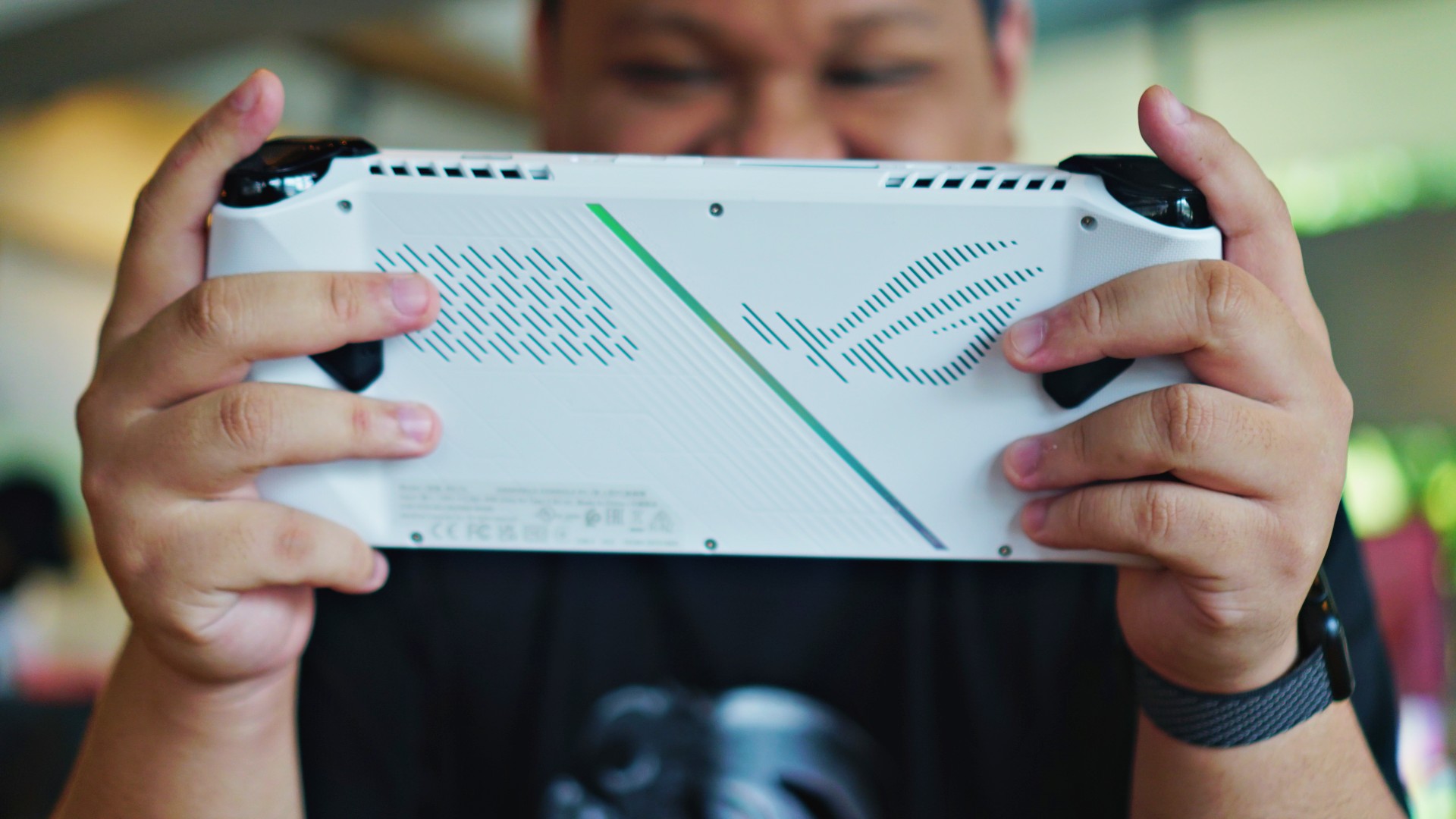
Viewed from the back, you’ll find the ROG logo carved in a vent-like pattern.

On both side edges is a ridged and sloped pattern. ROG says this was made for better grip.
The overall layout is reminiscent of an Xbox controller with the sticks and buttons being asymmetrical.

The left side has the left stick and the circular directional pad. And near the screen are the View Button and Command Center button.
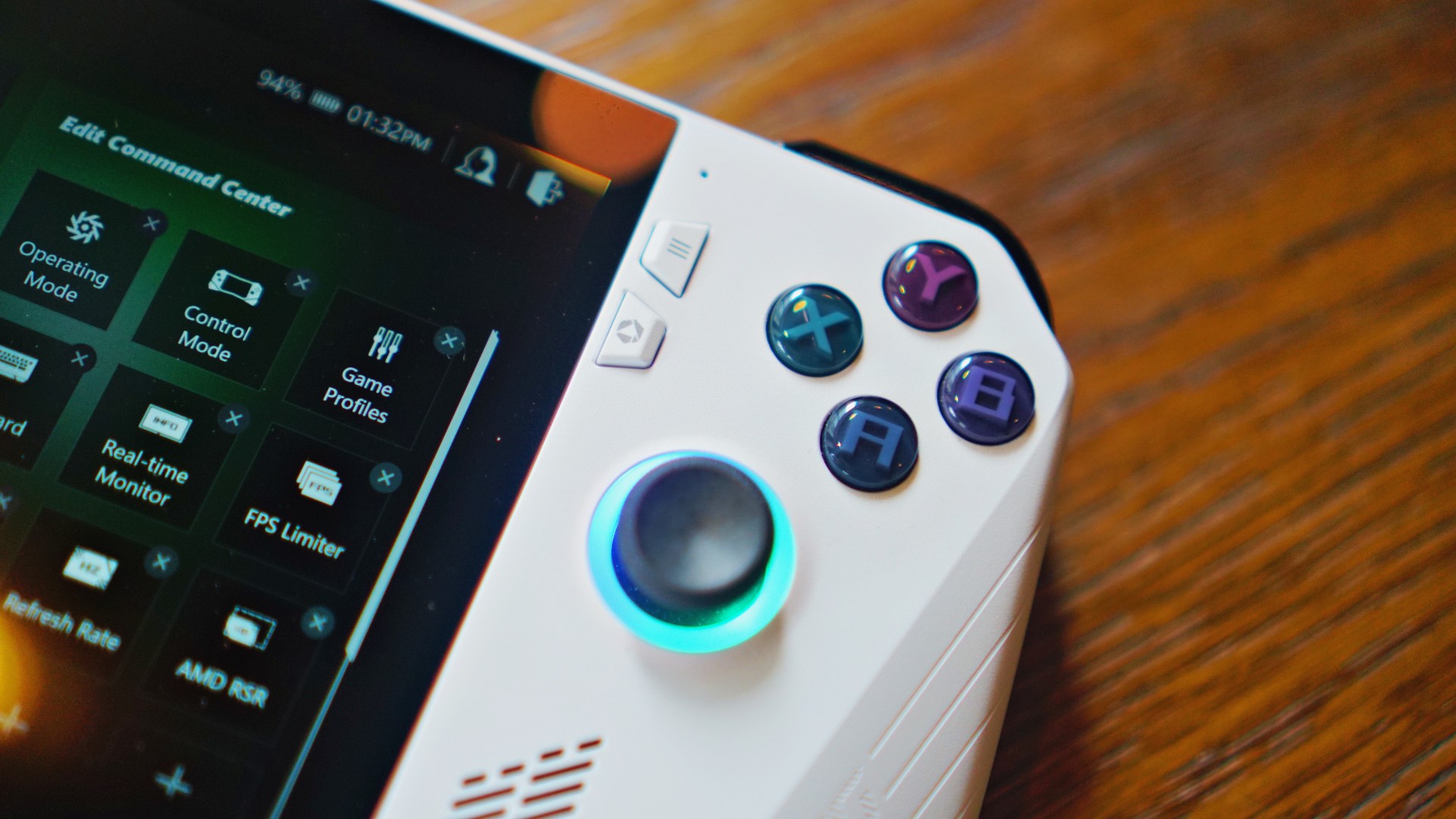
While on the right are the face buttons and the right stick. Here, near the screen are the Menu Button and Armoury Crate button.
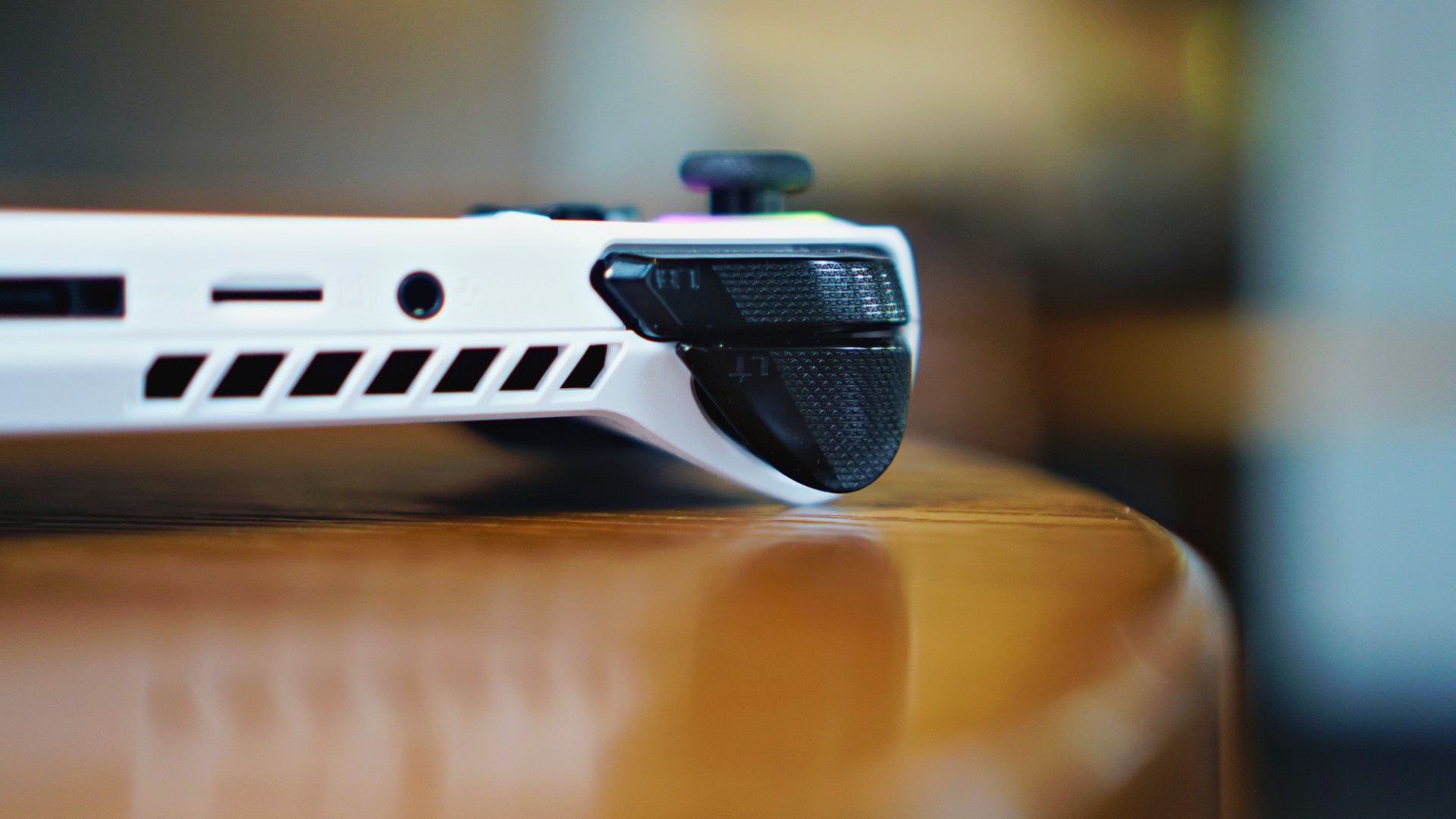
The trigger and shoulder buttons sit alongside each other where you would normally find them in most controllers.
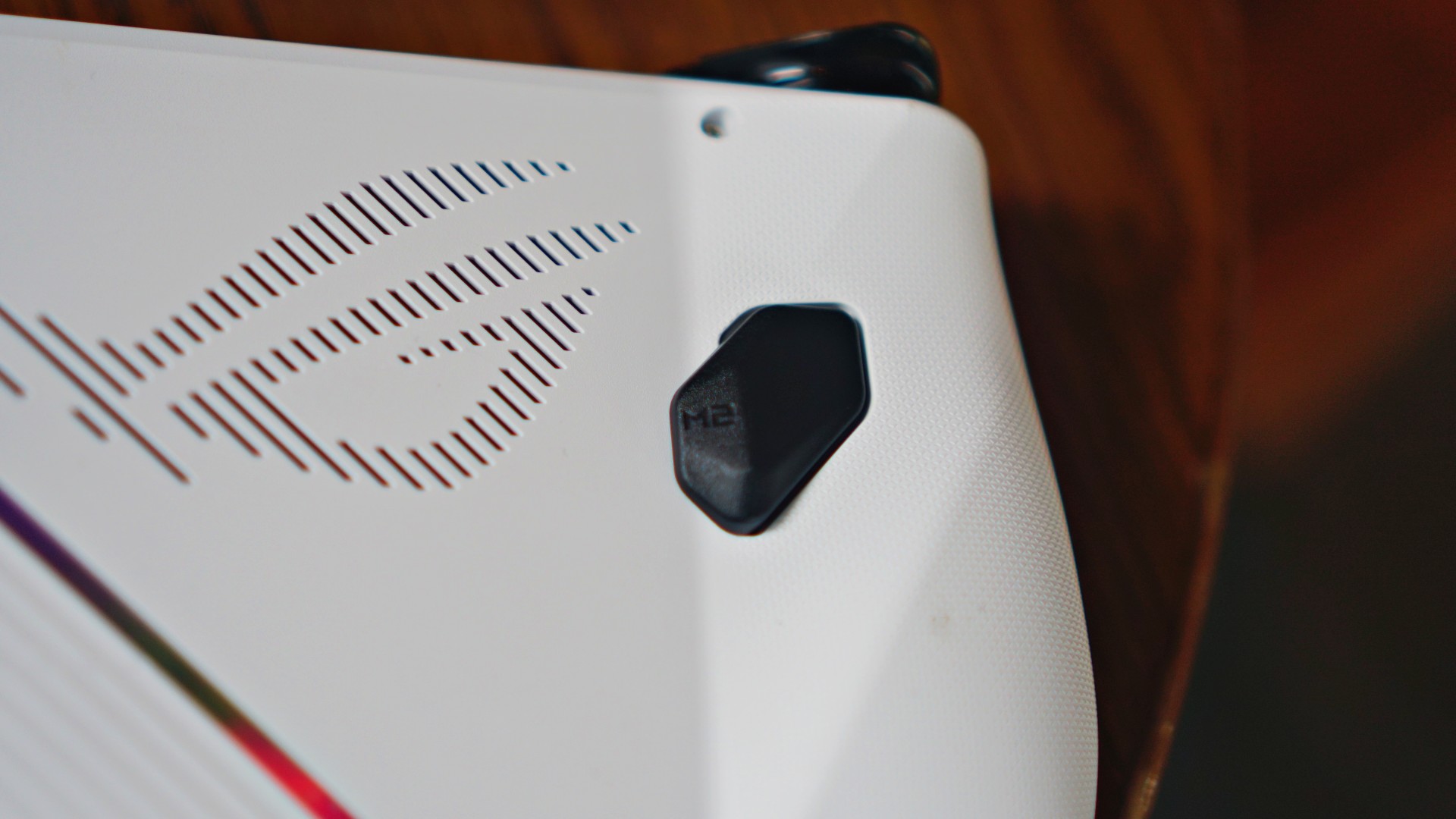
ROG also added additional buttons at the back of the device — a staple for pro and semi-pro controllers.
The device weighs 608 grams, slightly lighter than what it will be compared to the most — the Steam Deck, which tips the scale at 669 grams).
Light and just right
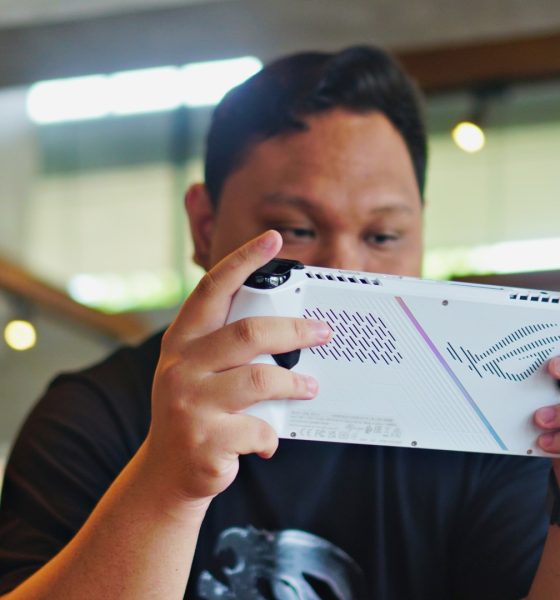
Personally, I thought it felt pretty light. ROG did a good job with the weight distribution. The Ally feels sturdy and fits my hand pretty well. Naturally, this experience is gonna vary from person-to-person. For me, it feels like a proper, well-built handheld.

Once again, the company is very proud with what they’ve done on the cooling front. The fans and vents are laid out in a way that they would avoid your hand.
They’re also made so that the ROG Ally doesn’t produce a loud fan sound even when you’re pushing it to the limit.
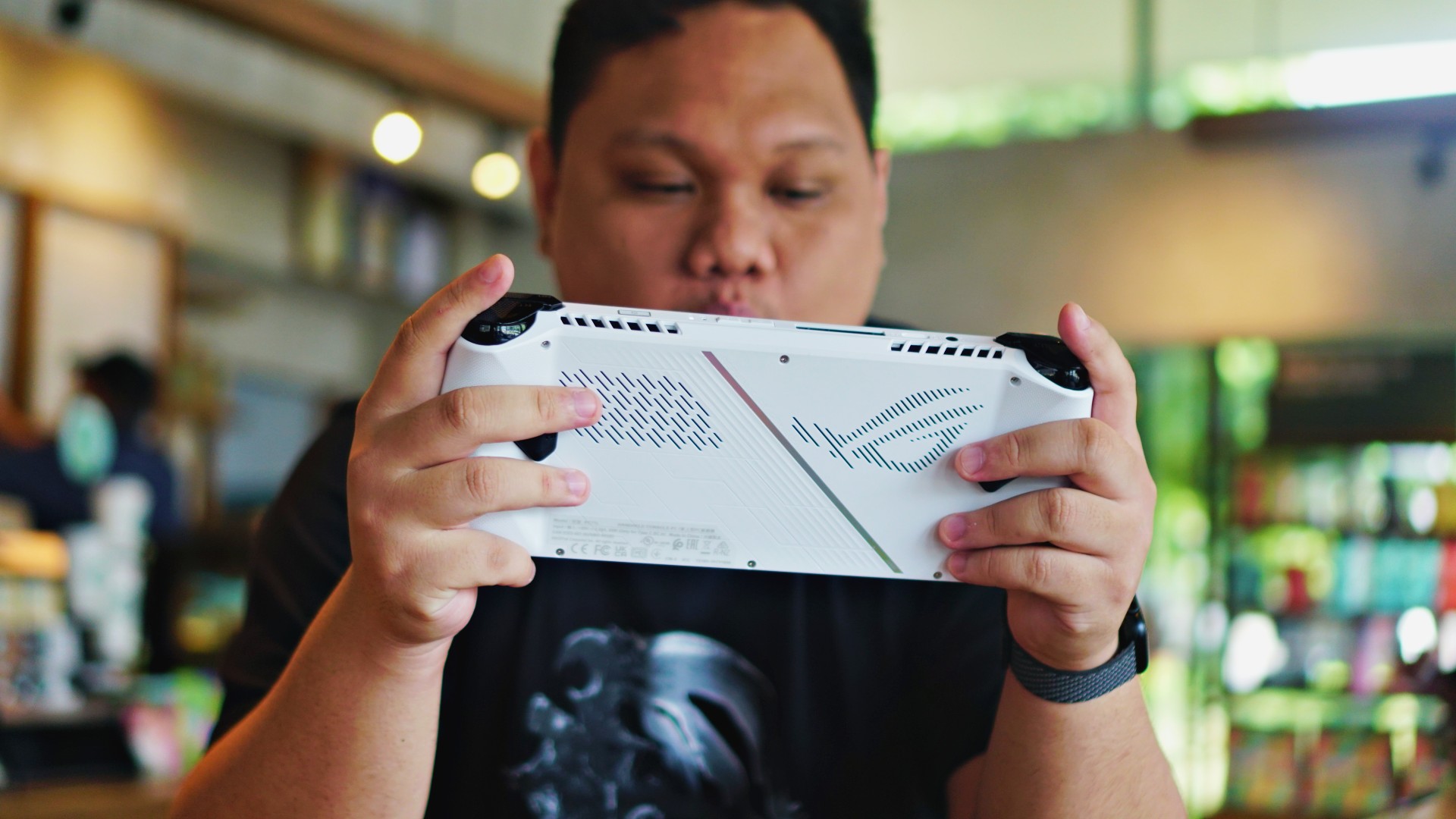
After testing we can say that the ROG Ally is relatively quiet. Perhaps it helps that the speakers are also pretty darn good and the games I played were pretty entertaining. I never felt bothered by noise coming from the fans, which to me meant it was not producing any excessive noise.
ROG says this handheld has been in development for five years now. They even showed us the multiple design iterations it has gone through.
What you see now is what they landed with ultimately and feel like is the most optimized for what they want to offer.
Windows woes

The ROG Ally will run Windows 11 out of the box. That means it runs more than just your Steam Library right out the gate. Games downloaded from the Epic Games Store, Xbox Game Pass, and EA Play will immediately be available.
Microsoft is rumored to already be developing a version of Windows that’s specifically designed for handheld gaming PCs. That’s great because navigating the Windows desktop interface with a controller isn’t the best experience.
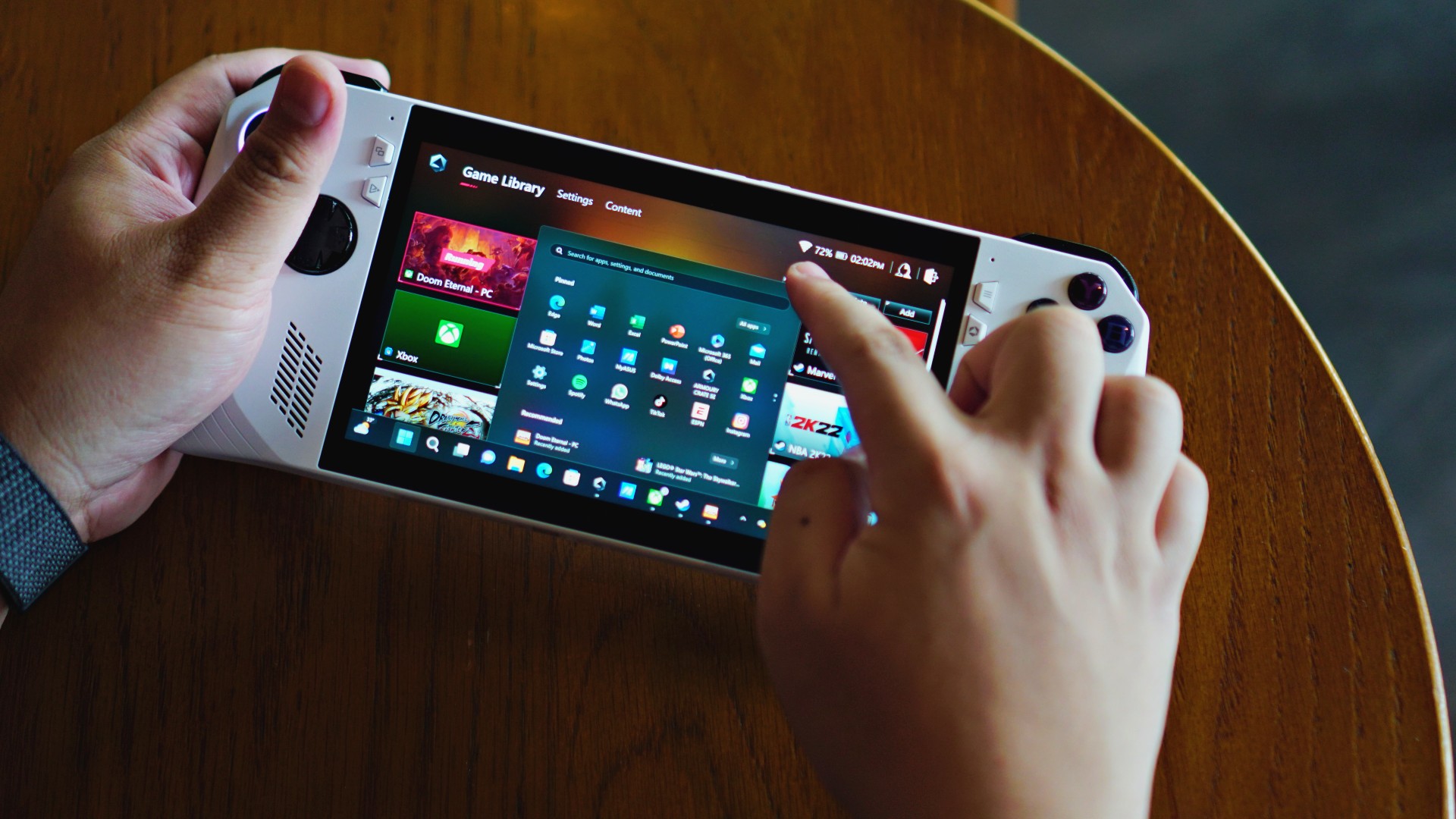
Expect your first day or so with the ROG Ally to be spent installing updates, signing up to the game stores and services, downloading your games, and just the whole set-up shebang.
My advice is to connect a bluetooth keyboard and mouse and sign-in to all your accounts in one go. This way, you can just hop in and play the next few times you fire it up.
Armoury Crate SE to the rescue?
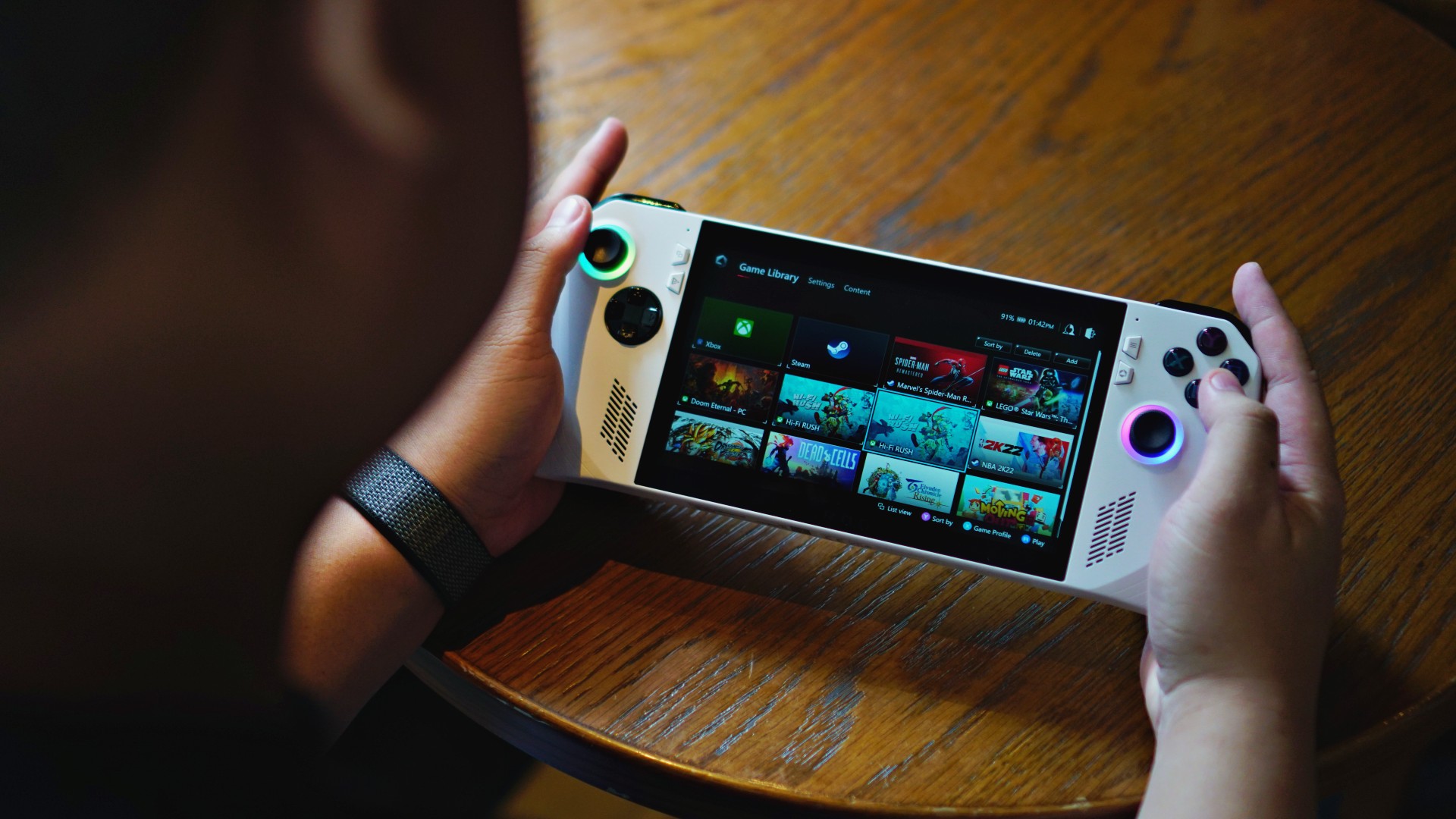
You can bring your games together through ROG’s Armoury Crate SE. Armoury Crate is ROG’s proprietary software that comes with every ROG device. On it, you can tweak multiple things like how much processing power should be used by certain games.
There are plenty of other things you can do with it. For our smartphone-first audience, think of it as a really souped up version of Game Mode interfaces on smartphones.
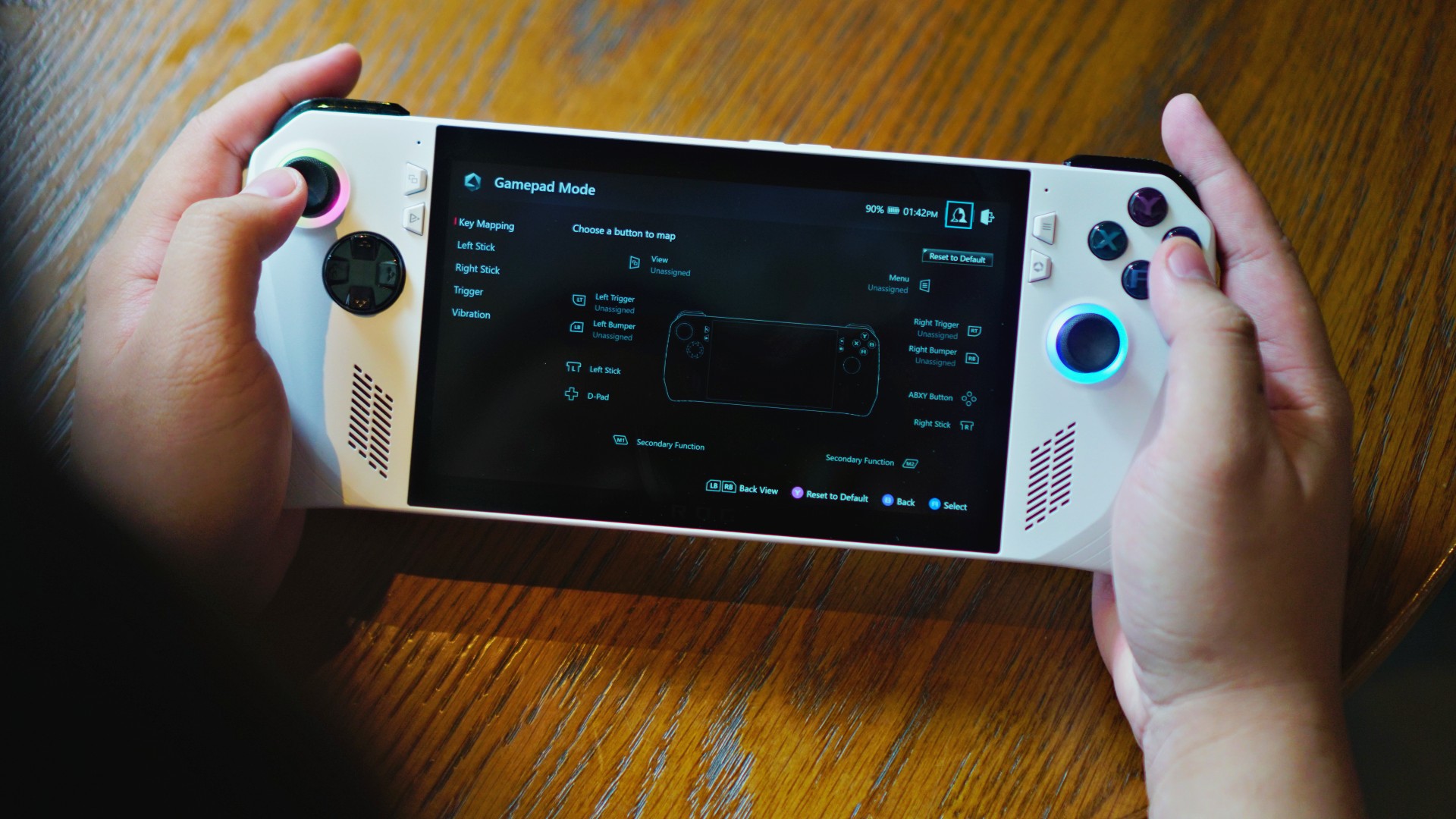
Settings and customizations on Armoury Crate SE.
The ROG Phone has this too. And like on the ROG Phone, the Armoury Crate SE pulls in all the games you have installed and lays them out in a cohesive, easy-to-access fashion — one that works with a controller layout.
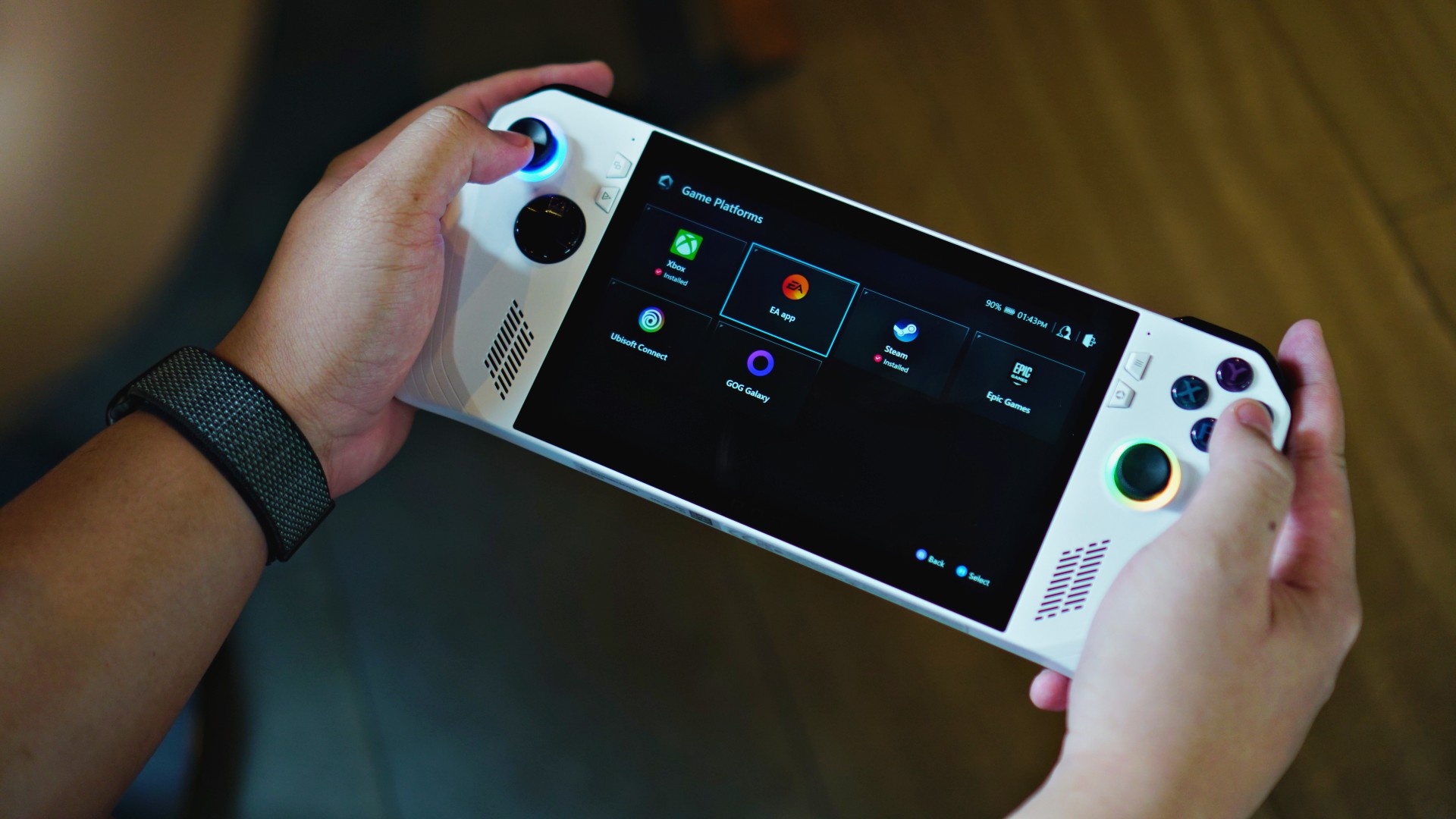
Not just your Steam library.
That’s a near console-like function that should come in handy if you plan on stacking your Ally with plenty of games from various stores.
If you’re worried about smoothly navigating your games on the ROG Ally, the Armoury Crate SE makes the experience a little more tolerable.
It’s far from perfect and will likely get incremental updates and optimizations over the years – something ROG promised it will do for the Ally for the foreseeable future.
Game time!
Alright, now that all of that’s out of the way, it’s time to play! I played plenty of AAA titles and a couple that don’t demand as much power. Here’s how the games fared at a glance:
Lego Star Wars (Xbox Game Pass)
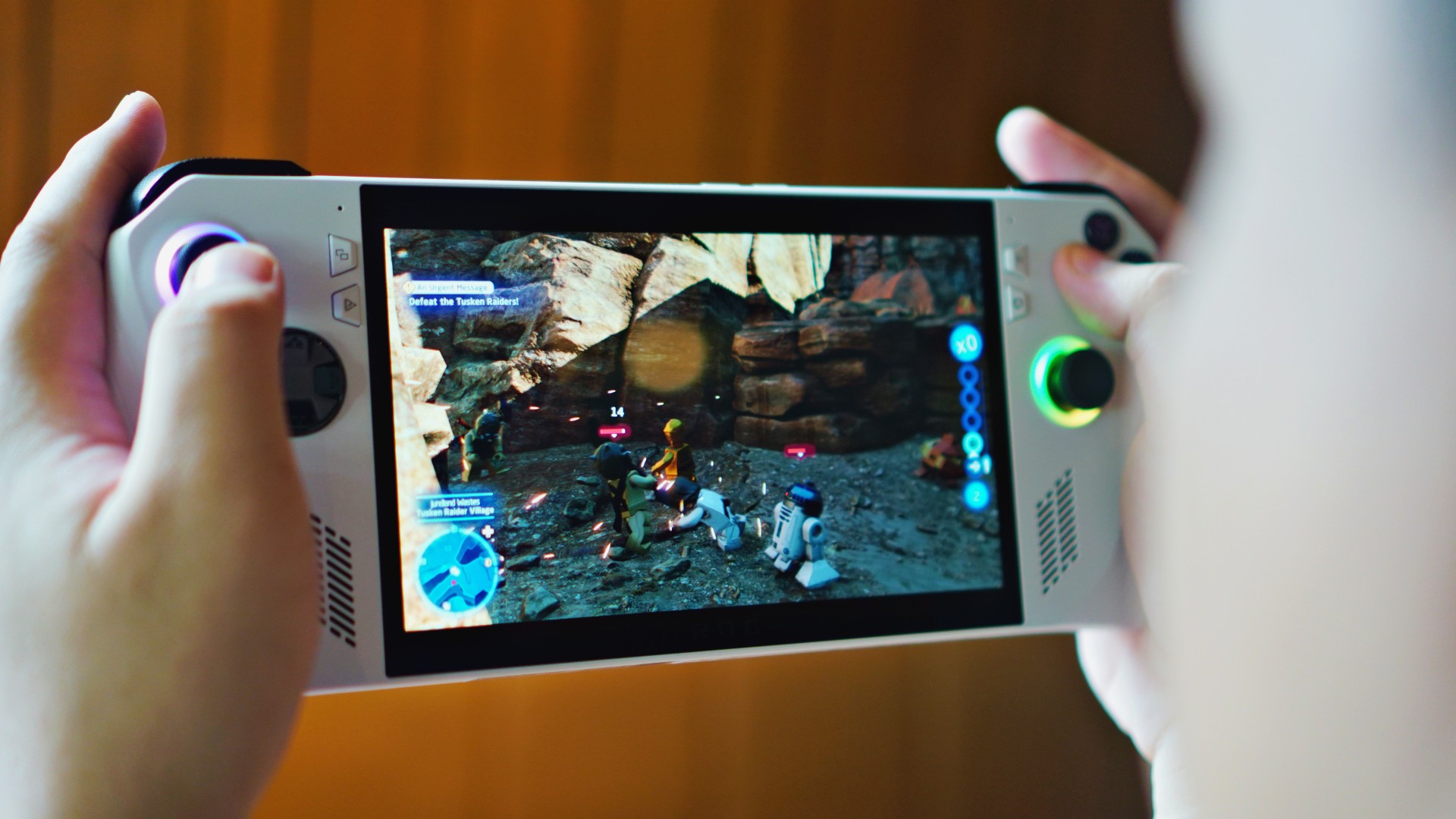
- FPS goes from 24 to 60.
- Pretty smooth gameplay all throughout.
Hi-Fi Rush (Xbox Game Pass)
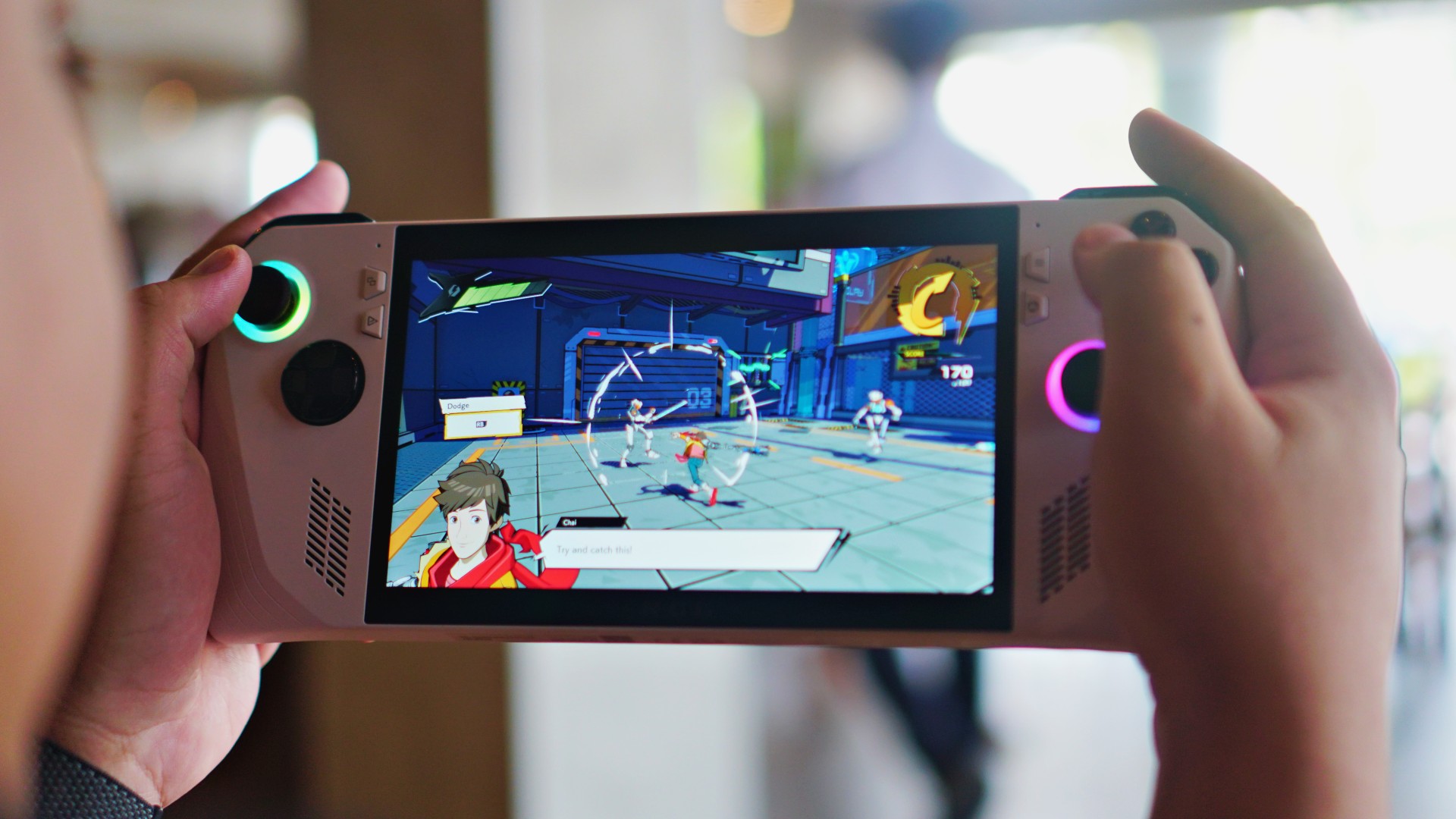
- FPS hovered in the 30-40 range.
- Some stuttering. Not ideal for a rhythm game, but still fairly playable.
Dragon Ball FighterZ (Steam)

- FPS a steady 35-50.
- Ran extremely smoothly. No lag input. Critical for fighting games.
Marvel’s Spider-Man Remastered (Steam)

- FPS max is 31, dips to as low as 15.
- Noticeable stuttering but nothing game breaking.
Returnal (Steam)
- Varied intensely from 16FPS all the way up to 115 FPS.
- Ran much smoother than Spider-Man despite the wide FPS variance.
NBA 2K22 (Steam)

- Steadily at 59 FPS during play time.
- Crucial for a game like this with so much happening on screen.
Dead Cells (Xbox Game Pass)
- Steady 24 to 30 FPS.
- 2D side scroller game, not demanding graphically.
- Ran smoothly.
Eiyuden Chronicle: Rising (Steam)
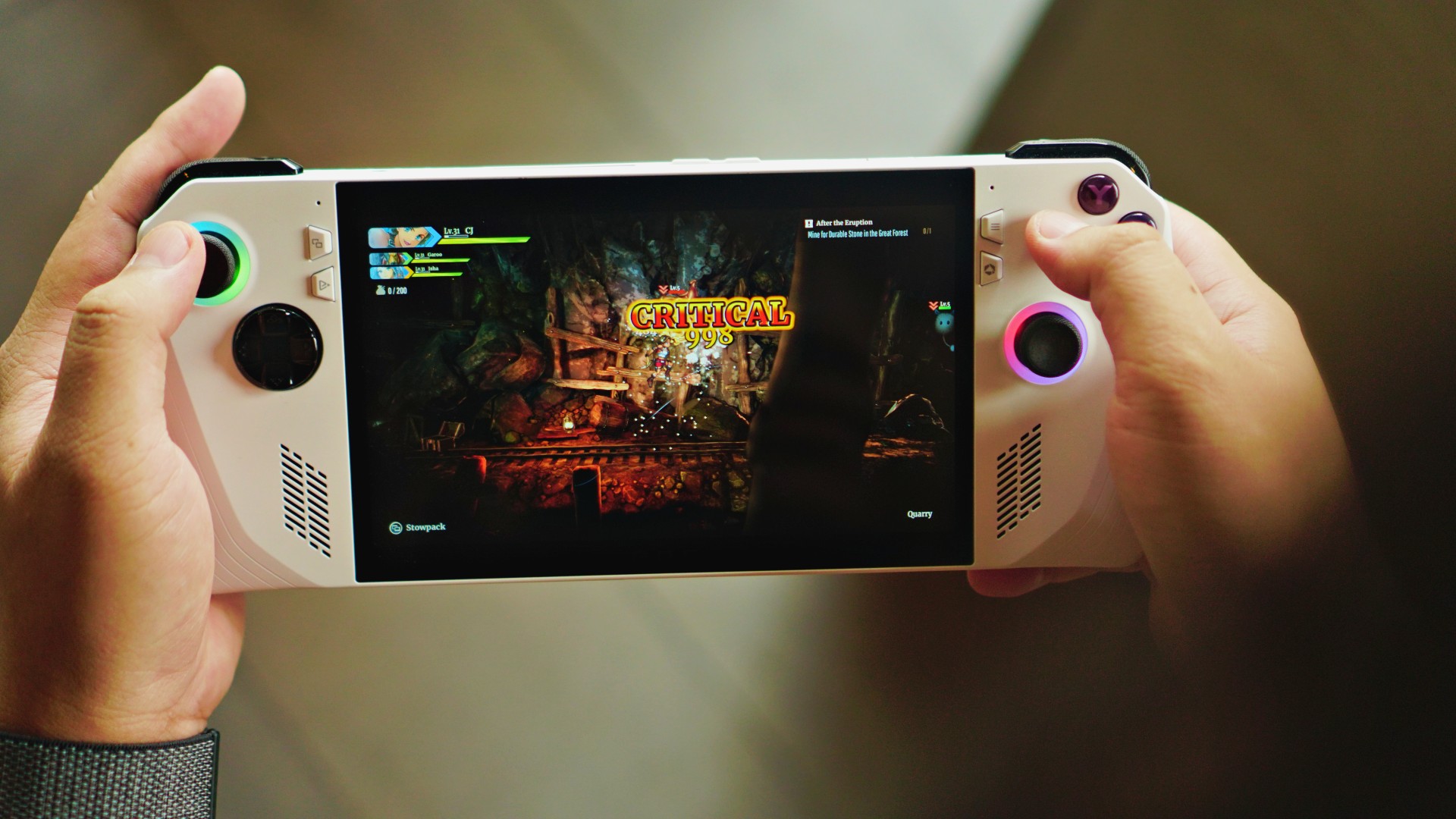
- Steady 20-30 FPS.
- 2D/2.5D Side scroller, also not very demanding graphically.
- Ran very smoothly.
Game time notes
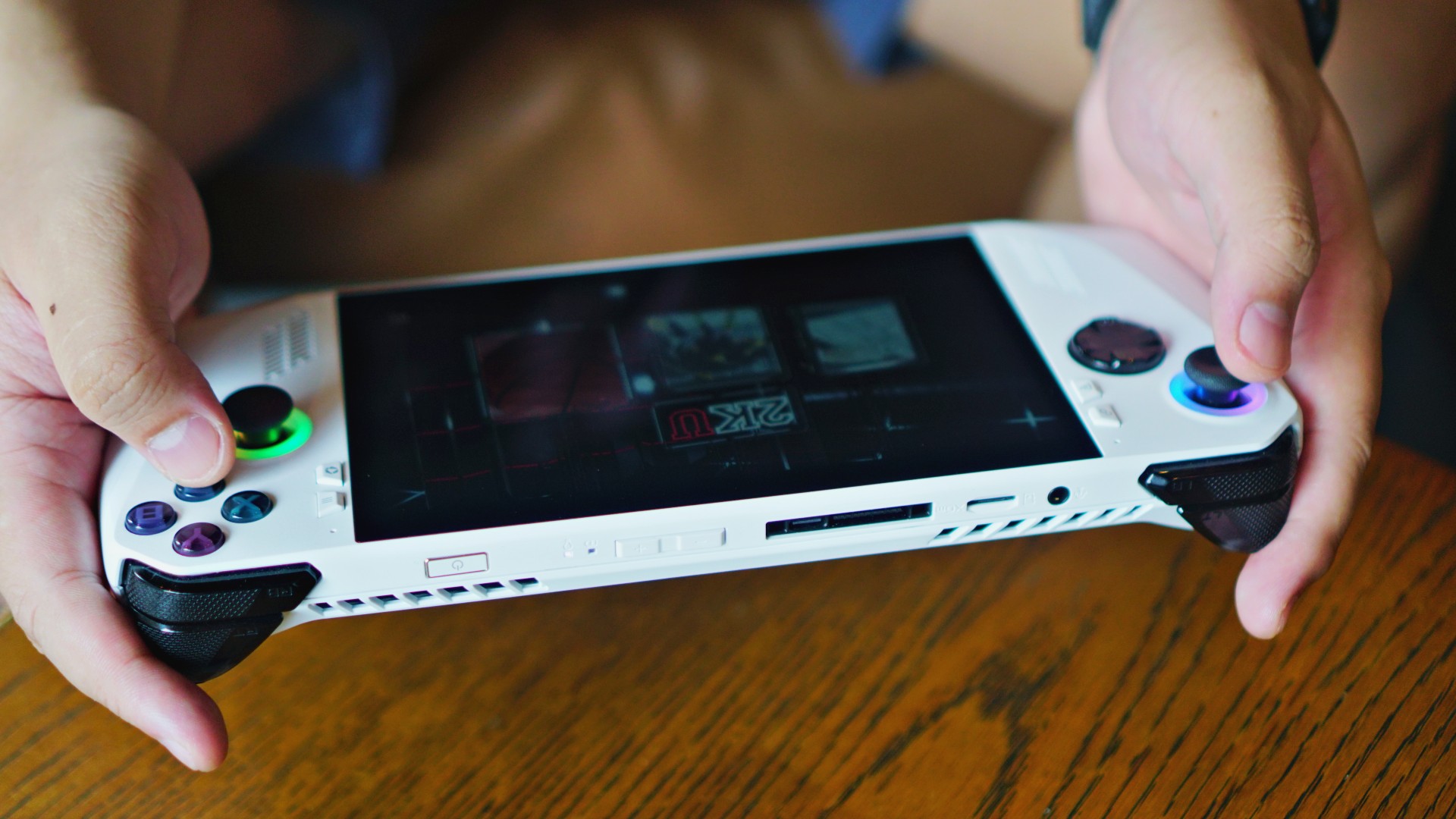
Games from PlayStation Studios that are AAA titles – Marvel’s Spider-Man Remastered and Returnal seemed to require the most out of the ROG Ally.
Both games push the device graphically. This resulted in stuttering during gameplay. But nothing game breaking. Still pretty much playable.
These games drained the battery the fastest. Got about an average of one (1) hour and 25 minutes of playtime before I hit the 5-10% battery range.
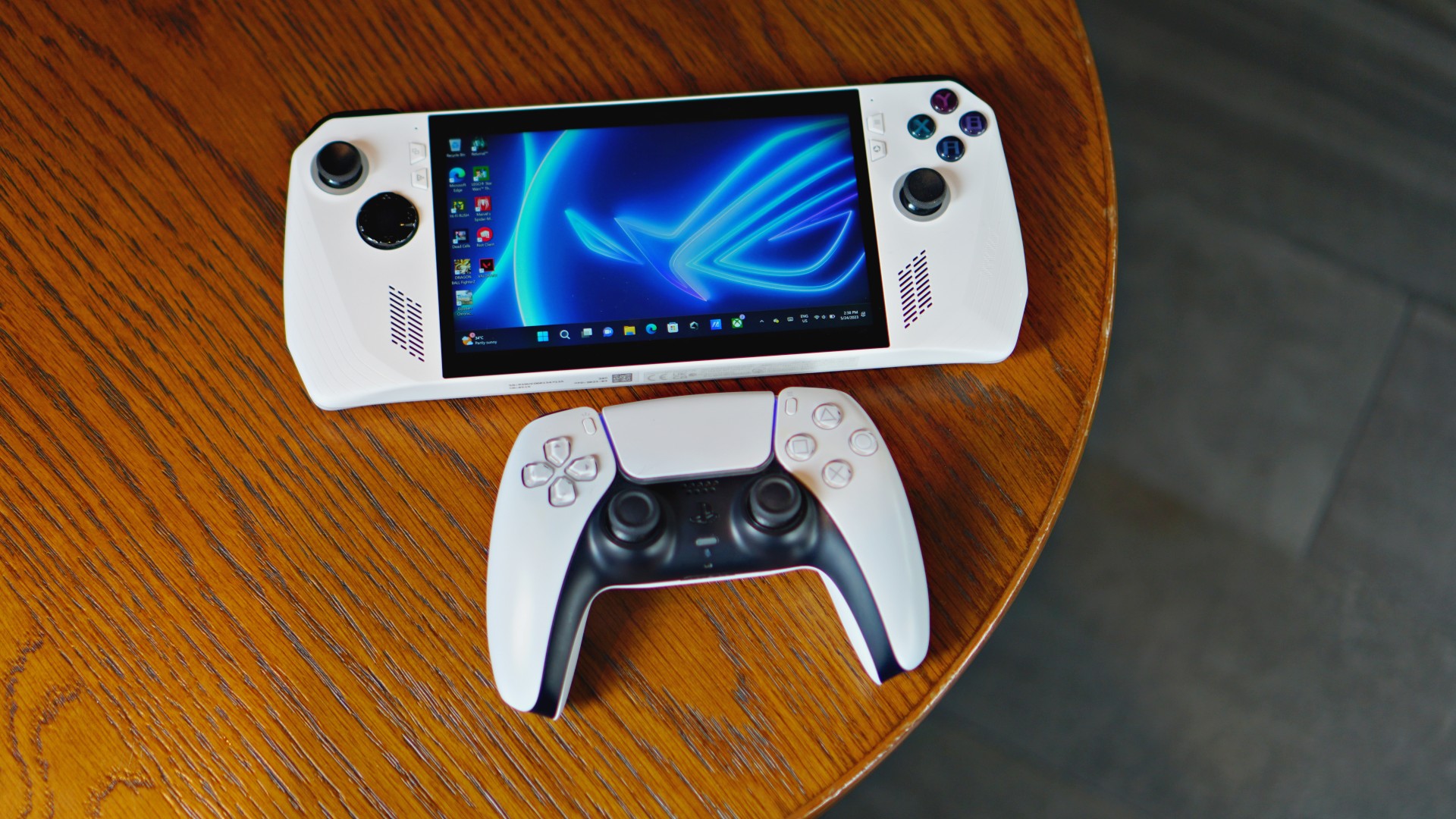
They also put the rumble feature to use the most, perhaps in an attempt to mimic the effect of the DualSense controller. It doesn’t quite get there, but it’s still a solid implementation – close to how the Dual Shock felt like.
More on PlayStation games on the ROG Ally here.

Playing other AAA titles like Lego Star Wars the Skywalker Saga, NBA 2K22, and Doom Eternal, battery life hovered around two (2) hours before hitting the red mark.
Less demanding games like Dead Cells and Eiyuden Chronicle: Rising lasted longer – around three (3) hours and 35 minutes.
More game time notes
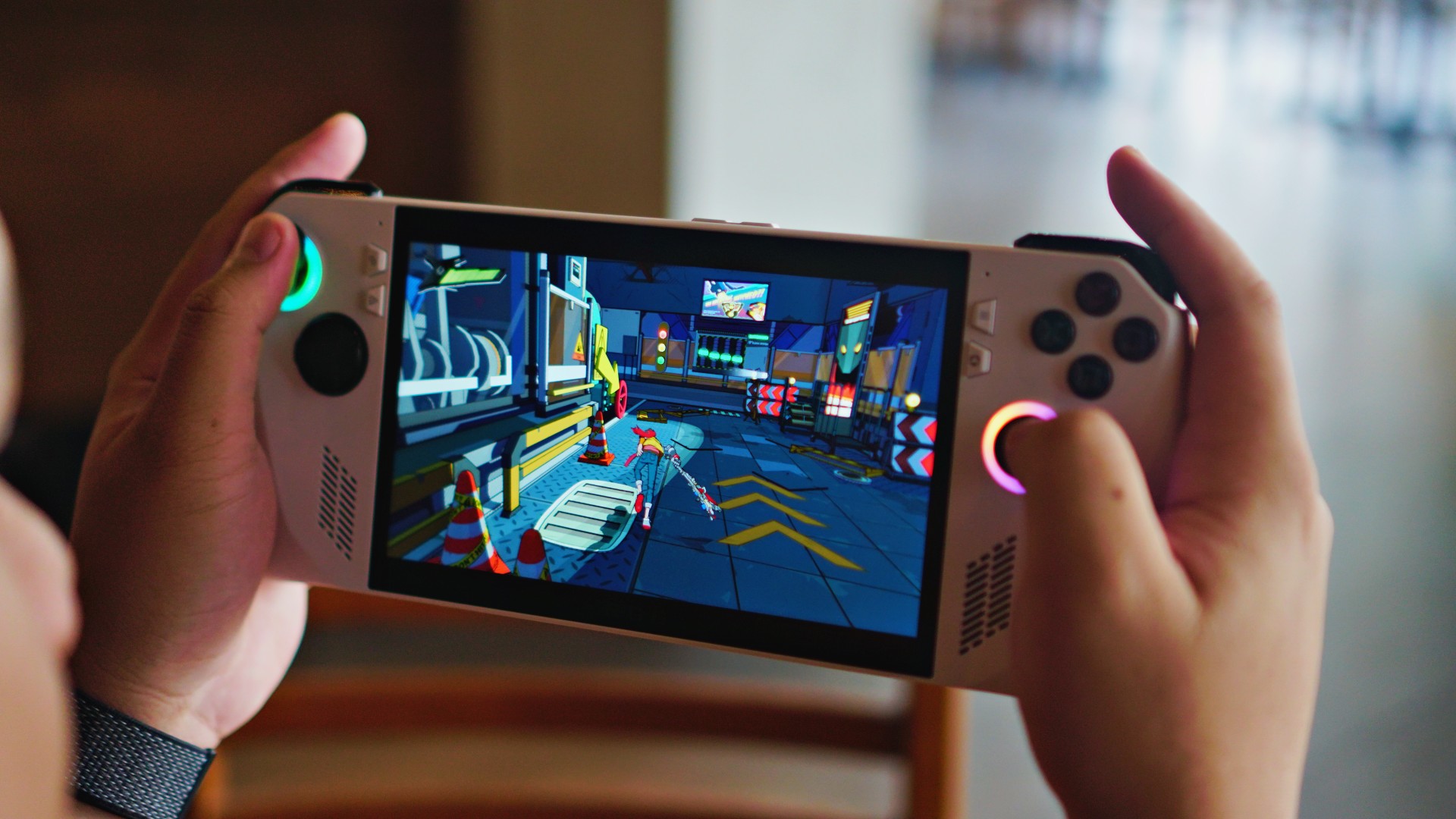
Battery goes red at 15% but there’s no alert. On one playthrough, the ROG Ally just died on me.
It’s like getting ghosted. In the grand scheme of things, it’s fine. But a heads up would have been nice. I started watching more closely after that, constantly switching to Armoury Crate SE to check battery levels.
The device feels well-built. It did not overheat to a point that you can’t hold it anymore. And that’s playing under 34-37 degree celsius conditions. It also stayed quiet the entire time. The cooling on this thing is phenomenal.
Front-firing speakers are pretty good. They’re not the best sounding but if you’re looking for a really good audio experience, just use bluetooth headphones or use the 3.5mm jack. The latter is a really great handheld experience.
Me time, We time, Pro time

Speaking of speakers. This being a Windows device means you have access to YouTube, Netflix and the like. Other than gaming, it’s one of the things you can do on “Me time” with the Ally.
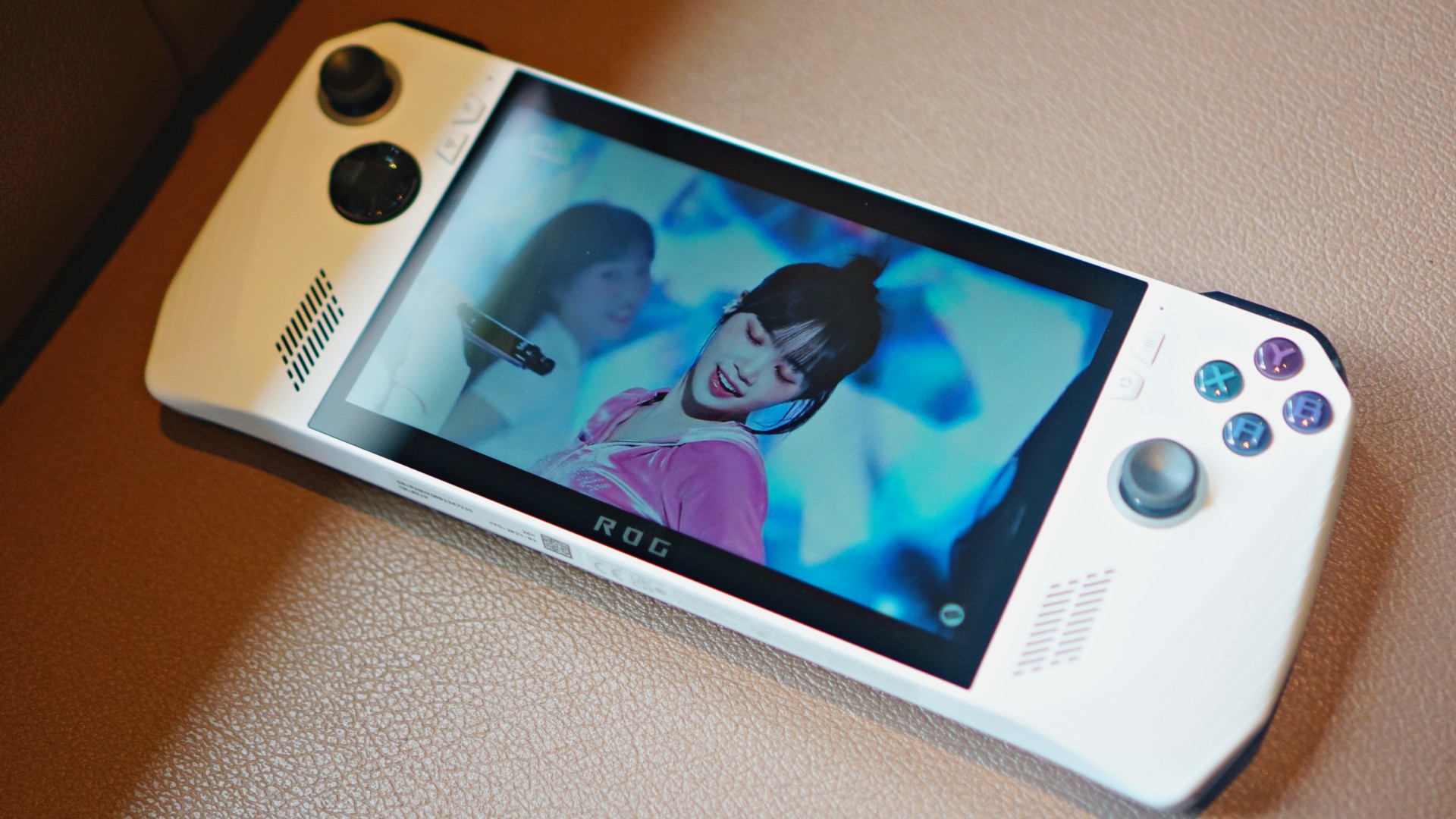
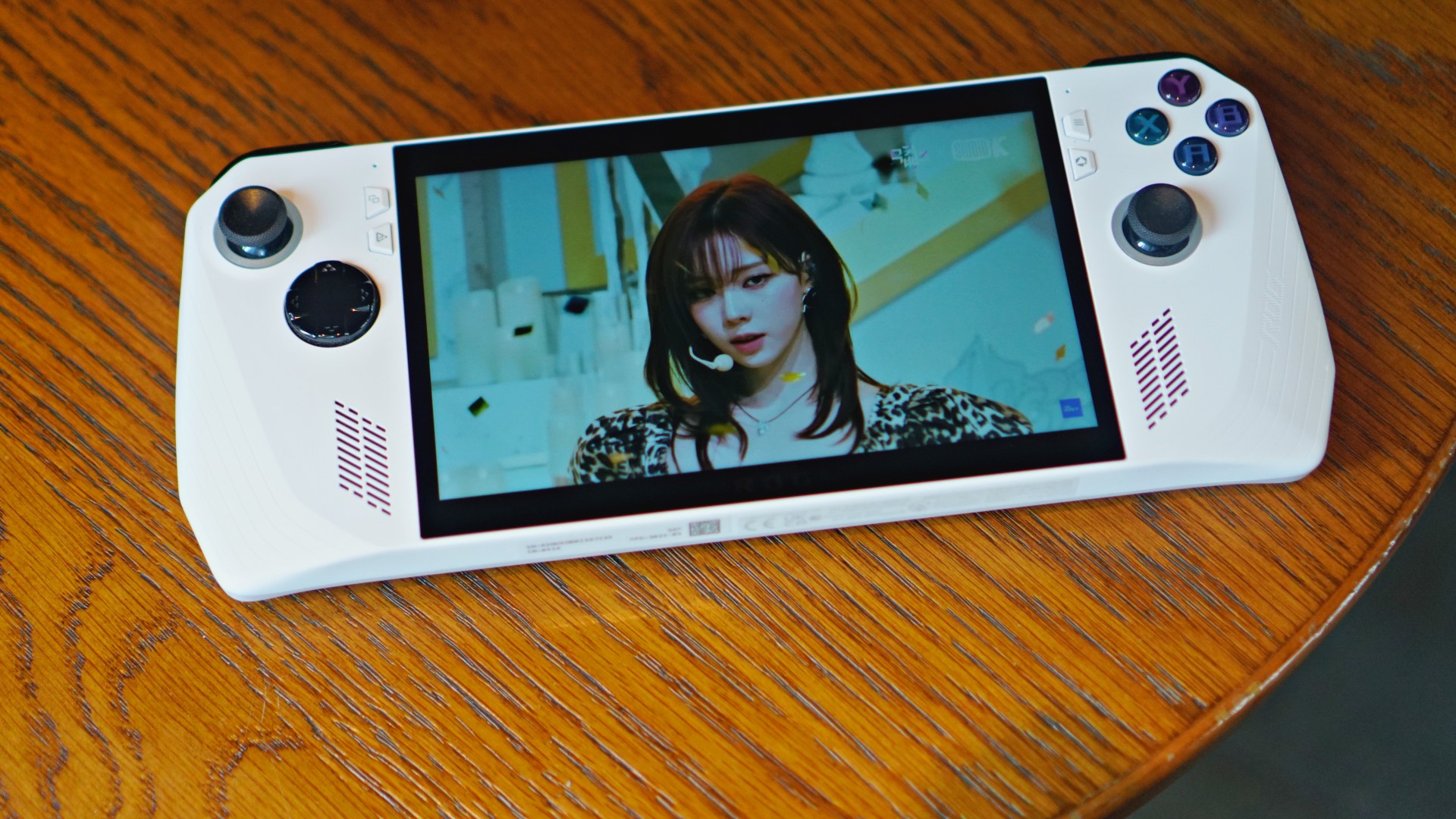
I watched my fair share of LE SSERAFIM Chaewon and aespa Winter’s fancams. The experience was pretty pleasant.
One of the cooler things you can do with the ROG Ally is pair it with ROG’s own eGPU — the XG Mobile. With it, you add more power and unlock a few more modes of play.
I didn’t get to try this personally as my XG Mobile was under repair during the review period and as of writing. But I did get to see these during a media event.
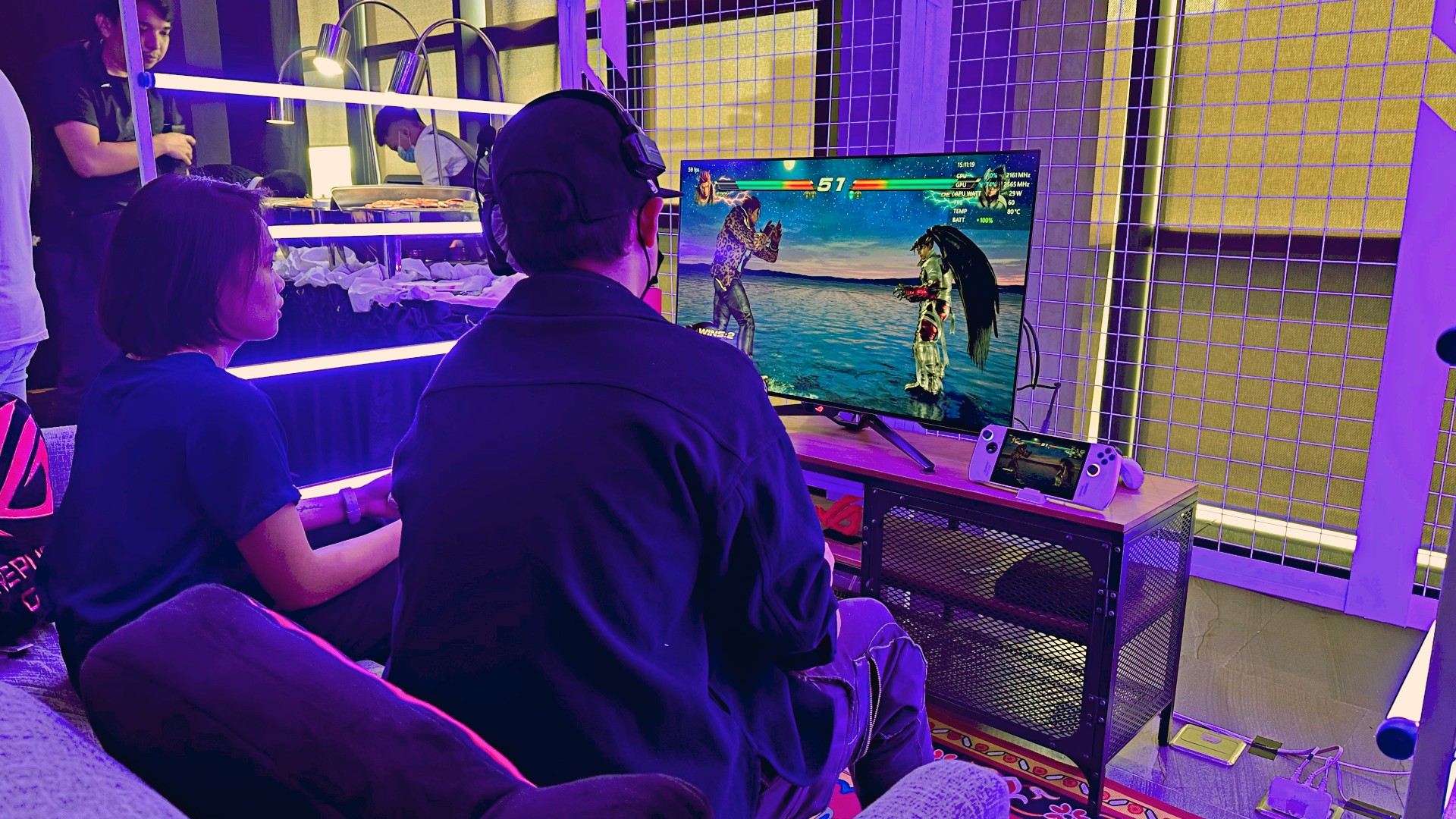
With “We time” you can connect the ROG Ally to a couple of Bluetooth controllers and treat it as if it’s a regular console. You can do this with or without the XG Mobile.
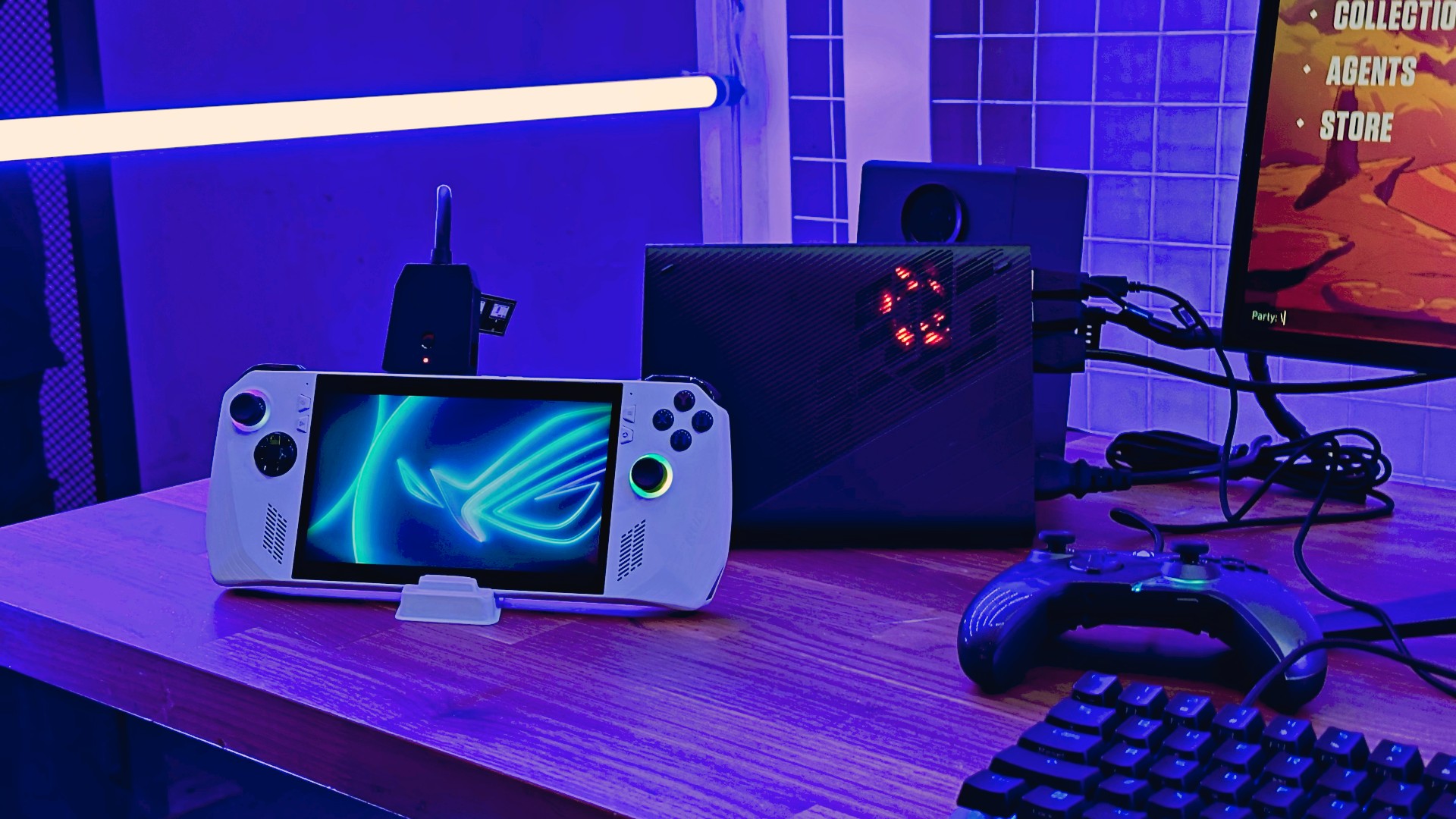
“Pro time” is when you have it hooked up with the XG Mobile in a more or less desktop setup. Best for first-person shooting games, among many other things.
Better than the Steam Deck?
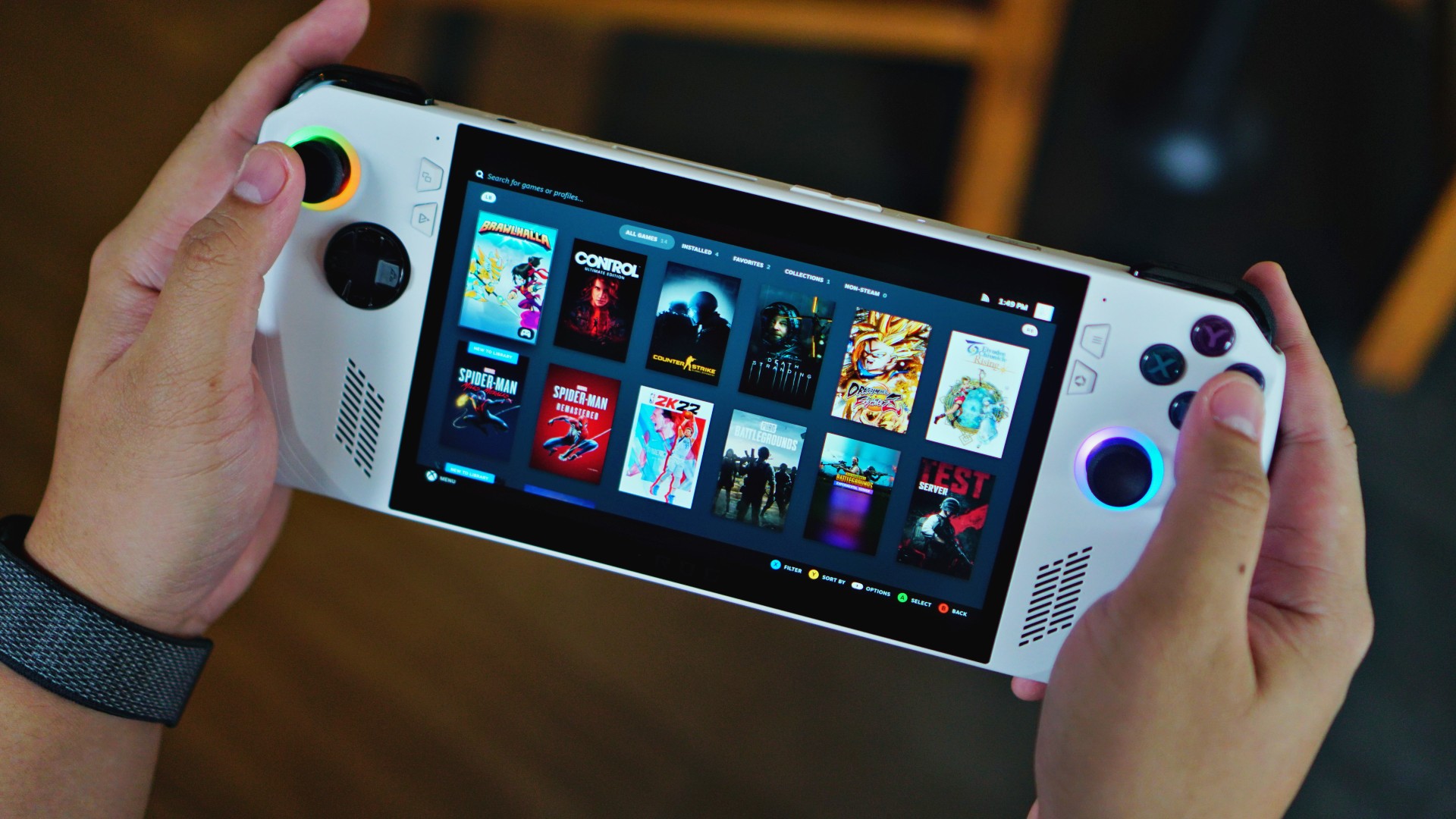
Steam goes into Big Picture mode on the ROG Ally
Jury’s out on whether or not the ROG Ally is an overall better handheld gaming console than the Steam Deck.
It does have a few things going for it. It’s certainly a more powerful device owing to the partnership between ROG and AMD. The display is also more of an eye candy than what the Deck has to offer. Plus having access to more than just your Steam library is a massive boon.
But the Deck has the Ally beat on software support, at least for now. Over the course of the Steam Deck’s year or so existence, Valve has had continuous, active support for the handheld.
It also has built a significant community and range of third-party accessories support. Only time will tell if the ROG Ally will have the same level of support rallying around it.
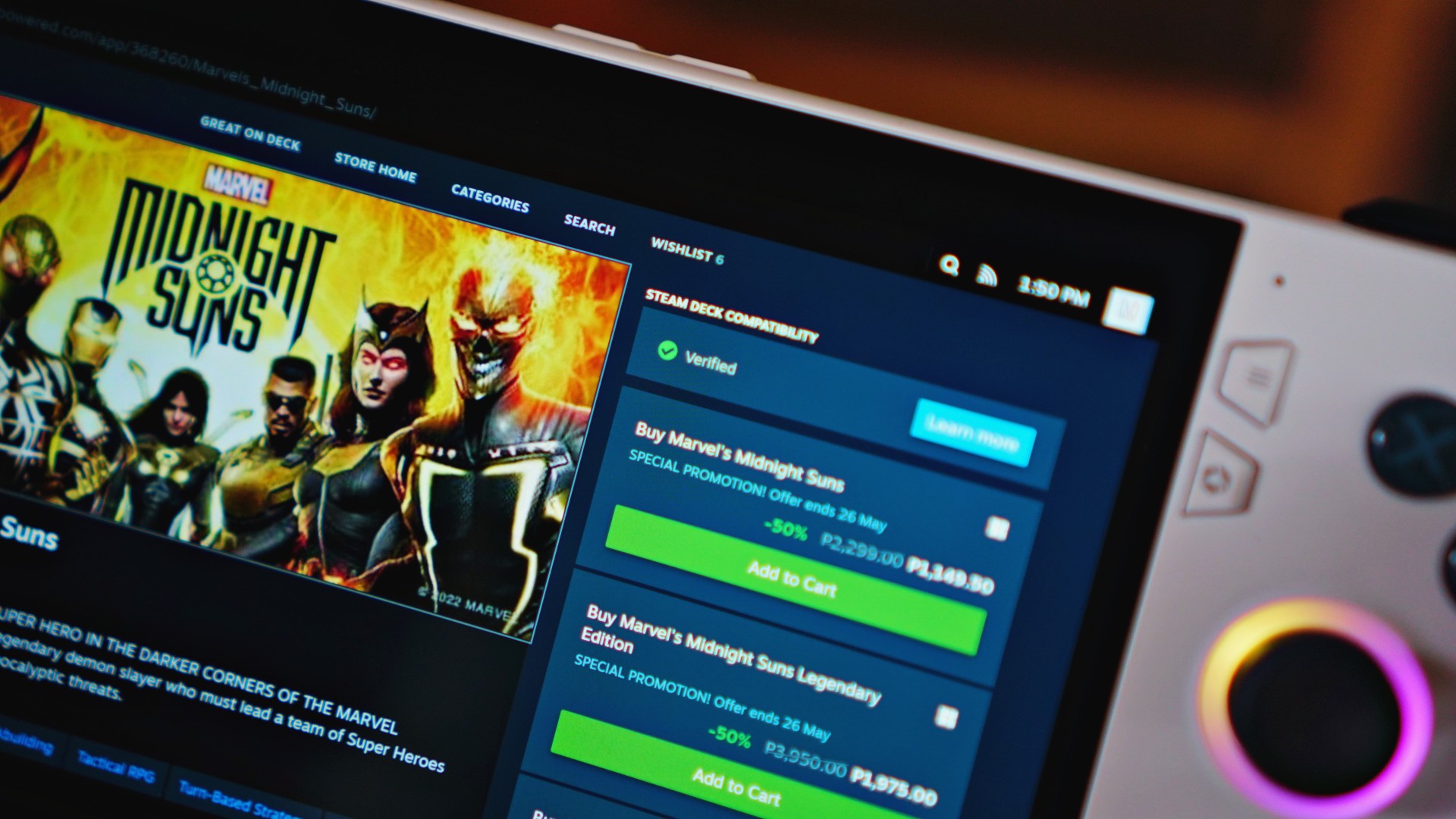
Some games, like Marvel’s Midnight Suns, even show up as Steam Deck “Verified” on the Ally.
For what it’s worth, I asked this to other reviewers who have used both handhelds: “Gun to your head. You have to pick one. Steam Deck or ROG Ally?” Majority of them picked the ROG Ally.
Price and availability
The ROG Ally is available in a couple of variants. One with the AMD Ryzen Z1 Extreme (widely available now) and another with the base AMD Ryzen Z1 chip (coming later).
The highest variant retails for US$ 699.99; a few dollars shy of the Steam Deck’s most expensive variant which costs US$ 649. A 50-dollar difference for better performance, a better screen, and a promising future support.
It has also subsequently launched in plenty of other countries including India and Malaysia. In the Philippines, it will arrive on July 20. The Z1 Extreme variant will retail for PhP 43,995. The Z1 variant will come in August 2023 for PhP 39,995.
You can pre-order from ASUS ROG’s official dealer partners.
Is the ROG Ally your GadgetMatch?

Pricing-wise, I’d say the ROG Ally is pretty competitive for what it offers. It’s more expensive than current gen consoles, but less expensive than flagship smartphones. It sits right in the middle and offers a unique use-case — play AAA games on the go. I still think that’s incredible.
Glaring weakness is how Windows 11 just isn’t made for handhelds. It’s functional but not the most intuitive for this kind of device. At least not yet. Battery life is arguably a weakness too, but I personally feel the play times are par for the course.

The ROG Ally is an exciting handheld gaming console. What it represents is a legitimate challenge to the Steam Deck which jump started the more widespread interest in handheld gaming today. Competition is good and we’re getting a heated one with the Steam Deck, the ROG Ally, a few other handhelds, and anyone else who will likely jump in.
On its own, the ROG Ally is a truly compelling gaming gadget. A relatively affordable handheld with the power to play AAA titles whenever and wherever. It’s pretty easy to justify its place in your gaming lifestyle. It’s not perfect but it’s pretty polished for a first generation device.
More on the ASUS ROG Ally here.







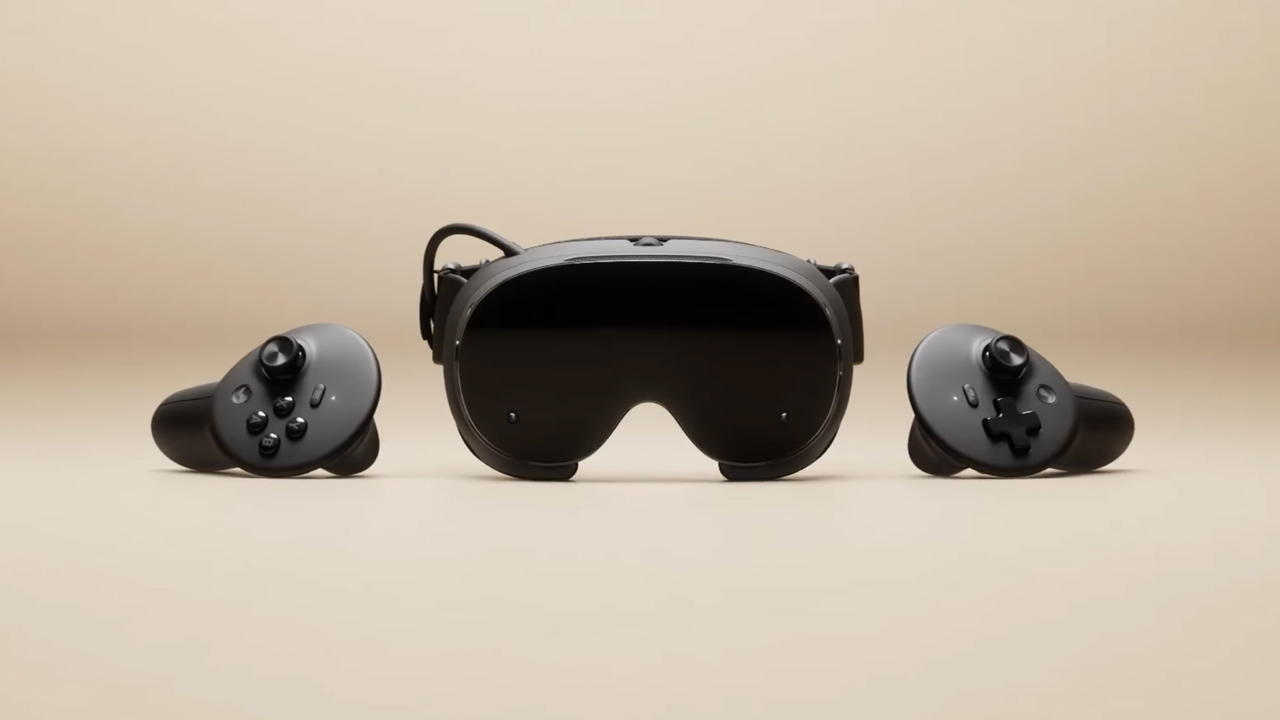
The trifecta is complete. Almost a year after announcing their new hardware, Valve has finally unveiled the price tag of the Steam Frame, complementing the Steam Machine and Steam Controller revealed a few months ago.
Whereas the Steam Machine is a console of its own, the Steam Frame is a traditional VR headset with a pair of controllers for both hands. Unfortunately, despite being in a different segment, the headset is not immune to the rising prices of technology. The Steam Frame will start at US$ 1,059 for a 256GB model and can go up to US$ 1,299 for the 1TB model. On the plus side, each box will come Half-Life: Alyx packaged along with the headset.
Here’s a more detailed rundown of what you’re getting. The Steam Frame will ship with the Snapdragon 8 Gen 3 chipset, paired with 16GB of RAM. Each eye comes with a 2160 x 2160 LCD screen, putting out images at up t0 a 144Hz experimental refresh rate. As mentioned above, the headset will start with 256GB of storage but can go up to 2TB. It will come packaged with SteamOS 3 and a rechargeable 21.6Wh battery.
This might be a hard buy for some. The industry currently has more affordable options, for one. Also, virtual reality isn’t the most thriving segment of gaming today.
If you’re still decided on buying one, however, Valve is using its lottery system. Interested customers can sign up from now until September 17. The company will then randomize the purchasing order. Those who draw the first ones in the lottery can get a purchase email as soon as September 18. Meanwhile, anyone who registers after September 17 will automatically be put at the back of the queue.
SEE ALSO: Valve announces its own console called the Steam Machine
Gaming
BlizzCon 2026 announces World of Warcraft: Forever and Diablo V
StarCraft, Overwatch, Hearthstone, and more also get news


Blizzard Entertainment kicked off BlizzCon 2026 with a packed Opening Ceremony featuring new games, major expansions, updates, and other announcements across its biggest franchises.
Blizzard Entertainment President Johanna Faries opened the event at the Anaheim Convention Center, celebrating the community behind the company’s games and the teams that bring its worlds to life.
World of Warcraft: Forever and Diablo V
The biggest announcement was World of Warcraft: Forever, a new World of Warcraft experience launching November 5 AEDT, with its beta beginning September 18 AEST. The new experience will feature three zones, more than 1,000 quests, nine dungeons, two raids, and a new Skyborne race.
Blizzard also officially announced Diablo V, marking the next era of the franchise. The game is set to launch in North America in Spring 2029, with Sanctuary having fallen and Diablo having won.
StarCraft is also returning with a new story-driven, open-world shooter. The game is currently planned for a Spring 2030 release in North America.
Beyond games, Blizzard revealed that an animated series set in the Diablo universe is in development with Netflix. The company says this is only the beginning of its plans to expand its universes beyond gaming.
For Warcraft III Reforged, the new Forsaken Kingdom campaign is available today. It marks the Warcraft RTS series’ first new storyline in more than 23 years and explores the fall of Lordaeron and the origins of the Undercity. The accompanying 3.0 update also brings graphical improvements and a revamped World Editor.
Heroes of the Storm is adding Xal’atath as its newest Hero. She arrives in the Nexus on September 29 AEST, with her PTR release scheduled for September 15 AEST.
Existing games updates
Meanwhile, Diablo IV is preparing for its next major content drop. Season of Hell’s Legacy begins September 16 AEST and celebrates the franchise’s 30-year history with the return of the Prime Evils and Deckard Cain, alongside themed rewards and gear.
The legendary Amazon class will also arrive in the first half of 2027 as part of Diablo IV’s first class pack. The Diablo IV: Age of Hatred Collection is additionally coming to Nintendo Switch 2 on September 16 AEST with cross-platform play and cross-progression.
For World of Warcraft, Blizzard teased the next major update for Midnight. Eclipse (12.2) will see Xal’atath move closer to her goal of claiming Azeroth’s Worldsoul. Blizzard also offered another look at The Last Titan, the next expansion in the Worldsoul Saga and a major culmination of more than two decades of Warcraft storytelling. More information is coming early next year.
Overwatch is getting a major update with Season 5. The season introduces new Support Hero Doctrine, reworks for Sombra and Roadhog, and the new Watchpoint: Grimsvötn map. It will also conclude The Reign of Talon, Overwatch’s first year-long narrative arc.
LE SSERAFIM & YOASABI
BlizzCon also featured performances from YOASOBI and LE SSERAFIM. YOASOBI will perform during the first-ever esports halftime show at BlizzCon, while LE SSERAFIM will return to the Main Stage to close the weekend. A new LE SSERAFIM in-game collaboration is available now, with another Overwatch Spotlight scheduled for February 2027.
Finally, Hearthstone is getting its first new class in more than six years. The Monk arrives in 2027, while the upcoming Reign of the Black Empire expansion takes players back to the earliest age of Azeroth. It introduces the Assemble keyword, which combines two cards into a new one. Battlegrounds is also adding Aberrations as a new minion type.
BlizzCon 2026 is now underway, with Blizzard promising more announcements and details throughout the weekend.
Gaming
Xbox saves Kojima’s PHYSINT after PlayStation drops support
PlayStation says the separation was mutual, but Kojima hints otherwise.


Things aren’t going well in the PlayStation camp. After two months of frankly questionable decisions, the company adds another to the pile by dropping support for Hideo Kojima’s PHYSINT.
For a while now, Kojima and PlayStation were in a very productive relationship with the Death Stranding duology, a critically acclaimed collection of titles for the platform. When things looked like they were going well, Kojima announced PHYSINT, an espionage-themed game which reminded fans way too much of Metal Gear Solid.
If you were investing in a PlayStation 5 to play Kojima’s latest thriller, you might want to move your chips elsewhere now. PlayStation has just dropped support for the espionage game, meaning PHYSINT will no longer be a first-party title for the platform.
Though PlayStation claims that the decision came after “careful consideration,” Kojima himself has said that the move was “unexpected,” going against PlayStation’s assurance of a mutual separation.
Very quickly, Xbox has announced that their platform will support PHYSINT instead. It’s a big get for the competing brand because Xbox Game Studios is already supporting OD, Kojima’s other upcoming horror project starring Sophia Lillis.
Unfortunately, it’s difficult to say more. As is tradition, Kojima will not explain much more about his upcoming titles. In fact, OD’s trailer barely says anything. One thing’s for sure, though: we’re all in for quite a ride.


DJI Lito X1 review: Is this the best lightweight drone for creators?
Making a strong case as a travel companion and a capable B-cam!


REDMI Note 17 Pro Max review: A new breed born from AI greed
Welcome to the new normal


Marvel’s Wolverine review: When the claws come out
A brutal, cinematic superhero adventure

Jackery Explorer 300D: Power and portability in one

Nike’s Alphafly 4 is built for the part of the marathon ~that actually hurts~

SEGA, Netflix announce Crazy Taxi film adaptation

Smart launches LiveSmart App for exclusive deals
DJI Lito X1 review: Is this the best lightweight drone for creators?

TECNO MEGAPAD 2 review: Eyes on the size

realme 16T 5G with 8000mAh battery, IP69 Pro rating launches in PH

HUAWEI Pura X View is 2026’s first WIDE slab-type smartphone

REDMI reveals the refreshed Note 17 and Note 17 Pro series

REDMI Note 17 Series: Price, availability in Singapore


-
 News2 weeks ago
HUAWEI Pura X View is 2026’s first WIDE slab-type smartphone
-

 News2 weeks ago
The CAMON Slim 5G is TECNO’s latest ultra-slim smartphone
-

 News1 week ago
iPhone 18 Pro series: Price, availability in the Philippines
-

 Automotive2 weeks ago
Ford’s new Everest lineup brings V6 engine to the top, tech down the line
-

 Singapore1 week ago
iPhone 18 Pro series: Price, availability in Singapore
-

 News1 week ago
iPhone Duo: Price, availability in the Philippines
-
 IFA 20262 weeks ago
XGIMI announces AURA 3 Series 4K 120Hz UST projectors
-

 Philippines2 weeks ago
Smart cuts 5G Home WiFi price