
Accessories
Power Mac Center Festival Mall and Native Union both celebrated a re-birth
The newest Apple Premium Partner store in town welcomes an updated iPhone accessory from 2009


Last June 27, 2025 (Friday), Power Mac Center Festival Mall re-opens its doors to the public as the Philippines’ newest Apple Premium Partner store in town.
Re-launched: Apple Premium Partner
Usually, most Power Mac Center branches are only tagged as an “Authorized Reseller”. But, with the company’s continuous expansion, they have already established seven (7) APP (Apple Premium Partner) stores:
- Power Plant Mall
- Greenbelt 3
- SM Mall of Asia
- SM Megamall
- The Annex at SM City North EDSA
- Robinsons Magnolia
- TriNoma

The latest (and eighth of which) is none other than its Festival Mall branch located at the very core of Metro Manila’s South: Alabang in Muntinlupa City.
Just ICYMI, what makes an APP store different are its in-store services. Not only it has all the latest and greatest Apple tech and accessories inside, it also holds free group demos and has a dedicated service team for diagnostic and repair needs — much like any Apple Store in countries like Singapore and the United States.

Up until June 30, buyers can snag up to PhP 28,000 off of Apple products with select payment methods through BPI, GCash GGives, HSBC, Metrobank, and RCBC.
Selected premium accessories are also slashed at 20%. New Mac owners will also receive a free polishing cloth upon purchase in the said dates.
For existing customers, diagnosis and non-repair services are capped at 25% off.
Re-birth: Native Union
In line with PMC Festival Mall’s re-opening lies the re-birth of Native Union’s MoshiMoshi which was introduced way back in 2009, or the era of iPhone 3GS.
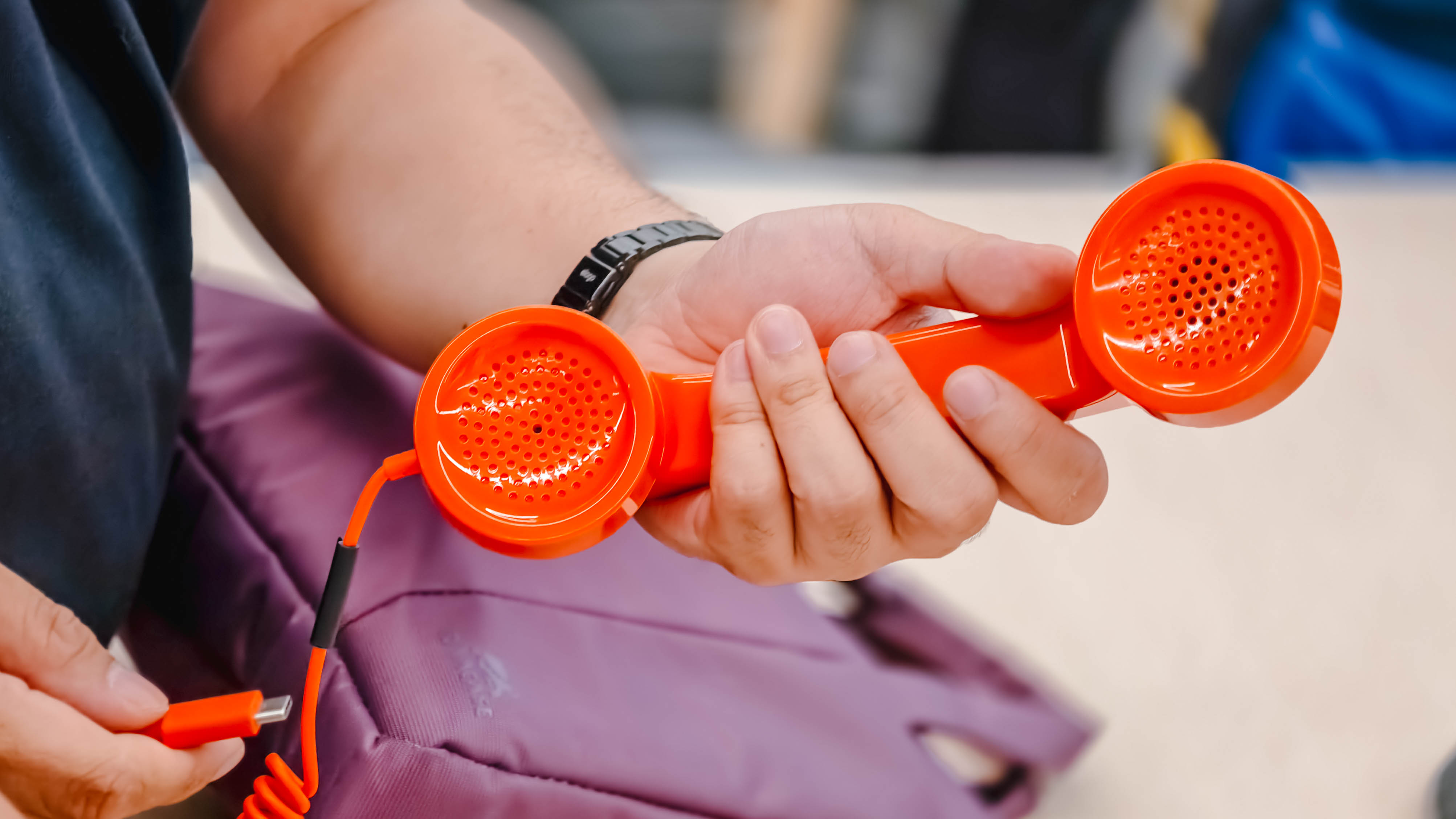
This can even be considered as the relaunch of the brand’s Pop Phone Retro Handset launched in 2012.
Instead of the aging 3.5mm audio jack, it now features a USB-C plug for seamless connectivity between iPhone, iPad, and Mac. Even Android smartphones (plus tablets), and Windows tablets alike.
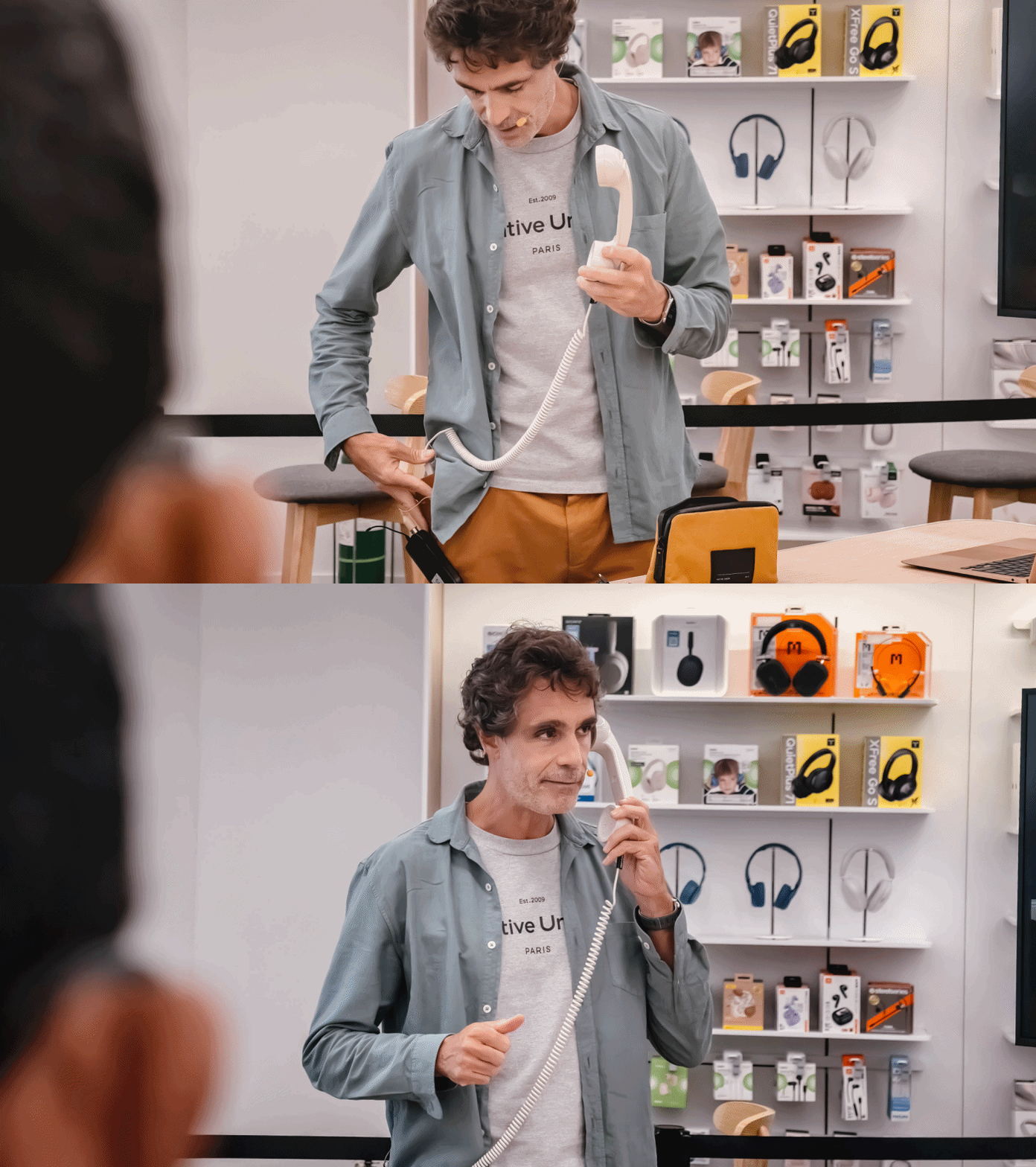
This was introduced to us by none other than the CEO and Co-Founder of Native Union, Igor Duc.
He showed us three more colorways in their respective colorful boxes.

Native Union Pop Phone Retro USB-C
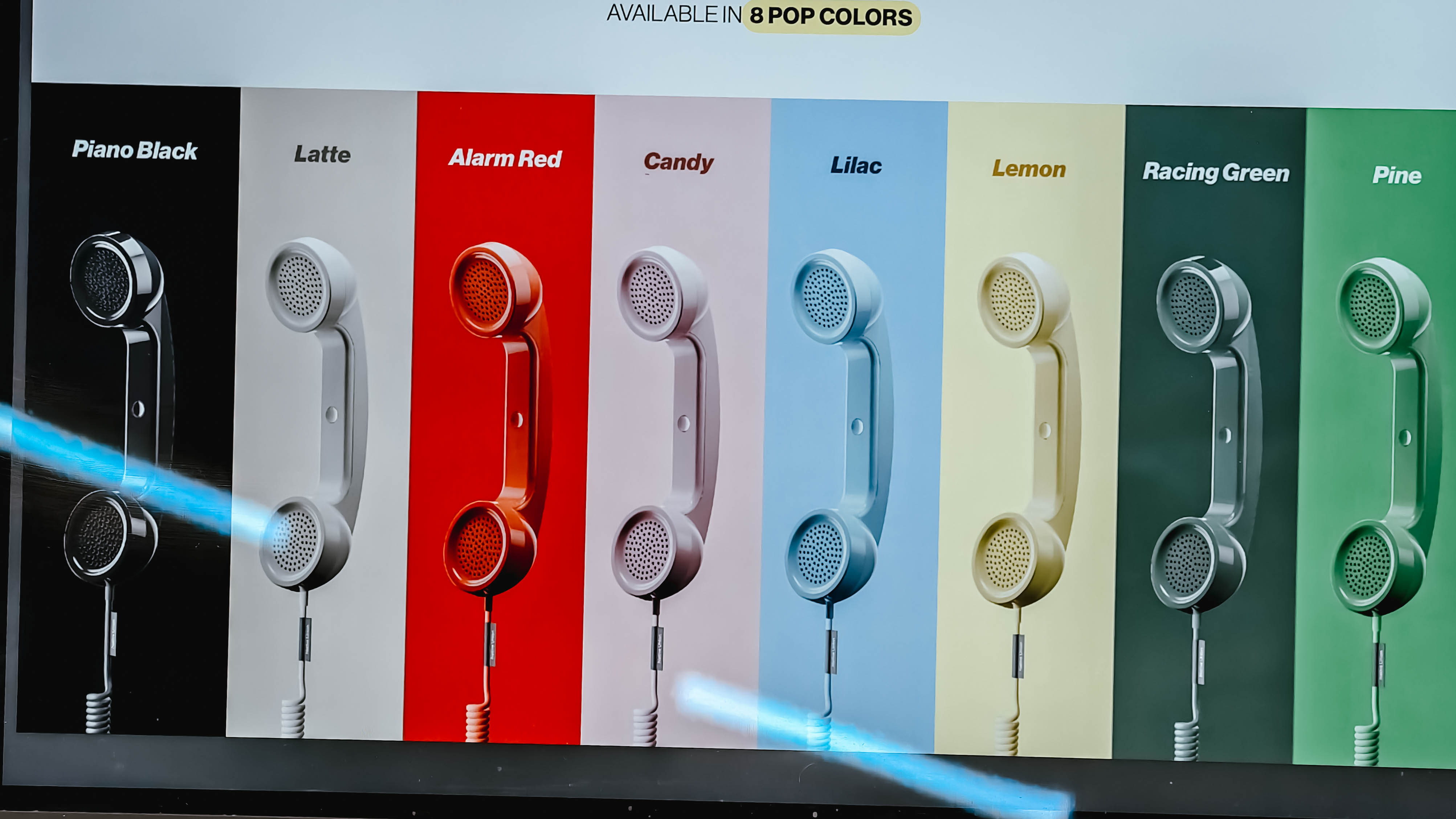
In total, there would be eight popping flavors to choose from:
- Piano Black
- Latte
- Alarm Red
- Candy
- Lilac
- Lemon
- Racing Green
- Pine
Emotional Products in a Digital World
Being a designer, Igor leans into design more than the tech side of things.
But, going back to the drawing board, he wants their products appeal to the masses not only for its tech, but for what type of feeling it gives to the end-user.
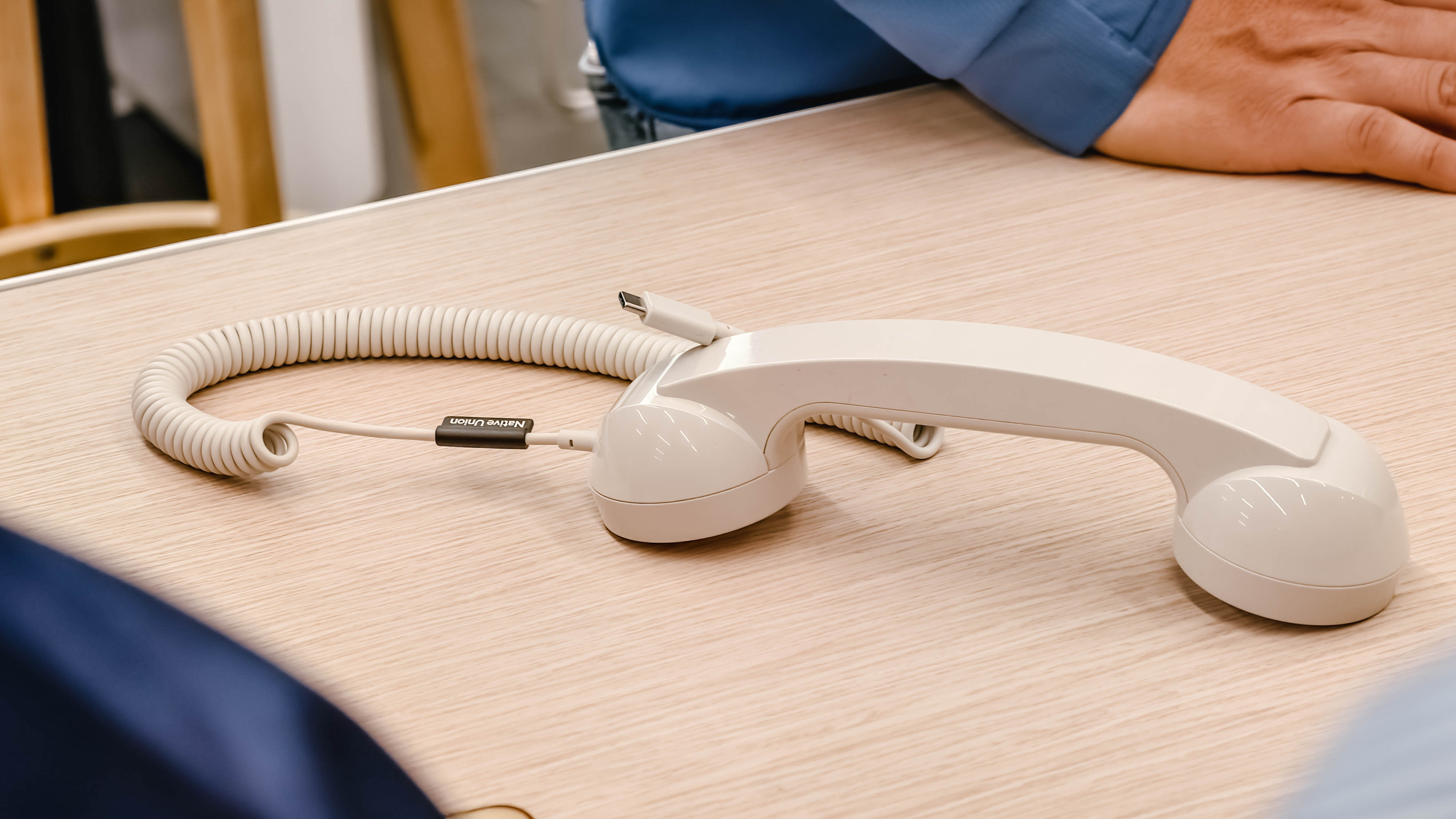
The Paris-based brand is known for its relentless pursuit in pushing products that offer both form and function — which can be seen in Native Union’s products.

They might serve the same function like other accessories of other brands. However, giving utmost importance in design is still in their brand’s DNA.
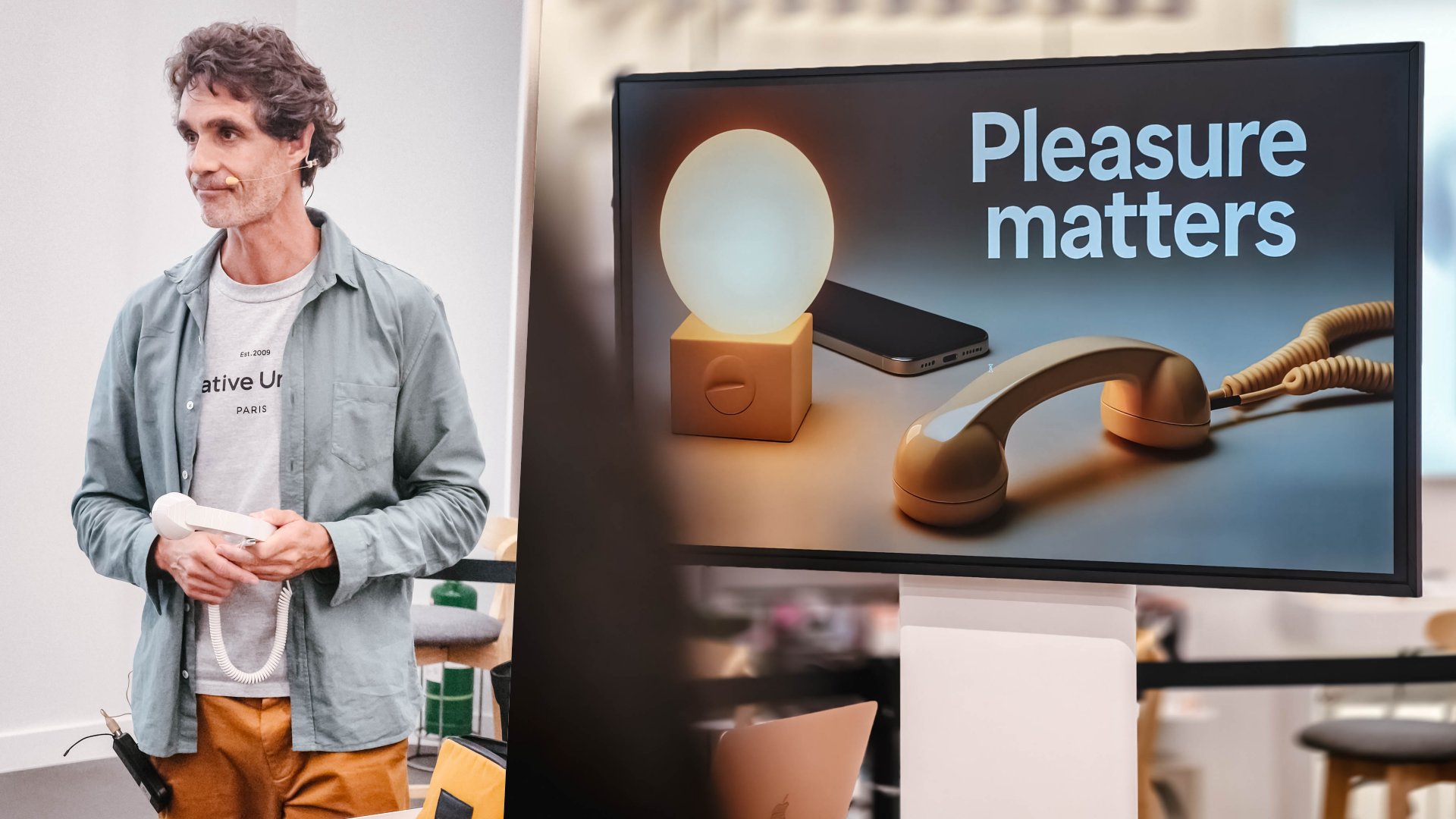
Igor Duc with Native Union Pop Phone Retro Handset
During Igor’s presentation, he even showed everyone how their products work well with Apple products alongside his work and lifestyle.
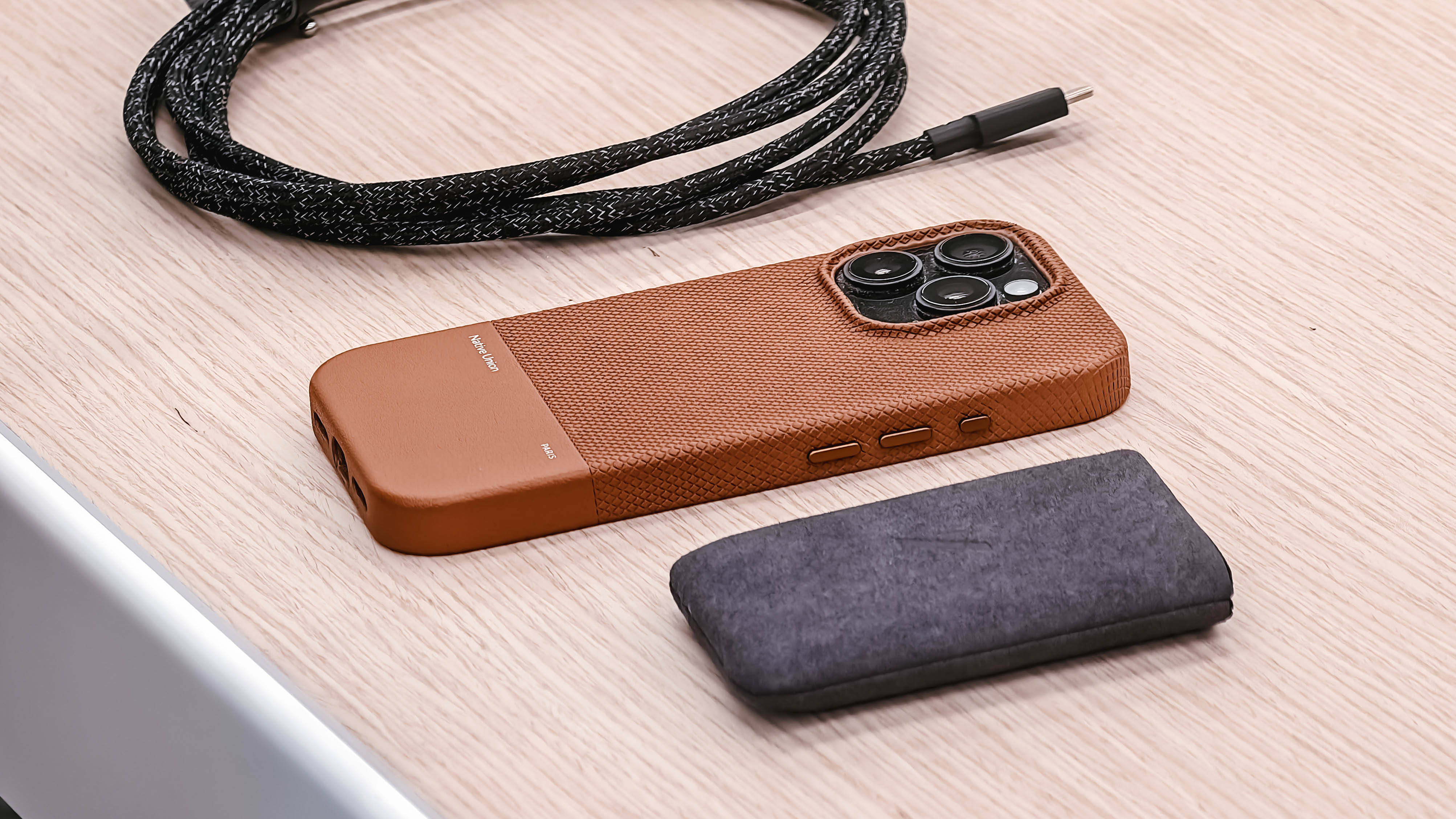
(Re)Classic iPhone Case
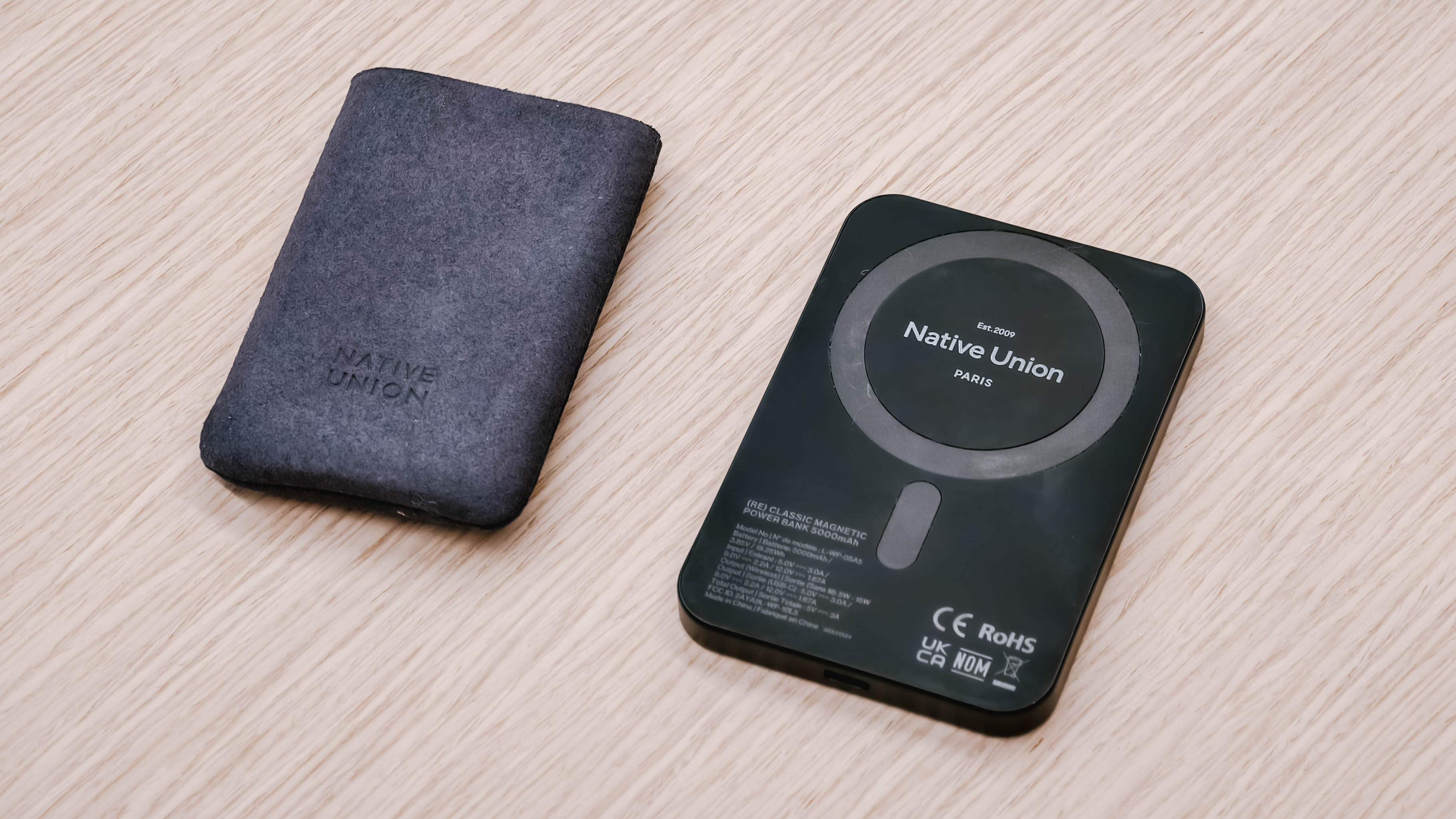
(Re)Classic Power Bank 5000mAh — PhP 3790
From his (Re)Classic iPhone case and power bank, to handy cables like the Portable ones plus the Belt Cable Duo, as well as GaN and Magnetic Wireless chargers.
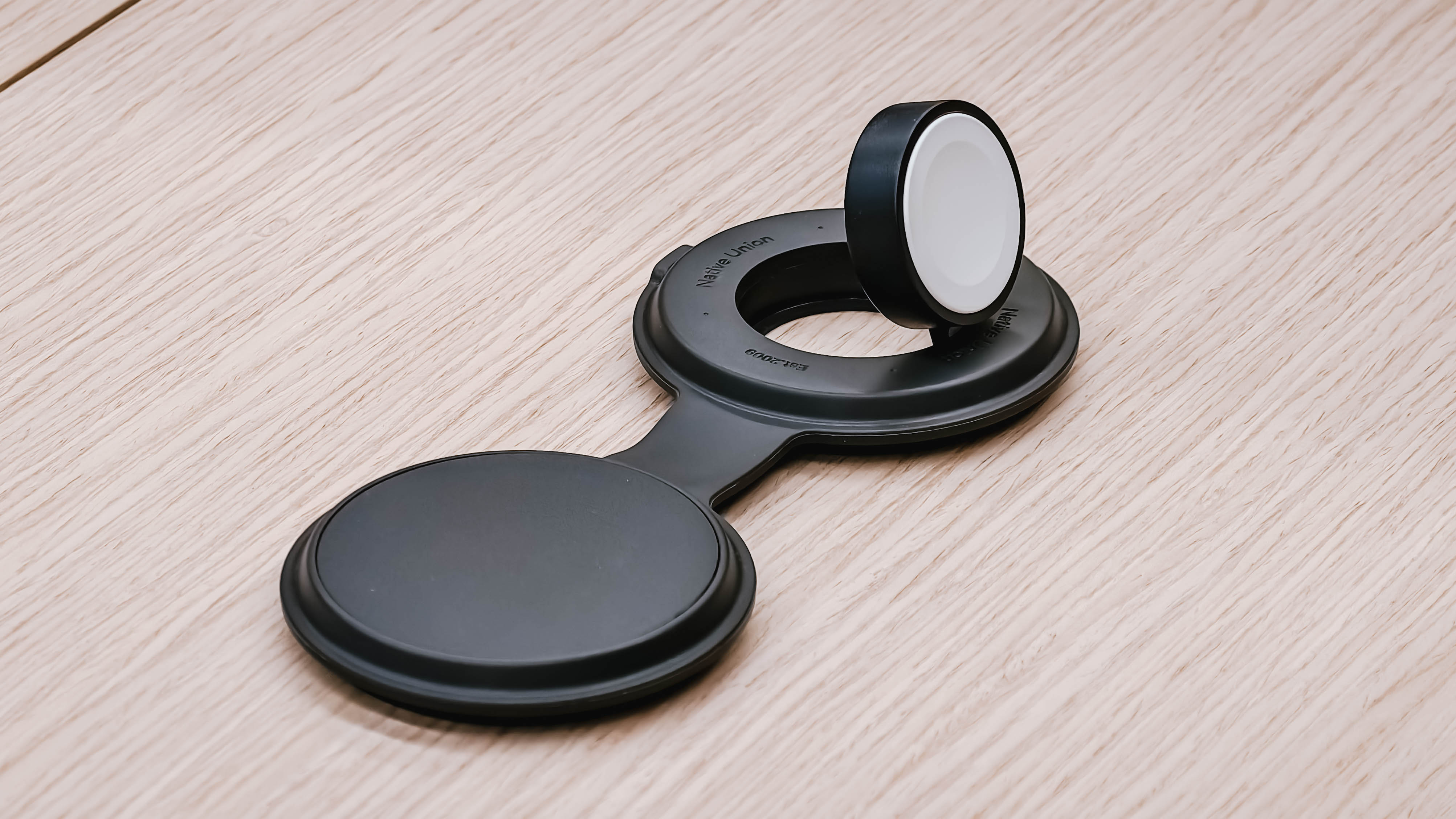
Voyage 2-in-1 Magnetic Wireless Charger — PhP 5190
As well as his Apple Watch featuring the Active Magnetic Band with a reversible duo-color scheme.
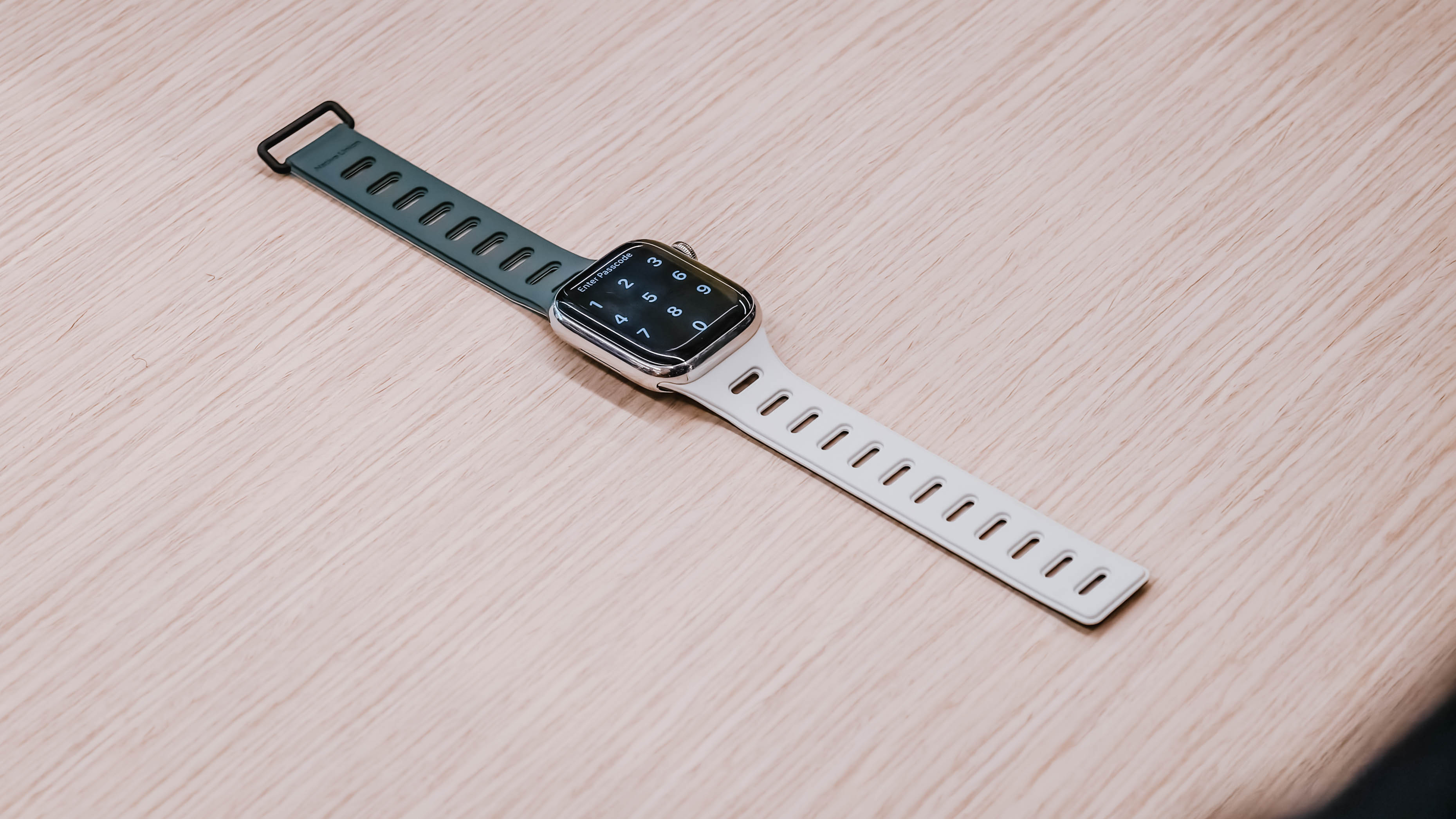
Native Union Active Magnetic Band for Apple Watch
His MacBook is protected by Native Union’s W.F.A Sleeve in gray.
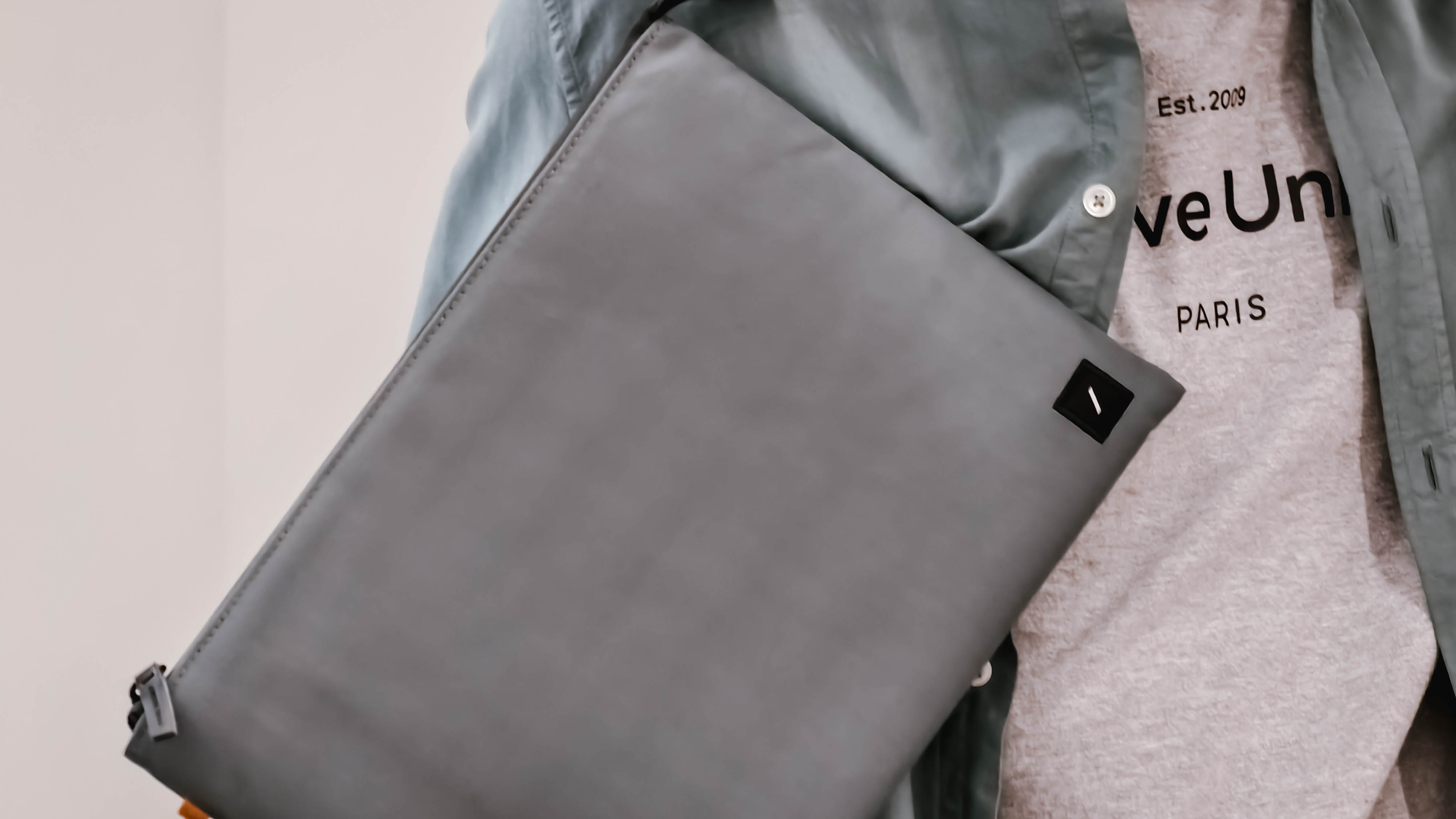
Native Union W.F.A Sleeve
There’s even the slim yet sturdy black W.F.A Backpack as well as the W.F.A Tech Organizer in Kraft colorway.
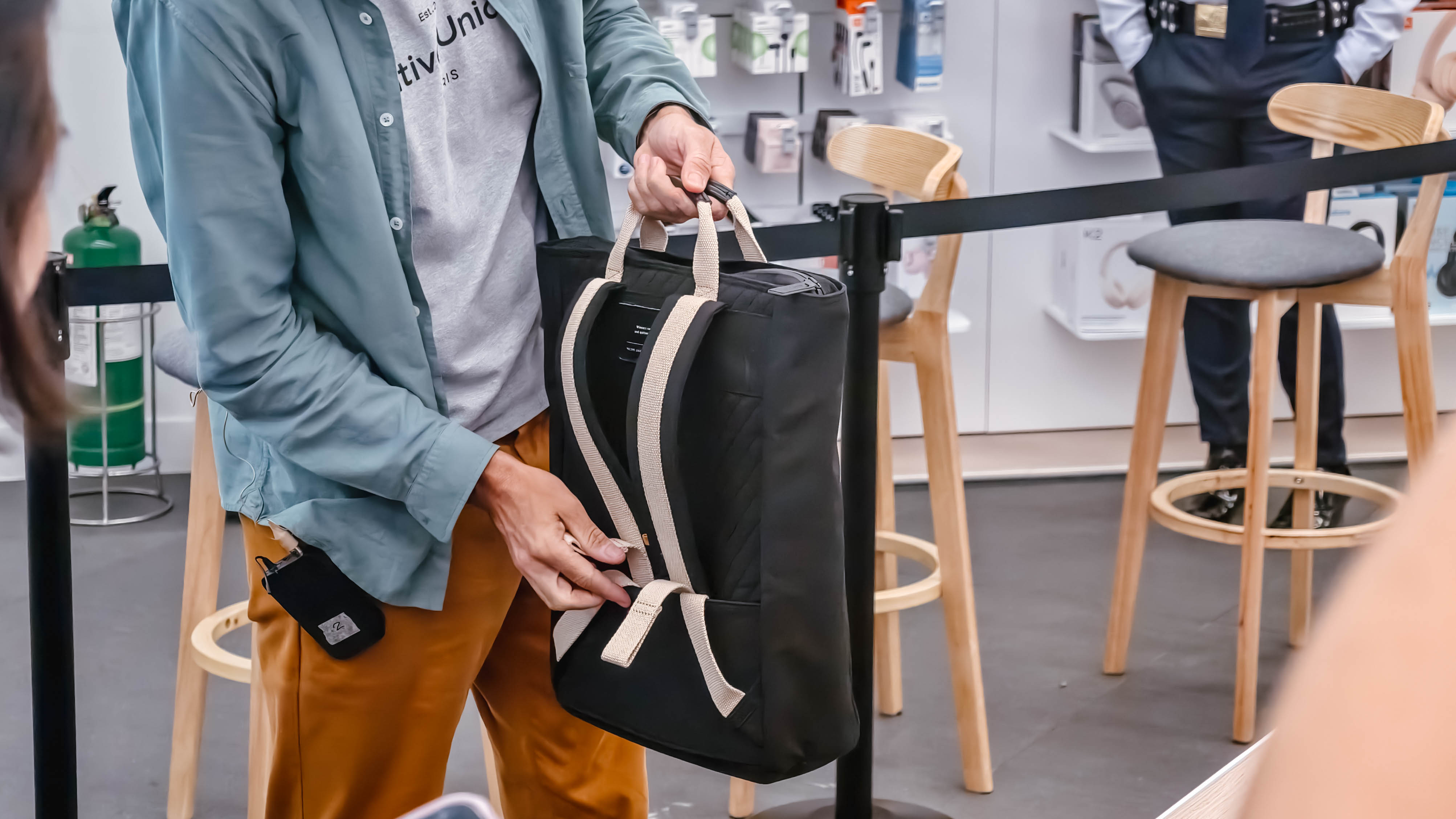
W.F.A Backpack — PhP 5990
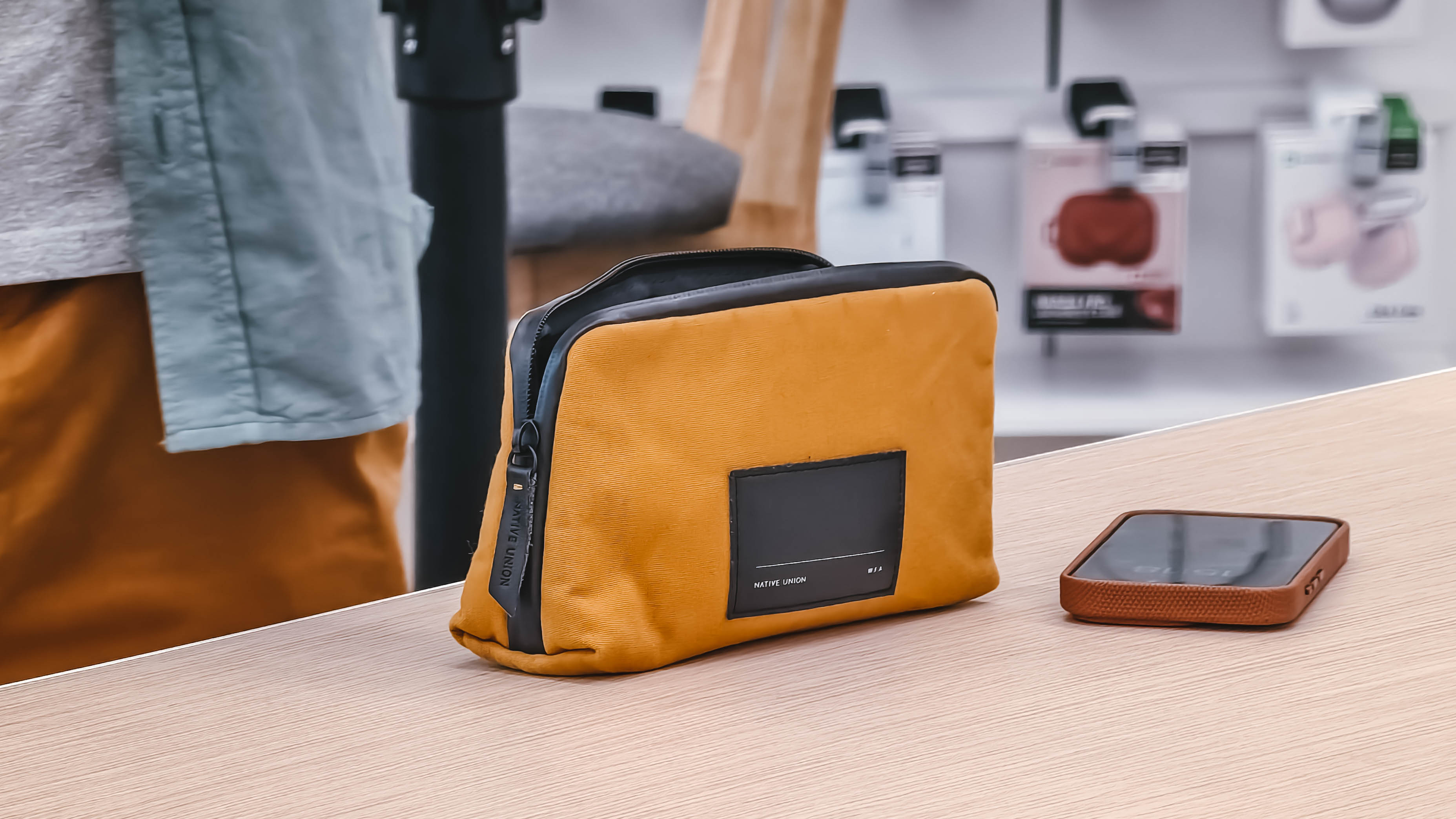
W.F.A Travel Organizer
They were made not only with creativity and practicality in mind, but also crafted with sustainable materials.
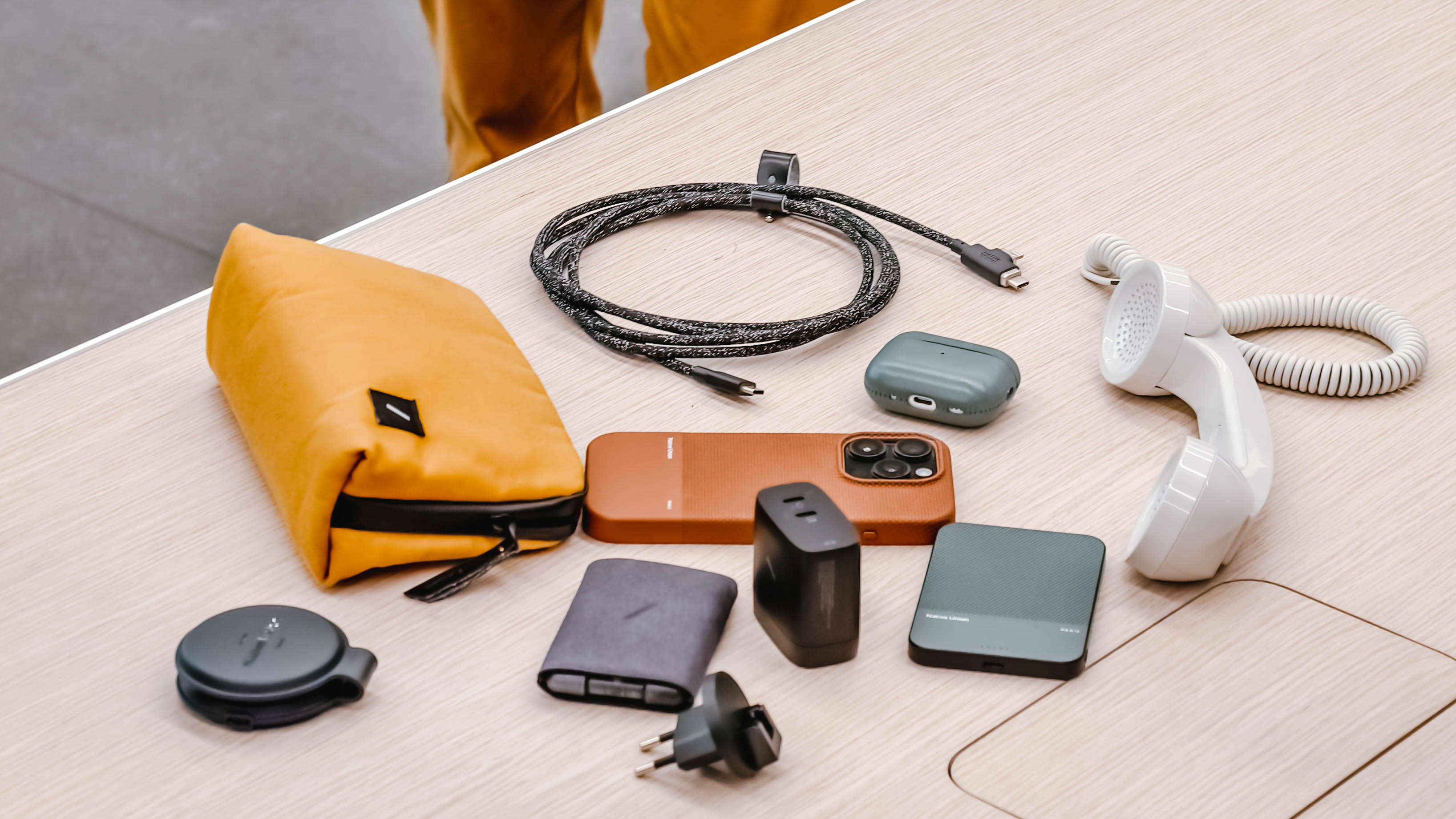
Some of these truly exceptional stand-out products by Native Union are available in select Power Mac Stores nationwide.






Accessories
Nothing launches the Headphone (1) Pro
The brand has also tapped BTS’s V to endorse the headphones.

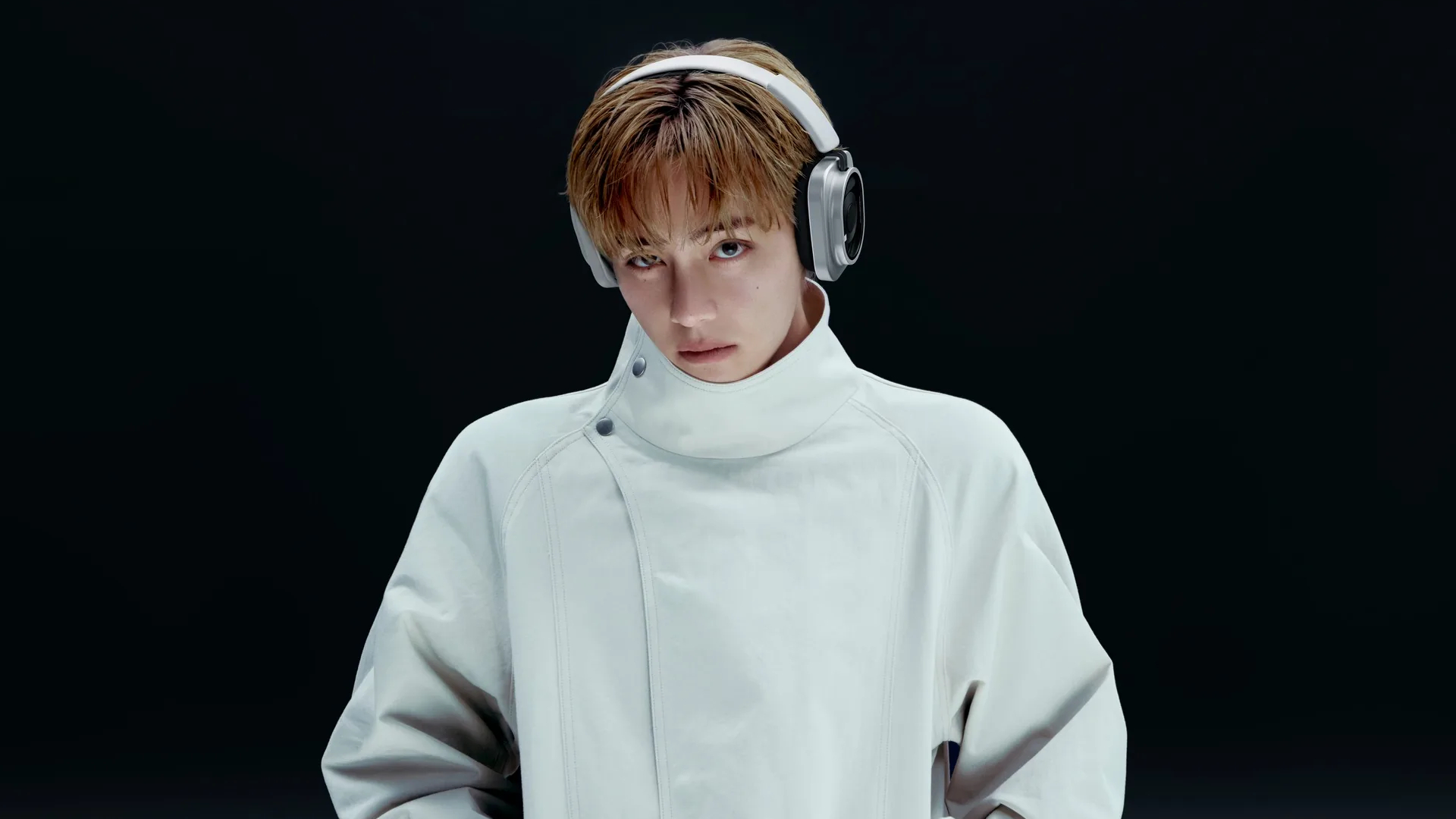
If you’re a fan of the brand’s uniquely transparent aesthetic, Nothing has just given its iconic Nothing Headphone (1) a much-needed makeover with a new Pro version.
Today, Nothing launched the Headphone (1) Pro, an upgrade over last year’s successful launch. The new headphones sport a triple-driver design, which enhances the pair’s audio quality, ranging from a 40mm bass driver to an xMEMS driver for the treble. The Nothing X app also allows for a more advanced equalizer for users to finetune exactly what they’ll hear. The Pro even has a physical switch to turn off equalizer adjustments, so you can hear audio at its most natural. Besides that, it also allows for Spatial Audio, a setting that can simulate immersive listening as if you were in a concert hall or a live space.
Enhanced from the previous generation’s 42dB, the Headphone (1) Pro features active noise cancellation going up to 46dB using its 10-mic system.
As for design, the new Pro has a cleaner aesthetic that still accentuates the brand’s uniqueness. For one, the plastic has been replaced with glass. It’s also more comfortable with better padding for the band and the earcups. Finally, it’s a bit lighter, weighing only 327 grams.
If that’s not enough, Nothing has managed to tap BTS’s V to endorse the new headphones. “I’m excited to be part of this bold new chapter with Nothing. Headphone (1) Pro is a design grounded in creative expression, and I look forward to our journey together,” he said.
The Nothing Headphone (1) Pro will sell for US$ 399 and will be available starting September 29.
SEE ALSO: Nothing launches the Ear (3a)
Accessories
Hollyland announces LARK M3 for multi-camera, multi-person setups
Scalable wireless audio system configurable up to 4 transmitters, 4 receivers

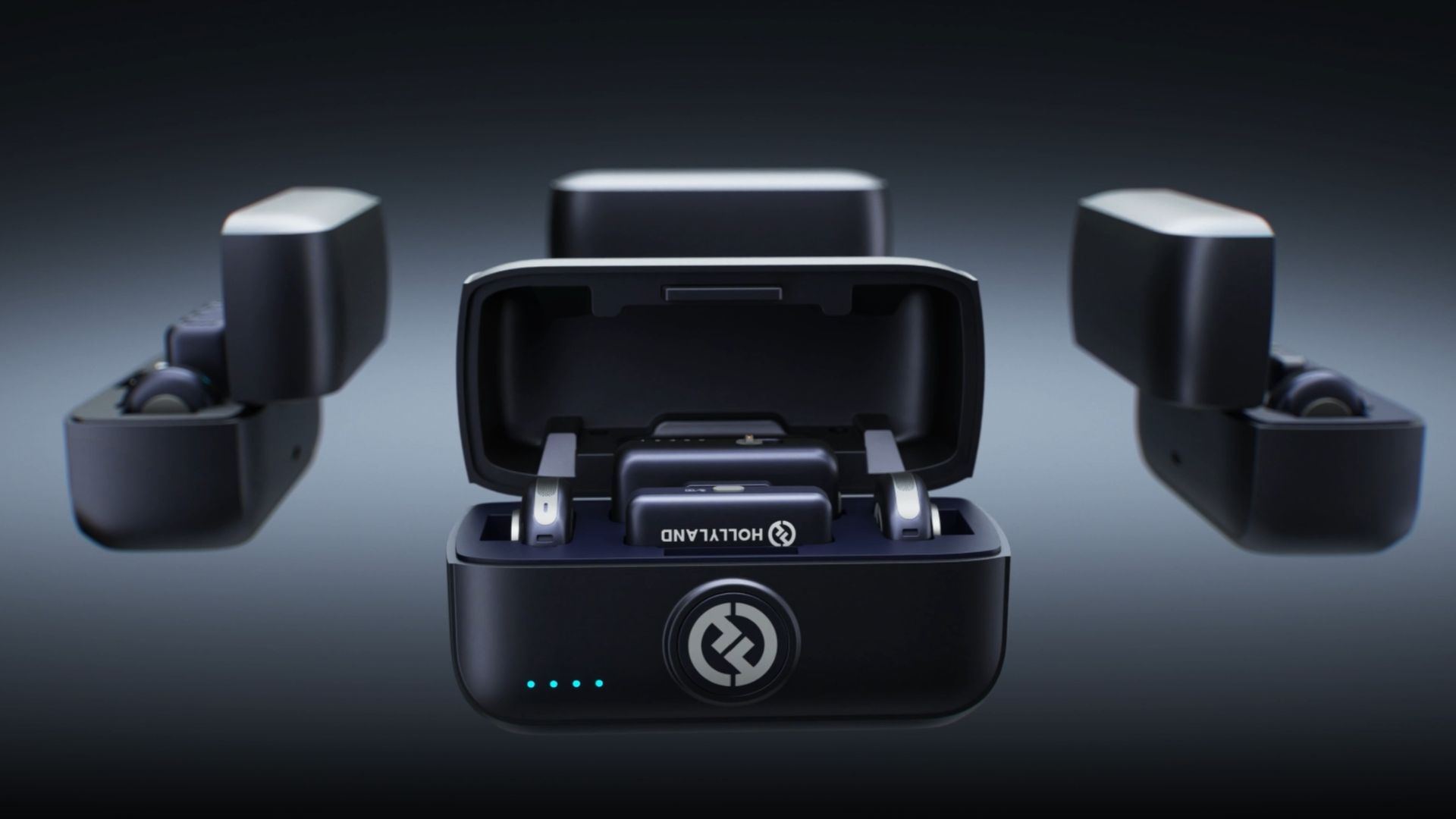
Hollyland has announced the LARK M3, a flexible and scalable wireless audio system designed for multi-camera, multi-person productions.
Rather than functioning as a single wireless microphone, the LARK M3 can be a one-to-many or many-to-one audio system.
This way, it can capture group interviews, podcasts, multi-person content, and multi-camera shoots with a setup that easily adapts to the number of people and devices involved.
At the core of LARK M3 is its multi-transmitter and multi-receiver architecture. Up to four transmitters can connect to a single receiver. Each person can wear their own mic and be recorded independently.
Conversely, one transmitter can connect to up to four receivers simultaneously. A single speaker’s voice can be captured by multiple cameras or smartphones at once.
That flexibility extends into post-production through four-track independent recording. When paired with the hot shoe adapter, or by connecting a USB-C or Camera receiver to a computer, LARK M3 delivers four isolated audio tracks. This gives editors full control to adjust each speaker’s volume and sound separately.
Ultra-portable professional-grade audio
The LARK M3 pairs studio-level specs with an easy-to-use design. It can record at 48kHz/32-bit with a 70dB signal-to-noise ratio and 125dB max SPL.
The system uses Hollyland’s Hollyland’s proprietary HDT wireless technology to move audio data 50% faster for richer, clearer sound over distances of up to 300m.
AI noise cancellation can suppress wind, traffic, running water, and other background noise across three adjustable levels.
Custom voice tuning provides one-tap vocal enhancement for all transmitters, along with eight vocal presets. Each preset can be customized in the app as well.
Auto-Limit Clip Protection keeps volume levels stable across dynamic ranges, while a Primary/Secondary receiver setup is designed to prevent recording interruptions, meaning if the Primary RX drops out, a Secondary RX instantly takes over.
Accessories
Lisa x PlayStation: DualSense Lisa Limited Edition arrives this October
Available in limited quantities this October; pre-orders start soon

Sony has unveiled its latest collaboration with global pop superstar Lisa, in the form of the new DualSense wireless controller – Lisa Limited Edition.
The controller was designed by the singer herself. And fans won’t have to look far to find Lisa in the details. Parties worked closely together to incorporate elements that held personal meaning for her.
Her iconic bangs and eyes take center stage on the DualSense wireless controller touch pad. These are joined by her signature stars and bold “LL” lettering, all set against a Chroma Pearl colorway – Lisa’s personal favorite.
The Southeast Asian market can look forward to the release of the DualSense wireless controller – Lisa Limited Edition starting October 30th at participating resellers.
Of course, the controller will come in very limited quantities, for the following retail prices:
- SG$ 115
- MYR 419
- IDR 1,549,000
- THB 2,890
- PhP 5,411
- VND 2,399,000
Pre-orders begin on October 2, while supplies last. The release coincides with Lisa’s upcoming new EP, Press Play, which comes out on October 23.


Now Playing: ACE Combat 8: Wings of Theve
A refreshing change of pace

TECNO POVA 8 Pro Tonino Lamborghini review
Truly a rare gem in 2026


DJI Lito X1 review: Is this the best lightweight drone for creators?
Making a strong case as a travel companion and a capable B-cam!

Apple might not have given up on the Vision Pro yet

ROG brings out the ultra-stylish G1000 gaming desktop

God of War Laufey pre-orders are now live

Nothing launches the Headphone (1) Pro

HUAWEI WATCH GT 7 Pro: What’s actually under the hood?

HUAWEI Pura X View is 2026’s first WIDE slab-type smartphone

The CAMON Slim 5G is TECNO’s latest ultra-slim smartphone

iPhone 18 Pro series: Price, availability in the Philippines

DJI Osmo 360 II review: Going all-in on the ecosystem

iPhone 18 Pro series: Price, availability in Singapore


-

 News1 week ago
vivo X500 Series launches with major imaging upgrades
-

 News7 days ago
OPPO Find X10 Pro Max is the first phone with a triple 200MP camera system
-
 Singapore1 week ago
Epson Lifestudio Grand Plus EH-LS970B with 4K projection, more launches
-
Drones2 weeks ago
DJI Lito X1 review: Is this the best lightweight drone for creators?
-

 News1 week ago
vivo introduces OriginOS 7 with smarter multitasking and AI features
-
 Automotive1 day ago
BYD says that way better EV batteries are coming next year
-
 Smartphones3 days ago
When TECNO-logy meets Tonino Lamborghini legacy
-
 Finance2 weeks ago
HONOR, Fidesmo partner for contactless payments across Europe, Middle East