
Gaming
The Razer DeathAdder V4 Pro made me believe in wireless mice

I used to turn my nose up at ultra-light wireless mice. I preferred the heft of a traditional mouse. The tactile sensation of pushing a heavier mouse makes me feel that my efforts are mechanically moving the cursor on the screen. In contrast, a lighter mouse eradicates that connection, making itself invisible. You no longer feel connected to your PC via a mouse; your hand itself becomes the cursor. I needed that connection.
It wasn’t until the Razer DeathAdder V4 Pro that I realized how silly it is to keep that extra weight.

As if nothing was there
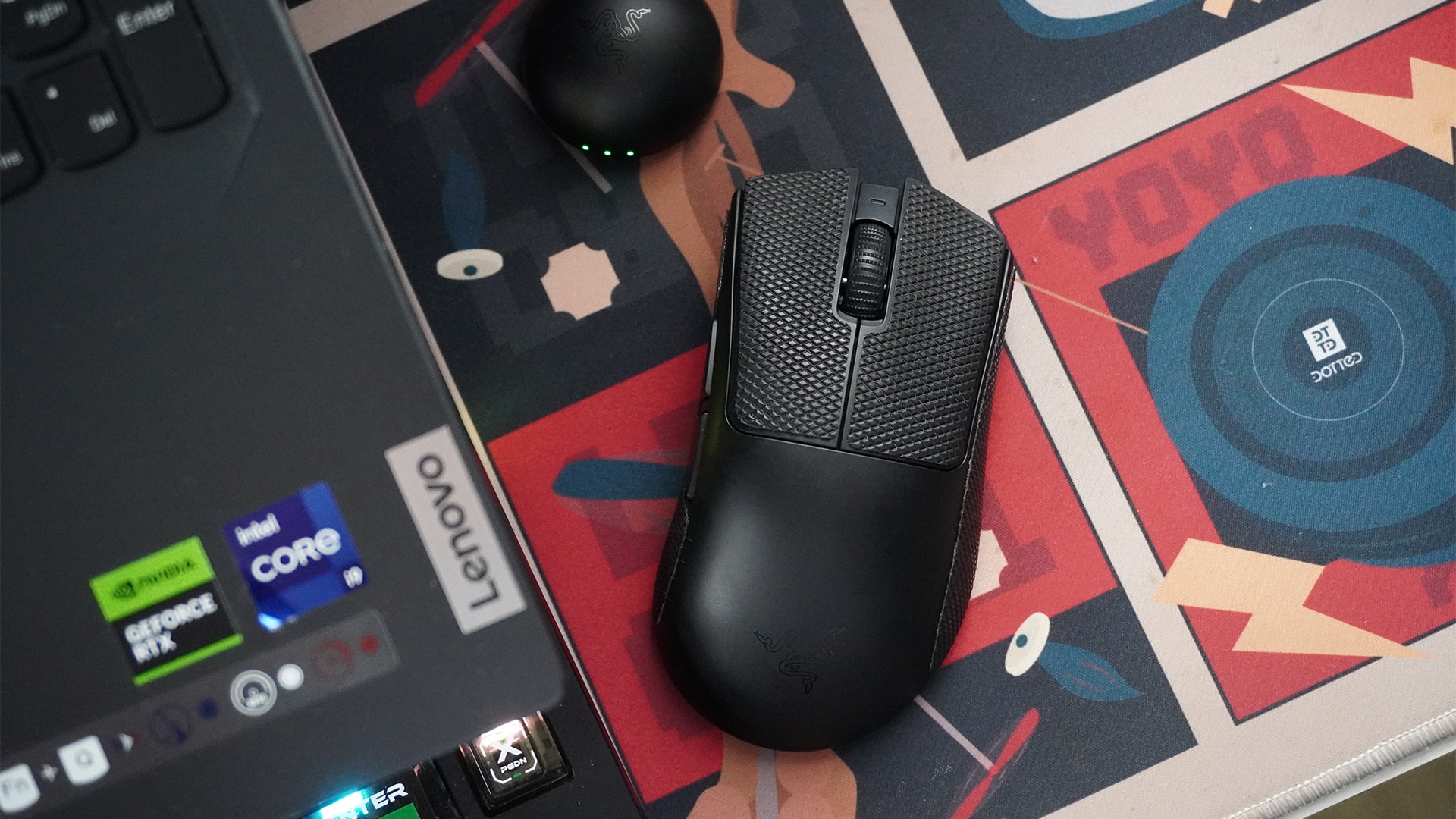
The Razer DeathAdder V4 Pro is built for pro gamers. It’s extremely lightweight and impressively fast through its wireless connection.
To be more accurate, the mouse itself, minus the wire and the dongle, weighs only 56 grams. Coming from a chunkier mouse, my hand just flies through my desk mat. It’s like taking off ankle weights and suddenly feeling the weightlessness of a run.
Despite the reduced resistance, I never felt disconnected from the cursor on the screen. The mouse has a maximum polling rate of 8,000Hz. Personally, I didn’t go beyond the default 1,000Hz much. It’s more than enough for casual to slightly more competitive gaming. And in any case, the higher settings are just there for those rare times I want to dabble in more intense games.
Immediately, the DeathAdder V4 Pro’s weight and polling rate were enough to melt my worries over ultra-light and wireless mice.
A simple, no-frills layout
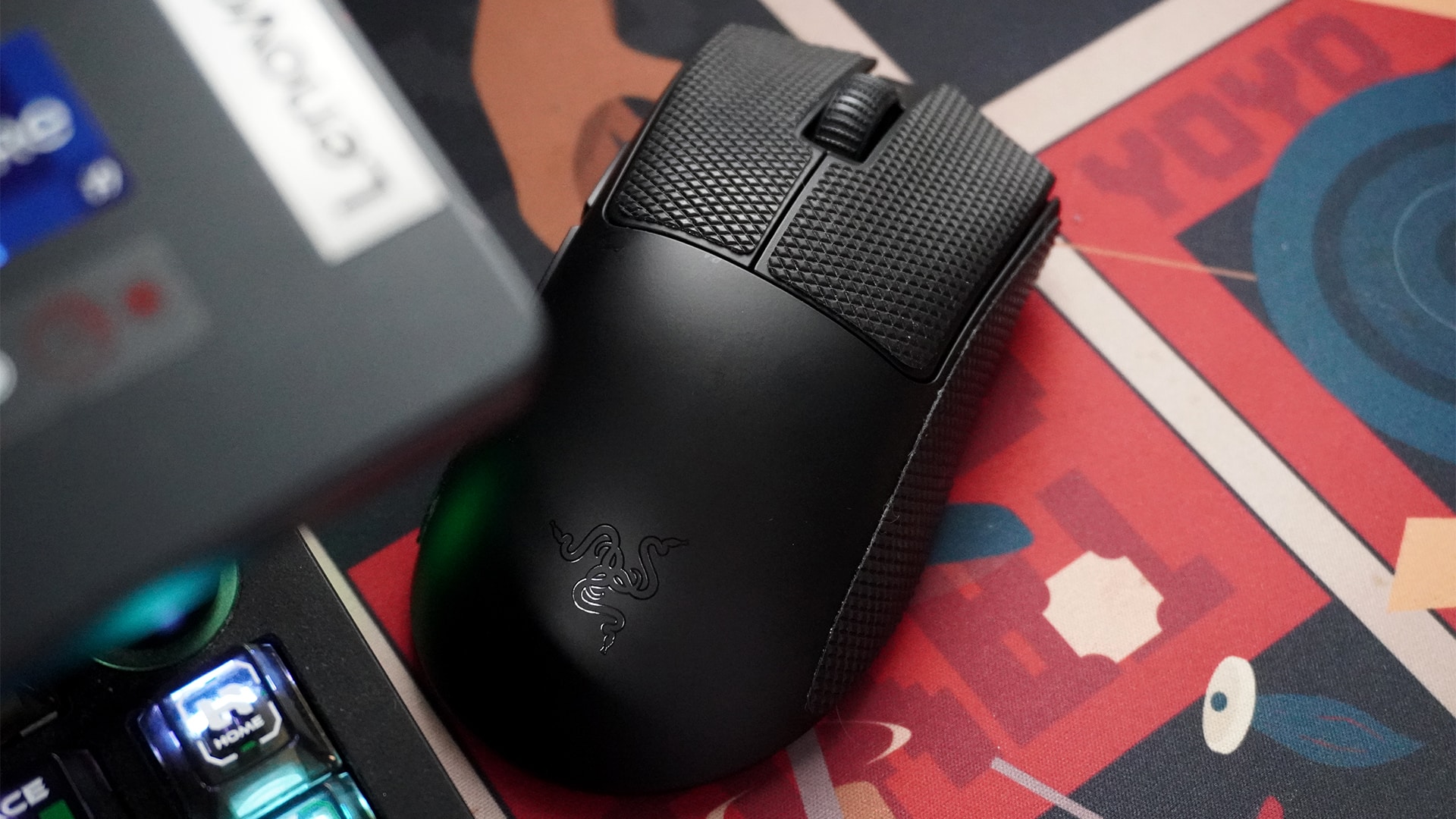
As a competitive mouse, the DeathAdder V4 Pro sheds off any extemporaneous buttons that some gaming mice have.
For input, the mouse has the two traditional left-and-right mouse buttons, a scroll wheel and middle mouse button, and two extra buttons near the thumb. For non-gaming purposes, the two extra buttons can act as the back and next buttons.
Right near the bottom’s optical sensor, you can find a button that doubles for turning the mouse off and changing the sensitivity. I adore this layout. My previous mouse had its DPI button near my grip, leading to a lot of accidental presses. Now, I understand that the layout might favor some types of games, but it just wasn’t it for me. The DeathAdder V4 Pro keeps it out of sight and out of mind.
A remarkably useful app
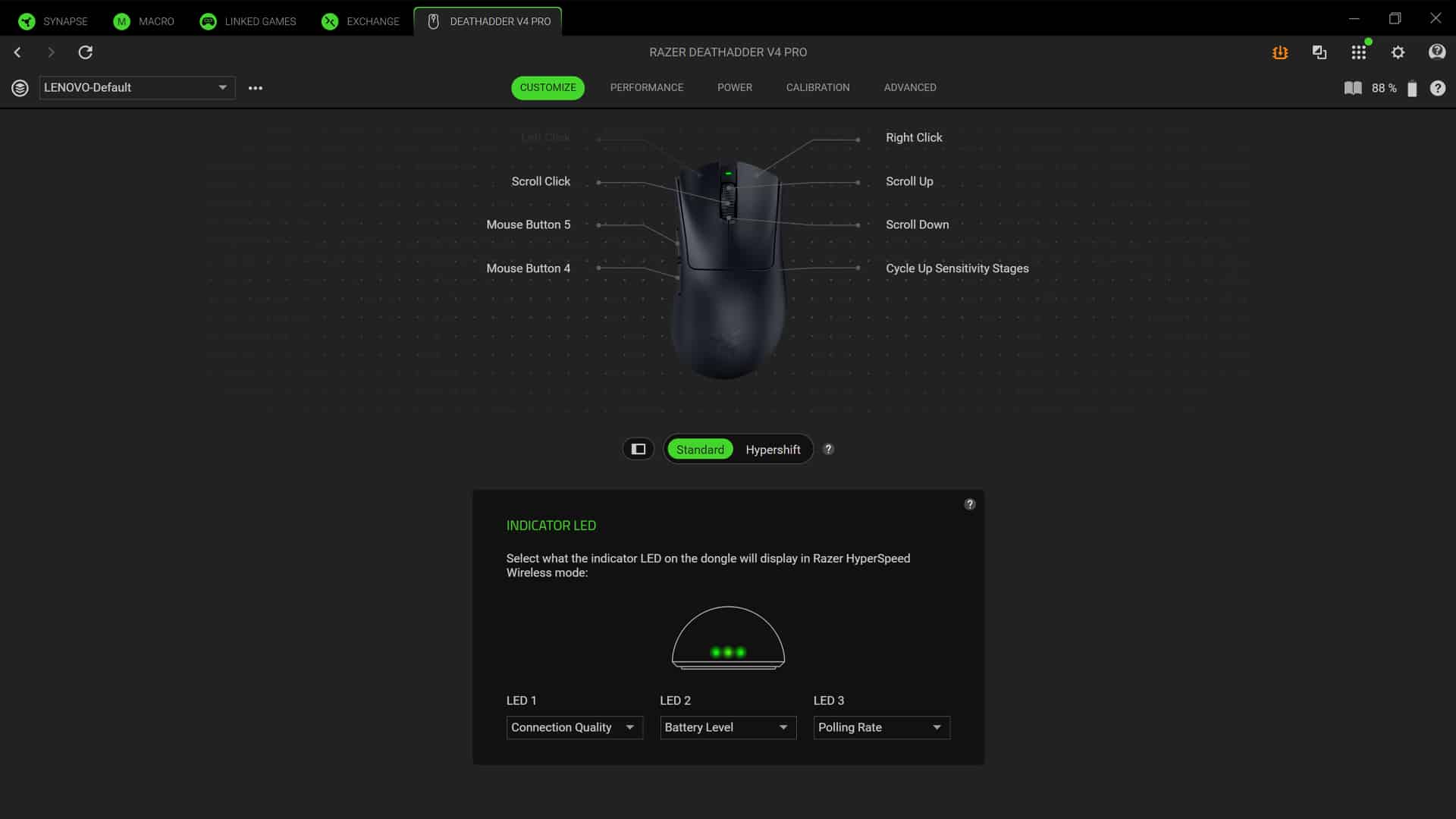
Initially, I bristled at needing another seemingly unnecessary for a new peripheral. However, the Razer Synapse app is surprisingly useful.
It’s remarkably good with fine-tuning. In the traditional DPI settings, you can adjust all the way down to the last digit. It’s all about making the experience as tailored to your tastes as is possible.
Besides the sensitivity, the app also has settings for mouse mat surface calibration for when you lift the mouse off the mat. It also has dynamic sensitivity and rotation calibration to tailor mouse movement based on what angle you hold the mouse with.
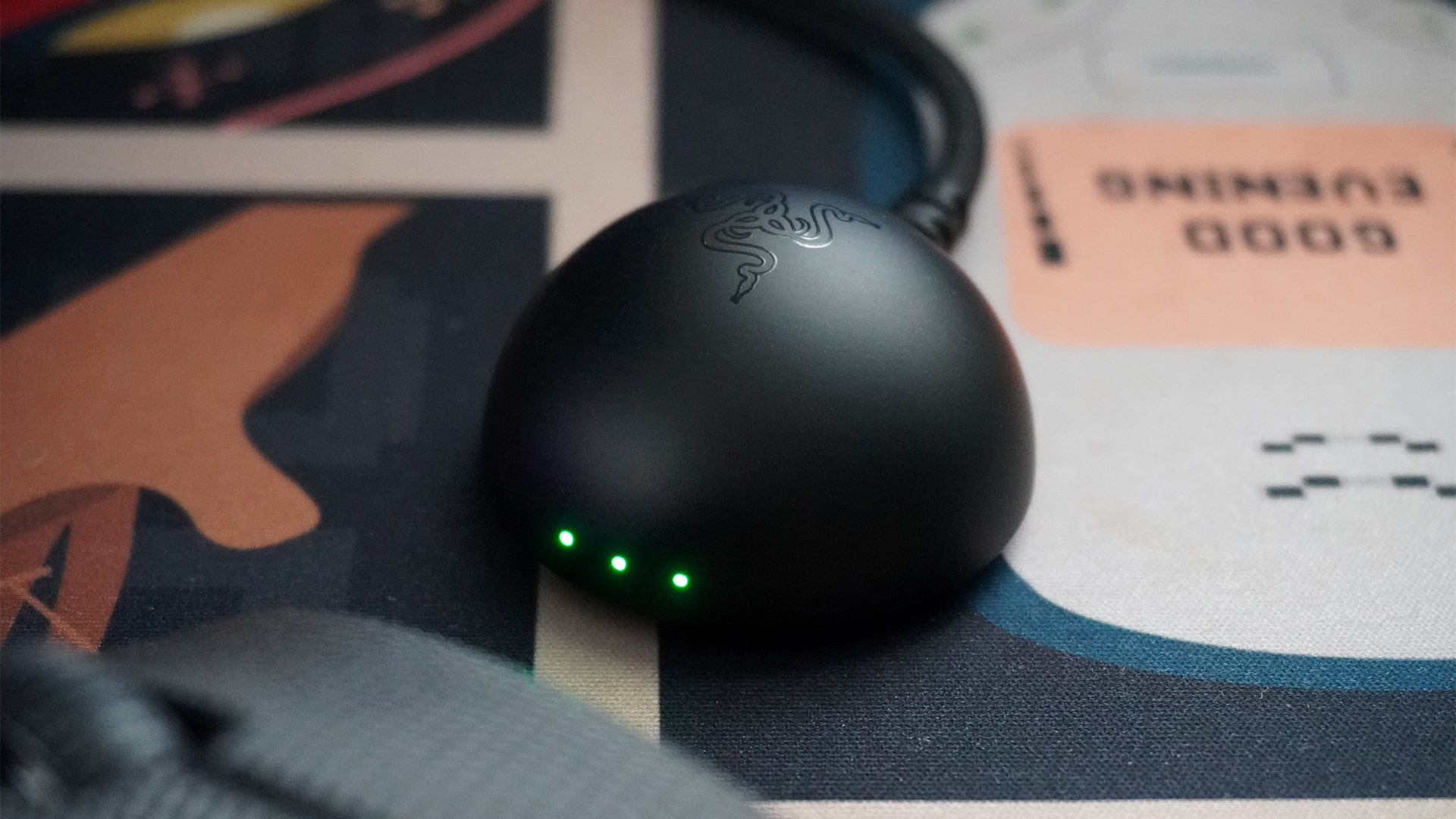
Even the dongle is useful
Traditionally, a mouse dongle is just to ensure that the mouse is well connected to the PC. The DeathAdder V4 Pro’s dongle is more useful. For one, it uses the same USB-A to USB-C wire to charge the mouse, so you don’t need to take off the wire every single time.
Secondly, it has three LED lights for three customizable displays. By default, it shows connection quality, battery level, and polling rate. You can rearrange these three, take out one to add DPI stage, or turn them off altogether. To me, these displays are very useful. They even use multiple colors and shades, so it’s not just red, orange, and green to show the battery, for example.
Most importantly, it’s small enough to keep out of the way. Since the wire is long, you can just hide the entire thing.
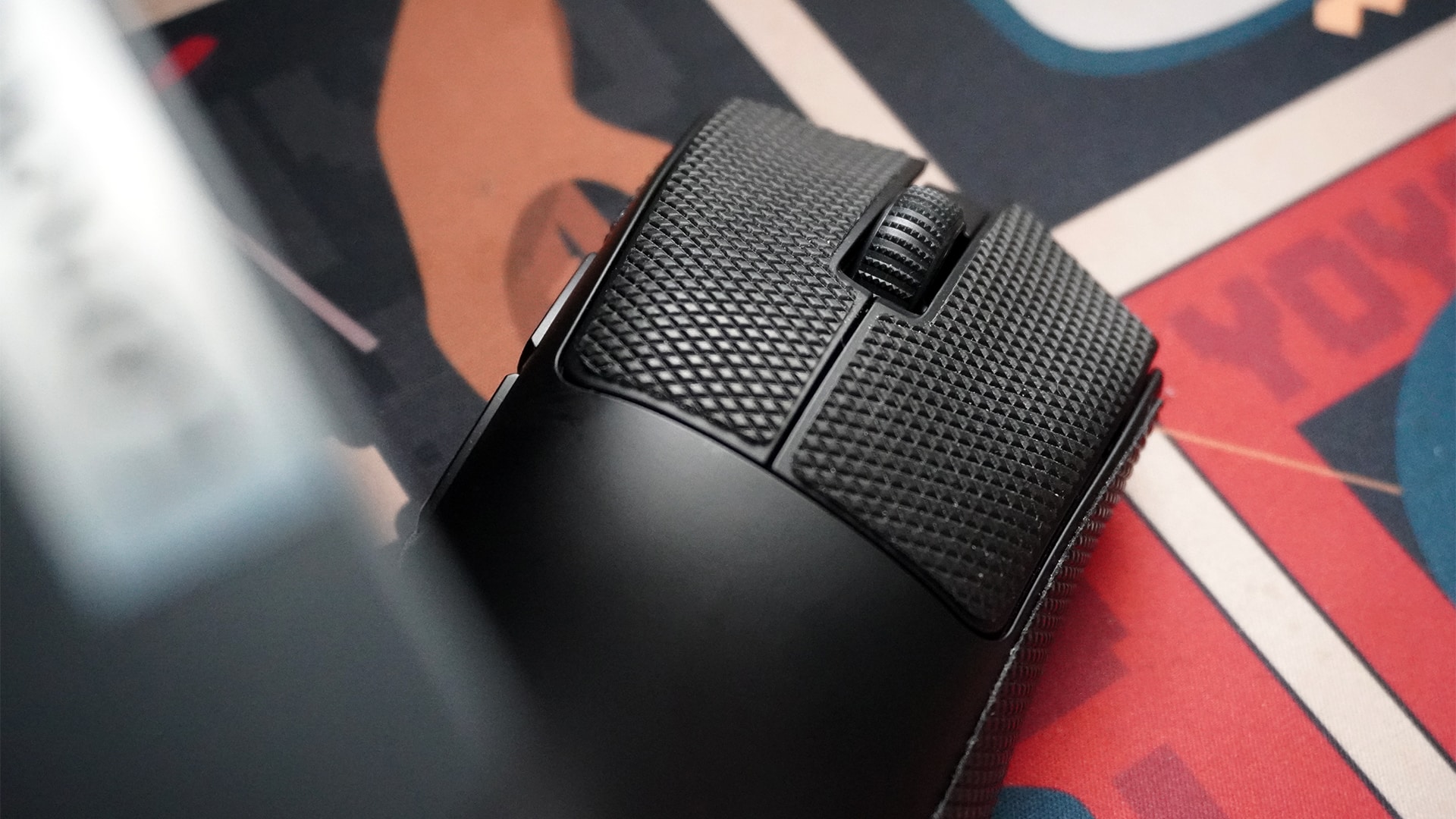
Optional grip tape
This is such a small thing to add, but I love it so much. The box includes grip tape for the left-and-right mouse buttons and both sides.
Besides adding grip, the tape also keeps the main body clean from the dirt on your hands over time.
The best part is that it’s replaceable. Some mice have the rubber built in. So, in those other mice, when your finger inevitably rub them smooth, you’re stuck with a slippery rubber piece until you replace the entire mouse. The replaceable grip tape is such a godsend against this problem.
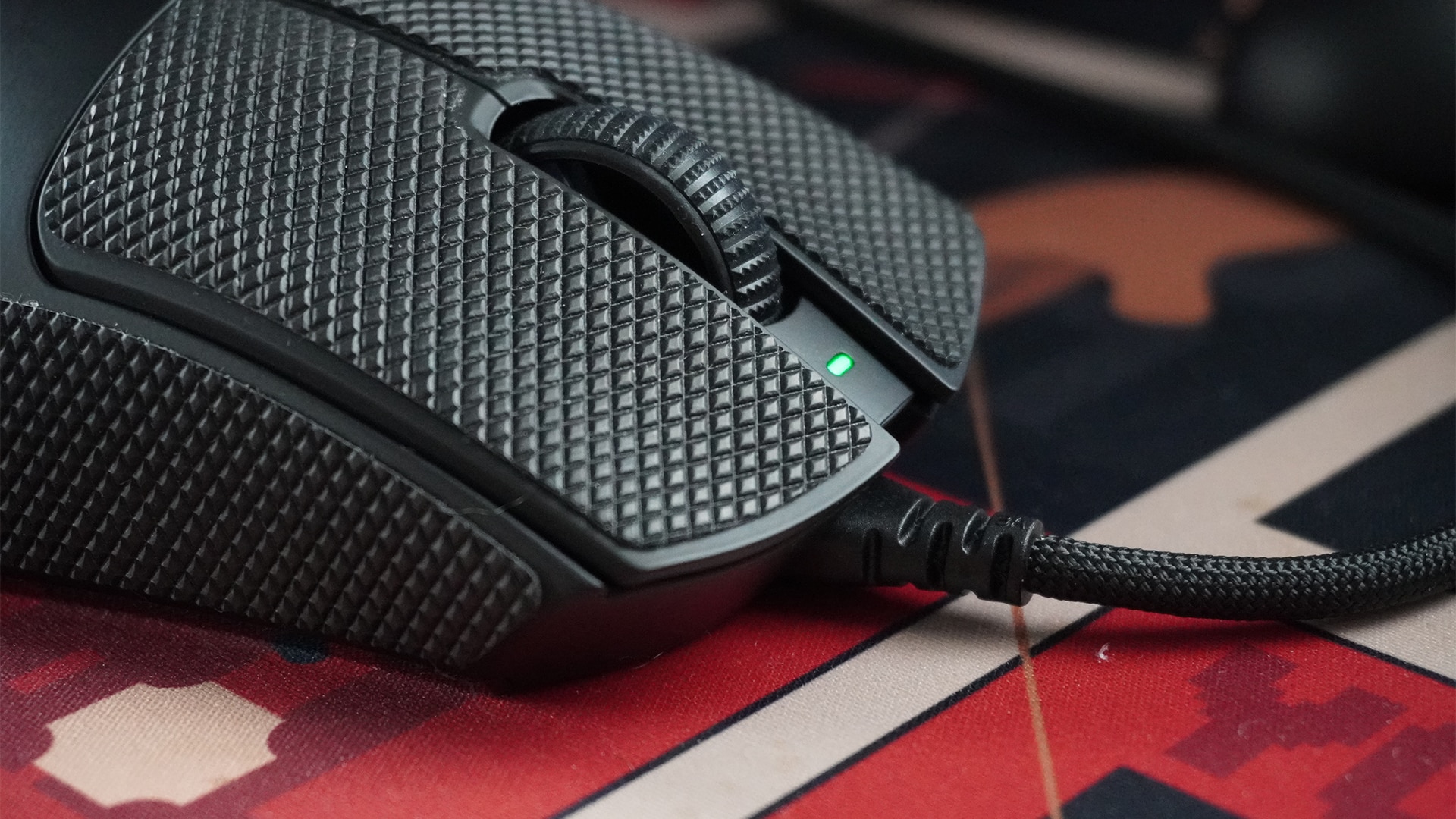
Battery for weeks
The DeathAdder V4 Pro lasts an absurdly long time. It took me two weeks before the dongle showed a color that hovered perilously closer to red. Even then, it still had juice to keep going on. For reference, I usually keep my PC on the entire day for five to six days a week. I also don’t turn the mouse off with the PC because it has a low-power state that preserves battery life.
If you keep the mouse at the default 1,000Hz, Razer promises that a full charge can last 150 hours. If you’re more diligent in turning the mouse off after every use, you can probably squeeze out a bit more, too. Alternatively, the lifespan at the maximum 8,000Hz is reportedly 22 hours, which isn’t too bad if you need the mode for long competitive sessions.
Regardless, it’s not too much of a big deal to charge the mouse. It can still work perfectly when connected to the included cable.
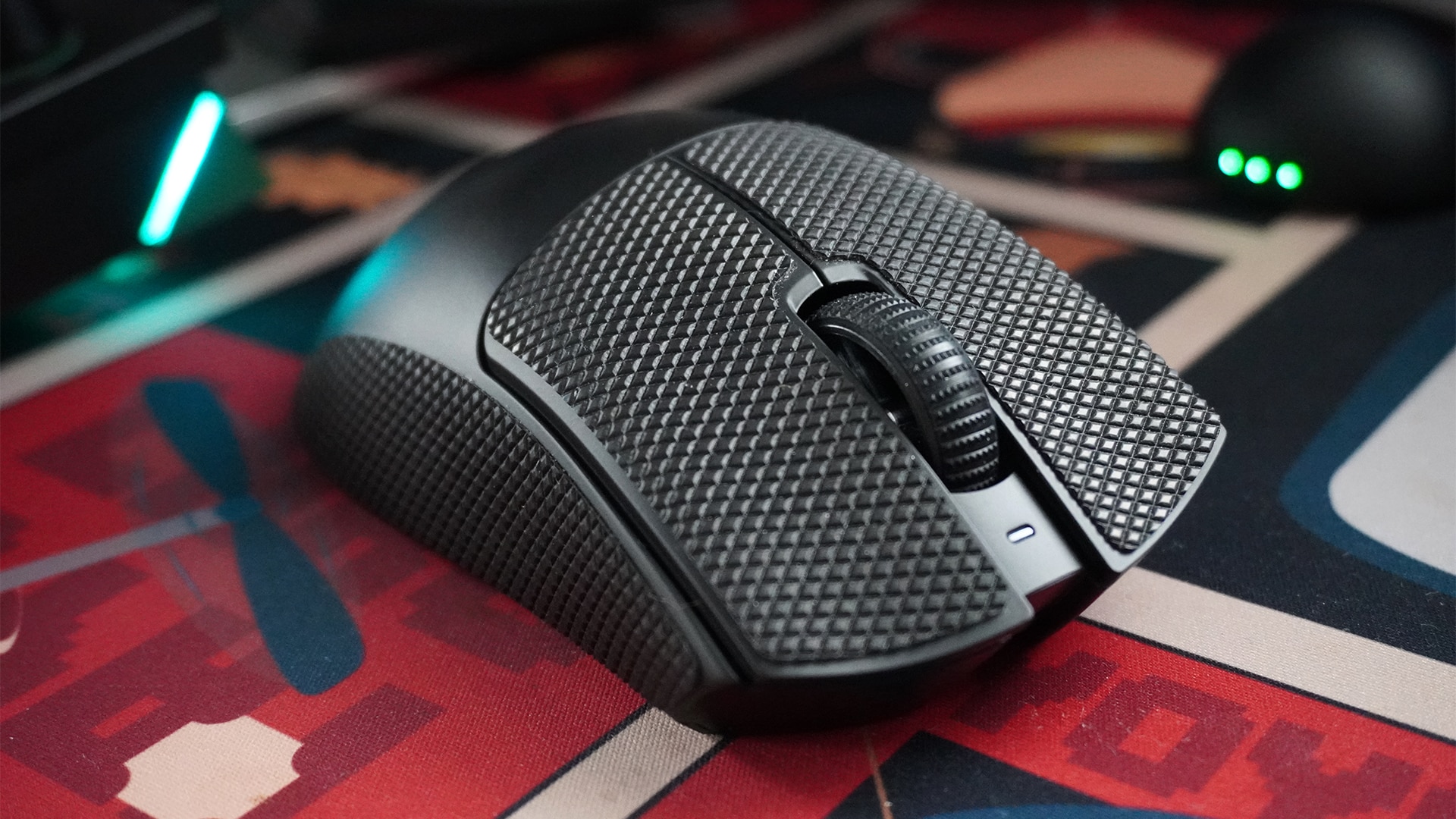
Is the Razer DeathAdder V4 Pro your GadgetMatch?
The Razer DeathAdder V4 Pro made me eat humble pie. After years of snobbery towards ultra-light wireless mice, Razer’s latest peripheral mended my ways and convinced me to drop the weightier mouse.
But that’s just me. If you’re already a fan of wireless mice, the DeathAdder V4 Pro is a no-frills gaming mouse that brilliantly prioritizes function over form. It’s simple, fast, and reliable as a plug-and-play peripheral. But when it needs to be better, it can tailor your entire experience to give you a competitive edge.
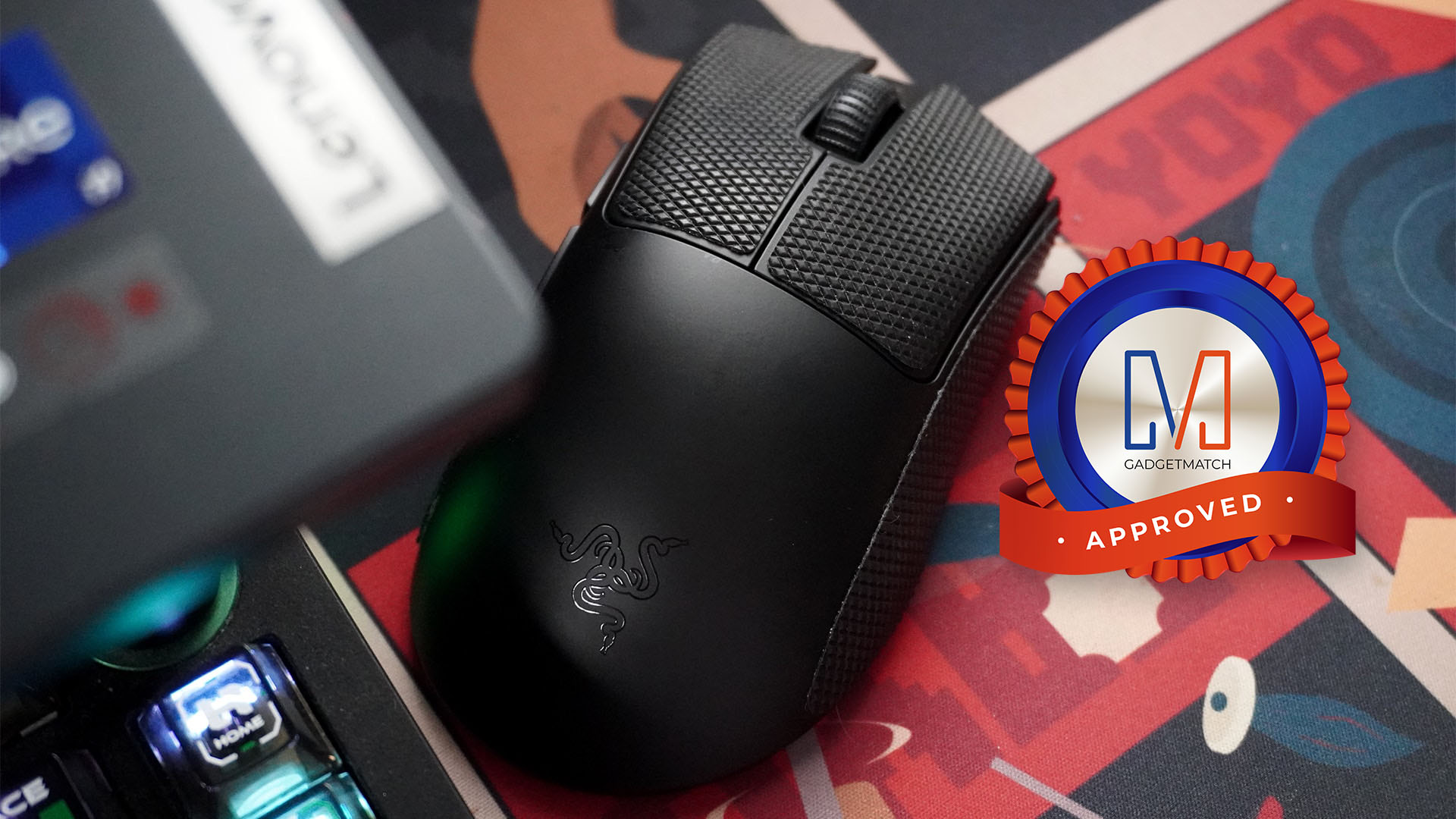
The only aspect that might make you think twice is its price. At US$ 169.99, the DeathAdder V4 Pro asks you to pay for a bit more than other alternatives. It’s still within the range of its contemporaries, but the price tag is a heavy ask.
It’s still a Super Swipe for me, though. Price aside, it’s a perfect mouse for all occasions.







Gaming
Kingdom Hearts IV gets new trailer, confirms Switch 2 release
Collection [I~III] launches October 8


Square Enix has released a new trailer for Kingdom Hearts IV, offering another look at Sora’s next adventure and confirming the game is coming to Nintendo Switch 2, PlayStation 5, Xbox Series X|S, and PC.
Alongside the update, the company announced that Kingdom Hearts Collection [I~III] will launch on October 8, 2026 for Nintendo Switch 2, PlayStation 5, Xbox Series X|S, and Windows PC. Pre-orders are now open, while a free Nintendo Switch 2 demo for Kingdom Hearts III + Re Mind is available starting today.
Kingdom Hearts IV returns
The new trailer offers another look at Quadratum, the mysterious city first revealed when Kingdom Hearts IV was announced.
According to Square Enix, Sora will encounter new characters, visit new worlds, and awaken new powers as the next chapter of the long-running action RPG series unfolds.
The publisher did not announce a release date for the game, saying more details will be revealed in the future.
Kingdom Hearts IV will launch for Nintendo Switch 2, PlayStation 5, Xbox Series X|S, and PC.
Collection bundles the series’ major releases

Square Enix also confirmed that Kingdom Hearts Collection [I~III] brings together Kingdom Hearts -HD 1.5+2.5 ReMIX-, Kingdom Hearts HD 2.8 Final Chapter Prologue, and Kingdom Hearts III + Re Mind in a single package.
The collection includes Kingdom Hearts Final Mix, Kingdom Hearts Re:Chain of Memories, Kingdom Hearts II Final Mix, Kingdom Hearts Birth by Sleep Final Mix, Kingdom Hearts Dream Drop Distance HD, Kingdom Hearts 0.2 Birth by Sleep, Kingdom Hearts III, and the Re Mind DLC, alongside several movie and cutscene compilations.
The release marks the arrival of native versions of these titles on Nintendo Switch 2. Previously, the games were available on Nintendo’s platform through cloud versions.
Free demo available now
Players can download a free Nintendo Switch 2 demo for Kingdom Hearts III + Re Mind starting today.
The demo includes the opening portion of the game through Olympus, with save data carrying over to the full release. It also features a separate section set in Toy Box, the Toy Story-inspired world, although progress from that segment will not transfer.
Players who purchase the collection or Kingdom Hearts III + Re Mind will receive platform-exclusive Keyblades. Nintendo Switch 2 players get Long Night, PlayStation 5 players receive Midnight Blue, while Xbox Series X|S players receive Phantom Green.
Digital pre-orders on PlayStation 5 and Xbox Series X|S also include 48-hour early access for Kingdom Hearts Collection [I~III] and Kingdom Hearts III + Re Mind.


The latest Nintendo Direct delivered a pair of announcements for Final Fantasy fans, with Square Enix confirming the arrival of classic remasters on Nintendo Switch 2 and unveiling an all-new HD-2D adventure.
First, Square Enix announced that Final Fantasy X HD Remaster and Final Fantasy X-2 HD Remaster are coming to Nintendo Switch 2 on July 23. Both physical and digital versions will be available.
The release coincides with the 25th anniversary of the original Final Fantasy X launch in Japan. It also gives longtime fans and newcomers another way to experience two of the series’ most beloved RPGs at home or on the go.
Square Enix also released a new trailer alongside the announcement.
Final Fantasy Resonance launches this October
The bigger surprise from the showcase was Final Fantasy Resonance. It is the first HD-2D title in the Final Fantasy series.
The game launches on October 22, 2026 for Nintendo Switch 2, Nintendo Switch, PlayStation 5, Xbox Series X|S, and PC. The Steam version arrives a day later on October 23.
Square Enix will also offer a Digital Deluxe Edition with the base game and additional in-game items.
A Collector’s Edition is planned as well. It includes the game, an artbook, a soundtrack, and a promotional Final Fantasy Trading Card Game card.
A modern take on a classic Final Fantasy formula
Square Enix describes Final Fantasy Resonance as a celebration of both classic and modern Final Fantasy. The game combines retro-inspired HD-2D visuals with a strategic turn-based battle system that adds modern mechanics to the traditional formula.
Players can expect familiar series staples including chocobos, espers, and airships. The game will also feature appearances from iconic characters such as Cloud Strife, Tidus, and Warrior of Light.
While Resonance draws from the first story arc of Final Fantasy Brave Exvius, Square Enix says it is far more than a direct port. The title has been extensively rebuilt into a full-fledged console RPG experience.
More details about Final Fantasy Resonance will be revealed closer to launch.
Gaming
Dragon’s Dogma 2: Dark Arisen to launch on October 9
A massive expansion and a two-phase roadmap revealed
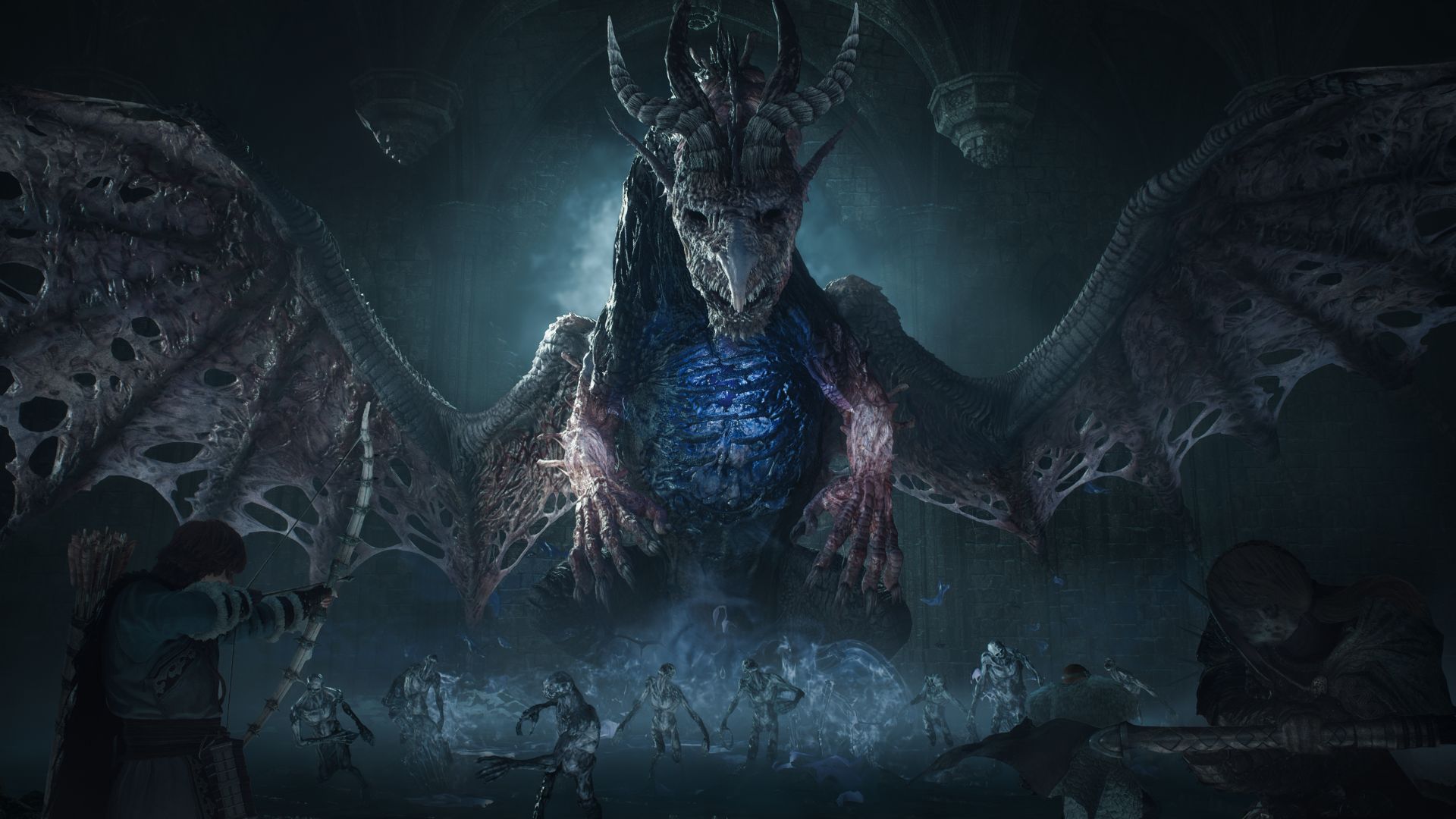
Capcom has officially announced Dragon’s Dogma 2: Dark Arisen, a massive new expansion slated to launch on October 9.
Arriving as a complete bundle, the title will mark the franchise’s highly anticipated debut on the Nintendo Switch 2, while simultaneously launching as separate expansion DLC for players on PlayStation 5, Xbox Series X|S, and PC via Steam.
The Dark Arisen expansion aims to enrich the base game’s dynamic fantasy world with three goals in mind: enhanced gameplay, expanded adventures, and enticing value.
Update roadmap underway
To prepare the realm for the expansion, Capcom has laid out a comprehensive, two-phase update roadmap for the base game:
-
Title Update 3.1: Focuses heavily on immediate quality-of-life improvements, most notably more significantly accessible map traversal through highly requested Eternal Ferrystone.
-
Title Update 3.2: Shifts focus toward system and engine adjustments; patch will deliver crucial performance and frame rate improvements, introduce additional save slots, implement system-level save adjustments, alter Dragonsplague mechanics, and further refine pawn and enemy actions.
Three major additions coming
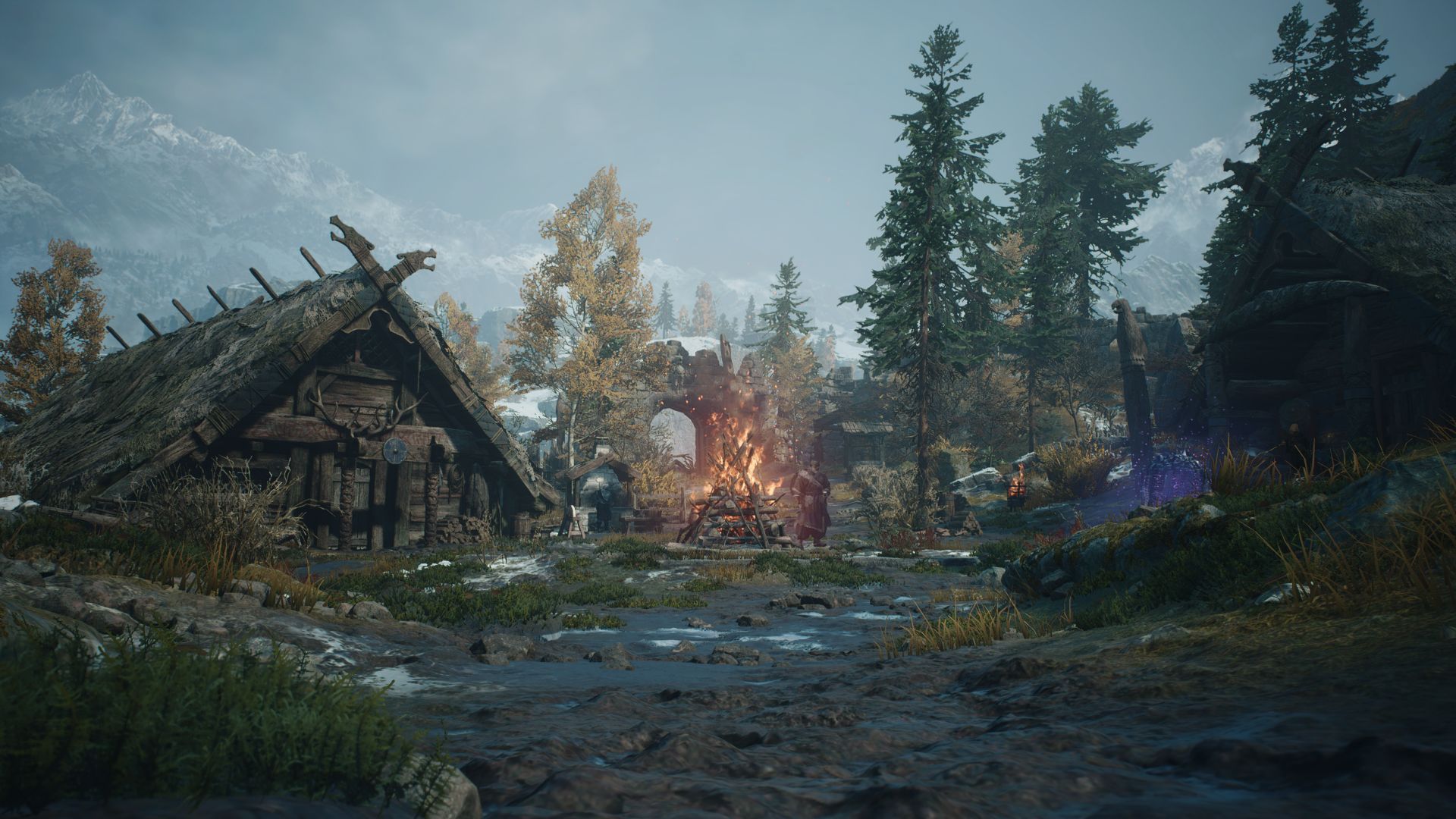
When the expansion officially drops in October, players will be able to dive into a wealth of brand-new content built to push the Arisen to their limits:
- Forsaken Dominion: Players will travel to Norgan, a frozen, long-abandoned northern region of Vermund blanketed in heavy snow. Home to savage hordes and creatures of immense power, the Arisen must team up with an enigmatic figure named Eir to uncover the dark secrets of an undying Fallen Dragon.
- The Relic System: Defeating monsters and exploring the icy wastes of Norgan will yield powerful, hidden spoils of war known as relics. Taking these back to the Norgandian Settlement for appraisal unlocks high-tier gear boasting enhanced offensive and defensive capabilities.
- Lost Rites Dungeons: For those looking to truly test their mettle, the expansion introduces 12 unique dungeon challenges. Overseen by the Pathfinder, these trials task players with clearing deadly gauntlets to reclaim legendary, dormant treasures once wielded by past Arisens.
The robust character creator is also receiving an update with a fresh wave of hairstyles and tattoos via Meszeteres Cosmetics, giving players even more ways to personalize their Arisen and Main Pawn.
Pre-order bonuses and editions
Dragon’s Dogma 2: Dark Arisen will be available in both digital and physical formats. The standalone Switch 2 release will include both the base game and expansion content right out of the box, while existing owners on PS5, Xbox, and PC can simply purchase the separate expansion DLC.
Players who pre-order the digital version or secure an early physical copy will receive the Explorer’s Camping Kit, the Dragon’s Dogma Music & Sound Collection, and the exclusive Norgan Fashion Set: Northern Attire.


HONOR Magic V6 review: The best version of a book-style foldable?
Little left to sacrifice


Close without crossing: A Xiaomi 17T Pro photo essay
Distance and closeness are not always opposites.


Spring reset: Growing more at home with Auk Mini
From kitchen counter experiment to everyday habit

Match Life: VOLTME MagPak 5K magnetic power bank

HONOR unveils 1st cinematic video captured by its Robot Phone

ROG launches 2026 Strix gaming laptop series

TECNO’s SPARK 50 Pro is the latest budget smartphone battery beast

Nothing is coming to over 500 Best Buy stores in the United States

The Infinix GT 50 Pro has the most inspired design for a gaming phone

UGREEN MagFlow Air review: Airy Yet Mighty
Spring reset: Growing more at home with Auk Mini

TECNO’s POVA 8 5G is both futuristic and future-ready

The UGREEN Nexode Air 65W is the only charger I travel with now


-
 India6 days ago
TECNO’s POVA 8 5G is both futuristic and future-ready
-

 News2 weeks ago
realme launches P4 Series 5G, including Power with 10,001mAh battery
-

 Gaming2 weeks ago
God of War Laufey puts Faye in the spotlight
-

 Buyer's Guide1 week ago
Buyer’s Guide: Xiaomi Pad 8 Series
-

 Gaming2 weeks ago
Marvel’s Wolverine showcases brutal combat, confirms Jean Grey
-
Reviews6 days ago
HONOR Magic V6 review: The best version of a book-style foldable?
-

 Gaming5 days ago
Kingdom Hearts IV gets new trailer, confirms Switch 2 release
-

 Gaming2 weeks ago
Final Fantasy VII Revelation arrives in Spring 2027