


Hands-On
Samsung Galaxy S9 Hands-On: Same but better
Samsung sets the bar high with a reimagined camera

When Samsung sent out teasers for its Galaxy S9 launch earlier this month, it promised a re-imagined smartphone camera.
So it comes as no surprise, now that the Galaxy S9 and S9 Plus are official, that this year’s new Samsung flagships are designed to be the best smartphone cameras in the biz.
Apart from a new paint job that includes a lovely shade of purple and a few minor adjustments, the new S9 doesn’t necessarily look or feel new. But, it is loaded with plenty of camera improvements meant to impress both casual and serious photography buffs.

The Galaxy S9 and S8. Can you tell the difference?
Let’s start by addressing the first half of that statement.
Samsung’s smartphone design evolution hit a major milestone four years ago when it first embraced curved displays. Last year, after almost half a decade of iterating on this new and innovative form factor, Samsung found its sweet spot.
We first saw it on the S8; it repeats on this year’s S9, and I wouldn’t be surprised if this trend continued into the next year or so.
That isn’t necessarily a bad thing, two years in and it’s still one of the most beautifully designed smartphones out there. Like the S8, the S9 is all-glass, with Samsung’s signature, curved Infinity Display, that blends into its sides and back.
This year’s model is a wee bit taller and narrower, button placements are off by a few millimeters, and if you look closely, top and bottom chins are smaller as well. The only other aesthetic change is the position of the fingerprint sensor, now a few millimeters south of the phone’s rear camera.
Also a new shade, Lilac Purple, joins the rest of the standards: Midnight Black, Titanium Silver, and Coral Blue.
Like the S8, the S9 comes in two sizes, 5.8 and 6.2 inches, dubbed the S9 and S9 Plus respectively. The latter, larger model is the better of the two phones. It’s got two main cameras, more memory, and a larger battery.
Reimagined Camera
If you look at the roster of the current best phones in the world today, one thing they all have in common is a great camera. In some ways, it’s almost the tie breaker that determines which of among these phones is best among the best.

For more control, dive into the S9 camera app’s Pro Mode
While only extensive tests will prove if Samsung succeeded with the S9, on paper, its camera looks impressive. Let’s throw some specs out there:
A super fast f/1.5 lens, currently the fastest on a smartphone, and the kind you’ll want if you’re looking for great background blur, and great low-light shots, like in a bar on your night out.
That lens is also an f/2.4 lens, and with a feature called Dual Aperture, it is able to adjust between the two to let in more light as needed.
When it’s dark and you need more light, it will shoot at f/1.5, making dimly lit photos brighter and less prone to blur. And when there is plenty of available light, it will switch to f/2.4 so you get more detail and sharpness.
[sciba leftsrc=”https://www.gadgetmatch.com/wp-content/uploads/2018/02/galaxy-s9-sample-f24.jpg” leftlabel=”Galaxy S9 f/2.4″ rightsrc=”https://www.gadgetmatch.com/wp-content/uploads/2018/02/galaxy-s9-sample-f15.jpg” rightlabel=”Galaxy S9 f/1.5″ mode=”horizontal” width=””]
All of this is done automatically and in the background, but if needed, you can manually switch between the two in Pro mode.
If you get the the larger S9 Plus, you also benefit from a second rear camera, which doubles as an optical 2X zoom lens, allowing you to zoom in closer on subjects. Two cameras also means you get the same feature we saw on the Galaxy Note 8 called Live Focus, which lets you adjust background blur during and after a photo is taken.
This feature isn’t available on the S9, so that’s definitely something you want to consider when choosing between the two models.








Stepping up your selfie game
The selfie camera too gets upgraded, with features clearly targeted at millennial females.
Apart from a software-based Selfie Focus mode, which gives your selfies that portrait-style background blur, there’s also standard selfie mode without background blur but with a bunch of beauty filters that make it look like you’re wearing makeup even if you don’t have any on.
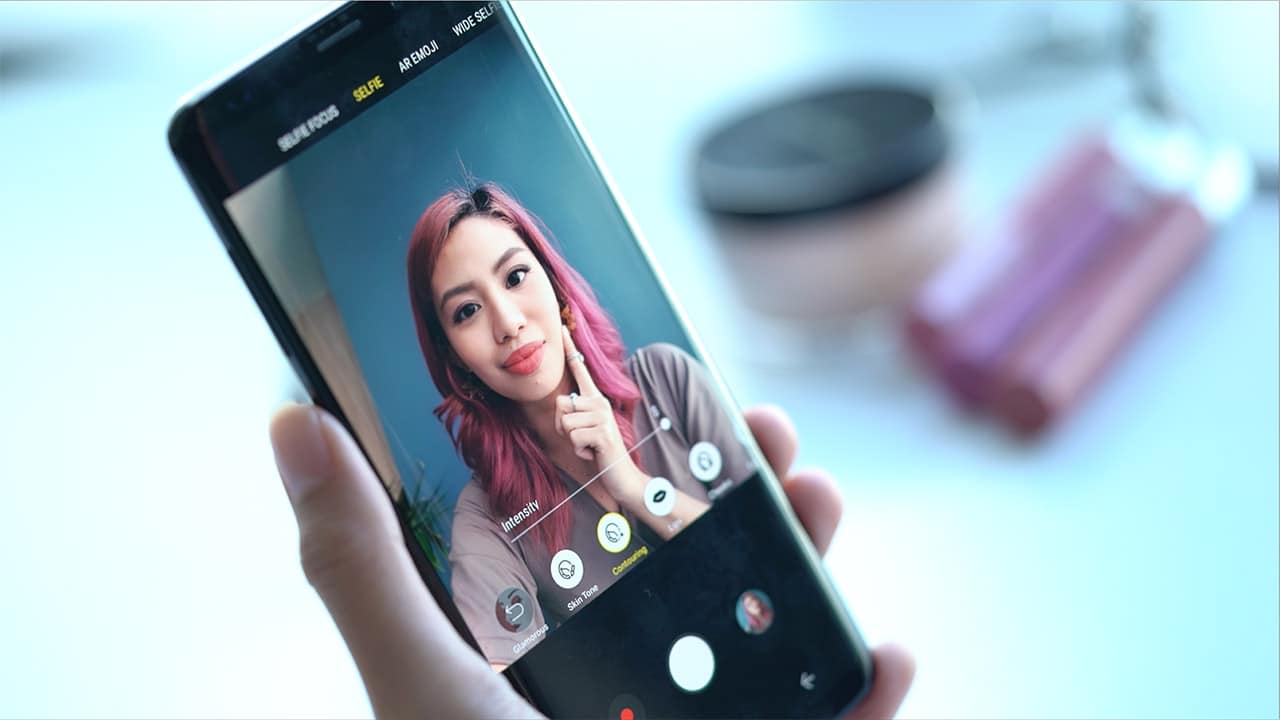
Our Her GadgetMatch team loved how you can adjust the intensity of these effects, so your makeup game is on point without going overboard. You can also dive into each effect to change things like lip color, eyeshadow, and contour. What they didn’t like, however, was that you could not use makeup effects and background blur at the same time.
Click over here to read more about four fun things you can do with the S9.
Super slow-mo video
One of the new things the S9 can do is super slow-mo video capture — 960 frames per second, to be exact. That’s four times more frames than what the S8 can capture.
While super niche, it’s a cool feature you have to see to appreciate. Check out the samples in our hands-on review below:
Capturing super slow-mo video can be done automatically, with motion detectors that trigger capture automatically once movement is detected. Or manually, which we’d recommended for most situations.
It takes a bit of practice to get your timing perfectly right, but once you do, the results are rewarding.
AR Emoji
It was only a matter of time till Samsung jumped on the animated stickers trend.
Samsung’s AR Emoji are reminiscent of Snapchat’s bitmoji, except that you don’t manually have to pain over crafting stickers after your own likeness.

Does my AR Emoji look anything like me?
On the S9, you can just take take a selfie and the phone does the rest. Apart from an exaggerated mouth, the caricatures are pretty accurate, and you can animate them or send them as animated GIFs on your messaging platform of choice.
The S9, however, struggles to accurately track your facial muscles, so something like say Animoji karaoke with Samsung AR Emoji might not be as successful.
Refinements and tweaks
While most of the improvements have been camera-centric, Samsung did find the time to address user feedback with some much-needed updates.
Audio for one got a whole lot better. With built-in AKG stereo speakers — one front-firing from the ear piece and the other from its side through the usual speaker location — the resulting sound is louder and bolder. The new speaker setup also supports Dolby Atmos for an immersive surround sound-like listening experience.
On the S9, you still get the usual host of security features like Knox and Iris Scanning, but there’s a now a new setting called Intelligent Scan which merges facial recognition and its iris scanner so that you can unlock your phones easily in the dark or when you’re out and the sun is very bright. They also claim it is smart enough to tell twins apart, something Apple’s Face ID is unable to do.

Finally, addressing many a complaint including ours, the fingerprint sensor is in a new place, below the camera instead of directly beside it. We like this layout better, but think it’s still too close to the camera so it doesn’t quite solve the problem of accidental smudges. It’s not that big of a deal, but considering this is supposed to have fixed last year’s design problem, you’d think they would have done it better.
So is the Galaxy S9 your GadgetMatch?
It’s too early to tell, but clearly Samsung has set the bar high in 2018. They took an already solid phone and made it even better.
Unfortunately, that includes its high price tag. We’re not liking this new trend that sees most flagships priced above US$ 1,000, but from the looks of it, this is just beginning.
One thing we would have loved to see are advancements in the artificial intelligence space. But it sounds like Samsung is sharpening its chops before it rolls anything out.
If you own an S8 or S8 Plus, the S9 may not offer enough to warrant an upgrade, unless you’re an early adopter, or must have the best smartphone camera money can buy.
If you’re an S7 or S7 Plus user scheduled for an upgrade, the S9 and S9 Plus are an easy recommendation for us to make (especially with a carrier contract). The S9 Plus especially is a great buy. If you don’t mind the size difference, we’d definitely recommend it.





Hands-On
Apple iPhone Duo Unboxing and Hands-on
Supported apps, crease, cameras, and MagSafe all tested

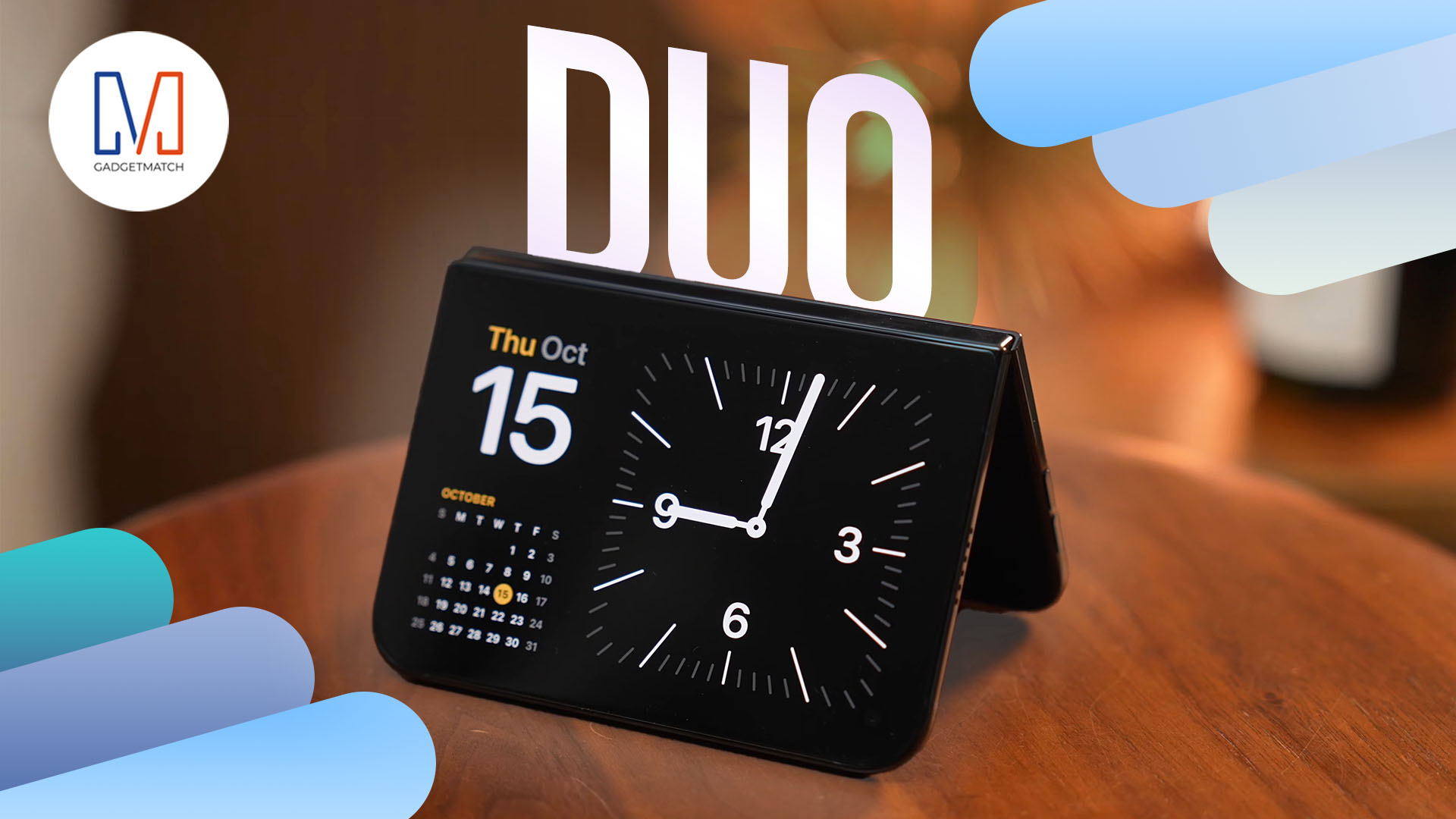
Apple’s iPhone Duo is finally here!
Aside from unboxing the all-new iPhone-dable in Night Sky, we take a closer look at the display crease, check out the under-display camera quality, see which MagSafe accessories work with it.
Most of all, which apps support it (or not).
But how well does the dual-screen experience on an iPhone actually work? Watch our Apple iPhone Duo unboxing and hands-on to know more!

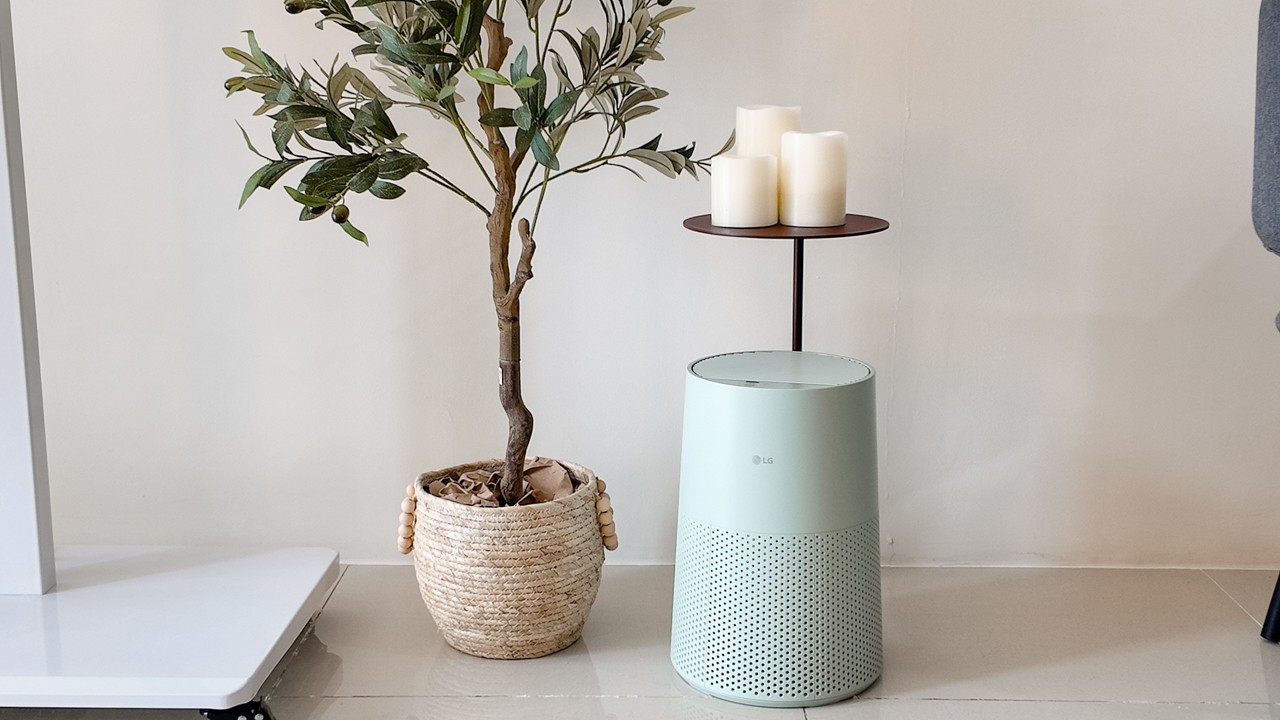
Moving into a new space comes with a long list of things to figure out, and lately, I’ve been paying more attention to something that’s easy to overlook: air quality.
After using the LG AeroMini for about a month, it has become a subtle but welcome addition to my space. It helps make the room feel fresher, while its compact and stylish design fits naturally into my setup. Here are the things that stood out to me most after living with it for a month.
360° purification for a fresher space
One of the things I appreciate about the AeroMini is its 360° air purification, designed to bring purified air in every direction.
For me, this is particularly useful in a new space where I’m spending a lot of time working, relaxing, and just settling in.
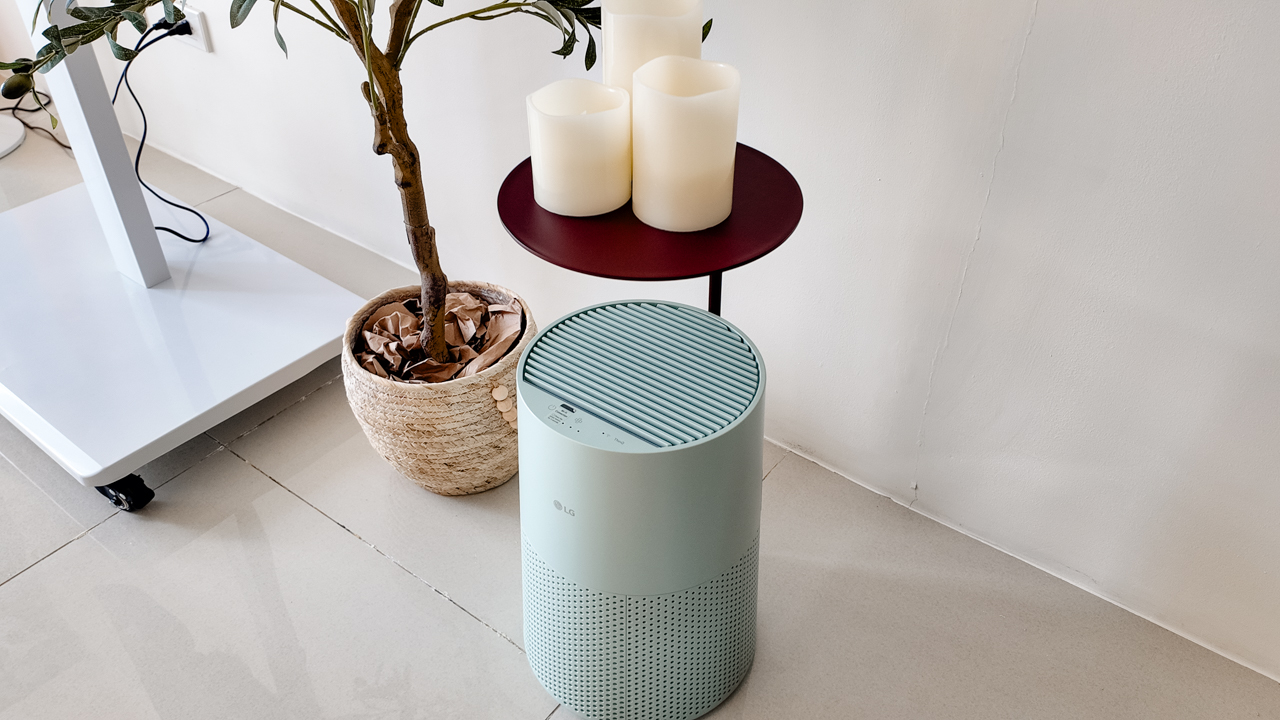
Combined with its True HEPA filter, which is designed to remove 99.999% of 0.01μm fine dust and allergens, it gives me added peace of mind about the air I’m breathing every day.
After a month, I can genuinely say that the space feels fresher with it running.
Surprisingly quiet
This is probably my favorite feature.
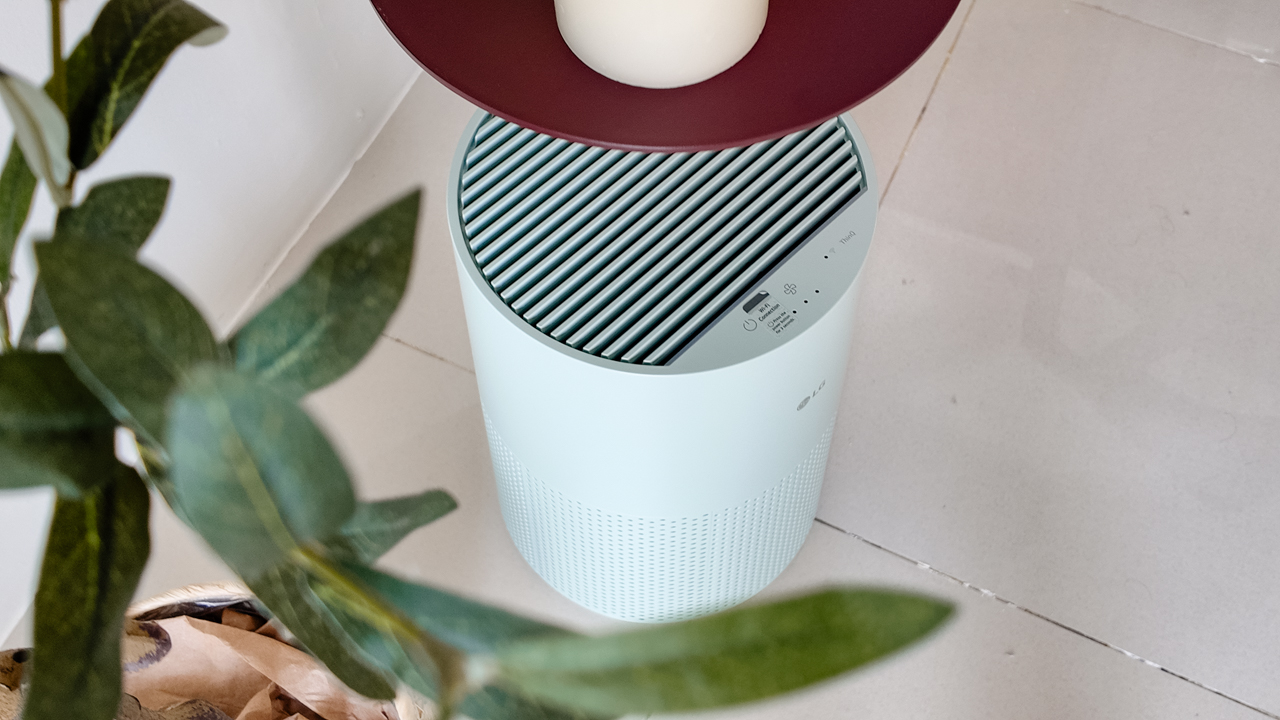
The LG AeroMini operates at just 26dB, and after using it for a month, what stands out is how easy it is to forget that it’s even running.

I can have it running while I’m working or sleeping without the noise becoming a distraction. For an appliance that’s designed to continuously improve the air around you, I think that’s a big deal.
Sometimes, the best feature is the one you barely notice.
Design that fits my space
Since I recently moved, I’ve been pretty conscious about what I bring into the space. I want things to be functional, but I also don’t want appliances that feel like they’re taking over the room.
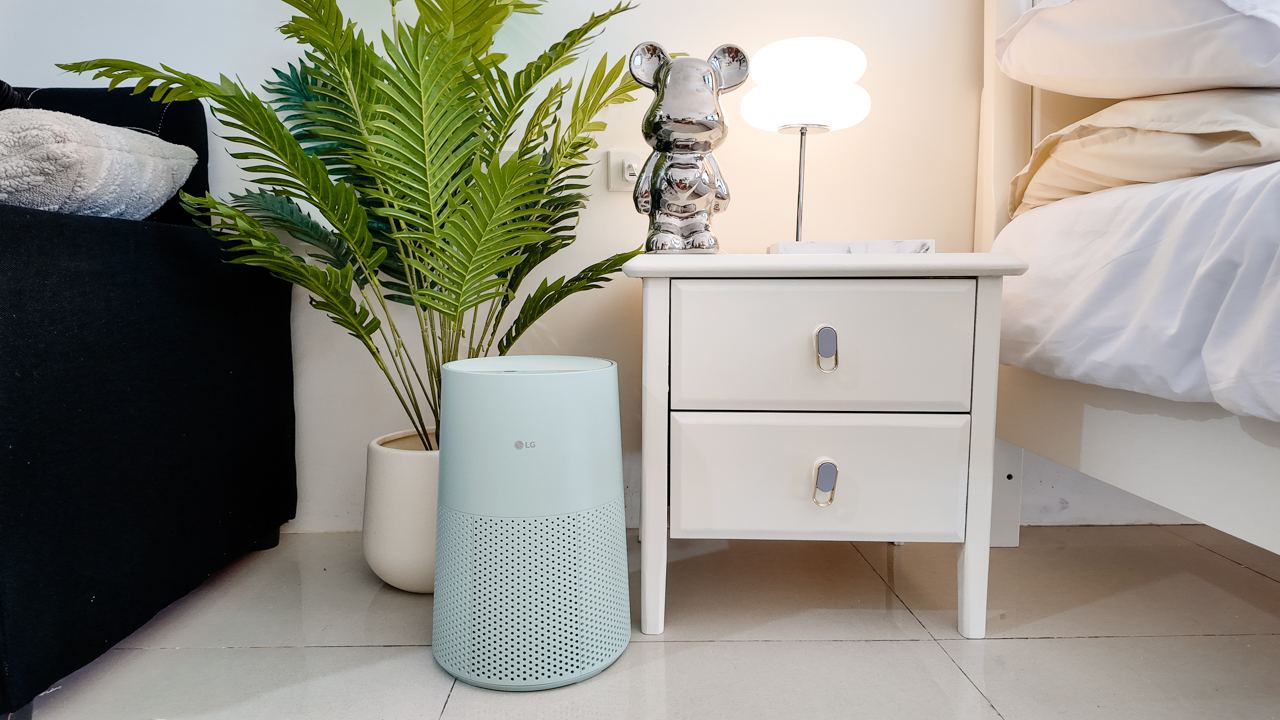
The AeroMini’s slim and compact design makes it easy to incorporate into my setup. It doesn’t feel bulky or industrial, and I like that I can leave it out without feeling like I need to hide it away.
For me, that balance between functionality and aesthetics makes it feel more like part of the space rather than just another appliance.
Air quality at a glance
Another feature I’ve found convenient is its Smart Control. Through the app, I can monitor and control the AeroMini while getting real-time updates on the indoor air quality.
It’s a small convenience, but being able to check the air quality without having to interact with the purifier directly makes it easier to keep track of what’s happening in the room.

Easy to maintain
I also appreciate that the AeroMini is designed with an all-in-one dust and deodorization filter that makes replacement and maintenance easier.
That matters to me because the best home gadgets are the ones that don’t create another complicated chore. I want something I can set up, use regularly, and maintain without too much fuss.

After a month, would I keep it?
Yes, and mainly because it quietly fits into my everyday routine.
The LG AeroMini has helped make my new space feel fresher and more comfortable, while its compact design means it doesn’t compromise the look of the room. But if I had to pick just one thing I appreciate most, it’s still how incredibly quiet it is.

It’s one of those upgrades that doesn’t demand your attention. It simply works in the background.
If you’re also looking to make your home a fresher and more comfortable space for yourself and your family, visit https://www.lg.com/ph/ to learn more about the LG AeroMini and how it can fit into your everyday life.
Hands-On
Apple iPhone 18 Pro Series Hands-on
And everything announced during Apple’s September 2026 Event
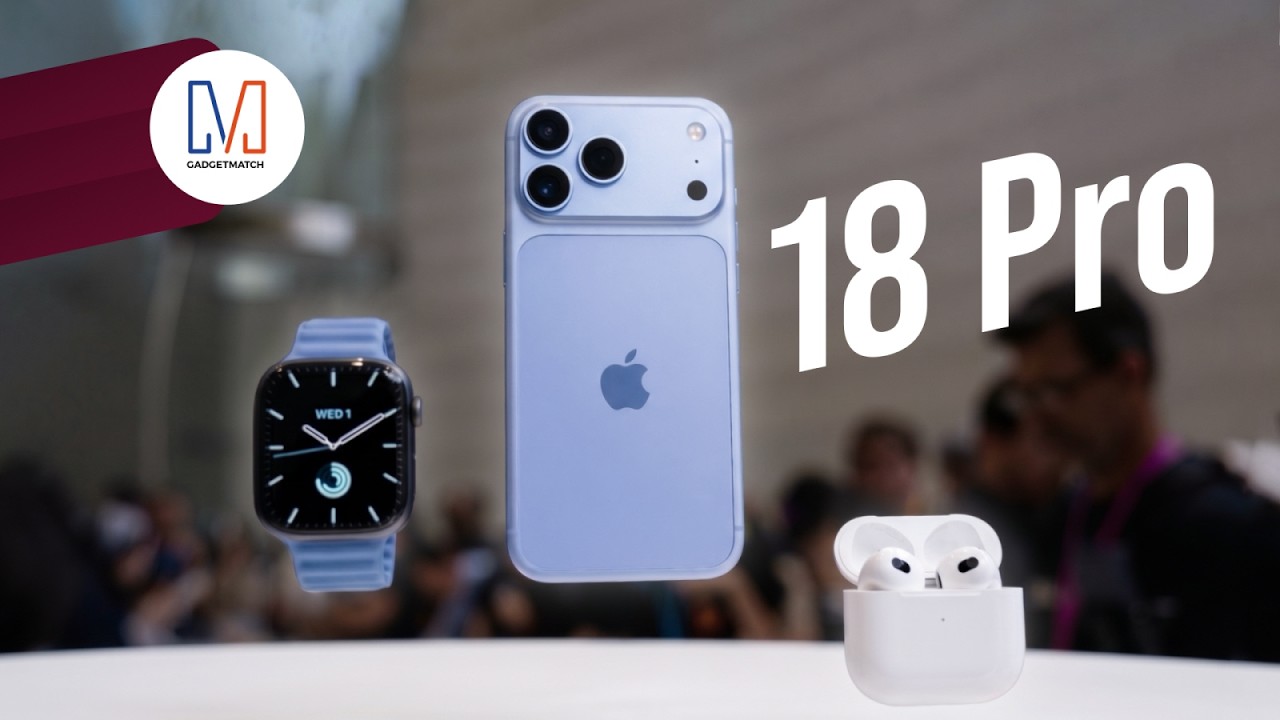
The latest Apple event isn’t just about the shiny new Apple Duo. There’s a lot to talk about!
In this video, we break down everything Apple has announced during their September 2026 keynote.
First, there’s the updated iPhone 18 Pro and 18 Pro Max. That’s alongside their design and color changes, battery and performance improvements. Even that massive camera upgrade.
There’s even the ANC-infused AirPods 5 alongside the newer Apple Watch Series 12 and Apple Watch Ultra 4. Plus, the latest software updates coming to both these wearables.
So, are these worth the upgrade?


Apple iPad mini OLED review
Has the mini gone PRO?!


ROG G700 review: The best prebuilt PC you can get off the shelf
This PC will make you stop worrying about specs.


HP OMEN Max 16 review: Gamer-maxxing in deep black
Peripherals deemed necessary to max this out

Sony revives classic Walkman headphones with USB-C MDR-3R

IKEA, Xbox launch nine-piece YXSTABY gaming collection

Smart Infinity launches PureVoice

The Fellowship of the Ring in Concert finally arrives in Manila
Apple iPad mini OLED review

Your coffee nook is getting a makeover with Starbucks’ holiday collections

vivo V80 debuts with ZEISS cameras

Garmin Enduro 4 promises up to 320 hours of battery life

Dragon’s Dogma 2: Dark Arisen launches with new Official Pawns

vivo V80 review: Good phone, tough sell


-
 Lifestyle7 days ago
Your coffee nook is getting a makeover with Starbucks’ holiday collections
-

 Lifestyle1 week ago
Sticker season is back, and so is the planner your ~friends~ might fill in for you
-

 Gaming7 days ago
Wild Rift Patch 7.3, celebrates K/DA comeback
-
Gaming2 weeks ago
ROG G700 review: The best prebuilt PC you can get off the shelf
-

 Gaming2 weeks ago
PlayStation unveils Prism Collection
-
 News3 days ago
Sony revives classic Walkman headphones with USB-C MDR-3R
-

 News2 weeks ago
Apple unveils its biggest iPad mini update yet
-

 Laptops2 weeks ago
Apple unveils MacBook Pro with PROLED XDR display and Touch