
Hands-On
Huawei P20 and P20 Pro Hands-on: A revolutionary step forward
Seeing more with three main cameras

Tipping point: that pivotal moment in time where all the conditions are right, your status bar maxes out, and you level up from protégé to hero.
For some it comes by divine moment; others still by hitting critical mass.
For Huawei, this milestone is achieved with the launch of its P20 and P20 Pro. Unveiled today in Paris, these monumental smartphones will one day be remembered as the devices that ushered the company into ubiquity.
But first, as soon as they hit shelves early next month, they are meant to be enjoyed. Earlier this week we spent some hands-on time with the P20, and here’s what you can look forward to.
Designed to stand out
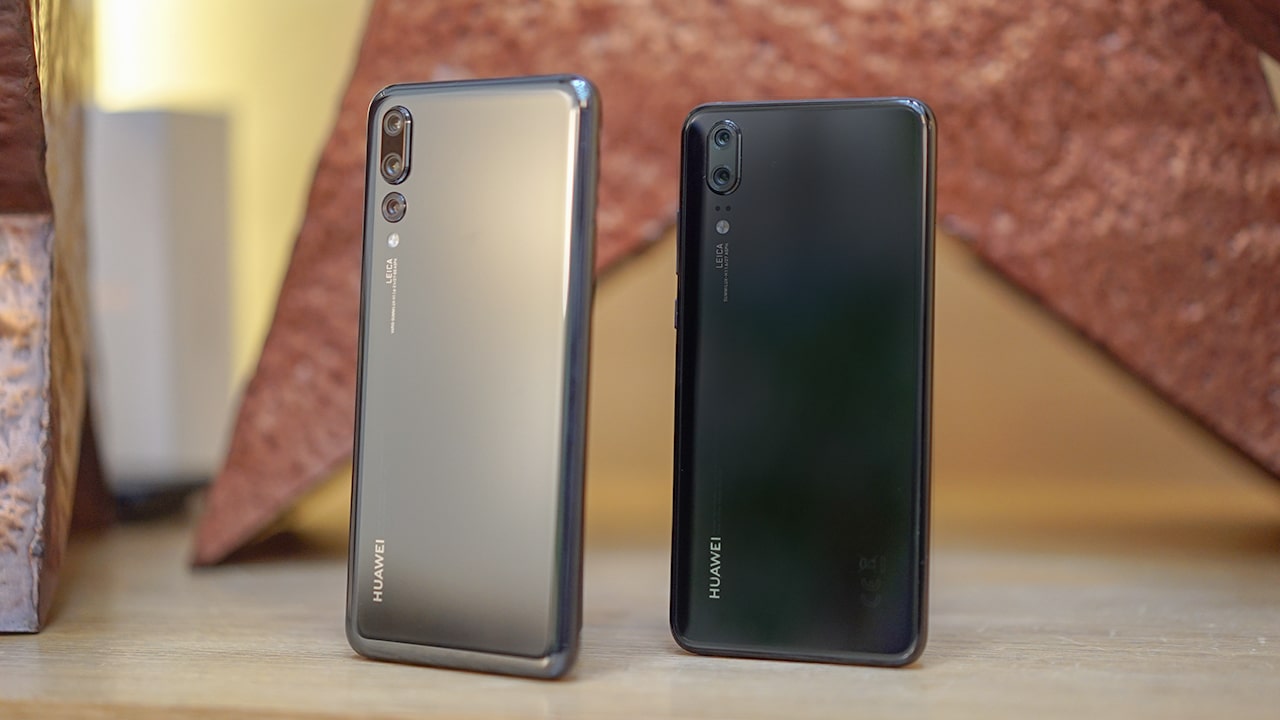
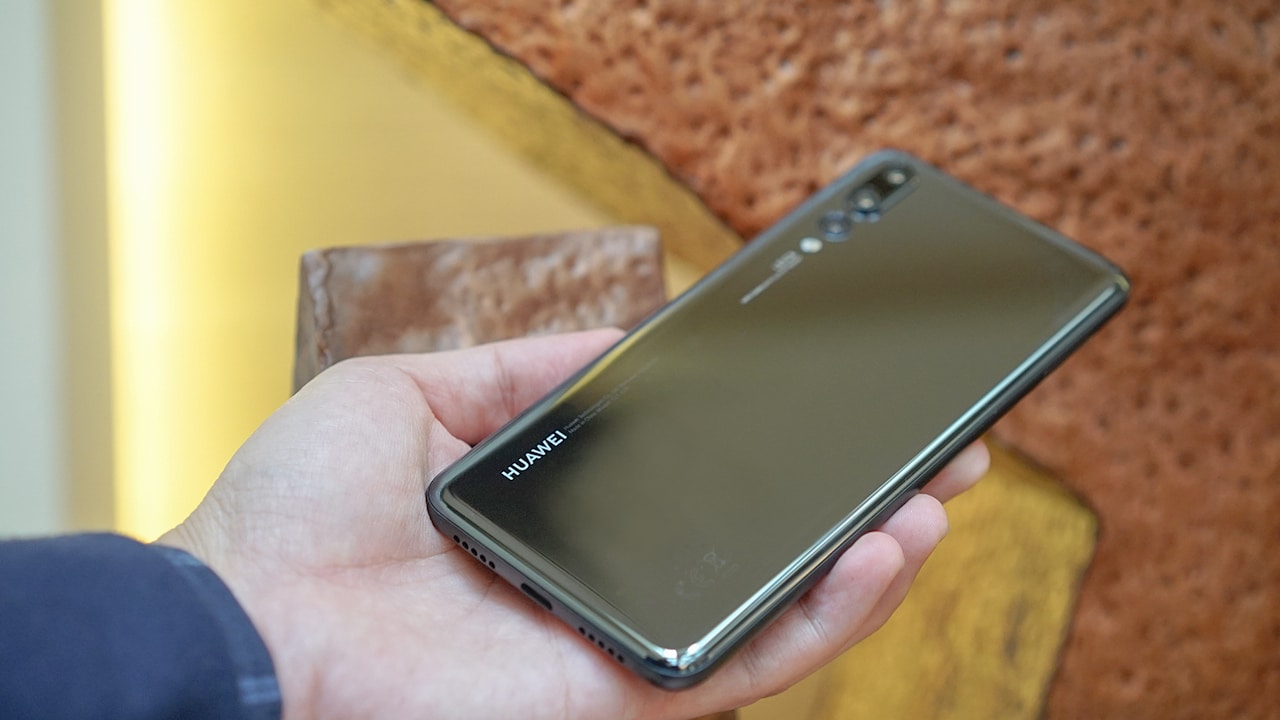
In person and in the hand, the Huawei P20 and P20 Pro look stunning and feel amazing. They are improved over last year’s models with rounded aluminum corners, a glass back that shimmers when hit by light, and just the right amount of curves to give it a softer feel.
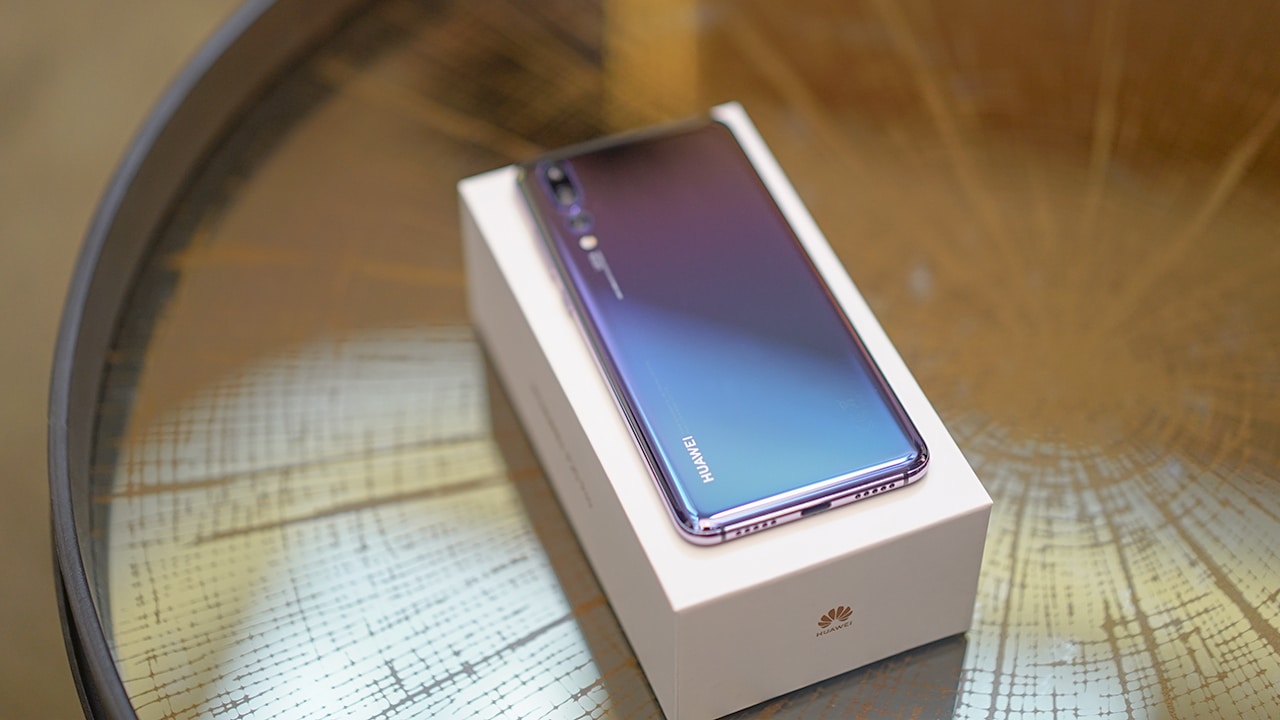
But what’s most impressive is the phone’s range of color options. One color in particular stands out; it’s called Twilight, a gradient finish that fades from purple to blue and then green. While the Twilight P20 looks good in photos, nothing comes quite close to the moment when the sun’s rays hit the phone’s back and it explodes with color.
Earlier this year, I spoke with Huawei’s Chief Brand Officer Gloria Cheung about the importance of color and how a variety of finishes has always been important to the Huawei design story. While many folks gravitate to standards like black, silver, and gold, it’s nice to see options like Twilight, Midnight Blue, and the other gradient finish Pink Gold.

Huawei is clear about its intent to fuse both art and technology, and hopes that the P20 will attract a generation of users that care as much about technology as they do art, fashion, and pop culture. It’s evident too in its choice of its launch venue, The Grand Palais, also home to Chanel’s haute couture fashion shows.
Both phones sport the new trend of taller but narrower displays, with near edge-to-edge screens and you guessed it, a notch. Having also used an iPhone X, the notch doesn’t bother me as much, but if it’s notch your thing, there’s an option to fill the space around it with black giving your P20 a more traditional look.
Unlike most phones that come with a notch, the phone still has a bit of chin, enough space for a fingerprint sensor which also acts as a home button with gestures for going back and multitasking. The saves you that tiny bit of screen real estate normally taken up by on-screen buttons. I like that the fingerprint sensor is up front, even if it ruins the all-screen illusion.
P20 vs P20 Pro
The phone comes in two sizes: the 5.8-inch P20 and the 6.1-inch P20 Pro.
Both phones are slightly different with the P20 Pro the obvious superior sibling. It has the better OLED display, more memory, water and dust resistance, and a bigger battery.
While we are unable to verify at this point, Huawei promises the P20 Pro should last as long as last year’s Mate 10 Pro, which lasts me about a day and a half on a single charge.
Even with the switch to a glass back, neither phone gets wireless charging. Reps from Huawei tell us wireless charging speeds are not fast enough to justify the feature. With its bundled supercharger though, you can go from zero to 58 percent in 30 minutes.
There are some concessions that need to be pointed out. Neither model has a headphone jack and no room for expandable storage; instead, the phone comes bundled with a 3.5mm audio to USB-C adapter, and a generous 128GB of storage space as the standard.
The P20 is only splash resistant. I would have loved to see it come with the same water resistance as its big brother.
For a complete rundown of specs, check out our launch article.
The Best Cameras
If there’s one place where Huawei’s spent the most development, it’s on its cameras — which are, as of today, the highest rated by independent camera rating firm DxOMark.
It’s not hard to see why. There are tons of improvements to talk about: tweaks that make it easier to focus on subjects quicker, to new sensors that produce better colors, and super slow-mo 960fps video capture just so that its competition does not get a leg up.
Many will (secretly) appreciate the high-res 24-megapixel selfie camera, which is often left out of high-end phones.
The P20 Pro again gets the better end of the stick in terms of cameras. In fact, it has not just two like on the standard P20 (one monochrome and another with color), but three rear Leica cameras; one is a 3x zoom lens (more than the 2x we’re used to from the likes of Samsung and Apple), one black-and-white camera, and one incredibly ridiculous 40-megapixel main camera.
While that’s a great conversation starter, one of its biggest camera achievements comes in the space of low-light photography. Without getting too technical, Huawei managed to squeeze in an image sensor that’s larger than those found on all of the best camera smartphones available today, and boosted its maximum ISO to 102400 which is in DSLR (not smartphone) territory.
They claim the P20’s low-light abilities are so good that it can shoot at one lux of light, which is basically close to pitch dark.
Artificial Intelligence
Hardware improvements are only one half of Huawei’s camera story.
Since last year’s Mate 10, artificial intelligence has played a role in how well its cameras perform. That phone could detect objects and adjust camera settings to best suit the conditions and the subject.
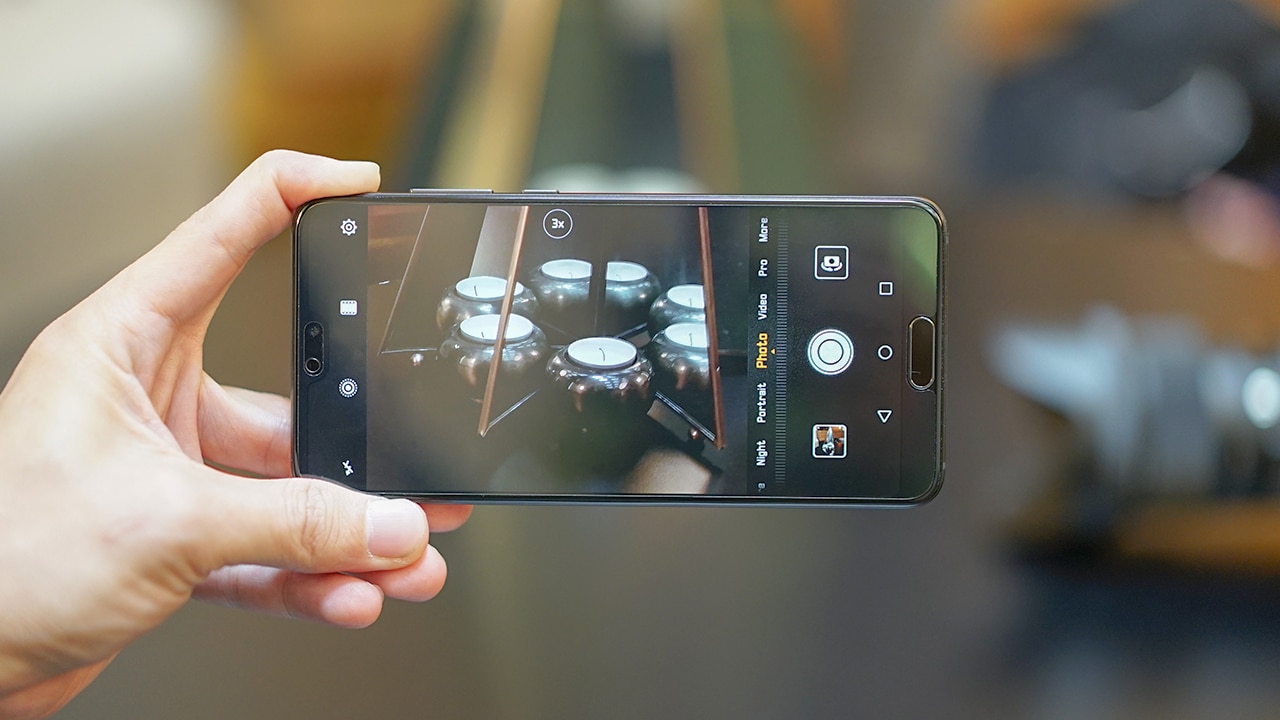
On the P20, we’re seeing AI take a more active role. Huawei is calling it AI-powered Master Photography. Think of it as the right photography skills for the right moment.

For example, if you’re taking a photo of your mom, the camera detects this and changes to portrait mode so you get that nice background blur. Slightly crooked composition? The camera will show a horizon line indicator so your photos are perfectly framed.
But where AI really steps in and impresses is image stabilization.
Huawei says its AIS is so good, that it’s basically solved an age old problem in photography: long exposure night shots without a tripod. The phone can shoot four-second handheld photos while artificial intelligence and machine learning can compensate to remove any or all motion blur. Not even my US$ 3,000 Sony A7S II, which is one of the best low-light cameras today, can manage that.
Software
The P20 and P20 Pro run on Android 8.1 with an EMUI 8.1 skin. Huawei promises it’s at least 50 percent smoother and more responsive than previous models, but it’s still not close to stock Android which would have been the cherry on top of the P20 pie. There are plenty of gems under the hood, though.
Huawei Share 2.0 makes it easier to share files to and from a PC or Mac as long as you are on the same wireless network. You can share files wirelessly without having to install any apps on your computer, photo albums are curated by AI, PC Mode still lets you connect to a monitor for a full desktop experience, and then there are partnerships with Amazon and Alibaba so you can point your phone at objects and buy them right then and there.
Is the Huawei P20 your GadgetMatch?
You’ll have to wait and see. For now, we cannot wait to put the phone through its paces and see how it performs in the real world.
But I’ll tell you this: Where the P20 and P20 are concerned, Huawei has pulled out all the stops, and has delivered on all fronts. Both phones are exciting to look at and packed with all the right features.




Hands-On
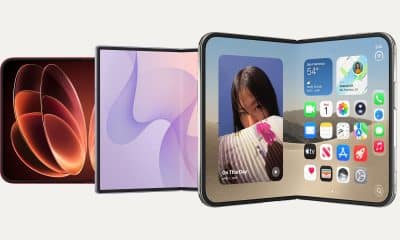
Apple iPhone Duo Unboxing and Hands-on
Supported apps, crease, cameras, and MagSafe all tested


Apple’s iPhone Duo is finally here!
Aside from unboxing the all-new iPhone-dable in Night Sky, we take a closer look at the display crease, check out the under-display camera quality, see which MagSafe accessories work with it.
Most of all, which apps support it (or not).
But how well does the dual-screen experience on an iPhone actually work? Watch our Apple iPhone Duo unboxing and hands-on to know more!


Moving into a new space comes with a long list of things to figure out, and lately, I’ve been paying more attention to something that’s easy to overlook: air quality.
After using the LG AeroMini for about a month, it has become a subtle but welcome addition to my space. It helps make the room feel fresher, while its compact and stylish design fits naturally into my setup. Here are the things that stood out to me most after living with it for a month.
360° purification for a fresher space
One of the things I appreciate about the AeroMini is its 360° air purification, designed to bring purified air in every direction.
For me, this is particularly useful in a new space where I’m spending a lot of time working, relaxing, and just settling in.

Combined with its True HEPA filter, which is designed to remove 99.999% of 0.01μm fine dust and allergens, it gives me added peace of mind about the air I’m breathing every day.
After a month, I can genuinely say that the space feels fresher with it running.

Surprisingly quiet
This is probably my favorite feature.
The LG AeroMini operates at just 26dB, and after using it for a month, what stands out is how easy it is to forget that it’s even running.

I can have it running while I’m working or sleeping without the noise becoming a distraction. For an appliance that’s designed to continuously improve the air around you, I think that’s a big deal.
Sometimes, the best feature is the one you barely notice.
Design that fits my space
Since I recently moved, I’ve been pretty conscious about what I bring into the space. I want things to be functional, but I also don’t want appliances that feel like they’re taking over the room.

The AeroMini’s slim and compact design makes it easy to incorporate into my setup. It doesn’t feel bulky or industrial, and I like that I can leave it out without feeling like I need to hide it away.
For me, that balance between functionality and aesthetics makes it feel more like part of the space rather than just another appliance.
Air quality at a glance
Another feature I’ve found convenient is its Smart Control. Through the app, I can monitor and control the AeroMini while getting real-time updates on the indoor air quality.
It’s a small convenience, but being able to check the air quality without having to interact with the purifier directly makes it easier to keep track of what’s happening in the room.

Easy to maintain
I also appreciate that the AeroMini is designed with an all-in-one dust and deodorization filter that makes replacement and maintenance easier.
That matters to me because the best home gadgets are the ones that don’t create another complicated chore. I want something I can set up, use regularly, and maintain without too much fuss.

After a month, would I keep it?
Yes, and mainly because it quietly fits into my everyday routine.
The LG AeroMini has helped make my new space feel fresher and more comfortable, while its compact design means it doesn’t compromise the look of the room. But if I had to pick just one thing I appreciate most, it’s still how incredibly quiet it is.

It’s one of those upgrades that doesn’t demand your attention. It simply works in the background.
If you’re also looking to make your home a fresher and more comfortable space for yourself and your family, visit https://www.lg.com/ph/ to learn more about the LG AeroMini and how it can fit into your everyday life.
Hands-On
Apple iPhone 18 Pro Series Hands-on
And everything announced during Apple’s September 2026 Event

The latest Apple event isn’t just about the shiny new Apple Duo. There’s a lot to talk about!
In this video, we break down everything Apple has announced during their September 2026 keynote.
First, there’s the updated iPhone 18 Pro and 18 Pro Max. That’s alongside their design and color changes, battery and performance improvements. Even that massive camera upgrade.
There’s even the ANC-infused AirPods 5 alongside the newer Apple Watch Series 12 and Apple Watch Ultra 4. Plus, the latest software updates coming to both these wearables.
So, are these worth the upgrade?


HP OMEN Max 16 review: Gamer-maxxing in deep black
Peripherals deemed necessary to max this out


vivo V80 review: Good phone, tough sell
A capable travel companion


Ghost of Yōtei Complete Edition review: More of a great thing
Picking up where Atsu left off

Apple unveils new iMac with M6 chip

Apple introduces 14-inch MacBook Pro with M6 chip

Anker soundcore AeroClip 2 brings open-ear audio to everyday life

adidas debuts ENERGYRIM carbon tech in the Adizero Adios Pro 5

Firefox ad reunites all your favorite memes from decades ago

TECNO CAMON Slim 5G review: Slim on size, big on surprise

TECNO CAMON Slim 5G: Price, availability in the Philippines

HONOR Magic9 Pro Max launches in China with ARRI-powered imaging

HONOR 600S review
Ghost of Yōtei Complete Edition review: More of a great thing


-

 News2 weeks ago
vivo V80 debuts with ZEISS cameras
-

 Philippines2 weeks ago
TECNO CAMON Slim 5G gets launch discounts, free MagBadge
-

 News2 weeks ago
Samsung: Galaxy Z Fold8 demand rose because of iPhone Duo
-
Reviews1 week ago
vivo V80 review: Good phone, tough sell
-
 Features2 weeks ago
I don’t want a phone that unfolds — the Galaxy Z Fold8 gets why
-
![KINGDOM HEARTS Collection [I-III]](https://www.gadgetmatch.com/wp-content/uploads/2026/10/kingdom-hearts-colletion-I-III-202610-400x240.png)
![KINGDOM HEARTS Collection [I-III]](https://www.gadgetmatch.com/wp-content/uploads/2026/10/kingdom-hearts-colletion-I-III-202610-80x80.png) Gaming2 weeks ago
Gaming2 weeks agoKINGDOM HEARTS Collection [I–III] now available on PS5, Switch 2
-

 News7 days ago
OPPO Find X10 Series: Price, availability in the Philippines
-

 Cameras1 week ago
DJI Osmo Pocket 4P Pearl White now available globally