
Laptops
ASUS launches latest laptops powered by AMD Ryzen AI 300 series
AI-powered Vivobook S 16, TUF Gaming A14, and ProArt P16


ASUS Philippines has announced its latest AI PC additions all powered by AMD Ryzen AI 300 processors. Joining the lineup are the new Vivobook S 16, TUF Gaming A14, and ProArt P16 laptops.
ASUS’ AI-ready devices all sport AMD Ryzen AI 300 processors, redefining performance, creativity, and immersive experiences. These processors are built on the cutting-edge Zen 5 architecture for a significant leap forward in mobile computing.
The processors feature up to 12 high-performance cores and 24 threads, for exceptional multitasking capabilities and responsiveness. In addition, the integration of AMD’s RDNA 3.5 graphics architecture ensures superior visual performance.
Paired with dedicated GPUs and neural processing units (NPUs) with up to 50 TOPS of AI processing power, these laptops can exceptionally fulfill users what they need in the AI era of PCs.
ASUS Vivobook S 16
Price: PhP 84,995 (with lifetime Office 2021 Home Student, 1-year Microsoft 365 Basic, 100GB cloud storage, access to Office apps across multiple devices)
Availability: ASUS and ROG exclusive stores, authorized resellers nationwide
- Processor: AMD Ryzen 9 AI HX 370 with built-in 50 TOPS NPU
- Graphics: AMD Radeon
- Memory: Up to 24GB
- Storage: Up to 1TB PCIe 4.0 SSD
- Battery: 75WHrs with fast charging, USB-C support
- Display: 16-inch 3.2K 16:10 120Hz ASUS Lumina OLED, 100% DCI-P3, VESA DisplayHDR True Black
- Connectivity: USB 4 Gen 3 Type-C, USB 3.2 Gen 1 Type-A (x2), USB 3.2 Gen 1 Type C, HDMI 2.1, MicroSD, 3.5mm audio jack
- Wi-Fi 6E, Bluetooth 5.3
The latest ASUS Vivobook S 16 (M5606) is a reimagined model in the Vivobook S series. It combines premium aesthetics and topnotch performance.
The laptop supports ASUS Memory Allocation Management technology, so users can customize the VRAM capacity for the iGPU. This way, the laptop can optimize its performance for gaming, creative tasks, and AI applications. The result is smoother gameplay, faster rendering times, and better overall efficiency.
Users will also benefit from AI features like Adaptive Dimming, Adaptive Lock, and AI Noise Cancellation for calls and meetings. The device also supports Windows Dynamic Lighting. Furthermore, its ErgoSense backlit keyboard has a dedicated Copilot Key.
TUF Gaming A14

Price: PhP 104,995 (with TUF Gaming backpack)
Availability: ASUS and ROG exclusive stores, authorized resellers nationwide
- Processor: AMD Ryzen 9 AI HX 370 with built-in 50 TOPS NPU
- Graphics: Up to NVIDIA GeForce RTX 4060 GPU
- Memory: 16GB LDDR5X
- Storage: 1TB PCIe 4.0 SSD
- Battery: 73WHrs, USB-C support
- Display: 14-inch 2.5K 16:10 165Hz WQXGA anti-glare, 100% sRGB, IPS-level, NVIDIA G-Sync and Advanced Optimus, MUX Switch
- Connectivity: USB 4 Type-C, USB 3.2 Gen 2 Type-A (x2), USB 3.2 Gen 2 Type-C, HDMI 2.1, MicroSD, 3.5mm audio jack
- Network: Wi-Fi 6E, Bluetooth 5.3
The TUF Gaming A14 (FA401) is an ultraportable powerhouse at just 1.46 kilograms and 1.69 centimeters thick. It is a perfect blend of power, portability, and advanced AI capabilities.
With gaming features like DLSS Super Resolution, Frame Generation, and Ray Reconstruction, players will be able to utilize the laptop’s immersive display.
Additionally, the NVIDIA RTX AI platform enhances over 500 AI-powered games and applications. This makes the device ideal for photo and video editing, image generation, and programming.
Outside of gaming, AI-driven tasks such as eye-gaze correction or Windows Copilot tools are a breeze.
ProArt P16

Price: PhP 199,995 (coming soon)
Availability: ASUS exclusive store
- Processor: AMD Ryzen 9 AI HX 370 with built-in 50 TOPS NPU
- Graphics: NVIDIA GeForce RTX 40 series GPU
- Memory: Up to 32GB LDDR5X
- Storage: 1TB PCIe 4.0 SSD
- Battery: 90WHrs, USB-C support
- Display: 16-inch 4K 16:10 60Hz OLED touchscreen, 0.2ms, 100% DCI-P3, PANTONE validated, TÜV Rheinland-certified, SGS Eye Care Display, stylus support
- Connectivity: USB 4 Gen 3 Type-C, USB 3.2 Gen 2 Type-A (x2), USB 3.2 Gen 2 Type-C, HDMI 2.1, SD Express, 3.5mm audio jack
- Network: Wi-Fi 7, Bluetooth 5.4
Lastly, the ASUS ProArt P16 (H7606) is a powerhouse for boundless creativity. This NVIDIA Studio-validated laptop packs a combination of topnotch GPU and 321 TOPS AI processing power, transforming creatives’ setups into a mobile studio.
The ProArt P16 can handle demanding tasks seamlessly. Its touchscreen display also ensures precision and accuracy for flawless proofing. A versatile set of I/O ports also allow for seamless connections to a user’s peripherals.
Among the laptop’s AI-enhanced creative features are StoryCube and MuseTree apps, as well as the ASUS DialPad and a dedicated Copilot key.






Laptops
Microsoft gives up on the Copilot+ PC
The company is quietly stepping away from the branding.


The Copilot+ PC is finally coming to an end. After a few years of advertising the lineup as the next big thing, Microsoft is stepping away from the branding.
Through a new interview with Windows Central, Microsoft has confirmed that the company is slowly stepping back from the Copilot+ branding. Despite launching a series of new Surface PCs that fit the bill of such a brand, the company has not affixed any of these devices with the usual branding of the AI-infused series.
“These are not called Copilot+ PCs. They do meet all the requirements of our previous bar for what Copilot+ devices are. We still lean into the narrative around AI on the edge and being able to have a hybrid solution out there,” Microsoft Surface CVP Brett Ostrum said.
Now, the Copilot+ PC programs hasn’t been a massive success for Microsoft. For all the time that it’s been out in the market, the series hasn’t really made much of an impact. TOPS is still a difficult metric to measure. The Copilot button is still one of the most unusable buttons on a modern keyboard. Even worse, Recall, the lineup’s most highly touted feature, crashed and burned practically the same moment it came out because of privacy concerns.
Microsoft had a lot of hopes for the Copilot+ lineup. Prior to today’s deteriorating perceptions about AI, the lineup imagined a string of devices united with a focus on AI-supported performance. However, we know better today. At best, AI PCs provide moderately boosted performance without the need for top-of-the-line hardware. At worse, they’re a privacy nightmare that places an unnecessary burden on the entire industry.
SEE ALSO: Microsoft continues to shove Copilot where it’s not wanted
Editors' Choice
GadgetMatch Awards: Best of IFA 2026
Xiaomi 18 Fold, Govee, XGIMI, ARZOPA, Cuktech and more!

We’re back at IFA 2026 in Berlin, checking out some of the coolest and most interesting tech on the show floor.
From smart home lighting and portable displays to projectors, power solutions, foldables, and more, these are some of the products and brands that caught our attention this year.
In this video, we take a look at:
- AI Lighting https://bit.ly/4xmY342
- Z3FC Portable Monitor https://bit.ly/4gRk7wD
- D14 Digital Photo Frame https://bit.ly/4qYlRJ6
- 30 Ultra Desktop Charging Station https://s.whaee.com/tXBornw
- 10 Ultra Charger https://s.whaee.com/UsWT4U2
** Use code CUKTECH09, valid until September 30
XGIMI
ASUS x NVIDIA RTX SPARK
- ProArt P16: https://asus.click/h7607_gm
- ProArt P14: https://asus.click/h7407_gm
- ProArt GR1X
Watch until the end for our favorite finds from IFA 2026!
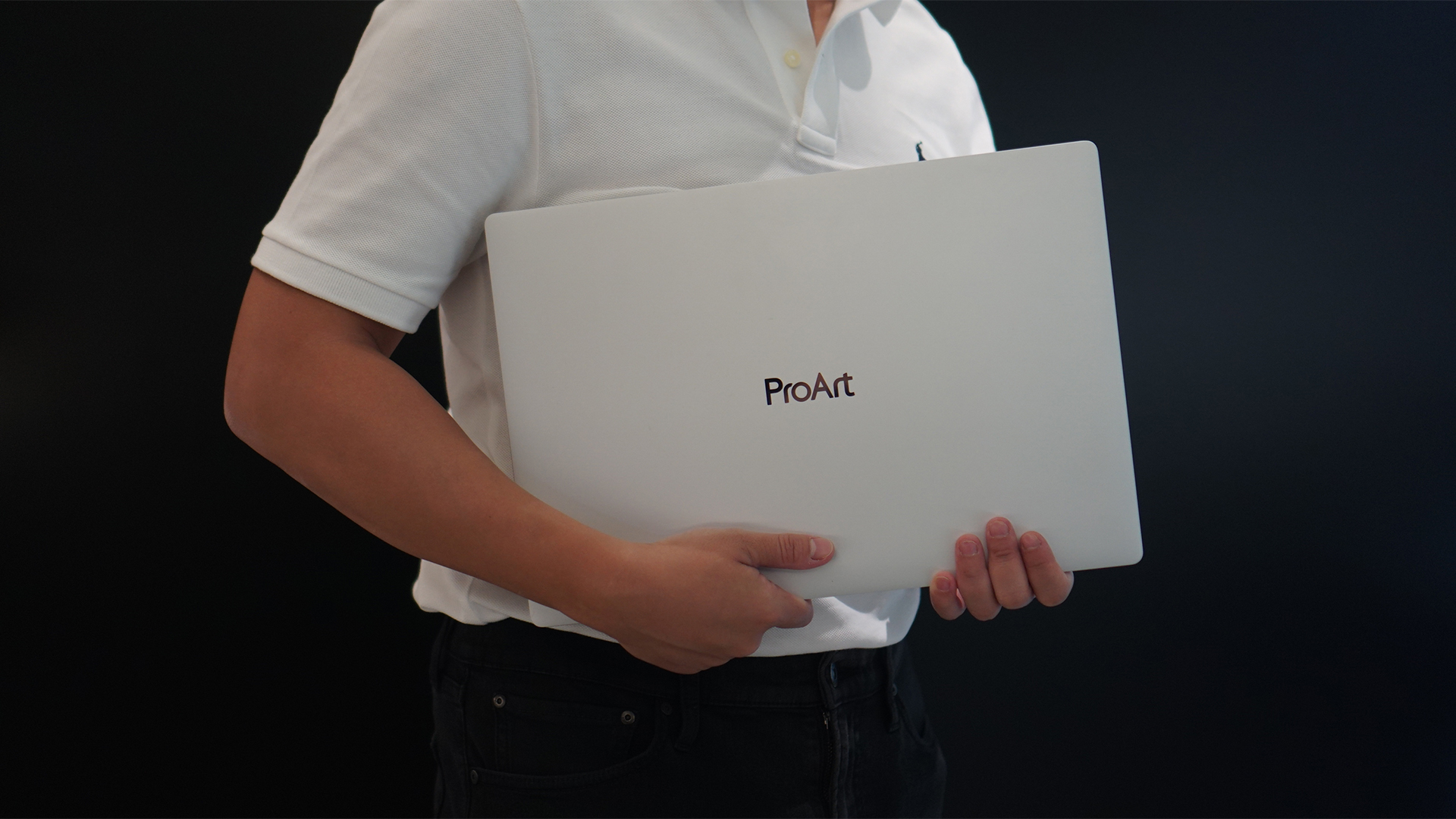
Select ASUS and ROG laptops now come with three months of Google AI Pro or Google AI Plus at no extra cost. The offer starts September 7 and covers eligible models from the 2025, 2026, and upcoming 2027 lineups.
Google AI Pro includes 5TB of cloud storage, while Google AI Plus comes with 400GB. Both plans also provide access to a range of Google’s AI-powered tools and features.
More Google AI on ASUS laptops
Eligible customers can use the Google Gemini app, Deep Research, Google Flow, Gemini in Google apps, and Gemini Notebook, among other features. Availability varies depending on the Google AI plan and supported features.
Google AI Pro offers higher usage limits and expanded access to Google’s more capable Gemini models. It also includes additional developer and agentic tools such as Google Antigravity, Jules, and AI Studio, subject to availability and plan terms.
Google AI Plus provides elevated access to Google’s AI tools alongside features for creative generation and productivity.
The offer covers more than just AI features. Google AI Pro’s 5TB of cloud storage and Google AI Plus’ 400GB give users additional space for documents, photos, videos, research, and other projects.
Available across select ASUS models
The one-year program starts September 7 and applies to selected ASUS and ROG laptops in supported markets. Eligible models span the ROG, TUF Gaming, ProArt, Zenbook, and Vivobook families, including select 2025 and 2026 models and upcoming 2027 devices.
Customers can redeem the offer exclusively through the MyASUS app. ASUS has published the full list of eligible models and the offer’s terms and conditions on its website.
Check the full list of eligible ASUS laptops
ASUS is also running its No. 1 Quality, School-Ready Deals promotion until September 15, 2026. The promo offers additional deals for students, gamers, and professionals buying select ASUS and ROG devices.
The company’s No. 1 Quality and Service package also includes up to three years of international and local warranty, service access across more than 90 countries, and over 100 ASUS Service Centers and Drop-Off Points in the Philippines. Eligible laptops also come with one year of Local Accidental Damage Protection and up to six free device cleaning claims.


Now Playing: ACE Combat 8: Wings of Theve
A refreshing change of pace


TECNO POVA 8 Pro Tonino Lamborghini review
Truly a rare gem in 2026


DJI Lito X1 review: Is this the best lightweight drone for creators?
Making a strong case as a travel companion and a capable B-cam!

UGREEN launches new MagFlow and Nexode Pro charging accessories to Southeast Asia

Apple might not have given up on the Vision Pro yet

ROG brings out the ultra-stylish G1000 gaming desktop

God of War Laufey pre-orders are now live

Nothing launches the Headphone (1) Pro

HUAWEI Pura X View is 2026’s first WIDE slab-type smartphone

The CAMON Slim 5G is TECNO’s latest ultra-slim smartphone

iPhone 18 Pro series: Price, availability in the Philippines

DJI Osmo 360 II review: Going all-in on the ecosystem

iPhone 18 Pro series: Price, availability in Singapore


-

 News1 week ago
vivo X500 Series launches with major imaging upgrades
-

 News1 week ago
OPPO Find X10 Pro Max is the first phone with a triple 200MP camera system
-

 Singapore2 weeks ago
Epson Lifestudio Grand Plus EH-LS970B with 4K projection, more launches
-

 Automotive2 days ago
BYD says that way better EV batteries are coming next year
-
Drones2 weeks ago
DJI Lito X1 review: Is this the best lightweight drone for creators?
-

 News1 week ago
vivo introduces OriginOS 7 with smarter multitasking and AI features
-

 Finance2 weeks ago
HONOR, Fidesmo partner for contactless payments across Europe, Middle East
-
 Smartphones3 days ago
When TECNO-logy meets Tonino Lamborghini legacy