

Computers
I found the perfect upgrade for my multi-tasking, creative needs
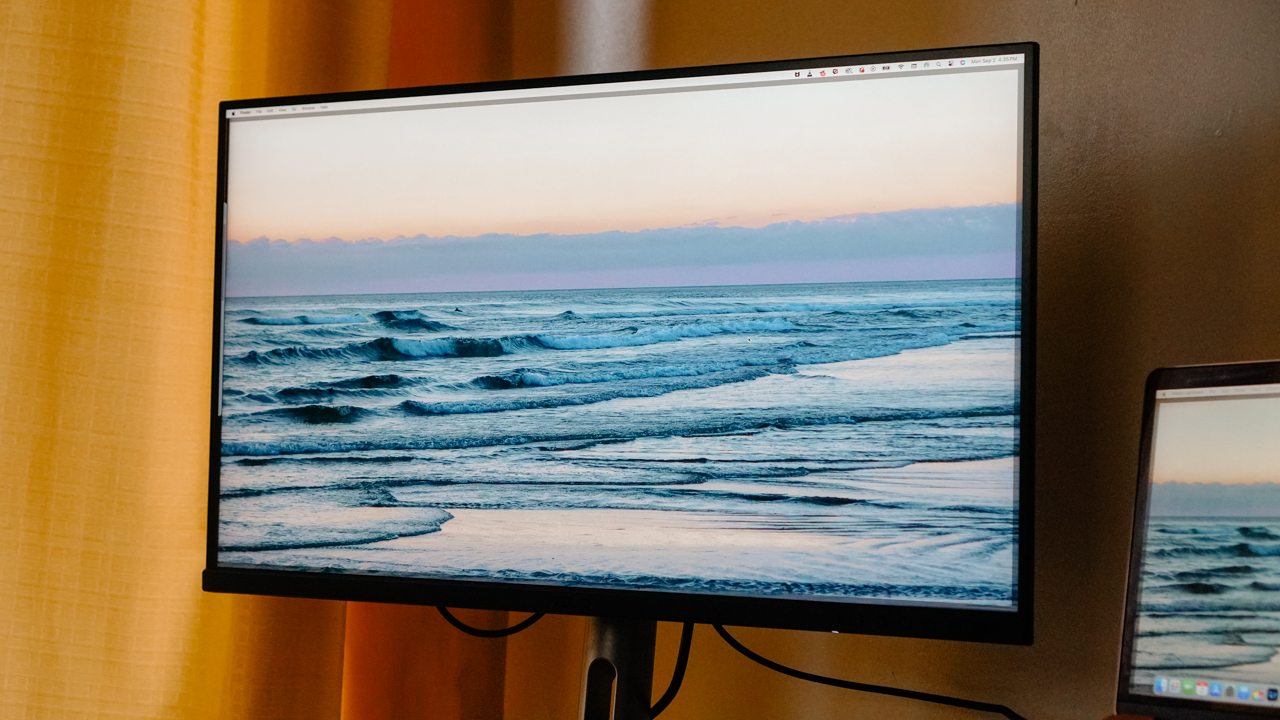
I’m never going back to a small screen after using the ASUS ProArt PA279CRV!

When my old monitor went kaput after moving out, I took it as a cosmic sign: time to upgrade.
It had been my sidekick for three years, carrying me through grad school dreams and late nights, making my workspace feel like an organized chaos that just worked.
I tried sticking with just my MacBook Air, but juggling a million tabs was… let’s just say, an act of faith. And yes, I know, “focus on one thing at a time” and all that.
But I’m a multitasker to my core, and who needs to be a Gemini to prove it? So when ASUS let me try the ProArt PA279CRV, a monitor with a name almost as complex as my schedule, I knew life was about to change.

Maximize impact without taking up unnecessary space
If my life were a street market, there’d be enough hustle and bustle to overwhelm even a pro bargain hunter. But a trusty desktop setup has always kept me on top of it all—until my screen felt too small, and I missed deadlines because I couldn’t see the big picture.
Then came the ASUS ProArt PA279CRV—a 27-inch marvel that brings the best of both worlds. With an impressive screen that’s big enough to work its magic, it’s still compact and sleek enough not to dominate my desk.
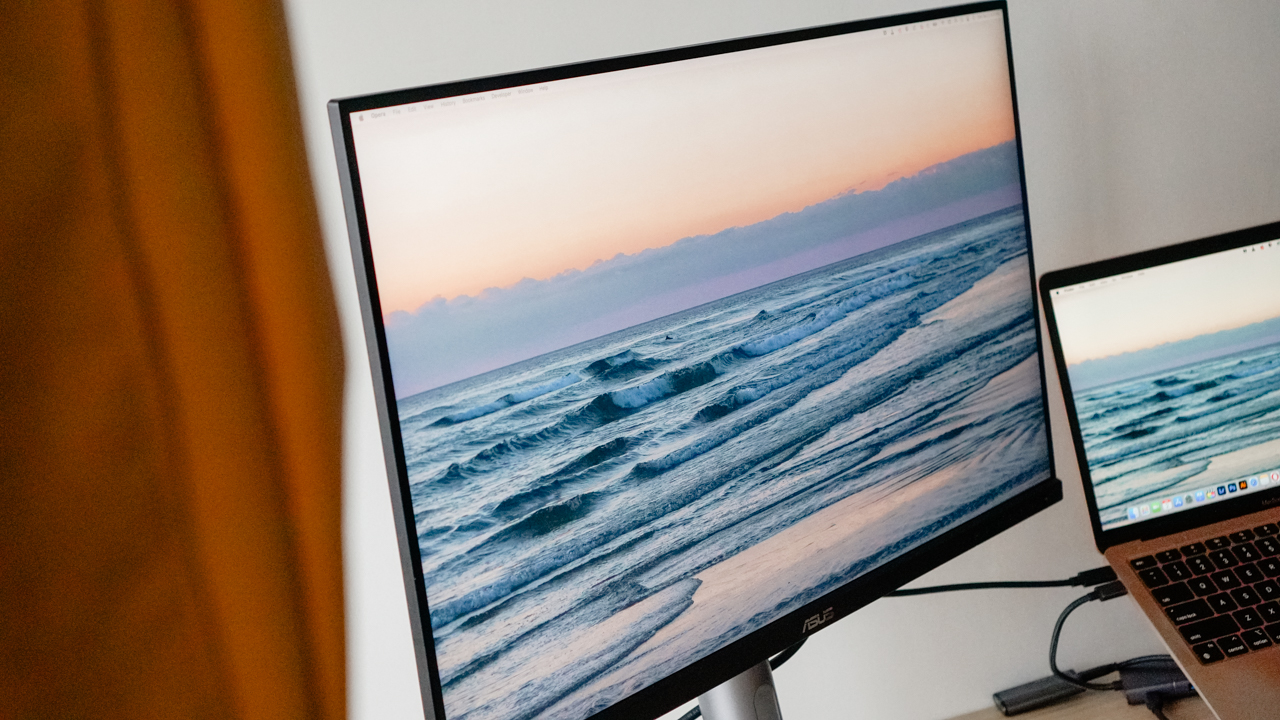
Despite the screen’s impressive size, it doesn’t hog space, and the ergonomic stand is a dream come true, adjusting to fit my *ahem* petite height perfectly.
With full tilt, swivel, pivot, and height adjustments, I can position the monitor exactly where I need it, whether I’m sitting or standing.
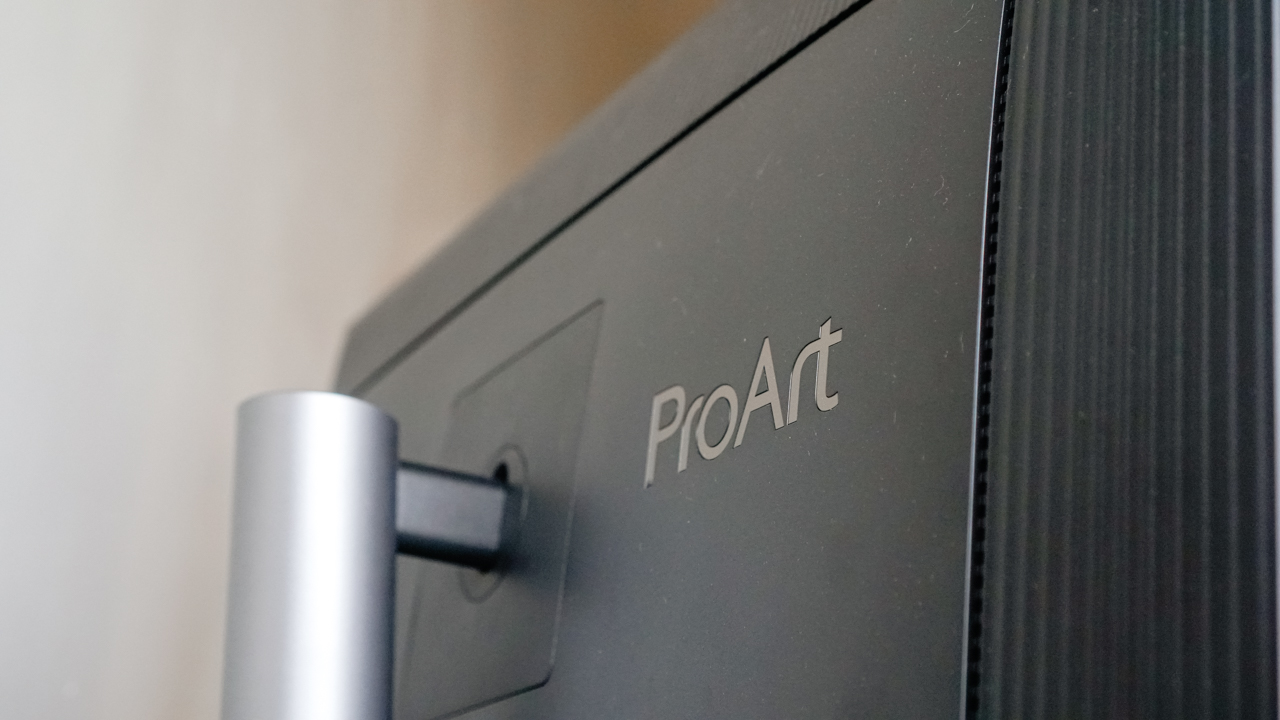
Plus, it has this quick-release feature that makes setup a breeze—no tools or heroic efforts needed! Just me, my monitor, and a sense of total independence.
Say hello to a clutter-free desk!
In the kingdom of connectivity, the ASUS ProArt PA279CRV reigns supreme. With an array of ports, this monitor has it all: HDMI, DisplayPort, USB-A, and USB-C, just to name the essentials.
Whether you’re working with multiple devices or toggling between projects, the ProArt PA279CRV makes sure everything plays nice.
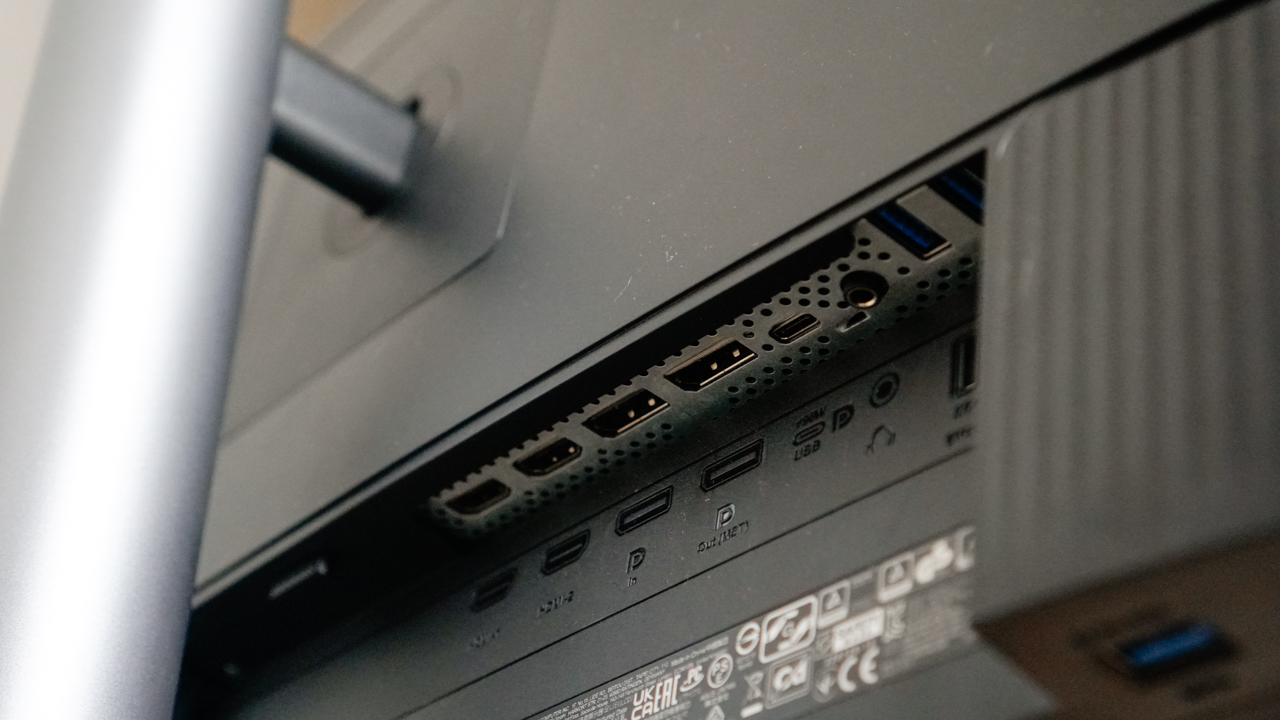
And then there’s the USB-C port—a true modern miracle. Not only does it deliver high-speed data transfers to keep everything moving smoothly, but it also charges my MacBook with a powerful 96W output. That’s right: just one cable does it all.
Gone are the days of cluttered extension cords and a maze of cables. With just one connection, my desk transforms into a streamlined, efficient, aesthetic setup.

My MacBook, iPhone, and other Android devices I’m reviewing stay charged and connected without the usual tangle of cords.
And I finally have that minimal, chic workspace I’d always envisioned, one that could actually make the cut for my Instagram feed (and maybe inspire some desk envy).
Every pixel pop!
Using this monitor is honestly like having a little daily dose of eye candy. The 4K UHD resolution is so crisp and vibrant, that every pixel feels like it’s working overtime just to impress me.
Colors are so rich and true-to-life that I practically get lost in my own work. It’s borderline spiritual (yes, I really went there).
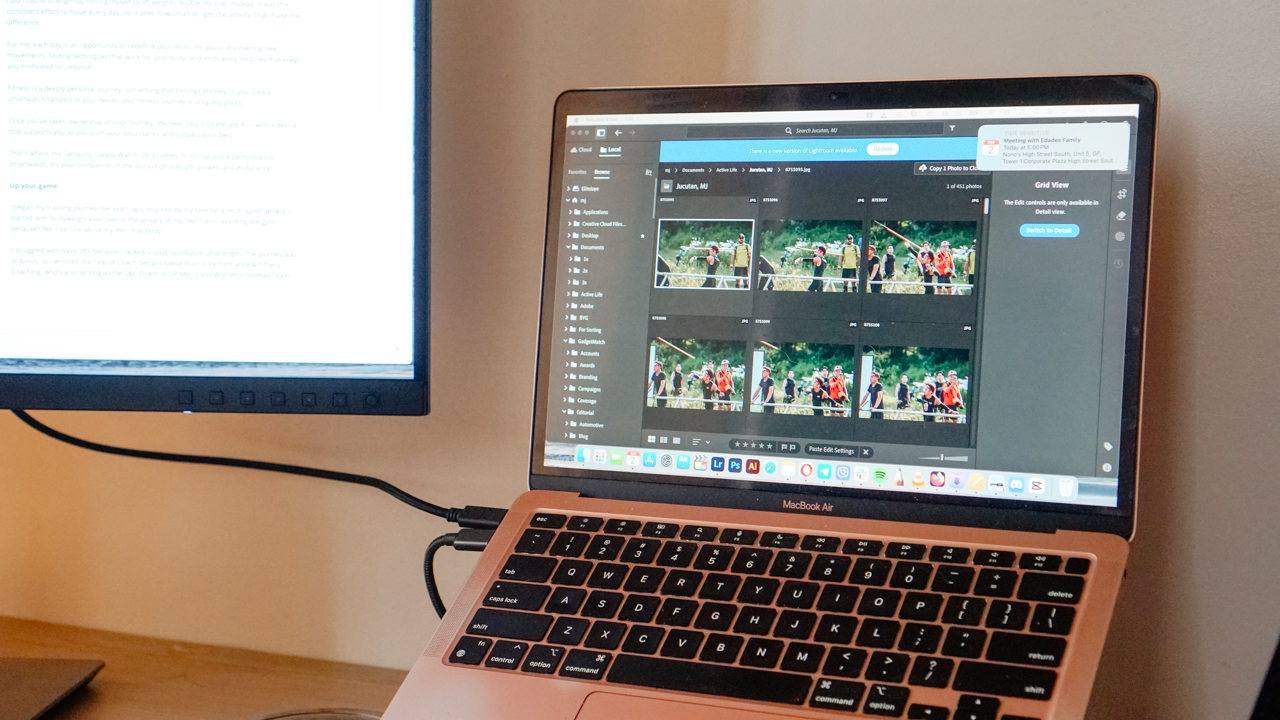
Every detail pops, from the sweat on a Spartan Race photo to the golden hour glow in my travel reels. It’s like seeing my work through rose-colored glasses that are actually accurate. Now, I’m suddenly wondering how I survived without it.
ASUS didn’t just leave me at “pretty screen” status, they gave me all the tools to really make it mine. With ProArt’s color customization options, I can tweak tones, adjust color palettes, and get my edits exactly how I want them. I genuinely wish I’d had this setup from day one in my creative career.

Oh, and when the day’s finally winding down, it doubles as my go-to movie screen. HDR10 support means Netflix and Disney+ look gorgeously cinematic, like a mini theater experience right on my desk.
Sure, the audio’s a little meh (because pro monitors always need some backup), but plug in a Marshall speaker or your favorite headphones, and you’re golden.
Long story short: this screen just gets me. It’s designed for those of us who need every pixel to shine as bright as our creative visions, and it makes every minute I spend working (or unwinding) feel totally worth it.
Is this your GadgetMatch?
The ASUS ProArt PA279CRV is the monitor I’d have daydreamed about as a fresh grad with big ambitions. If you’re a photographer, multimedia producer, digital artist, or content creator craving precision and clarity, this monitor will not disappoint.

Swipe right if you’re a creative professional who require precision, color accuracy, and flexible connectivity.
Swipe left if you’re a gamer seeking fast refresh rates or a casual user that doesn’t need an overkill display, since the premium price is difficult to justify.
After all, the ASUS ProArt PA279CRV retails for US$ 499 which is expensive for some, but an investment that seriously pays off for creatives.

For what it’s worth, this monitor is a professional upgrade that can truly transform your workflow, and it earns the GadgetMatch Seal of Approval for making our creative lives that much easier.






Computers
Lenovo tech behind DreamWorks Animation hit ‘Forgotten Island’
Partnership powers modern demands of animation production


DreamWorks Animation’s Forgotten Island has definitely become a big screen hit, debuting with a 100% Rotten Tomatoes score and being well received particularly by a large Filipino fanbase.
And behind the movie is DreamWorks Animation’s partnership with tech giant, Lenovo. The collaboration is helping power the former’s production slate, including the studio’s animated feature inspired by Filipino culture, mythology, and experiences.
In 2025, DreamWorks expanded its relationship with Lenovo by naming the company its preferred compute services, workstation, and solutions provider.
Such partnership brings together Lenovo workstations, high-performance infrastructure, data center technology, and services to support the demanding needs of modern animation production.
It is a collaboration that builds on years of work between the two companies. DreamWorks has used Lenovo workstations as part of workflows across the studio.
Lenovo infrastructure has also supported the large-scale computing requirements involved in creating animated worlds and characters.

Still in cinemas, Forgotten Island follows lifelong best friends Jo and Raissa, voiced by Grammy and Academy Award winner H.E.R. and Filipino actress Liza Soberano.
As the two prepare to take different paths after high school, they unexpectedly find themselves transported to Nakali, a fantastical island populated by magical and mythological creatures rooted in stories from their Filipino families.
The film is written and directed by Academy Award nominee Joel Crawford and Januel Mercado and produced by Academy Award nominee Mark Swift, the filmmaking team behind Puss in Boots: The Last Wish.
Its voice cast also includes Dave Franco, Jenny Slate, Manny Jacinto, Dolly de Leon, Jo Koy, Ronny Chieng, and Lea Salonga.
Computers
ROG brings out the ultra-stylish G1000 gaming desktop
Plus, here’s a couple of sleek transport options from ROG.


Despite how much higher prices are going today, there are still so many options if you want a PC for yourself. However, only a handful of brands will offer you quite as much style doing so as ASUS. Today, ROG has revealed the new G1000 gaming desktop.
For the first time ever in a prebuilt PC, the ROG G1000 comes with a built-in AniMe Holo, a holographic fan with customizable visuals using Armoury Crate and Aura Sync. Additionally, the holographic fan is inside its own chamber, preventing it from interfering with the main system. Instead, the desktop uses the ROG Thermal Atrium, which uses three fans to channel fresh air through a 420mm AIO liquid cooler.
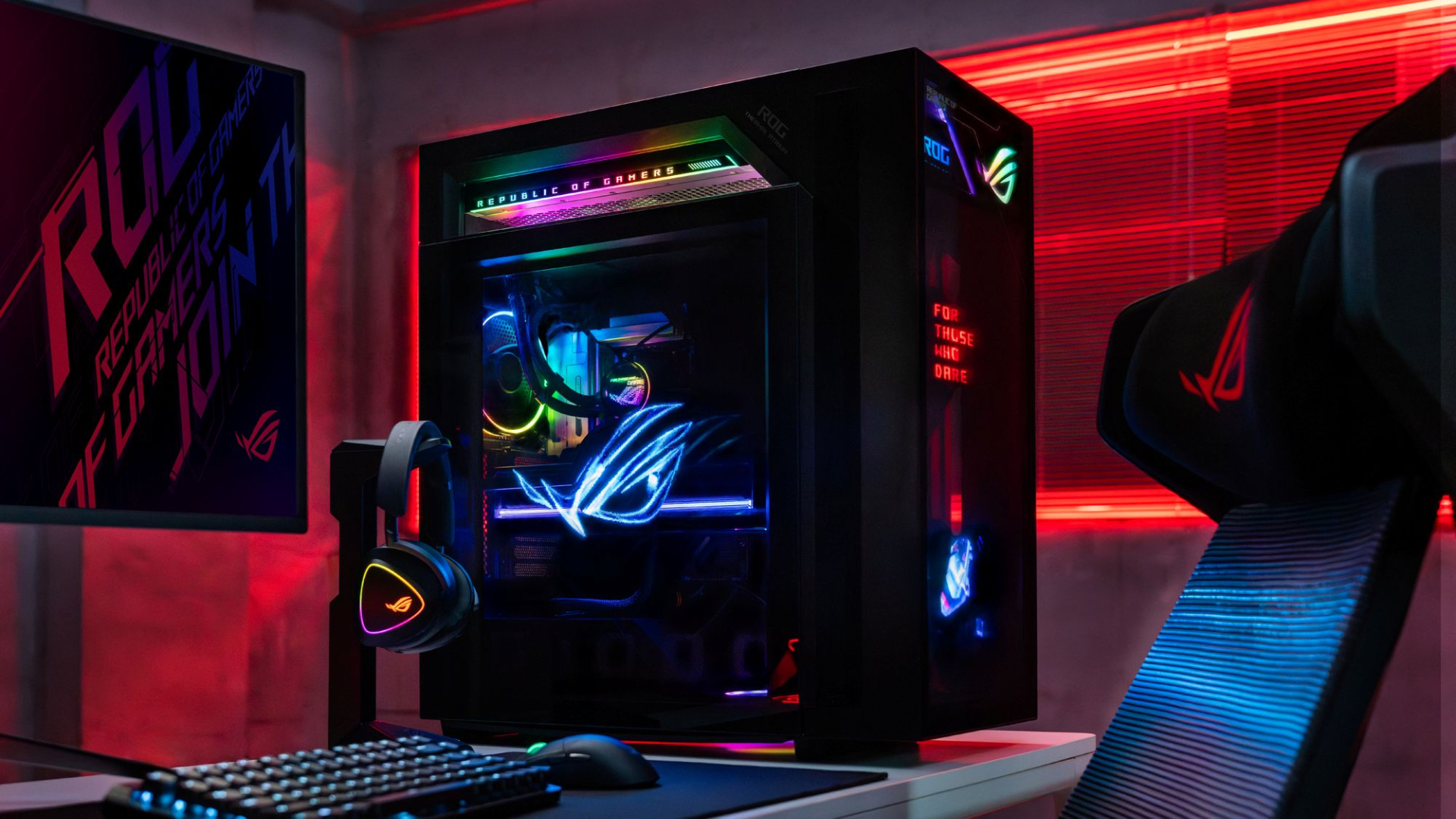
Now, the ROG G1000 isn’t just a pretty face. Inside, the 104L desktop comes with a Ryzen 7 9800X3D processor. It also comes equipped with the ROG Astral GeForce RTX 5080, up to 128GB DDR5 memory, and 1TB SSD for storage. New purchases will also come with a gaming keyboard and mouse, a year of Microsoft 365 Basic, Office Home 2024, and an ASUS No. 1 Quality and Service warranty.
The ROG G1000 will be available from ROG Exclusive Stores and will start at PhP 399,995.
Celebrating ROG at 20
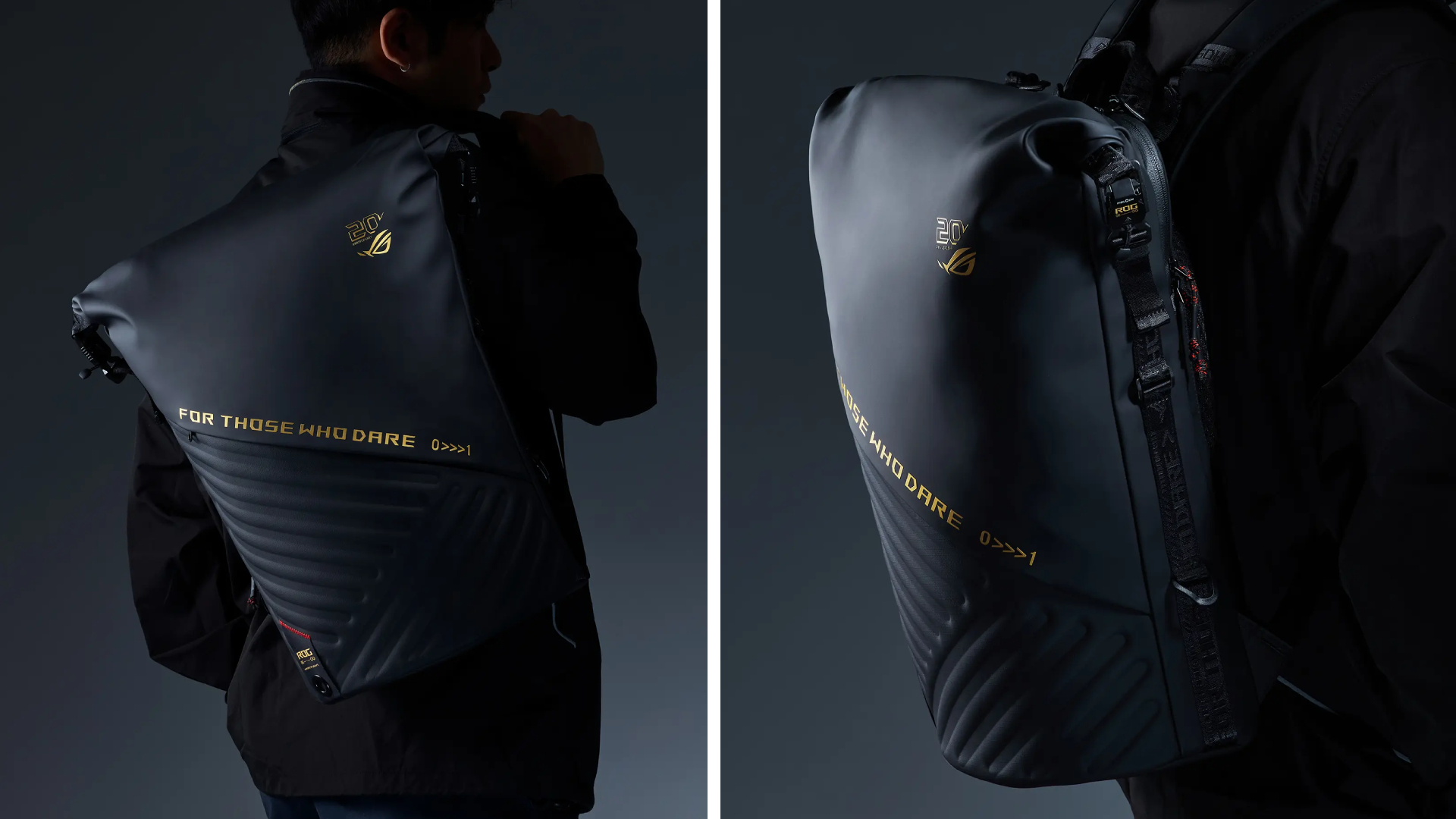
Besides the new desktop, ROG is also launching a couple of storage and transport options for your prized gaming possessions. The ROG SLASH Backpack Edition 20 is a sleek backpack that can fit an 18-inch laptop with enough room for peripherals and accessories. It also comes with a custom FIDLOCK Magnetic quick-release, black-and-translucent-gold buckle. It will be available next quarter for PhP 10,995.
Meanwhile, the ROG SLASH Hard-Case Luggage Edition 20 is designed specifically for transporting your hard-earned gaming devices. The light-but-durable aluminum frame comes with a specialized compartment for laptops, handhelds, and accessories. It also has removalbe foam dividers to better customize the case for your needs. Finally, it has 360-degree silent skate wheels for smoother rolling. The luggage will be available starting next quarter for PhP 15,995.


Acer is expanding its storage lineup with the PA100 Portable SSD. It’s a compact external drive designed for users who need faster storage across multiple devices.
The PA100 uses USB 3.2 Gen 1 connectivity. It reaches sequential read speeds of up to 560MB/s and write speeds of up to 430MB/s. This makes it suited for everyday tasks such as transferring large files, backing up content, managing documents, and moving media between devices.
Up to 2TB of portable storage
The PA100 comes in three capacities: 500GB, 1TB, and 2TB. This gives users options depending on whether they need extra space for documents and schoolwork or larger collections of photos, videos, and project files.
Acer also designed the drive with mobility in mind. The PA100 has a slim 9mm profile and a lightweight build, while its reinforced construction is designed to withstand everyday travel and handling.
The drive comes with a 2-in-1 USB-C to USB-C and USB-A cable. This allows it to connect to compatible PCs, tablets, smartphones, and other devices without requiring a separate adapter. It also supports major operating systems and USB-C mobile platforms.
Designed for everyday use
Power efficiency is another focus. Acer says the PA100 uses less than 3W during operation, while idle power consumption can drop to as low as 0.62W.
The drive also features an optimized thermal design to help maintain stable performance during extended transfers and daily workloads.
The Acer PA100 Portable SSD is backed by a three-year limited warranty. Pricing and availability may vary by market.





iPhone 18 series breaks records in Vietnam as pre-orders triple

The Ace Combat 8: Wings of Theve launch event is happening this week

30 days with the LG AeroMini

Nike’s new race-day system, explained

Linkin Park: Unshatter is the band’s kintsugi

HUAWEI Pura X View is 2026’s first WIDE slab-type smartphone

The CAMON Slim 5G is TECNO’s latest ultra-slim smartphone

iPhone 18 Pro series: Price, availability in the Philippines

vivo X500 Series launches with major imaging upgrades

iPhone 18 Pro series: Price, availability in Singapore


-

 News2 weeks ago
OPPO Find X10 Pro Max is the first phone with a triple 200MP camera system
-

 Automotive1 week ago
BYD says that way better EV batteries are coming next year
-

 News1 week ago
HONOR Magic9 Pro Max launches in China with ARRI-powered imaging
-

 Philippines4 days ago
TECNO CAMON Slim 5G: Price, availability in the Philippines
-

 Smartphones1 week ago
TECNO CAMON Slim 5G teases an ultra-slim design ahead of launch
-

 Accessories2 weeks ago
70mai launches the A900 series with 4K front, rear recording
-

 Reviews5 days ago
TECNO CAMON Slim 5G review: Slim on size, big on surprise
-

 Reviews1 week ago
TECNO POVA 8 Pro Tonino Lamborghini review