
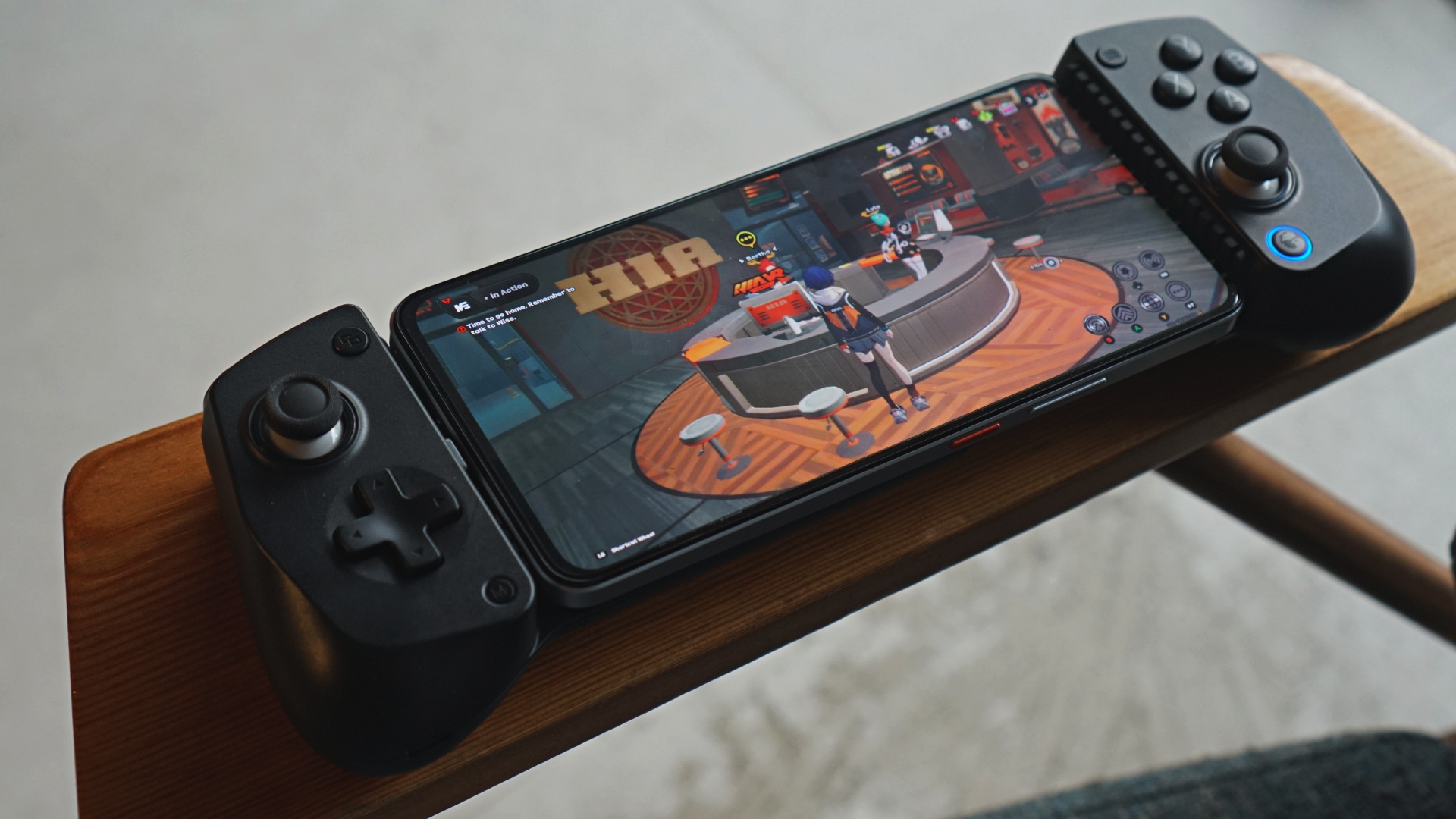
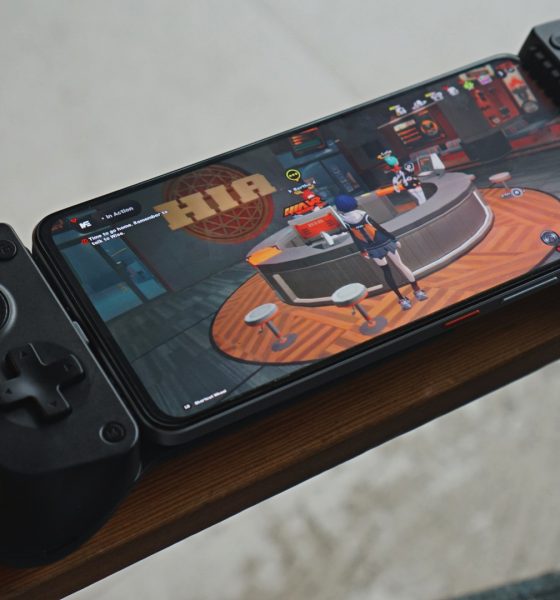

We’ve made the case for GameSir being one of the better controller makers in recent years. Somehow, they’re still underrated. When you mention mobile controllers, the mainstream top-of-mind are Backbone and Razer Kishi. GameSir aims to shake things up even further with the GameSir X5 Lite.
Launching alongside the GameSir X5 Lite is the company’s brand new app – GameHub. Asked what the idea behind the GameHub is, this was their response to us: “We aim to defeat Backbone.”
Bold statement. And one we think they can back up down the line.
GameHub
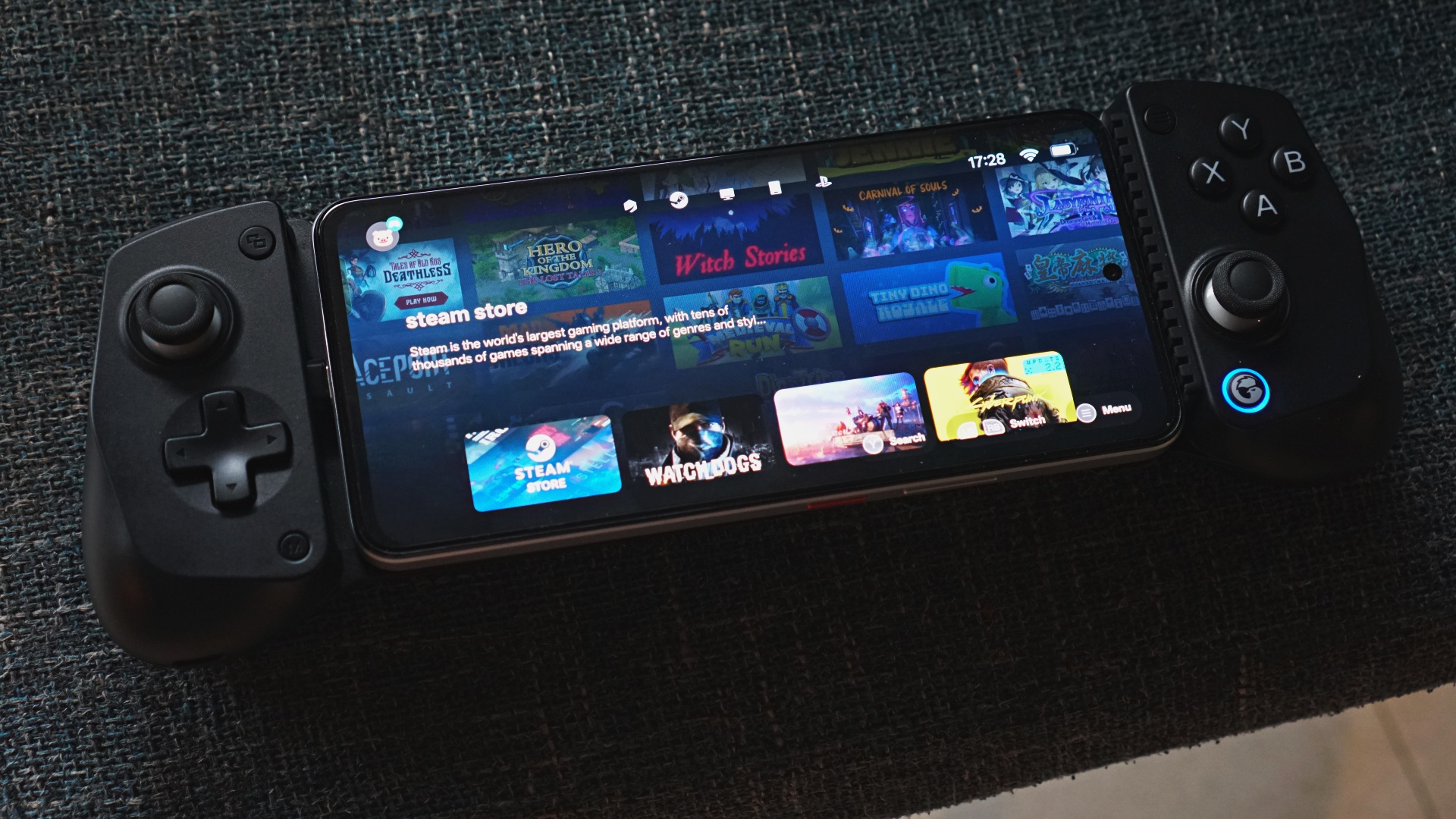
Let’s keep the energy going with GameHub. During the review period, GameHub hasn’t officially launched and only the Android version was available.
What it looks like is a one-stop-shop for many of your mobile gaming needs. There are sections for PC streaming whether that’s Steam or Xbox. You also get PS Remote Play and what not.
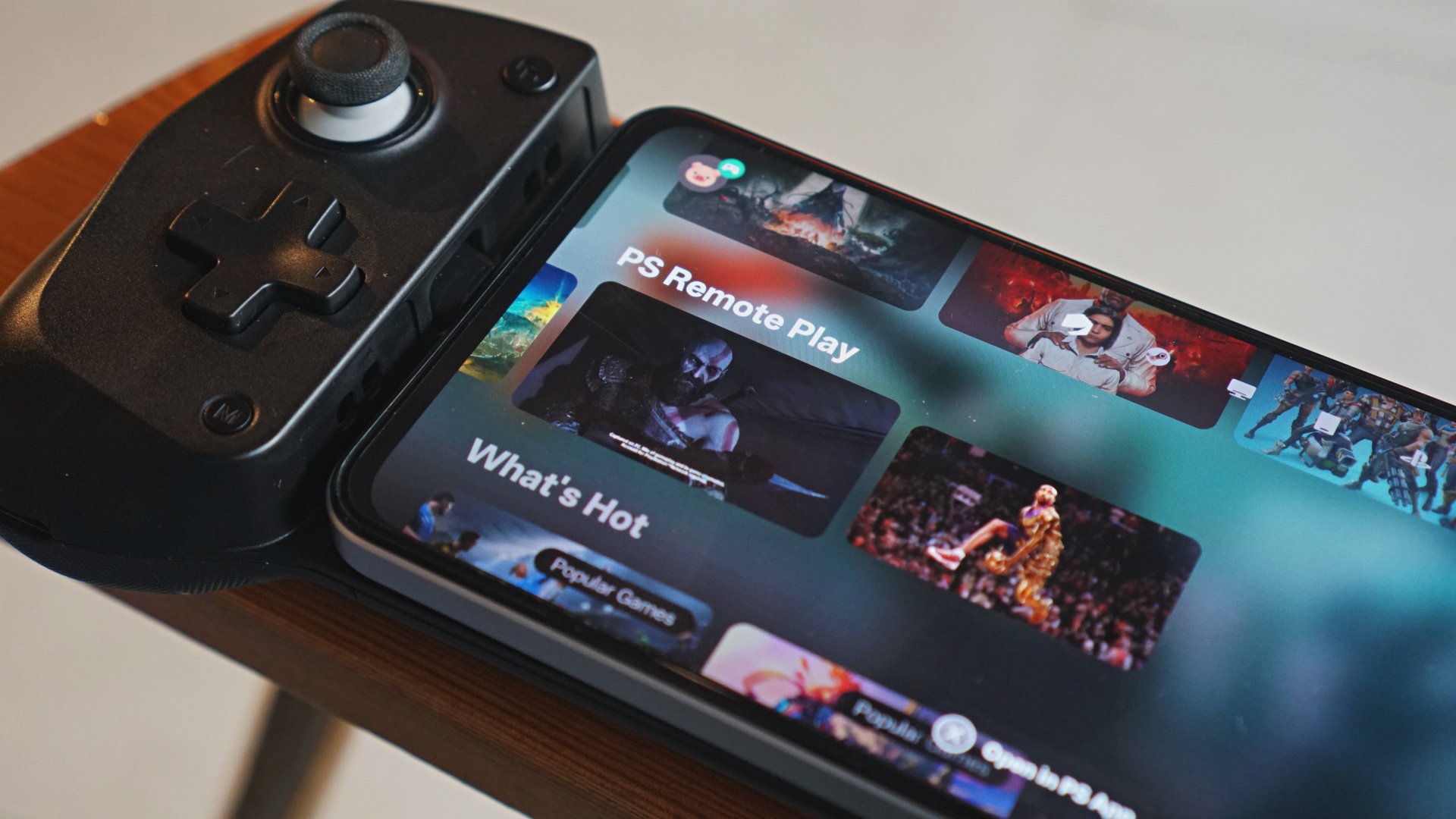
As primarily a PlayStation gamer, I immediately tried PS Remote Play first. There’s a key step-by-step process here for the GameSir X5 Lite to work on Remote Play.
Instead of launching the native PS Remote Play app, connect it via the PS Link directly from the GameHub app. That’s the only way for Remote Play to work properly. I suspect the same is mostly true for PC streaming. I didn’t have the opportunity to try it during my review period.
All things considered, this looks like a good first step in the right direction and something we’ll try to come back to as more features get added to it.
GameSir X5 Lite
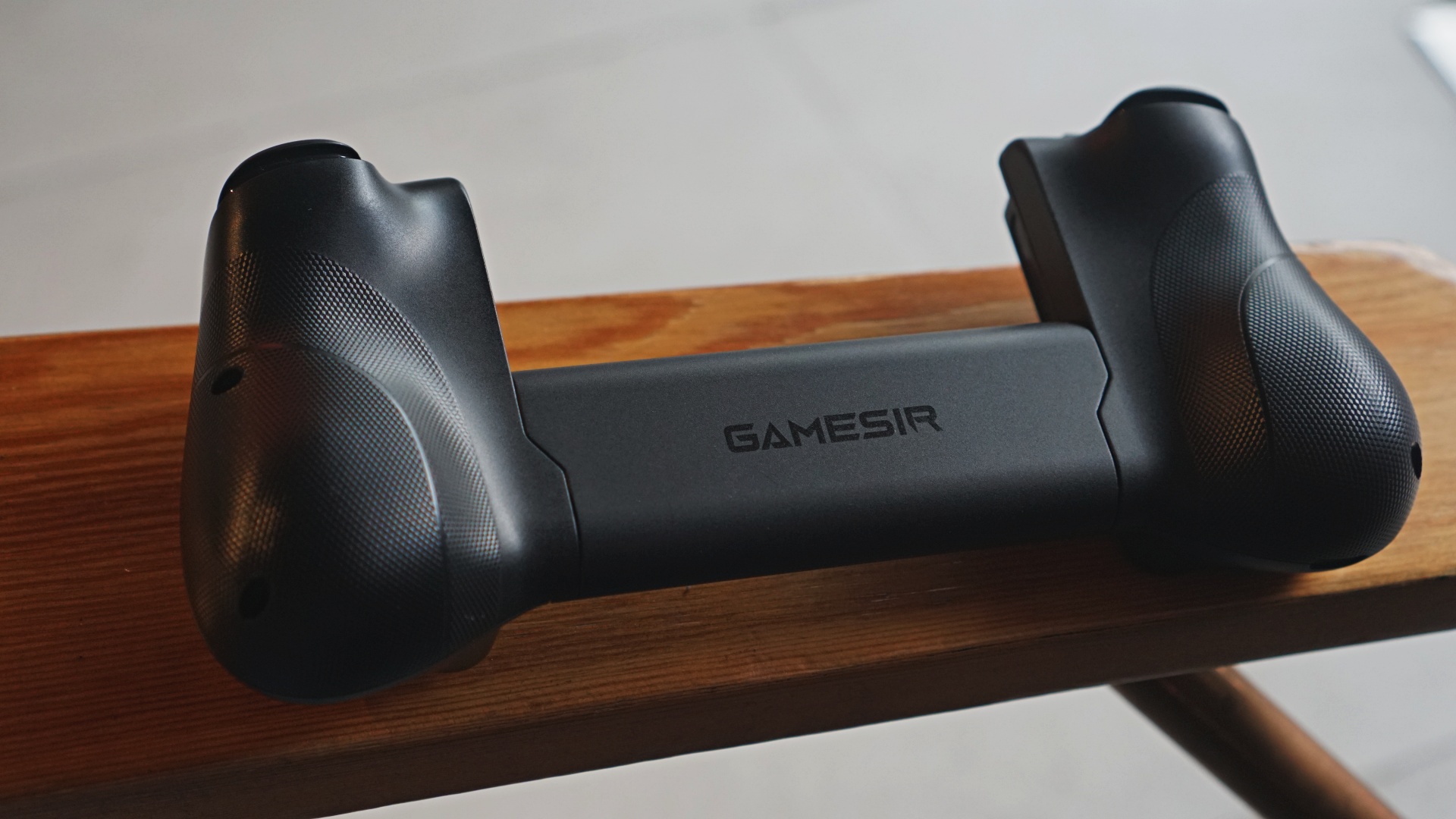
Jumping straight onto the GameSir X5 Lite, it is indeed truly light. One of the best things it has going for it outside of its weight is that despite its relatively slim profile, GameSir managed to add ergonomic grips.
Good grips
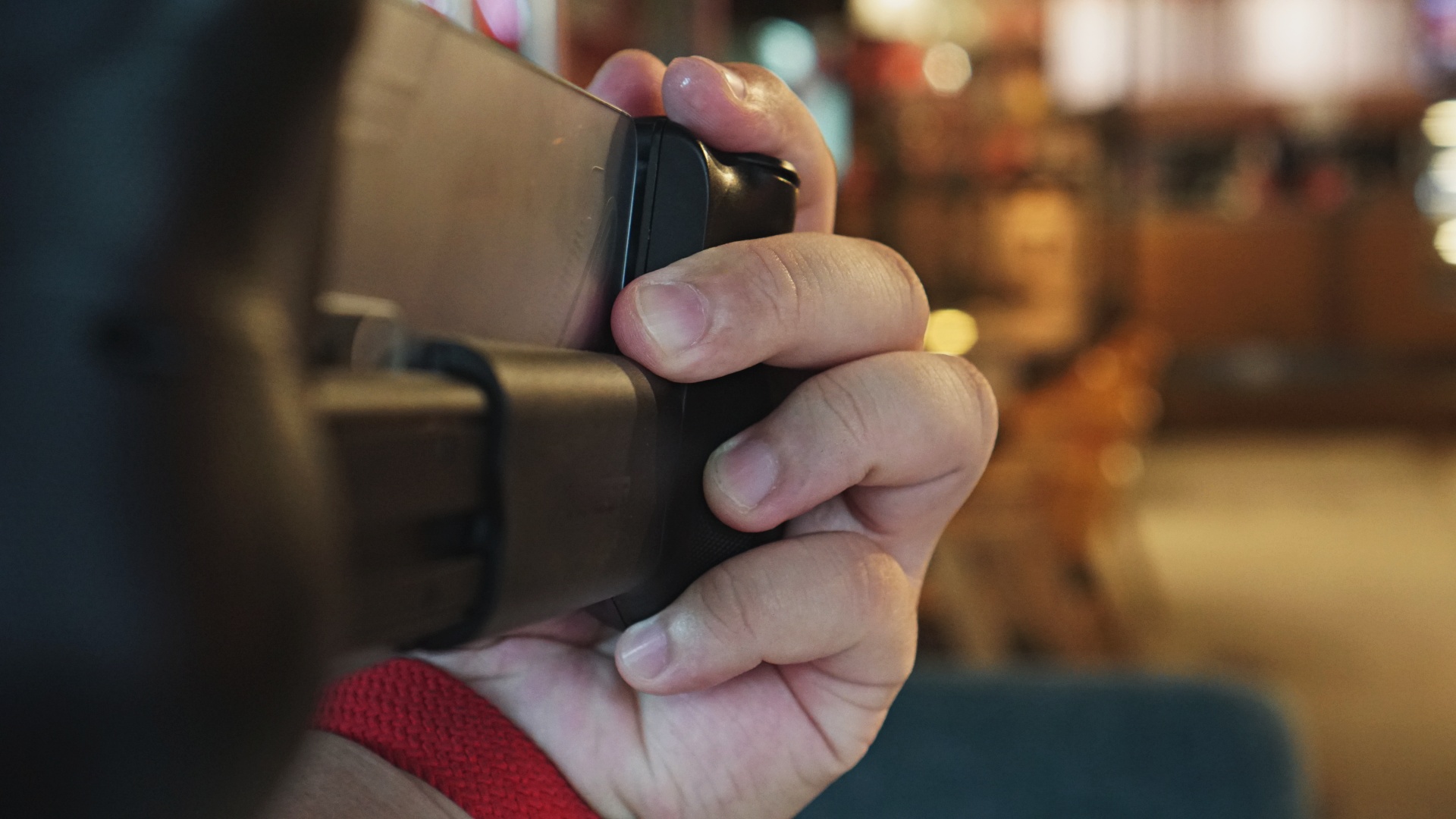
The grips have a groove that feels great on-hand. The laser engraved textured grips also go a long way in making it feel great to touch and hold. This is a distinct advantage over the mostly flat grips of the Backbone One and Razer Kishi.
Movable Type-C
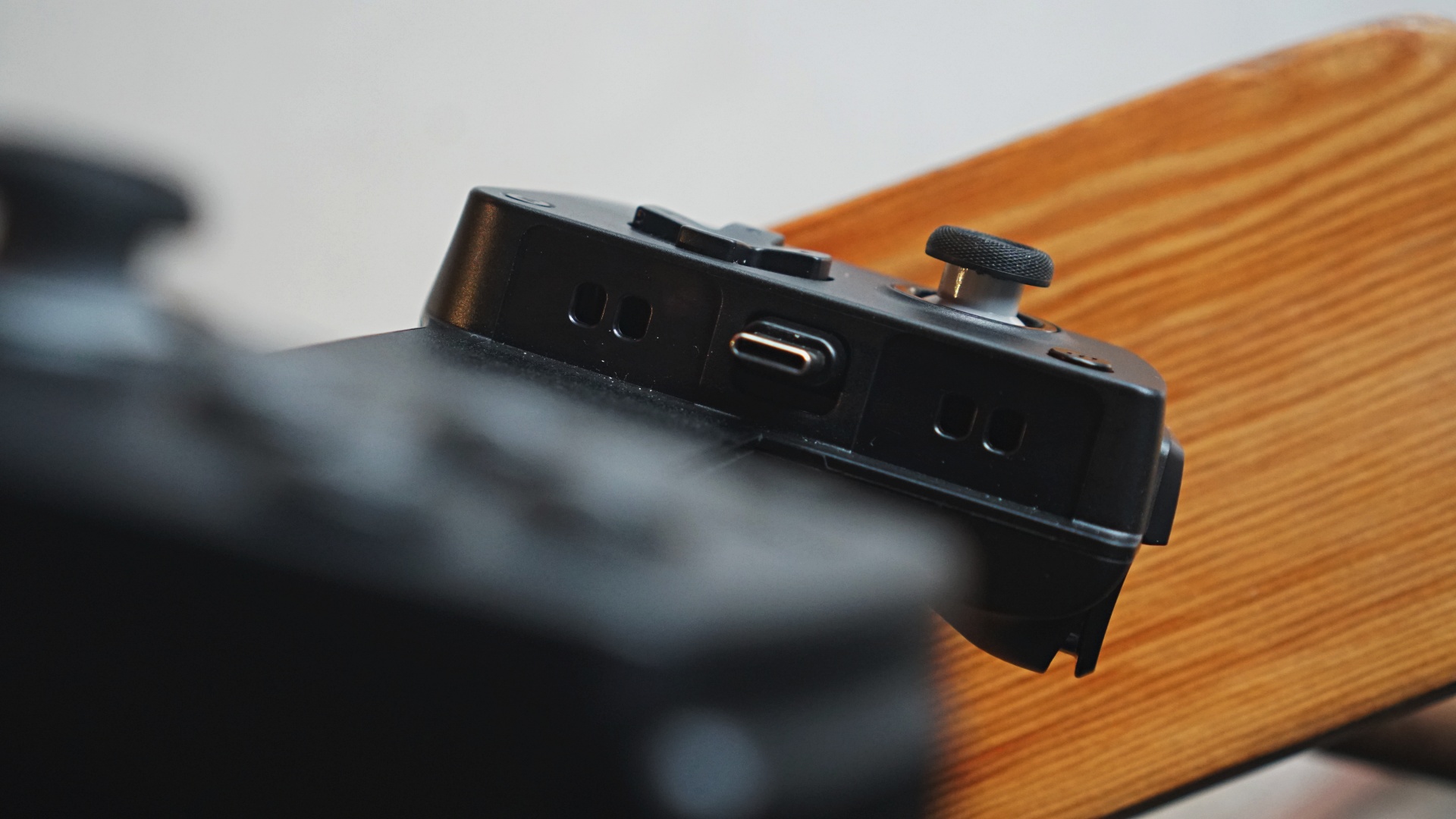
One curious difference though, not only versus competing products but also in their previous ones is the decision to shift the movable Type-C port from the right over to the left.
This meant that most Android phones whose power and volume buttons are usually flushed all on the right hand side will be situated on the lower right area when you have it mounted on the GameSir X5 Light.
That makes for an awkward way to adjust the volume on most Android phones.
However, if you’re using an iPhone 15 and up, the volume controls will now be on the upper-right side which seems more optimal. I’m just not sure if iPhone users are the ones who will actually want to consider this controller – but they probably should.
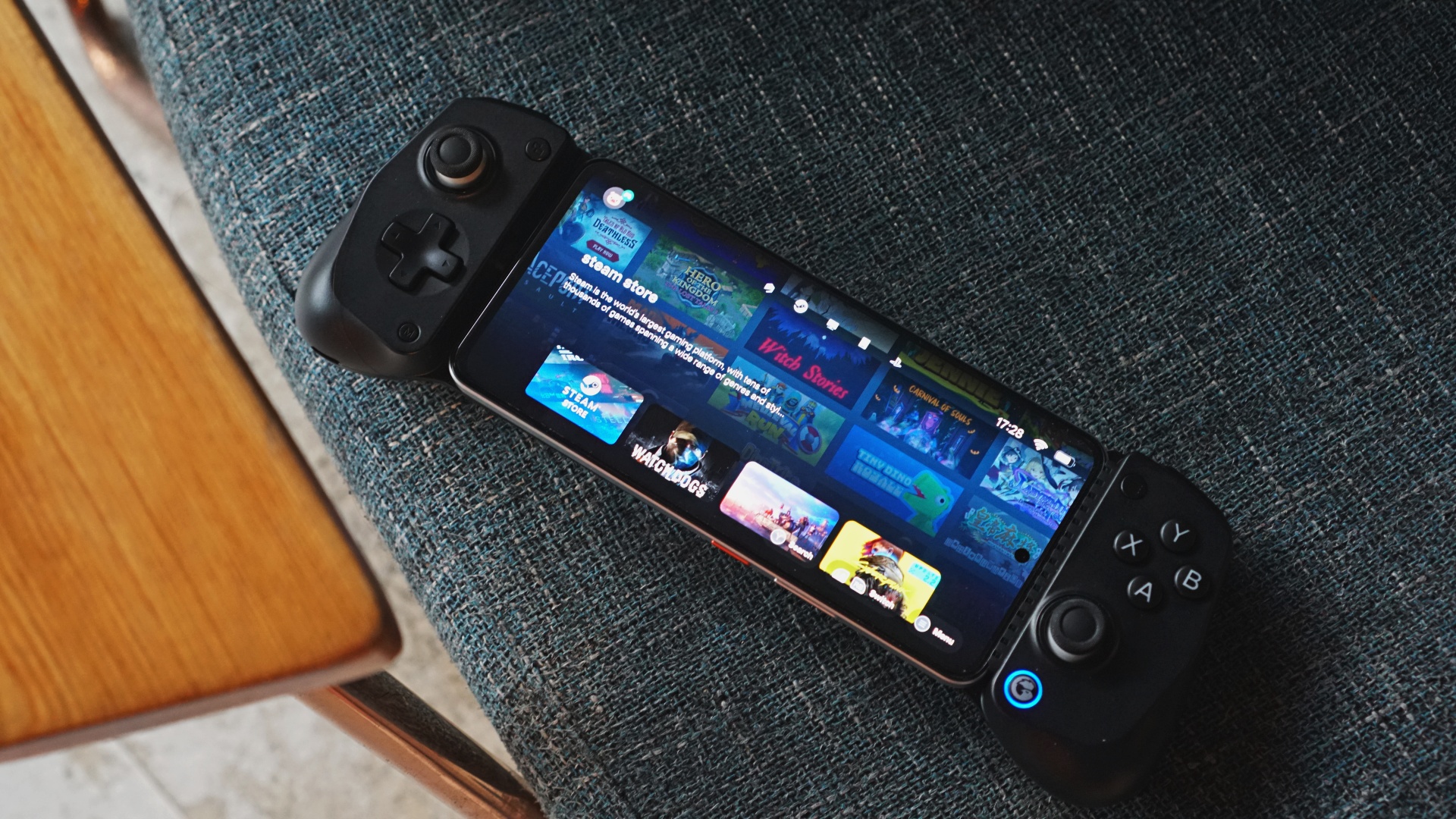
We also tried connecting this on the iPad Mini 7 and while it isn’t ideal because of the iPad’s button placements, it still works fine overall.
We asked GameSir what the reasoning behind this and they was said it is so that “It would be easier to attach (a) cooler to the phone while using X5 Lite.”
The GameSir X5 Lite package we received didn’t come with a cooler and personally, I don’t imagine it being a big hurdle had it been on the right side.
But the move also meant passthrough charging on the left-hand side.
Wider stretch, enough backspace, bumpers

Official information notes that the space where you put your device is now longer–213mm to be exact. It fits up to about the iPad Mini 7 which measures at around 8.3 inches.
Other than the realme 14 5G which is the smartphone visible in our photos, we also tried this with foldables like the OPPO Find N5 and HONOR Magic V3– smaller but taller devices than the iPad Mini 7 but still fit perfectly fine on the X5 Lite.

The design also left ample space for camera bumps. This means the device will lay mostly flat instead of sticking out. To protect the phone further, each inner part where you would put your device has removable silicone pads. It keeps your device sitting tight and securely.
GameSir made minute but mindful adjustments here which all made sense.
Hall Effect sticks, Membrane hair triggers, face buttons

As expected from all their recent products, the primary controls you’ll interact with are all made with great quality.
GameSir’s own Hall Effect Sticks are easily one of the best on any controller. They are firmly one of the leaders in using Hall Effect sticks and all manufacturers should follow suit
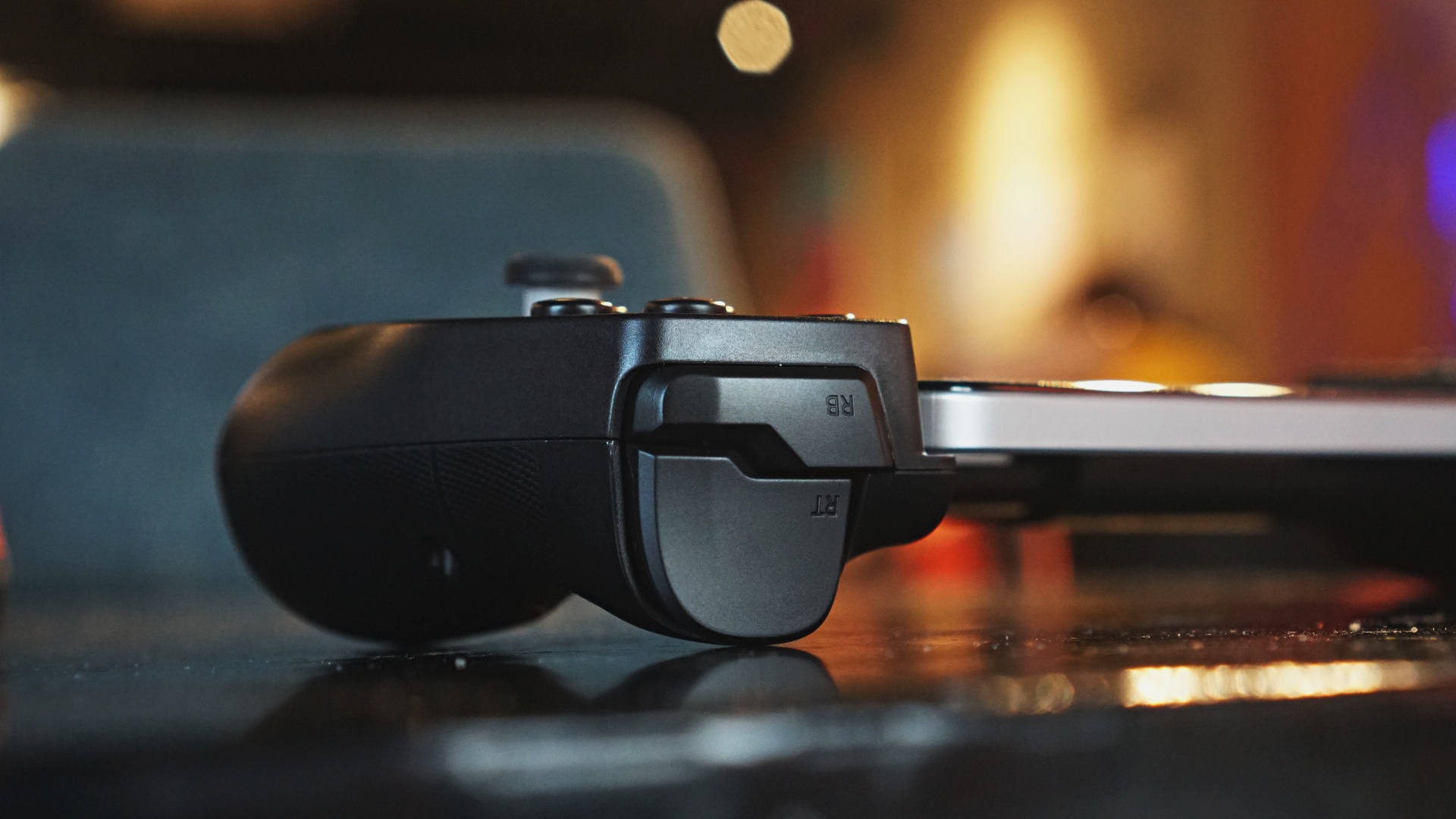
The triggers and face buttons all have a satisfactory click and press feel to them. Zenless Zone Zero, which is best played with a controller, felt really good to play. I did not experience any noticeable input delay which is key in such a fast-paced, action-packed game.
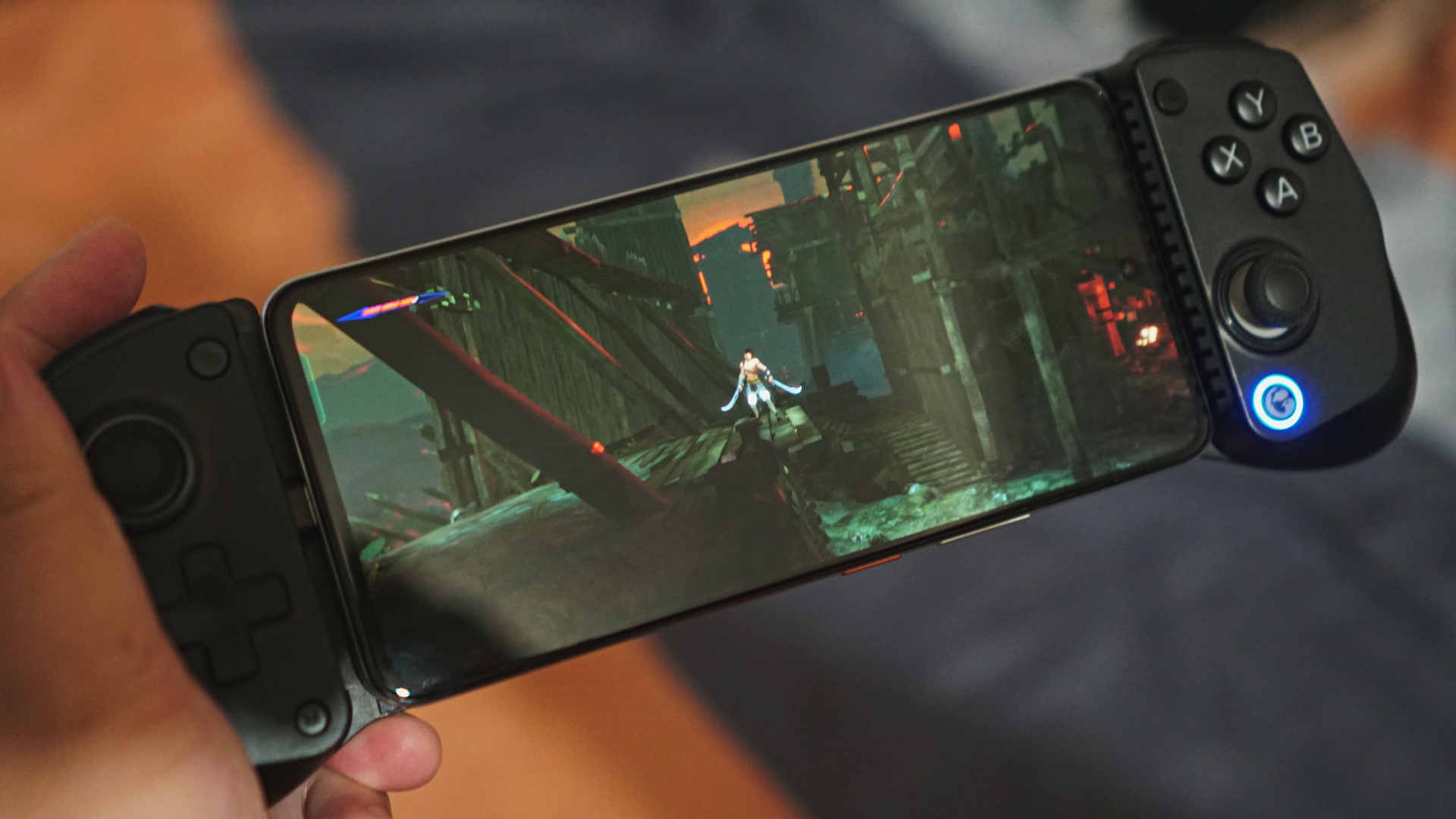
One issue I did have is while playing Prince of Persia: The Lost Crown. To do a high jump in the game, you needed to long press the jump button. This was not at all possible on the X5 Lite. The long press was just not registering at all and I had to resort to holding the jump button on screen to execute the action.
This turned me off from playing the game using the X5 Lite. Depending on the game you’re playing, you might encounter similar issues.
You likely can address this by mapping the action to a different button or button press action using the GameSir app.
Personally, this is not something I was inclined on doing. Even in other reviews, I mostly preferred playing games that already have built-in controller support. But it’s good to know that there’s an option to tweak things for those who have the bandwidth for it.
Is the GameSir X5 Lite your GadgetMatch?
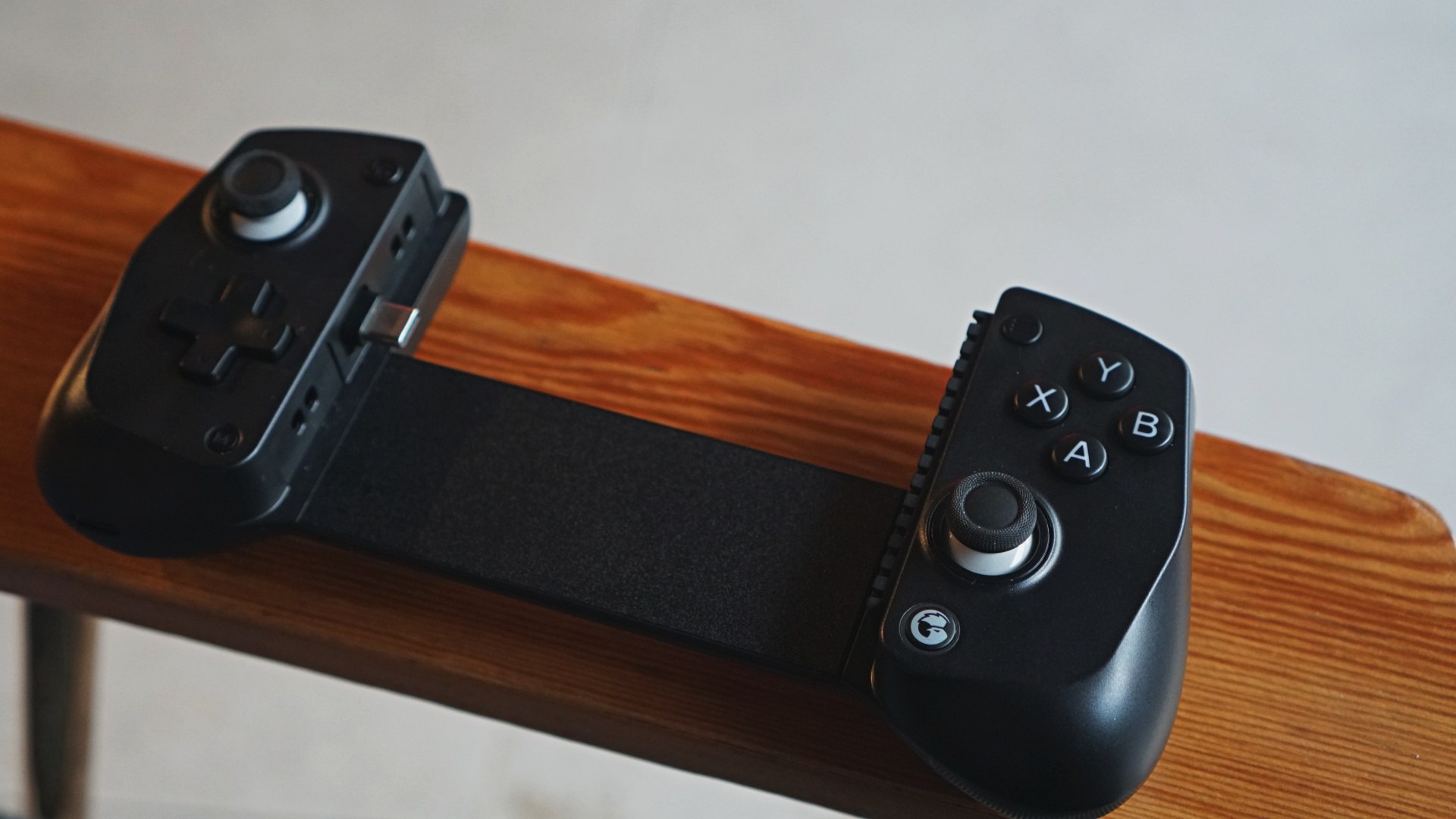
The GameSir X5 Lite retails for only PhP 2,100 or $34.99 USD. That’s a fantastic price point for the overall build quality and functionality it offers. It also undercuts its competition by quite a bit.
Moreover, GameSir is directly challenging Backbone with the introduction of GameHub. This will be compatible not only with the GameSir X5 Lite but many of their other controllers as well and it’ll be interesting to see how that app evolves.
All things considered, we’ll give the GameSir X5 Lite a Swipe Right. It’s a relatively easy recommendation for anyone looking to add physical controls to their mobile gaming life.

You can purchase the GameSir X5 Life on the official website. Add the GGMX5L10 coupon upon checkout for 10% OFF.





Accessories
Logitech G debuts PRO X2 SUPERSTRIKE with faster click tech
Faster clicks, deeper control

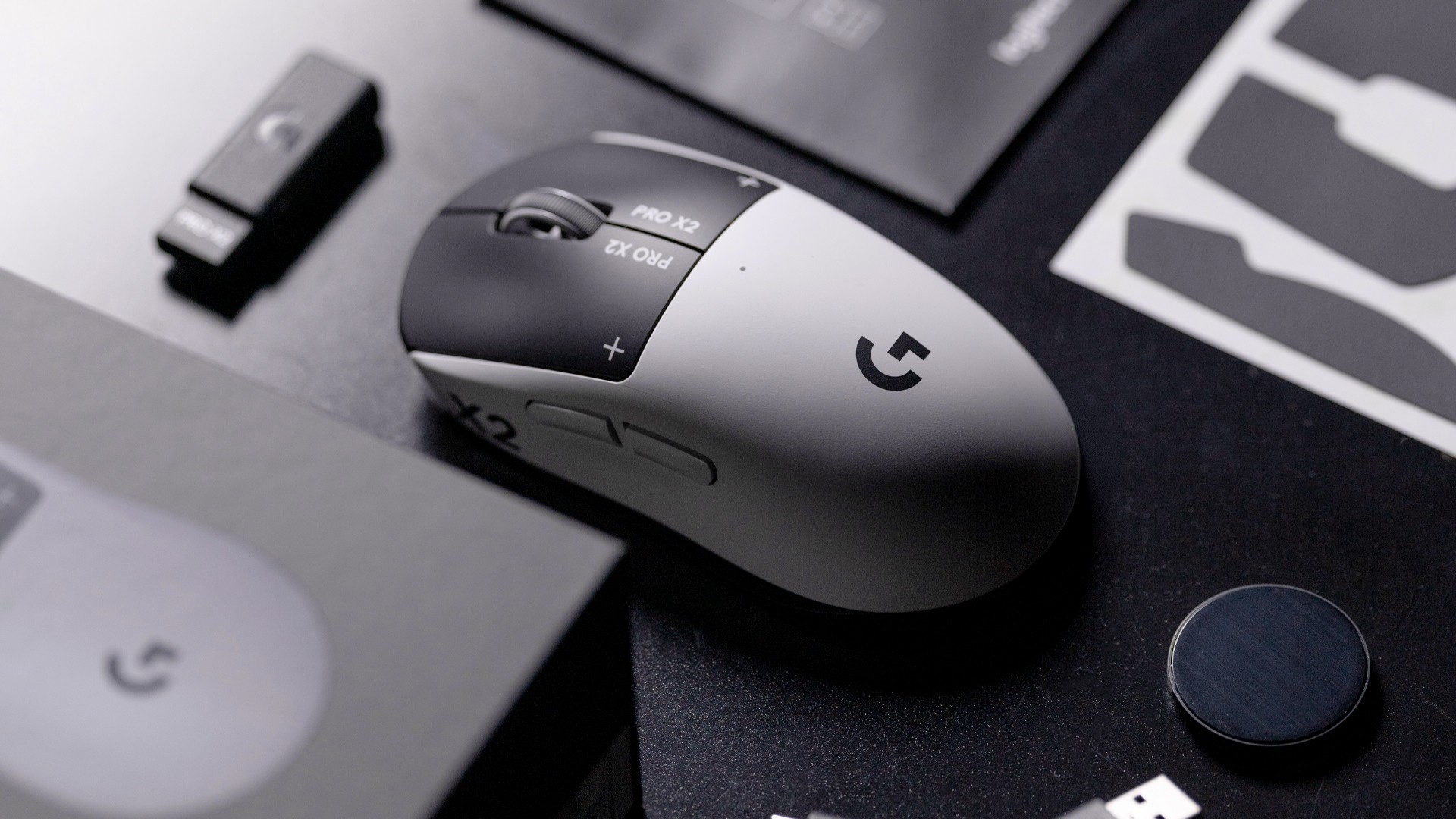
Logitech G is pushing competitive gaming performance further with the launch of the PRO X2 SUPERSTRIKE. It’s a next-generation wireless mouse built around a new click system designed for speed and control.
At the center of the PRO X2 is its patent-pending SUPERSTRIKE technology. It reduces the travel distance needed to register a click, cutting latency by up to 30 milliseconds based on internal testing. The result is faster inputs that can make a difference in high-stakes, split-second moments.
The mouse also introduces the Haptic Inductive Trigger System (HITS), replacing traditional mechanical microswitches. Instead of relying on physical contact, it delivers tactile feedback the moment a click signal is sent, helping players feel each input in real time.
Customizable clicks for competitive play
Developed with esports teams like G2 Esports, NAVI, and BLG, the PRO X2 SUPERSTRIKE focuses on precision and consistency. It supports 10 selectable actuation levels, allowing users to fine-tune how deep a click needs to be before it registers.
These adjustments can be made through Logitech G HUB, giving players the flexibility to match their setup to different games, roles, or playstyles without interrupting gameplay.
The mouse also uses Logitech’s LIGHTSPEED wireless technology with up to an 8kHz polling rate. This ensures fast and stable performance without the limitations of a wired connection.
Precision tracking and lightweight build
Powering the PRO X2 is Logitech’s HERO 2 sensor. It supports up to 44,000 DPI, 888 IPS tracking speed, and over 88G acceleration. Logitech says tracking remains free of smoothing, acceleration, or filtering, allowing for more consistent and direct input.
Despite its performance-focused internals, the mouse keeps a lightweight build at 61 grams. Logitech says this supports faster movements and reduces fatigue during long sessions.
Battery life is rated at up to 90 hours on a single charge, letting players stay in the game longer without interruptions.
Price and availability
The Logitech G PRO X2 SUPERSTRIKE is priced at PhP 11,945. It is available in the Philippines via Shopee and authorized Logitech retailers.
Accessories
Jackery SolarSaga series: Free power for small devices
Portable solar panels can charge small gadgets directly
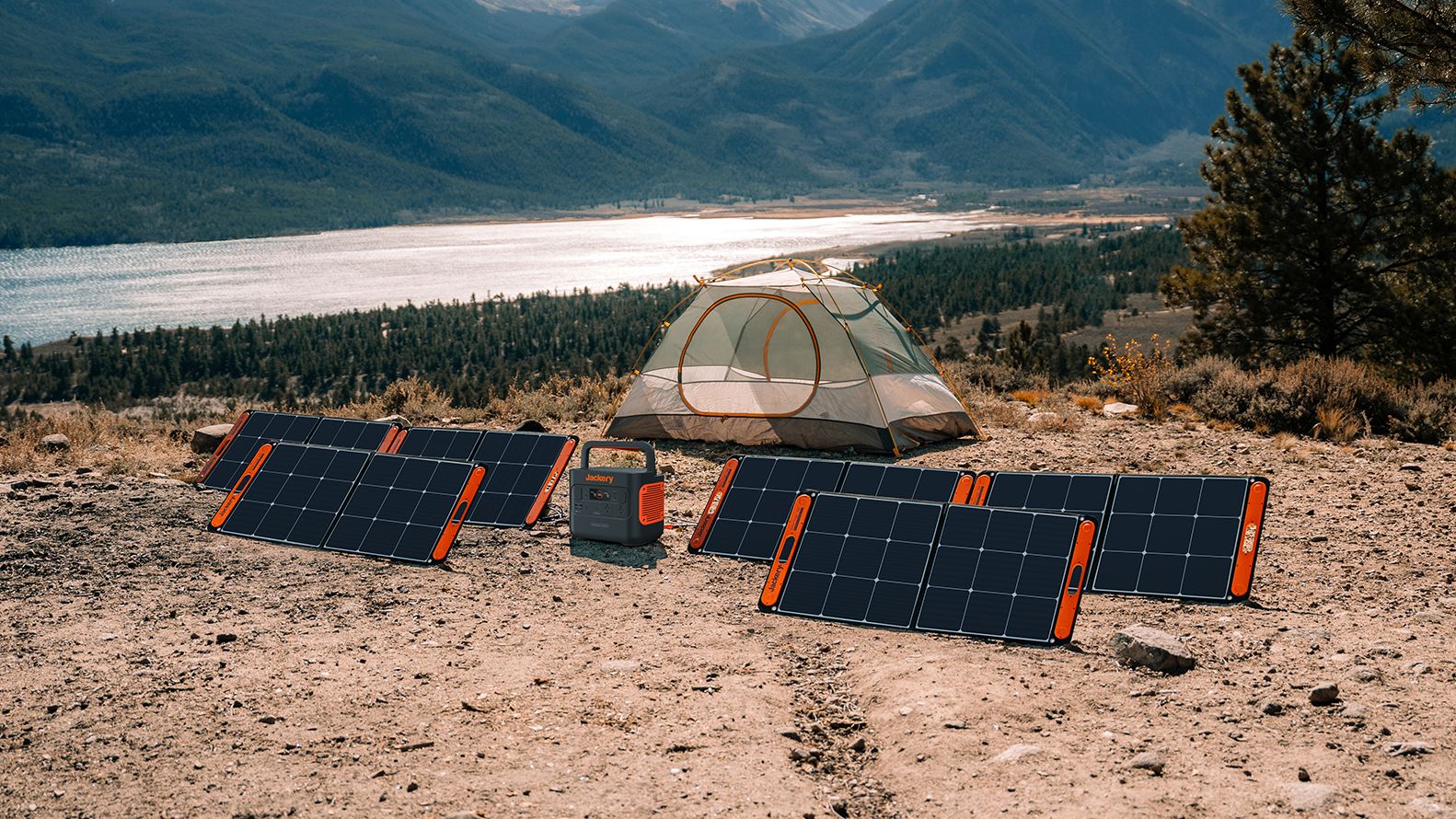
As fuel prices continue to surge as of late, one of the ways to make up for the additional expenses is to turn to alternative power sources. That’s including solar power.
And Jackery is here to help Philippine consumers, with the availability of their portable SolarSaga panels.
These solar panels are an alternative to traditional and permanently installed rooftop solar panels. They are engineered for modern and mobile life with portable, lightweight, and sleek designs. They are built primarily to be set up and put away easily, and charge small devices directly.
Simply put the Jackery SolarSaga panels where sunlight is available, and it will convert up to 25% of sunlight into usable energy.
To charge small gadgets like phones and portable fans, or even smartwatches, the SolarSaga panels come with a USB-C and USB-A port.
Another way is connecting the SolarSaga to Jackery’s Explorer power stations like the Explorer 300 Plus or 1000 Plus.
From there, users can power up devices, essentially for free. On its own, the Jackery SolarSaga panels are available in 100W and 200W variants.
The panels are also IP68 rated for water and dust resistance. This makes them usable outdoors when brought to adventures like camping, picnics, or beach trips.
The panels are already available through Jackery’s Lazada and Shopee platforms, as well as Techroom’s Lazada and Shopee accounts.
Accessories
UGREEN adds new Nexode Pro power bank, charger to lineup
Intelligent displays, fast-charging, user-focused design
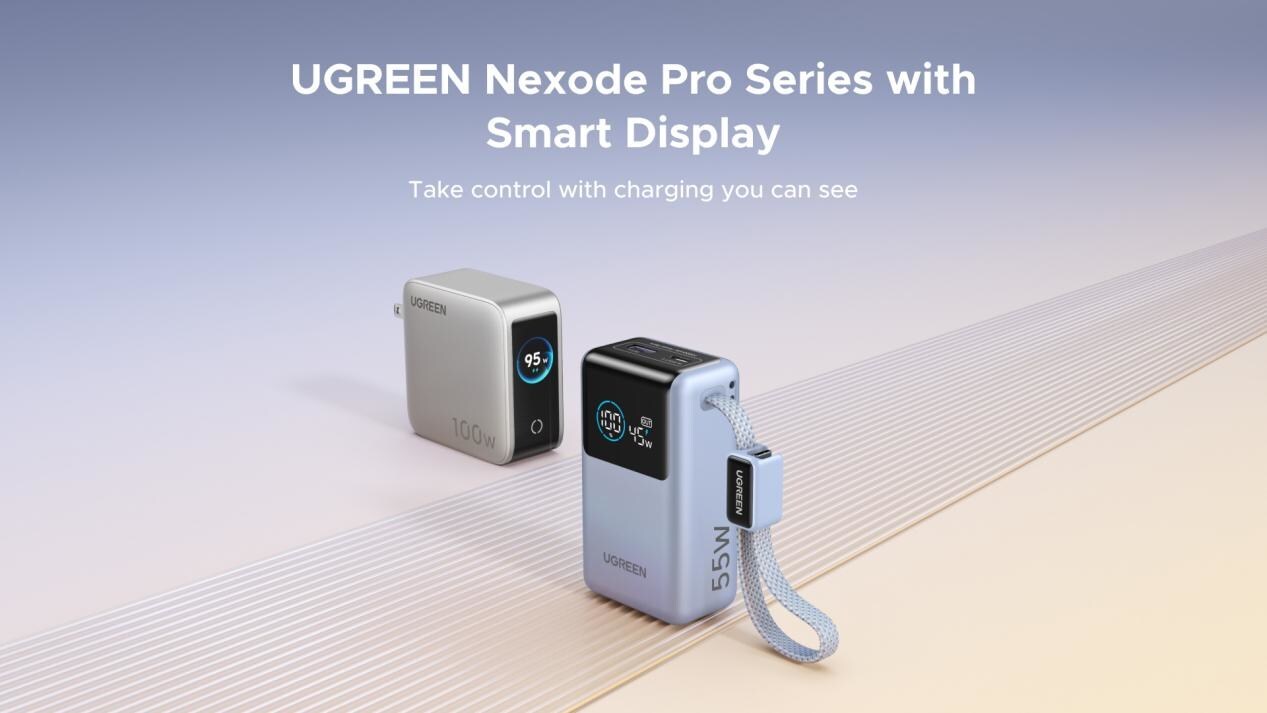
UGREEN has expanded its Nexode Pro charging lineup with two new devices designed for the modern user. They are the Nexode Pro 10000mAh 55W Power Bank and Nexode Pro 100W 5-Port Charger.
These new offerings combine intelligent digital displays, fast-charging capabilities, and user-focused designs for reliable power — whether at the desk or on the move.
The Nexode Pro 10000mAh Power Bank is the ultimate travel companion, delivering strong charging performance in a compact and travel-friendly form.
It supports up to 45W single-port fast charge, meeting the industry standard for high-speed portable charging. It can reach up to 55W as well when charging compatible Xiaomi devices.
The accessory is equipped with two USB-C ports, one USB-A port, and a built-in retractable USB-C cable. As such, it can power up to three small devices simultaneously without requiring extra cables.
With a rated capacity of 36Wh, the power bank also meets airline carry-on requirements.
Meanwhile, the UGREEN Nexode Pro 10W 5-Port Charger supports workstations. It has four USB-C ports, a USB-A port, and up to a 100W output.
It also has a built-in smart TFT display for easy power distribution monitoring.


Galaxy Buds4 Pro review: I thought I was done with in-ears
This Buds4 you


WWE 2K26 lets you live out all the fantasy matches you could want
But you have to play for hours and hours to unlock everyone.


The HONOR X8d is serviceable
Steady but slow?

Samsung Galaxy A57, A37 bring Galaxy AI closer to more users

ASUS launches Zenbook DUO and S14 in the Philippines

Logitech G debuts PRO X2 SUPERSTRIKE with faster click tech

More iPhone switchers this year than Android switchers, report says

Marvel’s Wonder Man greenlit for a rare second season


-

 Reviews1 week ago
POCO X8 Pro Max review: A new beast from the far east
-

 News1 week ago
POCO X8 Pro Series: Price, availability in the Philippines
-

 Laptops2 weeks ago
Apple MacBook Neo Review
-

 Features2 weeks ago
Galaxy AI on the Samsung Galaxy S26 Ultra
-

 Apps2 weeks ago
Google Maps is finally getting a 3D mode
-

 Entertainment2 weeks ago
The internet is thirsting over the One Piece Season 2 cast
-

 Reviews1 week ago
POCO X8 Pro Iron Man Edition review: Midrange phone in superhero armor
-

 Reviews1 week ago
Samsung Galaxy S26 Ultra review: A phone you live with