
Lifestyle
How to disinfect your tech from the coronavirus
Here are a few tips to live by

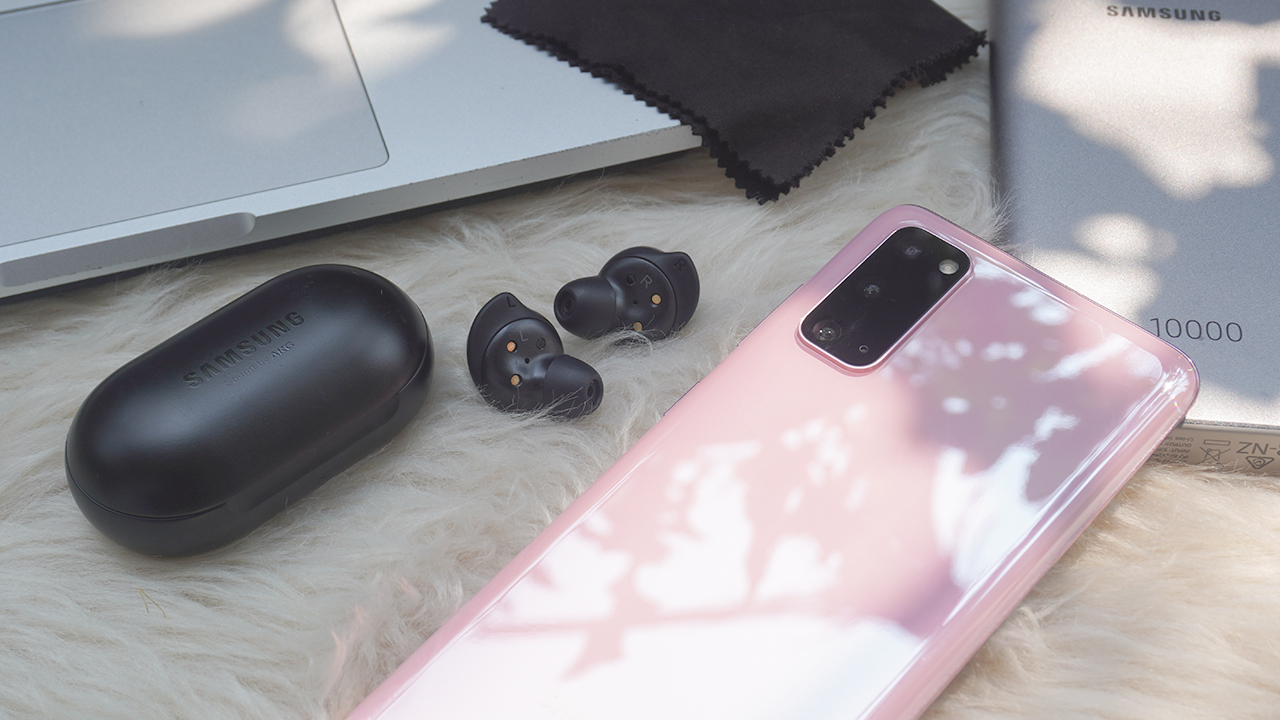
Time for a good boy and girl check! Have you been washing your hands for 20 seconds? Rubbing your hands raw with dollops of hand sanitizer? Covering every cough and sneeze? In today’s risky times, keeping yourself and others safe from the coronavirus is of paramount importance.
That said, for all the safety precautions hammered into us today, you’re likely missing one of the dirtiest, nastiest, and most bacteria-infested objects we use every single day: our smartphones. For dozens of moments every day, smartphone users fiddle with their screens with potentially unclean fingers, speak and spit into the microphone, and lend them to our friends and family.
Once a surface is contaminated with a disease, it can survive on that surface for several days to more than a week, according to this study of different coronaviruses. Our smartphones are gross.
The same even applies to other technology we use today: headphones, laptops, wearables. Given how serious we’re taking our own health, it’s time to finally lay the smackdown on those disgusting diseases plaguing our technology. Here are a few tech tips to sanitize your technology against viruses.
Wipe your phones.
Naturally, the simplest way to keep your phones clean is to wipe them clean. Of course, if you’ve read the backs of smartphone-cleaning cloths and solutions, you’ll know that wiping your phones isn’t as easy as wiping a smear from a window. Using the wrong material can damage your delicate daily drivers.
First off, use a cloth, especially those tailored for screens. Though phones are usually scratch resistant today, a coarser cleaning material — like a paper towel or a rougher cloth type — can cause small abrasions on your pristine screen or leave damaging residue. The same goes even more for third-party screen protectors, which aren’t rated for abrasions

Secondly, use the right solution. Abrasions aren’t the only thing you have to worry about. Most smartphone brands advise against alcohols because it ruins protective films on the phone. However, for our current situation, viruses constitute a greater threat than smartphone damage. You can use 70 percent isopropyl alcohol for the job, as Apple has suggested.
If you want a compromise between maintaining the intricacies of your phone and dealing with the virus, go for warm water and soap. Alternatively, you can use disinfecting wipes to save the trouble of wetting cloths.
Regardless of which you choose, wet your cloth with the solution and wipe thoroughly but lightly. You don’t want to break your phone from exerting too much pressure. Likewise, be careful around more delicate parts, like the camera lenses and open ports.
Clean your supplementary tech.
Smartphones are nasty. Your other devices are just as nasty. Consider the earphones that you stick into your eardrums every day. Or the smartwatch that catches all your sweat from the gym. Or the Amazon smart ring that nestles on your hand as you go through our daily routine.
As you wipe your daily drivers, your other devices could be festering nastier things from your dried bodily functions. Apply the same amount of caution to your other devices, especially after use.
If you take your wearables and earphones to the gym, wipe them down as you would the bench you used. Your sweat (and other people’s sweat, for that matter) can harbor disease. This includes the canals on your budded earphones or underneath your watch. However, as you did on your phone, take care over sensitive areas, like your watch’s screen or the wires of your earphones.
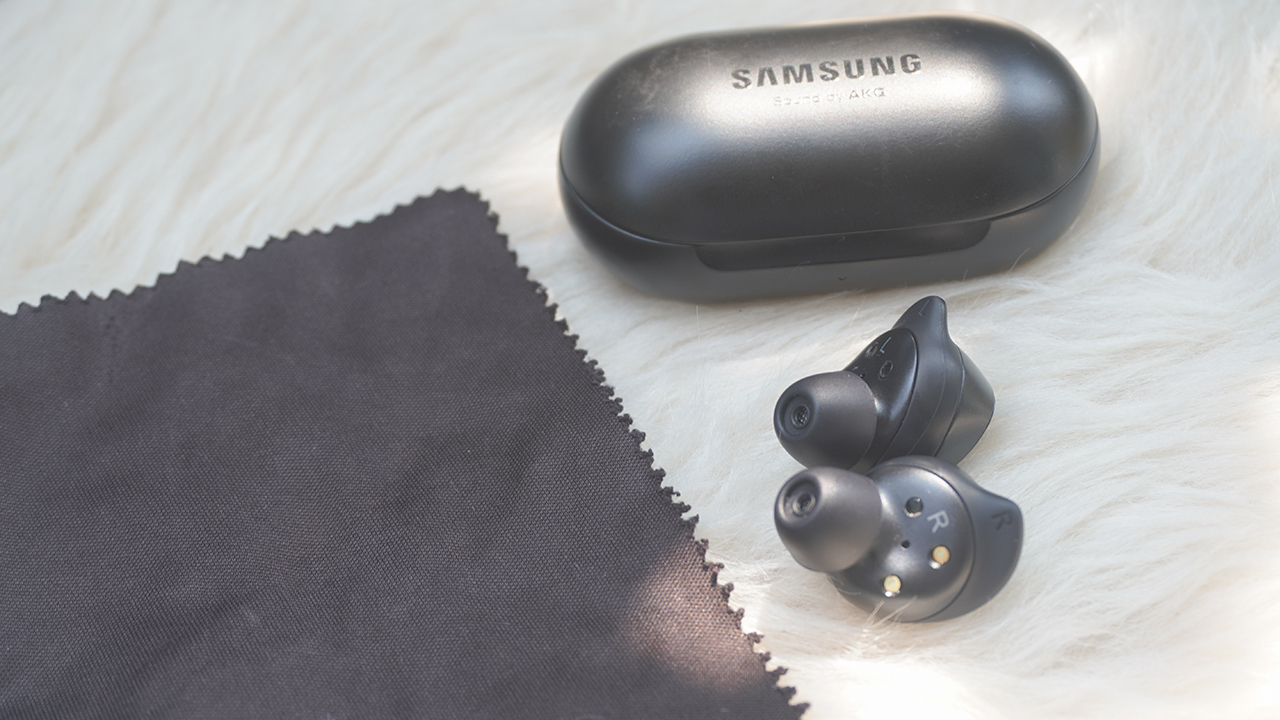
Keep wipes handy for public tech.
Now, let’s talk about the tech that you don’t own. Even today, it’s perfectly normal to use public computers, laptops, or chargers. If you’re in school or in an office, using these devices is probably even a requirement. If your institution hasn’t implemented telecommuting yet, you might be forced to use them at the risk of infection.
That said, keep a cleaning item handy when you’re out in public. You’ll never know when you’ll handle items touched by someone else. Most disinfecting procedures today only encompass doorknobs and stairways. Unfortunately, other items might be at risk as well.
On the other side of things, avoid lending your devices to other people during this time. In less trying times, device lending is a common thing. Unfortunately, with dangerous infection rates, having other people — even those you know — might not be a good idea.
Don’t spread misinformation from your devices.
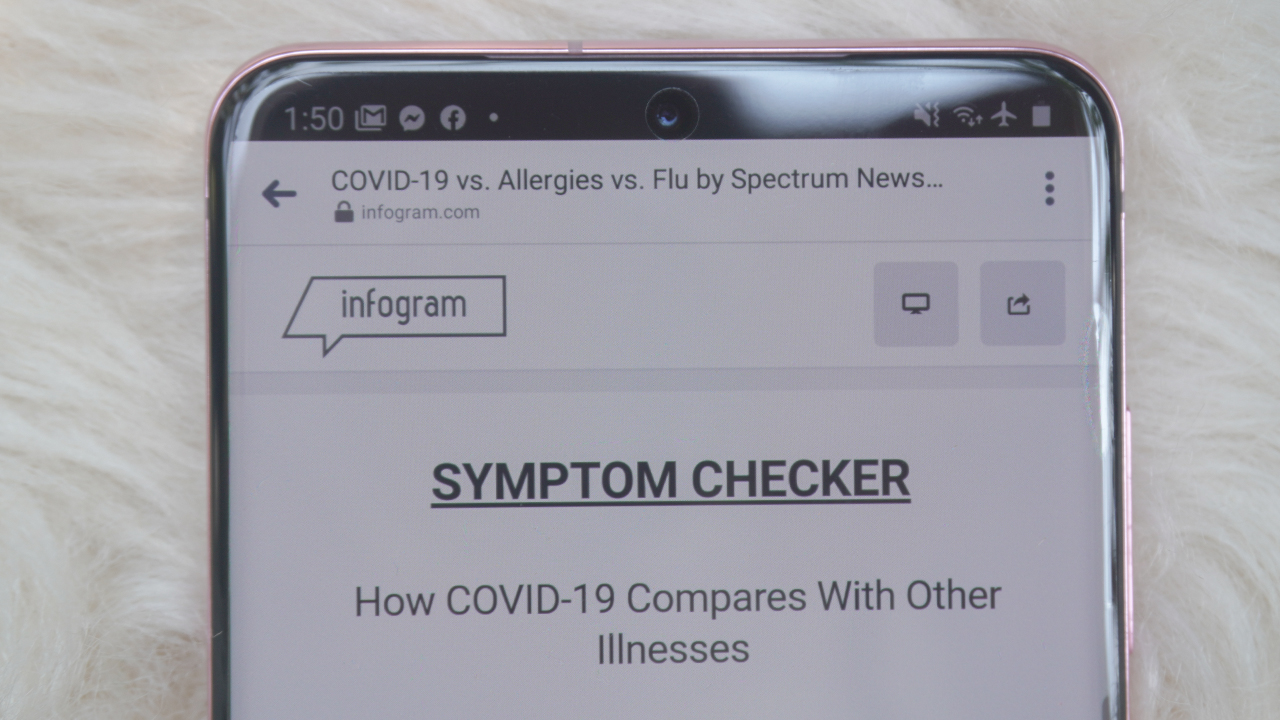
Unfortunately, the most damaging thing today, apart from the coronavirus itself, is the misinformation infecting social media today. As important as physical disinfection is today, it’s also important to keep the insides of your phone free from the terrible disease of misinformation.
While it’s tempting to share every coronavirus-inspired post on every single chat group you belong to, consider how accurate the information is first. Was the information written by an expert? If not, was there adequate research involved? Is it proposing an all-too-radical position contrary to what experts are saying?
Caring for others is, of course, one of the hallmarks of being human in the face of crisis. Sadly, care itself can be misguided with fabricated and hyperbolic truths. While you care enough for your fellow human being, misinformation can cause more harm than good. Fortunately, along with care, rational discernment is also part of what makes us human. For all the steps listed above, the coronavirus isn’t our only enemy in this dreadful time. We need to fight misinformation, too.
We are now in the middle of tough times when even our devices can become our enemies. It’s time to rise up higher as a species. Though we can’t work on a cure or a vaccine ourselves, we can do our part by making sure we’re clean both for ourselves and others. While we’re at it, let’s make sure that the right information reaches the right people.
SEE ALSO: 5 things to do while stuck indoors | PhoneSoap Go: A portable device that will sanitize your smartphone
As general rules, the CDC or The Centers for Disease Control and Prevention listed these to help with preventing the spread of COVID-19:
- Stay home when sick
- Cover coughs and sneezes
- Frequently wash hands with soap and water
- Clean frequently touched surfaces






There are two kinds of people during Christmas: those who arrive at the party carrying a bottle of wine, and those who have been in the kitchen since eight in the morning making sure everyone has something to eat.
If you belong to the second group, you probably already know that hosting can be equal parts enjoyable and exhausting.
Between preparing Noche Buena, accommodating everyone’s food preferences, and making sure the drinks keep coming, even a relatively small gathering can turn into a considerable production.
Fortunately, a few well-chosen kitchen appliances can make things easier. And with more Filipinos paying attention to what they eat, versatility has become just as important as convenience.
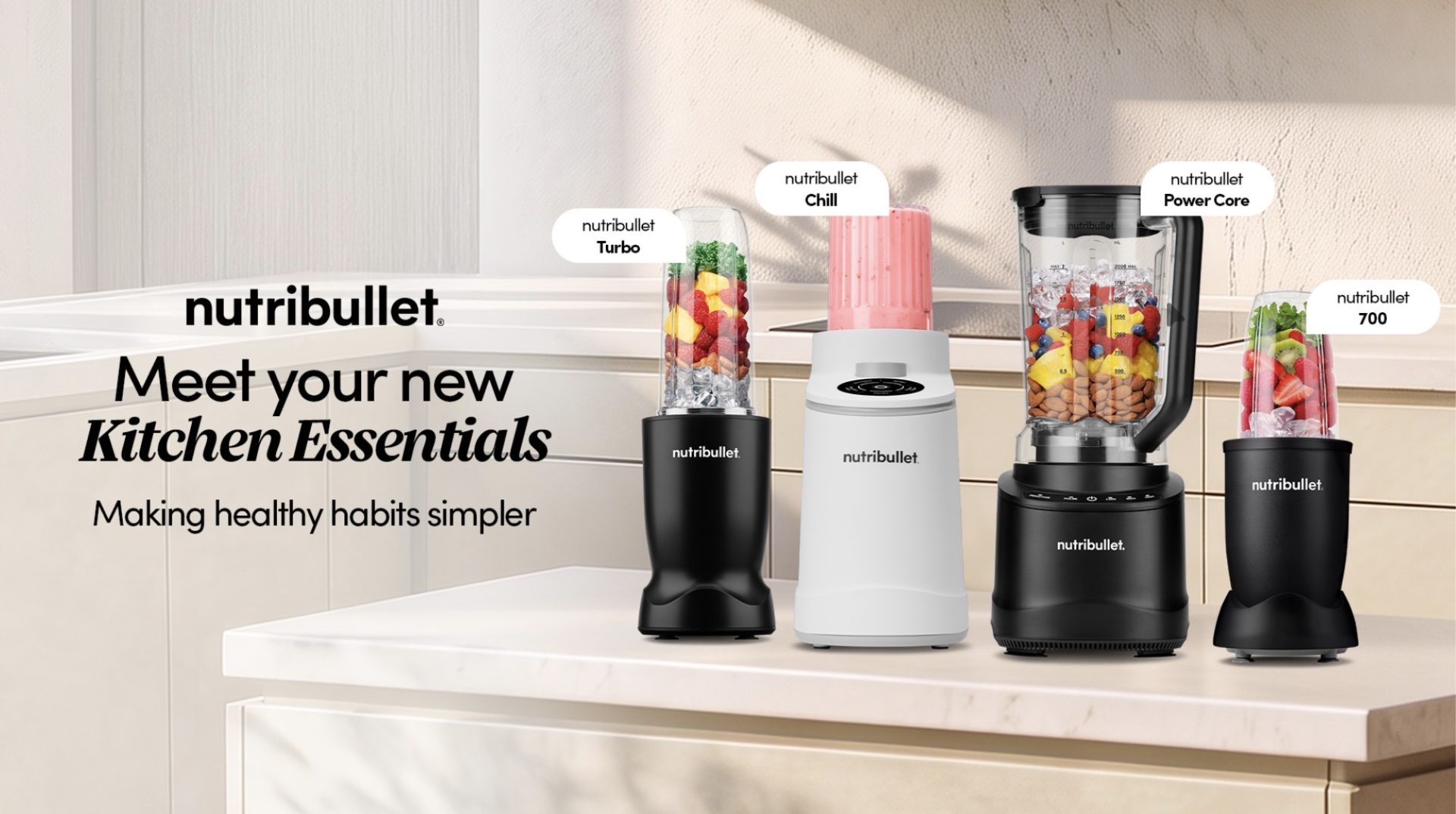
That was the idea behind nutribullet’s recent launch of four kitchen appliances in the Philippines, introducing everything from compact personal blenders to a full-sized machine and an ice cream maker.
Celebrity chef Ylyt demonstrated the appliances during the event, which also brought together content creators, lifestyle enthusiasts, and members of the Tita Run Club.
The new lineup caters to different kitchen needs, whether you’re preparing a quick breakfast before work, experimenting with healthier recipes, or entertaining the entire family.
Here’s what each machine brings to the table.
nutribullet 700: For small kitchens and everyday smoothies
Not everyone has the luxury of a spacious kitchen, especially if you’re living in a condominium where every inch of counter space matters.
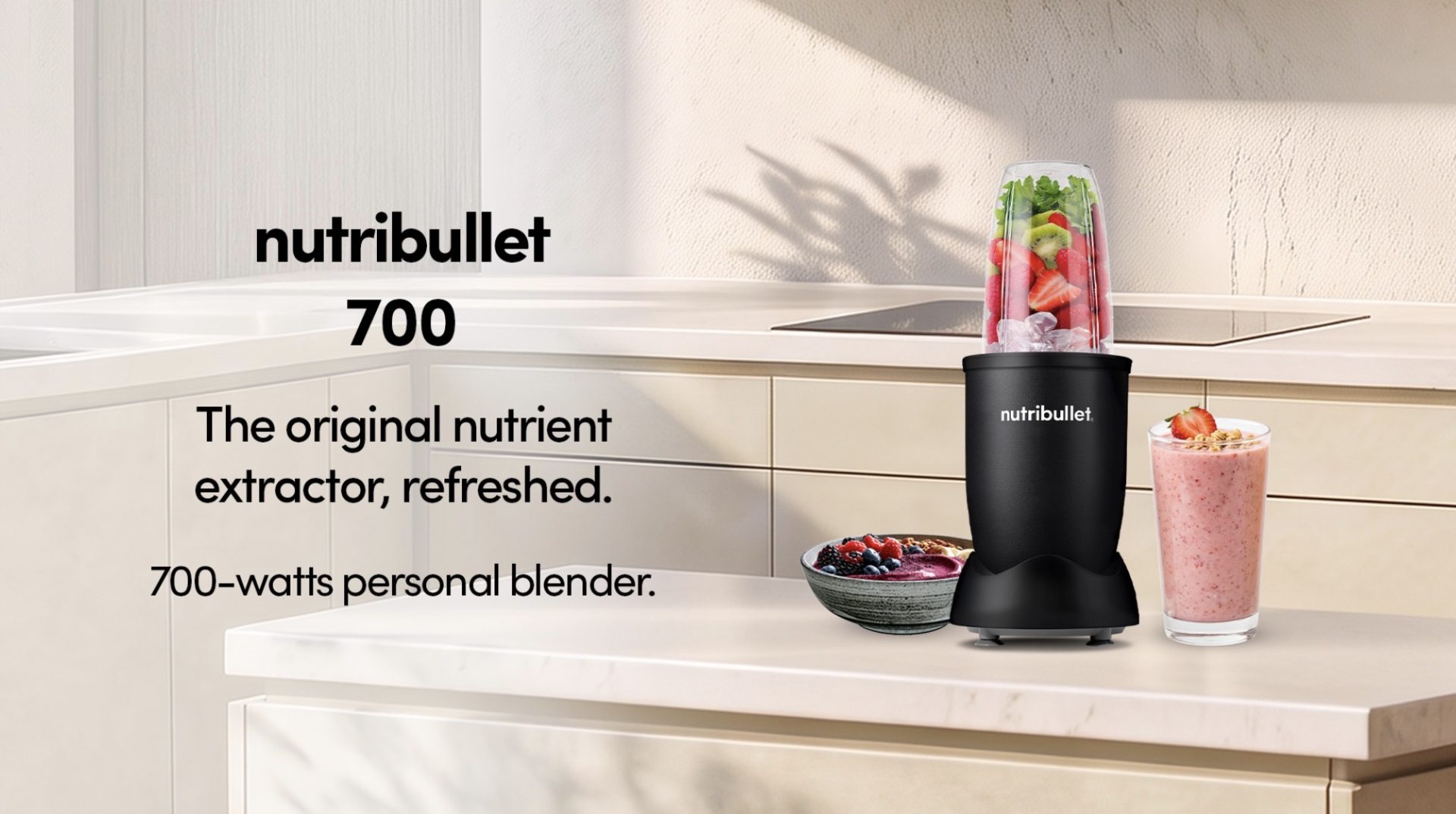
The nutribullet 700 keeps the brand’s familiar compact design while introducing a 700-watt motor intended for everyday blending.
It’s particularly suited to people who want to prepare smoothies, protein shakes, and other single-serving drinks without bringing out a full-sized blender.
And while it’s easy to associate personal blenders with breakfast, they can be useful for other things, too.
Think homemade salad dressings, small batches of sauces, or a quick dip for your holiday appetizers.
Its relatively small footprint also makes it a practical option for anyone who prefers keeping kitchen appliances within easy reach rather than storing them away after every use.
nutribullet Turbo: For busy mornings and more demanding blends
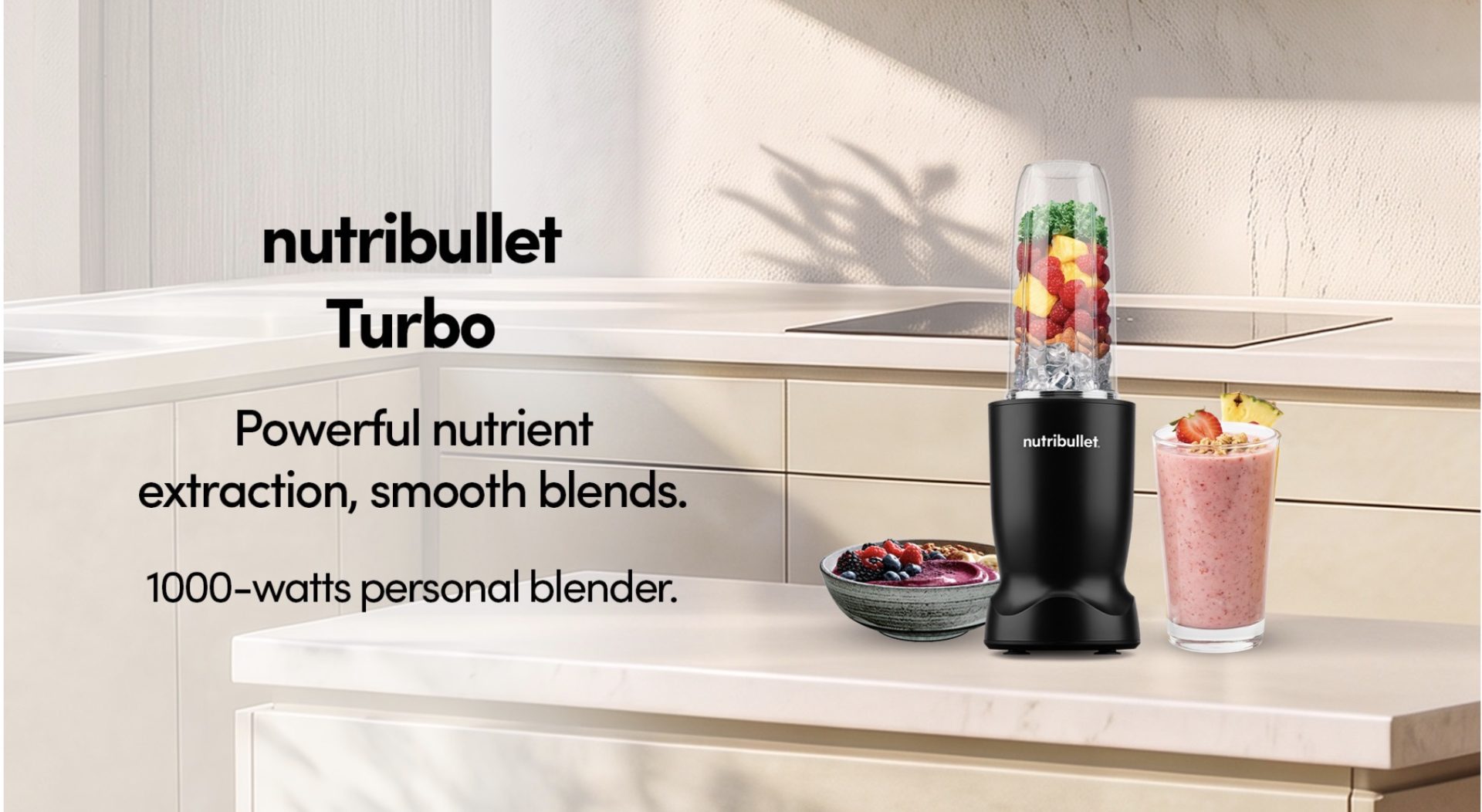
If smoothies are already part of your daily routine, the nutribullet Turbo offers a step up in power.
Equipped with a 1,000-watt motor, this personal blender is designed to handle a wider variety of ingredients while maintaining the convenience of a compact machine.
It’s an option for anyone who regularly blends fruit, vegetables, ice, and other smoothie ingredients, particularly when mornings are too busy for elaborate meal preparation.
During the holidays, that same versatility can come in handy for preparing fruit-based drinks, sauces, and other blended ingredients.
The appeal is straightforward: enough power for everyday blending without requiring the space of a traditional countertop blender.
For people trying to maintain their usual routines amid the inevitable Christmas indulgence, it could be one of the more useful appliances to have around.
nutribullet Power Core: For the family that comes over hungry
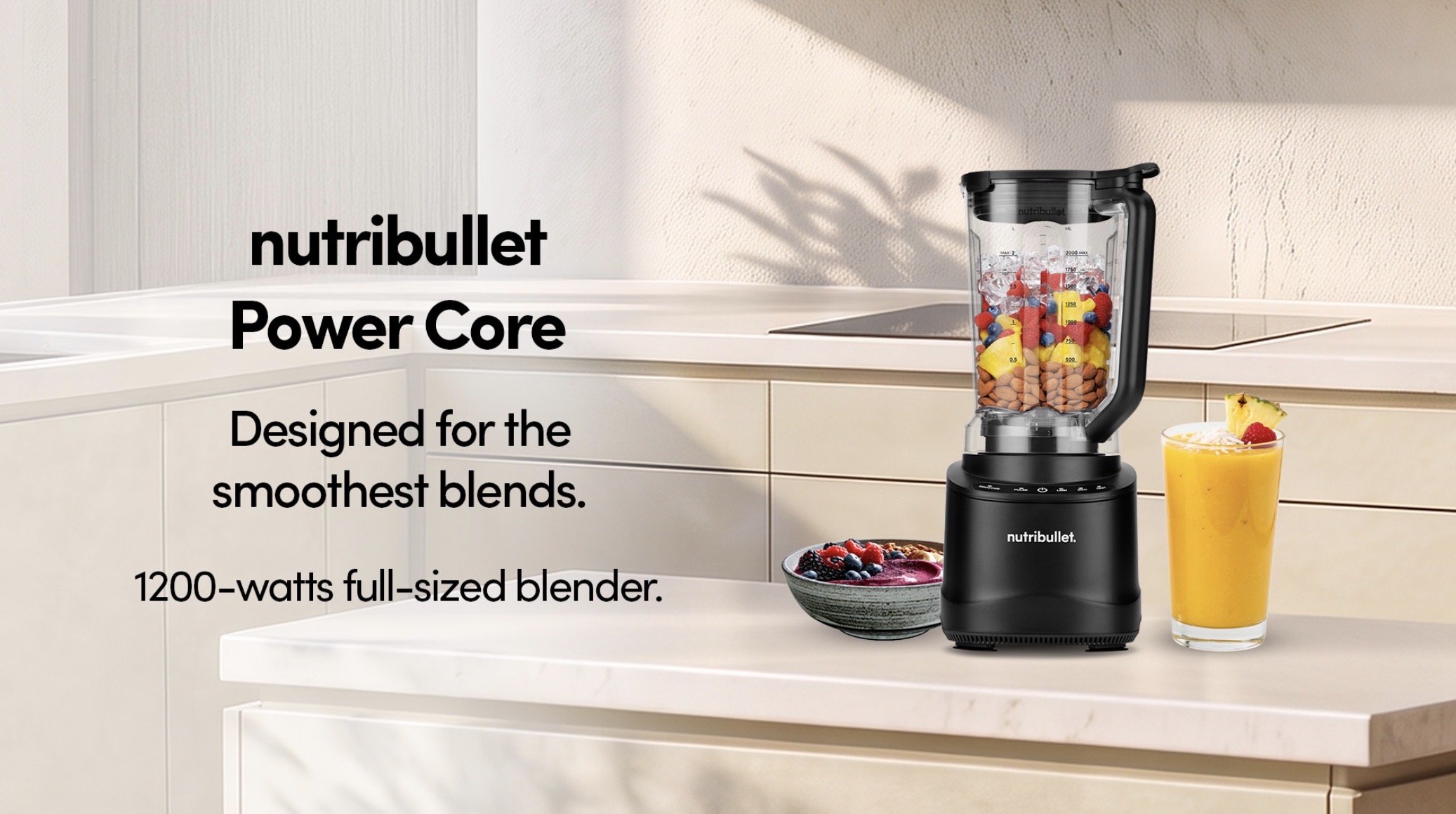
There comes a point during holiday preparations when making everything in individual portions simply stops being practical.
Especially when the entire extended family is coming over.
For larger households and people who regularly entertain, the nutribullet Power Core offers a full-sized alternative to the brand’s personal blenders.
The machine features a 1,200-watt motor, according to the product materials, and is designed for preparing larger quantities of blended ingredients.
That makes it useful for everything from smoothies and fruit drinks to soups, sauces, and other recipes that benefit from a more generous blending capacity.
Imagine preparing a batch of pumpkin soup for Christmas dinner, blending a sauce for the main course, or making enough frozen fruit drinks for several guests.
A larger blender also means fewer batches, which is particularly helpful when you’re already juggling several dishes.
And unlike personal blenders designed primarily for individual servings, the Power Core is better suited to households where cooking and entertaining regularly involve more than one or two people.
nutribullet Chill: For anyone who takes dessert seriously
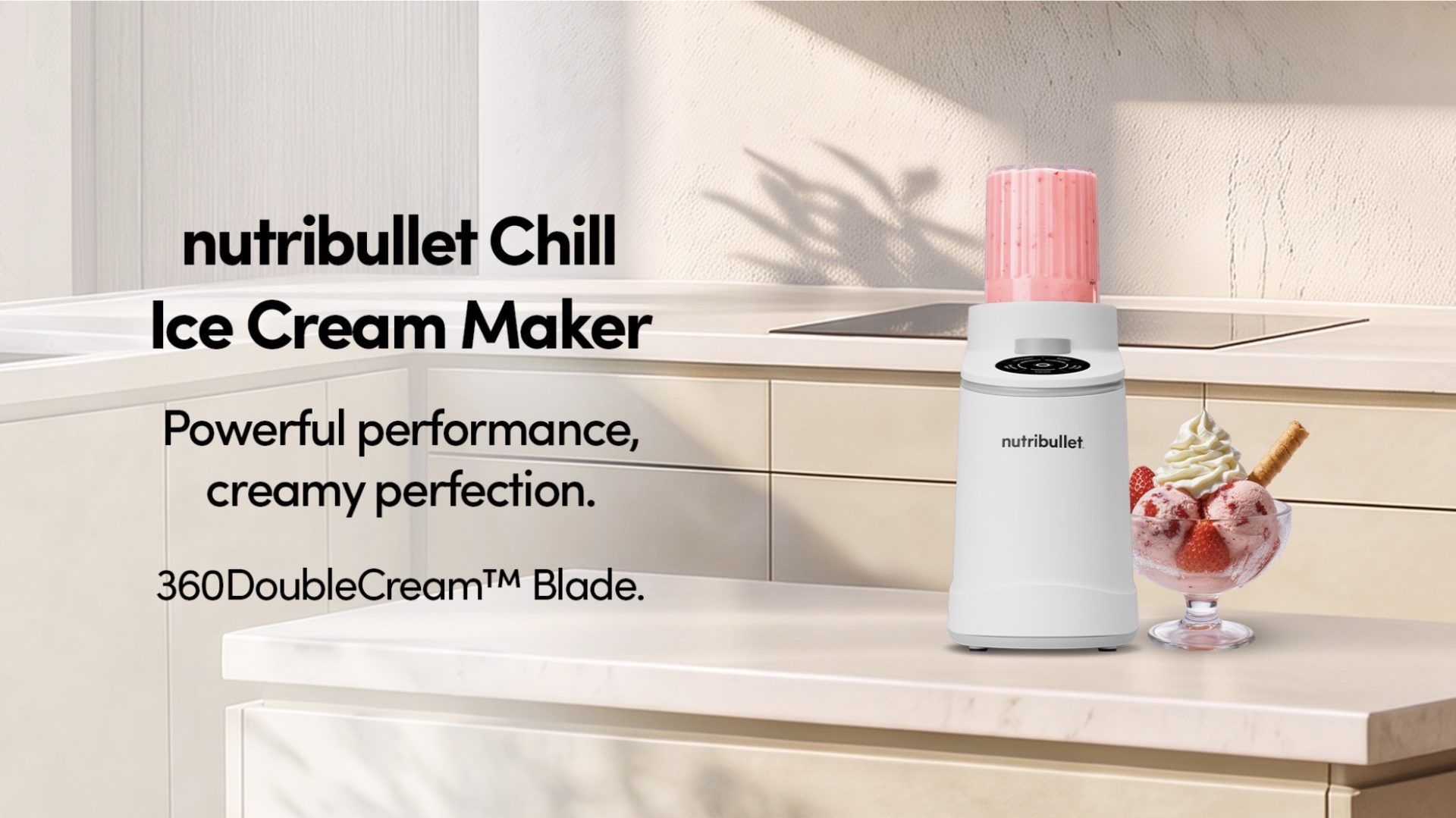
Now, this is where things get particularly interesting.
The nutribullet Chill is an ice cream maker designed for preparing frozen desserts at home, giving users more control over the flavors and ingredients they want to use.
It comes with five preset programs for ice cream, gelato, sorbet, frozen yogurt, and smoothie bowls.
The process involves preparing a dessert base, freezing it in the included pint container, and using the machine to process it into a frozen dessert.
According to nutribullet, its 360DoubleCream Blade Technology uses dual-direction rotation to achieve a smooth, creamy consistency.
For Christmas, the possibilities are particularly appealing.
You could prepare mango sorbet, chocolate ice cream, strawberry frozen yogurt, or a dessert inspired by Filipino holiday favorites.
It’s also an opportunity to experiment with ingredients and sweetness levels, particularly if you’re preparing desserts for people with different preferences.
And if you’re hosting, being able to offer several homemade flavors feels considerably more personal than simply opening another tub of store-bought ice cream.
Making room for better everyday habits
Although the holidays provide a good excuse to upgrade kitchen equipment, the more practical consideration is how often you’ll use these appliances once the decorations have been packed away.
A compact blender makes sense for someone preparing breakfast before work. A larger machine is more useful for families who regularly cook together. And an ice cream maker may appeal to people who enjoy experimenting with homemade desserts.
The best choice ultimately depends on your kitchen space, cooking habits, and the kinds of food you actually prepare.
Because while a new appliance can make cooking more convenient, the real value comes from finding one that earns its place on your countertop long after Christmas.
The new nutribullet lineup is available at the brand’s stores on Level 4 of Mega Fashion Hall, SM Megamall, and Level 2 of Glorietta 2, as well as online at nutribullet.ph.
Features
Inside Infinix’s first global concept store in Bali
Infinix’s first global concept store pairs gadgets with a coffee bar and a robotic arm.

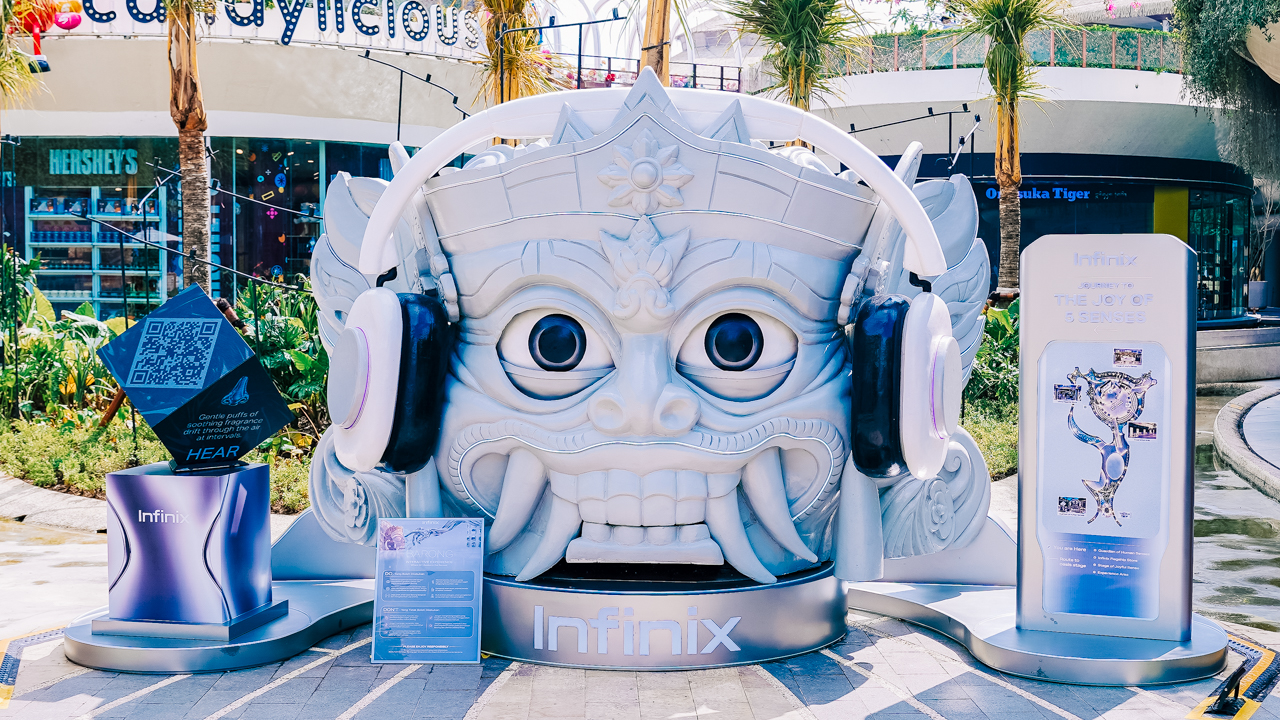
Bali is an island people visit to slow down. It makes sense that Infinix picked it for a store that wants you to stay awhile.
The brand unveiled its first global Flagship Concept Store there. It’s also the first store of this format within parent company Transsion Holdings’ brand portfolio.
Coffee break, Infinix style
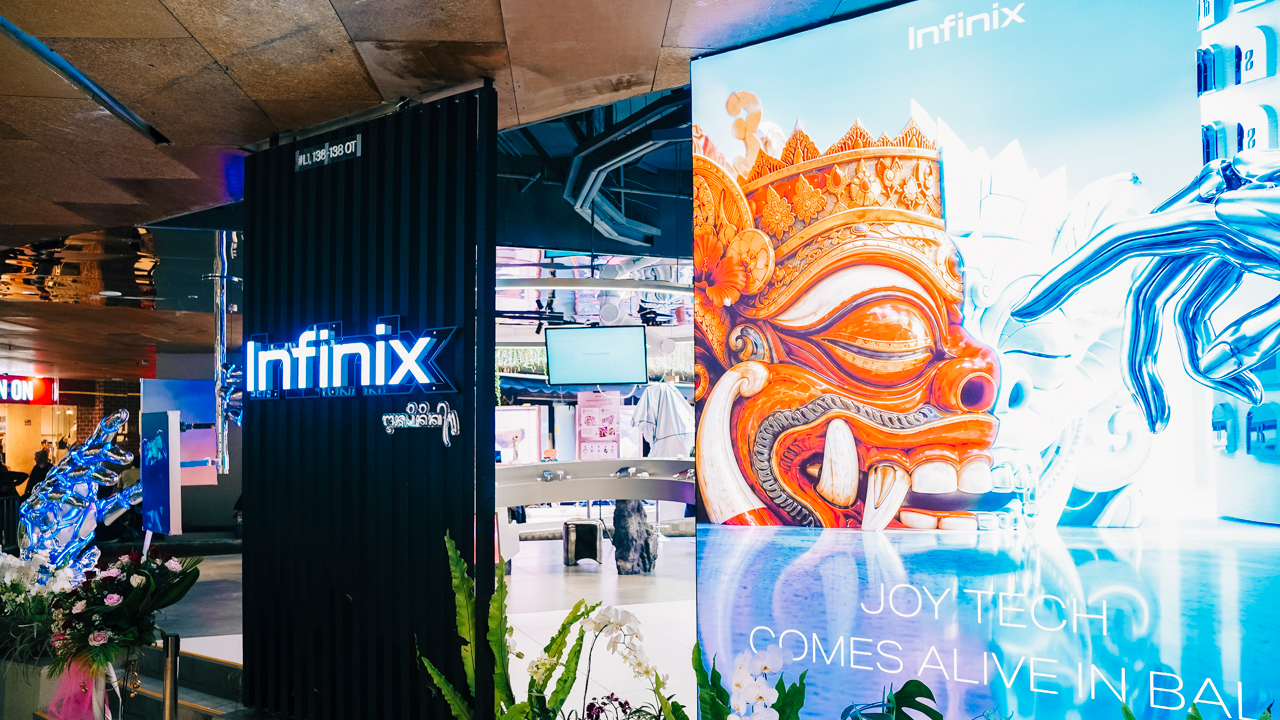
The experience begins before you step inside. The store’s futuristic design and digital visuals are meant to catch your eye from the outside.
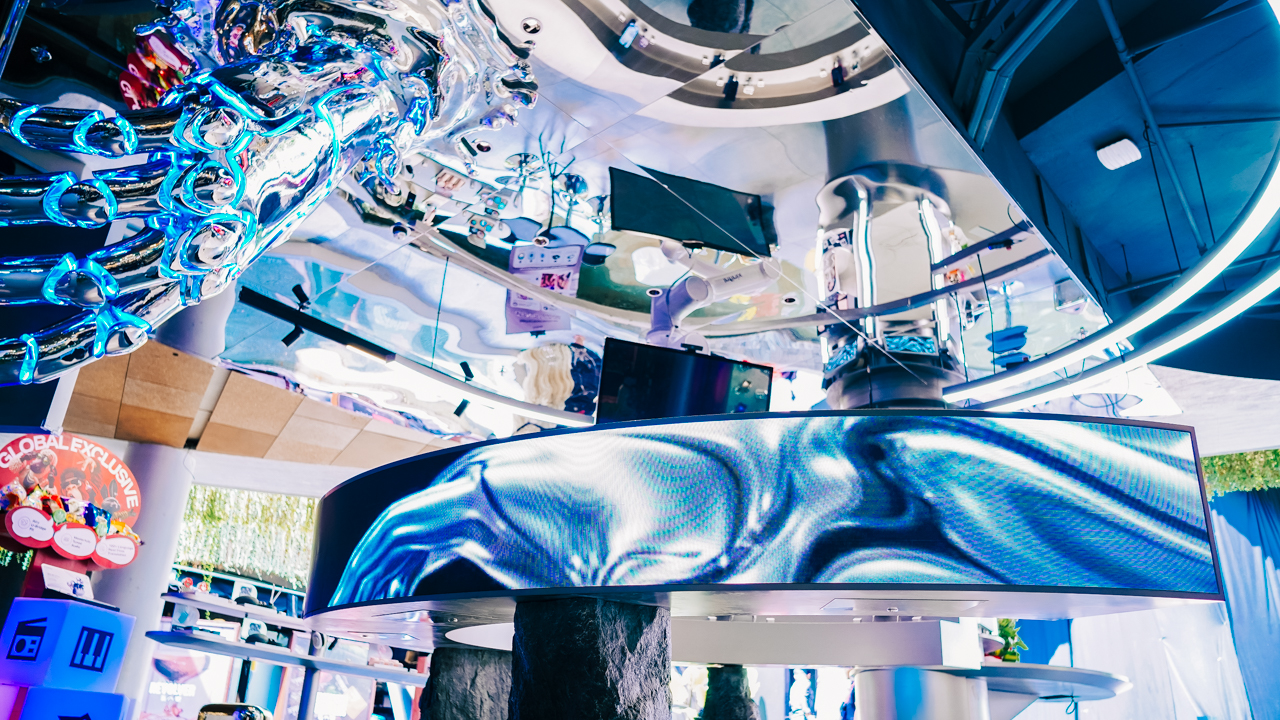
Once you’re in, a robotic-arm installation anchors the space, which looks like a technological imagination turned into a bold visual statement.
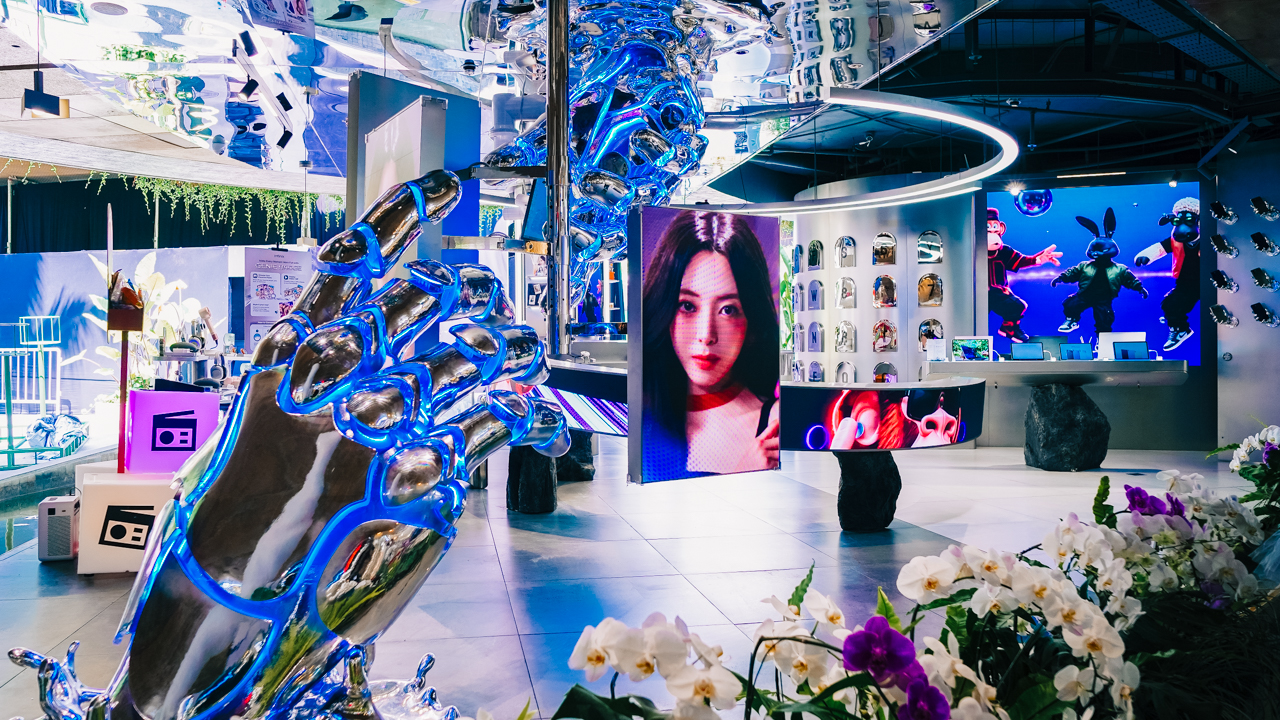
The store’s other signature element is n_x, Infinix’s locally developed coffee brand. For Infinix, a simple coffee break here is an invitation to slow down and enjoy a laid-back moment in the middle of a busy day.
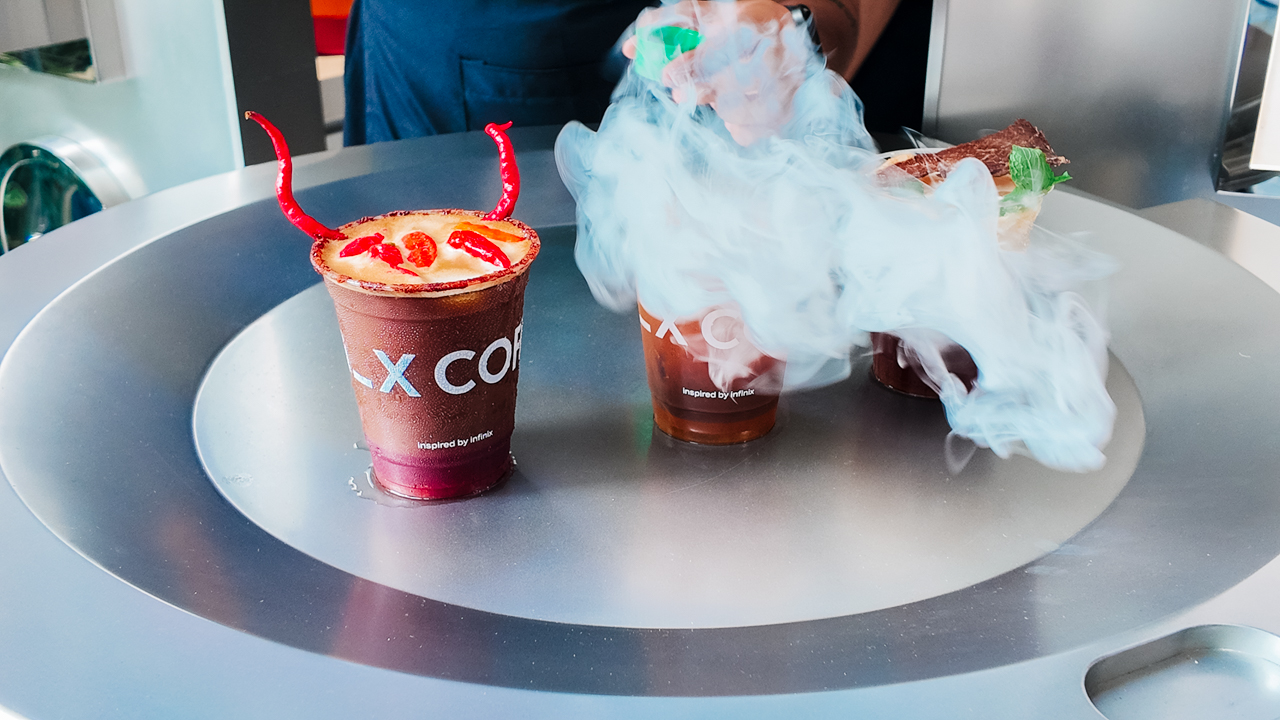
You can catch up with a friend over a cup or take a few minutes for yourself. Together with the robotic arm, n_x gives the store a more relaxed and imaginative side.
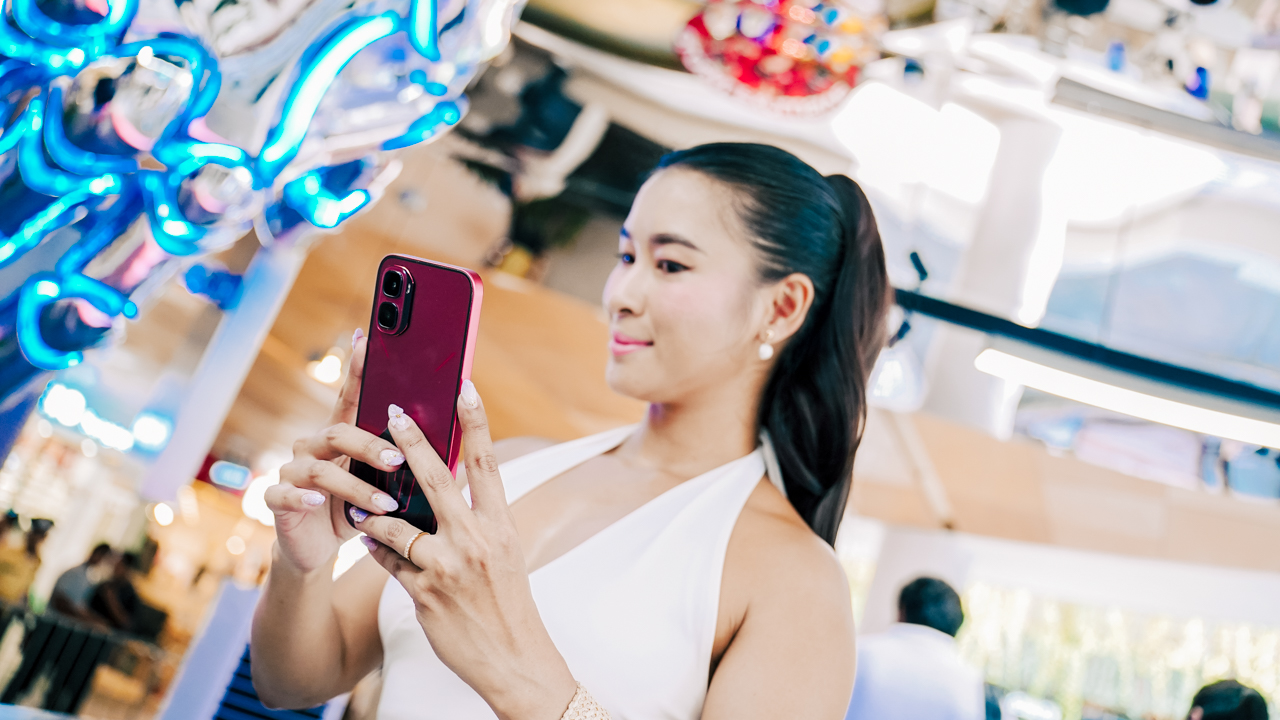
The tech hasn’t gone anywhere, though. The smartphone lineup includes the NOTE 60 and HOT 70 series along with the GT 50 Pro.
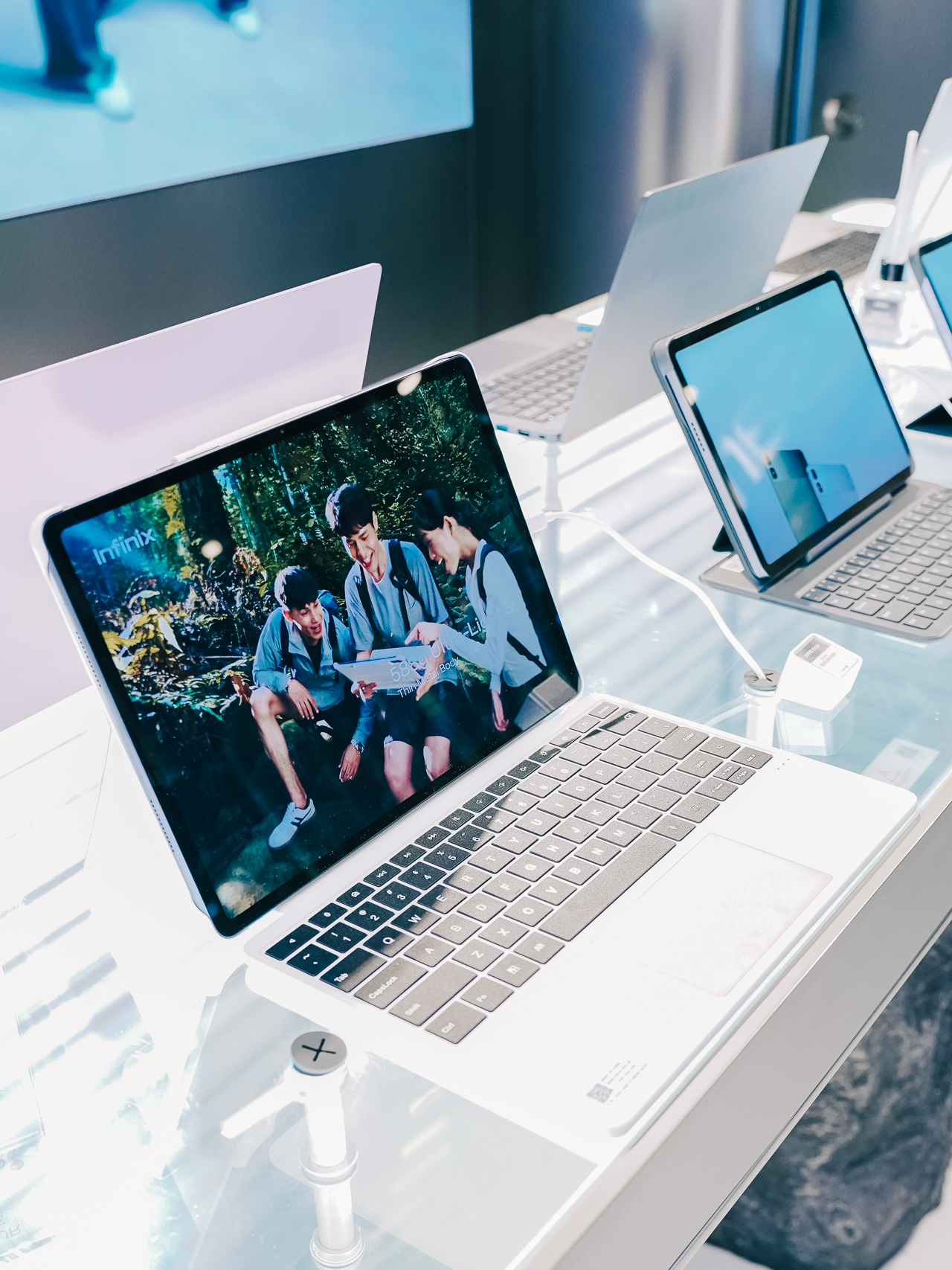
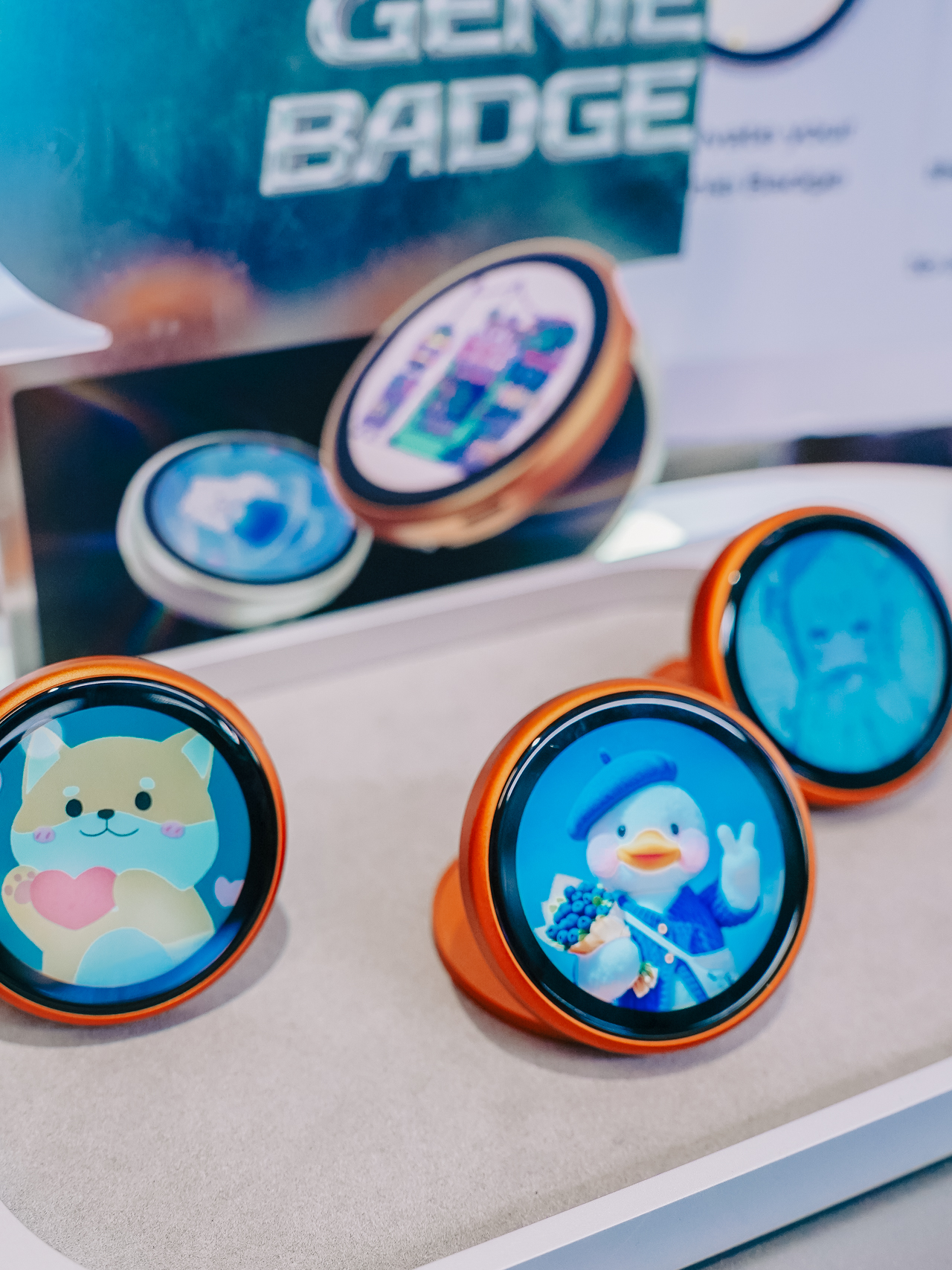

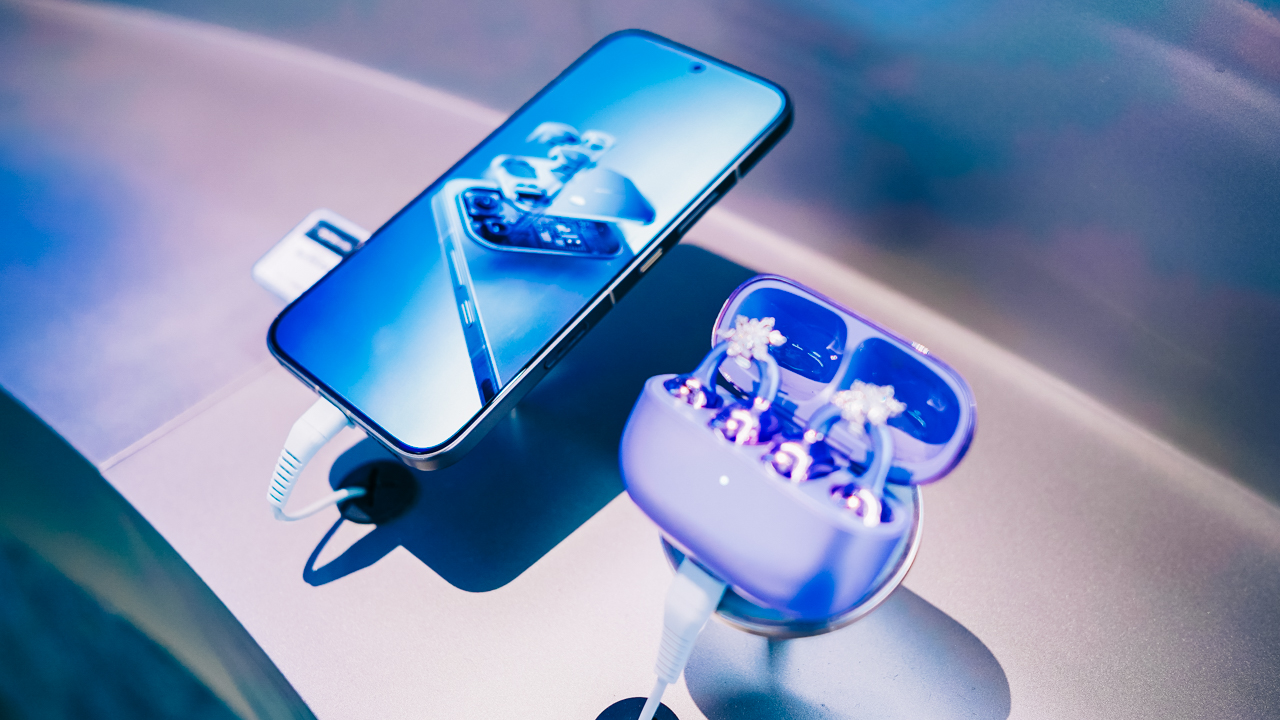
Infinix’s broader AIoT ecosystem is on display as well, with recent products like the ZCLIP 2 Pro clip-on earbuds and SPACE Max wireless headphones.
The XEnergy portable power stations are also part of the lineup.
Making Sense of “1+2+X”
Infinix calls the format its “1+2+X” retail concept. The “1” is the full technology experience, and the “2” refers to the two signature elements, n_x and the robotic arm.
The “X” is the open-ended part. Infinix plans on bringing gaming, music, sports, creative partnerships, interactive content, and community activities over time.
The brand wants to work with artists, musicians, and other creative talents on original content and experiences, rather than only featuring established names or one-off partnerships.
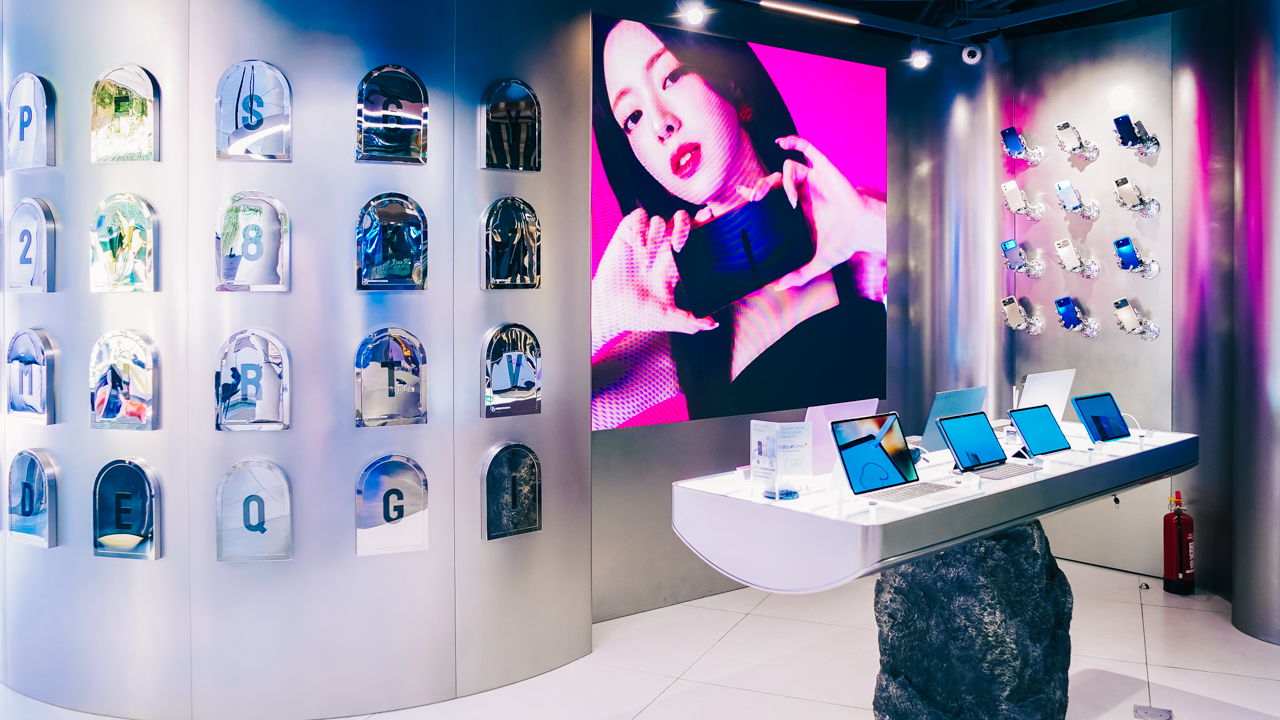
Visitors can also take part through shared experiences, content creation, and feedback. The plan is for the store to keep introducing new collaborations, creative displays, and lifestyle activities after opening, so regulars have fresh reasons to return.
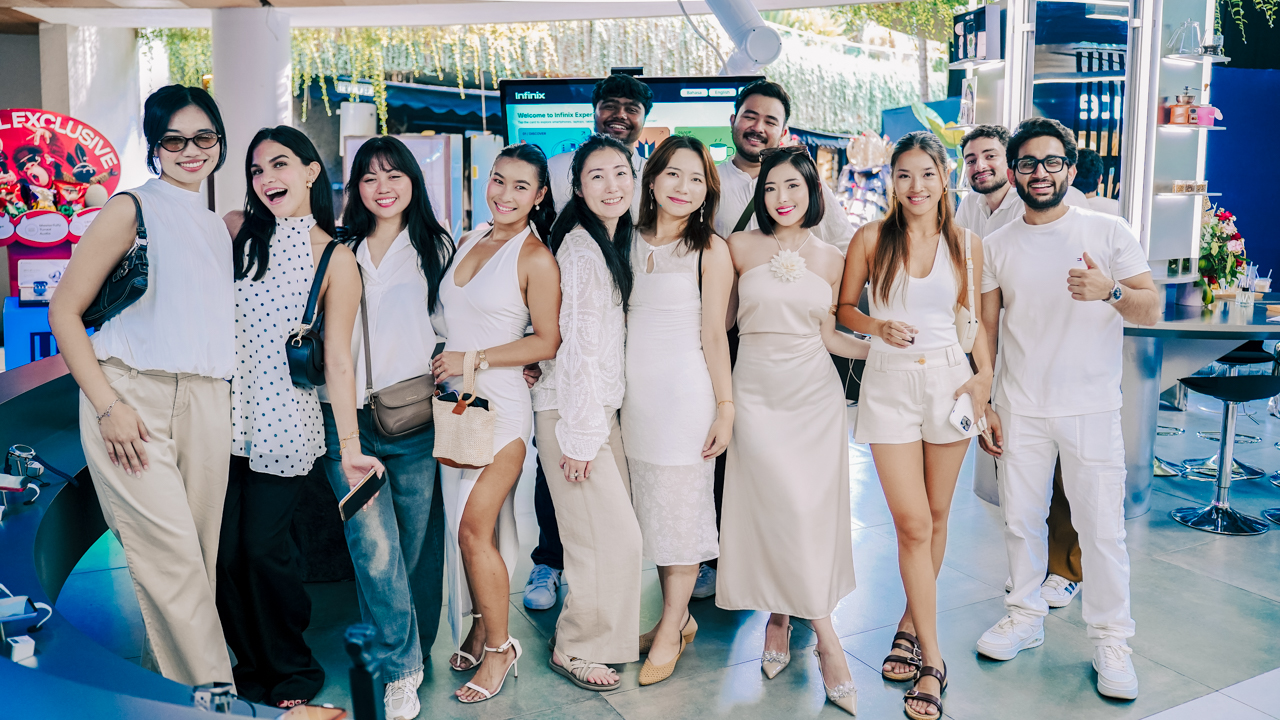
Beyond Bali
Looking ahead, Infinix hopes the Bali store develops a recognizable identity of its own and becomes a destination people return to for its atmosphere and community as much as its products.
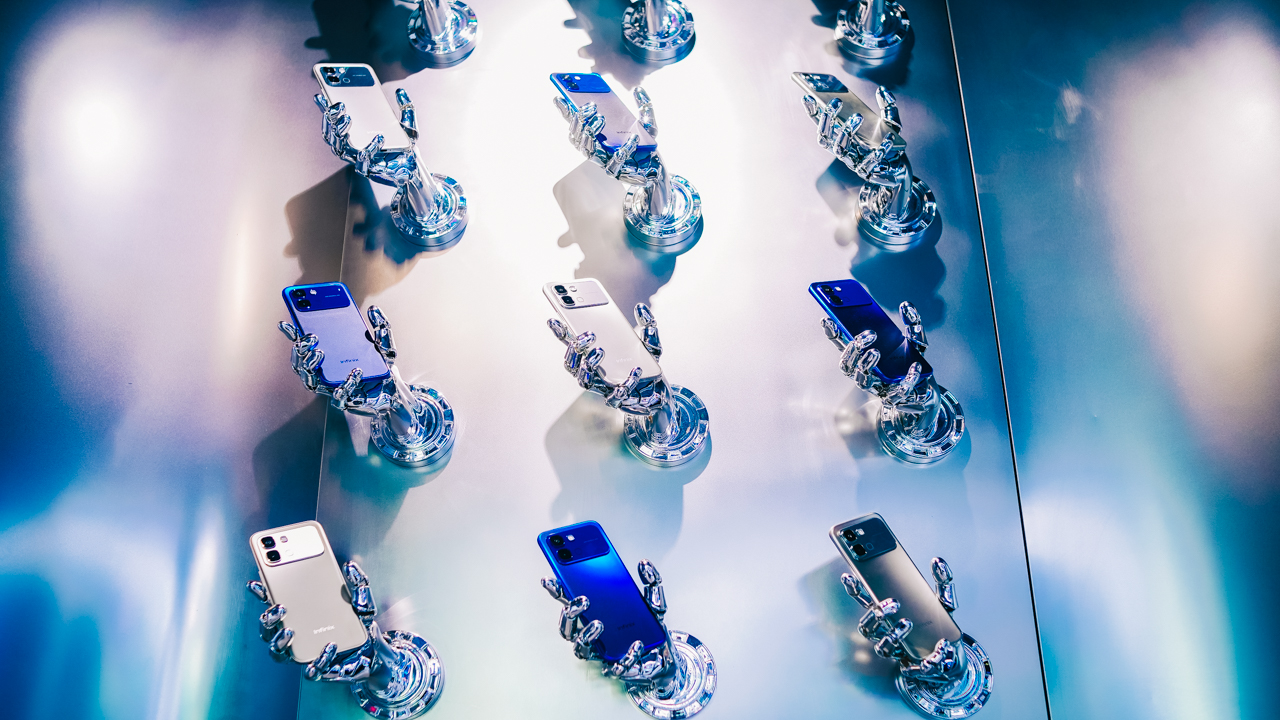
The brand also says this opening is the start of a broader retail push, with five more flagship stores planned across Indonesia this year.
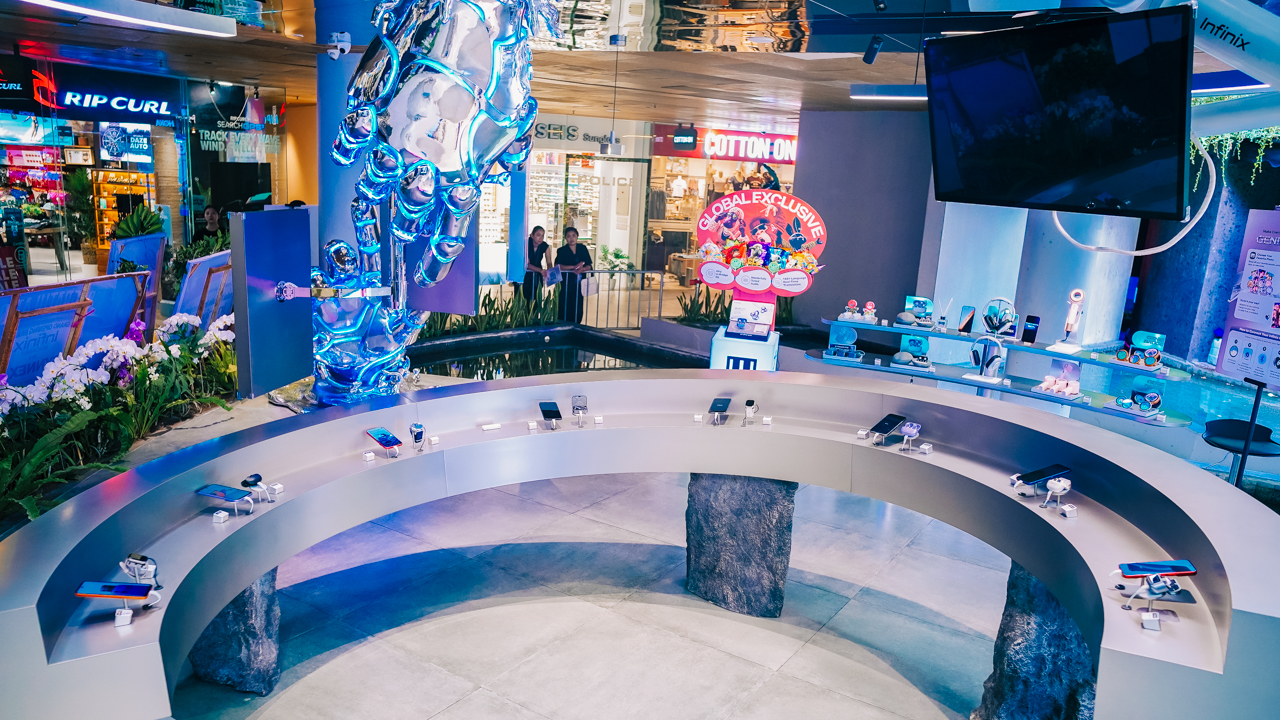
Similar concept-led stores are also being explored in other markets. Infinix states that future locations won’t copy the Bali format and will be adapted to local cultures and lifestyles.
Lifestyle
Your coffee nook is getting a makeover with Starbucks’ holiday collections
Seven collections and a Lazada exclusive arrive from November 3 to December 1.
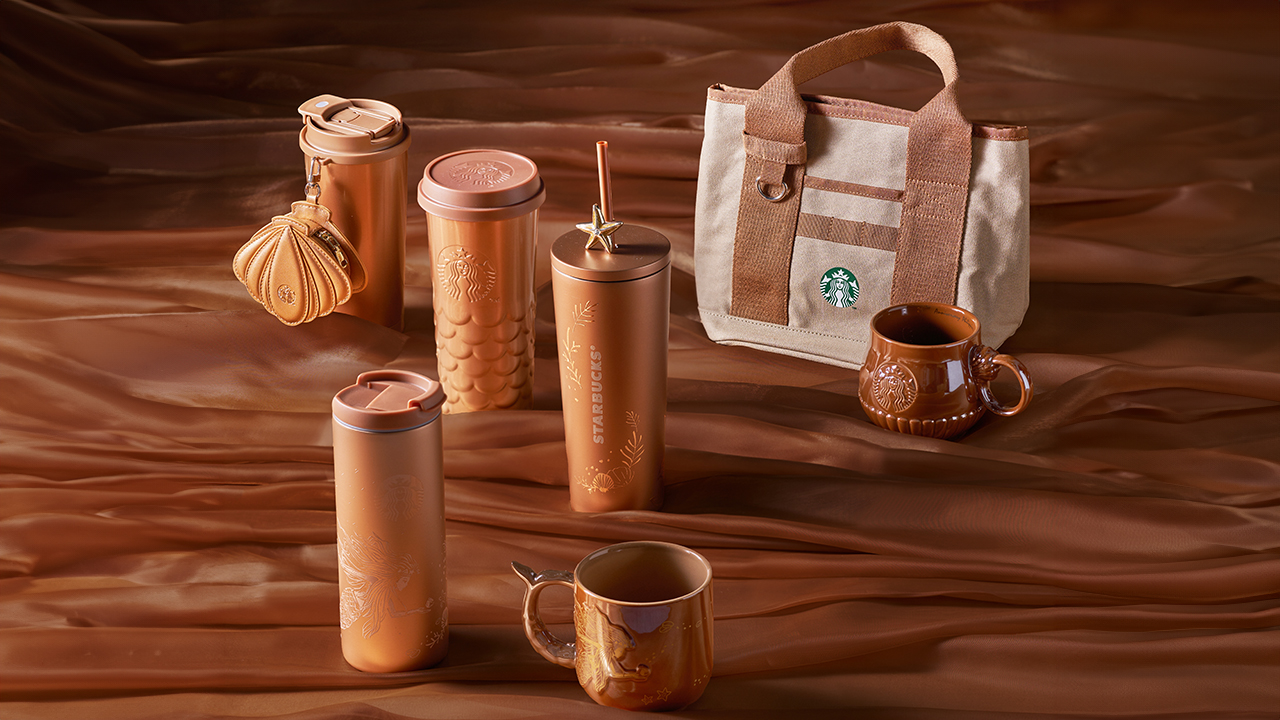
Starbucks Philippines is rolling out its holiday merchandise in waves, starting November 3, and this year’s lineup treats your daily tumbler as a fashion accessory. Here’s what’s arriving, sorted by release dates.
November 3
Midnight Muse (“Wrapped in Sophistication”) is the sparkle-forward pick, with metallic finishes and delicate embellishments.
The 14oz Mug has rhinestone details and a gold rim (PhP 2,645), and the 16oz Mug with Phone Charm comes with a pearl phone chain (PhP 2,245).
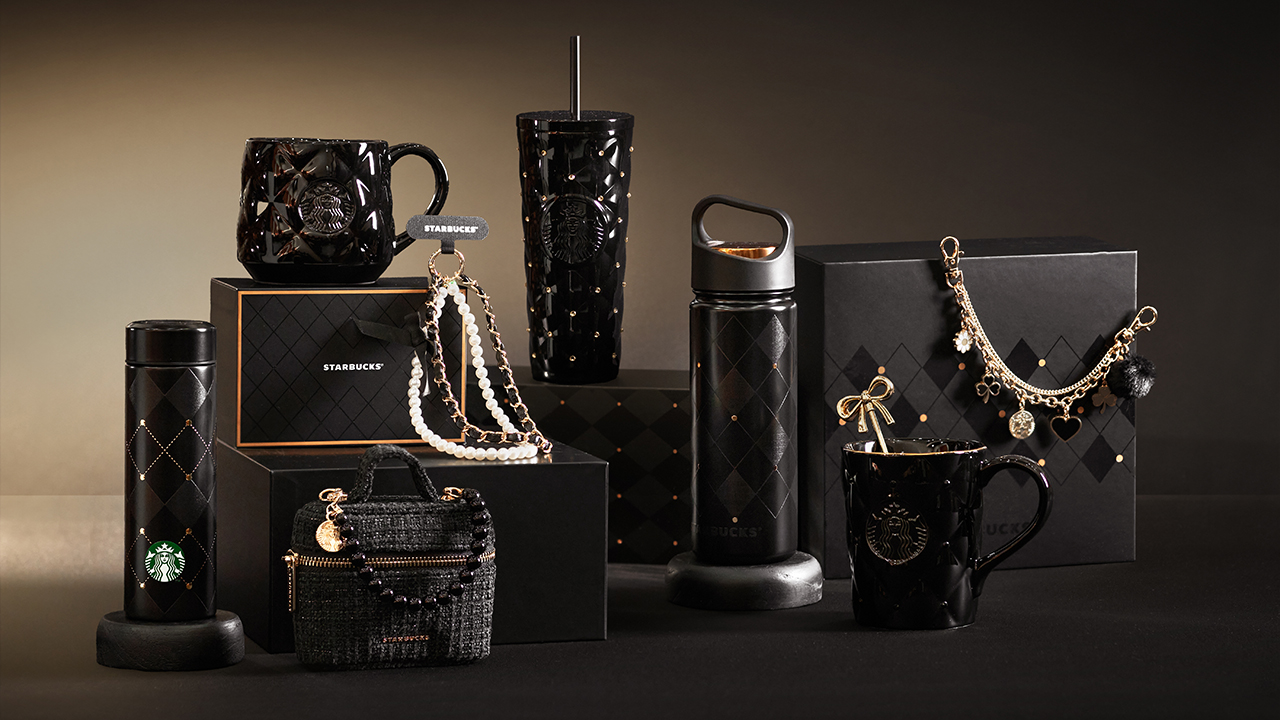
Midnight Muse collection
The Mini Bag is PhP 1,395, and the Bag Charm, which has heart, clover and flower charms plus a fluffy pom, is PhP 925.
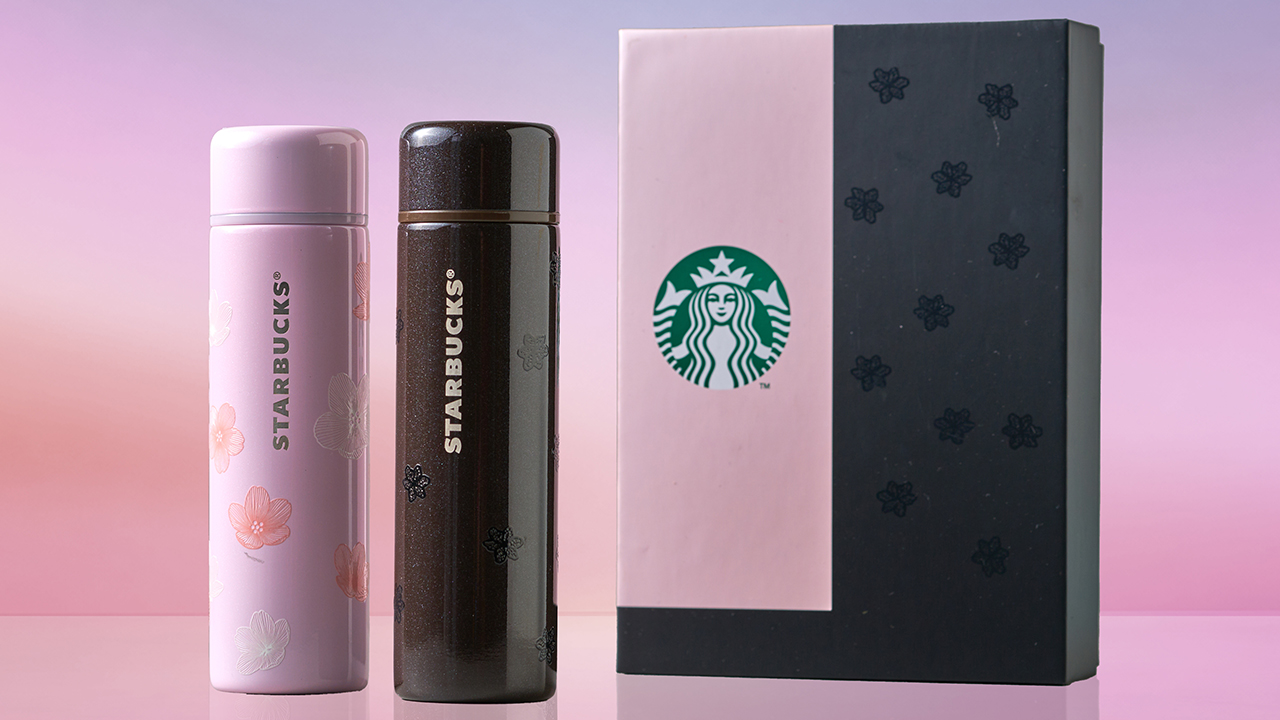
Dusk and Dawn Chic collection
Dusk to Dawn Chic pairs floral artwork with a day-to-night look. Priced at PhP 3,095, it’s sold as a set of 4.9oz stainless steel tumblers with leak-proof lids.
Snow and Ribbon brings festive silk-print artwork to reusable cups, with four designs to collect. The 16oz cups are PhP 245, and the 24oz cups are PhP 285.
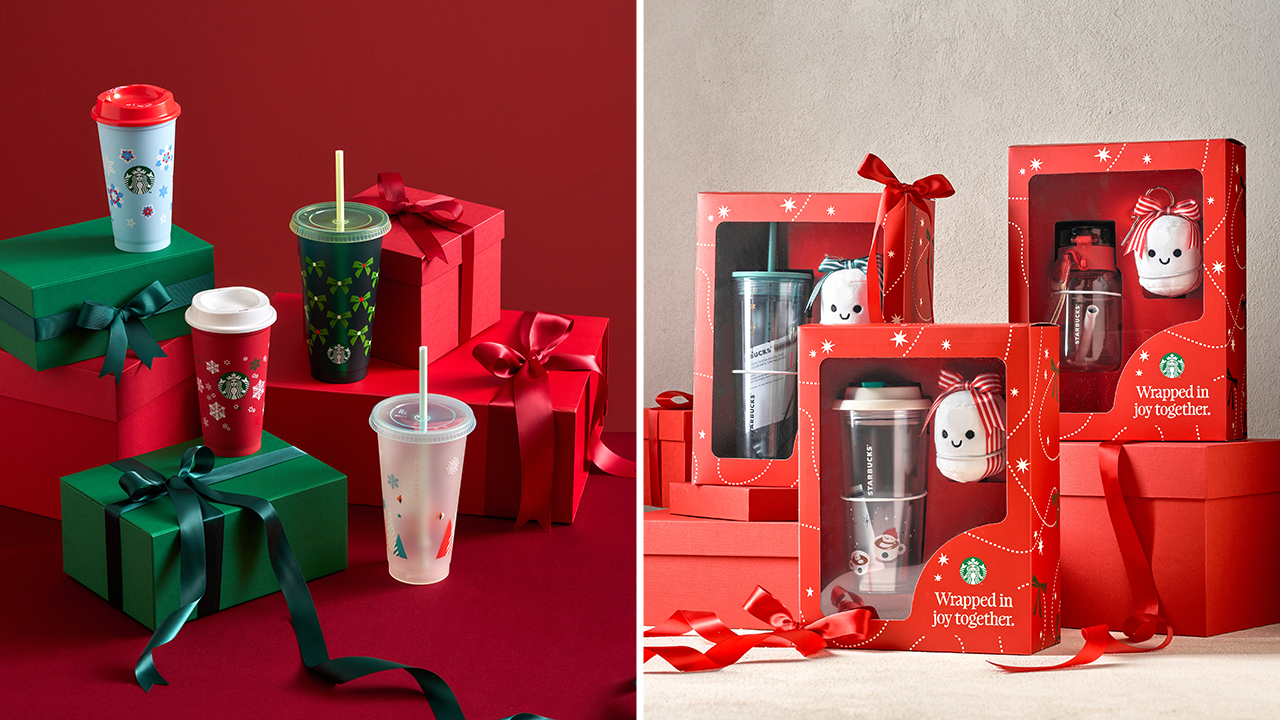
Snow and Ribbon collection (left) and Mallow Charm Bundles, a Lazada exclusive merchandise (right)
On Lazada, the Mallow Charm Bundles pair select holiday drinkware with a Mallow Charm. That includes the 16oz Snowman Marshmallow Coffee Time Tumbler. They’re sold exclusively through the Starbucks Lazada Flagship Store.
November 16
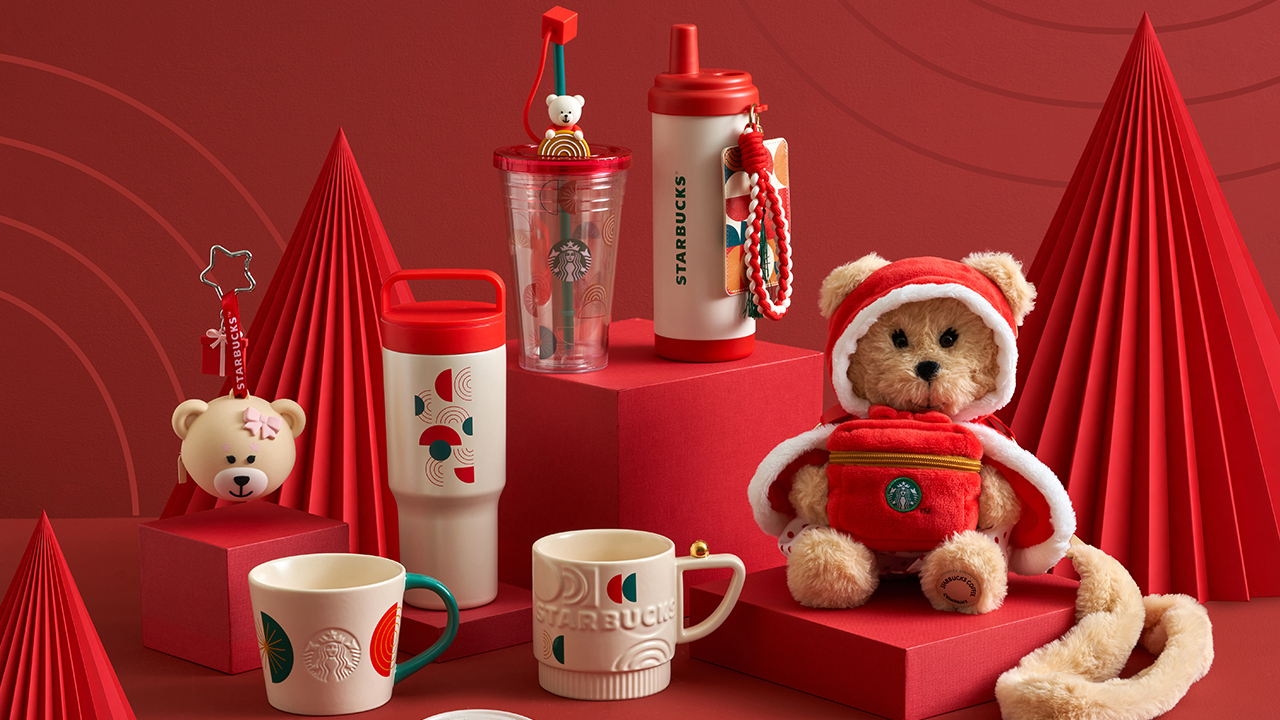
Geometric Holiday collection
Geometric Holiday (“Wrapped in Vibrance”) is the maximalist collection, with bold patterns throughout. The 19oz Tumbler has a carry handle and a tea infuser lid (PhP 1,595), and the 18oz Cold Cup comes with a cardholder (PhP 2,295). The Bearista
Plushie in a red suit doubles as a bag (PhP 2,145), and the Coffee Coaster, made from recycled coffee waste, is PhP 695.
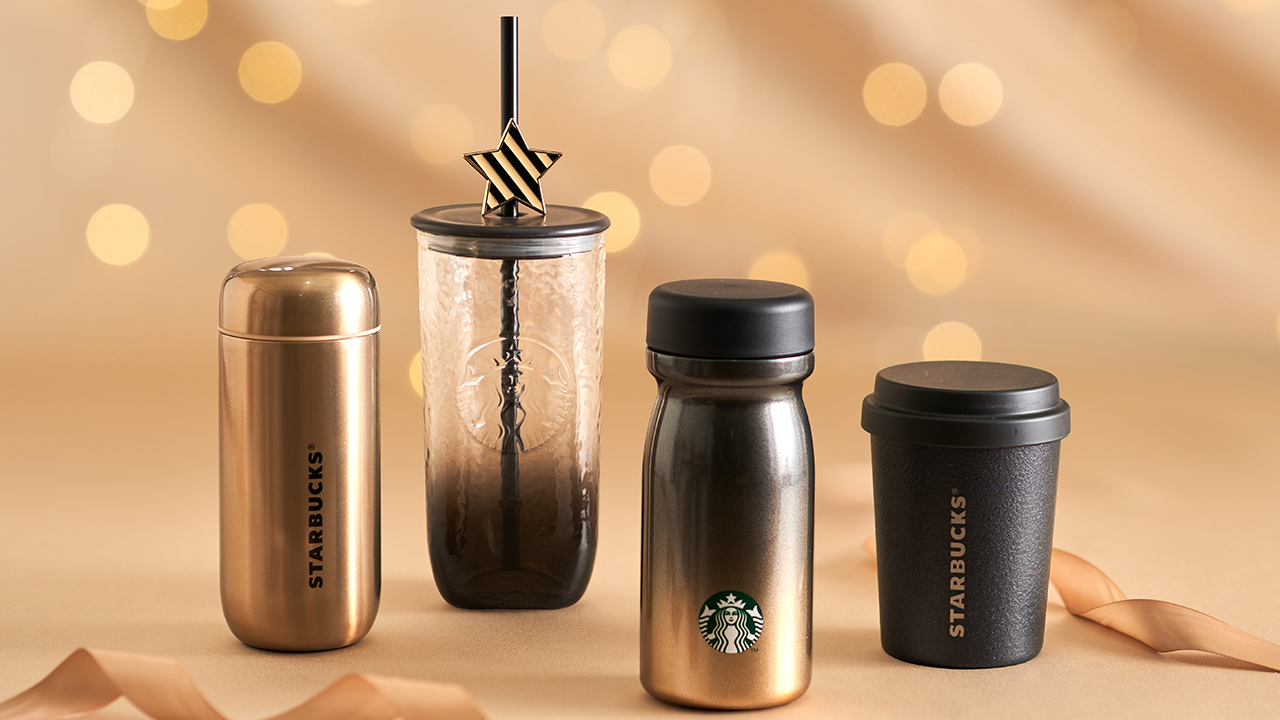
Champagne Simmer collection
Champagne Shimmer is all metallic finishes and lightweight, compact designs. The 16oz Cold Cup with Straw Charm has a star-shaped charm and an embossed Siren logo (PhP 2,075). The 8oz Stainless Steel Tumbler is shaped like the classic Starbucks paper cup (PhP 1,895).
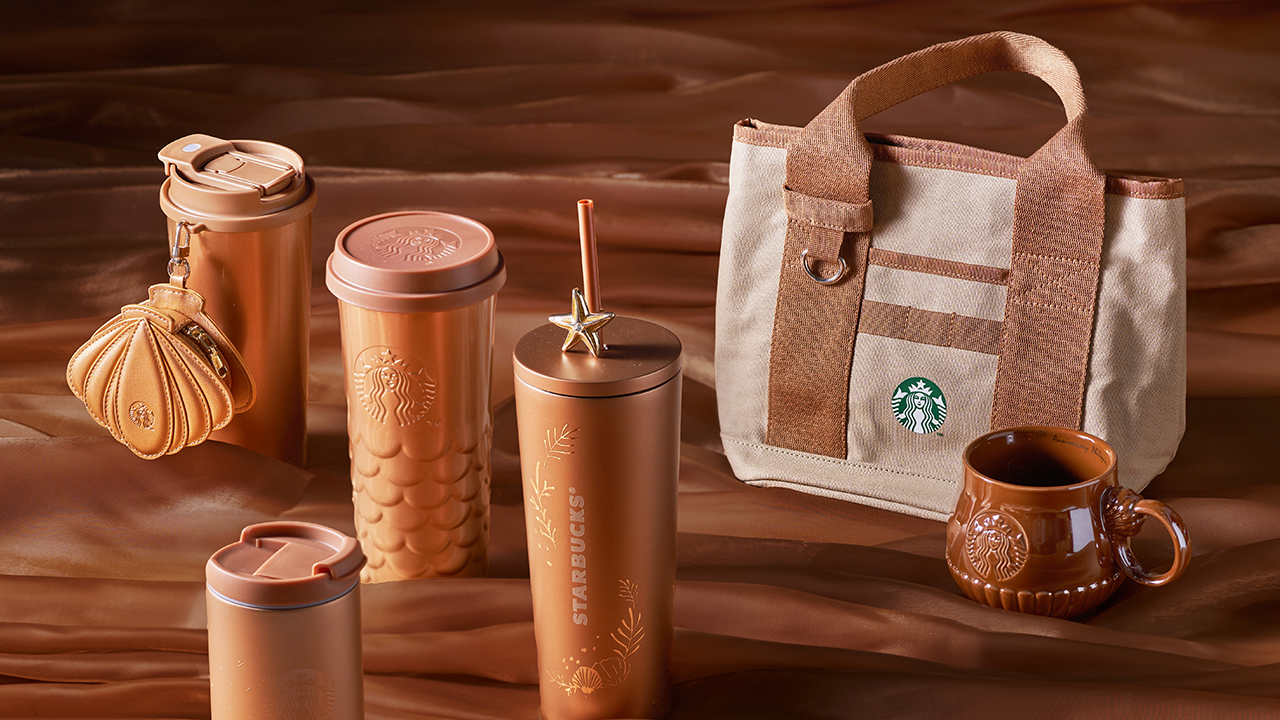
29th Anniversary Collection
The 29th Anniversary collection takes its cues from the sea, with pearlescent finishes and mermaid details. The 12oz Ceramic Siren Mug is PhP 1,345, and the 12oz Ceramic Shell Mug has a seashell-inspired handle (PhP 1,395).
The 16oz Tumbler with Pouch comes with a shell-shaped earbuds pouch (PhP 2,245), and the Canvas Tote Bag has a charm-friendly ring on the handle (PhP 1,295).
December 1
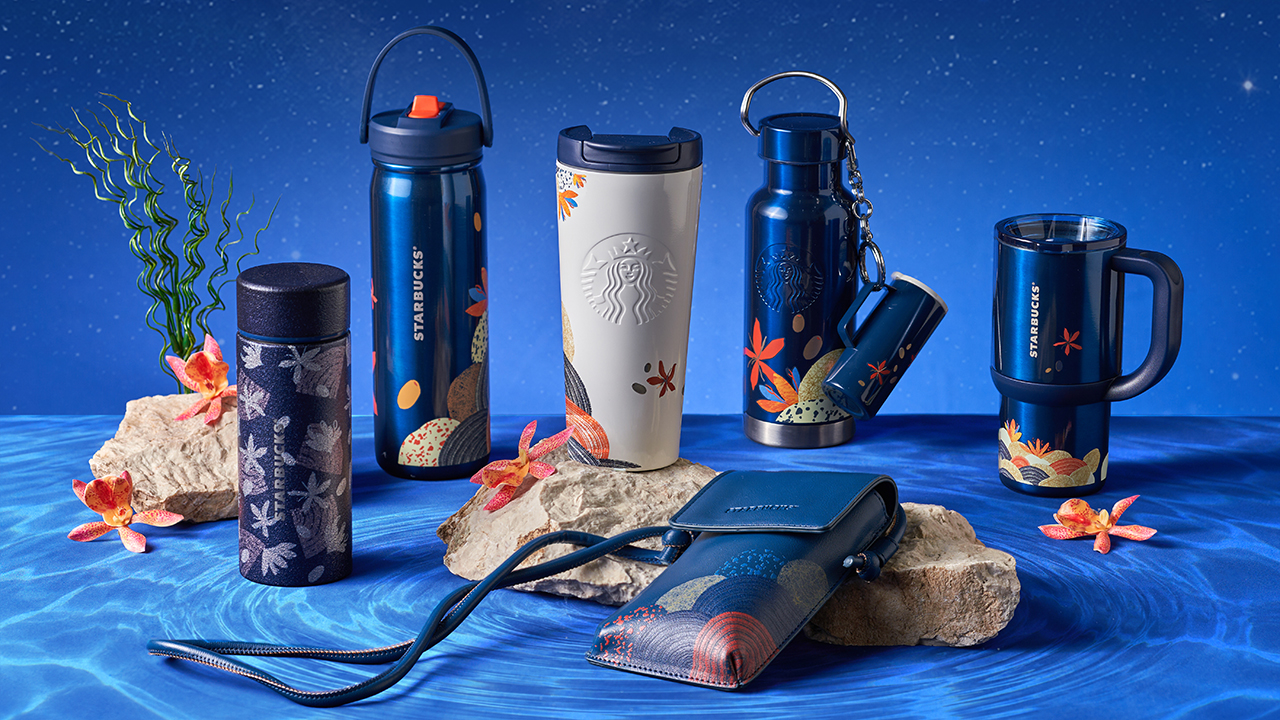
Moonlit Blue collection
Moonlit Blue (“Wrapped in Enchantment”) is the most understated of the bunch, with cooler tones and dreamy finishes. The 20oz Water Bottle has a handled lid with a retractable straw (PhP 1,775), and the 16oz Water Bottle comes with a metal keyring and charm (PhP 2,195).
The 12oz Tumbler has a glitter finish (PhP 1,895), and the Crossbody Pouch fits most phone sizes (PhP 1,295).


ROG G700 review: The best prebuilt PC you can get off the shelf
This PC will make you stop worrying about specs.


HP OMEN Max 16 review: Gamer-maxxing in deep black
Peripherals deemed necessary to max this out


vivo V80 review: Good phone, tough sell
A capable travel companion

The next Elder Scrolls game is called Sentinel

4 new nutribullet kitchen essentials to make holiday hosting easier

Inside Infinix’s first global concept store in Bali

Wild Rift Patch 7.3, celebrates K/DA comeback

LG showcases its latest AI TVs in the Philippines


-

 News2 weeks ago
OPPO Find X10 Series: Price, availability in the Philippines
-

 Lifestyle2 days ago
Your coffee nook is getting a makeover with Starbucks’ holiday collections
-

 News2 weeks ago
OPPO Find X10 Series: Price, availability
-
Gaming2 weeks ago
HP OMEN Max 16 review: Gamer-maxxing in deep black
-
 Lifestyle4 days ago
Sticker season is back, and so is the planner your ~friends~ might fill in for you
-

 Apps2 weeks ago
Apple Music is getting a Liquid Glass makeover
-
 Hands-On2 weeks ago
Apple iPhone Duo Unboxing and Hands-on
-

 Gaming2 weeks ago
FINAL FANTASY RESONANCE now available across major platforms