
Computers
Huawei MateStation S review: One smart workstation
Bringing the entire master race together in one suite

Desktop workstations work the same way the moment you get them: boot it up, and start working on your reports or presentations. The moment you press the button, you come prepared with every piece of hardware you need to get going. From your smartphone and storage devices to wireless headsets, this is how an ideal workstation practically looks like.
However, the integration of all of these technologies into one workstation requires a ton of things to consider. From compatible hardware to required software, you can’t fully optimize everything in, supposedly, one sitting. Well, Huawei thought you probably could. You just need the proper hardware to bring everything together.

Enter the Huawei MateStation S and the suite of peripherals it can come with. The entire system comes with features that ultimately enhance the workstation experience, while integrating smart features here and there. For a company’s latest attempt in expanding their portfolio, I feel this is their way of creating an entire ecosystem.
But, is this workstation even worth looking at? Well, here’s what you’re getting with the MateStation S:
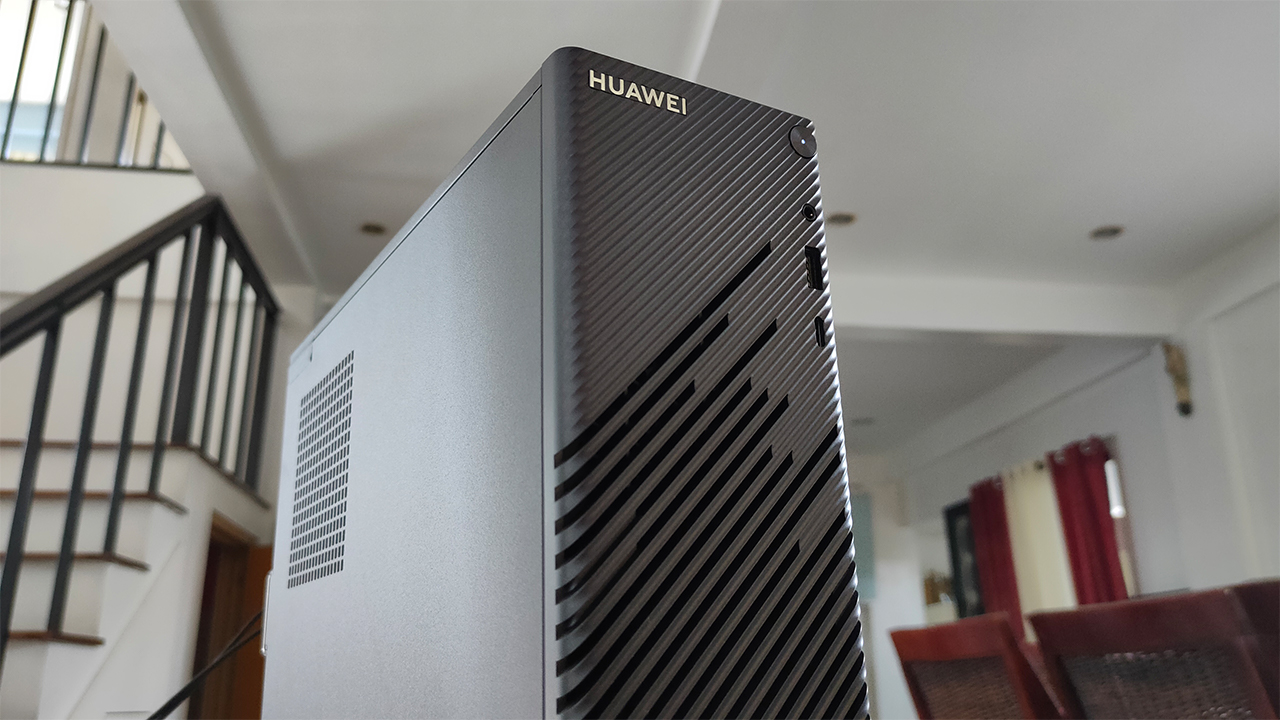
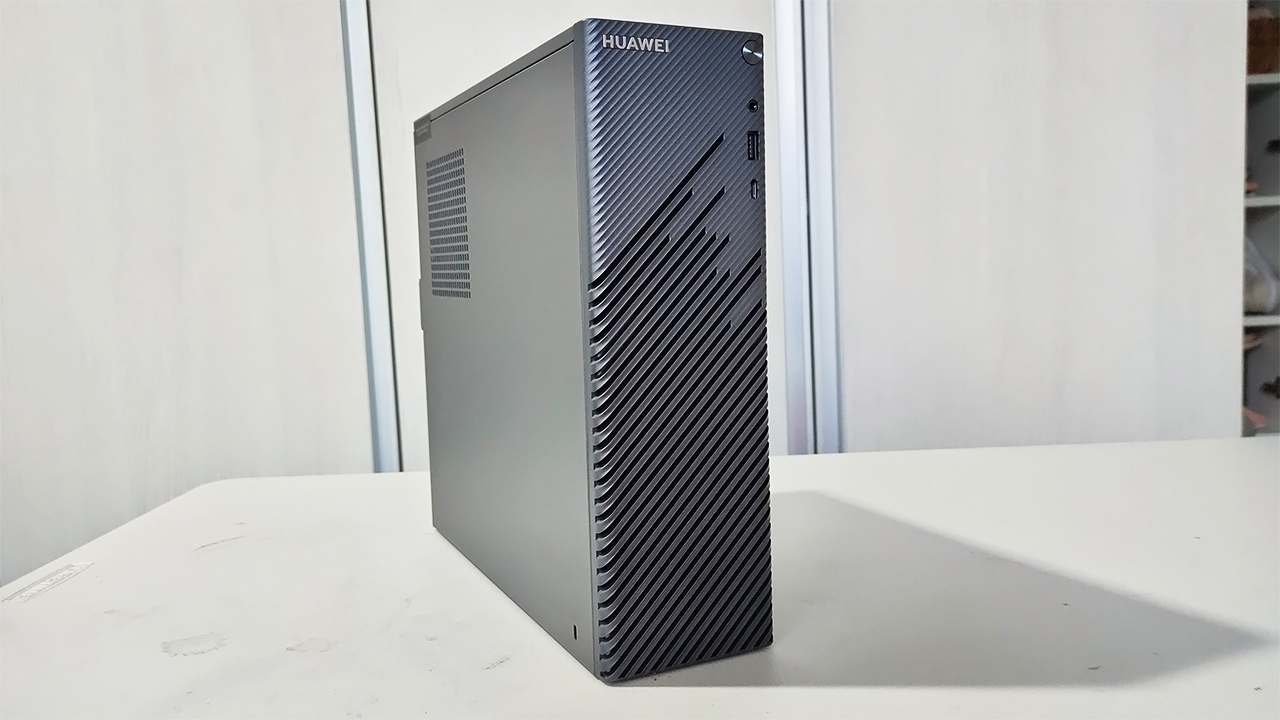
It comes in a compact form factor with a Star Trail design
Inside, it is powered by a 4th generation AMD Ryzen CPU
It only comes in the Space Gray colorway
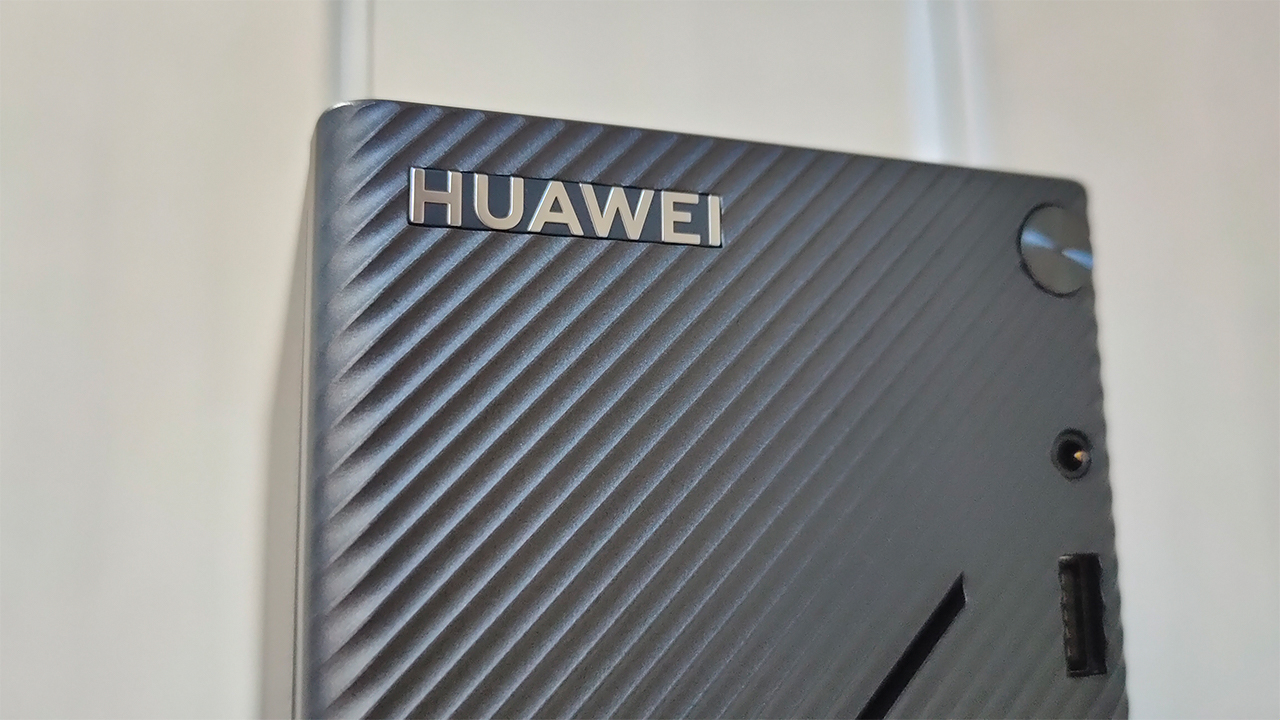
Well-thought out design, but be careful
The main star of the show is this compact prebuilt system in Space Gray. Honestly, I was surprised that a workstation like this comes in a relatively small package. Like I mentioned before, its compact form factor makes it relatively easy to move around and place anywhere. I felt that this would be a good thing for people who have cramped work spaces.
Huawei also didn’t mind putting in a little flare in there with the Star Light design at the front panel. To be honest, I was looking for some way this could be useful to the system in terms of ventilation. Upon my usage of it, it’s mostly just for pure aesthetics since there’s no air coming out of it.
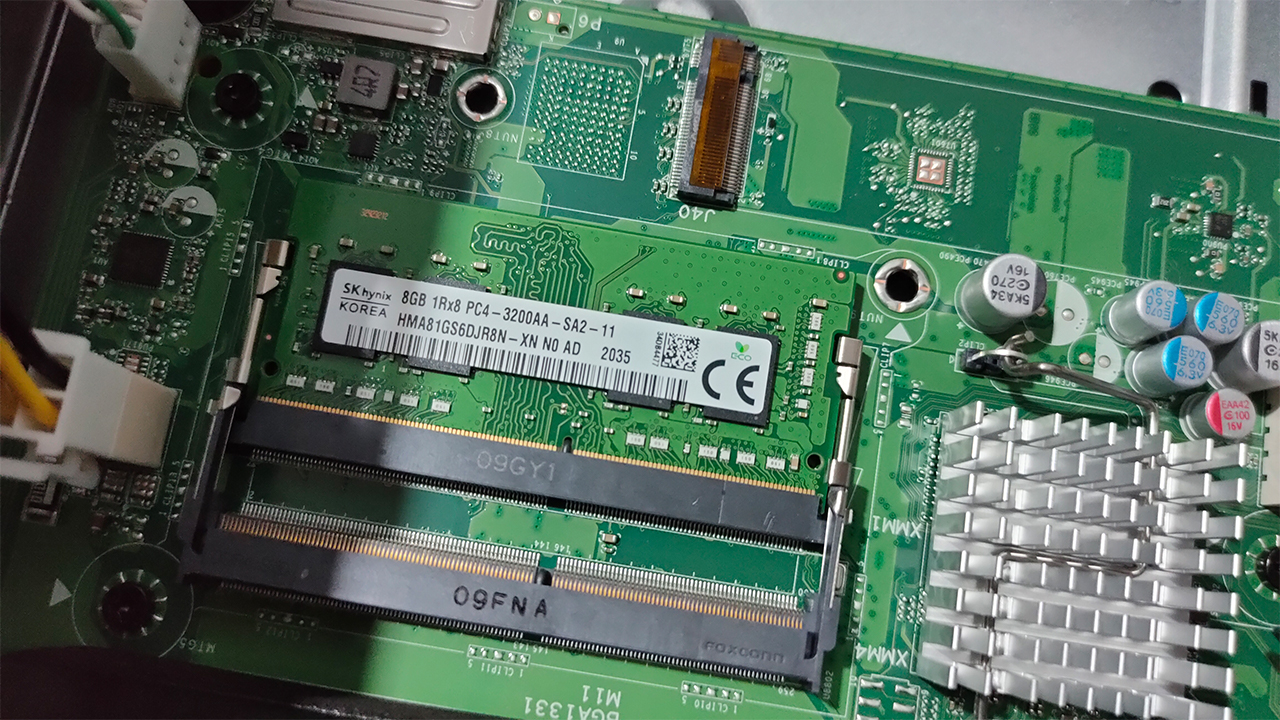
An extra slot for mobile RAM and another M.2 SSD
Now, this system isn’t actually totally complete in terms of a full upgrade. I’ll run down the spec sheet later on, but I found out there’s room for upgradability inside the system. From additional RAM to even installing a dedicated GPU, this is a workstation that you can turn into a beast. Of course, you have to willingly void your warranty early if you choose to open this up.
Workstation performance fit for WFH
Inside the Huawei MateStation S is an AMD Ryzen 5 4600G processor, which offers great performance and power efficiency. This hexa-core processor is great for even most basic workstations you either plan to buy or build. Along with the Ryzen 5 4600G, the MateStation S comes only with integrated Radeon graphics and 8GB of RAM.
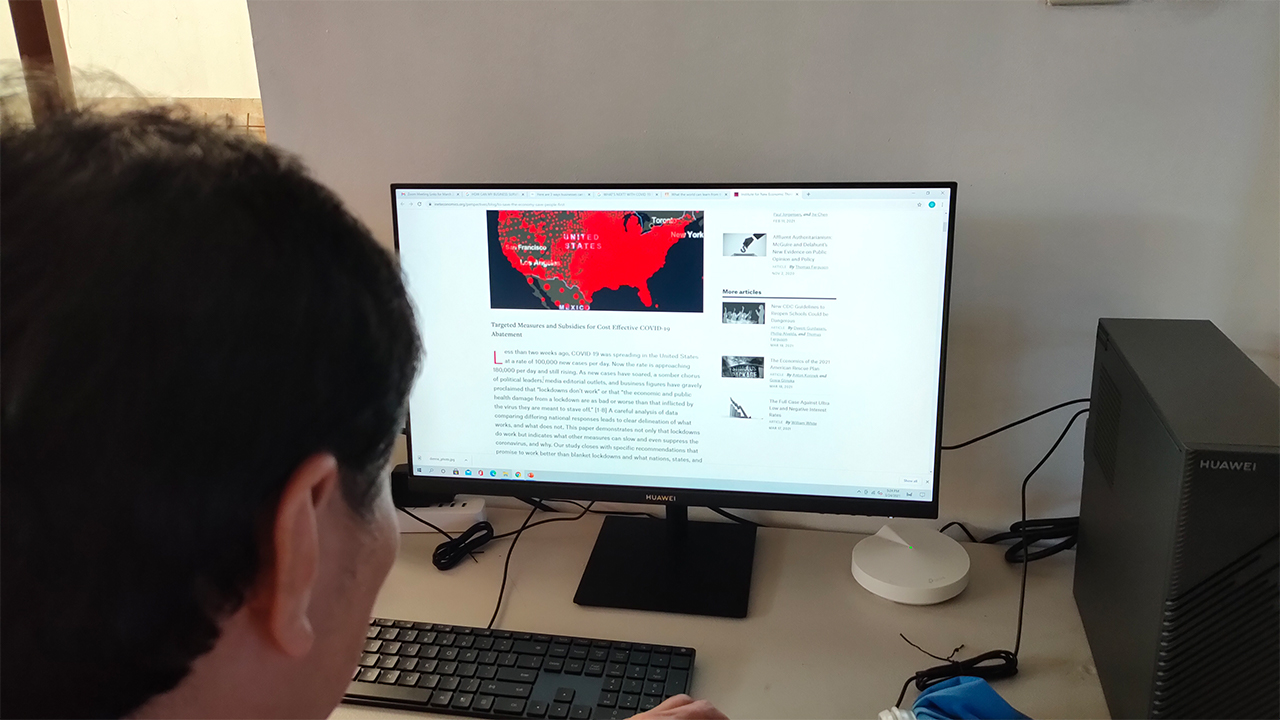
For the most part, I had a pleasant experience using this machine for some of my business-centric tasks on my day job. From creating process documents and data reports to online video conferences, the system handled all of these quite well. When using this for social media browsing and HD video playback, it still remains fast and responsive.
Although, I don’t recommend using this workstation in its current configuration for graphic-intensive work. Sure, basic photo editing and older games work on this system but the integrated graphics option simply can’t afford going higher than that. The good thing is you can pry the system open and upgrade your RAM and GPU, but at your own risk.
Comes with a great, optional display option
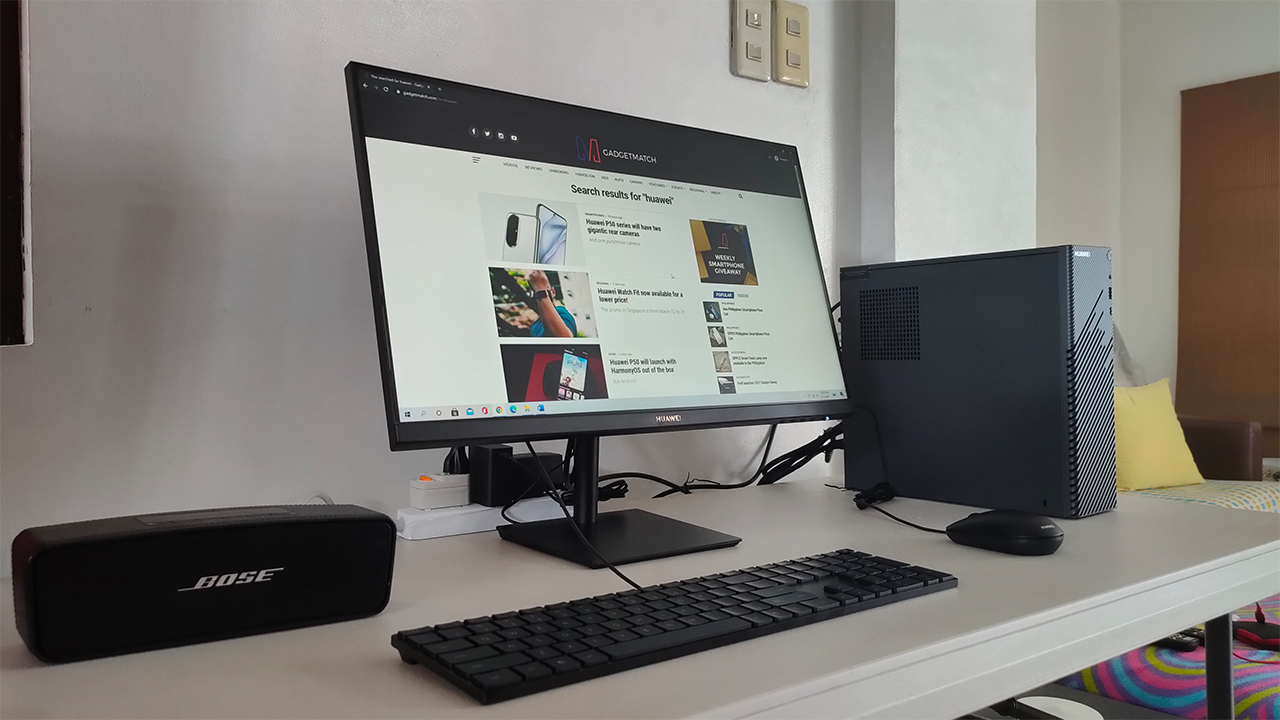
Obviously, the MateStation S isn’t the only thing the entire suite contains but from here on out, these are purely optional stuff. First up is the Huawei Display, which comes in at PhP 7,999. It’s a 23.8-inch FHD display which is designed like any other monitor for offices. Apart from the gold Huawei branding and the sleek black color, there’s really nothing else fancy about it.
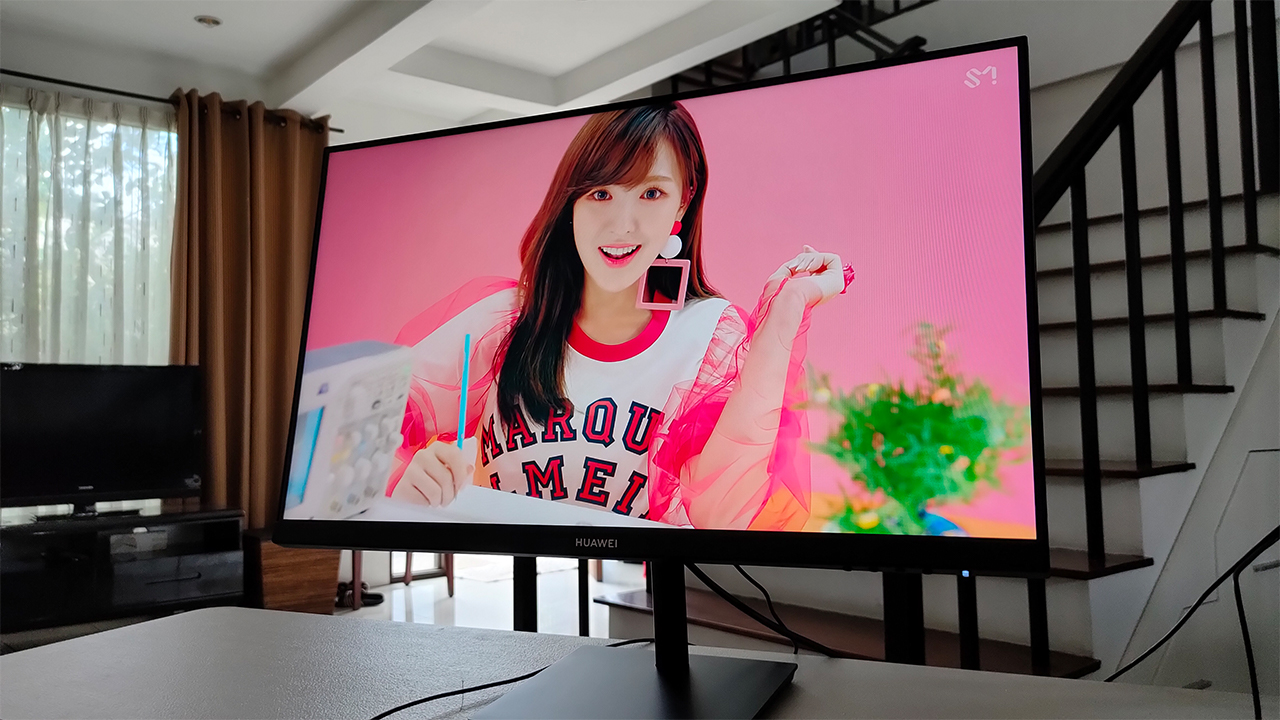
In my time using it, it’s a decent workstation monitor and secondary display. The display is quite bright and is relatively color accurate when watching HD videos. Although, it does suffer from a little bit of glare against sunlight so I’d rather place this far from the window, if ever. Also, it comes with the standard HDMI and VGA ports at the back — again, it’s stuff you expect from most monitors.
However, the first few times I used the monitor, I noticed a bit of a backlight issue by the right side. When it happened, it only shows up on either darker backgrounds or when I boot up the machine. Fortunately, it didn’t happen for the majority of the time I was using it, so I guess it pretty much solved itself out.
An optional, ultra-slim, smart keyboard
Another optional peripheral for the entire suite is Huawei’s Ultra-Slim Keyboard. It’s a full-sized keyboard, complete with the usual function keys catered for media and business. At first, you would think that there’s really nothing special about it. However, this is where Huawei put their smart service integration to the fullest of its extent, in my opinion.
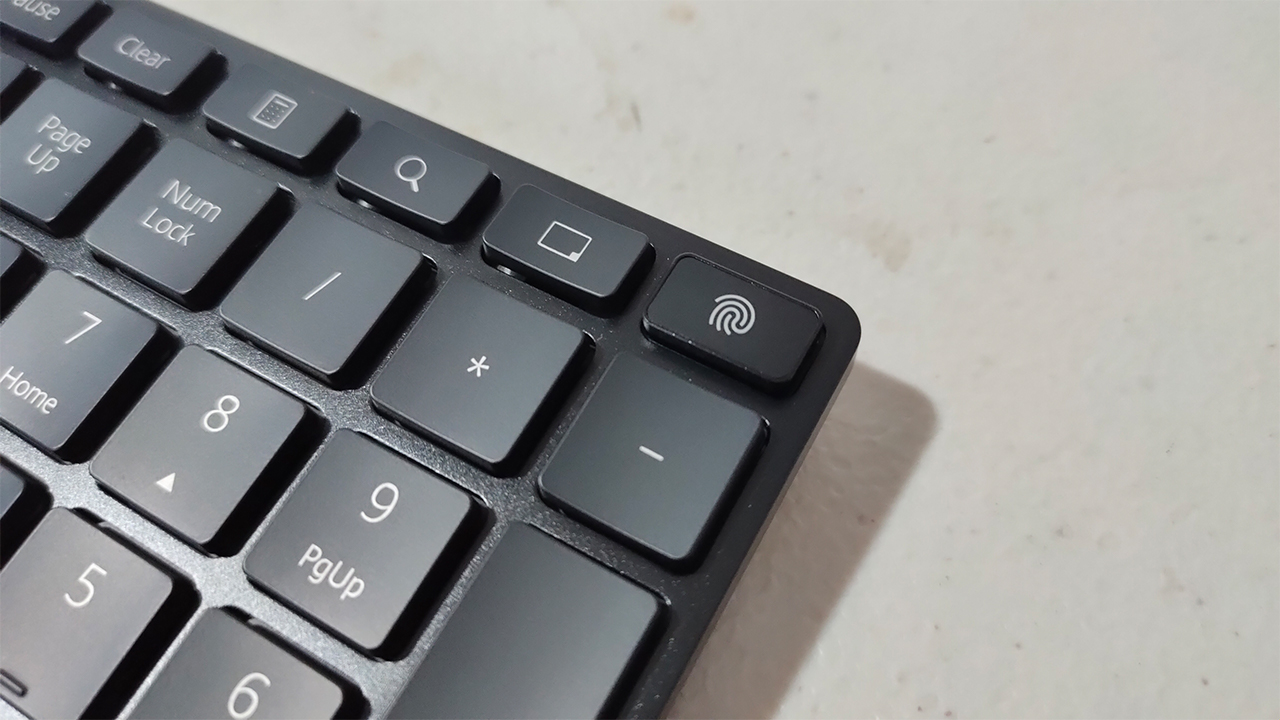
See, this slim keyboard comes with two important features: Windows Hello and Huawei Share. At the top right of the keyboard, you will find a fingerprint sensor/button that unlocks your PC through Windows Hello. It’s fairly easy to set up, and it was quite fast in recognizing your fingerprint, as long as it’s relatively clean.
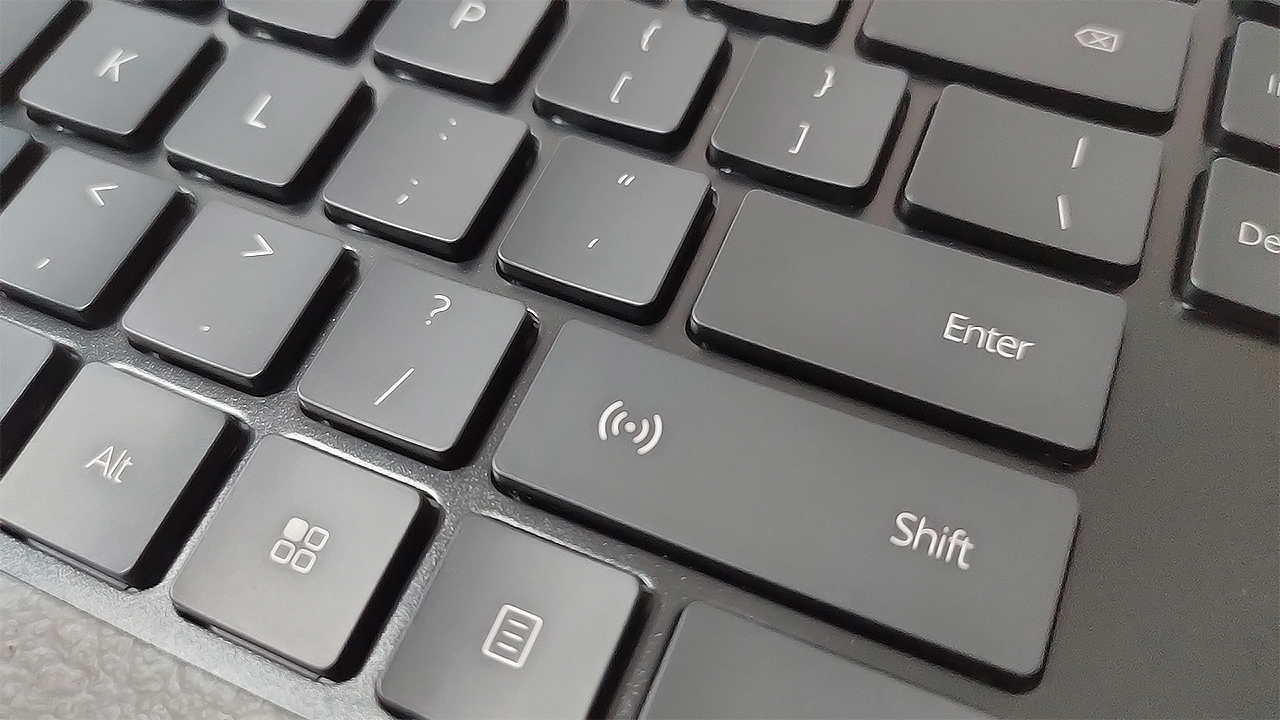
When it comes to Huawei Share, you will find this on the right Shift key and contains a built-in NFC sensor. In essence, you can use your compatible Huawei smartphones to transfer files for work or do Multi-Screen collaboration. It’s something that even their own MateBook lineup hasn’t fully integrated yet, so this is a big step up for a smarter experience.
Is this your WorkstationMatch?
At PhP 30,999, the Huawei MateStation S provides quality performance for any business-centric workstation. Its compact form factor allows for any flexible arrangements for your workspace, and it comes with powerful hardware for all your tasks. If you just need a prebuilt system for some school work, this is one great option too.
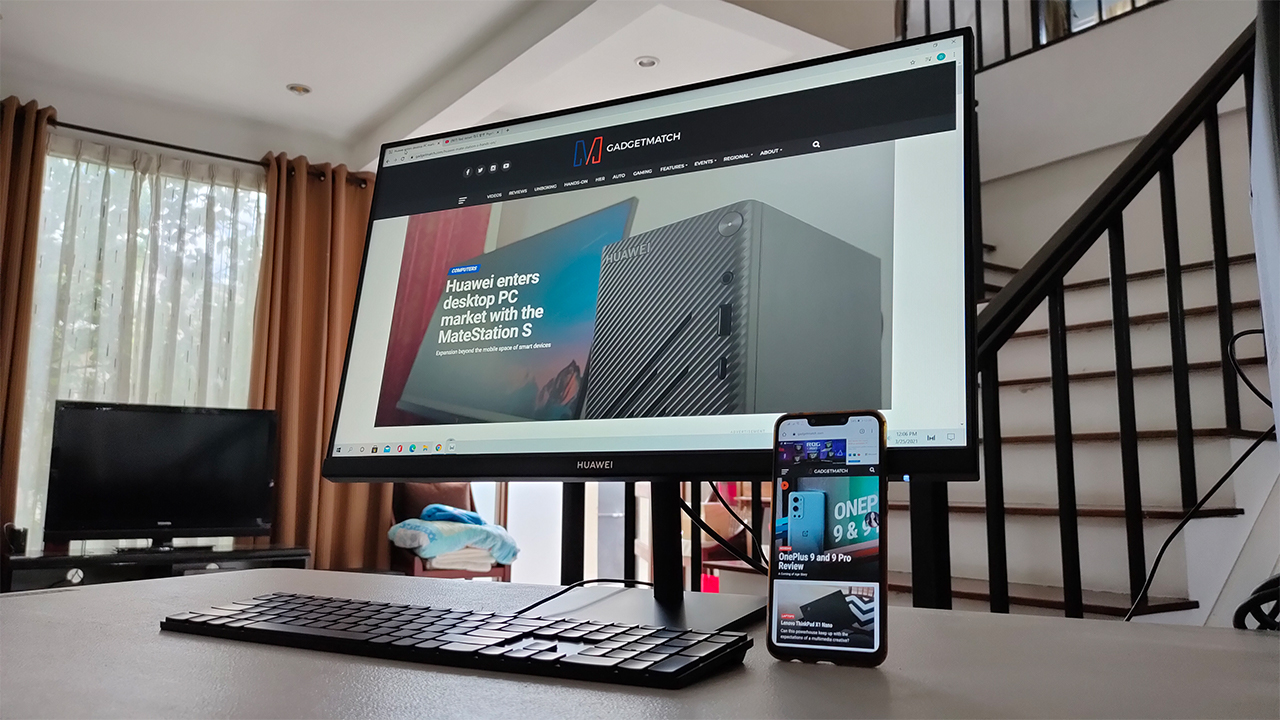
If you’d like, you can opt to bundle this with the optional peripherals Huawei has to offer for a smarter experience. Specifically, the Huawei Ultra-Slim Keyboard would be the ideal peripheral to buy for Windows Hello and Huawei Share integration. Also, you can upgrade certain hardware inside the system at the expense of your warranty.
Overall, the Huawei MateStation S serves as a riveting workstation PC for any and all professionals, and even for the young ones in school. If you’re knee-deep in Huawei’s growing ecosystem, this expansion into the desktop PC space is something worth investing in.







Computers
Acer introduces Ryzen AI Max-powered Veriton mini workstation
Built to support the heaviest workloads

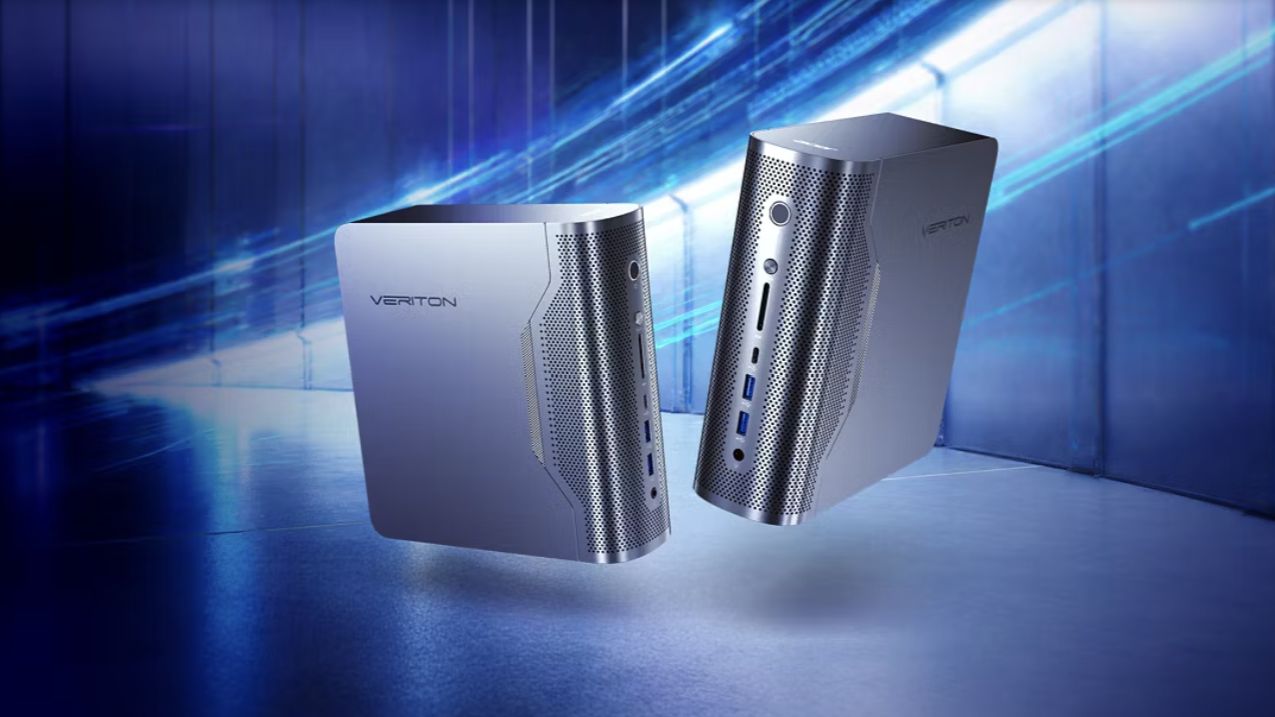
Acer has officially expanded its lineup of Veriton desktop computers with the release of the Acer Veriton RA100 AI mini workstation.
This Copilot+ PC is powered by AMD Ryzen AI Max+ 395 processors to support even the heaviest of workloads for gamers, creators, and other professionals.
Armed with AMD Radeon 8060S graphics, 50 TOPS NPU, and 60 TFLOPS, the Veriton RA100 delivers up to 120 billion parameters for demanding workloads.
These include running AI models, developing and deploying generative AI applications, 3D design, and content creation at high resolutions.
The RA100 accelerates such tasks, and optimizes design, coding, and even gaming with the help of AI.
In addition, the RA100 also supports ultra-fast and high storage capacity. It has a four channel memory of up to 128GB DDR5 and up to 4TB SSD storage.
The workstation comes with adaptive performance modes to allow users to adjust the power. There’s Silent Mode for general tasks, balanced Mode for lightweight multitasking, and Performance Mode for the extra juice for AI computing and AAA gaming.
For connectivity, the RA100 comes with Wi-Fi 7 and Bluetooth 5.4, plus an RJ45 port and Kensington lock slot.

Acer Veriton desktops also launched
Acer has also launched new Acer Veriton AIO desktops — the Vero 4000 and Vero 6000 — alongside the RA100.
These all-in-one desktops blend strong AI performance with robust security in a sleek design for modern workplaces.
They are powered by Intel Core Ultra 9 Series 2 processors, with up to 64GB memory and up to 2TB storage.
The Veriton Vero 4000 sports Intel Graphics, while the Vero 6000 comes with Intel vPro for enhanced capabilities.
Both AIOs feature a 23.8-inch 144Hz FHD touch display. The ergo stand and VESA mount support flexible workspace setups as well.
Additional features include Wi-Fi 7, Bluetooth 5.4, RJ45, and a 5MP infrared webcam.
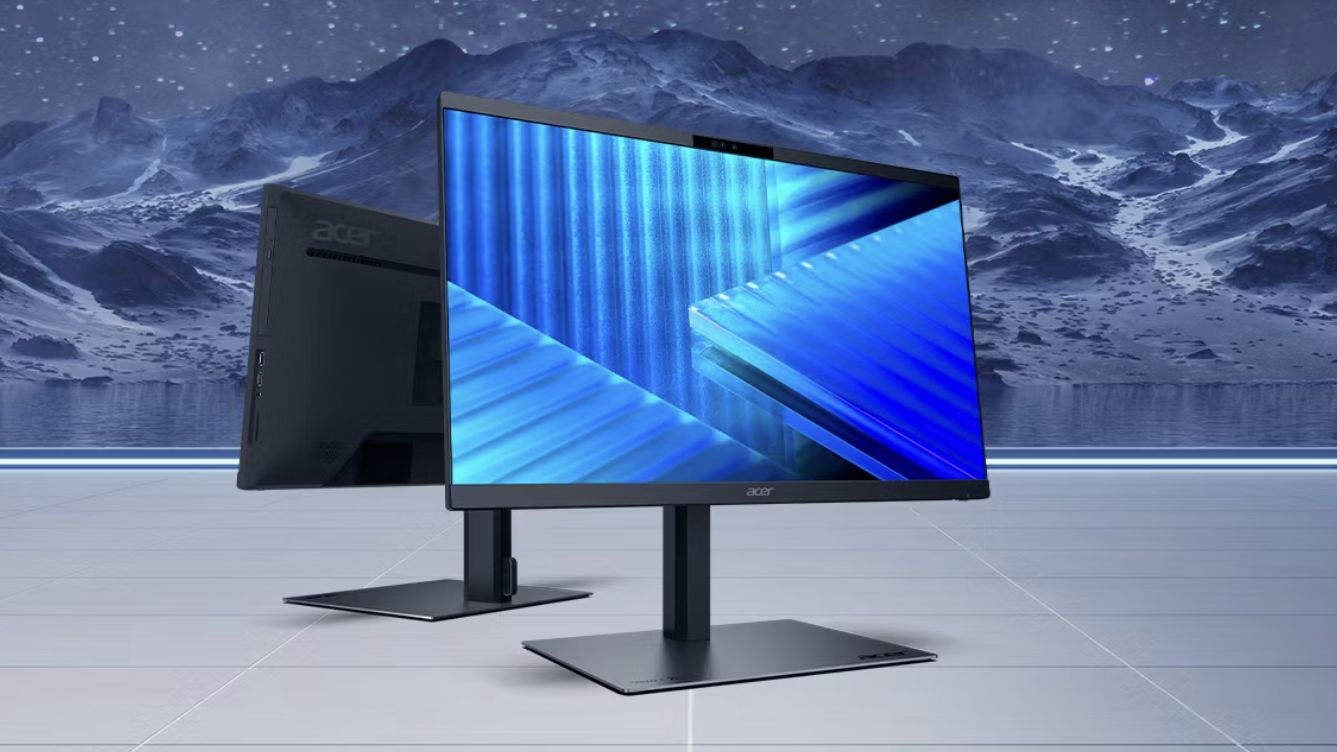
Acer Veriton 2000 large tower, AIO
Lastly, Acer has also introduced the Veriton 2000 Large Tower and Veriton 2000 All-In-One for further options.
The large tower likewise comes with Intel Core Ultra 9 Series processors and NVIDIA GeForce RTX 5080 graphics, making it a high-performance desktop PC.
It is designed to streamline AI-assisted content creation and other everyday productivity tasks. With NVIDIA Blackwell, the GeForce RTX 50 series GPUs bring game-changing capabilities to gamers and creators.
Meanwhile, the Veriton 2000 AIO has Intel Core Ultra 7 Series 2 processors, Intel Graphics, and ample memory and storage.
It has a 23.8-inch FHD display as well, with a 16:9 aspect ratio and 250 nits brightness.
In the annual BLACK FRIDAY SALE, we’ve compiled and rounded-up our best picks with the best value you can get right now!
🧹 Get 50% off Dreame X50 Ultra on Amazon or click here on their website | Use code SAKITECH15 (5% off ’til Dec 1)
💧 Stay hydrated and get up to 30% off on the LARQ PureVis 2 here.
💡 Level up with Govee TV Backlight T2 or Govee Sync Box AI Kit 2.
> Nomad Universal Cable for Apple Watch
Computers
Kingston FURY Renegade G5 SSD adds 8TB storage capacity option
Largest capacity option yet for high-power uses

Kingston FURY has added an 8192GB full capacity option for the Kingston FURY Renegade G5 line. This is ideal for high-power uses, such as video editing, 3D rendering, gaming, and more.
Optimized for heavy workflows and gaming needs, the PCIe 5.0 NVMe M.2 2280 SSD utilizes the latest PCIe Gen5 x 4 controller and 3D TLC NAND.
It can reach speeds of up to 14,800/14,000MB/s (read/write) and over 2M IOPS. This way, it can provide extreme performance and endurance.
And with an 8TB option, users can now store more of their favorite games and media without losing system responsiveness. Other scenarios include 4K/8K video editing.
The Kingston FURY Renegade G5 lineup has capacities available from 1TB to 8TB. All options come with a limited five-year warranty, plus free technical support and legendary Kingston reliability.
Like the Renegade G5’s other storage capacities, the 8TB SSD is compatible with many popular motherboards.
Enthusiasts looking at custom builds can rely on the lineup. And by now, popular PC brands already have motherboards with PCIe 5.0 support.
Kingston’s future-ready storage and RAM offerings were displayed previously at COMPUTEX 2025.
These AI-ready solutions support robots, AI PCs, and AI servers, delivering benefits in public safety, data security, and production line efficiency.


Redmi Note 15 Pro+ 5G review: The midrange fashion piece
Work-ready and style-friendly!


Mijia Smart Audio Glasses review: Immerse yourself in the music
Here's a unique way to listen to music.


POCO M8 Pro review: Goin’ loco over this POCO
POCO starts 2026 with some bang

Infinix NOTE Edge debuts: High-end features for accessible pricing

Can the REDMI Note 15 Pro+ 5G Survive?

Prime Video releases 1st-look image of Sophie Turner as Lara Croft

Civilization VII coming to Apple Arcade this February 5th

Now Playing: Rental Family

Razer teams up with BLACKPINK for limited-edition gear

HONOR WIN headlines the first 10,000mAh smartphone with built-in fan

HONOR X9d 5G launches in the Philippines: Price, preorder, availability

Favorite Laptops of 2025

Inside the Next-Gen Ford Ranger Wildtrak 4×4


-
 News1 week ago
HONOR X9d 5G launches in the Philippines: Price, preorder, availability
-

 Reviews2 weeks ago
HONOR Magic8 Pro review: What sorcery is this?
-
 Camera Walkthrough2 weeks ago
HONOR Magic8 Pro Stage Mode at a TWICE concert
-

 CES 20262 weeks ago
Lenovo Legion Pro Rollable Concept was possible thanks to TCL
-
 CES 20262 weeks ago
The ROG Flow Z13-KJP brings your Death Stranding dreams to life
-
 CES 20262 weeks ago
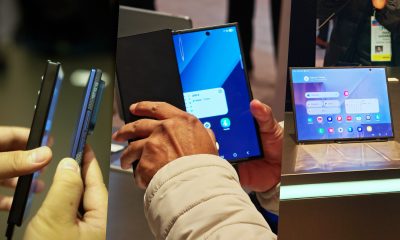
First Look: Samsung Galaxy Z TriFold
-
 CES 20262 weeks ago
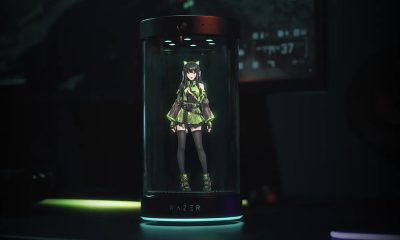
This Razer AI companion can tell you how much of a noob you are
-
 CES 20262 weeks ago
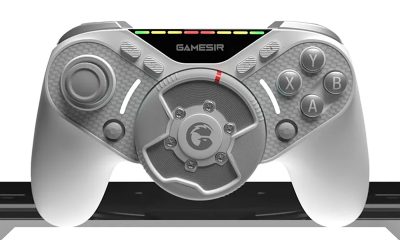
GameSir just made a controller with its own steering wheel